Microsoft Dynamic 365
Introduction, purpose & what’s in for
us as developer
Enterprise resource planning
• Business process management software
• A system of integrated applications to manage
the business
• automate back office functions
How user see it
• all facets of an operation
– product planning
– Development
– Manufacturing
– sales and marketing
• Single
– database
– Application
– user interface
ERP Modules
• Each ERP module is focused on one area of business processes,
• ERP software typically consists of
– multiple enterprise software modules
– individually purchased, as needed
• Common Modules:
– Distribution process management
– Supply chain management
– Services knowledge base
– Configure prices
– Improve accuracy of financial data
– Facilitate better project planning
– Automate the employee life-cycle
– Standardize critical business procedures
– Reduce redundant tasks
– Assess business needs
– Accounting and financial applications
– Lower purchasing costs
– Manage human resources and payroll
ERP v/s CRM
• CRM -> front-office activities:
– Marketing
– sales pipeline
– Converting leads to closing deals,
– Streamline your sales processes
– Automates customer service,
– Manage inventory
• ERP -> back-office activities
– Distribution process management
– Supply chain management
– Services knowledge base
– Improve accuracy of financial data
– Project planning
– Automate employee life-cycle
– Assess business needs
– Accounting and financial applications
– Manage human resources and payroll.
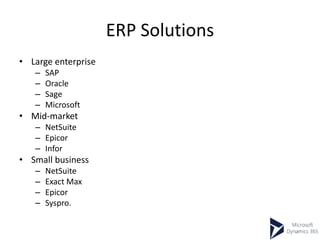
ERP Solutions
• Large enterprise
– SAP
– Oracle
– Sage
– Microsoft
• Mid-market
– NetSuite
– Epicor
– Infor
• Small business
– NetSuite
– Exact Max
– Epicor
– Syspro.
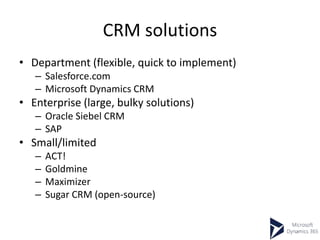
CRM solutions
• Department (flexible, quick to implement)
– Salesforce.com
– Microsoft Dynamics CRM
• Enterprise (large, bulky solutions)
– Oracle Siebel CRM
– SAP
• Small/limited
– ACT!
– Goldmine
– Maximizer
– Sugar CRM (open-source)
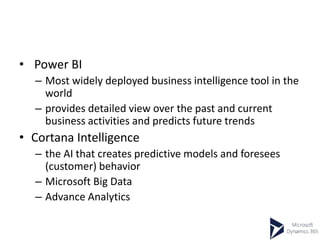
• Power BI
– Most widely deployed business intelligence tool in the
world
– provides detailed view over the past and current
business activities and predicts future trends
• Cortana Intelligence
– the AI that creates predictive models and foresees
(customer) behavior
– Microsoft Big Data
– Advance Analytics
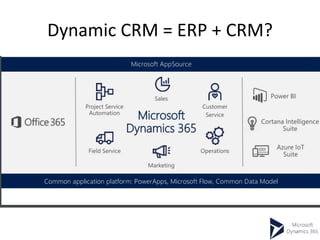
Dynamic CRM = ERP + CRM?
https://www.youtube.com/v/sIScYRwtoH8
Microsoft Dynamics CRM: Business
• customer relationship management software
package
• 9th version from 2003 Launch
• CRM 365: 40,000 customers
• Used for : Contact Managament, Sales,
Marketing, and Service (help desk)
• Not used for Material planning, Inventory,
Accounting etc
Microsoft Dynamics CRM: Technical
• IIS-based web application
• Supports extensive web services interfaces.
• Use by
– Browser
– Microsoft Outlook Plug-in
– As Service
• Customizable using .Net
Microsoft Dynamics CRM: Technical
cont.
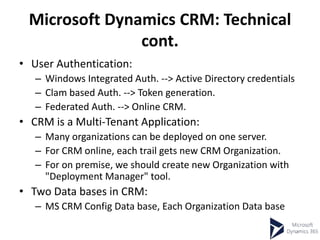
• User Authentication:
– Windows Integrated Auth. --> Active Directory credentials
– Clam based Auth. --> Token generation.
– Federated Auth. --> Online CRM.
• CRM is a Multi-Tenant Application:
– Many organizations can be deployed on one server.
– For CRM online, each trail gets new CRM Organization.
– For on premise, we should create new Organization with
"Deployment Manager" tool.
• Two Data bases in CRM:
– MS CRM Config Data base, Each Organization Data base
Microsoft Dynamics CRM: Technical
cont.
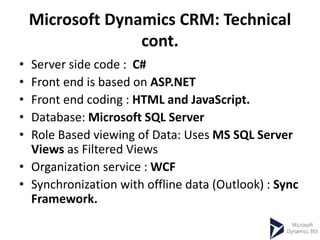
• Server side code : C#
• Front end is based on ASP.NET
• Front end coding : HTML and JavaScript.
• Database: Microsoft SQL Server
• Role Based viewing of Data: Uses MS SQL Server
Views as Filtered Views
• Organization service : WCF
• Synchronization with offline data (Outlook) : Sync
Framework.
Availability Models
• Cloud offering (SAS model)
• On-premises
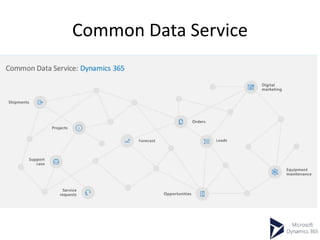
Common Data Service
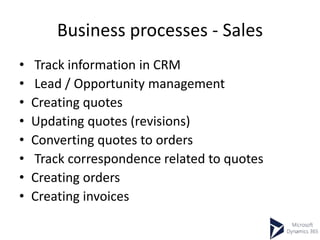
Business processes - Sales
• Track information in CRM
• Lead / Opportunity management
• Creating quotes
• Updating quotes (revisions)
• Converting quotes to orders
• Track correspondence related to quotes
• Creating orders
• Creating invoices
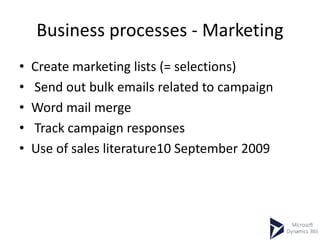
Business processes - Marketing
• Create marketing lists (= selections)
• Send out bulk emails related to campaign
• Word mail merge
• Track campaign responses
• Use of sales literature10 September 2009
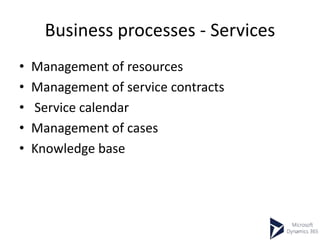
Business processes - Services
• Management of resources
• Management of service contracts
• Service calendar
• Management of cases
• Knowledge base
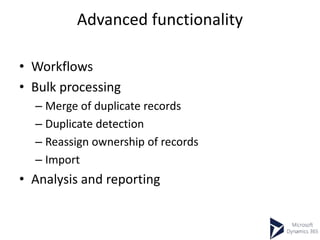
Advanced functionality
• Workflows
• Bulk processing
– Merge of duplicate records
– Duplicate detection
– Reassign ownership of records
– Import
• Analysis and reporting
Definitions
• Lead (Suspect)
– No explicit interest shown
– Coming from external source, event participant, registered on website , etc
• Account (Prospect)
– Explicit interest shown
– Converted from Lead Lead
• Account (other)
– Organisations with which you make business
• Clients
• Partners
• Suppliers…
• Contact
– Person
– Related with an account or independent (B2C)
• Opportunity
– Possible sale of goods or services
• Activities
– Various communication activities with other entities
• Phone calls, E-mails, Appointments, Tasks, etc
Demo
• Entity
• Forms
• Business Rules
• Web Resource
Outlook Client
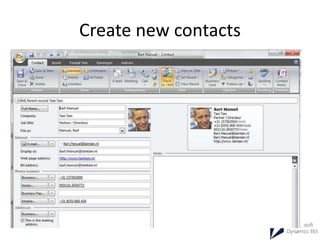
Create new contacts
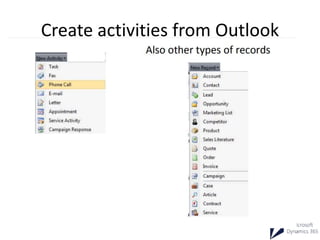
Create activities from Outlook
Enhancement CRM
• Integration
• Customization
• Extensibility – Custom Business Logic
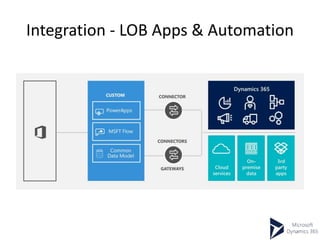
Integration - LOB Apps & Automation
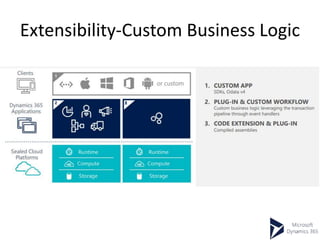
Extensibility-Custom Business Logic
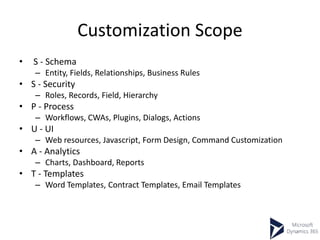
Customization Scope
• S - Schema
– Entity, Fields, Relationships, Business Rules
• S - Security
– Roles, Records, Field, Hierarchy
• P - Process
– Workflows, CWAs, Plugins, Dialogs, Actions
• U - UI
– Web resources, Javascript, Form Design, Command Customization
• A - Analytics
– Charts, Dashboard, Reports
• T - Templates
– Word Templates, Contract Templates, Email Templates
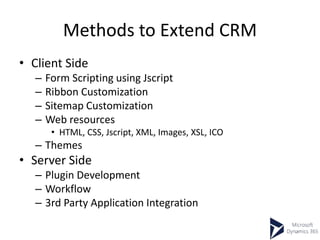
Methods to Extend CRM
• Client Side
– Form Scripting using Jscript
– Ribbon Customization
– Sitemap Customization
– Web resources
• HTML, CSS, Jscript, XML, Images, XSL, ICO
– Themes
• Server Side
– Plugin Development
– Workflow
– 3rd Party Application Integration
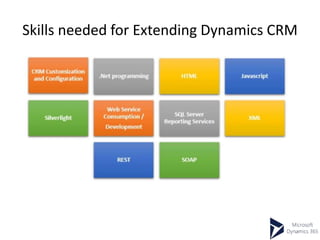
Skills needed for Extending Dynamics CRM
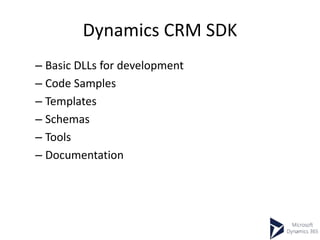
Dynamics CRM SDK
– Basic DLLs for development
– Code Samples
– Templates
– Schemas
– Tools
– Documentation
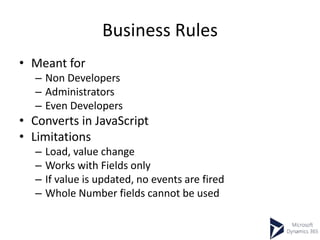
Business Rules
• Meant for
– Non Developers
– Administrators
– Even Developers
• Converts in JavaScript
• Limitations
– Load, value change
– Works with Fields only
– If value is updated, no events are fired
– Whole Number fields cannot be used
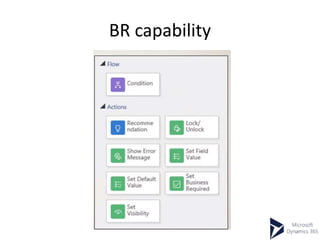
BR capability
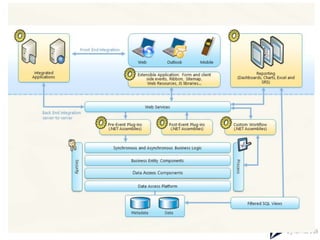
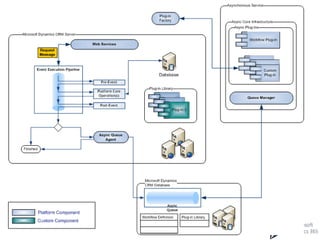
Event Pipeline
Demo
• Plug-in Demo

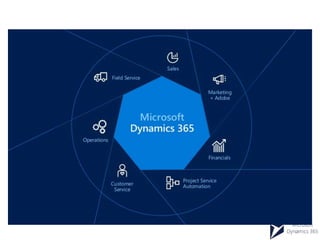
Dynamic 365

  • 1.
    Microsoft Dynamic 365 Introduction,purpose & what’s in for us as developer
  • 2.
    Enterprise resource planning •Business process management software • A system of integrated applications to manage the business • automate back office functions
  • 3.
    How user seeit • all facets of an operation – product planning – Development – Manufacturing – sales and marketing • Single – database – Application – user interface
  • 4.
    ERP Modules • EachERP module is focused on one area of business processes, • ERP software typically consists of – multiple enterprise software modules – individually purchased, as needed • Common Modules: – Distribution process management – Supply chain management – Services knowledge base – Configure prices – Improve accuracy of financial data – Facilitate better project planning – Automate the employee life-cycle – Standardize critical business procedures – Reduce redundant tasks – Assess business needs – Accounting and financial applications – Lower purchasing costs – Manage human resources and payroll
  • 5.
    ERP v/s CRM •CRM -> front-office activities: – Marketing – sales pipeline – Converting leads to closing deals, – Streamline your sales processes – Automates customer service, – Manage inventory • ERP -> back-office activities – Distribution process management – Supply chain management – Services knowledge base – Improve accuracy of financial data – Project planning – Automate employee life-cycle – Assess business needs – Accounting and financial applications – Manage human resources and payroll.
  • 6.
    ERP Solutions • Largeenterprise – SAP – Oracle – Sage – Microsoft • Mid-market – NetSuite – Epicor – Infor • Small business – NetSuite – Exact Max – Epicor – Syspro.
  • 7.
    CRM solutions • Department(flexible, quick to implement) – Salesforce.com – Microsoft Dynamics CRM • Enterprise (large, bulky solutions) – Oracle Siebel CRM – SAP • Small/limited – ACT! – Goldmine – Maximizer – Sugar CRM (open-source)
  • 10.
    • Power BI –Most widely deployed business intelligence tool in the world – provides detailed view over the past and current business activities and predicts future trends • Cortana Intelligence – the AI that creates predictive models and foresees (customer) behavior – Microsoft Big Data – Advance Analytics
  • 11.
    Dynamic CRM =ERP + CRM?
  • 12.
  • 13.
    Microsoft Dynamics CRM:Business • customer relationship management software package • 9th version from 2003 Launch • CRM 365: 40,000 customers • Used for : Contact Managament, Sales, Marketing, and Service (help desk) • Not used for Material planning, Inventory, Accounting etc
  • 14.
    Microsoft Dynamics CRM:Technical • IIS-based web application • Supports extensive web services interfaces. • Use by – Browser – Microsoft Outlook Plug-in – As Service • Customizable using .Net
  • 15.
    Microsoft Dynamics CRM:Technical cont. • User Authentication: – Windows Integrated Auth. --> Active Directory credentials – Clam based Auth. --> Token generation. – Federated Auth. --> Online CRM. • CRM is a Multi-Tenant Application: – Many organizations can be deployed on one server. – For CRM online, each trail gets new CRM Organization. – For on premise, we should create new Organization with "Deployment Manager" tool. • Two Data bases in CRM: – MS CRM Config Data base, Each Organization Data base
  • 16.
    Microsoft Dynamics CRM:Technical cont. • Server side code : C# • Front end is based on ASP.NET • Front end coding : HTML and JavaScript. • Database: Microsoft SQL Server • Role Based viewing of Data: Uses MS SQL Server Views as Filtered Views • Organization service : WCF • Synchronization with offline data (Outlook) : Sync Framework.
  • 17.
    Availability Models • Cloudoffering (SAS model) • On-premises
  • 18.
  • 19.
    Business processes -Sales • Track information in CRM • Lead / Opportunity management • Creating quotes • Updating quotes (revisions) • Converting quotes to orders • Track correspondence related to quotes • Creating orders • Creating invoices
  • 20.
    Business processes -Marketing • Create marketing lists (= selections) • Send out bulk emails related to campaign • Word mail merge • Track campaign responses • Use of sales literature10 September 2009
  • 21.
    Business processes -Services • Management of resources • Management of service contracts • Service calendar • Management of cases • Knowledge base
  • 22.
    Advanced functionality • Workflows •Bulk processing – Merge of duplicate records – Duplicate detection – Reassign ownership of records – Import • Analysis and reporting
  • 23.
    Definitions • Lead (Suspect) –No explicit interest shown – Coming from external source, event participant, registered on website , etc • Account (Prospect) – Explicit interest shown – Converted from Lead Lead • Account (other) – Organisations with which you make business • Clients • Partners • Suppliers… • Contact – Person – Related with an account or independent (B2C) • Opportunity – Possible sale of goods or services • Activities – Various communication activities with other entities • Phone calls, E-mails, Appointments, Tasks, etc
  • 24.
    Demo • Entity • Forms •Business Rules • Web Resource
  • 25.
  • 26.
  • 27.
  • 28.
    Enhancement CRM • Integration •Customization • Extensibility – Custom Business Logic
  • 29.
    Integration - LOBApps & Automation
  • 30.
  • 31.
    Customization Scope • S- Schema – Entity, Fields, Relationships, Business Rules • S - Security – Roles, Records, Field, Hierarchy • P - Process – Workflows, CWAs, Plugins, Dialogs, Actions • U - UI – Web resources, Javascript, Form Design, Command Customization • A - Analytics – Charts, Dashboard, Reports • T - Templates – Word Templates, Contract Templates, Email Templates
  • 32.
    Methods to ExtendCRM • Client Side – Form Scripting using Jscript – Ribbon Customization – Sitemap Customization – Web resources • HTML, CSS, Jscript, XML, Images, XSL, ICO – Themes • Server Side – Plugin Development – Workflow – 3rd Party Application Integration
  • 34.
    Skills needed forExtending Dynamics CRM
  • 35.
    Dynamics CRM SDK –Basic DLLs for development – Code Samples – Templates – Schemas – Tools – Documentation
  • 36.
    Business Rules • Meantfor – Non Developers – Administrators – Even Developers • Converts in JavaScript • Limitations – Load, value change – Works with Fields only – If value is updated, no events are fired – Whole Number fields cannot be used
  • 37.
  • 38.
  • 40.