Software Testing
Van Thi Kim Ngan
Aug-2005
Agenda
•
•
•
•
•

What is test?
Why is testing necessary?
What is bug?
Lifecycle of a bug
Record and Manage bug
What is test?
• Testing is the process of exercising or
evaluating a system or system component
by manual or automated means to verify
that it satisfies specified requirements
Some English…
• Verification : Methods to ensure that the
system complies with an organizational
standard or process
• Validation: Ensure that the system operates
according to a plan by executing system
functions
Why is testing necessary?
• Because software is likely to have faults
• To learn about the reliability of the
software
• Because failures can be very expensive
• To avoid being sued by customers
• To stay in business
What is bug?
• A fault in a program which causes the
program to perform in an unintended or
unanticipated manner.
Failure
• Deviation of the software from its expected
delivery or service
• Failure is an event
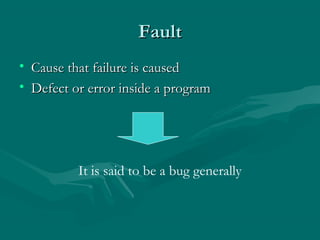
Fault
• Cause that failure is caused
• Defect or error inside a program

It is said to be a bug generally
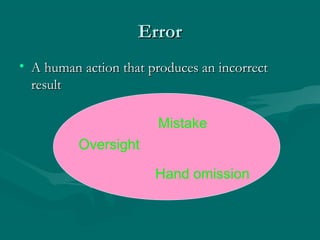
Error
• A human action that produces an incorrect
result
Mistake
Oversight
Hand omission
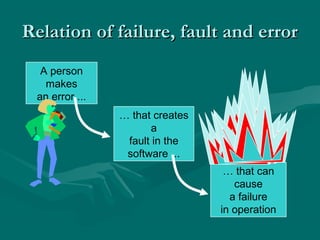
Relation of failure, fault and error
A person
makes
an error ...
… that creates
a
fault in the
software ...
… that can
cause
a failure
in operation
“Importance” of bugs (in $$)
• Frequency (Fre)
• Correction cost (Cor):
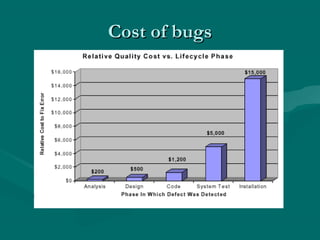
– Typically, significantly more the later the bug is
discovered

• Installation cost (Ins):
– Cost of installing the fix

• Consequences (Con)
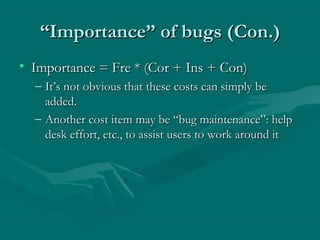
“Importance” of bugs (Con.)
• Importance = Fre * (Cor + Ins + Con)
– It’s not obvious that these costs can simply be
added.
– Another cost item may be “bug maintenance”: help
desk effort, etc., to assist users to work around it
Cost of bugs
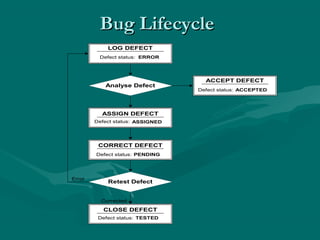
Bug Lifecycle
LOG DEFECT
Defect status: ERROR

Analyse Defect

ASSIGN DEFECT
Defect status: ASSIGNED

CORRECT DEFECT
Defect status: PENDING

Error

Retest Defect

Corrected

CLOSE DEFECT
Defect status: TESTED

ACCEPT DEFECT
Defect status: ACCEPTED
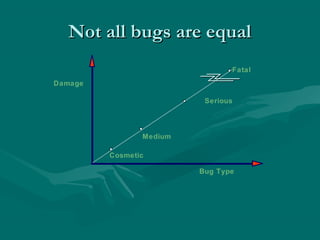
Not all bugs are equal
Fatal
Damage
Serious

Medium
Cosmetic
Bug Type
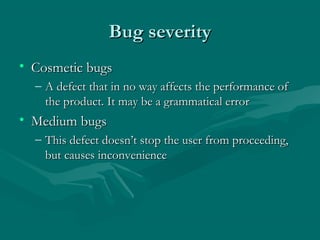
Bug severity
• Cosmetic bugs
– A defect that in no way affects the performance of
the product. It may be a grammatical error

• Medium bugs
– This defect doesn’t stop the user from proceeding,
but causes inconvenience
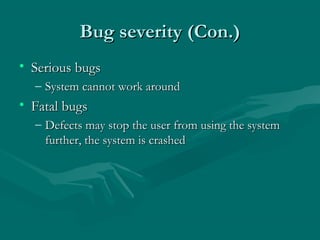
Bug severity (Con.)
• Serious bugs
– System cannot work around

• Fatal bugs
– Defects may stop the user from using the system
further, the system is crashed
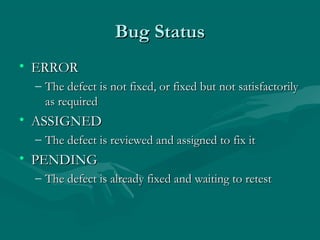
Bug Status
• ERROR
– The defect is not fixed, or fixed but not satisfactorily
as required

• ASSIGNED
– The defect is reviewed and assigned to fix it

• PENDING
– The defect is already fixed and waiting to retest
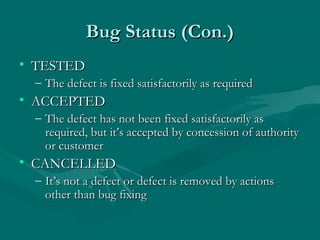
Bug Status (Con.)
• TESTED
– The defect is fixed satisfactorily as required

• ACCEPTED
– The defect has not been fixed satisfactorily as
required, but it’s accepted by concession of authority
or customer

• CANCELLED
– It’s not a defect or defect is removed by actions
other than bug fixing
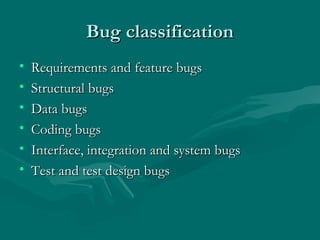
Bug classification
•
•
•
•
•
•

Requirements and feature bugs
Structural bugs
Data bugs
Coding bugs
Interface, integration and system bugs
Test and test design bugs
Bug classification (Con.)
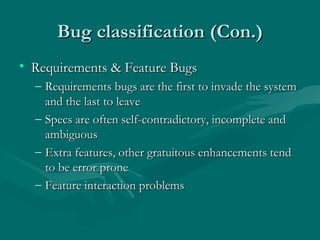
• Requirements & Feature Bugs
– Requirements bugs are the first to invade the system
and the last to leave
– Specs are often self-contradictory, incomplete and
ambiguous
– Extra features, other gratuitous enhancements tend
to be error prone
– Feature interaction problems
Bug classification (Con.)
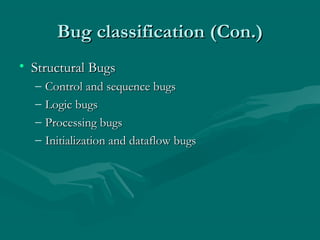
• Structural Bugs
–
–
–
–

Control and sequence bugs
Logic bugs
Processing bugs
Initialization and dataflow bugs
Bug classification (Con.)
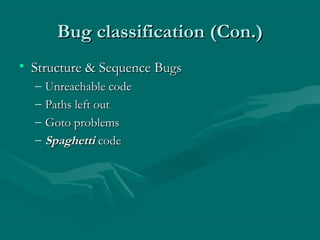
• Structure & Sequence Bugs
–
–
–
–

Unreachable code
Paths left out
Goto problems
Spaghetti code
Bug classification (Con.)
• Logic Bugs
–
–
–
–

Misunderstood switch-statement semantics
Improper Boolean logic
Improper simplification and combination of cases
Misunderstood expression evaluation
Bug classification (Con.)
• Processing Bugs
–
–
–

Arithmetic bugs
Algebraic bugs
Incorrect conversion
Bug classification (Con.)
• Initialization and data bugs
–
–
–
–
–

Improper initialization
Using an un-initialized variable
Double initialization
Modifying data but not keeping the result
Dangling pointers
Bug classification (Con.)
• Coding Bugs
–
–
–

Typos
Misunderstood language syntax and semantics
Erroneous comments
Bug classification (Con.)
• Interface, Integration & System Bugs
–
–
–

External interfaces
Internal interfaces
Bugs related to hardware, system software, or OS
interface
– Integration bugs
Bug classification (Con.)
• Tests & Test Design Bugs
–
–

Bugs in the test (“scaffolding”) software
Bugs in test data
Bug Tracking Tools
• Trakium: Issue Tracking System
–
–

Vendor: Multitech
www.trakium.com

• Test Director: Provide -Requirements
Management, Test Plan, Test Case, and Defects
Management
–
–

Vendor: Mercury
www.mercury.com
Questions & Answers

Software testing day1

  • 1.
    Software Testing Van ThiKim Ngan Aug-2005
  • 2.
    Agenda • • • • • What is test? Whyis testing necessary? What is bug? Lifecycle of a bug Record and Manage bug
  • 3.
    What is test? •Testing is the process of exercising or evaluating a system or system component by manual or automated means to verify that it satisfies specified requirements
  • 4.
    Some English… • Verification: Methods to ensure that the system complies with an organizational standard or process • Validation: Ensure that the system operates according to a plan by executing system functions
  • 5.
    Why is testingnecessary? • Because software is likely to have faults • To learn about the reliability of the software • Because failures can be very expensive • To avoid being sued by customers • To stay in business
  • 6.
    What is bug? •A fault in a program which causes the program to perform in an unintended or unanticipated manner.
  • 7.
    Failure • Deviation ofthe software from its expected delivery or service • Failure is an event
  • 8.
    Fault • Cause thatfailure is caused • Defect or error inside a program It is said to be a bug generally
  • 9.
    Error • A humanaction that produces an incorrect result Mistake Oversight Hand omission
  • 10.
    Relation of failure,fault and error A person makes an error ... … that creates a fault in the software ... … that can cause a failure in operation
  • 11.
    “Importance” of bugs(in $$) • Frequency (Fre) • Correction cost (Cor): – Typically, significantly more the later the bug is discovered • Installation cost (Ins): – Cost of installing the fix • Consequences (Con)
  • 12.
    “Importance” of bugs(Con.) • Importance = Fre * (Cor + Ins + Con) – It’s not obvious that these costs can simply be added. – Another cost item may be “bug maintenance”: help desk effort, etc., to assist users to work around it
  • 13.
  • 14.
    Bug Lifecycle LOG DEFECT Defectstatus: ERROR Analyse Defect ASSIGN DEFECT Defect status: ASSIGNED CORRECT DEFECT Defect status: PENDING Error Retest Defect Corrected CLOSE DEFECT Defect status: TESTED ACCEPT DEFECT Defect status: ACCEPTED
  • 15.
    Not all bugsare equal Fatal Damage Serious Medium Cosmetic Bug Type
  • 16.
    Bug severity • Cosmeticbugs – A defect that in no way affects the performance of the product. It may be a grammatical error • Medium bugs – This defect doesn’t stop the user from proceeding, but causes inconvenience
  • 17.
    Bug severity (Con.) •Serious bugs – System cannot work around • Fatal bugs – Defects may stop the user from using the system further, the system is crashed
  • 18.
    Bug Status • ERROR –The defect is not fixed, or fixed but not satisfactorily as required • ASSIGNED – The defect is reviewed and assigned to fix it • PENDING – The defect is already fixed and waiting to retest
  • 19.
    Bug Status (Con.) •TESTED – The defect is fixed satisfactorily as required • ACCEPTED – The defect has not been fixed satisfactorily as required, but it’s accepted by concession of authority or customer • CANCELLED – It’s not a defect or defect is removed by actions other than bug fixing
  • 20.
    Bug classification • • • • • • Requirements andfeature bugs Structural bugs Data bugs Coding bugs Interface, integration and system bugs Test and test design bugs
  • 21.
    Bug classification (Con.) •Requirements & Feature Bugs – Requirements bugs are the first to invade the system and the last to leave – Specs are often self-contradictory, incomplete and ambiguous – Extra features, other gratuitous enhancements tend to be error prone – Feature interaction problems
  • 22.
    Bug classification (Con.) •Structural Bugs – – – – Control and sequence bugs Logic bugs Processing bugs Initialization and dataflow bugs
  • 23.
    Bug classification (Con.) •Structure & Sequence Bugs – – – – Unreachable code Paths left out Goto problems Spaghetti code
  • 24.
    Bug classification (Con.) •Logic Bugs – – – – Misunderstood switch-statement semantics Improper Boolean logic Improper simplification and combination of cases Misunderstood expression evaluation
  • 25.
    Bug classification (Con.) •Processing Bugs – – – Arithmetic bugs Algebraic bugs Incorrect conversion
  • 26.
    Bug classification (Con.) •Initialization and data bugs – – – – – Improper initialization Using an un-initialized variable Double initialization Modifying data but not keeping the result Dangling pointers
  • 27.
    Bug classification (Con.) •Coding Bugs – – – Typos Misunderstood language syntax and semantics Erroneous comments
  • 28.
    Bug classification (Con.) •Interface, Integration & System Bugs – – – External interfaces Internal interfaces Bugs related to hardware, system software, or OS interface – Integration bugs
  • 29.
    Bug classification (Con.) •Tests & Test Design Bugs – – Bugs in the test (“scaffolding”) software Bugs in test data
  • 30.
    Bug Tracking Tools •Trakium: Issue Tracking System – – Vendor: Multitech www.trakium.com • Test Director: Provide -Requirements Management, Test Plan, Test Case, and Defects Management – – Vendor: Mercury www.mercury.com
  • 31.

Editor's Notes

  • #4 Process: Sequence of steps performed for a given purpose. (IEEE – Institute Electrical & Electronic Engineers ) Software Process A set of activities, methods, practices, and transformations that people use to develop and maintain software and associated products.(SEI-CMM – Software Engineering Institute – Capability Maturity Model for Software)
  • #9 if executed, a fault may cause a failure also known as a defect or bug fault is a state of the software, caused by an error