1
Software Project Management
Final Stages
2
Migration
• Moving users from existing system to your
new one
3
Migration Plan
• Includes
– Description of environment (computers, DBs,
interfaces)
– Description of existing data needed
– Description of operational constraints (ex:
when can we move to the new system?
Weekends only? Last week of month only?)
– List of affected organizations and contacts
– Plan of steps to be taken
4
Migration Plan
• Does it require a service interruption?
• If so, when does this happen? A weekend?
• Training?
• Is there a helpdesk?
• If do, do they have “scripts” or new material?
5
Migration Strategies
• Communication with customers is crucial
• What is happening, when, and why
• “Why” should remind them of the benefits
• Not too much detail or too little
• Where do customers go for more information?
• Minimize intrusiveness
• Find-out about customer’s key dates
• When does the system absolutely need to be stable?
• Know about their important deadline dates
• They must buy-into the approach!
6
Migration Strategies
• 1. Flash-Cut
– Straight-move from old system to new
– A) Immediate Replacement
– Fastest approach
– Still want a back-out plan
– Requires strong planning and testing
– B) Parallel Operation
– Mitigates risk
– Parallel to either existing manual or system process
– Cut occurs once new system “burned-in”
• 2. Staged
• Replace one part of existing system at a time
7
Migration Strategies
• Considerations:
– Level of business disruption
– Degree of latitude in “production” date
– How much internal opposition to system is
there?
• If higher, perhaps a longer ‘adjustment’ period
– Your comfort level of system quality
• If questionable, may want to mitigate risk
8
Cutover
• Criteria: What conditions must be met
prior?
• Responsibility: Who decides?
• Operations: Who ‘owns’ it once it’s live?
• Rehearsals: Sometimes used.
9
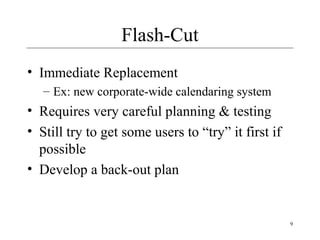
Flash-Cut
• Immediate Replacement
– Ex: new corporate-wide calendaring system
• Requires very careful planning & testing
• Still try to get some users to “try” it first if
possible
• Develop a back-out plan
10
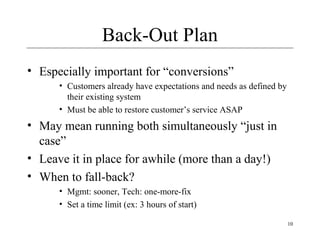
Back-Out Plan
• Especially important for “conversions”
• Customers already have expectations and needs as defined by
their existing system
• Must be able to restore customer’s service ASAP
• May mean running both simultaneously “just in
case”
• Leave it in place for awhile (more than a day!)
• When to fall-back?
• Mgmt: sooner, Tech: one-more-fix
• Set a time limit (ex: 3 hours of start)
11
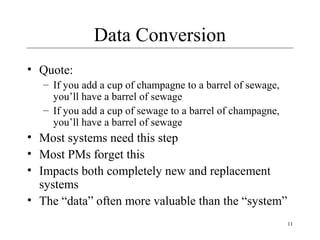
Data Conversion
• Quote:
– If you add a cup of champagne to a barrel of sewage,
you’ll have a barrel of sewage
– If you add a cup of sewage to a barrel of champagne,
you’ll have a barrel of sewage
• Most systems need this step
• Most PMs forget this
• Impacts both completely new and replacement
systems
• The “data” often more valuable than the “system”
12
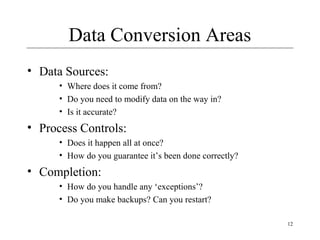
Data Conversion Areas
• Data Sources:
• Where does it come from?
• Do you need to modify data on the way in?
• Is it accurate?
• Process Controls:
• Does it happen all at once?
• How do you guarantee it’s been done correctly?
• Completion:
• How do you handle any ‘exceptions’?
• Do you make backups? Can you restart?
13
Parallel Operation
• Multiple variations of this method
• An “adoption” period
– See telephone industry w/new area codes
– Both work for a period of time
• Strategies
– Avoid flash-cuts if possible
• Start with test subjects
14
Rollout
• Create a “Release Checklist”
– Avoid activities falling through the cracks
– Example
– Activities by Group:
• Engineering, QA, Documentation, Operations
– Possibly sign-off signatures
• Roll-out: Must have a plan for the process
– Often on a given day (ex: a Sat.)
– Must be a very detailed plan
15
Training
• Often more than just end-users
– Users
– Sales & Marketing staff
– System operators
– Maintenance engineers (possibly)
– Sales engineers (possibly)
16
Documentation
• Must be ready by ship-date
• Final user documentation
• Updates to other
– Operations documentation
– Development documentation
– Sales and marketing material
– Wed site
– Test reports
17
Shipping Details
• Packaging (if commercial product)
• Marketing collateral
• Security mechanisms (if commercial
product)
• Licensing
• Plan
• Mechanism
18
Installation
• Scripts
• Uninstall (if not Web-based)
• If you need to install your software (as on
PCs):
– Don’t underestimate:
• Time this takes to develop
• Importance of a “first impression”
• Or, if “custom” software you’re reselling
– Installation at site is often a “mini-project”
19
Project Recovery
• How to save a “drowning project”
• 3 Approaches
– 1. Cut the size of the software
– 2. Increase process productivity
– 3. Slip the schedule, proceed with damage control
• Opportunity for decisive leadership action
• Not a time to ‘just cut corners’
– Be realistic (not foolish)
• Timing: politically important
– Not too early, not “too” late
20
Project Recovery
• Steps
• Assess situation
– Is there a hard deadline, what’s negotiable, etc.
• Don’t do what’s been done already
• Ask team what needs to be done
– People Steps
• Restore morale
– Cleanup personnel problems
• Focus people’s time
– Remove non-essential work
21
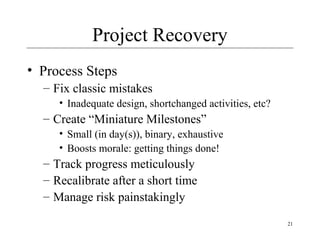
Project Recovery
• Process Steps
– Fix classic mistakes
• Inadequate design, shortchanged activities, etc?
– Create “Miniature Milestones”
• Small (in day(s)), binary, exhaustive
• Boosts morale: getting things done!
– Track progress meticulously
– Recalibrate after a short time
– Manage risk painstakingly
22
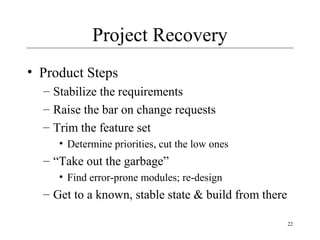
Project Recovery
• Product Steps
– Stabilize the requirements
– Raise the bar on change requests
– Trim the feature set
• Determine priorities, cut the low ones
– “Take out the garbage”
• Find error-prone modules; re-design
– Get to a known, stable state & build from there
23
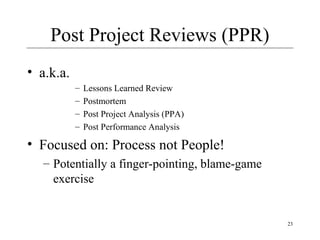
Post Project Reviews (PPR)
• a.k.a.
– Lessons Learned Review
– Postmortem
– Post Project Analysis (PPA)
– Post Performance Analysis
• Focused on: Process not People!
– Potentially a finger-pointing, blame-game
exercise
24
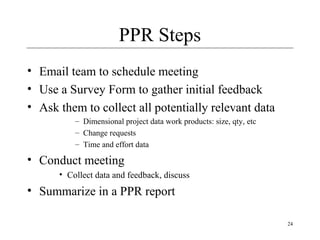
PPR Steps
• Email team to schedule meeting
• Use a Survey Form to gather initial feedback
• Ask them to collect all potentially relevant data
– Dimensional project data work products: size, qty, etc
– Change requests
– Time and effort data
• Conduct meeting
• Collect data and feedback, discuss
• Summarize in a PPR report
25
Questions?

Software Project Management lecture 12

  • 1.
  • 2.
    2 Migration • Moving usersfrom existing system to your new one
  • 3.
    3 Migration Plan • Includes –Description of environment (computers, DBs, interfaces) – Description of existing data needed – Description of operational constraints (ex: when can we move to the new system? Weekends only? Last week of month only?) – List of affected organizations and contacts – Plan of steps to be taken
  • 4.
    4 Migration Plan • Doesit require a service interruption? • If so, when does this happen? A weekend? • Training? • Is there a helpdesk? • If do, do they have “scripts” or new material?
  • 5.
    5 Migration Strategies • Communicationwith customers is crucial • What is happening, when, and why • “Why” should remind them of the benefits • Not too much detail or too little • Where do customers go for more information? • Minimize intrusiveness • Find-out about customer’s key dates • When does the system absolutely need to be stable? • Know about their important deadline dates • They must buy-into the approach!
  • 6.
    6 Migration Strategies • 1.Flash-Cut – Straight-move from old system to new – A) Immediate Replacement – Fastest approach – Still want a back-out plan – Requires strong planning and testing – B) Parallel Operation – Mitigates risk – Parallel to either existing manual or system process – Cut occurs once new system “burned-in” • 2. Staged • Replace one part of existing system at a time
  • 7.
    7 Migration Strategies • Considerations: –Level of business disruption – Degree of latitude in “production” date – How much internal opposition to system is there? • If higher, perhaps a longer ‘adjustment’ period – Your comfort level of system quality • If questionable, may want to mitigate risk
  • 8.
    8 Cutover • Criteria: Whatconditions must be met prior? • Responsibility: Who decides? • Operations: Who ‘owns’ it once it’s live? • Rehearsals: Sometimes used.
  • 9.
    9 Flash-Cut • Immediate Replacement –Ex: new corporate-wide calendaring system • Requires very careful planning & testing • Still try to get some users to “try” it first if possible • Develop a back-out plan
  • 10.
    10 Back-Out Plan • Especiallyimportant for “conversions” • Customers already have expectations and needs as defined by their existing system • Must be able to restore customer’s service ASAP • May mean running both simultaneously “just in case” • Leave it in place for awhile (more than a day!) • When to fall-back? • Mgmt: sooner, Tech: one-more-fix • Set a time limit (ex: 3 hours of start)
  • 11.
    11 Data Conversion • Quote: –If you add a cup of champagne to a barrel of sewage, you’ll have a barrel of sewage – If you add a cup of sewage to a barrel of champagne, you’ll have a barrel of sewage • Most systems need this step • Most PMs forget this • Impacts both completely new and replacement systems • The “data” often more valuable than the “system”
  • 12.
    12 Data Conversion Areas •Data Sources: • Where does it come from? • Do you need to modify data on the way in? • Is it accurate? • Process Controls: • Does it happen all at once? • How do you guarantee it’s been done correctly? • Completion: • How do you handle any ‘exceptions’? • Do you make backups? Can you restart?
  • 13.
    13 Parallel Operation • Multiplevariations of this method • An “adoption” period – See telephone industry w/new area codes – Both work for a period of time • Strategies – Avoid flash-cuts if possible • Start with test subjects
  • 14.
    14 Rollout • Create a“Release Checklist” – Avoid activities falling through the cracks – Example – Activities by Group: • Engineering, QA, Documentation, Operations – Possibly sign-off signatures • Roll-out: Must have a plan for the process – Often on a given day (ex: a Sat.) – Must be a very detailed plan
  • 15.
    15 Training • Often morethan just end-users – Users – Sales & Marketing staff – System operators – Maintenance engineers (possibly) – Sales engineers (possibly)
  • 16.
    16 Documentation • Must beready by ship-date • Final user documentation • Updates to other – Operations documentation – Development documentation – Sales and marketing material – Wed site – Test reports
  • 17.
    17 Shipping Details • Packaging(if commercial product) • Marketing collateral • Security mechanisms (if commercial product) • Licensing • Plan • Mechanism
  • 18.
    18 Installation • Scripts • Uninstall(if not Web-based) • If you need to install your software (as on PCs): – Don’t underestimate: • Time this takes to develop • Importance of a “first impression” • Or, if “custom” software you’re reselling – Installation at site is often a “mini-project”
  • 19.
    19 Project Recovery • Howto save a “drowning project” • 3 Approaches – 1. Cut the size of the software – 2. Increase process productivity – 3. Slip the schedule, proceed with damage control • Opportunity for decisive leadership action • Not a time to ‘just cut corners’ – Be realistic (not foolish) • Timing: politically important – Not too early, not “too” late
  • 20.
    20 Project Recovery • Steps •Assess situation – Is there a hard deadline, what’s negotiable, etc. • Don’t do what’s been done already • Ask team what needs to be done – People Steps • Restore morale – Cleanup personnel problems • Focus people’s time – Remove non-essential work
  • 21.
    21 Project Recovery • ProcessSteps – Fix classic mistakes • Inadequate design, shortchanged activities, etc? – Create “Miniature Milestones” • Small (in day(s)), binary, exhaustive • Boosts morale: getting things done! – Track progress meticulously – Recalibrate after a short time – Manage risk painstakingly
  • 22.
    22 Project Recovery • ProductSteps – Stabilize the requirements – Raise the bar on change requests – Trim the feature set • Determine priorities, cut the low ones – “Take out the garbage” • Find error-prone modules; re-design – Get to a known, stable state & build from there
  • 23.
    23 Post Project Reviews(PPR) • a.k.a. – Lessons Learned Review – Postmortem – Post Project Analysis (PPA) – Post Performance Analysis • Focused on: Process not People! – Potentially a finger-pointing, blame-game exercise
  • 24.
    24 PPR Steps • Emailteam to schedule meeting • Use a Survey Form to gather initial feedback • Ask them to collect all potentially relevant data – Dimensional project data work products: size, qty, etc – Change requests – Time and effort data • Conduct meeting • Collect data and feedback, discuss • Summarize in a PPR report
  • 25.