Taking the Mystery
out of Facebook
Presented by Beth Gallaway
informationgoddess29@gmail.com
603-247-3196
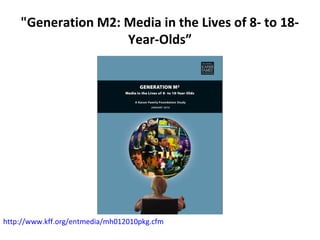
"Generation M2: Media in the Lives of 8- to 18-
Year-Olds”
http://www.kff.org/entmedia/mh012010pkg.cfm
Teens & Sexting
http://www.pewinternet.org/Reports/2009/Teens-and-Sexting.aspx
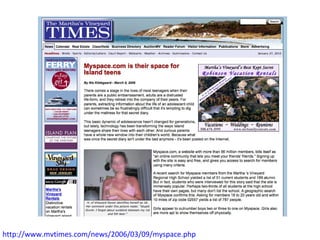
http://www.mvtimes.com/news/2006/03/09/myspace.php
What is Web 2.0?
• Web as platform (Face Your Manga)
• Collective intelligence (YouTube)
• Data driven (Online Summer Reading)
• Everything is in beta (meebo)
• Simple programming (Facebook)
• Cross platform (Twitter)
• Rich user experience (Club Penguin,
Cartoon Network Game Creator)
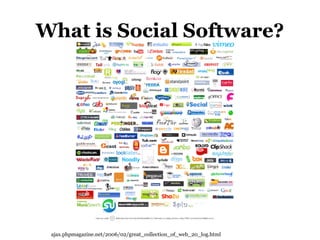
What is Social Software?
ajax.phpmagazine.net/2006/02/great_collection_of_web_20_log.html
Social Software
Assumptions
• Everything is meant to be shared
(“public” is the default)
• Everything is meant to be critiqued
(commenting “ON” is the default)
• Everything is meant to be remixed
(Creative Commons licensing is the default)
How do you feel about
Social Networking sites?
“Libraries cannot afford to ignore the social
networking potential to attract new,
younger and more technologically
interested customers.” "It's where the patrons are so we need to be
visible to them-marketing, information and
building community online. Not all patrons
have to walk through the door. We can
make connections with and serve online
those patrons who, for whatever reason,
won't be physically in the library."
“At this time we feel the
drawbacks outweigh
the benefits."
“not sure--need more info"
Why are Social Networks
so popular?
• It’s all about ME!
• Customizable
• Social
• Developmental Assets
Developmental Assets
• Support
• Empowerment
• Boundaries & Expectations
• Constructive Use of Time
• Commitment to Learn
• Positive Values
• Social Competencies
• Positive Identity
The Search Institute. 40 Developmental Assets of Adolescents/Middle Childhood/Early Childhood.
http://search-institute.org
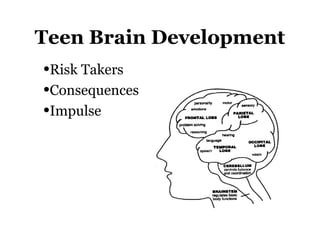
Teen Brain Development
•Risk Takers
•Consequences
•Impulse
Gamers
• Risk-takers
• Social
• Competitive
• Global
• Technical
Beck, John & Mitchell Wade. The Kids are Alright. Harvard Business School Press, 2007.
http://www.nslg.net/gotgamebook/index.html
4 Ps
PREDATORS
PRIVACY
PORNOGRAPHY
POPUPS
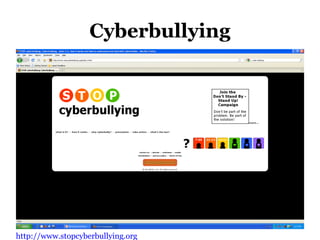
Cyberbullying
http://www.stopcyberbullying.org
Escalating Cyberbullying
• Ignore it?
• Restrict Communication
• Restrict “Friending”
• Google your child
• Block Sender
Warn Sender
• Report to ISP
• Report to School
• Report to Police
• Legal Action
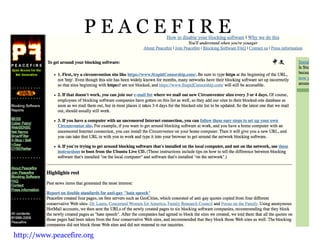
P E A C E F I R E
http://www.peacefire.org
Tips for Parents & Guardians
• Begin a dialogue with your kids about safe Internet use and
supervise their online activities
• Consider rating, blocking, monitoring, and filtering
applications for your computer
• Make Internet use a family activity
• Encourage your kids’ critical-thinking skills
• Set reasonable rules for going online
• Encourage your kids to tell you when they encounter
problems online
• If they come across lewd, obscene, or illegal material or if
they are contacted by someone who attempts to engage
them in sexual conversation, make a report to NCMEC’s
CyberTipline at www.cybertipline.com or 1-800-843-5678
http://www.missingkids.com/missingkids/servlet/PageServlet?LanguageCountry=en_US&PageId=
When Creating a Username,
DO Use…
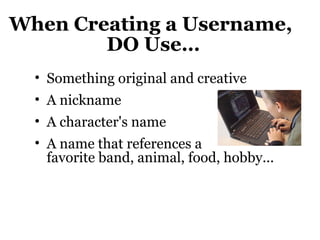
• Something original and creative
• A nickname
• A character's name
• A name that references a
favorite band, animal, food, hobby...
When Creating a Username,
DON’T use
• Your real first or last name

Your age

Your phone number

Your zip code or location

A suggestive name or word

Pornographic or obscene words

Derogatory terms
Password Tips
• Choose passwords that are:
– At least 6 to 8 characters
– Combinations of letters and numbers
– Personally meaningful for easy
remembering
– Not obvious to the rest of the world
– Former address is a good one to try!
• Use a password generator for help
• Write the password down and store in
a safe place
Web As Platform:
Face Your Manga
• Create a digital
representation of
yourself
• Use in a variety of
applications
Face Your Manga
http://www.faceyourmanga.com
Face Your Manga: Uses
• Contest: create a
personal
• Contest: create a
celebrity, author,
character…
• Internet safety
session
Face Your Manga
http://www.faceyourmanga.com
Face Your Manga
Face Your Manga
http://www.faceyourmanga.com
Collective Intelligence:
YouTube
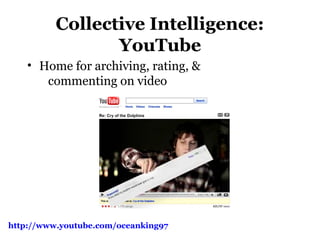
• Home for archiving, rating, &
commenting on video
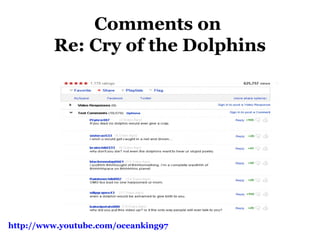
http://www.youtube.com/oceanking97
Comments on
Re: Cry of the Dolphins
http://www.youtube.com/oceanking97
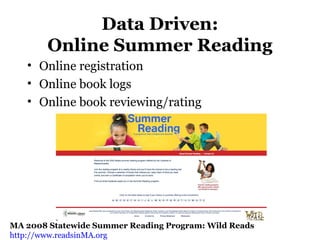
Data Driven:
Online Summer Reading
• Online registration
• Online book logs
• Online book reviewing/rating
MA 2008 Statewide Summer Reading Program: Wild Reads
http://www.readsinMA.org
Alternatives to Facebook
Reads in MA
MA 2009 Statewide Summer Reading Program: Go Green @ your library
http://www.readsinMA.org
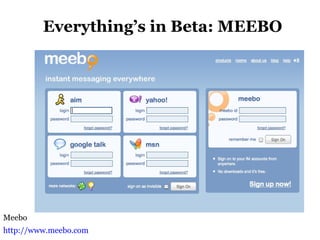
Everything’s in Beta: MEEBO
Meebo
http://www.meebo.com
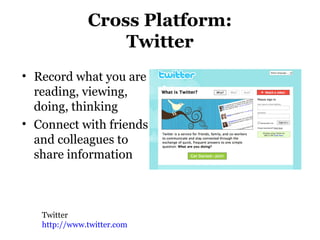
Cross Platform:
Twitter
• Record what you are
reading, viewing,
doing, thinking
• Connect with friends
and colleagues to
share information
Twitter
http://www.twitter.com
Rich User Experience:
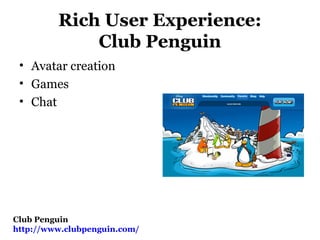
Club Penguin
• Avatar creation
• Games
• Chat
Club Penguin
http://www.clubpenguin.com/
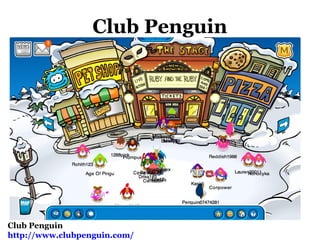
Club Penguin
Club Penguin
http://www.clubpenguin.com/
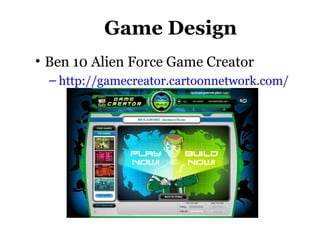
Game Design
• Ben 10 Alien Force Game Creator
– http://gamecreator.cartoonnetwork.com/
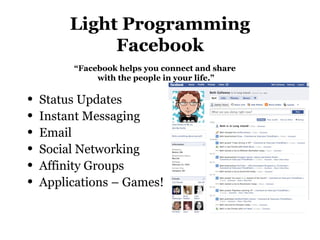
Light Programming
Facebook
• Status Updates
• Instant Messaging
• Email
• Social Networking
• Affinity Groups
• Applications – Games!
“Facebook helps you connect and share
with the people in your life.”
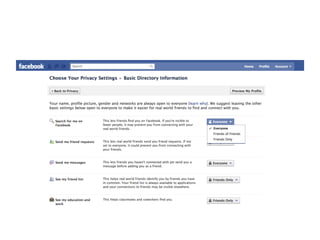
Using Facebook
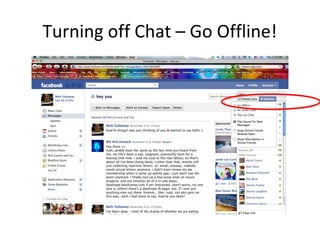
Turning off Chat – Go Offline!
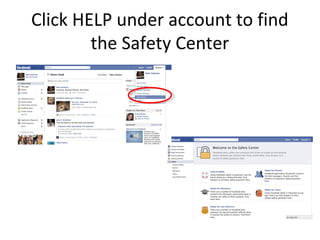
Click HELP under account to find
the Safety Center
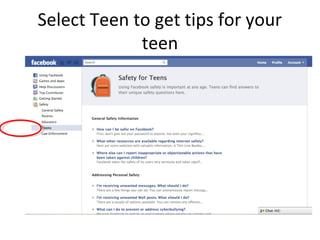
Select Teen to get tips for your
teen
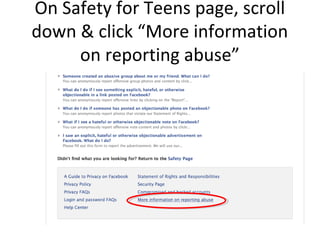
On Safety for Teens page, scroll
down & click “More information
on reporting abuse”
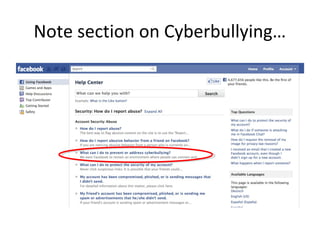
Note section on Cyberbullying…
Facebook Etiquette
• Create a friending policy for yourself
• Use filters
• It’s okay to not use Applications or block them
• Reply within 24-48 hours if possible
• Etiquette article:
http://www.pcworld.com/article/169120/faceb
ook_etiquette_10_rules_for_better_socializin
g.html
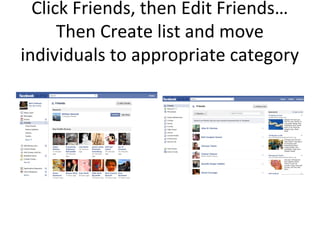
Click Friends, then Edit Friends…
Then Create list and move
individuals to appropriate category
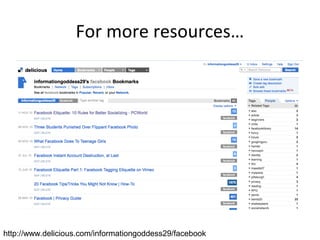
For more resources…
http://www.delicious.com/informationgoddess29/facebook
Contact
Beth Gallaway
603-247-3196
informationgoddess29@gmail.com
http://informationgoddess.info
• Slides: Slideshare
http://www.slideshare.net/
informationgoddess29
• Links: SocialSoftware
http://www.delicious.com/
informationgoddess29/socialsoftware
&
• http://www.delicious.com/informatio
ngoddess29/facebook

Socialsoftware

  • 1.
    Taking the Mystery outof Facebook Presented by Beth Gallaway informationgoddess29@gmail.com 603-247-3196
  • 2.
    "Generation M2: Mediain the Lives of 8- to 18- Year-Olds” http://www.kff.org/entmedia/mh012010pkg.cfm
  • 3.
  • 4.
  • 5.
    What is Web2.0? • Web as platform (Face Your Manga) • Collective intelligence (YouTube) • Data driven (Online Summer Reading) • Everything is in beta (meebo) • Simple programming (Facebook) • Cross platform (Twitter) • Rich user experience (Club Penguin, Cartoon Network Game Creator)
  • 6.
    What is SocialSoftware? ajax.phpmagazine.net/2006/02/great_collection_of_web_20_log.html
  • 7.
    Social Software Assumptions • Everythingis meant to be shared (“public” is the default) • Everything is meant to be critiqued (commenting “ON” is the default) • Everything is meant to be remixed (Creative Commons licensing is the default)
  • 8.
    How do youfeel about Social Networking sites? “Libraries cannot afford to ignore the social networking potential to attract new, younger and more technologically interested customers.” "It's where the patrons are so we need to be visible to them-marketing, information and building community online. Not all patrons have to walk through the door. We can make connections with and serve online those patrons who, for whatever reason, won't be physically in the library." “At this time we feel the drawbacks outweigh the benefits." “not sure--need more info"
  • 9.
    Why are SocialNetworks so popular? • It’s all about ME! • Customizable • Social • Developmental Assets
  • 10.
    Developmental Assets • Support •Empowerment • Boundaries & Expectations • Constructive Use of Time • Commitment to Learn • Positive Values • Social Competencies • Positive Identity The Search Institute. 40 Developmental Assets of Adolescents/Middle Childhood/Early Childhood. http://search-institute.org
  • 11.
    Teen Brain Development •RiskTakers •Consequences •Impulse
  • 12.
    Gamers • Risk-takers • Social •Competitive • Global • Technical Beck, John & Mitchell Wade. The Kids are Alright. Harvard Business School Press, 2007. http://www.nslg.net/gotgamebook/index.html
  • 14.
  • 15.
  • 16.
    Escalating Cyberbullying • Ignoreit? • Restrict Communication • Restrict “Friending” • Google your child • Block Sender Warn Sender • Report to ISP • Report to School • Report to Police • Legal Action
  • 17.
    P E AC E F I R E http://www.peacefire.org
  • 18.
    Tips for Parents& Guardians • Begin a dialogue with your kids about safe Internet use and supervise their online activities • Consider rating, blocking, monitoring, and filtering applications for your computer • Make Internet use a family activity • Encourage your kids’ critical-thinking skills • Set reasonable rules for going online • Encourage your kids to tell you when they encounter problems online • If they come across lewd, obscene, or illegal material or if they are contacted by someone who attempts to engage them in sexual conversation, make a report to NCMEC’s CyberTipline at www.cybertipline.com or 1-800-843-5678 http://www.missingkids.com/missingkids/servlet/PageServlet?LanguageCountry=en_US&PageId=
  • 19.
    When Creating aUsername, DO Use… • Something original and creative • A nickname • A character's name • A name that references a favorite band, animal, food, hobby...
  • 20.
    When Creating aUsername, DON’T use • Your real first or last name  Your age  Your phone number  Your zip code or location  A suggestive name or word  Pornographic or obscene words  Derogatory terms
  • 21.
    Password Tips • Choosepasswords that are: – At least 6 to 8 characters – Combinations of letters and numbers – Personally meaningful for easy remembering – Not obvious to the rest of the world – Former address is a good one to try! • Use a password generator for help • Write the password down and store in a safe place
  • 22.
    Web As Platform: FaceYour Manga • Create a digital representation of yourself • Use in a variety of applications Face Your Manga http://www.faceyourmanga.com
  • 23.
    Face Your Manga:Uses • Contest: create a personal • Contest: create a celebrity, author, character… • Internet safety session Face Your Manga http://www.faceyourmanga.com
  • 24.
    Face Your Manga FaceYour Manga http://www.faceyourmanga.com
  • 25.
    Collective Intelligence: YouTube • Homefor archiving, rating, & commenting on video http://www.youtube.com/oceanking97
  • 26.
    Comments on Re: Cryof the Dolphins http://www.youtube.com/oceanking97
  • 27.
    Data Driven: Online SummerReading • Online registration • Online book logs • Online book reviewing/rating MA 2008 Statewide Summer Reading Program: Wild Reads http://www.readsinMA.org
  • 28.
  • 29.
    Reads in MA MA2009 Statewide Summer Reading Program: Go Green @ your library http://www.readsinMA.org
  • 30.
    Everything’s in Beta:MEEBO Meebo http://www.meebo.com
  • 31.
    Cross Platform: Twitter • Recordwhat you are reading, viewing, doing, thinking • Connect with friends and colleagues to share information Twitter http://www.twitter.com
  • 32.
    Rich User Experience: ClubPenguin • Avatar creation • Games • Chat Club Penguin http://www.clubpenguin.com/
  • 33.
  • 34.
    Game Design • Ben10 Alien Force Game Creator – http://gamecreator.cartoonnetwork.com/
  • 35.
    Light Programming Facebook • StatusUpdates • Instant Messaging • Email • Social Networking • Affinity Groups • Applications – Games! “Facebook helps you connect and share with the people in your life.”
  • 36.
  • 38.
    Turning off Chat– Go Offline!
  • 39.
    Click HELP underaccount to find the Safety Center
  • 40.
    Select Teen toget tips for your teen
  • 41.
    On Safety forTeens page, scroll down & click “More information on reporting abuse”
  • 42.
    Note section onCyberbullying…
  • 43.
    Facebook Etiquette • Createa friending policy for yourself • Use filters • It’s okay to not use Applications or block them • Reply within 24-48 hours if possible • Etiquette article: http://www.pcworld.com/article/169120/faceb ook_etiquette_10_rules_for_better_socializin g.html
  • 44.
    Click Friends, thenEdit Friends… Then Create list and move individuals to appropriate category
  • 45.
  • 46.
    Contact Beth Gallaway 603-247-3196 informationgoddess29@gmail.com http://informationgoddess.info • Slides:Slideshare http://www.slideshare.net/ informationgoddess29 • Links: SocialSoftware http://www.delicious.com/ informationgoddess29/socialsoftware & • http://www.delicious.com/informatio ngoddess29/facebook

Editor's Notes

  • #3 Methods: Generation M2: Media in the Lives of 8- to 18-Year-Olds is the third in a series of large-scale, nationally representative surveys by the Foundation about young people’s media use.  The report is based on a survey conducted between October 2008 and May 2009 among a nationally representative sample of 2,002 3rd-12th grade students ages 8-18, including a self-selected subsample of 702 respondents who completed seven-day media use diaries, which were used to calculate multitasking proportions. Kaiser Family Foundation has conducted a study that found entertainment media use by children and teens has risen considerably when compared to usage five years ago. The study found that kids aged between 8 and18 years spend almost eight hours a day using entertainment media which is the same amount of time adults spent at work. The time recorded is 1 hour 17 minutes higher from time recorded in 2004. "Anything that children spend that much time doing is something that needs to be studied," warns Victoria Rideout who is the author of the study and a Kaiser official. She said that media usage cannot be branded well or bad however, from the view point of health the usage is high. The survey was conducted between October 2008 and May 2009 and included more than 2,000 American children aged between 8-18. Key findings of the report titled "Generation M2: Media in the Lives of 8- to 18-Year-Olds," are that more than half of the children use media while doing homework and female children spend more time on social networking sites, listening to music and reading. Boys on the other hand, spend more time playing video and computer games, or visiting YouTube. When the kids reach 11 their media usage goes up dramatically. Teens are found to spend about an hour and a half texting each day. About 70% of the children said that their families did not restrict the time on watching TV. Black and Hispanic youth were found to spend much more time with media than white youth. They spend 4½ hours more when compared to the white youth. As for TV, Black children spend nearly 6 hours and Hispanics just under 5½ hours while white youths spend 3½ hours a day. Showing the importance of diet and exercise, about one-fifth of U. S. teenagers was identified through tests of lipids in the blood for heart diseases. The Centers for Disease Control and Prevention published report which found that 43% of the obese children tested outside the recommended ranges. The results were on the basis of blood tests taken from 3,125 children ages 12-19 from 1999 to 2006.
  • #4 4% of cell-owning teens ages 12-17 say they have sent sexually suggestive nude or nearly nude images of themselves to someone else via text messaging 15% of cell-owning teens ages 12-17 say they have received sexually suggestive nude or nearly nude images of someone they know via text messaging on their cell phone. Older teens are much more likely to send and receive these images; 8% of 17-year-olds with cell phones have sent a sexually provocative image by text and 30% have received a nude or nearly nude image on their phone. The teens who pay their own phone bills are more likely to send “sexts”: 17% of teens who pay for all of the costs associated with their cell phones send sexually suggestive images via text; just 3% of teens who do not pay for, or only pay for a portion of the cost of the cell phone send these images. Our focus groups revealed that there are three main scenarios for sexting: 1) exchange of images solely between two romantic partners; 2) exchanges between partners that are shared with others outside the relationship and 3) exchanges between people who are not yet in a relationship, but where at least one person hopes to be.
  • #7 Any website where you create a username, password and PROFILE Sites that allow you to contribute by uploading or posting your own content for rating review and remixing
  • #15 Predators With increasing numbers of teens admitting they are meeting Internet strangers in real life (between 12% and 24 of young teens, depending on the study), they will increasingly encounter sexual predators. Working closely with law enforcement and survivors of Internet sexual exploitation, Internet Super Heroes has developed an stranger-danger message in a non-threatening format. Using Green Goblin as the predator posing as a young teen boy to lure Spider-Girl into an offline meeting, the message is delivered loud and clear. Yet, it is as appropriate for preteens as it is for teens. The program isn’t designed to scare the children or teens. It is designed to make them more careful and help them understand how the bad guys trick even the smartest children into giving away important and personal information. It helps them understand why some kids agree to meet strangers offline, and how it is never safe to do that. If they insist on meeting their online friends in real life, it also helps them understand how to reduce the risks and get their parents and other trustworthy adults involved. Privacy Privacy has several parts. One is closely related to the stranger-danger message. Teaching children not to share personal information with people they meet online is much easier when the superhero model is applied. Super Heroes always strive to keep their identities secret. It’s the only way they can protect themselves and their loved ones. By using games where Spiderman, Spider-Girl and Hulk leave behind bits of information that could be used to trace their real identities, children are taught how items of seemingly innocent information, when combined, can be very dangerous to the superhero. By learning to protect the Super Heroes, they are learning to protect themselves and their friends as well. But this isn’t only about predator issues. It’s also about responsible commercial data collection practices. Using the expertise of Parry Aftab (Internet Super Heroes’ Executive Director, cyberspace privacy lawyer and The Privacy Lawyer columnist for Information Week Magazine, informationweek.com) the children and teens will be taught how to look for and read a privacy policy and how to find trustworthy Web site. They will learn about the children’s privacy laws that protect them against unscrupulous marketing tactics and sites that misuse their personal information. And the kids will understand the importance of privacy itself and keeping some things secret, even from their best friends. These include credit card information, debit card passwords and even their e-mail passwords. Everyone knows that Super Heroes don’t share their personal and secret information with anyone else, even their non-superhero best friends. Hopefully, after understanding why, neither will your children. Pornography One of the biggest problems parents complain about online is graphic pornographic images their children encounter in their e-mail boxes and online. The pornographers in an effort to increase their advertising revenue and online profile, have used popular kid Web site. names with common misspellings and other similar tricks to lure our kids to their sites accidentally. By understanding the tricks used by pornographers to push their content to everyone online, children and teens can avoid most pornography. And learning where and how to report misleading domain names and typosquatting will make a big difference too. Pop-Ups Now, by using spyware and adware, the pornographers are reaching out to our computers to personally deliver the messages using disgusting pop-ups and graphic sexual images even when our children aren’t surfing. By being made aware of spyware and adware installation schemes, and the pop-ups they deliver, children can use pop-up blocker programs and toolbars to prevent being exposed to countless and disgusting pop-ups.
  • #17 Talk to your childCaution them about responding "in kind." This is not a time for them to lash out or start a cyberwar themselves. See if they think they know the identity of the cyberbully or cyberbullies. See if this is related to an offline bullying situation, and deal with that quickly. And don't confuse the language most kids use online with cyberbullying. It may be shocking to us, but unless it is shocking to your child, it's not cyberbullying. Ignore itA one time, seemingly unthreatening act, like a prank or mild teasing should probably be ignored. (If it's a threat, you must report it.) At the same time, you may want to consider using some preventive measures: Restrict the people who can send you communicationsConsider restricting all incoming communications to pre-approved senders, such as those on your child's buddy list. (If the cyberbully is someone on their buddy list, though, this method won't help. In that case the cyberbully will have to be removed from the buddy list and/or blocked.) Restrict others from being able to add your child to their buddy listCyberbullies track when your child is online by using buddy lists, and similar tracking programs. It will let them know when one of their "buddies" is online, when they are inactive and, in some cases, where they are. This is like adding a tracking device to your child's online ankle, allowing their cyberbullies to find them more easily and target them more effectively. This feature is usually found in the privacy settings or parental controls of a communications program. Google your childMake sure that the cyberbully isn't posting attacks online. When you get an early warning of a cyberbullying campaign, it is essential that you keep an eye on  your child's screen name, nick names, full name, address, telephone and cell numbers and Web sites. You can also set up an "alert" on Google to notify you whenever anything about your child is posted online. To learn more about "Googling" yourself or your child, read "Google Yourself!" Block the senderSomeone who seems aggressive, or makes you uncomfortable and does not respond to verbal please or formal warnings should be blocked. This way, they will not be able to know when you are online or be able to contact you through instant messaging. Even if the communicates are not particularly aggressive or threatening, if they are annoying or, block the sender. (Most ISPs and instant messaging programs have a blocking feature to allow you to prevent the sender from getting through.) "Warn" the senderIf the cyberbully uses another screen name to avoid the block , otherwise manages to get through or around the block or communicates through others, "warn" them, or "notify" the ISP. (This is usually a button on the IM application.) This creates a record of the incident for later review, and if the person is warned enough, they can lose their ISP or instant messenger account. (Unfortunately, many cyberbullies use "warning wars" or "notify wars" to harass their victims, by making it appear the victim is really the cyberbully. This is a method of cyberbullying by proxy, getting the ISP to be an unwitting accomplice of the cyberbullying.) Report to ISPMost cyberbullying and harassment incidents violate the ISP's terms of service. These are typically called a "TOS violation" (for a "terms of service" violation, and can have serious consequences for the account holder. Many ISPs will close a cyberbully's account (which will also close their parents' household account in most cases.) You should report this to the sender's ISP, not yours. (For more information about how to make a report, read "Making a Report to Their ISP." If you use a monitoring software, like Spectorsoft, this is much easier.) If your child's account has been hacked or their password compromised, or if someone is posing as your child, you should make a formal report to your ISP as well. You can call them or send an e-mail to their security department (NOT their terms of service report line). But before changing your password, you should scan your computer for any hacking programs or spyware, such as a Trojan horse. If one is on your computer, the cyberbully may be able to access the new password. Most good anti-virus programs can find and remove a hacking program. All spyware applications can. We recommend SpyBot Search and Destroy (a freeware) or Ad-Aware (by Lavasoft, they have a free "lite" program). Report to SchoolMost cases of cyberbullying occur off school grounds and outside of school hours. In the United States , often the school has no legal authority to take action relating to an off-premises and off-hours activity, even if it has an impact on the welfare of their students. The laws are tricky, and vary jurisdiction by jurisdiction. So while you should notify the school (especially if your child suspects whom is behind the attacks), they may not be able to take disciplinary action. They can keep any eye on the situation in school, however. And since many cyberbullying incidents are combined with offline bullying incidents, your child may be safer because of the report. Also, while the school may have limited authority over disciplining the cyberbully, they can call the parents in and try and mediate the situation. They can also institute an educational and awareness program to help stop further cyberbullying by students, and to help educate parents about the problem. Report to PoliceSomeone who threatens you physically, who is posting details about your or your child's offline contact information or instigating a cyberbullying by proxy campaign should be reported to the police. (Although you should err on the side of caution and report anything that worries you.) Using a monitoring program, such as Spectorsoft, can facilitate the investigation and any eventual prosecution by collecting and preserving electronic evidence. Print-outs, while helpful in explaining the situation, are generally not admissible evidence.) If you feel like your child, you or someone you know is in danger, contact the police immediately and cut off contact with this person or user, staying offline if need be until you are otherwise instructed. Do not install any programs, or remove any programs or take other remedial action on your computer or communication device during this process. It may adversely affect the investigation and any eventual prosecution. Take Legal ActionMany cases of cyberbullying (like their adult cyber-harassment equivalent) are not criminal. They may come close to violating the law, but may not cross the line. Most of the time, the threat of closing their ISP or instant messaging account is enough to make things stop. But sometimes, either because the parents want to make an example of the cyberbully or because it isn't stopping, lawyers need to be brought in. It may also be the only way you can find out whom is behind the attacks. Think carefully before you decide to take this kind of action. Even if you win in the end, it may take you two or three years to get there and cost you tens of thousands of dollars. You may be angry enough to start it, but make sure that you have something more than anger to sustain the long months and years of litigation.  

  • #21 Another example
  • #22 Another example
  • #32 Record content consumption Poll collective brain Take notes Converse De-stress
  • #39 Click Chat, Select Options, Pick “Go Offline”