S
Social Media Workshop
By Chaleen Botha
Social Media Workshop
TABLE OF CONTENT
Online Identity and branding - 15 minutes
LinkedIn
The Benefits - 5 minutes
Navigating around the Platform - 15 minutes
Using the Platform - 15 minutes
Tips on Connecting -15 minutes
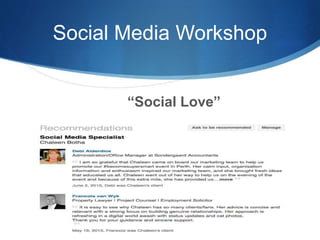
“Social Love” - 15 minutes
Google+ - 15 minutes
Interesting quotes - 5 minutes
Thanks! - 5 minutes
Social Media Workshop
Online Identity and Branding
• Definition of a brand – a name that identifies and differentiates a product from another product.
• Unique point of difference – competitive advantage
Company brand and personal brand
• Closely linked, each employee a brand ambassador
• Face versus a logo
• Do business with whom they trust and like
• Personal aspect, real people and personal sharing
• Recognition by consistency
• Brand ambassador on LinkedIn, Google+, Facebook, YouTube and beyond
Social Media Workshop
LinkedIn The Benefits
• Best platform for finance industry and any ambitious professional
• Key intention of users is to DO BUSINESS
• Competitive advantage – 11% of members who knows how to use it
• Spending 5 minutes a day – best ROI of time spent
• “Work” the platform – building “social love”
• People do business with those they trust and/or like
• 89 % of people perform a Google search before they do business
• LinkedIn’s endorsed skills count taken into account by Google
analytics
Social Media Workshop
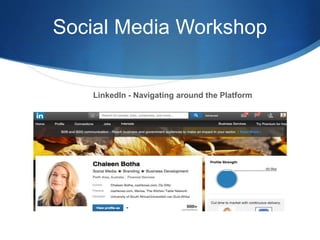
LinkedIn - Navigating around the Platform
Social Media Workshop
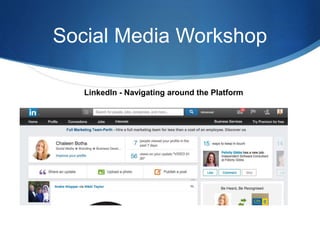
LinkedIn - Navigating around the Platform
Social Media Workshop
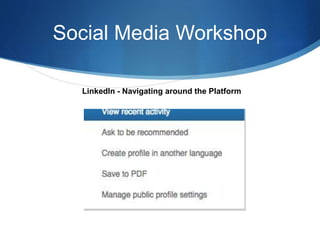
LinkedIn - Navigating around the Platform
Social Media Workshop
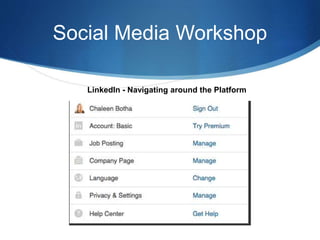
LinkedIn - Navigating around the Platform
Social Media Workshop
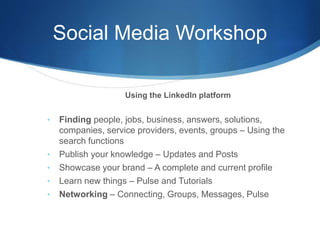
Using the LinkedIn platform
• Finding people, jobs, business, answers, solutions,
companies, service providers, events, groups – Using the
search functions
• Publish your knowledge – Updates and Posts
• Showcase your brand – A complete and current profile
• Learn new things – Pulse and Tutorials
• Networking – Connecting, Groups, Messages, Pulse
Social Media Workshop
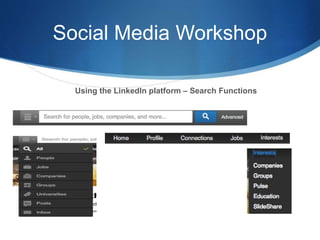
Using the LinkedIn platform – Search Functions
Social Media Workshop
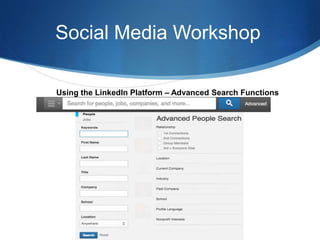
Using the LinkedIn Platform – Advanced Search Functions
Social Media Workshop
LinkedIn - Tips on Connecting
• 3000 lifetime connections, include “not accepted”
• Join up to 50 groups
• LinkedIn serious about connecting with those whom you “know”
• 1st degree connections, invitation sent and accepted – more information
• 2nd degree connections, connections of your connections – less information
• Completed profile assists in the ability to connect
• Send a personal message, how you know each other
• After connecting, thank you and share information – point of
difference/brand ambassador. Mention a shared interest – Tell them what
you do
• 11 times contacts – when they have a need for what you “sell” remember
you
• Attention of business associate, prospect – click on their profile
Social Media Workshop
“Social Love”
Social Media Workshop
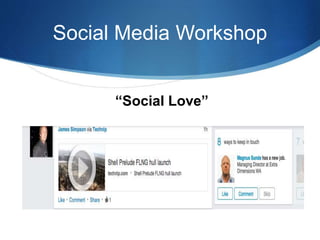
“Social Love”
Social Media Workshop
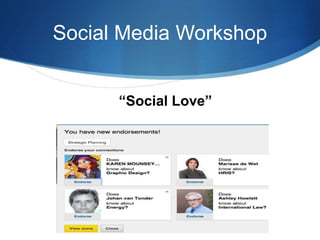
“Social Love”
Social Media Workshop
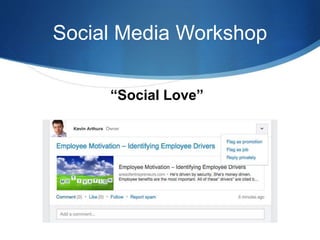
“Social Love”
Social Media Workshop
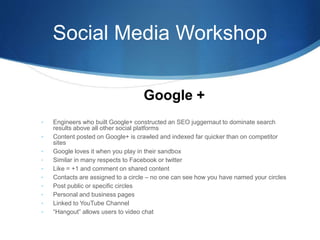
• Engineers who built Google+ constructed an SEO juggernaut to dominate search
results above all other social platforms
• Content posted on Google+ is crawled and indexed far quicker than on competitor
sites
• Google loves it when you play in their sandbox
• Similar in many respects to Facebook or twitter
• Like = +1 and comment on shared content
• Contacts are assigned to a circle – no one can see how you have named your circles
• Post public or specific circles
• Personal and business pages
• Linked to YouTube Channel
• “Hangout” allows users to video chat
Google +
Social Media Workshop
Interesting Quotes
• “What happens in Vegas….on the internet stays on the
internet.” Chaleen Botha
• ”If you don’t have your own presence, the world will
create one for you. Do you really want to risk that?” Jeff
Kirk
Thank You!
Follow me on
InstagramFlipagramPinterest FacebookLinkedIn
all platforms @ Chaleen Botha
Google Plus

Social Media Workshop

  • 1.
  • 2.
    Social Media Workshop TABLEOF CONTENT Online Identity and branding - 15 minutes LinkedIn The Benefits - 5 minutes Navigating around the Platform - 15 minutes Using the Platform - 15 minutes Tips on Connecting -15 minutes “Social Love” - 15 minutes Google+ - 15 minutes Interesting quotes - 5 minutes Thanks! - 5 minutes
  • 3.
    Social Media Workshop OnlineIdentity and Branding • Definition of a brand – a name that identifies and differentiates a product from another product. • Unique point of difference – competitive advantage Company brand and personal brand • Closely linked, each employee a brand ambassador • Face versus a logo • Do business with whom they trust and like • Personal aspect, real people and personal sharing • Recognition by consistency • Brand ambassador on LinkedIn, Google+, Facebook, YouTube and beyond
  • 4.
    Social Media Workshop LinkedInThe Benefits • Best platform for finance industry and any ambitious professional • Key intention of users is to DO BUSINESS • Competitive advantage – 11% of members who knows how to use it • Spending 5 minutes a day – best ROI of time spent • “Work” the platform – building “social love” • People do business with those they trust and/or like • 89 % of people perform a Google search before they do business • LinkedIn’s endorsed skills count taken into account by Google analytics
  • 5.
    Social Media Workshop LinkedIn- Navigating around the Platform
  • 6.
    Social Media Workshop LinkedIn- Navigating around the Platform
  • 7.
    Social Media Workshop LinkedIn- Navigating around the Platform
  • 8.
    Social Media Workshop LinkedIn- Navigating around the Platform
  • 9.
    Social Media Workshop Usingthe LinkedIn platform • Finding people, jobs, business, answers, solutions, companies, service providers, events, groups – Using the search functions • Publish your knowledge – Updates and Posts • Showcase your brand – A complete and current profile • Learn new things – Pulse and Tutorials • Networking – Connecting, Groups, Messages, Pulse
  • 10.
    Social Media Workshop Usingthe LinkedIn platform – Search Functions
  • 11.
    Social Media Workshop Usingthe LinkedIn Platform – Advanced Search Functions
  • 12.
    Social Media Workshop LinkedIn- Tips on Connecting • 3000 lifetime connections, include “not accepted” • Join up to 50 groups • LinkedIn serious about connecting with those whom you “know” • 1st degree connections, invitation sent and accepted – more information • 2nd degree connections, connections of your connections – less information • Completed profile assists in the ability to connect • Send a personal message, how you know each other • After connecting, thank you and share information – point of difference/brand ambassador. Mention a shared interest – Tell them what you do • 11 times contacts – when they have a need for what you “sell” remember you • Attention of business associate, prospect – click on their profile
  • 13.
  • 14.
  • 15.
  • 16.
  • 17.
    Social Media Workshop •Engineers who built Google+ constructed an SEO juggernaut to dominate search results above all other social platforms • Content posted on Google+ is crawled and indexed far quicker than on competitor sites • Google loves it when you play in their sandbox • Similar in many respects to Facebook or twitter • Like = +1 and comment on shared content • Contacts are assigned to a circle – no one can see how you have named your circles • Post public or specific circles • Personal and business pages • Linked to YouTube Channel • “Hangout” allows users to video chat Google +
  • 18.
    Social Media Workshop InterestingQuotes • “What happens in Vegas….on the internet stays on the internet.” Chaleen Botha • ”If you don’t have your own presence, the world will create one for you. Do you really want to risk that?” Jeff Kirk
  • 19.
    Thank You! Follow meon InstagramFlipagramPinterest FacebookLinkedIn all platforms @ Chaleen Botha Google Plus

Editor's Notes

  • #6 Opening LinkedIn Site - Profile Button - Update your profile information First Impressions
  • #7 Second Photo – Pulse or News Feed – Informative, Educational, Promotions, SPONSORED POSTS or ADVERTISING (not linked or following)
  • #8 Third Photo – Drop down box on arrow next to your profile photo – Ask to be recommended
  • #9 Fourth Photo – Click on Thumbnail Photo – Log Out, Company Page, Privacy & Settings, Help
  • #14 Recommendations - the big love
  • #15 Personal Profile news feed or pulse
  • #16 Third Image – Endorsements received via email notification
  • #17 Second Image – LinkedIn Group Drop Down Box – Contact Privately Brand ambassador by commenting, liking and sharing