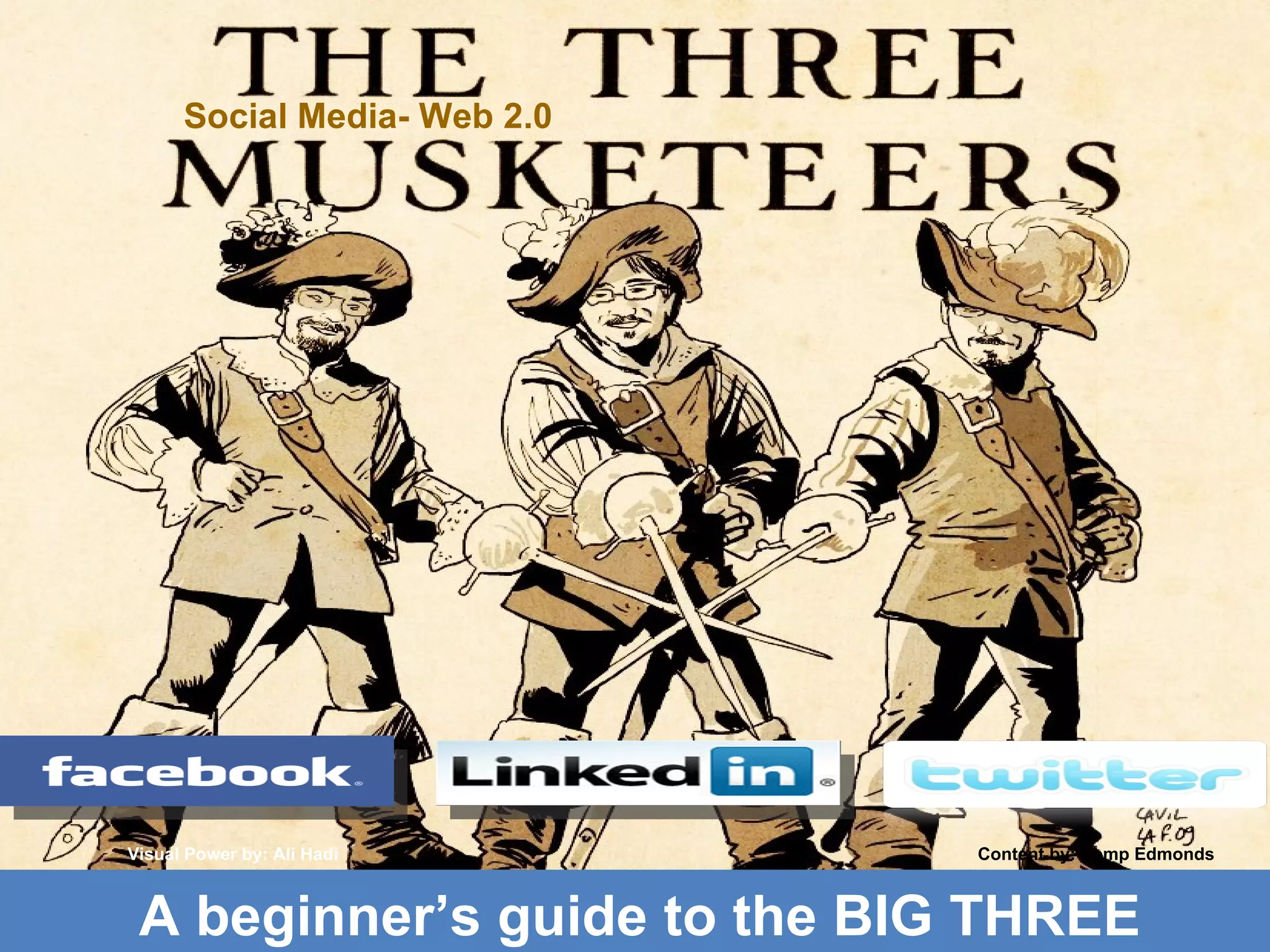
Social Media- Web 2.0 Visual Power by: Ali Hadi Content by: Kemp Edmonds A beginner’s guide to the BIG THREE
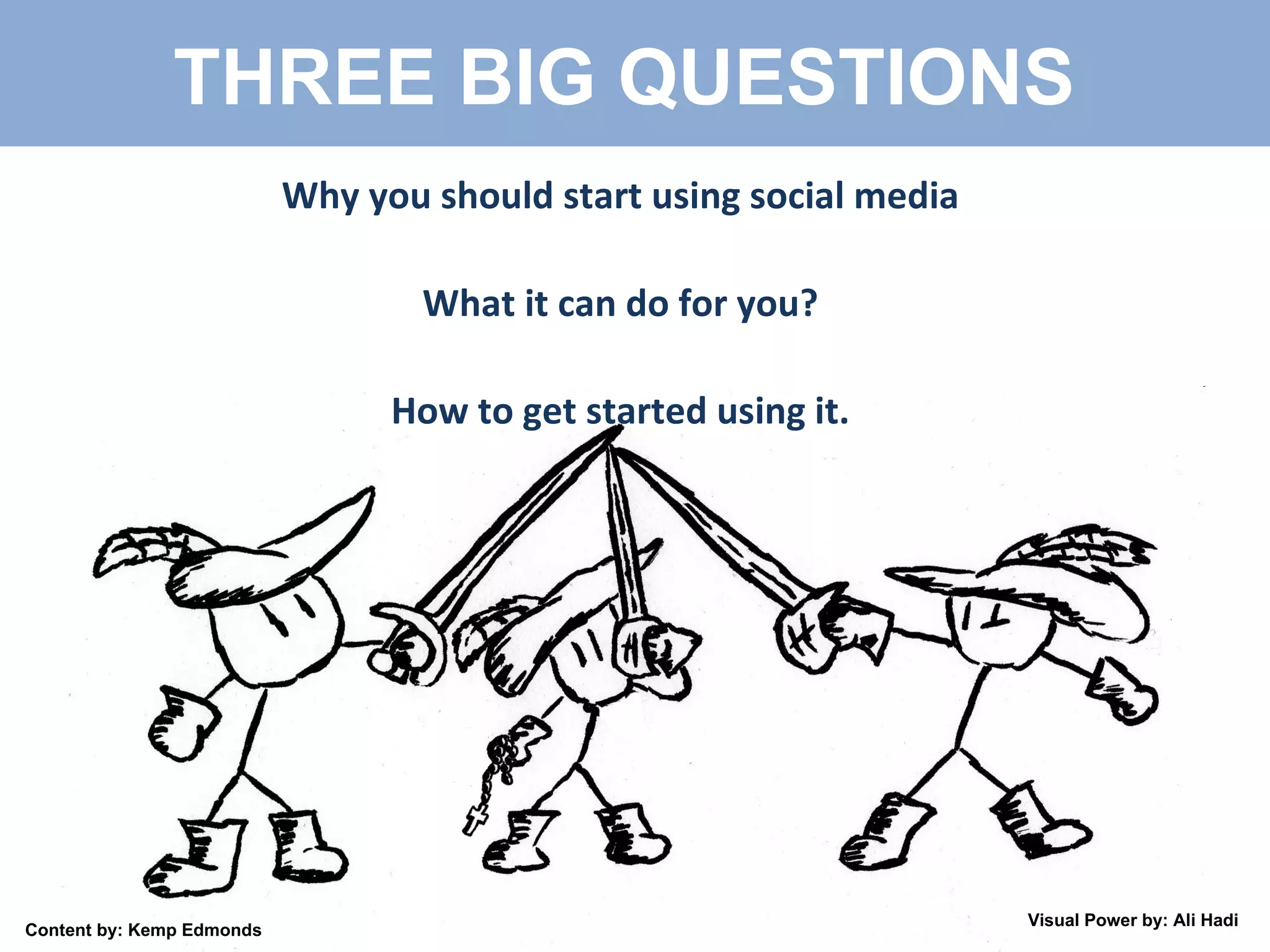
Why you should start using social media What it can do for you? How to get started using it. THREE BIG QUESTIONS  Content by: Kemp Edmonds Visual Power by: Ali Hadi
WHAT IS WEB 2.0 Technology and web design with an aim to enhance: Creativity Communications Secure information Sharing Collaboration  Web functionality Changing trends in the use of World Wide Web Content by: Kemp Edmonds Visual Power by: Ali Hadi
WEB 2.0 has led to... Evolution of web-based culture communities Example services: Facebook and MySpace – social networking sites YouTube and Flickr - video and picture sharing sites Wikipedia – user-generated information: wikis Blogs and Video blogs Twitter – Micro-blogging LinkedIn - Professional Networking These are... SOCIAL MEDIA Content by: Kemp Edmonds Visual Power by: Ali Hadi
Created by: Kemp Edmonds 2009 What is Social Media Services that focus on building online communities Where people... Who share interests  & activities, or   Who are interested in exploring the interests and activities of others.  Social media services provide ways for users to interact, such as e-mail and instant messaging. Content by: Kemp Edmonds Visual Power by: Ali Hadi
Social Networking => See the Power Content by: Kemp Edmonds Visual Power by: Ali Hadi
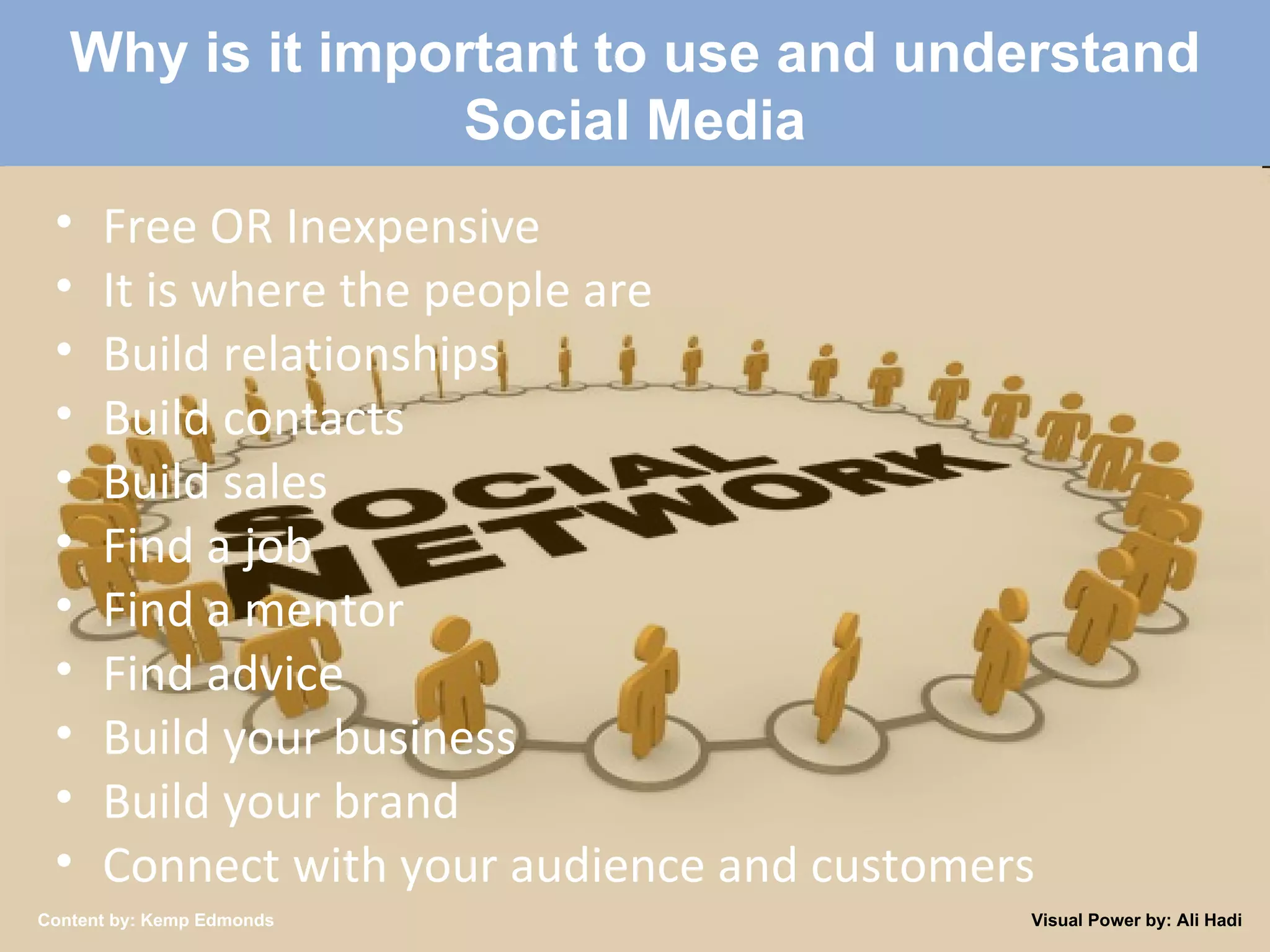
Created by: Kemp Edmonds 2009 Why is it important to use and understand Social Media Free OR Inexpensive It is where the people are Build relationships Build contacts Build sales Find a job Find a mentor Find advice Build your business Build your brand Connect with your audience and customers Content by: Kemp Edmonds Visual Power by: Ali Hadi
Why You Should Be Using Social Media 0.3 to 0.5 millions Pakistani are on Facebook and 400 million users internationally. Consumers are moving online to buy and browse It is inexpensive or free if you do it yourself Old advertising paradigms are losing effectiveness Drive traffic to your website or business 24/7 Content by: Kemp Edmonds Visual Power by: Ali Hadi
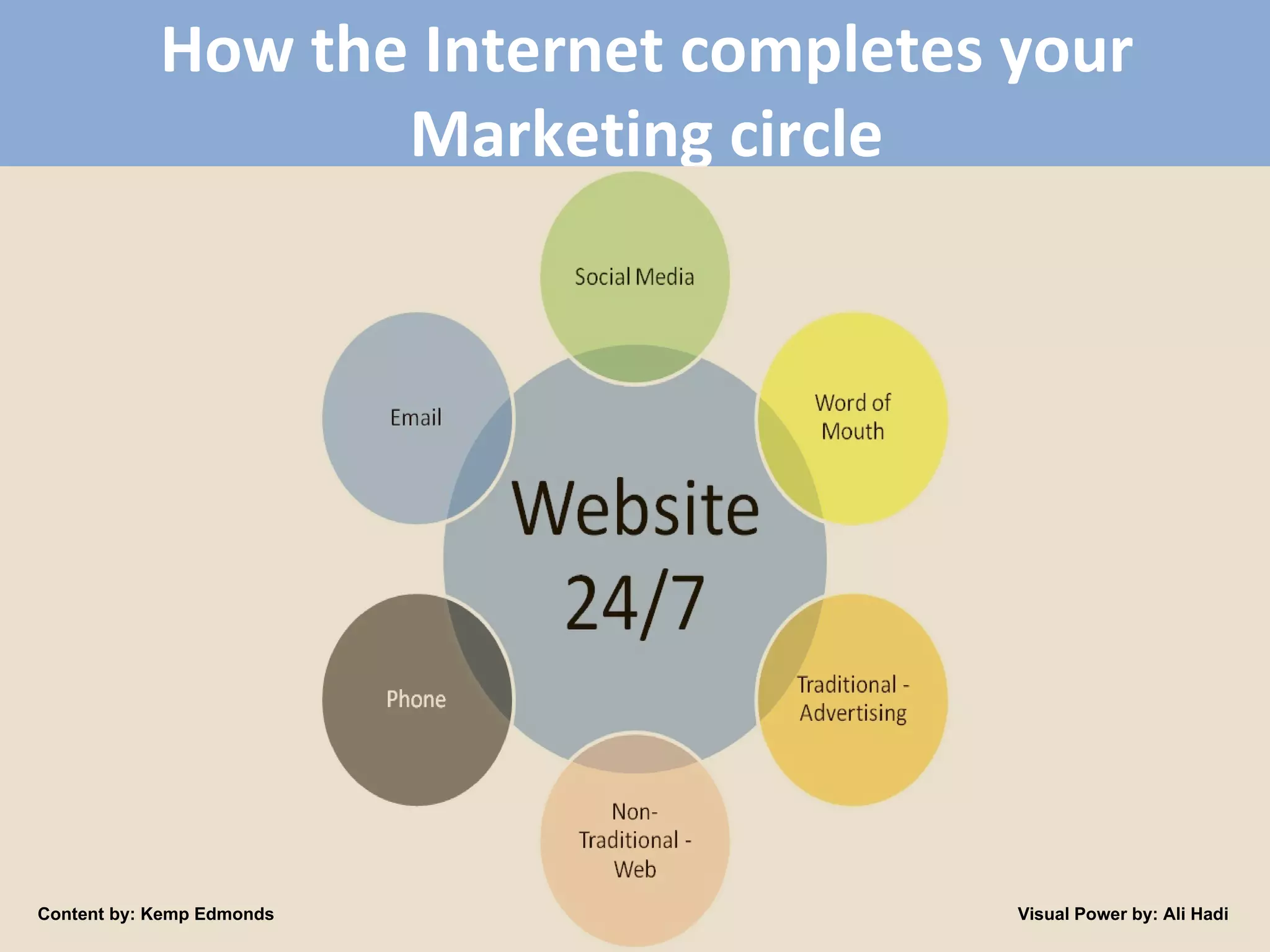
How the Internet completes your Marketing circle Content by: Kemp Edmonds Visual Power by: Ali Hadi
4 Steps to setup your  Twitter/Facebook/LinkedIn Allot time to sign-up and setup each personal profile on each site [15 – 45 minutes] Use onsite walkthroughs to complete your profile Use Google to search for step-by-step walkthroughs if necessary Add your contacts to your network. You can always remove people so add away! Content by: Kemp Edmonds Visual Power by: Ali Hadi
LinkedIn => Business & Marketing The Social Media Office Be Professional Online Resume Find important contacts through your contacts Content by: Kemp Edmonds Visual Power by: Ali Hadi
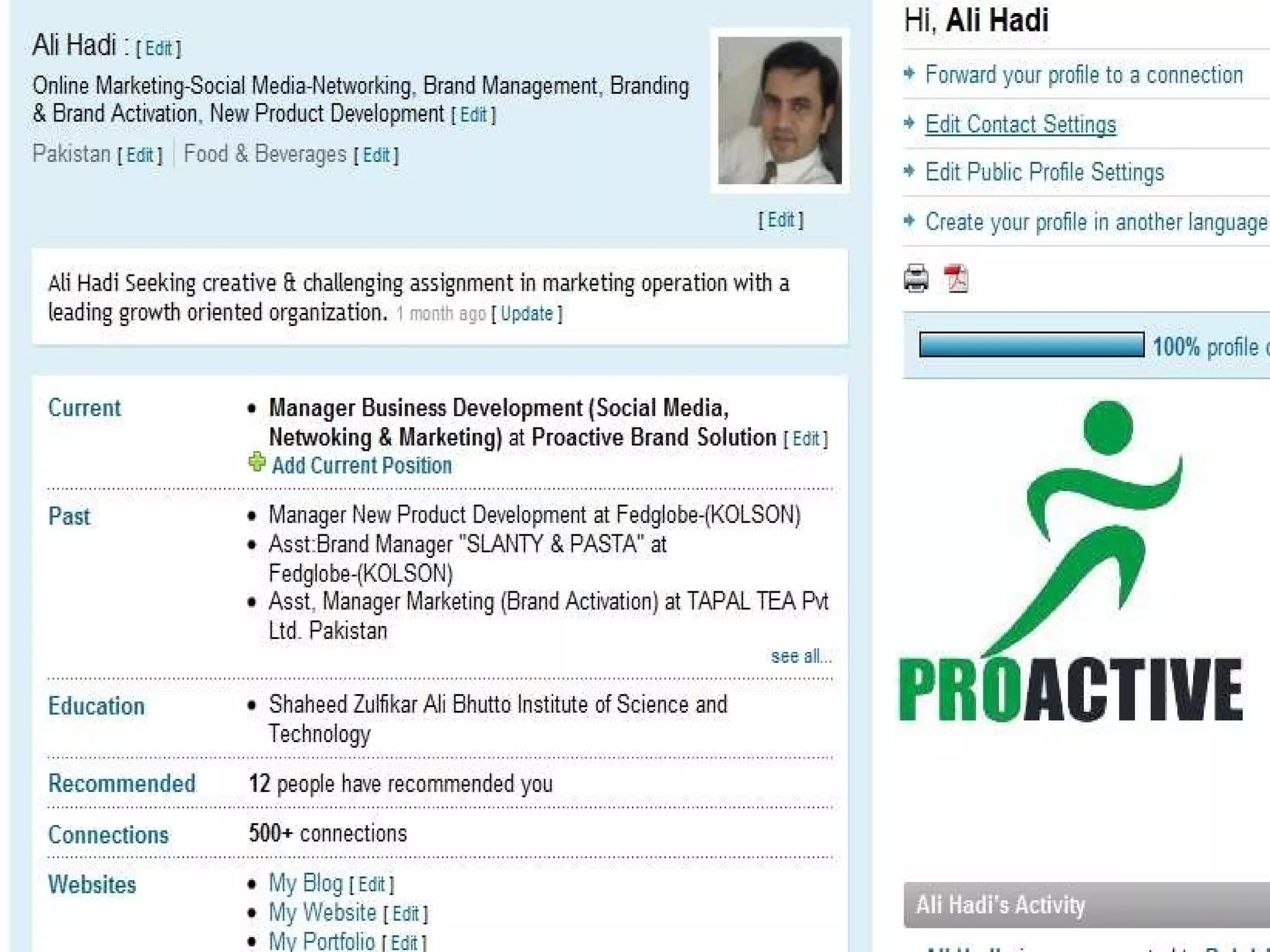
LinkedIn – First Steps Fill in as much of your profile as possible Import and search for contacts to add through Outlook, Gmail, Hotmail. Monitor your profile completion meter Update your status with business work Seek out important contacts through your connections. Make an introduction request Put LinkedIn logo on your next business card Content by: Kemp Edmonds Visual Power by: Ali Hadi
 
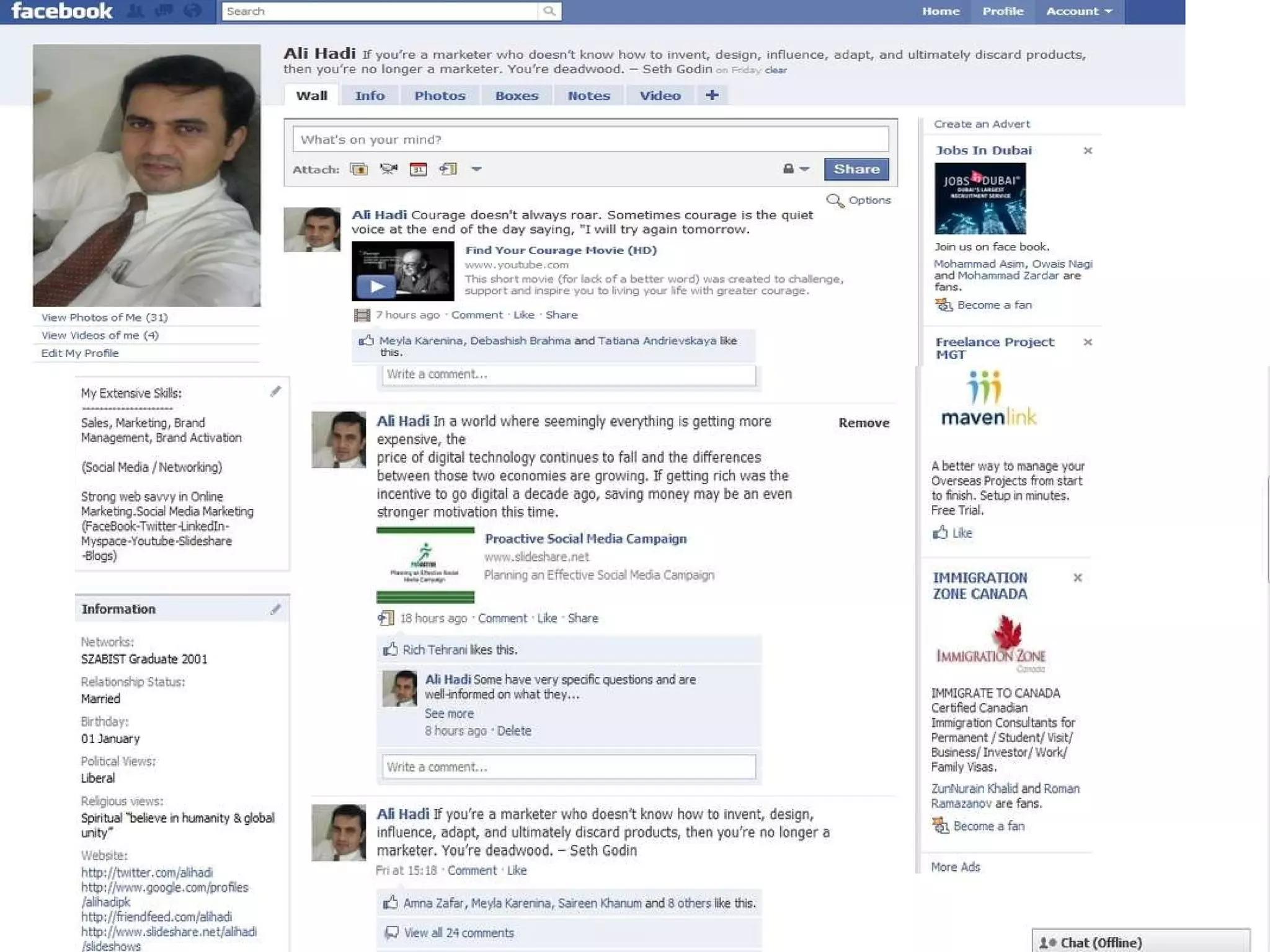
FACEBOOK – Social & Business Its a party, fun Connect with friends old and new Invite friends to events or be invited to events Become a fan and become part of a group Be careful what you post, People are checking it for hiring. *Photo Stalker* Advertise, promote and  grow your business/brand
FACEBOOK – FIRST STEPS Decide: Personal or Personal/Professional?  Setup your account Create events or fan pages to add value Join personal and/or professional groups and company/fan pages. You can be a Fan of a brand not a ‘Friend’ Post links for your contacts interest whether professional or personal Content by: Kemp Edmonds
 
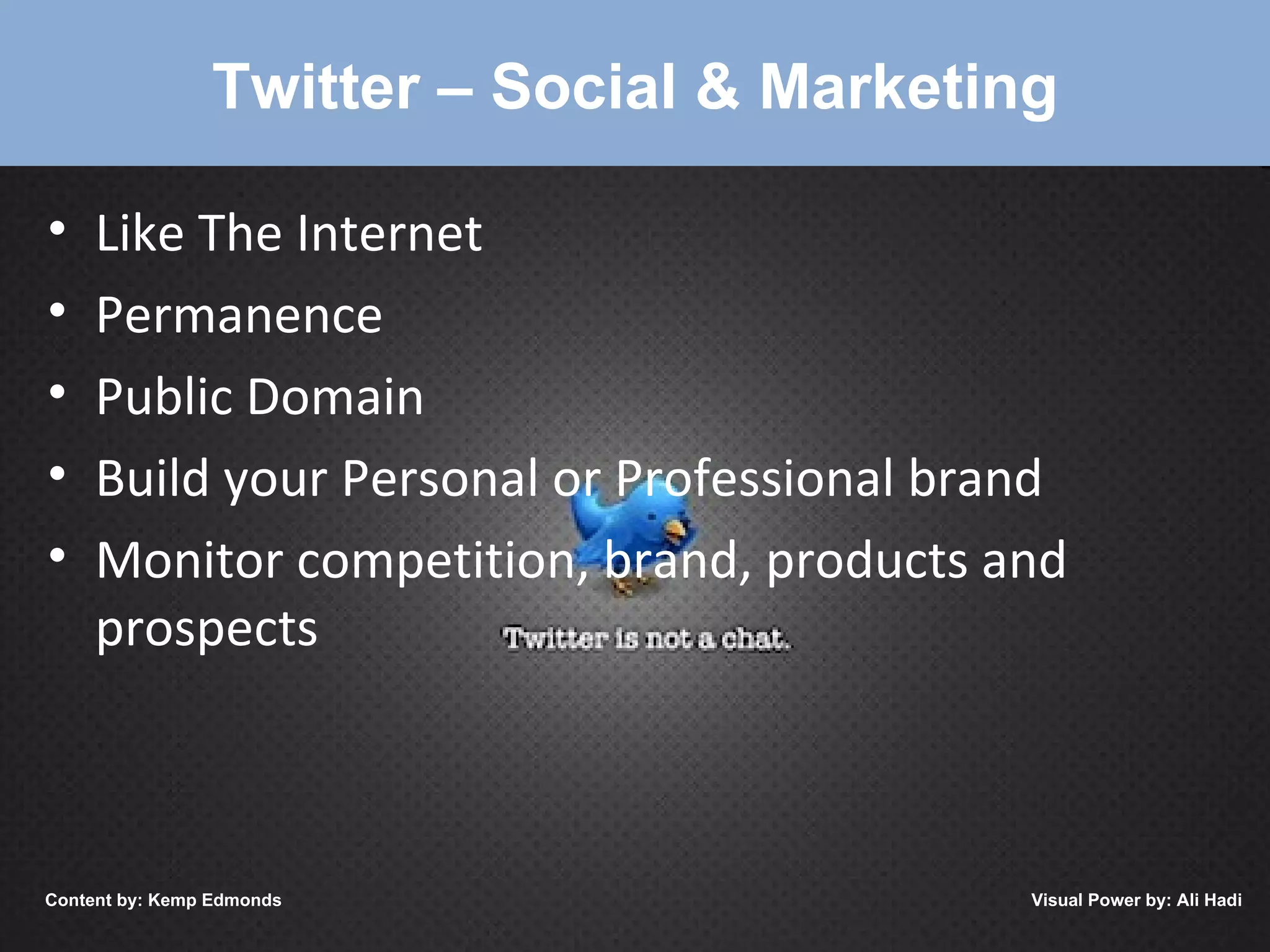
Twitter – Social & Marketing Like The Internet Permanence Public Domain Build your Personal or Professional brand Monitor competition, brand, products and prospects Content by: Kemp Edmonds Visual Power by: Ali Hadi
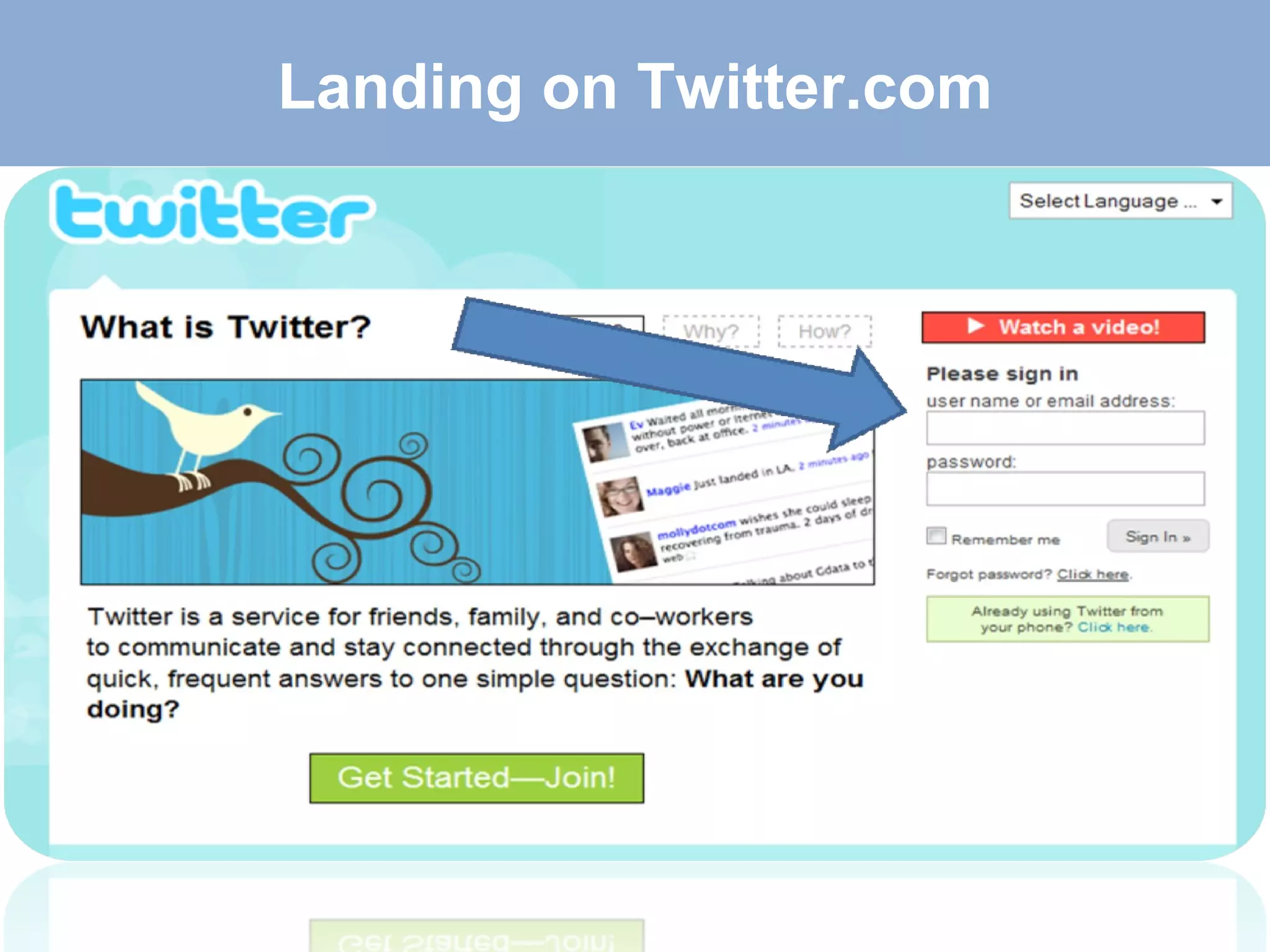
Landing on Twitter.com
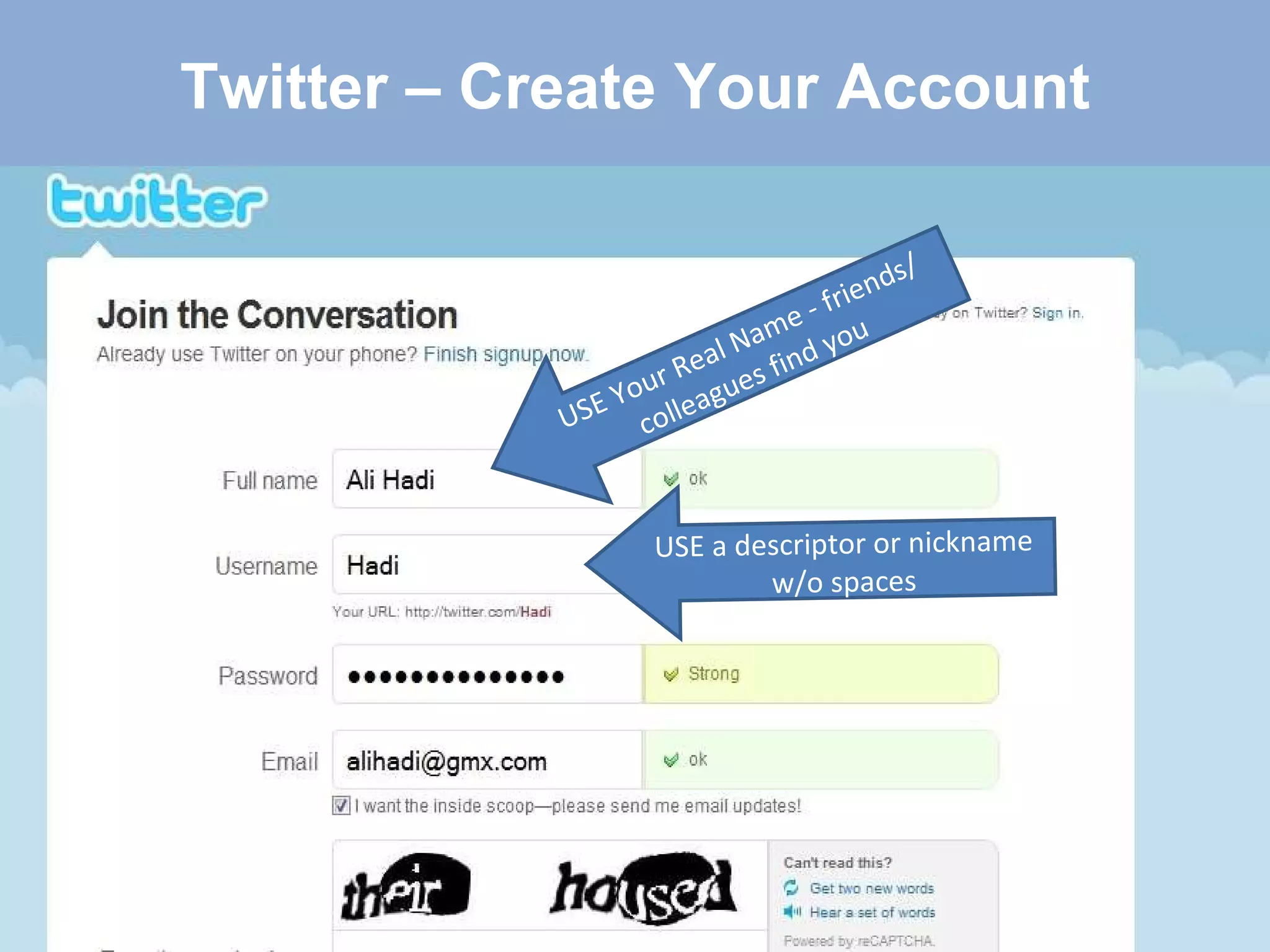
Twitter – Create Your Account USE Your Real Name - friends/ colleagues find you USE a descriptor or nickname w/o spaces
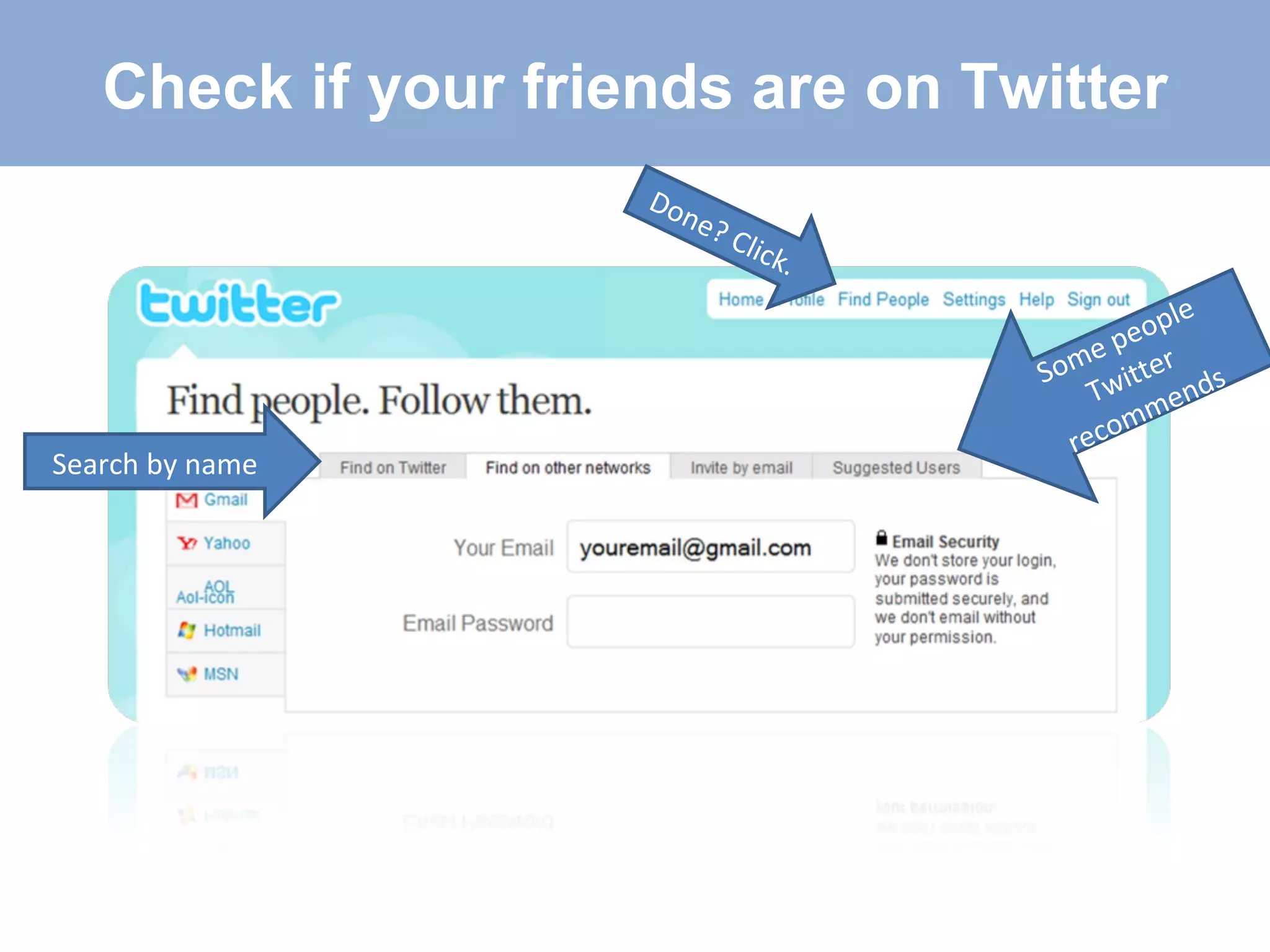
Search by name  Some people Twitter recommends Check if your friends are on Twitter Done? Click.
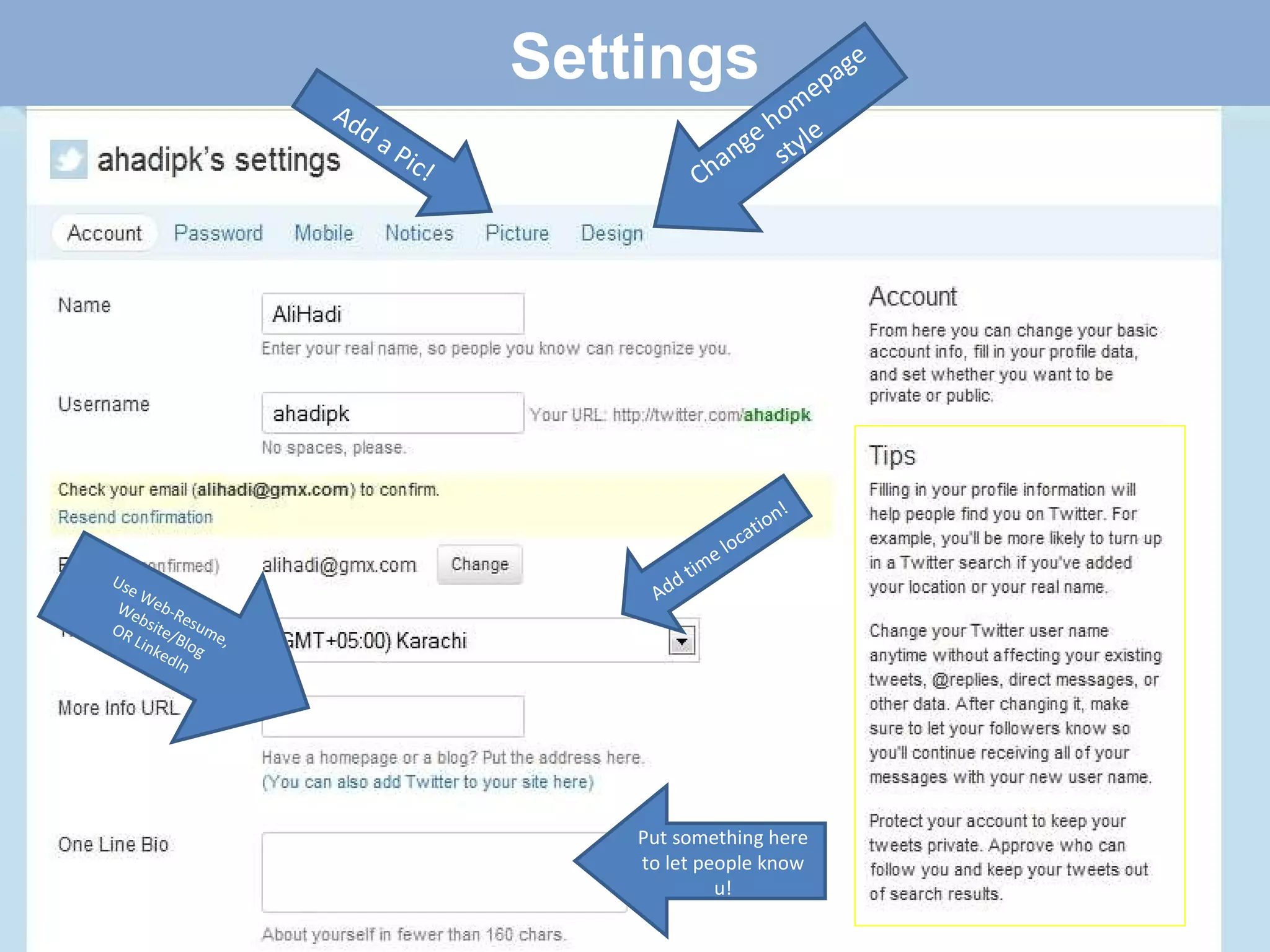
Settings Use Web-Resume, Website/Blog OR LinkedIn Put something here to let people know u! Add time location!  Add a Pic! Change homepage style
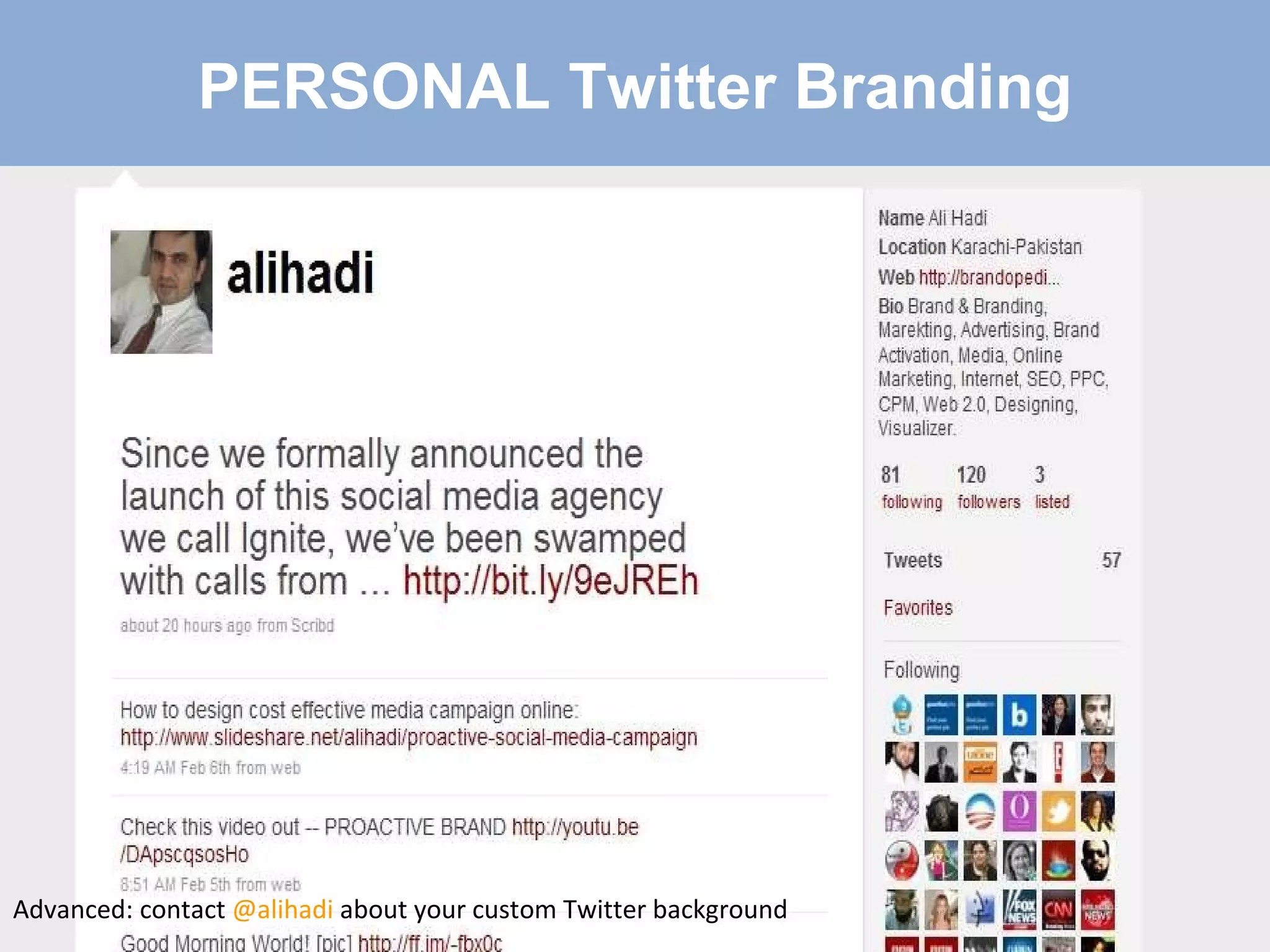
PERSONAL Twitter Branding Advanced: contact  @alihadi  about your custom Twitter background
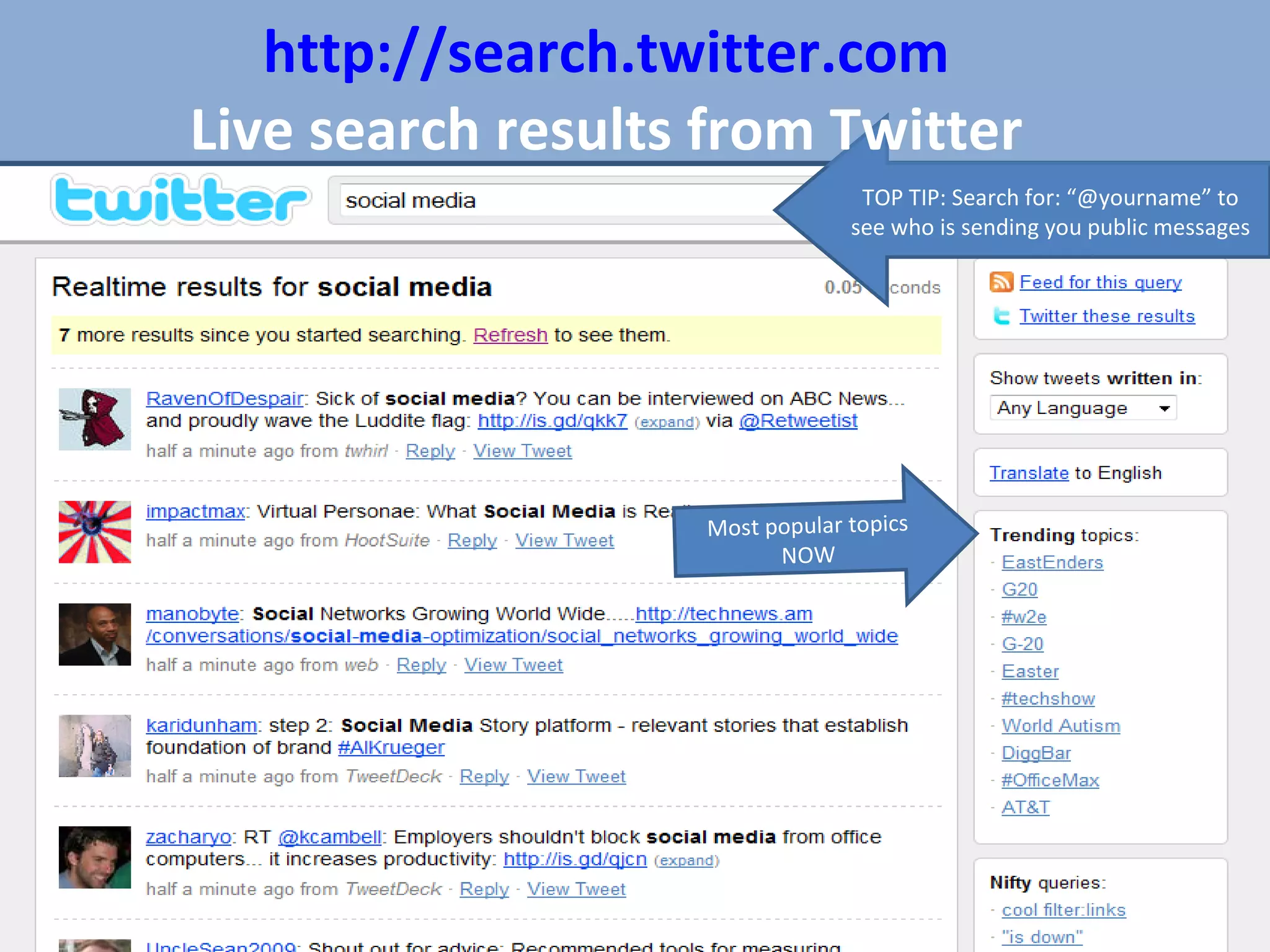
Most popular topics NOW TOP TIP: Search for: “@yourname” to see who is sending you public messages http://search.twitter.com Live search results from Twitter
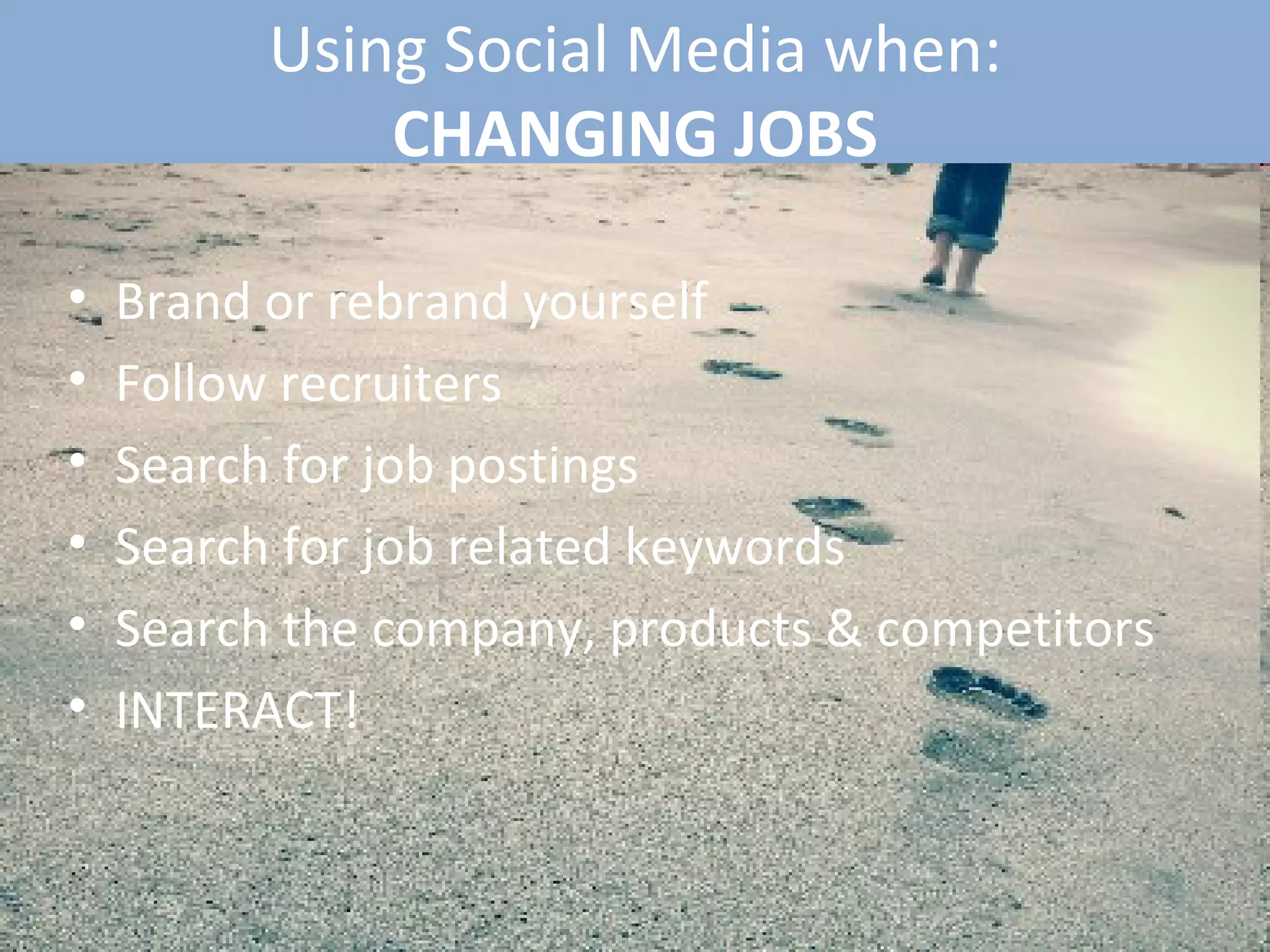
Using Social Media when: CHANGING JOBS Brand or rebrand yourself Follow recruiters  Search for job postings Search for job related keywords Search the company, products & competitors INTERACT!
That’s a brief overview... Ali Hadi Social Media Consultant Contact: +923002025012 Email:  [email_address]   For Further information: http:// www.google.com/profiles/alihadipk http://www.facebook.com/alihadibx http:// friendfeed.com/alihadi http:// www.slideshare.net/alihadi/slideshows http:// www.linkedin.com/in/alihadi http:// www.myspace.com/alihadipk http://alihadi.wordpress.com   “ Get FREE Three Musketeers” Contact: @alihadi  (on twitter) Email: proactive@gmx.com

Three Musketeers "Social Media"

  • 1.
    Social Media- Web2.0 Visual Power by: Ali Hadi Content by: Kemp Edmonds A beginner’s guide to the BIG THREE
  • 2.
    Why you shouldstart using social media What it can do for you? How to get started using it. THREE BIG QUESTIONS Content by: Kemp Edmonds Visual Power by: Ali Hadi
  • 3.
    WHAT IS WEB2.0 Technology and web design with an aim to enhance: Creativity Communications Secure information Sharing Collaboration Web functionality Changing trends in the use of World Wide Web Content by: Kemp Edmonds Visual Power by: Ali Hadi
  • 4.
    WEB 2.0 hasled to... Evolution of web-based culture communities Example services: Facebook and MySpace – social networking sites YouTube and Flickr - video and picture sharing sites Wikipedia – user-generated information: wikis Blogs and Video blogs Twitter – Micro-blogging LinkedIn - Professional Networking These are... SOCIAL MEDIA Content by: Kemp Edmonds Visual Power by: Ali Hadi
  • 5.
    Created by: KempEdmonds 2009 What is Social Media Services that focus on building online communities Where people... Who share interests & activities, or Who are interested in exploring the interests and activities of others. Social media services provide ways for users to interact, such as e-mail and instant messaging. Content by: Kemp Edmonds Visual Power by: Ali Hadi
  • 6.
    Social Networking =>See the Power Content by: Kemp Edmonds Visual Power by: Ali Hadi
  • 7.
    Created by: KempEdmonds 2009 Why is it important to use and understand Social Media Free OR Inexpensive It is where the people are Build relationships Build contacts Build sales Find a job Find a mentor Find advice Build your business Build your brand Connect with your audience and customers Content by: Kemp Edmonds Visual Power by: Ali Hadi
  • 8.
    Why You ShouldBe Using Social Media 0.3 to 0.5 millions Pakistani are on Facebook and 400 million users internationally. Consumers are moving online to buy and browse It is inexpensive or free if you do it yourself Old advertising paradigms are losing effectiveness Drive traffic to your website or business 24/7 Content by: Kemp Edmonds Visual Power by: Ali Hadi
  • 9.
    How the Internetcompletes your Marketing circle Content by: Kemp Edmonds Visual Power by: Ali Hadi
  • 10.
    4 Steps tosetup your Twitter/Facebook/LinkedIn Allot time to sign-up and setup each personal profile on each site [15 – 45 minutes] Use onsite walkthroughs to complete your profile Use Google to search for step-by-step walkthroughs if necessary Add your contacts to your network. You can always remove people so add away! Content by: Kemp Edmonds Visual Power by: Ali Hadi
  • 11.
    LinkedIn => Business& Marketing The Social Media Office Be Professional Online Resume Find important contacts through your contacts Content by: Kemp Edmonds Visual Power by: Ali Hadi
  • 12.
    LinkedIn – FirstSteps Fill in as much of your profile as possible Import and search for contacts to add through Outlook, Gmail, Hotmail. Monitor your profile completion meter Update your status with business work Seek out important contacts through your connections. Make an introduction request Put LinkedIn logo on your next business card Content by: Kemp Edmonds Visual Power by: Ali Hadi
  • 13.
  • 14.
    FACEBOOK – Social& Business Its a party, fun Connect with friends old and new Invite friends to events or be invited to events Become a fan and become part of a group Be careful what you post, People are checking it for hiring. *Photo Stalker* Advertise, promote and grow your business/brand
  • 15.
    FACEBOOK – FIRSTSTEPS Decide: Personal or Personal/Professional? Setup your account Create events or fan pages to add value Join personal and/or professional groups and company/fan pages. You can be a Fan of a brand not a ‘Friend’ Post links for your contacts interest whether professional or personal Content by: Kemp Edmonds
  • 16.
  • 17.
    Twitter – Social& Marketing Like The Internet Permanence Public Domain Build your Personal or Professional brand Monitor competition, brand, products and prospects Content by: Kemp Edmonds Visual Power by: Ali Hadi
  • 18.
  • 19.
    Twitter – CreateYour Account USE Your Real Name - friends/ colleagues find you USE a descriptor or nickname w/o spaces
  • 20.
    Search by name Some people Twitter recommends Check if your friends are on Twitter Done? Click.
  • 21.
    Settings Use Web-Resume,Website/Blog OR LinkedIn Put something here to let people know u! Add time location! Add a Pic! Change homepage style
  • 22.
    PERSONAL Twitter BrandingAdvanced: contact @alihadi about your custom Twitter background
  • 23.
    Most popular topicsNOW TOP TIP: Search for: “@yourname” to see who is sending you public messages http://search.twitter.com Live search results from Twitter
  • 24.
    Using Social Mediawhen: CHANGING JOBS Brand or rebrand yourself Follow recruiters Search for job postings Search for job related keywords Search the company, products & competitors INTERACT!
  • 25.
    That’s a briefoverview... Ali Hadi Social Media Consultant Contact: +923002025012 Email: [email_address] For Further information: http:// www.google.com/profiles/alihadipk http://www.facebook.com/alihadibx http:// friendfeed.com/alihadi http:// www.slideshare.net/alihadi/slideshows http:// www.linkedin.com/in/alihadi http:// www.myspace.com/alihadipk http://alihadi.wordpress.com “ Get FREE Three Musketeers” Contact: @alihadi (on twitter) Email: proactive@gmx.com

Editor's Notes

  • #8 Fish where the fish are.