Download as PDF, PPTX



![9
Monitoring
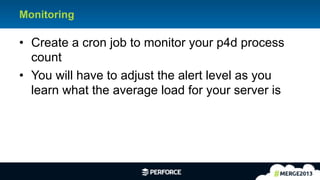
#!/bin/bash
count=$(ps -ef | grep -i p4d_1 | wc –l)
Load=100 # Set to 3 - 4 times your average load.
if [ "$count" -gt "$load" ]
then
echo "Load alert is set to: ${load}." > count.txt
mail -s "p4 count is ${count}.” you@company.com < count.txt
rm count.txt
fi](https://image.slidesharecdn.com/admin-workshop-slides-130523174141-phpapp02/85/Perforce-Admin-Workshop-9-320.jpg)
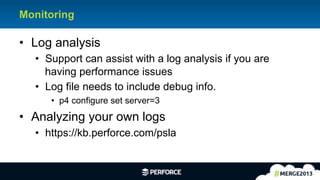
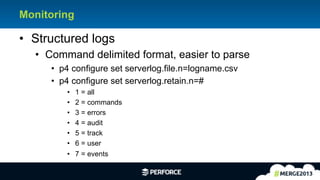

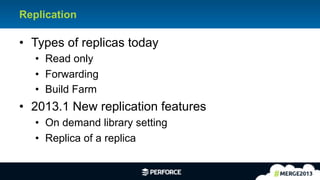
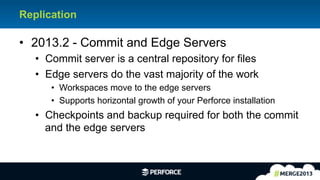
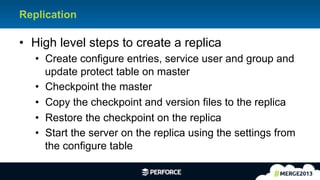


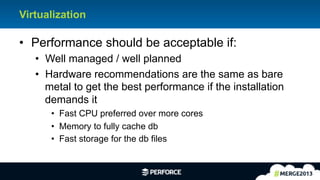
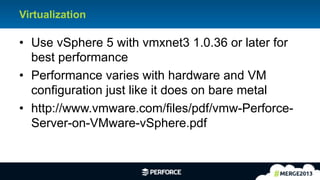
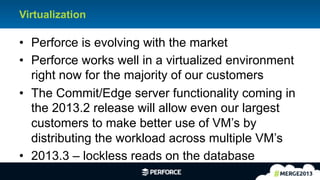
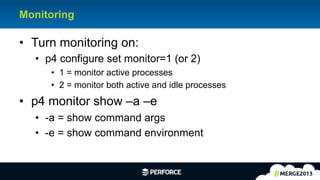
This document discusses virtualization, monitoring, and replication of Perforce software. It provides recommendations for virtualizing Perforce, such as using vSphere 5 with certain network drivers. It also discusses monitoring Perforce processes and logs to detect performance issues. New replication features in upcoming Perforce releases are outlined, including commit/edge servers that allow work to be distributed across multiple VMs.


![[MathWorks] Versioning Infrastructure](https://cdn.slidesharecdn.com/ss_thumbnails/mathworks-michaelmirmanpv4-130523185914-phpapp01-thumbnail.jpg?width=640&height=640&fit=bounds)
![[MathWorks] Versioning Infrastructure](https://cdn.slidesharecdn.com/ss_thumbnails/versioning-infrastructure-mathworks-paper-130523183417-phpapp01-thumbnail.jpg?width=640&height=640&fit=bounds)


![[Paris merge world tour] Perforce Server Update](https://cdn.slidesharecdn.com/ss_thumbnails/paris-mergeworldtourperforceserverupdate-130718052353-phpapp01-thumbnail.jpg?width=640&height=640&fit=bounds)
![[Tel aviv merge world tour] Qwilt P4 Conference](https://cdn.slidesharecdn.com/ss_thumbnails/telavivmergeworldtourqwiltp4conference-130718081039-phpapp01-thumbnail.jpg?width=640&height=640&fit=bounds)
![[Tel aviv merge world tour] Perforce Server Update](https://cdn.slidesharecdn.com/ss_thumbnails/telavivmergeworldtourperforceserverupdate-130718081007-phpapp01-thumbnail.jpg?width=640&height=640&fit=bounds)


![[Perforce] Perforce the Plentiful Platform](https://cdn.slidesharecdn.com/ss_thumbnails/perforce-plentiful-platform-slides-130523175403-phpapp01-thumbnail.jpg?width=640&height=640&fit=bounds)
![[Perforce] Replication - Read Only Installs to Fully Filtered Forwarding](https://cdn.slidesharecdn.com/ss_thumbnails/perforce-replication-slides-130523174850-phpapp01-thumbnail.jpg?width=640&height=640&fit=bounds)

![[NetherRealm Studios] Game Studio Perforce Architecture](https://cdn.slidesharecdn.com/ss_thumbnails/game-studio-perforce-architecture-slides-130523181224-phpapp02-thumbnail.jpg?width=640&height=640&fit=bounds)
![[India Merge World Tour] Introducing Perforce Insights](https://cdn.slidesharecdn.com/ss_thumbnails/india-mergeworldtourintroducingperforceinsights-130819054438-phpapp01-thumbnail.jpg?width=640&height=640&fit=bounds)
![[Paris merge world tour] Perforce Introducing Perforce Insights](https://cdn.slidesharecdn.com/ss_thumbnails/paris-mergeworldtourperforceintroducingperforceinsights-130718051918-phpapp01-thumbnail.jpg?width=640&height=640&fit=bounds)
![[Europe merge world tour] Perforce Introducing Perforce Insights](https://cdn.slidesharecdn.com/ss_thumbnails/europe-mergeworldtourperforceintroducingperforceinsights-130718034809-phpapp01-thumbnail.jpg?width=640&height=640&fit=bounds)


