Job Hunting in Canada
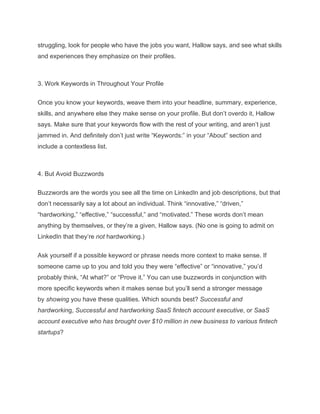
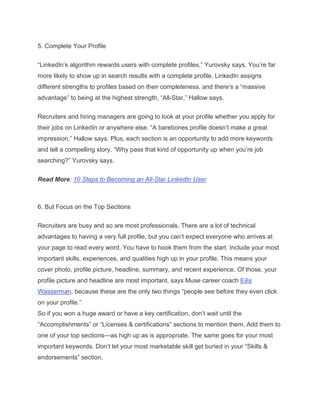
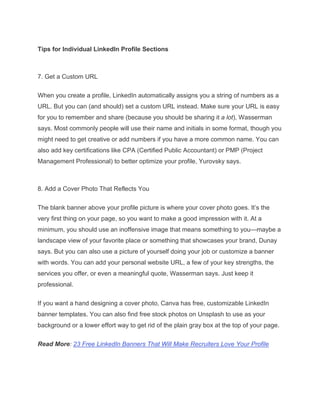
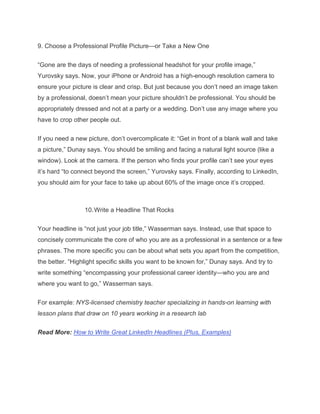
LIS Positions – Libraries, Museums, Archives, Records Management, and Allied
Positions.
Prepared November 2021 by Stephen Abram and SLA Canada
For Nov. 25, 2021 Webinar:
SLACanada Chat: All About Students!
Information Pros for the Information Age!
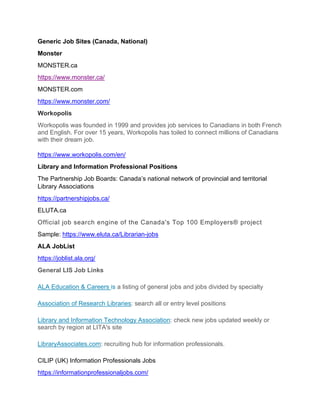
Generic Job Sites (Canada, National)
Monster
MONSTER.ca
https://www.monster.ca/
MONSTER.com
https://www.monster.com/
Workopolis
Workopolis was founded in 1999 and provides job services to Canadians in both French
and English. For over 15 years, Workopolis has toiled to connect millions of Canadians
with their dream job.
https://www.workopolis.com/en/
Library and Information Professional Positions
The Partnership Job Boards: Canada’s national network of provincial and territorial
Library Associations
https://partnershipjobs.ca/
ELUTA.ca
Official job search engine of the Canada's Top 100 Employers® project
Sample: https://www.eluta.ca/Librarian-jobs
ALA JobList
https://joblist.ala.org/
General LIS Job Links
ALA Education & Careers is a listing of general jobs and jobs divided by specialty
Association of Research Libraries: search all or entry level positions
Library and Information Technology Association: check new jobs updated weekly or
search by region at LITA's site
LibraryAssociates.com: recruiting hub for information professionals.
CILIP (UK) Information Professionals Jobs
https://informationprofessionaljobs.com/
Best Lists in Canada (curated by INALJ – I Need A Library Job)
The Partnership Job Boards: Canada’s national network of provincial and territorial
Library Associations
https://partnershipjobs.ca/
Welcome to the Partnership Job Board! The Partnership Job Board lists positions
available to library and information personnel from coast to coast to coast. The Job
Board was developed and is managed by the British Columbia Library Association to
support members of The Partnership, Canada’s national network of provincial and
territorial library associations. The Job Board is free to job seekers, and is a paid service
for employers. The employer is responsible for all job posting content. BCLA does not
participate in the hiring process and does not forward messages or applications to
employers.
INALJ [I Need A Library Job] Ontario: The nexus of information professionals and
information potential / Library and LIS jobs
Websites for Jobs Job Board
• The Canadian Library Association lists library jobs all over Ontario
• The Canadian Heritage Information Network job board posts Museum, Archive
and Art Gallery positions all over Canada
• The Ontario Library Association does that too
• The University of Toronto’s iSchool Job Site lists all types of LIS industry jobs all
over Ontario
• So does the University of Western Ontario’s FIMS Job Site
• Apply to Education is a one stop shop for Teacher-Librarian, Librarian and
Library Technician jobs with ON School Boards (note: you’ll have to create an
account, and to apply for jobs you have to purchase credits)
• Go to Charity Village for LIS jobs in the Non-Profit sector
• APRA Canada: Jobs in Prospect/Advancement/Development Research
• Pillar Nonprofit Network
• Media Job Search Canada
• Academic Libraries/Information Service Providers
• Algoma University
• Algonquin College
• Brescia University College
• Brock University
• Cambrian College
• Canadore College
• Carleton University
• Centennial College
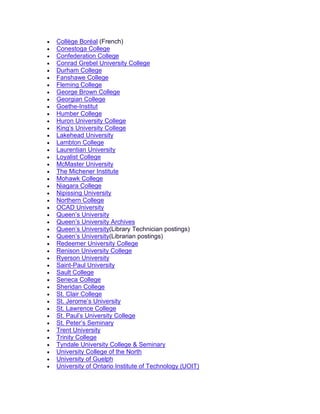
• Collège Boréal (French)
• Conestoga College
• Confederation College
• Conrad Grebel University College
• Durham College
• Fanshawe College
• Fleming College
• George Brown College
• Georgian College
• Goethe-Institut
• Humber College
• Huron University College
• King’s University College
• Lakehead University
• Lambton College
• Laurentian University
• Loyalist College
• McMaster University
• The Michener Institute
• Mohawk College
• Niagara College
• Nipissing University
• Northern College
• OCAD University
• Queen’s University
• Queen’s University Archives
• Queen’s University(Library Technician postings)
• Queen’s University(Librarian postings)
• Redeemer University College
• Renison University College
• Ryerson University
• Saint-Paul University
• Sault College
• Seneca College
• Sheridan College
• St. Clair College
• St. Jerome’s University
• St. Lawrence College
• St. Paul’s University College
• St. Peter’s Seminary
• Trent University
• Trinity College
• Tyndale University College & Seminary
• University College of the North
• University of Guelph
• University of Ontario Institute of Technology (UOIT)
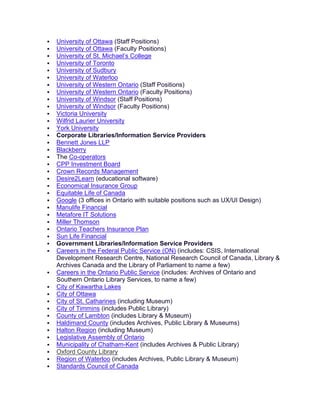
 University of Ottawa (Staff Positions)
 University of Ottawa (Faculty Positions)
 University of St. Michael’s College
 University of Toronto
 University of Sudbury
 University of Waterloo
 University of Western Ontario (Staff Positions)
 University of Western Ontario (Faculty Positions)
 University of Windsor (Staff Positions)
 University of Windsor (Faculty Positions)
 Victoria University
 Wilfrid Laurier University
 York University
 Corporate Libraries/Information Service Providers
 Bennett Jones LLP
 Blackberry
 The Co-operators
 CPP Investment Board
 Crown Records Management
 Desire2Learn (educational software)
 Economical Insurance Group
 Equitable Life of Canada
 Google (3 offices in Ontario with suitable positions such as UX/UI Design)
 Manulife Financial
 Metafore IT Solutions
 Miller Thomson
 Ontario Teachers Insurance Plan
 Sun Life Financial
 Government Libraries/Information Service Providers
 Careers in the Federal Public Service (ON) (includes: CSIS, International
Development Research Centre, National Research Council of Canada, Library &
Archives Canada and the Library of Parliament to name a few)
 Careers in the Ontario Public Service (includes: Archives of Ontario and
Southern Ontario Library Services, to name a few)
 City of Kawartha Lakes
 City of Ottawa
 City of St. Catharines (including Museum)
 City of Timmins (includes Public Library)
 County of Lambton (includes Library & Museum)
 Haldimand County (includes Archives, Public Library & Museums)
 Halton Region (including Museum)
 Legislative Assembly of Ontario
 Municipality of Chatham-Kent (includes Archives & Public Library)
 Oxford County Library
 Region of Waterloo (includes Archives, Public Library & Museum)
 Standards Council of Canada
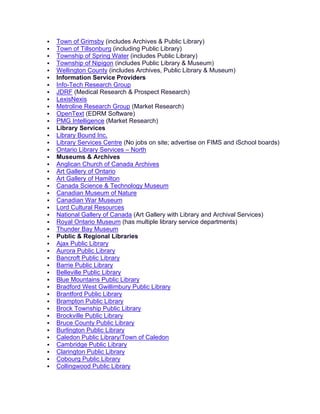
 Town of Grimsby (includes Archives & Public Library)
 Town of Tillsonburg (including Public Library)
 Township of Spring Water (includes Public Library)
 Township of Nipigon (includes Public Library & Museum)
 Wellington County (includes Archives, Public Library & Museum)
 Information Service Providers
 Info-Tech Research Group
 JDRF (Medical Research & Prospect Research)
 LexisNexis
 Metroline Research Group (Market Research)
 OpenText (EDRM Software)
 PMG Intelligence (Market Research)
 Library Services
 Library Bound Inc.
 Library Services Centre (No jobs on site; advertise on FIMS and iSchool boards)
 Ontario Library Services – North
 Museums & Archives
 Anglican Church of Canada Archives
 Art Gallery of Ontario
 Art Gallery of Hamilton
 Canada Science & Technology Museum
 Canadian Museum of Nature
 Canadian War Museum
 Lord Cultural Resources
 National Gallery of Canada (Art Gallery with Library and Archival Services)
 Royal Ontario Museum (has multiple library service departments)
 Thunder Bay Museum
 Public & Regional Libraries
 Ajax Public Library
 Aurora Public Library
 Bancroft Public Library
 Barrie Public Library
 Belleville Public Library
 Blue Mountains Public Library
 Bradford West Gwillimbury Public Library
 Brantford Public Library
 Brampton Public Library
 Brock Township Public Library
 Brockville Public Library
 Bruce County Public Library
 Burlington Public Library
 Caledon Public Library/Town of Caledon
 Cambridge Public Library
 Clarington Public Library
 Cobourg Public Library
 Collingwood Public Library
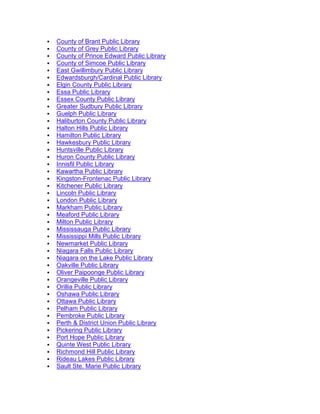
 County of Brant Public Library
 County of Grey Public Library
 County of Prince Edward Public Library
 County of Simcoe Public Library
 East Gwillimbury Public Library
 Edwardsburgh/Cardinal Public Library
 Elgin County Public Library
 Essa Public Library
 Essex County Public Library
 Greater Sudbury Public Library
 Guelph Public Library
 Haliburton County Public Library
 Halton Hills Public Library
 Hamilton Public Library
 Hawkesbury Public Library
 Huntsville Public Library
 Huron County Public Library
 Innisfil Public Library
 Kawartha Public Library
 Kingston-Frontenac Public Library
 Kitchener Public Library
 Lincoln Public Library
 London Public Library
 Markham Public Library
 Meaford Public Library
 Milton Public Library
 Mississauga Public Library
 Mississippi Mills Public Library
 Newmarket Public Library
 Niagara Falls Public Library
 Niagara on the Lake Public Library
 Oakville Public Library
 Oliver Paipoonge Public Library
 Orangeville Public Library
 Orillia Public Library
 Oshawa Public Library
 Ottawa Public Library
 Pelham Public Library
 Pembroke Public Library
 Perth & District Union Public Library
 Pickering Public Library
 Port Hope Public Library
 Quinte West Public Library
 Richmond Hill Public Library
 Rideau Lakes Public Library
 Sault Ste. Marie Public Library
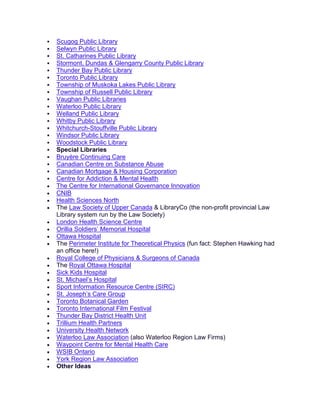
 Scugog Public Library
 Selwyn Public Library
 St. Catharines Public Library
 Stormont, Dundas & Glengarry County Public Library
 Thunder Bay Public Library
 Toronto Public Library
 Township of Muskoka Lakes Public Library
 Township of Russell Public Library
 Vaughan Public Libraries
 Waterloo Public Library
 Welland Public Library
 Whitby Public Library
 Whitchurch-Stouffville Public Library
 Windsor Public Library
 Woodstock Public Library
 Special Libraries
 Bruyère Continuing Care
 Canadian Centre on Substance Abuse
 Canadian Mortgage & Housing Corporation
 Centre for Addiction & Mental Health
• The Centre for International Governance Innovation
• CNIB
• Health Sciences North
• The Law Society of Upper Canada & LibraryCo (the non-profit provincial Law
Library system run by the Law Society)
• London Health Science Centre
• Orillia Soldiers’ Memorial Hospital
• Ottawa Hospital
• The Perimeter Institute for Theoretical Physics (fun fact: Stephen Hawking had
an office here!)
• Royal College of Physicians & Surgeons of Canada
• The Royal Ottawa Hospital
• Sick Kids Hospital
• St. Michael’s Hospital
• Sport Information Resource Centre (SIRC)
• St. Joseph’s Care Group
• Toronto Botanical Garden
• Toronto International Film Festival
• Thunder Bay District Health Unit
• Trillium Health Partners
• University Health Network
• Waterloo Law Association (also Waterloo Region Law Firms)
• Waypoint Centre for Mental Health Care
• WSIB Ontario
• York Region Law Association
• Other Ideas
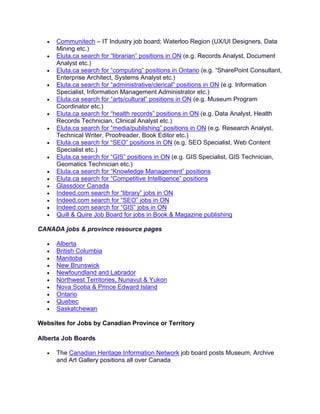
• Communitech – IT Industry job board; Waterloo Region (UX/UI Designers, Data
Mining etc.)
• Eluta.ca search for “librarian” positions in ON (e.g. Records Analyst, Document
Analyst etc.)
• Eluta.ca search for “computing” positions in Ontario (e.g. “SharePoint Consultant,
Enterprise Architect, Systems Analyst etc.)
• Eluta.ca search for “administrative/clerical” positions in ON (e.g. Information
Specialist, Information Management Administrator etc.)
• Eluta.ca search for “arts/cultural” positions in ON (e.g. Museum Program
Coordinator etc.)
• Eluta.ca search for “health records” positions in ON (e.g. Data Analyst, Health
Records Technician, Clinical Analyst etc.)
• Eluta.ca search for “media/publishing” positions in ON (e.g. Research Analyst,
Technical Writer, Proofreader, Book Editor etc.)
• Eluta.ca search for “SEO” positions in ON (e.g. SEO Specialist, Web Content
Specialist etc.)
• Eluta.ca search for “GIS” positions in ON (e.g. GIS Specialist, GIS Technician,
Geomatics Technician etc.)
• Eluta.ca search for “Knowledge Management” positions
• Eluta.ca search for “Competitive Intelligence” positions
• Glassdoor Canada
• Indeed.com search for “library” jobs in ON
• Indeed.com search for “SEO” jobs in ON
• Indeed.com search for “GIS” jobs in ON
• Quill & Quire Job Board for jobs in Book & Magazine publishing
CANADA jobs & province resource pages
• Alberta
• British Columbia
• Manitoba
• New Brunswick
• Newfoundland and Labrador
• Northwest Territories, Nunavut & Yukon
• Nova Scotia & Prince Edward Island
• Ontario
• Quebec
• Saskatchewan
Websites for Jobs by Canadian Province or Territory
Alberta Job Boards
• The Canadian Heritage Information Network job board posts Museum, Archive
and Art Gallery positions all over Canada
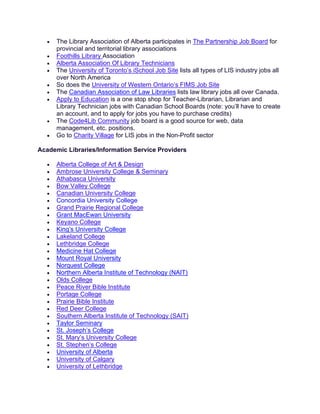
• The Library Association of Alberta participates in The Partnership Job Board for
provincial and territorial library associations
• Foothills Library Association
• Alberta Association Of Library Technicians
• The University of Toronto’s iSchool Job Site lists all types of LIS industry jobs all
over North America
• So does the University of Western Ontario’s FIMS Job Site
• The Canadian Association of Law Libraries lists law library jobs all over Canada.
• Apply to Education is a one stop shop for Teacher-Librarian, Librarian and
Library Technician jobs with Canadian School Boards (note: you’ll have to create
an account, and to apply for jobs you have to purchase credits)
• The Code4Lib Community job board is a good source for web, data
management, etc. positions.
• Go to Charity Village for LIS jobs in the Non-Profit sector
Academic Libraries/Information Service Providers
• Alberta College of Art & Design
• Ambrose University College & Seminary
• Athabasca University
• Bow Valley College
• Canadian University College
• Concordia University College
• Grand Prairie Regional College
• Grant MacEwan University
• Keyano College
• King’s University College
• Lakeland College
• Lethbridge College
• Medicine Hat College
• Mount Royal University
• Norquest College
• Northern Alberta Institute of Technology (NAIT)
• Olds College
• Peace River Bible Institute
• Portage College
• Prairie Bible Institute
• Red Deer College
• Southern Alberta Institute of Technology (SAIT)
• Taylor Seminary
• St. Joseph’s College
• St. Mary’s University College
• St. Stephen’s College
• University of Alberta
• University of Calgary
• University of Lethbridge
• Vanguard College
Corporate Libraries/Information Service Providers
• Autopro Automation
• Bennett Jones LLP
• Cenovus Energy Inc.
• Savanna Energy Services Corp.
Government Libraries/Information Service Providers
• Careers in the Federal Public Service (ON) (includes: CSIS, International
Development Research Centre, National Research Council of Canada, Library &
Archives Canada and the Library of Parliament to name a few)
• Careers in the Alberta Public Service
• Town of Stettler (Includes Public Library)
• Positions in Alberta’s Legislative Assembly Library , a non-governmental,
information service for elected official, are advertised here.
Museums & Archives
• Royal Tyrrell Museum
Public & Regional Libraries
• Airdrie Public Library
• Brooks Public Library
• Calgary Public Library
• Chinook Arch Regional Library System
• Drayton Valley Municipal Library
• Edmonton Public Library
• Fort Saskatchewan Public Library
• Grand Prairie Public Library
• Lethbridge Public Library
• Marigold Library System
• Medicine Hat Public Library
• Okotoks Public LIbrary
• Red Deer Public Library
• Shortgrass Library System
• Spruce Grove Public Library
• St. Albert Public Library
• Strathcona County Library
Special Libraries
• Alberta Innovates Technology Futures
• The Alberta Teachers’ Association
• The Banff Centre
• College & Association of Registered Nurses of Alberta
• Covenant Health
• Glenbow Museum
• Vecova
• Whyte Museum of the Canadian Rockies
INTERNATIONAL jobs & country resource pages
• Ireland
• UK
• International (Other countries)
BC Websites for Job Hunting
• The Canadian Heritage Information Network job board posts Museum, Archive
and Art Gallery positions all over Canada
• The BC Library Association posts jobs through The Partnership Job Board
• Foothills Library Association posts library and archives jobs available in the West
• Alberta Association Of Library Technicians lists paid and volunteer positions for
western provinces, the rest of Canada and overseas
• The University of Toronto’s iSchool Job Site lists all types of LIS industry jobs all
over North America
• So does the University of Western Ontario’s FIMS Job Site
• Apply to Education is a one stop shop for Teacher-Librarian, Librarian and
Library Technician jobs with Canadian School Boards (note: you’ll have to create
an account, and to apply for jobs you have to purchase credits)
• Education Canada lets you search for jobs in all areas of school employment,
including Librarian & Library Assistant
• Go to Charity Village for LIS jobs in the Non-Profit sector
Academic Libraries/Information Service Providers
• British Columbia Institute of Technology (BCIT)
• Camosun College
• Capilano University
• College of New Caledonia
• Columbia Bible College
• Columbia College
• Emily Carr University of Art & Design
• Justice Institute of British Columbia (JIBC)
• Kwantlen Polytechnic University
• Langara College
• Nicola Valley Institute of Technology
• North Island College
• Northern Lights College
• Northwest Community College
• Okanagan College
• Quest University
• Regent College
• Royal Roads University
• Selkirk College
• Simon Fraser University
• Thompson Rivers University
• Trinity Western University
• University of British Columbia
• University Canada West
• University of the Fraser Valley
• University of Northern British Columbia
• University of Victoria
• University of Victoria Libraries
• Vancouver Community College
• Vancouver Island University
• Vancouver School of Theology
Corporate Libraries/Information Service Providers
• WorleyParsons
Government Libraries/Information Service Providers
• Careers in the Federal Public Service (ON) (includes: CSIS, International
Development Research Centre, National Research Council of Canada, Library &
Archives Canada and the Library of Parliament to name a few)
• Careers in the British Columbia Public Service
• City of Cranbrook
• City of Surrey
• City of Victoria (includes Archives)
• Fort Steele
• Township of Esquimalt (includes Archives)
Library Services
• ProQuest
• Andornot Consulting Inc.
• OverDrive Inc.
Museums & Archives
• Art Gallery of Greater Victoria
• Royal BC Museum & BC Archives
• Touchstones Nelson Museum of Art & History
• Vancouver Art Gallery
Public & Regional Libraries
• Burnaby Public Library
• Coquitlam Public Library
• Fraser Valley Regional Library
• Greater Victoria Public Library
• New Westminster Public Library
• North Vancouver City Library
• North Vancouver District Public Library
• Okanagan Regional Library
• Powell River Public Library
• Prince George Public Library
• Prince Rupert Public Library
• Richmond Public Library
• Squamish Public Library
• Surrey Public Library
• Terrace Public Library
• Trail & District Public Library
• Vancouver Island Regional Library
• Vancouver Public Library
Special Libraries
• Vancouver School Board
• Bamfield Marine Sciences Centre
• British Columbia Aboriginal Network on Disability Services (BCANDS)
• British Columbia Cancer Agency
• British Columbia Teachers’ Federation
• British Columbia Mental Health & Addiction Services
• College of Registered Nurses of British Columbia
• Commonwealth of Learning
• Decoda Literacy Solutions
• Fraser Health Authority
• Interior Health Authority
• Vancouver Island Health Authority
• Providence Health Care
• Union of British Columbia Indian Chiefs
Manitoba: Websites for Jobs
• The Canadian Heritage Information Network job board posts Museum, Archive
and Art Gallery positions all over Canada
• The Manitoba Library Association posts jobs through The Partnership Job Board
• The Manitoba Association of Library Technicians keeps a job bank
• The Alberta Association of Library Technicians has a job bank for out of province
listings
• The University of Toronto’s iSchool Job Site lists all types of LIS industry jobs all
over North America
• So does the University of Western Ontario’s FIMS Job Site
• Apply to Education is a one stop shop for Teacher-Librarian, Librarian and
Library Technician jobs with Canadian School Boards (note: you’ll have to create
an account, and to apply for jobs you have to purchase credits)
• Go to Charity Village for LIS jobs in the Non-Profit sector
Post Secondary & Public Libraries/Information Service Providers
• Assinibone Community College
• Booth University College
• Brandon University
• Canadian Mennonite University
• Menno Simons College
• Providence University College and Seminary
• Red River College
• University of Manitoba
• Université de Saint-Boniface
• University of Winnipeg
• Winnipeg Public Library
Government Libraries/Information Service Providers
• Careers in the Federal Public Service (includes: CSIS, International Development
Research Centre, National Research Council of Canada, Library & Archives
Canada and the Library of Parliament to name a few)
• Careers in the Manitoba Provincial Public Service
• City of Rapid City (includes Library)
• Ritchot Municipality (includes Library)
• Town of Gillam (includes Library)
Museums & Archives
• The Manitoba Museum
Public & Regional Libraries
• Western Manitoba Regional Library
Special Libraries
• Ducks Unlimited Canada
• International Institute for Sustainable Development
• The Law Society of Manitoba
• The Mennonite Church Canada
• Winnipeg Regional Health Authority
New Brunswick: Websites for Jobs
• Indeed.ca in New Brunswick
• The Partnership National Job Site of Canada
• Canadian Accredited Independent Schools
• Alberta Association Of Library Technicians list library jobs all over
Canada
• WowJobs.ca in New Brunswick
• The Canadian Heritage Information Network
• Open Competitions New Brunswick Public Service
Academic Libraries/Information Service Providers
• Mount Allison University
• St Thomas University
• Univeristy of New Brunswick
• Université de Moncton
• Crandall University
• Kingswood University
• Yorkville University
• Oulton College
• McKenzie College
• Eastern College
• New Brunswick Community College
• Collège Communautaire de Nouveau-Brunswick
• New Brunswick College of Craft and Design
• Maritime College of Forest Technology
• Academy of learning New Brunswick
• Law Society of New Brunswick Libraries
Library Services
• New Brunswick Public Library Service
Newfoundland & Labrador: Websites for Jobs
Jobs Boards
• JobsInNL.ca
• Eluta.ca
• Newfoundland and Labrador Library Association participates in The Partnership
Job Board a listing jobs from all provincial and territorial library associations
• Atlantic Canada Library Joblist: To subscribe, e-mail
to: listserv@lists.dal.ca. Leave the Subject field blank, and in the
message type “subscribe lis-joblist [your first and last name]”.
• Indeed.ca Librarian jobs
• The Alberta Association of Library Technicians job board includes jobs from the
rest of Canada
• U of Toronto’s Ischool job board lists all types of LIS positions all around the
world
• The Canadian Library Association lists library jobs all over Canada
• The Canadian Heritage Information Network job board posts Museum, Archive
and Art Gallery positions all over Canada
• The University of Western Ontario’s FIMS Job Site covers North American LIS
positions.
• The Canadian Association of Law Libraries lists law library jobs all over Canada.
• Apply to Education is a one stop shop for Teacher-Librarian, Librarian and
Library Technician jobs with Canadian School Boards (note: you’ll have to create
an account, and to apply for jobs you have to purchase credits)
• Go to Charity Village for LIS jobs in the Non-Profit sector
Individual Public Libraries
Newfoundland and Labrador Public Libraries (NL Public Service Page – Library jobs
posted there)
Universities and Colleges
• College of the North Atlantic, www.cna.nl.ca/careers/
• Memorial University
Northwest Territories, Nunavut & Yukon:
Websites for Jobs Northwest Territories
Job Boards
• Indeed.ca for the Northwest Territories
• WowJobs.ca for the Northwest Territories
• Territorial Government Jobs
• City of Yellowknife jobs
• Jobs North
• Northern News Service Northern Jobs
• Canadian Library Internships
Northwest Territories Libraries and Educational Institutions
• Legislative Assembly of the Northwest Territories
• Directory of public libraries
• Department of Justice Court Library
• Northwest Territories Library Association
• Northwest Territories Legislative Library
• Aurora Research Institute
• Aurora College
Websites for Jobs Nunavut
Job Boards
• The Canadian Heritage Information Network job board posts museum, archive
and art gallery positions across Canada
• The University of Toronto’s iSchool Job Site lists all types of LIS jobs
throughout North America
• The Government of Nunavut lists public jobs for the province
• Kativik School Board lists teacher and other positions for the province
• Indeed.ca jobs for Nunavut
• WowJobs.ca for Nunavut
• Glassdoor Canada
Nunavut Libraries and Educational Institutions
• Nunavut Library Association
• Directory of public libraries
• Legislative Assembly of Nunavut Library
• Nunavut Libraries Online
• Nunavut Court of Justice Law Library
• Arctic College
• Nunavut Legislative Library
• Ministry of Education in Nunavut
Websites for Jobs Yukon
Job Boards
• The YuWIN job board lists jobs across the territory by city
• Indeed.ca jobs for Yukon
• Canadian Library Internships
• Search CareerAIM employment pages by province and territory
• The Yukon Government site list jobs throughout the territory
• Wowjobs.ca for Yukon
• Glassdoor Canada
Yukon Libraries and Educational Institutions
• Directory of public libraries
• Directory of public schools
• Yukon School of Visual Arts
• Yukon College
Nova Scotia & Prince Edward Island
Websites for Jobs- Nova Scotia
Job Boards
• Careerbeacon
• International Federation of Library Associations and Institutions (IFLA)
• Special Libraries Association (SLA)
• The Canadian Library Association
• The Partnership Job Board
• Indeed.ca jobs for Library and Librarian in NS
• WowJobs.ca in Nova Scotia
• Alberta Association Of Library Technicians (covers all provinces)
• Glassdoor Canada
Academic Institutions
• Acadia University
• Atlantic School of Theology
• Cape Breton University
• Canadian Accredited Independent Schools
• Dalhousie University
• University of King’s College
• Mount Saint Vincent University
• NSCAD University
• Nova Scotia Community College
• St. Francis Xavier University
• Saint Mary’s University
Public & Regional Libraries
• Annapolis Valley Regional Library
• Cape Breton Regional Library
• Colchester-East Hants Public Library
• Cumberland Public Libraries
• Eastern Counties Regional Library
• Halifax Public Libraries
• Pictou-Antigonish Regional Library
• South Shore Public Libraries
• Western Counties Regional Library
Museums & Archives
• (all museum jobs are posted here)
• Nova Scotia Archives
Websites for Jobs- PEI
Job Boards
• PEI Professional Librarians Association
• The Partnership National Job Board of Canada
• Canadian Accredited Independent Schools
• Indeed.ca jobs for Library and Librarian in Prince Edward Island
• Canadian Library Internships
• Alberta Association Of Library Technicians list library jobs all over Canada
• Wowjobs.ca jobs board
Government Libraries/Information Service Providers
• Careers in the Federal Public Service (ON) (includes: CSIS, International
Development Research Centre, National Research Council of Canada and the
Library of Parliament to name a few)
• Careers in the Prince Edward Island Public Commission (includes: Provincial
Government, Health Care, Student Jobs, and other employment)
Academic Libraries/Information Service Providers
• University of Prince Edward Island
• Holland college
• Robertson Library
Library Services
• PEI Public Library Service
Special Libraries
• Frank J. MacDonald Library
Quebec: Websites for Jobs
Job Banks
• Canadian Heritage Information Network
• Canadian Library Association
• Charity Village
• École de bibliothéconomie et des sciences de l’information (Université de
Montréal) EBSI – Banque d’emplois. RSS for new jobs.
Public Libraries
• Bibliothèque et Archives Nationale du Québec (BAnQ) lists job openings on its
site. You need to open a file before to apply for a job. Job alert when there is an
opening that is convenient for you.
• Québec Municipal (RSS)
• Réseau d’Information Municipale du Québec (RIM), job newsletter every
Wednesday
• Union des municipalités du Québec.
• Ville de Montréal lists job openings on its site (section Candidat de l’externe,
categorie Professionnel – Professionnel général). You need to open a file before
to apply for a job. Daily job alert for the categorie Professionnel – Professionnel
général.
• Ville de Blainville. Job alert by e-mail.
• Ville de Châteauguay.
• Ville de Cote-Saint-Luc.
• Ville de Dollard-des-Ormeaux.
• Ville de Gatineau. Job alert by e-mail needs to be activated every 90 days.
• Ville de Longueuil.
• Ville de Mont-Royal.
• Ville de Québec.
• Ville de Sainte-Julie.
• Ville de Terrebonne.
• Ville de Lachute.
• Ville de Lévis.
• Ville de Mercier.
• Ville de Mirabel.
• Ville de Québec.
• Ville de Québec – L’Institut Canadien de Québec for jobs at City of Quebec
libraries.
• Ville de Rouyn-Noranda.
• Ville de Saint-Jean-sur-Richelieu.
• Ville de Varennes.
• Ville de Victoriaville.
Academic Libraries
• Bishop’s University list of library job openings.
• Concordia University Libraries lists job openings on its site.
• École de technologie supérieure (ÉTS) lists all job offers.
• École national de l’administation publique (ENAP) lists all job offers.
• École Polytechnique de Montréal.
• Institut national de la recherche scientifique (INRS) lists all job offers.
• McGill University list of all job openings.
• McGill Library.
• Télé-université.
• Université de Montréal lists all job openings (categories Bureau, technique,
bibliothèque/Affichage en cours – Offert à tous, Cadres et
professionnels/Affichage en cours – Offert à tous). Weekly job alert by e-mail.
• Université de Sherbrooke lists all job openings.
• Université du Québec (Québec) lists all job offers. RSS for new offers.
• Université du Québec à Chicoutimi lists all job openings. RSS for new jobs that
you can filter with Yahoo! Pipes (See my article about how to do it).
• Université du Québec à Montréal (UQAM) lists job openings on the HR site.
• Université du Québec à Rimouski (UQAR) lists all job offers.
• Université du Québec à Trois-Rivières (UQTR) lists all job offers.
• Université du Québec en Abitibi-Témiscamingue (UQAT) lists all available jobs.
• Université du Québec en Outaouais (UQO) lists all job offers.
• Cegep de l’Abitibi-Témiscamingue.
• Cégep de l’Outaouais lists all job offers.
• Cégep de la Gaspésie et des Îles lists of all job offers.
• Cégep Garneau.
• Cégep de Limoilou.
• Cégep de Sainte-Foy (Québec).
• Cégep de St-Hyacinthe, alerte-emploi.
• Champlain Regional College.
• Collège Ahunstic lists all job offers. Library jobs are in the category
Bibliothéconomie. Job alert by e-mail.
• Collège André-Grasset (Montréal) lists all job offers.
• Collège Dawson.
• Collège Édouard-Montpetit lists of all job offers. Job alert by e-mail.
• Collège Jean de la Mennais lists all job offers.
• Collège Maisonneuve.
• Collège Rosemont.
• Emploi Cégep.
Special Libraries
• CHUM – Centre hospitalier de l’Université de Montréal – all job openings. Job
alert by e-mail, librarians are in the category Recherche et enseignement.
• CHUS – Centre hospitalier universitaire de Sherbrook – all job openings. Job
alert by e-mail, librarians are in the category Recherche et enseignement.
• Consult the page of the Musée de la Civilisation (Quebec) at Jobillico.
• Avataq Cultural Institute, Documentation Centre on Inuit History (Westmount).
• Agence métropolitaine de transport (AMT).
• Atomic Energy of Canada Limited.
• Hydro-Québec.
School Libraries
• Search the Commission scolaire de Montréal list of job opening. RSS for new job
openings.
• Search the Commission scolaire Marguerite-Bourgeois list of job openings.
• Commission scolaire des Grandes-Seigneuries lists all available jobs at its site.
• Commission scolaire de la Baie-James lists all available jobs at its site.
• The list of all job openings at School Commissions in Quebec include sometimes
jobs for librarians.
• Commission scolaire Central Quebec lists all available jobs at its site.
• Commission scolaire de l’Or-et-des-Bois lists all available jobs at its site.
• Commission scolaire des Navigateurs lists all available jobs at its site.
• Commission scolaire du Val-des-Cerfs lists all available jobs at its site (Sous-
rubrique Non enseignants).
• Commission scolaire du Chemin-du-Roy.
• Commission scolaire de la Rivière-du-Nord.
• Commission scolaire des Premières-Seigneuries.
• Commission scolaire de la Pointe-de-l’Île.
Professional associations
• Corporation des bibliothécaires professionnels du Québec (CBPQ) lists jobs on
its site. RSS for new jobs.
• Search the Association pour l’avancement des sciences et des techniques de la
documentation (ASTED) list of jobs. RSS of news (including job offers).
• Search the Quebec Library Association job list.
• List of jobs of Association des archivistes du Québec is available only for
members.
• List of jobs of Association professionnelle des techniciennes et techniciens en
documentation du Québec (APTDQ) is available only for members.
Volunteer Opportunities
• Atwater Library and Computer Centre
• Montreal Children’s Library
• Jewish Public Library
• The Eleanor London Public Library
Saskatchewan Websites for Jobs
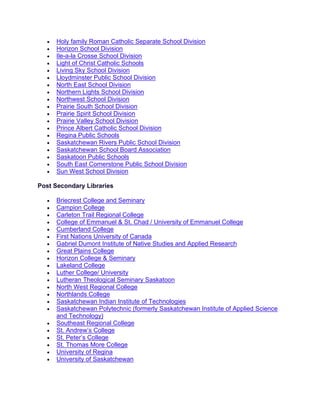
School Boards
• Canadian Accredited Independent Schools
• Christ the Teacher Catholic Schools
• Chinook School Division
• Conseil des Ecoles Fransaskoises
• Good Spirits School Division
• Greater Saskatoon Catholic Schools
• Holy family Roman Catholic Separate School Division
• Horizon School Division
• Ile-a-la Crosse School Division
• Light of Christ Catholic Schools
• Living Sky School Division
• Lloydminster Public School Division
• North East School Division
• Northern Lights School Division
• Northwest School Division
• Prairie South School Division
• Prairie Spirit School Division
• Prairie Valley School Division
• Prince Albert Catholic School Division
• Regina Public Schools
• Saskatchewan Rivers Public School Division
• Saskatchewan School Board Association
• Saskatoon Public Schools
• South East Cornerstone Public School Division
• Sun West School Division
Post Secondary Libraries
• Briecrest College and Seminary
• Campion College
• Carleton Trail Regional College
• College of Emmanuel & St. Chad / University of Emmanuel College
• Cumberland College
• First Nations University of Canada
• Gabriel Dumont Institute of Native Studies and Applied Research
• Great Plains College
• Horizon College & Seminary
• Lakeland College
• Luther College/ University
• Lutheran Theological Seminary Saskatoon
• North West Regional College
• Northlands College
• Saskatchewan Indian Institute of Technologies
• Saskatchewan Polytechnic (formerly Saskatchewan Institute of Applied Science
and Technology)
• Southeast Regional College
• St. Andrew’s College
• St. Peter’s College
• St. Thomas More College
• University of Regina
• University of Saskatchewan
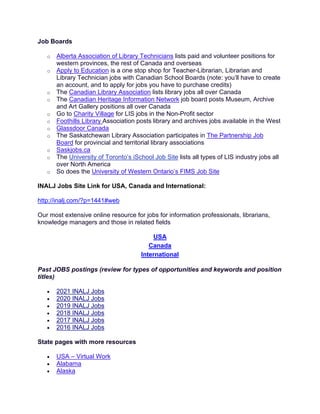
Job Boards
o Alberta Association of Library Technicians lists paid and volunteer positions for
western provinces, the rest of Canada and overseas
o Apply to Education is a one stop shop for Teacher-Librarian, Librarian and
Library Technician jobs with Canadian School Boards (note: you’ll have to create
an account, and to apply for jobs you have to purchase credits)
o The Canadian Library Association lists library jobs all over Canada
o The Canadian Heritage Information Network job board posts Museum, Archive
and Art Gallery positions all over Canada
o Go to Charity Village for LIS jobs in the Non-Profit sector
o Foothills Library Association posts library and archives jobs available in the West
o Glassdoor Canada
o The Saskatchewan Library Association participates in The Partnership Job
Board for provincial and territorial library associations
o Saskjobs.ca
o The University of Toronto’s iSchool Job Site lists all types of LIS industry jobs all
over North America
o So does the University of Western Ontario’s FIMS Job Site
INALJ Jobs Site Link for USA, Canada and International:
http://inalj.com/?p=1441#web
Our most extensive online resource for jobs for information professionals, librarians,
knowledge managers and those in related fields
USA
Canada
International
Past JOBS postings (review for types of opportunities and keywords and position
titles)
• 2021 INALJ Jobs
• 2020 INALJ Jobs
• 2019 INALJ Jobs
• 2018 INALJ Jobs
• 2017 INALJ Jobs
• 2016 INALJ Jobs
State pages with more resources
• USA – Virtual Work
• Alabama
• Alaska
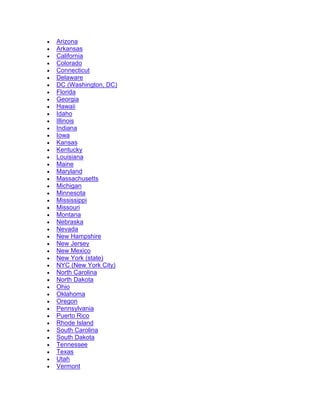
• Arizona
• Arkansas
• California
• Colorado
• Connecticut
• Delaware
• DC (Washington, DC)
• Florida
• Georgia
• Hawaii
• Idaho
• Illinois
• Indiana
• Iowa
• Kansas
• Kentucky
• Louisiana
• Maine
• Maryland
• Massachusetts
• Michigan
• Minnesota
• Mississippi
• Missouri
• Montana
• Nebraska
• Nevada
• New Hampshire
• New Jersey
• New Mexico
• New York (state)
• NYC (New York City)
• North Carolina
• North Dakota
• Ohio
• Oklahoma
• Oregon
• Pennsylvania
• Puerto Rico
• Rhode Island
• South Carolina
• South Dakota
• Tennessee
• Texas
• Utah
• Vermont
• Virginia
• Washington
• West Virginia
• Wisconsin
• Wyoming
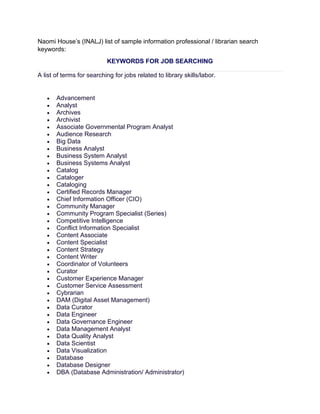
Naomi House’s (INALJ) list of sample information professional / librarian search
keywords:
KEYWORDS FOR JOB SEARCHING
A list of terms for searching for jobs related to library skills/labor.
• Advancement
• Analyst
• Archives
• Archivist
• Associate Governmental Program Analyst
• Audience Research
• Big Data
• Business Analyst
• Business System Analyst
• Business Systems Analyst
• Catalog
• Cataloger
• Cataloging
• Certified Records Manager
• Chief Information Officer (CIO)
• Community Manager
• Community Program Specialist (Series)
• Competitive Intelligence
• Conflict Information Specialist
• Content Associate
• Content Specialist
• Content Strategy
• Content Writer
• Coordinator of Volunteers
• Curator
• Customer Experience Manager
• Customer Service Assessment
• Cybrarian
• DAM (Digital Asset Management)
• Data Curator
• Data Engineer
• Data Governance Engineer
• Data Management Analyst
• Data Quality Analyst
• Data Scientist
• Data Visualization
• Database
• Database Designer
• DBA (Database Administration/ Administrator)
• Digital Asset Management
• Digital Content Curator
• Document Control Specialist
• Education Programs Administration (Series)
• Electronic Files Analyst
• Electronic Records Manager
• Enhanced Due Diligence or EDD
• Enterprise Knowledge
• E-Commerce Manager
• Due Diligence
• Futurist
• GLAM (Galleries, Libraries, Archives and Museums)
• GIS (Geographic Information Systems)
• ILS (look up by name)
• Index
• Indexer
• Indexing
• Informatician
• Information Architect
• Information Management
• Information Policy
• Information Privacy
• Information Professional
• Information Recovery
• Information Resource Officer
• Information Services
• Information Technology (Series)
• Informationist
• Innovation Curator
• Insights Design Coordinator
• Instructional Design
• Instructional Designer
• Intelligence Analyst
• Intranet Specialist
• IT Specialist
• KM
• Know Your Customer (KYC) Analyst
• Knowledge Architect
• Knowledge Coordinator
• Knowledge & Evidence Specialist
• Knowledge Management
• Knowledge Solutions Analyst
• Librarian
• Library
• Library Staff
• Linked Data
• MARC
• Market Analyst
• Market Intelligence
• Media Asset Manager
• Media Specialist
• Member Success Manager
• Metadata
• Open Source
• Product / Data Owner
• Program Analyst
• Project Analyst
• Project Manager
• Prospect Development
• Prospect Researcher
• Research
• Research Analyst
• Research Data (Series)
• Researcher
• Sales Manager
• Scrum Master
• Search Quality Analyst
• Social Marketer
• Social Media
• Staff Services Manager (Series)
• State Historian
• Structured Data
• Talent Intelligence
• Taxonomist
• Taxonomy
• Teacher
• Technology Futurist
• Technology Trainer
• Trainer
• Trainer Developer
• Training Consultant
• Transactional Law Researcher
• User Experience Design (UXD)
• User Interface Designer
• UX
• Vendor websites
• Visitor Experience
• Visitor Services
• Volunteer Coordinator
Types of Alternative Library Jobs: San José State University School of
Information
One of the challenges when exploring alternative LIS jobs and careers is that there are
so many different paths to consider, it can be a bit challenging to figure out how to
approach all those potential options. To help you organize your exploration, here are
eight ways to think about or categorize alternative LIS job options:
1. Performing traditional library roles but within an organization whose mission is
not librarianship or education (this has generally been the role of a special
librarian).
2. Taking on non-traditional roles within traditional special libraries (for example,
being the instructional design specialist for the company information center).
3. Doing these non-traditional activities embedded in operational units but with
“dotted line” reporting to the library or information center (this category refers to
being “embedded” or located in, for example, the marketing or engineering
department – essentially, you are on permanent loan to a specific department
and focused solely on helping them meet their goals).
4. Doing these non-traditional activities embedded in operational units but in an
organization where no library or information center exists. Being an “integrated”
information specialist means that you’d still be using your LIS skills within a
specific operational unit or department and, similarly to being an embedded
librarian, you’d be focused solely on helping them meet their goals. However,
your title would much likelier be something like “research analyst,” “competitive
intelligence specialist,” “digital asset manager,” or many other names that don’t
include “librarian.”
5. Performing library-focused activities outside of – but for – libraries and librarians
(for example, working as an editor for a publisher of LIS professional books or a
trainer for a library automation vendor).
6. Building on skills honed in a library-based job by bridging those skills into a new,
nonlibrary role. (Perhaps you developed strong project management or training
skills in your traditional library job? If so, these skills are much in demand by all
sorts of nonlibrary organizations.)
7. Creating your own job, either within a library or for a nonlibrary organization
(being able to see an information need and propose that you step in to fill it is a
terrific way to craft your own career opportunities).
8. Becoming an independent information professional (using your information skills
on behalf of clients who will pay on a contract or project basis for the specific
skills you provide).
Each of these options will have benefits and drawbacks for you, depending on your
unique circumstances, interests, and preferences. For example, option #4, being an
integrated information specialist, might be a terrific choice for someone who thrives on
the fast pace of the corporate world, but a less desirable choice for someone who
enjoys working closely with a team of information- professional colleagues.
Embedded Information Professionals
• Read More
Independent Information Professional Career Paths
• Read More
Portable and Flexible LIS Work
• Read More
Resource Articles
• HOWTO:Apply for a library job [from LISWiki]
https://liswiki.org/wiki/HOWTO:Apply_for_a_library_job
• 99 LinkedIn Profile Tips: from Summary & Headline to Images
https://zety.com/blog/optimize-your-linkedin-profile
• LinkedIn For Job Search: 10 Powerful Tips To Find Your Next Job (Without Your
Current Employer Knowing)
https://www.aportlandcareer.com/linkedin-for-job-search/
• How to Write a Damn Good LinkedIn Profile
Social media plays a huge role in the hiring process. According to a survey conducted
by CareerBuilder, 70 percent of employers use social media to research candidates
during the interview phase.
https://resources.biginterview.com/resumes/linkedin-profile-tips/
• After 20 years of hiring, these are the 6 biggest LinkedIn mistakes—and
examples of how to really stand out
https://www.cnbc.com/2020/08/11/hiring-ceo-biggest-linkedin-mistakes-and-examples-
of-how-to-stand-out.html
• Top 10 tips to optimize your LinkedIn profile for job search in Canada
https://arrivein.com/career-ca/top-10-tips-to-optimize-your-linkedin-profile-for-job-
search-in-canada/
You may have heard that Canada has a hidden job market. This hidden job market
refers to positions that are filled without the employer advertising them publicly. It is said
that as much as 65-85 per cent of the jobs are not posted online. This is why building
your network is crucial – and LinkedIn is an excellent tool to get you started on your job
search journey in Canada.
Whether you’re looking to start a business or find a job, using LinkedIn helps you
highlight your experience and skills while also showcasing recommendations from
colleagues. In this article, we will share some helpful tips and advice to help you
optimize your LinkedIn profile and build your professional network strategically.
Tips to optimize your LinkedIn profile for job search
1. Treat your LinkedIn profile differently from your resume
Resumes are typically customized to a specific position you are applying for. Your
LinkedIn profile, on the other hand, is universal and speaks to not just one, but all
potential employers. Therefore, as you complete the information on your profile, keep
the summary generic and elaborate on your skills, projects, interests, and certifications
in relevant sections. Adding volunteer experience, recommendations, and
endorsements can also be beneficial.
2. Use a professional headshot
Members with profile photos receive up to 21x more views and 9x more connection
requests. An ideal headshot for LinkedIn should:
• Not have a distracting background,
• Feature your face in the majority of your frame, and
• Reflect a smile and a friendly expression.
3. Write a compelling headline
Your headline is an opportunity to show who you are – not just what you do. While
writing a headline, consider:
• If this is the only thing someone sees, what does it say about you?
• Does it represent your professional brand and show why you are unique?
• Does it capture what a recruiter would care about?
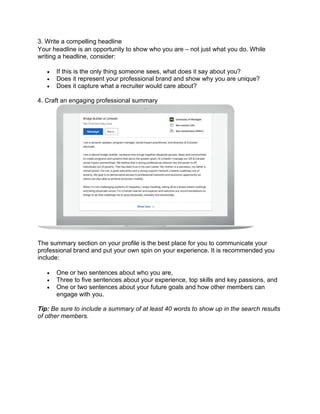
4. Craft an engaging professional summary
The summary section on your profile is the best place for you to communicate your
professional brand and put your own spin on your experience. It is recommended you
include:
• One or two sentences about who you are,
• Three to five sentences about your experience, top skills and key passions, and
• One or two sentences about your future goals and how other members can
engage with you.
Tip: Be sure to include a summary of at least 40 words to show up in the search results
of other members.
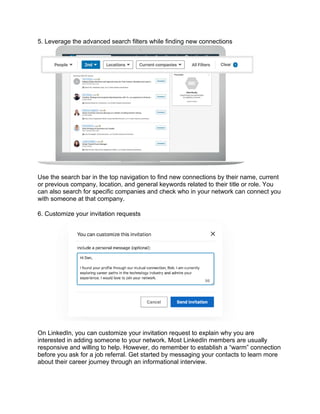
5. Leverage the advanced search filters while finding new connections
Use the search bar in the top navigation to find new connections by their name, current
or previous company, location, and general keywords related to their title or role. You
can also search for specific companies and check who in your network can connect you
with someone at that company.
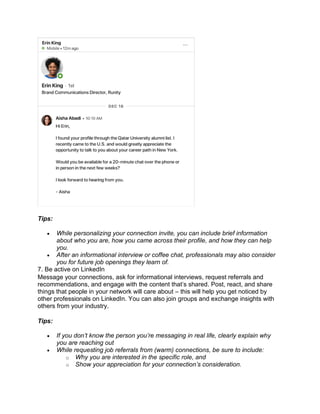
6. Customize your invitation requests
On LinkedIn, you can customize your invitation request to explain why you are
interested in adding someone to your network. Most LinkedIn members are usually
responsive and willing to help. However, do remember to establish a “warm” connection
before you ask for a job referral. Get started by messaging your contacts to learn more
about their career journey through an informational interview.
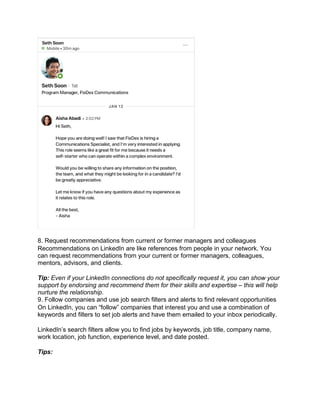
Tips:
• While personalizing your connection invite, you can include brief information
about who you are, how you came across their profile, and how they can help
you.
• After an informational interview or coffee chat, professionals may also consider
you for future job openings they learn of.
7. Be active on LinkedIn
Message your connections, ask for informational interviews, request referrals and
recommendations, and engage with the content that’s shared. Post, react, and share
things that people in your network will care about – this will help you get noticed by
other professionals on LinkedIn. You can also join groups and exchange insights with
others from your industry.
Tips:
• If you don’t know the person you’re messaging in real life, clearly explain why
you are reaching out
• While requesting job referrals from (warm) connections, be sure to include:
o Why you are interested in the specific role, and
o Show your appreciation for your connection’s consideration.
8. Request recommendations from current or former managers and colleagues
Recommendations on LinkedIn are like references from people in your network. You
can request recommendations from your current or former managers, colleagues,
mentors, advisors, and clients.
Tip: Even if your LinkedIn connections do not specifically request it, you can show your
support by endorsing and recommend them for their skills and expertise – this will help
nurture the relationship.
9. Follow companies and use job search filters and alerts to find relevant opportunities
On LinkedIn, you can “follow” companies that interest you and use a combination of
keywords and filters to set job alerts and have them emailed to your inbox periodically.
LinkedIn’s search filters allow you to find jobs by keywords, job title, company name,
work location, job function, experience level, and date posted.
Tips:
• Turn on the #OpenToWork in your profile setting to let employers know you are
actively searching and available for a new job.
• To receive the best job recommendations, keep your profile up-to-date with work
experience, skills, and location information.
• Recruiters on LinkedIn can filter specifically for candidates who have engaged
with their company page – this is an easy way to stand out from the crowd so be
sure to interact with the content on company pages.
When following company pages, check out the Life section to learn more about the
company’s culture, values, and professional development opportunities.
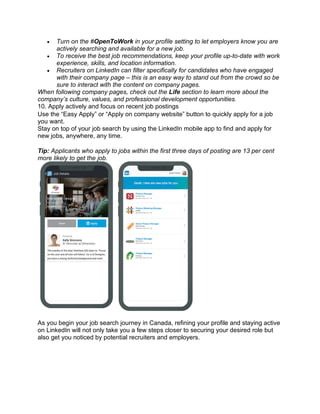
10. Apply actively and focus on recent job postings
Use the “Easy Apply” or “Apply on company website” button to quickly apply for a job
you want.
Stay on top of your job search by using the LinkedIn mobile app to find and apply for
new jobs, anywhere, any time.
Tip: Applicants who apply to jobs within the first three days of posting are 13 per cent
more likely to get the job.
As you begin your job search journey in Canada, refining your profile and staying active
on LinkedIn will not only take you a few steps closer to securing your desired role but
also get you noticed by potential recruiters and employers.
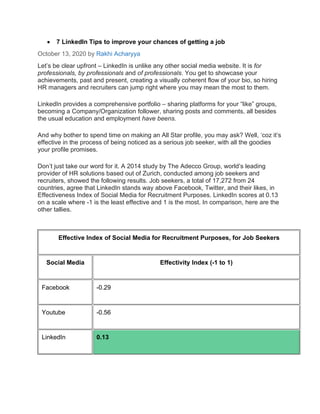
• 7 LinkedIn Tips to improve your chances of getting a job
October 13, 2020 by Rakhi Acharyya
Let’s be clear upfront – LinkedIn is unlike any other social media website. It is for
professionals, by professionals and of professionals. You get to showcase your
achievements, past and present, creating a visually coherent flow of your bio, so hiring
HR managers and recruiters can jump right where you may mean the most to them.
LinkedIn provides a comprehensive portfolio – sharing platforms for your “like” groups,
becoming a Company/Organization follower, sharing posts and comments, all besides
the usual education and employment have beens.
And why bother to spend time on making an All Star profile, you may ask? Well, ‘coz it’s
effective in the process of being noticed as a serious job seeker, with all the goodies
your profile promises.
Don’t just take our word for it. A 2014 study by The Adecco Group, world’s leading
provider of HR solutions based out of Zurich, conducted among job seekers and
recruiters, showed the following results. Job seekers, a total of 17,272 from 24
countries, agree that LinkedIn stands way above Facebook, Twitter, and their likes, in
Effectiveness Index of Social Media for Recruitment Purposes. LinkedIn scores at 0.13
on a scale where -1 is the least effective and 1 is the most. In comparison, here are the
other tallies.
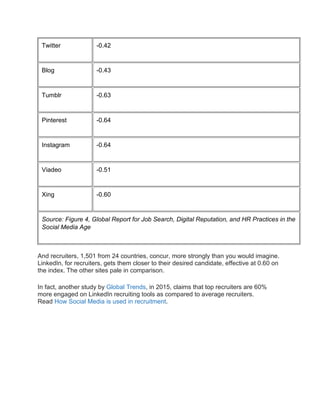
Effective Index of Social Media for Recruitment Purposes, for Job Seekers
Social Media Effectivity Index (-1 to 1)
Facebook -0.29
Youtube -0.56
LinkedIn 0.13
Twitter -0.42
Blog -0.43
Tumblr -0.63
Pinterest -0.64
Instagram -0.64
Viadeo -0.51
Xing -0.60
Source: Figure 4, Global Report for Job Search, Digital Reputation, and HR Practices in the
Social Media Age
And recruiters, 1,501 from 24 countries, concur, more strongly than you would imagine.
LinkedIn, for recruiters, gets them closer to their desired candidate, effective at 0.60 on
the index. The other sites pale in comparison.
In fact, another study by Global Trends, in 2015, claims that top recruiters are 60%
more engaged on LinkedIn recruiting tools as compared to average recruiters.
Read How Social Media is used in recruitment.
• Why should use LinkedIn for your job search?
https://ca.topresume.com/career-advice/14-ways-to-leverage-your-linkedin-profile-
during-your-job-search
It's no secret that LinkedIn is the top professional social networking site with 133 million
users in the U.S. alone and reaching 200 countries and territories around the world. Per
the Jobvite Recruiter Nation Survey, 87 percent of recruiters use LinkedIn as part of their
candidate search. As a professional or student, it's the popular place to network and look for
job opportunities; even former U.S. President Barack Obama once joked during a TV press
conference that he would join LinkedIn to help him land a job after his term was up!
The issue is that if you're only updating your profile now and then, you're not fully utilizing all
LinkedIn can do for you, which includes taking hours off of your job search. Below are some
tactical tips on how you can leverage LinkedIn to its fullest to expand your professional
network and land your next great job.
On CBS This Morning, LinkedIn's CEO noted the following three tips to maximize the
potential of your LinkedIn profile:
• Keep your profile up to date.
• Be comprehensive about current skills and objectives.
• Highlight your recent experience.
When asked what was most important about a candidate's profile and how to make the best
use of the platform, Weiner responded that first and foremost "authenticity" was important.
"Be yourself, represent who you are. It's not just your experiences; this is not a resume ...
This is a more dynamic approach to representing your experiences, your skills, your
objectives, what you know, what you're interested in within a professional context," Weiner
explained. "It's not just about the comprehensiveness; it's also about freshness of the
information, and the more complete and the more fresh, the more recent that that
information has been updated, the more opportunities that are going to accrue to our
members."
14 ways to use LinkedIn to get a job
In addition to Weiner's advice, I've added 11 more actions you can take to leverage LinkedIn
for maximum efficiency in securing your next position. For the sake of this article, let's say
your favorite company that you just can't wait to work for is called Gone Bananas. Follow
these tips on how to leverage LinkedIn, and you'll be an employee of Gone Bananas soon:
1. Keep your profile up to date. LinkedIn members with a profile picture are 14 times more
likely to receive page views, while those who post skills are 13 times more likely to have
profile views compared to those who don't, per LinkedIn's blog. There are more than 45,000
skills to choose from on LinkedIn to beef up your profile, so if you want Gone Bananas to
notice you, make sure to regularly update your profile, add a profile photo, and include your
notable skills.
2. Be comprehensive about current skills and objectives. To ensure you're using
LinkedIn to find a job correctly, don't leave anything out about your current skills and
objectives. Use your headline to share your main objective if it makes sense and add all of
your skills to your page. You don't want it to look like you haven't updated your page in a
while, as recruiters and companies might pass you by if it does.
3. Highlight recent experience. You want your recent experience evident to anyone who
views your page, especially when you're actively engaging with connections and companies
to land a job — which is the reason you're likely reading this post, after all.
4. Update your headline. Your photo, name, and headline (which is listed below your
photo) are the only items people see when they do a search. Your headline should stand out
and highlight what you do or what type of position you're looking for. "HR professional
connecting employees with management" are examples of headlines that are clear and
might grab attention when compared to plain-Jane headlines like "Chemical engineer in the
public sector."
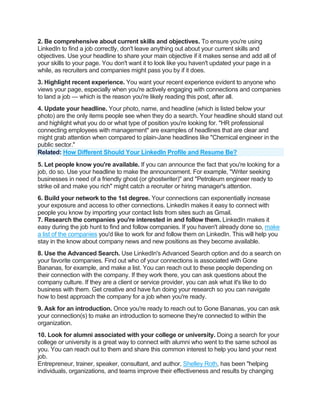
Related: How Different Should Your LinkedIn Profile and Resume Be?
5. Let people know you're available. If you can announce the fact that you're looking for a
job, do so. Use your headline to make the announcement. For example, "Writer seeking
businesses in need of a friendly ghost (or ghostwriter)" and "Petroleum engineer ready to
strike oil and make you rich" might catch a recruiter or hiring manager's attention.
6. Build your network to the 1st degree. Your connections can exponentially increase
your exposure and access to other connections. LinkedIn makes it easy to connect with
people you know by importing your contact lists from sites such as Gmail.
7. Research the companies you're interested in and follow them. LinkedIn makes it
easy during the job hunt to find and follow companies. If you haven't already done so, make
a list of the companies you'd like to work for and follow them on LinkedIn. This will help you
stay in the know about company news and new positions as they become available.
8. Use the Advanced Search. Use LinkedIn's Advanced Search option and do a search on
your favorite companies. Find out who of your connections is associated with Gone
Bananas, for example, and make a list. You can reach out to these people depending on
their connection with the company. If they work there, you can ask questions about the
company culture. If they are a client or service provider, you can ask what it's like to do
business with them. Get creative and have fun doing your research so you can navigate
how to best approach the company for a job when you're ready.
9. Ask for an introduction. Once you're ready to reach out to Gone Bananas, you can ask
your connection(s) to make an introduction to someone they're connected to within the
organization.
10. Look for alumni associated with your college or university. Doing a search for your
college or university is a great way to connect with alumni who went to the same school as
you. You can reach out to them and share this common interest to help you land your next
job.
Entrepreneur, trainer, speaker, consultant, and author, Shelley Roth, has been "helping
individuals, organizations, and teams improve their effectiveness and results by changing
the way they think about social media and business." When I asked her what advice she
gives to help others leverage LinkedIn, utilizing your alumni network was key.
"I would suggest that one of the best, easiest ways to leverage the power of LinkedIn is
through using the Alumni tool. You can first join [or follow] your alumni college and then
search for past alumni at companies or places of employment you are interested in," she
elaborated, "You also can input any college and search to see how many degrees of
separation you may be from alumni at any school."
Shelley is President & Chief Navigator of the Houston-based organization, Springboard, and
author of several books, including Give to Grow: 9 Principles for Conscious Business, Social
Media and Life.
11. Be more than a wallflower. Be active on LinkedIn, and as Weiner suggests, be
authentic and current. Post any articles you write, videos you post, and so on, as updates.
Get involved with groups and interact with others on LinkedIn. The more you interact and
post as a professional, the more you'll be noticed and build recognition.
Related: 9 Ways to Make LinkedIn Work for Your Job Search
12. Get involved in LinkedIn Professional Groups. Do an Advanced Search to identify
professional groups in your area and get involved. This will help expand your network, show
your expertise (when you engage in online conversations and answer questions that come
up), and possibly connect you to the organizations you want to work for in the future. When
researching groups, you want to participate in groups that have recent activity. Otherwise,
you might be wasting your time if a group doesn't have daily or regular interaction online.
13. Research your future boss and executive team. Before going in for an interview, you
can use LinkedIn to research hiring managers and interviewers to find out about their likes,
interests, and more. You can leverage this information during your interview to create
relatability and show that you've done your homework.
14. Network after business hours. According to Mashable, statistics show that only 8.33
percent of Americans use LinkedIn during working hours compared to other social media
sites, such as Facebook (with almost 30 percent of people using it during work hours),
indicating that you might get more interaction and exposure if you update your status,
network, and connect with people and companies after business hours on LinkedIn. Test
this out at different times of the day to see what works best in getting responses and other
interactions.
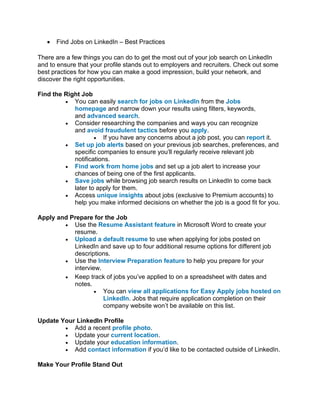
• Find Jobs on LinkedIn – Best Practices
There are a few things you can do to get the most out of your job search on LinkedIn
and to ensure that your profile stands out to employers and recruiters. Check out some
best practices for how you can make a good impression, build your network, and
discover the right opportunities.
Find the Right Job
• You can easily search for jobs on LinkedIn from the Jobs
homepage and narrow down your results using filters, keywords,
and advanced search.
• Consider researching the companies and ways you can recognize
and avoid fraudulent tactics before you apply.
• If you have any concerns about a job post, you can report it.
• Set up job alerts based on your previous job searches, preferences, and
specific companies to ensure you’ll regularly receive relevant job
notifications.
• Find work from home jobs and set up a job alert to increase your
chances of being one of the first applicants.
• Save jobs while browsing job search results on LinkedIn to come back
later to apply for them.
• Access unique insights about jobs (exclusive to Premium accounts) to
help you make informed decisions on whether the job is a good fit for you.
Apply and Prepare for the Job
• Use the Resume Assistant feature in Microsoft Word to create your
resume.
• Upload a default resume to use when applying for jobs posted on
LinkedIn and save up to four additional resume options for different job
descriptions.
• Use the Interview Preparation feature to help you prepare for your
interview.
• Keep track of jobs you’ve applied to on a spreadsheet with dates and
notes.
• You can view all applications for Easy Apply jobs hosted on
LinkedIn. Jobs that require application completion on their
company website won’t be available on this list.
Update Your LinkedIn Profile
• Add a recent profile photo.
• Update your current location.
• Update your education information.
• Add contact information if you’d like to be contacted outside of LinkedIn.
Make Your Profile Stand Out
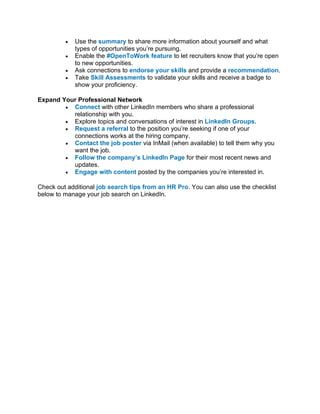
• Use the summary to share more information about yourself and what
types of opportunities you’re pursuing.
• Enable the #OpenToWork feature to let recruiters know that you’re open
to new opportunities.
• Ask connections to endorse your skills and provide a recommendation.
• Take Skill Assessments to validate your skills and receive a badge to
show your proficiency.
Expand Your Professional Network
• Connect with other LinkedIn members who share a professional
relationship with you.
• Explore topics and conversations of interest in LinkedIn Groups.
• Request a referral to the position you’re seeking if one of your
connections works at the hiring company.
• Contact the job poster via InMail (when available) to tell them why you
want the job.
• Follow the company’s LinkedIn Page for their most recent news and
updates.
• Engage with content posted by the companies you’re interested in.
Check out additional job search tips from an HR Pro. You can also use the checklist
below to manage your job search on LinkedIn.
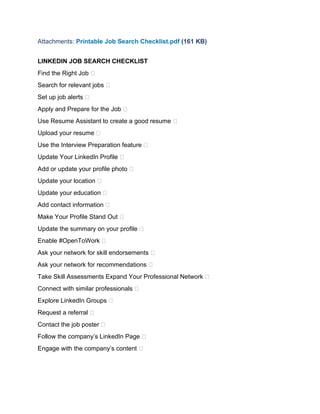
Attachments: Printable Job Search Checklist.pdf (161 KB)
LINKEDIN JOB SEARCH CHECKLIST
Find the Right Job 
Search for relevant jobs 
Set up job alerts 
Apply and Prepare for the Job 
Use Resume Assistant to create a good resume 
Upload your resume 
Use the Interview Preparation feature 
Update Your LinkedIn Profile 
Add or update your profile photo 
Update your location 
Update your education 
Add contact information 
Make Your Profile Stand Out 
Update the summary on your profile 
Enable #OpenToWork 
Ask your network for skill endorsements 
Ask your network for recommendations 
Take Skill Assessments Expand Your Professional Network 
Connect with similar professionals 
Explore LinkedIn Groups 
Request a referral 
Contact the job poster 
Follow the company’s LinkedIn Page 
Engage with the company’s content 
• 10 Ways You Didn’t Know LinkedIn Could Find You a Job
Insider tips to leverage your job search using the work world’s primary search engine
and social network
by James A. Martin, AARP
https://www.aarp.org/work/job-hunting/info-2017/10-ways-to-use-linkedin-job-
search.html
Get experts’ tips on using LinkedIn to leverage your job search.
Most job seekers know it’s important to add a recent, professional-looking photo to their
LinkedIn profile. But did you know that not posting a photo may prevent recruiters from
finding your LinkedIn profile in a job search?
LinkedIn is unquestionably the social network for job-seeking professionals—or even if
you’re not looking right now. Ninety-two percent of recruiters use social media in their
work today, and LinkedIn is the social network they use most, according to Jobvite.
And yet, many job seekers don’t maximize LinkedIn to help them find jobs. Instead, they
copy and paste their resume and hope the right employer finds them. Compounding the
problem: Some professionals in their mid 40s and up may not be as social-media savvy
as younger colleagues and don’t know how to leverage LinkedIn, says Sue Gresham,
a Milwaukee-based LinkedIn consultant.
Here are 10 LinkedIn strategies, tools and tips you might not have known about, each of
which can put you one step closer to a new job—or new career.
1. Make yourself memorable with great stories.
Recruiters and hiring managers are like anyone else—they respond to story-telling
rather than mind-numbing lists of facts. Plus, research shows that stories can aid
memory. So telling a good story or two in your LinkedIn profile could make you more
memorable to recruiters.
Example: For each job you post on your profile, don’t simply state your responsibilities.
Weave an interesting tale about your successes in the job, Gresham recommends.
Most important, explain the problems and how you solved them, especially if you came
up with creative solutions to important challenges. Keep your narrative succinct; a
lengthy yarn could be a turnoff to busy recruiters.
2. Focus on where you’re going versus where you’ve been.
Professionals at mid-career are often looking to reinvent themselves after years of
working in a specific type of job or industry, Gresham says. But too often, their LinkedIn
profiles only reflect where they’ve been. Instead, focus your profile on where you want
to go.
Find your ideal jobs, then build your profile around those, Gresham advises. For
example, while it’s tempting to list tons of skills from all your years of experience, keep
your focus on what’s relevant to the job you’re seeking. And by all means, remove skills
you no longer want to use in a job. Gresham says she once listed Facebook
consultant among her skills on LinkedIn but deleted it when she decided she no longer
wanted to do Facebook consulting.
3. Keep it fresh.
A LinkedIn profile should be a “living, breathing document” that clearly represents what
makes you “unique and worth hiring,” Gresham says, not a static set-and-forget online
resume. One way to keep your profile alive: regularly share updates on topics related to
your field, just as you share updates on Facebook.
Posting long-form content, such as LinkedIn blog posts, is “another great way to catch a
recruiter’s eye,” says LinkedIn’s Career Expert Catherine Fisher. You can “share
thought leadership advice, insights on the day’s top stories or industry trends to
reinforce your experience,” which helps position you as an expert in your chosen field.
4. Get visual.
In the Instagram age, many people respond well to visual content, so whenever
possible, make your LinkedIn profile more visual, Gresham advises.
Have you won awards, or do you have impressive degrees or certifications? Great—
post photos of them on your profile, rather than simply listing them in text. If you’ve
given a well-received presentation, post it on SlideShare (which LinkedIn owns) and add
it to your LinkedIn profile. (Here’s how.) If you’ve appeared in or produced an interesting
video, post that to your LinkedIn profile, too.
5. Make yourself accessible.
One common mistake on LinkedIn is not making it clear how others can reach you via
email or phone, Gresham says. LinkedIn limits the number of InMails its paid users can
send, and doesn’t allow members of its free service to send InMails at all. That’s why it’s
important to list your email address and phone number prominently in your profile, such
as in your summary.
6. Directly contact hiring managers and recruiters.
Thanks to caller ID and overflowing email inboxes, contacting important businesspeople
is getting increasingly difficult, notes Bob Bentz, president of Purplegator, a mobile
marketing agency and a LinkedIn power user. “LinkedIn is a job seeker’s best friend
because it avoids gatekeepers—the guard dogs of important executives,” he says. “In
fact, LinkedIn is probably the only place where you can get a message directly to the
person doing the hiring,” via InMail.
Bentz offers additional advice on composing your InMail: “I recommend sending a
LinkedIn message on Sunday. C-level executives usually spend Sunday night preparing
for the week ahead, and one thing they do is check their LinkedIn page. They’ll be
impressed by the fact you’re working on a Sunday. It’s important that your initial
message simply introduce you and not be overly pushy. You want the executive to see
your credentials on LinkedIn and remember who you are. Try to find some common
ground in your message. Mention the people you’ve already met in the interview or
screening process and compliment their personality and professionalism. This isn’t the
time to pitch for the job. That will come later.”
7. Think of LinkedIn as a search engine.
LinkedIn is as much a search engine as Google, one focused on finding professionals,
recruiters, companies and jobs, says Lori Bumgarner, a career and passion coach. Use
it to search for recruiters in your industry. Example: If you’re in advertising, you might do
a search on advertising recruiters.
You can browse for jobs using Linkedin's "Jobs you may be interested in" page, too
On the flip side: Recruiters search for candidates using keywords, so it’s important to
build out your Skills & Endorsements section with relevant keywords for which you want
to be found.
“Most people think this section of their profile doesn’t matter,” says Donna Svei, a
retained search consultant and executive resume writer. But hiring managers and
recruiters use LinkedIn Recruiter, a premium plan designed for recruiters, to search for
possible job candidates. And LinkedIn users who “build out their Skills & Endorsements
section with the keywords that internal and external recruiters use to find people like
them are much more likely to be featured in recruiters’ search results,” Svei explains.
“That increases relevant profile views and the chance you’ll get the nod for a first
interview.”
Bumgarner suggests putting a short keyword phrase in your profile’s name field too.
Though unconventional, this tactic can help recruiters immediately understand what you
do and will help your profile rank higher for that phrase in keyword searches. You can
see how Bumgarner incorporated keywords in her name in her LinkedIn profile.
8. Never say you’re seeking new opportunities.
Most experts agree that you should not mention your job search in your LinkedIn
profile—especially if you’re employed. Recruiters don’t use terms like job seeker in their
searches, notes Sonja Hastings, a software and tech sales recruiter for Optimal Sales
Search. In fact, they may actually avoid profiles with the word seeking in them, adds
Bumgarner. Another reason: putting job seeker or in transition in your profile “makes
you look a little desperate,” notes Gresham.
The website Job Hunt offers tips on how to position yourself on LinkedIn when you’re
unemployed.
LinkedIn Tip: Profiles that include a photo receive up to 21 times more views.
LinkedIn members who include a photo receive up to 21 times more views. ‘Your
photo is your virtual handshake, so upload a photo that aligns with your role as a
professional, but that makes you approachable
9. Clean up your other social media profiles.
While LinkedIn is by far the most important social network job recruiters use, it’s by no
means the only one. According to the Jobvite survey, Facebook is the second most
visited social network among recruiters (55 percent, versus 87 percent for LinkedIn). If
recruiters don’t like what they find out about you on another social network, it can kill
your chances at getting hired.
Gresham says a client of hers, a woman in her 50s, was in the final stages of
negotiating a job offer to be CFO of a major corporation. A C-level executive at the
company found the woman’s Facebook profile, which contained some provocative,
“politically incorrect” posts. The job offer was rescinded.
10. Post a professional photo—so recruiters can find you.
A lack of a LinkedIn profile photo is the kiss of death, experts agree. It makes your
profile look suspicious. It also makes your LinkedIn profile incomplete, and LinkedIn
favors completed profiles in the search results that recruiters and others see, says
Gresham.
In fact, LinkedIn members who include a profile photo receive up to 21 times more
profile views, notes Fisher. “Your photo is your virtual handshake, so upload a photo
that aligns with your role as a professional, but that makes you approachable,” she
adds. “And remember to keep it professional! Unless you’re a veterinarian, a photo with
your cat is probably not the best choice.”
As tempting as it may be for someone in mid- or late-career to post a photo of
themselves taken 10 or more years ago, don’t do it, Gresham warns. If you’re called in
for an interview, the age difference will immediately be apparent. And your interviewer
may wonder what else you’re hiding.
If nothing else, an out-of-date photo is inauthentic. And being authentic is always a good
strategy on social media—as well as in job interviews.
• 8 Tips for Optimizing LinkedIn in Your Job Search
BY LAURENCE BRADFORD
https://www.thebalancecareers.com/job-searching-with-linkedin-2072054
LinkedIn is a social network designed specifically for companies and job-seekers. The
company, which is a subsidiary of Microsoft, boasted upwards of 675 million members
in over 200 countries and territories during 2019, and claims that more than two new
professionals create a LinkedIn profile every second.1
The network functions like an online resume where you can showcase your skills, find
new job opportunities, or connect with potential clients. Some companies will even allow
you to apply directly for their job-postings by using your LinkedIn profile.
Below are eight tips for optimizing your LinkedIn profile while using it for a job search.
• Add Keywords to Your Profile
Adding keywords to your LinkedIn profile will help recruiters and companies find you.
Focus on keywords that match your strongest skill sets.
If you’re stumped on which keywords to include, there are several helpful keyword tools
you can use including Google Trends, KeywordSpy, and SEMRush.
• Join Relevant Groups and Contribute Frequently
You can join groups on LinkedIn in a range of fields and interests. These groups will
vary on privacy, inclusivity, and other settings, but they all function to bring
professionals together.
Making the most out of these groups means adding unique content, either in the form of
relevant news and references, or contributing your own analysis. Never spam these
groups with links to your website, or brag on-record about your various skills.
Contributing to ongoing conversations in industry-aligned groups will help you learn
about your colleagues and competition, build expertise, and position you as a
passionate, engaged professional.
• Ask for Professional Recommendations
LinkedIn recommendations are public testimonials meant to validate your ability,
character, and work history. These recommendations are made by other professionals
on the network, so you should be strategic about when and who to ask, and be ready to
write recommendations for others. Seek help from people who know your work well and
can speak to the specific value you offer.
• Trade Professional Endorsements
Endorsements build credibility on top of recommendations, but generally require less
thought and detail, as one LinkedIn professional can endorse another with a single click.
Other professionals can endorse you for individual skills, but it’s your job to add the list
of skills to your profile for people to see. If you actively seek out colleagues to
endorse—and you don't lie about the skills you possess—your own endorsements will
arrive in due time.
• Remove Outdated Information From Your Experience Section
Just like on a resume, don’t include out-dated or irrelevant jobs on your LinkedIn profile.
You want to format your profile in a way that calls the attention to the jobs, skills, and
recommendations that speak to your professional ambitions for the future.
Having a concise, pertinent resume is better than an info-dump or list of unrelated
experience, and the same is true for creating and maintaining a LinkedIn profile. You
don't have to delete gigs or part-time work, but scale back the amount of space (i.e.
text) that's dedicated to short-lived professional experiences which have a limited
contribution to the role you're currently seeking. Gaps in work history are generally a red
flag for employers.
• Follow Companies That Offer Your Dream Job
On LinkedIn, you can follow companies and receive regular updates on the news and
trends that are pertinent to hiring. Follow brands you aspire to work for and note the way
they use LinkedIn to share about their business.
These helpful nuggets of data can be drawn upon when writing a cover letter to the
company, or meeting with company leadership during your interview process.
• Set Up a LinkedIn Vanity URL
LinkedIn allows you to customize your profile URL for professional sharing on
resumes or other job material. These so-called vanity URLs can be customized to
include your first and last name, an option that's more professional and easier to share
than a string of letters and numbers.
Having a LinkedIn URL with your full name is strategic from an SEO perspective, too, as
it can make your profile easier to find online.
• Update Contact Information
If you’re battling your way through a job search, you need the contact information on
your LinkedIn profile to be up-to-date and easy to find.
Conclusion
More than 30 million companies are represented by LinkedIn business profiles, with
more than 20 million job-listings posted per year. 1 You don't need to spend hours on
the network each day to make your profile work for you; by simply maintaining current,
specific data on your professional acumen, you'll help recruiters and potential clients
search you out.
12.The 31 Best LinkedIn Profile Tips for Job Seekers
https://www.themuse.com/advice/linkedin-profile-tips
By Regina Borsellino
Quick: What are the most important tools for a job seeker? You probably said your
resume and your network. But what about the platform that combines them? LinkedIn
allows you to share your experience, skills, and qualifications with future employers,
while also allowing you to build and interact with your network and grow your brand as a
professional. It can be as crucial to a job seeker as a well-written resume. When you’re
looking for a new job, LinkedIn is “the place where you should be spending most of your
time,” says Muse career coach Jena Viviano Dunay.
There’s only so much information you can fit on a resume, says Jordan Hallow, a career
consultant who advises college students on LinkedIn and other career topics. But your
LinkedIn is much less limited. And even if you’re not actively hunting for a new role, the
vast majority of recruiters use LinkedIn as a sourcing tool to find candidates to fill
positions, Hallow says. So keeping your LinkedIn profile current could allow a great new
job opportunity to come right to you. Plus, an up-to-date LinkedIn can help potential
clients or people with other professional opportunities find you.
Here are 31 expert-backed LinkedIn tips for job seekers—from creating a profile that will
help you land your next job or get noticed by recruiters to establishing yourself as an
expert in your field.
General Tips for Your LinkedIn Profile
Tips for Individual LinkedIn Profile Sections
Tips for Using Your Profile
General Tips for Your LinkedIn Profile
1. Use Your LinkedIn to Tell a Story and Build Your Personal Brand
When you’re building your LinkedIn profile, you need to think about your personal
brand, Dunay says. Who are you and what do you want to be known for? What sets you
apart from your peers in your industry? Once you know your personal brand, you can
express it throughout in your LinkedIn profile.
“Your LinkedIn is your opportunity to give the broader narrative around your strengths
and work style,” says Muse career coach Heather Yurovsky. “You have more room
[than your resume] to showcase a wide range of experiences and skills which means a
greater chance that there will be something in your profile that a viewer will connect
with. That connection is key in a job search.”
Read More: How to Create a Cohesive, Compelling Personal Brand for Yourself on
LinkedIn
2. Know Your Audience—and What Keywords Will Get Their Attention
As you craft your profile, think about who will be reading it—likely other professionals
and recruiters in your industry. What will those people specifically want to see in a job
candidate? Are certain technical skills the most important? Or certain experiences or
qualities?
To help figure out the answers to these questions, follow a similar process to the one
you would when writing or tailoring your resume. Pull up a few job descriptions for the
type of job you have or would like to have, Dunay says. “Take a look at what they keep
talking about, common themes, what seems to matter to these employers.”
Think about which ones apply to you and your experience and which specific words and
phrases are being used to describe them: These are your keywords. They’re likely what
recruiters are searching for when they’re looking for people like you. For example,
maybe many companies you’re interested in are looking for a programmer “proficient in
JavaScript” or a digital marketer with experience putting together webinars. If you’re
struggling, look for people who have the jobs you want, Hallow says, and see what skills
and experiences they emphasize on their profiles.
3. Work Keywords in Throughout Your Profile
Once you know your keywords, weave them into your headline, summary, experience,
skills, and anywhere else they make sense on your profile. But don’t overdo it, Hallow
says. Make sure that your keywords flow with the rest of your writing, and aren’t just
jammed in. And definitely don’t just write “Keywords:” in your “About” section and
include a contextless list.
4. But Avoid Buzzwords
Buzzwords are the words you see all the time on LinkedIn and job descriptions, but that
don’t necessarily say a lot about an individual. Think “innovative,” “driven,”
“hardworking,” “effective,” “successful,” and “motivated.” These words don’t mean
anything by themselves, or they’re a given, Hallow says. (No one is going to admit on
LinkedIn that they’re not hardworking.)
Ask yourself if a possible keyword or phrase needs more context to make sense. If
someone came up to you and told you they were “effective” or “innovative,” you’d
probably think, “At what?” or “Prove it.” You can use buzzwords in conjunction with
more specific keywords when it makes sense but you’ll send a stronger message
by showing you have these qualities. Which sounds best? Successful and
hardworking, Successful and hardworking SaaS fintech account executive, or SaaS
account executive who has brought over $10 million in new business to various fintech
startups?
5. Complete Your Profile
“LinkedIn’s algorithm rewards users with complete profiles,” Yurovsky says. You’re far
more likely to show up in search results with a complete profile. LinkedIn assigns
different strengths to profiles based on their completeness, and there’s a “massive
advantage” to being at the highest strength, “All-Star,” Hallow says.
Recruiters and hiring managers are going to look at your profile whether you apply for
their jobs on LinkedIn or anywhere else. “A barebones profile doesn’t make a great
impression,” Hallow says. Plus, each section is an opportunity to add more keywords
and tell a compelling story. “Why pass that kind of opportunity up when you’re job
searching?” Yurovsky says.
Read More: 10 Steps to Becoming an All-Star LinkedIn User
6. But Focus on the Top Sections
Recruiters are busy and so are most professionals. There are a lot of technical
advantages to having a very full profile, but you can’t expect everyone who arrives at
your page to read every word. You have to hook them from the start. Include your most
important skills, experiences, and qualities high up in your profile. This means your
cover photo, profile picture, headline, summary, and recent experience. Of those, your
profile picture and headline are most important, says Muse career coach Eilis
Wasserman, because these are the only two things “people see before they even click
on your profile.”
So if you won a huge award or have a key certification, don’t wait until the
“Accomplishments” or “Licenses & certifications” sections to mention them. Add them to
one of your top sections—as high up as is appropriate. The same goes for your most
important keywords. Don’t let your most marketable skill get buried in your “Skills &
endorsements” section.
Tips for Individual LinkedIn Profile Sections
7. Get a Custom URL
When you create a profile, LinkedIn automatically assigns you a string of numbers as a
URL. But you can (and should) set a custom URL instead. Make sure your URL is easy
for you to remember and share (because you should be sharing it a lot), Wasserman
says. Most commonly people will use their name and initials in some format, though you
might need to get creative or add numbers if you have a more common name. You can
also add key certifications like CPA (Certified Public Accountant) or PMP (Project
Management Professional) to better optimize your profile, Yurovsky says.
8. Add a Cover Photo That Reflects You
The blank banner above your profile picture is where your cover photo goes. It’s the
very first thing on your page, so you want to make a good impression with it. At a
minimum, you should use an inoffensive image that means something to you—maybe a
landscape view of your favorite place or something that showcases your brand, Dunay
says. But you can also use a picture of yourself doing your job or customize a banner
with words. You can add your personal website URL, a few of your key strengths, the
services you offer, or even a meaningful quote, Wasserman says. Just keep it
professional.
If you want a hand designing a cover photo, Canva has free, customizable LinkedIn
banner templates. You can also find free stock photos on Unsplash to use as your
background or a lower effort way to get rid of the plain gray box at the top of your page.
Read More: 23 Free LinkedIn Banners That Will Make Recruiters Love Your Profile
9. Choose a Professional Profile Picture—or Take a New One
“Gone are the days of needing a professional headshot for your profile image,”
Yurovsky says. Now, your iPhone or Android has a high-enough resolution camera to
ensure your picture is clear and crisp. But just because you don’t need an image taken
by a professional, doesn’t mean your picture shouldn’t be professional. You should be
appropriately dressed and not at a party or a wedding. Don’t use any image where you
have to crop other people out.
If you need a new picture, don’t overcomplicate it: “Get in front of a blank wall and take
a picture,” Dunay says. You should be smiling and facing a natural light source (like a
window). Look at the camera. If the person who finds your profile can’t see your eyes
it’s hard “to connect beyond the screen,” Yurovsky says. Finally, according to LinkedIn,
you should aim for your face to take up about 60% of the image once it’s cropped.
10.Write a Headline That Rocks
Your headline is “not just your job title,” Wasserman says. Instead, use that space to
concisely communicate the core of who you are as a professional in a sentence or a few
phrases. The more specific you can be about what sets you apart from the competition,
the better. “Highlight specific skills you want to be known for,” Dunay says. And try to
write something “encompassing your professional career identity—who you are and
where you want to go,” Wasserman says.
For example: NYS-licensed chemistry teacher specializing in hands-on learning with
lesson plans that draw on 10 years working in a research lab
Read More: How to Write Great LinkedIn Headlines (Plus, Examples)
11. Include a Current Job Entry, Even When Unemployed
When recruiters search on LinkedIn, one of the pieces of information the platform uses
to return results is your current position—and if you don’t have one, you might not
appear, Hallow says. So if you don’t currently have a job, you should add the position or
positions you’re looking for (Social Media Coordinator/Assistant, for example), but add a
line in the spot usually reserved for the company name that makes it clear you’re not
saying you’re employed, like “Seeking new opportunity” or similar.
12. Complete Your Intro
Don’t forget to fill out the smaller sections of your profile intro when applicable. They
include:
 Former name: Use this section (if you’re comfortable with it!) to be searchable
by names you no longer go by, such as a maiden name. You can also select who
your past names are visible to.
 Name pronunciation: LinkedIn first introduced this feature through its mobile
app, Wasserman says. You might consider using it if you have a long,
uncommon, or difficult-to-pronounce name.
 Location: If LinkedIn gives you the option, Hallow recommends using a
metropolitan area here over a suburb or smaller city so that you show up in more
searches. If you’re relocating, you can list your target city and expand in your
summary.
 Industry: You can only pick one, so if you don’t have your search narrowed
down to one specific industry, you can talk about additional ones in your
summary, Hallow says.
 Contact info: You should definitely add your email address here so that
recruiters can reach you, but phone numbers and addresses are more common
for those selling services on LinkedIn than for individual job seekers, Wasserman
says. She does not recommend including a personal cell phone number. When it
comes to adding additional social media platforms, you should only add them if
they’re professional and relevant to your job.
13. Use Your Summary Wisely
Your summary or “About” section is where you can really show your personality and
share your story, Hallow says. And it doesn’t need to be complicated.
Here’s how you might structure it:
 Introduce yourself. Who are you as a professional and what do you do? What
value do you bring to the organizations you work for?
 Highlight your key skills, experiences, and achievements in paragraph form
or a bulleted list.
 Talk about who you are outside of work. This is optional, but you never know
which of your interests might resonate with a recruiter, future employer, or
professional connection.
 Call the reader to action by asking them to connect with you to discuss growth
marketing, contact you about job or speaking opportunities, or do whatever
you’re currently looking to get from your LinkedIn profile.
Even if you follow this structure, there are infinite ways to write your summary. “The
‘About’ section is very personal,” Wasserman says. Use the first person, and don’t be
afraid to talk about what really matters to you in your career.
Read More: 5 Templates That’ll Make Writing the Perfect LinkedIn Summary a Total
Breeze
14.Show Off Your Expertise or Best Work in the Features Section
Just below the “About” section is the “Featured” sections, which allows you to showcase
media, links, and LinkedIn articles and posts at the top of your profile. Sharing the work
or mentions that are most relevant to your personal brand and LinkedIn goals is a great
opportunity to show your skills in action, Wasserman says. If you have an online
portfolio, the “Featured” section is a great, highly visible spot to link to it.
15. Tailor Your Experience
While your resume should be tailored to each individual job you apply to, your LinkedIn
profile should be tailored to the industry you work in or want to work in as well as the
role you have or the type of role you’re hoping to land, Hallow says. In your
descriptions, emphasize the elements of your past experiences that are most relevant to
the types of jobs you want. You can also include relevant volunteer work or school
projects both in your experience section and the dedicated “Volunteer experience” and
“Education” sections lower down on your profile, Wasserman says.
16. Use Strong Accomplishment-Driven Descriptions
In some ways, you can approach your LinkedIn profile as you would your resume:
Rather than just listing your job duties under each entry in your experience section, you
should be detailing your accomplishments. Each of your bullet points should describe
not only what you did in your past jobs, but also how you did it, what the results were,
and how it impacted your team or company. Whenever you can, include keywords to
show what vital skills you used and when. And quantify your experiences and
achievements. Numbers will help recruiters see the scope of your work and make your
accomplishments feel more specific. What’s more appealing? Someone who says
they’re proficient in Excel, or someone who says they’ve built Excel spreadsheets that
use pivot tables and filters to streamline a process and save their company 20+ hours a
month?
Read More: How to Turn Your Duties Into Accomplishments
17. Add Links and Media to Your Work Experience
You can add links, images, videos, and files to the entries in your “Experience” section
as well as your “Featured” section. So use this to your advantage: Link to your company
websites, projects you’ve worked on, articles or reports you’ve published, or anything
else that can let recruiters see the work you’re writing about with their own eyes.
18. Make Sure Your Resume and LinkedIn Match
Your resume and LinkedIn don’t have to be identical. But your past positions,
companies, degrees, and licenses and certifications should match up—and so should
the dates. Don’t contradict yourself, Hallow says. You don’t want hiring managers to
think you’re being dishonest.
19. Add Licenses, Certifications, Projects, Volunteer Experiences, Accomplishments, or
Languages
Underneath your work experience and education are additional spaces to show off your
background and qualifications. Are you fluent in another language? Did you win a well-
known award or write an article for a well-known publication in your industry? Are you
licensed to practice in multiple states? Adding this information to your profile is a great
way to showcase what makes you unique and helps you get in some additional
keywords as well. But remember that if these skills and experiences are important to
landing your next job, you should also try to work them into an earlier section.
20. Add Your Skills—Everywhere
Tout your skills throughout your profile—not just in the “Skills & endorsements” section.
As mentioned earlier, you should put them in context in your experience section, but
make sure that your most relevant and marketable skills also appear in your summary
and headline. And you should even try to get them into your recommendations (more on
that below).
In the “Skills & endorsements” section itself, you can have up to 50 skills, but profile
viewers can only see your top three, so choose the most important ones for these slots.
You can also get other people in your network to vouch for your abilities.
21. Seek Out Strong, Relevant, and Recent Recommendations
Recommendations “really enhance the credibility of who you are as a professional,”
Wasserman says. You can ask people you’ve worked closely with for
recommendations, but “be sure to give that person talking points that help shape the
story you want your profile to tell,” Yurovsky says. Your recommender should know
what your goals are for your next career steps as well as what skills and experiences
you’d like them to emphasize. And keep your recommendations current. Yurovsky
recommends setting a calendar reminder to secure new recommendations at least twice
a year.
Read More: How to Ask for a LinkedIn Recommendation That Works for You
22. And Give Them in Return
“The best way to get a recommendation is to give one,” Yurovsky says. If you write a
recommendation for a colleague, they’re likely to return the favor. Plus, it’s good
practice to help out the people in your network.
Read More: Your 5-Minute Guide to Writing an Amazing LinkedIn Recommendation
23. Don’t Forget About Your “Interests” Section
The “Interests” section all the way at the bottom of your profile is often overlooked,
Yurovsky says, but it’s the secret to getting interesting—and shareable—content into
your LinkedIn feed. LinkedIn will show you posts about topics in your “Interests” section
and you can share and comment on these posts, or use them to find other professionals
you’d like to network with.
Tips for Using Your Profile
24. Be Mindful of Your Profile Settings
If you’re job searching, you can adjust your profile settings to let recruiters know you’re
open to work. And if you don’t necessarily want your current employer to find out about
it, you can tweak your settings further to hide this info from anyone working at the same
company as you. You can also control who sees your updates, Hallow says.
25. Link to Your LinkedIn on Your Resume
After you’ve put all this work into your LinkedIn Profile, don’t forget to direct people to it,
Hallow says. You can add your URL right to your resume and even hyperlink it so that
anyone reading your resume on a computer can immediately find out more about why
you’re a great candidate.
26. Become an Active User
Once your profile is finished, you can’t just abandon LinkedIn until the next time you’re
applying for a job: You need to be an active user. “That’s your number one way to start
seeing more success on LinkedIn,” Hallow says. In the year after he started actively
commenting on posts, engaging with other users, and writing content on LinkedIn,
Hallow saw a 600% increase in his followers and connections and a 1,000% increase in
profile views. Actively using LinkedIn will help you grow your network, be more visible to
your existing network, and learn more about your role, industry, and potential
opportunities.
27. Request Connections (and Do It Thoughtfully)
“My favorite part about LinkedIn is that it’s the number one place to network,” Dunay
says. You can start building your professional network online by connecting with people
you already know, but you can also request connections from people you don’t know
who might be able to help you grow in your career. LinkedIn’s alumni tool (under the
“Alumni” tab on your school’s profile) can help you find other professionals who went to
your college, for example. Or you might request to connect with people who work at
companies or in jobs you’re interested in. You can even look for people by searching
keywords within the search bar like “product marketer” or even “introvert,” Wasserman
says.
No matter who you’re requesting to connect with, include a message, and “personalize,
personalize, personalize,” Vivano says. Pay attention to what they have in their profile,
and be very specific about what you hope to get out of connecting. Also, be
conscientious—give people an out and don’t take declined connections personally.
Once you connect, you can continue the conversation: Consider setting up an
informational interview to learn more about what someone does or the company they
work for or talk about new developments in your field. You’ll also start to see each other
in your feeds so you can comment on their posts and updates.
Read More: Want People to Accept Your LinkedIn Requests? Use These 10 Templates
28. Don’t Just Network—Use LinkedIn to Learn and Grow
Most people know LinkedIn is a networking platform, but it’s also a knowledge-sharing
resource, Wasserman says. Users talk about what they’ve learned in posts, leading to
discussions among professionals. If there’s a new development in your field, you can
learn about it in a more interactive way than just Googling it—you’ll see what others
think and can join in the discussion.
LinkedIn Learning is another great feature—you can learn and develop a range of new
skills and add completed courses directly to your profile. Perusing the profiles of people
who have the type of job or work in the industry you’re interested in can help you
identify which exact courses you might want to take—or at least give you clues based
on their skills and experiences.
29. Start Posting
All LinkedIn users can write posts or even articles on the platform. These posts will help
you build up your reputation as an expert, Dunay says. You can post your perspective
about what’s going on in your field or weigh in on a recent industry development, and
possibly show off your writing skills at the same time. You can even share relevant
articles you’ve come across elsewhere online. Even if you’re a new professional or new
in your field, “you have something to contribute,” and other users will notice,
Wasserman says.
If you don’t feel ready to write your own posts just yet, start by commenting. Select
relevant interests on your profile and follow experts, thought leaders, and others in your
field who have careers you’d like to learn something from. Then, engage with their posts
on your news feed. You’ll learn, gain connections, and get “food for thought for your
own posts,” Hallow says.
Read More: 4 Ways to Write LinkedIn Posts That Turn Into Career Opportunities
30. Join LinkedIn Groups
LinkedIn Groups are an incredible way to find even more like-minded professionals in
your job or industry. You can discuss relevant topics in a more focused setting and
become more engaged in your field. Plus, the other group members are a large pool of
possible connections.
Read More: 5 Ways to Get the Most Out of LinkedIn Groups
31. Don’t Only Pay Attention When You’re Job Searching
There are many benefits to LinkedIn for people who aren’t looking to switch jobs—from
developing relationships with others in your field to learning new skills that will help you
in your current job. Plus, “staying active on LinkedIn after you’ve landed that new role
and are no longer job searching helps make that next job search that much easier,”
Yurovsky says. Build up your network and personal brand before you need to tap into it
to land your next job. You’ll also stay top of mind for people in your network, Yurovsky
says, and “when it’s time to find the next right role for you, you’d be surprised how many
people will feel invested in your search.”
13.How to Use LinkedIn to Find a Job: A Great Profile Is Not Enough
https://www.jobscan.co/blog/how-to-use-linkedin-to-find-a-job-great-profile/
There’s an old saying that goes something like, “A great website that is not promoted is
like a billboard stored in your basement.” This sentiment reminds me of LinkedIn
members who have strong profiles but are invisible. For those figuring out how to use
LinkedIn to find a job, they must consider what a successful LinkedIn campaign consists
of.
A successful LinkedIn campaign consists not only of a strong profile, it also includes
building a targeted network and engaging with your connections. Anything less will not
garner the results you desire, will not help in your job search. Let’s look in greater detail
at these three components.
Create a Strong LinkedIn Profile
It goes without saying that a strong profile is essential to your LinkedIn campaign. It is,
after all, what expresses the value you will deliver to employers. There are a few basic
tenets to follow when constructing a profile:
• It must be complete. This means having a background image, head shot
photo, headline, summary, detailed experience section, education, your
strongest skills, and other sections LinkedIn allows.
• It must show employers the value you’ll bring to them through
accomplishments relevant to your industry and occupation; similar to your
resume.
• It’s not your resume. This is a mistake many job seekers make. They simply
copy and paste their resume to their profile and leave at that.
• It must be optimized to attract visitors, such as recruiters, through LinkedIn
Search.
• It must show your personality. Look at your profile as a networking online
document. Write your profile in first-person point of view; perhaps 3rd person
only if you feel it fits your personality.
Try Jobscan’s LinkedIn Optimization tool for personalized tips for your profile.
Build a Targeted LinkedIn Network
I recall a client of mine who had a strong profile but was only connected to 80 people.
When I told her she needed to connect with more people, she told me she only wanted
to connect with people she knows.
Herein lies the problem: people need to connect with others they don’t know in order
to get to know them. If you are someone who doesn’t embrace the concept of
connecting with targeted people, your LinkedIn campaign will be a bust.
Who do you connect with on LinkedIn? Let’s look at some of the people with whom you
should connect by tier:
Connect with Former Colleagues
Your first tier will consist of those you previously worked with, as they know your
performance and probably will have an invested interest in your success. Many job
seekers rely on their former colleagues as referrals to land their next job.
Connect with Industry Peers
Your second tier of connections should be people who share the same occupation and
industry. You’ll have more in common with them than the other tiers. Let’s say you’re an
accountant in the manufacturing industry. It makes common sense to connect with
others like you. They may know of opportunities and provide great leads, especially if
they’re currently working.
Connect with Decision Makers and Influencers at Target Companies
Your third tier can be perhaps the most valuable one– if you’re willing to do your
research on companies for which you’d like to work. You will connect with people within
those companies before jobs are advertised. This will give you allies in those
companies.
Engaging with Your Connections on LinkedIn
We’re all familiar with the saying, “Out of sight, out of mind.” When it comes to engaging
with your connections, your goal is to keep your network thriving in order to be top of
mind.
This takes some work that many LinkedIn users are unwilling to do. I ask my clients to
dedicate at least 20 minutes a day, four days a week to LinkedIn. If they’re good, every
day is what I suggest. (Eye rolls.) But I’m quick to say it’s not difficult. For example, one
can share:
• an article that adds value to your network
• an update offering advice or asking a question that elicits great responses
• a photo with a witty caption
• a shout-out to your connections
Mark Anthony Dyson, career consultant and creator of the popular job search
podcast The Voice of Job Seekers, sees engagement as something that can’t be taken
lightly. “As we consider how important engagement is,” he says, “I think the tone of a
user’s messaging (including responses to group posts) matters. People want to be
valued and feel safe. Share and offer advice, opinion, or message without making
anyone feel undervalued.”
One final point I’d like to make: refrain from sharing “Facebook content” with your
connections. Most them won’t appreciate it.
Go Beyond LinkedIn
Having a great profile, connecting on LinkedIn, and engaging with your network is not
enough. While you can reach out to many people online, your connections won’t be
bona fide until you reach out and touch them in a personal way—perhaps make a
phone call, Skype with them, or meet them in person.
Donna Serdula, an authority on LinkedIn profiles and author of LinkedIn Profile
Optimization for Dummies, sums up your LinkedIn campaign nicely: “It’s true that
success on LinkedIn hinges upon an optimized, strategic profile, but that’s not all! In
order to be found on LinkedIn, you need a strong, robust network. In order to be seen,
you need to have an engaging feed of posts, comments, shares, and articles. In order to
be sought after, you need to add value, inspire others, and have fun.”
LinkedIn Job Search FAQ
What should I say on LinkedIn when looking for a job?
To indicate that you are job seeking, you can add a few words to your LinkedIn headline
along the lines of “experienced X professional currently seeking new opportunities.”
How do you get recruiters to notice you on LinkedIn?
To get recruiters’ attention, be proactive! Don’t just wait for them to reach out to you.
Instead, do your research and connect with them. Send a connection request and make
sure to add a personalized note. For example, compliment them on an article they wrote
or even ask them a question about the company they represent. The important thing is
to start a conversation with them and make sure you are memorable.
How should a beginner use LinkedIn?
After setting up their LinkedIn accounts with the advice shared above, beginners should
focus on networking and sending connection requests. Again, be proactive! You want to
get your name out there, make genuine connections with those in your industry, and
participate in conversations happening in your feed.
Additional Resources: How to Use LinkedIn to Find a Job
• Optimize your profile with LinkedIn Optimization
• 10 Impactful LinkedIn Headline Examples from Real People
• How to Write a LinkedIn Summary
14.21+ Essential LinkedIn Profile Tips For Job-Seekers [For 2021]
https://novoresume.com/career-blog/linkedin-profile-tips
LinkedIn is still the hottest place for job-search in 2021:
1. Recruiters and hiring managers come to YOU instead of vice versa. You can sit
back and just wait for all the job offers to pour in without lifting a finger, saving
you A LOT of time and effort
2. You get A TON of offers, LinkedIn is full of recruiters spending their entire day on
the platform looking for candidates just like you
3. The job offers you’re getting are always relevant to your experience and
preferences
If you personally haven’t been contacted by potential employers, though, you might be
wondering what’s wrong…
Well, that’s because you haven’t properly optimized your LinkedIn profile.
Want to know how?
Read on & follow our essential tips to turning your LinkedIn profile into a lean,
mean, job-offer generating machine!
21+ Essential LinkedIn Profile Tips
#1 Fill Out Your Profile Thoroughly
Ok, there’s a reason we’re putting this tip at number one - it is essential that you
thoroughly fill out your LinkedIn profile.
Why?
Because the most filled-out profiles on LinkedIn come up first in a recruiter’s search.
You may be the country’s leading professional in your field, but you might never be
approached for it, only because your profile wasn’t thoroughly filled out. While that is not
the ONLY factor that affects your place in hiring managers’ search, it is perhaps the
most important one.
So make sure to check out all the profile sections LinkedIn lets you include and add and
fill in as many of them as you can. And no worries, we will now walk you through how
exactly to do that for each essential section.
#2 Make a Custom Profile URL
When you first create your LinkedIn profile you get an automatically generated URL - a
pretty clunky one with a string of random numbers.
Having a more professional, clean, name-only URL is much easier to find, read, and
share.
To change your URL, do this:
1. Go to your profile
2. At the top right of your profile page click “Edit public profile & URL”
3. Again at the top right of the page now click the edit pen image button
4. Fill in “[First Name] + [Last Name]”, like in the example above
#3 Pick the Right Profile Photo
First of all, yes, it’s important to have one. Members with a profile photo get up to 21
times more views!
What’s the right profile photo? The key here is: Aim for professional, but friendly.
You don’t want to come off as a stock photo for “office person smiling,” but at the same
time, it shouldn't be something super casual (like your profile photo on Facebook).
Here are some of our tips on how to get your profile picture right:
• You don’t have to be wearing your best suit, but don’t just be sporting your
favorite worn-out tee either. Check out what other people in your profession are
wearing and go for something similar
• Make sure you look neat and clean
• Go for a friendly look, not too stern, not too goofy
• A profile pic accentuates your face. So, make it a close-up, not a whole-body pic
• Your profile pic has to be recent, don’t rely on that one photo from high school,
no matter how good you look in it
• Quality is key, low resolution pics are a no-go
• Want to stand out? You can. If you have a high-quality photo of you doing
something unique, like an interesting hobby or other professional interest, go for
it! It will attract positive attention, as long as it’s not something too strange.
Remember that LinkedIn is a professional platform!
On a final note, If possible, it’s best to get a professional headshot taken and use
that. For example:
#4 Get Your Headline Right
Your headline is super important since it’s the first thing recruiters see when looking at
your profile.
It should convey who you are and what you’re about in a short, clear, and concise way.
Having the right headline ensures you get found by recruiters for the right, relevant job,
since a lot of them only search by title.
Including profession-specific skills and titles is also ok, as long as they’re relevant and
not too long.
Correct Examples
• Scrum Master, CSM
• Project Manager, PMP
Incorrect Examples
• Coding Ninja
• Marketing Samurai
• Developer Unicorn
Make sure your title contains a keyword(s) that can be used to easily find you and
pinpoint exactly what you do. If you’re a developer and work mostly with Java, it’s best
to put “Java Developer” as your title, instead of “Software Engineer”.
At the same time, avoid the less descriptive titles as much as possible.
#5 Create a Summary That Stands Out
Your LinkedIn summary is the first thing a recruiter reads after your headline, so it’s
super important to get it right.
See, recruiters don’t have the time to read your entire profile from top to bottom - they
read your headline, then summary, and quickly decide if you’re relevant for the position
they’re hiring for or not.
So, it’s important to get your LinkedIn summary right.
A good LinkedIn summary section includes the following info:
• Your years of experience in your current field
• A list of your most relevant skills. This usually includes hard skills, tools you’ve
used, programming frameworks, etc.
• Your current job title
• What you’ve excelled at, any relevant accomplishments
• What you’re passionate about
• What kind of role you’re looking for (if you’re openly looking for a new job, of
course)
Or, to turn this into an example:
Correct Example:
I’m a Level 2 Customer Service Representative with 5 years of experience in the field,
including chat, e-mail, and phone tech support. I’ve worked with plenty of CRM systems,
most familiar with Drift and Intercom.
I’ve handled up to 200 different customer calls per day and I’ve been named “Employee
of the month” twice:
• Once for being fastest and most efficient with resolving tickets.
• And second time due to having the highest customer rating.
Now, let’s look at the DO’s and DON'Ts of the LinkedIn profile summary section:
DO’s:
• Make it between 3 and 5 paragraphs long
• Use clear, concise sentences
• Separate the information in structured paragraphs
• Use bullet points when relevant
• Managed people? Add that here too - how many, in what context
• Be specific, use numbers - number of people you managed / ballpark of the
budget you handled, etc.
DON’T’s:
• Make it too short - one sentence won’t do
• Make it too long - don’t see the summary as an opportunity to tell your entire life
story. The recruiters won’t take the time to read it and your main point will be
missed
• Copy and paste a generic summary you’ve seen somewhere, even if it sounds
good. You want to stand out, not to fit in!
#6 Optimize Your Experience Section
Arguably your experience section is the most important part of your LinkedIn profile.
After all, your experience is the #1 factor on whether you’re qualified for any given job or
not.
Here are some of our tips on how to make your work experience stand out…
• For each position, include the responsibilities and achievements
• When possible, use Laszlo Bock’s formula for describing your
achievements: Accomplished [x] as measured by [y] by doing [z].
• Skip out all the irrelevant work experience. If you’re a sales professional with 10+
years of experience, you really don’t need to include that one time you worked as
a cashier in K-mart 15 years ago
#7 Keywords, Keywords, Keywords
Want your profile to be discovered by recruiters on LinkedIn?
You need to include the right keywords all of your profile - headline, summary, work
experience, and the skills section.
This tells the LinkedIn algorithm that your profile is VERY relevant to the specific
keywords used.
For example, if you do digital marketing, you could add the following keywords all
around your profile:
• Content Marketing
• Facebook Ads
• PPC
• Advertising
• Google Ads
So, whenever a recruiter looks up “Google Ads Specialist,” your profile will STILL pop
up if your job title is unrelated (e.g. “Digital Marketing Specialist”).
Not sure which keywords to add?
The best advice we can give you is to find a job ad that comes closest to the job you
want and “scan” it for keywords.
What stands out? What is being repeated in the list of responsibilities and desired
experience and knowledge? Go off of that.
Pro Tip:
• Try not to overdo it on the keywords, though. Mentioning each keyword 1-3 times
is usually more than enough!
#8 Show Off Your Work
Have any cool projects you’ve worked on? Organized any important events? Written
articles or books?
Awesome! Show them off on your LinkedIn profile.
These are especially helpful if you don’t have a lot of work experience. E.g. if you’re a
recent Software Engineering graduate, you can mention your GitHub profile with the
projects you’ve worked on in school.
The way to show off your projects on LinkedIn is to add a “Featured” section.
To do this, go to your profile ➜ Click the “Add profile section” button ➜ Select
“Featured” ➜ Pick what you want to add.
Another way to showcase your work is by adding multimedia to your experience entries
- the same rule applies, they pop out, look good and stand out for the recruiters.
#9 Include Most if Not All of Your Licenses and Certifications
If you have certifications that are highly relevant for your role (or the desired position),
you should include them on your LinkedIn profile.
To do this, go to your profile, hit “add profile section,” and pick “licenses and
certifications.”
Pro Tip
Have a language certificate or two (or more)? You can include them too!
Whether you use the language in your job or not, knowing foreign languages is always a
plus.
#10 Fill in that Skills Section (And Get Some Endorsements)
The “Skills and Endorsements” section is also an important part of your LinkedIn profile
puzzle.
Feel free to go wild with this one - LinkedIn gives you a limit of 50 skills you can add,
and you know what? Add all 50!
Add every skill you possess, as well as it’s synonyms (E.g. Java, Java Programming,
Java Development) or derivatives (E.g. Digital Marketing, Content Creation, Online
Advertising).
In case you have more than 50 skills to list, make sure to stick to the most relevant
ones.
Can’t think of 50? That’s fine, just add the ones you can think of, and LinkedIn will
recommend similar ones.
Once you’re done with that, It’s time to get some endorsements.
Contact your coworkers & ex-colleagues who are on LinkedIn and ask them to endorse
your skills. To return the favor, you can offer to also endorse them in return.
Why is this important? Because endorsements are social proof. While they’re NOT what
the recruiter is going to go off on whether they should hire you or not, they’re going to
make you a more “presentable” candidate.
Pro Tip:
Skip the soft skills, and focus on the hard skills.
Generic soft skill statements like “good listener”, “team player”, “critical thinking skills”,
etc. have lost all meaning to a recruiter. They’re extremely overused, and they pretty
much apply to most people to a decent extent anyway.
At this stage, recruiters aren’t looking for your soft skills - they evaluate those on an
interview. They simply need to know what your hard skills are, and whether they’re
relevant for the role they’re sourcing for.
#11 Get Some Recommendations
Think of all the people in your professional crowd you’re close to and have had positive
interactions with. Contact them and ask them for a recommendation on your LinkedIn
profile.
Recommendations add social proof to your profile - they show that your coworkers and
peers think highly of your skills.
The best, most meaningful recommendations you can get are from your direct
management. Had a boss that was fond of you? Ask them to help out.
The second best are from clients / customers you’ve worked with. Someone, who was
very happy with and appreciative of the work you did for them.
And thirdly, you can also ask horizontally connected coworkers to leave you a
recommendation too, best if you worked directly together in a team - their opinion will
hold more value due to them having spent the most time with you.
#12 Hack the Accomplishments Section
LinkedIn gives you a pretty long list of possible accomplishments you can add to your
profile and we recommend making use of that. Anything you’ve done that you’re proud
of and can show off - awards, languages learned, projects, publications, etc - add it!
For the accomplishments part, we recommend giving as much information about the
projects you’ve worked on as possible. Include what the project was about, what you
did, and what kind of results you achieved.
As for the languages part, just add the languages you know with the knowledge level
(i.e., Beginner, Intermediate, Fluent, etc.), and you’re good to go.
Mentioning languages on LinkedIn can always come in handy, as there are a ton of
multilingual job opportunities out there for most fields.
#13 Add Some Interests
Yes, LinkedIn has an interests section.
And no - this is NOT what’s going to land you your next job.
But what it WILL help you with is showing some personality on your profile.
Let’s say, for example, you’re a senior hardware engineer who’s really interested in
working for a space travel company. You could include Nasa, SpaceX, Blue Ocean, and
other space companies in your interests.
So, if a recruiter from such a company is looking at your profile, they’re going to be
more inclined to contact you.
To add an interest - just look up whatever company, group or school you’re interested
in, click on their LinkedIn page and click the blue Follow button under their name, as
such:
#14 Disclose That You’re Open to New Opportunities
LinkedIn lets you show whether you’re open to new opportunities or not on your profile.
This helps recruiters understand whether you’re open to being approached or not.
Simply hit “Get Started” and fill in the info.
And don’t worry, people in your company (i.e., your boss) WON’T be able to see your
status, just make sure that you have “Share with recruiters only” on.
#15 Write in The First Person
For some reason, some people on LinkedIn use the third person when writing about
themselves on their profiles. And we’re not talking famous people, who have a page and
someone wrote it for them, we’re talking regular people with regular jobs.
Things like:
“Josh is a grade-A accountant with over 15 years of experience in…”
That’s a big no.
Stick to the first person. Your LinkedIn profile is supposed to sound personal and
sincere. The third person expression sounds more “fake” and pompous.
#16 Use Numbers & Data To Emphasize Accomplishments
Compare these two work experience entries:
“I did sales at Company X”
VS.
“I closed over $200,000 in sales deals at Company X in 2019”
Which one do you think is more compelling for the recruiter?
Exactly!
Throughout your profile, use numbers and data to emphasize your achievements. This
will allow you to seriously stand out from the rest of the candidates.
#17 Avoid Typos
This should go without saying, but it’s important enough to mention. Your LinkedIn
profile is your “business face” - you can’t get away with making basic spelling mistakes.
So, we recommend double-checking, even triple-checking the text on your LinkedIn
profile. Not the best at editing? Try using Grammarly - a spell-checking software that
catches 99% of the usual typos or mistakes.
You can also ask a co-worker or a friend to proofread it for you if you want to be 100%
safe.
#18 Be Relevant
Now, we’ve mentioned this all across this article, but we figure it deserves its own
entry.
Your LinkedIn profile should be 100% relevant for the positions you want to work, as
well as your career.
• DON’T go on and on about your experience and skills as if it’s a novel
• DON’T add every little thing you know or have worked with, especially if it’s not in
any way relevant to your current and future job aspirations
• DON’T fill your profile with buzzwords, things like “critical thinker, good
communication skills, team-player, etc.”. Recruiters are desensitized to those
anyway
• DON’T add soft skills - they’re only taking up space, and recruiters evaluate
those during interviews anyway
When filling in your different LinkedIn profile sections, always take a second to stop and
think “is what I’m writing relevant to the job I want to get”.
#19 Be Active
When on a job hunt on LinkedIn, it’s also important to be active on the platform. I.e. post
professional content you enjoy, as well as engage with other people’s posts.
This lets you stand apart from other potential candidates, and makes it more likely for
the recruiters to notice you.
So, whenever a job opening for your role pops up, there’s a good chance you’ll be the
first candidate on the recruiter’s radar!
This doesn’t mean you need to spend all your day on LinkedIn, though. Just dedicate
10-20 minutes to it per day max, and you’re good to go!
#20 Network, Network, Network
At its core, LinkedIn is a professional networking platform.
Meaning, it’s OK to add people who you haven’t met in real life - that’s what the platform
is for!
Feel free to add recruiters, HR specialists, and hiring managers in companies you want
to work for to your network.
This way, you’ll always be updated with open positions that they might have, and you’ll
pop up on top of all other candidates when these recruiters do search for someone with
your skill-set.
Keep in mind though, when adding connections on LinkedIn, it’s more courteous to
send a connection request with a short message. Here’s an example of what a good
connection message looks like:
“Hello [First Name],
I’m currently on the lookout for a new job and am expanding my network with
professionals in the HR field, such as yourself. Will be happy to discuss any
opportunities at any point.
Best regards,
[Your Name]”
Want to be more specific, but the 300 character restriction for a connection message
doesn’t allow for it? After they accept your connection request, you can send them an
intro message such as:
“Hello, [First Name],
I stumbled across your profile and saw you’re recruiting for Company X. I’m a big fan of
their work and currently open to new job opportunities as a [Your Role].
If you currently have any relevant openings, I’ll be happy to discuss this further. If not,
I’d still like to thank you for connecting and will be happy to be considered for any future
opportunities.
Best regards,
[Your Name]”
#21 Use The Find Nearby Feature
LinkedIn has a very interesting feature for Mobile that not everyone knows about - “Find
Nearby.”
What it does is, when you turn it on, the app shows you profiles of people who are
physically nearby (within your Bluetooth range) and who have also turned the feature
on.
As a given, you also show up as active to nearby users.
This can be extremely helpful if you’re going to physical networking events,
conferences, or professional meetups as a means of meeting HRs in specific
companies.
Once you know who’s at the conference or meetup, you can be on the lookout for them,
and say hi whenever you get the chance!
To turn on the Find Nearby feature, you need to:
• Activate Bluetooth on your mobile device.
• Tap My Network icon ➜ Connect button ➜ Find nearby button.
Conclusion
Alright, you’ve been through the list.
At this point, you should know everything you need to know to create a killer LinkedIn
profile.
Now, all you have to do is sit back, and wait for those job offers to start rolling in!
Interested in more job-search advice for 2021?
Here are some of our best guides:
• How to Write a Resume - The Complete Guide
• Most Common Interview Questions & Answers
• How to Write a Cover Letter in 2021
15. 15LinkedInTipstoImproveYourJobSearch
Having a LinkedIn profile is a great way to network with professionals as you begin your
job hunt, but having an unfinished or poorly compiled profile can send the wrong signals
to recruiters and potential employers.
https://www.cio.com/article/2392414/15-linkedin-tips-to-improve-your-job-search.html
By Rich Hein Senior Managing Editor, CIO
LinkedIn is an invaluable social network for both job hunters and seasoned
professionals, but it's also used by recruiters to find the candidate with the perfect mix of
skills. The right LinkedIn profile can boost your visibility, improve your overall Web
presence and strengthen your professional brand. Consider it your online resume, being
that it contains all of the information from your resume plus a healthy splash of
personality, if you've done it right.
Using LinkedIn strategically can help give you an edge over your competition. But
where do you start? CIO.com has put together this list of tips to help you get the most
out of your LinkedIn experience.
1. Temporarily Shut Off Activity Broadcasts
When you make a change to your LinkedIn profile, such as adding a past work
experience, LinkedIn broadcasts this activity to your connections' streams. If you don't
want people to see that you are updating your profile, you need to temporarily shut off
this feature. To start, click on Settings from the menu under your name in the upper
right-hand corner.
[ Beware the 9 warning signs of bad IT architecture and see why these 10 old-school IT
principles still rule. | Sign up for CIO newsletters. ]
In the "Profile" tab, click "Turn on/off your activity broadcasts." In the popup that
appears, uncheck the box and click save.
Note: Don't forget to go back to this setting and check the box once you have fully
updated your profile.
2. Add Keywords
In a Forbes article, General Manager of Lock Search Group, Peter Zukow had this to
say, "We have 35 recruitment consultants" "Different recruiters have adapted to different
strategies but all of our consultants have adapted LinkedIn." Recruiters, employers and
school admissions officers search through LinkedIn and other career sites using
keywords to target potential hires or students. That's why keywords are important
throughout your entire profile, but especially in the "Specialties" section. That's why you
should invest some time to choose your keywords. Think here about what terms might
be important to potential employers. To boost your chances of being found by
prospective companies, align your keywords with the role you are trying to get into.
There are several keyword tools available and you should use more than one. Here are
3. Update Your Photo
Recruiters and employers regularly look through LinkedIn to find candidates and a
professional picture sets the right tone. So it's time to update that old photo of you in a
concert t-shirt. Find the most professional looking picture of you and crop it to a head
shot. Once you have chosen a photo it's time to upload it to your LinkedIn profile. This
can be found by clicking on Profile -> Edit Profile and then clicking on "Edit Photo" in the
upper left hand corner of your page.
4. Update your Professional 'Headline'
Your headline, located just beneath your name, is set by default to populate this field by
grabbing your most recent job title, which isn't always in your best interest. This is the
first thing people will see when visiting your page and as always first impressions are
often the most important. Since you can only make one first impression, this message
needs to be clear succinct, meaningful and tell people what you are about. Use one or
at most two of your top keywords in your headline.
5. Let Your Personality Shine
Your "Profile Summary" is where you can show a bit of personality. Some people copy
and paste their cover letter into this section; others use their resume summary.
According to Zukow that's not enough, he recommends adding as much relevant data
as needed. Your job here is to get readers to take notice and compel them to want to
know more about you. Include your accomplishments, your experience and
technological prowess. You have 2000 characters here--make them count. Use them all
if necessary and sprinkle in keywords where possible. There are many samples
available with a simple Google search.
6. Build Your Connections and Connect With Groups
Get out there with the people in your field and interact--that's what social networking is
all about. That doesn't mean "connect" with every person, targeting the right people is
paramount to your success. Be selective and choose respected colleagues, industry
experts, potential clients and the people they work with and so on. In an article from
Forbes.com entitled, Recruiters Say: Avoid LinkedIn At Your Peril, Kathleen Yazbak,
partner at Executive search firm, Bridgespan Group, had this to say, "using LinkedIn to
be strategic about expanding your network is just plain smart."
Involve yourself in a group or two relevant to the position you would like to be in. Groups
are found in the top navigation bar and are easy to use. LinkedIn has recommended
one's available. These are located in the top navigation--click Groups and then, Groups
You May Like. To search on your own click on Groups and then Groups Directory.
There are, at the time of this article, 1418650 results or groups. Use the filters in the left
column to drill down to the groups that interest you.
Add content to groups when possible and contribute to ongoing conversations. Doing so
will not only help you learn more, it will also help you network with people that could
potentially hire or recommend you down the road. Which leads us to number 7...
7. Get Recommendations
Just like letters of recommendation are an important part of the hiring process,
recommendations are a key characteristic of your LinkedIn profile. Recommendations
from former bosses, co-workers and colleagues can go a long way when employers are
looking through profiles. All too often, two individuals with the same credentials could
potentially boil down to who has better recommendations.
The most common way of getting a recommendation is to recommend someone else.
Seek out recommendations only with people who know your work well. The same holds
true for providing recommendations.
8. Set Your Profile to Public
Unless you're a celebrity or in the witness protection program then you should have
your profile set so that the public can view it. LinkedIn allows non-logged in users and
search crawlers access to your public profile, however, your public profile has limited
information available by default. If you are on the hunt for a job then you want to turn on
full-view.
Setting your profile this way is good if potential employers are browsing because they
can see your entire profile and if you've taken the time to set up it up right, they will
notice you. It's also good from an SEO perspective, allowing search engines to crawl
some pertinent information regarding a very important topic, you.
Doing this is easy, click on settings:
Now in the "Profile" tab click on the link entitled, "Edit your public profile". On the right
you will see the "Public Profile" settings. Click the portions you want to share and the
settings are saved automatically.
9. Update Your Contact Information
You want employers to be able to find your profile and see what you're about but if your
contact information is out of date then you may never get that chance. So get in there
and add your most recent email addresses. Make sure that you use a personal email for
your primary account. Nothing is worse than being locked out of an account because
you can't get a password recovery email.
In the "Additional Information" section you'll also want to add links to your personal site,
as well as your social networking links.
10. Setup a LinkedIn Vanity URL
Vanity URLs are cleaner than a URL string of random letters and numbers, and they
can be customized to include your first and last name. Having a URL with your name in
it is also important from an SEO perspective.
To set up your own vanity URL, click Profile from the top menu and choose Edit Profile.
Then, click edit next to the URL beneath your image.
On the right side of the page beneath your Public Profile settings is where your current
URL is listed. Click edit to customize it.
11. Add LinkedIn Badges to Your Websites
A LinkedIn badge is a small image that is linked to your LinkedIn profile. You can use it
in your email signatures, website, other social networking sites or any online profiles
you maintain. This creates backlinks to your profile page, which improves your SEO
rankings.
To grab the code necessary to do this, click on Profile and then Edit Profile. Now click
on Edit in the same place as you did for your vanity URL.
In the right hand navigation column, near the bottom, you'll see Profile Badges. Beneath
that click the link, Create a profile badge. Here's an example:
12. Include Relevant Data in the Experience Section
Recruiters and employers who view your profile are likely interested in your past work
experience, so it's important that this section be up to date and informative. Add some
layers to your experience by including more than just a job title and dates. Add a
paragraph or two for each of your positions that highlight your responsibilities and
achievements. Especially important here are prior responsibilities that are relevant to
the job you are looking for. Highlight these or bring them to top of your paragraph.
13. Remove Unnecessary Information from Your Work History
Many technology professionals have had several jobs but they might not all be relevant
to your current career goals. Scale back old positions that may not contribute to the role
you are seeking. Don't remove them completely that could raise a red flag with
employers by creating a gap in your work history. Simply limit them to company name
and title.
14. Show Off Your Education or Awards
The education portion of your profile is in the left column beneath the Skills and
Specialties section. This is the place where you will add all of your classes, bootcamps
and seminars. Once you've located this section click the link entitled, Add a School, fill
in the requested information and click Save Changes.
Outline in the Honors and Awards section any and all awards received or
accommodations given. This section is also located in the left column, down the page
beneath Education. Inside of the Additional Information section, you'll see a small area
labeled Honors and Awards. Click the +Add link right next to it and add your honors and
awards. When finished click Save Changes.
15. Share Your Work
Find a way to share your work inside your groups. Writers may want to add links to their
articles; developers or IT managers may want to show how they handled a common
problem or share links to different tools, information they discovered on relevant
technologies or anything that they think might help or inform someone.
Using LinkedIn applications, you can share Powerpoint Presentations, store a copy of
your resume that is downloadable and more. These can be located on the LinkedIn
Applications page here.
A strong profile can be a key differentiator when recruiters or employers search online
for potential candidates. Keeping your LinkedIn profile up to date should be something
you strive to do each year just like your resume. LinkedIn is one of the only social
networking sites that can give you career ROI, because it appeals largely to
professionals, so there is no reason not to spend some time there to create a new
profile or straighten up your old one.
16.5 Do’s and Don’ts for Finding a Job in Canada through LinkedIn
https://ciccc.ca/how-to-find-jobs-in-vancouver/5-dos-donts-finding-job-in-canada-
through-linkedin/
LinkedIn is the largest professional network in the world, which connects professionals
from all walks of life. According to Jobvite recruiter survey, LinkedIn is the most
powerful social media channel used for recruiting professionals.
72% of recruiters are currently using LinkedIn to find talent, as opposed to 36% looking
on Glassdoor and 37% searching for candidates on Instagram. Even Bill Gates, the
founder of Microsoft, and Richard Branson, the founder of Virgin Group, are on LinkedIn
now!
Even with such a powerful tool in hand, people may still be struggling to find a job these
days. Why is that? Well, understanding how to use LinkedIn the right way and using the
best practices for finding jobs on LinkedIn may increase your chances of getting hired in
Canada. We have compiled a list of ultimate Do’s and don’ts to help you find your
dream job in Canada.
The Don’ts
# 1 Don’t skip the sections in your LinkedIn profile
According to LinkedIn, users with complete profiles are 40 times more likely to receive
job opportunities through LinkedIn. First impressions matter, and employers will only
spend a few brief moments scrolling through your profile, so it’d better be updated and
include the most relevant skills. Profiles missing photos and important information are
very likely to be overlooked by recruiters.
#2 Don’t include a million bullet points into your profile
You may have heard that bullet points are great when it comes to structuring
information. You are not wrong! They surely are. However, recruiters may get
overwhelmed by an endless bullet-point chronicle. B-o-r-i-n-g!
# 3 Don’t send ‘dry’ messages to employers
Reaching out to hiring managers is a great idea if you want to stand out and get noticed.
The worst thing to do is to send dozens of LinkedIn automated connection requests
without a note to random people on LinkedIn, which can be useless for you as well as
annoying for them.
“When it comes to success, there are no shortcuts.” –
Robert Foster Bennett, American Politician and Businessman
# 4 Don’t apply for hundreds of jobs just for the sake of it
Job search can be frustrating, and it might feel that if you apply for a thousand jobs
daily, it will boost your chances of finding a job in Canada. In fact, it’s just the opposite.
Recruiters get bombarded with applications on LinkedIn that are bleak and don’t stand
out. What’s in your LinkedIn profile’s headline that might make it worthwhile for them to
stop and actually take a look? Learn how to write a professional LinkedIn profile
headline in our latest blog post.
# 5 Don’t lie low
Reaching out to hiring managers may not produce results straight away. Many of them
may not respond at all, and it’s okay! Stay in touch with those who do get back but keep
it friendly and casual! Don’t attack recruiters or the community with stifling daily
messages.
The Do’s
# 1 Optimize your LinkedIn profile
A polished and optimized LinkedIn profile can go a long way when it comes to finding a
job in Canada. Your LinkedIn is not just an online resume. Think about it as an
engaging story and a part of your personal brand. Here are a few tips on how to create
a LinkedIn profile for job search that makes an impact:
• Use a professional picture
• Write a concise but loud headline
• Write an authentic summary
• Showcase your experience and recommendations
• Expand your network by joining groups and discussions
So, don’t miss out on your LinkedIn job opportunities! Learn how to create an All-Star
LinkedIn profile for your job search in Canada in our latest blog post or watch this
video for more examples.
# 2 Write an engaging and catchy summary
Use your 200-word count to make the recruiter interested. Be authentic and describe
the value your brought into the organizations. Don’t forget to blend in some numbers to
illustrate it if possible. 3-5 bullet points will suffice to cover your contributions and
notable achievements. A simple trick to check if your summary is appealing enough is
by asking yourself “would I be interested in reading this summary if I were the hiring
manager?” For LinkedIn summary examples visit our blog.
# 3 Tailor your connection requests and messages
It might be tempting to hit the ‘Connect’ button and ignore the ‘Add a note’ button
because it seems easier and less time-consuming. But how likely would you be to
accept a connection request on LinkedIn from someone you don’t know, especially if
they didn’t bother to send a note to explain why they want to connect? Most probably
you’d ignore the request. So would the recruiters. Adding a customized message on
LinkedIn may be the only way to convince the person to connect with you. Check out
the groups the recruiter is in and join them to have something in common. Here’s an
example of how to message a recruiter about a job:
Image source: https://www.themuse.com/advice/want-people-to-accept-your-linkedin-
requests-use-these-10-templates
#4 Filter the jobs and set up job alerts
The abundance of jobs on LinkedIn may seem overwhelming at first, but LinkedIn has
created lots of amazing tools and filters to make your job search easier. You can look
for jobs on LinkedIn using LinkedIn Advanced search filters and create job alerts for
specific companies to narrow down your search and tailor your resume. Read our
latest article to learn how to do it.
#5 Follow up on your job applications
Once the recruiter has accepted your connection request on LinkedIn, it may be a good
idea to send another note outlining your skills and expertise, as well as attach your
resume. Here’s an example of how to contact the recruiter after the application:
Image source: https://ca.topresume.com/career-advice/how-to-contact-recruiters-on-
LinkedIn
Building a relationship with your network is very important when looking for a job in
Canada. So, follow up! In a couple of weeks, reach out to the recruiter again in a
friendly way asking if any opportunities have come up or simply share some content to
spark a discussion. This way, recruiters can keep you in mind if a job opportunity does
come up. Remember not to bug them, though!
Good luck with your job search through LinkedIn in Canada! Remember to always stay
professional and polite. Polish your LinkedIn profile, learn how to use the filters and set
up job alerts, and don’t forget to customize the messages you send the recruiters! A
simple note or a follow-up message can land you a job in Canada. So, don’t
underestimate the power of personal connections.
9 expert-backed ways to use LinkedIn to find a job
https://www.businessinsider.com/how-to-use-linkedin-to-find-a-job-2018-8
• LinkedIn can be a great resource for a job search.
• The best way to find a job is to get a referral from someone who works at
the organization you're applying for.
• The next best way is to reach out to directly a potential employer through a
common group.
• Write a succinct, personalized message — not an entire cover letter.
If you're looking for a new job, LinkedIn is a good place to start your search.
At least 500 million people use the network, and there are more than 10 million active
job listings, Fortune magazine reported in 2017.
Business Insider reached out to career experts at LinkedIn and independent LinkedIn
specialists to find out the best ways to go about finding a job on the social network.
If you're wondering how to use LinkedIn to find a job, these concrete tips give you your
best chance at finding employment on LinkedIn.
1. Get a referral from someone you know who works at the company where you're
applying
Katie Warren/Business Insider
All three LinkedIn experts who spoke to Business Insider said the most successful way
to find a job on LinkedIn is through a referral from one of your connections who already
works where you want to work.
"Nearly 50% of recruiters say referrals are the leading source of quality hires, and if you
receive a referral you're four times more likely to hear back from a recruiter," Blair
Decembrele, a career expert at LinkedIn, told Business Insider. "To make this process
easier, LinkedIn recently launched an Ask for a Referral tool directly on the platform to
help you make these requests."
If you don't have a direct connection at the company, look for someone who works there
with a shared connection, Sue Ellson, an independent LinkedIn specialist and career
development practitioner, told Business Insider.
"You may like to reach out to some of these people with a personal message and ask
for information about the recruitment process (not a job just yet)," she said. "Once you
have this information, you will hopefully be able to keep finding out more information
and start networking until you receive a referral."
2. Fill out every part of the 'Career Interests' section of your profile to let recruiters
know you're looking
Katie Warren/Business Insider
You should always keep your LinkedIn profile up-to-date, of course, but there's another
section you should pay attention to when you're on the job hunt.
You can update your "Career Interests" while viewing your own profile in "Your
Dashboard."
Toggling on the "Let your recruiters know you're open" tool will make your profile
more searchable for recruiters who use LinkedIn to find professional talent, Decembrele
told Business Insider.
"And don't worry — the platform hides the signal from recruiters at your company or
affiliated company recruiters," she added.
3. When reaching out directly to a potential employer, write a succinct, personalized
message — don't just copy your cover letter
When you go to send a message to someone, LinkedIn sometimes provides
automatically-generated greetings. Don't even think about using these templates,
LinkedIn experts say.
"Always, always, always type something personal," LinkedIn consultant Loribeth
Pierson told Business Insider. "Personal will get you so much further that an
automatically-filled form that so many other people are doing. You want to stand out
from the crowd."
A short note is better than typing out an entire cover letter, Pierson said.
"Keep it short, sweet, and to the point of what you want," she said.
Decembrele said you should tell the person why you would like to connect and look
through their LinkedIn profile to find a personal detail or shared connection that you can
reference.
"Nearly 70% of LinkedIn members have found a job through a mutual connection,"
Decembrele said. "Mentioning a personal detail is important, as it may jog someone's
memory for how you met, reinforce a mutual interest, or even solidify a way you might
work together."
4. If you can't find a mutual connection with your potential employer, reach out to
them through a common group
If you can't find someone to refer you, you can still reach out to a potential employer.
"If you want a job, and that's the job you want, you have to find a way to get to the
person," Decembrele said. "So if you don't know them through connections, find them
through a group. Find them through writing a really good message to them that's going
to stand out from the crowd."
You can search for people within the LinkedIn groups you're a member of or browse
groups within your industry to join.
5. Turn on job alerts to be notified of new positions as soon as they're posted
Katie Warren/Business Insider
"LinkedIn has recently expanded this feature and there are a lot more choices you can
make, even targeting specific companies," Ellson said.
You can choose to be notified of new job postings via email or mobile and desktop
notifications, once a day or once a week.
6. If you're currently unemployed, create a 'current position' anyway so that you
show up in search results
You don't want to be deceitful, of course, but you're more likely to show up in search
results if you have a current position listed on LinkedIn, according to Ellson.
She recommends creating a current position and filling it in with information about the
type of work you're seeking.
"In the employer section, mention 'Various' for now," Ellson said. "You can discuss how
you are currently doing research, networking, studying, applying for jobs in which areas
etc."
Avoid using the words "seeking opportunities" because they can make you look
desperate, Ellson said.
7. Follow the pages of specific companies that interest you to be the first to see
hiring announcements
Katie Warren/Business Insider
"You can also follow companies of interest to keep up to date on brand news and hiring
announcements," Decembrele said. "In fact, now when you follow companies on
LinkedIn, you'll be notified when your dream company posts new jobs so you can be
one of the first to apply."
You can choose to see the company's posts in your news feed or get job alerts for that
company — or both.
8. Emphasize your skills rather than your job titles
Katie Warren/Business Insider
Don't neglect the "Skills" section of your profile, because it just might be more important
than your "Experience."
"LinkedIn research has found that almost 89% of professionals feel that skills are even
more important than job titles," Decembrele told Business Insider.
9. Like, comment, and share items in your LinkedIn feed
As with any other social network, you have to actively participate in order get all the
benefits of LinkedIn.
"LinkedIn is a perfect place to find a job," Pierson said. "[But] you can't just sit on the
fence. You have to be all in."
Make sure to be on LinkedIn every day, even if it's for a few minutes on the mobile app
while standing in line, she says.
"If you're standing in line at a store, read an article and put your comments on it,"
Pierson said. "It'll take you five minutes. If you use it, it will work."

Sla job finding sites

  • 1.
    Job Hunting inCanada LIS Positions – Libraries, Museums, Archives, Records Management, and Allied Positions. Prepared November 2021 by Stephen Abram and SLA Canada For Nov. 25, 2021 Webinar: SLACanada Chat: All About Students! Information Pros for the Information Age!
  • 2.
    Generic Job Sites(Canada, National) Monster MONSTER.ca https://www.monster.ca/ MONSTER.com https://www.monster.com/ Workopolis Workopolis was founded in 1999 and provides job services to Canadians in both French and English. For over 15 years, Workopolis has toiled to connect millions of Canadians with their dream job. https://www.workopolis.com/en/ Library and Information Professional Positions The Partnership Job Boards: Canada’s national network of provincial and territorial Library Associations https://partnershipjobs.ca/ ELUTA.ca Official job search engine of the Canada's Top 100 Employers® project Sample: https://www.eluta.ca/Librarian-jobs ALA JobList https://joblist.ala.org/ General LIS Job Links ALA Education & Careers is a listing of general jobs and jobs divided by specialty Association of Research Libraries: search all or entry level positions Library and Information Technology Association: check new jobs updated weekly or search by region at LITA's site LibraryAssociates.com: recruiting hub for information professionals. CILIP (UK) Information Professionals Jobs https://informationprofessionaljobs.com/
  • 3.
    Best Lists inCanada (curated by INALJ – I Need A Library Job) The Partnership Job Boards: Canada’s national network of provincial and territorial Library Associations https://partnershipjobs.ca/ Welcome to the Partnership Job Board! The Partnership Job Board lists positions available to library and information personnel from coast to coast to coast. The Job Board was developed and is managed by the British Columbia Library Association to support members of The Partnership, Canada’s national network of provincial and territorial library associations. The Job Board is free to job seekers, and is a paid service for employers. The employer is responsible for all job posting content. BCLA does not participate in the hiring process and does not forward messages or applications to employers. INALJ [I Need A Library Job] Ontario: The nexus of information professionals and information potential / Library and LIS jobs Websites for Jobs Job Board • The Canadian Library Association lists library jobs all over Ontario • The Canadian Heritage Information Network job board posts Museum, Archive and Art Gallery positions all over Canada • The Ontario Library Association does that too • The University of Toronto’s iSchool Job Site lists all types of LIS industry jobs all over Ontario • So does the University of Western Ontario’s FIMS Job Site • Apply to Education is a one stop shop for Teacher-Librarian, Librarian and Library Technician jobs with ON School Boards (note: you’ll have to create an account, and to apply for jobs you have to purchase credits) • Go to Charity Village for LIS jobs in the Non-Profit sector • APRA Canada: Jobs in Prospect/Advancement/Development Research • Pillar Nonprofit Network • Media Job Search Canada • Academic Libraries/Information Service Providers • Algoma University • Algonquin College • Brescia University College • Brock University • Cambrian College • Canadore College • Carleton University • Centennial College
  • 4.
    • Collège Boréal(French) • Conestoga College • Confederation College • Conrad Grebel University College • Durham College • Fanshawe College • Fleming College • George Brown College • Georgian College • Goethe-Institut • Humber College • Huron University College • King’s University College • Lakehead University • Lambton College • Laurentian University • Loyalist College • McMaster University • The Michener Institute • Mohawk College • Niagara College • Nipissing University • Northern College • OCAD University • Queen’s University • Queen’s University Archives • Queen’s University(Library Technician postings) • Queen’s University(Librarian postings) • Redeemer University College • Renison University College • Ryerson University • Saint-Paul University • Sault College • Seneca College • Sheridan College • St. Clair College • St. Jerome’s University • St. Lawrence College • St. Paul’s University College • St. Peter’s Seminary • Trent University • Trinity College • Tyndale University College & Seminary • University College of the North • University of Guelph • University of Ontario Institute of Technology (UOIT)
  • 5.
     University ofOttawa (Staff Positions)  University of Ottawa (Faculty Positions)  University of St. Michael’s College  University of Toronto  University of Sudbury  University of Waterloo  University of Western Ontario (Staff Positions)  University of Western Ontario (Faculty Positions)  University of Windsor (Staff Positions)  University of Windsor (Faculty Positions)  Victoria University  Wilfrid Laurier University  York University  Corporate Libraries/Information Service Providers  Bennett Jones LLP  Blackberry  The Co-operators  CPP Investment Board  Crown Records Management  Desire2Learn (educational software)  Economical Insurance Group  Equitable Life of Canada  Google (3 offices in Ontario with suitable positions such as UX/UI Design)  Manulife Financial  Metafore IT Solutions  Miller Thomson  Ontario Teachers Insurance Plan  Sun Life Financial  Government Libraries/Information Service Providers  Careers in the Federal Public Service (ON) (includes: CSIS, International Development Research Centre, National Research Council of Canada, Library & Archives Canada and the Library of Parliament to name a few)  Careers in the Ontario Public Service (includes: Archives of Ontario and Southern Ontario Library Services, to name a few)  City of Kawartha Lakes  City of Ottawa  City of St. Catharines (including Museum)  City of Timmins (includes Public Library)  County of Lambton (includes Library & Museum)  Haldimand County (includes Archives, Public Library & Museums)  Halton Region (including Museum)  Legislative Assembly of Ontario  Municipality of Chatham-Kent (includes Archives & Public Library)  Oxford County Library  Region of Waterloo (includes Archives, Public Library & Museum)  Standards Council of Canada
  • 6.
     Town ofGrimsby (includes Archives & Public Library)  Town of Tillsonburg (including Public Library)  Township of Spring Water (includes Public Library)  Township of Nipigon (includes Public Library & Museum)  Wellington County (includes Archives, Public Library & Museum)  Information Service Providers  Info-Tech Research Group  JDRF (Medical Research & Prospect Research)  LexisNexis  Metroline Research Group (Market Research)  OpenText (EDRM Software)  PMG Intelligence (Market Research)  Library Services  Library Bound Inc.  Library Services Centre (No jobs on site; advertise on FIMS and iSchool boards)  Ontario Library Services – North  Museums & Archives  Anglican Church of Canada Archives  Art Gallery of Ontario  Art Gallery of Hamilton  Canada Science & Technology Museum  Canadian Museum of Nature  Canadian War Museum  Lord Cultural Resources  National Gallery of Canada (Art Gallery with Library and Archival Services)  Royal Ontario Museum (has multiple library service departments)  Thunder Bay Museum  Public & Regional Libraries  Ajax Public Library  Aurora Public Library  Bancroft Public Library  Barrie Public Library  Belleville Public Library  Blue Mountains Public Library  Bradford West Gwillimbury Public Library  Brantford Public Library  Brampton Public Library  Brock Township Public Library  Brockville Public Library  Bruce County Public Library  Burlington Public Library  Caledon Public Library/Town of Caledon  Cambridge Public Library  Clarington Public Library  Cobourg Public Library  Collingwood Public Library
  • 7.
     County ofBrant Public Library  County of Grey Public Library  County of Prince Edward Public Library  County of Simcoe Public Library  East Gwillimbury Public Library  Edwardsburgh/Cardinal Public Library  Elgin County Public Library  Essa Public Library  Essex County Public Library  Greater Sudbury Public Library  Guelph Public Library  Haliburton County Public Library  Halton Hills Public Library  Hamilton Public Library  Hawkesbury Public Library  Huntsville Public Library  Huron County Public Library  Innisfil Public Library  Kawartha Public Library  Kingston-Frontenac Public Library  Kitchener Public Library  Lincoln Public Library  London Public Library  Markham Public Library  Meaford Public Library  Milton Public Library  Mississauga Public Library  Mississippi Mills Public Library  Newmarket Public Library  Niagara Falls Public Library  Niagara on the Lake Public Library  Oakville Public Library  Oliver Paipoonge Public Library  Orangeville Public Library  Orillia Public Library  Oshawa Public Library  Ottawa Public Library  Pelham Public Library  Pembroke Public Library  Perth & District Union Public Library  Pickering Public Library  Port Hope Public Library  Quinte West Public Library  Richmond Hill Public Library  Rideau Lakes Public Library  Sault Ste. Marie Public Library
  • 8.
     Scugog PublicLibrary  Selwyn Public Library  St. Catharines Public Library  Stormont, Dundas & Glengarry County Public Library  Thunder Bay Public Library  Toronto Public Library  Township of Muskoka Lakes Public Library  Township of Russell Public Library  Vaughan Public Libraries  Waterloo Public Library  Welland Public Library  Whitby Public Library  Whitchurch-Stouffville Public Library  Windsor Public Library  Woodstock Public Library  Special Libraries  Bruyère Continuing Care  Canadian Centre on Substance Abuse  Canadian Mortgage & Housing Corporation  Centre for Addiction & Mental Health • The Centre for International Governance Innovation • CNIB • Health Sciences North • The Law Society of Upper Canada & LibraryCo (the non-profit provincial Law Library system run by the Law Society) • London Health Science Centre • Orillia Soldiers’ Memorial Hospital • Ottawa Hospital • The Perimeter Institute for Theoretical Physics (fun fact: Stephen Hawking had an office here!) • Royal College of Physicians & Surgeons of Canada • The Royal Ottawa Hospital • Sick Kids Hospital • St. Michael’s Hospital • Sport Information Resource Centre (SIRC) • St. Joseph’s Care Group • Toronto Botanical Garden • Toronto International Film Festival • Thunder Bay District Health Unit • Trillium Health Partners • University Health Network • Waterloo Law Association (also Waterloo Region Law Firms) • Waypoint Centre for Mental Health Care • WSIB Ontario • York Region Law Association • Other Ideas
  • 9.
    • Communitech –IT Industry job board; Waterloo Region (UX/UI Designers, Data Mining etc.) • Eluta.ca search for “librarian” positions in ON (e.g. Records Analyst, Document Analyst etc.) • Eluta.ca search for “computing” positions in Ontario (e.g. “SharePoint Consultant, Enterprise Architect, Systems Analyst etc.) • Eluta.ca search for “administrative/clerical” positions in ON (e.g. Information Specialist, Information Management Administrator etc.) • Eluta.ca search for “arts/cultural” positions in ON (e.g. Museum Program Coordinator etc.) • Eluta.ca search for “health records” positions in ON (e.g. Data Analyst, Health Records Technician, Clinical Analyst etc.) • Eluta.ca search for “media/publishing” positions in ON (e.g. Research Analyst, Technical Writer, Proofreader, Book Editor etc.) • Eluta.ca search for “SEO” positions in ON (e.g. SEO Specialist, Web Content Specialist etc.) • Eluta.ca search for “GIS” positions in ON (e.g. GIS Specialist, GIS Technician, Geomatics Technician etc.) • Eluta.ca search for “Knowledge Management” positions • Eluta.ca search for “Competitive Intelligence” positions • Glassdoor Canada • Indeed.com search for “library” jobs in ON • Indeed.com search for “SEO” jobs in ON • Indeed.com search for “GIS” jobs in ON • Quill & Quire Job Board for jobs in Book & Magazine publishing CANADA jobs & province resource pages • Alberta • British Columbia • Manitoba • New Brunswick • Newfoundland and Labrador • Northwest Territories, Nunavut & Yukon • Nova Scotia & Prince Edward Island • Ontario • Quebec • Saskatchewan Websites for Jobs by Canadian Province or Territory Alberta Job Boards • The Canadian Heritage Information Network job board posts Museum, Archive and Art Gallery positions all over Canada
  • 10.
    • The LibraryAssociation of Alberta participates in The Partnership Job Board for provincial and territorial library associations • Foothills Library Association • Alberta Association Of Library Technicians • The University of Toronto’s iSchool Job Site lists all types of LIS industry jobs all over North America • So does the University of Western Ontario’s FIMS Job Site • The Canadian Association of Law Libraries lists law library jobs all over Canada. • Apply to Education is a one stop shop for Teacher-Librarian, Librarian and Library Technician jobs with Canadian School Boards (note: you’ll have to create an account, and to apply for jobs you have to purchase credits) • The Code4Lib Community job board is a good source for web, data management, etc. positions. • Go to Charity Village for LIS jobs in the Non-Profit sector Academic Libraries/Information Service Providers • Alberta College of Art & Design • Ambrose University College & Seminary • Athabasca University • Bow Valley College • Canadian University College • Concordia University College • Grand Prairie Regional College • Grant MacEwan University • Keyano College • King’s University College • Lakeland College • Lethbridge College • Medicine Hat College • Mount Royal University • Norquest College • Northern Alberta Institute of Technology (NAIT) • Olds College • Peace River Bible Institute • Portage College • Prairie Bible Institute • Red Deer College • Southern Alberta Institute of Technology (SAIT) • Taylor Seminary • St. Joseph’s College • St. Mary’s University College • St. Stephen’s College • University of Alberta • University of Calgary • University of Lethbridge
  • 11.
    • Vanguard College CorporateLibraries/Information Service Providers • Autopro Automation • Bennett Jones LLP • Cenovus Energy Inc. • Savanna Energy Services Corp. Government Libraries/Information Service Providers • Careers in the Federal Public Service (ON) (includes: CSIS, International Development Research Centre, National Research Council of Canada, Library & Archives Canada and the Library of Parliament to name a few) • Careers in the Alberta Public Service • Town of Stettler (Includes Public Library) • Positions in Alberta’s Legislative Assembly Library , a non-governmental, information service for elected official, are advertised here. Museums & Archives • Royal Tyrrell Museum Public & Regional Libraries • Airdrie Public Library • Brooks Public Library • Calgary Public Library • Chinook Arch Regional Library System • Drayton Valley Municipal Library • Edmonton Public Library • Fort Saskatchewan Public Library • Grand Prairie Public Library • Lethbridge Public Library • Marigold Library System • Medicine Hat Public Library • Okotoks Public LIbrary • Red Deer Public Library • Shortgrass Library System • Spruce Grove Public Library • St. Albert Public Library • Strathcona County Library Special Libraries • Alberta Innovates Technology Futures
  • 12.
    • The AlbertaTeachers’ Association • The Banff Centre • College & Association of Registered Nurses of Alberta • Covenant Health • Glenbow Museum • Vecova • Whyte Museum of the Canadian Rockies INTERNATIONAL jobs & country resource pages • Ireland • UK • International (Other countries) BC Websites for Job Hunting • The Canadian Heritage Information Network job board posts Museum, Archive and Art Gallery positions all over Canada • The BC Library Association posts jobs through The Partnership Job Board • Foothills Library Association posts library and archives jobs available in the West • Alberta Association Of Library Technicians lists paid and volunteer positions for western provinces, the rest of Canada and overseas • The University of Toronto’s iSchool Job Site lists all types of LIS industry jobs all over North America • So does the University of Western Ontario’s FIMS Job Site • Apply to Education is a one stop shop for Teacher-Librarian, Librarian and Library Technician jobs with Canadian School Boards (note: you’ll have to create an account, and to apply for jobs you have to purchase credits) • Education Canada lets you search for jobs in all areas of school employment, including Librarian & Library Assistant • Go to Charity Village for LIS jobs in the Non-Profit sector Academic Libraries/Information Service Providers • British Columbia Institute of Technology (BCIT) • Camosun College • Capilano University • College of New Caledonia • Columbia Bible College • Columbia College • Emily Carr University of Art & Design • Justice Institute of British Columbia (JIBC) • Kwantlen Polytechnic University • Langara College • Nicola Valley Institute of Technology • North Island College
  • 13.
    • Northern LightsCollege • Northwest Community College • Okanagan College • Quest University • Regent College • Royal Roads University • Selkirk College • Simon Fraser University • Thompson Rivers University • Trinity Western University • University of British Columbia • University Canada West • University of the Fraser Valley • University of Northern British Columbia • University of Victoria • University of Victoria Libraries • Vancouver Community College • Vancouver Island University • Vancouver School of Theology Corporate Libraries/Information Service Providers • WorleyParsons Government Libraries/Information Service Providers • Careers in the Federal Public Service (ON) (includes: CSIS, International Development Research Centre, National Research Council of Canada, Library & Archives Canada and the Library of Parliament to name a few) • Careers in the British Columbia Public Service • City of Cranbrook • City of Surrey • City of Victoria (includes Archives) • Fort Steele • Township of Esquimalt (includes Archives) Library Services • ProQuest • Andornot Consulting Inc. • OverDrive Inc. Museums & Archives • Art Gallery of Greater Victoria • Royal BC Museum & BC Archives
  • 14.
    • Touchstones NelsonMuseum of Art & History • Vancouver Art Gallery Public & Regional Libraries • Burnaby Public Library • Coquitlam Public Library • Fraser Valley Regional Library • Greater Victoria Public Library • New Westminster Public Library • North Vancouver City Library • North Vancouver District Public Library • Okanagan Regional Library • Powell River Public Library • Prince George Public Library • Prince Rupert Public Library • Richmond Public Library • Squamish Public Library • Surrey Public Library • Terrace Public Library • Trail & District Public Library • Vancouver Island Regional Library • Vancouver Public Library Special Libraries • Vancouver School Board • Bamfield Marine Sciences Centre • British Columbia Aboriginal Network on Disability Services (BCANDS) • British Columbia Cancer Agency • British Columbia Teachers’ Federation • British Columbia Mental Health & Addiction Services • College of Registered Nurses of British Columbia • Commonwealth of Learning • Decoda Literacy Solutions • Fraser Health Authority • Interior Health Authority • Vancouver Island Health Authority • Providence Health Care • Union of British Columbia Indian Chiefs Manitoba: Websites for Jobs • The Canadian Heritage Information Network job board posts Museum, Archive and Art Gallery positions all over Canada • The Manitoba Library Association posts jobs through The Partnership Job Board
  • 15.
    • The ManitobaAssociation of Library Technicians keeps a job bank • The Alberta Association of Library Technicians has a job bank for out of province listings • The University of Toronto’s iSchool Job Site lists all types of LIS industry jobs all over North America • So does the University of Western Ontario’s FIMS Job Site • Apply to Education is a one stop shop for Teacher-Librarian, Librarian and Library Technician jobs with Canadian School Boards (note: you’ll have to create an account, and to apply for jobs you have to purchase credits) • Go to Charity Village for LIS jobs in the Non-Profit sector Post Secondary & Public Libraries/Information Service Providers • Assinibone Community College • Booth University College • Brandon University • Canadian Mennonite University • Menno Simons College • Providence University College and Seminary • Red River College • University of Manitoba • Université de Saint-Boniface • University of Winnipeg • Winnipeg Public Library Government Libraries/Information Service Providers • Careers in the Federal Public Service (includes: CSIS, International Development Research Centre, National Research Council of Canada, Library & Archives Canada and the Library of Parliament to name a few) • Careers in the Manitoba Provincial Public Service • City of Rapid City (includes Library) • Ritchot Municipality (includes Library) • Town of Gillam (includes Library) Museums & Archives • The Manitoba Museum Public & Regional Libraries • Western Manitoba Regional Library Special Libraries • Ducks Unlimited Canada
  • 16.
    • International Institutefor Sustainable Development • The Law Society of Manitoba • The Mennonite Church Canada • Winnipeg Regional Health Authority New Brunswick: Websites for Jobs • Indeed.ca in New Brunswick • The Partnership National Job Site of Canada • Canadian Accredited Independent Schools • Alberta Association Of Library Technicians list library jobs all over Canada • WowJobs.ca in New Brunswick • The Canadian Heritage Information Network • Open Competitions New Brunswick Public Service Academic Libraries/Information Service Providers • Mount Allison University • St Thomas University • Univeristy of New Brunswick • Université de Moncton • Crandall University • Kingswood University • Yorkville University • Oulton College • McKenzie College • Eastern College • New Brunswick Community College • Collège Communautaire de Nouveau-Brunswick • New Brunswick College of Craft and Design • Maritime College of Forest Technology • Academy of learning New Brunswick • Law Society of New Brunswick Libraries Library Services • New Brunswick Public Library Service Newfoundland & Labrador: Websites for Jobs Jobs Boards • JobsInNL.ca • Eluta.ca
  • 17.
    • Newfoundland andLabrador Library Association participates in The Partnership Job Board a listing jobs from all provincial and territorial library associations • Atlantic Canada Library Joblist: To subscribe, e-mail to: listserv@lists.dal.ca. Leave the Subject field blank, and in the message type “subscribe lis-joblist [your first and last name]”. • Indeed.ca Librarian jobs • The Alberta Association of Library Technicians job board includes jobs from the rest of Canada • U of Toronto’s Ischool job board lists all types of LIS positions all around the world • The Canadian Library Association lists library jobs all over Canada • The Canadian Heritage Information Network job board posts Museum, Archive and Art Gallery positions all over Canada • The University of Western Ontario’s FIMS Job Site covers North American LIS positions. • The Canadian Association of Law Libraries lists law library jobs all over Canada. • Apply to Education is a one stop shop for Teacher-Librarian, Librarian and Library Technician jobs with Canadian School Boards (note: you’ll have to create an account, and to apply for jobs you have to purchase credits) • Go to Charity Village for LIS jobs in the Non-Profit sector Individual Public Libraries Newfoundland and Labrador Public Libraries (NL Public Service Page – Library jobs posted there) Universities and Colleges • College of the North Atlantic, www.cna.nl.ca/careers/ • Memorial University Northwest Territories, Nunavut & Yukon: Websites for Jobs Northwest Territories Job Boards • Indeed.ca for the Northwest Territories • WowJobs.ca for the Northwest Territories • Territorial Government Jobs • City of Yellowknife jobs • Jobs North • Northern News Service Northern Jobs • Canadian Library Internships Northwest Territories Libraries and Educational Institutions
  • 18.
    • Legislative Assemblyof the Northwest Territories • Directory of public libraries • Department of Justice Court Library • Northwest Territories Library Association • Northwest Territories Legislative Library • Aurora Research Institute • Aurora College Websites for Jobs Nunavut Job Boards • The Canadian Heritage Information Network job board posts museum, archive and art gallery positions across Canada • The University of Toronto’s iSchool Job Site lists all types of LIS jobs throughout North America • The Government of Nunavut lists public jobs for the province • Kativik School Board lists teacher and other positions for the province • Indeed.ca jobs for Nunavut • WowJobs.ca for Nunavut • Glassdoor Canada Nunavut Libraries and Educational Institutions • Nunavut Library Association • Directory of public libraries • Legislative Assembly of Nunavut Library • Nunavut Libraries Online • Nunavut Court of Justice Law Library • Arctic College • Nunavut Legislative Library • Ministry of Education in Nunavut Websites for Jobs Yukon Job Boards • The YuWIN job board lists jobs across the territory by city • Indeed.ca jobs for Yukon • Canadian Library Internships • Search CareerAIM employment pages by province and territory • The Yukon Government site list jobs throughout the territory • Wowjobs.ca for Yukon • Glassdoor Canada Yukon Libraries and Educational Institutions
  • 19.
    • Directory ofpublic libraries • Directory of public schools • Yukon School of Visual Arts • Yukon College Nova Scotia & Prince Edward Island Websites for Jobs- Nova Scotia Job Boards • Careerbeacon • International Federation of Library Associations and Institutions (IFLA) • Special Libraries Association (SLA) • The Canadian Library Association • The Partnership Job Board • Indeed.ca jobs for Library and Librarian in NS • WowJobs.ca in Nova Scotia • Alberta Association Of Library Technicians (covers all provinces) • Glassdoor Canada Academic Institutions • Acadia University • Atlantic School of Theology • Cape Breton University • Canadian Accredited Independent Schools • Dalhousie University • University of King’s College • Mount Saint Vincent University • NSCAD University • Nova Scotia Community College • St. Francis Xavier University • Saint Mary’s University Public & Regional Libraries • Annapolis Valley Regional Library • Cape Breton Regional Library • Colchester-East Hants Public Library • Cumberland Public Libraries • Eastern Counties Regional Library • Halifax Public Libraries • Pictou-Antigonish Regional Library • South Shore Public Libraries • Western Counties Regional Library
  • 20.
    Museums & Archives •(all museum jobs are posted here) • Nova Scotia Archives Websites for Jobs- PEI Job Boards • PEI Professional Librarians Association • The Partnership National Job Board of Canada • Canadian Accredited Independent Schools • Indeed.ca jobs for Library and Librarian in Prince Edward Island • Canadian Library Internships • Alberta Association Of Library Technicians list library jobs all over Canada • Wowjobs.ca jobs board Government Libraries/Information Service Providers • Careers in the Federal Public Service (ON) (includes: CSIS, International Development Research Centre, National Research Council of Canada and the Library of Parliament to name a few) • Careers in the Prince Edward Island Public Commission (includes: Provincial Government, Health Care, Student Jobs, and other employment) Academic Libraries/Information Service Providers • University of Prince Edward Island • Holland college • Robertson Library Library Services • PEI Public Library Service Special Libraries • Frank J. MacDonald Library Quebec: Websites for Jobs Job Banks • Canadian Heritage Information Network • Canadian Library Association • Charity Village
  • 21.
    • École debibliothéconomie et des sciences de l’information (Université de Montréal) EBSI – Banque d’emplois. RSS for new jobs. Public Libraries • Bibliothèque et Archives Nationale du Québec (BAnQ) lists job openings on its site. You need to open a file before to apply for a job. Job alert when there is an opening that is convenient for you. • Québec Municipal (RSS) • Réseau d’Information Municipale du Québec (RIM), job newsletter every Wednesday • Union des municipalités du Québec. • Ville de Montréal lists job openings on its site (section Candidat de l’externe, categorie Professionnel – Professionnel général). You need to open a file before to apply for a job. Daily job alert for the categorie Professionnel – Professionnel général. • Ville de Blainville. Job alert by e-mail. • Ville de Châteauguay. • Ville de Cote-Saint-Luc. • Ville de Dollard-des-Ormeaux. • Ville de Gatineau. Job alert by e-mail needs to be activated every 90 days. • Ville de Longueuil. • Ville de Mont-Royal. • Ville de Québec. • Ville de Sainte-Julie. • Ville de Terrebonne. • Ville de Lachute. • Ville de Lévis. • Ville de Mercier. • Ville de Mirabel. • Ville de Québec. • Ville de Québec – L’Institut Canadien de Québec for jobs at City of Quebec libraries. • Ville de Rouyn-Noranda. • Ville de Saint-Jean-sur-Richelieu. • Ville de Varennes. • Ville de Victoriaville. Academic Libraries • Bishop’s University list of library job openings. • Concordia University Libraries lists job openings on its site. • École de technologie supérieure (ÉTS) lists all job offers. • École national de l’administation publique (ENAP) lists all job offers. • École Polytechnique de Montréal. • Institut national de la recherche scientifique (INRS) lists all job offers.
  • 22.
    • McGill Universitylist of all job openings. • McGill Library. • Télé-université. • Université de Montréal lists all job openings (categories Bureau, technique, bibliothèque/Affichage en cours – Offert à tous, Cadres et professionnels/Affichage en cours – Offert à tous). Weekly job alert by e-mail. • Université de Sherbrooke lists all job openings. • Université du Québec (Québec) lists all job offers. RSS for new offers. • Université du Québec à Chicoutimi lists all job openings. RSS for new jobs that you can filter with Yahoo! Pipes (See my article about how to do it). • Université du Québec à Montréal (UQAM) lists job openings on the HR site. • Université du Québec à Rimouski (UQAR) lists all job offers. • Université du Québec à Trois-Rivières (UQTR) lists all job offers. • Université du Québec en Abitibi-Témiscamingue (UQAT) lists all available jobs. • Université du Québec en Outaouais (UQO) lists all job offers. • Cegep de l’Abitibi-Témiscamingue. • Cégep de l’Outaouais lists all job offers. • Cégep de la Gaspésie et des Îles lists of all job offers. • Cégep Garneau. • Cégep de Limoilou. • Cégep de Sainte-Foy (Québec). • Cégep de St-Hyacinthe, alerte-emploi. • Champlain Regional College. • Collège Ahunstic lists all job offers. Library jobs are in the category Bibliothéconomie. Job alert by e-mail. • Collège André-Grasset (Montréal) lists all job offers. • Collège Dawson. • Collège Édouard-Montpetit lists of all job offers. Job alert by e-mail. • Collège Jean de la Mennais lists all job offers. • Collège Maisonneuve. • Collège Rosemont. • Emploi Cégep. Special Libraries • CHUM – Centre hospitalier de l’Université de Montréal – all job openings. Job alert by e-mail, librarians are in the category Recherche et enseignement. • CHUS – Centre hospitalier universitaire de Sherbrook – all job openings. Job alert by e-mail, librarians are in the category Recherche et enseignement. • Consult the page of the Musée de la Civilisation (Quebec) at Jobillico. • Avataq Cultural Institute, Documentation Centre on Inuit History (Westmount). • Agence métropolitaine de transport (AMT). • Atomic Energy of Canada Limited. • Hydro-Québec. School Libraries
  • 23.
    • Search theCommission scolaire de Montréal list of job opening. RSS for new job openings. • Search the Commission scolaire Marguerite-Bourgeois list of job openings. • Commission scolaire des Grandes-Seigneuries lists all available jobs at its site. • Commission scolaire de la Baie-James lists all available jobs at its site. • The list of all job openings at School Commissions in Quebec include sometimes jobs for librarians. • Commission scolaire Central Quebec lists all available jobs at its site. • Commission scolaire de l’Or-et-des-Bois lists all available jobs at its site. • Commission scolaire des Navigateurs lists all available jobs at its site. • Commission scolaire du Val-des-Cerfs lists all available jobs at its site (Sous- rubrique Non enseignants). • Commission scolaire du Chemin-du-Roy. • Commission scolaire de la Rivière-du-Nord. • Commission scolaire des Premières-Seigneuries. • Commission scolaire de la Pointe-de-l’Île. Professional associations • Corporation des bibliothécaires professionnels du Québec (CBPQ) lists jobs on its site. RSS for new jobs. • Search the Association pour l’avancement des sciences et des techniques de la documentation (ASTED) list of jobs. RSS of news (including job offers). • Search the Quebec Library Association job list. • List of jobs of Association des archivistes du Québec is available only for members. • List of jobs of Association professionnelle des techniciennes et techniciens en documentation du Québec (APTDQ) is available only for members. Volunteer Opportunities • Atwater Library and Computer Centre • Montreal Children’s Library • Jewish Public Library • The Eleanor London Public Library Saskatchewan Websites for Jobs School Boards • Canadian Accredited Independent Schools • Christ the Teacher Catholic Schools • Chinook School Division • Conseil des Ecoles Fransaskoises • Good Spirits School Division • Greater Saskatoon Catholic Schools
  • 24.
    • Holy familyRoman Catholic Separate School Division • Horizon School Division • Ile-a-la Crosse School Division • Light of Christ Catholic Schools • Living Sky School Division • Lloydminster Public School Division • North East School Division • Northern Lights School Division • Northwest School Division • Prairie South School Division • Prairie Spirit School Division • Prairie Valley School Division • Prince Albert Catholic School Division • Regina Public Schools • Saskatchewan Rivers Public School Division • Saskatchewan School Board Association • Saskatoon Public Schools • South East Cornerstone Public School Division • Sun West School Division Post Secondary Libraries • Briecrest College and Seminary • Campion College • Carleton Trail Regional College • College of Emmanuel & St. Chad / University of Emmanuel College • Cumberland College • First Nations University of Canada • Gabriel Dumont Institute of Native Studies and Applied Research • Great Plains College • Horizon College & Seminary • Lakeland College • Luther College/ University • Lutheran Theological Seminary Saskatoon • North West Regional College • Northlands College • Saskatchewan Indian Institute of Technologies • Saskatchewan Polytechnic (formerly Saskatchewan Institute of Applied Science and Technology) • Southeast Regional College • St. Andrew’s College • St. Peter’s College • St. Thomas More College • University of Regina • University of Saskatchewan
  • 25.
    Job Boards o AlbertaAssociation of Library Technicians lists paid and volunteer positions for western provinces, the rest of Canada and overseas o Apply to Education is a one stop shop for Teacher-Librarian, Librarian and Library Technician jobs with Canadian School Boards (note: you’ll have to create an account, and to apply for jobs you have to purchase credits) o The Canadian Library Association lists library jobs all over Canada o The Canadian Heritage Information Network job board posts Museum, Archive and Art Gallery positions all over Canada o Go to Charity Village for LIS jobs in the Non-Profit sector o Foothills Library Association posts library and archives jobs available in the West o Glassdoor Canada o The Saskatchewan Library Association participates in The Partnership Job Board for provincial and territorial library associations o Saskjobs.ca o The University of Toronto’s iSchool Job Site lists all types of LIS industry jobs all over North America o So does the University of Western Ontario’s FIMS Job Site INALJ Jobs Site Link for USA, Canada and International: http://inalj.com/?p=1441#web Our most extensive online resource for jobs for information professionals, librarians, knowledge managers and those in related fields USA Canada International Past JOBS postings (review for types of opportunities and keywords and position titles) • 2021 INALJ Jobs • 2020 INALJ Jobs • 2019 INALJ Jobs • 2018 INALJ Jobs • 2017 INALJ Jobs • 2016 INALJ Jobs State pages with more resources • USA – Virtual Work • Alabama • Alaska
  • 26.
    • Arizona • Arkansas •California • Colorado • Connecticut • Delaware • DC (Washington, DC) • Florida • Georgia • Hawaii • Idaho • Illinois • Indiana • Iowa • Kansas • Kentucky • Louisiana • Maine • Maryland • Massachusetts • Michigan • Minnesota • Mississippi • Missouri • Montana • Nebraska • Nevada • New Hampshire • New Jersey • New Mexico • New York (state) • NYC (New York City) • North Carolina • North Dakota • Ohio • Oklahoma • Oregon • Pennsylvania • Puerto Rico • Rhode Island • South Carolina • South Dakota • Tennessee • Texas • Utah • Vermont
  • 27.
    • Virginia • Washington •West Virginia • Wisconsin • Wyoming
  • 28.
    Naomi House’s (INALJ)list of sample information professional / librarian search keywords: KEYWORDS FOR JOB SEARCHING A list of terms for searching for jobs related to library skills/labor. • Advancement • Analyst • Archives • Archivist • Associate Governmental Program Analyst • Audience Research • Big Data • Business Analyst • Business System Analyst • Business Systems Analyst • Catalog • Cataloger • Cataloging • Certified Records Manager • Chief Information Officer (CIO) • Community Manager • Community Program Specialist (Series) • Competitive Intelligence • Conflict Information Specialist • Content Associate • Content Specialist • Content Strategy • Content Writer • Coordinator of Volunteers • Curator • Customer Experience Manager • Customer Service Assessment • Cybrarian • DAM (Digital Asset Management) • Data Curator • Data Engineer • Data Governance Engineer • Data Management Analyst • Data Quality Analyst • Data Scientist • Data Visualization • Database • Database Designer • DBA (Database Administration/ Administrator)
  • 29.
    • Digital AssetManagement • Digital Content Curator • Document Control Specialist • Education Programs Administration (Series) • Electronic Files Analyst • Electronic Records Manager • Enhanced Due Diligence or EDD • Enterprise Knowledge • E-Commerce Manager • Due Diligence • Futurist • GLAM (Galleries, Libraries, Archives and Museums) • GIS (Geographic Information Systems) • ILS (look up by name) • Index • Indexer • Indexing • Informatician • Information Architect • Information Management • Information Policy • Information Privacy • Information Professional • Information Recovery • Information Resource Officer • Information Services • Information Technology (Series) • Informationist • Innovation Curator • Insights Design Coordinator • Instructional Design • Instructional Designer • Intelligence Analyst • Intranet Specialist • IT Specialist • KM • Know Your Customer (KYC) Analyst • Knowledge Architect • Knowledge Coordinator • Knowledge & Evidence Specialist • Knowledge Management • Knowledge Solutions Analyst • Librarian • Library • Library Staff • Linked Data
  • 30.
    • MARC • MarketAnalyst • Market Intelligence • Media Asset Manager • Media Specialist • Member Success Manager • Metadata • Open Source • Product / Data Owner • Program Analyst • Project Analyst • Project Manager • Prospect Development • Prospect Researcher • Research • Research Analyst • Research Data (Series) • Researcher • Sales Manager • Scrum Master • Search Quality Analyst • Social Marketer • Social Media • Staff Services Manager (Series) • State Historian • Structured Data • Talent Intelligence • Taxonomist • Taxonomy • Teacher • Technology Futurist • Technology Trainer • Trainer • Trainer Developer • Training Consultant • Transactional Law Researcher • User Experience Design (UXD) • User Interface Designer • UX • Vendor websites • Visitor Experience • Visitor Services • Volunteer Coordinator
  • 31.
    Types of AlternativeLibrary Jobs: San José State University School of Information One of the challenges when exploring alternative LIS jobs and careers is that there are so many different paths to consider, it can be a bit challenging to figure out how to approach all those potential options. To help you organize your exploration, here are eight ways to think about or categorize alternative LIS job options: 1. Performing traditional library roles but within an organization whose mission is not librarianship or education (this has generally been the role of a special librarian). 2. Taking on non-traditional roles within traditional special libraries (for example, being the instructional design specialist for the company information center). 3. Doing these non-traditional activities embedded in operational units but with “dotted line” reporting to the library or information center (this category refers to being “embedded” or located in, for example, the marketing or engineering department – essentially, you are on permanent loan to a specific department and focused solely on helping them meet their goals). 4. Doing these non-traditional activities embedded in operational units but in an organization where no library or information center exists. Being an “integrated” information specialist means that you’d still be using your LIS skills within a specific operational unit or department and, similarly to being an embedded librarian, you’d be focused solely on helping them meet their goals. However, your title would much likelier be something like “research analyst,” “competitive intelligence specialist,” “digital asset manager,” or many other names that don’t include “librarian.” 5. Performing library-focused activities outside of – but for – libraries and librarians (for example, working as an editor for a publisher of LIS professional books or a trainer for a library automation vendor). 6. Building on skills honed in a library-based job by bridging those skills into a new, nonlibrary role. (Perhaps you developed strong project management or training skills in your traditional library job? If so, these skills are much in demand by all sorts of nonlibrary organizations.) 7. Creating your own job, either within a library or for a nonlibrary organization (being able to see an information need and propose that you step in to fill it is a terrific way to craft your own career opportunities). 8. Becoming an independent information professional (using your information skills on behalf of clients who will pay on a contract or project basis for the specific skills you provide). Each of these options will have benefits and drawbacks for you, depending on your unique circumstances, interests, and preferences. For example, option #4, being an integrated information specialist, might be a terrific choice for someone who thrives on the fast pace of the corporate world, but a less desirable choice for someone who enjoys working closely with a team of information- professional colleagues. Embedded Information Professionals
  • 32.
    • Read More IndependentInformation Professional Career Paths • Read More Portable and Flexible LIS Work • Read More
  • 33.
    Resource Articles • HOWTO:Applyfor a library job [from LISWiki] https://liswiki.org/wiki/HOWTO:Apply_for_a_library_job • 99 LinkedIn Profile Tips: from Summary & Headline to Images https://zety.com/blog/optimize-your-linkedin-profile • LinkedIn For Job Search: 10 Powerful Tips To Find Your Next Job (Without Your Current Employer Knowing) https://www.aportlandcareer.com/linkedin-for-job-search/ • How to Write a Damn Good LinkedIn Profile Social media plays a huge role in the hiring process. According to a survey conducted by CareerBuilder, 70 percent of employers use social media to research candidates during the interview phase. https://resources.biginterview.com/resumes/linkedin-profile-tips/ • After 20 years of hiring, these are the 6 biggest LinkedIn mistakes—and examples of how to really stand out https://www.cnbc.com/2020/08/11/hiring-ceo-biggest-linkedin-mistakes-and-examples- of-how-to-stand-out.html
  • 34.
    • Top 10tips to optimize your LinkedIn profile for job search in Canada https://arrivein.com/career-ca/top-10-tips-to-optimize-your-linkedin-profile-for-job- search-in-canada/ You may have heard that Canada has a hidden job market. This hidden job market refers to positions that are filled without the employer advertising them publicly. It is said that as much as 65-85 per cent of the jobs are not posted online. This is why building your network is crucial – and LinkedIn is an excellent tool to get you started on your job search journey in Canada. Whether you’re looking to start a business or find a job, using LinkedIn helps you highlight your experience and skills while also showcasing recommendations from colleagues. In this article, we will share some helpful tips and advice to help you optimize your LinkedIn profile and build your professional network strategically. Tips to optimize your LinkedIn profile for job search 1. Treat your LinkedIn profile differently from your resume Resumes are typically customized to a specific position you are applying for. Your LinkedIn profile, on the other hand, is universal and speaks to not just one, but all potential employers. Therefore, as you complete the information on your profile, keep the summary generic and elaborate on your skills, projects, interests, and certifications in relevant sections. Adding volunteer experience, recommendations, and endorsements can also be beneficial. 2. Use a professional headshot Members with profile photos receive up to 21x more views and 9x more connection requests. An ideal headshot for LinkedIn should: • Not have a distracting background, • Feature your face in the majority of your frame, and • Reflect a smile and a friendly expression.
  • 35.
    3. Write acompelling headline Your headline is an opportunity to show who you are – not just what you do. While writing a headline, consider: • If this is the only thing someone sees, what does it say about you? • Does it represent your professional brand and show why you are unique? • Does it capture what a recruiter would care about? 4. Craft an engaging professional summary The summary section on your profile is the best place for you to communicate your professional brand and put your own spin on your experience. It is recommended you include: • One or two sentences about who you are, • Three to five sentences about your experience, top skills and key passions, and • One or two sentences about your future goals and how other members can engage with you. Tip: Be sure to include a summary of at least 40 words to show up in the search results of other members.
  • 36.
    5. Leverage theadvanced search filters while finding new connections Use the search bar in the top navigation to find new connections by their name, current or previous company, location, and general keywords related to their title or role. You can also search for specific companies and check who in your network can connect you with someone at that company. 6. Customize your invitation requests On LinkedIn, you can customize your invitation request to explain why you are interested in adding someone to your network. Most LinkedIn members are usually responsive and willing to help. However, do remember to establish a “warm” connection before you ask for a job referral. Get started by messaging your contacts to learn more about their career journey through an informational interview.
  • 37.
    Tips: • While personalizingyour connection invite, you can include brief information about who you are, how you came across their profile, and how they can help you. • After an informational interview or coffee chat, professionals may also consider you for future job openings they learn of. 7. Be active on LinkedIn Message your connections, ask for informational interviews, request referrals and recommendations, and engage with the content that’s shared. Post, react, and share things that people in your network will care about – this will help you get noticed by other professionals on LinkedIn. You can also join groups and exchange insights with others from your industry. Tips: • If you don’t know the person you’re messaging in real life, clearly explain why you are reaching out • While requesting job referrals from (warm) connections, be sure to include: o Why you are interested in the specific role, and o Show your appreciation for your connection’s consideration.
  • 38.
    8. Request recommendationsfrom current or former managers and colleagues Recommendations on LinkedIn are like references from people in your network. You can request recommendations from your current or former managers, colleagues, mentors, advisors, and clients. Tip: Even if your LinkedIn connections do not specifically request it, you can show your support by endorsing and recommend them for their skills and expertise – this will help nurture the relationship. 9. Follow companies and use job search filters and alerts to find relevant opportunities On LinkedIn, you can “follow” companies that interest you and use a combination of keywords and filters to set job alerts and have them emailed to your inbox periodically. LinkedIn’s search filters allow you to find jobs by keywords, job title, company name, work location, job function, experience level, and date posted. Tips:
  • 39.
    • Turn onthe #OpenToWork in your profile setting to let employers know you are actively searching and available for a new job. • To receive the best job recommendations, keep your profile up-to-date with work experience, skills, and location information. • Recruiters on LinkedIn can filter specifically for candidates who have engaged with their company page – this is an easy way to stand out from the crowd so be sure to interact with the content on company pages. When following company pages, check out the Life section to learn more about the company’s culture, values, and professional development opportunities. 10. Apply actively and focus on recent job postings Use the “Easy Apply” or “Apply on company website” button to quickly apply for a job you want. Stay on top of your job search by using the LinkedIn mobile app to find and apply for new jobs, anywhere, any time. Tip: Applicants who apply to jobs within the first three days of posting are 13 per cent more likely to get the job. As you begin your job search journey in Canada, refining your profile and staying active on LinkedIn will not only take you a few steps closer to securing your desired role but also get you noticed by potential recruiters and employers.
  • 40.
    • 7 LinkedInTips to improve your chances of getting a job October 13, 2020 by Rakhi Acharyya Let’s be clear upfront – LinkedIn is unlike any other social media website. It is for professionals, by professionals and of professionals. You get to showcase your achievements, past and present, creating a visually coherent flow of your bio, so hiring HR managers and recruiters can jump right where you may mean the most to them. LinkedIn provides a comprehensive portfolio – sharing platforms for your “like” groups, becoming a Company/Organization follower, sharing posts and comments, all besides the usual education and employment have beens. And why bother to spend time on making an All Star profile, you may ask? Well, ‘coz it’s effective in the process of being noticed as a serious job seeker, with all the goodies your profile promises. Don’t just take our word for it. A 2014 study by The Adecco Group, world’s leading provider of HR solutions based out of Zurich, conducted among job seekers and recruiters, showed the following results. Job seekers, a total of 17,272 from 24 countries, agree that LinkedIn stands way above Facebook, Twitter, and their likes, in Effectiveness Index of Social Media for Recruitment Purposes. LinkedIn scores at 0.13 on a scale where -1 is the least effective and 1 is the most. In comparison, here are the other tallies. Effective Index of Social Media for Recruitment Purposes, for Job Seekers Social Media Effectivity Index (-1 to 1) Facebook -0.29 Youtube -0.56 LinkedIn 0.13
  • 41.
    Twitter -0.42 Blog -0.43 Tumblr-0.63 Pinterest -0.64 Instagram -0.64 Viadeo -0.51 Xing -0.60 Source: Figure 4, Global Report for Job Search, Digital Reputation, and HR Practices in the Social Media Age And recruiters, 1,501 from 24 countries, concur, more strongly than you would imagine. LinkedIn, for recruiters, gets them closer to their desired candidate, effective at 0.60 on the index. The other sites pale in comparison. In fact, another study by Global Trends, in 2015, claims that top recruiters are 60% more engaged on LinkedIn recruiting tools as compared to average recruiters. Read How Social Media is used in recruitment.
  • 42.
    • Why shoulduse LinkedIn for your job search? https://ca.topresume.com/career-advice/14-ways-to-leverage-your-linkedin-profile- during-your-job-search It's no secret that LinkedIn is the top professional social networking site with 133 million users in the U.S. alone and reaching 200 countries and territories around the world. Per the Jobvite Recruiter Nation Survey, 87 percent of recruiters use LinkedIn as part of their candidate search. As a professional or student, it's the popular place to network and look for job opportunities; even former U.S. President Barack Obama once joked during a TV press conference that he would join LinkedIn to help him land a job after his term was up! The issue is that if you're only updating your profile now and then, you're not fully utilizing all LinkedIn can do for you, which includes taking hours off of your job search. Below are some tactical tips on how you can leverage LinkedIn to its fullest to expand your professional network and land your next great job. On CBS This Morning, LinkedIn's CEO noted the following three tips to maximize the potential of your LinkedIn profile: • Keep your profile up to date. • Be comprehensive about current skills and objectives. • Highlight your recent experience. When asked what was most important about a candidate's profile and how to make the best use of the platform, Weiner responded that first and foremost "authenticity" was important. "Be yourself, represent who you are. It's not just your experiences; this is not a resume ... This is a more dynamic approach to representing your experiences, your skills, your objectives, what you know, what you're interested in within a professional context," Weiner explained. "It's not just about the comprehensiveness; it's also about freshness of the information, and the more complete and the more fresh, the more recent that that information has been updated, the more opportunities that are going to accrue to our members." 14 ways to use LinkedIn to get a job In addition to Weiner's advice, I've added 11 more actions you can take to leverage LinkedIn for maximum efficiency in securing your next position. For the sake of this article, let's say your favorite company that you just can't wait to work for is called Gone Bananas. Follow these tips on how to leverage LinkedIn, and you'll be an employee of Gone Bananas soon: 1. Keep your profile up to date. LinkedIn members with a profile picture are 14 times more likely to receive page views, while those who post skills are 13 times more likely to have profile views compared to those who don't, per LinkedIn's blog. There are more than 45,000 skills to choose from on LinkedIn to beef up your profile, so if you want Gone Bananas to notice you, make sure to regularly update your profile, add a profile photo, and include your notable skills.
  • 43.
    2. Be comprehensiveabout current skills and objectives. To ensure you're using LinkedIn to find a job correctly, don't leave anything out about your current skills and objectives. Use your headline to share your main objective if it makes sense and add all of your skills to your page. You don't want it to look like you haven't updated your page in a while, as recruiters and companies might pass you by if it does. 3. Highlight recent experience. You want your recent experience evident to anyone who views your page, especially when you're actively engaging with connections and companies to land a job — which is the reason you're likely reading this post, after all. 4. Update your headline. Your photo, name, and headline (which is listed below your photo) are the only items people see when they do a search. Your headline should stand out and highlight what you do or what type of position you're looking for. "HR professional connecting employees with management" are examples of headlines that are clear and might grab attention when compared to plain-Jane headlines like "Chemical engineer in the public sector." Related: How Different Should Your LinkedIn Profile and Resume Be? 5. Let people know you're available. If you can announce the fact that you're looking for a job, do so. Use your headline to make the announcement. For example, "Writer seeking businesses in need of a friendly ghost (or ghostwriter)" and "Petroleum engineer ready to strike oil and make you rich" might catch a recruiter or hiring manager's attention. 6. Build your network to the 1st degree. Your connections can exponentially increase your exposure and access to other connections. LinkedIn makes it easy to connect with people you know by importing your contact lists from sites such as Gmail. 7. Research the companies you're interested in and follow them. LinkedIn makes it easy during the job hunt to find and follow companies. If you haven't already done so, make a list of the companies you'd like to work for and follow them on LinkedIn. This will help you stay in the know about company news and new positions as they become available. 8. Use the Advanced Search. Use LinkedIn's Advanced Search option and do a search on your favorite companies. Find out who of your connections is associated with Gone Bananas, for example, and make a list. You can reach out to these people depending on their connection with the company. If they work there, you can ask questions about the company culture. If they are a client or service provider, you can ask what it's like to do business with them. Get creative and have fun doing your research so you can navigate how to best approach the company for a job when you're ready. 9. Ask for an introduction. Once you're ready to reach out to Gone Bananas, you can ask your connection(s) to make an introduction to someone they're connected to within the organization. 10. Look for alumni associated with your college or university. Doing a search for your college or university is a great way to connect with alumni who went to the same school as you. You can reach out to them and share this common interest to help you land your next job. Entrepreneur, trainer, speaker, consultant, and author, Shelley Roth, has been "helping individuals, organizations, and teams improve their effectiveness and results by changing
  • 44.
    the way theythink about social media and business." When I asked her what advice she gives to help others leverage LinkedIn, utilizing your alumni network was key. "I would suggest that one of the best, easiest ways to leverage the power of LinkedIn is through using the Alumni tool. You can first join [or follow] your alumni college and then search for past alumni at companies or places of employment you are interested in," she elaborated, "You also can input any college and search to see how many degrees of separation you may be from alumni at any school." Shelley is President & Chief Navigator of the Houston-based organization, Springboard, and author of several books, including Give to Grow: 9 Principles for Conscious Business, Social Media and Life. 11. Be more than a wallflower. Be active on LinkedIn, and as Weiner suggests, be authentic and current. Post any articles you write, videos you post, and so on, as updates. Get involved with groups and interact with others on LinkedIn. The more you interact and post as a professional, the more you'll be noticed and build recognition. Related: 9 Ways to Make LinkedIn Work for Your Job Search 12. Get involved in LinkedIn Professional Groups. Do an Advanced Search to identify professional groups in your area and get involved. This will help expand your network, show your expertise (when you engage in online conversations and answer questions that come up), and possibly connect you to the organizations you want to work for in the future. When researching groups, you want to participate in groups that have recent activity. Otherwise, you might be wasting your time if a group doesn't have daily or regular interaction online. 13. Research your future boss and executive team. Before going in for an interview, you can use LinkedIn to research hiring managers and interviewers to find out about their likes, interests, and more. You can leverage this information during your interview to create relatability and show that you've done your homework. 14. Network after business hours. According to Mashable, statistics show that only 8.33 percent of Americans use LinkedIn during working hours compared to other social media sites, such as Facebook (with almost 30 percent of people using it during work hours), indicating that you might get more interaction and exposure if you update your status, network, and connect with people and companies after business hours on LinkedIn. Test this out at different times of the day to see what works best in getting responses and other interactions.
  • 45.
    • Find Jobson LinkedIn – Best Practices There are a few things you can do to get the most out of your job search on LinkedIn and to ensure that your profile stands out to employers and recruiters. Check out some best practices for how you can make a good impression, build your network, and discover the right opportunities. Find the Right Job • You can easily search for jobs on LinkedIn from the Jobs homepage and narrow down your results using filters, keywords, and advanced search. • Consider researching the companies and ways you can recognize and avoid fraudulent tactics before you apply. • If you have any concerns about a job post, you can report it. • Set up job alerts based on your previous job searches, preferences, and specific companies to ensure you’ll regularly receive relevant job notifications. • Find work from home jobs and set up a job alert to increase your chances of being one of the first applicants. • Save jobs while browsing job search results on LinkedIn to come back later to apply for them. • Access unique insights about jobs (exclusive to Premium accounts) to help you make informed decisions on whether the job is a good fit for you. Apply and Prepare for the Job • Use the Resume Assistant feature in Microsoft Word to create your resume. • Upload a default resume to use when applying for jobs posted on LinkedIn and save up to four additional resume options for different job descriptions. • Use the Interview Preparation feature to help you prepare for your interview. • Keep track of jobs you’ve applied to on a spreadsheet with dates and notes. • You can view all applications for Easy Apply jobs hosted on LinkedIn. Jobs that require application completion on their company website won’t be available on this list. Update Your LinkedIn Profile • Add a recent profile photo. • Update your current location. • Update your education information. • Add contact information if you’d like to be contacted outside of LinkedIn. Make Your Profile Stand Out
  • 46.
    • Use thesummary to share more information about yourself and what types of opportunities you’re pursuing. • Enable the #OpenToWork feature to let recruiters know that you’re open to new opportunities. • Ask connections to endorse your skills and provide a recommendation. • Take Skill Assessments to validate your skills and receive a badge to show your proficiency. Expand Your Professional Network • Connect with other LinkedIn members who share a professional relationship with you. • Explore topics and conversations of interest in LinkedIn Groups. • Request a referral to the position you’re seeking if one of your connections works at the hiring company. • Contact the job poster via InMail (when available) to tell them why you want the job. • Follow the company’s LinkedIn Page for their most recent news and updates. • Engage with content posted by the companies you’re interested in. Check out additional job search tips from an HR Pro. You can also use the checklist below to manage your job search on LinkedIn.
  • 47.
    Attachments: Printable JobSearch Checklist.pdf (161 KB) LINKEDIN JOB SEARCH CHECKLIST Find the Right Job  Search for relevant jobs  Set up job alerts  Apply and Prepare for the Job  Use Resume Assistant to create a good resume  Upload your resume  Use the Interview Preparation feature  Update Your LinkedIn Profile  Add or update your profile photo  Update your location  Update your education  Add contact information  Make Your Profile Stand Out  Update the summary on your profile  Enable #OpenToWork  Ask your network for skill endorsements  Ask your network for recommendations  Take Skill Assessments Expand Your Professional Network  Connect with similar professionals  Explore LinkedIn Groups  Request a referral  Contact the job poster  Follow the company’s LinkedIn Page  Engage with the company’s content 
  • 48.
    • 10 WaysYou Didn’t Know LinkedIn Could Find You a Job Insider tips to leverage your job search using the work world’s primary search engine and social network by James A. Martin, AARP https://www.aarp.org/work/job-hunting/info-2017/10-ways-to-use-linkedin-job- search.html Get experts’ tips on using LinkedIn to leverage your job search. Most job seekers know it’s important to add a recent, professional-looking photo to their LinkedIn profile. But did you know that not posting a photo may prevent recruiters from finding your LinkedIn profile in a job search? LinkedIn is unquestionably the social network for job-seeking professionals—or even if you’re not looking right now. Ninety-two percent of recruiters use social media in their work today, and LinkedIn is the social network they use most, according to Jobvite. And yet, many job seekers don’t maximize LinkedIn to help them find jobs. Instead, they copy and paste their resume and hope the right employer finds them. Compounding the problem: Some professionals in their mid 40s and up may not be as social-media savvy as younger colleagues and don’t know how to leverage LinkedIn, says Sue Gresham, a Milwaukee-based LinkedIn consultant. Here are 10 LinkedIn strategies, tools and tips you might not have known about, each of which can put you one step closer to a new job—or new career. 1. Make yourself memorable with great stories. Recruiters and hiring managers are like anyone else—they respond to story-telling rather than mind-numbing lists of facts. Plus, research shows that stories can aid memory. So telling a good story or two in your LinkedIn profile could make you more memorable to recruiters. Example: For each job you post on your profile, don’t simply state your responsibilities. Weave an interesting tale about your successes in the job, Gresham recommends. Most important, explain the problems and how you solved them, especially if you came up with creative solutions to important challenges. Keep your narrative succinct; a lengthy yarn could be a turnoff to busy recruiters. 2. Focus on where you’re going versus where you’ve been. Professionals at mid-career are often looking to reinvent themselves after years of working in a specific type of job or industry, Gresham says. But too often, their LinkedIn
  • 49.
    profiles only reflectwhere they’ve been. Instead, focus your profile on where you want to go. Find your ideal jobs, then build your profile around those, Gresham advises. For example, while it’s tempting to list tons of skills from all your years of experience, keep your focus on what’s relevant to the job you’re seeking. And by all means, remove skills you no longer want to use in a job. Gresham says she once listed Facebook consultant among her skills on LinkedIn but deleted it when she decided she no longer wanted to do Facebook consulting. 3. Keep it fresh. A LinkedIn profile should be a “living, breathing document” that clearly represents what makes you “unique and worth hiring,” Gresham says, not a static set-and-forget online resume. One way to keep your profile alive: regularly share updates on topics related to your field, just as you share updates on Facebook. Posting long-form content, such as LinkedIn blog posts, is “another great way to catch a recruiter’s eye,” says LinkedIn’s Career Expert Catherine Fisher. You can “share thought leadership advice, insights on the day’s top stories or industry trends to reinforce your experience,” which helps position you as an expert in your chosen field. 4. Get visual. In the Instagram age, many people respond well to visual content, so whenever possible, make your LinkedIn profile more visual, Gresham advises. Have you won awards, or do you have impressive degrees or certifications? Great— post photos of them on your profile, rather than simply listing them in text. If you’ve given a well-received presentation, post it on SlideShare (which LinkedIn owns) and add it to your LinkedIn profile. (Here’s how.) If you’ve appeared in or produced an interesting video, post that to your LinkedIn profile, too. 5. Make yourself accessible. One common mistake on LinkedIn is not making it clear how others can reach you via email or phone, Gresham says. LinkedIn limits the number of InMails its paid users can send, and doesn’t allow members of its free service to send InMails at all. That’s why it’s important to list your email address and phone number prominently in your profile, such as in your summary. 6. Directly contact hiring managers and recruiters. Thanks to caller ID and overflowing email inboxes, contacting important businesspeople is getting increasingly difficult, notes Bob Bentz, president of Purplegator, a mobile marketing agency and a LinkedIn power user. “LinkedIn is a job seeker’s best friend because it avoids gatekeepers—the guard dogs of important executives,” he says. “In
  • 50.
    fact, LinkedIn isprobably the only place where you can get a message directly to the person doing the hiring,” via InMail. Bentz offers additional advice on composing your InMail: “I recommend sending a LinkedIn message on Sunday. C-level executives usually spend Sunday night preparing for the week ahead, and one thing they do is check their LinkedIn page. They’ll be impressed by the fact you’re working on a Sunday. It’s important that your initial message simply introduce you and not be overly pushy. You want the executive to see your credentials on LinkedIn and remember who you are. Try to find some common ground in your message. Mention the people you’ve already met in the interview or screening process and compliment their personality and professionalism. This isn’t the time to pitch for the job. That will come later.” 7. Think of LinkedIn as a search engine. LinkedIn is as much a search engine as Google, one focused on finding professionals, recruiters, companies and jobs, says Lori Bumgarner, a career and passion coach. Use it to search for recruiters in your industry. Example: If you’re in advertising, you might do a search on advertising recruiters. You can browse for jobs using Linkedin's "Jobs you may be interested in" page, too On the flip side: Recruiters search for candidates using keywords, so it’s important to build out your Skills & Endorsements section with relevant keywords for which you want to be found. “Most people think this section of their profile doesn’t matter,” says Donna Svei, a retained search consultant and executive resume writer. But hiring managers and recruiters use LinkedIn Recruiter, a premium plan designed for recruiters, to search for possible job candidates. And LinkedIn users who “build out their Skills & Endorsements section with the keywords that internal and external recruiters use to find people like them are much more likely to be featured in recruiters’ search results,” Svei explains. “That increases relevant profile views and the chance you’ll get the nod for a first interview.” Bumgarner suggests putting a short keyword phrase in your profile’s name field too. Though unconventional, this tactic can help recruiters immediately understand what you do and will help your profile rank higher for that phrase in keyword searches. You can see how Bumgarner incorporated keywords in her name in her LinkedIn profile. 8. Never say you’re seeking new opportunities. Most experts agree that you should not mention your job search in your LinkedIn profile—especially if you’re employed. Recruiters don’t use terms like job seeker in their searches, notes Sonja Hastings, a software and tech sales recruiter for Optimal Sales Search. In fact, they may actually avoid profiles with the word seeking in them, adds Bumgarner. Another reason: putting job seeker or in transition in your profile “makes you look a little desperate,” notes Gresham.
  • 51.
    The website JobHunt offers tips on how to position yourself on LinkedIn when you’re unemployed. LinkedIn Tip: Profiles that include a photo receive up to 21 times more views. LinkedIn members who include a photo receive up to 21 times more views. ‘Your photo is your virtual handshake, so upload a photo that aligns with your role as a professional, but that makes you approachable 9. Clean up your other social media profiles. While LinkedIn is by far the most important social network job recruiters use, it’s by no means the only one. According to the Jobvite survey, Facebook is the second most visited social network among recruiters (55 percent, versus 87 percent for LinkedIn). If recruiters don’t like what they find out about you on another social network, it can kill your chances at getting hired. Gresham says a client of hers, a woman in her 50s, was in the final stages of negotiating a job offer to be CFO of a major corporation. A C-level executive at the company found the woman’s Facebook profile, which contained some provocative, “politically incorrect” posts. The job offer was rescinded. 10. Post a professional photo—so recruiters can find you. A lack of a LinkedIn profile photo is the kiss of death, experts agree. It makes your profile look suspicious. It also makes your LinkedIn profile incomplete, and LinkedIn favors completed profiles in the search results that recruiters and others see, says Gresham. In fact, LinkedIn members who include a profile photo receive up to 21 times more profile views, notes Fisher. “Your photo is your virtual handshake, so upload a photo that aligns with your role as a professional, but that makes you approachable,” she adds. “And remember to keep it professional! Unless you’re a veterinarian, a photo with your cat is probably not the best choice.” As tempting as it may be for someone in mid- or late-career to post a photo of themselves taken 10 or more years ago, don’t do it, Gresham warns. If you’re called in for an interview, the age difference will immediately be apparent. And your interviewer may wonder what else you’re hiding. If nothing else, an out-of-date photo is inauthentic. And being authentic is always a good strategy on social media—as well as in job interviews.
  • 52.
    • 8 Tipsfor Optimizing LinkedIn in Your Job Search BY LAURENCE BRADFORD https://www.thebalancecareers.com/job-searching-with-linkedin-2072054 LinkedIn is a social network designed specifically for companies and job-seekers. The company, which is a subsidiary of Microsoft, boasted upwards of 675 million members in over 200 countries and territories during 2019, and claims that more than two new professionals create a LinkedIn profile every second.1 The network functions like an online resume where you can showcase your skills, find new job opportunities, or connect with potential clients. Some companies will even allow you to apply directly for their job-postings by using your LinkedIn profile. Below are eight tips for optimizing your LinkedIn profile while using it for a job search. • Add Keywords to Your Profile Adding keywords to your LinkedIn profile will help recruiters and companies find you. Focus on keywords that match your strongest skill sets. If you’re stumped on which keywords to include, there are several helpful keyword tools you can use including Google Trends, KeywordSpy, and SEMRush. • Join Relevant Groups and Contribute Frequently You can join groups on LinkedIn in a range of fields and interests. These groups will vary on privacy, inclusivity, and other settings, but they all function to bring professionals together. Making the most out of these groups means adding unique content, either in the form of relevant news and references, or contributing your own analysis. Never spam these groups with links to your website, or brag on-record about your various skills. Contributing to ongoing conversations in industry-aligned groups will help you learn about your colleagues and competition, build expertise, and position you as a passionate, engaged professional. • Ask for Professional Recommendations LinkedIn recommendations are public testimonials meant to validate your ability, character, and work history. These recommendations are made by other professionals on the network, so you should be strategic about when and who to ask, and be ready to write recommendations for others. Seek help from people who know your work well and can speak to the specific value you offer.
  • 53.
    • Trade ProfessionalEndorsements Endorsements build credibility on top of recommendations, but generally require less thought and detail, as one LinkedIn professional can endorse another with a single click. Other professionals can endorse you for individual skills, but it’s your job to add the list of skills to your profile for people to see. If you actively seek out colleagues to endorse—and you don't lie about the skills you possess—your own endorsements will arrive in due time. • Remove Outdated Information From Your Experience Section Just like on a resume, don’t include out-dated or irrelevant jobs on your LinkedIn profile. You want to format your profile in a way that calls the attention to the jobs, skills, and recommendations that speak to your professional ambitions for the future. Having a concise, pertinent resume is better than an info-dump or list of unrelated experience, and the same is true for creating and maintaining a LinkedIn profile. You don't have to delete gigs or part-time work, but scale back the amount of space (i.e. text) that's dedicated to short-lived professional experiences which have a limited contribution to the role you're currently seeking. Gaps in work history are generally a red flag for employers. • Follow Companies That Offer Your Dream Job On LinkedIn, you can follow companies and receive regular updates on the news and trends that are pertinent to hiring. Follow brands you aspire to work for and note the way they use LinkedIn to share about their business. These helpful nuggets of data can be drawn upon when writing a cover letter to the company, or meeting with company leadership during your interview process. • Set Up a LinkedIn Vanity URL LinkedIn allows you to customize your profile URL for professional sharing on resumes or other job material. These so-called vanity URLs can be customized to include your first and last name, an option that's more professional and easier to share than a string of letters and numbers. Having a LinkedIn URL with your full name is strategic from an SEO perspective, too, as it can make your profile easier to find online. • Update Contact Information
  • 54.
    If you’re battlingyour way through a job search, you need the contact information on your LinkedIn profile to be up-to-date and easy to find. Conclusion More than 30 million companies are represented by LinkedIn business profiles, with more than 20 million job-listings posted per year. 1 You don't need to spend hours on the network each day to make your profile work for you; by simply maintaining current, specific data on your professional acumen, you'll help recruiters and potential clients search you out.
  • 55.
    12.The 31 BestLinkedIn Profile Tips for Job Seekers https://www.themuse.com/advice/linkedin-profile-tips By Regina Borsellino Quick: What are the most important tools for a job seeker? You probably said your resume and your network. But what about the platform that combines them? LinkedIn allows you to share your experience, skills, and qualifications with future employers, while also allowing you to build and interact with your network and grow your brand as a professional. It can be as crucial to a job seeker as a well-written resume. When you’re looking for a new job, LinkedIn is “the place where you should be spending most of your time,” says Muse career coach Jena Viviano Dunay. There’s only so much information you can fit on a resume, says Jordan Hallow, a career consultant who advises college students on LinkedIn and other career topics. But your LinkedIn is much less limited. And even if you’re not actively hunting for a new role, the vast majority of recruiters use LinkedIn as a sourcing tool to find candidates to fill positions, Hallow says. So keeping your LinkedIn profile current could allow a great new job opportunity to come right to you. Plus, an up-to-date LinkedIn can help potential clients or people with other professional opportunities find you. Here are 31 expert-backed LinkedIn tips for job seekers—from creating a profile that will help you land your next job or get noticed by recruiters to establishing yourself as an expert in your field. General Tips for Your LinkedIn Profile Tips for Individual LinkedIn Profile Sections Tips for Using Your Profile General Tips for Your LinkedIn Profile
  • 56.
    1. Use YourLinkedIn to Tell a Story and Build Your Personal Brand When you’re building your LinkedIn profile, you need to think about your personal brand, Dunay says. Who are you and what do you want to be known for? What sets you apart from your peers in your industry? Once you know your personal brand, you can express it throughout in your LinkedIn profile. “Your LinkedIn is your opportunity to give the broader narrative around your strengths and work style,” says Muse career coach Heather Yurovsky. “You have more room [than your resume] to showcase a wide range of experiences and skills which means a greater chance that there will be something in your profile that a viewer will connect with. That connection is key in a job search.” Read More: How to Create a Cohesive, Compelling Personal Brand for Yourself on LinkedIn 2. Know Your Audience—and What Keywords Will Get Their Attention As you craft your profile, think about who will be reading it—likely other professionals and recruiters in your industry. What will those people specifically want to see in a job candidate? Are certain technical skills the most important? Or certain experiences or qualities? To help figure out the answers to these questions, follow a similar process to the one you would when writing or tailoring your resume. Pull up a few job descriptions for the type of job you have or would like to have, Dunay says. “Take a look at what they keep talking about, common themes, what seems to matter to these employers.” Think about which ones apply to you and your experience and which specific words and phrases are being used to describe them: These are your keywords. They’re likely what recruiters are searching for when they’re looking for people like you. For example, maybe many companies you’re interested in are looking for a programmer “proficient in JavaScript” or a digital marketer with experience putting together webinars. If you’re
  • 57.
    struggling, look forpeople who have the jobs you want, Hallow says, and see what skills and experiences they emphasize on their profiles. 3. Work Keywords in Throughout Your Profile Once you know your keywords, weave them into your headline, summary, experience, skills, and anywhere else they make sense on your profile. But don’t overdo it, Hallow says. Make sure that your keywords flow with the rest of your writing, and aren’t just jammed in. And definitely don’t just write “Keywords:” in your “About” section and include a contextless list. 4. But Avoid Buzzwords Buzzwords are the words you see all the time on LinkedIn and job descriptions, but that don’t necessarily say a lot about an individual. Think “innovative,” “driven,” “hardworking,” “effective,” “successful,” and “motivated.” These words don’t mean anything by themselves, or they’re a given, Hallow says. (No one is going to admit on LinkedIn that they’re not hardworking.) Ask yourself if a possible keyword or phrase needs more context to make sense. If someone came up to you and told you they were “effective” or “innovative,” you’d probably think, “At what?” or “Prove it.” You can use buzzwords in conjunction with more specific keywords when it makes sense but you’ll send a stronger message by showing you have these qualities. Which sounds best? Successful and hardworking, Successful and hardworking SaaS fintech account executive, or SaaS account executive who has brought over $10 million in new business to various fintech startups?
  • 58.
    5. Complete YourProfile “LinkedIn’s algorithm rewards users with complete profiles,” Yurovsky says. You’re far more likely to show up in search results with a complete profile. LinkedIn assigns different strengths to profiles based on their completeness, and there’s a “massive advantage” to being at the highest strength, “All-Star,” Hallow says. Recruiters and hiring managers are going to look at your profile whether you apply for their jobs on LinkedIn or anywhere else. “A barebones profile doesn’t make a great impression,” Hallow says. Plus, each section is an opportunity to add more keywords and tell a compelling story. “Why pass that kind of opportunity up when you’re job searching?” Yurovsky says. Read More: 10 Steps to Becoming an All-Star LinkedIn User 6. But Focus on the Top Sections Recruiters are busy and so are most professionals. There are a lot of technical advantages to having a very full profile, but you can’t expect everyone who arrives at your page to read every word. You have to hook them from the start. Include your most important skills, experiences, and qualities high up in your profile. This means your cover photo, profile picture, headline, summary, and recent experience. Of those, your profile picture and headline are most important, says Muse career coach Eilis Wasserman, because these are the only two things “people see before they even click on your profile.” So if you won a huge award or have a key certification, don’t wait until the “Accomplishments” or “Licenses & certifications” sections to mention them. Add them to one of your top sections—as high up as is appropriate. The same goes for your most important keywords. Don’t let your most marketable skill get buried in your “Skills & endorsements” section.
  • 59.
    Tips for IndividualLinkedIn Profile Sections 7. Get a Custom URL When you create a profile, LinkedIn automatically assigns you a string of numbers as a URL. But you can (and should) set a custom URL instead. Make sure your URL is easy for you to remember and share (because you should be sharing it a lot), Wasserman says. Most commonly people will use their name and initials in some format, though you might need to get creative or add numbers if you have a more common name. You can also add key certifications like CPA (Certified Public Accountant) or PMP (Project Management Professional) to better optimize your profile, Yurovsky says. 8. Add a Cover Photo That Reflects You The blank banner above your profile picture is where your cover photo goes. It’s the very first thing on your page, so you want to make a good impression with it. At a minimum, you should use an inoffensive image that means something to you—maybe a landscape view of your favorite place or something that showcases your brand, Dunay says. But you can also use a picture of yourself doing your job or customize a banner with words. You can add your personal website URL, a few of your key strengths, the services you offer, or even a meaningful quote, Wasserman says. Just keep it professional. If you want a hand designing a cover photo, Canva has free, customizable LinkedIn banner templates. You can also find free stock photos on Unsplash to use as your background or a lower effort way to get rid of the plain gray box at the top of your page. Read More: 23 Free LinkedIn Banners That Will Make Recruiters Love Your Profile
  • 60.
    9. Choose aProfessional Profile Picture—or Take a New One “Gone are the days of needing a professional headshot for your profile image,” Yurovsky says. Now, your iPhone or Android has a high-enough resolution camera to ensure your picture is clear and crisp. But just because you don’t need an image taken by a professional, doesn’t mean your picture shouldn’t be professional. You should be appropriately dressed and not at a party or a wedding. Don’t use any image where you have to crop other people out. If you need a new picture, don’t overcomplicate it: “Get in front of a blank wall and take a picture,” Dunay says. You should be smiling and facing a natural light source (like a window). Look at the camera. If the person who finds your profile can’t see your eyes it’s hard “to connect beyond the screen,” Yurovsky says. Finally, according to LinkedIn, you should aim for your face to take up about 60% of the image once it’s cropped. 10.Write a Headline That Rocks Your headline is “not just your job title,” Wasserman says. Instead, use that space to concisely communicate the core of who you are as a professional in a sentence or a few phrases. The more specific you can be about what sets you apart from the competition, the better. “Highlight specific skills you want to be known for,” Dunay says. And try to write something “encompassing your professional career identity—who you are and where you want to go,” Wasserman says. For example: NYS-licensed chemistry teacher specializing in hands-on learning with lesson plans that draw on 10 years working in a research lab Read More: How to Write Great LinkedIn Headlines (Plus, Examples)
  • 61.
    11. Include aCurrent Job Entry, Even When Unemployed When recruiters search on LinkedIn, one of the pieces of information the platform uses to return results is your current position—and if you don’t have one, you might not appear, Hallow says. So if you don’t currently have a job, you should add the position or positions you’re looking for (Social Media Coordinator/Assistant, for example), but add a line in the spot usually reserved for the company name that makes it clear you’re not saying you’re employed, like “Seeking new opportunity” or similar. 12. Complete Your Intro Don’t forget to fill out the smaller sections of your profile intro when applicable. They include:  Former name: Use this section (if you’re comfortable with it!) to be searchable by names you no longer go by, such as a maiden name. You can also select who your past names are visible to.  Name pronunciation: LinkedIn first introduced this feature through its mobile app, Wasserman says. You might consider using it if you have a long, uncommon, or difficult-to-pronounce name.  Location: If LinkedIn gives you the option, Hallow recommends using a metropolitan area here over a suburb or smaller city so that you show up in more searches. If you’re relocating, you can list your target city and expand in your summary.  Industry: You can only pick one, so if you don’t have your search narrowed down to one specific industry, you can talk about additional ones in your summary, Hallow says.  Contact info: You should definitely add your email address here so that recruiters can reach you, but phone numbers and addresses are more common for those selling services on LinkedIn than for individual job seekers, Wasserman says. She does not recommend including a personal cell phone number. When it
  • 62.
    comes to addingadditional social media platforms, you should only add them if they’re professional and relevant to your job. 13. Use Your Summary Wisely Your summary or “About” section is where you can really show your personality and share your story, Hallow says. And it doesn’t need to be complicated. Here’s how you might structure it:  Introduce yourself. Who are you as a professional and what do you do? What value do you bring to the organizations you work for?  Highlight your key skills, experiences, and achievements in paragraph form or a bulleted list.  Talk about who you are outside of work. This is optional, but you never know which of your interests might resonate with a recruiter, future employer, or professional connection.  Call the reader to action by asking them to connect with you to discuss growth marketing, contact you about job or speaking opportunities, or do whatever you’re currently looking to get from your LinkedIn profile. Even if you follow this structure, there are infinite ways to write your summary. “The ‘About’ section is very personal,” Wasserman says. Use the first person, and don’t be afraid to talk about what really matters to you in your career. Read More: 5 Templates That’ll Make Writing the Perfect LinkedIn Summary a Total Breeze
  • 63.
    14.Show Off YourExpertise or Best Work in the Features Section Just below the “About” section is the “Featured” sections, which allows you to showcase media, links, and LinkedIn articles and posts at the top of your profile. Sharing the work or mentions that are most relevant to your personal brand and LinkedIn goals is a great opportunity to show your skills in action, Wasserman says. If you have an online portfolio, the “Featured” section is a great, highly visible spot to link to it. 15. Tailor Your Experience While your resume should be tailored to each individual job you apply to, your LinkedIn profile should be tailored to the industry you work in or want to work in as well as the role you have or the type of role you’re hoping to land, Hallow says. In your descriptions, emphasize the elements of your past experiences that are most relevant to the types of jobs you want. You can also include relevant volunteer work or school projects both in your experience section and the dedicated “Volunteer experience” and “Education” sections lower down on your profile, Wasserman says. 16. Use Strong Accomplishment-Driven Descriptions In some ways, you can approach your LinkedIn profile as you would your resume: Rather than just listing your job duties under each entry in your experience section, you should be detailing your accomplishments. Each of your bullet points should describe not only what you did in your past jobs, but also how you did it, what the results were, and how it impacted your team or company. Whenever you can, include keywords to show what vital skills you used and when. And quantify your experiences and achievements. Numbers will help recruiters see the scope of your work and make your accomplishments feel more specific. What’s more appealing? Someone who says they’re proficient in Excel, or someone who says they’ve built Excel spreadsheets that
  • 64.
    use pivot tablesand filters to streamline a process and save their company 20+ hours a month? Read More: How to Turn Your Duties Into Accomplishments 17. Add Links and Media to Your Work Experience You can add links, images, videos, and files to the entries in your “Experience” section as well as your “Featured” section. So use this to your advantage: Link to your company websites, projects you’ve worked on, articles or reports you’ve published, or anything else that can let recruiters see the work you’re writing about with their own eyes. 18. Make Sure Your Resume and LinkedIn Match Your resume and LinkedIn don’t have to be identical. But your past positions, companies, degrees, and licenses and certifications should match up—and so should the dates. Don’t contradict yourself, Hallow says. You don’t want hiring managers to think you’re being dishonest. 19. Add Licenses, Certifications, Projects, Volunteer Experiences, Accomplishments, or Languages Underneath your work experience and education are additional spaces to show off your background and qualifications. Are you fluent in another language? Did you win a well- known award or write an article for a well-known publication in your industry? Are you licensed to practice in multiple states? Adding this information to your profile is a great way to showcase what makes you unique and helps you get in some additional keywords as well. But remember that if these skills and experiences are important to landing your next job, you should also try to work them into an earlier section.
  • 65.
    20. Add YourSkills—Everywhere Tout your skills throughout your profile—not just in the “Skills & endorsements” section. As mentioned earlier, you should put them in context in your experience section, but make sure that your most relevant and marketable skills also appear in your summary and headline. And you should even try to get them into your recommendations (more on that below). In the “Skills & endorsements” section itself, you can have up to 50 skills, but profile viewers can only see your top three, so choose the most important ones for these slots. You can also get other people in your network to vouch for your abilities. 21. Seek Out Strong, Relevant, and Recent Recommendations Recommendations “really enhance the credibility of who you are as a professional,” Wasserman says. You can ask people you’ve worked closely with for recommendations, but “be sure to give that person talking points that help shape the story you want your profile to tell,” Yurovsky says. Your recommender should know what your goals are for your next career steps as well as what skills and experiences you’d like them to emphasize. And keep your recommendations current. Yurovsky recommends setting a calendar reminder to secure new recommendations at least twice a year. Read More: How to Ask for a LinkedIn Recommendation That Works for You 22. And Give Them in Return “The best way to get a recommendation is to give one,” Yurovsky says. If you write a recommendation for a colleague, they’re likely to return the favor. Plus, it’s good practice to help out the people in your network. Read More: Your 5-Minute Guide to Writing an Amazing LinkedIn Recommendation
  • 66.
    23. Don’t ForgetAbout Your “Interests” Section The “Interests” section all the way at the bottom of your profile is often overlooked, Yurovsky says, but it’s the secret to getting interesting—and shareable—content into your LinkedIn feed. LinkedIn will show you posts about topics in your “Interests” section and you can share and comment on these posts, or use them to find other professionals you’d like to network with. Tips for Using Your Profile 24. Be Mindful of Your Profile Settings If you’re job searching, you can adjust your profile settings to let recruiters know you’re open to work. And if you don’t necessarily want your current employer to find out about it, you can tweak your settings further to hide this info from anyone working at the same company as you. You can also control who sees your updates, Hallow says. 25. Link to Your LinkedIn on Your Resume After you’ve put all this work into your LinkedIn Profile, don’t forget to direct people to it, Hallow says. You can add your URL right to your resume and even hyperlink it so that anyone reading your resume on a computer can immediately find out more about why you’re a great candidate. 26. Become an Active User Once your profile is finished, you can’t just abandon LinkedIn until the next time you’re applying for a job: You need to be an active user. “That’s your number one way to start seeing more success on LinkedIn,” Hallow says. In the year after he started actively
  • 67.
    commenting on posts,engaging with other users, and writing content on LinkedIn, Hallow saw a 600% increase in his followers and connections and a 1,000% increase in profile views. Actively using LinkedIn will help you grow your network, be more visible to your existing network, and learn more about your role, industry, and potential opportunities. 27. Request Connections (and Do It Thoughtfully) “My favorite part about LinkedIn is that it’s the number one place to network,” Dunay says. You can start building your professional network online by connecting with people you already know, but you can also request connections from people you don’t know who might be able to help you grow in your career. LinkedIn’s alumni tool (under the “Alumni” tab on your school’s profile) can help you find other professionals who went to your college, for example. Or you might request to connect with people who work at companies or in jobs you’re interested in. You can even look for people by searching keywords within the search bar like “product marketer” or even “introvert,” Wasserman says. No matter who you’re requesting to connect with, include a message, and “personalize, personalize, personalize,” Vivano says. Pay attention to what they have in their profile, and be very specific about what you hope to get out of connecting. Also, be conscientious—give people an out and don’t take declined connections personally. Once you connect, you can continue the conversation: Consider setting up an informational interview to learn more about what someone does or the company they work for or talk about new developments in your field. You’ll also start to see each other in your feeds so you can comment on their posts and updates. Read More: Want People to Accept Your LinkedIn Requests? Use These 10 Templates
  • 68.
    28. Don’t JustNetwork—Use LinkedIn to Learn and Grow Most people know LinkedIn is a networking platform, but it’s also a knowledge-sharing resource, Wasserman says. Users talk about what they’ve learned in posts, leading to discussions among professionals. If there’s a new development in your field, you can learn about it in a more interactive way than just Googling it—you’ll see what others think and can join in the discussion. LinkedIn Learning is another great feature—you can learn and develop a range of new skills and add completed courses directly to your profile. Perusing the profiles of people who have the type of job or work in the industry you’re interested in can help you identify which exact courses you might want to take—or at least give you clues based on their skills and experiences. 29. Start Posting All LinkedIn users can write posts or even articles on the platform. These posts will help you build up your reputation as an expert, Dunay says. You can post your perspective about what’s going on in your field or weigh in on a recent industry development, and possibly show off your writing skills at the same time. You can even share relevant articles you’ve come across elsewhere online. Even if you’re a new professional or new in your field, “you have something to contribute,” and other users will notice, Wasserman says. If you don’t feel ready to write your own posts just yet, start by commenting. Select relevant interests on your profile and follow experts, thought leaders, and others in your field who have careers you’d like to learn something from. Then, engage with their posts on your news feed. You’ll learn, gain connections, and get “food for thought for your own posts,” Hallow says. Read More: 4 Ways to Write LinkedIn Posts That Turn Into Career Opportunities
  • 69.
    30. Join LinkedInGroups LinkedIn Groups are an incredible way to find even more like-minded professionals in your job or industry. You can discuss relevant topics in a more focused setting and become more engaged in your field. Plus, the other group members are a large pool of possible connections. Read More: 5 Ways to Get the Most Out of LinkedIn Groups 31. Don’t Only Pay Attention When You’re Job Searching There are many benefits to LinkedIn for people who aren’t looking to switch jobs—from developing relationships with others in your field to learning new skills that will help you in your current job. Plus, “staying active on LinkedIn after you’ve landed that new role and are no longer job searching helps make that next job search that much easier,” Yurovsky says. Build up your network and personal brand before you need to tap into it to land your next job. You’ll also stay top of mind for people in your network, Yurovsky says, and “when it’s time to find the next right role for you, you’d be surprised how many people will feel invested in your search.”
  • 70.
    13.How to UseLinkedIn to Find a Job: A Great Profile Is Not Enough https://www.jobscan.co/blog/how-to-use-linkedin-to-find-a-job-great-profile/ There’s an old saying that goes something like, “A great website that is not promoted is like a billboard stored in your basement.” This sentiment reminds me of LinkedIn members who have strong profiles but are invisible. For those figuring out how to use LinkedIn to find a job, they must consider what a successful LinkedIn campaign consists of. A successful LinkedIn campaign consists not only of a strong profile, it also includes building a targeted network and engaging with your connections. Anything less will not garner the results you desire, will not help in your job search. Let’s look in greater detail at these three components. Create a Strong LinkedIn Profile It goes without saying that a strong profile is essential to your LinkedIn campaign. It is, after all, what expresses the value you will deliver to employers. There are a few basic tenets to follow when constructing a profile: • It must be complete. This means having a background image, head shot photo, headline, summary, detailed experience section, education, your strongest skills, and other sections LinkedIn allows. • It must show employers the value you’ll bring to them through accomplishments relevant to your industry and occupation; similar to your resume. • It’s not your resume. This is a mistake many job seekers make. They simply copy and paste their resume to their profile and leave at that.
  • 71.
    • It mustbe optimized to attract visitors, such as recruiters, through LinkedIn Search. • It must show your personality. Look at your profile as a networking online document. Write your profile in first-person point of view; perhaps 3rd person only if you feel it fits your personality. Try Jobscan’s LinkedIn Optimization tool for personalized tips for your profile. Build a Targeted LinkedIn Network I recall a client of mine who had a strong profile but was only connected to 80 people. When I told her she needed to connect with more people, she told me she only wanted to connect with people she knows. Herein lies the problem: people need to connect with others they don’t know in order to get to know them. If you are someone who doesn’t embrace the concept of connecting with targeted people, your LinkedIn campaign will be a bust. Who do you connect with on LinkedIn? Let’s look at some of the people with whom you should connect by tier: Connect with Former Colleagues Your first tier will consist of those you previously worked with, as they know your performance and probably will have an invested interest in your success. Many job seekers rely on their former colleagues as referrals to land their next job. Connect with Industry Peers Your second tier of connections should be people who share the same occupation and industry. You’ll have more in common with them than the other tiers. Let’s say you’re an accountant in the manufacturing industry. It makes common sense to connect with others like you. They may know of opportunities and provide great leads, especially if they’re currently working.
  • 72.
    Connect with DecisionMakers and Influencers at Target Companies Your third tier can be perhaps the most valuable one– if you’re willing to do your research on companies for which you’d like to work. You will connect with people within those companies before jobs are advertised. This will give you allies in those companies. Engaging with Your Connections on LinkedIn We’re all familiar with the saying, “Out of sight, out of mind.” When it comes to engaging with your connections, your goal is to keep your network thriving in order to be top of mind. This takes some work that many LinkedIn users are unwilling to do. I ask my clients to dedicate at least 20 minutes a day, four days a week to LinkedIn. If they’re good, every day is what I suggest. (Eye rolls.) But I’m quick to say it’s not difficult. For example, one can share: • an article that adds value to your network • an update offering advice or asking a question that elicits great responses • a photo with a witty caption • a shout-out to your connections Mark Anthony Dyson, career consultant and creator of the popular job search podcast The Voice of Job Seekers, sees engagement as something that can’t be taken lightly. “As we consider how important engagement is,” he says, “I think the tone of a user’s messaging (including responses to group posts) matters. People want to be valued and feel safe. Share and offer advice, opinion, or message without making anyone feel undervalued.”
  • 73.
    One final pointI’d like to make: refrain from sharing “Facebook content” with your connections. Most them won’t appreciate it. Go Beyond LinkedIn Having a great profile, connecting on LinkedIn, and engaging with your network is not enough. While you can reach out to many people online, your connections won’t be bona fide until you reach out and touch them in a personal way—perhaps make a phone call, Skype with them, or meet them in person. Donna Serdula, an authority on LinkedIn profiles and author of LinkedIn Profile Optimization for Dummies, sums up your LinkedIn campaign nicely: “It’s true that success on LinkedIn hinges upon an optimized, strategic profile, but that’s not all! In order to be found on LinkedIn, you need a strong, robust network. In order to be seen, you need to have an engaging feed of posts, comments, shares, and articles. In order to be sought after, you need to add value, inspire others, and have fun.” LinkedIn Job Search FAQ What should I say on LinkedIn when looking for a job? To indicate that you are job seeking, you can add a few words to your LinkedIn headline along the lines of “experienced X professional currently seeking new opportunities.” How do you get recruiters to notice you on LinkedIn? To get recruiters’ attention, be proactive! Don’t just wait for them to reach out to you. Instead, do your research and connect with them. Send a connection request and make sure to add a personalized note. For example, compliment them on an article they wrote or even ask them a question about the company they represent. The important thing is to start a conversation with them and make sure you are memorable.
  • 74.
    How should abeginner use LinkedIn? After setting up their LinkedIn accounts with the advice shared above, beginners should focus on networking and sending connection requests. Again, be proactive! You want to get your name out there, make genuine connections with those in your industry, and participate in conversations happening in your feed. Additional Resources: How to Use LinkedIn to Find a Job • Optimize your profile with LinkedIn Optimization • 10 Impactful LinkedIn Headline Examples from Real People • How to Write a LinkedIn Summary
  • 75.
    14.21+ Essential LinkedInProfile Tips For Job-Seekers [For 2021] https://novoresume.com/career-blog/linkedin-profile-tips LinkedIn is still the hottest place for job-search in 2021: 1. Recruiters and hiring managers come to YOU instead of vice versa. You can sit back and just wait for all the job offers to pour in without lifting a finger, saving you A LOT of time and effort 2. You get A TON of offers, LinkedIn is full of recruiters spending their entire day on the platform looking for candidates just like you 3. The job offers you’re getting are always relevant to your experience and preferences If you personally haven’t been contacted by potential employers, though, you might be wondering what’s wrong… Well, that’s because you haven’t properly optimized your LinkedIn profile. Want to know how? Read on & follow our essential tips to turning your LinkedIn profile into a lean, mean, job-offer generating machine! 21+ Essential LinkedIn Profile Tips #1 Fill Out Your Profile Thoroughly Ok, there’s a reason we’re putting this tip at number one - it is essential that you thoroughly fill out your LinkedIn profile. Why? Because the most filled-out profiles on LinkedIn come up first in a recruiter’s search. You may be the country’s leading professional in your field, but you might never be approached for it, only because your profile wasn’t thoroughly filled out. While that is not the ONLY factor that affects your place in hiring managers’ search, it is perhaps the most important one. So make sure to check out all the profile sections LinkedIn lets you include and add and fill in as many of them as you can. And no worries, we will now walk you through how exactly to do that for each essential section.
  • 76.
    #2 Make aCustom Profile URL When you first create your LinkedIn profile you get an automatically generated URL - a pretty clunky one with a string of random numbers. Having a more professional, clean, name-only URL is much easier to find, read, and share. To change your URL, do this: 1. Go to your profile 2. At the top right of your profile page click “Edit public profile & URL” 3. Again at the top right of the page now click the edit pen image button 4. Fill in “[First Name] + [Last Name]”, like in the example above #3 Pick the Right Profile Photo First of all, yes, it’s important to have one. Members with a profile photo get up to 21 times more views! What’s the right profile photo? The key here is: Aim for professional, but friendly. You don’t want to come off as a stock photo for “office person smiling,” but at the same time, it shouldn't be something super casual (like your profile photo on Facebook). Here are some of our tips on how to get your profile picture right:
  • 77.
    • You don’thave to be wearing your best suit, but don’t just be sporting your favorite worn-out tee either. Check out what other people in your profession are wearing and go for something similar • Make sure you look neat and clean • Go for a friendly look, not too stern, not too goofy • A profile pic accentuates your face. So, make it a close-up, not a whole-body pic • Your profile pic has to be recent, don’t rely on that one photo from high school, no matter how good you look in it • Quality is key, low resolution pics are a no-go • Want to stand out? You can. If you have a high-quality photo of you doing something unique, like an interesting hobby or other professional interest, go for it! It will attract positive attention, as long as it’s not something too strange. Remember that LinkedIn is a professional platform! On a final note, If possible, it’s best to get a professional headshot taken and use that. For example:
  • 78.
    #4 Get YourHeadline Right Your headline is super important since it’s the first thing recruiters see when looking at your profile. It should convey who you are and what you’re about in a short, clear, and concise way. Having the right headline ensures you get found by recruiters for the right, relevant job, since a lot of them only search by title. Including profession-specific skills and titles is also ok, as long as they’re relevant and not too long.
  • 79.
    Correct Examples • ScrumMaster, CSM • Project Manager, PMP Incorrect Examples • Coding Ninja • Marketing Samurai • Developer Unicorn Make sure your title contains a keyword(s) that can be used to easily find you and pinpoint exactly what you do. If you’re a developer and work mostly with Java, it’s best to put “Java Developer” as your title, instead of “Software Engineer”. At the same time, avoid the less descriptive titles as much as possible. #5 Create a Summary That Stands Out Your LinkedIn summary is the first thing a recruiter reads after your headline, so it’s super important to get it right. See, recruiters don’t have the time to read your entire profile from top to bottom - they read your headline, then summary, and quickly decide if you’re relevant for the position they’re hiring for or not. So, it’s important to get your LinkedIn summary right.
  • 80.
    A good LinkedInsummary section includes the following info: • Your years of experience in your current field • A list of your most relevant skills. This usually includes hard skills, tools you’ve used, programming frameworks, etc. • Your current job title • What you’ve excelled at, any relevant accomplishments • What you’re passionate about • What kind of role you’re looking for (if you’re openly looking for a new job, of course) Or, to turn this into an example: Correct Example: I’m a Level 2 Customer Service Representative with 5 years of experience in the field, including chat, e-mail, and phone tech support. I’ve worked with plenty of CRM systems, most familiar with Drift and Intercom. I’ve handled up to 200 different customer calls per day and I’ve been named “Employee of the month” twice: • Once for being fastest and most efficient with resolving tickets. • And second time due to having the highest customer rating. Now, let’s look at the DO’s and DON'Ts of the LinkedIn profile summary section: DO’s: • Make it between 3 and 5 paragraphs long • Use clear, concise sentences • Separate the information in structured paragraphs • Use bullet points when relevant • Managed people? Add that here too - how many, in what context • Be specific, use numbers - number of people you managed / ballpark of the budget you handled, etc. DON’T’s: • Make it too short - one sentence won’t do • Make it too long - don’t see the summary as an opportunity to tell your entire life story. The recruiters won’t take the time to read it and your main point will be missed • Copy and paste a generic summary you’ve seen somewhere, even if it sounds good. You want to stand out, not to fit in! #6 Optimize Your Experience Section Arguably your experience section is the most important part of your LinkedIn profile. After all, your experience is the #1 factor on whether you’re qualified for any given job or not.
  • 81.
    Here are someof our tips on how to make your work experience stand out… • For each position, include the responsibilities and achievements • When possible, use Laszlo Bock’s formula for describing your achievements: Accomplished [x] as measured by [y] by doing [z]. • Skip out all the irrelevant work experience. If you’re a sales professional with 10+ years of experience, you really don’t need to include that one time you worked as a cashier in K-mart 15 years ago #7 Keywords, Keywords, Keywords Want your profile to be discovered by recruiters on LinkedIn?
  • 82.
    You need toinclude the right keywords all of your profile - headline, summary, work experience, and the skills section. This tells the LinkedIn algorithm that your profile is VERY relevant to the specific keywords used. For example, if you do digital marketing, you could add the following keywords all around your profile: • Content Marketing • Facebook Ads • PPC • Advertising • Google Ads So, whenever a recruiter looks up “Google Ads Specialist,” your profile will STILL pop up if your job title is unrelated (e.g. “Digital Marketing Specialist”). Not sure which keywords to add? The best advice we can give you is to find a job ad that comes closest to the job you want and “scan” it for keywords. What stands out? What is being repeated in the list of responsibilities and desired experience and knowledge? Go off of that.
  • 83.
    Pro Tip: • Trynot to overdo it on the keywords, though. Mentioning each keyword 1-3 times is usually more than enough! #8 Show Off Your Work Have any cool projects you’ve worked on? Organized any important events? Written articles or books? Awesome! Show them off on your LinkedIn profile. These are especially helpful if you don’t have a lot of work experience. E.g. if you’re a recent Software Engineering graduate, you can mention your GitHub profile with the projects you’ve worked on in school. The way to show off your projects on LinkedIn is to add a “Featured” section.
  • 84.
    To do this,go to your profile ➜ Click the “Add profile section” button ➜ Select “Featured” ➜ Pick what you want to add. Another way to showcase your work is by adding multimedia to your experience entries - the same rule applies, they pop out, look good and stand out for the recruiters. #9 Include Most if Not All of Your Licenses and Certifications If you have certifications that are highly relevant for your role (or the desired position), you should include them on your LinkedIn profile. To do this, go to your profile, hit “add profile section,” and pick “licenses and certifications.” Pro Tip Have a language certificate or two (or more)? You can include them too! Whether you use the language in your job or not, knowing foreign languages is always a plus.
  • 85.
    #10 Fill inthat Skills Section (And Get Some Endorsements) The “Skills and Endorsements” section is also an important part of your LinkedIn profile puzzle. Feel free to go wild with this one - LinkedIn gives you a limit of 50 skills you can add, and you know what? Add all 50! Add every skill you possess, as well as it’s synonyms (E.g. Java, Java Programming, Java Development) or derivatives (E.g. Digital Marketing, Content Creation, Online Advertising).
  • 86.
    In case youhave more than 50 skills to list, make sure to stick to the most relevant ones. Can’t think of 50? That’s fine, just add the ones you can think of, and LinkedIn will recommend similar ones. Once you’re done with that, It’s time to get some endorsements. Contact your coworkers & ex-colleagues who are on LinkedIn and ask them to endorse your skills. To return the favor, you can offer to also endorse them in return. Why is this important? Because endorsements are social proof. While they’re NOT what the recruiter is going to go off on whether they should hire you or not, they’re going to make you a more “presentable” candidate. Pro Tip: Skip the soft skills, and focus on the hard skills. Generic soft skill statements like “good listener”, “team player”, “critical thinking skills”, etc. have lost all meaning to a recruiter. They’re extremely overused, and they pretty much apply to most people to a decent extent anyway. At this stage, recruiters aren’t looking for your soft skills - they evaluate those on an interview. They simply need to know what your hard skills are, and whether they’re relevant for the role they’re sourcing for. #11 Get Some Recommendations Think of all the people in your professional crowd you’re close to and have had positive interactions with. Contact them and ask them for a recommendation on your LinkedIn profile.
  • 87.
    Recommendations add socialproof to your profile - they show that your coworkers and peers think highly of your skills. The best, most meaningful recommendations you can get are from your direct management. Had a boss that was fond of you? Ask them to help out. The second best are from clients / customers you’ve worked with. Someone, who was very happy with and appreciative of the work you did for them. And thirdly, you can also ask horizontally connected coworkers to leave you a recommendation too, best if you worked directly together in a team - their opinion will hold more value due to them having spent the most time with you. #12 Hack the Accomplishments Section LinkedIn gives you a pretty long list of possible accomplishments you can add to your profile and we recommend making use of that. Anything you’ve done that you’re proud of and can show off - awards, languages learned, projects, publications, etc - add it! For the accomplishments part, we recommend giving as much information about the projects you’ve worked on as possible. Include what the project was about, what you did, and what kind of results you achieved.
  • 88.
    As for thelanguages part, just add the languages you know with the knowledge level (i.e., Beginner, Intermediate, Fluent, etc.), and you’re good to go. Mentioning languages on LinkedIn can always come in handy, as there are a ton of multilingual job opportunities out there for most fields. #13 Add Some Interests Yes, LinkedIn has an interests section. And no - this is NOT what’s going to land you your next job. But what it WILL help you with is showing some personality on your profile. Let’s say, for example, you’re a senior hardware engineer who’s really interested in working for a space travel company. You could include Nasa, SpaceX, Blue Ocean, and other space companies in your interests. So, if a recruiter from such a company is looking at your profile, they’re going to be more inclined to contact you. To add an interest - just look up whatever company, group or school you’re interested in, click on their LinkedIn page and click the blue Follow button under their name, as such:
  • 89.
    #14 Disclose ThatYou’re Open to New Opportunities LinkedIn lets you show whether you’re open to new opportunities or not on your profile. This helps recruiters understand whether you’re open to being approached or not. Simply hit “Get Started” and fill in the info. And don’t worry, people in your company (i.e., your boss) WON’T be able to see your status, just make sure that you have “Share with recruiters only” on. #15 Write in The First Person For some reason, some people on LinkedIn use the third person when writing about themselves on their profiles. And we’re not talking famous people, who have a page and someone wrote it for them, we’re talking regular people with regular jobs. Things like: “Josh is a grade-A accountant with over 15 years of experience in…” That’s a big no.
  • 90.
    Stick to thefirst person. Your LinkedIn profile is supposed to sound personal and sincere. The third person expression sounds more “fake” and pompous. #16 Use Numbers & Data To Emphasize Accomplishments Compare these two work experience entries: “I did sales at Company X” VS. “I closed over $200,000 in sales deals at Company X in 2019” Which one do you think is more compelling for the recruiter? Exactly! Throughout your profile, use numbers and data to emphasize your achievements. This will allow you to seriously stand out from the rest of the candidates. #17 Avoid Typos This should go without saying, but it’s important enough to mention. Your LinkedIn profile is your “business face” - you can’t get away with making basic spelling mistakes. So, we recommend double-checking, even triple-checking the text on your LinkedIn profile. Not the best at editing? Try using Grammarly - a spell-checking software that catches 99% of the usual typos or mistakes. You can also ask a co-worker or a friend to proofread it for you if you want to be 100% safe. #18 Be Relevant Now, we’ve mentioned this all across this article, but we figure it deserves its own entry. Your LinkedIn profile should be 100% relevant for the positions you want to work, as well as your career. • DON’T go on and on about your experience and skills as if it’s a novel • DON’T add every little thing you know or have worked with, especially if it’s not in any way relevant to your current and future job aspirations • DON’T fill your profile with buzzwords, things like “critical thinker, good communication skills, team-player, etc.”. Recruiters are desensitized to those anyway • DON’T add soft skills - they’re only taking up space, and recruiters evaluate those during interviews anyway
  • 91.
    When filling inyour different LinkedIn profile sections, always take a second to stop and think “is what I’m writing relevant to the job I want to get”. #19 Be Active When on a job hunt on LinkedIn, it’s also important to be active on the platform. I.e. post professional content you enjoy, as well as engage with other people’s posts. This lets you stand apart from other potential candidates, and makes it more likely for the recruiters to notice you. So, whenever a job opening for your role pops up, there’s a good chance you’ll be the first candidate on the recruiter’s radar! This doesn’t mean you need to spend all your day on LinkedIn, though. Just dedicate 10-20 minutes to it per day max, and you’re good to go! #20 Network, Network, Network At its core, LinkedIn is a professional networking platform. Meaning, it’s OK to add people who you haven’t met in real life - that’s what the platform is for! Feel free to add recruiters, HR specialists, and hiring managers in companies you want to work for to your network. This way, you’ll always be updated with open positions that they might have, and you’ll pop up on top of all other candidates when these recruiters do search for someone with your skill-set. Keep in mind though, when adding connections on LinkedIn, it’s more courteous to send a connection request with a short message. Here’s an example of what a good connection message looks like: “Hello [First Name], I’m currently on the lookout for a new job and am expanding my network with professionals in the HR field, such as yourself. Will be happy to discuss any opportunities at any point. Best regards, [Your Name]” Want to be more specific, but the 300 character restriction for a connection message doesn’t allow for it? After they accept your connection request, you can send them an intro message such as:
  • 92.
    “Hello, [First Name], Istumbled across your profile and saw you’re recruiting for Company X. I’m a big fan of their work and currently open to new job opportunities as a [Your Role]. If you currently have any relevant openings, I’ll be happy to discuss this further. If not, I’d still like to thank you for connecting and will be happy to be considered for any future opportunities. Best regards, [Your Name]” #21 Use The Find Nearby Feature LinkedIn has a very interesting feature for Mobile that not everyone knows about - “Find Nearby.” What it does is, when you turn it on, the app shows you profiles of people who are physically nearby (within your Bluetooth range) and who have also turned the feature on. As a given, you also show up as active to nearby users. This can be extremely helpful if you’re going to physical networking events, conferences, or professional meetups as a means of meeting HRs in specific companies. Once you know who’s at the conference or meetup, you can be on the lookout for them, and say hi whenever you get the chance! To turn on the Find Nearby feature, you need to: • Activate Bluetooth on your mobile device. • Tap My Network icon ➜ Connect button ➜ Find nearby button. Conclusion Alright, you’ve been through the list. At this point, you should know everything you need to know to create a killer LinkedIn profile. Now, all you have to do is sit back, and wait for those job offers to start rolling in! Interested in more job-search advice for 2021?
  • 93.
    Here are someof our best guides: • How to Write a Resume - The Complete Guide • Most Common Interview Questions & Answers • How to Write a Cover Letter in 2021
  • 94.
    15. 15LinkedInTipstoImproveYourJobSearch Having aLinkedIn profile is a great way to network with professionals as you begin your job hunt, but having an unfinished or poorly compiled profile can send the wrong signals to recruiters and potential employers. https://www.cio.com/article/2392414/15-linkedin-tips-to-improve-your-job-search.html By Rich Hein Senior Managing Editor, CIO LinkedIn is an invaluable social network for both job hunters and seasoned professionals, but it's also used by recruiters to find the candidate with the perfect mix of skills. The right LinkedIn profile can boost your visibility, improve your overall Web presence and strengthen your professional brand. Consider it your online resume, being that it contains all of the information from your resume plus a healthy splash of personality, if you've done it right. Using LinkedIn strategically can help give you an edge over your competition. But where do you start? CIO.com has put together this list of tips to help you get the most out of your LinkedIn experience. 1. Temporarily Shut Off Activity Broadcasts When you make a change to your LinkedIn profile, such as adding a past work experience, LinkedIn broadcasts this activity to your connections' streams. If you don't want people to see that you are updating your profile, you need to temporarily shut off this feature. To start, click on Settings from the menu under your name in the upper right-hand corner. [ Beware the 9 warning signs of bad IT architecture and see why these 10 old-school IT principles still rule. | Sign up for CIO newsletters. ] In the "Profile" tab, click "Turn on/off your activity broadcasts." In the popup that appears, uncheck the box and click save. Note: Don't forget to go back to this setting and check the box once you have fully updated your profile. 2. Add Keywords In a Forbes article, General Manager of Lock Search Group, Peter Zukow had this to say, "We have 35 recruitment consultants" "Different recruiters have adapted to different strategies but all of our consultants have adapted LinkedIn." Recruiters, employers and school admissions officers search through LinkedIn and other career sites using keywords to target potential hires or students. That's why keywords are important throughout your entire profile, but especially in the "Specialties" section. That's why you should invest some time to choose your keywords. Think here about what terms might be important to potential employers. To boost your chances of being found by prospective companies, align your keywords with the role you are trying to get into.
  • 95.
    There are severalkeyword tools available and you should use more than one. Here are 3. Update Your Photo Recruiters and employers regularly look through LinkedIn to find candidates and a professional picture sets the right tone. So it's time to update that old photo of you in a concert t-shirt. Find the most professional looking picture of you and crop it to a head shot. Once you have chosen a photo it's time to upload it to your LinkedIn profile. This can be found by clicking on Profile -> Edit Profile and then clicking on "Edit Photo" in the upper left hand corner of your page. 4. Update your Professional 'Headline' Your headline, located just beneath your name, is set by default to populate this field by grabbing your most recent job title, which isn't always in your best interest. This is the first thing people will see when visiting your page and as always first impressions are often the most important. Since you can only make one first impression, this message needs to be clear succinct, meaningful and tell people what you are about. Use one or at most two of your top keywords in your headline. 5. Let Your Personality Shine Your "Profile Summary" is where you can show a bit of personality. Some people copy and paste their cover letter into this section; others use their resume summary. According to Zukow that's not enough, he recommends adding as much relevant data as needed. Your job here is to get readers to take notice and compel them to want to know more about you. Include your accomplishments, your experience and technological prowess. You have 2000 characters here--make them count. Use them all if necessary and sprinkle in keywords where possible. There are many samples available with a simple Google search. 6. Build Your Connections and Connect With Groups Get out there with the people in your field and interact--that's what social networking is all about. That doesn't mean "connect" with every person, targeting the right people is paramount to your success. Be selective and choose respected colleagues, industry experts, potential clients and the people they work with and so on. In an article from Forbes.com entitled, Recruiters Say: Avoid LinkedIn At Your Peril, Kathleen Yazbak, partner at Executive search firm, Bridgespan Group, had this to say, "using LinkedIn to be strategic about expanding your network is just plain smart." Involve yourself in a group or two relevant to the position you would like to be in. Groups are found in the top navigation bar and are easy to use. LinkedIn has recommended one's available. These are located in the top navigation--click Groups and then, Groups You May Like. To search on your own click on Groups and then Groups Directory. There are, at the time of this article, 1418650 results or groups. Use the filters in the left column to drill down to the groups that interest you.
  • 96.
    Add content togroups when possible and contribute to ongoing conversations. Doing so will not only help you learn more, it will also help you network with people that could potentially hire or recommend you down the road. Which leads us to number 7... 7. Get Recommendations Just like letters of recommendation are an important part of the hiring process, recommendations are a key characteristic of your LinkedIn profile. Recommendations from former bosses, co-workers and colleagues can go a long way when employers are looking through profiles. All too often, two individuals with the same credentials could potentially boil down to who has better recommendations. The most common way of getting a recommendation is to recommend someone else. Seek out recommendations only with people who know your work well. The same holds true for providing recommendations. 8. Set Your Profile to Public Unless you're a celebrity or in the witness protection program then you should have your profile set so that the public can view it. LinkedIn allows non-logged in users and search crawlers access to your public profile, however, your public profile has limited information available by default. If you are on the hunt for a job then you want to turn on full-view. Setting your profile this way is good if potential employers are browsing because they can see your entire profile and if you've taken the time to set up it up right, they will notice you. It's also good from an SEO perspective, allowing search engines to crawl some pertinent information regarding a very important topic, you. Doing this is easy, click on settings: Now in the "Profile" tab click on the link entitled, "Edit your public profile". On the right you will see the "Public Profile" settings. Click the portions you want to share and the settings are saved automatically. 9. Update Your Contact Information You want employers to be able to find your profile and see what you're about but if your contact information is out of date then you may never get that chance. So get in there and add your most recent email addresses. Make sure that you use a personal email for your primary account. Nothing is worse than being locked out of an account because you can't get a password recovery email. In the "Additional Information" section you'll also want to add links to your personal site, as well as your social networking links. 10. Setup a LinkedIn Vanity URL
  • 97.
    Vanity URLs arecleaner than a URL string of random letters and numbers, and they can be customized to include your first and last name. Having a URL with your name in it is also important from an SEO perspective. To set up your own vanity URL, click Profile from the top menu and choose Edit Profile. Then, click edit next to the URL beneath your image. On the right side of the page beneath your Public Profile settings is where your current URL is listed. Click edit to customize it. 11. Add LinkedIn Badges to Your Websites A LinkedIn badge is a small image that is linked to your LinkedIn profile. You can use it in your email signatures, website, other social networking sites or any online profiles you maintain. This creates backlinks to your profile page, which improves your SEO rankings. To grab the code necessary to do this, click on Profile and then Edit Profile. Now click on Edit in the same place as you did for your vanity URL. In the right hand navigation column, near the bottom, you'll see Profile Badges. Beneath that click the link, Create a profile badge. Here's an example: 12. Include Relevant Data in the Experience Section Recruiters and employers who view your profile are likely interested in your past work experience, so it's important that this section be up to date and informative. Add some layers to your experience by including more than just a job title and dates. Add a paragraph or two for each of your positions that highlight your responsibilities and achievements. Especially important here are prior responsibilities that are relevant to the job you are looking for. Highlight these or bring them to top of your paragraph. 13. Remove Unnecessary Information from Your Work History Many technology professionals have had several jobs but they might not all be relevant to your current career goals. Scale back old positions that may not contribute to the role you are seeking. Don't remove them completely that could raise a red flag with employers by creating a gap in your work history. Simply limit them to company name and title. 14. Show Off Your Education or Awards The education portion of your profile is in the left column beneath the Skills and Specialties section. This is the place where you will add all of your classes, bootcamps and seminars. Once you've located this section click the link entitled, Add a School, fill in the requested information and click Save Changes.
  • 98.
    Outline in theHonors and Awards section any and all awards received or accommodations given. This section is also located in the left column, down the page beneath Education. Inside of the Additional Information section, you'll see a small area labeled Honors and Awards. Click the +Add link right next to it and add your honors and awards. When finished click Save Changes. 15. Share Your Work Find a way to share your work inside your groups. Writers may want to add links to their articles; developers or IT managers may want to show how they handled a common problem or share links to different tools, information they discovered on relevant technologies or anything that they think might help or inform someone. Using LinkedIn applications, you can share Powerpoint Presentations, store a copy of your resume that is downloadable and more. These can be located on the LinkedIn Applications page here. A strong profile can be a key differentiator when recruiters or employers search online for potential candidates. Keeping your LinkedIn profile up to date should be something you strive to do each year just like your resume. LinkedIn is one of the only social networking sites that can give you career ROI, because it appeals largely to professionals, so there is no reason not to spend some time there to create a new profile or straighten up your old one.
  • 99.
    16.5 Do’s andDon’ts for Finding a Job in Canada through LinkedIn https://ciccc.ca/how-to-find-jobs-in-vancouver/5-dos-donts-finding-job-in-canada- through-linkedin/ LinkedIn is the largest professional network in the world, which connects professionals from all walks of life. According to Jobvite recruiter survey, LinkedIn is the most powerful social media channel used for recruiting professionals. 72% of recruiters are currently using LinkedIn to find talent, as opposed to 36% looking on Glassdoor and 37% searching for candidates on Instagram. Even Bill Gates, the founder of Microsoft, and Richard Branson, the founder of Virgin Group, are on LinkedIn now! Even with such a powerful tool in hand, people may still be struggling to find a job these days. Why is that? Well, understanding how to use LinkedIn the right way and using the best practices for finding jobs on LinkedIn may increase your chances of getting hired in Canada. We have compiled a list of ultimate Do’s and don’ts to help you find your dream job in Canada. The Don’ts # 1 Don’t skip the sections in your LinkedIn profile According to LinkedIn, users with complete profiles are 40 times more likely to receive job opportunities through LinkedIn. First impressions matter, and employers will only spend a few brief moments scrolling through your profile, so it’d better be updated and include the most relevant skills. Profiles missing photos and important information are very likely to be overlooked by recruiters. #2 Don’t include a million bullet points into your profile You may have heard that bullet points are great when it comes to structuring information. You are not wrong! They surely are. However, recruiters may get overwhelmed by an endless bullet-point chronicle. B-o-r-i-n-g!
  • 100.
    # 3 Don’tsend ‘dry’ messages to employers Reaching out to hiring managers is a great idea if you want to stand out and get noticed. The worst thing to do is to send dozens of LinkedIn automated connection requests without a note to random people on LinkedIn, which can be useless for you as well as annoying for them. “When it comes to success, there are no shortcuts.” – Robert Foster Bennett, American Politician and Businessman # 4 Don’t apply for hundreds of jobs just for the sake of it Job search can be frustrating, and it might feel that if you apply for a thousand jobs daily, it will boost your chances of finding a job in Canada. In fact, it’s just the opposite. Recruiters get bombarded with applications on LinkedIn that are bleak and don’t stand out. What’s in your LinkedIn profile’s headline that might make it worthwhile for them to stop and actually take a look? Learn how to write a professional LinkedIn profile headline in our latest blog post. # 5 Don’t lie low Reaching out to hiring managers may not produce results straight away. Many of them may not respond at all, and it’s okay! Stay in touch with those who do get back but keep it friendly and casual! Don’t attack recruiters or the community with stifling daily messages. The Do’s # 1 Optimize your LinkedIn profile A polished and optimized LinkedIn profile can go a long way when it comes to finding a job in Canada. Your LinkedIn is not just an online resume. Think about it as an
  • 101.
    engaging story anda part of your personal brand. Here are a few tips on how to create a LinkedIn profile for job search that makes an impact: • Use a professional picture • Write a concise but loud headline • Write an authentic summary • Showcase your experience and recommendations • Expand your network by joining groups and discussions So, don’t miss out on your LinkedIn job opportunities! Learn how to create an All-Star LinkedIn profile for your job search in Canada in our latest blog post or watch this video for more examples. # 2 Write an engaging and catchy summary Use your 200-word count to make the recruiter interested. Be authentic and describe the value your brought into the organizations. Don’t forget to blend in some numbers to illustrate it if possible. 3-5 bullet points will suffice to cover your contributions and notable achievements. A simple trick to check if your summary is appealing enough is by asking yourself “would I be interested in reading this summary if I were the hiring manager?” For LinkedIn summary examples visit our blog. # 3 Tailor your connection requests and messages It might be tempting to hit the ‘Connect’ button and ignore the ‘Add a note’ button because it seems easier and less time-consuming. But how likely would you be to accept a connection request on LinkedIn from someone you don’t know, especially if they didn’t bother to send a note to explain why they want to connect? Most probably you’d ignore the request. So would the recruiters. Adding a customized message on LinkedIn may be the only way to convince the person to connect with you. Check out the groups the recruiter is in and join them to have something in common. Here’s an example of how to message a recruiter about a job:
  • 102.
    Image source: https://www.themuse.com/advice/want-people-to-accept-your-linkedin- requests-use-these-10-templates #4Filter the jobs and set up job alerts The abundance of jobs on LinkedIn may seem overwhelming at first, but LinkedIn has created lots of amazing tools and filters to make your job search easier. You can look for jobs on LinkedIn using LinkedIn Advanced search filters and create job alerts for specific companies to narrow down your search and tailor your resume. Read our latest article to learn how to do it. #5 Follow up on your job applications Once the recruiter has accepted your connection request on LinkedIn, it may be a good idea to send another note outlining your skills and expertise, as well as attach your resume. Here’s an example of how to contact the recruiter after the application:
  • 103.
    Image source: https://ca.topresume.com/career-advice/how-to-contact-recruiters-on- LinkedIn Buildinga relationship with your network is very important when looking for a job in Canada. So, follow up! In a couple of weeks, reach out to the recruiter again in a friendly way asking if any opportunities have come up or simply share some content to spark a discussion. This way, recruiters can keep you in mind if a job opportunity does come up. Remember not to bug them, though! Good luck with your job search through LinkedIn in Canada! Remember to always stay professional and polite. Polish your LinkedIn profile, learn how to use the filters and set up job alerts, and don’t forget to customize the messages you send the recruiters! A simple note or a follow-up message can land you a job in Canada. So, don’t underestimate the power of personal connections. 9 expert-backed ways to use LinkedIn to find a job https://www.businessinsider.com/how-to-use-linkedin-to-find-a-job-2018-8 • LinkedIn can be a great resource for a job search. • The best way to find a job is to get a referral from someone who works at the organization you're applying for. • The next best way is to reach out to directly a potential employer through a common group. • Write a succinct, personalized message — not an entire cover letter. If you're looking for a new job, LinkedIn is a good place to start your search. At least 500 million people use the network, and there are more than 10 million active job listings, Fortune magazine reported in 2017.
  • 104.
    Business Insider reachedout to career experts at LinkedIn and independent LinkedIn specialists to find out the best ways to go about finding a job on the social network. If you're wondering how to use LinkedIn to find a job, these concrete tips give you your best chance at finding employment on LinkedIn. 1. Get a referral from someone you know who works at the company where you're applying Katie Warren/Business Insider All three LinkedIn experts who spoke to Business Insider said the most successful way to find a job on LinkedIn is through a referral from one of your connections who already works where you want to work. "Nearly 50% of recruiters say referrals are the leading source of quality hires, and if you receive a referral you're four times more likely to hear back from a recruiter," Blair Decembrele, a career expert at LinkedIn, told Business Insider. "To make this process easier, LinkedIn recently launched an Ask for a Referral tool directly on the platform to help you make these requests."
  • 105.
    If you don'thave a direct connection at the company, look for someone who works there with a shared connection, Sue Ellson, an independent LinkedIn specialist and career development practitioner, told Business Insider. "You may like to reach out to some of these people with a personal message and ask for information about the recruitment process (not a job just yet)," she said. "Once you have this information, you will hopefully be able to keep finding out more information and start networking until you receive a referral." 2. Fill out every part of the 'Career Interests' section of your profile to let recruiters know you're looking Katie Warren/Business Insider You should always keep your LinkedIn profile up-to-date, of course, but there's another section you should pay attention to when you're on the job hunt. You can update your "Career Interests" while viewing your own profile in "Your Dashboard."
  • 106.
    Toggling on the"Let your recruiters know you're open" tool will make your profile more searchable for recruiters who use LinkedIn to find professional talent, Decembrele told Business Insider. "And don't worry — the platform hides the signal from recruiters at your company or affiliated company recruiters," she added. 3. When reaching out directly to a potential employer, write a succinct, personalized message — don't just copy your cover letter When you go to send a message to someone, LinkedIn sometimes provides automatically-generated greetings. Don't even think about using these templates, LinkedIn experts say. "Always, always, always type something personal," LinkedIn consultant Loribeth Pierson told Business Insider. "Personal will get you so much further that an automatically-filled form that so many other people are doing. You want to stand out from the crowd." A short note is better than typing out an entire cover letter, Pierson said. "Keep it short, sweet, and to the point of what you want," she said. Decembrele said you should tell the person why you would like to connect and look through their LinkedIn profile to find a personal detail or shared connection that you can reference. "Nearly 70% of LinkedIn members have found a job through a mutual connection," Decembrele said. "Mentioning a personal detail is important, as it may jog someone's memory for how you met, reinforce a mutual interest, or even solidify a way you might work together." 4. If you can't find a mutual connection with your potential employer, reach out to them through a common group If you can't find someone to refer you, you can still reach out to a potential employer. "If you want a job, and that's the job you want, you have to find a way to get to the person," Decembrele said. "So if you don't know them through connections, find them through a group. Find them through writing a really good message to them that's going to stand out from the crowd." You can search for people within the LinkedIn groups you're a member of or browse groups within your industry to join.
  • 107.
    5. Turn onjob alerts to be notified of new positions as soon as they're posted Katie Warren/Business Insider "LinkedIn has recently expanded this feature and there are a lot more choices you can make, even targeting specific companies," Ellson said. You can choose to be notified of new job postings via email or mobile and desktop notifications, once a day or once a week. 6. If you're currently unemployed, create a 'current position' anyway so that you show up in search results You don't want to be deceitful, of course, but you're more likely to show up in search results if you have a current position listed on LinkedIn, according to Ellson. She recommends creating a current position and filling it in with information about the type of work you're seeking.
  • 108.
    "In the employersection, mention 'Various' for now," Ellson said. "You can discuss how you are currently doing research, networking, studying, applying for jobs in which areas etc." Avoid using the words "seeking opportunities" because they can make you look desperate, Ellson said. 7. Follow the pages of specific companies that interest you to be the first to see hiring announcements Katie Warren/Business Insider "You can also follow companies of interest to keep up to date on brand news and hiring announcements," Decembrele said. "In fact, now when you follow companies on LinkedIn, you'll be notified when your dream company posts new jobs so you can be one of the first to apply." You can choose to see the company's posts in your news feed or get job alerts for that company — or both. 8. Emphasize your skills rather than your job titles
  • 109.
    Katie Warren/Business Insider Don'tneglect the "Skills" section of your profile, because it just might be more important than your "Experience." "LinkedIn research has found that almost 89% of professionals feel that skills are even more important than job titles," Decembrele told Business Insider. 9. Like, comment, and share items in your LinkedIn feed As with any other social network, you have to actively participate in order get all the benefits of LinkedIn. "LinkedIn is a perfect place to find a job," Pierson said. "[But] you can't just sit on the fence. You have to be all in." Make sure to be on LinkedIn every day, even if it's for a few minutes on the mobile app while standing in line, she says.
  • 110.
    "If you're standingin line at a store, read an article and put your comments on it," Pierson said. "It'll take you five minutes. If you use it, it will work."