Social reporting for
#fairerscotland
What social reporting is
Using digital tools and platforms to share
insights, information, images, audio and video
immediately from an event.
What a social reporter is
Delegate and reporter
Eyes and ears
Switched on, confident, politely assertive
What a social reporter isn’t
Minute taker
The IT guy
Event support
Award winning filmmaker and journalist
Why social reporting matters
Participation
Transparency
Interaction
Wider involvement and reach
Creating a record
Preparation
Promotion- Get on every channel! Drive people
back to the online event listing, blog. Promote
hashtag so people can watch and participate
remotely and connect with each other.
Prepare consent forms, opt out option, delegate
packs. Don’t forget wifi login, hashtag, web
addresses in delegate packs. How will you identify
people who have opted out of being filmed or
photographed? How and when do you take
consent?
Preparation
Speaker and delegate research- Get together a list
of handles and hashtags to have to hand. Think
about sharing speaker blogs, profiles, information
related to the subject of the event.
Keep Dem Soc in the loop. Host/moderator should
be briefed to make a statement at the start of the
event about social reporters being present, how to
opt out and encourage people to tweet with the
hashtag.
Preparation
Make sure your phone is charged and charger is
packed!
Check you are logged in to the right account.
Set roles and make sure everyone is clear on
what they are meant to be doing- you don’t
want channels to look spammy or confused.
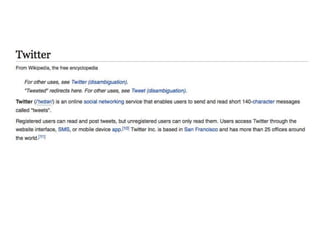
Twitter
The basics- the anatomy of a tweet
Account name, handle, @mention, # hashtag,
140 characters
The basics- tweeting
Retweet = recycle
To quote or not to quote?
The basics- tweeting
Starting a tweet with an @ mention limits who
can see it. Try to remember to add a full stop at
the beginning or use as part of a sentence.
The basics- tweeting
Try to avoid making up hashtags or tagging
common English words.
The basics- tweeting from your events
Put in #fairerscotland and any links, images, video and
mentions before composing your tweet
Have prepared or quickly research the handles of anyone you
are referencing so you can @ mention them- it is good
practice and could mean your message reaches further!
You can capture up to 30 seconds of video and still images
using the Twitter app.
Anchor: Is it useful? Shareable? Insightful? Representative of
the feeling in the room?
Instagram
The basics- Instagram
Username
#hashtag
Tagging other users
@mention
The basics- Instagram
Image led
No character limit…but let your image do the
talking
Clickable links not allowed in photo captions, only
allowed in bio (up to 150 characters)
Integration with Facebook, Twitter, Tumblr, Flickr
and foursquare
The basics- interviewing
Identify interesting people and get to them
quickly. Think about diversity!
Consider interviewing the speakers, organisers,
colleagues with deeper policy insight
The basics- interviewing
Say hello and explain what you are doing
Get consent (if it has not already been taken at
registration, etc)
Discuss the question you’ll be asking but don’t
rehearse or plant answers
The basics- interviewing
You’re looking for opinions, not a blow by blow
description of something
Keep the questions open
Be provocative, not aggressive
The basics- interviewing
Ask for examples, best and worst, etc
Imagine you’re talking to your friend or a family
member
Get their name, organisation name, Twitter and
Instagram IDs for mentioning when you publish
(write it down!)
The basics- interviewing
Say thank you
Let’s try it out
Mock interview mania!
Monitoring, responding and analysing
Who is watching incoming information?
Who is answering questions and when are they
answering?
How will the information be captured?
How will the information be analysed and what will
it be analysed for?
Capturing content for later on
More substantive reflections, ideas,
conversations or provocations can be great for
the blog or Facebook.
Take notes, save social material for expanding on
later.

SJ social reporting

  • 1.
  • 2.
    What social reportingis Using digital tools and platforms to share insights, information, images, audio and video immediately from an event.
  • 3.
    What a socialreporter is Delegate and reporter Eyes and ears Switched on, confident, politely assertive
  • 4.
    What a socialreporter isn’t Minute taker The IT guy Event support Award winning filmmaker and journalist
  • 5.
    Why social reportingmatters Participation Transparency Interaction Wider involvement and reach Creating a record
  • 6.
    Preparation Promotion- Get onevery channel! Drive people back to the online event listing, blog. Promote hashtag so people can watch and participate remotely and connect with each other. Prepare consent forms, opt out option, delegate packs. Don’t forget wifi login, hashtag, web addresses in delegate packs. How will you identify people who have opted out of being filmed or photographed? How and when do you take consent?
  • 7.
    Preparation Speaker and delegateresearch- Get together a list of handles and hashtags to have to hand. Think about sharing speaker blogs, profiles, information related to the subject of the event. Keep Dem Soc in the loop. Host/moderator should be briefed to make a statement at the start of the event about social reporters being present, how to opt out and encourage people to tweet with the hashtag.
  • 8.
    Preparation Make sure yourphone is charged and charger is packed! Check you are logged in to the right account. Set roles and make sure everyone is clear on what they are meant to be doing- you don’t want channels to look spammy or confused.
  • 9.
  • 11.
    The basics- theanatomy of a tweet Account name, handle, @mention, # hashtag, 140 characters
  • 12.
    The basics- tweeting Retweet= recycle To quote or not to quote?
  • 13.
    The basics- tweeting Startinga tweet with an @ mention limits who can see it. Try to remember to add a full stop at the beginning or use as part of a sentence.
  • 14.
    The basics- tweeting Tryto avoid making up hashtags or tagging common English words.
  • 15.
    The basics- tweetingfrom your events Put in #fairerscotland and any links, images, video and mentions before composing your tweet Have prepared or quickly research the handles of anyone you are referencing so you can @ mention them- it is good practice and could mean your message reaches further! You can capture up to 30 seconds of video and still images using the Twitter app. Anchor: Is it useful? Shareable? Insightful? Representative of the feeling in the room?
  • 16.
  • 18.
  • 19.
    The basics- Instagram Imageled No character limit…but let your image do the talking Clickable links not allowed in photo captions, only allowed in bio (up to 150 characters) Integration with Facebook, Twitter, Tumblr, Flickr and foursquare
  • 20.
    The basics- interviewing Identifyinteresting people and get to them quickly. Think about diversity! Consider interviewing the speakers, organisers, colleagues with deeper policy insight
  • 21.
    The basics- interviewing Sayhello and explain what you are doing Get consent (if it has not already been taken at registration, etc) Discuss the question you’ll be asking but don’t rehearse or plant answers
  • 22.
    The basics- interviewing You’relooking for opinions, not a blow by blow description of something Keep the questions open Be provocative, not aggressive
  • 23.
    The basics- interviewing Askfor examples, best and worst, etc Imagine you’re talking to your friend or a family member Get their name, organisation name, Twitter and Instagram IDs for mentioning when you publish (write it down!)
  • 24.
  • 25.
    Let’s try itout Mock interview mania!
  • 26.
    Monitoring, responding andanalysing Who is watching incoming information? Who is answering questions and when are they answering? How will the information be captured? How will the information be analysed and what will it be analysed for?
  • 27.
    Capturing content forlater on More substantive reflections, ideas, conversations or provocations can be great for the blog or Facebook. Take notes, save social material for expanding on later.