Sirius Web Advanced:
Customize and extend the platform
Stéphane Bégaudeau
Sirius Web Architect
stephane.begaudeau@obeo.fr | sbegaudeau
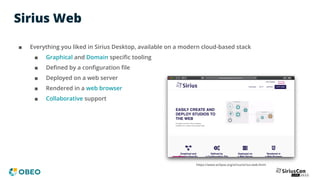
Sirius Web
■ Everything you liked in Sirius Desktop, available on a modern cloud-based stack
■ Graphical and Domain specific tooling
■ Defined by a configuration file
■ Deployed on a web server
■ Rendered in a web browser
■ Collaborative support
https://www.eclipse.org/sirius/sirius-web.html
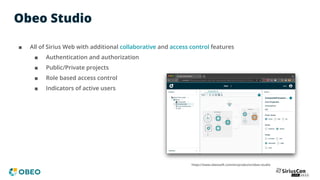
Obeo Studio
■ All of Sirius Web with additional collaborative and access control features
■ Authentication and authorization
■ Public/Private projects
■ Role based access control
■ Indicators of active users
https://www.obeosoft.com/en/products/obeo-studio
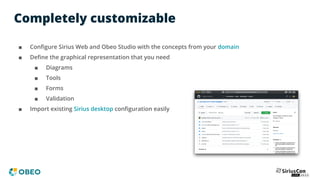
Completely customizable
■ Configure Sirius Web and Obeo Studio with the concepts from your domain
■ Define the graphical representation that you need
■ Diagrams
■ Tools
■ Forms
■ Validation
■ Import existing Sirius desktop configuration easily
What’s in Sirius Web?
READY-TO-USE
Modeling framework
to define and render
graphical applications
in the web
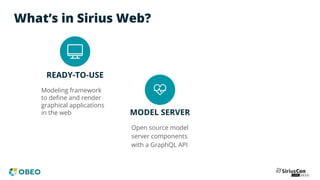
What’s in Sirius Web?
READY-TO-USE
Modeling framework
to define and render
graphical applications
in the web MODEL SERVER
Open source model
server components
with a GraphQL API
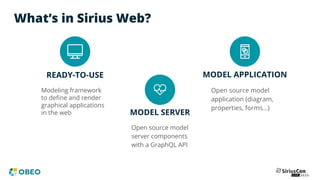
What’s in Sirius Web?
READY-TO-USE
Modeling framework
to define and render
graphical applications
in the web MODEL SERVER
MODEL APPLICATION
Open source model
application (diagram,
properties, forms…)
Open source model
server components
with a GraphQL API
Built on top of awesome technologies
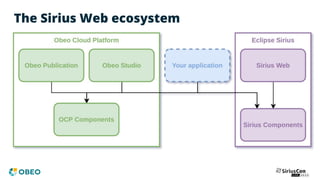
The Sirius Web ecosystem
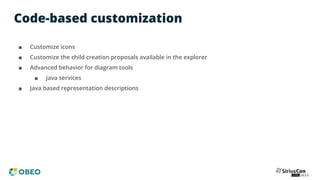
Code-based customization
■ Customize icons
■ Customize the child creation proposals available in the explorer
■ Advanced behavior for diagram tools
■ Java services
■ Java based representation descriptions
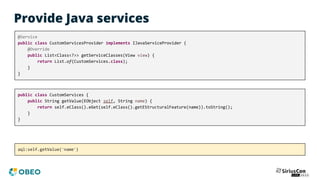
Provide Java services
@Service
public class CustomServicesProvider implements IJavaServiceProvider {
@Override
public List<Class<?>> getServiceClasses(View view) {
return List.of(CustomServices.class);
}
}
public class CustomServices {
public String getValue(EObject self, String name) {
return self.eClass().eGet(self.eClass().getEStructuralFeature(name)).toString();
}
}
aql:self.getValue('name')
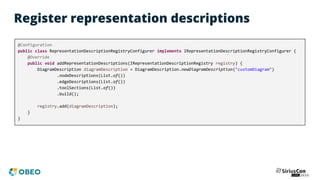
Register representation descriptions
@Configuration
public class RepresentationDescriptionRegistryConfigurer implements IRepresentationDescriptionRegistryConfigurer {
@Override
public void addRepresentationDescriptions(IRepresentationDescriptionRegistry registry) {
DiagramDescription diagramDescription = DiagramDescription.newDiagramDescription("customDiagram")
.nodeDescriptions(List.of())
.edgeDescriptions(List.of())
.toolSections(List.of())
.build();
registry.add(diagramDescription);
}
}
Extension of the platform
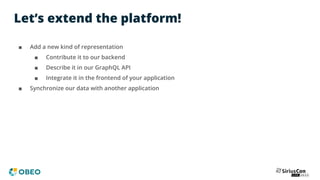
Let’s extend the platform!
■ Add a new kind of representation
■ Contribute it to our backend
■ Describe it in our GraphQL API
■ Integrate it in the frontend of your application
■ Synchronize our data with another application
Map based representation
■ Map representation based on Google Maps
■ A dedicated metamodel
■ to create semantic elements with map-related attributes
■ Display and refresh our map in real time when the objects are modified
Backend
■ Add support for the map representation
■ Representation description and instance
■ Creation process
■ Event processor
■ GraphQL API
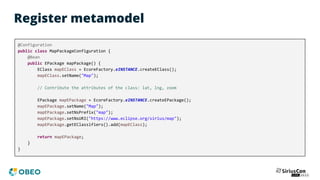
Register metamodel
@Configuration
public class MapPackageConfiguration {
@Bean
public EPackage mapPackage() {
EClass mapEClass = EcoreFactory.eINSTANCE.createEClass();
mapEClass.setName("Map");
// Contribute the attributes of the class: lat, lng, zoom
EPackage mapEPackage = EcoreFactory.eINSTANCE.createEPackage();
mapEPackage.setName("Map");
mapEPackage.setNsPrefix("map");
mapEPackage.setNsURI("https://www.eclipse.org/sirius/map");
mapEPackage.getEClassifiers().add(mapEClass);
return mapEPackage;
}
}
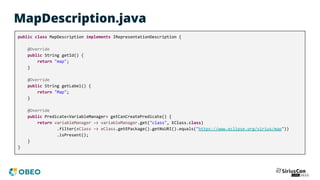
MapDescription.java
public class MapDescription implements IRepresentationDescription {
@Override
public String getId() {
return "map";
}
@Override
public String getLabel() {
return "Map";
}
@Override
public Predicate<VariableManager> getCanCreatePredicate() {
return variableManager -> variableManager.get("class", EClass.class)
.filter(eClass -> eClass.getEPackage().getNsURI().equals("https://www.eclipse.org/sirius/map"))
.isPresent();
}
}
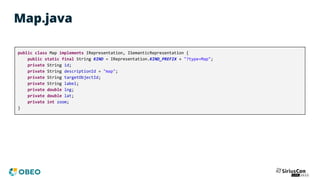
Map.java
public class Map implements IRepresentation, ISemanticRepresentation {
public static final String KIND = IRepresentation.KIND_PREFIX + "?type=Map";
private String id;
private String descriptionId = "map";
private String targetObjectId;
private String label;
private double lng;
private double lat;
private int zoom;
}
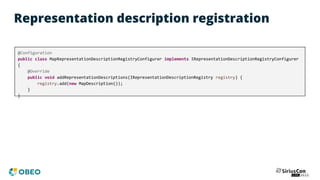
Representation description registration
@Configuration
public class MapRepresentationDescriptionRegistryConfigurer implements IRepresentationDescriptionRegistryConfigurer
{
@Override
public void addRepresentationDescriptions(IRepresentationDescriptionRegistry registry) {
registry.add(new MapDescription());
}
}
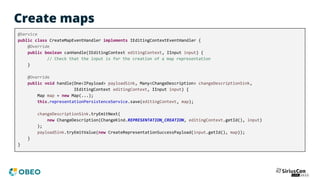
Create maps
@Service
public class CreateMapEventHandler implements IEditingContextEventHandler {
@Override
public boolean canHandle(IEditingContext editingContext, IInput input) {
// Check that the input is for the creation of a map representation
}
@Override
public void handle(One<IPayload> payloadSink, Many<ChangeDescription> changeDescriptionSink,
IEditingContext editingContext, IInput input) {
Map map = new Map(...);
this.representationPersistenceService.save(editingContext, map);
changeDescriptionSink.tryEmitNext(
new ChangeDescription(ChangeKind.REPRESENTATION_CREATION, editingContext.getId(), input)
);
payloadSink.tryEmitValue(new CreateRepresentationSuccessPayload(input.getId(), map));
}
}
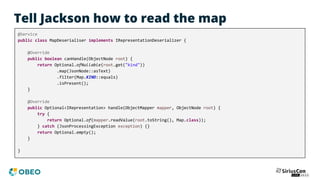
Tell Jackson how to read the map
@Service
public class MapDeserialiser implements IRepresentationDeserializer {
@Override
public boolean canHandle(ObjectNode root) {
return Optional.ofNullable(root.get("kind"))
.map(JsonNode::asText)
.filter(Map.KIND::equals)
.isPresent();
}
@Override
public Optional<IRepresentation> handle(ObjectMapper mapper, ObjectNode root) {
try {
return Optional.of(mapper.readValue(root.toString(), Map.class));
} catch (JsonProcessingException exception) {}
return Optional.empty();
}
}
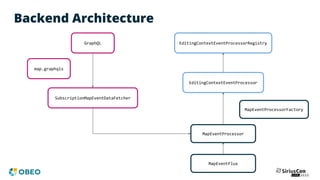
Backend Architecture
GraphQL
SubscriptionMapEventDataFetcher
MapEventProcessor
MapEventProcessorFactory
EditingContextEventProcessorRegistry
EditingContextEventProcessor
MapEventFlux
map.graphqls
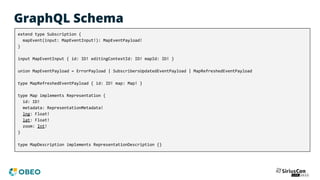
GraphQL Schema
extend type Subscription {
mapEvent(input: MapEventInput!): MapEventPayload!
}
input MapEventInput { id: ID! editingContextId: ID! mapId: ID! }
union MapEventPayload = ErrorPayload | SubscribersUpdatedEventPayload | MapRefreshedEventPayload
type MapRefreshedEventPayload { id: ID! map: Map! }
type Map implements Representation {
id: ID!
metadata: RepresentationMetadata!
lng: Float!
lat: Float!
zoom: Int!
}
type MapDescription implements RepresentationDescription {}
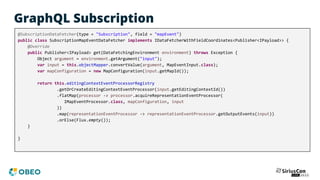
GraphQL Subscription
@SubscriptionDataFetcher(type = "Subscription", field = "mapEvent")
public class SubscriptionMapEventDataFetcher implements IDataFetcherWithFieldCoordinates<Publisher<IPayload>> {
@Override
public Publisher<IPayload> get(DataFetchingEnvironment environment) throws Exception {
Object argument = environment.getArgument("input");
var input = this.objectMapper.convertValue(argument, MapEventInput.class);
var mapConfiguration = new MapConfiguration(input.getMapId());
return this.editingContextEventProcessorRegistry
.getOrCreateEditingContextEventProcessor(input.getEditingContextId())
.flatMap(processor -> processor.acquireRepresentationEventProcessor(
IMapEventProcessor.class, mapConfiguration, input
))
.map(representationEventProcessor -> representationEventProcessor.getOutputEvents(input))
.orElse(Flux.empty());
}
}
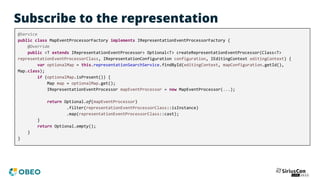
Subscribe to the representation
@Service
public class MapEventProcessorFactory implements IRepresentationEventProcessorFactory {
@Override
public <T extends IRepresentationEventProcessor> Optional<T> createRepresentationEventProcessor(Class<T>
representationEventProcessorClass, IRepresentationConfiguration configuration, IEditingContext editingContext) {
var optionalMap = this.representationSearchService.findById(editingContext, mapConfiguration.getId(),
Map.class);
if (optionalMap.isPresent()) {
Map map = optionalMap.get();
IRepresentationEventProcessor mapEventProcessor = new MapEventProcessor(...);
return Optional.of(mapEventProcessor)
.filter(representationEventProcessorClass::isInstance)
.map(representationEventProcessorClass::cast);
}
return Optional.empty();
}
}
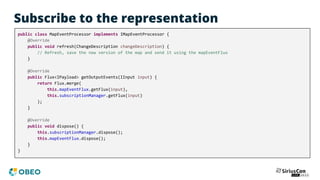
Subscribe to the representation
public class MapEventProcessor implements IMapEventProcessor {
@Override
public void refresh(ChangeDescription changeDescription) {
// Refresh, save the new version of the map and send it using the mapEventFlux
}
@Override
public Flux<IPayload> getOutputEvents(IInput input) {
return Flux.merge(
this.mapEventFlux.getFlux(input),
this.subscriptionManager.getFlux(input)
);
}
@Override
public void dispose() {
this.subscriptionManager.dispose();
this.mapEventFlux.dispose();
}
}
Frontend
■ On the frontend side
■ New representation component using React
■ Register the component in the entry point of the application
■ Subscribe to map events using our GraphQL API
MapRepresentation.tsx
export const MapRepresentation = ({ editingContextId, representationId }: RepresentationComponentProps) => {
const [state, setState] = useState<MapRepresentationState>({ center: null, zoom: 10 });
useSubscription(subscription, { ... });
return (
<div>
{state.center ? (
<GoogleMapReact
bootstrapURLKeys={{ key: 'XXXXXXXXXXXX' }}
center={state.center}
zoom={state.zoom}></GoogleMapReact>
) : null}
</div>
);
};
MapRepresentation.tsx
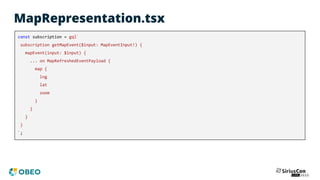
const subscription = gql`
subscription getMapEvent($input: MapEventInput!) {
mapEvent(input: $input) {
... on MapRefreshedEventPayload {
map {
lng
lat
zoom
}
}
}
}
`;
MapRepresentation.tsx
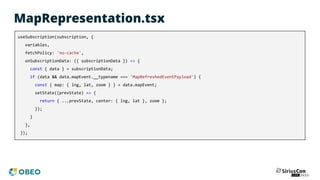
useSubscription(subscription, {
variables,
fetchPolicy: 'no-cache',
onSubscriptionData: ({ subscriptionData }) => {
const { data } = subscriptionData;
if (data && data.mapEvent.__typename === 'MapRefreshedEventPayload') {
const { map: { lng, lat, zoom } } = data.mapEvent;
setState((prevState) => {
return { ...prevState, center: { lng, lat }, zoom };
});
}
},
});
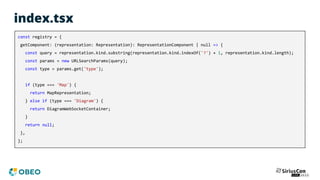
index.tsx
const registry = {
getComponent: (representation: Representation): RepresentationComponent | null => {
const query = representation.kind.substring(representation.kind.indexOf('?') + 1, representation.kind.length);
const params = new URLSearchParams(query);
const type = params.get('type');
if (type === 'Map') {
return MapRepresentation;
} else if (type === 'Diagram') {
return DiagramWebSocketContainer;
}
return null;
},
};
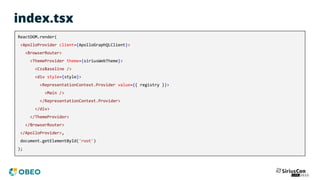
index.tsx
ReactDOM.render(
<ApolloProvider client={ApolloGraphQLClient}>
<BrowserRouter>
<ThemeProvider theme={siriusWebTheme}>
<CssBaseline />
<div style={style}>
<RepresentationContext.Provider value={{ registry }}>
<Main />
</RepresentationContext.Provider>
</div>
</ThemeProvider>
</BrowserRouter>
</ApolloProvider>,
document.getElementById('root')
);
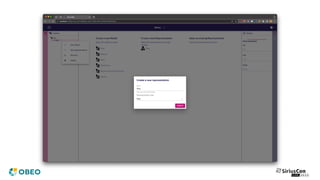
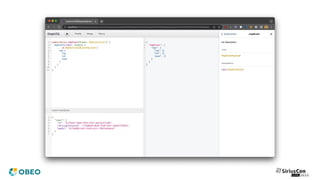
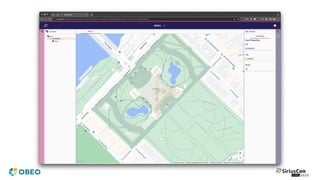
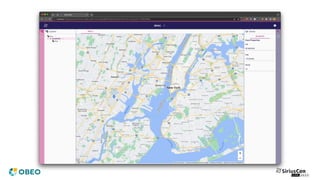
DEMO
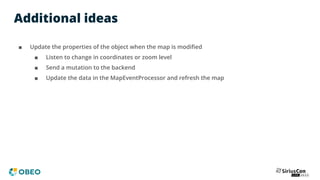
Additional ideas
■ Update the properties of the object when the map is modified
■ Listen to change in coordinates or zoom level
■ Send a mutation to the backend
■ Update the data in the MapEventProcessor and refresh the map
Remote service
synchronization
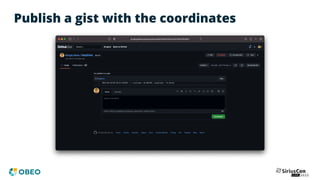
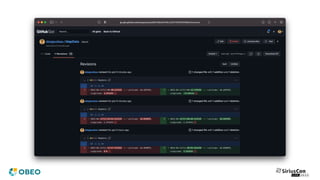
Publish a gist with the coordinates
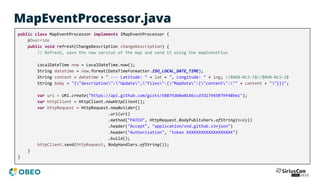
MapEventProcessor.java
public class MapEventProcessor implements IMapEventProcessor {
@Override
public void refresh(ChangeDescription changeDescription) {
// Refresh, save the new version of the map and send it using the mapEventFlux
LocalDateTime now = LocalDateTime.now();
String datetime = now.format(DateTimeFormatter.ISO_LOCAL_DATE_TIME);
String content = datetime + " --- Latitude: " + lat + ", Longitude: " + lng; //$NON-NLS-1$//$NON-NLS-2$
String body = "{"description":"Update","files":{"MapData":{"content":"" + content + ""}}}";
var uri = URI.create("https://api.github.com/gists/58875db0a0146ccd7d17945079f489e1");
var httpClient = HttpClient.newHttpClient();
var httpRequest = HttpRequest.newBuilder()
.uri(uri)
.method("PATCH", HttpRequest.BodyPublishers.ofString(body))
.header("Accept", "application/vnd.github.v3+json")
.header("Authorization", "token XXXXXXXXXXXXXXXXXXX")
.build();
httpClient.send(httpRequest, BodyHandlers.ofString());
}
}
Synchronize with a remote service
■ You can check to see if there are any difference with the previous version first
■ Perform the request asynchronously to improve performance
■ In order to synchronize data the other way
■ Send a GraphQL query to Sirius Web
■ Contribute an IEditingContextEventHandler to perform the change
Integration in other products
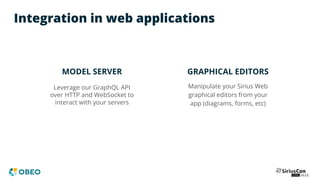
Integration in web applications
MODEL SERVER
Leverage our GraphQL API
over HTTP and WebSocket to
interact with your servers
GRAPHICAL EDITORS
Manipulate your Sirius Web
graphical editors from your
app (diagrams, forms, etc)
Getting started
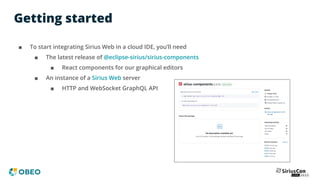
■ To start integrating Sirius Web in a cloud IDE, you’ll need
■ The latest release of @eclipse-sirius/sirius-components
■ React components for our graphical editors
■ An instance of a Sirius Web server
■ HTTP and WebSocket GraphQL API
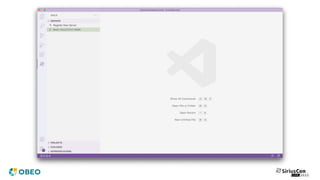
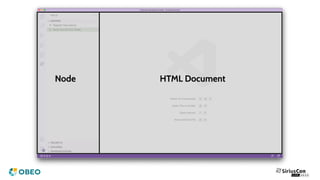
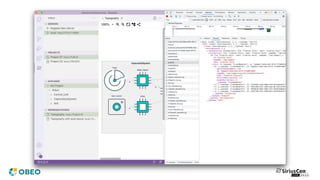
VSCode example
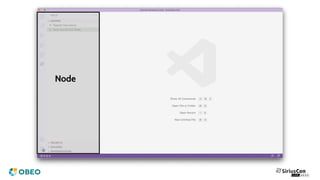
Node
Node HTML Document
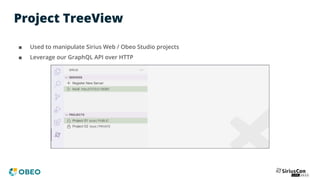
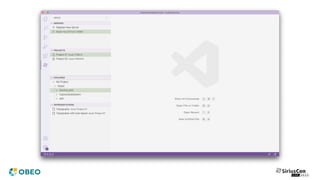
Project TreeView
■ Used to manipulate Sirius Web / Obeo Studio projects
■ Leverage our GraphQL API over HTTP
Project TreeView
■ Retrieve the projects using a GraphQL query
private fetchProjects(): Promise<ProjectData[]> {
const queryURL = `${this.serverAddress}/api/graphql`;
const headers = { headers: { Cookie: this.cookie } };
const graphQLQuery = `
query getProjects($page: Int!) {
viewer {
id
projects(page: $page) {
edges {
node {
id
name
visibility
}
}
}
}
}
`;
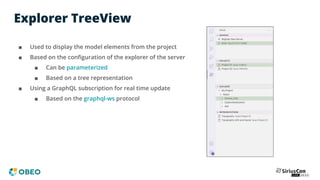
Explorer TreeView
■ Used to display the model elements from the project
■ Based on the configuration of the explorer of the server
■ Can be parameterized
■ Based on a tree representation
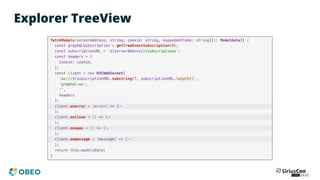
■ Using a GraphQL subscription for real time update
■ Based on the graphql-ws protocol
Explorer TreeView
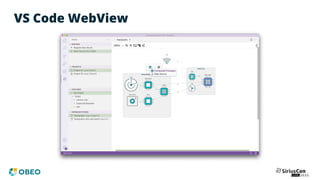
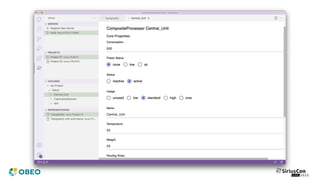
VS Code WebView
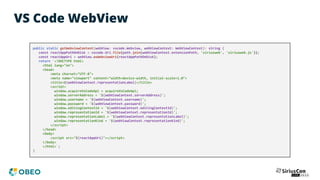
VS Code WebView
public static getWebviewContent(webView: vscode.Webview, webViewContext: WebViewContext): string {
const reactAppPathOnDisk = vscode.Uri.file(path.join(webViewContext.extensionPath, 'siriusweb', 'siriusweb.js'));
const reactAppUri = webView.asWebviewUri(reactAppPathOnDisk);
return `<!DOCTYPE html>
<html lang="en">
<head>
<meta charset="UTF-8">
<meta name="viewport" content="width=device-width, initial-scale=1.0">
<title>${webViewContext.representationLabel}</title>
<script>
window.acquireVsCodeApi = acquireVsCodeApi;
window.serverAddress = '${webViewContext.serverAddress}';
window.username = '${webViewContext.username}';
window.password = '${webViewContext.password}';
window.editingContextId = '${webViewContext.editingContextId}';
window.representationId = '${webViewContext.representationId}';
window.representationLabel = '${webViewContext.representationLabel}';
window.representationKind = '${webViewContext.representationKind}';
</script>
</head>
<body>
<script src="${reactAppUri}"></script>
</body>
</html>`;
}
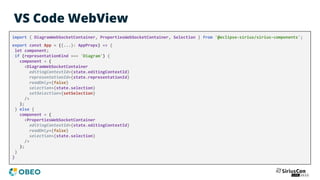
VS Code WebView
import { DiagramWebSocketContainer, PropertiesWebSocketContainer, Selection } from '@eclipse-sirius/sirius-components';
export const App = ({...}: AppProps) => {
let component;
if (representationKind === 'Diagram') {
component = (
<DiagramWebSocketContainer
editingContextId={state.editingContextId}
representationId={state.representationId}
readOnly={false}
selection={state.selection}
setSelection={setSelection}
/>
);
} else {
component = (
<PropertiesWebSocketContainer
editingContextId={state.editingContextId}
readOnly={false}
selection={state.selection}
/>
);
}
}
Thank you!

Sirius Web Advanced : Customize and Extend the Platform

  • 1.
    Sirius Web Advanced: Customizeand extend the platform Stéphane Bégaudeau Sirius Web Architect stephane.begaudeau@obeo.fr | sbegaudeau
  • 2.
    Sirius Web ■ Everythingyou liked in Sirius Desktop, available on a modern cloud-based stack ■ Graphical and Domain specific tooling ■ Defined by a configuration file ■ Deployed on a web server ■ Rendered in a web browser ■ Collaborative support https://www.eclipse.org/sirius/sirius-web.html
  • 3.
    Obeo Studio ■ Allof Sirius Web with additional collaborative and access control features ■ Authentication and authorization ■ Public/Private projects ■ Role based access control ■ Indicators of active users https://www.obeosoft.com/en/products/obeo-studio
  • 4.
    Completely customizable ■ ConfigureSirius Web and Obeo Studio with the concepts from your domain ■ Define the graphical representation that you need ■ Diagrams ■ Tools ■ Forms ■ Validation ■ Import existing Sirius desktop configuration easily
  • 5.
    What’s in SiriusWeb? READY-TO-USE Modeling framework to define and render graphical applications in the web
  • 6.
    What’s in SiriusWeb? READY-TO-USE Modeling framework to define and render graphical applications in the web MODEL SERVER Open source model server components with a GraphQL API
  • 7.
    What’s in SiriusWeb? READY-TO-USE Modeling framework to define and render graphical applications in the web MODEL SERVER MODEL APPLICATION Open source model application (diagram, properties, forms…) Open source model server components with a GraphQL API
  • 8.
    Built on topof awesome technologies
  • 9.
    The Sirius Webecosystem
  • 10.
  • 11.
    Code-based customization ■ Customizeicons ■ Customize the child creation proposals available in the explorer ■ Advanced behavior for diagram tools ■ Java services ■ Java based representation descriptions
  • 12.
    Provide Java services @Service publicclass CustomServicesProvider implements IJavaServiceProvider { @Override public List<Class<?>> getServiceClasses(View view) { return List.of(CustomServices.class); } } public class CustomServices { public String getValue(EObject self, String name) { return self.eClass().eGet(self.eClass().getEStructuralFeature(name)).toString(); } } aql:self.getValue('name')
  • 13.
    Register representation descriptions @Configuration publicclass RepresentationDescriptionRegistryConfigurer implements IRepresentationDescriptionRegistryConfigurer { @Override public void addRepresentationDescriptions(IRepresentationDescriptionRegistry registry) { DiagramDescription diagramDescription = DiagramDescription.newDiagramDescription("customDiagram") .nodeDescriptions(List.of()) .edgeDescriptions(List.of()) .toolSections(List.of()) .build(); registry.add(diagramDescription); } }
  • 14.
  • 15.
    Let’s extend theplatform! ■ Add a new kind of representation ■ Contribute it to our backend ■ Describe it in our GraphQL API ■ Integrate it in the frontend of your application ■ Synchronize our data with another application
  • 17.
    Map based representation ■Map representation based on Google Maps ■ A dedicated metamodel ■ to create semantic elements with map-related attributes ■ Display and refresh our map in real time when the objects are modified
  • 18.
    Backend ■ Add supportfor the map representation ■ Representation description and instance ■ Creation process ■ Event processor ■ GraphQL API
  • 19.
    Register metamodel @Configuration public classMapPackageConfiguration { @Bean public EPackage mapPackage() { EClass mapEClass = EcoreFactory.eINSTANCE.createEClass(); mapEClass.setName("Map"); // Contribute the attributes of the class: lat, lng, zoom EPackage mapEPackage = EcoreFactory.eINSTANCE.createEPackage(); mapEPackage.setName("Map"); mapEPackage.setNsPrefix("map"); mapEPackage.setNsURI("https://www.eclipse.org/sirius/map"); mapEPackage.getEClassifiers().add(mapEClass); return mapEPackage; } }
  • 22.
    MapDescription.java public class MapDescriptionimplements IRepresentationDescription { @Override public String getId() { return "map"; } @Override public String getLabel() { return "Map"; } @Override public Predicate<VariableManager> getCanCreatePredicate() { return variableManager -> variableManager.get("class", EClass.class) .filter(eClass -> eClass.getEPackage().getNsURI().equals("https://www.eclipse.org/sirius/map")) .isPresent(); } }
  • 23.
    Map.java public class Mapimplements IRepresentation, ISemanticRepresentation { public static final String KIND = IRepresentation.KIND_PREFIX + "?type=Map"; private String id; private String descriptionId = "map"; private String targetObjectId; private String label; private double lng; private double lat; private int zoom; }
  • 24.
    Representation description registration @Configuration publicclass MapRepresentationDescriptionRegistryConfigurer implements IRepresentationDescriptionRegistryConfigurer { @Override public void addRepresentationDescriptions(IRepresentationDescriptionRegistry registry) { registry.add(new MapDescription()); } }
  • 25.
    Create maps @Service public classCreateMapEventHandler implements IEditingContextEventHandler { @Override public boolean canHandle(IEditingContext editingContext, IInput input) { // Check that the input is for the creation of a map representation } @Override public void handle(One<IPayload> payloadSink, Many<ChangeDescription> changeDescriptionSink, IEditingContext editingContext, IInput input) { Map map = new Map(...); this.representationPersistenceService.save(editingContext, map); changeDescriptionSink.tryEmitNext( new ChangeDescription(ChangeKind.REPRESENTATION_CREATION, editingContext.getId(), input) ); payloadSink.tryEmitValue(new CreateRepresentationSuccessPayload(input.getId(), map)); } }
  • 26.
    Tell Jackson howto read the map @Service public class MapDeserialiser implements IRepresentationDeserializer { @Override public boolean canHandle(ObjectNode root) { return Optional.ofNullable(root.get("kind")) .map(JsonNode::asText) .filter(Map.KIND::equals) .isPresent(); } @Override public Optional<IRepresentation> handle(ObjectMapper mapper, ObjectNode root) { try { return Optional.of(mapper.readValue(root.toString(), Map.class)); } catch (JsonProcessingException exception) {} return Optional.empty(); } }
  • 28.
  • 29.
    GraphQL Schema extend typeSubscription { mapEvent(input: MapEventInput!): MapEventPayload! } input MapEventInput { id: ID! editingContextId: ID! mapId: ID! } union MapEventPayload = ErrorPayload | SubscribersUpdatedEventPayload | MapRefreshedEventPayload type MapRefreshedEventPayload { id: ID! map: Map! } type Map implements Representation { id: ID! metadata: RepresentationMetadata! lng: Float! lat: Float! zoom: Int! } type MapDescription implements RepresentationDescription {}
  • 30.
    GraphQL Subscription @SubscriptionDataFetcher(type ="Subscription", field = "mapEvent") public class SubscriptionMapEventDataFetcher implements IDataFetcherWithFieldCoordinates<Publisher<IPayload>> { @Override public Publisher<IPayload> get(DataFetchingEnvironment environment) throws Exception { Object argument = environment.getArgument("input"); var input = this.objectMapper.convertValue(argument, MapEventInput.class); var mapConfiguration = new MapConfiguration(input.getMapId()); return this.editingContextEventProcessorRegistry .getOrCreateEditingContextEventProcessor(input.getEditingContextId()) .flatMap(processor -> processor.acquireRepresentationEventProcessor( IMapEventProcessor.class, mapConfiguration, input )) .map(representationEventProcessor -> representationEventProcessor.getOutputEvents(input)) .orElse(Flux.empty()); } }
  • 31.
    Subscribe to therepresentation @Service public class MapEventProcessorFactory implements IRepresentationEventProcessorFactory { @Override public <T extends IRepresentationEventProcessor> Optional<T> createRepresentationEventProcessor(Class<T> representationEventProcessorClass, IRepresentationConfiguration configuration, IEditingContext editingContext) { var optionalMap = this.representationSearchService.findById(editingContext, mapConfiguration.getId(), Map.class); if (optionalMap.isPresent()) { Map map = optionalMap.get(); IRepresentationEventProcessor mapEventProcessor = new MapEventProcessor(...); return Optional.of(mapEventProcessor) .filter(representationEventProcessorClass::isInstance) .map(representationEventProcessorClass::cast); } return Optional.empty(); } }
  • 32.
    Subscribe to therepresentation public class MapEventProcessor implements IMapEventProcessor { @Override public void refresh(ChangeDescription changeDescription) { // Refresh, save the new version of the map and send it using the mapEventFlux } @Override public Flux<IPayload> getOutputEvents(IInput input) { return Flux.merge( this.mapEventFlux.getFlux(input), this.subscriptionManager.getFlux(input) ); } @Override public void dispose() { this.subscriptionManager.dispose(); this.mapEventFlux.dispose(); } }
  • 34.
    Frontend ■ On thefrontend side ■ New representation component using React ■ Register the component in the entry point of the application ■ Subscribe to map events using our GraphQL API
  • 35.
    MapRepresentation.tsx export const MapRepresentation= ({ editingContextId, representationId }: RepresentationComponentProps) => { const [state, setState] = useState<MapRepresentationState>({ center: null, zoom: 10 }); useSubscription(subscription, { ... }); return ( <div> {state.center ? ( <GoogleMapReact bootstrapURLKeys={{ key: 'XXXXXXXXXXXX' }} center={state.center} zoom={state.zoom}></GoogleMapReact> ) : null} </div> ); };
  • 36.
    MapRepresentation.tsx const subscription =gql` subscription getMapEvent($input: MapEventInput!) { mapEvent(input: $input) { ... on MapRefreshedEventPayload { map { lng lat zoom } } } } `;
  • 37.
    MapRepresentation.tsx useSubscription(subscription, { variables, fetchPolicy: 'no-cache', onSubscriptionData:({ subscriptionData }) => { const { data } = subscriptionData; if (data && data.mapEvent.__typename === 'MapRefreshedEventPayload') { const { map: { lng, lat, zoom } } = data.mapEvent; setState((prevState) => { return { ...prevState, center: { lng, lat }, zoom }; }); } }, });
  • 38.
    index.tsx const registry ={ getComponent: (representation: Representation): RepresentationComponent | null => { const query = representation.kind.substring(representation.kind.indexOf('?') + 1, representation.kind.length); const params = new URLSearchParams(query); const type = params.get('type'); if (type === 'Map') { return MapRepresentation; } else if (type === 'Diagram') { return DiagramWebSocketContainer; } return null; }, };
  • 39.
    index.tsx ReactDOM.render( <ApolloProvider client={ApolloGraphQLClient}> <BrowserRouter> <ThemeProvider theme={siriusWebTheme}> <CssBaseline/> <div style={style}> <RepresentationContext.Provider value={{ registry }}> <Main /> </RepresentationContext.Provider> </div> </ThemeProvider> </BrowserRouter> </ApolloProvider>, document.getElementById('root') );
  • 42.
  • 43.
    Additional ideas ■ Updatethe properties of the object when the map is modified ■ Listen to change in coordinates or zoom level ■ Send a mutation to the backend ■ Update the data in the MapEventProcessor and refresh the map
  • 44.
  • 45.
    Publish a gistwith the coordinates
  • 46.
    MapEventProcessor.java public class MapEventProcessorimplements IMapEventProcessor { @Override public void refresh(ChangeDescription changeDescription) { // Refresh, save the new version of the map and send it using the mapEventFlux LocalDateTime now = LocalDateTime.now(); String datetime = now.format(DateTimeFormatter.ISO_LOCAL_DATE_TIME); String content = datetime + " --- Latitude: " + lat + ", Longitude: " + lng; //$NON-NLS-1$//$NON-NLS-2$ String body = "{"description":"Update","files":{"MapData":{"content":"" + content + ""}}}"; var uri = URI.create("https://api.github.com/gists/58875db0a0146ccd7d17945079f489e1"); var httpClient = HttpClient.newHttpClient(); var httpRequest = HttpRequest.newBuilder() .uri(uri) .method("PATCH", HttpRequest.BodyPublishers.ofString(body)) .header("Accept", "application/vnd.github.v3+json") .header("Authorization", "token XXXXXXXXXXXXXXXXXXX") .build(); httpClient.send(httpRequest, BodyHandlers.ofString()); } }
  • 47.
    Synchronize with aremote service ■ You can check to see if there are any difference with the previous version first ■ Perform the request asynchronously to improve performance ■ In order to synchronize data the other way ■ Send a GraphQL query to Sirius Web ■ Contribute an IEditingContextEventHandler to perform the change
  • 49.
  • 50.
    Integration in webapplications MODEL SERVER Leverage our GraphQL API over HTTP and WebSocket to interact with your servers GRAPHICAL EDITORS Manipulate your Sirius Web graphical editors from your app (diagrams, forms, etc)
  • 51.
    Getting started ■ Tostart integrating Sirius Web in a cloud IDE, you’ll need ■ The latest release of @eclipse-sirius/sirius-components ■ React components for our graphical editors ■ An instance of a Sirius Web server ■ HTTP and WebSocket GraphQL API
  • 52.
  • 54.
  • 55.
  • 56.
    Project TreeView ■ Usedto manipulate Sirius Web / Obeo Studio projects ■ Leverage our GraphQL API over HTTP
  • 57.
    Project TreeView ■ Retrievethe projects using a GraphQL query private fetchProjects(): Promise<ProjectData[]> { const queryURL = `${this.serverAddress}/api/graphql`; const headers = { headers: { Cookie: this.cookie } }; const graphQLQuery = ` query getProjects($page: Int!) { viewer { id projects(page: $page) { edges { node { id name visibility } } } } } `;
  • 58.
    Explorer TreeView ■ Usedto display the model elements from the project ■ Based on the configuration of the explorer of the server ■ Can be parameterized ■ Based on a tree representation ■ Using a GraphQL subscription for real time update ■ Based on the graphql-ws protocol
  • 59.
  • 61.
  • 62.
    VS Code WebView publicstatic getWebviewContent(webView: vscode.Webview, webViewContext: WebViewContext): string { const reactAppPathOnDisk = vscode.Uri.file(path.join(webViewContext.extensionPath, 'siriusweb', 'siriusweb.js')); const reactAppUri = webView.asWebviewUri(reactAppPathOnDisk); return `<!DOCTYPE html> <html lang="en"> <head> <meta charset="UTF-8"> <meta name="viewport" content="width=device-width, initial-scale=1.0"> <title>${webViewContext.representationLabel}</title> <script> window.acquireVsCodeApi = acquireVsCodeApi; window.serverAddress = '${webViewContext.serverAddress}'; window.username = '${webViewContext.username}'; window.password = '${webViewContext.password}'; window.editingContextId = '${webViewContext.editingContextId}'; window.representationId = '${webViewContext.representationId}'; window.representationLabel = '${webViewContext.representationLabel}'; window.representationKind = '${webViewContext.representationKind}'; </script> </head> <body> <script src="${reactAppUri}"></script> </body> </html>`; }
  • 63.
    VS Code WebView import{ DiagramWebSocketContainer, PropertiesWebSocketContainer, Selection } from '@eclipse-sirius/sirius-components'; export const App = ({...}: AppProps) => { let component; if (representationKind === 'Diagram') { component = ( <DiagramWebSocketContainer editingContextId={state.editingContextId} representationId={state.representationId} readOnly={false} selection={state.selection} setSelection={setSelection} /> ); } else { component = ( <PropertiesWebSocketContainer editingContextId={state.editingContextId} readOnly={false} selection={state.selection} /> ); } }
  • 66.