GraphQL - when REST API is
not enough - lessons learned
Marcin Stachniuk
Marcin Stachniuk
mstachniuk.github.io
/mstachniuk/graphql-java-example
@MarcinStachniuk
shipkit.org
wroclaw.jug.pl
collibra.com
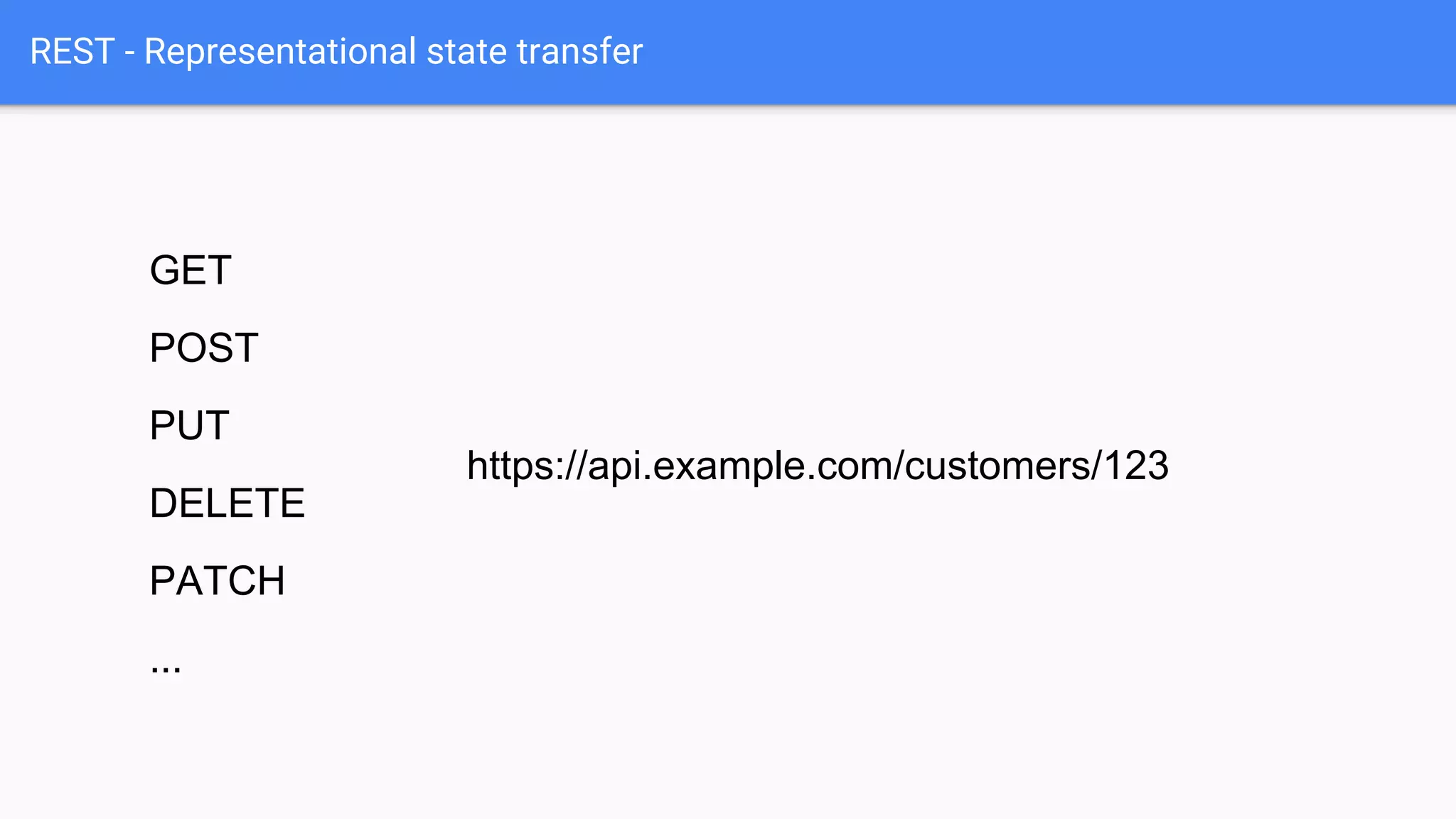
REST - Representational state transfer
GET
POST
PUT
DELETE
PATCH
...
https://api.example.com/customers/123
REST response
GET /customers/111
{
"customer": {
"id": "111",
"name": "John Doe",
"email": "john@doe.com",
"company": {
"id": "222"
},
"orders": [
{
"id": "333"
},
{
"id": "444"
}
]
}
}
{
"customer": {
"id": "111",
"name": "John Doe",
"email": "john@doe.com",
"company": {
"href": "https://api.example.com/companies/222"
},
"orders": [
{
"href": "https://api.example.com/orders/333"
},
{
"href": "https://api.example.com/orders/444"
}
]
}
}
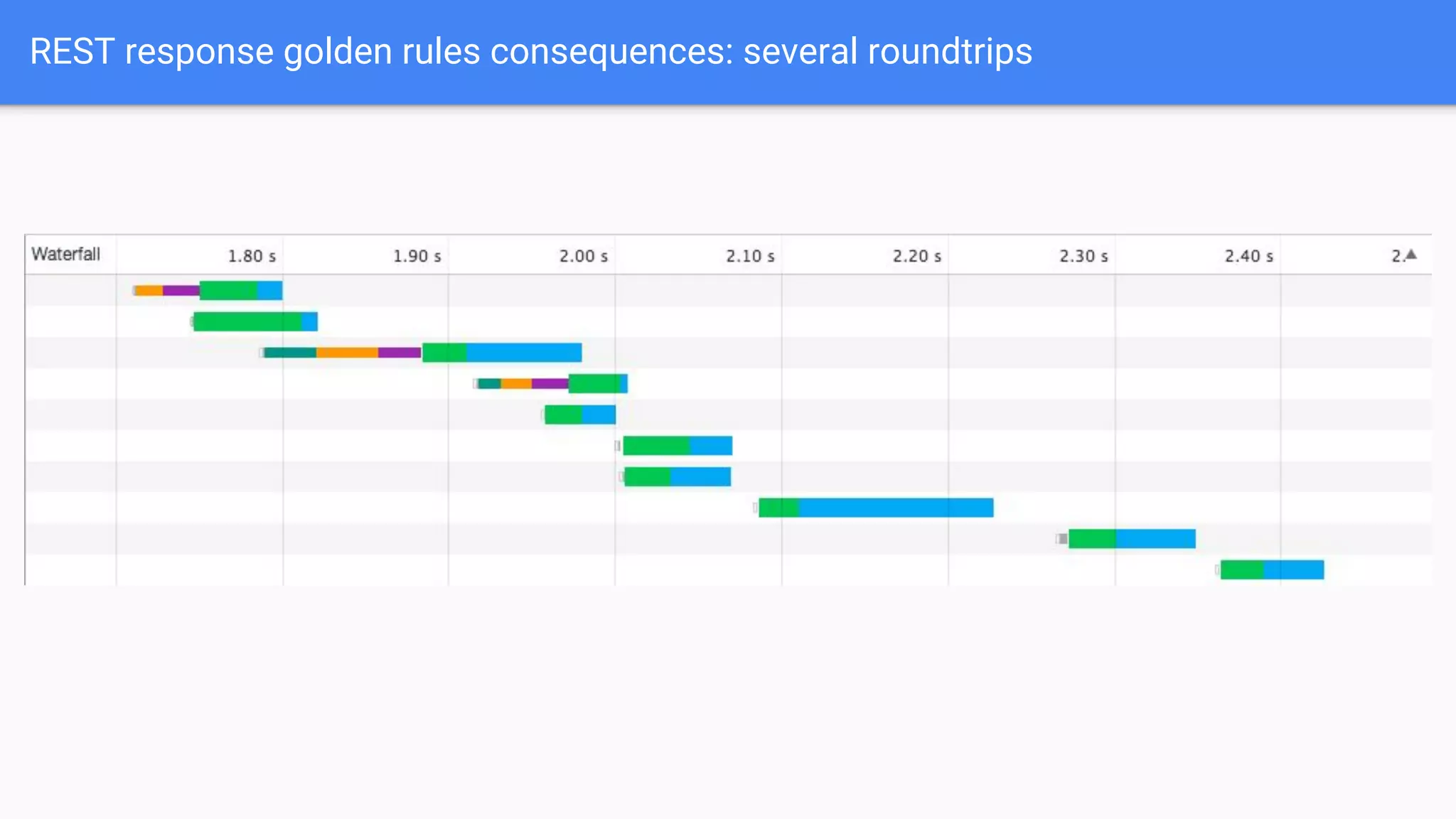
REST response golden rules consequences: several roundtrips
REST response with nested data
GET /customers/111
{
"customer": {
"id": "111",
"name": "John Doe",
"email": "john@doe.com",
"company": {
"id": "222",
"name": "My Awesome Corporation",
"website": "MyAwesomeCorporation.com"
},
"orders": [
{
"id": "333",
"status": "delivered",
"items": [
{
"id": "555",
"name": "Silver Bullet",
"amount": "42",
"price": "10000000",
"currency": "USD",
"producer": {
"id": "777",
"name": "Lorem Ipsum",
"website": "LoremIpsum.com"
}
}
]
},
{
"id": "444",
"name": "Golden Hammer",
"amount": "5",
"price": "10000",
"currency": "USD",
"producer": {
...
}
}
]
}
}
REST response with nested data and limit fields
GET /customers/111?fields=name,company/*,orders.status,orders.items(name,producer/name)
{
"customer": {
"id": "111",
"name": "John Doe",
"email": "john@doe.com",
"company": {
"id": "222",
"name": "My Awesome Corporation",
"website": "MyAwesomeCorporation.com"
},
"orders": [
{
"id": "333",
"status": "delivered",
"items": [
{
"id": "555",
"name": "Silver Bullet",
"amount": "42",
"price": "10000000",
"currency": "USD",
"producer": {
"id": "777",
"name": "Lorem Ipsum",
"website": "LoremIpsum.com"
}
}
]
},
{
"id": "444",
"name": "Golden Hammer",
"amount": "5",
"price": "10000",
"currency": "USD",
"producer": {
...
}
}
]
}
}
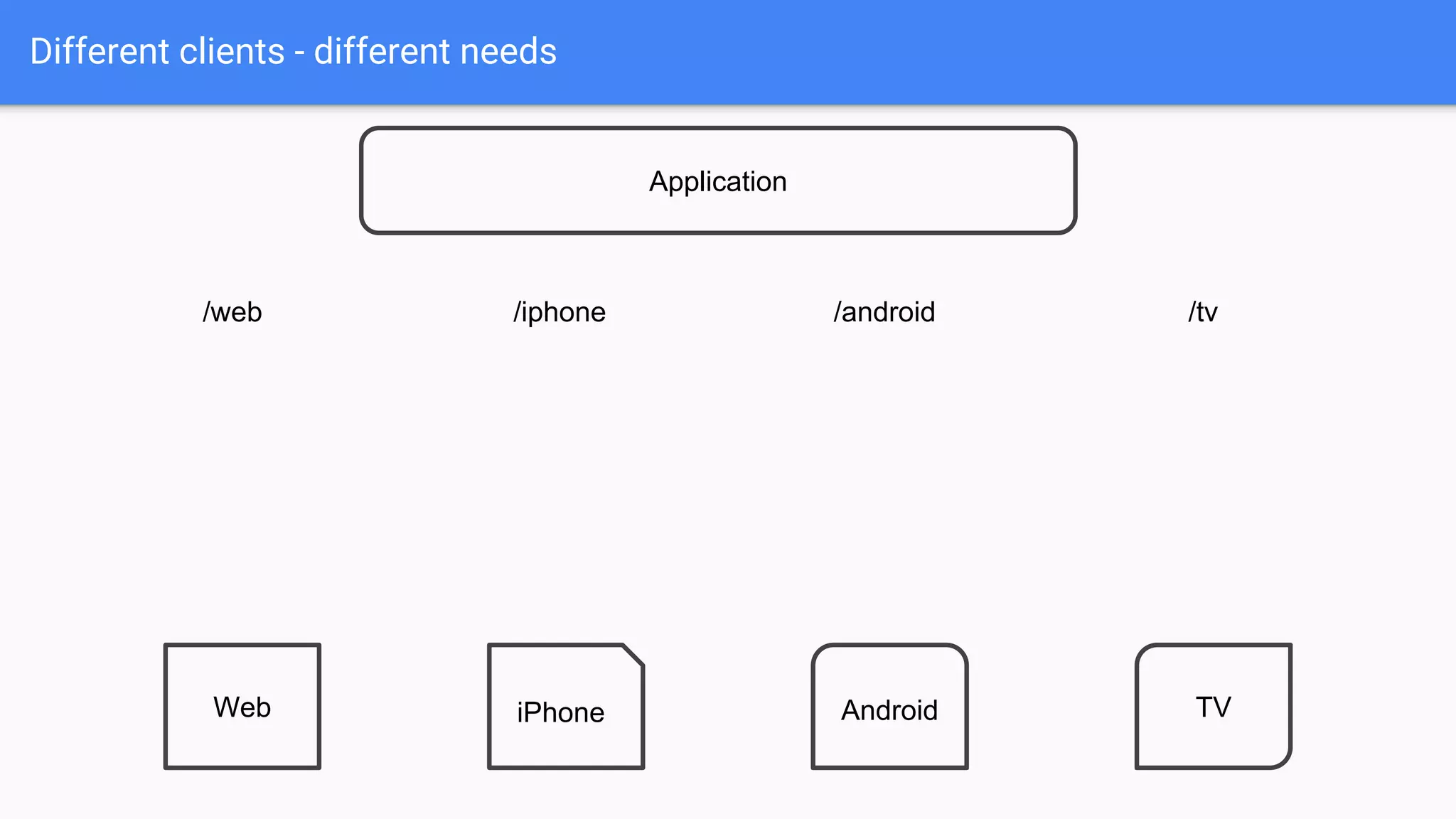
Different clients - different needs
/web /iphone /android /tv
Application
Web iPhone Android TV
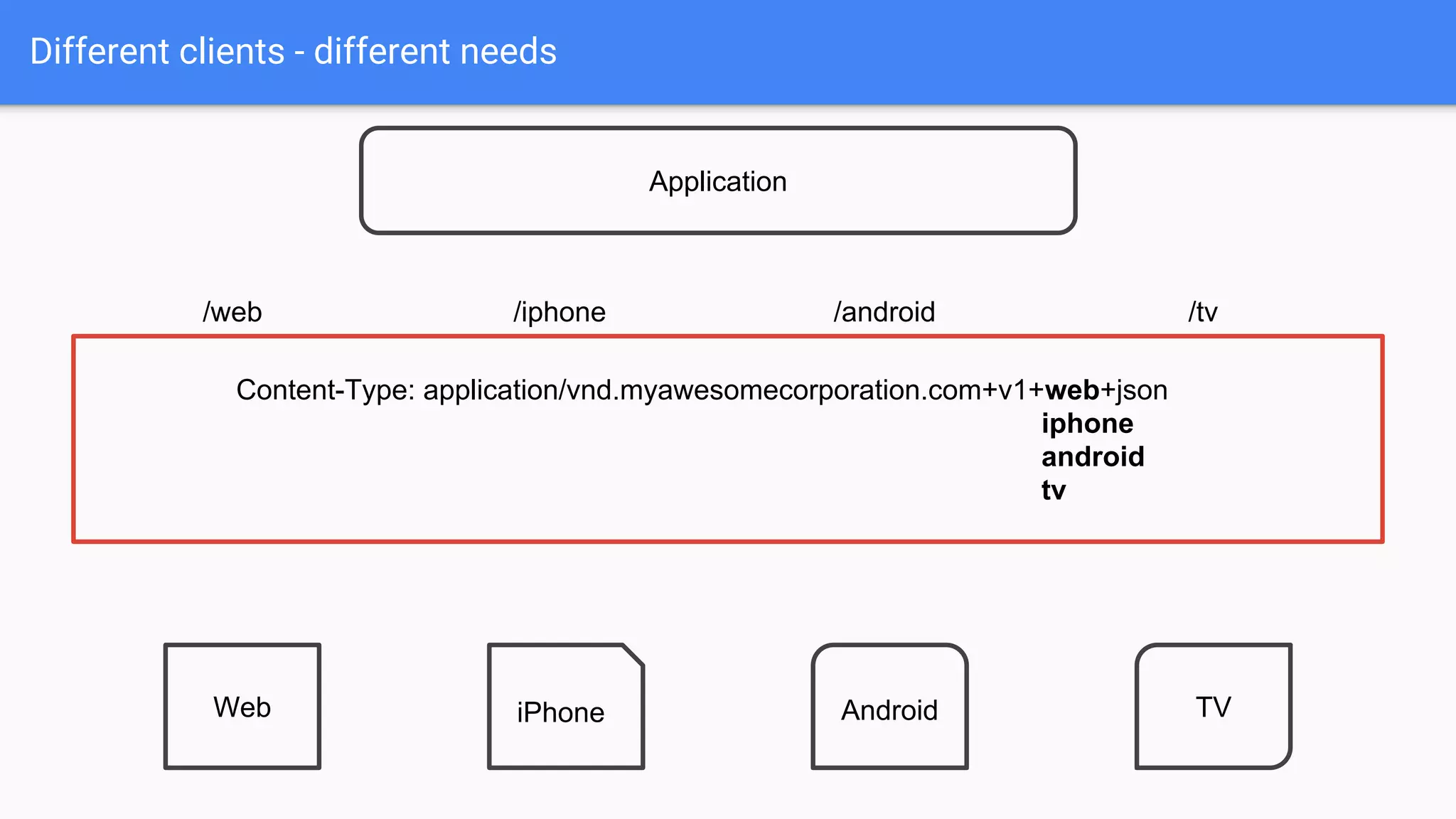
Different clients - different needs
/web /iphone /android /tv
Application
Web iPhone Android TV
Content-Type: application/vnd.myawesomecorporation.com+v1+web+json
iphone
android
tv
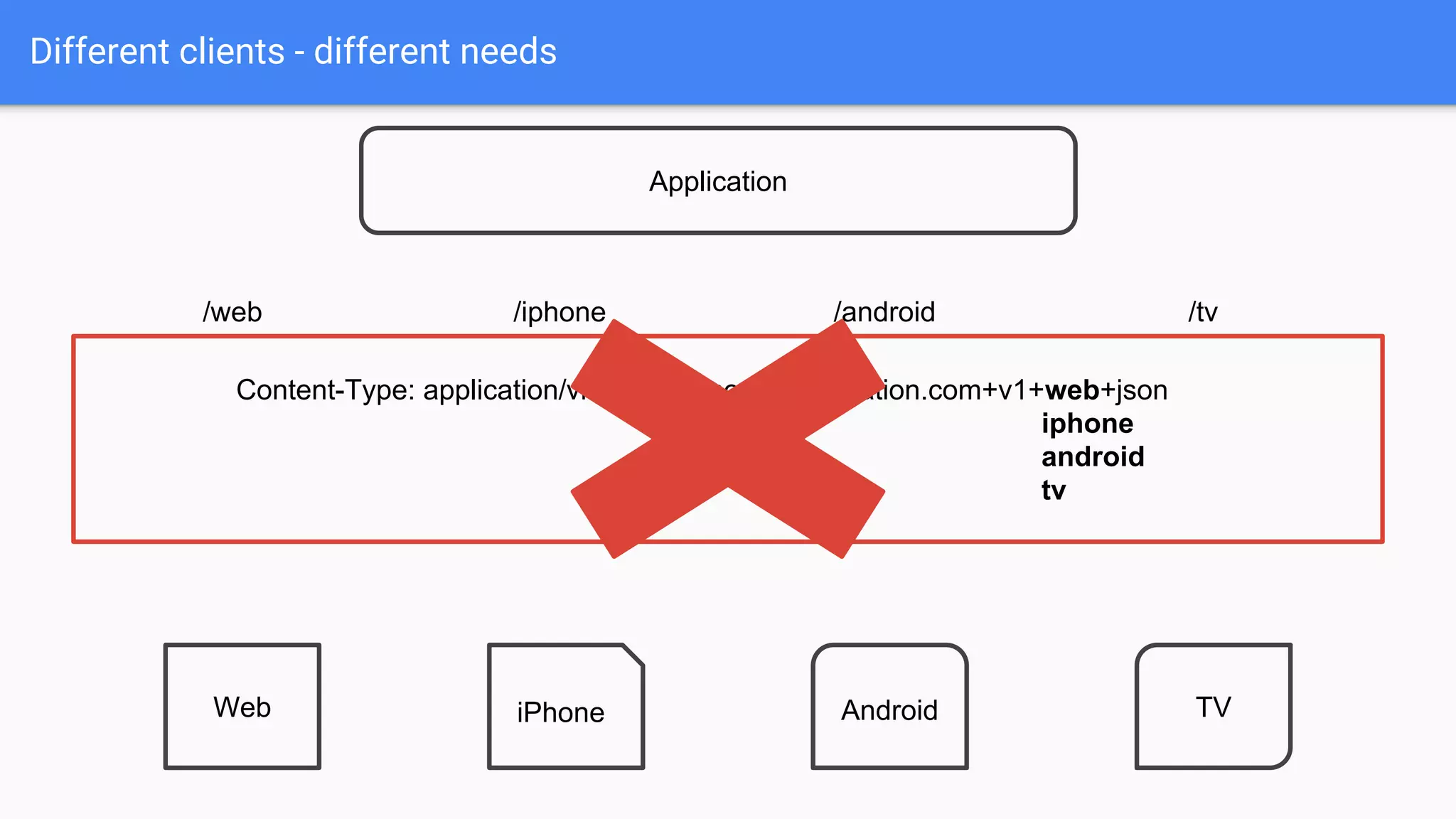
Different clients - different needs
/web /iphone /android /tv
Application
Web iPhone Android TV
Content-Type: application/vnd.myawesomecorporation.com+v1+web+json
iphone
android
tv
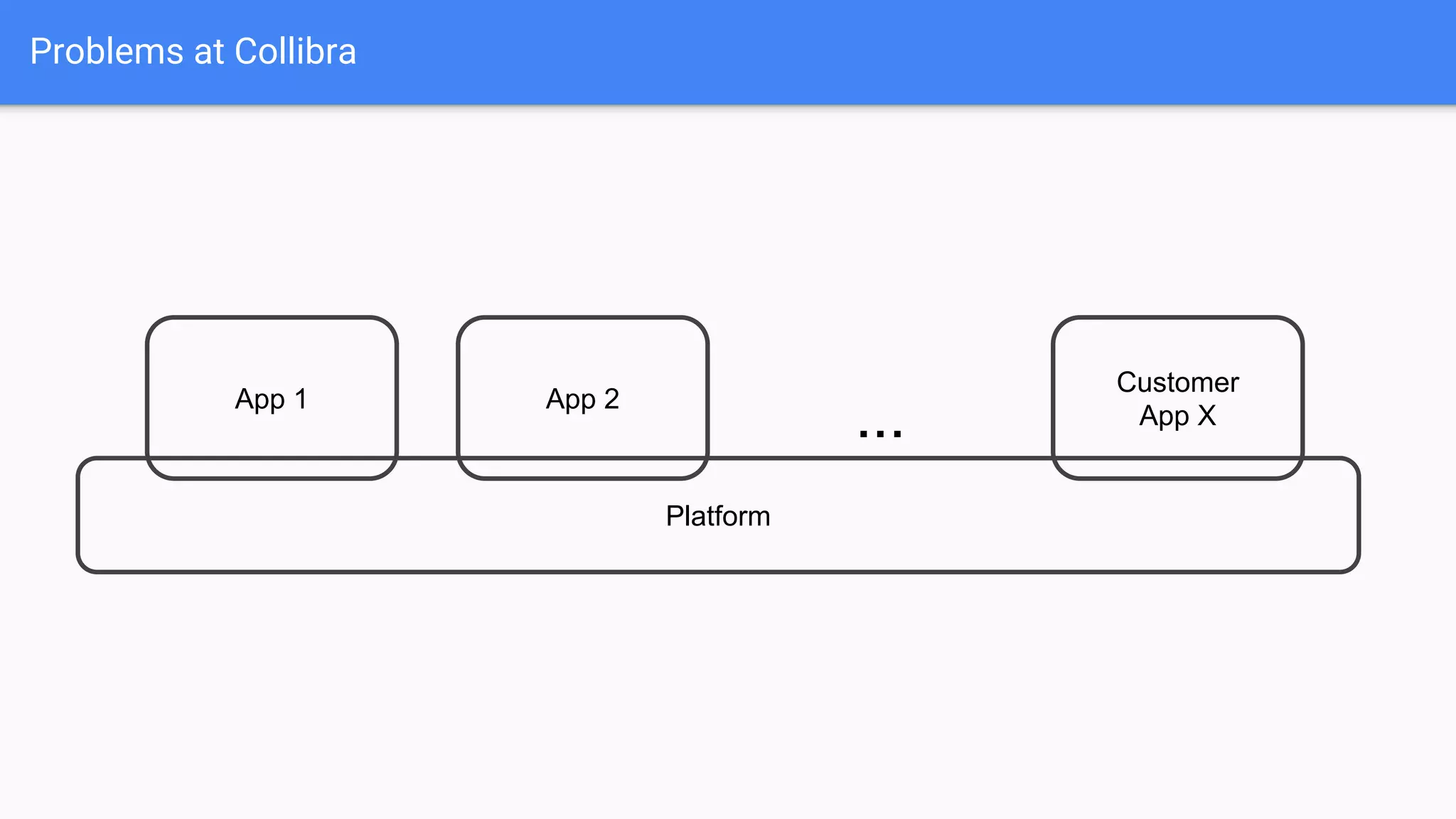
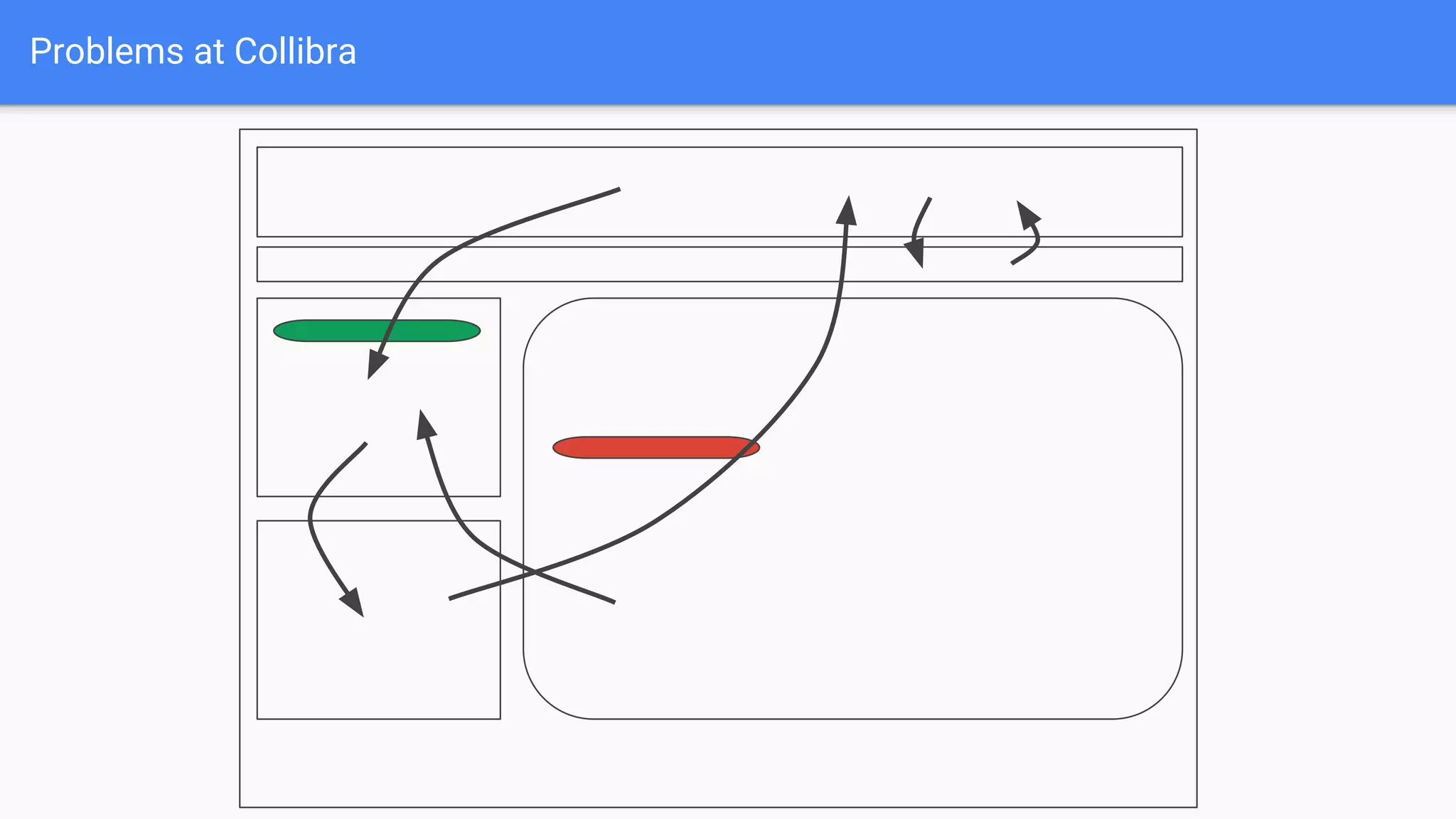
Problems at Collibra
Platform
App 1 App 2
Customer
App X...
Problems at Collibra
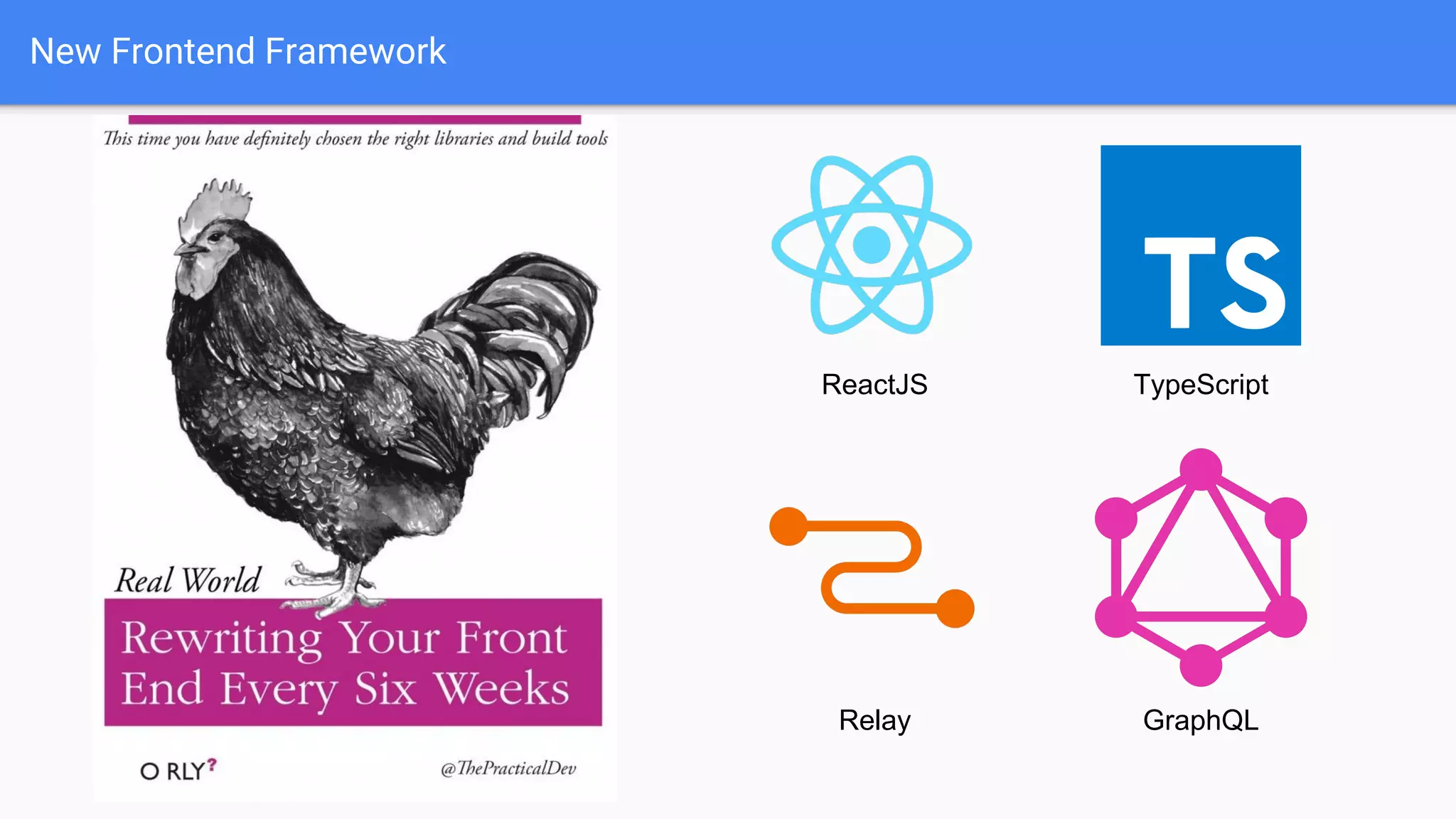
New Frontend Framework
ReactJS
Relay GraphQL
TypeScript
GraphQL
● Graph Query Language
● Published by Facebook in 2015
● Growth from Facebook Graph API
● Reference implementation in JavaScript
● First version of Java Library: 18 Jul 2015
● First usage: 21 Sep 2015
Lessons Learned #1
Never add a library to your project
few days after init release
● No community
● A lot of bugs
● Bad documentation
● Strict following reference implementation and specification
GraphQL main concepts
● One endpoint for all operations
● Always define in request what you need
● Queries, Mutations and Subscription
● Defined by schema (type system)
● Good developer tools
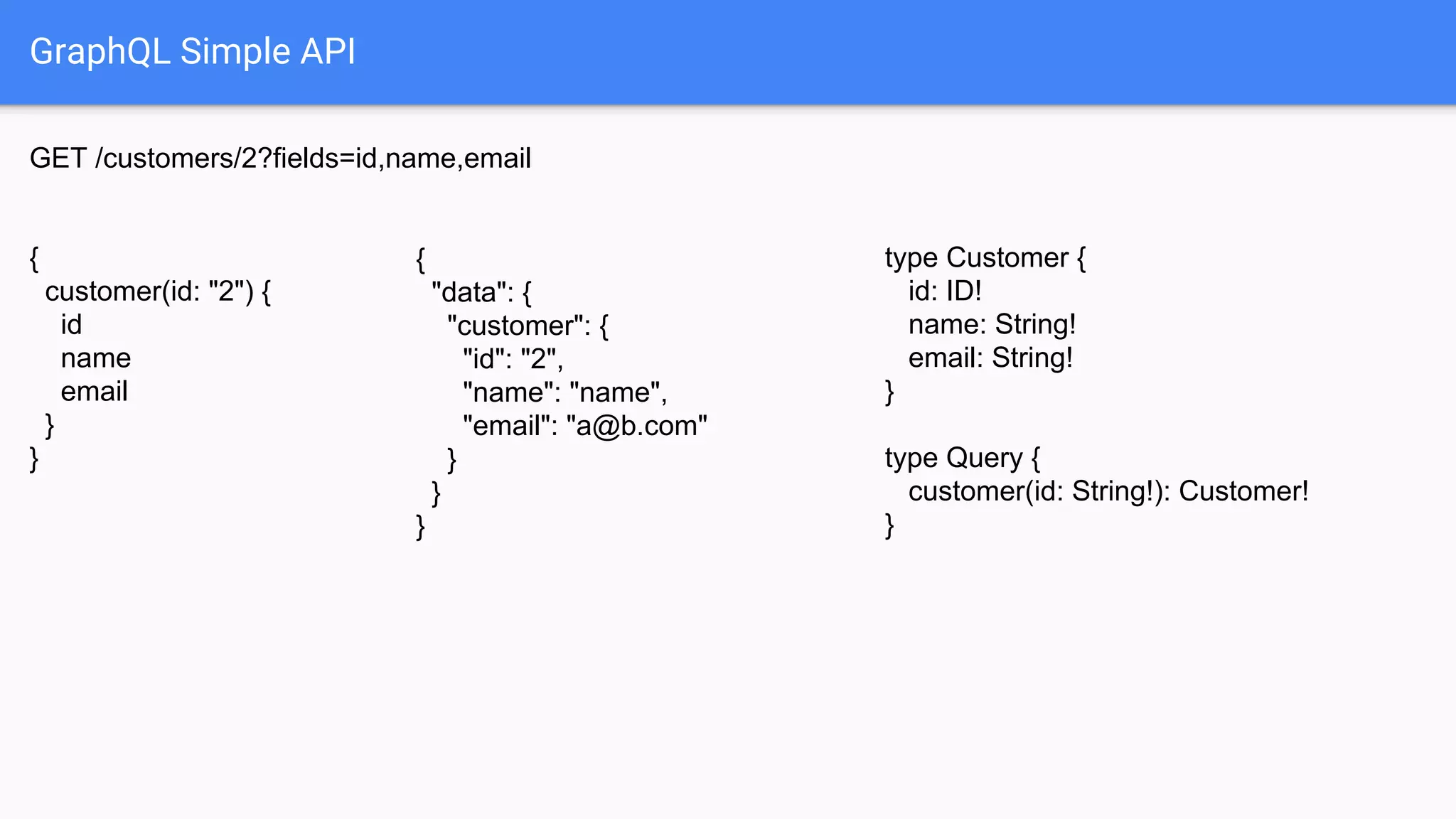
GraphQL Simple API
GET /customers/2?fields=id,name,email
type Customer {
id: ID!
name: String!
email: String!
}
type Query {
customer(id: String!): Customer!
}
{
"data": {
"customer": {
"id": "2",
"name": "name",
"email": "a@b.com"
}
}
}
{
customer(id: "2") {
id
name
email
}
}
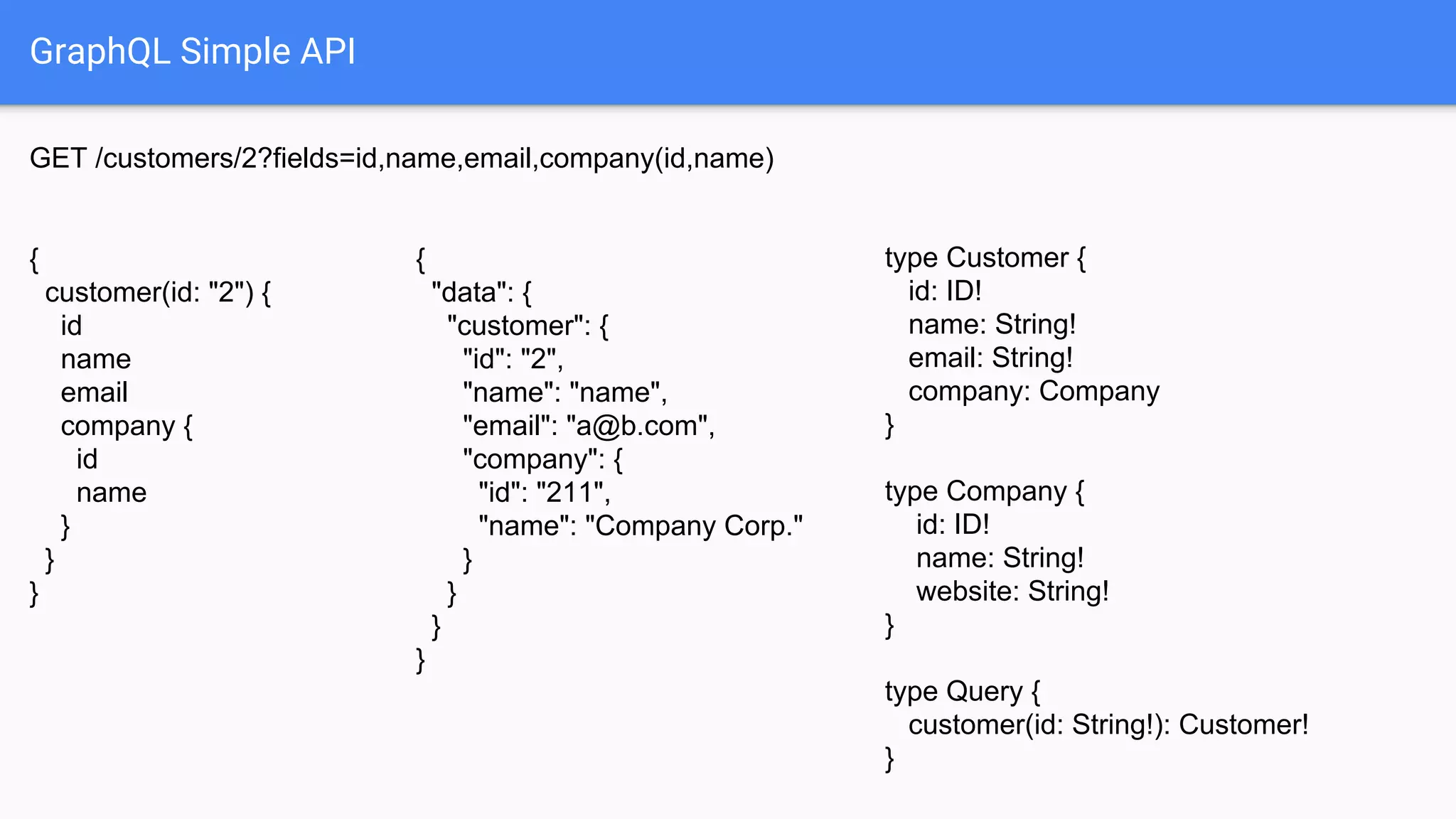
GraphQL Simple API
GET /customers/2?fields=id,name,email,company(id,name)
type Customer {
id: ID!
name: String!
email: String!
company: Company
}
type Company {
id: ID!
name: String!
website: String!
}
type Query {
customer(id: String!): Customer!
}
{
"data": {
"customer": {
"id": "2",
"name": "name",
"email": "a@b.com",
"company": {
"id": "211",
"name": "Company Corp."
}
}
}
}
{
customer(id: "2") {
id
name
email
company {
id
name
}
}
}
GraphQL Simple API
GET /customers/2?fields=id,name,email,orders(id,status)
type Customer {
id: ID!
name: String!
email: String!
company: Company
orders: [Order]
}
type Order {
id: ID!
status: Status
}
type Status {
NEW, CANCELED, DONE
}
{
"data": {
"customer": {
"id": "22",
"name": "name",
"orders": [
{
"id": "55",
"status": "NEW"
},
{
"id": "66",
"status": "DONE"
}
]
} } }
{
customer(id: "2") {
id
name
orders {
id
status
}
}
}
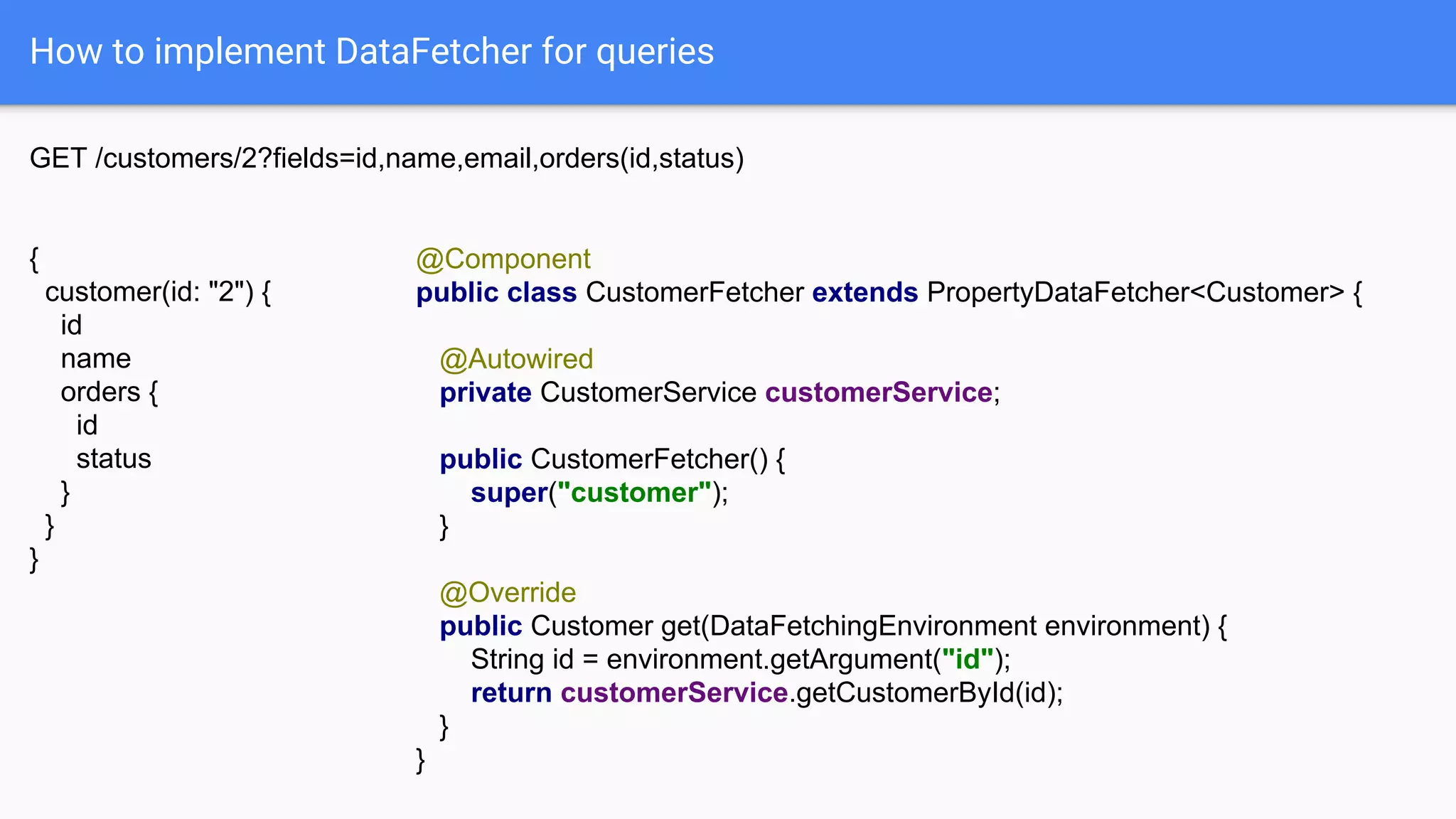
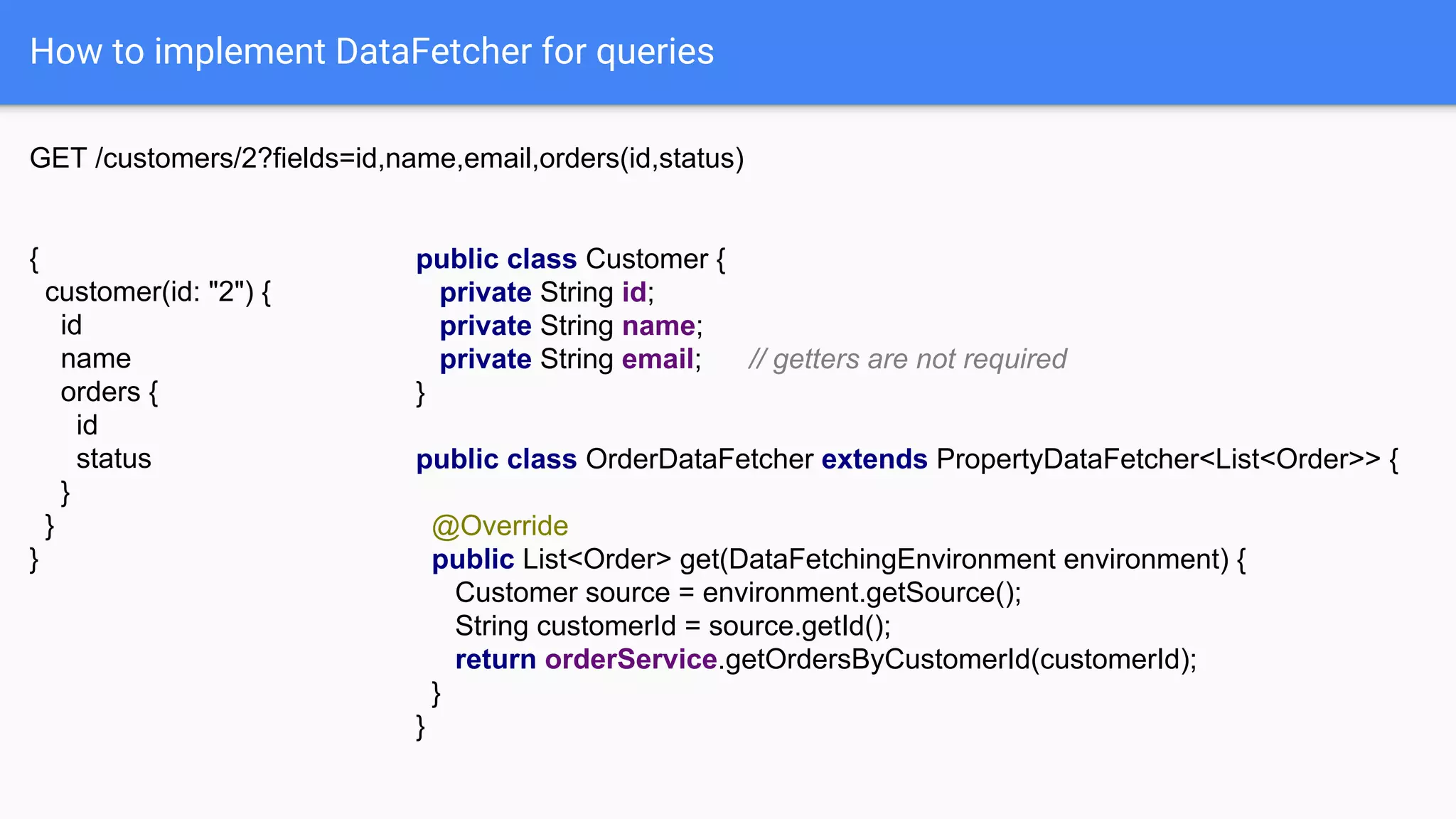
How to implement DataFetcher for queries
GET /customers/2?fields=id,name,email,orders(id,status)
{
customer(id: "2") {
id
name
orders {
id
status
}
}
}
@Component
public class CustomerFetcher extends PropertyDataFetcher<Customer> {
@Autowired
private CustomerService customerService;
public CustomerFetcher() {
super("customer");
}
@Override
public Customer get(DataFetchingEnvironment environment) {
String id = environment.getArgument("id");
return customerService.getCustomerById(id);
}
}
How to implement DataFetcher for queries
GET /customers/2?fields=id,name,email,orders(id,status)
{
customer(id: "2") {
id
name
orders {
id
status
}
}
}
public class Customer {
private String id;
private String name;
private String email; // getters are not required
}
public class OrderDataFetcher extends PropertyDataFetcher<List<Order>> {
@Override
public List<Order> get(DataFetchingEnvironment environment) {
Customer source = environment.getSource();
String customerId = source.getId();
return orderService.getOrdersByCustomerId(customerId);
}
}
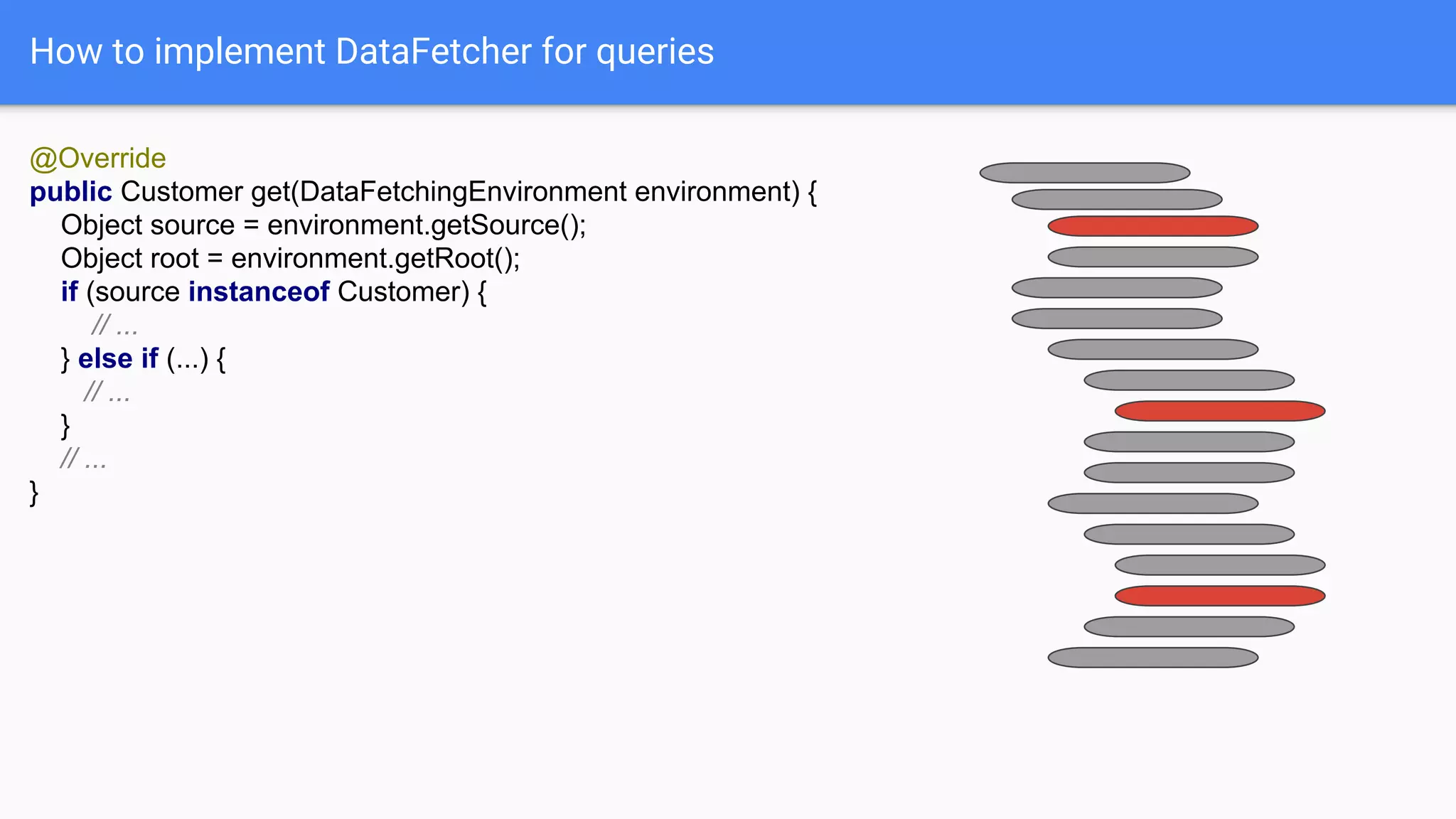
How to implement DataFetcher for queries
@Override
public Customer get(DataFetchingEnvironment environment) {
Object source = environment.getSource();
Object root = environment.getRoot();
if (source instanceof Customer) {
// ...
} else if (...) {
// ...
}
// ...
}
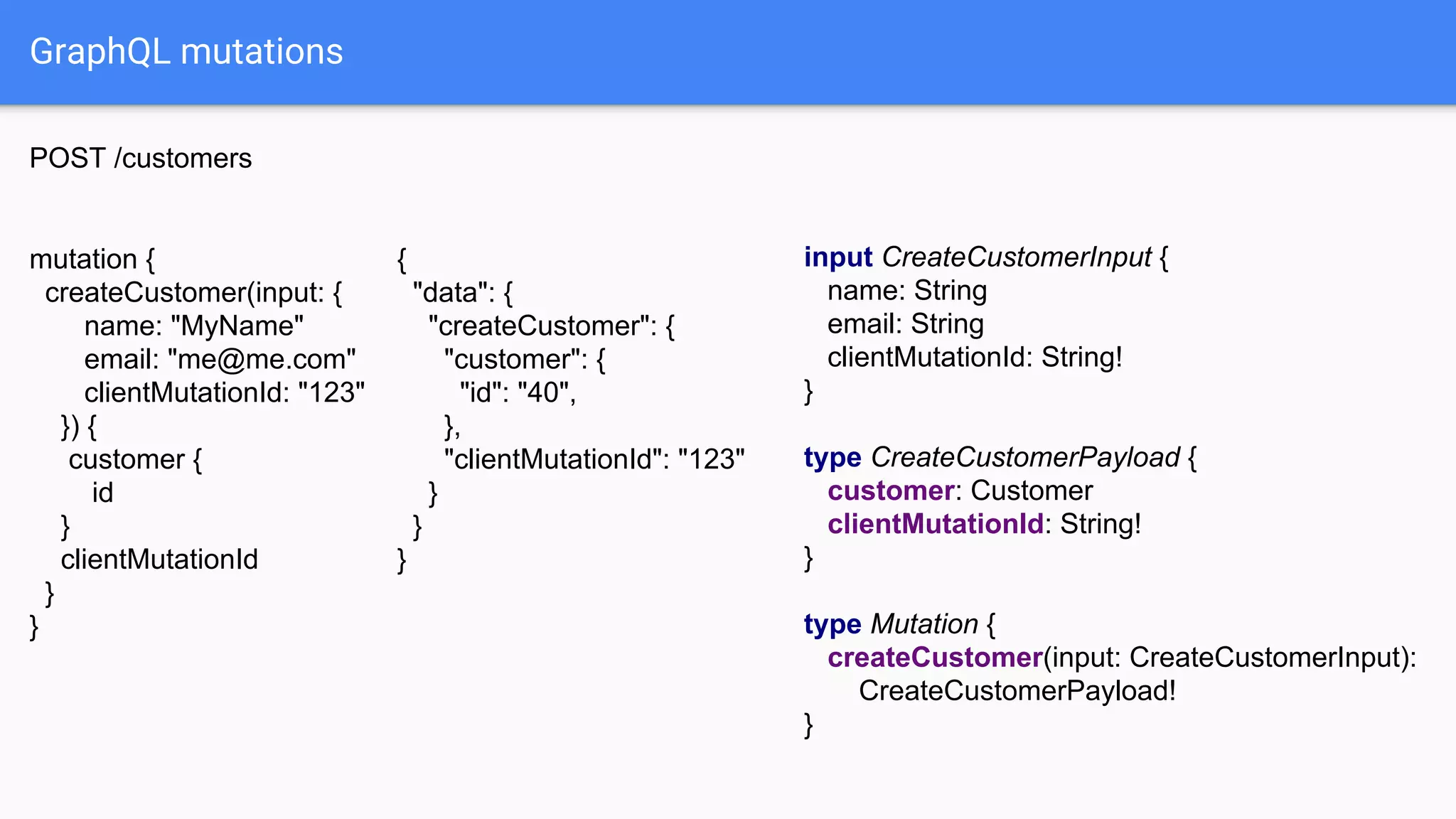
GraphQL mutations
input CreateCustomerInput {
name: String
email: String
clientMutationId: String!
}
type CreateCustomerPayload {
customer: Customer
clientMutationId: String!
}
type Mutation {
createCustomer(input: CreateCustomerInput):
CreateCustomerPayload!
}
{
"data": {
"createCustomer": {
"customer": {
"id": "40",
},
"clientMutationId": "123"
}
}
}
POST /customers
mutation {
createCustomer(input: {
name: "MyName"
email: "me@me.com"
clientMutationId: "123"
}) {
customer {
id
}
clientMutationId
}
}
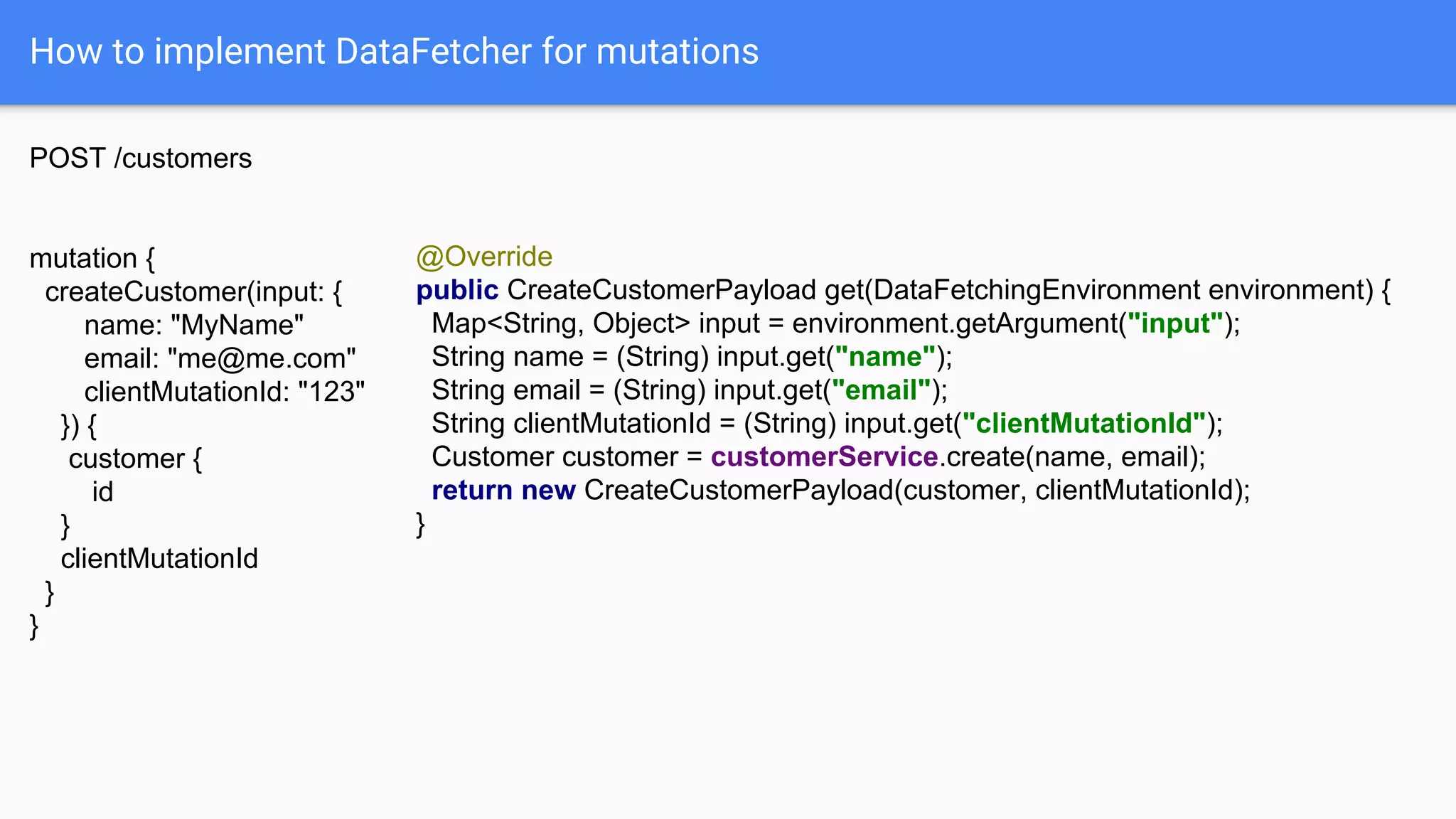
How to implement DataFetcher for mutations
POST /customers
mutation {
createCustomer(input: {
name: "MyName"
email: "me@me.com"
clientMutationId: "123"
}) {
customer {
id
}
clientMutationId
}
}
@Override
public CreateCustomerPayload get(DataFetchingEnvironment environment) {
Map<String, Object> input = environment.getArgument("input");
String name = (String) input.get("name");
String email = (String) input.get("email");
String clientMutationId = (String) input.get("clientMutationId");
Customer customer = customerService.create(name, email);
return new CreateCustomerPayload(customer, clientMutationId);
}
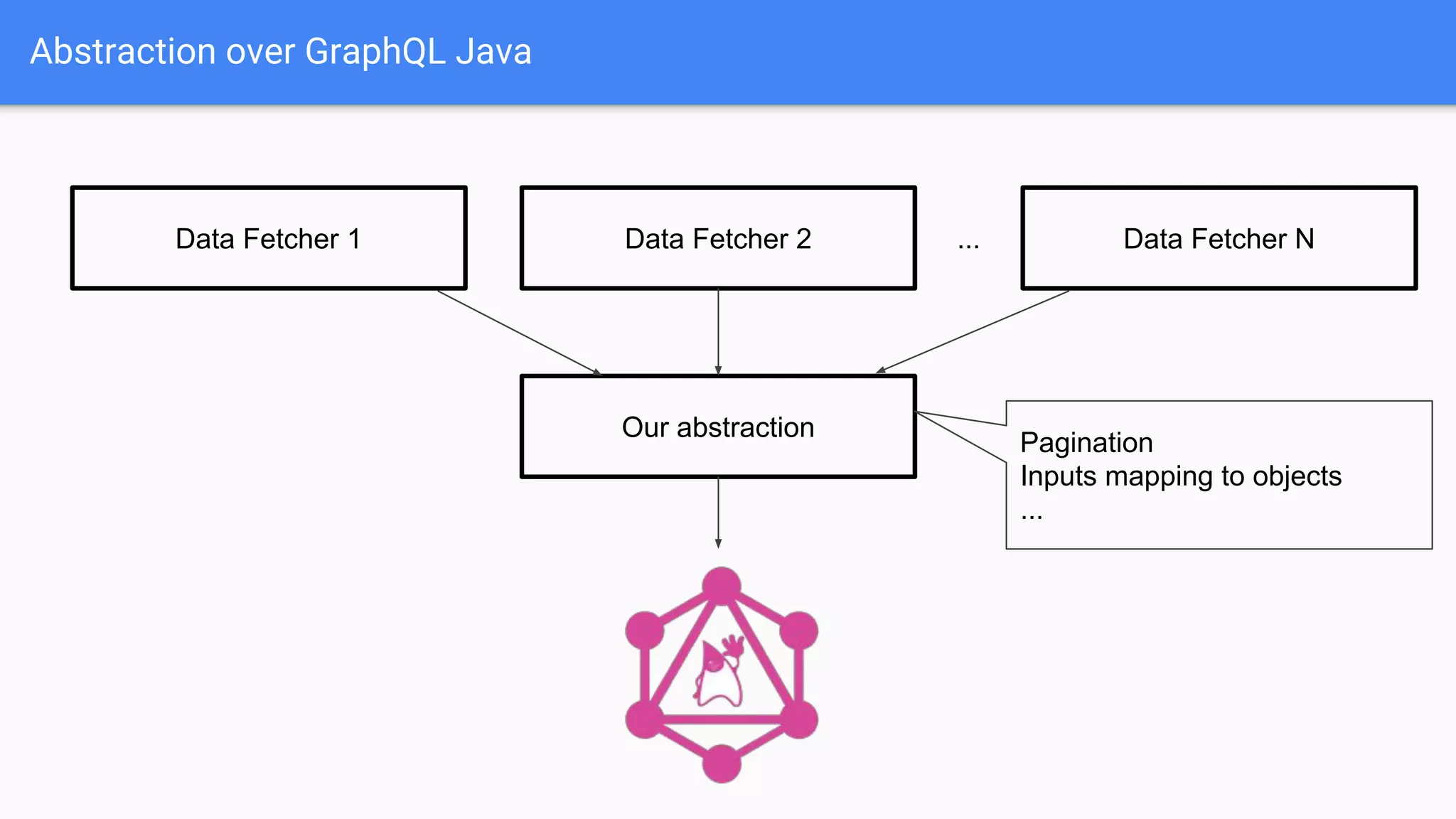
Abstraction over GraphQL Java
Our abstraction
Data Fetcher 2
Pagination
Inputs mapping to objects
...
Data Fetcher 1 Data Fetcher N...
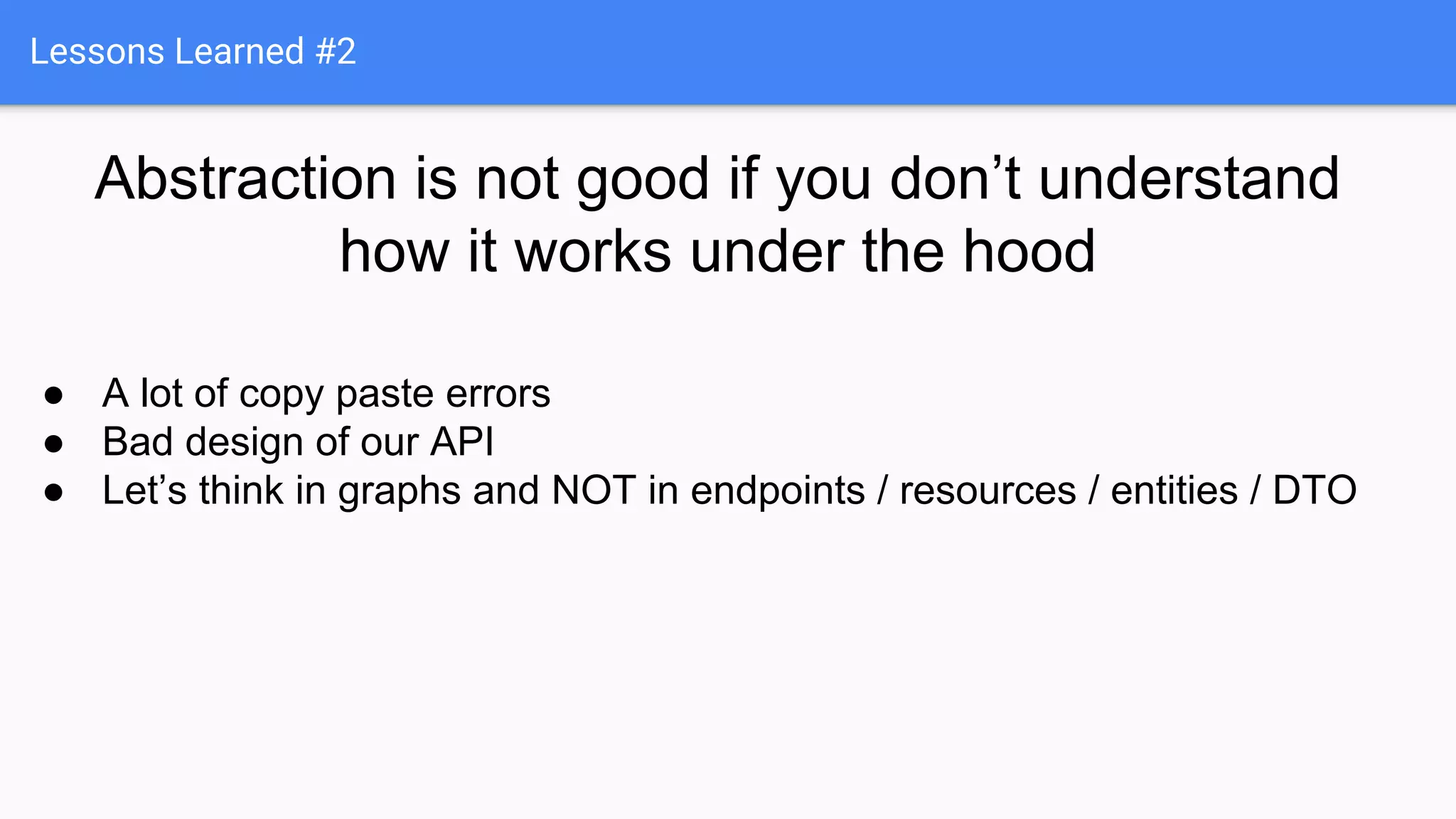
Lessons Learned #2
Abstraction is not good if you don’t understand
how it works under the hood
● A lot of copy paste errors
● Bad design of our API
● Let’s think in graphs and NOT in endpoints / resources / entities / DTO
GraphQL can do more!
● Aliases
● Fragments
● Interfaces
● Unions
● ...
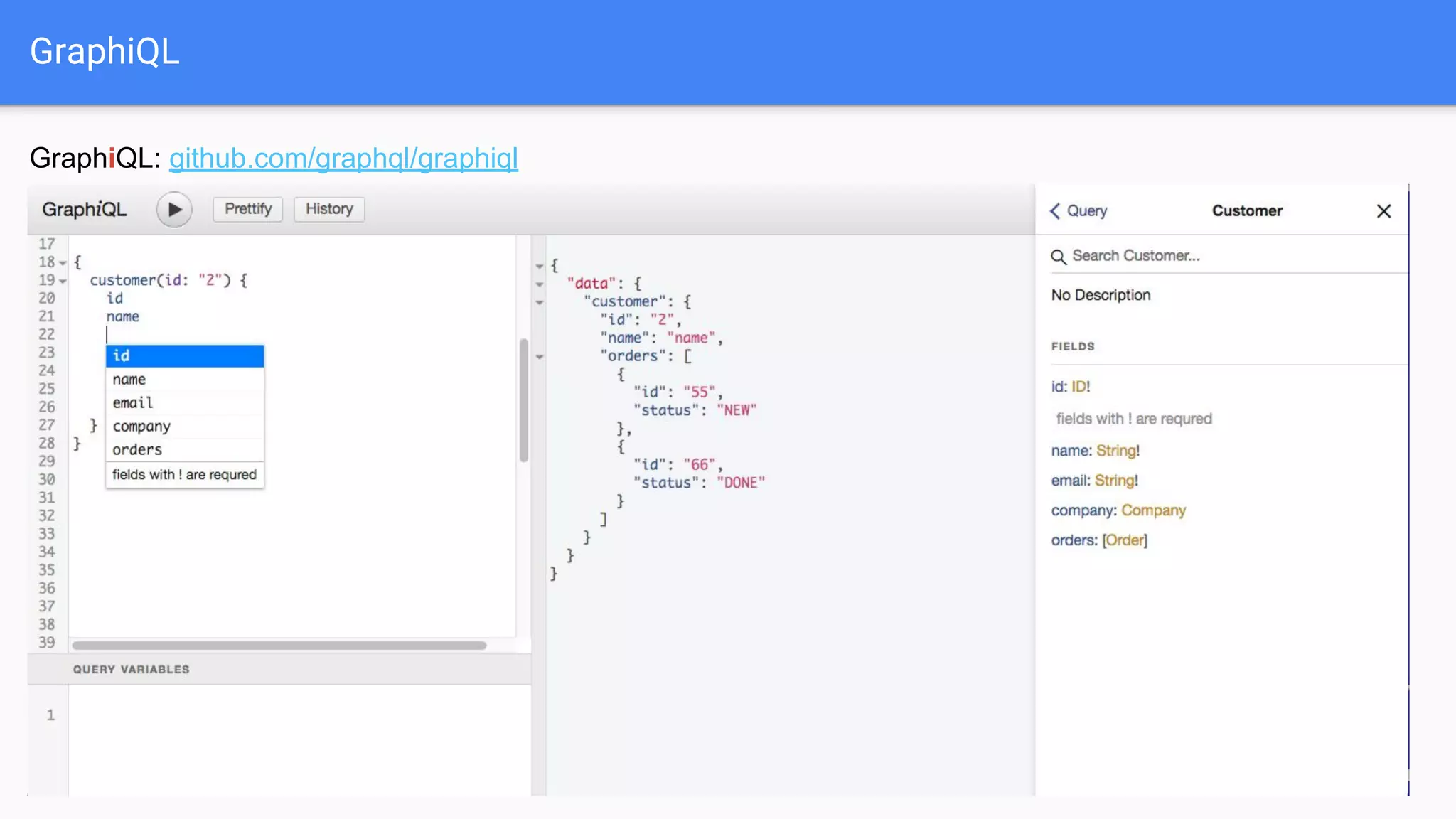
GraphiQL
GraphiQL: github.com/graphql/graphiql
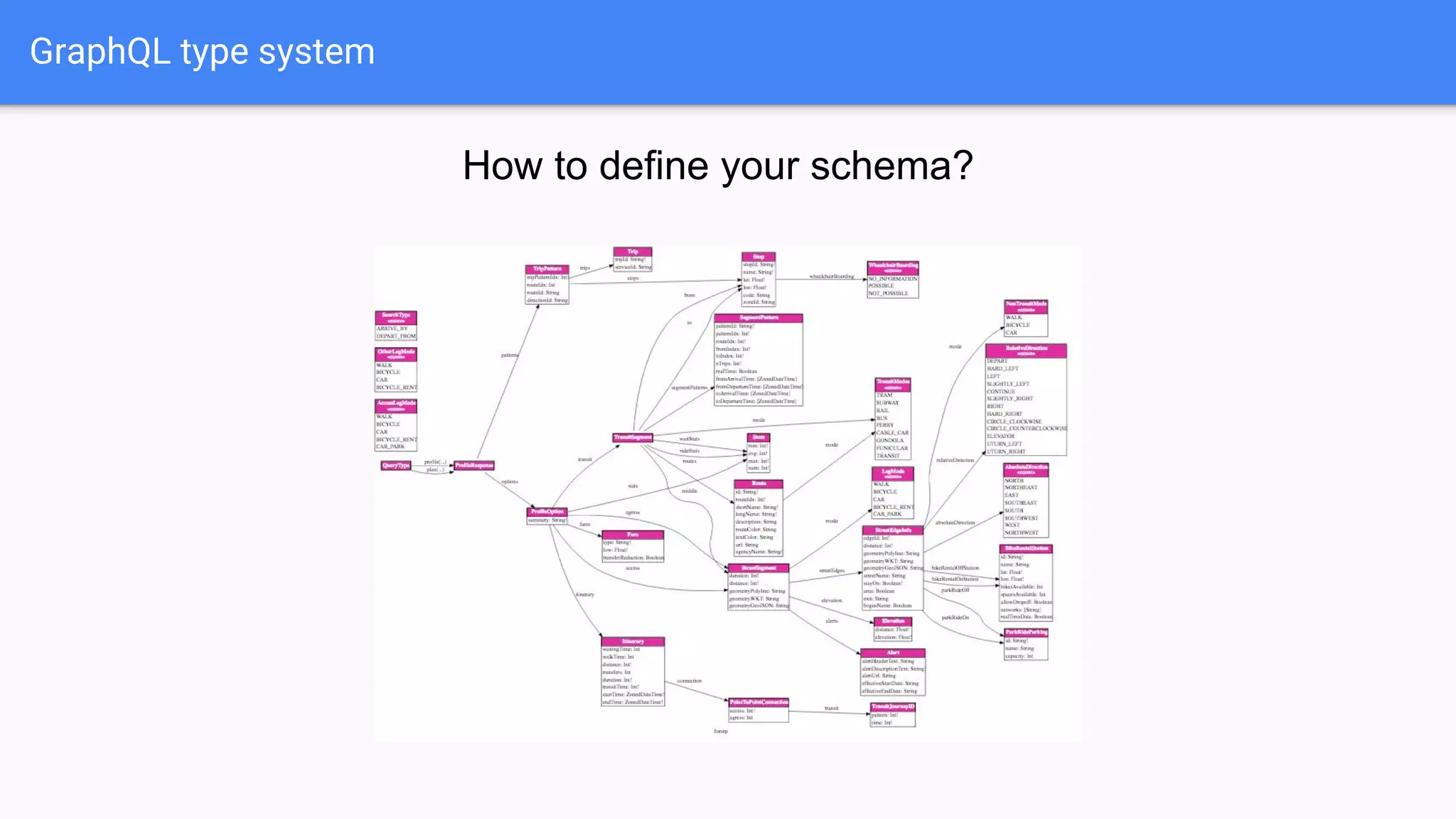
GraphQL type system
How to define your schema?
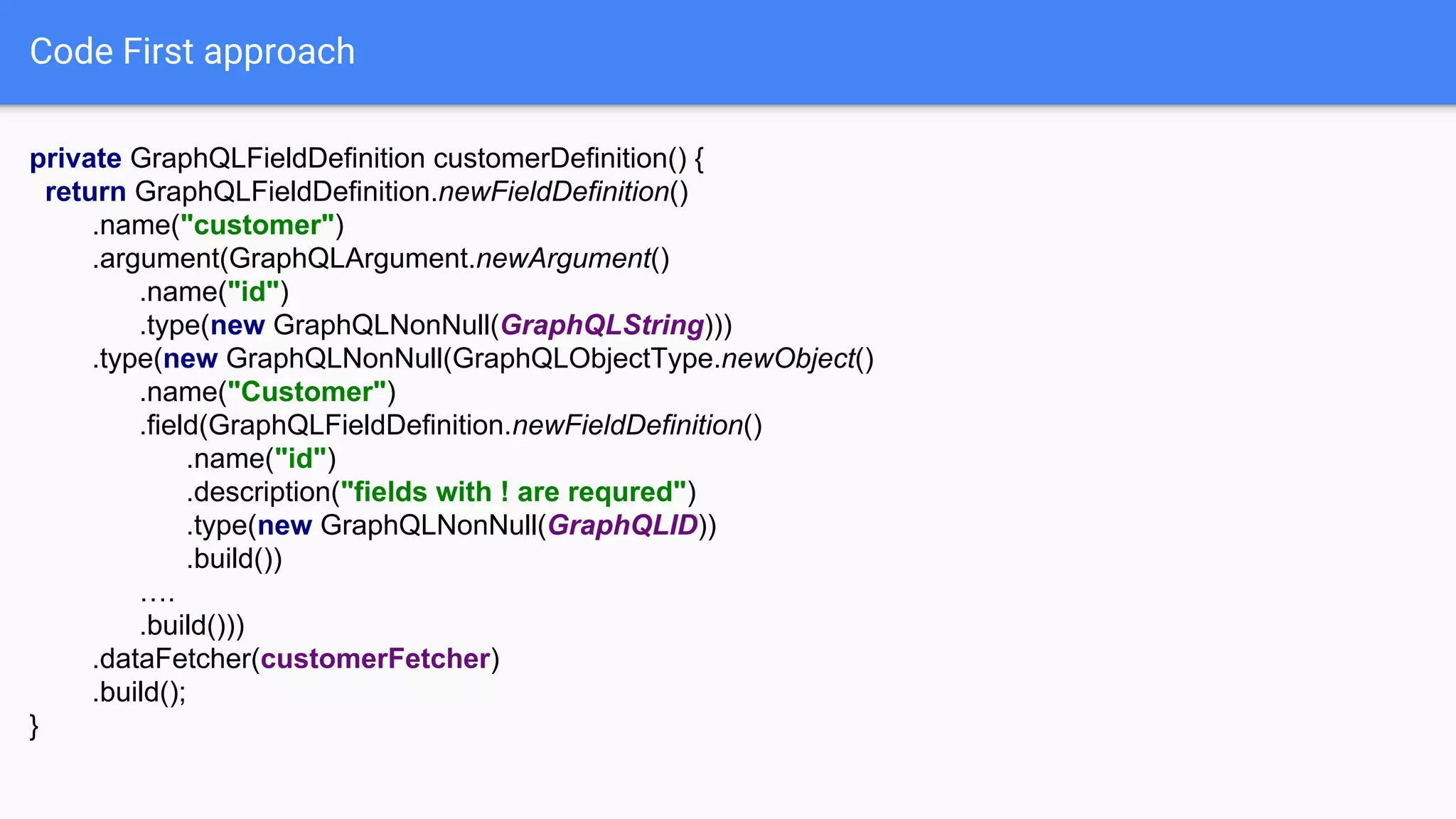
Code First approach
private GraphQLFieldDefinition customerDefinition() {
return GraphQLFieldDefinition.newFieldDefinition()
.name("customer")
.argument(GraphQLArgument.newArgument()
.name("id")
.type(new GraphQLNonNull(GraphQLString)))
.type(new GraphQLNonNull(GraphQLObjectType.newObject()
.name("Customer")
.field(GraphQLFieldDefinition.newFieldDefinition()
.name("id")
.description("fields with ! are requred")
.type(new GraphQLNonNull(GraphQLID))
.build())
….
.build()))
.dataFetcher(customerFetcher)
.build();
}
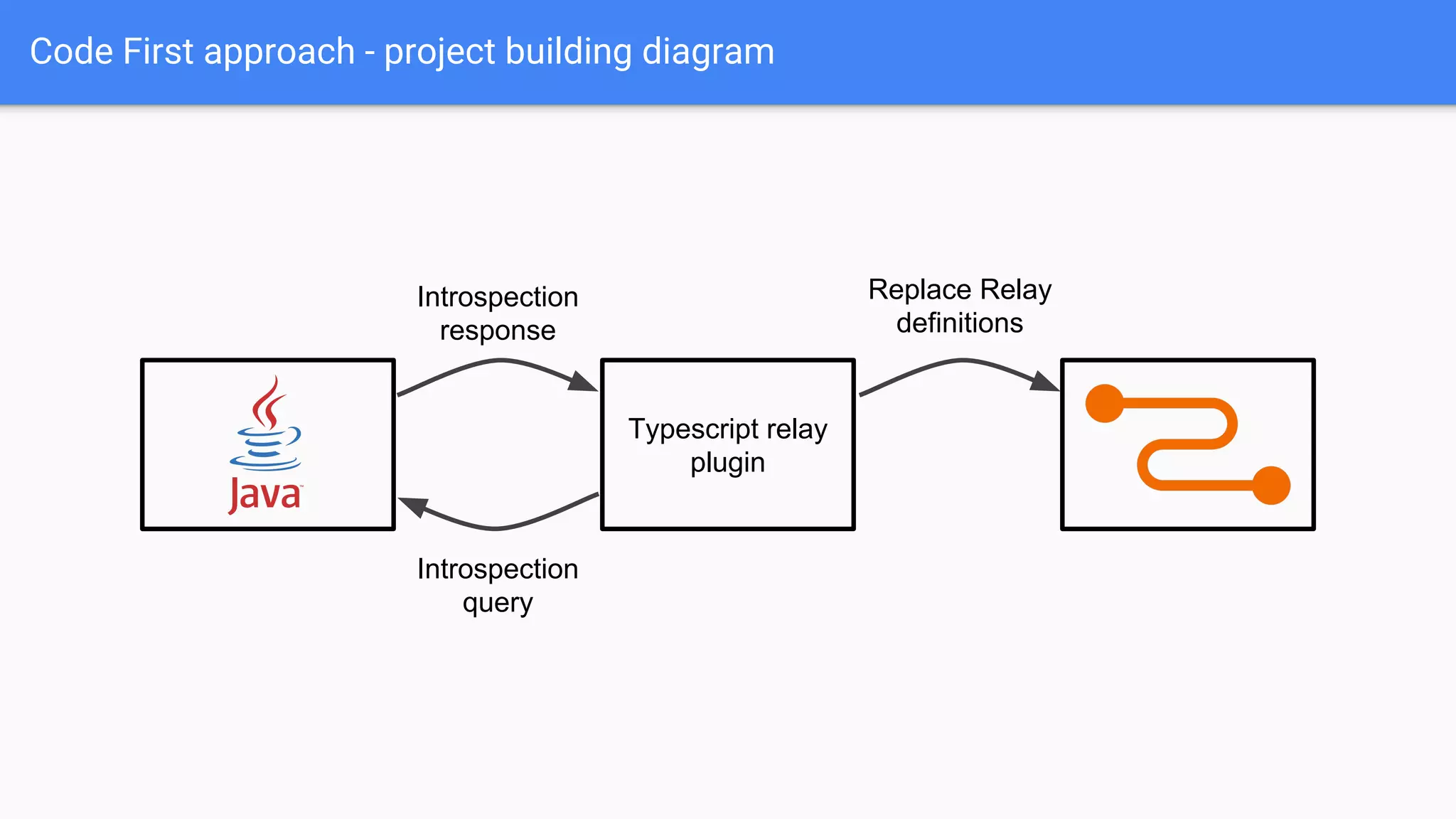
Code First approach - project building diagram
Typescript relay
plugin
Introspection
query
Introspection
response
Replace Relay
definitions
Schema First approach
type Customer {
# fields with ! are required
id: ID!
name: String!
email: String!
company: Company
orders: [Order]
}
SchemaParser schemaParser = new SchemaParser();
File file = // ...
TypeDefinitionRegistry registry = schemaParser.parse(file);
SchemaGenerator schemaGenerator = new SchemaGenerator();
RuntimeWiring runtimeWiring = RuntimeWiring.newRuntimeWiring()
.type("Query", builder ->
builder.dataFetcher("customer", customerFetcher))
// ...
.build();
return schemaGenerator.makeExecutableSchema(registry, runtimeWiring);
*.graphqls
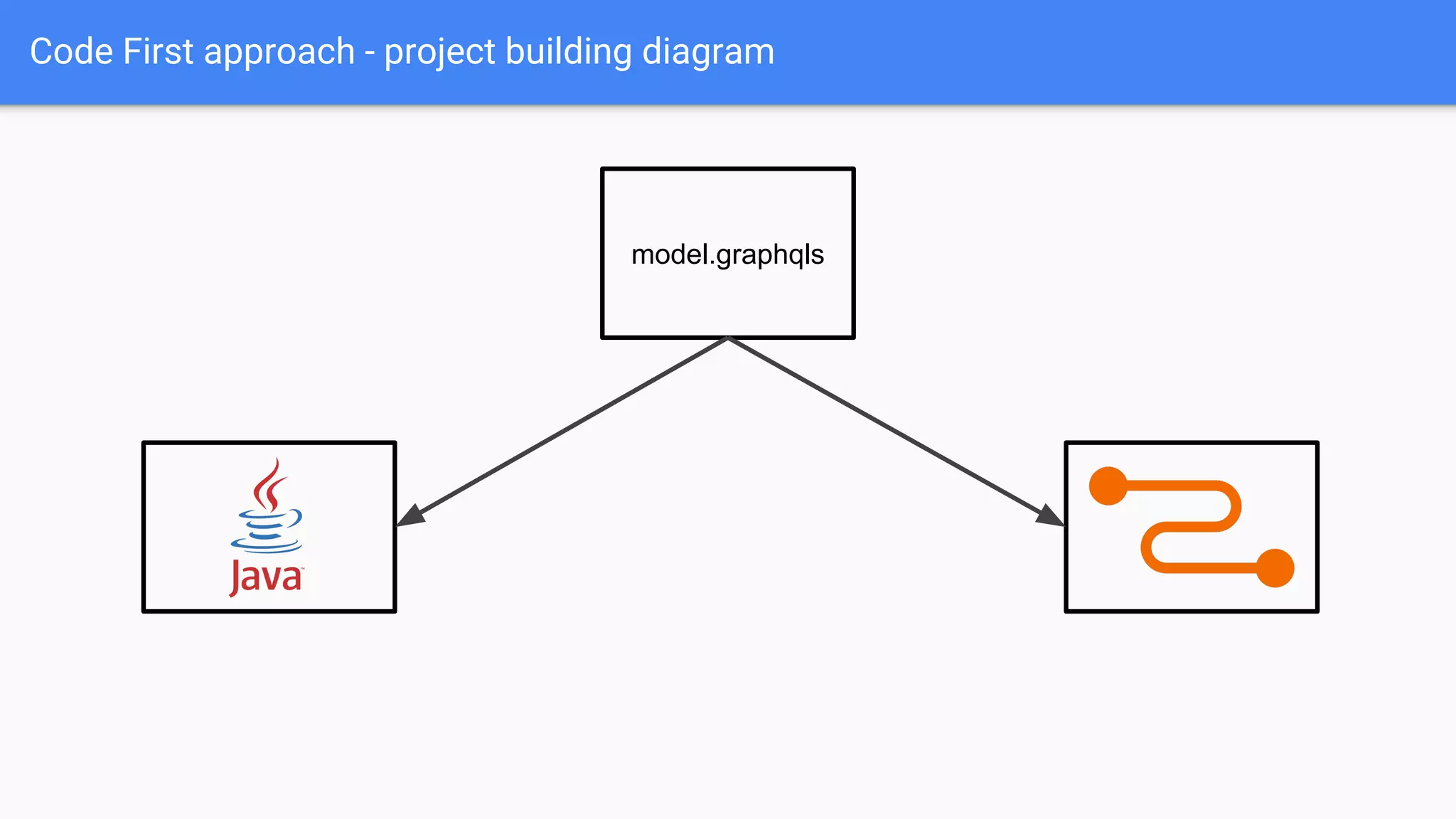
Code First approach - project building diagram
model.graphqls
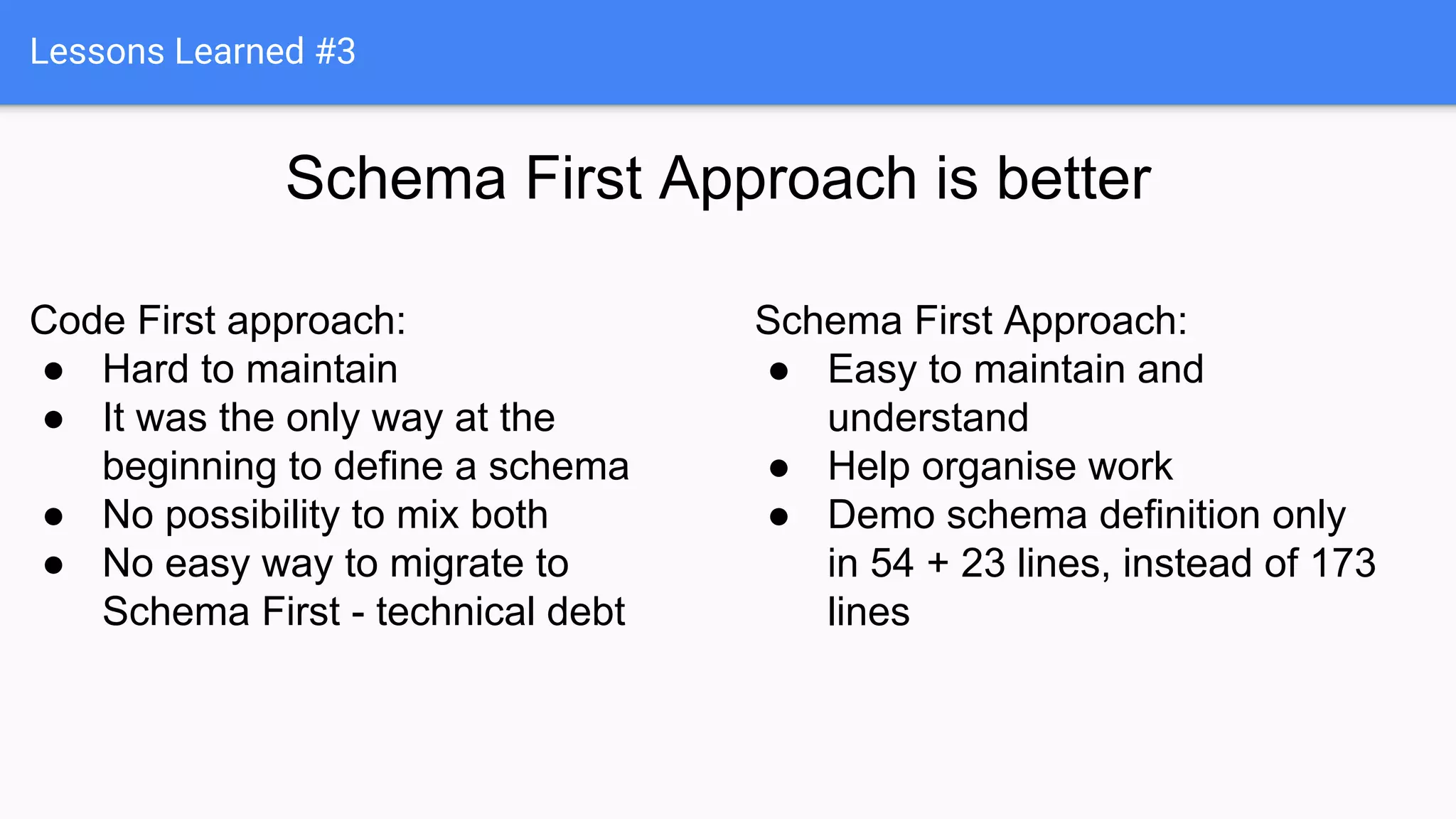
Lessons Learned #3
Schema First Approach is better
Code First approach:
● Hard to maintain
● It was the only way at the
beginning to define a schema
● No possibility to mix both
● No easy way to migrate to
Schema First - technical debt
Schema First Approach:
● Easy to maintain and
understand
● Help organise work
● Demo schema definition only
in 54 + 23 lines, instead of 173
lines
GraphQL pagination, filtering, sorting
Pagination:
● Before, after
● Offset, limit
Filtering:
● filter: {name: “Bob” email: “%@gmail.com”}
● filter: {
OR: [{
AND: [{
releaseDate_gte: "2009"
}, {
title_starts_with: "The Dark Knight"
}]
}, name: “Bob”
}
Sorting:
● orderBy: ASC, DESC
● sort: NEWEST, IMPORTANCE
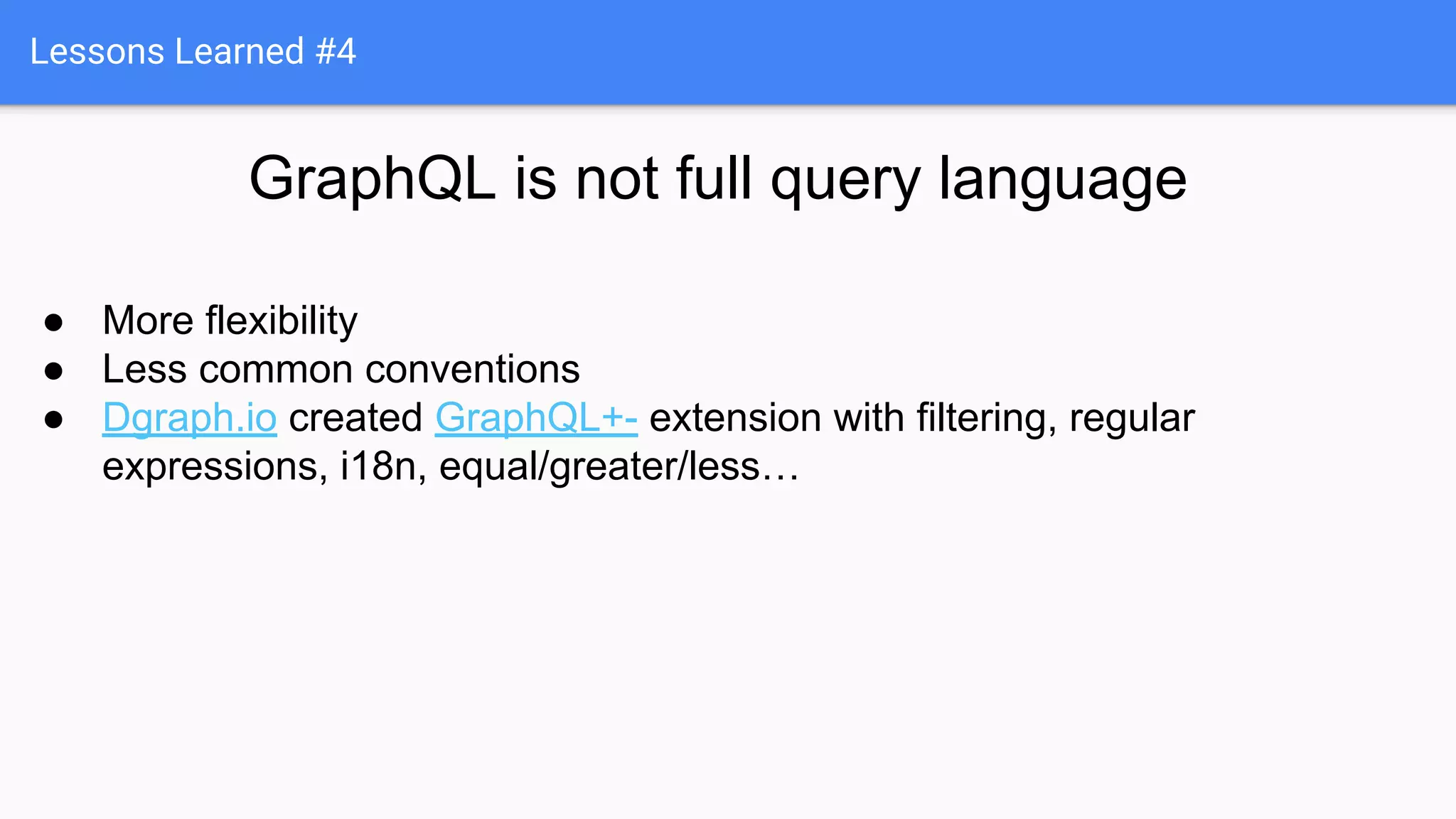
Lessons Learned #4
GraphQL is not full query language
● More flexibility
● Less common conventions
● Dgraph.io created GraphQL+- extension with filtering, regular
expressions, i18n, equal/greater/less…
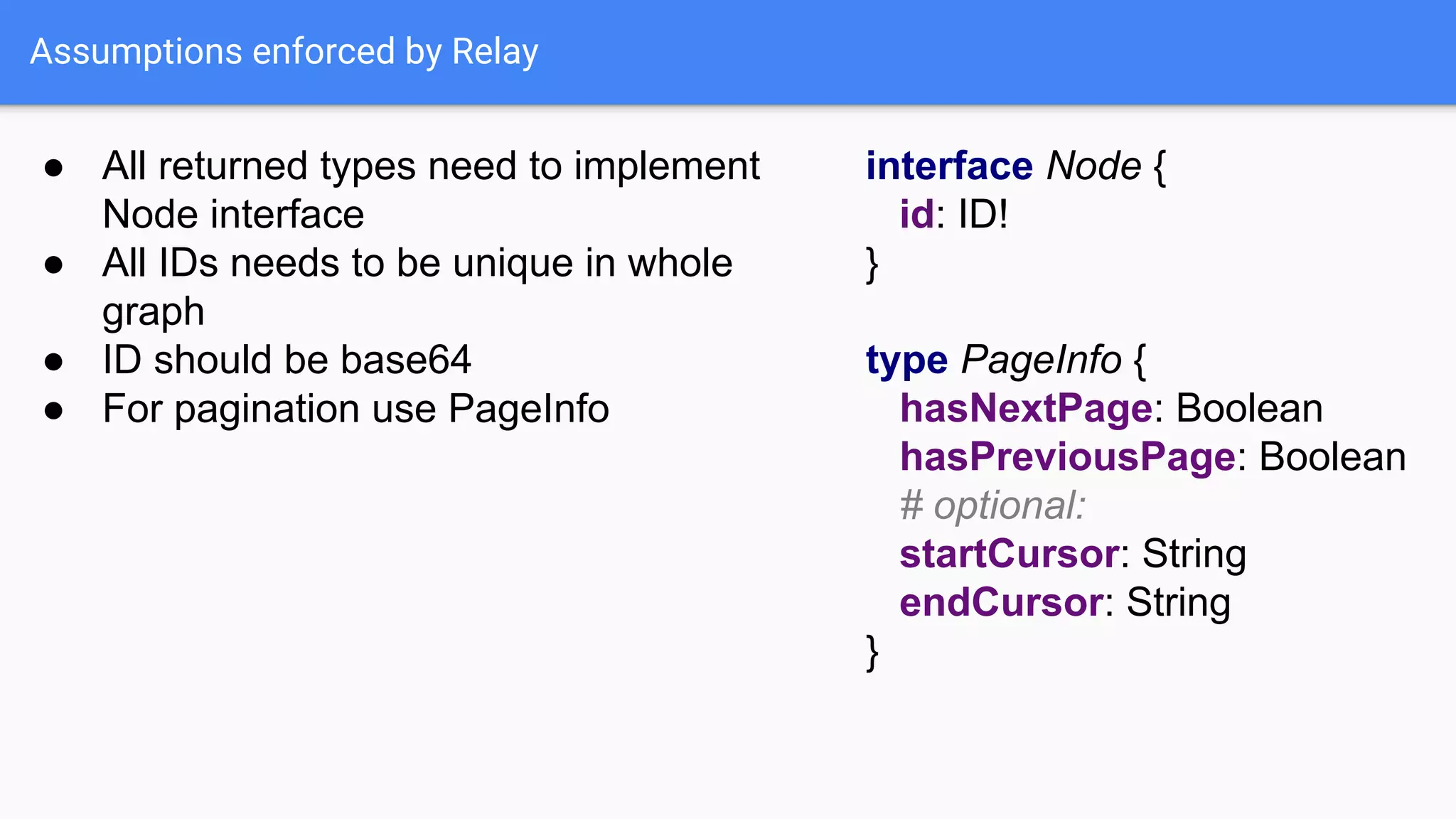
Assumptions enforced by Relay
● All returned types need to implement
Node interface
interface Node {
id: ID!
}● All IDs needs to be unique in whole
graph
● ID should be base64
● For pagination use PageInfo
type PageInfo {
hasNextPage: Boolean
hasPreviousPage: Boolean
# optional:
startCursor: String
endCursor: String
}
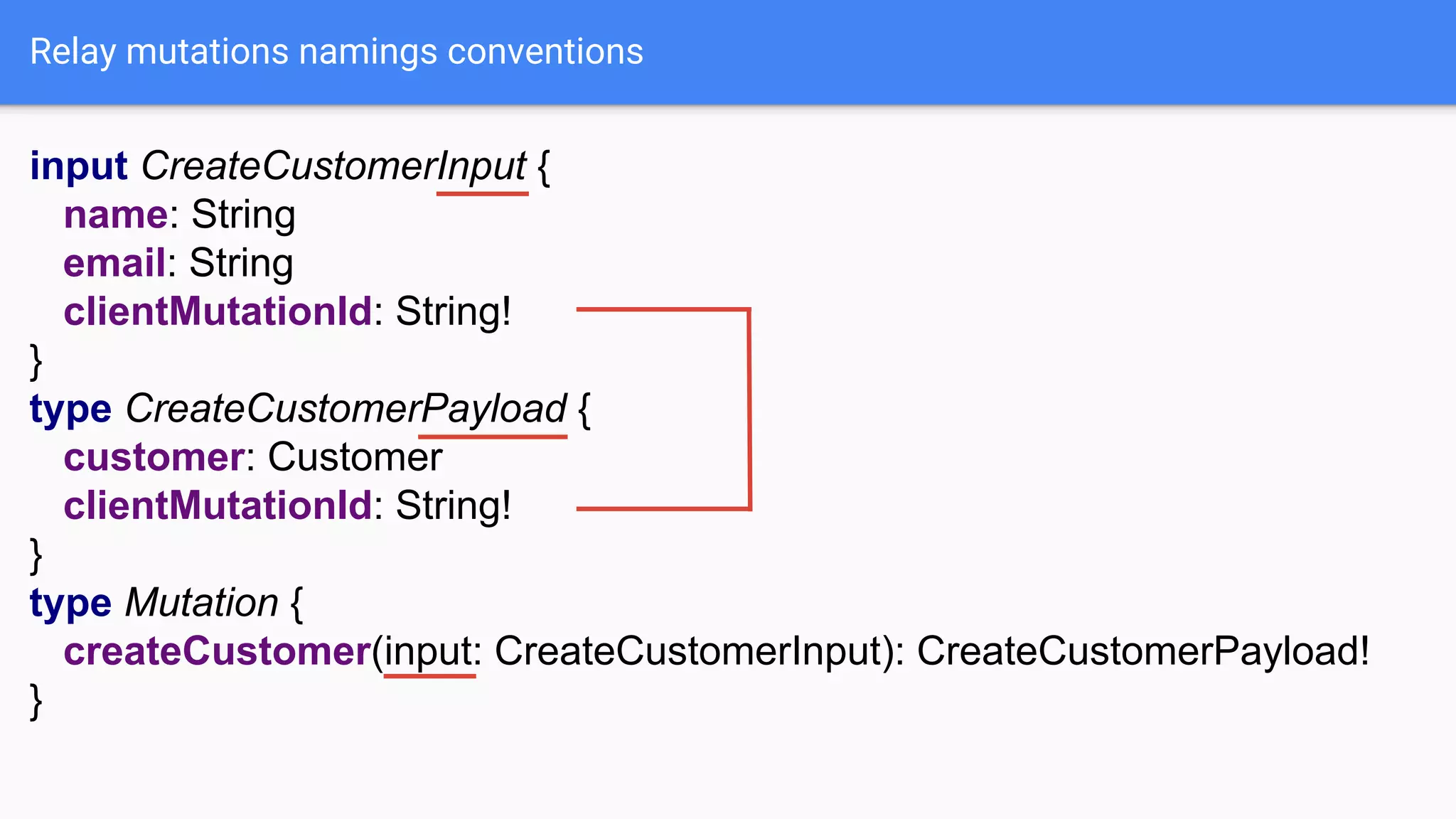
Relay mutations namings conventions
input CreateCustomerInput {
name: String
email: String
clientMutationId: String!
}
type CreateCustomerPayload {
customer: Customer
clientMutationId: String!
}
type Mutation {
createCustomer(input: CreateCustomerInput): CreateCustomerPayload!
}
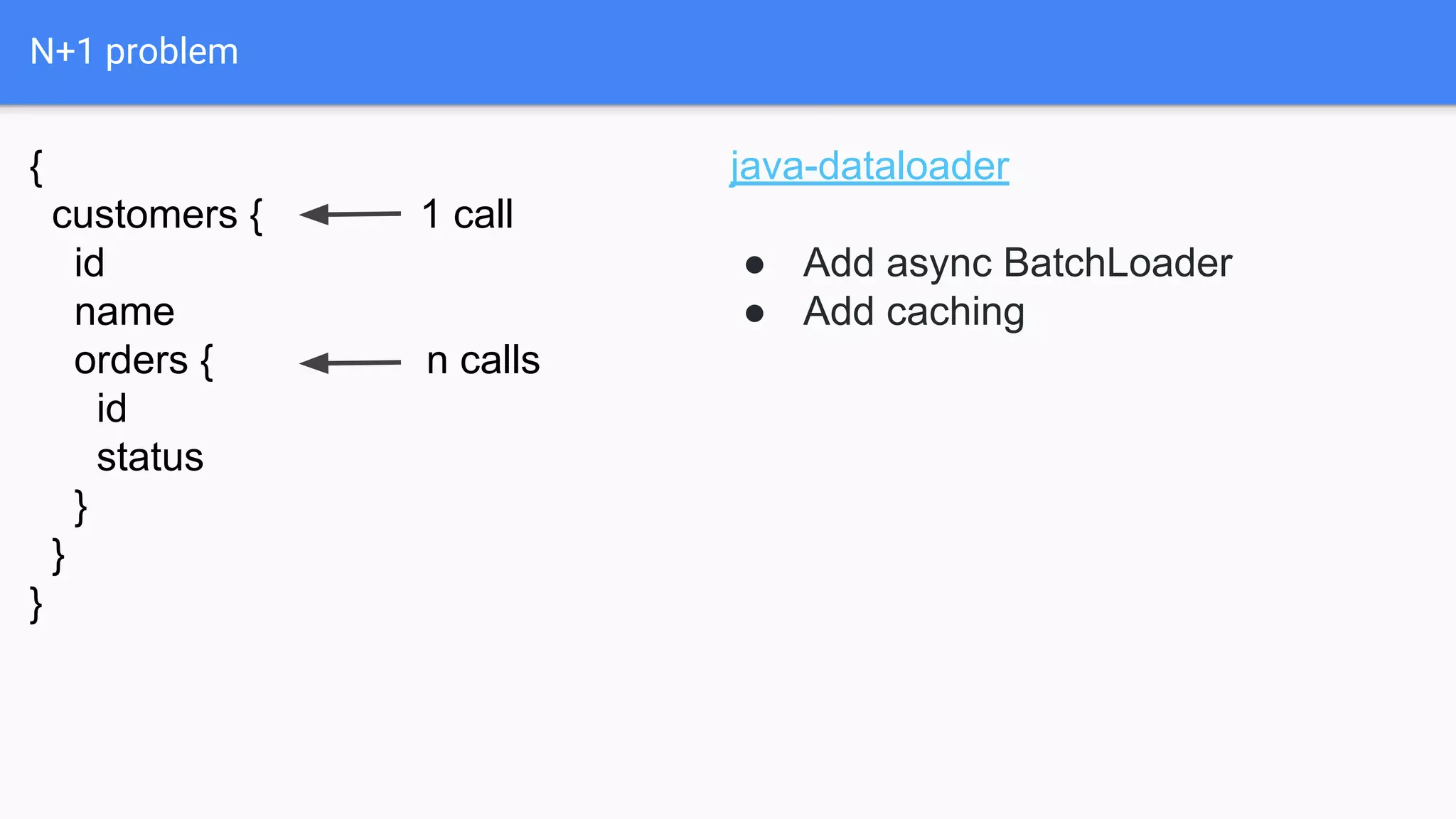
N+1 problem
{
customers { 1 call
id
name
orders { n calls
id
status
}
}
}
java-dataloader
● Add async BatchLoader
● Add caching
Lessons Learned #5
If you have N + 1 problem
use java-dataloader
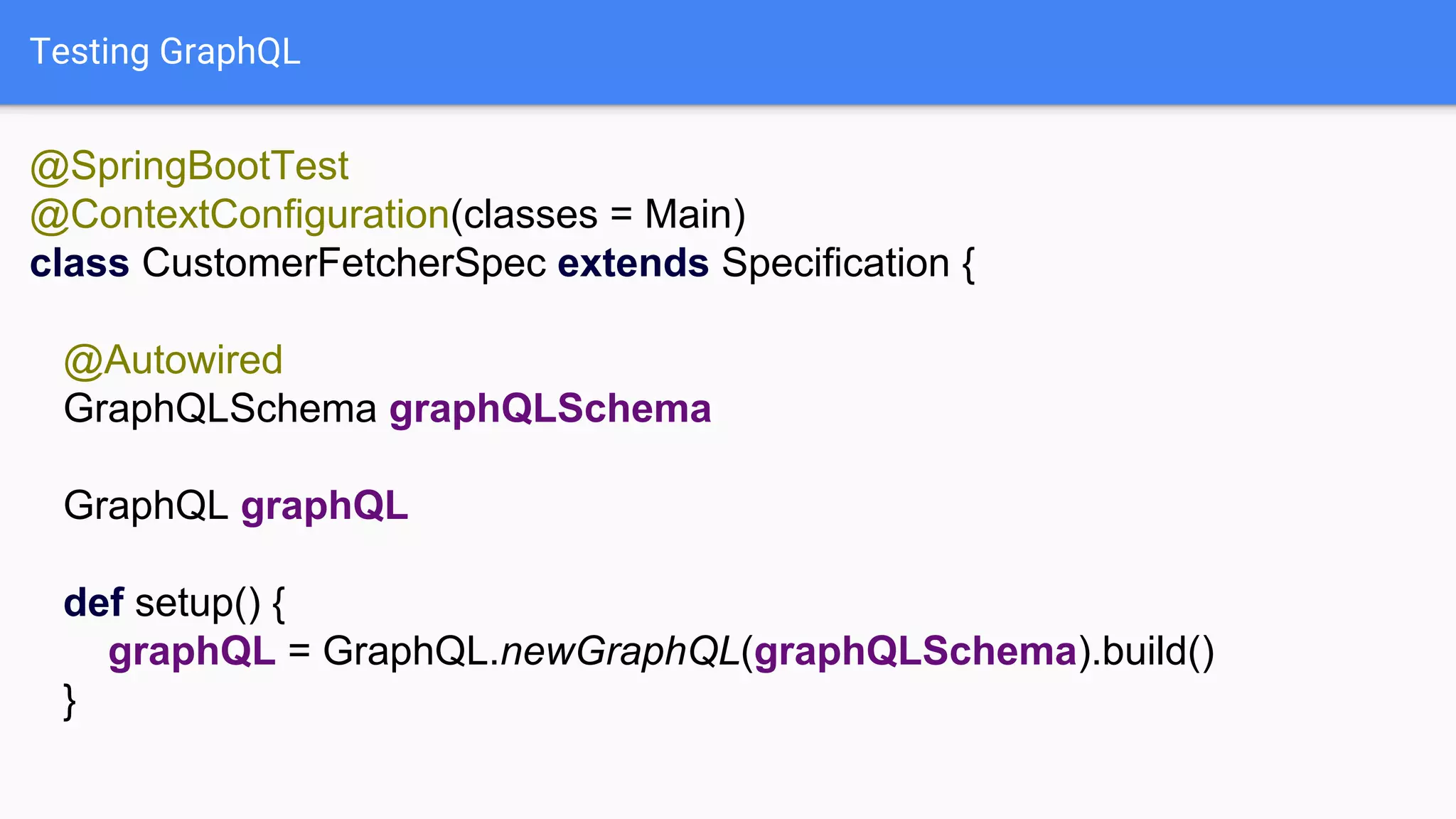
Testing GraphQL
@SpringBootTest
@ContextConfiguration(classes = Main)
class CustomerFetcherSpec extends Specification {
@Autowired
GraphQLSchema graphQLSchema
GraphQL graphQL
def setup() {
graphQL = GraphQL.newGraphQL(graphQLSchema).build()
}
Testing GraphQL
def "should get customer by id"() {
given:
def query = """{ customer(id: "2") { … } }"""
def expected = [ "customer": [ … ] ]
when:
def result = graphQL.execute(query)
then:
result.data == expected
}
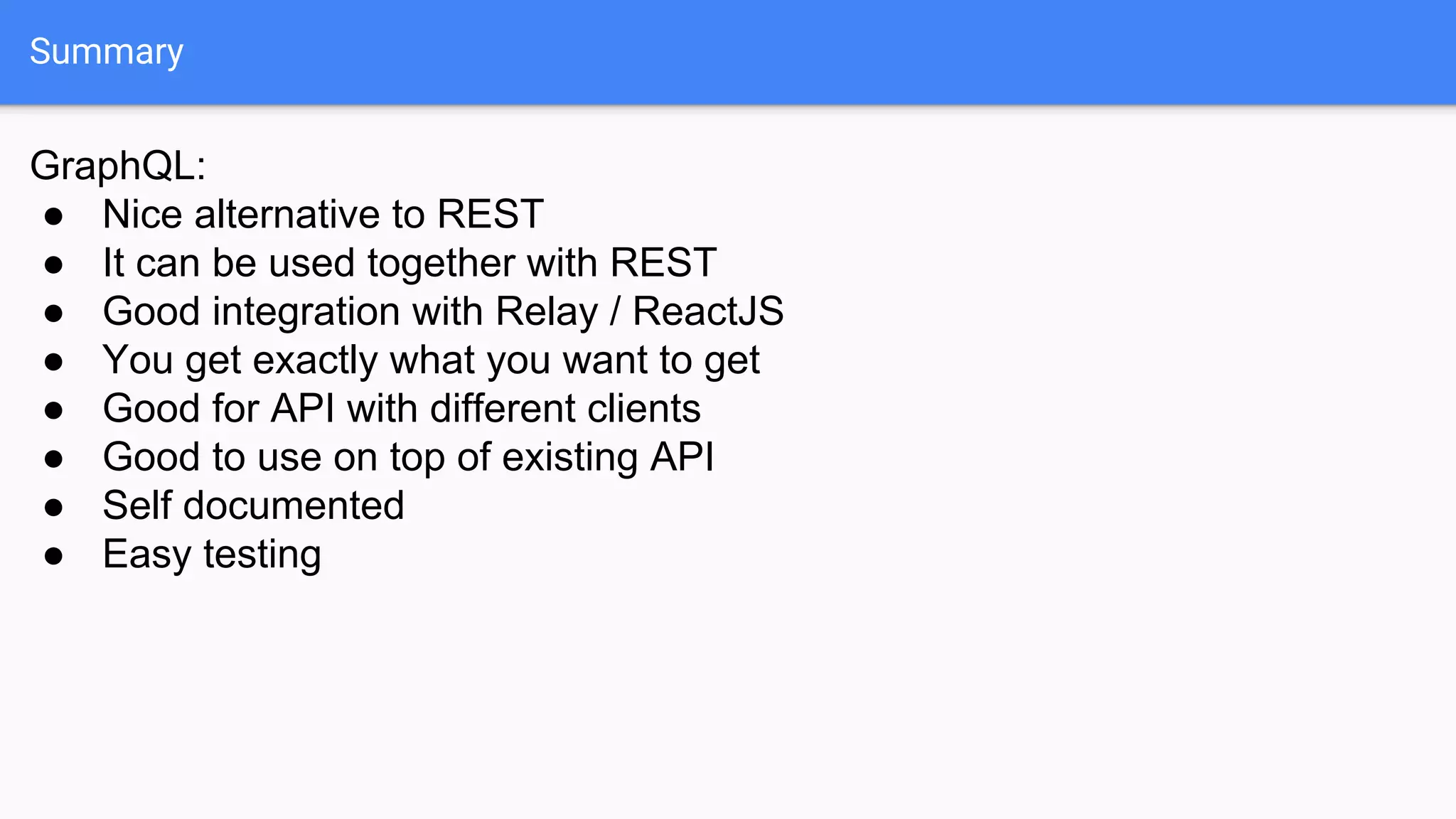
Summary
GraphQL:
● Nice alternative to REST
● It can be used together with REST
● Good integration with Relay / ReactJS
● You get exactly what you want to get
● Good for API with different clients
● Good to use on top of existing API
● Self documented
● Easy testing
Nothing is a silver bullet
GraphQL - when REST API is
not enough - lessons learned
Marcin Stachniuk
Thankyou!

GraphQL - when REST API is not enough - lessons learned

  • 1.
    GraphQL - whenREST API is not enough - lessons learned Marcin Stachniuk
  • 2.
  • 3.
    REST - Representationalstate transfer GET POST PUT DELETE PATCH ... https://api.example.com/customers/123
  • 4.
    REST response GET /customers/111 { "customer":{ "id": "111", "name": "John Doe", "email": "john@doe.com", "company": { "id": "222" }, "orders": [ { "id": "333" }, { "id": "444" } ] } } { "customer": { "id": "111", "name": "John Doe", "email": "john@doe.com", "company": { "href": "https://api.example.com/companies/222" }, "orders": [ { "href": "https://api.example.com/orders/333" }, { "href": "https://api.example.com/orders/444" } ] } }
  • 5.
    REST response goldenrules consequences: several roundtrips
  • 6.
    REST response withnested data GET /customers/111 { "customer": { "id": "111", "name": "John Doe", "email": "john@doe.com", "company": { "id": "222", "name": "My Awesome Corporation", "website": "MyAwesomeCorporation.com" }, "orders": [ { "id": "333", "status": "delivered", "items": [ { "id": "555", "name": "Silver Bullet", "amount": "42", "price": "10000000", "currency": "USD", "producer": { "id": "777", "name": "Lorem Ipsum", "website": "LoremIpsum.com" } } ] }, { "id": "444", "name": "Golden Hammer", "amount": "5", "price": "10000", "currency": "USD", "producer": { ... } } ] } }
  • 7.
    REST response withnested data and limit fields GET /customers/111?fields=name,company/*,orders.status,orders.items(name,producer/name) { "customer": { "id": "111", "name": "John Doe", "email": "john@doe.com", "company": { "id": "222", "name": "My Awesome Corporation", "website": "MyAwesomeCorporation.com" }, "orders": [ { "id": "333", "status": "delivered", "items": [ { "id": "555", "name": "Silver Bullet", "amount": "42", "price": "10000000", "currency": "USD", "producer": { "id": "777", "name": "Lorem Ipsum", "website": "LoremIpsum.com" } } ] }, { "id": "444", "name": "Golden Hammer", "amount": "5", "price": "10000", "currency": "USD", "producer": { ... } } ] } }
  • 8.
    Different clients -different needs /web /iphone /android /tv Application Web iPhone Android TV
  • 9.
    Different clients -different needs /web /iphone /android /tv Application Web iPhone Android TV Content-Type: application/vnd.myawesomecorporation.com+v1+web+json iphone android tv
  • 10.
    Different clients -different needs /web /iphone /android /tv Application Web iPhone Android TV Content-Type: application/vnd.myawesomecorporation.com+v1+web+json iphone android tv
  • 11.
    Problems at Collibra Platform App1 App 2 Customer App X...
  • 12.
  • 13.
  • 14.
    GraphQL ● Graph QueryLanguage ● Published by Facebook in 2015 ● Growth from Facebook Graph API ● Reference implementation in JavaScript ● First version of Java Library: 18 Jul 2015 ● First usage: 21 Sep 2015
  • 15.
    Lessons Learned #1 Neveradd a library to your project few days after init release ● No community ● A lot of bugs ● Bad documentation ● Strict following reference implementation and specification
  • 16.
    GraphQL main concepts ●One endpoint for all operations ● Always define in request what you need ● Queries, Mutations and Subscription ● Defined by schema (type system) ● Good developer tools
  • 17.
    GraphQL Simple API GET/customers/2?fields=id,name,email type Customer { id: ID! name: String! email: String! } type Query { customer(id: String!): Customer! } { "data": { "customer": { "id": "2", "name": "name", "email": "a@b.com" } } } { customer(id: "2") { id name email } }
  • 18.
    GraphQL Simple API GET/customers/2?fields=id,name,email,company(id,name) type Customer { id: ID! name: String! email: String! company: Company } type Company { id: ID! name: String! website: String! } type Query { customer(id: String!): Customer! } { "data": { "customer": { "id": "2", "name": "name", "email": "a@b.com", "company": { "id": "211", "name": "Company Corp." } } } } { customer(id: "2") { id name email company { id name } } }
  • 19.
    GraphQL Simple API GET/customers/2?fields=id,name,email,orders(id,status) type Customer { id: ID! name: String! email: String! company: Company orders: [Order] } type Order { id: ID! status: Status } type Status { NEW, CANCELED, DONE } { "data": { "customer": { "id": "22", "name": "name", "orders": [ { "id": "55", "status": "NEW" }, { "id": "66", "status": "DONE" } ] } } } { customer(id: "2") { id name orders { id status } } }
  • 20.
    How to implementDataFetcher for queries GET /customers/2?fields=id,name,email,orders(id,status) { customer(id: "2") { id name orders { id status } } } @Component public class CustomerFetcher extends PropertyDataFetcher<Customer> { @Autowired private CustomerService customerService; public CustomerFetcher() { super("customer"); } @Override public Customer get(DataFetchingEnvironment environment) { String id = environment.getArgument("id"); return customerService.getCustomerById(id); } }
  • 21.
    How to implementDataFetcher for queries GET /customers/2?fields=id,name,email,orders(id,status) { customer(id: "2") { id name orders { id status } } } public class Customer { private String id; private String name; private String email; // getters are not required } public class OrderDataFetcher extends PropertyDataFetcher<List<Order>> { @Override public List<Order> get(DataFetchingEnvironment environment) { Customer source = environment.getSource(); String customerId = source.getId(); return orderService.getOrdersByCustomerId(customerId); } }
  • 22.
    How to implementDataFetcher for queries @Override public Customer get(DataFetchingEnvironment environment) { Object source = environment.getSource(); Object root = environment.getRoot(); if (source instanceof Customer) { // ... } else if (...) { // ... } // ... }
  • 23.
    GraphQL mutations input CreateCustomerInput{ name: String email: String clientMutationId: String! } type CreateCustomerPayload { customer: Customer clientMutationId: String! } type Mutation { createCustomer(input: CreateCustomerInput): CreateCustomerPayload! } { "data": { "createCustomer": { "customer": { "id": "40", }, "clientMutationId": "123" } } } POST /customers mutation { createCustomer(input: { name: "MyName" email: "me@me.com" clientMutationId: "123" }) { customer { id } clientMutationId } }
  • 24.
    How to implementDataFetcher for mutations POST /customers mutation { createCustomer(input: { name: "MyName" email: "me@me.com" clientMutationId: "123" }) { customer { id } clientMutationId } } @Override public CreateCustomerPayload get(DataFetchingEnvironment environment) { Map<String, Object> input = environment.getArgument("input"); String name = (String) input.get("name"); String email = (String) input.get("email"); String clientMutationId = (String) input.get("clientMutationId"); Customer customer = customerService.create(name, email); return new CreateCustomerPayload(customer, clientMutationId); }
  • 25.
    Abstraction over GraphQLJava Our abstraction Data Fetcher 2 Pagination Inputs mapping to objects ... Data Fetcher 1 Data Fetcher N...
  • 26.
    Lessons Learned #2 Abstractionis not good if you don’t understand how it works under the hood ● A lot of copy paste errors ● Bad design of our API ● Let’s think in graphs and NOT in endpoints / resources / entities / DTO
  • 27.
    GraphQL can domore! ● Aliases ● Fragments ● Interfaces ● Unions ● ...
  • 28.
  • 29.
    GraphQL type system Howto define your schema?
  • 30.
    Code First approach privateGraphQLFieldDefinition customerDefinition() { return GraphQLFieldDefinition.newFieldDefinition() .name("customer") .argument(GraphQLArgument.newArgument() .name("id") .type(new GraphQLNonNull(GraphQLString))) .type(new GraphQLNonNull(GraphQLObjectType.newObject() .name("Customer") .field(GraphQLFieldDefinition.newFieldDefinition() .name("id") .description("fields with ! are requred") .type(new GraphQLNonNull(GraphQLID)) .build()) …. .build())) .dataFetcher(customerFetcher) .build(); }
  • 31.
    Code First approach- project building diagram Typescript relay plugin Introspection query Introspection response Replace Relay definitions
  • 32.
    Schema First approach typeCustomer { # fields with ! are required id: ID! name: String! email: String! company: Company orders: [Order] } SchemaParser schemaParser = new SchemaParser(); File file = // ... TypeDefinitionRegistry registry = schemaParser.parse(file); SchemaGenerator schemaGenerator = new SchemaGenerator(); RuntimeWiring runtimeWiring = RuntimeWiring.newRuntimeWiring() .type("Query", builder -> builder.dataFetcher("customer", customerFetcher)) // ... .build(); return schemaGenerator.makeExecutableSchema(registry, runtimeWiring); *.graphqls
  • 33.
    Code First approach- project building diagram model.graphqls
  • 34.
    Lessons Learned #3 SchemaFirst Approach is better Code First approach: ● Hard to maintain ● It was the only way at the beginning to define a schema ● No possibility to mix both ● No easy way to migrate to Schema First - technical debt Schema First Approach: ● Easy to maintain and understand ● Help organise work ● Demo schema definition only in 54 + 23 lines, instead of 173 lines
  • 35.
    GraphQL pagination, filtering,sorting Pagination: ● Before, after ● Offset, limit Filtering: ● filter: {name: “Bob” email: “%@gmail.com”} ● filter: { OR: [{ AND: [{ releaseDate_gte: "2009" }, { title_starts_with: "The Dark Knight" }] }, name: “Bob” } Sorting: ● orderBy: ASC, DESC ● sort: NEWEST, IMPORTANCE
  • 36.
    Lessons Learned #4 GraphQLis not full query language ● More flexibility ● Less common conventions ● Dgraph.io created GraphQL+- extension with filtering, regular expressions, i18n, equal/greater/less…
  • 37.
    Assumptions enforced byRelay ● All returned types need to implement Node interface interface Node { id: ID! }● All IDs needs to be unique in whole graph ● ID should be base64 ● For pagination use PageInfo type PageInfo { hasNextPage: Boolean hasPreviousPage: Boolean # optional: startCursor: String endCursor: String }
  • 38.
    Relay mutations namingsconventions input CreateCustomerInput { name: String email: String clientMutationId: String! } type CreateCustomerPayload { customer: Customer clientMutationId: String! } type Mutation { createCustomer(input: CreateCustomerInput): CreateCustomerPayload! }
  • 39.
    N+1 problem { customers {1 call id name orders { n calls id status } } } java-dataloader ● Add async BatchLoader ● Add caching
  • 40.
    Lessons Learned #5 Ifyou have N + 1 problem use java-dataloader
  • 41.
    Testing GraphQL @SpringBootTest @ContextConfiguration(classes =Main) class CustomerFetcherSpec extends Specification { @Autowired GraphQLSchema graphQLSchema GraphQL graphQL def setup() { graphQL = GraphQL.newGraphQL(graphQLSchema).build() }
  • 42.
    Testing GraphQL def "shouldget customer by id"() { given: def query = """{ customer(id: "2") { … } }""" def expected = [ "customer": [ … ] ] when: def result = graphQL.execute(query) then: result.data == expected }
  • 43.
    Summary GraphQL: ● Nice alternativeto REST ● It can be used together with REST ● Good integration with Relay / ReactJS ● You get exactly what you want to get ● Good for API with different clients ● Good to use on top of existing API ● Self documented ● Easy testing
  • 44.
    Nothing is asilver bullet
  • 45.
    GraphQL - whenREST API is not enough - lessons learned Marcin Stachniuk Thankyou!