


























Should you migrate
to SharePoint 2013?
Here is what you need to know
with Benjamin Niaulin
SharePoint GEEK




twitter.com/bniaulin
ca.linkedin.com/in/bniaulin
benjamin.niaulin@share-gate.com
bniaulin.wordpress.com
en.share-gate.com/blog
Benjamin Niaulin
WHAT WE WILL LOOK AT
Cool New Features!
WHAT WE WILL LOOK AT
Cool New Features!
WHAT WE WILL LOOK AT
Cool New Features!
Supported Scenarios
WHAT WE WILL LOOK AT
Cool New Features!
Supported Scenarios
WHAT WE WILL LOOK AT
Cool New Features!
Supported Scenarios
Key Concepts
to Make it Work
WHAT WE WILL LOOK AT
Cool New Features!
Supported Scenarios
Key Concepts
to Make it Work
WHAT WE WILL LOOK AT
Cool New Features!
Supported Scenarios
Key Concepts
to Make it Work
Tips
&
Tricks
WHAT WE WILL LOOK AT
Cool New Features!
Supported Scenarios
Key Concepts
to Make it Work
Tips
&
Tricks
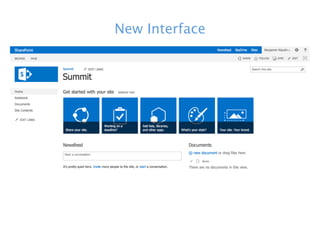
New Interface
Social in the
Enterprise
with SharePoint 2013
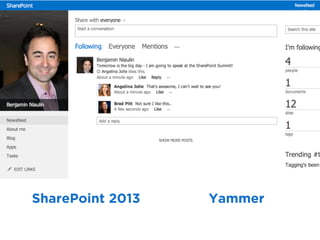
SharePoint 2013 Yammer
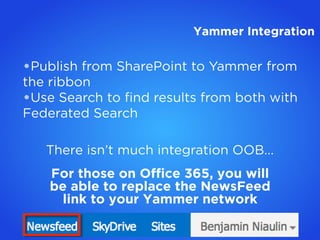
•Publish from SharePoint to Yammer from
the ribbon
•Use Search to find results from both with
Federated Search
There isn’t much integration OOB...
For those on Office 365, you will
be able to replace the NewsFeed
link to your Yammer network
Yammer Integration
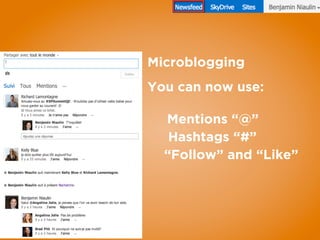
Microblogging
You can now use:
Mentions “@”
Hashtags “#”
“Follow” and “Like”
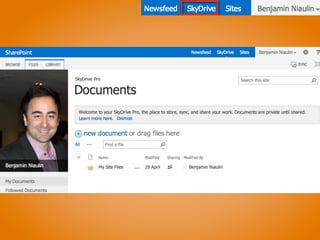
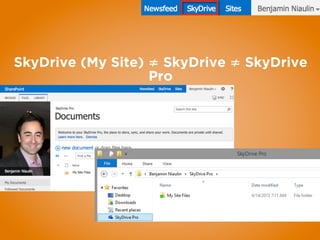
SkyDrive (My Site) ≠ SkyDrive ≠ SkyDrive
Pro
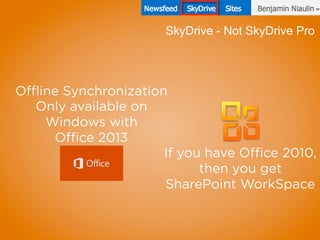
Only available on
Windows with
Office 2013
Offline Synchronization
If you have Office 2010,
then you get
SharePoint WorkSpace
SkyDrive - Not SkyDrive Pro
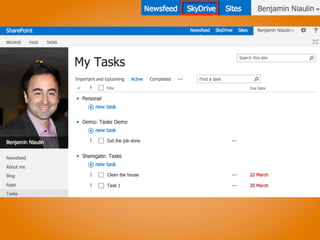
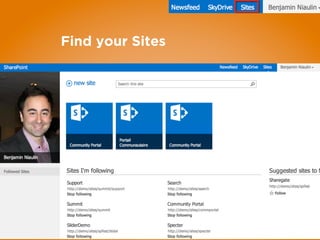
Find your Sites
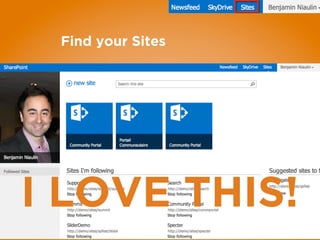
Find your Sites
I LOVE THIS!
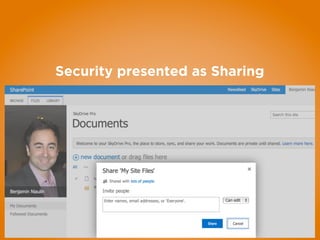
Security presented as Sharing
Looking at the Infrastructure
No more User Profile Sync problems!
New Problems
•The Distributed Cache Service
•Easy as a single server
•Difficult when redundancy is
required
•Requires PowerShell knowledge
•Needs a “Cache Cluster”
Microsoft recommends having a
dedicated server (but with
redundancy, that would mean 2 -
ouch)
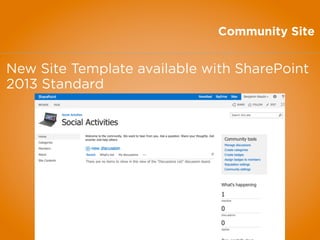
Community Site
New Site Template available with SharePoint
2013 Standard
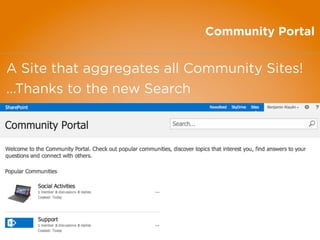
Community Portal
A Site that aggregates all Community Sites!
...Thanks to the new Search
Collaboration
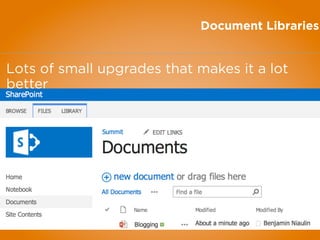
Document Libraries
Lots of small upgrades that makes it a lot
better
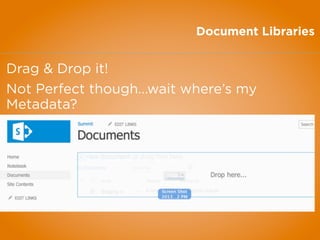
Document Libraries
Drag & Drop it!
Not Perfect though...wait where’s my
Metadata?
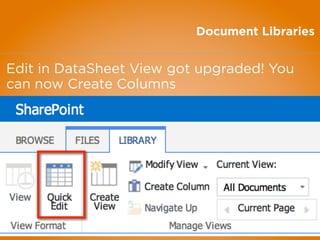
Document Libraries
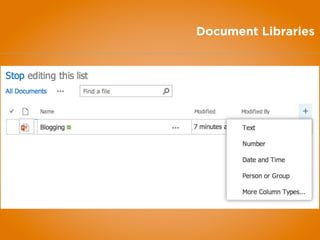
Edit in DataSheet View got upgraded! You
can now Create Columns
Document Libraries
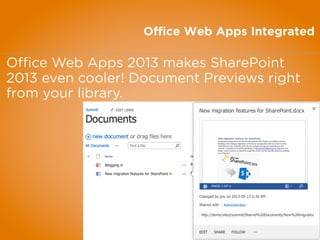
Office Web Apps Integrated
Office Web Apps 2013 makes SharePoint
2013 even cooler! Document Previews right
from your library.
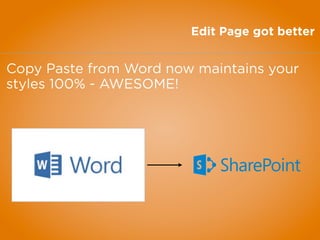
Edit Page got better
Copy Paste from Word now maintains your
styles 100% - AWESOME!
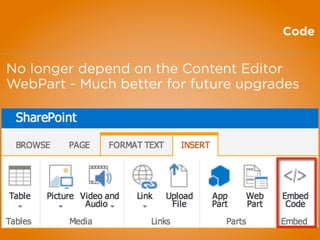
Code
No longer depend on the Content Editor
WebPart - Much better for future upgrades
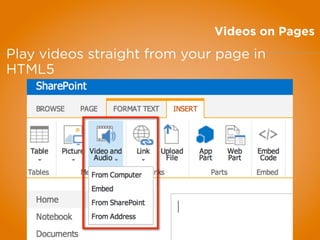
Videos on Pages
Play videos straight from your page in
HTML5
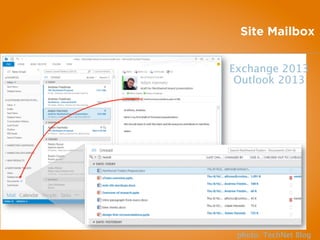
Site Mailbox
photo: TechNet Blog
Exchange 2013
Outlook 2013
Discover
your
Content
Problems we’ve faced
•Hard if not impossible to see content from
other lists/libraries on other Sites
•Even worst for another Site Collection
•XSLT!
•Change the way results
are shown
•Contextual Results
•Having to ask Admins for
every little thing..queries
•And much more...
Search in SharePoint
2013 changes
EVERYTHING
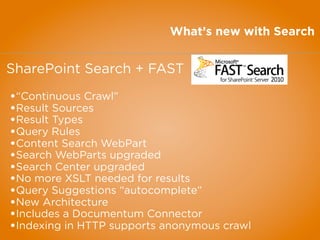
What’s new with Search
SharePoint Search + FAST
•“Continuous Crawl”
•Result Sources
•Result Types
•Query Rules
•Content Search WebPart
•Search WebParts upgraded
•Search Center upgraded
•No more XSLT needed for results
•Query Suggestions “autocomplete”
•New Architecture
•Includes a Documentum Connector
•Indexing in HTTP supports anonymous crawl
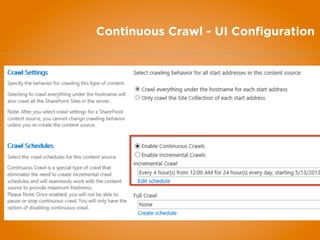
Continuous Crawl
•Only works on SharePoint Content Sources
•By default every 15min
•Set-
SPEnterpriseSearchCrawlContentSource
•Once indexed, content appears almost right
away...like magic
•Lots of added pressure on the Server
Continuous Crawl - UI Configuration
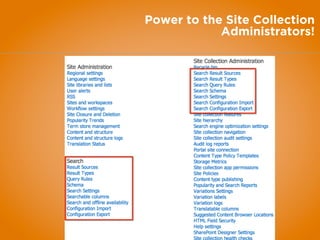
Power to the Site Collection
Administrators!
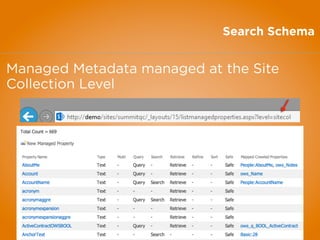
Search Schema
Managed Metadata managed at the Site
Collection Level
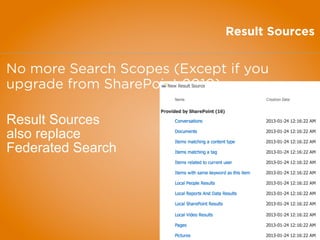
Result Sources
No more Search Scopes (Except if you
upgrade from SharePoint 2010)
Result Sources
also replace
Federated Search
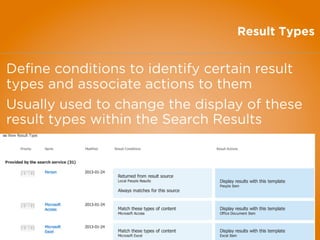
Result Types
Define conditions to identify certain result
types and associate actions to them
Usually used to change the display of these
result types within the Search Results
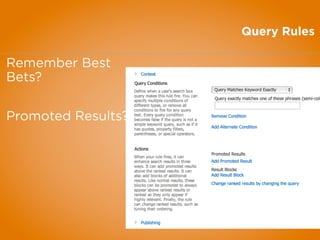
Query Rules
Remember Best
Bets?
Promoted Results?
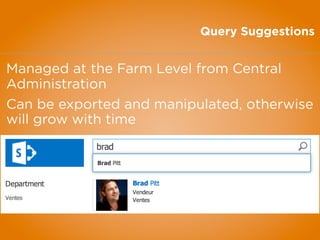
Query Suggestions
Managed at the Farm Level from Central
Administration
Can be exported and manipulated, otherwise
will grow with time
Content Search
WebPart

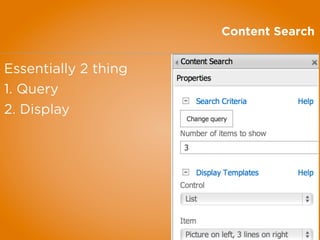
Content Search
Essentially 2 thing
1. Query
2. Display
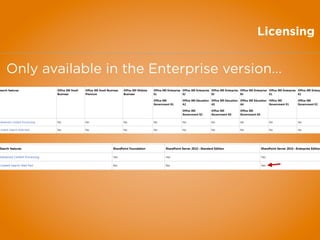
Licensing
Only available in the Enterprise version...
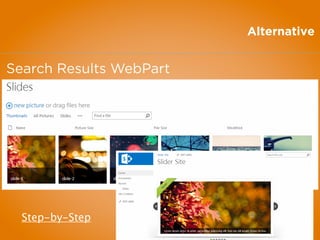
Alternative
Search Results WebPart
Step-by-Step
Brandingwith SharePoint 2013
The
Design Manager
www.sharepointsummit.org
Web Content
Management
with SharePoint 2013
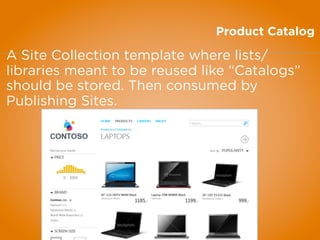
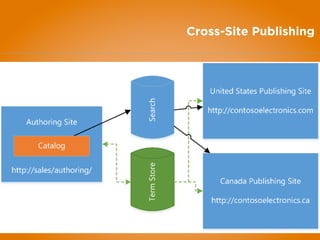
Product Catalog
A Site Collection template where lists/
libraries meant to be reused like “Catalogs”
should be stored. Then consumed by
Publishing Sites.
Cross-Site Publishing
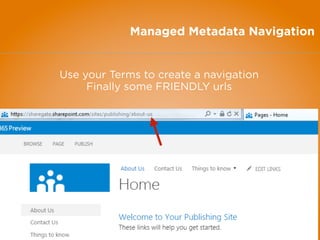
Managed Metadata Navigation
Use your Terms to create a navigation
Finally some FRIENDLY urls
Migration & Upgrades
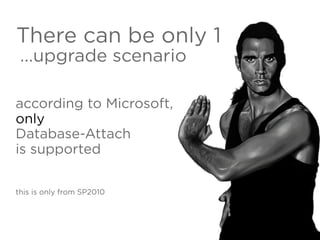
There can be only 1
...upgrade scenario
according to Microsoft,
only
Database-Attach
is supported
this is only from SP2010
Run
2010
in
2013
PLANNING
GOVERNANCE
INFORMATION
ARCHITECTURE
bniaulin
Governance
Should not strike fear
when said out loud
Should not be a burden
to carry during the
project
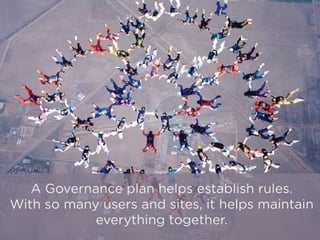
A Governance plan helps establish rules.
With so many users and sites, it helps maintain
everything together.
but keep it simple.
or it will turn into a
document
NO ONE
will read
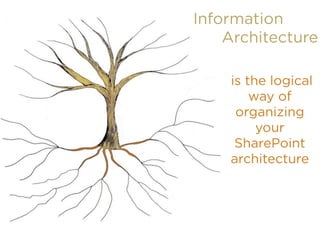
Information
Architecture
is the logical
way of
organizing
your
SharePoint
architecture
it will help you define things like
Metadata Columns Sites
Navigation Hierarchy
Content on
Pages
and everything else that will be used in
your SharePoint
Make sure you have a plan
SharePoint Migration is no easy
task
set goals and milestones to
measure the success of your
migration
This can be simple
Look at what you want to
Remove
Migrate
Rebuild
And this will be even easier to do if you
did an inventory of your sites before
step
by
step




twitter.com/bniaulin
ca.linkedin.com/in/bniaulin
benjamin.niaulin@share-gate.com
bniaulin.wordpress.com
en.share-gate.com/blog
Benjamin Niaulin
Thank You

Should you migrate to SharePoint 2013?