1
Movin’ On Up
A SharePoint 2013 Migration Case
Study
2
Welcome to SharePoint Saturday Houston
• Please turn off all electronic devices or set them to vibrate.
• If you must take a phone call, please do so in the hall so as not
to disturb others.
• Special thanks to our Platinum Sponsors:
Thank you for being a part of the
8th Annual SharePoint Saturday
for the greater Houston area!
3
Thanks to all our Sponsors!Thanks to all our Sponsors!
4
Information
• Speaker presentation slides should be available
from the SPSHOU website within a week or so
• The Houston SharePoint User Group will be
having it’s next meeting Wednesday May 18th.
Please join us at www.h-spug.org
5
Who Am I?
6
Who Am I?
http://sharepointtherapist.com/
http://dlairman.wordpress.com/
7
Who Am I?
Vice-President
Fridays
Austin, TX
http://www.launchpadjobclub.org/
8
Who Am I?
Advertising and marketing
Government
PII & PHI
(social security numbers, financial & medical info)
Multiple contractors (vendors)
Defense & HLS software
High security
Also – Real estate, manufacturing, high-tech, consumer goods
Construction
Consulting
(Variety of industries)
9
Movin’ On Up
10
A nearly century-old construction company
(slow to make changes)
A 40 year old construction company
(with many of its employees dating back to the
company’s founding)
The Clients
11
• Existing SharePoint 2007
~400 GB in the content DB
• Pilot SharePoint 2010
Records Center
• Office 365
Project that needed ability to collaborate with external
entities, not enough resources at the time to set up their
own extranet
• External services (some
approved, some not)
Box, Dropbox, etc.
The Environment
12
• SharePoint 2013
• On-premises
• Unified environment
The Goal
13
• Some performance issues in 2007
(All 400 GB in a single content DB)
• Unhelpful search results
• Required support for legacy customizations
• Low user adoption
Lots of files sent via e-mail
Shadow resources may be in use (Box, etc.)
• Access controls out of control
Lots of folders! (Intentionally designed to mirror the old paper
document storage)
Business Drivers
14
• Migrate content into new environment
using third-party tool
– Cleans up access controls
– Allows creation and assignment of content types
– Leaves behind stale content
– No customization ghosts
– Realign content into smaller content databases
• Alternative – script migration using
PowerShell
Proposed Solution
15
• Resources dedicated to SAP
implementation
Funding limitations
Server resources
• Turnover of SharePoint staff
• Datacenter and office move
• Users not happy with current SharePoint
environment
(Therefore SharePoint sucks!)
Challenges
16
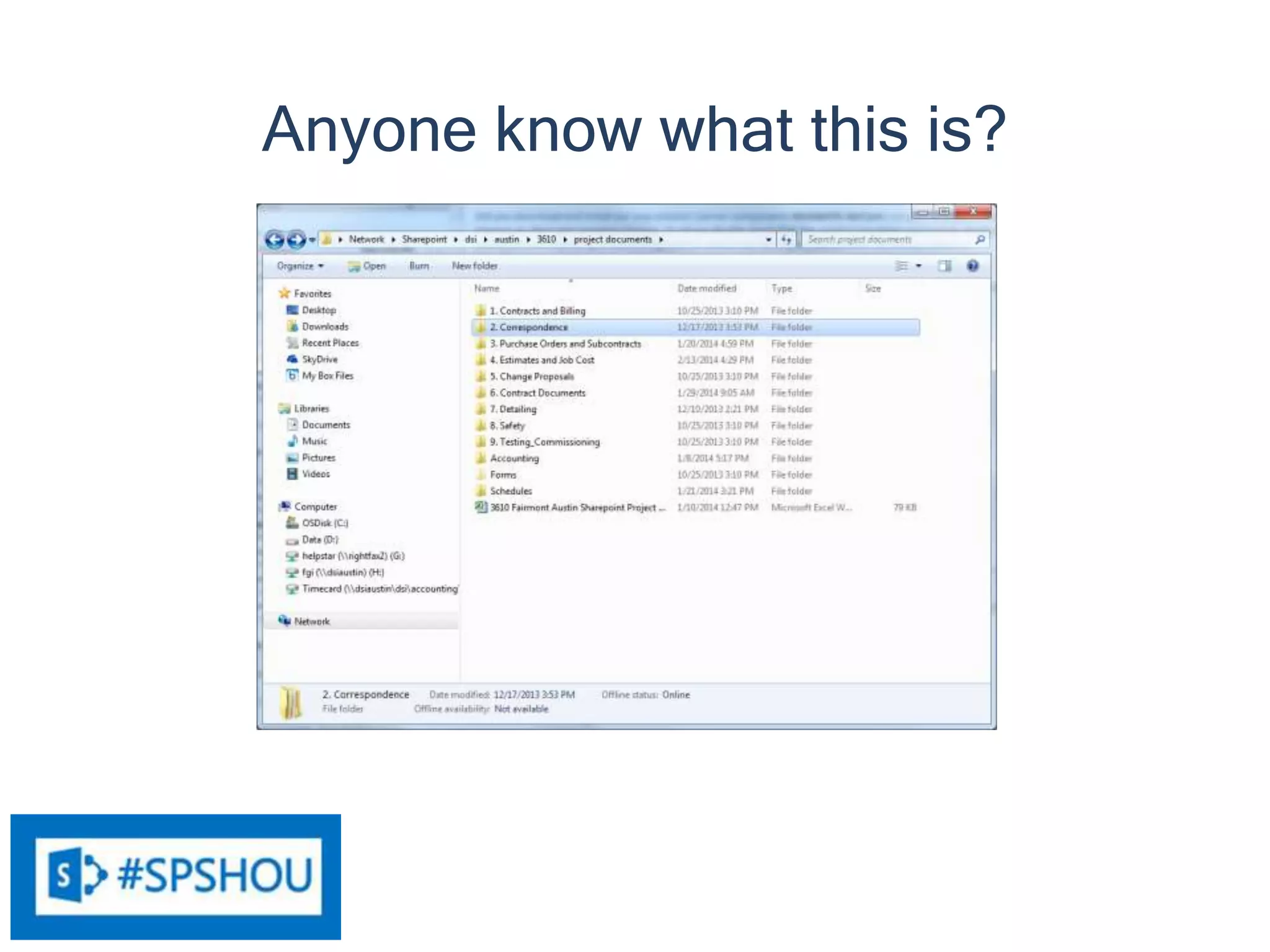
Anyone know what this is?
17
User’s view of SharePoint
18
Once the migration is complete:
Resources dedicated to supporting the two older
environments can be reclaimed
Costs of the cloud environment and approved third-party
cloud services eliminated
SP2013 licensing costs less than SP2010, skipping 2010
makes sense
Example Savings
# of Internal Users 100
# of Servers 2
Internal CAL Enterprise (Est.) Cost
SharePoint 2010 $ 82 $ 40,000 $ 88,200
SharePoint 2013 $ 94 $ 7,000 $ 23,400
Saving (Est.): $ 64,800
Potential Wins
19
Choices:
• Retired
• Replaced w/ other (non-SharePoint)
solutions
• Replaced using OOTB SP2013 features
• Must be rebuilt with the App model
Legacy SharePoint Customizations
20
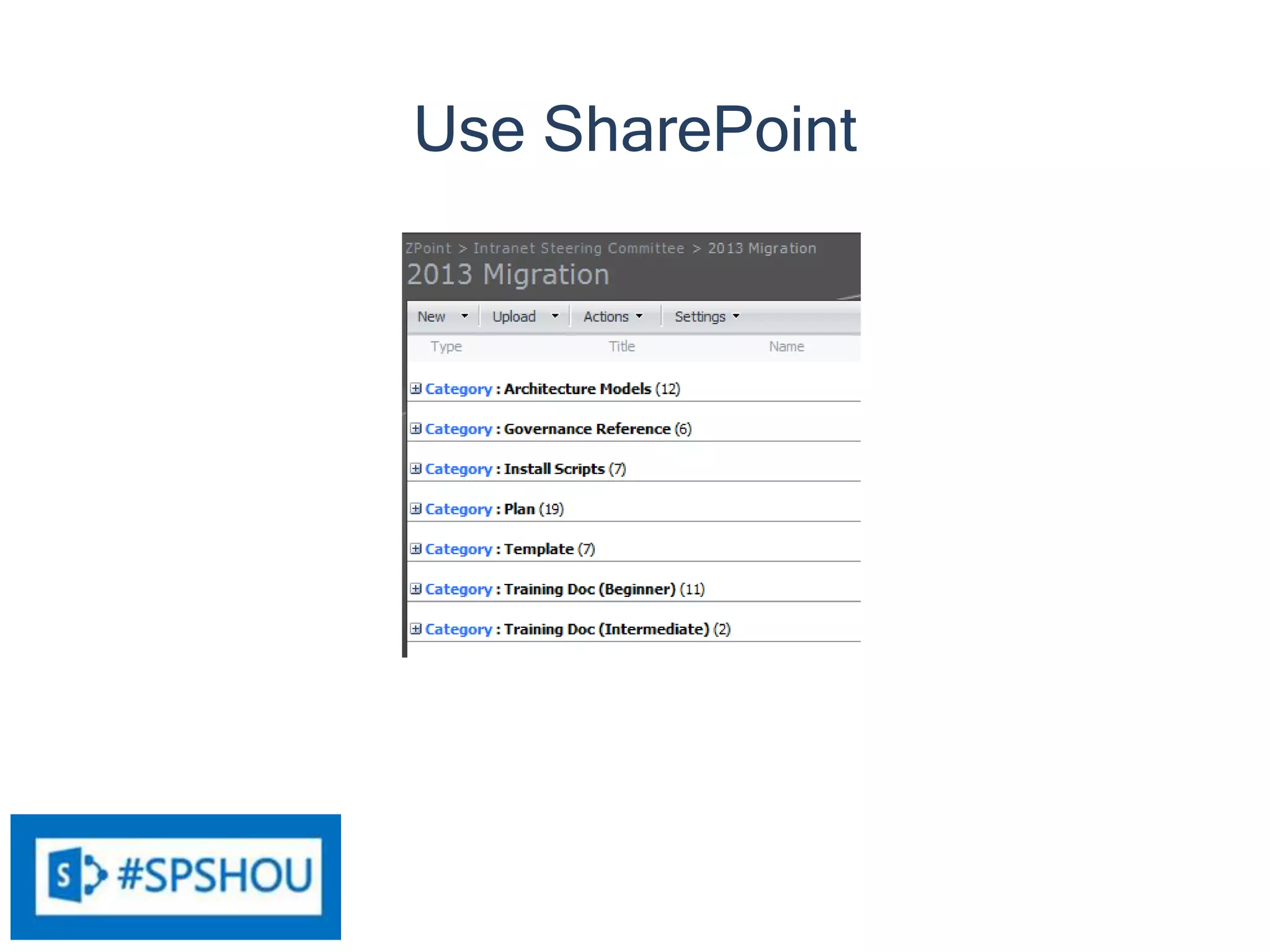
Use SharePoint
21
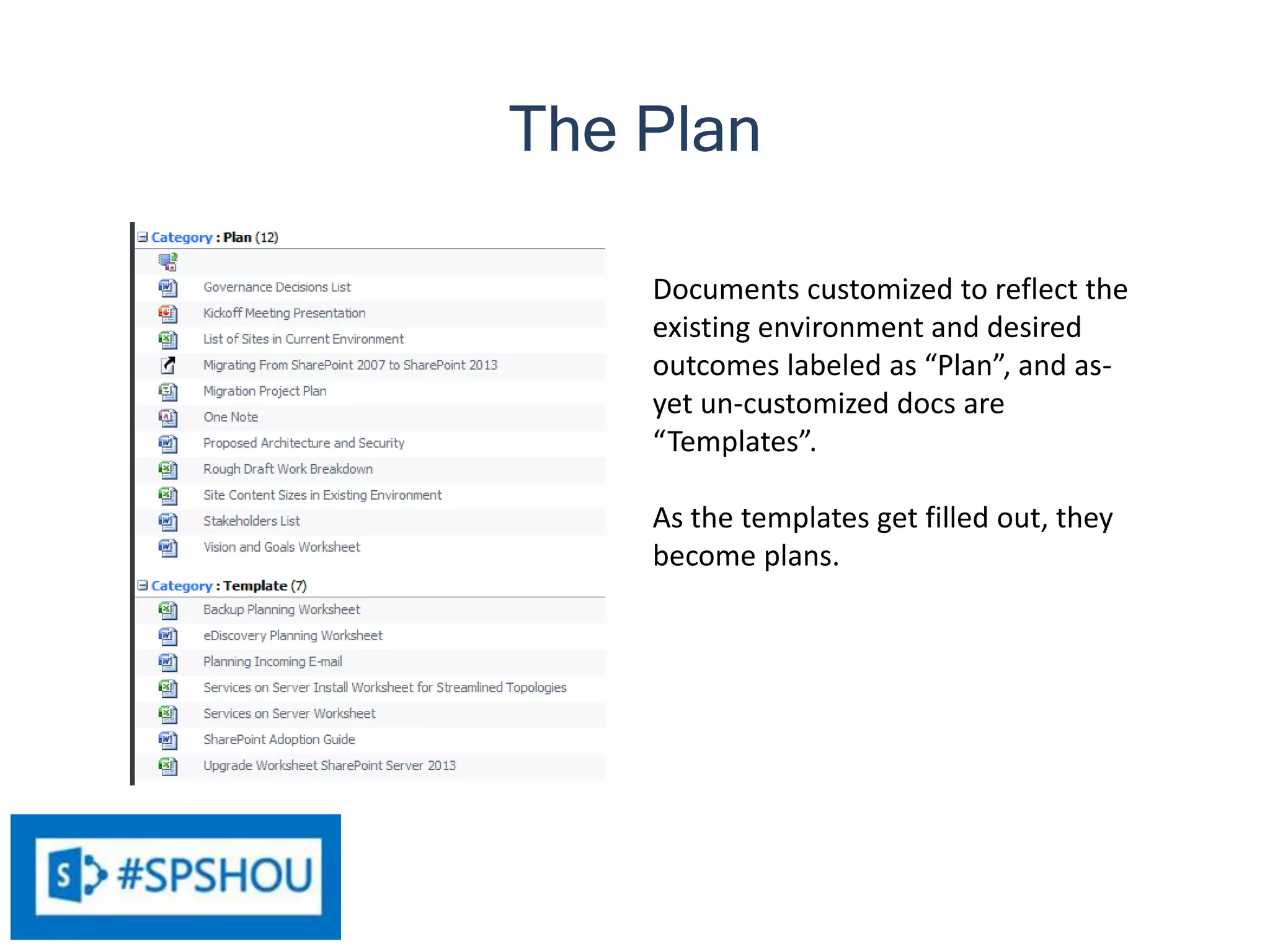
Documents customized to reflect the
existing environment and desired
outcomes labeled as “Plan”, and as-
yet un-customized docs are
“Templates”.
As the templates get filled out, they
become plans.
The Plan
22
• Engage the users!
• Determine Governance
• Determine Architecture
• Install Servers and Software
• Configure 2013 Environment
• User Training
• Content Migration
• Application Migration
• Decommission 2007 and 2010
To Do
23
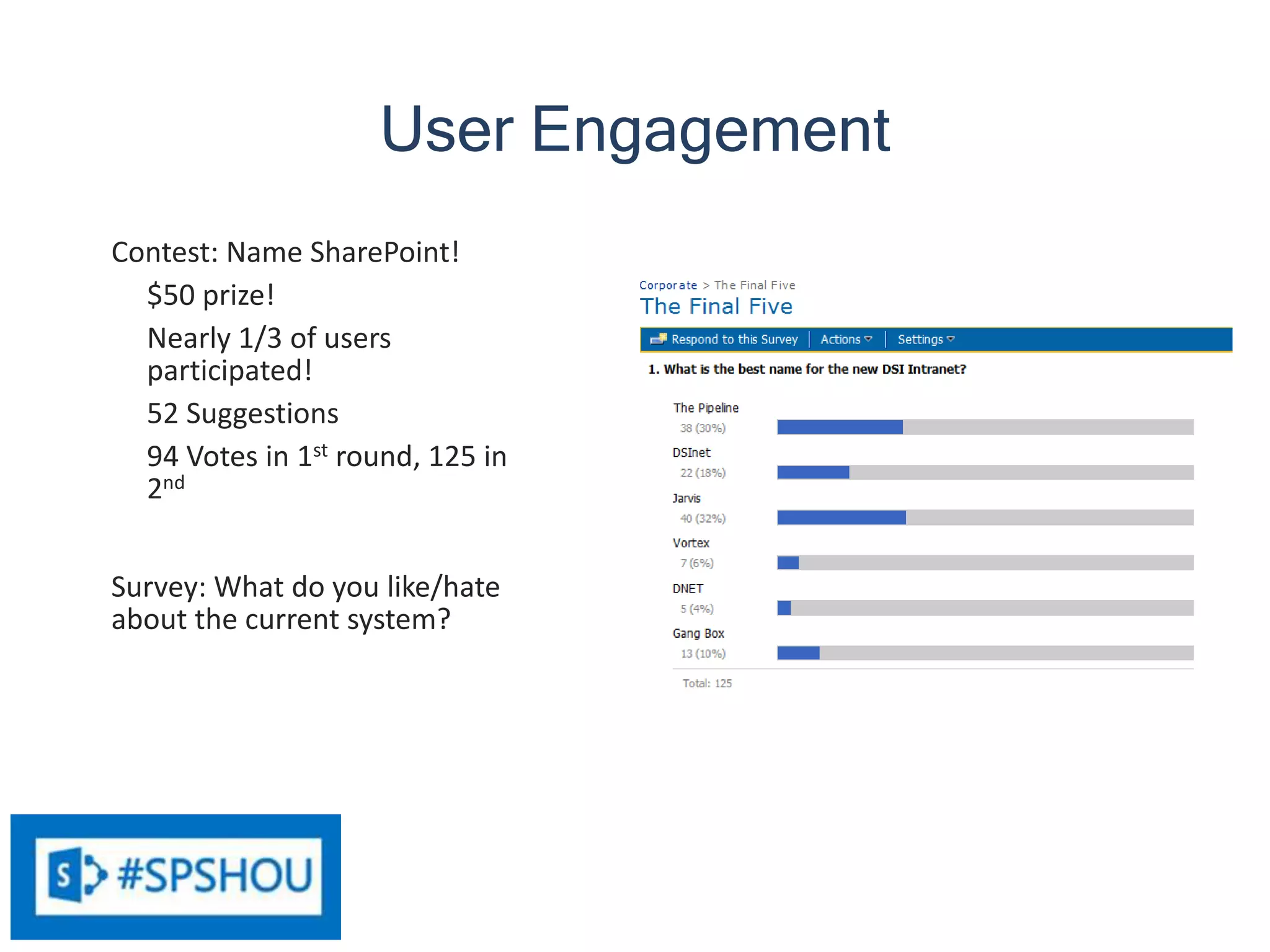
Contest: Name SharePoint!
$50 prize!
Nearly 1/3 of users
participated!
52 Suggestions
94 Votes in 1st round, 125 in
2nd
Survey: What do you like/hate
about the current system?
25
15
5
5
4
4
User Engagement
24
Because that’s
a good idea,
right?
#sharepointallthethings
25
• Identify Key Stakeholders
• Project Kickoff Meeting
• Vision and Goals
• Decisions List
These decisions feed into
Architecture design
Governance
26
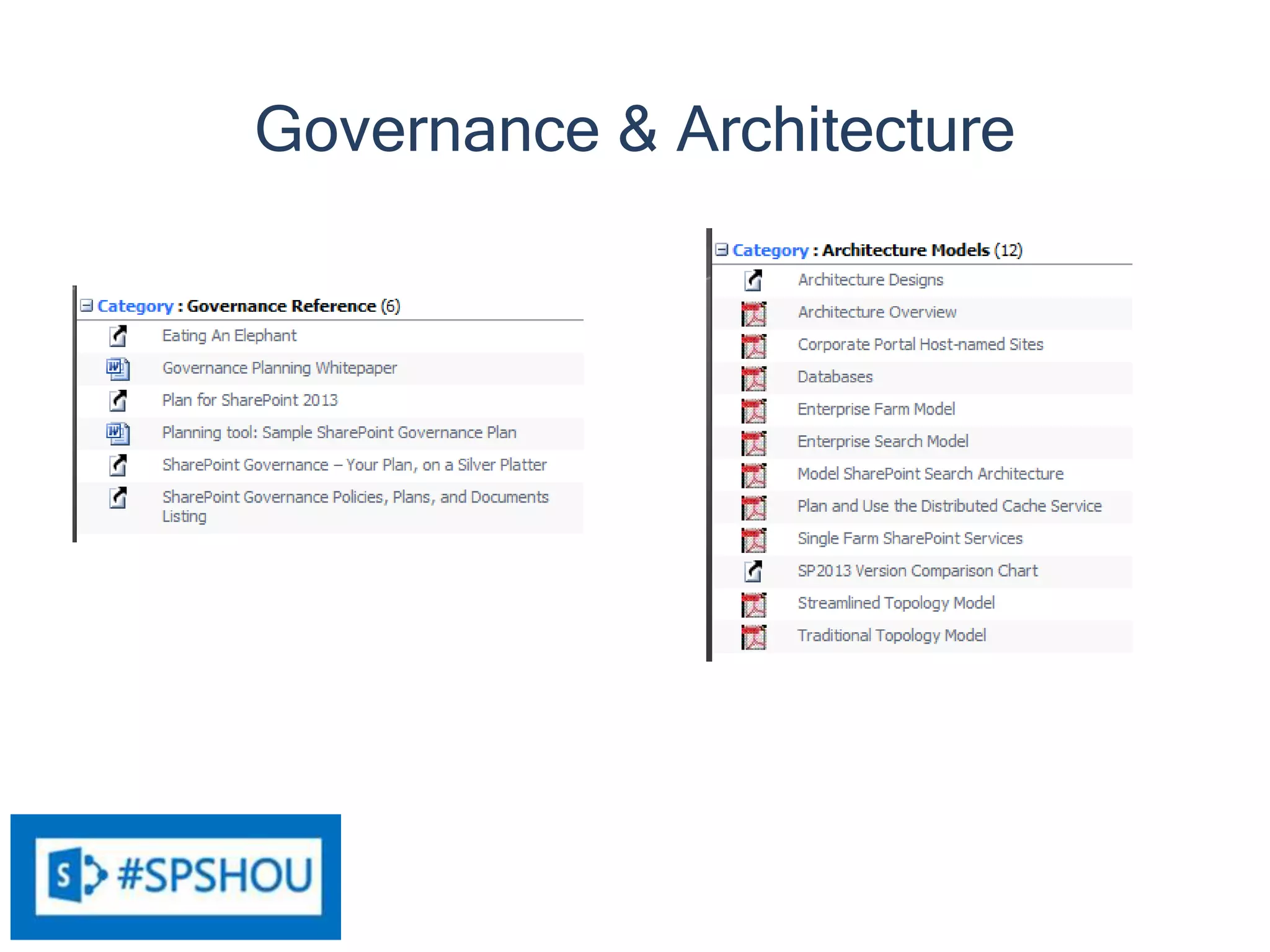
Governance & Architecture
27
Recommended Architecture
MAKE IT BETTER!
INTRANET MIGRATION TO SHAREPOINT 2013
Upgrade project kickoff meeting with key stakeholders
(Presentation Rough Draft)
WE’RE GETTING AN UPGRADE
• SharePoint 2013 has some great new features – including a more intuitive
interface!
• Streamlined Permissions – it will be easier for you to get access to your stuff!
• Better Search – it will be easier for you to find what you are looking for!
BETTER SEARCH!
• So significant, I had to mention it again!
• You know how Google has gotten better over the years at giving you what
you are looking for? Microsoft has figured out that it needs to step up its
game.
MOST IMPORTANT…
We are trying to make work easier for you.
THAT’S THE CARROT
• Carrots are good for you!
• But you aren’t a horse, and carrots may not be your favorite food…
• In other words, while it is good for you, you might have to “eat” some things
that you may not like the taste of in order to reap the benefits.
CHANGE CAN BE HARD….
• But we are going to do everything we can to make it as easy as possible to
get to the good stuff.
WHY SHAREPOINT?
Provides a secure place to store documents
• Always backed up
• Always available (cloud!)
• Version control
• Access control
• Alerts – stay informed of changes!
WHY SHAREPOINT?
Workflow automates business processes
Spend less time managing processes and more time accomplishing things!
WHY SHAREPOINT?
Empower users – get IT out of the way of business!
WHY SHAREPOINT?
PC Network Share SharePoint
Backup
Availability
Version Control
Access Control
Workflow
Alerts
A FEW CHANGES…
• Additional Governance - Consistent look and feel across the organization
• Better experience for the end users – you!
• More consistent system behavior
• More consistent search results!
• Behavior - Never add another attachment to e-mail
• Cost savings!
• No more playing “Which version is correct?”
• No more folders!
• Say what?!?!?
A FEW CHANGES…
FILE FOLDERS ARE SO 19TH CENTURY
• Prior to 1898, businesses kept papers in envelopes in turn stored in arrays of
pigeonholes often lining a wall. Finding and opening envelopes and unfolding
papers was troublesome and inefficient.
• The vertical filing cabinet (more or less as in use today) was invented by
Edwin G. Seibels in 1898. Seibels reasoned that folding was not necessary;
papers could be kept in large envelopes standing on end vertically in a
drawer.
• Electronic folders are designed to mimic the separation provided by the 1898
invention.
LIMITING YOUR VIEW
• Folders limit your view of information to only the way the data is separated by
the folders
• But what if you wanted to look at the data a different way?
HOW WE FIND STUFF
• Then: Location was everything
• Now: Search is king. Search is so much the prevalent way we find things
that we don’t even call it “searching” anymore. We call it after a common
search appliance – we “Google” things now! (Even when we are using Bing!
Sorry, MS!)
• Search gives you what you are looking for when you are looking for it
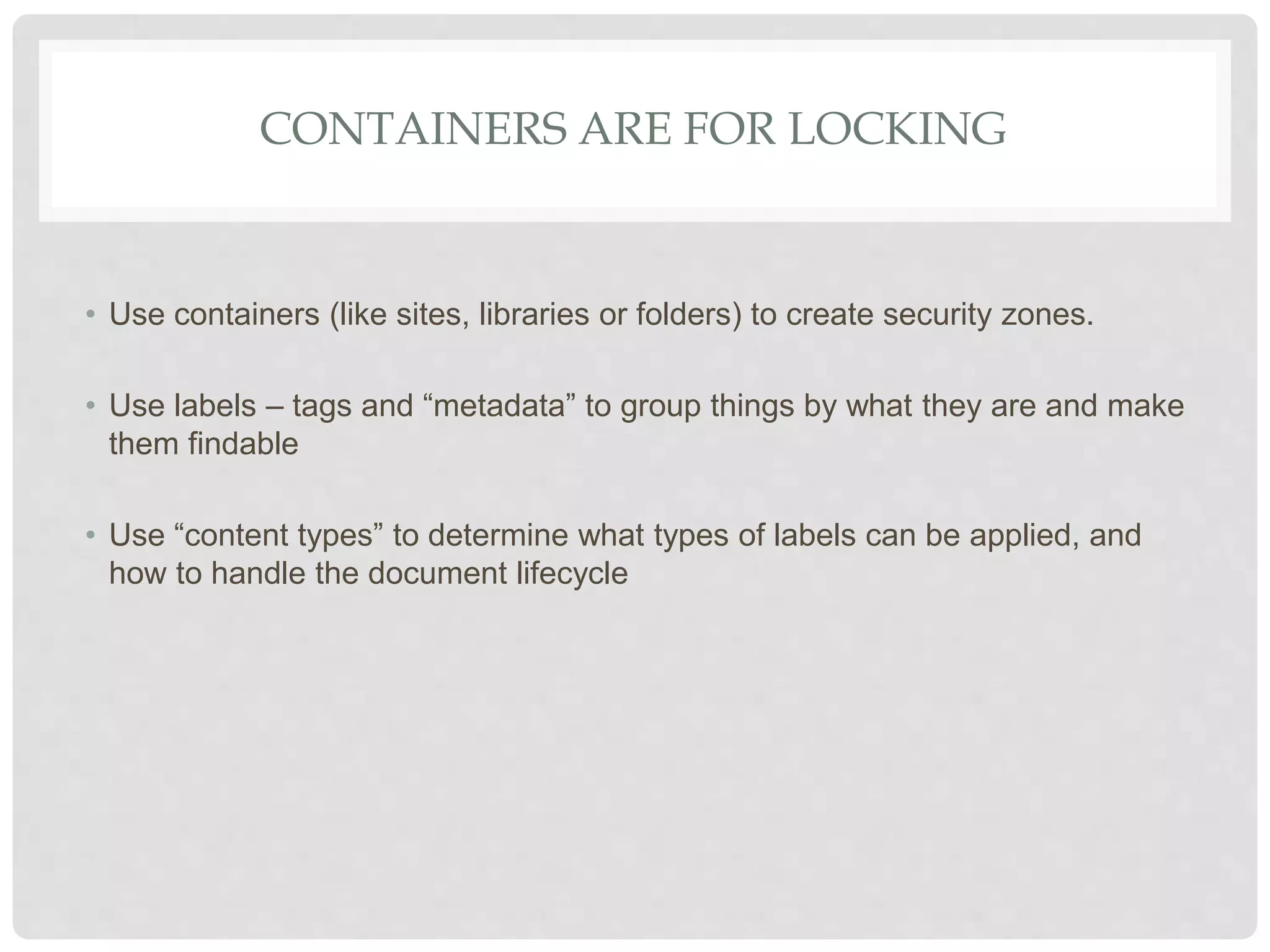
CONTAINERS ARE FOR LOCKING
• Use containers (like sites, libraries or folders) to create security zones.
• Use labels – tags and “metadata” to group things by what they are and make
them findable
• Use “content types” to determine what types of labels can be applied, and
how to handle the document lifecycle
TRAINING!
• A big change like this is an opportunity to address training gaps
• A big part of helping you to get the most out of SharePoint is teaching you
how to get the most out of SharePoint
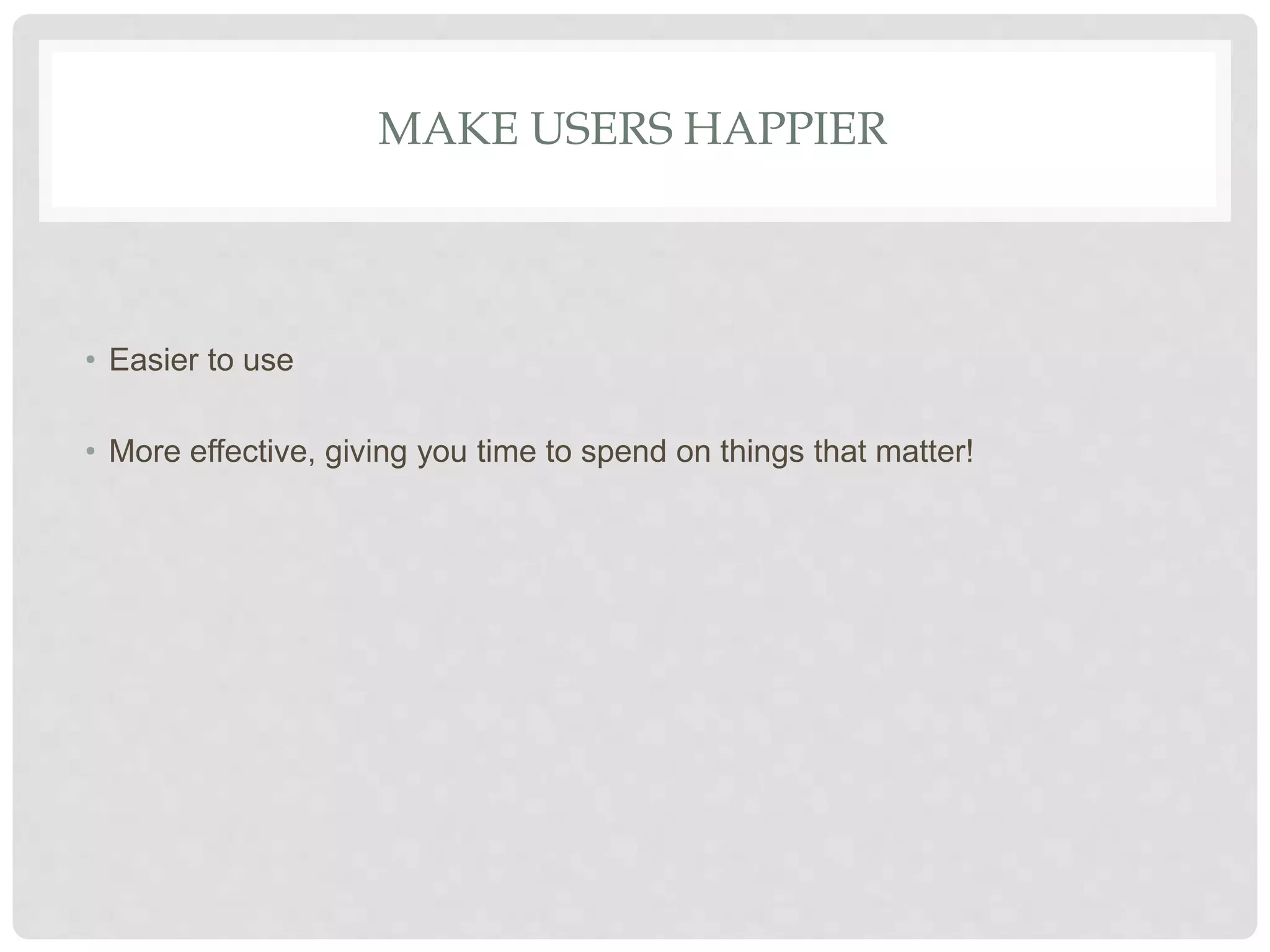
MAKE USERS HAPPIER
• Easier to use
• More effective, giving you time to spend on things that matter!
MAKE MANAGEMENT HAPPIER
• Cost reductions!
• Increased efficiency! (More cost reductions!)
• More focus on capturing business (more profit!)
• More focus on improving services (happier customers, more profit!)
PROPOSED VISION STATEMENT
“The Portal provides an environment where, in one organized, intuitive and searchable location
employees will find the systems, tools, information and collaboration areas that they need.
From any internet-connected computer, employees will be able to realize greater efficiency accessing
important business systems, people information, company forms, news, benefits summaries, calendars
and other company information.
The portal will provide tools for teams to collaborate and share documents, timelines, status reports
and other communication, thus providing additional benefit to our customers, and our industry partners
in a secure and efficient way.”
Stakeholders provide input at this step
InScope
OutofScope
Utilized by Business Users to develop and implement business solutions that use technology without IT’s direct involvement.
Utilized by IT to develop and implement more advanced technical solutions through a unified application delivery platform.
The primary repository for document sharing, collaboration, and communication.
The primary location for simple workflow/business process automation.
The employee Portal and communication center for internal corporate communications.
The primary project issue tracking system with the support of Project Server.
x The repository for any XYZ documents and processes.
The platform used for customer relationship management. (Recommend OOS)
The learning management system used by our organization. (Recommend OOS)
Utilized as an asset management system.
The ticket tracking system for our operational issues.
The work order management system used by our organization.
Stakeholders provide input at this step
49
• Virtualized environment, can
clone base OS
• Dev, Test and Production
environments
How do you create multiple environments with
consistency?
Install the Servers
50
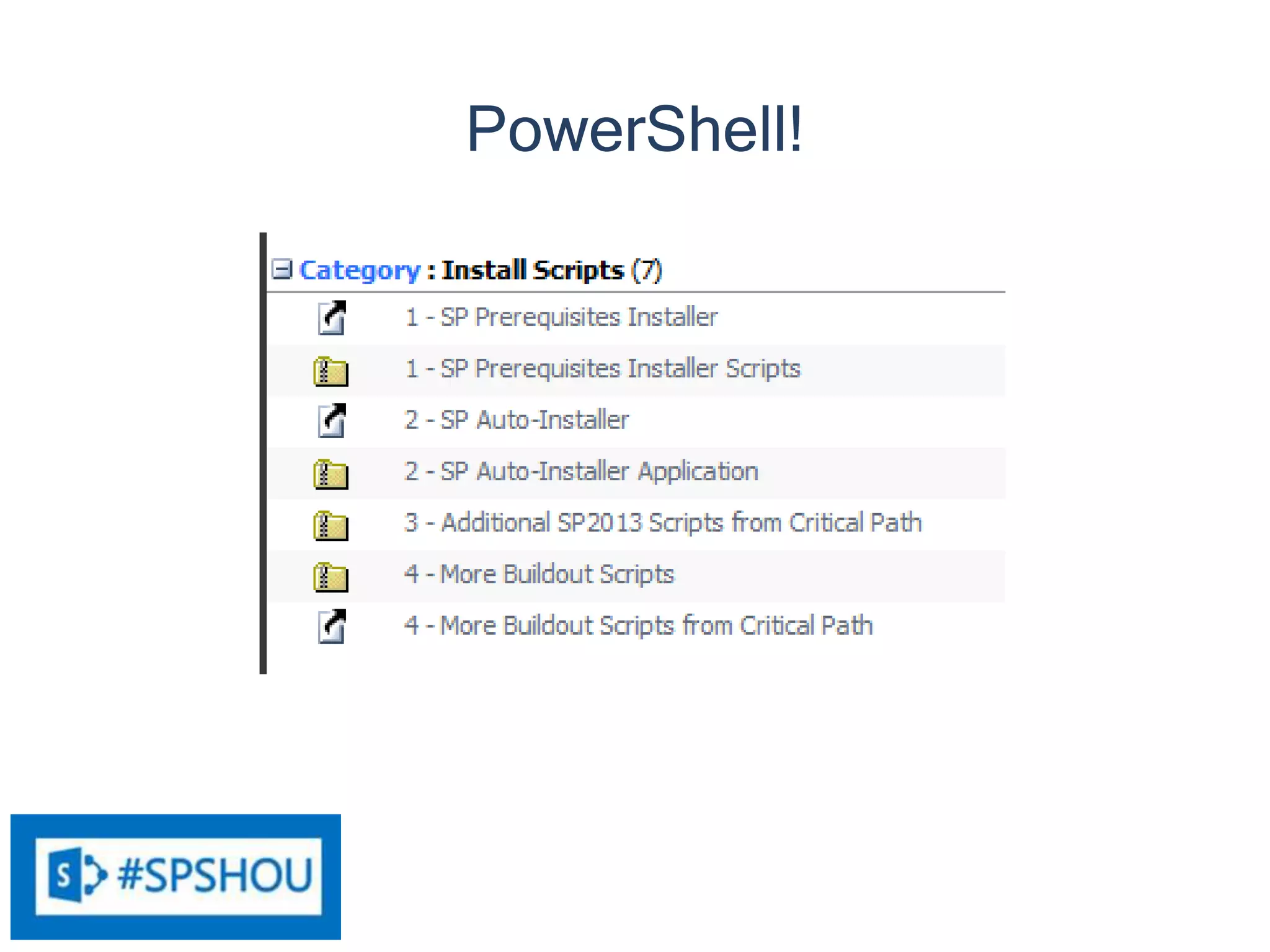
PowerShell!
51
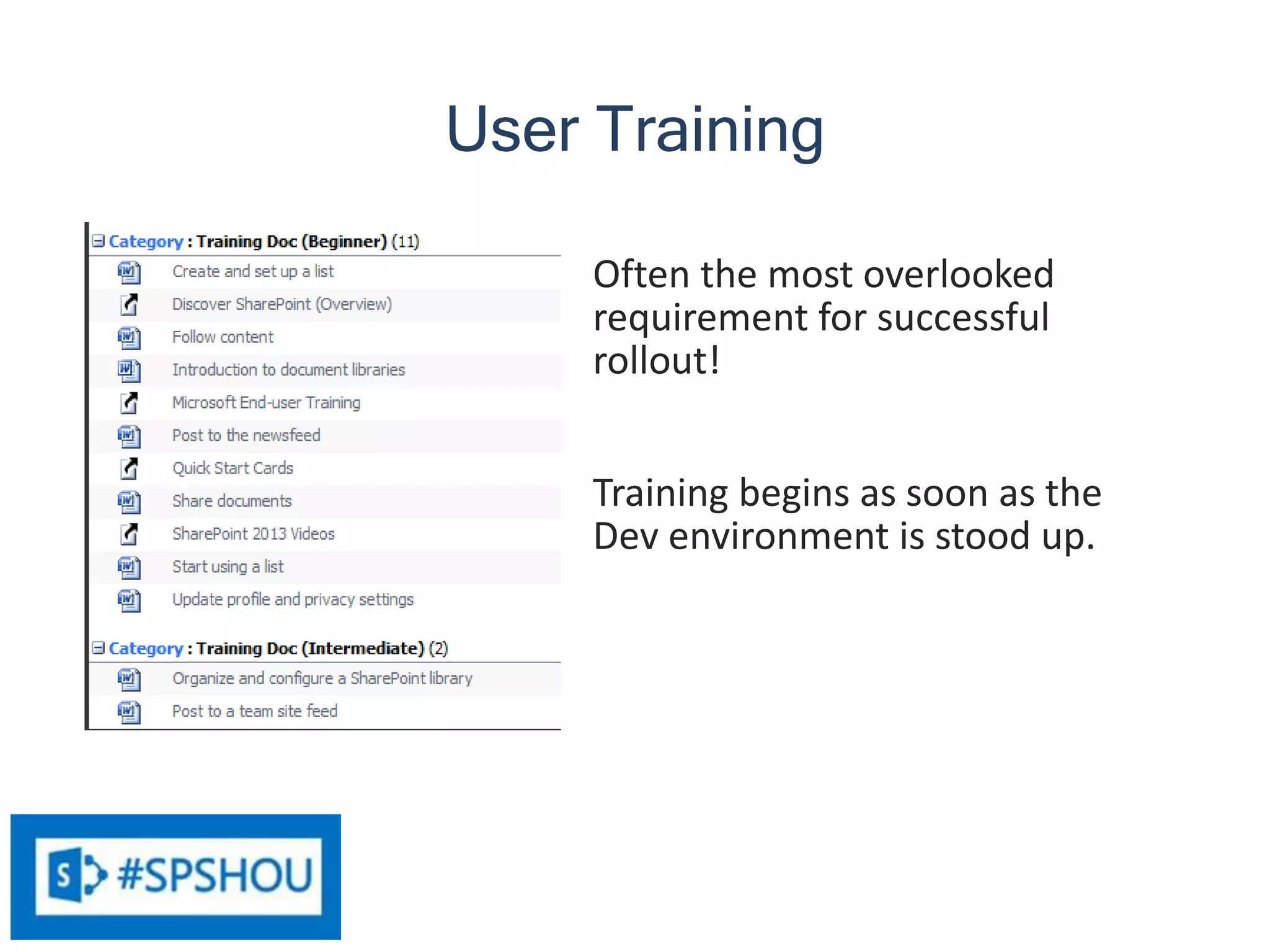
Often the most overlooked
requirement for successful
rollout!
Training begins as soon as the
Dev environment is stood up.
User Training
52
• Open the 2013 site for use
• Search crawls 2007 content
• New home pages for each
department
• Links to 2007 site content until
migrated
Open for Business
53
Test migration of content to Test environment
• Move IT first – dog food!
• Validate the migration test in Test
• Use the validated migration to re-
migrate to Prod.
• Final validation in Production
Content Migration
54
• Recreate customizations from
2007 that the business needs to
carry forward into 2013
• Can be done in parallel to Content
Migration
Customization Migration
55
• Final backup
• Turn off VMs
• Wait to see if anyone screams “My
data!”
• Release resources
All done!
Decommission 2007 and 2010
56
The Best-Laid Plans
• That, and a five dollar bill will get you a
cup of coffee at Starbucks.
57
Architecture Designs
• http://technet.microsoft.com/en-us/sharepoint/fp123594.aspx
Planning Resources
• http://technet.microsoft.com/en-us/library/cc261834.aspx
• http://jimehrenberg.wordpress.com/2013/07/22/an-oldie-but-a-goodie-sharepoint-
2013-version-comparison-chart/
• http://sharepointpromag.com/blog/migrating-sharepoint-2007-sharepoint-2013-
part-1
• http://sharepointpromag.com/blog/migrating-sharepoint-2007-sharepoint-2013-
part-2
Governance Resources
• http://www.rharbridge.com/?page_id=726
• http://kjellsj.blogspot.com/2010/05/sharepoint-governance-part-i-eating.html
• http://technet.microsoft.com/en-us/library/ff848257(v=office.14).aspx
• http://sharepointtherapist.com/
Install Scripts
• http://gallery.technet.microsoft.com/DownloadInstall-SharePoint-e6df9eb8
• http://autospinstaller.codeplex.com/
• http://blog.tedpattison.net/Lists/Posts/Post.aspx?List=9d54806e%2D14ca%2D456d
%2Da62a%2Db903c9dda841&ID=24&Web=dbc8a5bc%2Dc0d9%2D412c%2D8929%2
D177a045a5351
Some Training Resources
• http://www.discoversharepoint.com/
• http://office.microsoft.com/en-us/sharepoint-help/training-courses-for-sharepoint-
2013-HA104030990.aspx
• http://www.brainstorminc.com/for-business/train-by-type/quick-start-
cards/microsoft/sharepoint/productid/208
• http://www.youtube.com/playlist?list=PLCB216CC4ACF9338E
Resources
58
Your SharePoint 2007 Migration site
This link allows you to download a .stp file that you can load into your SharePoint 2007 environment as a
site template
Resources
59
Ask now or feel free to contact me later:
@dlairman and @SPointTherapist
jim@adcock.net
http://www.linkedin.com/in/jimadcock
http://SharePointTherapist.com
http://dlairman.wordpress.com
Questions?

Movin on Up SPSHouston 2017

  • 1.
    1 Movin’ On Up ASharePoint 2013 Migration Case Study
  • 2.
    2 Welcome to SharePointSaturday Houston • Please turn off all electronic devices or set them to vibrate. • If you must take a phone call, please do so in the hall so as not to disturb others. • Special thanks to our Platinum Sponsors: Thank you for being a part of the 8th Annual SharePoint Saturday for the greater Houston area!
  • 3.
    3 Thanks to allour Sponsors!Thanks to all our Sponsors!
  • 4.
    4 Information • Speaker presentationslides should be available from the SPSHOU website within a week or so • The Houston SharePoint User Group will be having it’s next meeting Wednesday May 18th. Please join us at www.h-spug.org
  • 5.
  • 6.
  • 7.
    7 Who Am I? Vice-President Fridays Austin,TX http://www.launchpadjobclub.org/
  • 8.
    8 Who Am I? Advertisingand marketing Government PII & PHI (social security numbers, financial & medical info) Multiple contractors (vendors) Defense & HLS software High security Also – Real estate, manufacturing, high-tech, consumer goods Construction Consulting (Variety of industries)
  • 9.
  • 10.
    10 A nearly century-oldconstruction company (slow to make changes) A 40 year old construction company (with many of its employees dating back to the company’s founding) The Clients
  • 11.
    11 • Existing SharePoint2007 ~400 GB in the content DB • Pilot SharePoint 2010 Records Center • Office 365 Project that needed ability to collaborate with external entities, not enough resources at the time to set up their own extranet • External services (some approved, some not) Box, Dropbox, etc. The Environment
  • 12.
    12 • SharePoint 2013 •On-premises • Unified environment The Goal
  • 13.
    13 • Some performanceissues in 2007 (All 400 GB in a single content DB) • Unhelpful search results • Required support for legacy customizations • Low user adoption Lots of files sent via e-mail Shadow resources may be in use (Box, etc.) • Access controls out of control Lots of folders! (Intentionally designed to mirror the old paper document storage) Business Drivers
  • 14.
    14 • Migrate contentinto new environment using third-party tool – Cleans up access controls – Allows creation and assignment of content types – Leaves behind stale content – No customization ghosts – Realign content into smaller content databases • Alternative – script migration using PowerShell Proposed Solution
  • 15.
    15 • Resources dedicatedto SAP implementation Funding limitations Server resources • Turnover of SharePoint staff • Datacenter and office move • Users not happy with current SharePoint environment (Therefore SharePoint sucks!) Challenges
  • 16.
  • 17.
  • 18.
    18 Once the migrationis complete: Resources dedicated to supporting the two older environments can be reclaimed Costs of the cloud environment and approved third-party cloud services eliminated SP2013 licensing costs less than SP2010, skipping 2010 makes sense Example Savings # of Internal Users 100 # of Servers 2 Internal CAL Enterprise (Est.) Cost SharePoint 2010 $ 82 $ 40,000 $ 88,200 SharePoint 2013 $ 94 $ 7,000 $ 23,400 Saving (Est.): $ 64,800 Potential Wins
  • 19.
    19 Choices: • Retired • Replacedw/ other (non-SharePoint) solutions • Replaced using OOTB SP2013 features • Must be rebuilt with the App model Legacy SharePoint Customizations
  • 20.
  • 21.
    21 Documents customized toreflect the existing environment and desired outcomes labeled as “Plan”, and as- yet un-customized docs are “Templates”. As the templates get filled out, they become plans. The Plan
  • 22.
    22 • Engage theusers! • Determine Governance • Determine Architecture • Install Servers and Software • Configure 2013 Environment • User Training • Content Migration • Application Migration • Decommission 2007 and 2010 To Do
  • 23.
    23 Contest: Name SharePoint! $50prize! Nearly 1/3 of users participated! 52 Suggestions 94 Votes in 1st round, 125 in 2nd Survey: What do you like/hate about the current system? 25 15 5 5 4 4 User Engagement
  • 24.
    24 Because that’s a goodidea, right? #sharepointallthethings
  • 25.
    25 • Identify KeyStakeholders • Project Kickoff Meeting • Vision and Goals • Decisions List These decisions feed into Architecture design Governance
  • 26.
  • 27.
  • 28.
    MAKE IT BETTER! INTRANETMIGRATION TO SHAREPOINT 2013 Upgrade project kickoff meeting with key stakeholders (Presentation Rough Draft)
  • 29.
    WE’RE GETTING ANUPGRADE • SharePoint 2013 has some great new features – including a more intuitive interface! • Streamlined Permissions – it will be easier for you to get access to your stuff! • Better Search – it will be easier for you to find what you are looking for!
  • 30.
    BETTER SEARCH! • Sosignificant, I had to mention it again! • You know how Google has gotten better over the years at giving you what you are looking for? Microsoft has figured out that it needs to step up its game.
  • 31.
    MOST IMPORTANT… We aretrying to make work easier for you.
  • 32.
    THAT’S THE CARROT •Carrots are good for you! • But you aren’t a horse, and carrots may not be your favorite food… • In other words, while it is good for you, you might have to “eat” some things that you may not like the taste of in order to reap the benefits.
  • 33.
    CHANGE CAN BEHARD…. • But we are going to do everything we can to make it as easy as possible to get to the good stuff.
  • 34.
    WHY SHAREPOINT? Provides asecure place to store documents • Always backed up • Always available (cloud!) • Version control • Access control • Alerts – stay informed of changes!
  • 35.
    WHY SHAREPOINT? Workflow automatesbusiness processes Spend less time managing processes and more time accomplishing things!
  • 36.
    WHY SHAREPOINT? Empower users– get IT out of the way of business!
  • 37.
    WHY SHAREPOINT? PC NetworkShare SharePoint Backup Availability Version Control Access Control Workflow Alerts
  • 38.
    A FEW CHANGES… •Additional Governance - Consistent look and feel across the organization • Better experience for the end users – you! • More consistent system behavior • More consistent search results! • Behavior - Never add another attachment to e-mail • Cost savings! • No more playing “Which version is correct?” • No more folders! • Say what?!?!?
  • 39.
  • 40.
    FILE FOLDERS ARESO 19TH CENTURY • Prior to 1898, businesses kept papers in envelopes in turn stored in arrays of pigeonholes often lining a wall. Finding and opening envelopes and unfolding papers was troublesome and inefficient. • The vertical filing cabinet (more or less as in use today) was invented by Edwin G. Seibels in 1898. Seibels reasoned that folding was not necessary; papers could be kept in large envelopes standing on end vertically in a drawer. • Electronic folders are designed to mimic the separation provided by the 1898 invention.
  • 41.
    LIMITING YOUR VIEW •Folders limit your view of information to only the way the data is separated by the folders • But what if you wanted to look at the data a different way?
  • 42.
    HOW WE FINDSTUFF • Then: Location was everything • Now: Search is king. Search is so much the prevalent way we find things that we don’t even call it “searching” anymore. We call it after a common search appliance – we “Google” things now! (Even when we are using Bing! Sorry, MS!) • Search gives you what you are looking for when you are looking for it
  • 43.
    CONTAINERS ARE FORLOCKING • Use containers (like sites, libraries or folders) to create security zones. • Use labels – tags and “metadata” to group things by what they are and make them findable • Use “content types” to determine what types of labels can be applied, and how to handle the document lifecycle
  • 44.
    TRAINING! • A bigchange like this is an opportunity to address training gaps • A big part of helping you to get the most out of SharePoint is teaching you how to get the most out of SharePoint
  • 45.
    MAKE USERS HAPPIER •Easier to use • More effective, giving you time to spend on things that matter!
  • 46.
    MAKE MANAGEMENT HAPPIER •Cost reductions! • Increased efficiency! (More cost reductions!) • More focus on capturing business (more profit!) • More focus on improving services (happier customers, more profit!)
  • 47.
    PROPOSED VISION STATEMENT “ThePortal provides an environment where, in one organized, intuitive and searchable location employees will find the systems, tools, information and collaboration areas that they need. From any internet-connected computer, employees will be able to realize greater efficiency accessing important business systems, people information, company forms, news, benefits summaries, calendars and other company information. The portal will provide tools for teams to collaborate and share documents, timelines, status reports and other communication, thus providing additional benefit to our customers, and our industry partners in a secure and efficient way.” Stakeholders provide input at this step
  • 48.
    InScope OutofScope Utilized by BusinessUsers to develop and implement business solutions that use technology without IT’s direct involvement. Utilized by IT to develop and implement more advanced technical solutions through a unified application delivery platform. The primary repository for document sharing, collaboration, and communication. The primary location for simple workflow/business process automation. The employee Portal and communication center for internal corporate communications. The primary project issue tracking system with the support of Project Server. x The repository for any XYZ documents and processes. The platform used for customer relationship management. (Recommend OOS) The learning management system used by our organization. (Recommend OOS) Utilized as an asset management system. The ticket tracking system for our operational issues. The work order management system used by our organization. Stakeholders provide input at this step
  • 49.
    49 • Virtualized environment,can clone base OS • Dev, Test and Production environments How do you create multiple environments with consistency? Install the Servers
  • 50.
  • 51.
    51 Often the mostoverlooked requirement for successful rollout! Training begins as soon as the Dev environment is stood up. User Training
  • 52.
    52 • Open the2013 site for use • Search crawls 2007 content • New home pages for each department • Links to 2007 site content until migrated Open for Business
  • 53.
    53 Test migration ofcontent to Test environment • Move IT first – dog food! • Validate the migration test in Test • Use the validated migration to re- migrate to Prod. • Final validation in Production Content Migration
  • 54.
    54 • Recreate customizationsfrom 2007 that the business needs to carry forward into 2013 • Can be done in parallel to Content Migration Customization Migration
  • 55.
    55 • Final backup •Turn off VMs • Wait to see if anyone screams “My data!” • Release resources All done! Decommission 2007 and 2010
  • 56.
    56 The Best-Laid Plans •That, and a five dollar bill will get you a cup of coffee at Starbucks.
  • 57.
    57 Architecture Designs • http://technet.microsoft.com/en-us/sharepoint/fp123594.aspx PlanningResources • http://technet.microsoft.com/en-us/library/cc261834.aspx • http://jimehrenberg.wordpress.com/2013/07/22/an-oldie-but-a-goodie-sharepoint- 2013-version-comparison-chart/ • http://sharepointpromag.com/blog/migrating-sharepoint-2007-sharepoint-2013- part-1 • http://sharepointpromag.com/blog/migrating-sharepoint-2007-sharepoint-2013- part-2 Governance Resources • http://www.rharbridge.com/?page_id=726 • http://kjellsj.blogspot.com/2010/05/sharepoint-governance-part-i-eating.html • http://technet.microsoft.com/en-us/library/ff848257(v=office.14).aspx • http://sharepointtherapist.com/ Install Scripts • http://gallery.technet.microsoft.com/DownloadInstall-SharePoint-e6df9eb8 • http://autospinstaller.codeplex.com/ • http://blog.tedpattison.net/Lists/Posts/Post.aspx?List=9d54806e%2D14ca%2D456d %2Da62a%2Db903c9dda841&ID=24&Web=dbc8a5bc%2Dc0d9%2D412c%2D8929%2 D177a045a5351 Some Training Resources • http://www.discoversharepoint.com/ • http://office.microsoft.com/en-us/sharepoint-help/training-courses-for-sharepoint- 2013-HA104030990.aspx • http://www.brainstorminc.com/for-business/train-by-type/quick-start- cards/microsoft/sharepoint/productid/208 • http://www.youtube.com/playlist?list=PLCB216CC4ACF9338E Resources
  • 58.
    58 Your SharePoint 2007Migration site This link allows you to download a .stp file that you can load into your SharePoint 2007 environment as a site template Resources
  • 59.
    59 Ask now orfeel free to contact me later: @dlairman and @SPointTherapist jim@adcock.net http://www.linkedin.com/in/jimadcock http://SharePointTherapist.com http://dlairman.wordpress.com Questions?