
Introduction toIntroduction to
SharePoint 2013SharePoint 2013
www.folio3.com@folio_3
Folio3 – OverviewFolio3 – Overview
www.folio3.com @folio_3
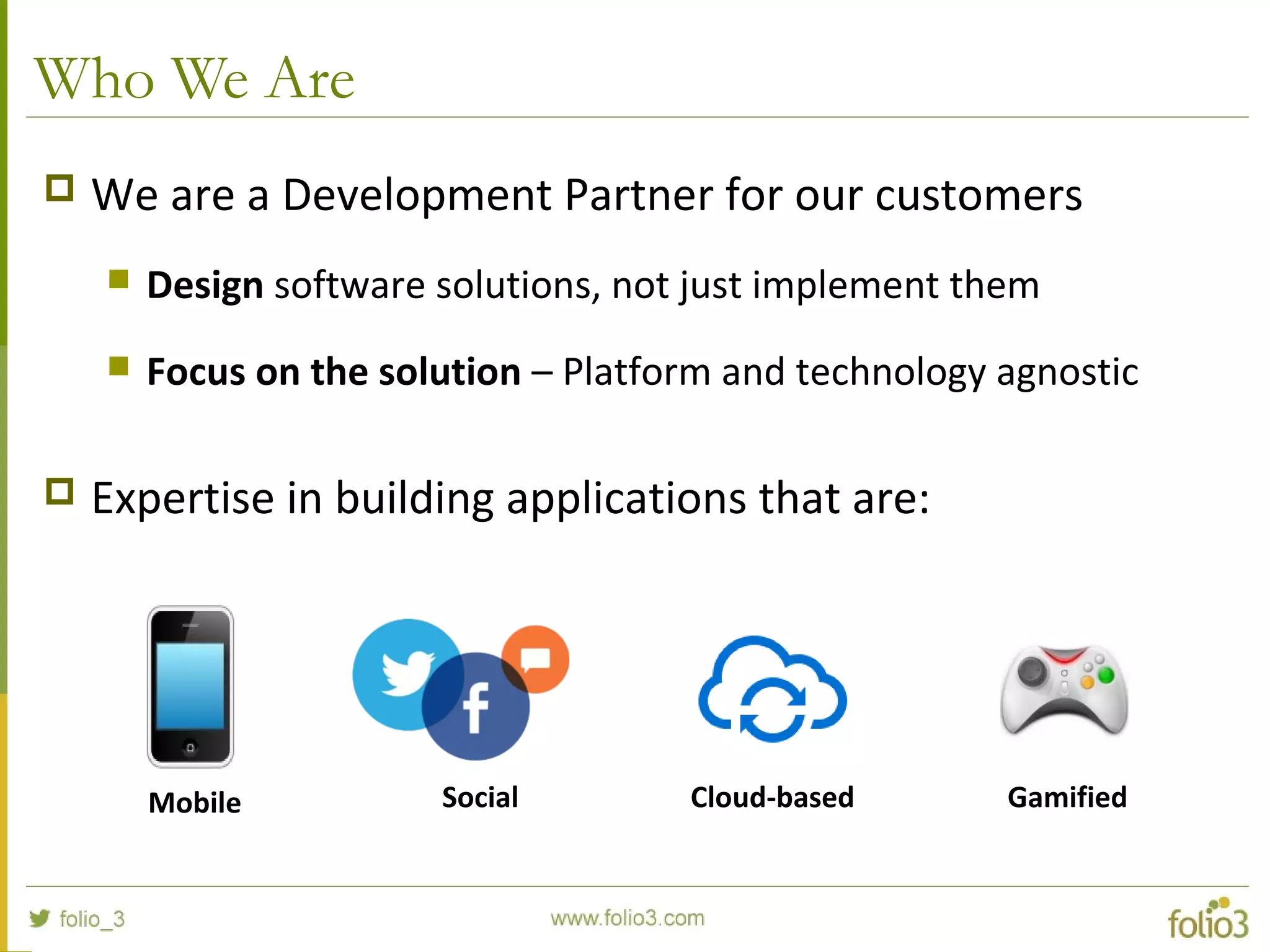
Who We Are
 We are a Development Partner for our customers
 Design software solutions, not just implement them
 Focus on the solution – Platform and technology agnostic
 Expertise in building applications that are:
Mobile Social Cloud-based Gamified
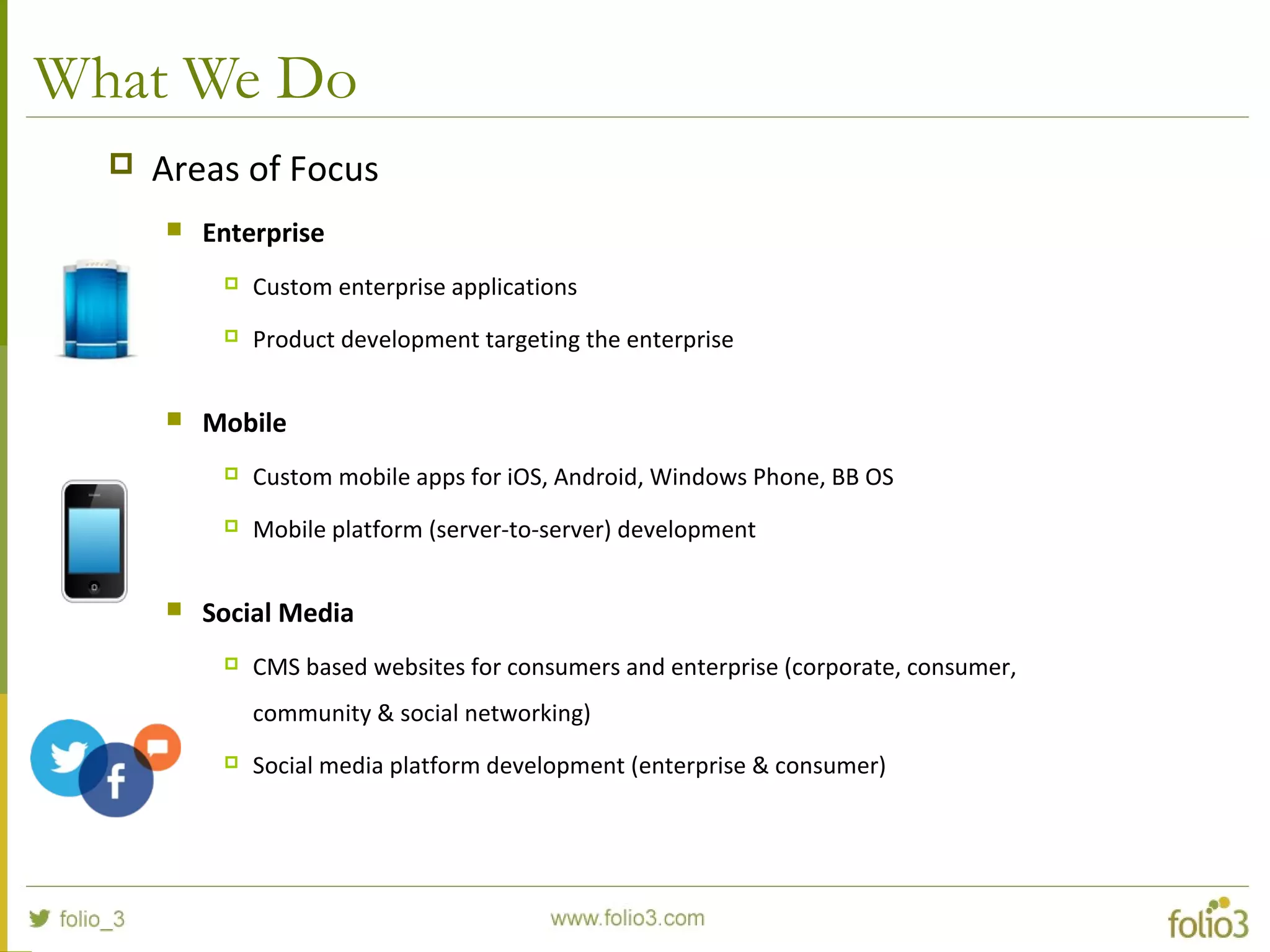
What We Do
 Areas of Focus
 Enterprise
 Custom enterprise applications
 Product development targeting the enterprise
 Mobile
 Custom mobile apps for iOS, Android, Windows Phone, BB OS
 Mobile platform (server-to-server) development
 Social Media
 CMS based websites for consumers and enterprise (corporate, consumer,
community & social networking)
 Social media platform development (enterprise & consumer)
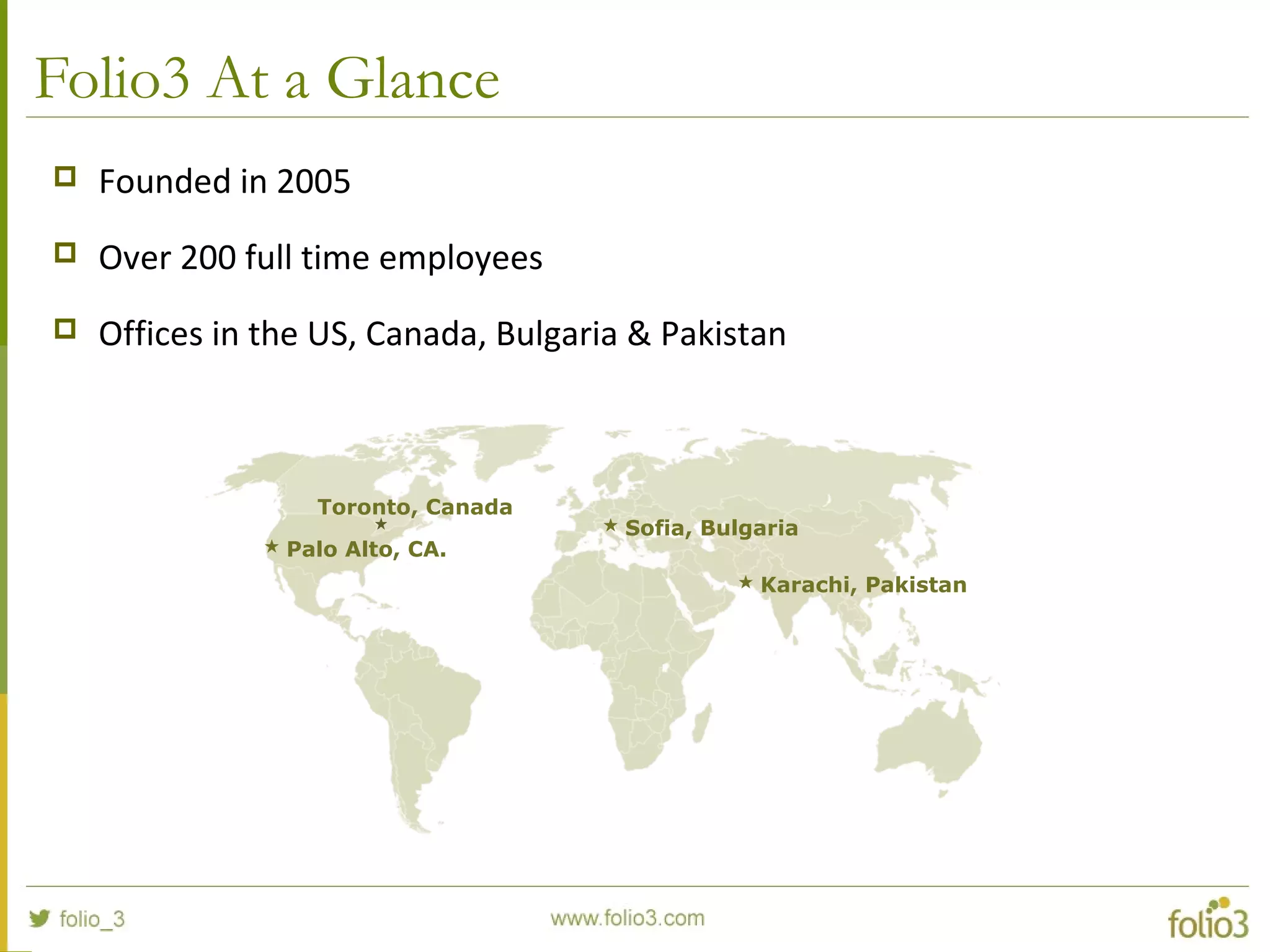
Folio3 At a Glance
 Founded in 2005
 Over 200 full time employees
 Offices in the US, Canada, Bulgaria & Pakistan
 Palo Alto, CA.
 Sofia, Bulgaria
 Karachi, Pakistan
Toronto, Canada
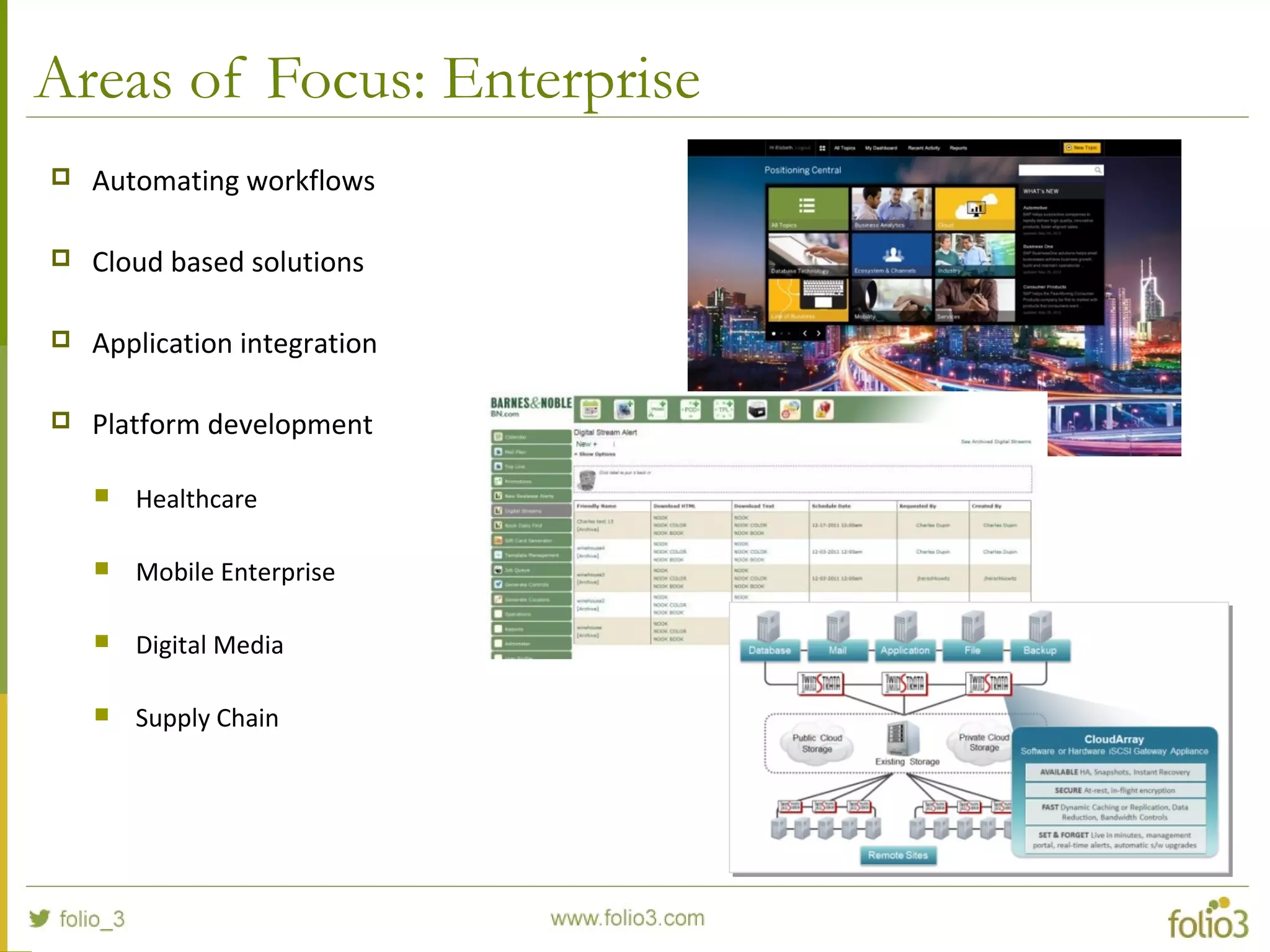
Areas of Focus: Enterprise
 Automating workflows
 Cloud based solutions
 Application integration
 Platform development
 Healthcare
 Mobile Enterprise
 Digital Media
 Supply Chain
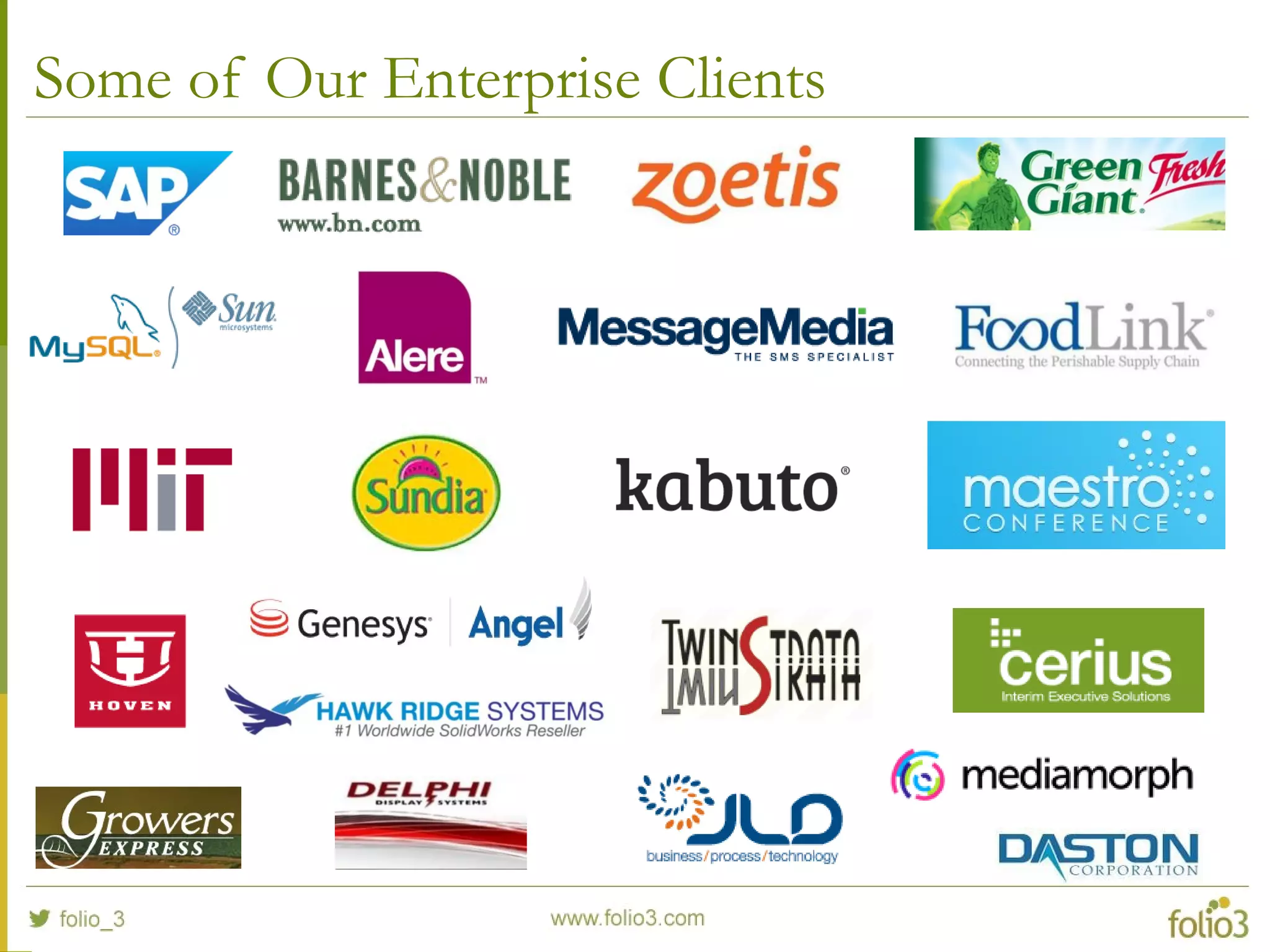
Some of Our Enterprise Clients
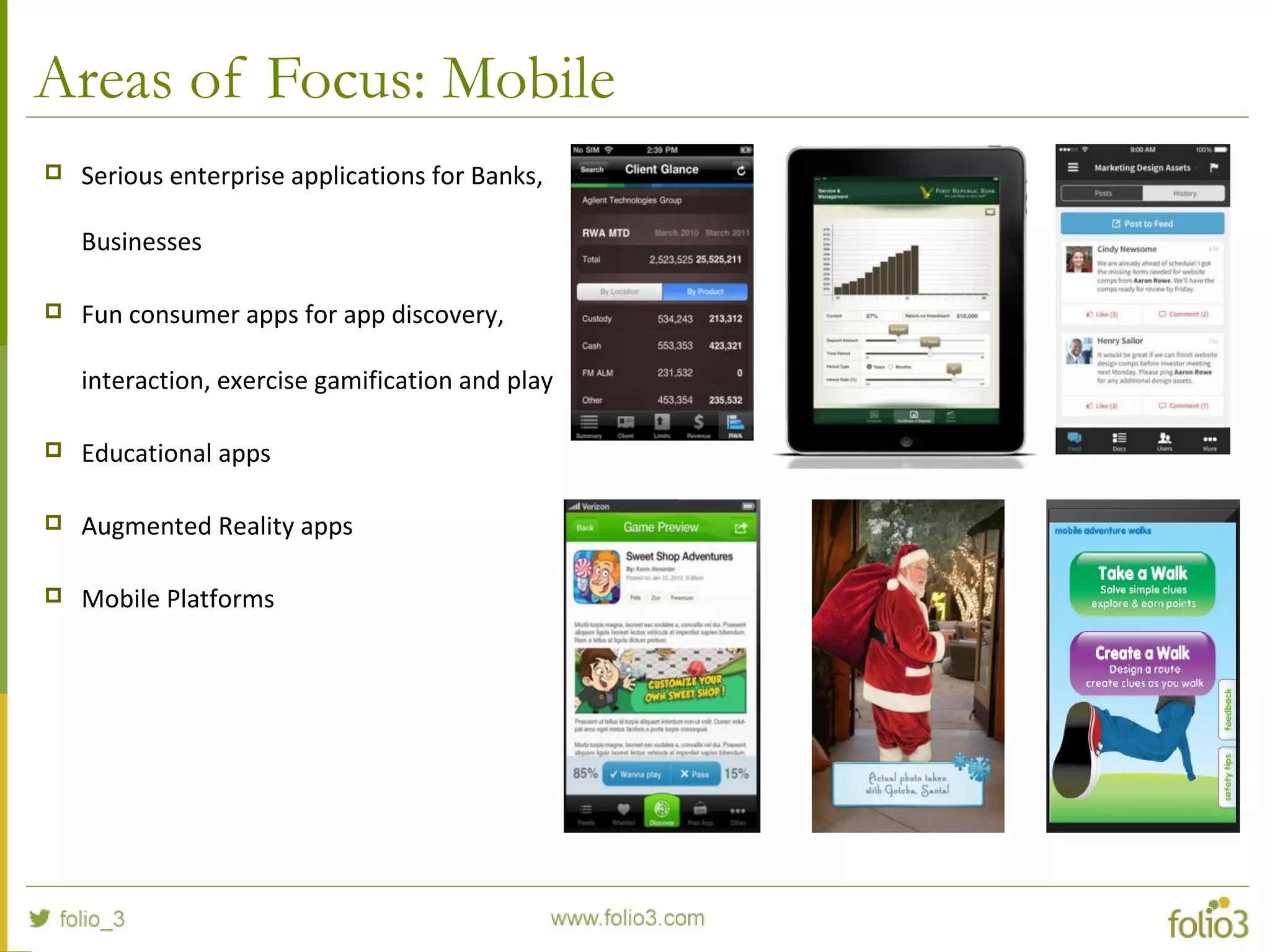
Areas of Focus: Mobile
 Serious enterprise applications for Banks,
Businesses
 Fun consumer apps for app discovery,
interaction, exercise gamification and play
 Educational apps
 Augmented Reality apps
 Mobile Platforms
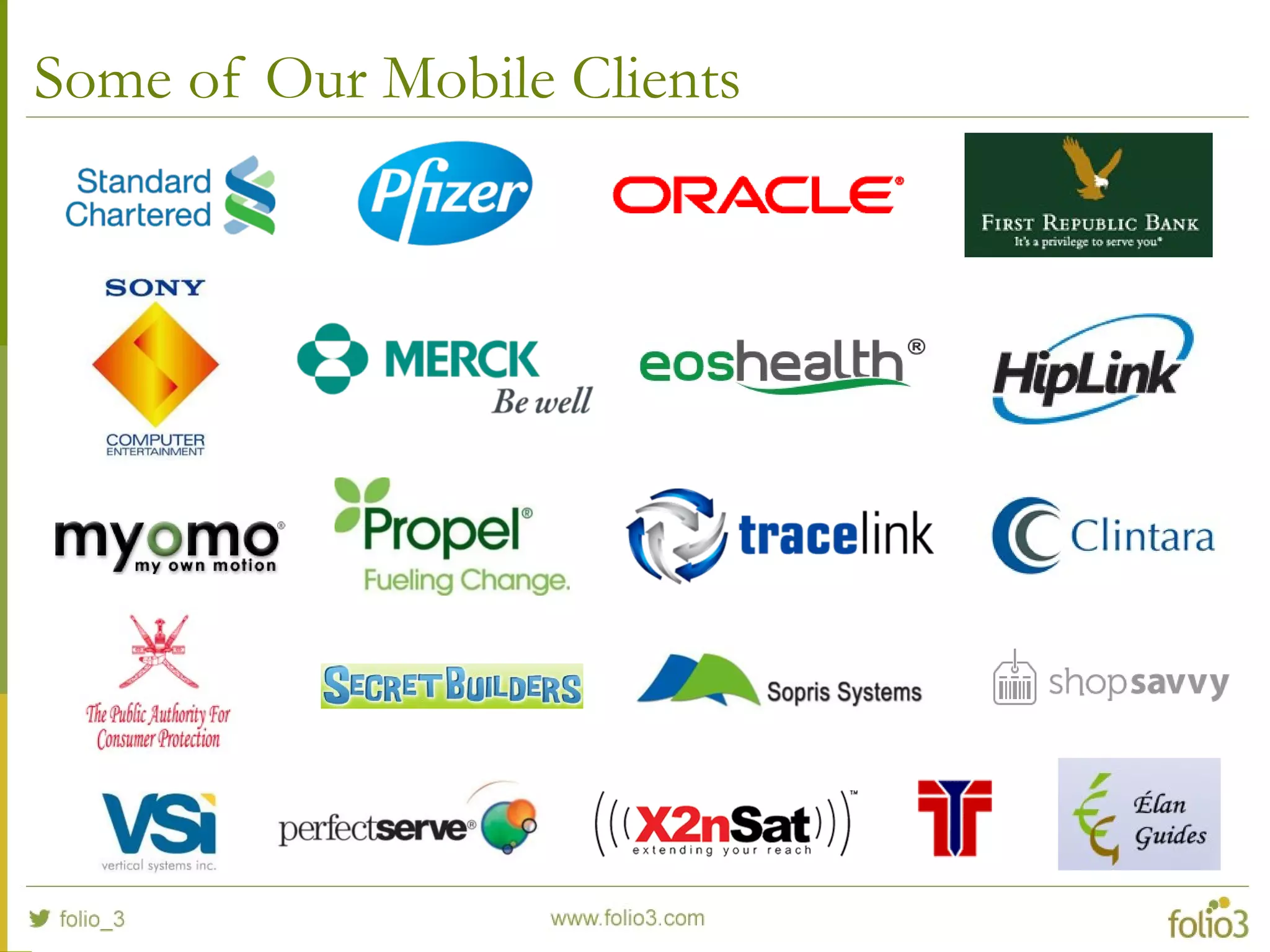
Some of Our Mobile Clients
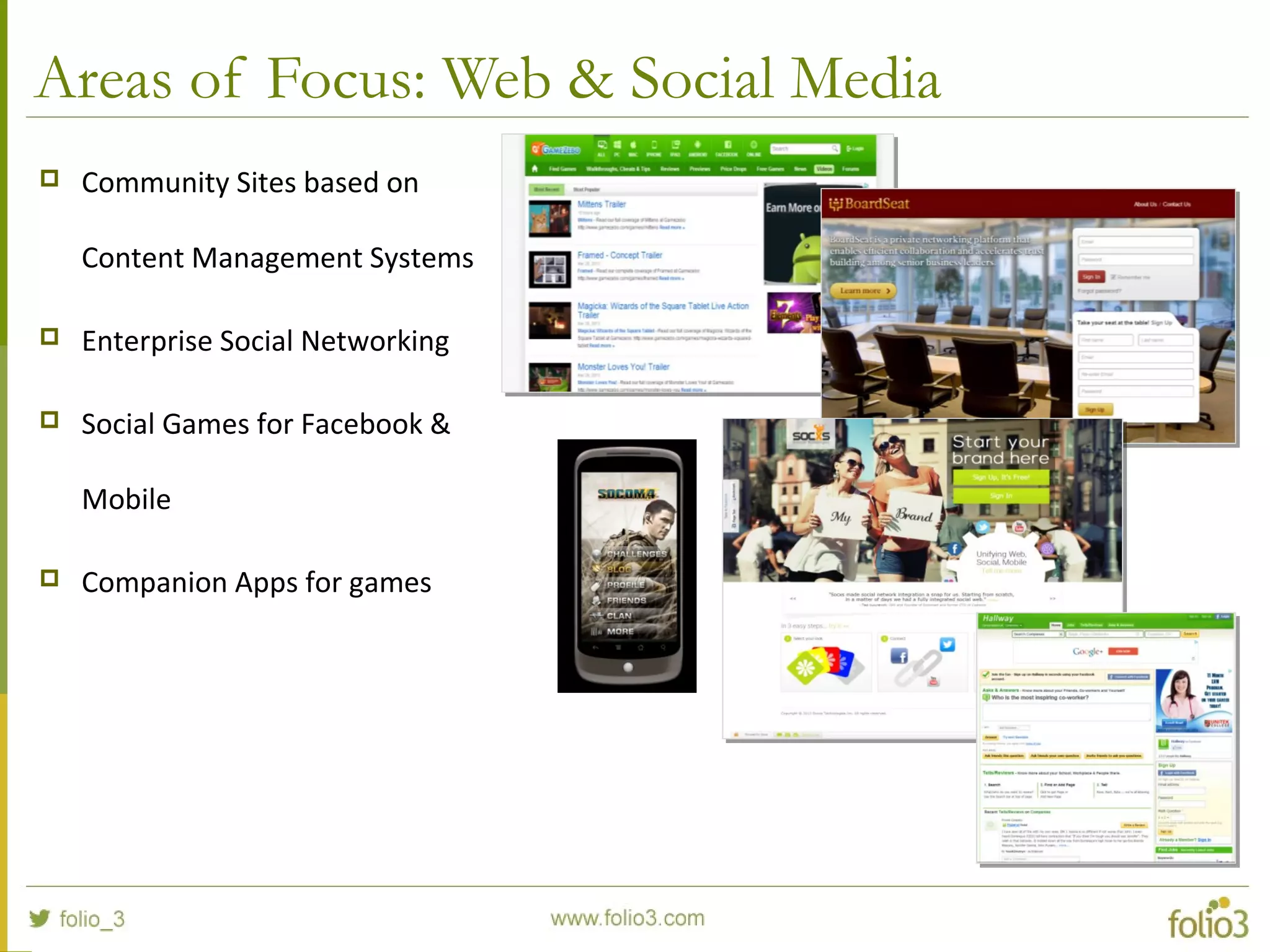
Areas of Focus: Web & Social Media
 Community Sites based on
Content Management Systems
 Enterprise Social Networking
 Social Games for Facebook &
Mobile
 Companion Apps for games
Some of Our Web Clients
www.folio3.com @folio_3
Introduction toIntroduction to
SharePoint 2013SharePoint 2013
Agenda
 Getting Started
 Pre Requisites
 Installation Steps
 Features Overviews
 Business Connectivity Services
 Business Intelligence
 Identity Management
 UI enhancements for Mobile Devices
 Web Content Management
 Workflows
Agenda (Continued)
 Getting Started with SharePoint Development
 What we can Customize?
 Tools for SharePoint Customization
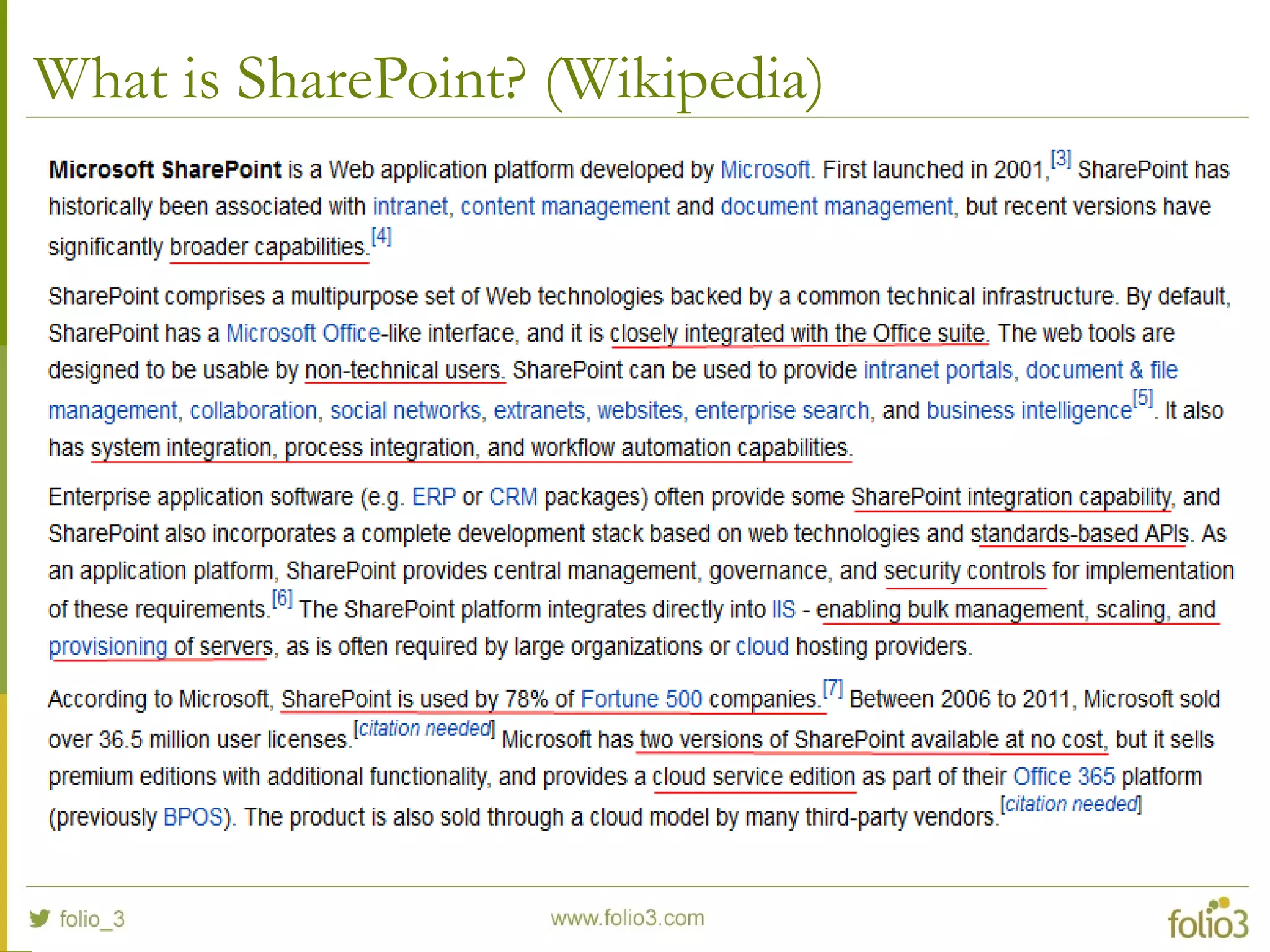
What is SharePoint? (Wikipedia)
Pre Requisites
 Hardware Requirements (recommended)
 Processor: 64 bit, 4 cores
 Memory: 8 GB
 Hard Disk Space: 80 GB for system drive
 Software Requirements (minimum)
 Operating System: Windows Server (2008 R2 SP1, 2012)
 Database: SQL Server x64 (2008 R2 SP1, 2012)
 .NET Framework: 4.5
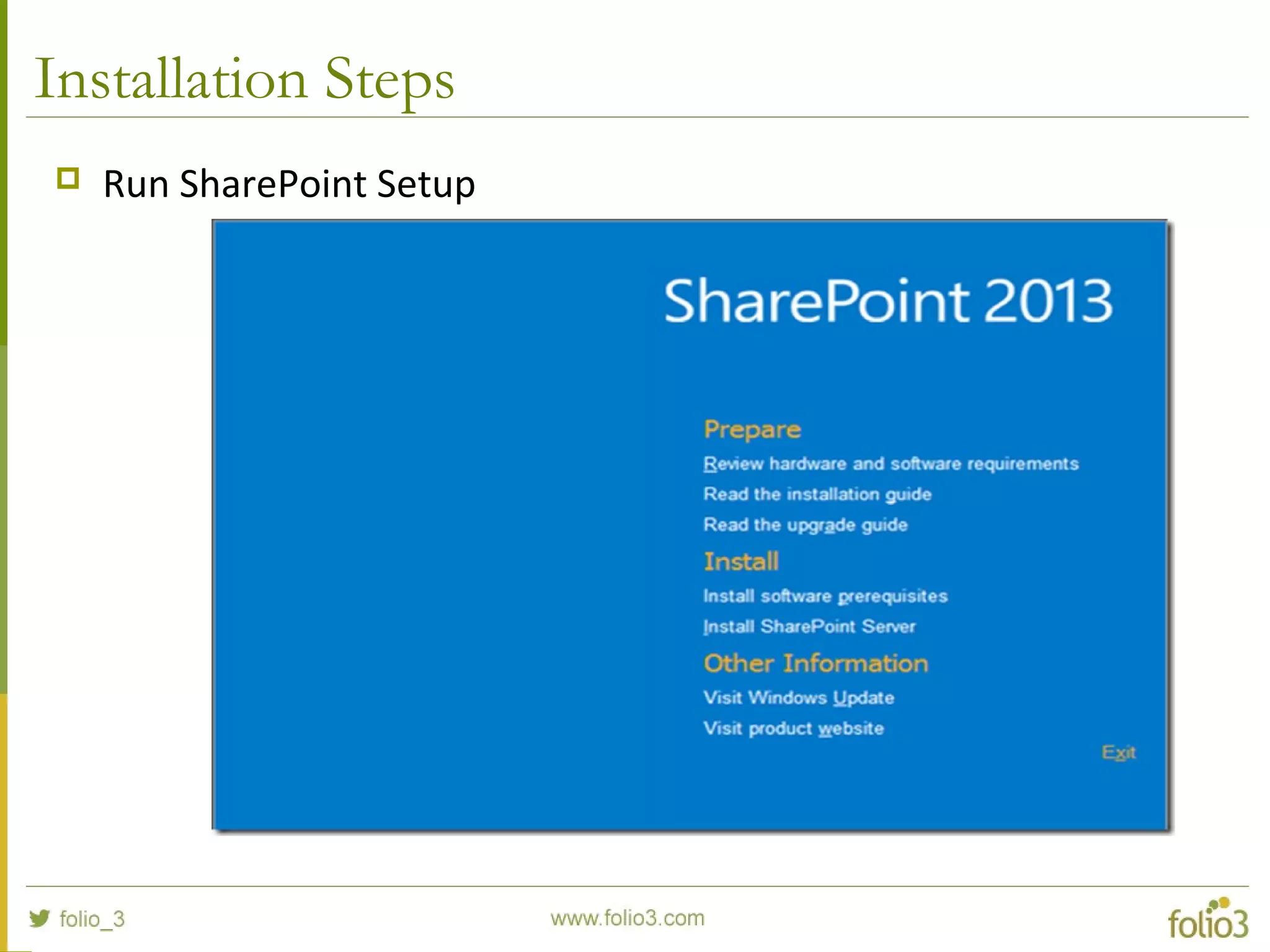
Installation Steps
 Run SharePoint Setup
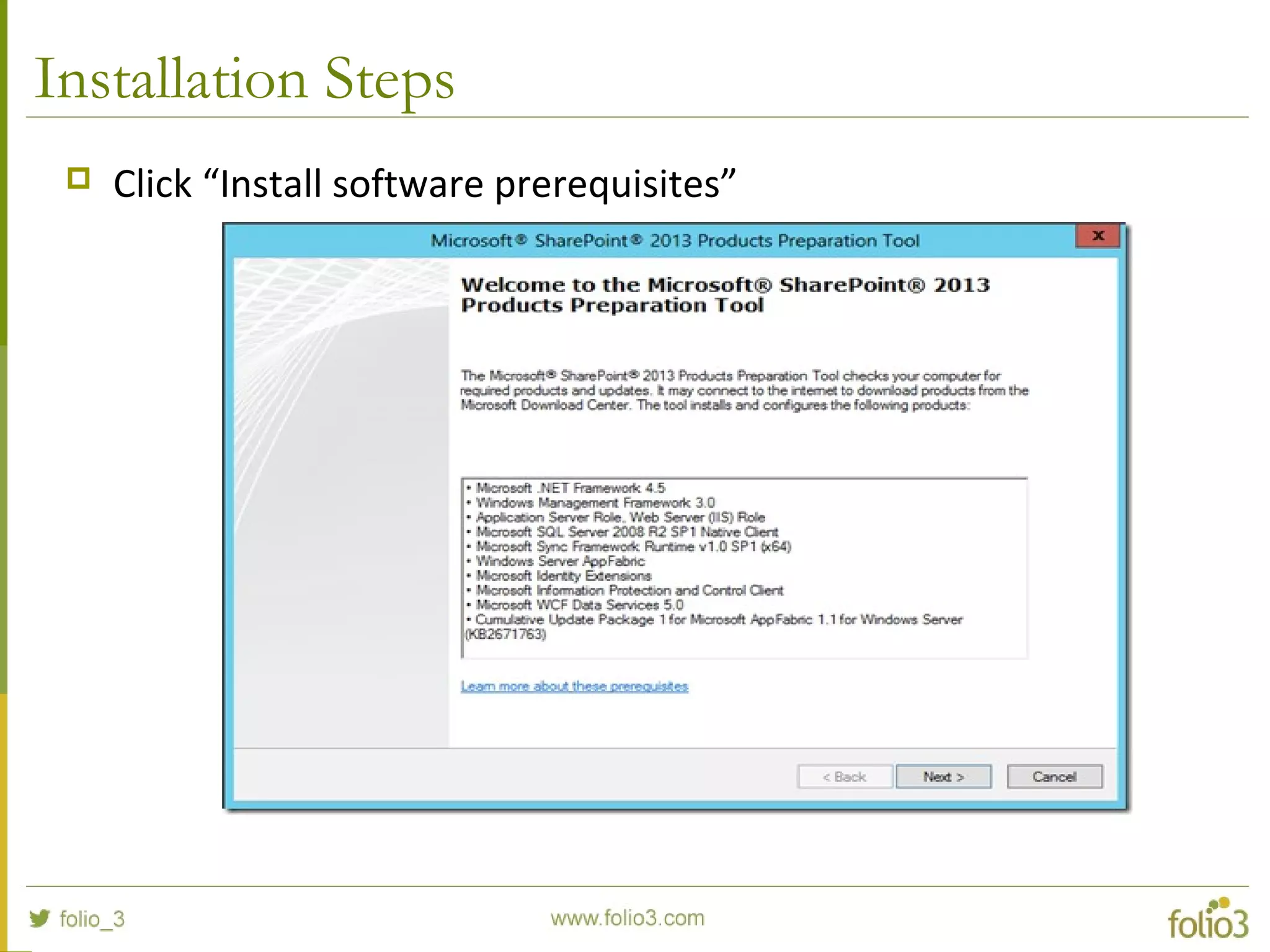
Installation Steps
 Click “Install software prerequisites”
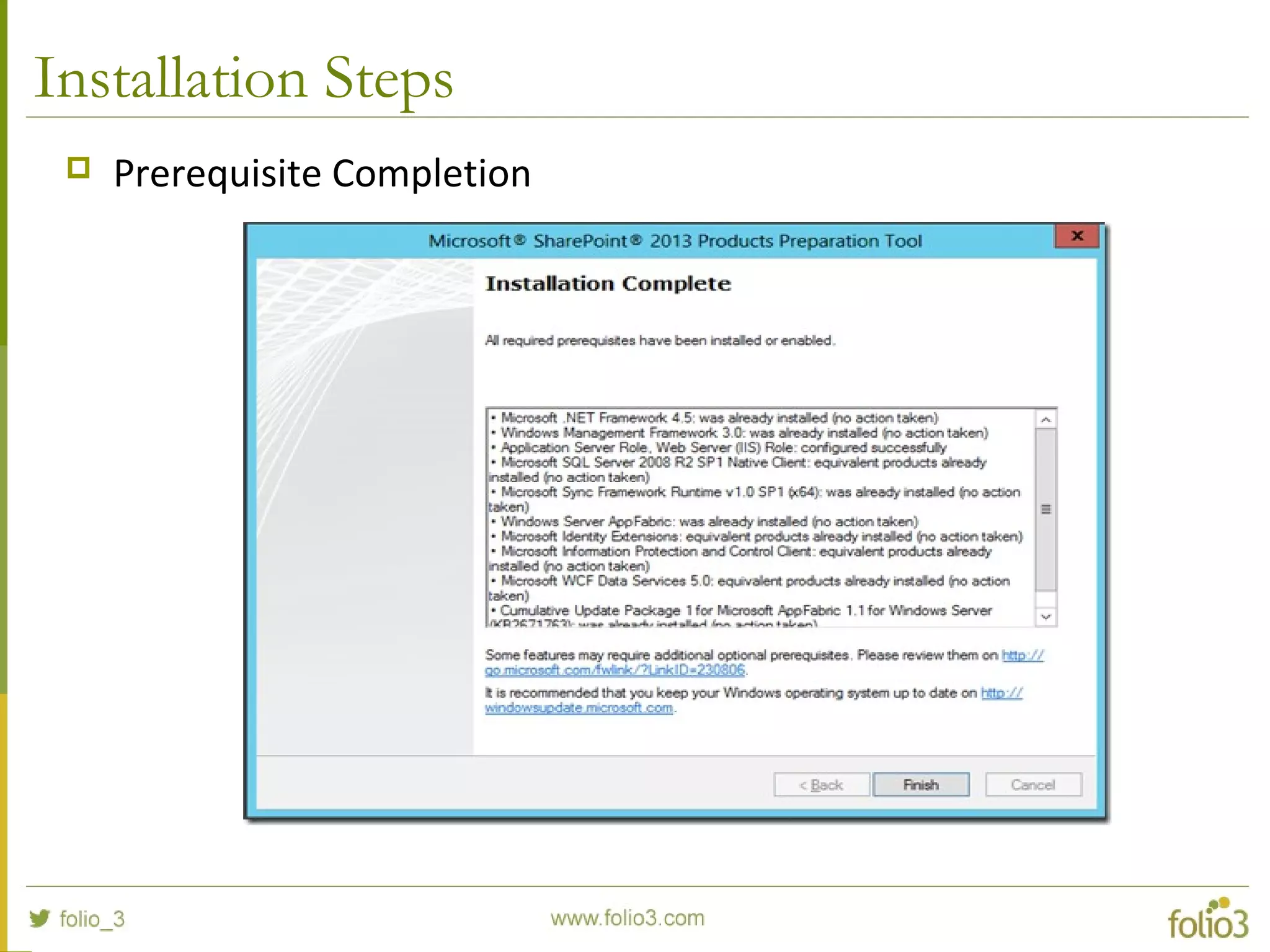
Installation Steps
 Prerequisite Completion
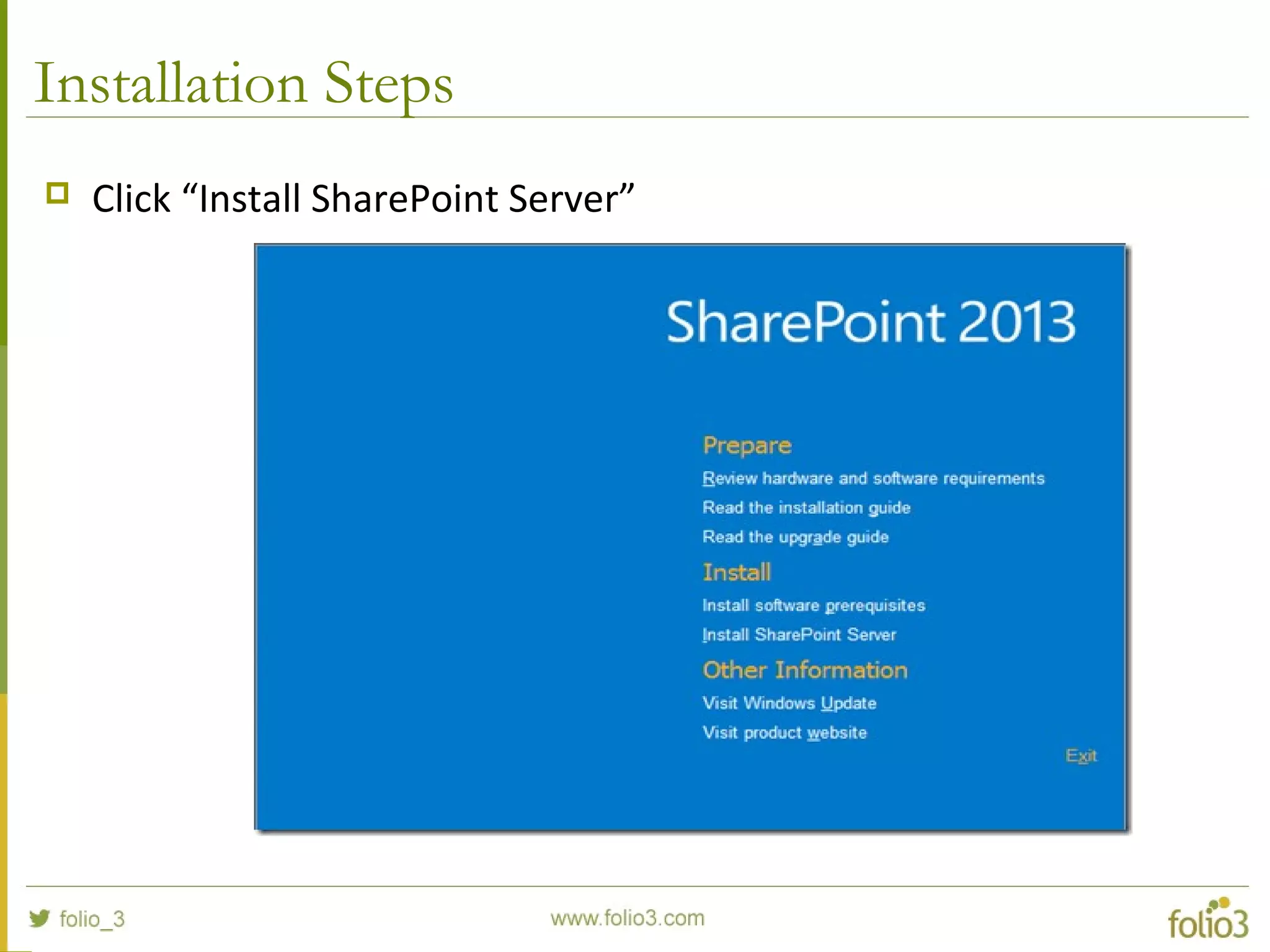
Installation Steps
 Click “Install SharePoint Server”
Installation Steps
 Enter Product Key (sp2013 download page have trial license key
listed on the page)
 Accept Terms and Condition
Installation Steps
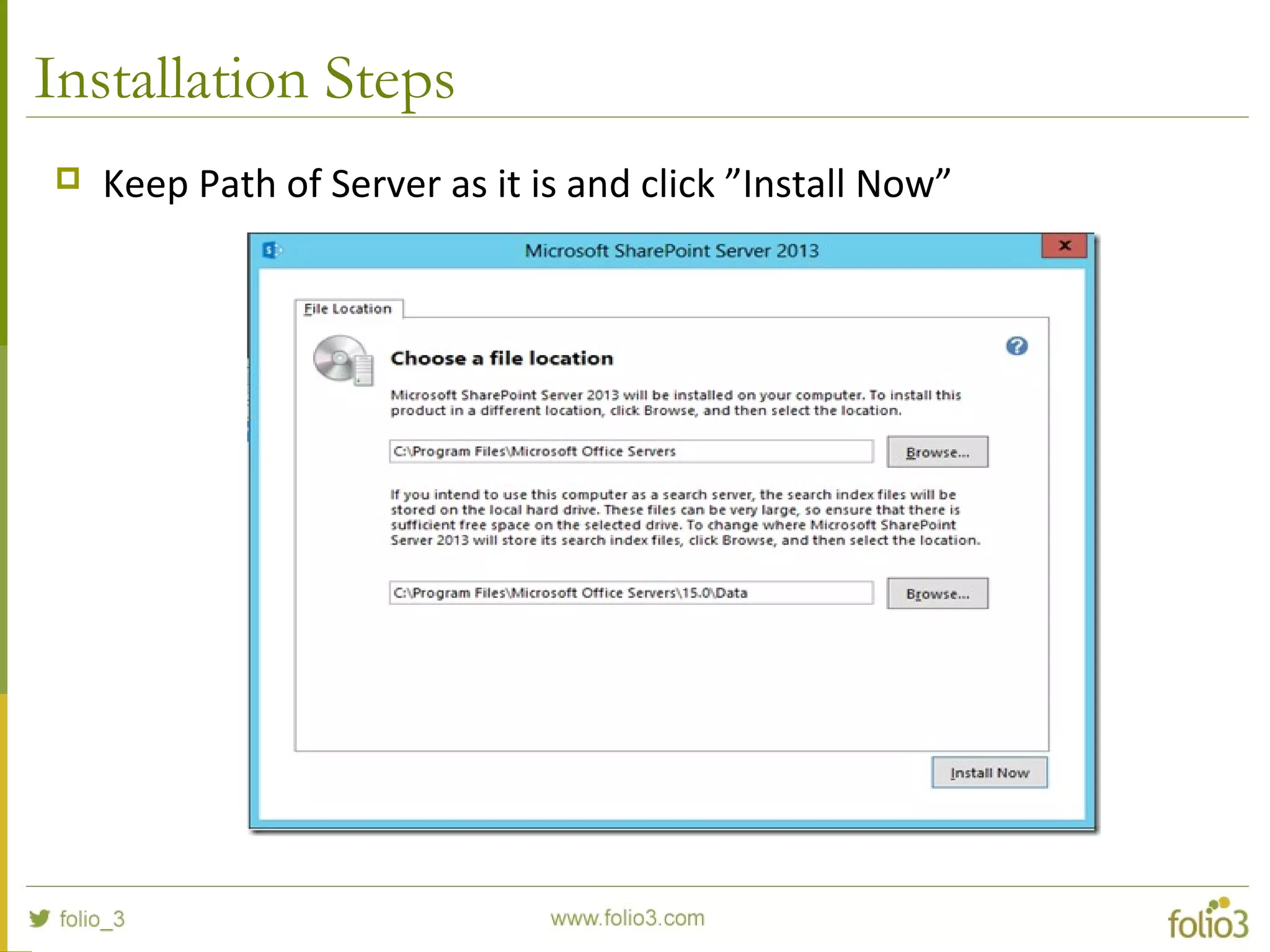
 Keep Path of Server as it is and click ”Install Now”
Installation Steps
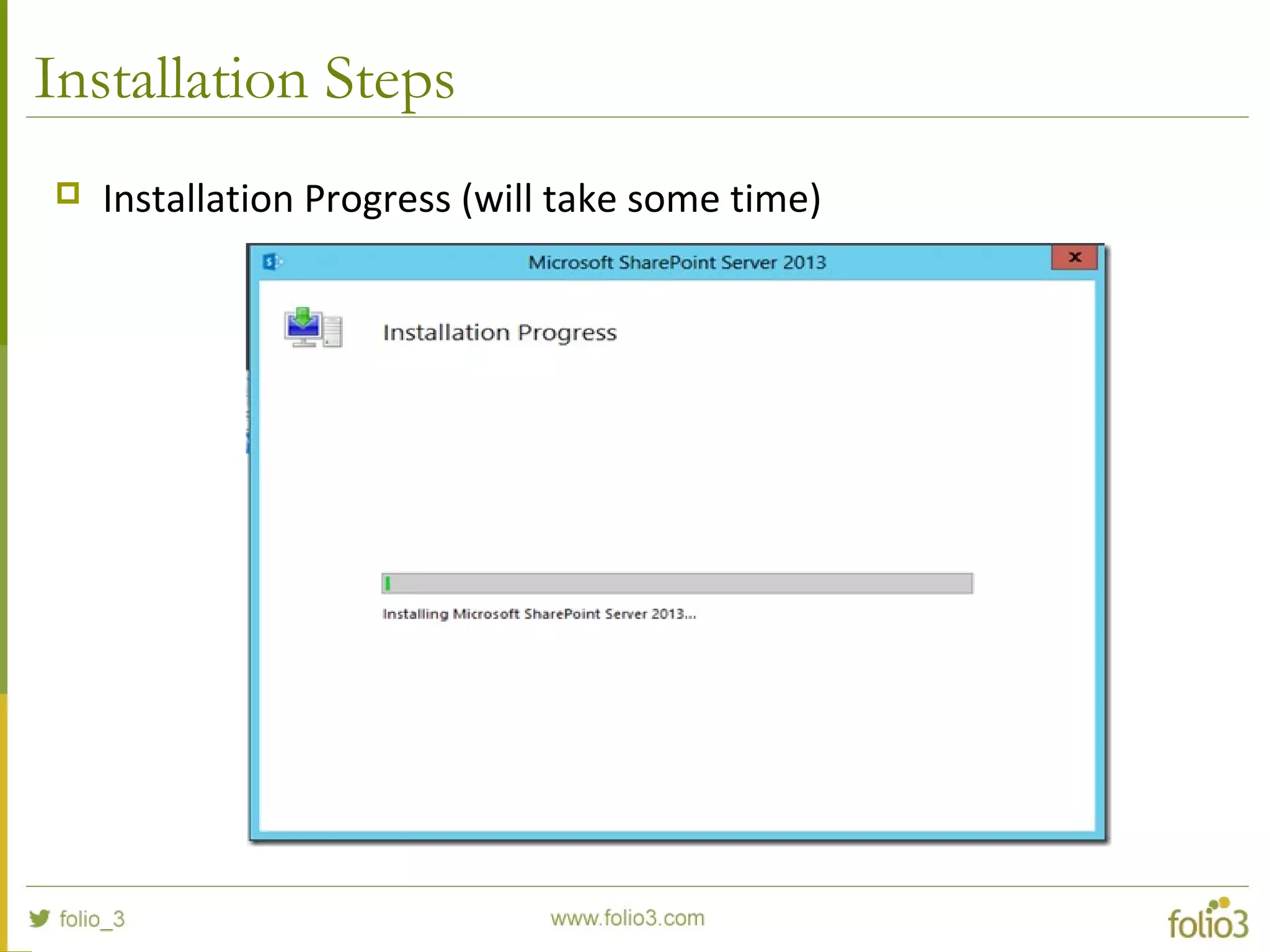
 Installation Progress (will take some time)
Installation Steps
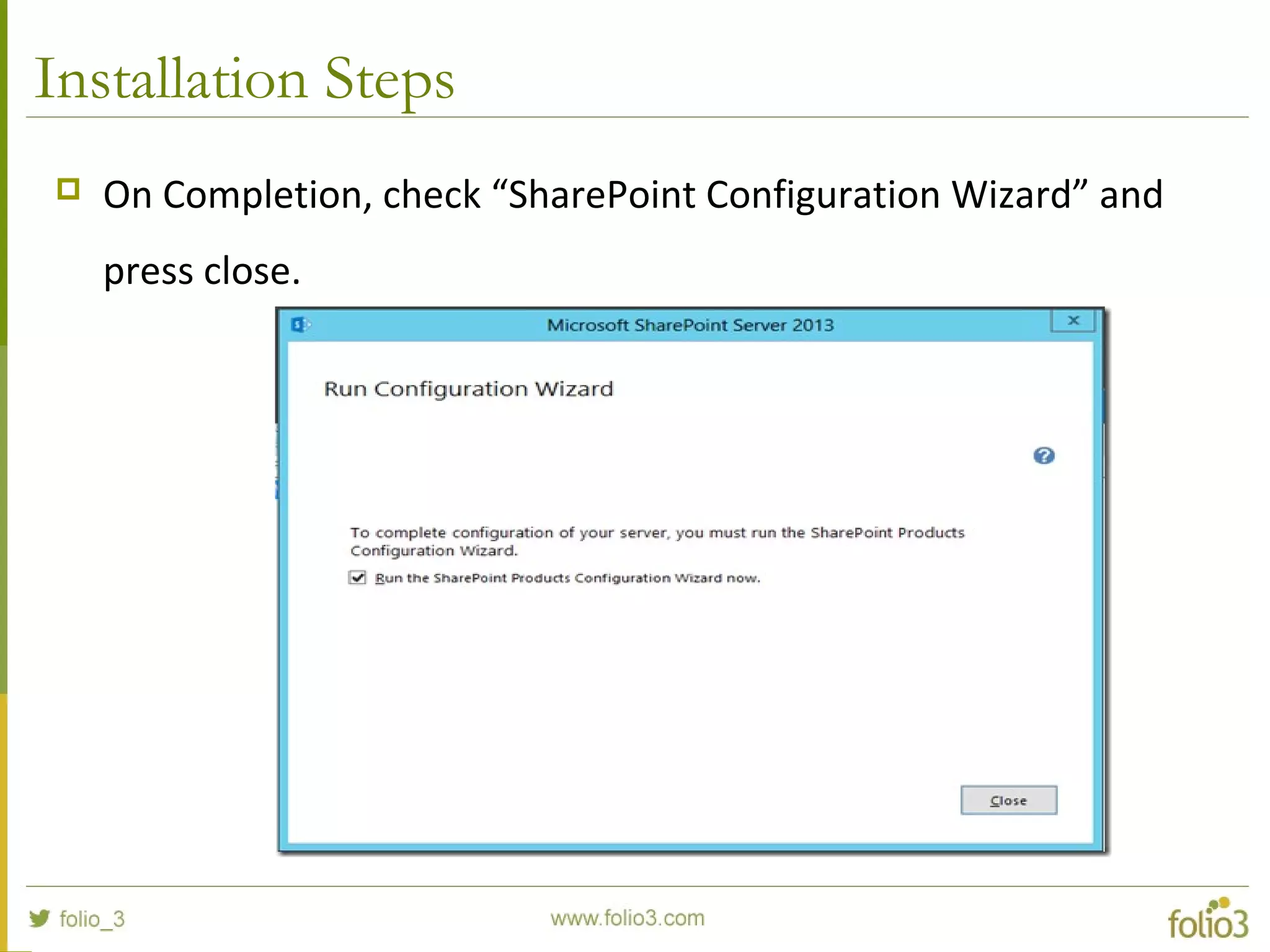
 On Completion, check “SharePoint Configuration Wizard” and
press close.
Installation Steps
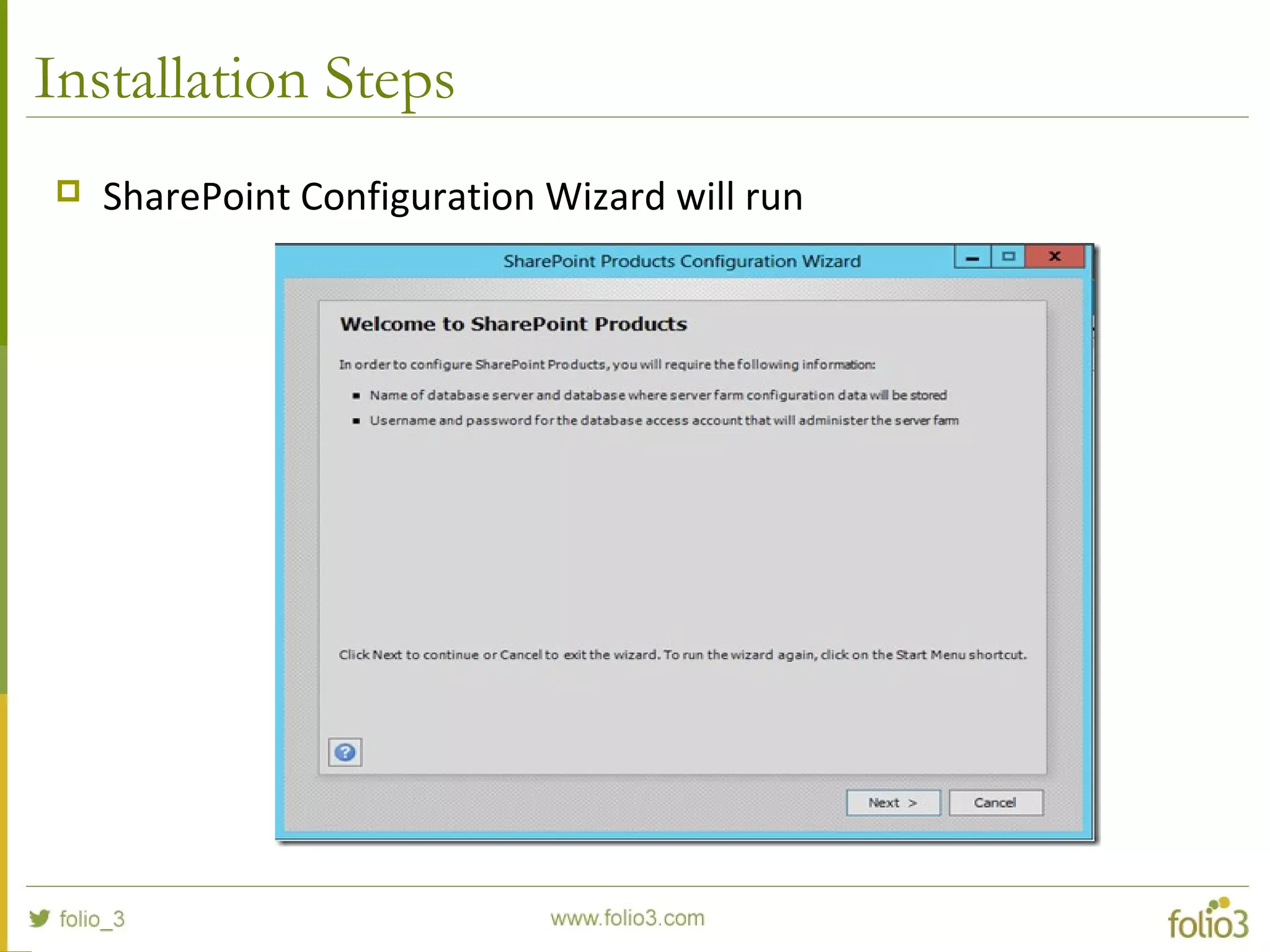
 SharePoint Configuration Wizard will run
Installation Steps
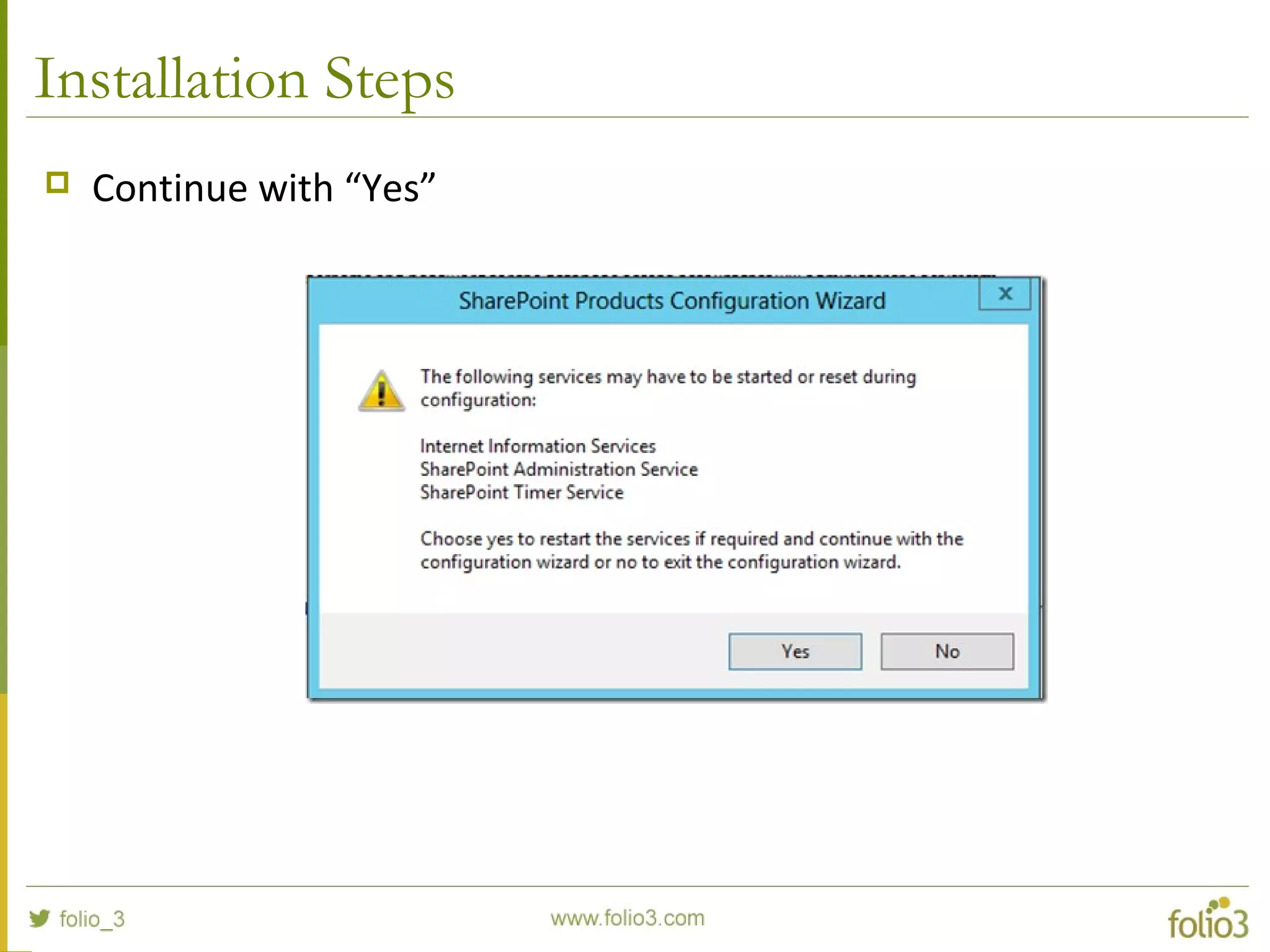
 Continue with “Yes”
Installation Steps
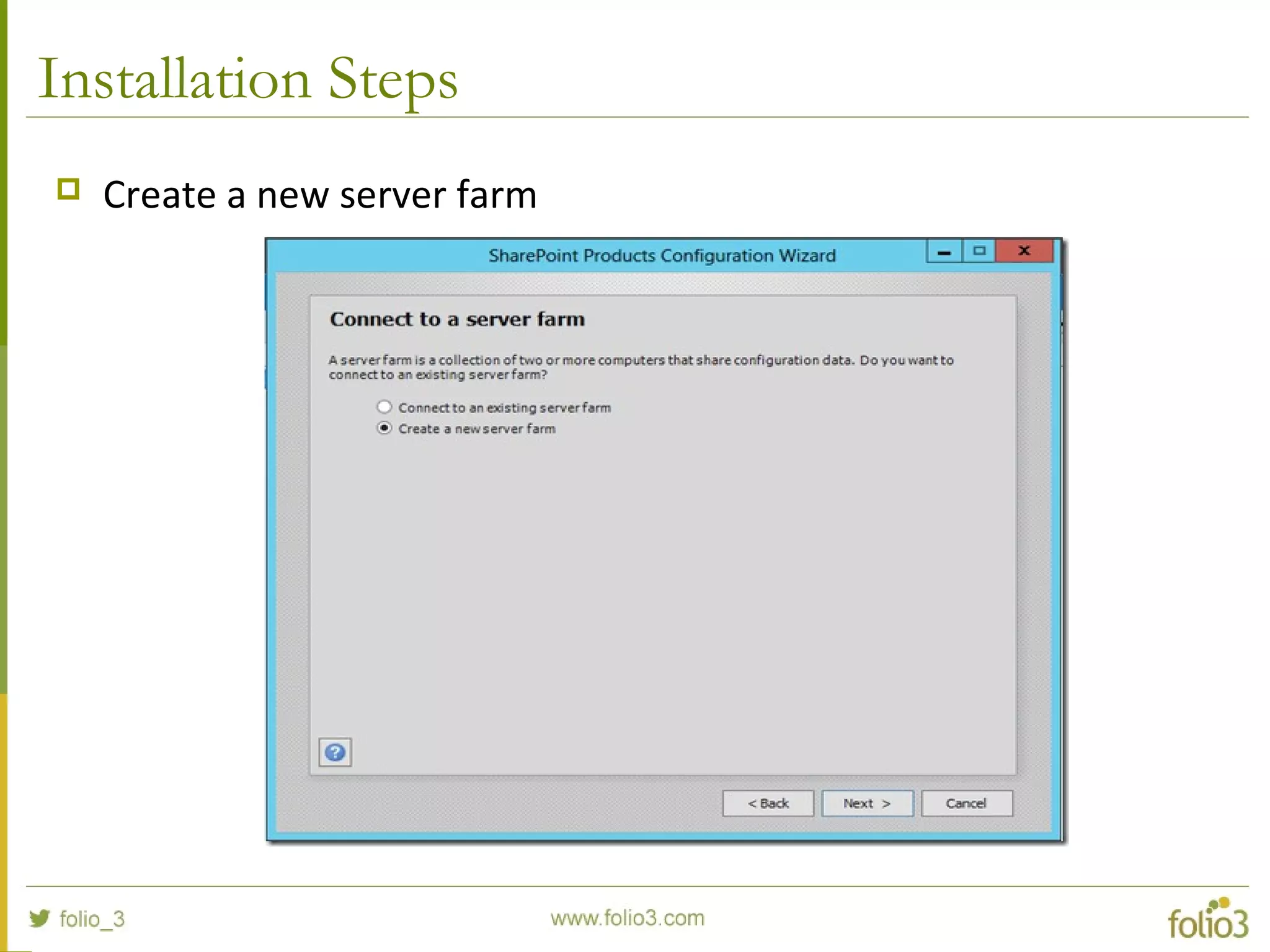
 Create a new server farm
Installation Steps
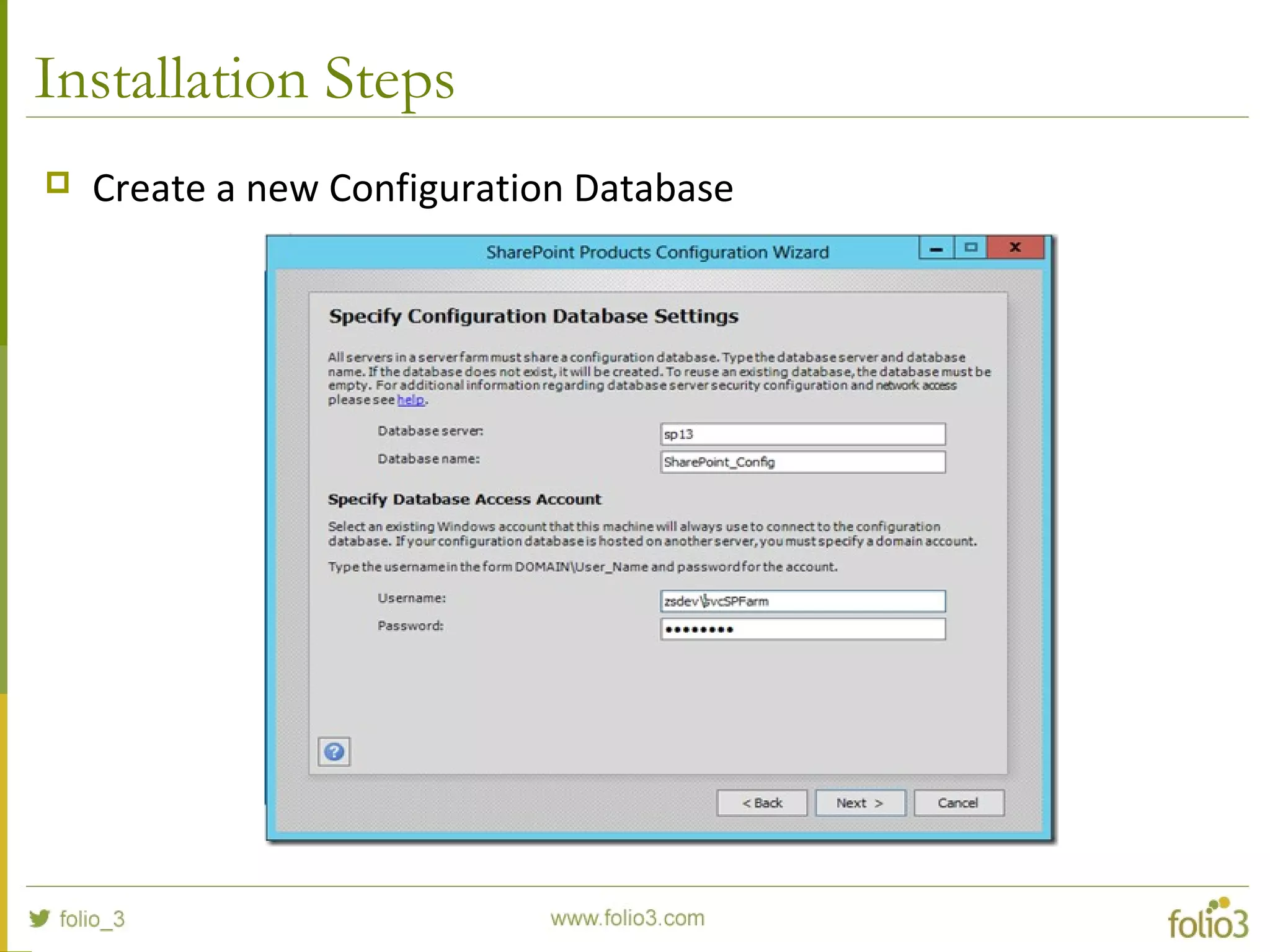
 Create a new Configuration Database
Installation Steps
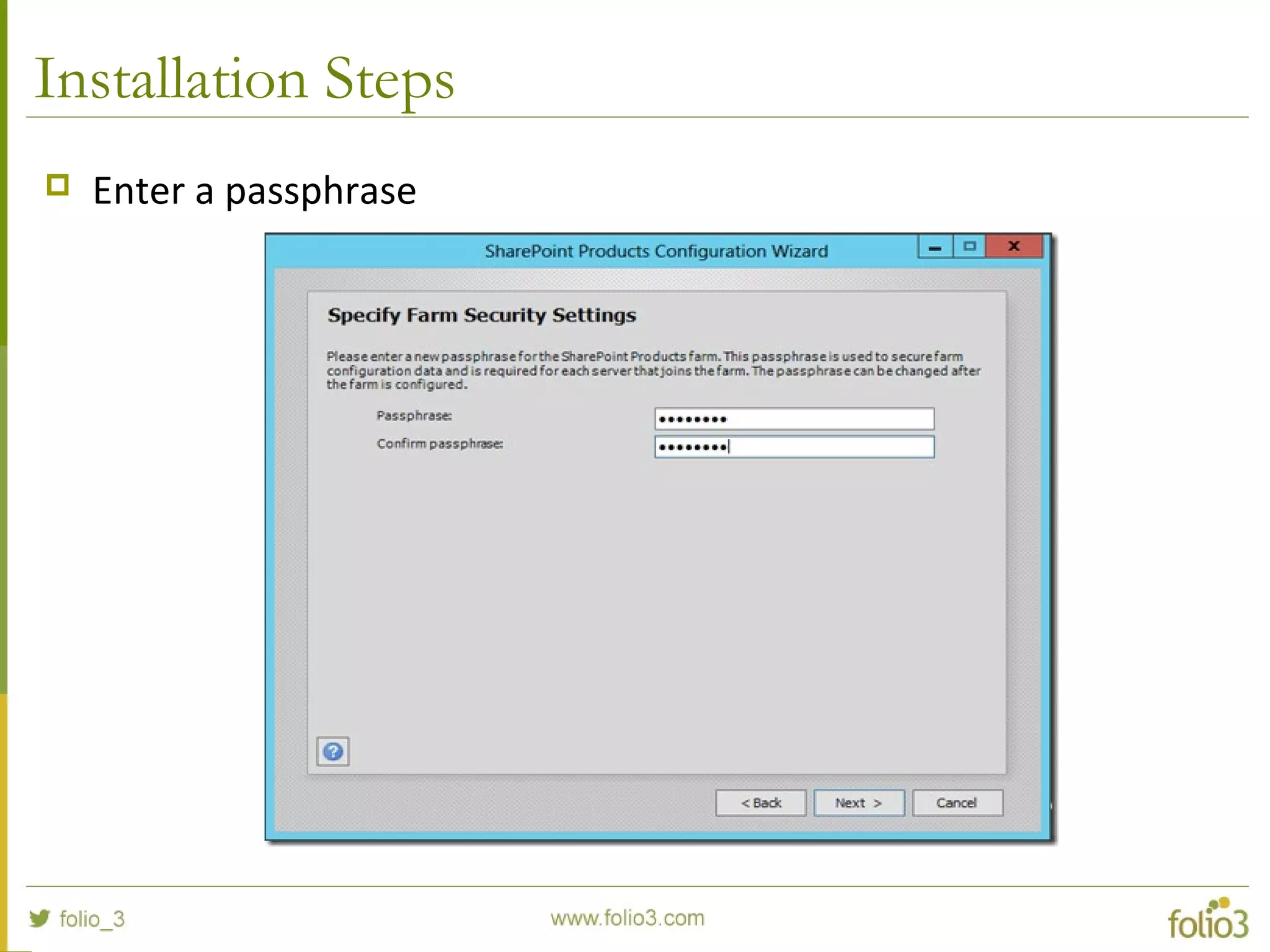
 Enter a passphrase
Installation Steps
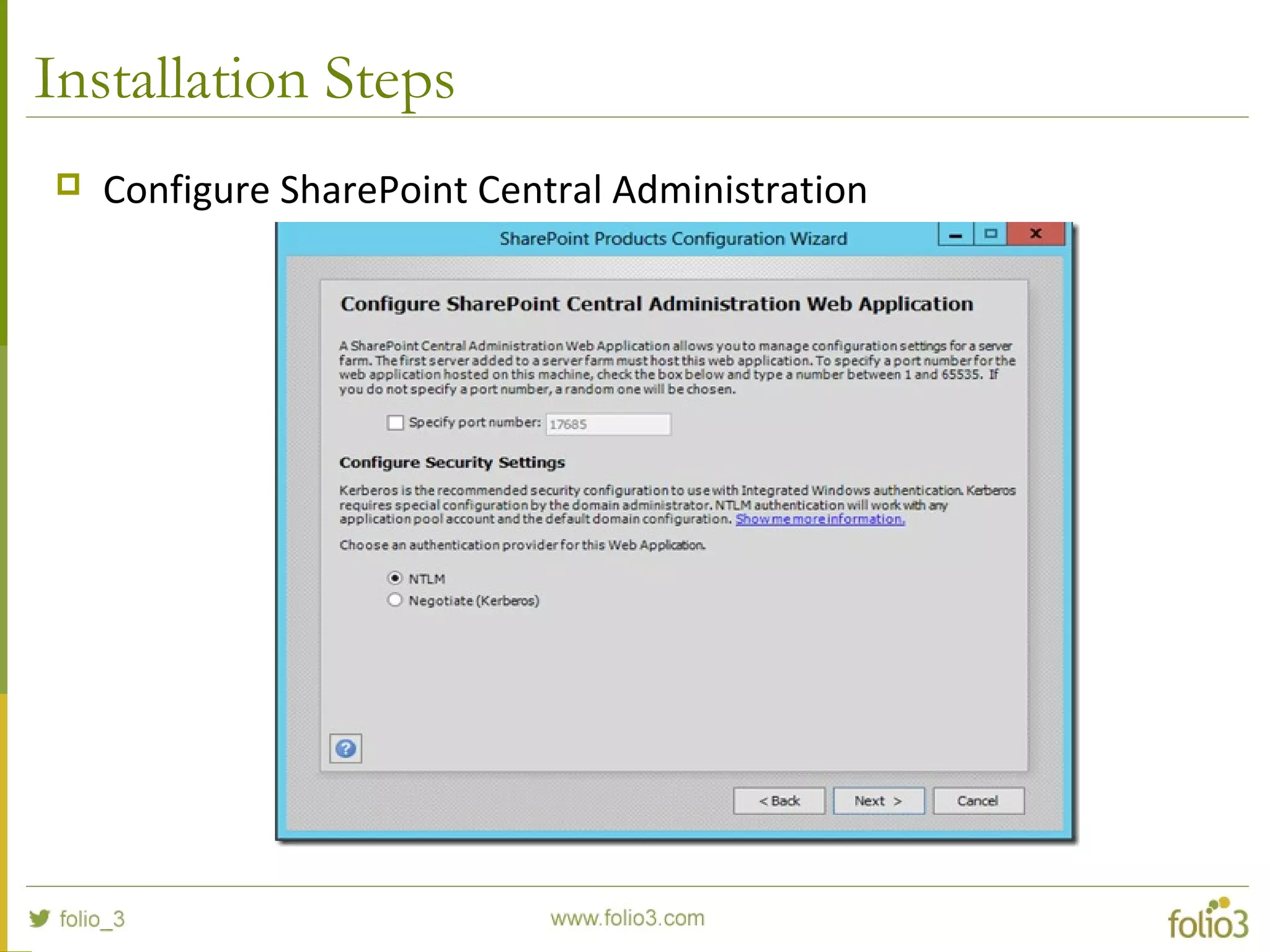
 Configure SharePoint Central Administration
Installation Steps
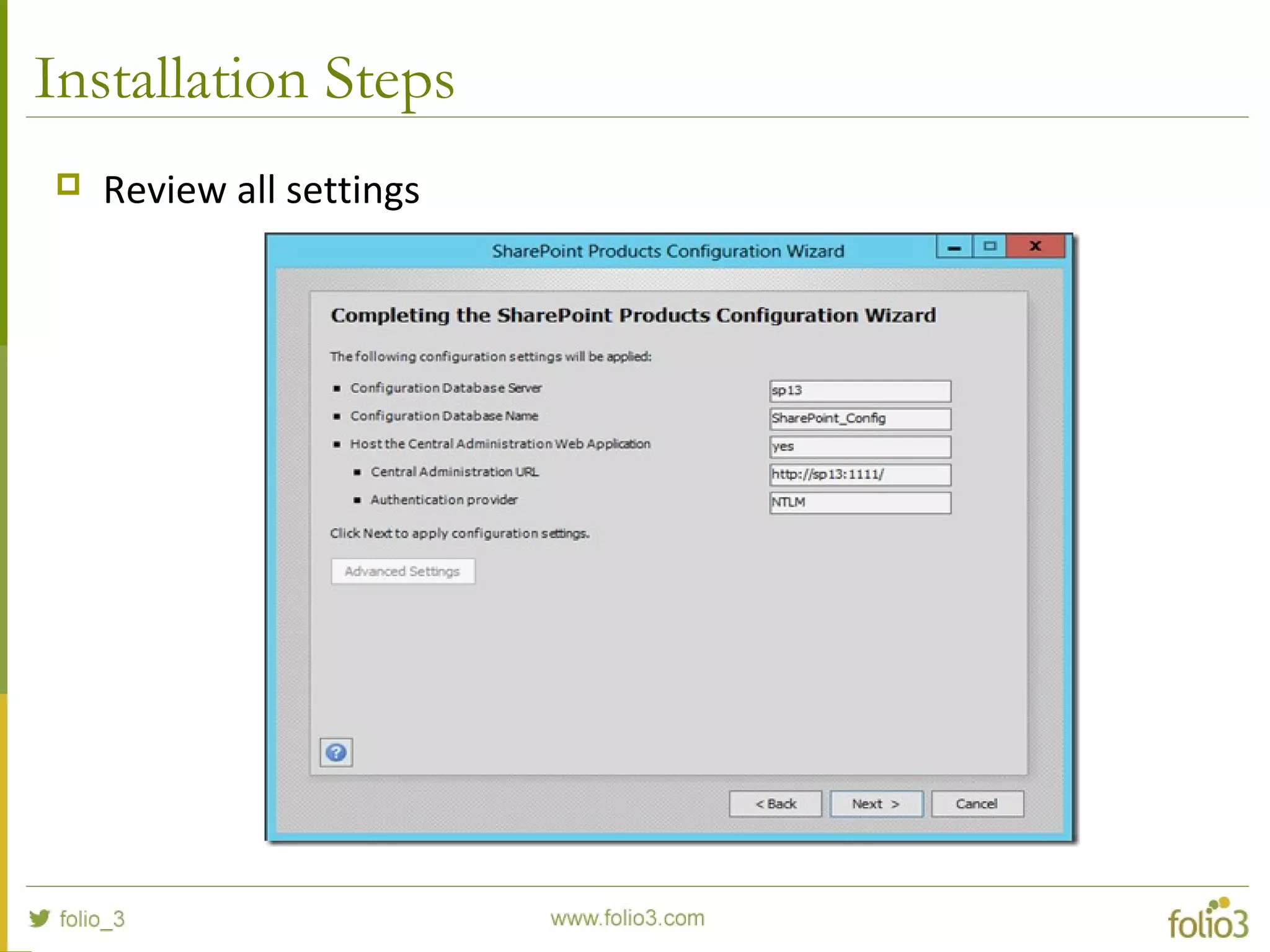
 Review all settings
Installation Steps
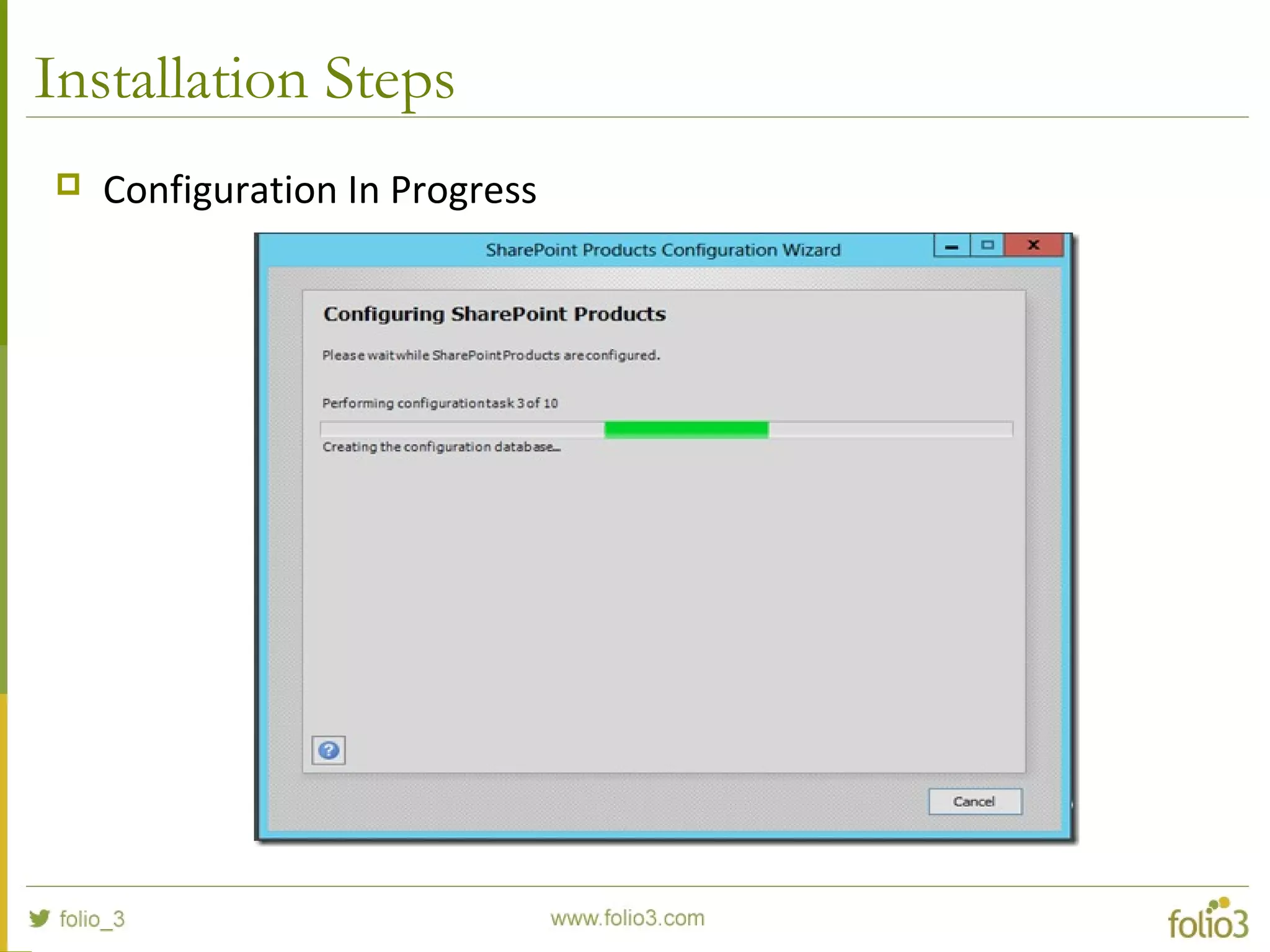
 Configuration In Progress
Installation Steps
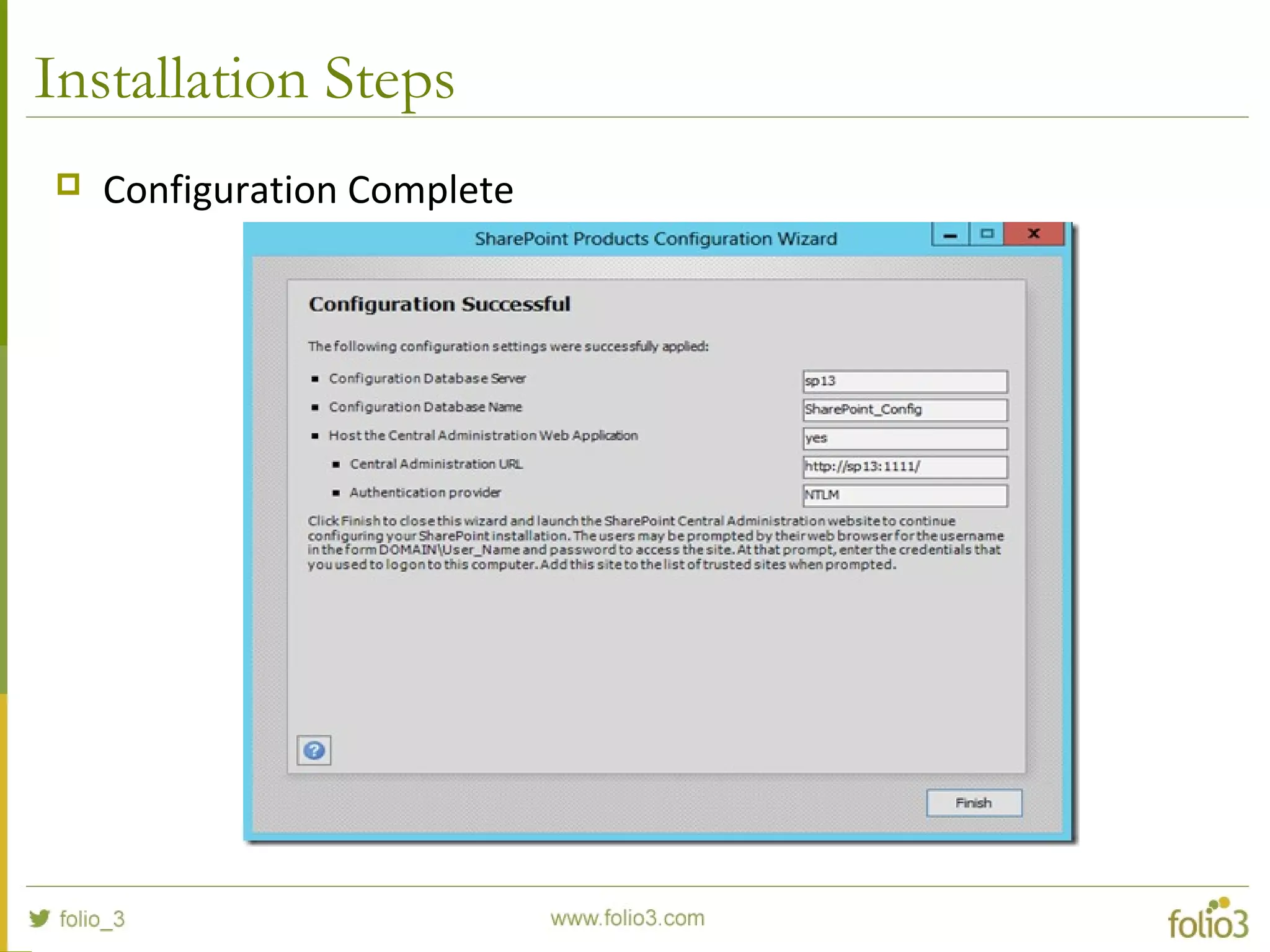
 Configuration Complete
Installation Steps
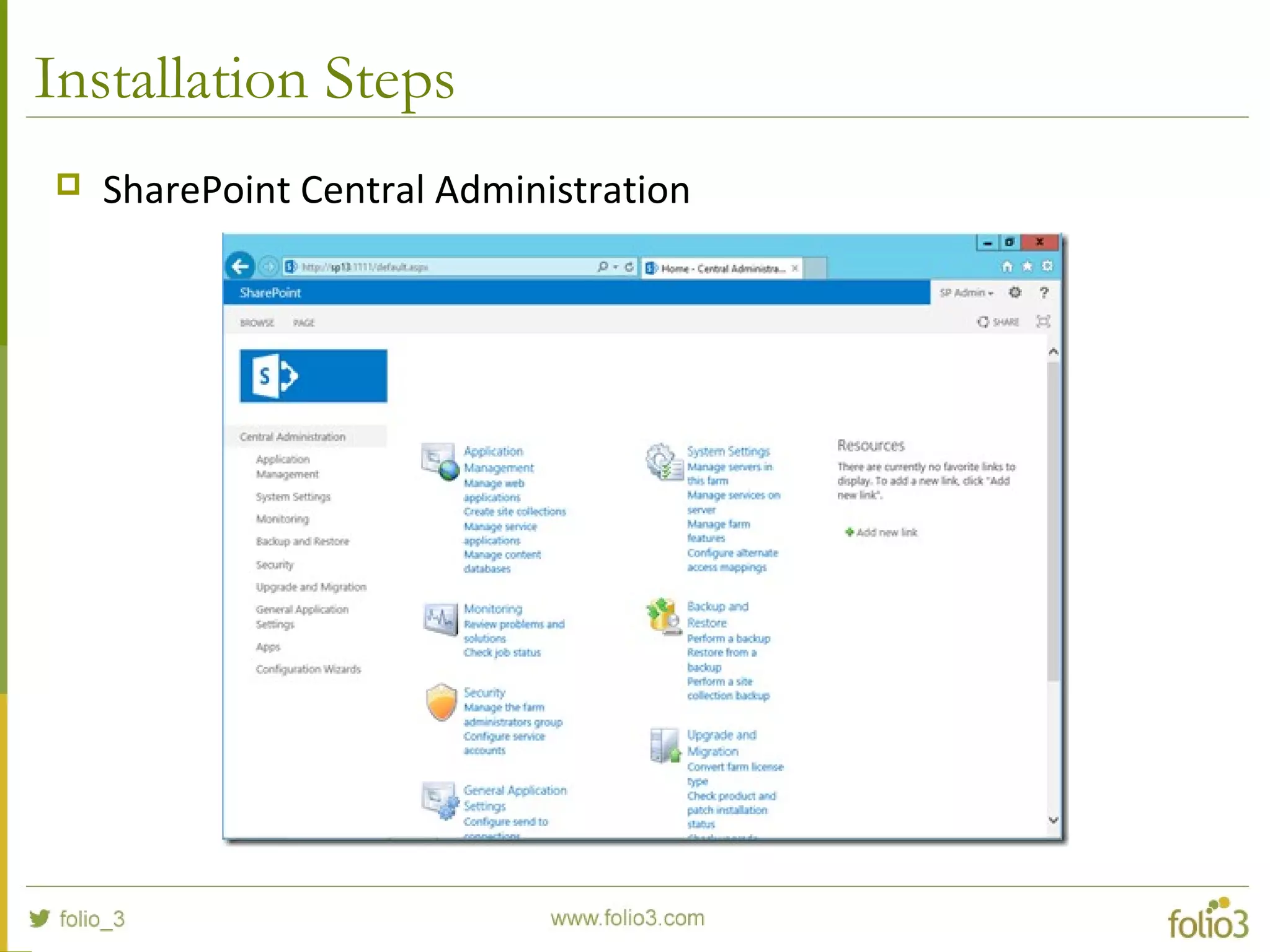
 SharePoint Central Administration
Installation Steps
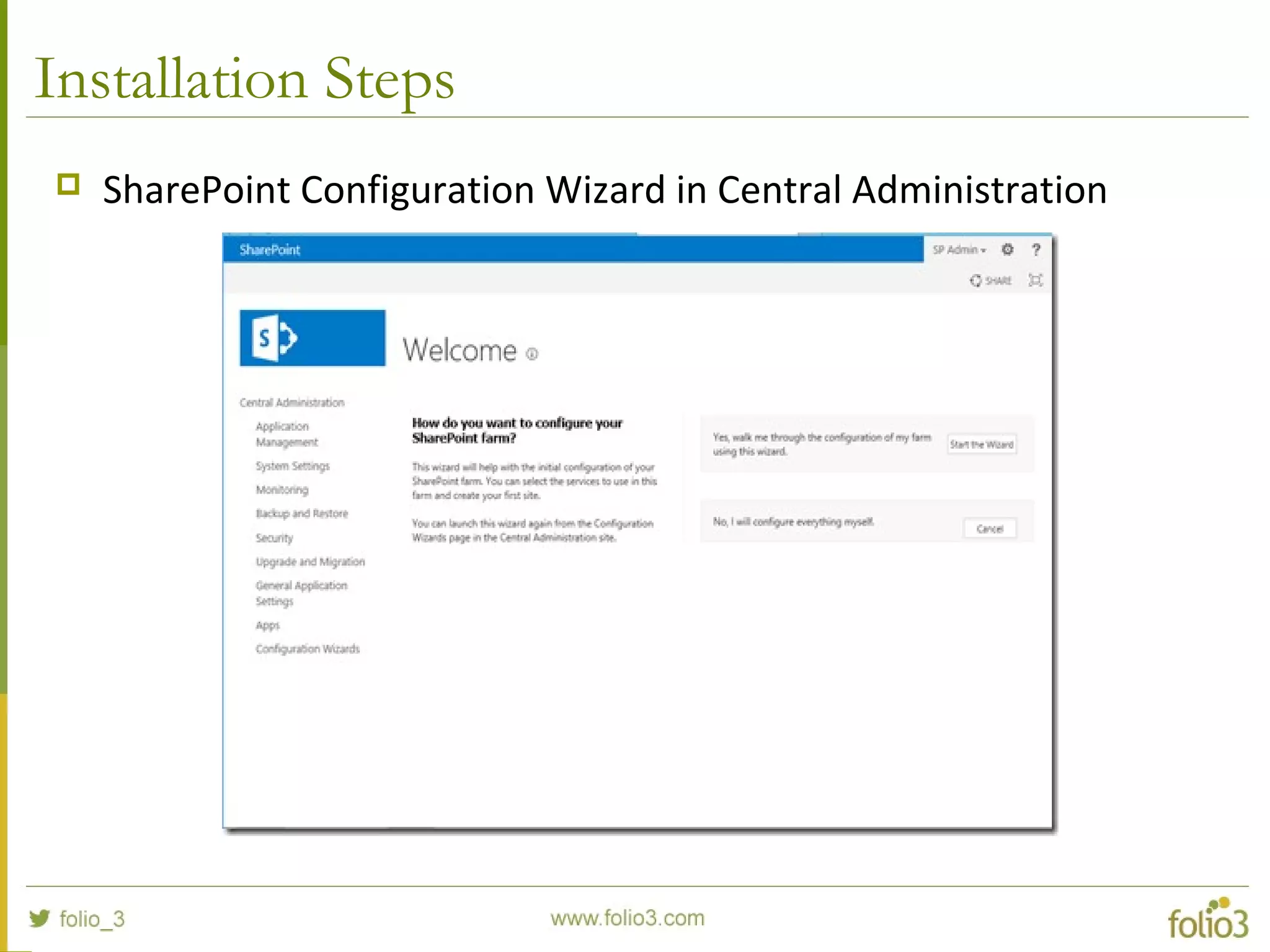
 SharePoint Configuration Wizard in Central Administration
Installation Steps
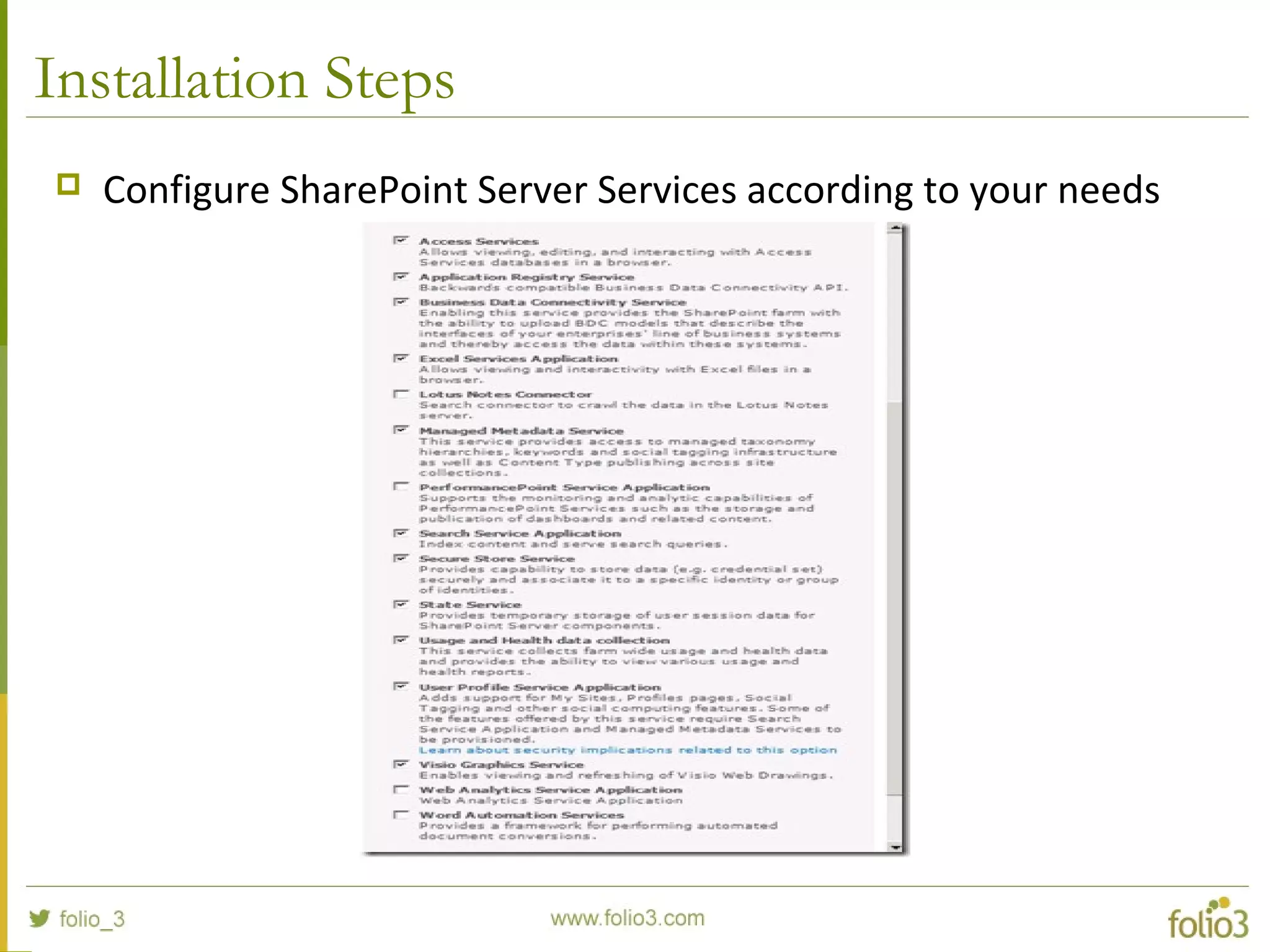
 Configure SharePoint Server Services according to your needs
Installation Steps
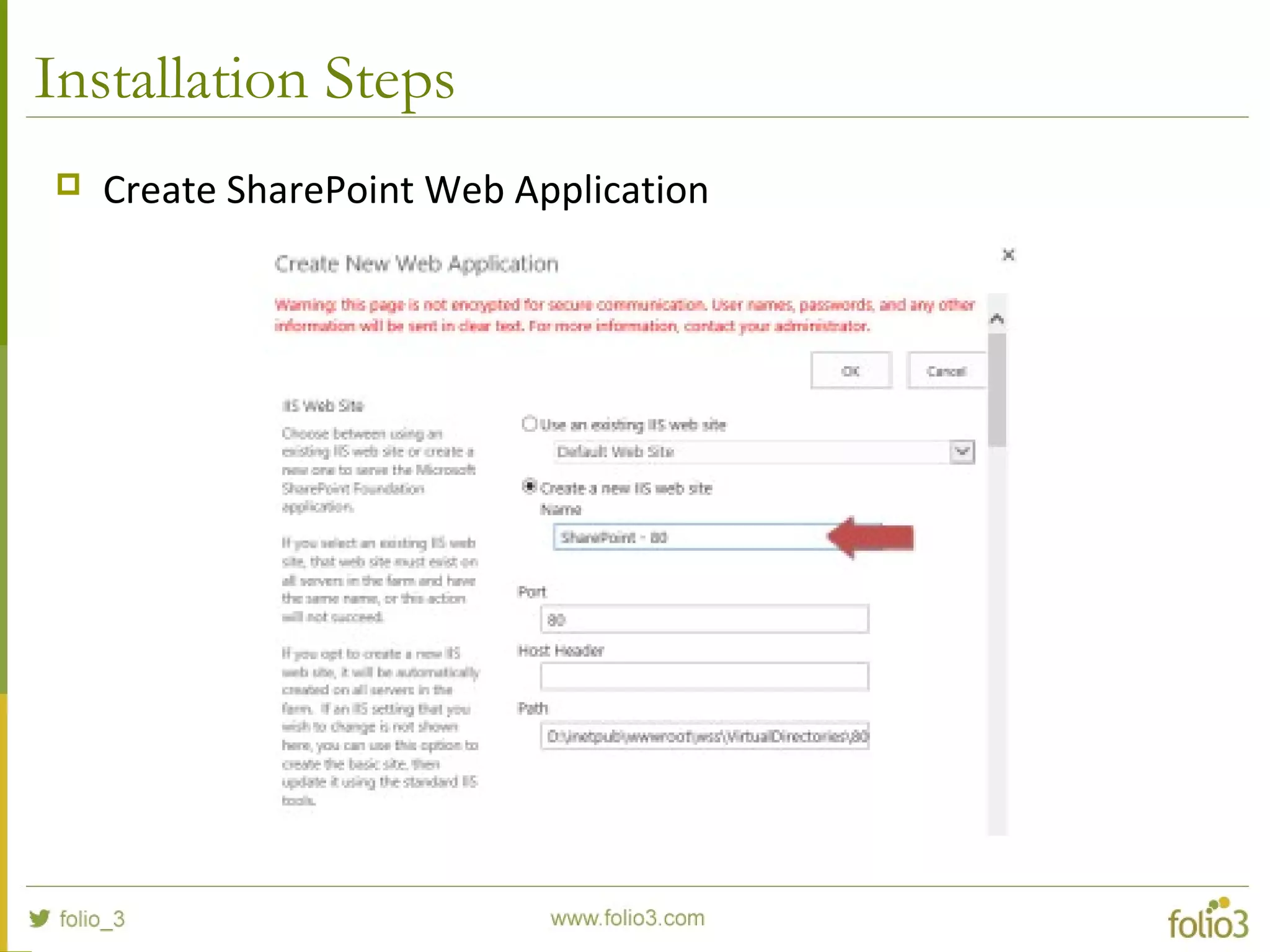
 Create SharePoint Web Application
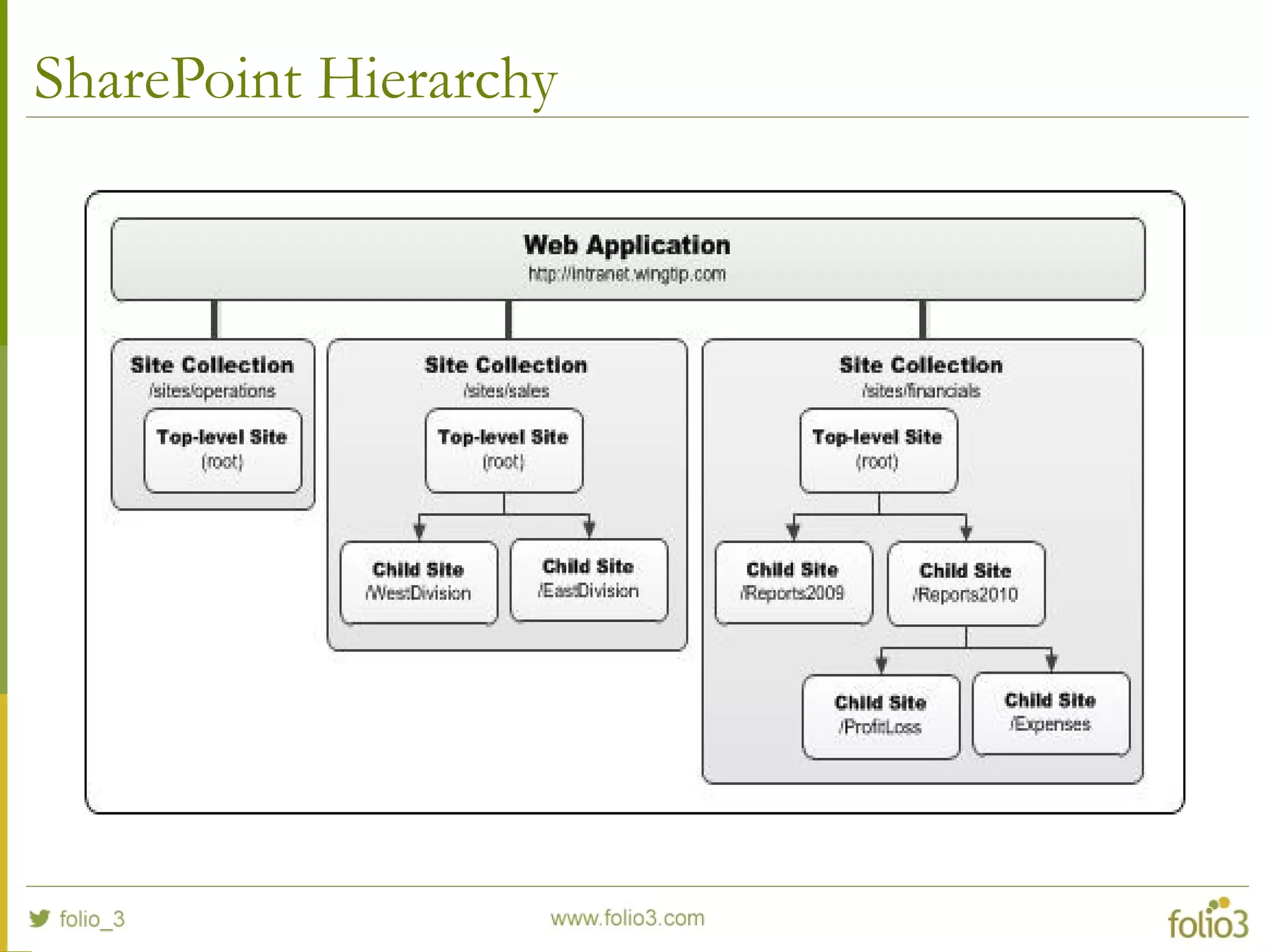
SharePoint Hierarchy
www.folio3.com @folio_3
Features OverviewFeatures Overview
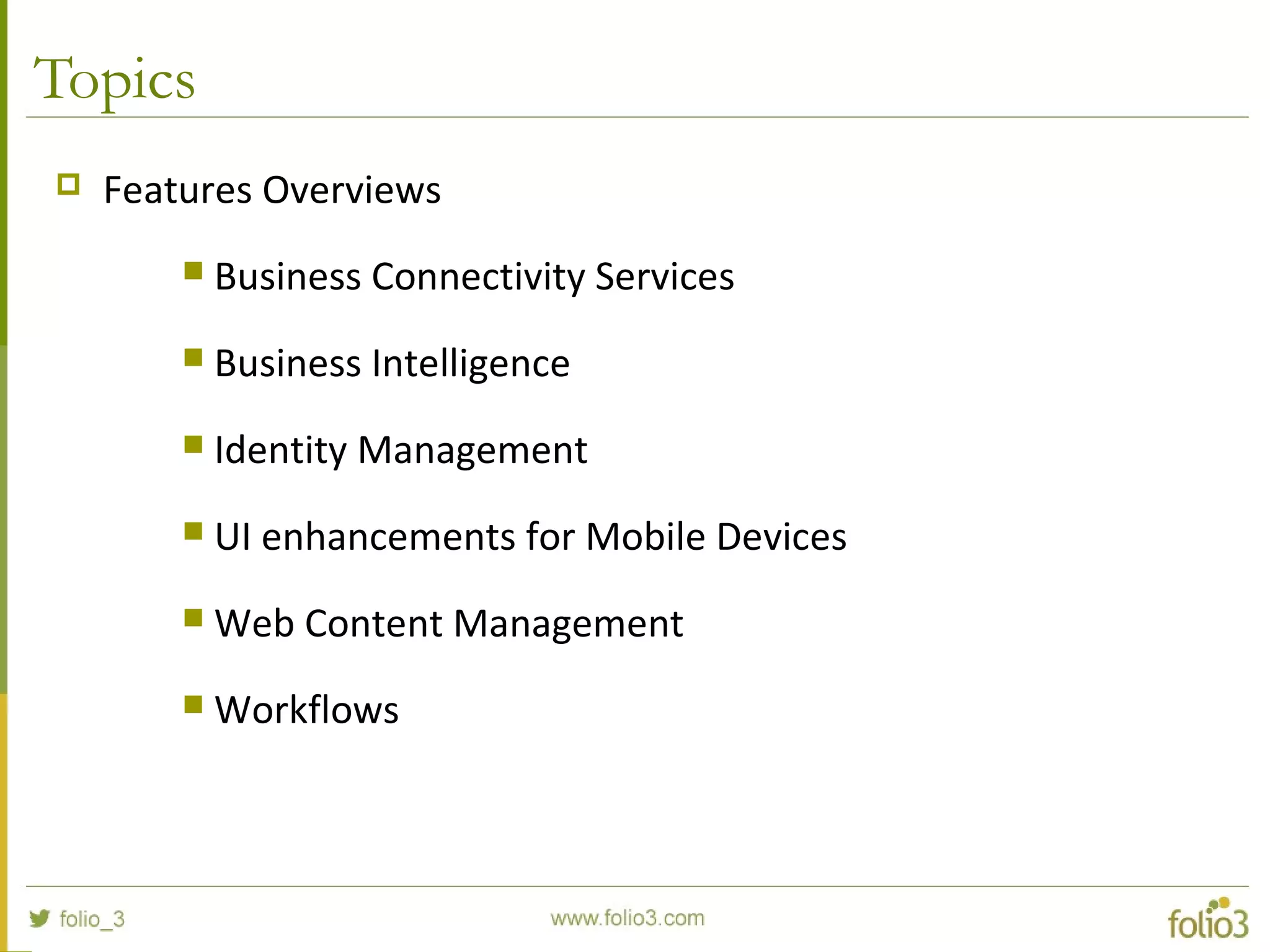
Topics
 Features Overviews
 Business Connectivity Services
 Business Intelligence
 Identity Management
 UI enhancements for Mobile Devices
 Web Content Management
 Workflows
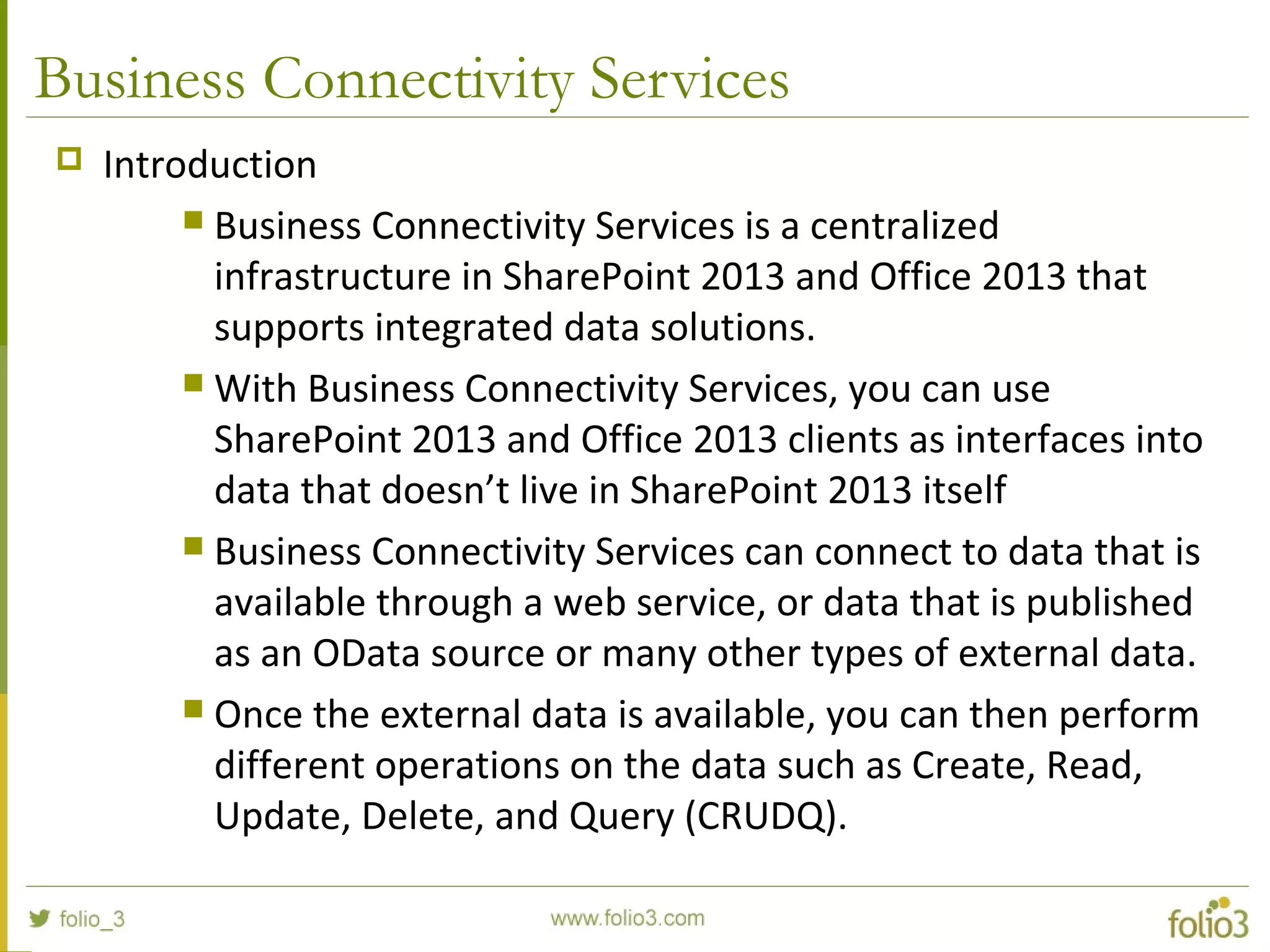
Business Connectivity Services
 Introduction
 Business Connectivity Services is a centralized
infrastructure in SharePoint 2013 and Office 2013 that
supports integrated data solutions.
 With Business Connectivity Services, you can use
SharePoint 2013 and Office 2013 clients as interfaces into
data that doesn’t live in SharePoint 2013 itself
 Business Connectivity Services can connect to data that is
available through a web service, or data that is published
as an OData source or many other types of external data.
 Once the external data is available, you can then perform
different operations on the data such as Create, Read,
Update, Delete, and Query (CRUDQ).
Business Connectivity Services
 Help Desk Example
 The support tickets and the knowledge base that the help desk
technicians use are stored in a separate database, which is not in
SharePoint 2013.
 By using Business Connectivity Services, the company can retrieve data
from the source, filter and sort it, and then present it for interaction in an
external list in SharePoint 2013.
 Technicians and information workers can also access the data through
various Office 2013 clients.
 Open support tickets are routed through predefined steps by workflows.
 Help desk managers can view current support ticket data by technician in
reports and dashboards.
Business Connectivity Services
 Sales Dashboard Example
 Sales orders and customer information are managed in an external
application, such as Salesforce.com, and integrated into the
solution by using Business Connectivity Services.
 Depending on their roles, team members can view sales analytics
information, individual team members’ sales performance data,
sales leads, and a customer’s contact information and orders.
 Sales professionals can view their daily calendars, view tasks
assigned to them by their managers, collaborate with team
members, and read industry news from a web browser, or from
Outlook.
Business Intelligence
 Introduction
 Business intelligence (BI) software is used to gather, store, and
analyze data to help enterprise users make better business
decisions.
 Business intelligence (BI) in SharePoint 2013 provides
comprehensive BI tools that integrate across Microsoft Office
applications and other Microsoft technologies.
 These BI tools are: Excel 2013, Excel Services in SharePoint 2013,
PerformancePoint Services in SharePoint Server 2013, Visio
Services in SharePoint, SharePoint 2013, and Microsoft SQL Server.
Business Intelligence
 Major Improvements in SharePoint 2013
 In-Memory BI Engine (IMBI): The In Memory multidimensional data
analysis engine (IMBI), also known as the Vertipaq engine, allows for
almost instant analysis of millions of rows and is a fully integrated
feature in the Excel client.
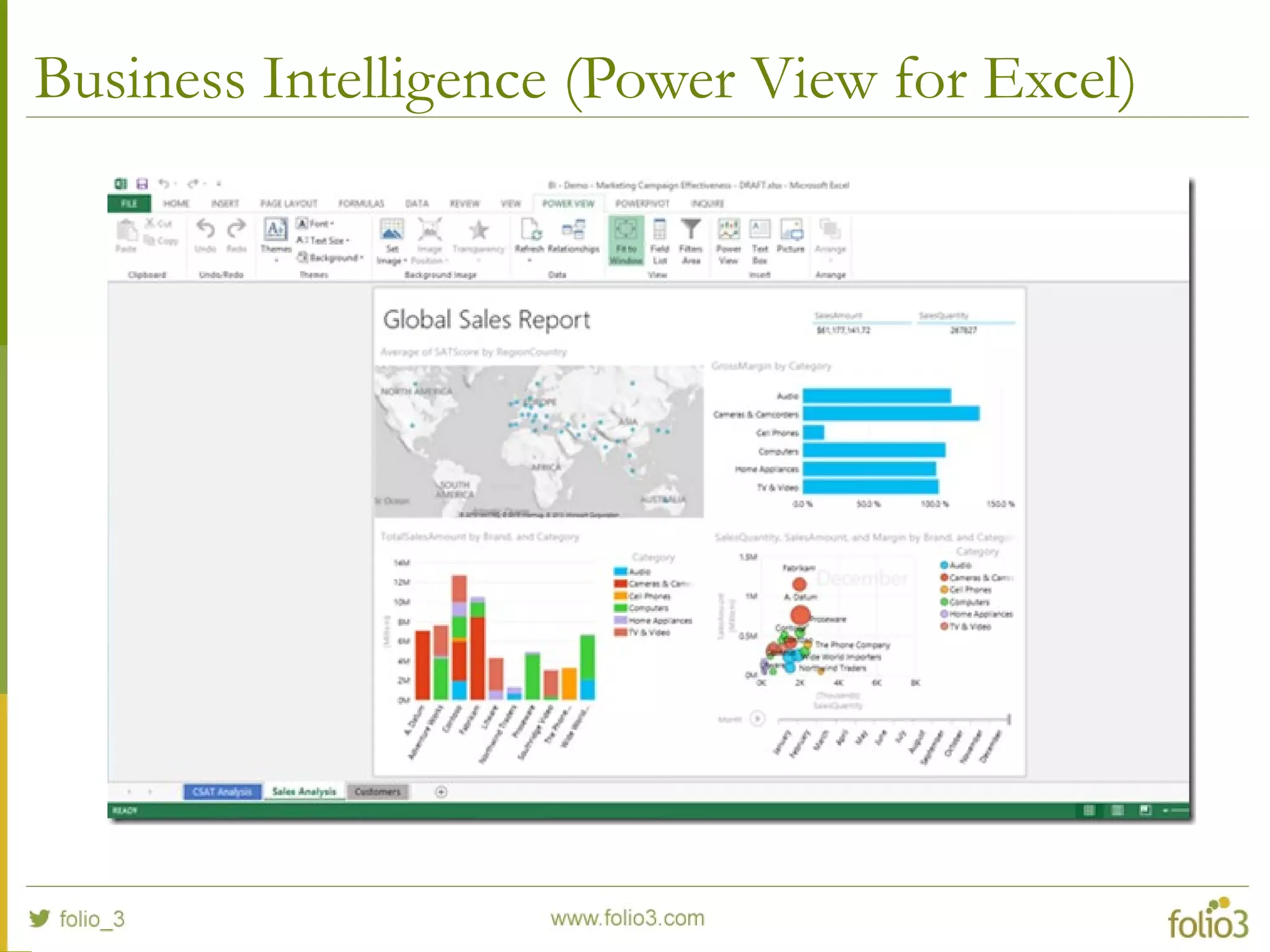
 Power View Add-in for Excel: Power View ("Crescent") enables users
to visualize and interact with modeled data by using highly interactive
visualizations, animations and smart querying. Users can present and
share insights with others through rich storyboard presentation
capabilities. PowerView is powered by the BI Semantic Model and the
VertiPaq engine.
Business Intelligence (Power View for Excel)
Identity Management*
 Introduction
 Authentication enhancements in SharePoint 2013 ease the process of
using claims-based authentication.
 Additionally, support for server-to-server authentication and app
authentication by utilizing and extending the Open Authorization 2.0
(OAuth 2.0) web authorization protocol enables new scenarios and
functionality for Exchange Server 2013, Lync Server 2013, and apps in
the SharePoint Store or App Catalog.
 SharePoint 2013 gives farm administrators a wide variety of options
for where user accounts are stored and how they authenticate to
SharePoint.
Identity Management*
 SharePoint 2013 now supports User Accounts in
 Hosted Active Directory domain
 SQL Database
 Windows Azure Access Control Services*
 Face book*
 Google*
Enhancements for Mobile Devices
 Introduction
 SharePoint Server 2013 offers new, optimized viewing
experiences across different mobile platforms.
 Additionally, there are several features that are available
to help improve both worker productivity and usability on
the device.
Enhancements for Mobile Devices
 Key Features
 Optimized mobile browser experience: For Smartphone mobile
devices SharePoint Server 2013 provides a lightweight,
contemporary view browsing experience for users to navigate and
access document libraries, lists, wikis, and Web Parts.
 Device channels: You can render a single published SharePoint site
in multiple designs to accommodate different device targets.
 Push notifications: A push notification service on a SharePoint site
can be enabled to send device updates such as a tile or toast
notification to a Windows Phone device.
Enhancements for Mobile Devices
 Key Features
 Location: SharePoint Server 2013 supports a new geolocation
field type that can be used for mobile application development.
 Business intelligence content: Certain devices are now able to
view business intelligence content such as Performance Point
Web Parts, Excel Services reports, and SQL Reporting Services
reports.
 Office Web Apps: You can view Word, Excel, and PowerPoint
documents in mobile browsers with additional functionality in
SharePoint Server 2013.
Web Content Management
 Introduction
 SharePoint Server 2013 includes new and improved features for web
content management that simplify how you design publishing sites
and enhance the authoring and publishing processes of your
organization.
 SharePoint Server 2013 also has new features that use the power of
search to surface dynamic web content on publishing sites.
 Microsoft has made improvements to make it easier for non-technical
people to update content and has addressed some of the annoyances
from SharePoint 2010
Web Content Management
 Key Features
 Improved copy and paste: Copy content from Word, paste it directly into a
Rich Text Editor Web Part, a Content Editor Web Part, or an HTML field
control on a page. The resulting HTML displays in styles defined by the site
designer.
 Navigation: Site owners and designers can customize the global and current
navigation menus by dragging and dropping menu items directly on the page.
 Videos: A thumbnail preview image is automatically created when a video is
uploaded. Content authors can also choose an exact frame for the thumbnail.
 Search Engine Optimization (SEO) tools: On page SEO tools, automatic site-
map creation and optimized HTML
Web Content Management
 Key Features
 iFrame: Insert an iFrame element into an HTML field on a page. This
lets content authors embed dynamic content from other sites, such as
videos or map directions.
 Image renditions: Upload one image but have it rendered in different
sizes on different pages. News articles are a good example of where
this will be useful as organizations often want to have thumbnails for
the summary web part but the full image for the article.
 Device specific targeting: SharePoint 2013 supports targeting different
devices such as smartphones, tablets, and set-top boxes.
Workflows
 Introduction
 SharePoint Server 2013 can use a new workflow service built on the
Windows Workflow Foundation components of the .NET Framework
4.5. This new service is called Workflow Manager and it is designed to
play a central role in the enterprise.
 The SharePoint 2013 Workflow platform only becomes available to
you, and your tools, after you download and install the new Workflow
Manager service and configure it to communicate with your
SharePoint Server 2013 farm.
 A developer can built Workflows for SharePoint by using either
SharePoint Designer 2013 or Visual Studio 2012.
Workflows
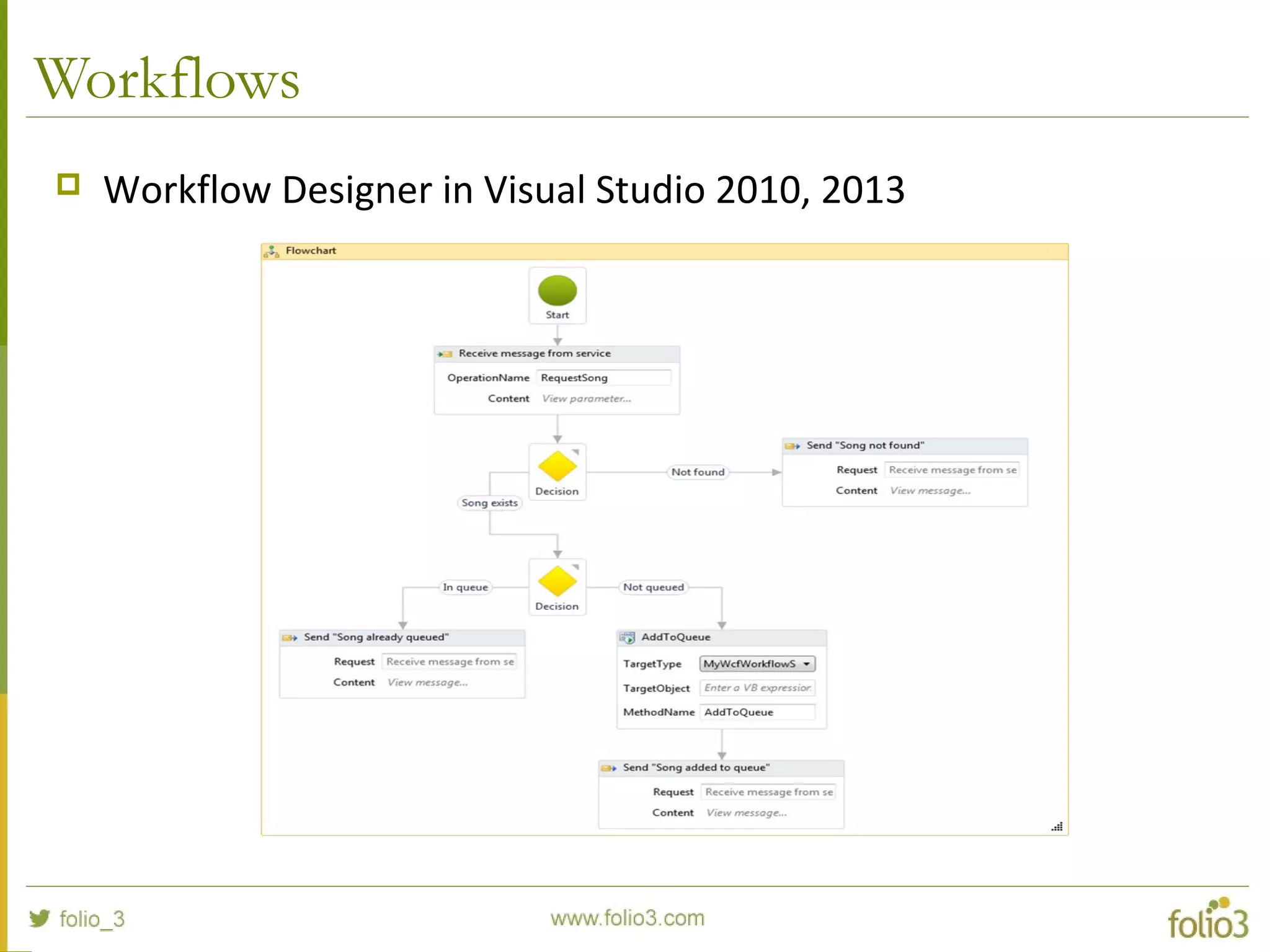
 Workflow Designer in Visual Studio 2010, 2013
www.folio3.com @folio_3
Getting Started withGetting Started with
SharePoint DevelopmentSharePoint Development
Topics
 Getting Started with SharePoint Development
 What we can Customize?
 Tools for SharePoint Customization
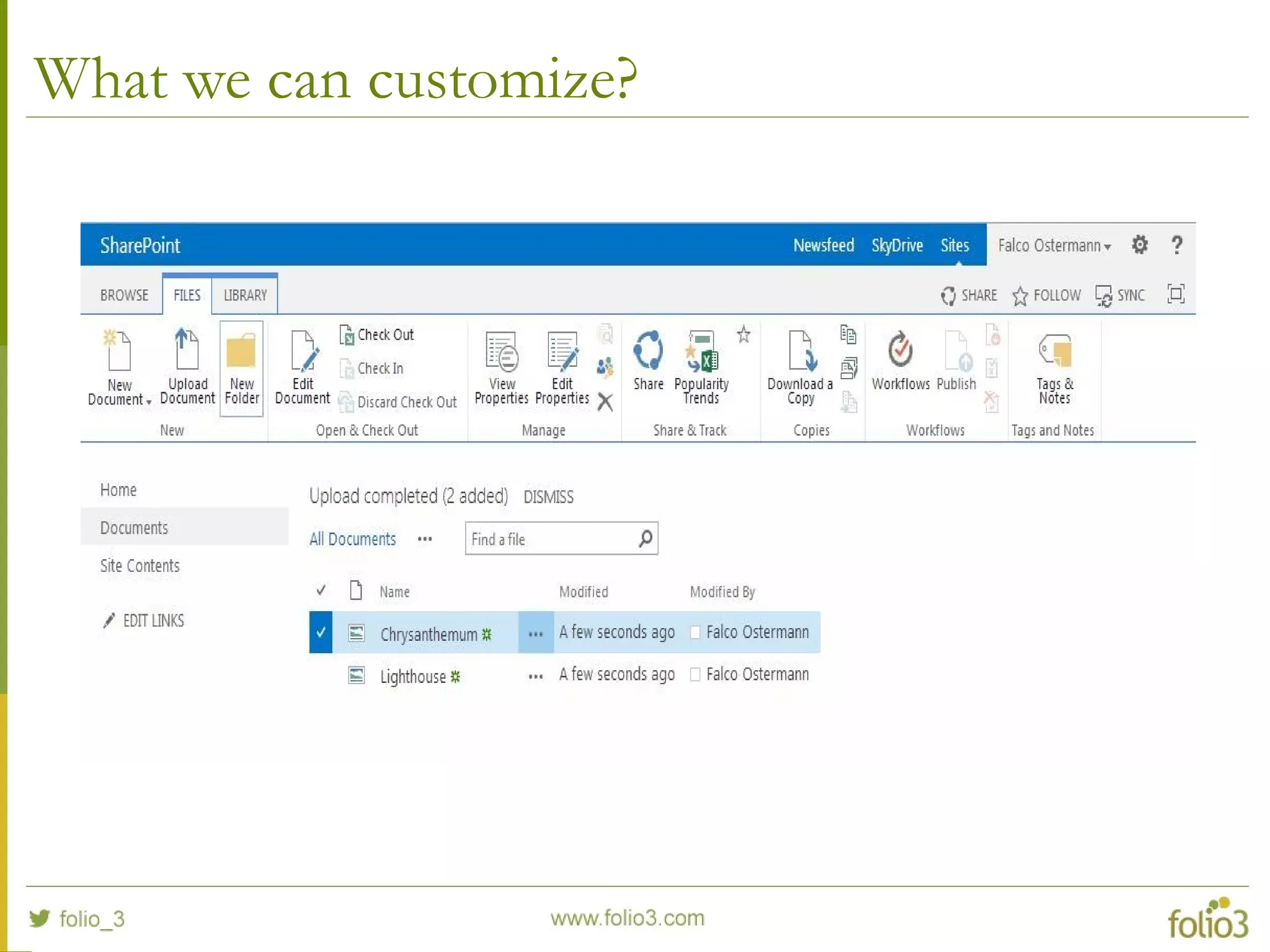
What we can customize?
 UI
 Default Behaviors of existing SharePoint Functionality
 Add New Features (Workflows, apps, Lists, Reports, etc)
What we can customize?
Tools for SharePoint Customization
 Branding / Design
 SharePoint Designer
 Forms
 InfoPath, SharePoint Designer, Web Interface
 List Data / Charts and Reports
 Excel
 Worflows
 Visio, SharePoint Designer
 Anything
 Visual Studio (version 2012 and above)
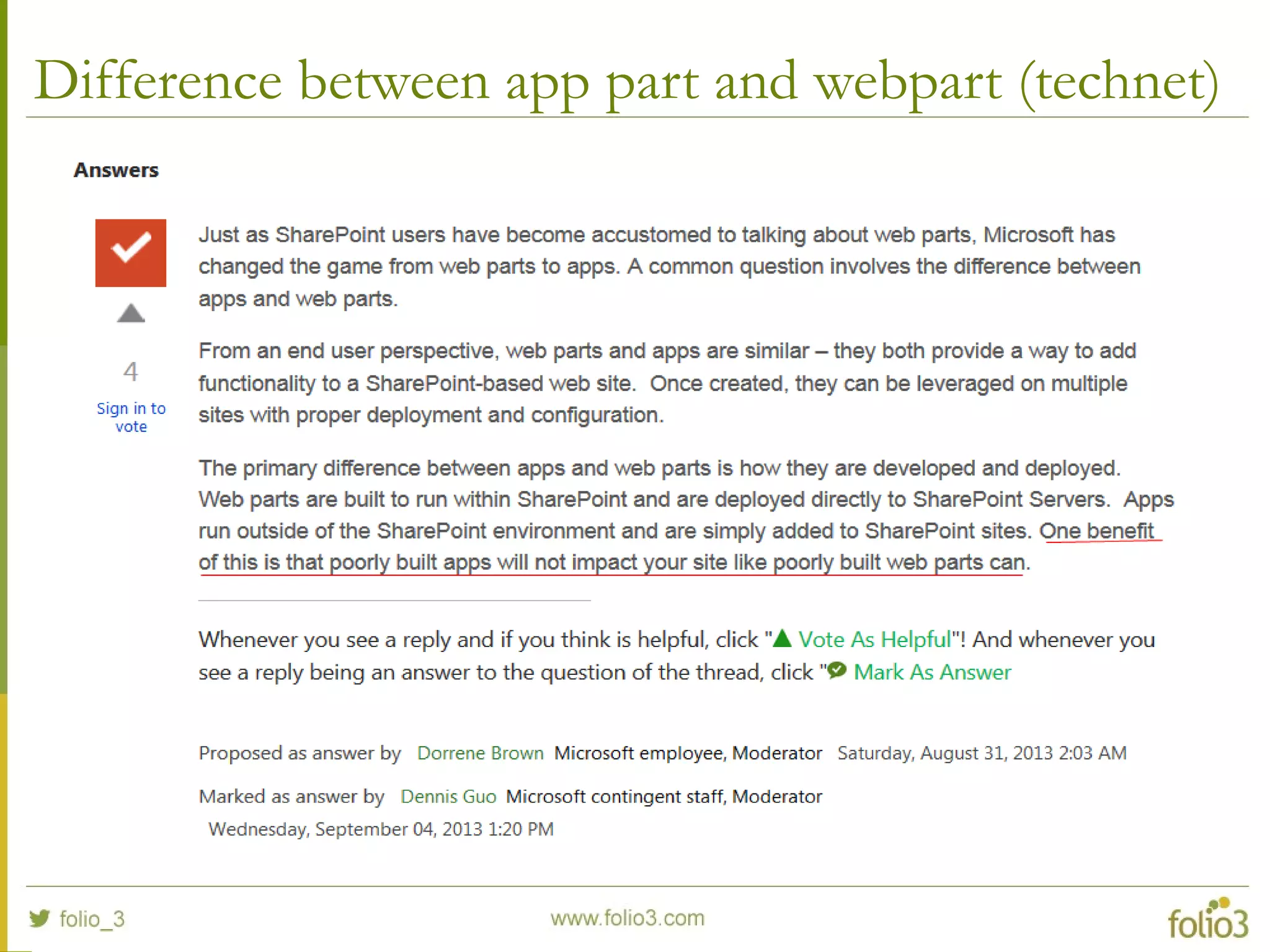
Difference between app part and webpart (technet)
References and Useful Links
 Hardware and Software Requirements
 Install and Configure SharePoint 2013 Step By Step
 Download SharePoint Setup
 Business Connectivity Services in SharePoint
 What’s New for BI in SharePoint 2013
 SharePoint 2013 Business Intelligence Demo Builds with SQL Server 2012
SP1
 Business intelligence scenarios and solutions
 Capabilities and features in SharePoint 2013
 What's new for mobile devices in SharePoint 2013
References and Useful Links
 SharePoint 2013 Website for Mavention
 The Top 30 New Reasons to Use SharePoint Server 2013 for Public-
Facing Internet Sites
 SharePoint 2013 – What’s new in web content management?
Contact
 For more details about our services, please get in touch
with us.
contact@folio3.com
US Office: (408) 365-4638
www.folio3.com

Introduction to SharePoint 2013

  • 1.
    Introduction toIntroduction to SharePoint2013SharePoint 2013 www.folio3.com@folio_3
  • 2.
    Folio3 – OverviewFolio3– Overview www.folio3.com @folio_3
  • 3.
    Who We Are We are a Development Partner for our customers  Design software solutions, not just implement them  Focus on the solution – Platform and technology agnostic  Expertise in building applications that are: Mobile Social Cloud-based Gamified
  • 4.
    What We Do Areas of Focus  Enterprise  Custom enterprise applications  Product development targeting the enterprise  Mobile  Custom mobile apps for iOS, Android, Windows Phone, BB OS  Mobile platform (server-to-server) development  Social Media  CMS based websites for consumers and enterprise (corporate, consumer, community & social networking)  Social media platform development (enterprise & consumer)
  • 5.
    Folio3 At aGlance  Founded in 2005  Over 200 full time employees  Offices in the US, Canada, Bulgaria & Pakistan  Palo Alto, CA.  Sofia, Bulgaria  Karachi, Pakistan Toronto, Canada
  • 6.
    Areas of Focus:Enterprise  Automating workflows  Cloud based solutions  Application integration  Platform development  Healthcare  Mobile Enterprise  Digital Media  Supply Chain
  • 7.
    Some of OurEnterprise Clients
  • 8.
    Areas of Focus:Mobile  Serious enterprise applications for Banks, Businesses  Fun consumer apps for app discovery, interaction, exercise gamification and play  Educational apps  Augmented Reality apps  Mobile Platforms
  • 9.
    Some of OurMobile Clients
  • 10.
    Areas of Focus:Web & Social Media  Community Sites based on Content Management Systems  Enterprise Social Networking  Social Games for Facebook & Mobile  Companion Apps for games
  • 11.
    Some of OurWeb Clients
  • 12.
    www.folio3.com @folio_3 Introduction toIntroductionto SharePoint 2013SharePoint 2013
  • 13.
    Agenda  Getting Started Pre Requisites  Installation Steps  Features Overviews  Business Connectivity Services  Business Intelligence  Identity Management  UI enhancements for Mobile Devices  Web Content Management  Workflows
  • 14.
    Agenda (Continued)  GettingStarted with SharePoint Development  What we can Customize?  Tools for SharePoint Customization
  • 15.
  • 16.
    Pre Requisites  HardwareRequirements (recommended)  Processor: 64 bit, 4 cores  Memory: 8 GB  Hard Disk Space: 80 GB for system drive  Software Requirements (minimum)  Operating System: Windows Server (2008 R2 SP1, 2012)  Database: SQL Server x64 (2008 R2 SP1, 2012)  .NET Framework: 4.5
  • 17.
  • 18.
    Installation Steps  Click“Install software prerequisites”
  • 19.
  • 20.
    Installation Steps  Click“Install SharePoint Server”
  • 21.
    Installation Steps  EnterProduct Key (sp2013 download page have trial license key listed on the page)  Accept Terms and Condition
  • 22.
    Installation Steps  KeepPath of Server as it is and click ”Install Now”
  • 23.
    Installation Steps  InstallationProgress (will take some time)
  • 24.
    Installation Steps  OnCompletion, check “SharePoint Configuration Wizard” and press close.
  • 25.
    Installation Steps  SharePointConfiguration Wizard will run
  • 26.
  • 27.
  • 28.
    Installation Steps  Createa new Configuration Database
  • 29.
  • 30.
    Installation Steps  ConfigureSharePoint Central Administration
  • 31.
  • 32.
  • 33.
  • 34.
    Installation Steps  SharePointCentral Administration
  • 35.
    Installation Steps  SharePointConfiguration Wizard in Central Administration
  • 36.
    Installation Steps  ConfigureSharePoint Server Services according to your needs
  • 37.
    Installation Steps  CreateSharePoint Web Application
  • 38.
  • 39.
  • 40.
    Topics  Features Overviews Business Connectivity Services  Business Intelligence  Identity Management  UI enhancements for Mobile Devices  Web Content Management  Workflows
  • 41.
    Business Connectivity Services Introduction  Business Connectivity Services is a centralized infrastructure in SharePoint 2013 and Office 2013 that supports integrated data solutions.  With Business Connectivity Services, you can use SharePoint 2013 and Office 2013 clients as interfaces into data that doesn’t live in SharePoint 2013 itself  Business Connectivity Services can connect to data that is available through a web service, or data that is published as an OData source or many other types of external data.  Once the external data is available, you can then perform different operations on the data such as Create, Read, Update, Delete, and Query (CRUDQ).
  • 42.
    Business Connectivity Services Help Desk Example  The support tickets and the knowledge base that the help desk technicians use are stored in a separate database, which is not in SharePoint 2013.  By using Business Connectivity Services, the company can retrieve data from the source, filter and sort it, and then present it for interaction in an external list in SharePoint 2013.  Technicians and information workers can also access the data through various Office 2013 clients.  Open support tickets are routed through predefined steps by workflows.  Help desk managers can view current support ticket data by technician in reports and dashboards.
  • 43.
    Business Connectivity Services Sales Dashboard Example  Sales orders and customer information are managed in an external application, such as Salesforce.com, and integrated into the solution by using Business Connectivity Services.  Depending on their roles, team members can view sales analytics information, individual team members’ sales performance data, sales leads, and a customer’s contact information and orders.  Sales professionals can view their daily calendars, view tasks assigned to them by their managers, collaborate with team members, and read industry news from a web browser, or from Outlook.
  • 44.
    Business Intelligence  Introduction Business intelligence (BI) software is used to gather, store, and analyze data to help enterprise users make better business decisions.  Business intelligence (BI) in SharePoint 2013 provides comprehensive BI tools that integrate across Microsoft Office applications and other Microsoft technologies.  These BI tools are: Excel 2013, Excel Services in SharePoint 2013, PerformancePoint Services in SharePoint Server 2013, Visio Services in SharePoint, SharePoint 2013, and Microsoft SQL Server.
  • 45.
    Business Intelligence  MajorImprovements in SharePoint 2013  In-Memory BI Engine (IMBI): The In Memory multidimensional data analysis engine (IMBI), also known as the Vertipaq engine, allows for almost instant analysis of millions of rows and is a fully integrated feature in the Excel client.  Power View Add-in for Excel: Power View ("Crescent") enables users to visualize and interact with modeled data by using highly interactive visualizations, animations and smart querying. Users can present and share insights with others through rich storyboard presentation capabilities. PowerView is powered by the BI Semantic Model and the VertiPaq engine.
  • 46.
  • 47.
    Identity Management*  Introduction Authentication enhancements in SharePoint 2013 ease the process of using claims-based authentication.  Additionally, support for server-to-server authentication and app authentication by utilizing and extending the Open Authorization 2.0 (OAuth 2.0) web authorization protocol enables new scenarios and functionality for Exchange Server 2013, Lync Server 2013, and apps in the SharePoint Store or App Catalog.  SharePoint 2013 gives farm administrators a wide variety of options for where user accounts are stored and how they authenticate to SharePoint.
  • 48.
    Identity Management*  SharePoint2013 now supports User Accounts in  Hosted Active Directory domain  SQL Database  Windows Azure Access Control Services*  Face book*  Google*
  • 49.
    Enhancements for MobileDevices  Introduction  SharePoint Server 2013 offers new, optimized viewing experiences across different mobile platforms.  Additionally, there are several features that are available to help improve both worker productivity and usability on the device.
  • 50.
    Enhancements for MobileDevices  Key Features  Optimized mobile browser experience: For Smartphone mobile devices SharePoint Server 2013 provides a lightweight, contemporary view browsing experience for users to navigate and access document libraries, lists, wikis, and Web Parts.  Device channels: You can render a single published SharePoint site in multiple designs to accommodate different device targets.  Push notifications: A push notification service on a SharePoint site can be enabled to send device updates such as a tile or toast notification to a Windows Phone device.
  • 51.
    Enhancements for MobileDevices  Key Features  Location: SharePoint Server 2013 supports a new geolocation field type that can be used for mobile application development.  Business intelligence content: Certain devices are now able to view business intelligence content such as Performance Point Web Parts, Excel Services reports, and SQL Reporting Services reports.  Office Web Apps: You can view Word, Excel, and PowerPoint documents in mobile browsers with additional functionality in SharePoint Server 2013.
  • 52.
    Web Content Management Introduction  SharePoint Server 2013 includes new and improved features for web content management that simplify how you design publishing sites and enhance the authoring and publishing processes of your organization.  SharePoint Server 2013 also has new features that use the power of search to surface dynamic web content on publishing sites.  Microsoft has made improvements to make it easier for non-technical people to update content and has addressed some of the annoyances from SharePoint 2010
  • 53.
    Web Content Management Key Features  Improved copy and paste: Copy content from Word, paste it directly into a Rich Text Editor Web Part, a Content Editor Web Part, or an HTML field control on a page. The resulting HTML displays in styles defined by the site designer.  Navigation: Site owners and designers can customize the global and current navigation menus by dragging and dropping menu items directly on the page.  Videos: A thumbnail preview image is automatically created when a video is uploaded. Content authors can also choose an exact frame for the thumbnail.  Search Engine Optimization (SEO) tools: On page SEO tools, automatic site- map creation and optimized HTML
  • 54.
    Web Content Management Key Features  iFrame: Insert an iFrame element into an HTML field on a page. This lets content authors embed dynamic content from other sites, such as videos or map directions.  Image renditions: Upload one image but have it rendered in different sizes on different pages. News articles are a good example of where this will be useful as organizations often want to have thumbnails for the summary web part but the full image for the article.  Device specific targeting: SharePoint 2013 supports targeting different devices such as smartphones, tablets, and set-top boxes.
  • 55.
    Workflows  Introduction  SharePointServer 2013 can use a new workflow service built on the Windows Workflow Foundation components of the .NET Framework 4.5. This new service is called Workflow Manager and it is designed to play a central role in the enterprise.  The SharePoint 2013 Workflow platform only becomes available to you, and your tools, after you download and install the new Workflow Manager service and configure it to communicate with your SharePoint Server 2013 farm.  A developer can built Workflows for SharePoint by using either SharePoint Designer 2013 or Visual Studio 2012.
  • 56.
    Workflows  Workflow Designerin Visual Studio 2010, 2013
  • 57.
    www.folio3.com @folio_3 Getting StartedwithGetting Started with SharePoint DevelopmentSharePoint Development
  • 58.
    Topics  Getting Startedwith SharePoint Development  What we can Customize?  Tools for SharePoint Customization
  • 59.
    What we cancustomize?  UI  Default Behaviors of existing SharePoint Functionality  Add New Features (Workflows, apps, Lists, Reports, etc)
  • 60.
    What we cancustomize?
  • 61.
    Tools for SharePointCustomization  Branding / Design  SharePoint Designer  Forms  InfoPath, SharePoint Designer, Web Interface  List Data / Charts and Reports  Excel  Worflows  Visio, SharePoint Designer  Anything  Visual Studio (version 2012 and above)
  • 62.
    Difference between apppart and webpart (technet)
  • 63.
    References and UsefulLinks  Hardware and Software Requirements  Install and Configure SharePoint 2013 Step By Step  Download SharePoint Setup  Business Connectivity Services in SharePoint  What’s New for BI in SharePoint 2013  SharePoint 2013 Business Intelligence Demo Builds with SQL Server 2012 SP1  Business intelligence scenarios and solutions  Capabilities and features in SharePoint 2013  What's new for mobile devices in SharePoint 2013
  • 64.
    References and UsefulLinks  SharePoint 2013 Website for Mavention  The Top 30 New Reasons to Use SharePoint Server 2013 for Public- Facing Internet Sites  SharePoint 2013 – What’s new in web content management?
  • 65.
    Contact  For moredetails about our services, please get in touch with us. contact@folio3.com US Office: (408) 365-4638 www.folio3.com