SHELL PROGRAMMING
2
@2020 copyright KalKey training
USE OF SEMICOLONS
Instead of being on separate lines, statements
can be separated by a semicolon (;)
– For example:
if grep "UNIX" myfile; then echo "Got it"; fi
– This actually works anywhere in the shell.
% cwd=`pwd`; cd $HOME; ls; cd $cwd
@2020 copyright KalKey training
USE OF COLON
 Sometimes it is useful to have a command which
does “nothing”.
 The : (colon) command in Unix does nothing
#!/bin/sh
if grep unix myfile
then
:
else
echo "Sorry, unix was not found"
fi
@2020 copyright KalKey training
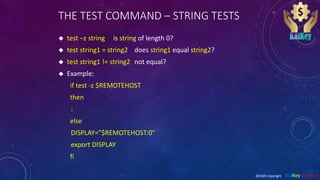
THE TEST COMMAND – STRING TESTS
 test –z string is string of length 0?
 test string1 = string2 does string1 equal string2?
 test string1 != string2 not equal?
 Example:
if test -z $REMOTEHOST
then
:
else
DISPLAY="$REMOTEHOST:0"
export DISPLAY
fi
@2020 copyright KalKey training
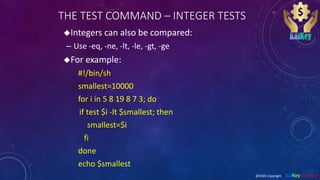
THE TEST COMMAND – INTEGER TESTS
Integers can also be compared:
– Use -eq, -ne, -lt, -le, -gt, -ge
For example:
#!/bin/sh
smallest=10000
for i in 5 8 19 8 7 3; do
if test $i -lt $smallest; then
smallest=$i
fi
done
echo $smallest
@2020 copyright KalKey training
USE OF [ ]
The test program has an alias as [ ]
– Each bracket must be surrounded by spaces!
– This is supposed to be a bit easier to read.
For example:
#!/bin/sh
smallest=10000
for i in 5 8 19 8 7 3; do
if [ $i -lt $smallest ] ; then
smallest=$i
fi
done
echo $smallest
@2020 copyright KalKey training
THE WHILE LOOP
 While loops repeat statements as long as the
next Unix command is successful.
 For example:
#!/bin/sh
i=1
sum=0
while [ $i -le 100 ]; do
sum=`expr $sum + $i`
i=`expr $i + 1`
done
echo The sum is $sum.
@2020 copyright KalKey training
THE UNTIL LOOP
 Until loops repeat statements until the next
Unix command is successful.
 For example:
#!/bin/sh
x=1
until [ $x -gt 3 ]; do
echo x = $x
x=`expr $x + 1`
done
@2020 copyright KalKey training
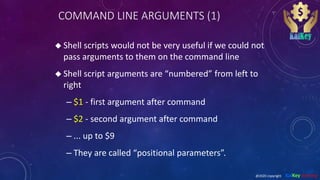
COMMAND LINE ARGUMENTS (1)
 Shell scripts would not be very useful if we could not
pass arguments to them on the command line
 Shell script arguments are “numbered” from left to
right
– $1 - first argument after command
– $2 - second argument after command
– ... up to $9
– They are called “positional parameters”.
@2020 copyright KalKey training
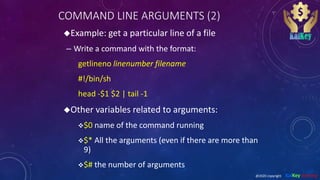
COMMAND LINE ARGUMENTS (2)
Example: get a particular line of a file
– Write a command with the format:
getlineno linenumber filename
#!/bin/sh
head -$1 $2 | tail -1
Other variables related to arguments:
$0 name of the command running
$* All the arguments (even if there are more than
9)
$# the number of arguments
@2020 copyright KalKey training
COMMAND LINE ARGUMENTS (3)
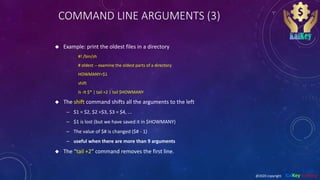
 Example: print the oldest files in a directory
#! /bin/sh
# oldest -- examine the oldest parts of a directory
HOWMANY=$1
shift
ls -lt $* | tail +2 | tail $HOWMANY
 The shift command shifts all the arguments to the left
– $1 = $2, $2 =$3, $3 = $4, ...
– $1 is lost (but we have saved it in $HOWMANY)
– The value of $# is changed ($# - 1)
– useful when there are more than 9 arguments
 The “tail +2” command removes the first line.
@2020 copyright KalKey training
MORE ON BOURNE SHELL VARIABLES (1)
There are three basic types of variables in a
shell script:
– Positional variables ...
$1, $2, $3, ..., $9
– Keyword variables ...
Like $PATH, $HOWMANY, and anything else we
may define.
– Special variables ...
@2020 copyright KalKey training
MORE ON BOURNE SHELL VARIABLES (2)
Special variables:
– $*, $# -- all the arguments, the number of
the arguments
– $$ -- the process id of the current shell
– $? -- return value of last foreground
process to finish
-- more on this one later
– There are others you can find out about with man
sh
@2020 copyright KalKey training
READING VARIABLES FROM STANDARD INPUT
(1)
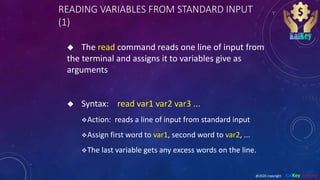
 The read command reads one line of input from
the terminal and assigns it to variables give as
arguments
 Syntax: read var1 var2 var3 ...
Action: reads a line of input from standard input
Assign first word to var1, second word to var2, ...
The last variable gets any excess words on the line.
@2020 copyright KalKey training
READING VARIABLES FROM STANDARD INPUT
(2)
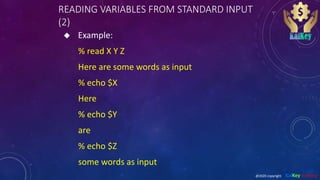
 Example:
% read X Y Z
Here are some words as input
% echo $X
Here
% echo $Y
are
% echo $Z
some words as input
@2020 copyright KalKey training
THE CASE STATEMENT
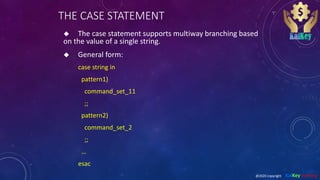
 The case statement supports multiway branching based
on the value of a single string.
 General form:
case string in
pattern1)
command_set_11
;;
pattern2)
command_set_2
;;
…
esac
@2020 copyright KalKey training
CASE EXAMPLE
#!/bin/sh
echo -n 'Choose command [1-4] > '
read reply
echo
case $reply in
"1")
date
;;
"2"|"3")
pwd
;;
"4")
ls
;;
*)
echo Illegal choice!
;;
esac
Use the pipe symbol “|” as a logical
or between several choices.
Provide a default case when no
other cases are matched.
@2020 copyright KalKey training
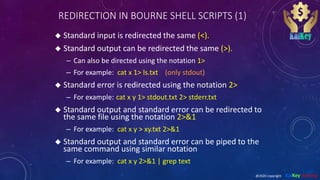
REDIRECTION IN BOURNE SHELL SCRIPTS (1)
 Standard input is redirected the same (<).
 Standard output can be redirected the same (>).
– Can also be directed using the notation 1>
– For example: cat x 1> ls.txt (only stdout)
 Standard error is redirected using the notation 2>
– For example: cat x y 1> stdout.txt 2> stderr.txt
 Standard output and standard error can be redirected to
the same file using the notation 2>&1
– For example: cat x y > xy.txt 2>&1
 Standard output and standard error can be piped to the
same command using similar notation
– For example: cat x y 2>&1 | grep text
@2020 copyright KalKey training
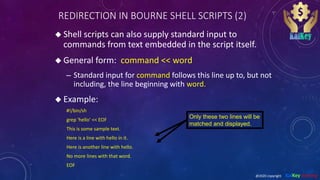
REDIRECTION IN BOURNE SHELL SCRIPTS (2)
 Shell scripts can also supply standard input to
commands from text embedded in the script itself.
 General form: command << word
– Standard input for command follows this line up to, but not
including, the line beginning with word.
 Example:
#!/bin/sh
grep 'hello' << EOF
This is some sample text.
Here is a line with hello in it.
Here is another line with hello.
No more lines with that word.
EOF
Only these two lines will be
matched and displayed.
@2020 copyright KalKey training

Shell programming 2

  • 1.
  • 2.
    USE OF SEMICOLONS Insteadof being on separate lines, statements can be separated by a semicolon (;) – For example: if grep "UNIX" myfile; then echo "Got it"; fi – This actually works anywhere in the shell. % cwd=`pwd`; cd $HOME; ls; cd $cwd @2020 copyright KalKey training
  • 3.
    USE OF COLON Sometimes it is useful to have a command which does “nothing”.  The : (colon) command in Unix does nothing #!/bin/sh if grep unix myfile then : else echo "Sorry, unix was not found" fi @2020 copyright KalKey training
  • 4.
    THE TEST COMMAND– STRING TESTS  test –z string is string of length 0?  test string1 = string2 does string1 equal string2?  test string1 != string2 not equal?  Example: if test -z $REMOTEHOST then : else DISPLAY="$REMOTEHOST:0" export DISPLAY fi @2020 copyright KalKey training
  • 5.
    THE TEST COMMAND– INTEGER TESTS Integers can also be compared: – Use -eq, -ne, -lt, -le, -gt, -ge For example: #!/bin/sh smallest=10000 for i in 5 8 19 8 7 3; do if test $i -lt $smallest; then smallest=$i fi done echo $smallest @2020 copyright KalKey training
  • 6.
    USE OF [] The test program has an alias as [ ] – Each bracket must be surrounded by spaces! – This is supposed to be a bit easier to read. For example: #!/bin/sh smallest=10000 for i in 5 8 19 8 7 3; do if [ $i -lt $smallest ] ; then smallest=$i fi done echo $smallest @2020 copyright KalKey training
  • 7.
    THE WHILE LOOP While loops repeat statements as long as the next Unix command is successful.  For example: #!/bin/sh i=1 sum=0 while [ $i -le 100 ]; do sum=`expr $sum + $i` i=`expr $i + 1` done echo The sum is $sum. @2020 copyright KalKey training
  • 8.
    THE UNTIL LOOP Until loops repeat statements until the next Unix command is successful.  For example: #!/bin/sh x=1 until [ $x -gt 3 ]; do echo x = $x x=`expr $x + 1` done @2020 copyright KalKey training
  • 9.
    COMMAND LINE ARGUMENTS(1)  Shell scripts would not be very useful if we could not pass arguments to them on the command line  Shell script arguments are “numbered” from left to right – $1 - first argument after command – $2 - second argument after command – ... up to $9 – They are called “positional parameters”. @2020 copyright KalKey training
  • 10.
    COMMAND LINE ARGUMENTS(2) Example: get a particular line of a file – Write a command with the format: getlineno linenumber filename #!/bin/sh head -$1 $2 | tail -1 Other variables related to arguments: $0 name of the command running $* All the arguments (even if there are more than 9) $# the number of arguments @2020 copyright KalKey training
  • 11.
    COMMAND LINE ARGUMENTS(3)  Example: print the oldest files in a directory #! /bin/sh # oldest -- examine the oldest parts of a directory HOWMANY=$1 shift ls -lt $* | tail +2 | tail $HOWMANY  The shift command shifts all the arguments to the left – $1 = $2, $2 =$3, $3 = $4, ... – $1 is lost (but we have saved it in $HOWMANY) – The value of $# is changed ($# - 1) – useful when there are more than 9 arguments  The “tail +2” command removes the first line. @2020 copyright KalKey training
  • 12.
    MORE ON BOURNESHELL VARIABLES (1) There are three basic types of variables in a shell script: – Positional variables ... $1, $2, $3, ..., $9 – Keyword variables ... Like $PATH, $HOWMANY, and anything else we may define. – Special variables ... @2020 copyright KalKey training
  • 13.
    MORE ON BOURNESHELL VARIABLES (2) Special variables: – $*, $# -- all the arguments, the number of the arguments – $$ -- the process id of the current shell – $? -- return value of last foreground process to finish -- more on this one later – There are others you can find out about with man sh @2020 copyright KalKey training
  • 14.
    READING VARIABLES FROMSTANDARD INPUT (1)  The read command reads one line of input from the terminal and assigns it to variables give as arguments  Syntax: read var1 var2 var3 ... Action: reads a line of input from standard input Assign first word to var1, second word to var2, ... The last variable gets any excess words on the line. @2020 copyright KalKey training
  • 15.
    READING VARIABLES FROMSTANDARD INPUT (2)  Example: % read X Y Z Here are some words as input % echo $X Here % echo $Y are % echo $Z some words as input @2020 copyright KalKey training
  • 16.
    THE CASE STATEMENT The case statement supports multiway branching based on the value of a single string.  General form: case string in pattern1) command_set_11 ;; pattern2) command_set_2 ;; … esac @2020 copyright KalKey training
  • 17.
    CASE EXAMPLE #!/bin/sh echo -n'Choose command [1-4] > ' read reply echo case $reply in "1") date ;; "2"|"3") pwd ;; "4") ls ;; *) echo Illegal choice! ;; esac Use the pipe symbol “|” as a logical or between several choices. Provide a default case when no other cases are matched. @2020 copyright KalKey training
  • 18.
    REDIRECTION IN BOURNESHELL SCRIPTS (1)  Standard input is redirected the same (<).  Standard output can be redirected the same (>). – Can also be directed using the notation 1> – For example: cat x 1> ls.txt (only stdout)  Standard error is redirected using the notation 2> – For example: cat x y 1> stdout.txt 2> stderr.txt  Standard output and standard error can be redirected to the same file using the notation 2>&1 – For example: cat x y > xy.txt 2>&1  Standard output and standard error can be piped to the same command using similar notation – For example: cat x y 2>&1 | grep text @2020 copyright KalKey training
  • 19.
    REDIRECTION IN BOURNESHELL SCRIPTS (2)  Shell scripts can also supply standard input to commands from text embedded in the script itself.  General form: command << word – Standard input for command follows this line up to, but not including, the line beginning with word.  Example: #!/bin/sh grep 'hello' << EOF This is some sample text. Here is a line with hello in it. Here is another line with hello. No more lines with that word. EOF Only these two lines will be matched and displayed. @2020 copyright KalKey training