Sharing Personal Learning Environments
for Widget Based Systems using a
Widget Store
Daniel Dahrendorf,
Diana Dikke,
Nils Faltin


                          © www.role-project.eu
ROLE

The ROLE project aims at building a framework that allows a
learner to easily construct (mash up) and maintain her own
Personal Learning Environment.

Components of this framework are
• a SDK for learning environments
• a space feature in OpenSocial
• recommender systems
• libraries (usage tracking, IWC, …)
• a widget store


                                                  © www.role-project.eu
Goal of the ROLE Widget Store

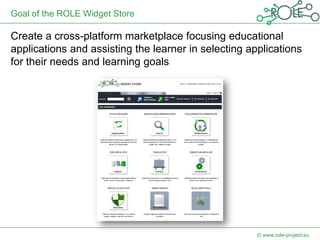
Create a cross-platform marketplace focusing educational
applications and assisting the learner in selecting applications
for their needs and learning goals


                                                      © www.role-project.eu
Why Another Application Store?


     While there are several (well known)
  application stores, stores focusing education
                   are still rare


                                        © www.role-project.eu
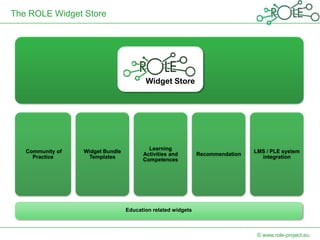
The ROLE Widget Store


                                         Widget Store


                                          Learning
   Community of   Widget Bundle                                                LMS / PLE system
                                        Activities and        Recommendation
     Practice      Templates                                                     integration
                                        Competences


                                  Education related widgets


                                                                                © www.role-project.eu
Why Using Widgets for PLEs?

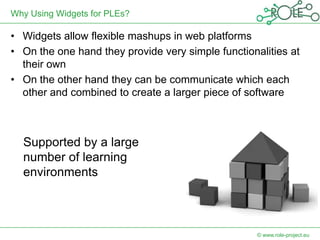
• Widgets allow flexible mashups in web platforms
• On the one hand they provide very simple functionalities at
  their own
• On the other hand they can be communicate which each
  other and combined to create a larger piece of software


  Supported by a large
  number of learning
  environments


                                                    © www.role-project.eu
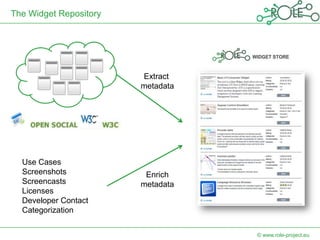
The Widget Repository


                        Extract
                        metadata


  Use Cases
  Screenshots            Enrich
  Screencasts           metadata
  Licenses
  Developer Contact
  Categorization


                                   © www.role-project.eu
How to Share Mashups?


 How could I share a nice set of tools with the
                community?


                                       © www.role-project.eu
Widget Bundles

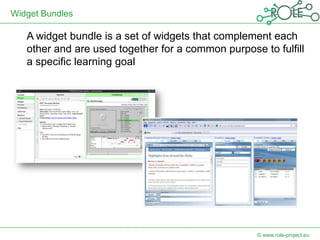
   A widget bundle is a set of widgets that complement each
   other and are used together for a common purpose to fulfill
   a specific learning goal


                                                    © www.role-project.eu
Widget Bundles


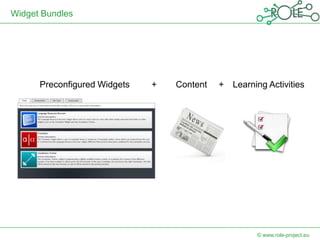
      Preconfigured Widgets   +   Content   +   Learning Activities


                                                      © www.role-project.eu
Widget Bundles

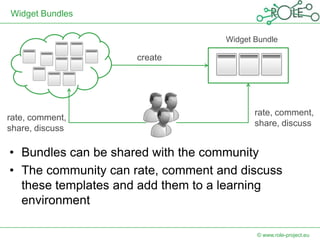
                                   Widget Bundle

                     create


                                          rate, comment,
rate, comment,
                                          share, discuss
share, discuss

• Bundles can be shared with the community
• The community can rate, comment and discuss
  these templates and add them to a learning
  environment

                                          © www.role-project.eu
Categorization

In order to support the learner in selecting widgets /
bundles the store provide several categorization
system for different purposes
• Identify the learning phase
• Identify the functionality
• Identify the learning domain


                                               © www.role-project.eu
Tool categories

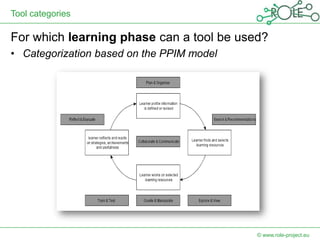
For which learning phase can a tool be used?
• Categorization based on the PPIM model


                                           © www.role-project.eu
Tool Functionalities & Learning Domains

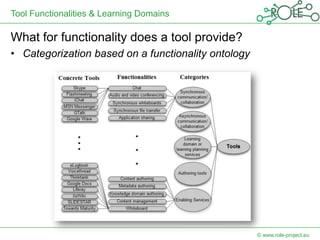
What for functionality does a tool provide?
• Categorization based on a functionality ontology


                                                     © www.role-project.eu
Learning Domains

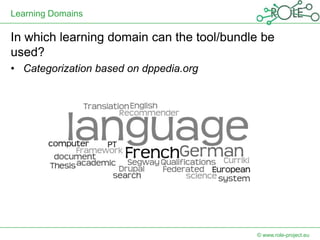
In which learning domain can the tool/bundle be
used?
• Categorization based on dppedia.org


                                           © www.role-project.eu
Connectivity

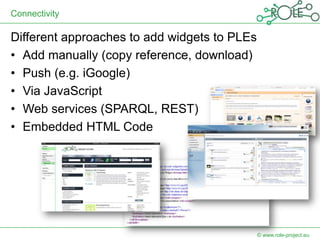
Different approaches to add widgets to PLEs
• Add manually (copy reference, download)
• Push (e.g. iGoogle)
• Via JavaScript
• Web services (SPARQL, REST)
• Embedded HTML Code


                                              © www.role-project.eu
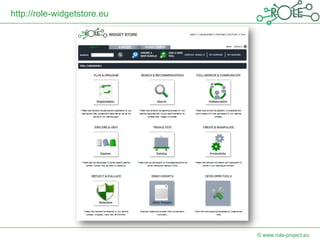
http://role-widgetstore.eu


                             © www.role-project.eu
Future Work

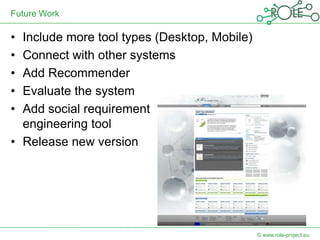
• Include more tool types (Desktop, Mobile)
• Connect with other systems
• Add Recommender
• Evaluate the system
• Add social requirement
  engineering tool
• Release new version


                                              © www.role-project.eu
Widget Contest


 Bring together the best ideas from software
  developers and practitioners
 In the first round contribute your specification of a
  learning widget (no coding)
 Three selected specifications have two months to
  develop their learning widgets
  (supported by a ROLE partner)
 Deadline first round: 29 July 2012
 http://www.role-project.eu/WidgetCompetition
                                              © www.role-project.eu
THANK YOU VERY MUCH FOR
YOUR ATTENTION!


                      © www.role-project.eu

Sharing Personal Learning Environments for Widget Based Systems using a Widget Store

  • 1.
    Sharing Personal LearningEnvironments for Widget Based Systems using a Widget Store Daniel Dahrendorf, Diana Dikke, Nils Faltin © www.role-project.eu
  • 2.
    ROLE The ROLE projectaims at building a framework that allows a learner to easily construct (mash up) and maintain her own Personal Learning Environment. Components of this framework are • a SDK for learning environments • a space feature in OpenSocial • recommender systems • libraries (usage tracking, IWC, …) • a widget store © www.role-project.eu
  • 3.
    Goal of theROLE Widget Store Create a cross-platform marketplace focusing educational applications and assisting the learner in selecting applications for their needs and learning goals © www.role-project.eu
  • 4.
    Why Another ApplicationStore? While there are several (well known) application stores, stores focusing education are still rare © www.role-project.eu
  • 5.
    The ROLE WidgetStore Widget Store Learning Community of Widget Bundle LMS / PLE system Activities and Recommendation Practice Templates integration Competences Education related widgets © www.role-project.eu
  • 6.
    Why Using Widgetsfor PLEs? • Widgets allow flexible mashups in web platforms • On the one hand they provide very simple functionalities at their own • On the other hand they can be communicate which each other and combined to create a larger piece of software Supported by a large number of learning environments © www.role-project.eu
  • 7.
    The Widget Repository Extract metadata Use Cases Screenshots Enrich Screencasts metadata Licenses Developer Contact Categorization © www.role-project.eu
  • 8.
    How to ShareMashups? How could I share a nice set of tools with the community? © www.role-project.eu
  • 9.
    Widget Bundles A widget bundle is a set of widgets that complement each other and are used together for a common purpose to fulfill a specific learning goal © www.role-project.eu
  • 10.
    Widget Bundles Preconfigured Widgets + Content + Learning Activities © www.role-project.eu
  • 11.
    Widget Bundles Widget Bundle create rate, comment, rate, comment, share, discuss share, discuss • Bundles can be shared with the community • The community can rate, comment and discuss these templates and add them to a learning environment © www.role-project.eu
  • 12.
    Categorization In order tosupport the learner in selecting widgets / bundles the store provide several categorization system for different purposes • Identify the learning phase • Identify the functionality • Identify the learning domain © www.role-project.eu
  • 13.
    Tool categories For whichlearning phase can a tool be used? • Categorization based on the PPIM model © www.role-project.eu
  • 14.
    Tool Functionalities &Learning Domains What for functionality does a tool provide? • Categorization based on a functionality ontology © www.role-project.eu
  • 15.
    Learning Domains In whichlearning domain can the tool/bundle be used? • Categorization based on dppedia.org © www.role-project.eu
  • 16.
    Connectivity Different approaches toadd widgets to PLEs • Add manually (copy reference, download) • Push (e.g. iGoogle) • Via JavaScript • Web services (SPARQL, REST) • Embedded HTML Code © www.role-project.eu
  • 17.
    http://role-widgetstore.eu © www.role-project.eu
  • 18.
    Future Work • Includemore tool types (Desktop, Mobile) • Connect with other systems • Add Recommender • Evaluate the system • Add social requirement engineering tool • Release new version © www.role-project.eu
  • 19.
    Widget Contest  Bringtogether the best ideas from software developers and practitioners  In the first round contribute your specification of a learning widget (no coding)  Three selected specifications have two months to develop their learning widgets (supported by a ROLE partner)  Deadline first round: 29 July 2012  http://www.role-project.eu/WidgetCompetition © www.role-project.eu
  • 20.
    THANK YOU VERYMUCH FOR YOUR ATTENTION! © www.role-project.eu