WHAT IS SHAREPOINT
DEVELOPMENT?
SPTechCon San Francisco 2013
Mark Rackley
mark.rackley@summit7systems.com
Summit 7 systems is a premier provider of consulting and implementation services specializing on the
Microsoft SharePoint Platform and FAST Enterprise Search.


  »    Summit 7 Systems was chosen by KMWorld Magazine as one of the top 100 Companies that Matter in Knowledge Management along with
       companies such as Microsoft, Oracle and IBM.
  »    Summit 7 Systems was named to the 2011 and 2012 CRN Next-Gen 250 List as a company bringing innovative processes, methodologies and
       models to the solution provider industry.
  »    Top 1% of Microsoft Partners Worldwide
  »    Summit 7 Systems was named #6 on the 2012 CRN Fast Growth 100 based on our 2009 – 2011 growth of over 930% per year.
  »    ~ 50% of Technical Staff hold US Government SECRET Clearances.
  »    Service Disabled Veteran Owned Small Business (SDVOSB).
SOFTWARE PLATFORMS                       SERVICES
     FAST Enterprise Search                   SharePoint QuickStart
     SharePoint 2007                          Information Architecture and Governance Development
     SharePoint 2010                          Upgrade and Migration
     SharePoint 2013                          Branding and Design (User Experience)
     Office Platform                          Web Content Management Design and Deployment
     Sitecore
                                              SharePoint Search
                                              Custom Workflow or Web Part Development
SOLUTION AREAS                                InfoPath Forms and Workflows
     SharePoint Platform Solutions            Performance Baselines and Best Practices Optimization
     Enterprise Search                        Mapping Business Process to Software Platforms
     Enterprise Content Management            Cloud Services Design and Provisioning
     Internet / Web Content Management
                                              Remote Support Contracts
     Extranet Solutions
                                              Compliance Quickstart
     Intranet Solutions
     Business Process Management
     Enterprise Project Management
     Exchange Server
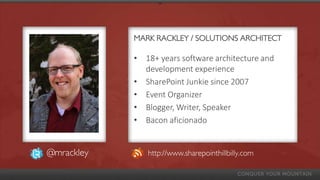
MARK RACKLEY / SOLUTIONS ARCHITECT

            • 18+ years software architecture and
              development experience
            • SharePoint Junkie since 2007
            • Event Organizer
            • Blogger, Writer, Speaker
            • Bacon aficionado


@mrackley      http://www.sharepointhillbilly.com
AGENDA

• What’s the big deal?
• Define “Development”
• Types of SharePoint Development
     •   What it is
     •   Benefits Disadvantages
     •   Skills needed
• Demos
WHAT’S THE BIG DEAL?
(CAN’T WE ALL JUST GET ALONG?)
WHAT’S THE BIG DEAL?
You need to know the best tool for a job
• Efficiently design solutions
• Avoid unnecessary work
Make sure you are hiring the right person for the job
• Can they do the tasks you need them to do / are they a fit?
• Will they cause more problems than they will solve?
• Know the right questions to ask
LET’S START AT THE BEGINNING..

DEFINE “DEVELOPMENT”
DEFINE “DEVELOPER”


developer (dɪˈvɛləpə)

—n
a person or thing that develops something
DEFINE “DEVELOPER”

develop (dɪˈvɛləp)
 — vb
1. to come or bring to a later or more advanced or expanded
stage; grow or cause to grow gradually
2. to elaborate or work out in detail
3. to come or bring into existence; generate or be generated
THE #1 MISTAKE


#1 Mistake SharePoint “developers” make?
• Opening Visual Studio
• Development is not necessarily
   managed code
METHODS OF SHAREPOINT
DEVELOPMENT
(YES… THERE’S MORE THAN ONE)
OUT OF THE BOX (OOB)


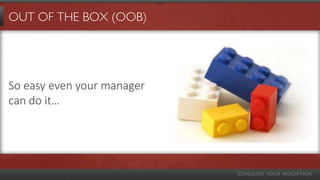
So easy even your manager
can do it…
OUT OF THE BOX (OOB)


• Performed in SharePoint.
• No external tools, little or no code
• Create sites, lists, custom views, alerts, dashboards and
  simple applications using web parts and web part
  connections
OUT OF THE BOX (OOB)
Benefits
• No code
• No external tools
• Even your boss could do it
• Fewest upgrade issues
Disadvantages
• Will rarely be enough
• It’s not idiot proof
• Even your boss can do it
OUT OF THE BOX (OOB)

Skills needed
• Understanding of the ins and outs of SharePoint
• Knowledge of the out of the box web parts
Bottom Line
•   Essential to understand for all types of SharePoint Development
•   Most under utilized development approach by traditional developers
•   Always start here first
•   Attend some end user sessions
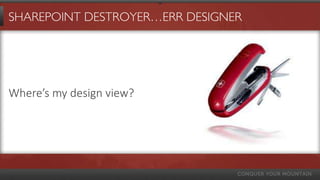
SHAREPOINT DESTROYER…ERR DESIGNER


Where’s my design view?
SHAREPOINT DESIGNER (SPD)

• Free development tool
• Users SharePoint’s Web Services to communicate with
  your site
• Create SharePoint objects, edit forms,
  DataViewWebParts, connections to external lists,
  essential for developing branding.
SHAREPOINT DESIGNER (SPD)
Benefits
•   More options than OOB
•   More control over look and feel
•   Remote development!
•   SPD Workflows
Disadvantages
• Still has limitations
• Deployment is messy (or develop in production)
• Customizing (unghosting)
SHAREPOINT DESIGNER (SPD)

Skills needed
•   OOB Skills
•   HTML, CSS, XML, XSL, JavaScript
Bottom Line
•   Essential tool for skilled designers, site admins, and quick tweaks in
    production.
•   Future of the product may be uncertain
JAVASCRIPT / JQUERY


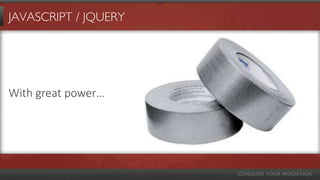
With great power…
JAVASCRIPT/JQUERY

• Part of that “Client Side Development”
• Great for complicated business logic in tightly controlled
  environments
• Communicate with remote servers using Web Services
• Scripts can be deployed in a solution or placed in a
  Document Library and linked in a Content Editor Web
  Part
JAVASCRIPT/JQUERY
Benefits
•   Can replace the need for Visual Studio for certain functionality
•   Does not create “points” like Sandboxed solutions
•   Improved user experience
•   It’s the future
Disadvantages
• Can be difficult to maintain and debug
• Anyone can do it
• Can cause performance issues
JAVASCRIPT/JQUERY

Skills needed
• OOB Skills
• HTML, JavaScript, jQuery, CSS, XML, XSL
• Traditional developer skills
Bottom Line
• Amazing, essential skill if used correctly
• Becoming more important every day (sometimes only option in the cloud)
• Use it wisely
POWERSHELL


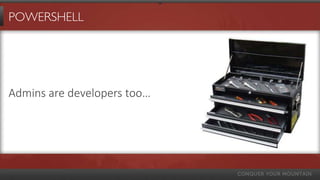
Admins are developers too…
POWERSHELL

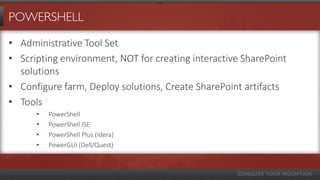
• Administrative Tool Set
• Scripting environment, NOT for creating interactive SharePoint
  solutions
• Configure farm, Deploy solutions, Create SharePoint artifacts
• Tools
      •   PowerShell
      •   PowerShell ISE
      •   PowerShell Plus (Idera)
      •   PowerGUI (Dell/Quest)
POWERSHELL
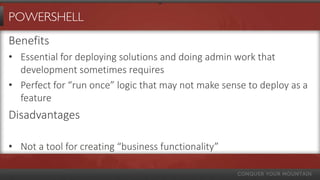
Benefits
• Essential for deploying solutions and doing admin work that
  development sometimes requires
• Perfect for “run once” logic that may not make sense to deploy as a
  feature
Disadvantages

• Not a tool for creating “business functionality”
POWERSHELL

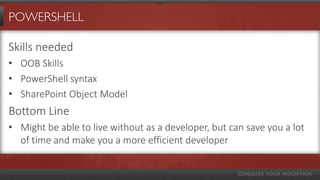
Skills needed
• OOB Skills
• PowerShell syntax
• SharePoint Object Model
Bottom Line
• Might be able to live without as a developer, but can save you a lot
  of time and make you a more efficient developer
VISUAL STUDIO / .NET


When all else fails, use a bigger stick…
VISUAL STUDIO / .NET

• Create solutions that deploy files to the farm
• Sometimes there is no other option
• It CAN do most of what the other options can do… but…
     • May not be an option in your environment
     • May take a lot longer to develop
     • Deployment can add headaches
VISUAL STUDIO / .NET

• Create solutions to deploy files to your farm so you aren’t
  manually copying them
• Create virtually any SharePoint object including content
  types, site columns, lists, sites, workflows, web parts,
  event receivers, timer jobs, service applications, etc…
• Remote development using Web Services / Client Object
  Model
VISUAL STUDIO / .NET


Solution Options
• Sandboxed Solutions
• Client Object Modal
• Web Services
• Farm Solutions
VISUAL STUDIO / .NET

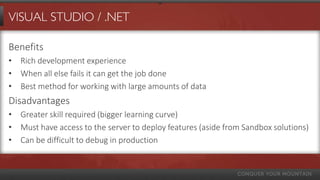
Benefits
• Rich development experience
• When all else fails it can get the job done
• Best method for working with large amounts of data
Disadvantages
• Greater skill required (bigger learning curve)
• Must have access to the server to deploy features (aside from Sandbox solutions)
• Can be difficult to debug in production
VISUAL STUDIO / .NET

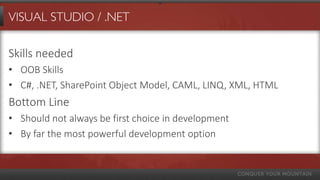
Skills needed
• OOB Skills
• C#, .NET, SharePoint Object Model, CAML, LINQ, XML, HTML
Bottom Line
• Should not always be first choice in development
• By far the most powerful development option
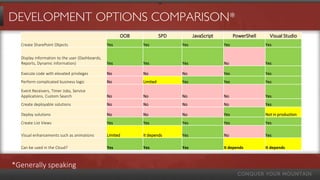
DEVELOPMENT OPTIONS COMPARISON*
                                                       OOB             SPD         JavaScript         PowerShell     Visual Studio
  Create SharePoint Objects                      Yes         Yes             Yes                Yes                Yes

  Display information to the user (Dashboards,
  Reports, Dynamic information)                  Yes         Yes             Yes                No                 Yes

  Execute code with elevated privileges          No          No              No                 Yes                Yes
  Perform complicated business logic             No          Limited         Yes                Yes                Yes

  Event Receivers, Timer Jobs, Service
  Applications, Custom Search                    No          No              No                 No                 Yes
  Create deployable solutions                    No          No              No                 No                 Yes

  Deploy solutions                               No          No              No                 Yes                Not in production
  Create List Views                              Yes         Yes             Yes                Yes                Yes

  Visual enhancements such as animations         Limited     It depends      Yes                No                 Yes

  Can be used in the Cloud?                      Yes         Yes             Yes                It depends         It depends


*Generally speaking
SHAREPOINT DEVELOPMENT NIRVANA


It IS achievable…
SHAREPOINT 2013 APP MODEL


Wait… What???
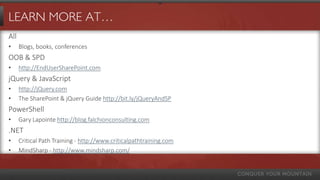
LEARN MORE AT…
All
•     Blogs, books, conferences
OOB & SPD
•     http://EndUserSharePoint.com
jQuery & JavaScript
•     http://jQuery.com
•     The SharePoint & jQuery Guide http://bit.ly/jQueryAndSP
PowerShell
•     Gary Lapointe http://blog.falchionconsulting.com
.NET
•     Critical Path Training - http://www.criticalpathtraining.com
•     MindSharp - http://www.mindsharp.com/
DEMOS!


I know… it’s about time? Right?
FOR MORE FROM SUMMIT 7 SYSTEMS…

     facebook.com/summit7systems

     @summit7systems

     summit 7 systems

     summit7systems

     summit7systems.com/blogs

What is SharePoint Development??

  • 1.
    WHAT IS SHAREPOINT DEVELOPMENT? SPTechConSan Francisco 2013 Mark Rackley mark.rackley@summit7systems.com
  • 2.
    Summit 7 systemsis a premier provider of consulting and implementation services specializing on the Microsoft SharePoint Platform and FAST Enterprise Search. » Summit 7 Systems was chosen by KMWorld Magazine as one of the top 100 Companies that Matter in Knowledge Management along with companies such as Microsoft, Oracle and IBM. » Summit 7 Systems was named to the 2011 and 2012 CRN Next-Gen 250 List as a company bringing innovative processes, methodologies and models to the solution provider industry. » Top 1% of Microsoft Partners Worldwide » Summit 7 Systems was named #6 on the 2012 CRN Fast Growth 100 based on our 2009 – 2011 growth of over 930% per year. » ~ 50% of Technical Staff hold US Government SECRET Clearances. » Service Disabled Veteran Owned Small Business (SDVOSB).
  • 3.
    SOFTWARE PLATFORMS SERVICES FAST Enterprise Search SharePoint QuickStart SharePoint 2007 Information Architecture and Governance Development SharePoint 2010 Upgrade and Migration SharePoint 2013 Branding and Design (User Experience) Office Platform Web Content Management Design and Deployment Sitecore SharePoint Search Custom Workflow or Web Part Development SOLUTION AREAS InfoPath Forms and Workflows SharePoint Platform Solutions Performance Baselines and Best Practices Optimization Enterprise Search Mapping Business Process to Software Platforms Enterprise Content Management Cloud Services Design and Provisioning Internet / Web Content Management Remote Support Contracts Extranet Solutions Compliance Quickstart Intranet Solutions Business Process Management Enterprise Project Management Exchange Server
  • 4.
    MARK RACKLEY /SOLUTIONS ARCHITECT • 18+ years software architecture and development experience • SharePoint Junkie since 2007 • Event Organizer • Blogger, Writer, Speaker • Bacon aficionado @mrackley http://www.sharepointhillbilly.com
  • 5.
    AGENDA • What’s thebig deal? • Define “Development” • Types of SharePoint Development • What it is • Benefits Disadvantages • Skills needed • Demos
  • 6.
    WHAT’S THE BIGDEAL? (CAN’T WE ALL JUST GET ALONG?)
  • 7.
    WHAT’S THE BIGDEAL? You need to know the best tool for a job • Efficiently design solutions • Avoid unnecessary work Make sure you are hiring the right person for the job • Can they do the tasks you need them to do / are they a fit? • Will they cause more problems than they will solve? • Know the right questions to ask
  • 8.
    LET’S START ATTHE BEGINNING.. DEFINE “DEVELOPMENT”
  • 9.
    DEFINE “DEVELOPER” developer (dɪˈvɛləpə) —n aperson or thing that develops something
  • 10.
    DEFINE “DEVELOPER” develop (dɪˈvɛləp) — vb 1. to come or bring to a later or more advanced or expanded stage; grow or cause to grow gradually 2. to elaborate or work out in detail 3. to come or bring into existence; generate or be generated
  • 11.
    THE #1 MISTAKE #1Mistake SharePoint “developers” make? • Opening Visual Studio • Development is not necessarily managed code
  • 12.
  • 13.
    OUT OF THEBOX (OOB) So easy even your manager can do it…
  • 14.
    OUT OF THEBOX (OOB) • Performed in SharePoint. • No external tools, little or no code • Create sites, lists, custom views, alerts, dashboards and simple applications using web parts and web part connections
  • 15.
    OUT OF THEBOX (OOB) Benefits • No code • No external tools • Even your boss could do it • Fewest upgrade issues Disadvantages • Will rarely be enough • It’s not idiot proof • Even your boss can do it
  • 16.
    OUT OF THEBOX (OOB) Skills needed • Understanding of the ins and outs of SharePoint • Knowledge of the out of the box web parts Bottom Line • Essential to understand for all types of SharePoint Development • Most under utilized development approach by traditional developers • Always start here first • Attend some end user sessions
  • 17.
  • 18.
    SHAREPOINT DESIGNER (SPD) •Free development tool • Users SharePoint’s Web Services to communicate with your site • Create SharePoint objects, edit forms, DataViewWebParts, connections to external lists, essential for developing branding.
  • 19.
    SHAREPOINT DESIGNER (SPD) Benefits • More options than OOB • More control over look and feel • Remote development! • SPD Workflows Disadvantages • Still has limitations • Deployment is messy (or develop in production) • Customizing (unghosting)
  • 20.
    SHAREPOINT DESIGNER (SPD) Skillsneeded • OOB Skills • HTML, CSS, XML, XSL, JavaScript Bottom Line • Essential tool for skilled designers, site admins, and quick tweaks in production. • Future of the product may be uncertain
  • 21.
  • 22.
    JAVASCRIPT/JQUERY • Part ofthat “Client Side Development” • Great for complicated business logic in tightly controlled environments • Communicate with remote servers using Web Services • Scripts can be deployed in a solution or placed in a Document Library and linked in a Content Editor Web Part
  • 23.
    JAVASCRIPT/JQUERY Benefits • Can replace the need for Visual Studio for certain functionality • Does not create “points” like Sandboxed solutions • Improved user experience • It’s the future Disadvantages • Can be difficult to maintain and debug • Anyone can do it • Can cause performance issues
  • 24.
    JAVASCRIPT/JQUERY Skills needed • OOBSkills • HTML, JavaScript, jQuery, CSS, XML, XSL • Traditional developer skills Bottom Line • Amazing, essential skill if used correctly • Becoming more important every day (sometimes only option in the cloud) • Use it wisely
  • 25.
  • 26.
    POWERSHELL • Administrative ToolSet • Scripting environment, NOT for creating interactive SharePoint solutions • Configure farm, Deploy solutions, Create SharePoint artifacts • Tools • PowerShell • PowerShell ISE • PowerShell Plus (Idera) • PowerGUI (Dell/Quest)
  • 27.
    POWERSHELL Benefits • Essential fordeploying solutions and doing admin work that development sometimes requires • Perfect for “run once” logic that may not make sense to deploy as a feature Disadvantages • Not a tool for creating “business functionality”
  • 28.
    POWERSHELL Skills needed • OOBSkills • PowerShell syntax • SharePoint Object Model Bottom Line • Might be able to live without as a developer, but can save you a lot of time and make you a more efficient developer
  • 29.
    VISUAL STUDIO /.NET When all else fails, use a bigger stick…
  • 30.
    VISUAL STUDIO /.NET • Create solutions that deploy files to the farm • Sometimes there is no other option • It CAN do most of what the other options can do… but… • May not be an option in your environment • May take a lot longer to develop • Deployment can add headaches
  • 31.
    VISUAL STUDIO /.NET • Create solutions to deploy files to your farm so you aren’t manually copying them • Create virtually any SharePoint object including content types, site columns, lists, sites, workflows, web parts, event receivers, timer jobs, service applications, etc… • Remote development using Web Services / Client Object Model
  • 32.
    VISUAL STUDIO /.NET Solution Options • Sandboxed Solutions • Client Object Modal • Web Services • Farm Solutions
  • 33.
    VISUAL STUDIO /.NET Benefits • Rich development experience • When all else fails it can get the job done • Best method for working with large amounts of data Disadvantages • Greater skill required (bigger learning curve) • Must have access to the server to deploy features (aside from Sandbox solutions) • Can be difficult to debug in production
  • 34.
    VISUAL STUDIO /.NET Skills needed • OOB Skills • C#, .NET, SharePoint Object Model, CAML, LINQ, XML, HTML Bottom Line • Should not always be first choice in development • By far the most powerful development option
  • 35.
    DEVELOPMENT OPTIONS COMPARISON* OOB SPD JavaScript PowerShell Visual Studio Create SharePoint Objects Yes Yes Yes Yes Yes Display information to the user (Dashboards, Reports, Dynamic information) Yes Yes Yes No Yes Execute code with elevated privileges No No No Yes Yes Perform complicated business logic No Limited Yes Yes Yes Event Receivers, Timer Jobs, Service Applications, Custom Search No No No No Yes Create deployable solutions No No No No Yes Deploy solutions No No No Yes Not in production Create List Views Yes Yes Yes Yes Yes Visual enhancements such as animations Limited It depends Yes No Yes Can be used in the Cloud? Yes Yes Yes It depends It depends *Generally speaking
  • 36.
  • 37.
    SHAREPOINT 2013 APPMODEL Wait… What???
  • 38.
    LEARN MORE AT… All • Blogs, books, conferences OOB & SPD • http://EndUserSharePoint.com jQuery & JavaScript • http://jQuery.com • The SharePoint & jQuery Guide http://bit.ly/jQueryAndSP PowerShell • Gary Lapointe http://blog.falchionconsulting.com .NET • Critical Path Training - http://www.criticalpathtraining.com • MindSharp - http://www.mindsharp.com/
  • 39.
    DEMOS! I know… it’sabout time? Right?
  • 40.
    FOR MORE FROMSUMMIT 7 SYSTEMS… facebook.com/summit7systems @summit7systems summit 7 systems summit7systems summit7systems.com/blogs