Client Side
Development – REST or
CSOM
Mark Rackley
Solutions Architect

Level: Intermediate
About Mark Rackley

•

•
•
•
•

18+ years software
architecture and
development experience
SharePoint Junkie since
2007
Event Organizer
Blogger, Writer, Speaker
Bacon aficionado

•

@mrackley

•

http://www.sharepointhillbilly.com
Agenda
•

Pre-Game Highlights
– What is CSOM and REST?

•

First Quarter
– API Coverage

•

Second Quarter
– Platforms and Standards

•

Third Quarter
– Ease of Use / Flexibility

•

Fourth Quarter
– Batch Processing / Performance
http://www.pluralsight.com/training/Courses/TableOfContents/
sharepoint-2013-client-object-model-rest

ROB WINDSOR - SHAREPOINT
2013 DEVELOPMENT: CLIENT
OBJECT MODEL AND REST
API.
CLIENT SIDE OBJECT
MODEL (CSOM)
•
•
•
•

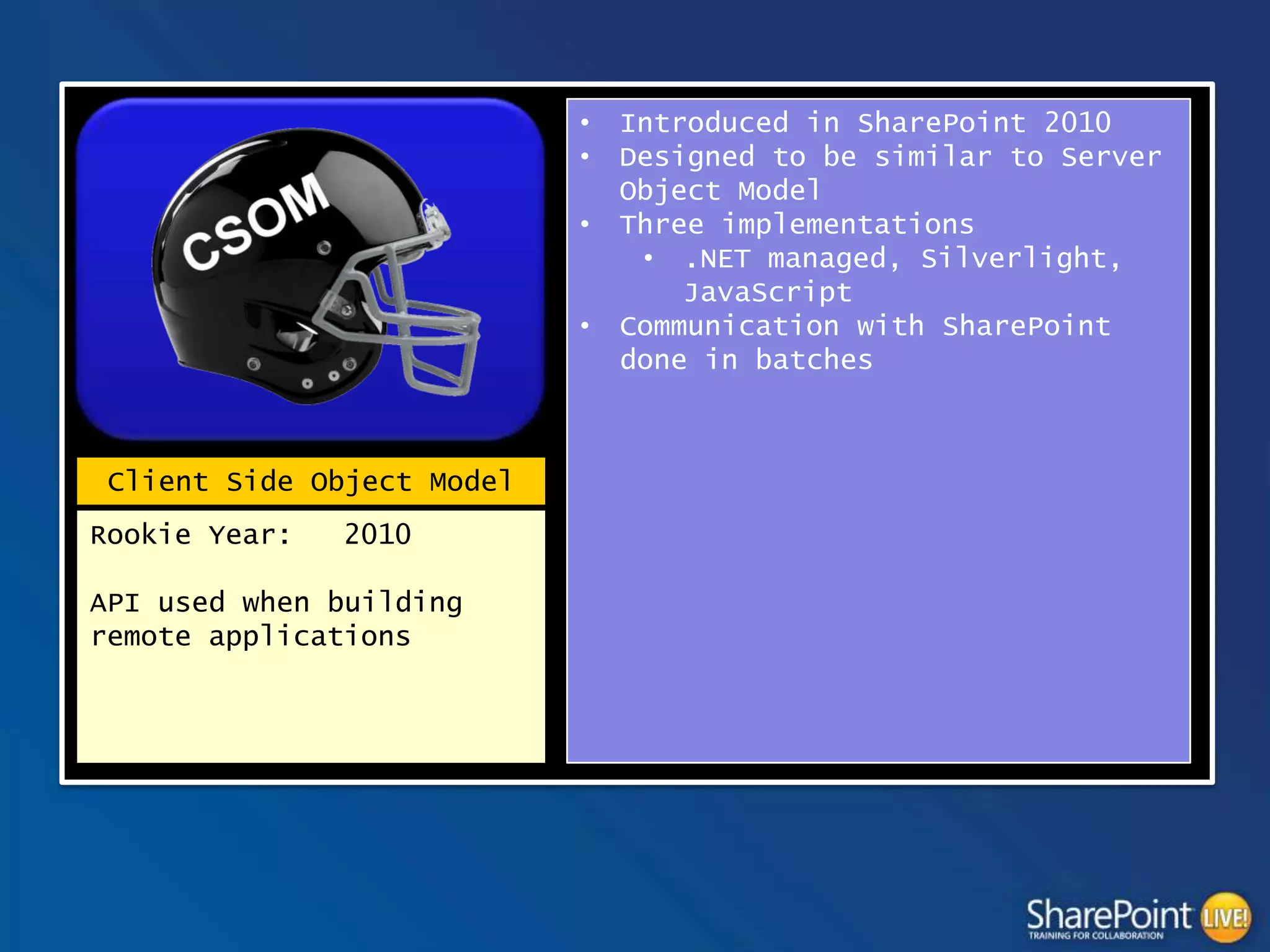
Client Side Object Model
Rookie Year:

2010

API used when building
remote applications

Introduced in SharePoint 2010
Designed to be similar to Server
Object Model
Three implementations
• .NET managed, Silverlight,
JavaScript
Communication with SharePoint
done in batches
JavaScript Client Object Model (JSOM)
context = SP.ClientContext.get_current();
var speakerList = context.get_web().get_lists().getByTitle("Vendors");
var camlQuery = SP.CamlQuery.createAllItemsQuery();
this.listItems = speakerList.getItems(camlQuery);
context.load(listItems);
context.executeQueryAsync(ReadListItemSucceeded, ReadListItemFailed);

function ReadListItemSucceeded(sender, args) {
var enumerator = listItems.getEnumerator();
var options = "<option value='0'>(None)</option>";
while (enumerator.moveNext()) {
var listItem = enumerator.get_current();
var Vendor = listItem.get_item('Vendor');
var ID = listItem.get_id();
options += "<option value='"+ ID +"'>"+Vendor+"</option>";
}
$("select[title='<Field Display Name>']").append(options);
}
function ReadListItemFailed(sender, args) {
alert('Request failed. ' + args.get_message() + 'n' + args.get_stackTrace());
}
SHAREPOINT REST
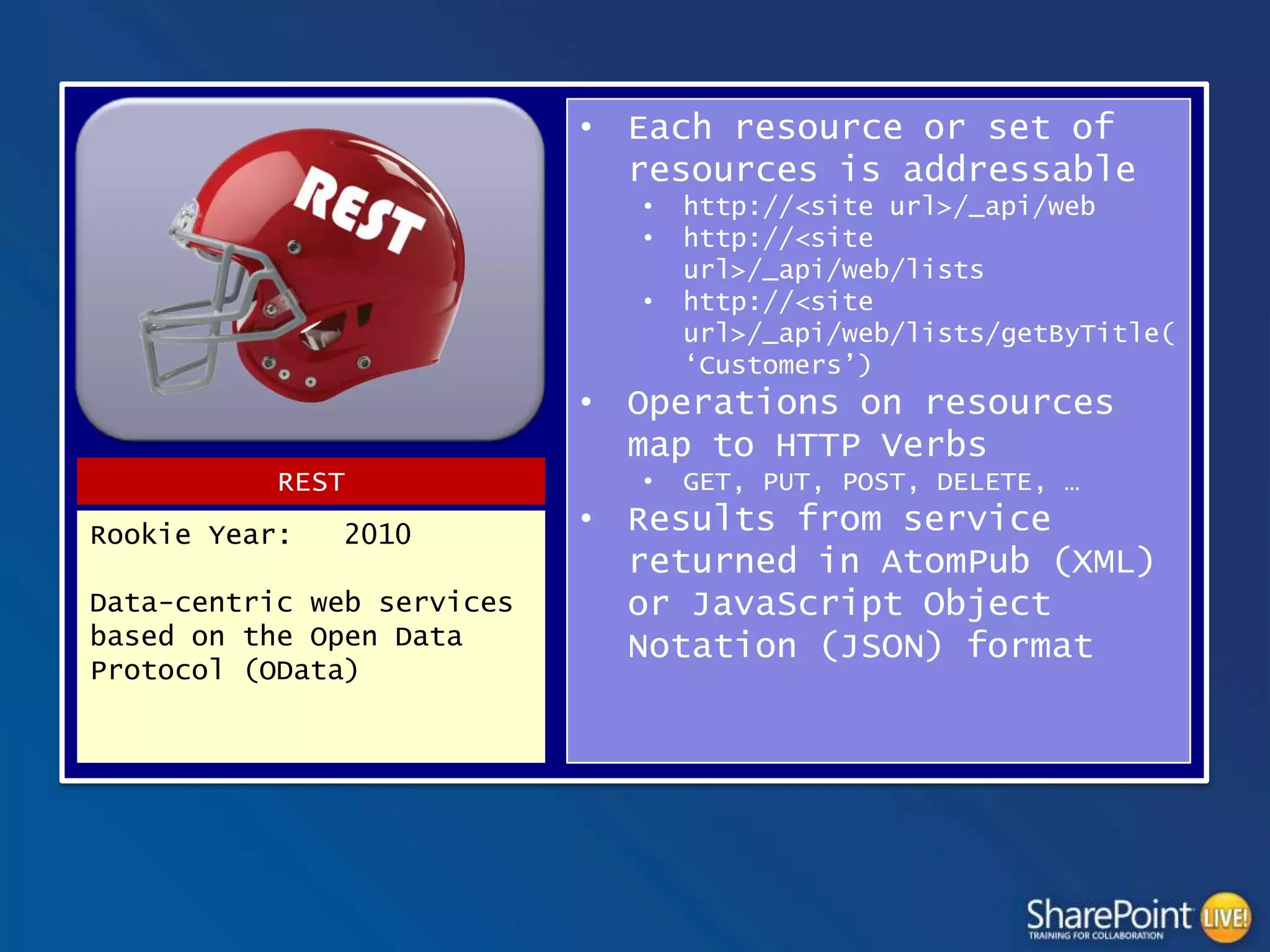
• Each resource or set of
resources is addressable
•
•
•

http://<site url>/_api/web
http://<site
url>/_api/web/lists
http://<site
url>/_api/web/lists/getByTitle(
‘Customers’)

• Operations on resources
map to HTTP Verbs
REST
Rookie Year:

2010

Data-centric web services
based on the Open Data
Protocol (OData)

•

GET, PUT, POST, DELETE, …

• Results from service
returned in AtomPub (XML)
or JavaScript Object
Notation (JSON) format
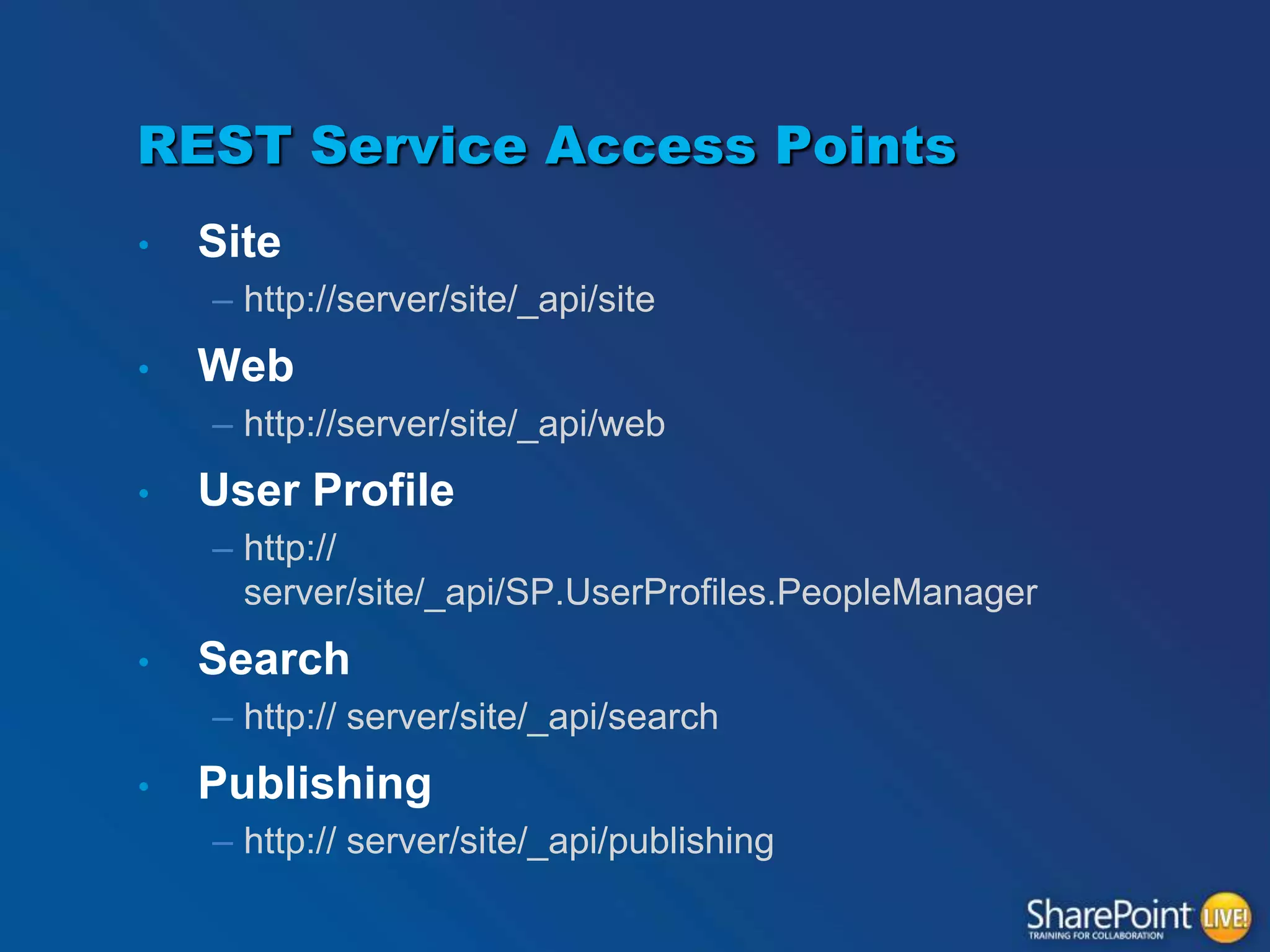
REST Service Access Points
•

Site
– http://server/site/_api/site

•

Web
– http://server/site/_api/web

•

User Profile
– http://
server/site/_api/SP.UserProfiles.PeopleManager

•

Search
– http:// server/site/_api/search

•

Publishing
– http:// server/site/_api/publishing
SHAREPOINT 2010 REST
var call = $.ajax({
url: "http://<Url To Site>/_vti_bin/listdata.svc/Vendors?$select=Vendor,Id&$top=1000",
type: "GET",
dataType: "json",
headers: {
Accept: "application/json;odata=verbose"
}
});
call.done(function (data,textStatus, jqXHR){
var options = "<option value='0'>(None)</option>";
for (index in data.d.results) //results may exist in data.d
{
options += "<option value='"+ data.d.results[index].Id +"'>"+data.d.results[index].Title+"</option>";
}
$("select[title='<Field Display Name>']").append(options);
});
call.fail(function (jqXHR,textStatus,errorThrown){
alert("Error retrieving Tasks: " + jqXHR.responseText);
});
SHAREPOINT 2013 REST
var call = $.ajax({
url: _spPageContextInfo.webAbsoluteUrl + "/_api/Web/Lists/GetByTitle('ListName')/items",
type: "GET",
dataType: "json",
headers: {
Accept: "application/json;odata=verbose"
}
});
call.done(function (data,textStatus, jqXHR){
var options = "<option value='0'>(None)</option>";
for (index in data.d.results)
{
options += "<option value='"+ data.d.results[index].Id +"'>"+data.d.results[index].Title+"</option>";
}
$("select[title='<Field Display Name>']").append(options);
});
call.fail(function (jqXHR,textStatus,errorThrown){
alert("Error retrieving Tasks: " + jqXHR.responseText);
});
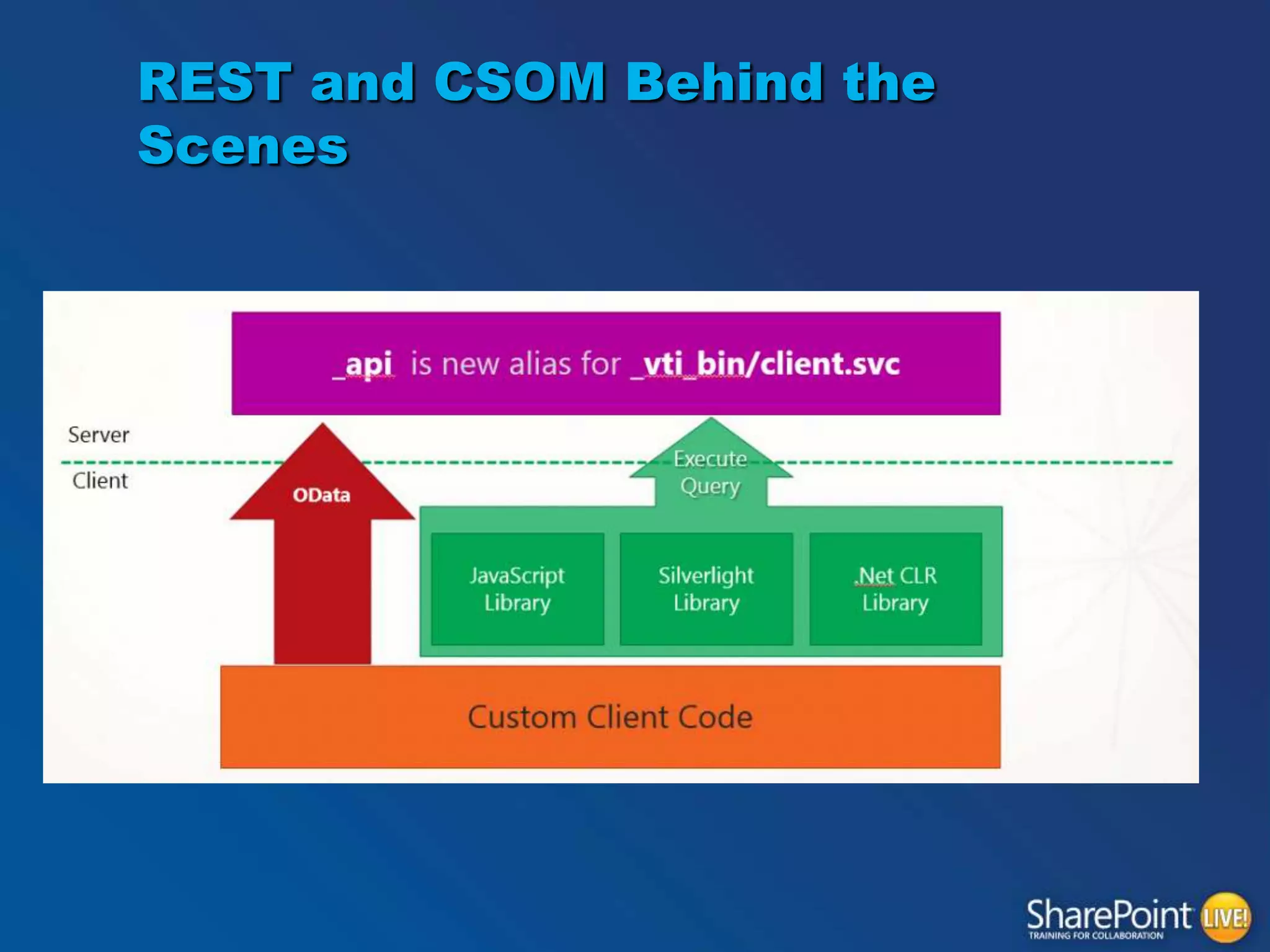
REST and CSOM Behind the
Scenes
API Coverage

FIRST QUARTER
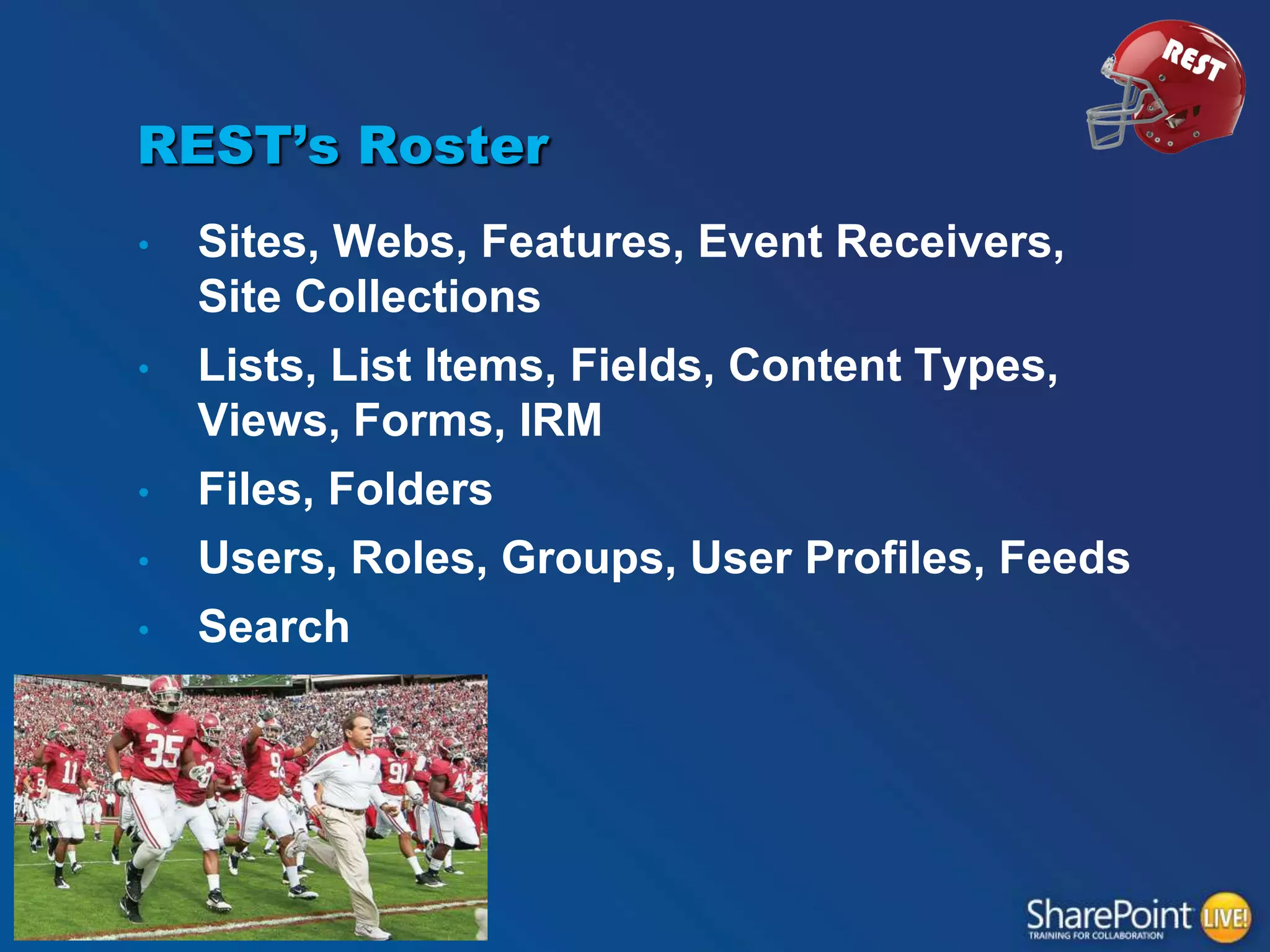
REST’s Roster
•
•
•
•

•

Sites, Webs, Features, Event Receivers,
Site Collections
Lists, List Items, Fields, Content Types,
Views, Forms, IRM
Files, Folders
Users, Roles, Groups, User Profiles, Feeds
Search
It‟s good!

FIELD GOAL FOR REST!
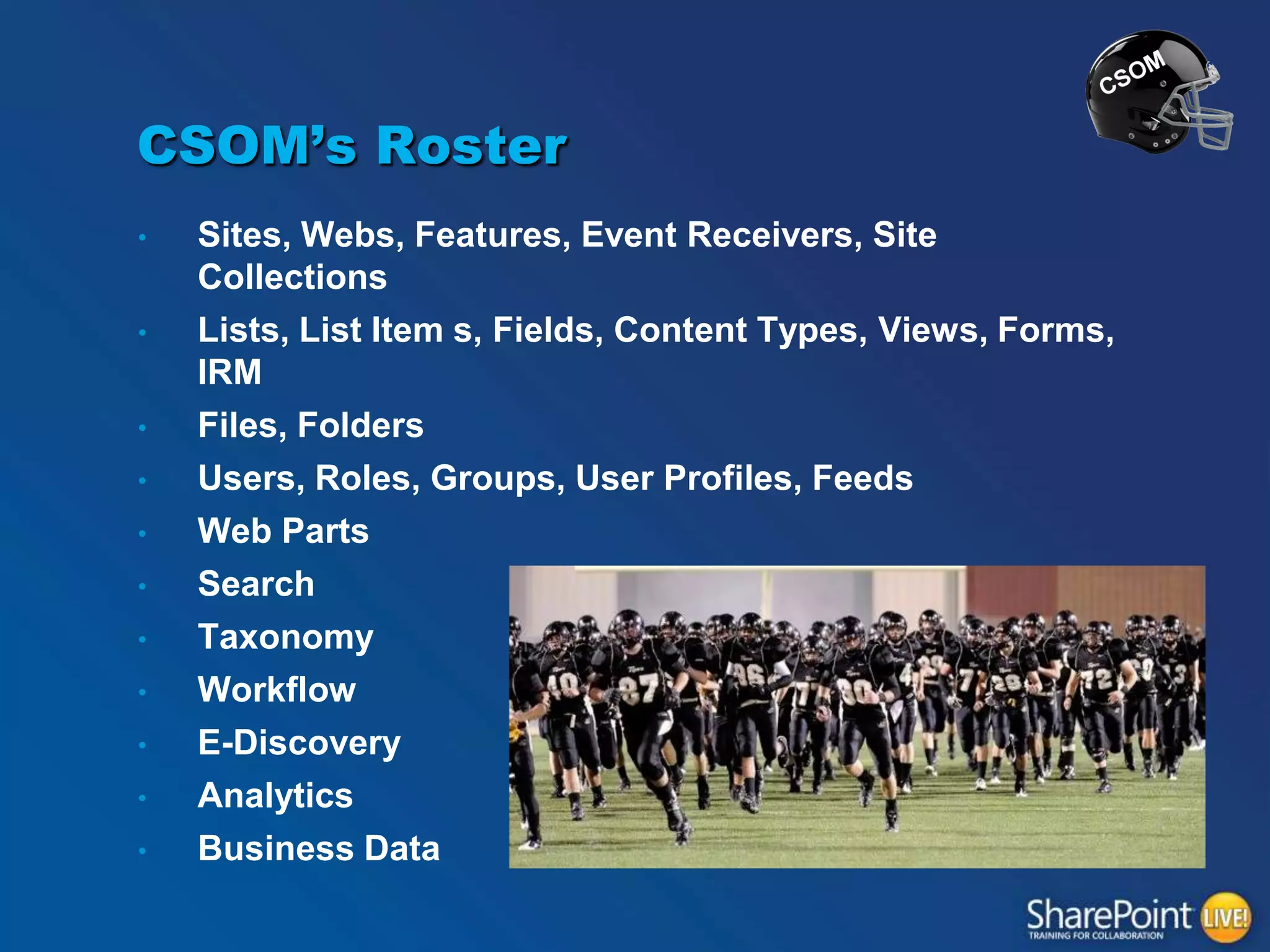
CSOM’s Roster
•
•

•
•
•
•

•
•
•
•

•

Sites, Webs, Features, Event Receivers, Site
Collections
Lists, List Item s, Fields, Content Types, Views, Forms,
IRM
Files, Folders
Users, Roles, Groups, User Profiles, Feeds
Web Parts
Search
Taxonomy
Workflow
E-Discovery
Analytics
Business Data
And the extra point…. Is good!

TOUCHDOWN CSOM!
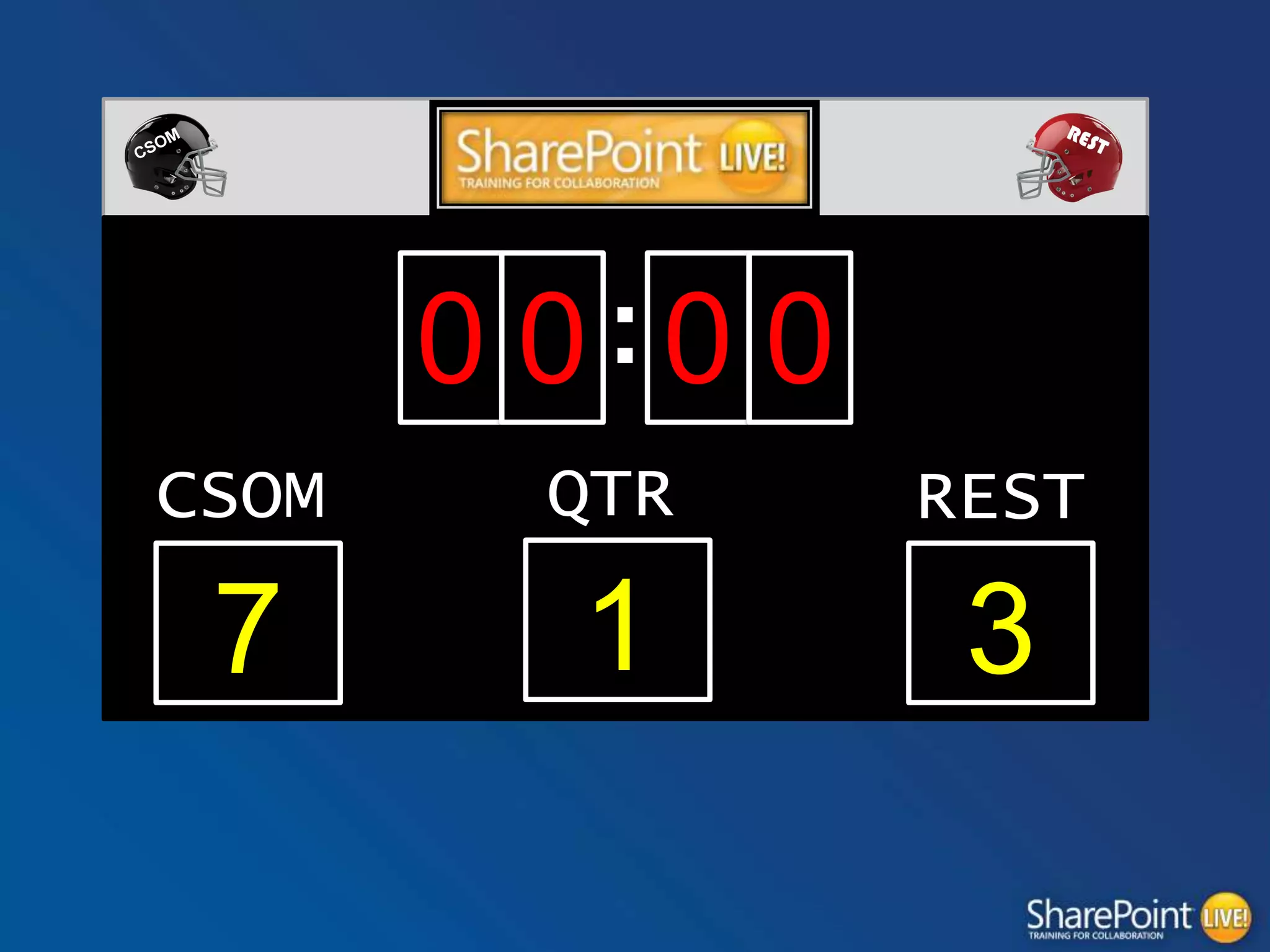
0 0:0 0
CSOM

QTR

REST

7

1

3
Platforms and Standards

SECOND QUARTER
REST’s Playbook
“REST is something Roy Fielding wrote back in 2000 that described a
way to share data over HTTP. Unfortunately companies created very
different implementation of RESTful services so a bunch got together
to define an agreed upon protocol called the Open Data Protocol, also
known as OData). The OData spec defines the data formats returned
as well as the specific vocabularies used to interact with OData
services. Each vendor then implemented it on their own technology
stack. Microsoft did this and called their OData product WCF Data
Services (notice the URL is actually odata.aspx on MSDN). SharePoint
2013's REST interface is built using WCF Data Services 5.0 which
implements the OData v3.0 specification. Unfortunately the SharePoint
2013 implementation does not include everything the spec states, but
it's pretty close.”
Read more at http://www.andrewconnell.com/blog/sharepoint-2013csom-vs.-rest-...-my-preference-and-why
REST’s Playbook
MSDN Magazine - Understanding and Using the
SharePoint 2013 REST Interface
http://msdn.microsoft.com/en-us/magazine/dn198245.aspx

Use OData query operations in SharePoint
REST requests
http://msdn.microsoft.com/en-us/library/office/fp142385.aspx

Another field goal for REST!
CSOM’s Playbook
.NET, Silverlight, JavaScript

CSOM responds with a field goal!
REST’s Playbook
•

Platform independent
– PHP, Java, JavaScript, .NET, etc.. Etc

•
•

Many Libraries to choose from that
support oData
Test queries in browser
– Chrome app PostMan
REST ends the quarter strong
with Another field goal!
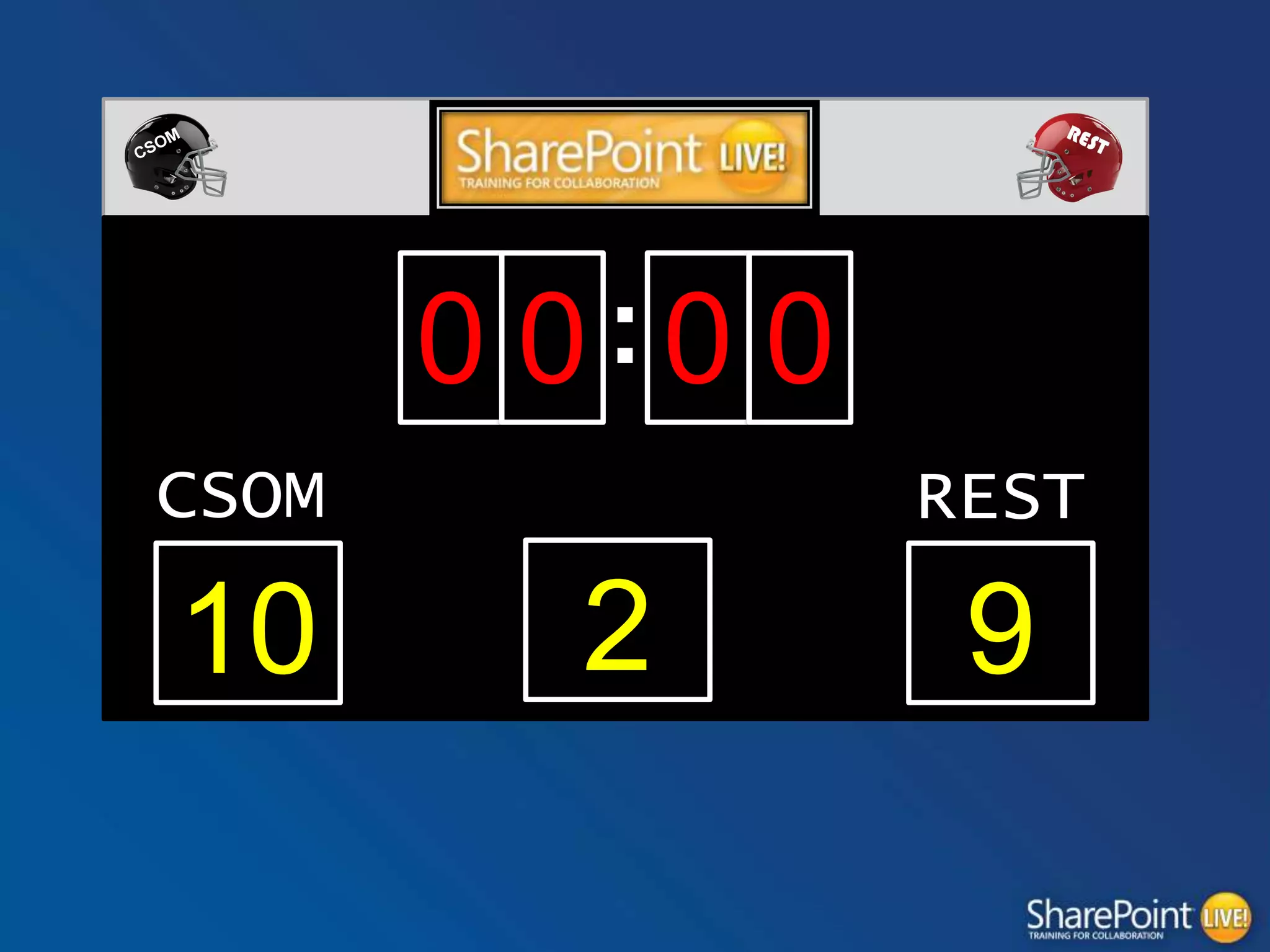
0 0:0 0
CSOM

10

REST
QTR

2

9
SPServices

HALF-TIME SHOW!
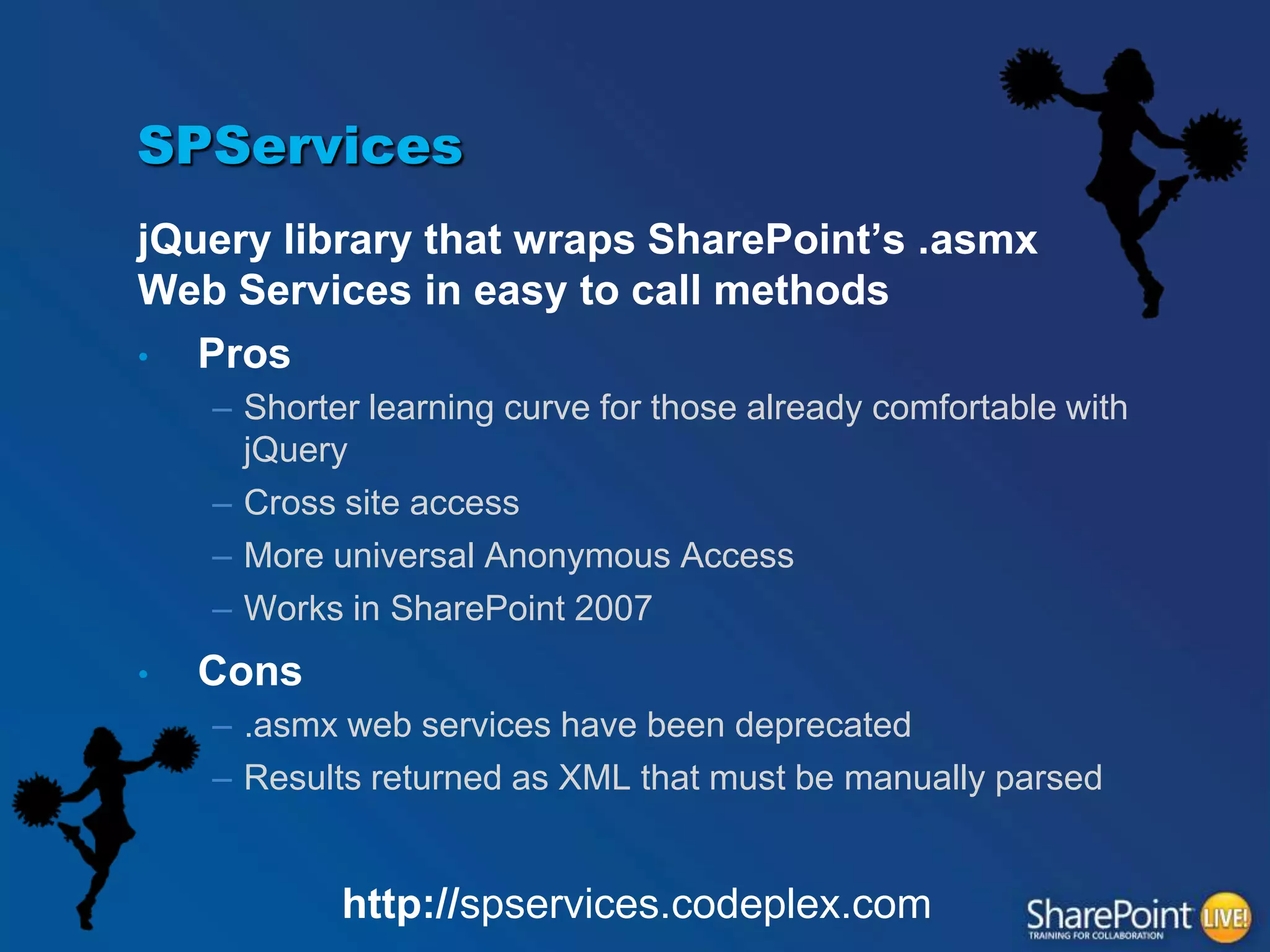
SPServices
jQuery library that wraps SharePoint‟s .asmx
Web Services in easy to call methods
•
Pros
– Shorter learning curve for those already comfortable with
jQuery
– Cross site access
– More universal Anonymous Access
– Works in SharePoint 2007
•

Cons
– .asmx web services have been deprecated
– Results returned as XML that must be manually parsed

http://spservices.codeplex.com
SPServices
$().SPServices({
operation: "GetListItems",
async: true,
listName: "Vendors",
CAMLViewFields: "<ViewFields><FieldRef Name='Vendor' /></ViewFields>",
CAMLQuery: "<Query><Where><Neq><FieldRef Name='ID' /><Value
Type='Number'>0</Value></Neq></Where></Query>";,

completefunc: function(xData, Status) {
var options = "<option value='0'>(None)</option>“
$(xData.responseXML).SPFilterNode("z:row").each(function() {
var Vendor = ($(this).attr("ows_Vendor"));
var ID = $(this).attr("ows_ID");

options += "<option value='"+ ID +"'>"+Vendor+"</option>";
});
$("select[title='<Field Display Name>']").append(options);
}});
Ease of Use / Flexibility

THIRD QUARTER
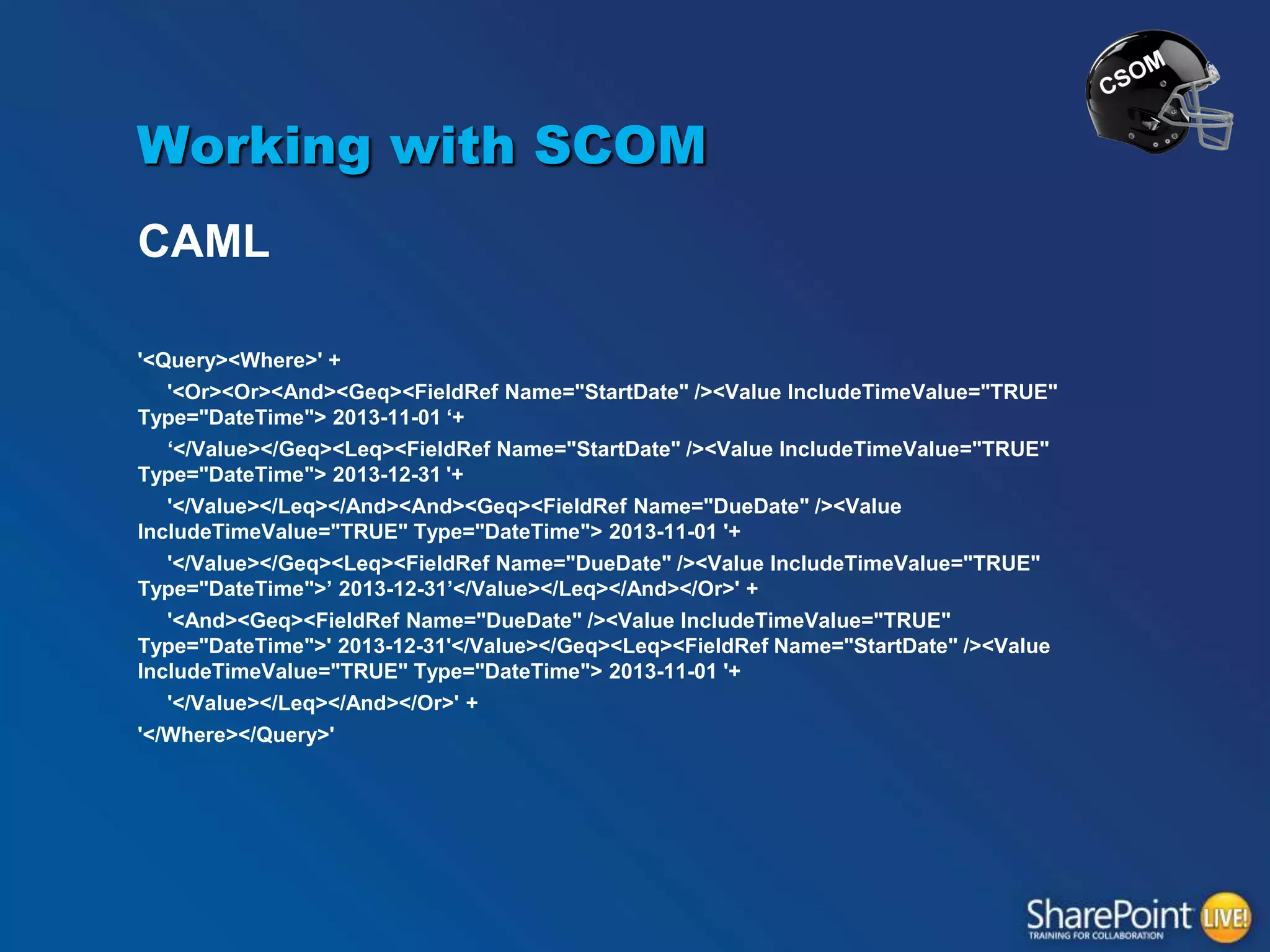
Working with SCOM
CAML
'<Query><Where>' +
'<Or><Or><And><Geq><FieldRef Name="StartDate" /><Value IncludeTimeValue="TRUE"
Type="DateTime"> 2013-11-01 „+
„</Value></Geq><Leq><FieldRef Name="StartDate" /><Value IncludeTimeValue="TRUE"
Type="DateTime"> 2013-12-31 '+
'</Value></Leq></And><And><Geq><FieldRef Name="DueDate" /><Value
IncludeTimeValue="TRUE" Type="DateTime"> 2013-11-01 '+
'</Value></Geq><Leq><FieldRef Name="DueDate" /><Value IncludeTimeValue="TRUE"
Type="DateTime">‟ 2013-12-31‟</Value></Leq></And></Or>' +

'<And><Geq><FieldRef Name="DueDate" /><Value IncludeTimeValue="TRUE"
Type="DateTime">' 2013-12-31'</Value></Geq><Leq><FieldRef Name="StartDate" /><Value
IncludeTimeValue="TRUE" Type="DateTime"> 2013-11-01 '+
'</Value></Leq></And></Or>' +
'</Where></Query>'
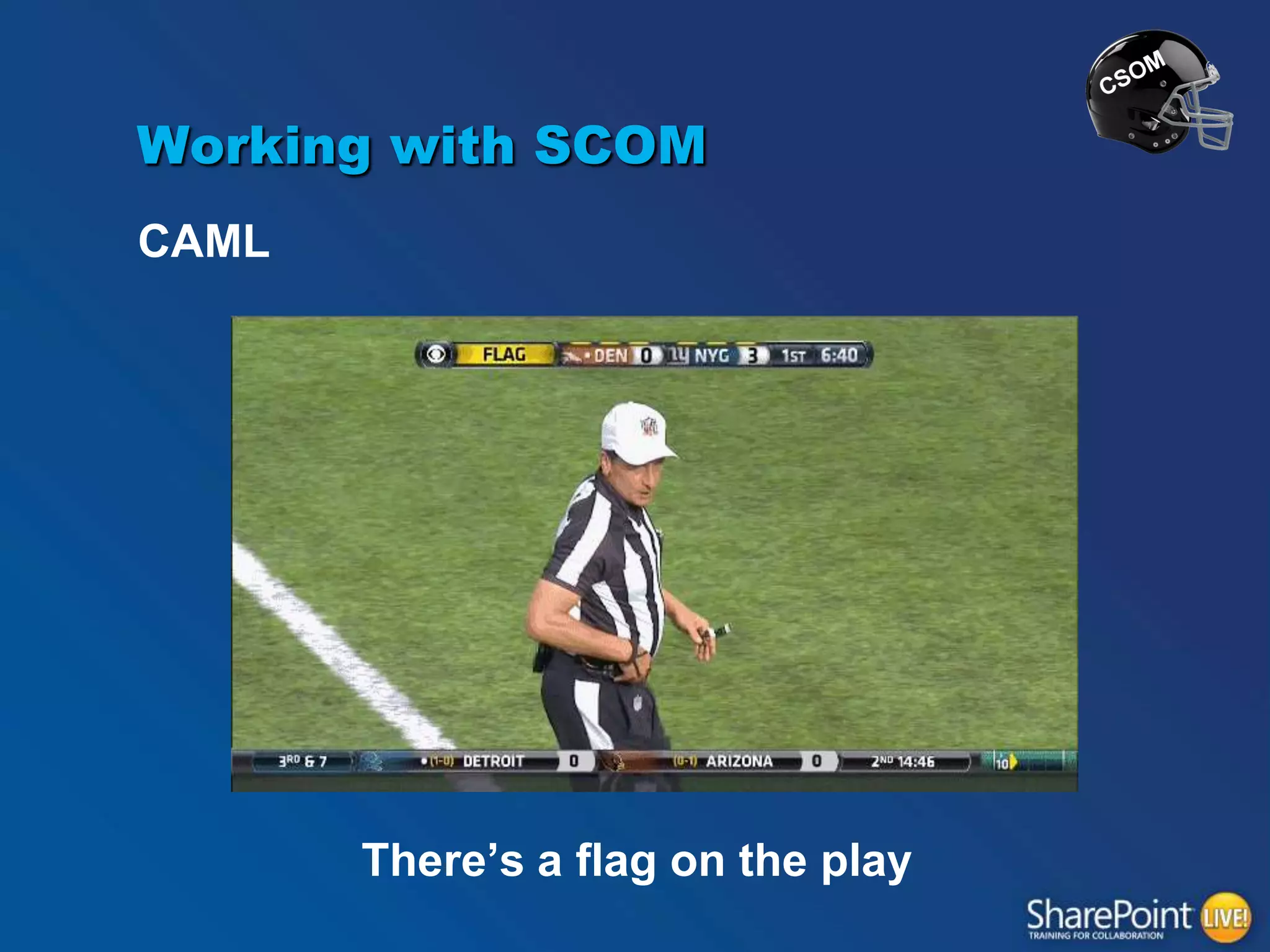
Working with SCOM
CAML

There‟s a flag on the play
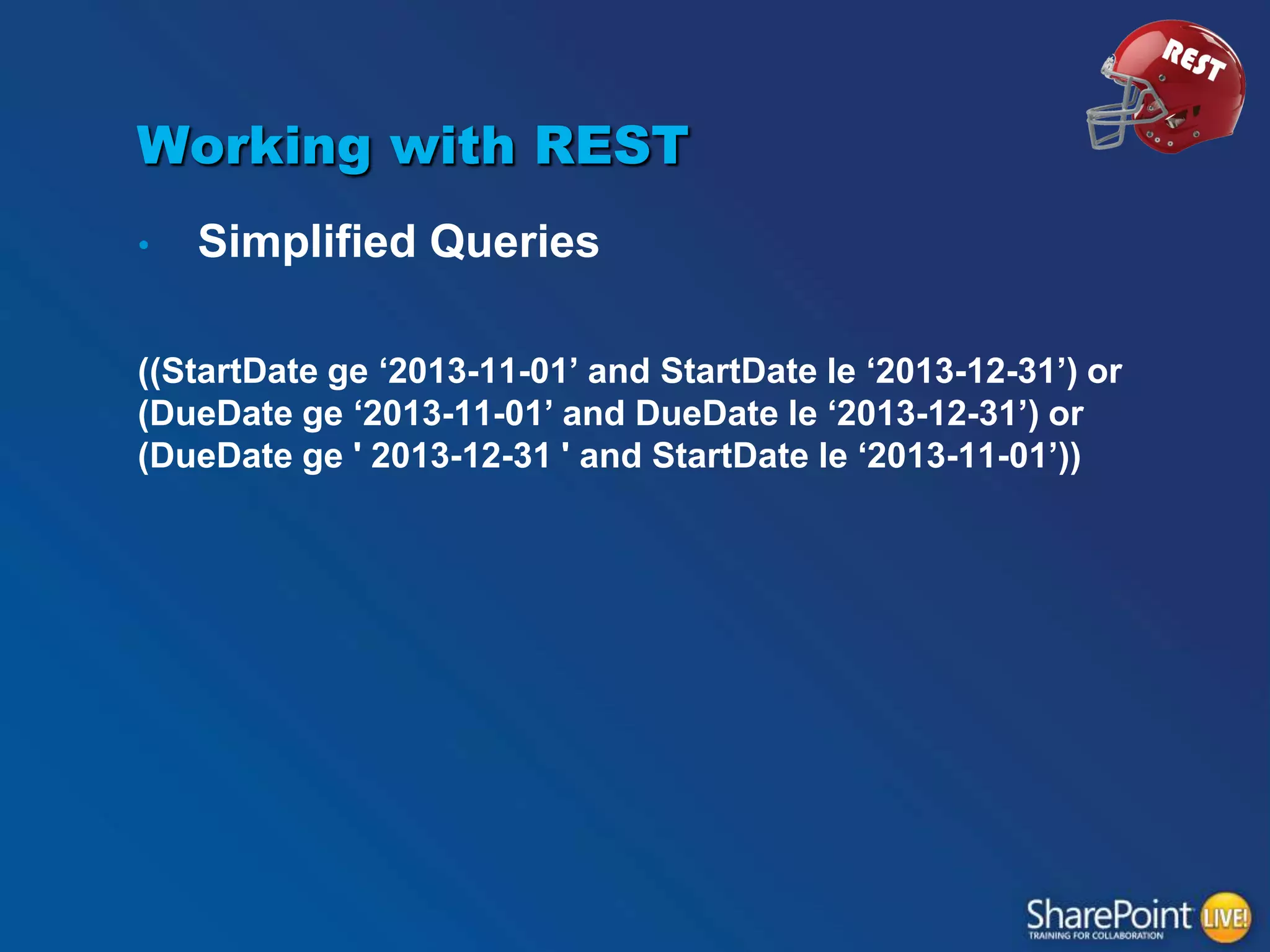
Working with REST
•

Simplified Queries

((StartDate ge „2013-11-01‟ and StartDate le „2013-12-31‟) or
(DueDate ge „2013-11-01‟ and DueDate le „2013-12-31‟) or
(DueDate ge ' 2013-12-31 ' and StartDate le „2013-11-01‟))
Working with REST
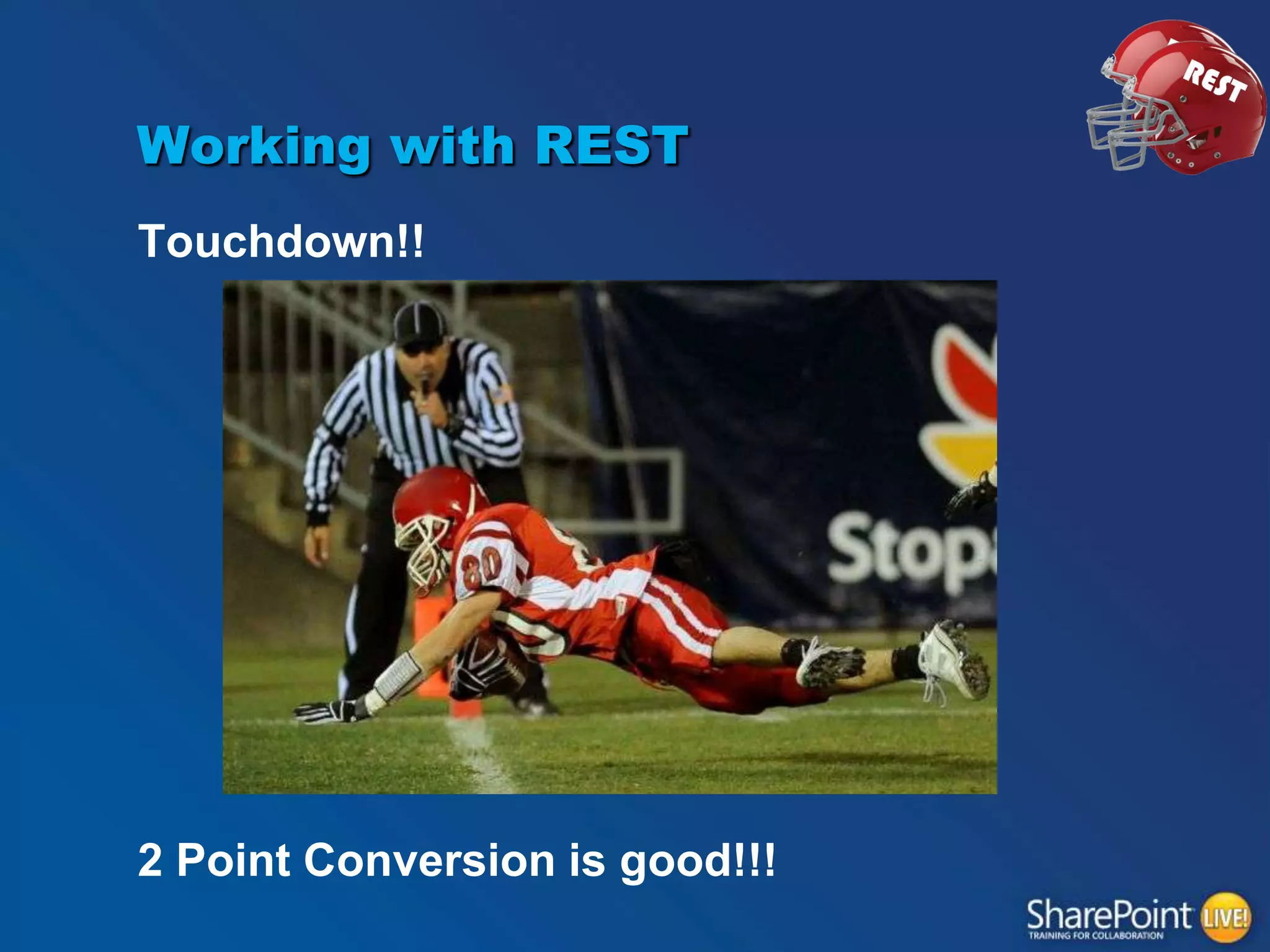
Touchdown!!

2 Point Conversion is good!!!
Working with CSOM
Easier learning curve for .NET Devs
Similar to Server Object Model
Compilation in non JavaScript implementations
It‟s good!

FIELD GOAL FOR CSOM!
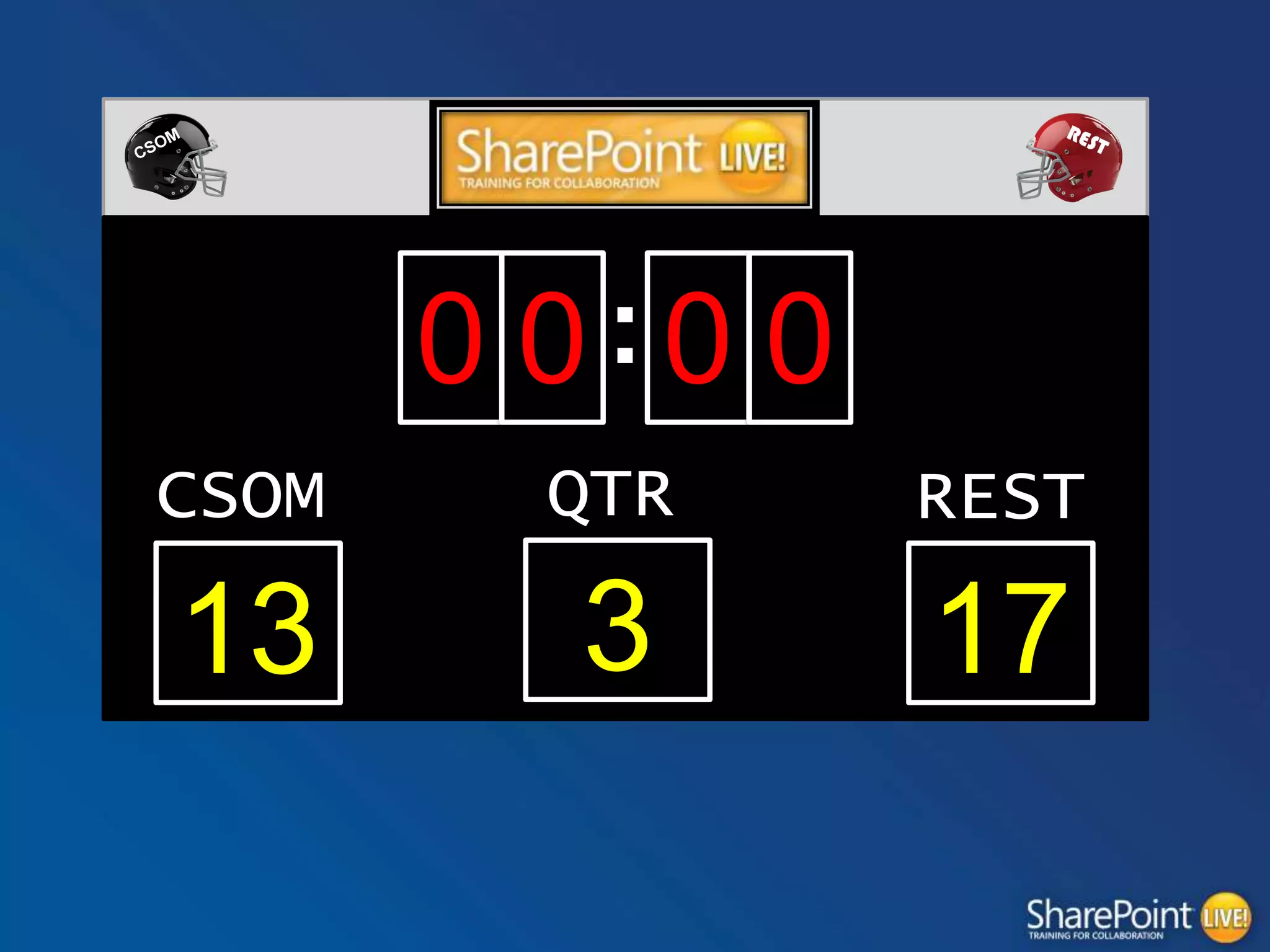
0 0:0 0
CSOM

QTR

REST

13

3

17
Batch Processing/Performance

F0URTH QUARTER
CSOM Batch Processing
•
•

Batch Updates
Batch Exception Handling
– One call to server to handle try, catch, finally
CSOM Batch Processing
Batch Insert
function CreateListItems(objArray) {
var itemArray = [];
var clientContext = SP.ClientContext.get_current();
var oList = clientContext.get_web().get_lists().getByTitle('ListName');
for(index in objArray){
var curObject = itemArray[index];
var itemCreateInfo = new SP.ListItemCreationInformation();
var oListItem = oList.addItem(itemCreateInfo);
oListItem.set_item('Title', curObject.title);
oListItem.update();
itemArray[i] = oListItem;
clientContext.load(itemArray[i]);
}

clientContext.executeQueryAsync(onQuerySucceeded, onQueryFailed);
}
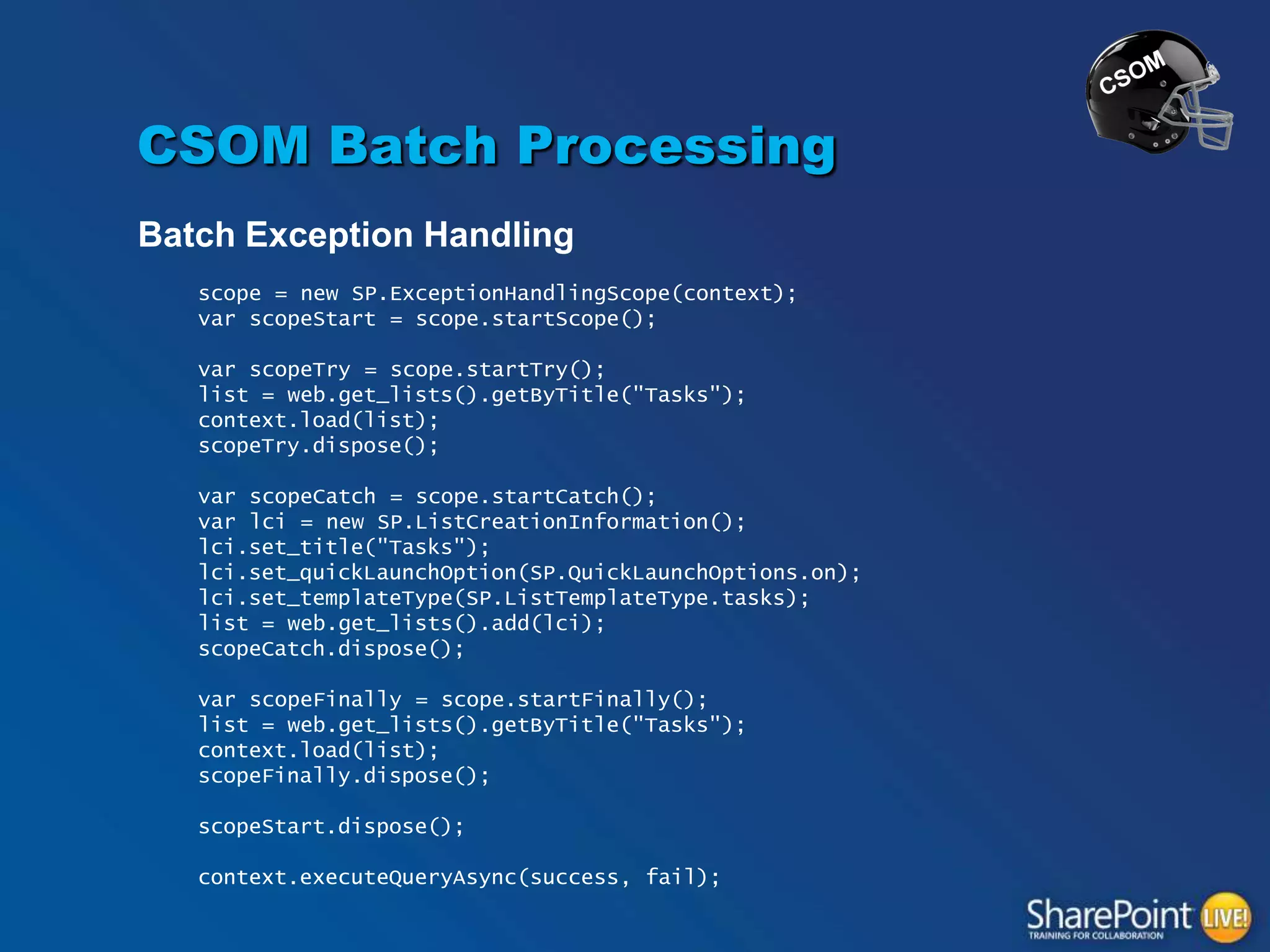
CSOM Batch Processing
Batch Exception Handling
scope = new SP.ExceptionHandlingScope(context);
var scopeStart = scope.startScope();
var scopeTry = scope.startTry();
list = web.get_lists().getByTitle("Tasks");
context.load(list);
scopeTry.dispose();

var scopeCatch = scope.startCatch();
var lci = new SP.ListCreationInformation();
lci.set_title("Tasks");
lci.set_quickLaunchOption(SP.QuickLaunchOptions.on);
lci.set_templateType(SP.ListTemplateType.tasks);
list = web.get_lists().add(lci);
scopeCatch.dispose();
var scopeFinally = scope.startFinally();
list = web.get_lists().getByTitle("Tasks");
context.load(list);
scopeFinally.dispose();
scopeStart.dispose();
context.executeQueryAsync(success, fail);
CSOM Batch Processing

TOUCHDOWN!
REST Batch Processing

FUMBLE!
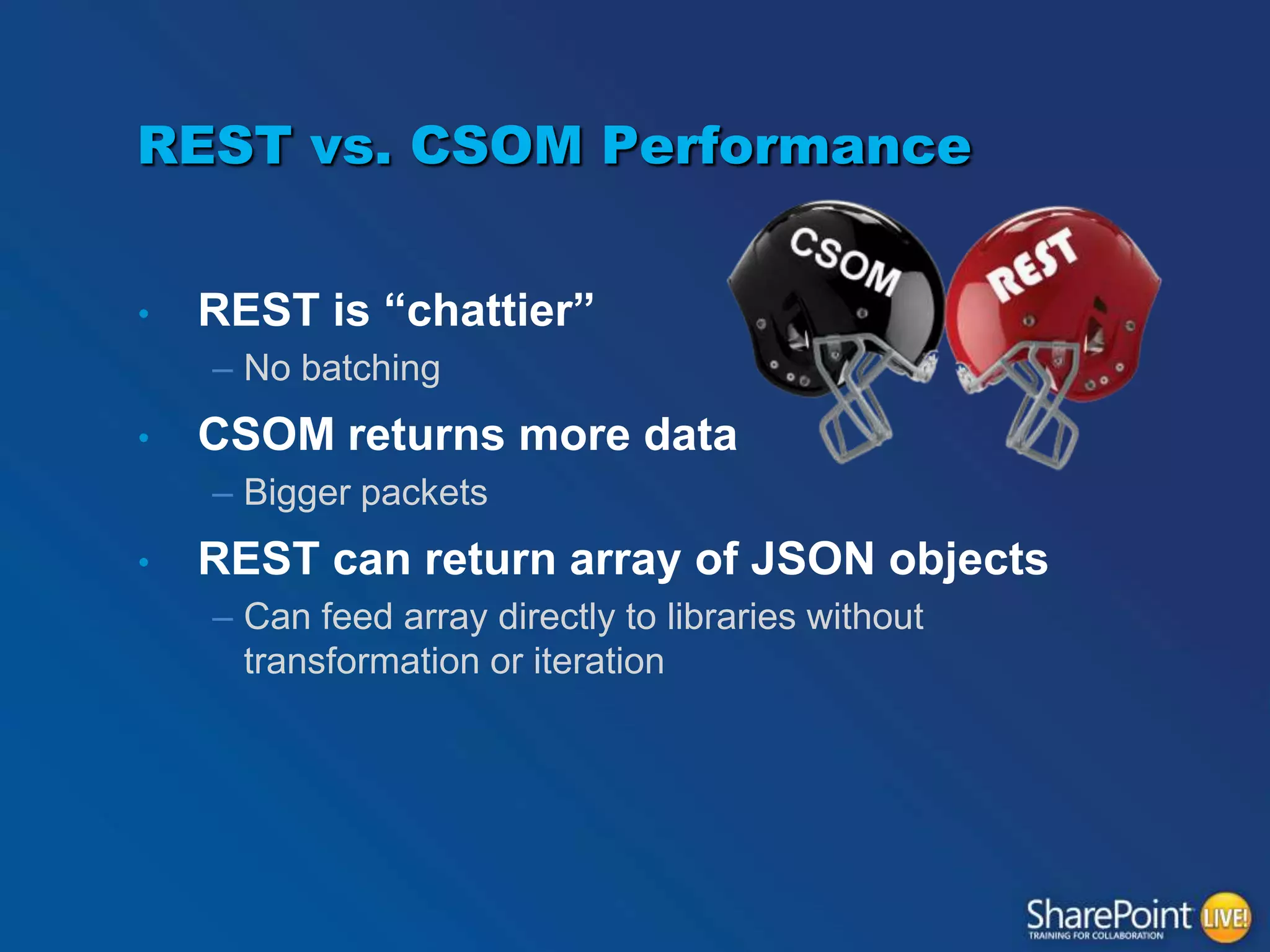
REST vs. CSOM Performance
•

REST is “chattier”
– No batching

•

CSOM returns more data
– Bigger packets

•

REST can return array of JSON objects
– Can feed array directly to libraries without
transformation or iteration
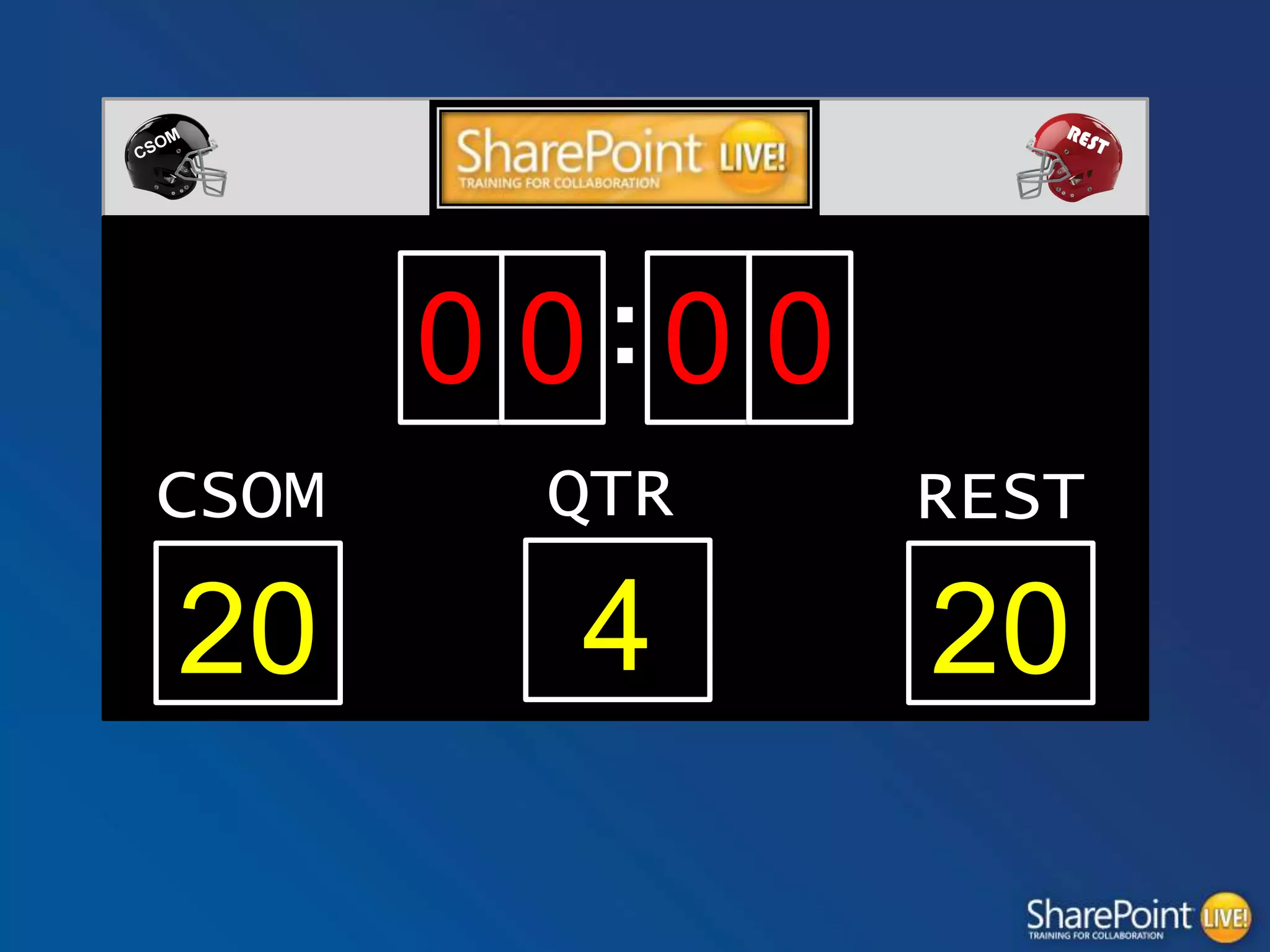
It‟s good!

FIELD GOAL FOR REST!!
0 0:0 0
CSOM

QTR

REST

20

4

20
Anonymous Access

OVERTIME!
http://blogs.msdn.com/b/kaevans/archive/2013/10/24/whatevery-developer-needs-to-know-about-sharepoint-apps-csomand-anonymous-publishing-sites.aspx

KIRK EVANS - WHAT EVERY
DEVELOPER NEEDS TO KNOW
ABOUT SHAREPOINT APPS,
CSOM, AND ANONYMOUS
PUBLISHING SITES
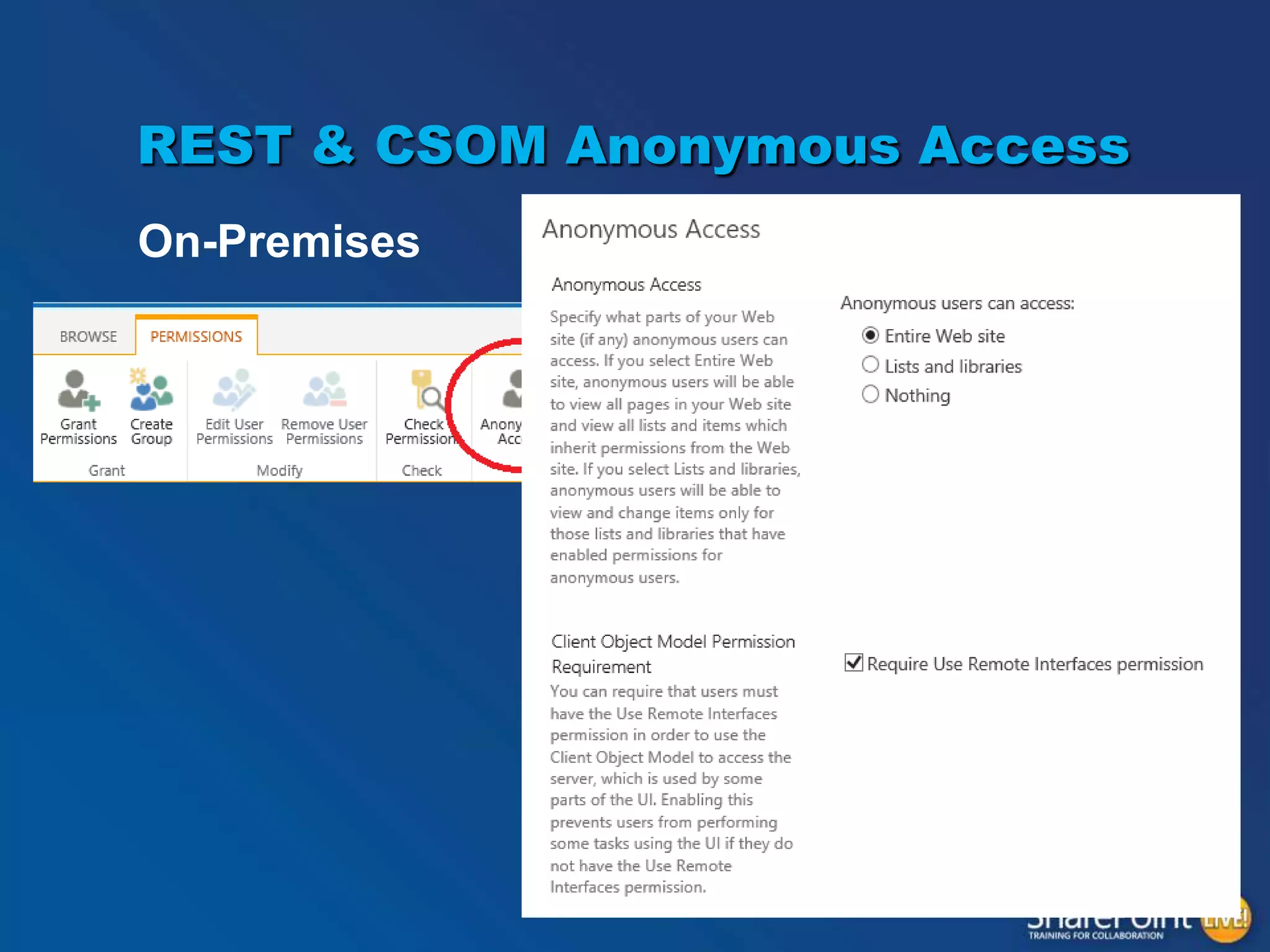
REST & CSOM Anonymous Access
On-Premises
REST & CSOM Anonymous Access
On-Premises
•

According to Microsoft “Not Advisable”
– Exposes too much information to nosey people
– Opens you up to DoS attacks

•

Reality
– SPServices can be used by nosey people (can’t turn it
off)
– Everyone is open to a DoS attack
REST & CSOM Anonymous Access
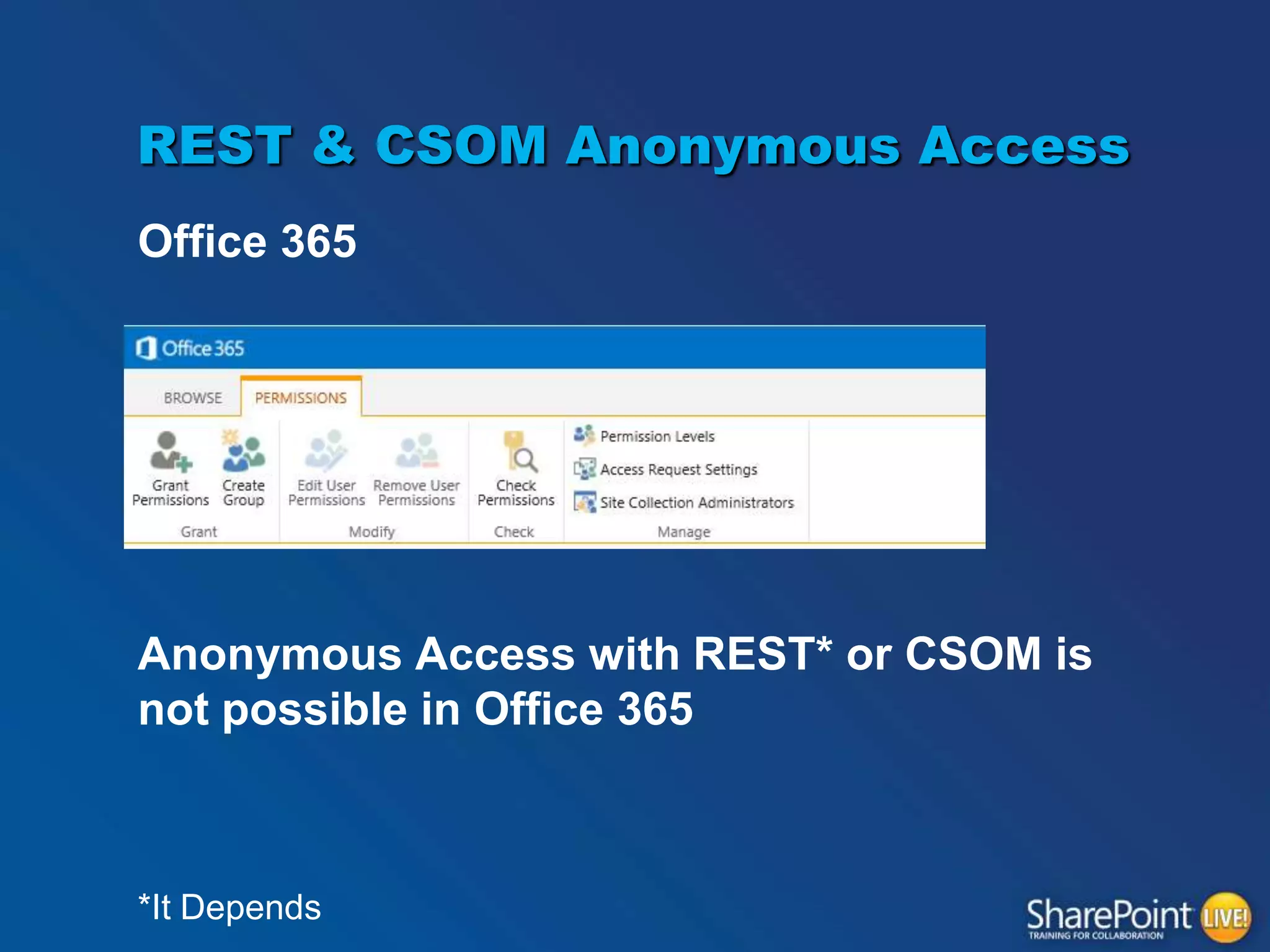
Office 365

Anonymous Access with REST* or CSOM is
not possible in Office 365

*It Depends
CSOM Anonymous
•

Blocked by default
– GetItems and GetChanges on SPLists
– GetChanges and GetSubwebsForCurrentUser on SPWebs
– GetChanges on SPSites

•

Use PowerShell to enable
$webapp = Get-SPWebApplication "http://WebAppUrl"
$webapp.ClientCallableSettings.AnonymousRestrictedTypes.Remove([micros
oft.sharepoint.splist], "GetItems")
$webapp.Update()
REST Anonymous
Search in REST
Waldek Mastykarz - Configuring SharePoint 2013 Search REST
API for anonymous users
http://blog.mastykarz.nl/configuring-sharepoint-2013search-rest-api-anonymous-users/
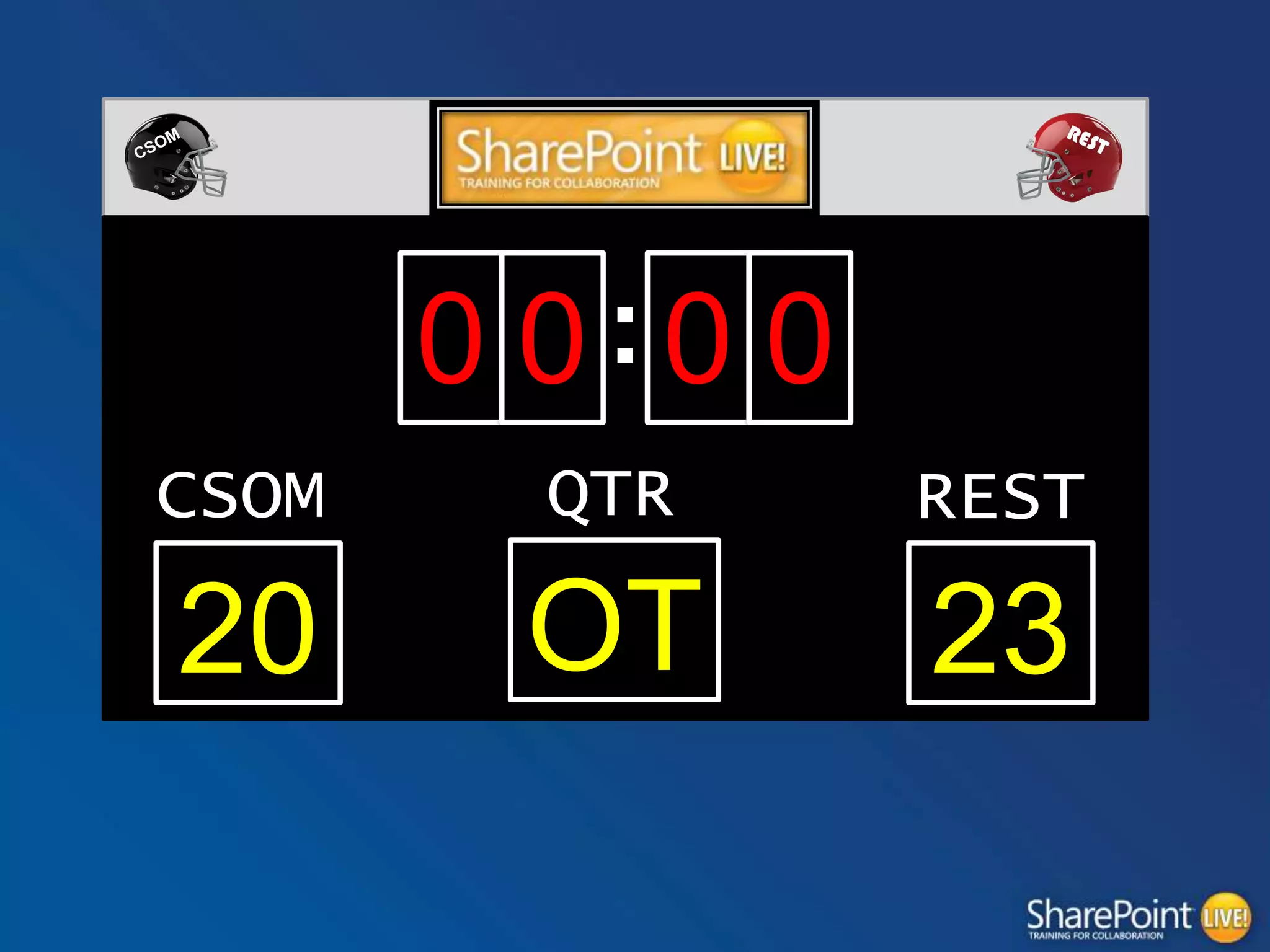
FIELD GOAL REST!!!!!!!!

REST WINS!
0 0:0 0
CSOM

QTR

REST

20

OT

23
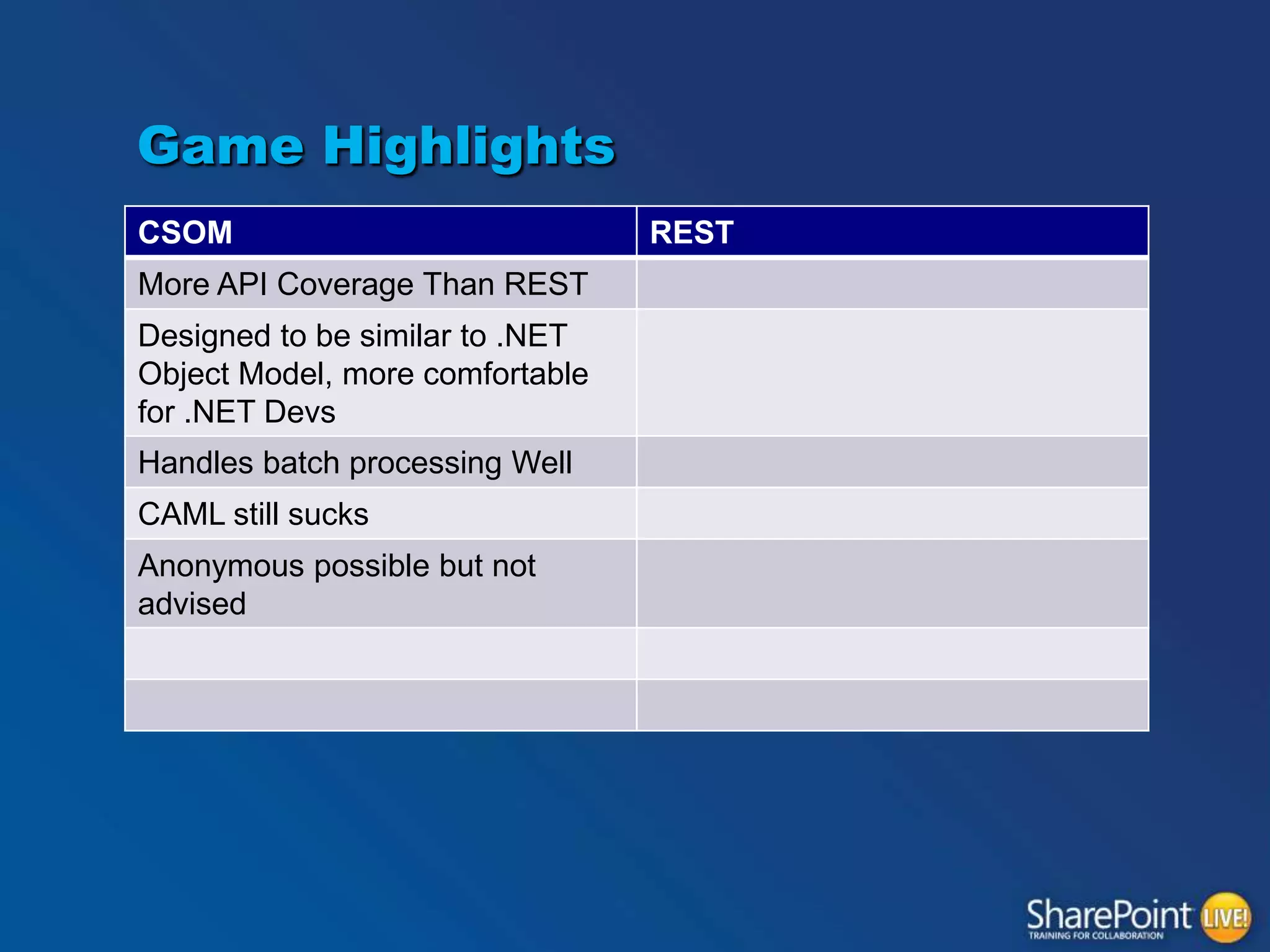
Game Highlights
CSOM
More API Coverage Than REST
Designed to be similar to .NET
Object Model, more comfortable
for .NET Devs
Handles batch processing Well
CAML still sucks
Anonymous possible but not
advised

REST
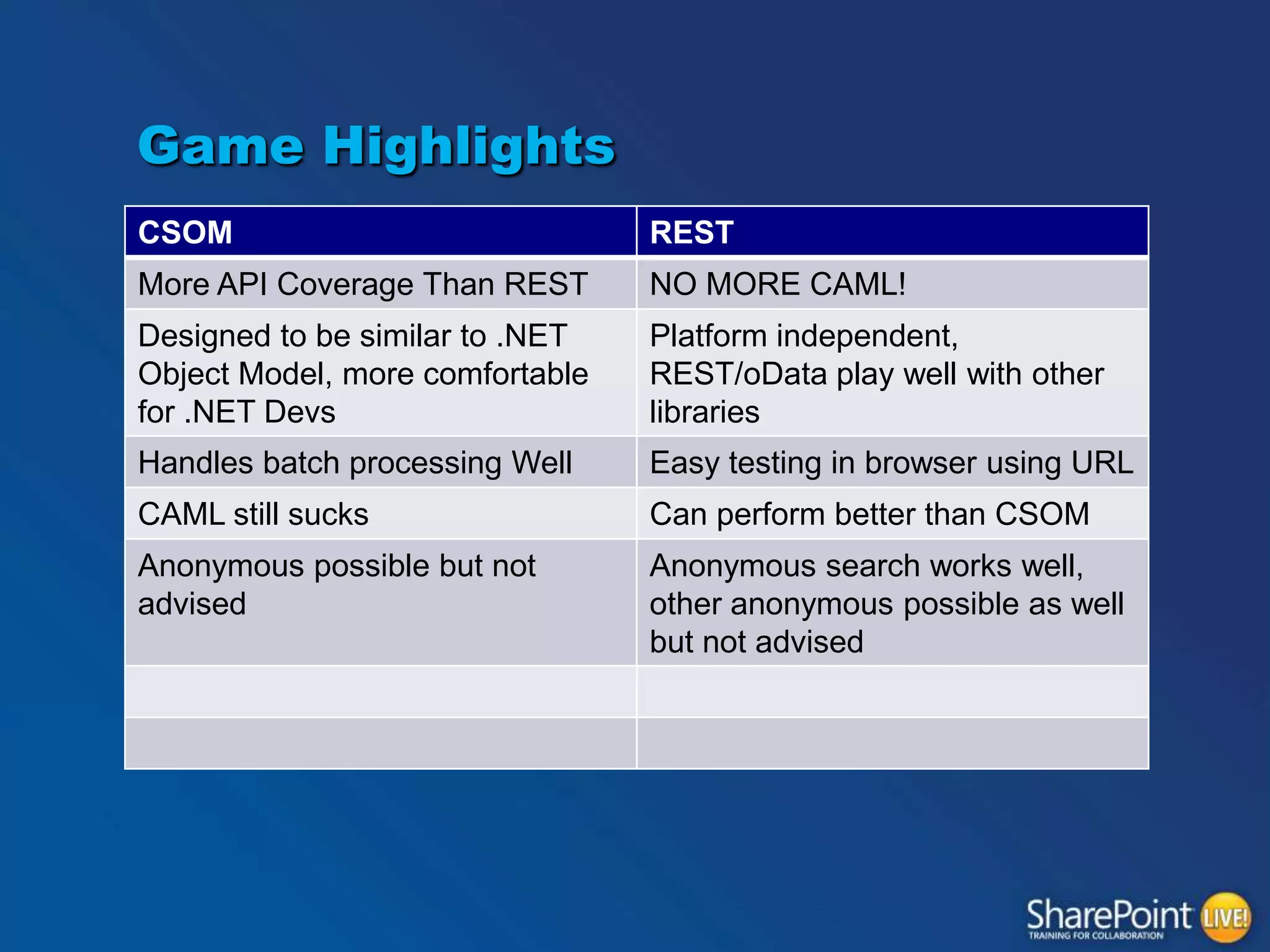
Game Highlights
CSOM

REST

More API Coverage Than REST

NO MORE CAML!

Designed to be similar to .NET
Object Model, more comfortable
for .NET Devs

Platform independent,
REST/oData play well with other
libraries

Handles batch processing Well

Easy testing in browser using URL

CAML still sucks

Can perform better than CSOM

Anonymous possible but not
advised

Anonymous search works well,
other anonymous possible as well
but not advised
There are no stupid ones…

QUESTIONS??

SharePoint REST vs CSOM

  • 1.
    Client Side Development –REST or CSOM Mark Rackley Solutions Architect Level: Intermediate
  • 2.
    About Mark Rackley • • • • • 18+years software architecture and development experience SharePoint Junkie since 2007 Event Organizer Blogger, Writer, Speaker Bacon aficionado • @mrackley • http://www.sharepointhillbilly.com
  • 3.
    Agenda • Pre-Game Highlights – Whatis CSOM and REST? • First Quarter – API Coverage • Second Quarter – Platforms and Standards • Third Quarter – Ease of Use / Flexibility • Fourth Quarter – Batch Processing / Performance
  • 4.
  • 5.
  • 6.
    • • • • Client Side ObjectModel Rookie Year: 2010 API used when building remote applications Introduced in SharePoint 2010 Designed to be similar to Server Object Model Three implementations • .NET managed, Silverlight, JavaScript Communication with SharePoint done in batches
  • 7.
    JavaScript Client ObjectModel (JSOM) context = SP.ClientContext.get_current(); var speakerList = context.get_web().get_lists().getByTitle("Vendors"); var camlQuery = SP.CamlQuery.createAllItemsQuery(); this.listItems = speakerList.getItems(camlQuery); context.load(listItems); context.executeQueryAsync(ReadListItemSucceeded, ReadListItemFailed); function ReadListItemSucceeded(sender, args) { var enumerator = listItems.getEnumerator(); var options = "<option value='0'>(None)</option>"; while (enumerator.moveNext()) { var listItem = enumerator.get_current(); var Vendor = listItem.get_item('Vendor'); var ID = listItem.get_id(); options += "<option value='"+ ID +"'>"+Vendor+"</option>"; } $("select[title='<Field Display Name>']").append(options); } function ReadListItemFailed(sender, args) { alert('Request failed. ' + args.get_message() + 'n' + args.get_stackTrace()); }
  • 8.
  • 9.
    • Each resourceor set of resources is addressable • • • http://<site url>/_api/web http://<site url>/_api/web/lists http://<site url>/_api/web/lists/getByTitle( ‘Customers’) • Operations on resources map to HTTP Verbs REST Rookie Year: 2010 Data-centric web services based on the Open Data Protocol (OData) • GET, PUT, POST, DELETE, … • Results from service returned in AtomPub (XML) or JavaScript Object Notation (JSON) format
  • 10.
    REST Service AccessPoints • Site – http://server/site/_api/site • Web – http://server/site/_api/web • User Profile – http:// server/site/_api/SP.UserProfiles.PeopleManager • Search – http:// server/site/_api/search • Publishing – http:// server/site/_api/publishing
  • 11.
    SHAREPOINT 2010 REST varcall = $.ajax({ url: "http://<Url To Site>/_vti_bin/listdata.svc/Vendors?$select=Vendor,Id&$top=1000", type: "GET", dataType: "json", headers: { Accept: "application/json;odata=verbose" } }); call.done(function (data,textStatus, jqXHR){ var options = "<option value='0'>(None)</option>"; for (index in data.d.results) //results may exist in data.d { options += "<option value='"+ data.d.results[index].Id +"'>"+data.d.results[index].Title+"</option>"; } $("select[title='<Field Display Name>']").append(options); }); call.fail(function (jqXHR,textStatus,errorThrown){ alert("Error retrieving Tasks: " + jqXHR.responseText); });
  • 12.
    SHAREPOINT 2013 REST varcall = $.ajax({ url: _spPageContextInfo.webAbsoluteUrl + "/_api/Web/Lists/GetByTitle('ListName')/items", type: "GET", dataType: "json", headers: { Accept: "application/json;odata=verbose" } }); call.done(function (data,textStatus, jqXHR){ var options = "<option value='0'>(None)</option>"; for (index in data.d.results) { options += "<option value='"+ data.d.results[index].Id +"'>"+data.d.results[index].Title+"</option>"; } $("select[title='<Field Display Name>']").append(options); }); call.fail(function (jqXHR,textStatus,errorThrown){ alert("Error retrieving Tasks: " + jqXHR.responseText); });
  • 13.
    REST and CSOMBehind the Scenes
  • 14.
  • 15.
    REST’s Roster • • • • • Sites, Webs,Features, Event Receivers, Site Collections Lists, List Items, Fields, Content Types, Views, Forms, IRM Files, Folders Users, Roles, Groups, User Profiles, Feeds Search
  • 16.
  • 17.
    CSOM’s Roster • • • • • • • • • • • Sites, Webs,Features, Event Receivers, Site Collections Lists, List Item s, Fields, Content Types, Views, Forms, IRM Files, Folders Users, Roles, Groups, User Profiles, Feeds Web Parts Search Taxonomy Workflow E-Discovery Analytics Business Data
  • 18.
    And the extrapoint…. Is good! TOUCHDOWN CSOM!
  • 19.
  • 20.
  • 21.
    REST’s Playbook “REST issomething Roy Fielding wrote back in 2000 that described a way to share data over HTTP. Unfortunately companies created very different implementation of RESTful services so a bunch got together to define an agreed upon protocol called the Open Data Protocol, also known as OData). The OData spec defines the data formats returned as well as the specific vocabularies used to interact with OData services. Each vendor then implemented it on their own technology stack. Microsoft did this and called their OData product WCF Data Services (notice the URL is actually odata.aspx on MSDN). SharePoint 2013's REST interface is built using WCF Data Services 5.0 which implements the OData v3.0 specification. Unfortunately the SharePoint 2013 implementation does not include everything the spec states, but it's pretty close.” Read more at http://www.andrewconnell.com/blog/sharepoint-2013csom-vs.-rest-...-my-preference-and-why
  • 22.
    REST’s Playbook MSDN Magazine- Understanding and Using the SharePoint 2013 REST Interface http://msdn.microsoft.com/en-us/magazine/dn198245.aspx Use OData query operations in SharePoint REST requests http://msdn.microsoft.com/en-us/library/office/fp142385.aspx Another field goal for REST!
  • 23.
    CSOM’s Playbook .NET, Silverlight,JavaScript CSOM responds with a field goal!
  • 24.
    REST’s Playbook • Platform independent –PHP, Java, JavaScript, .NET, etc.. Etc • • Many Libraries to choose from that support oData Test queries in browser – Chrome app PostMan REST ends the quarter strong with Another field goal!
  • 25.
  • 26.
  • 27.
    SPServices jQuery library thatwraps SharePoint‟s .asmx Web Services in easy to call methods • Pros – Shorter learning curve for those already comfortable with jQuery – Cross site access – More universal Anonymous Access – Works in SharePoint 2007 • Cons – .asmx web services have been deprecated – Results returned as XML that must be manually parsed http://spservices.codeplex.com
  • 28.
    SPServices $().SPServices({ operation: "GetListItems", async: true, listName:"Vendors", CAMLViewFields: "<ViewFields><FieldRef Name='Vendor' /></ViewFields>", CAMLQuery: "<Query><Where><Neq><FieldRef Name='ID' /><Value Type='Number'>0</Value></Neq></Where></Query>";, completefunc: function(xData, Status) { var options = "<option value='0'>(None)</option>“ $(xData.responseXML).SPFilterNode("z:row").each(function() { var Vendor = ($(this).attr("ows_Vendor")); var ID = $(this).attr("ows_ID"); options += "<option value='"+ ID +"'>"+Vendor+"</option>"; }); $("select[title='<Field Display Name>']").append(options); }});
  • 29.
    Ease of Use/ Flexibility THIRD QUARTER
  • 30.
    Working with SCOM CAML '<Query><Where>'+ '<Or><Or><And><Geq><FieldRef Name="StartDate" /><Value IncludeTimeValue="TRUE" Type="DateTime"> 2013-11-01 „+ „</Value></Geq><Leq><FieldRef Name="StartDate" /><Value IncludeTimeValue="TRUE" Type="DateTime"> 2013-12-31 '+ '</Value></Leq></And><And><Geq><FieldRef Name="DueDate" /><Value IncludeTimeValue="TRUE" Type="DateTime"> 2013-11-01 '+ '</Value></Geq><Leq><FieldRef Name="DueDate" /><Value IncludeTimeValue="TRUE" Type="DateTime">‟ 2013-12-31‟</Value></Leq></And></Or>' + '<And><Geq><FieldRef Name="DueDate" /><Value IncludeTimeValue="TRUE" Type="DateTime">' 2013-12-31'</Value></Geq><Leq><FieldRef Name="StartDate" /><Value IncludeTimeValue="TRUE" Type="DateTime"> 2013-11-01 '+ '</Value></Leq></And></Or>' + '</Where></Query>'
  • 31.
  • 32.
    Working with REST • SimplifiedQueries ((StartDate ge „2013-11-01‟ and StartDate le „2013-12-31‟) or (DueDate ge „2013-11-01‟ and DueDate le „2013-12-31‟) or (DueDate ge ' 2013-12-31 ' and StartDate le „2013-11-01‟))
  • 33.
    Working with REST Touchdown!! 2Point Conversion is good!!!
  • 34.
    Working with CSOM Easierlearning curve for .NET Devs Similar to Server Object Model Compilation in non JavaScript implementations
  • 35.
  • 36.
  • 37.
  • 38.
    CSOM Batch Processing • • BatchUpdates Batch Exception Handling – One call to server to handle try, catch, finally
  • 39.
    CSOM Batch Processing BatchInsert function CreateListItems(objArray) { var itemArray = []; var clientContext = SP.ClientContext.get_current(); var oList = clientContext.get_web().get_lists().getByTitle('ListName'); for(index in objArray){ var curObject = itemArray[index]; var itemCreateInfo = new SP.ListItemCreationInformation(); var oListItem = oList.addItem(itemCreateInfo); oListItem.set_item('Title', curObject.title); oListItem.update(); itemArray[i] = oListItem; clientContext.load(itemArray[i]); } clientContext.executeQueryAsync(onQuerySucceeded, onQueryFailed); }
  • 40.
    CSOM Batch Processing BatchException Handling scope = new SP.ExceptionHandlingScope(context); var scopeStart = scope.startScope(); var scopeTry = scope.startTry(); list = web.get_lists().getByTitle("Tasks"); context.load(list); scopeTry.dispose(); var scopeCatch = scope.startCatch(); var lci = new SP.ListCreationInformation(); lci.set_title("Tasks"); lci.set_quickLaunchOption(SP.QuickLaunchOptions.on); lci.set_templateType(SP.ListTemplateType.tasks); list = web.get_lists().add(lci); scopeCatch.dispose(); var scopeFinally = scope.startFinally(); list = web.get_lists().getByTitle("Tasks"); context.load(list); scopeFinally.dispose(); scopeStart.dispose(); context.executeQueryAsync(success, fail);
  • 41.
  • 42.
  • 43.
    REST vs. CSOMPerformance • REST is “chattier” – No batching • CSOM returns more data – Bigger packets • REST can return array of JSON objects – Can feed array directly to libraries without transformation or iteration
  • 44.
  • 45.
  • 46.
  • 47.
  • 48.
    REST & CSOMAnonymous Access On-Premises
  • 49.
    REST & CSOMAnonymous Access On-Premises • According to Microsoft “Not Advisable” – Exposes too much information to nosey people – Opens you up to DoS attacks • Reality – SPServices can be used by nosey people (can’t turn it off) – Everyone is open to a DoS attack
  • 50.
    REST & CSOMAnonymous Access Office 365 Anonymous Access with REST* or CSOM is not possible in Office 365 *It Depends
  • 51.
    CSOM Anonymous • Blocked bydefault – GetItems and GetChanges on SPLists – GetChanges and GetSubwebsForCurrentUser on SPWebs – GetChanges on SPSites • Use PowerShell to enable $webapp = Get-SPWebApplication "http://WebAppUrl" $webapp.ClientCallableSettings.AnonymousRestrictedTypes.Remove([micros oft.sharepoint.splist], "GetItems") $webapp.Update()
  • 52.
    REST Anonymous Search inREST Waldek Mastykarz - Configuring SharePoint 2013 Search REST API for anonymous users http://blog.mastykarz.nl/configuring-sharepoint-2013search-rest-api-anonymous-users/
  • 53.
  • 54.
  • 55.
    Game Highlights CSOM More APICoverage Than REST Designed to be similar to .NET Object Model, more comfortable for .NET Devs Handles batch processing Well CAML still sucks Anonymous possible but not advised REST
  • 56.
    Game Highlights CSOM REST More APICoverage Than REST NO MORE CAML! Designed to be similar to .NET Object Model, more comfortable for .NET Devs Platform independent, REST/oData play well with other libraries Handles batch processing Well Easy testing in browser using URL CAML still sucks Can perform better than CSOM Anonymous possible but not advised Anonymous search works well, other anonymous possible as well but not advised
  • 57.
    There are nostupid ones… QUESTIONS??