
SharePoint 2010How To: Visual Web Part 1Eng. Ismail EnjrenyDevelopment Manager  - SURE
About.Visual web part definition.How to create Visual web part.Visual web part - Namespace.Visual web part - Location.Visual web part - Public properties.Visual web part - Localization.Questions.Agenda2
Development Manager - SURE My Blog: http://SharePoint4Arab.blogspot.comLearn SharePoint 2010 book – Author.SharePoint 2010 MCITP.Abouts3
Inherits WebPart classSystem.Web.UI.WebControls.WebPartsUse VS 2010 templates.Depends on ascx (UserControl).Easy to use.Visual web part4
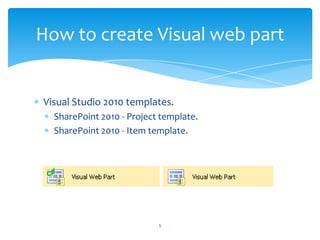
Visual Studio 2010 templates.SharePoint 2010 - Project template.SharePoint 2010 - Item template.How to create Visual web part5
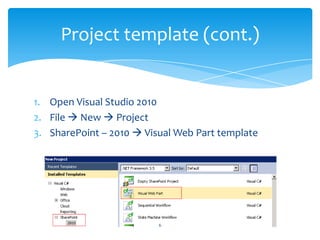
Open Visual Studio 2010File  New  ProjectSharePoint – 2010  Visual Web Part templateProject template (cont.)6
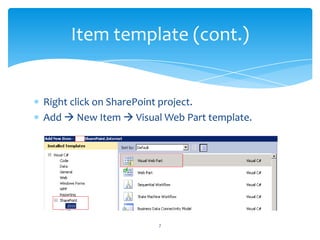
Right click on SharePoint project.Add  New Item  Visual Web Part template.Item template (cont.)7
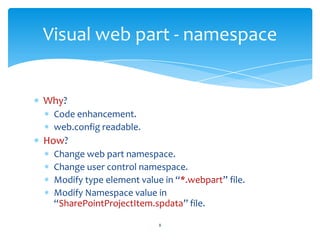
Why?Code enhancement.web.config readable.How?Change web part namespace.Change user control namespace.Modify type element value in “*.webpart” file.Modify Namespace value in “SharePointProjectItem.spdata” file.Visual web part - namespace8
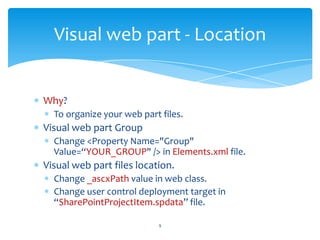
Why?To organize your web part files.Visual web part GroupChange <Property Name="Group" Value=“YOUR_GROUP" /> in Elements.xml file.Visual web part files location.Change _ascxPath value in web class.Change user control deployment target in “SharePointProjectItem.spdata” file.Visual web part - Location9
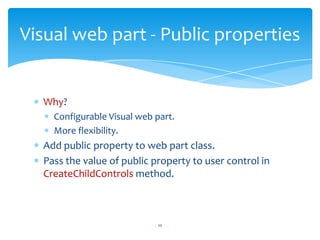
Why?Configurable Visual web part.More flexibility.Add public property to web part class.Pass the value of public property to user control in CreateChildControls method.Visual web part - Public properties10
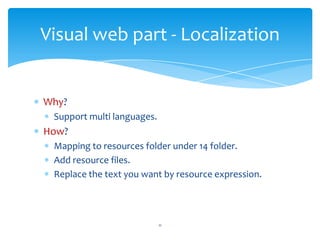
Why?Support multi languages.How?Mapping to resources folder under 14 folder.Add resource files.Replace the text you want by resource expression.Visual web part - Localization11
Questions?Please ask 12
Thank you13

SharePoint 2010 Visual Web Part

  • 1.
    SharePoint 2010How To:Visual Web Part 1Eng. Ismail EnjrenyDevelopment Manager - SURE
  • 2.
    About.Visual web partdefinition.How to create Visual web part.Visual web part - Namespace.Visual web part - Location.Visual web part - Public properties.Visual web part - Localization.Questions.Agenda2
  • 3.
    Development Manager -SURE My Blog: http://SharePoint4Arab.blogspot.comLearn SharePoint 2010 book – Author.SharePoint 2010 MCITP.Abouts3
  • 4.
    Inherits WebPart classSystem.Web.UI.WebControls.WebPartsUseVS 2010 templates.Depends on ascx (UserControl).Easy to use.Visual web part4
  • 5.
    Visual Studio 2010templates.SharePoint 2010 - Project template.SharePoint 2010 - Item template.How to create Visual web part5
  • 6.
    Open Visual Studio2010File  New  ProjectSharePoint – 2010  Visual Web Part templateProject template (cont.)6
  • 7.
    Right click onSharePoint project.Add  New Item  Visual Web Part template.Item template (cont.)7
  • 8.
    Why?Code enhancement.web.config readable.How?Changeweb part namespace.Change user control namespace.Modify type element value in “*.webpart” file.Modify Namespace value in “SharePointProjectItem.spdata” file.Visual web part - namespace8
  • 9.
    Why?To organize yourweb part files.Visual web part GroupChange <Property Name="Group" Value=“YOUR_GROUP" /> in Elements.xml file.Visual web part files location.Change _ascxPath value in web class.Change user control deployment target in “SharePointProjectItem.spdata” file.Visual web part - Location9
  • 10.
    Why?Configurable Visual webpart.More flexibility.Add public property to web part class.Pass the value of public property to user control in CreateChildControls method.Visual web part - Public properties10
  • 11.
    Why?Support multi languages.How?Mappingto resources folder under 14 folder.Add resource files.Replace the text you want by resource expression.Visual web part - Localization11
  • 12.
  • 13.