Downloaded 40 times
![Use expressions to bind data and actions on a page to a
controller
Dynamic VisualForce Bindings :
In SalesForce Dynamic VisualForce bindings are a way of writing generic VisualForce pages that
display information about records without necessarily knowing which fields to show. In other words,
fields on the page are determined at run time, rather than compile time. This allows a developer to
design a single page that renders differently for various audiences, based on their permissions or
preferences. Dynamic bindings are useful for VisualForce pages included in managed packages
since they allow for the presentation of data specific to each subscriber with very little coding.
Dynamic VisualForce binding is supported for standard and custom objects :
Syntax : reference[expression]
Dynamic bindings can be used anywhere formula expressions are valid :
Syntax : {!reference[expression]}
Enters Dynamic VisualForce Binding.
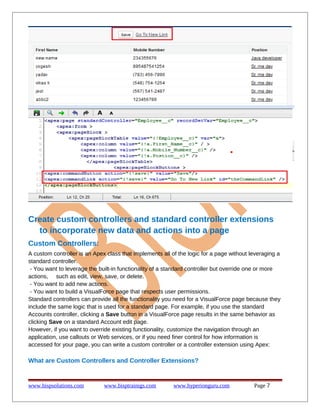
Let's just quickly see what a regular VisualForce page looks like. As an example I want to display
the Employee first Name, Mobile Number, Position. To do that, all you need to do is a very simple
VisualForce page like this :
www.bispsolutions.com
www.bisptrainigs.com
www.hyperionguru.com
Page 5](https://image.slidesharecdn.com/customizing-salesforce-interface-140206091249-phpapp01/85/Customizing-sales-force-interface-5-320.jpg)
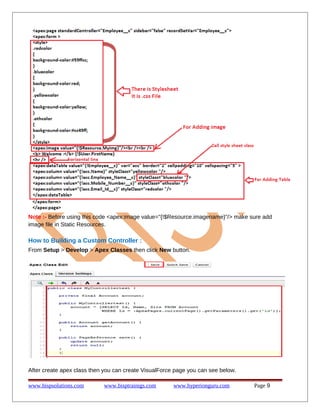
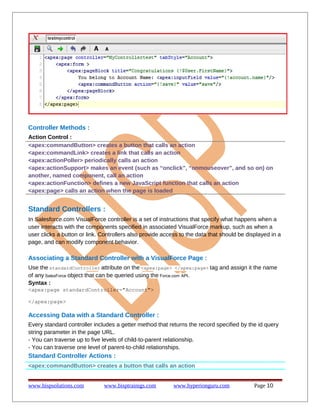
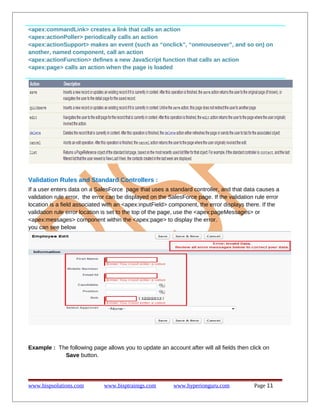
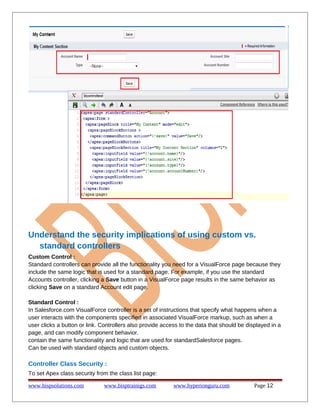
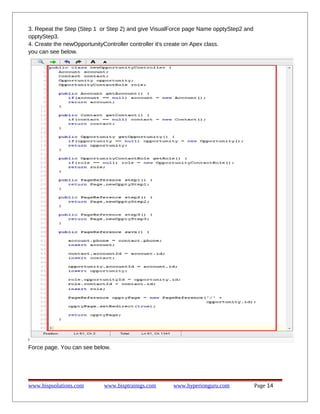
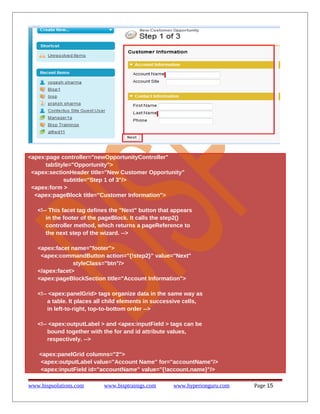
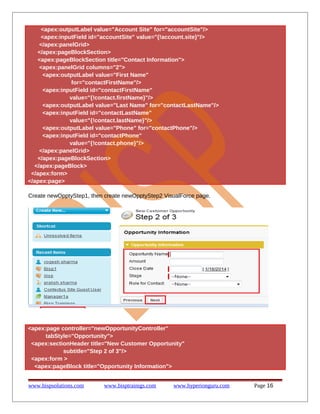
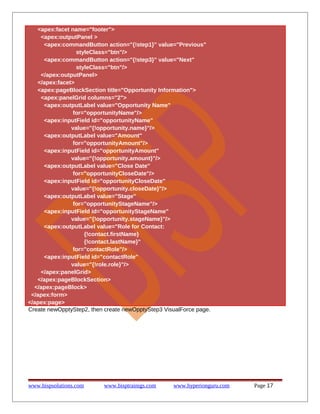
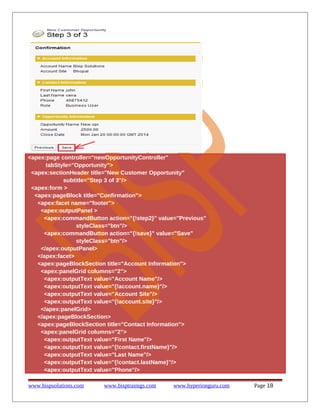
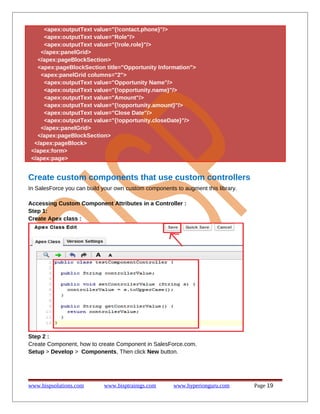

This document provides instructions for creating a multi-step wizard using a custom controller in Salesforce. It describes creating 3 Visualforce pages (opptyStep1, opptyStep2, opptyStep3) to capture opportunity, account, contact, and contact role information over multiple steps. It also involves creating an Apex class called newOpportunityController to handle state and operations across the wizard steps. The first page is used to capture account and contact details. The second page captures opportunity information. The third page displays the records to be created and allows saving or cancelling the process.


