Manisha M. ChotheJunior Solution Developer Parallel Minds Technology Solutions Pvt. Ltd. www.parallelminds.biz(o) + 91-20-65000209 http://manishachothe.blogspot.com/Google: mchothe8@gmail.com|
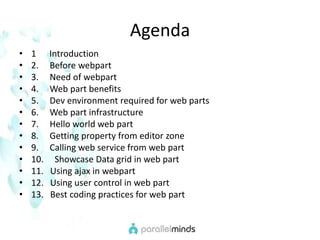
Agenda1      Introduction2.     Before webpart3.     Need of webpart4.     Web part benefits5.     Dev environment required for web parts6.     Web part infrastructure7.     Hello world web part8.     Getting property from editor zone9.     Calling web service from web part10.     Showcase Data grid in web part11.   Using ajax in webpart12.   Using user control in web part13.   Best coding practices for web part
Web Parts in asp.net
  What is Web Part???
IntroductionA Web Part is  a .NET Web custom control assembly that uses  a Web Part description file (.dwp). The .dwp file  contains XML metadata that describes an instance of the Web Part.Web Parts is a framework built into ASP.NET 2.0 for building highly customizable portal-style pages.
IntroductionASP.NET Web parts is an integrated set of controls for creating Web sites that enable end users to modify the content, appearance, and behavior of Web pages directly from a browser.End users can customize Web Parts pages by changing the page layout, adding and removing Web Parts, editing Web Parts properties, establishing connections between Web Parts, and more.
Before Web Parts…..Before ASP.NET 2.0, developer had to build his own custom personalization framework to implement personalization feature in the application.Web Parts are included in ASP.NET server control framework and are used like any other ASP.NET server controls.
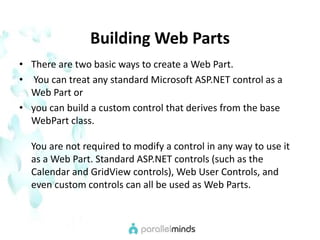
Building Web PartsThere are two basic ways to create a Web Part. You can treat any standard Microsoft ASP.NET control as a Web Part or you can build a custom control that derives from the base WebPart class.You are not required to modify a control in any way to use it as a Web Part. Standard ASP.NET controls (such as the Calendar and GridView controls), Web User Controls, and even custom controls can all be used as Web Parts.
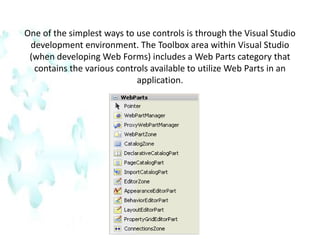
One of the simplest ways to use controls is through the Visual Studio development environment. The Toolbox area within Visual Studio (when developing Web Forms) includes a Web Parts category that contains the various controls available to utilize Web Parts in an application.
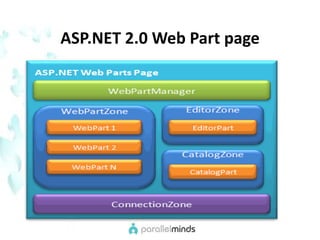
ASP.NET 2.0 Web Part page
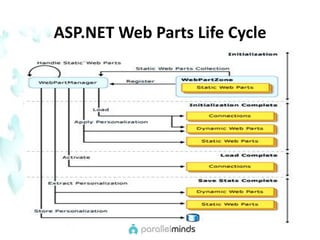
ASP.NET Web Parts Life Cycle
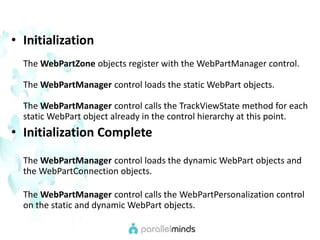
InitializationThe WebPartZone objects register with the WebPartManager control.The WebPartManager control loads the static WebPart objects.The WebPartManager control calls the TrackViewState method for each static WebPart object already in the control hierarchy at this point.Initialization CompleteThe WebPartManager control loads the dynamic WebPart objects and the WebPartConnection objects. The WebPartManager control calls the WebPartPersonalization control on the static and dynamic WebPart objects.
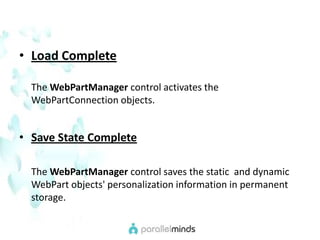
Load CompleteThe WebPartManager control activates the WebPartConnection objects.Save State CompleteThe WebPartManager control saves the static  and dynamic WebPart objects' personalization information in permanent storage.
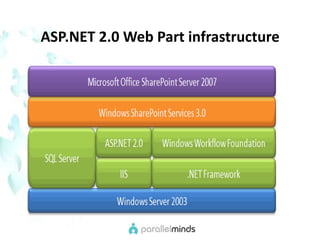
ASP.NET 2.0 Web Part infrastructure
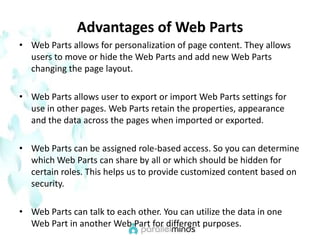
Advantages of Web PartsWeb Parts allows for personalization of page content. They allows users to move or hide the Web Parts and add new Web Parts changing the page layout.Web Parts allows user to export or import Web Parts settings for use in other pages. Web Parts retain the properties, appearance and the data across the pages when imported or exported.Web Parts can be assigned role-based access. So you can determine which Web Parts can share by all or which should be hidden for certain roles. This helps us to provide customized content based on security.Web Parts can talk to each other. You can utilize the data in one Web Part in another Web Part for different purposes.
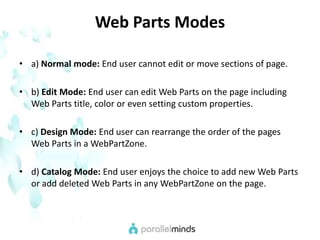
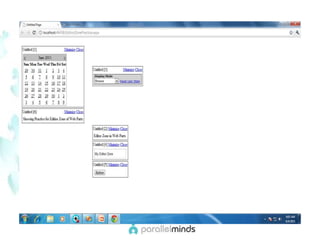
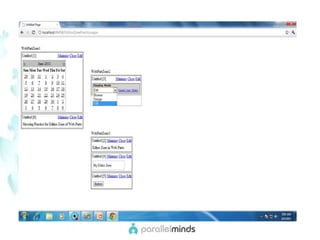
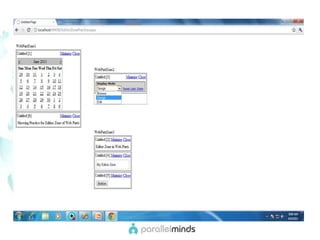
Web Parts Modesa) Normal mode: End user cannot edit or move sections of page.b) Edit Mode: End user can edit Web Parts on the page including Web Parts title, color or even setting custom properties.c) Design Mode: End user can rearrange the order of the pages     Web Parts in a WebPartZone.d) Catalog Mode: End user enjoys the choice to add new Web Parts or add deleted Web Parts in any WebPartZone on the page.
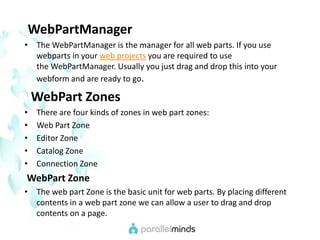
WebPartManagerThe WebPartManager is the manager for all web parts. If you use webparts in your web projects you are required to use the WebPartManager. Usually you just drag and drop this into your webform and are ready to go.WebPart ZonesThere are four kinds of zones in web part zones:Web Part ZoneEditor ZoneCatalog ZoneConnection ZoneWebPart ZoneThe web part Zone is the basic unit for web parts. By placing different contents in a web part zone we can allow a user to drag and drop contents on a page.
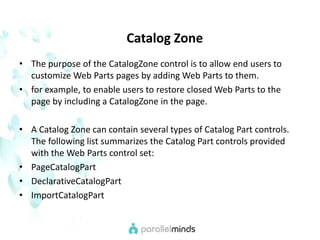
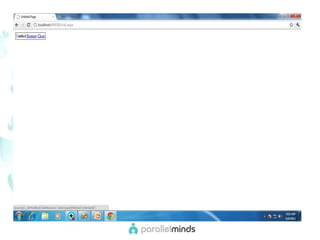
   Catalog ZoneThe purpose of the CatalogZone control is to allow end users to customize Web Parts pages by adding Web Parts to them. for example, to enable users to restore closed Web Parts to the page by including a CatalogZone in the page.A Catalog Zone can contain several types of Catalog Part controls. The following list summarizes the Catalog Part controls provided with the Web Parts control set:PageCatalogPartDeclarativeCatalogPartImportCatalogPart
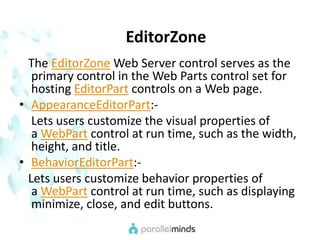
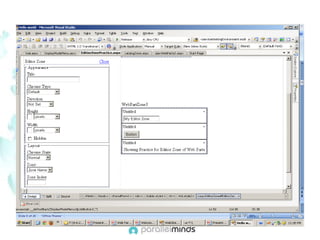
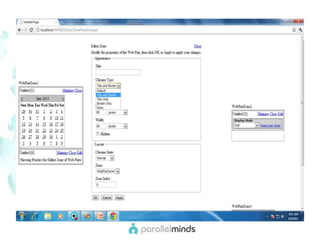
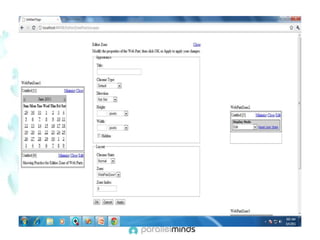
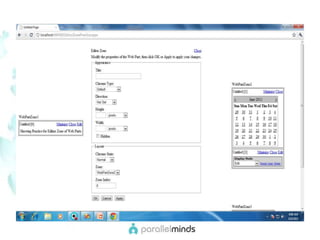
EditorZone   The EditorZone Web Server control serves as the primary control in the Web Parts control set for hosting EditorPart controls on a Web page.AppearanceEditorPart:-    Lets users customize the visual properties of a WebPart control at run time, such as the width,       height, and title.BehaviorEditorPart:-   Lets users customize behavior properties of a WebPart control at run time, such as displaying minimize, close, and edit buttons.
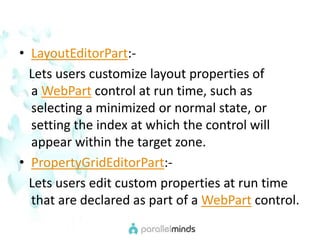
LayoutEditorPart:-   Lets users customize layout properties of a WebPart control at run time, such as selecting a minimized or normal state, or setting the index at which the control will appear within the target zone.PropertyGridEditorPart:-   Lets users edit custom properties at run time that are declared as part of a WebPart control.
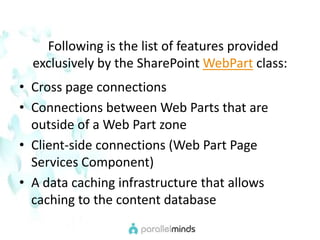
  Following is the list of features provided       exclusively by the SharePoint WebPart class:Cross page connectionsConnections between Web Parts that are outside of a Web Part zoneClient-side connections (Web Part Page Services Component)A data caching infrastructure that allows caching to the content database
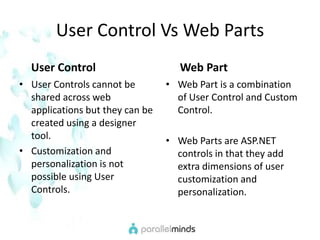
User Control Vs Web PartsUser ControlUser Controls cannot be shared across web applications but they can be created using a designer tool.Customization and personalization is not possible using User Controls.     Web PartWeb Part is a combination of User Control and Custom Control.Web Parts are ASP.NET controls in that they add extra dimensions of user customization and personalization.
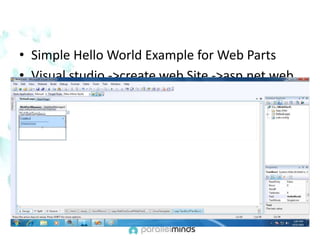
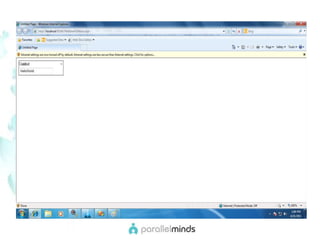
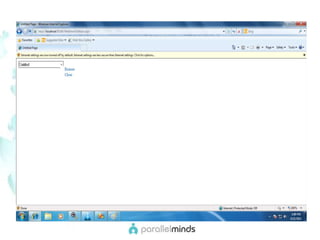
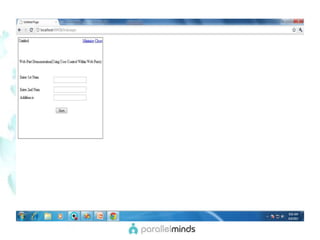
Simple Hello World Example for Web PartsVisual studio ->create web Site ->asp.net web site ->ok
Use of User Control in Web Part
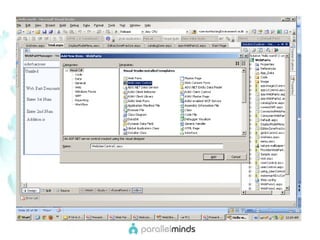
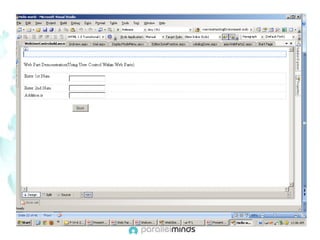
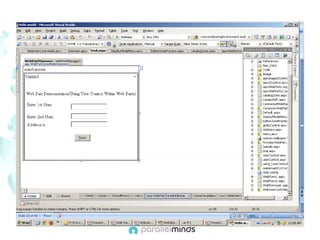
Use of User Control in Web PartSolution Explorer -> Right click on project -> Add ->New item ->select  web user control -> Add
Getting Property From Editor Zone
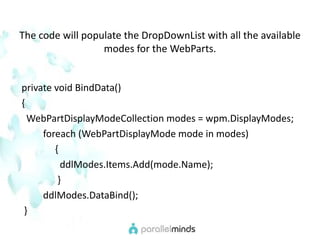
The code will populate the DropDownList with all the available modes for the WebParts.  private void BindData() {WebPartDisplayModeCollection modes = wpm.DisplayModes;foreach (WebPartDisplayMode mode in modes)               {ddlModes.Items.Add(mode.Name);                 }ddlModes.DataBind();   }
Now, in order to select the particular mode you need to catch the Selected_IndexChanged event of the DropDownList. protected void ddlModes_SelectedIndexChanged(object sender, EventArgs e){WebPartDisplayMode mode = (WebPartDisplayMode)      wpm.SupportedDisplayModes[ddlModes.SelectedValue];wpm.DisplayMode = mode; }
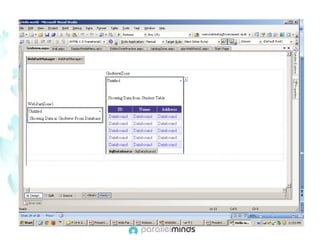
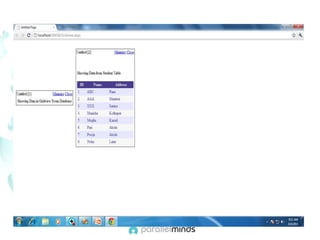
Showcase of Gridview in Web Part
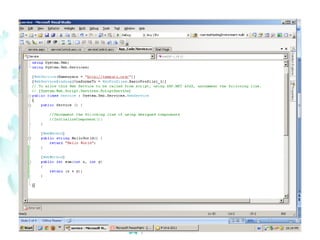
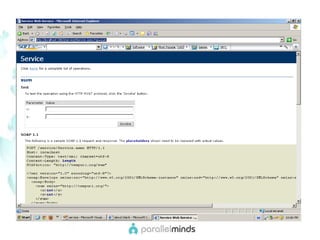
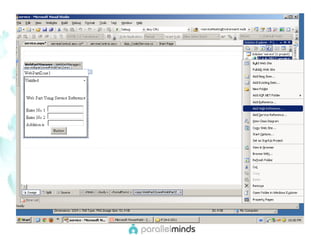
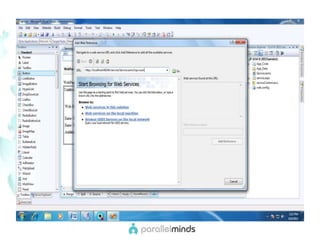
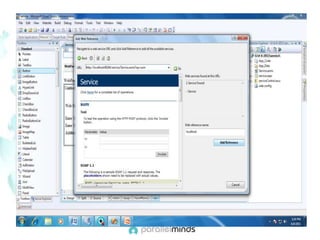
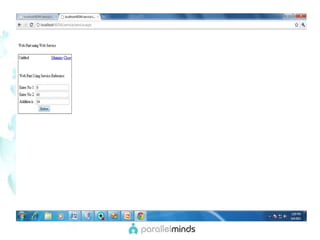
Calling  Web  Service From Web Parts
Create web site-> asp.net web service-> ok
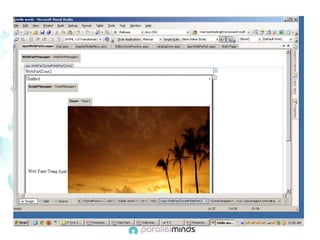
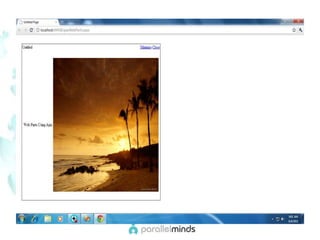
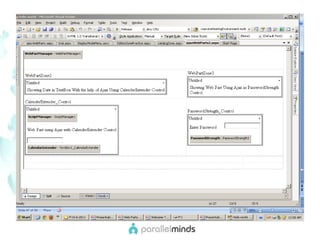
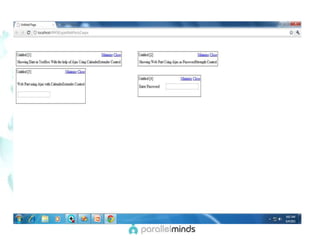
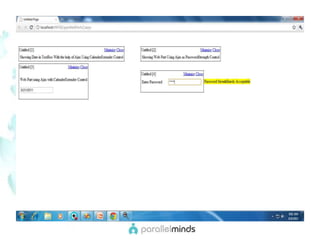
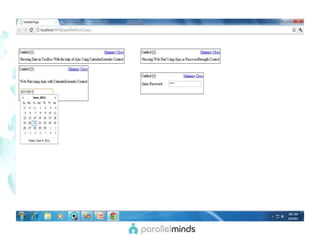
Use of Ajax in web Parts
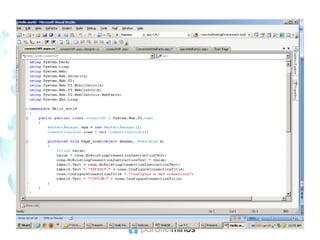
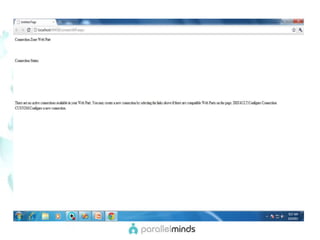
    Connection Zone    The ConnectionsZone Web server control provides a user interface (UI) that enables users to form connections between WebPart and other server controls that reside in WebPartZoneBasezones.   You can connect controls in these ways:Declare a connection in a Web page.Create a connection in code.Add a ConnectionsZone control to the page so that users can connect the controls on demand.
Thank You!

Parallelminds.web partdemo

  • 1.
    Manisha M. ChotheJuniorSolution Developer Parallel Minds Technology Solutions Pvt. Ltd. www.parallelminds.biz(o) + 91-20-65000209 http://manishachothe.blogspot.com/Google: mchothe8@gmail.com|
  • 2.
    Agenda1 Introduction2.     Before webpart3.     Need of webpart4.     Web part benefits5.     Dev environment required for web parts6.     Web part infrastructure7.     Hello world web part8.     Getting property from editor zone9.     Calling web service from web part10.     Showcase Data grid in web part11.   Using ajax in webpart12.   Using user control in web part13.   Best coding practices for web part
  • 3.
  • 4.
    Whatis Web Part???
  • 5.
    IntroductionA Web Partis a .NET Web custom control assembly that uses a Web Part description file (.dwp). The .dwp file contains XML metadata that describes an instance of the Web Part.Web Parts is a framework built into ASP.NET 2.0 for building highly customizable portal-style pages.
  • 6.
    IntroductionASP.NET Web partsis an integrated set of controls for creating Web sites that enable end users to modify the content, appearance, and behavior of Web pages directly from a browser.End users can customize Web Parts pages by changing the page layout, adding and removing Web Parts, editing Web Parts properties, establishing connections between Web Parts, and more.
  • 7.
    Before Web Parts…..BeforeASP.NET 2.0, developer had to build his own custom personalization framework to implement personalization feature in the application.Web Parts are included in ASP.NET server control framework and are used like any other ASP.NET server controls.
  • 8.
    Building Web PartsThereare two basic ways to create a Web Part. You can treat any standard Microsoft ASP.NET control as a Web Part or you can build a custom control that derives from the base WebPart class.You are not required to modify a control in any way to use it as a Web Part. Standard ASP.NET controls (such as the Calendar and GridView controls), Web User Controls, and even custom controls can all be used as Web Parts.
  • 9.
    One of thesimplest ways to use controls is through the Visual Studio development environment. The Toolbox area within Visual Studio (when developing Web Forms) includes a Web Parts category that contains the various controls available to utilize Web Parts in an application.
  • 10.
  • 11.
  • 12.
    InitializationThe WebPartZone objectsregister with the WebPartManager control.The WebPartManager control loads the static WebPart objects.The WebPartManager control calls the TrackViewState method for each static WebPart object already in the control hierarchy at this point.Initialization CompleteThe WebPartManager control loads the dynamic WebPart objects and the WebPartConnection objects. The WebPartManager control calls the WebPartPersonalization control on the static and dynamic WebPart objects.
  • 13.
    Load CompleteThe WebPartManagercontrol activates the WebPartConnection objects.Save State CompleteThe WebPartManager control saves the static and dynamic WebPart objects' personalization information in permanent storage.
  • 14.
    ASP.NET 2.0 WebPart infrastructure
  • 15.
    Advantages of WebPartsWeb Parts allows for personalization of page content. They allows users to move or hide the Web Parts and add new Web Parts changing the page layout.Web Parts allows user to export or import Web Parts settings for use in other pages. Web Parts retain the properties, appearance and the data across the pages when imported or exported.Web Parts can be assigned role-based access. So you can determine which Web Parts can share by all or which should be hidden for certain roles. This helps us to provide customized content based on security.Web Parts can talk to each other. You can utilize the data in one Web Part in another Web Part for different purposes.
  • 16.
    Web Parts Modesa)Normal mode: End user cannot edit or move sections of page.b) Edit Mode: End user can edit Web Parts on the page including Web Parts title, color or even setting custom properties.c) Design Mode: End user can rearrange the order of the pages Web Parts in a WebPartZone.d) Catalog Mode: End user enjoys the choice to add new Web Parts or add deleted Web Parts in any WebPartZone on the page.
  • 17.
    WebPartManagerThe WebPartManager is the managerfor all web parts. If you use webparts in your web projects you are required to use the WebPartManager. Usually you just drag and drop this into your webform and are ready to go.WebPart ZonesThere are four kinds of zones in web part zones:Web Part ZoneEditor ZoneCatalog ZoneConnection ZoneWebPart ZoneThe web part Zone is the basic unit for web parts. By placing different contents in a web part zone we can allow a user to drag and drop contents on a page.
  • 18.
    Catalog ZoneThe purpose of the CatalogZone control is to allow end users to customize Web Parts pages by adding Web Parts to them. for example, to enable users to restore closed Web Parts to the page by including a CatalogZone in the page.A Catalog Zone can contain several types of Catalog Part controls. The following list summarizes the Catalog Part controls provided with the Web Parts control set:PageCatalogPartDeclarativeCatalogPartImportCatalogPart
  • 19.
    EditorZone The EditorZone Web Server control serves as the primary control in the Web Parts control set for hosting EditorPart controls on a Web page.AppearanceEditorPart:- Lets users customize the visual properties of a WebPart control at run time, such as the width, height, and title.BehaviorEditorPart:- Lets users customize behavior properties of a WebPart control at run time, such as displaying minimize, close, and edit buttons.
  • 20.
    LayoutEditorPart:- Lets users customize layout properties of a WebPart control at run time, such as selecting a minimized or normal state, or setting the index at which the control will appear within the target zone.PropertyGridEditorPart:- Lets users edit custom properties at run time that are declared as part of a WebPart control.
  • 21.
    Followingis the list of features provided exclusively by the SharePoint WebPart class:Cross page connectionsConnections between Web Parts that are outside of a Web Part zoneClient-side connections (Web Part Page Services Component)A data caching infrastructure that allows caching to the content database
  • 22.
    User Control VsWeb PartsUser ControlUser Controls cannot be shared across web applications but they can be created using a designer tool.Customization and personalization is not possible using User Controls. Web PartWeb Part is a combination of User Control and Custom Control.Web Parts are ASP.NET controls in that they add extra dimensions of user customization and personalization.
  • 23.
    Simple Hello WorldExample for Web PartsVisual studio ->create web Site ->asp.net web site ->ok
  • 27.
    Use of UserControl in Web Part
  • 28.
    Use of UserControl in Web PartSolution Explorer -> Right click on project -> Add ->New item ->select web user control -> Add
  • 34.
  • 42.
    The code willpopulate the DropDownList with all the available modes for the WebParts. private void BindData() {WebPartDisplayModeCollection modes = wpm.DisplayModes;foreach (WebPartDisplayMode mode in modes) {ddlModes.Items.Add(mode.Name); }ddlModes.DataBind(); }
  • 43.
    Now, in orderto select the particular mode you need to catch the Selected_IndexChanged event of the DropDownList. protected void ddlModes_SelectedIndexChanged(object sender, EventArgs e){WebPartDisplayMode mode = (WebPartDisplayMode) wpm.SupportedDisplayModes[ddlModes.SelectedValue];wpm.DisplayMode = mode; }
  • 44.
  • 47.
    Calling Web Service From Web Parts
  • 48.
    Create web site->asp.net web service-> ok
  • 54.
    Use of Ajaxin web Parts
  • 61.
    Connection Zone The ConnectionsZone Web server control provides a user interface (UI) that enables users to form connections between WebPart and other server controls that reside in WebPartZoneBasezones. You can connect controls in these ways:Declare a connection in a Web page.Create a connection in code.Add a ConnectionsZone control to the page so that users can connect the controls on demand.
  • 64.