“Setting Up a Local Web Server”
WordPress Ottawa Meetup
May 2rd, 2018
Slides are posted at:
http://www.slideshare.net/r3df
© 2016 Rick Radko, r3df.com
Setting up a local web server
Why do we need a local web server?
 To run WordPress on your laptop (or pc).
Why run WordPress on your laptop?
 Test new plugins and themes.
 Play with WordPress without the need for a public
server.
 Website development.
1
© 2016 Rick Radko, r3df.com
What is a local web server?
Alocal web server:
 Is a web server installed on your own computer.
 Generally they are not public.
A web server
 Is a collection of software needed to respond to
browser requests.
 The software needed depends on what the web
application is.
2
© 2016 Rick Radko, r3df.com
What is a local web server?
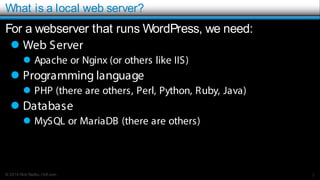
For a webserver that runs WordPress, we need:
 Web Server
 Apache or Nginx (or others like IIS)
 Programming language
 PHP (there are others, Perl, Python, Ruby, Java)
 Database
 MySQL or MariaDB (there are others)
3
© 2016 Rick Radko, r3df.com
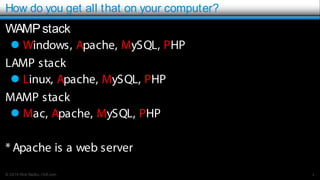
How do you get all that on your computer?
WAMPstack
 Windows, Apache, MySQL, PHP
LAMP stack
 Linux, Apache, MySQL, PHP
MAMP stack
 Mac, Apache, MySQL, PHP
* Apache is a web server
4
© 2016 Rick Radko, r3df.com
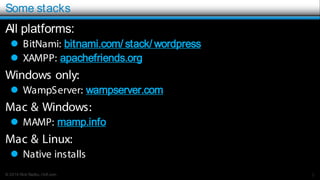
Some stacks
All platforms:
 BitNami: bitnami.com/ stack/ wordpress
 XAMPP: apachefriends.org
Windows only:
 WampServer: wampserver.com
Mac & Windows:
 MAMP: mamp.info
Mac & Linux:
 Native installs
5
© 2016 Rick Radko, r3df.com
Check ports in use
In a shell/ command prompt/ terminal run:
 netstat -an
6
© 2016 Rick Radko, r3df.com
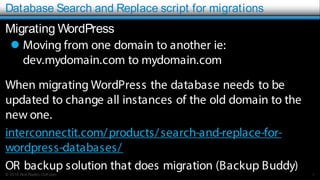
Database Search and Replace script for migrations
Migrating WordPress
 Moving from one domain to another ie:
dev.mydomain.com to mydomain.com
When migrating WordPress the database needs to be
updated to change all instances of the old domain to the
new one.
interconnectit.com/products/search-and-replace-for-
wordpress-databases/
OR backup solution that does migration (Backup Buddy)
7

Setting up a local web server environment

  • 1.
    “Setting Up aLocal Web Server” WordPress Ottawa Meetup May 2rd, 2018 Slides are posted at: http://www.slideshare.net/r3df
  • 2.
    © 2016 RickRadko, r3df.com Setting up a local web server Why do we need a local web server?  To run WordPress on your laptop (or pc). Why run WordPress on your laptop?  Test new plugins and themes.  Play with WordPress without the need for a public server.  Website development. 1
  • 3.
    © 2016 RickRadko, r3df.com What is a local web server? Alocal web server:  Is a web server installed on your own computer.  Generally they are not public. A web server  Is a collection of software needed to respond to browser requests.  The software needed depends on what the web application is. 2
  • 4.
    © 2016 RickRadko, r3df.com What is a local web server? For a webserver that runs WordPress, we need:  Web Server  Apache or Nginx (or others like IIS)  Programming language  PHP (there are others, Perl, Python, Ruby, Java)  Database  MySQL or MariaDB (there are others) 3
  • 5.
    © 2016 RickRadko, r3df.com How do you get all that on your computer? WAMPstack  Windows, Apache, MySQL, PHP LAMP stack  Linux, Apache, MySQL, PHP MAMP stack  Mac, Apache, MySQL, PHP * Apache is a web server 4
  • 6.
    © 2016 RickRadko, r3df.com Some stacks All platforms:  BitNami: bitnami.com/ stack/ wordpress  XAMPP: apachefriends.org Windows only:  WampServer: wampserver.com Mac & Windows:  MAMP: mamp.info Mac & Linux:  Native installs 5
  • 7.
    © 2016 RickRadko, r3df.com Check ports in use In a shell/ command prompt/ terminal run:  netstat -an 6
  • 8.
    © 2016 RickRadko, r3df.com Database Search and Replace script for migrations Migrating WordPress  Moving from one domain to another ie: dev.mydomain.com to mydomain.com When migrating WordPress the database needs to be updated to change all instances of the old domain to the new one. interconnectit.com/products/search-and-replace-for- wordpress-databases/ OR backup solution that does migration (Backup Buddy) 7