Customization and
                                Plugins
                                      Jon Brown
                            jBrownStudios.com | 9seeds.com
                                        @jb510

Tuesday, February 19, 13
Prerequisites
                Part 1 (geekery)
                • Some familiarity with HTML/CSS
                • No need for PHP today
                Part 2 (non-geekery)
                • Some familiarity with a self-hosted
                           WordPress installation


Tuesday, February 19, 13
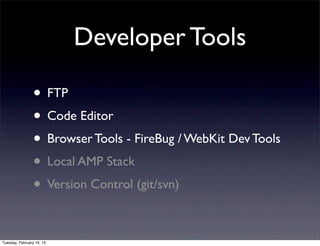
Developer Tools

                 • FTP
                 • Code Editor
                 • Browser Tools - FireBug / WebKit Dev Tools
                 • Local AMP Stack
                 • Version Control (git/svn)

Tuesday, February 19, 13
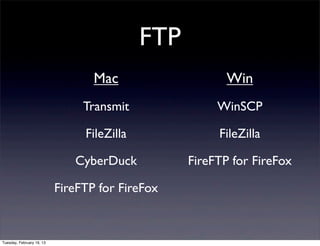
FTP
                                  Mac                    Win
                                Transmit               WinSCP

                                FileZilla              FileZilla

                              CyberDuck           FireFTP for FireFox

                           FireFTP for FireFox


Tuesday, February 19, 13
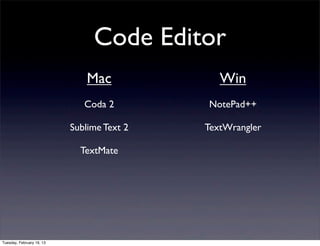
Code Editor
                               Mac             Win
                              Coda 2        NotePad++

                           Sublime Text 2   TextWrangler

                             TextMate


Tuesday, February 19, 13
Wait Wait
                               What About
                              DreamWeaver...
                     • Yes... you CAN use DreamWeaver, for both
                           FTP and as a code editor, but not many do.


Tuesday, February 19, 13
Browser Tools


                     • FireBug or WebKit Dev Tools
                      • (quick demo)


Tuesday, February 19, 13
WordPress Tools

               • The Codex
                  http://codex.wordpress.org/

               • Developer Documentation
                  http://codex.wordpress.org/Developer_Documentation


Tuesday, February 19, 13
Getting Started
                           Creating a theme
       1. Understand the WP Core file structure
       2. Understand the WP theme template hierarchy
                  http://codex.wordpress.org/Template_Hierarchy
       3. Hooks (Actions and Filters
              http://codex.wordpress.org/Plugin_API#Hooks.2C_Actions_and_Filters


Tuesday, February 19, 13
WP Core File Structure
                           http://codex.wordpress.org/WordPress_Files
                • root
                • wp-admin
                • wp-includes
                • wp-content

Tuesday, February 19, 13
WP Template Hierarchy


                           http://codex.wordpress.org/Template_Hierarchy


Tuesday, February 19, 13
Templates

                           http://codex.wordpress.org/Stepping_Into_Templates


                •          Basic template page Header / Content / Footer
                           (quick demo)


Tuesday, February 19, 13
Hooks
          •       Actions: Actions are the hooks that the WP core
                  launches at specific points during execution, or when
                  specific events occur.Your plugin can specify that one
                  or more of its PHP functions are executed at
                  these points, using the Action API.

          •       Filters: Filters are the hooks that WordPress launches
                  to modify text of various types before adding it to
                  the database or sending it to the browser screen.Your
                  plugin can specify that one or more of its PHP
                  functions is executed to modify specific types of text
                  at these times, using the Filter API.
Tuesday, February 19, 13
More Practical Things


                     • How to modify a theme... with a CHILD
                           THEME!


Tuesday, February 19, 13
One Click Child Theme
                         Plugin


                           http://wordpress.org/extend/plugins/one-click-child-theme/


Tuesday, February 19, 13
Lets demo some code
                           (css / php)
                        customizations

Tuesday, February 19, 13

Word press customiztion and plugins feb 2012

  • 1.
    Customization and Plugins Jon Brown jBrownStudios.com | 9seeds.com @jb510 Tuesday, February 19, 13
  • 2.
    Prerequisites Part 1 (geekery) • Some familiarity with HTML/CSS • No need for PHP today Part 2 (non-geekery) • Some familiarity with a self-hosted WordPress installation Tuesday, February 19, 13
  • 3.
    Developer Tools • FTP • Code Editor • Browser Tools - FireBug / WebKit Dev Tools • Local AMP Stack • Version Control (git/svn) Tuesday, February 19, 13
  • 4.
    FTP Mac Win Transmit WinSCP FileZilla FileZilla CyberDuck FireFTP for FireFox FireFTP for FireFox Tuesday, February 19, 13
  • 5.
    Code Editor Mac Win Coda 2 NotePad++ Sublime Text 2 TextWrangler TextMate Tuesday, February 19, 13
  • 6.
    Wait Wait What About DreamWeaver... • Yes... you CAN use DreamWeaver, for both FTP and as a code editor, but not many do. Tuesday, February 19, 13
  • 7.
    Browser Tools • FireBug or WebKit Dev Tools • (quick demo) Tuesday, February 19, 13
  • 8.
    WordPress Tools • The Codex http://codex.wordpress.org/ • Developer Documentation http://codex.wordpress.org/Developer_Documentation Tuesday, February 19, 13
  • 9.
    Getting Started Creating a theme 1. Understand the WP Core file structure 2. Understand the WP theme template hierarchy http://codex.wordpress.org/Template_Hierarchy 3. Hooks (Actions and Filters http://codex.wordpress.org/Plugin_API#Hooks.2C_Actions_and_Filters Tuesday, February 19, 13
  • 10.
    WP Core FileStructure http://codex.wordpress.org/WordPress_Files • root • wp-admin • wp-includes • wp-content Tuesday, February 19, 13
  • 11.
    WP Template Hierarchy http://codex.wordpress.org/Template_Hierarchy Tuesday, February 19, 13
  • 12.
    Templates http://codex.wordpress.org/Stepping_Into_Templates • Basic template page Header / Content / Footer (quick demo) Tuesday, February 19, 13
  • 13.
    Hooks • Actions: Actions are the hooks that the WP core launches at specific points during execution, or when specific events occur.Your plugin can specify that one or more of its PHP functions are executed at these points, using the Action API. • Filters: Filters are the hooks that WordPress launches to modify text of various types before adding it to the database or sending it to the browser screen.Your plugin can specify that one or more of its PHP functions is executed to modify specific types of text at these times, using the Filter API. Tuesday, February 19, 13
  • 14.
    More Practical Things • How to modify a theme... with a CHILD THEME! Tuesday, February 19, 13
  • 15.
    One Click ChildTheme Plugin http://wordpress.org/extend/plugins/one-click-child-theme/ Tuesday, February 19, 13
  • 16.
    Lets demo somecode (css / php) customizations Tuesday, February 19, 13