L2B First Linux Course


L2B Linux First course


                   Please visit our Facebook Group
L2B First Linux Course
L2B Linux course


      Our Rules
          Start at 10 AM.
          Mobile phone silent please.
          You can get in or get out without permission.
          Ask what you want.
          Some questions will be answered in the end.
          Only one talks and all listens.
          You can get materials from us or from outside
           faculty
          To help us give us your feedback.
L2B First Linux Course
L2B Linux course


     Outlines of this session
       Introduction to operating systems
       Introduction to Linux
       Introduction to Ubuntu
       Ubuntu installation steps
       GUI
       Virtual Box
       XChat
       File system hierarch
L2B First Linux Course
L2B Linux course


     Operating systems introduction
       Operating system:
            • It is an interface between hardware and user which
              is responsible for the management and
              coordination of activities and the sharing of the
              resources of a computer.
            • Windows is not the only operating system in the
              world.
L2B First Linux Course
L2B Linux course


     Operating systems introduction
       There are a lot of operating systems such as:
            •   Unix
            •   Linux
            •   Minix
            •   Windows
            •   Mac OS
L2B First Linux Course
L2B Linux course


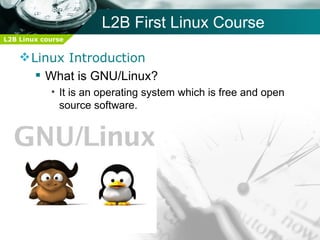
     Linux Introduction
        What is GNU/Linux?
            • It is an operating system which is free and open
              source software.
L2B First Linux Course
L2B Linux course


     Linux Introduction
        Unix Introduction
            • AT&T
                   –   BSD
                   –   HP-UX
                   –   Solaris
                   –   AIX
L2B First Linux Course
L2B Linux course


     Linux Introduction
        History of Linux
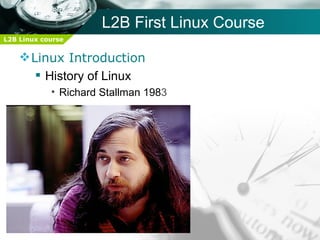
            • Richard Stallman 1983
L2B First Linux Course
L2B Linux course


     Linux Introduction
        History of Linux
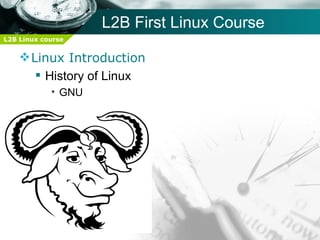
            • GNU
L2B First Linux Course
L2B Linux course


     Linux Introduction
        History of Linux
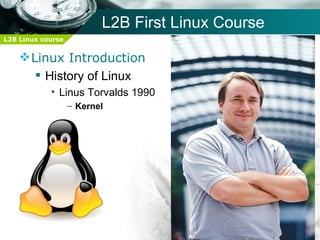
            • Linus Torvalds 1990
                   – Kernel
L2B First Linux Course
L2B Linux course


     Linux Introduction
        Why Linux?
            •   Available and reachable
            •   Stable
            •   Minimum times of rebooting
            •   Open Source
            •   Free
            •   Fast updates
            •   Security
            •   Well-documented
L2B First Linux Course
L2B Linux course


     Linux Introduction
        Why Linux?
            •   Shell
            •    Virus rare
            •   Real multi-user system
            •   Multiple GUIs
            •   Save hardware resources
            •   It's kernel used in Embedded systems
            •   Meets criteria
L2B First Linux Course
L2B Linux course


     Linux Introduction
        Why Linux?
            • Well supported by international companies
                   –   HP
                   –   IBM
                   –   Intel
                   –   Oracle
                   –   Sun
            • National Security Agency (NSA)
         Why copy software illegally if you can get it for
          free?
L2B First Linux Course
L2B Linux course


     Linux Introduction
         Who uses Linux?
           • Famous servers work on Linux such as:
              – www.google.com
              – www.wikipedia.com
              – www.youtube.com
              – www.4shared.com
              – www.rapidshare.com
              – www.cnn.com
              – download.microsoft.com
              – www.bing.com
L2B First Linux Course
L2B Linux course


     Linux Introduction
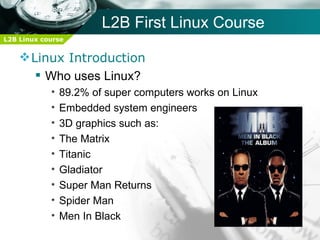
        Who uses Linux?
            •   89.2% of super computers works on Linux
            •   Embedded system engineers
            •   3D graphics such as:
            •   The Matrix
            •   Titanic
            •   Gladiator
            •   Super Man Returns
            •   Spider Man
            •   Men In Black
L2B First Linux Course
L2B Linux course


     Linux Introduction
        Who uses Linux?
            •   United States Department Of Defense
            •   French Parliament
            •   France's Ministry of Agriculture
            •   NNSA
                   – National Nuclear Security Administration
            • FAA
                   – Fedral Aviation Administration.
            • ICBC:
                   – Industrial and Commercial Bank of China
                   – All it's 20,000 branches
L2B First Linux Course
L2B Linux course


     Linux Introduction
    For more information about Linux and who
    uses it visit:

    http://en.wikipedia.org/wiki/Linux_adoption
         http://en.wikipedia.org/wiki/Linux
             http://news.netcraft.com/
L2B First Linux Course
L2B Linux course


     Linux Introduction
        Linux Distributions:
            •   RedHat
            •   Centos
            •   Fedora
            •   BackTrack
            •   Debian
            •   Ubuntu
            •   Unbreakable Linux
L2B First Linux Course
L2B Linux course


     Ubuntu Introduction
       Why Ubuntu:
            •   Simple
            •   Easy to get it
            •   Free
            •   Famous
            •   Good documentation
            •   Good Internet support
L2B First Linux Course
L2B Linux course


     Ubuntu Introduction
       How to get Ubuntu:
            • You can order our distribution from Menof
            • You can download it free of charge from here:
              http://www.ubuntu.com/GetUbuntu/download
            • You can download Sabily from here:
              http://www.sabily.org/website/index.php/en/sabily/d
              ownloads
            • You can order a free CD or DVD from here:
              https://shipit.ubuntu.com
L2B First Linux Course
L2B Linux course


     Ubuntu Installation steps
       Before installation
            • What is a live CD?
            • File System:
                   – It is a method of storing and organizing computer
                     files and the date they contain to make it easy to find
                     and access them(FAT, NTFS, EXT4).
            • Linux File System:
                   – ext2
                   – ext3
                   – ext4
            • Hard disk formatting using
                   – GParted
L2B First Linux Course
L2B Linux course


     Ubuntu Installation steps
       Main installation:
            •   Booting live cd
            •   Welcome message
            •   Your location
            •   Preparing disk space (manual)
            •   Selecting Linux partitions
            •   Setting username and password
            •   Ready to install ???
            •   One missing step
L2B First Linux Course
L2B Linux course


     GUI
       Graphical User Interface
            • Types
                   – GNOME
                   – KDE
                   – XFCE
         Some details about GNOME
            • GNU Network Object Model Environment
            • Three menus
                   – Applications
                   – Places
                   – System
L2B First Linux Course
L2B Linux course


     GUI
       Some small notes
            • Adding Arabic
            • Installing applications using
                   – Ubuntu Software Center
                   – Synaptic Package Manager
                   – Add and Remove
L2B First Linux Course
L2B Linux course


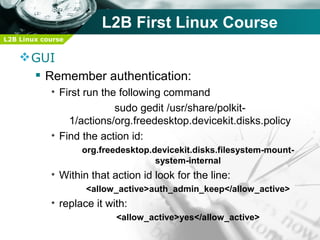
     GUI
       Remember authentication:
            • First run the following command
                           sudo gedit /usr/share/polkit-
                1/actions/org.freedesktop.devicekit.disks.policy
            • Find the action id:
                   org.freedesktop.devicekit.disks.filesystem-mount-
                                    system-internal
            • Within that action id look for the line:
                    <allow_active>auth_admin_keep</allow_active>
            • replace it with:
                           <allow_active>yes</allow_active>
L2B First Linux Course
L2B Linux course


     Virtual Box
       Installation
       Create new virtual machine
       Settings of virtual machines
       General
       System
       Hard Disks
       CD/DVD
       Network
L2B First Linux Course
L2B Linux course


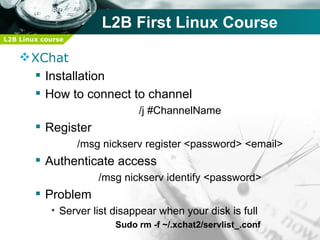
     XChat
       Installation
       How to connect to channel
                               /j #ChannelName
         Register
                   /msg nickserv register <password> <email>
         Authenticate access
                       /msg nickserv identify <password>
         Problem
            • Server list disappear when your disk is full
                          Sudo rm -f ~/.xchat2/servlist_.conf
L2B First Linux Course
L2B Linux course


     XChat important channels
       #linuxac
       #ubunu
       #centos
       #fedora
       #redhat
       #microcontrollers
       #oracle
       #php
L2B First Linux Course
L2B Linux course


     XChat important channels
       #windows
       #java
       #c++
       #c
L2B First Linux Course
L2B Linux course


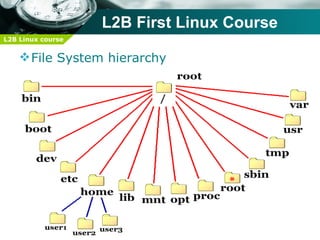
     File System hierarchy


         Files and directories are organized into a
            single-rooted inverted tree structure
L2B First Linux Course
L2B Linux course


     File System hierarchy
L2B First Linux Course
L2B Linux course


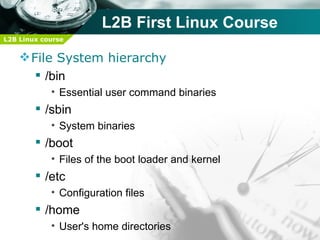
     File System hierarchy
        /bin
            • Essential user command binaries
         /sbin
            • System binaries
         /boot
            • Files of the boot loader and kernel
         /etc
            • Configuration files
         /home
            • User's home directories
L2B First Linux Course
L2B Linux course


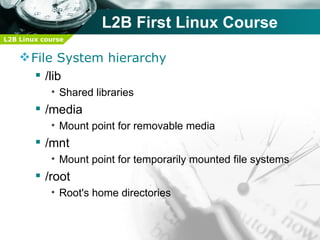
     File System hierarchy
        /lib
            • Shared libraries
         /media
            • Mount point for removable media
         /mnt
            • Mount point for temporarily mounted file systems
         /root
            • Root's home directories
L2B First Linux Course
L2B Linux course


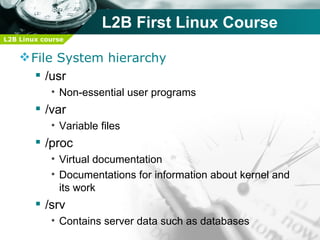
     File System hierarchy
        /usr
            • Non-essential user programs
         /var
            • Variable files
         /proc
            • Virtual documentation
            • Documentations for information about kernel and
              its work
         /srv
            • Contains server data such as databases
L2B First Linux Course
L2B Linux course


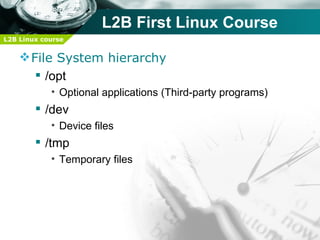
     File System hierarchy
        /opt
            • Optional applications (Third-party programs)
         /dev
            • Device files
         /tmp
            • Temporary files
L2B First Linux Course
L2B Linux course


     How to self study
       www.linuxac.org
       L2B Linux Guide
       Virtual Box
       www.google.com
       IRC
       Man Pages
       RedHat Books
L2B First Linux Course
L2B Linux course


     How to self study
       www.arabhardware.com
            • Eng: Mostafa El-Tantawy
                   – http://arabhardware.net/forum/showthread.php?
                     t=102331&page=6
                   – http://4shared.com/dir/10800192/9e812230/Lunix.html
L2B First Linux Course
L2B Linux course


     How to self study
         Ubuntu Linux For Novices
         Practical guide to use Ubuntu Linux
          Arabic
         Linux Bash Guide
         ‫كتاب لينوكس الشامل‬
For More info Please Visit Our Facebook Group

Session1

  • 1.
    L2B First LinuxCourse L2B Linux First course Please visit our Facebook Group
  • 2.
    L2B First LinuxCourse L2B Linux course  Our Rules  Start at 10 AM.  Mobile phone silent please.  You can get in or get out without permission.  Ask what you want.  Some questions will be answered in the end.  Only one talks and all listens.  You can get materials from us or from outside faculty  To help us give us your feedback.
  • 3.
    L2B First LinuxCourse L2B Linux course  Outlines of this session  Introduction to operating systems  Introduction to Linux  Introduction to Ubuntu  Ubuntu installation steps  GUI  Virtual Box  XChat  File system hierarch
  • 4.
    L2B First LinuxCourse L2B Linux course  Operating systems introduction  Operating system: • It is an interface between hardware and user which is responsible for the management and coordination of activities and the sharing of the resources of a computer. • Windows is not the only operating system in the world.
  • 5.
    L2B First LinuxCourse L2B Linux course  Operating systems introduction  There are a lot of operating systems such as: • Unix • Linux • Minix • Windows • Mac OS
  • 6.
    L2B First LinuxCourse L2B Linux course  Linux Introduction  What is GNU/Linux? • It is an operating system which is free and open source software.
  • 7.
    L2B First LinuxCourse L2B Linux course  Linux Introduction  Unix Introduction • AT&T – BSD – HP-UX – Solaris – AIX
  • 8.
    L2B First LinuxCourse L2B Linux course  Linux Introduction  History of Linux • Richard Stallman 1983
  • 9.
    L2B First LinuxCourse L2B Linux course  Linux Introduction  History of Linux • GNU
  • 10.
    L2B First LinuxCourse L2B Linux course  Linux Introduction  History of Linux • Linus Torvalds 1990 – Kernel
  • 11.
    L2B First LinuxCourse L2B Linux course  Linux Introduction  Why Linux? • Available and reachable • Stable • Minimum times of rebooting • Open Source • Free • Fast updates • Security • Well-documented
  • 12.
    L2B First LinuxCourse L2B Linux course  Linux Introduction  Why Linux? • Shell • Virus rare • Real multi-user system • Multiple GUIs • Save hardware resources • It's kernel used in Embedded systems • Meets criteria
  • 13.
    L2B First LinuxCourse L2B Linux course  Linux Introduction  Why Linux? • Well supported by international companies – HP – IBM – Intel – Oracle – Sun • National Security Agency (NSA)  Why copy software illegally if you can get it for free?
  • 14.
    L2B First LinuxCourse L2B Linux course  Linux Introduction  Who uses Linux? • Famous servers work on Linux such as: – www.google.com – www.wikipedia.com – www.youtube.com – www.4shared.com – www.rapidshare.com – www.cnn.com – download.microsoft.com – www.bing.com
  • 15.
    L2B First LinuxCourse L2B Linux course  Linux Introduction  Who uses Linux? • 89.2% of super computers works on Linux • Embedded system engineers • 3D graphics such as: • The Matrix • Titanic • Gladiator • Super Man Returns • Spider Man • Men In Black
  • 16.
    L2B First LinuxCourse L2B Linux course  Linux Introduction  Who uses Linux? • United States Department Of Defense • French Parliament • France's Ministry of Agriculture • NNSA – National Nuclear Security Administration • FAA – Fedral Aviation Administration. • ICBC: – Industrial and Commercial Bank of China – All it's 20,000 branches
  • 17.
    L2B First LinuxCourse L2B Linux course  Linux Introduction For more information about Linux and who uses it visit: http://en.wikipedia.org/wiki/Linux_adoption http://en.wikipedia.org/wiki/Linux http://news.netcraft.com/
  • 18.
    L2B First LinuxCourse L2B Linux course  Linux Introduction  Linux Distributions: • RedHat • Centos • Fedora • BackTrack • Debian • Ubuntu • Unbreakable Linux
  • 19.
    L2B First LinuxCourse L2B Linux course  Ubuntu Introduction  Why Ubuntu: • Simple • Easy to get it • Free • Famous • Good documentation • Good Internet support
  • 20.
    L2B First LinuxCourse L2B Linux course  Ubuntu Introduction  How to get Ubuntu: • You can order our distribution from Menof • You can download it free of charge from here: http://www.ubuntu.com/GetUbuntu/download • You can download Sabily from here: http://www.sabily.org/website/index.php/en/sabily/d ownloads • You can order a free CD or DVD from here: https://shipit.ubuntu.com
  • 21.
    L2B First LinuxCourse L2B Linux course  Ubuntu Installation steps  Before installation • What is a live CD? • File System: – It is a method of storing and organizing computer files and the date they contain to make it easy to find and access them(FAT, NTFS, EXT4). • Linux File System: – ext2 – ext3 – ext4 • Hard disk formatting using – GParted
  • 22.
    L2B First LinuxCourse L2B Linux course  Ubuntu Installation steps  Main installation: • Booting live cd • Welcome message • Your location • Preparing disk space (manual) • Selecting Linux partitions • Setting username and password • Ready to install ??? • One missing step
  • 23.
    L2B First LinuxCourse L2B Linux course  GUI  Graphical User Interface • Types – GNOME – KDE – XFCE  Some details about GNOME • GNU Network Object Model Environment • Three menus – Applications – Places – System
  • 24.
    L2B First LinuxCourse L2B Linux course  GUI  Some small notes • Adding Arabic • Installing applications using – Ubuntu Software Center – Synaptic Package Manager – Add and Remove
  • 25.
    L2B First LinuxCourse L2B Linux course  GUI  Remember authentication: • First run the following command sudo gedit /usr/share/polkit- 1/actions/org.freedesktop.devicekit.disks.policy • Find the action id: org.freedesktop.devicekit.disks.filesystem-mount- system-internal • Within that action id look for the line: <allow_active>auth_admin_keep</allow_active> • replace it with: <allow_active>yes</allow_active>
  • 26.
    L2B First LinuxCourse L2B Linux course  Virtual Box  Installation  Create new virtual machine  Settings of virtual machines  General  System  Hard Disks  CD/DVD  Network
  • 27.
    L2B First LinuxCourse L2B Linux course  XChat  Installation  How to connect to channel /j #ChannelName  Register /msg nickserv register <password> <email>  Authenticate access /msg nickserv identify <password>  Problem • Server list disappear when your disk is full Sudo rm -f ~/.xchat2/servlist_.conf
  • 28.
    L2B First LinuxCourse L2B Linux course  XChat important channels  #linuxac  #ubunu  #centos  #fedora  #redhat  #microcontrollers  #oracle  #php
  • 29.
    L2B First LinuxCourse L2B Linux course  XChat important channels  #windows  #java  #c++  #c
  • 30.
    L2B First LinuxCourse L2B Linux course  File System hierarchy Files and directories are organized into a single-rooted inverted tree structure
  • 31.
    L2B First LinuxCourse L2B Linux course  File System hierarchy
  • 32.
    L2B First LinuxCourse L2B Linux course  File System hierarchy  /bin • Essential user command binaries  /sbin • System binaries  /boot • Files of the boot loader and kernel  /etc • Configuration files  /home • User's home directories
  • 33.
    L2B First LinuxCourse L2B Linux course  File System hierarchy  /lib • Shared libraries  /media • Mount point for removable media  /mnt • Mount point for temporarily mounted file systems  /root • Root's home directories
  • 34.
    L2B First LinuxCourse L2B Linux course  File System hierarchy  /usr • Non-essential user programs  /var • Variable files  /proc • Virtual documentation • Documentations for information about kernel and its work  /srv • Contains server data such as databases
  • 35.
    L2B First LinuxCourse L2B Linux course  File System hierarchy  /opt • Optional applications (Third-party programs)  /dev • Device files  /tmp • Temporary files
  • 36.
    L2B First LinuxCourse L2B Linux course  How to self study  www.linuxac.org  L2B Linux Guide  Virtual Box  www.google.com  IRC  Man Pages  RedHat Books
  • 37.
    L2B First LinuxCourse L2B Linux course  How to self study  www.arabhardware.com • Eng: Mostafa El-Tantawy – http://arabhardware.net/forum/showthread.php? t=102331&page=6 – http://4shared.com/dir/10800192/9e812230/Lunix.html
  • 38.
    L2B First LinuxCourse L2B Linux course  How to self study  Ubuntu Linux For Novices  Practical guide to use Ubuntu Linux Arabic  Linux Bash Guide  ‫كتاب لينوكس الشامل‬
  • 39.
    For More infoPlease Visit Our Facebook Group