
Session 4
Enterprise Mobile
Security

© SecurBay 2012

2
Session 4 – Enterprise Mobile Security
 Lifecycle of Mobile Device Solutions
 Mobile Policy using Use Cases
 BYOD Scenarios
 MDM Solutions
 Mobile Audit & Assurance Program

 Essential elements of Mobile Security
 Case Study
 Questions

© SecurBay 2012

3
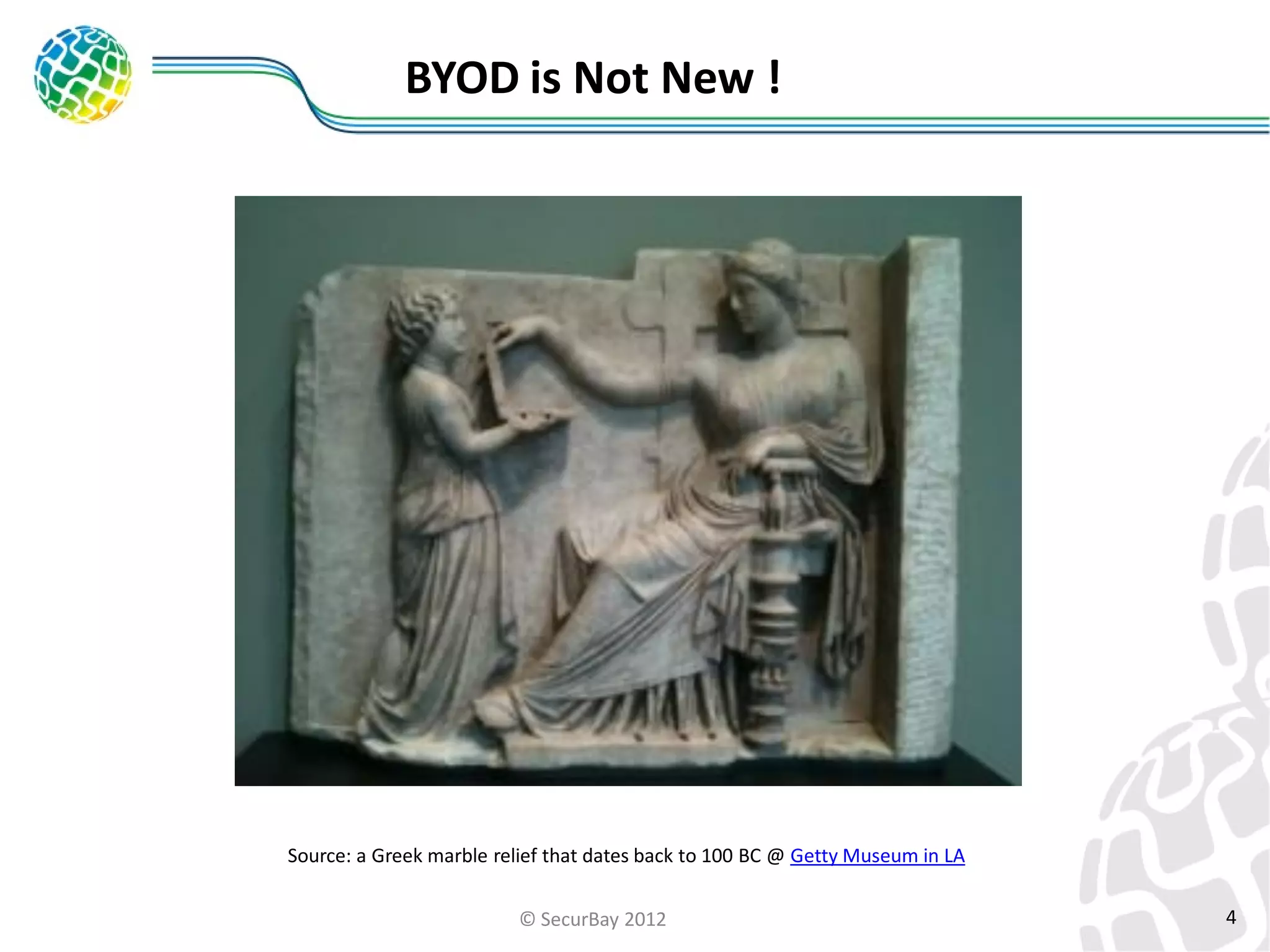
BYOD is Not New !

Source: a Greek marble relief that dates back to 100 BC @ Getty Museum in LA
© SecurBay 2012

4
Mobile Platform Key Issues
•

Mobile is different than Desktops

•

Mobile platform security is immature

•

Mobile security features can be easily compromised

© SecurBay 2012

5
Life cycle of enterprise mobile device solutions
•

Phase 1: Initiation

•

Phase 2: Development

•

Phase 3: Implementation

•

Phase 4: Operation and Maintenance

•

Phase 5: Disposal

© SecurBay 2012

6
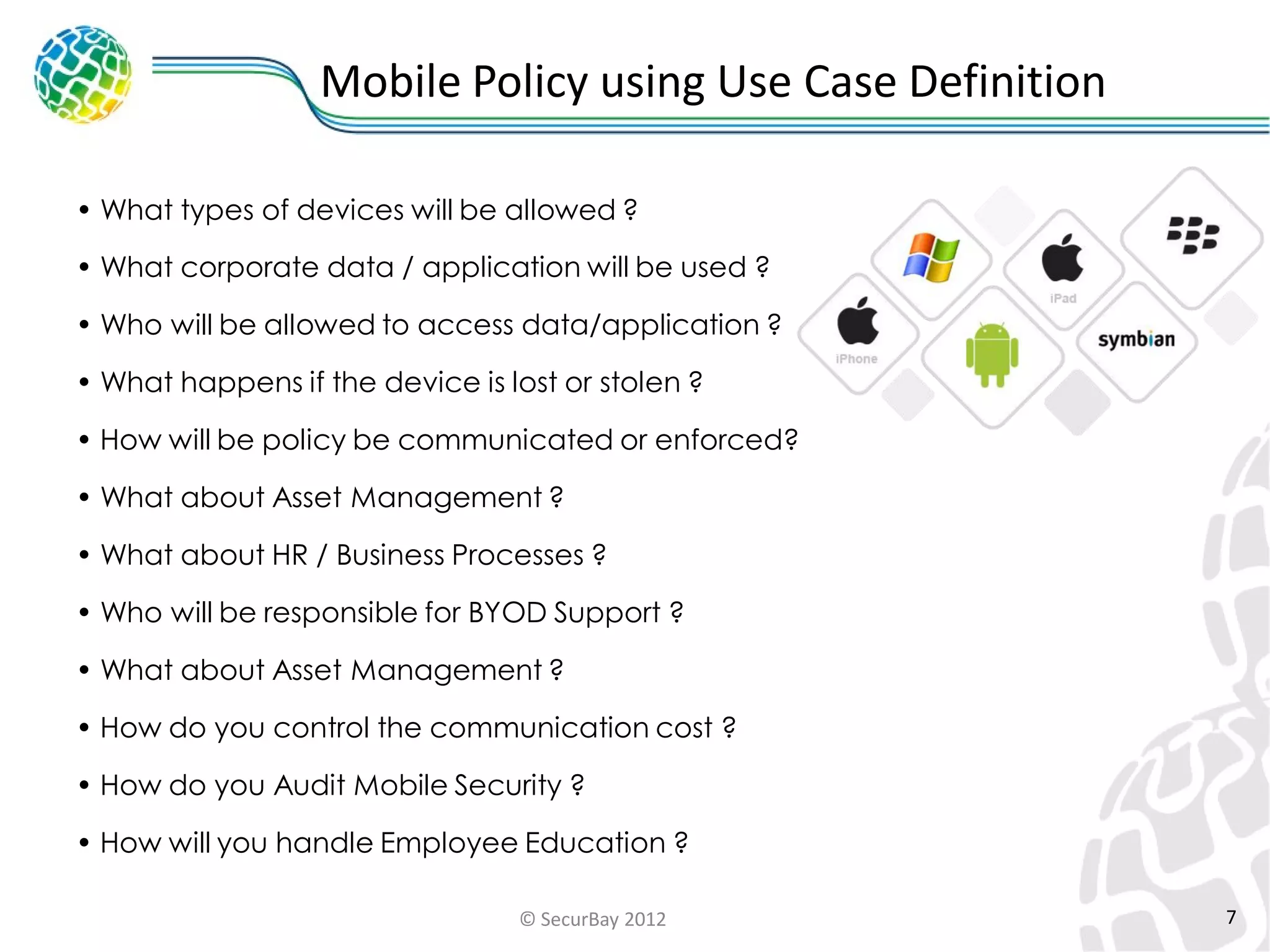
Mobile Policy using Use Case Definition
• What types of devices will be allowed ?
• What corporate data / application will be used ?
• Who will be allowed to access data/application ?
• What happens if the device is lost or stolen ?

• How will be policy be communicated or enforced?
• What about Asset Management ?

• What about HR / Business Processes ?
• Who will be responsible for BYOD Support ?
• What about Asset Management ?
• How do you control the communication cost ?
• How do you Audit Mobile Security ?

• How will you handle Employee Education ?
© SecurBay 2012

7
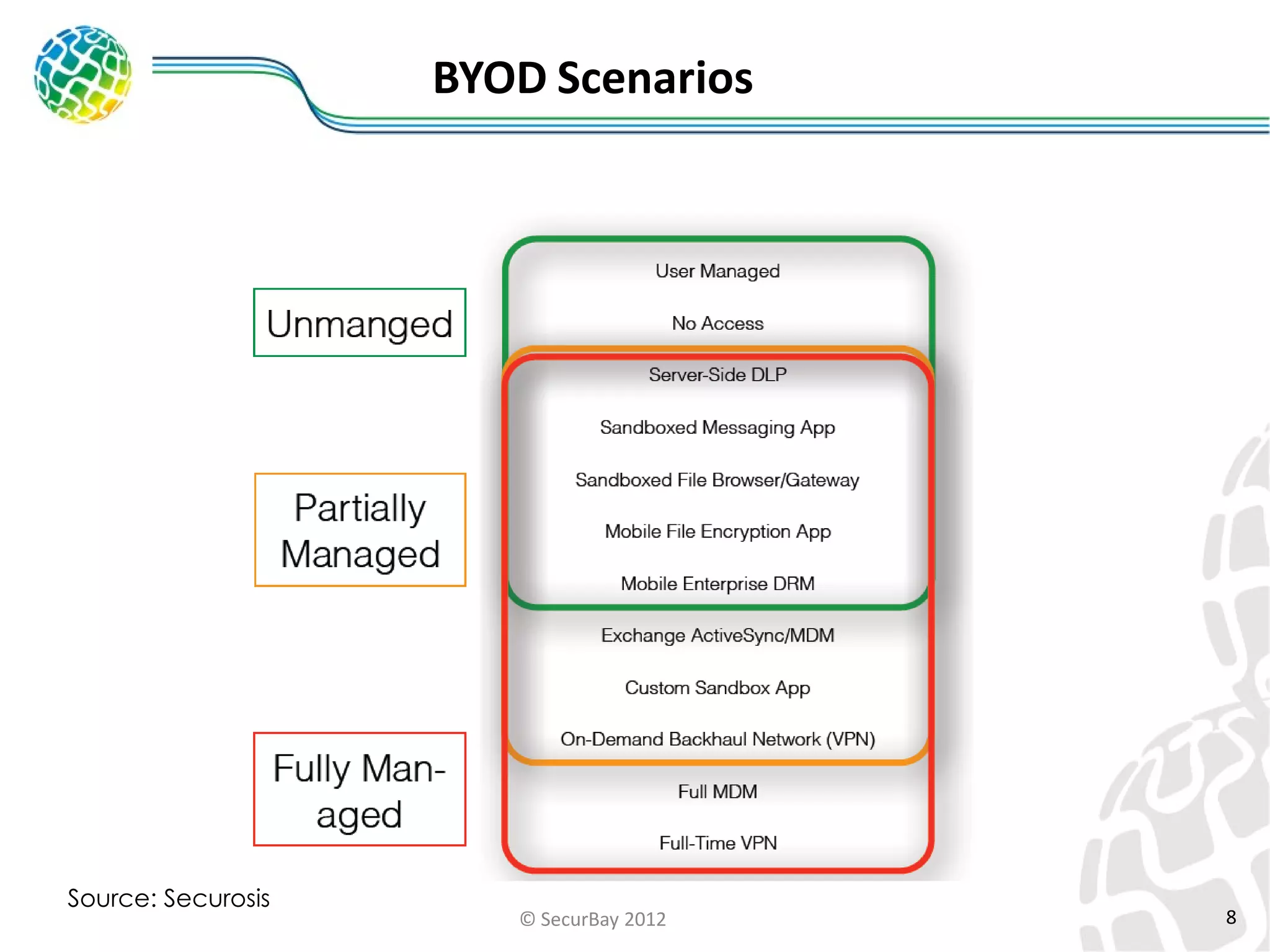
BYOD Scenarios

Source: Securosis

© SecurBay 2012

8
Challenges with unmanaged devices
•

Limited Security Controls
•

Often lack the rigor of those provided by a centralized mobile

device management client application
•

Maintenance and Management
•

Patch Management issues

•

Desperate OS makes the control difficult

© SecurBay 2012

9
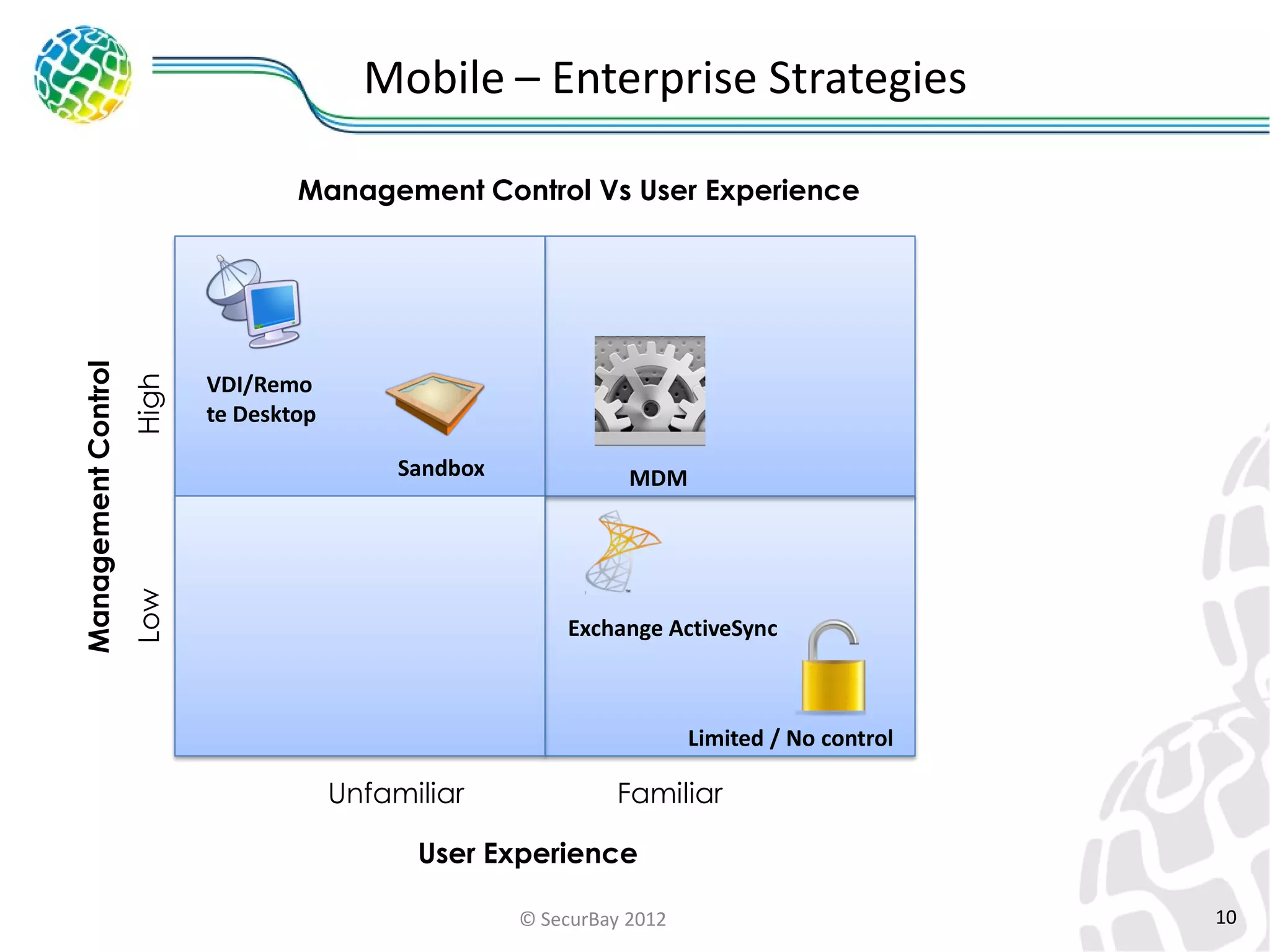
Mobile – Enterprise Strategies

High

VDI/Remote
VDI/Remo
Desktop
te Desktop
Sandbox
Sandbox

Low

Management Control

Management Control Vs User Experience

MDM

Exchange ActiveSync

Limited / No control

Unfamiliar

Familiar

User Experience
© SecurBay 2012

10
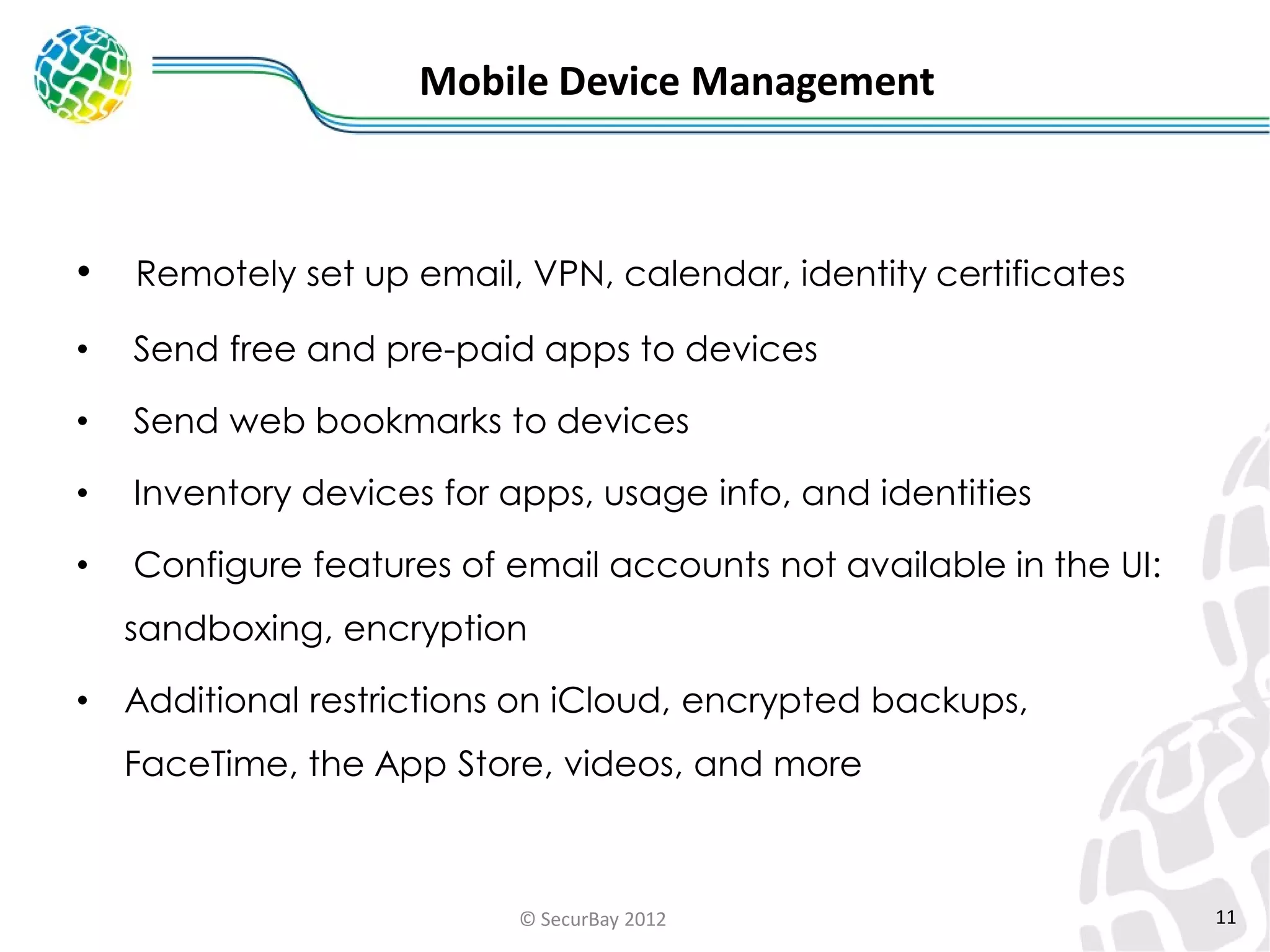
Mobile Device Management

•

Remotely set up email, VPN, calendar, identity certificates

•

Send free and pre-paid apps to devices

•

Send web bookmarks to devices

•

Inventory devices for apps, usage info, and identities

•

Configure features of email accounts not available in the UI:
sandboxing, encryption

•

Additional restrictions on iCloud, encrypted backups,

FaceTime, the App Store, videos, and more

© SecurBay 2012

11
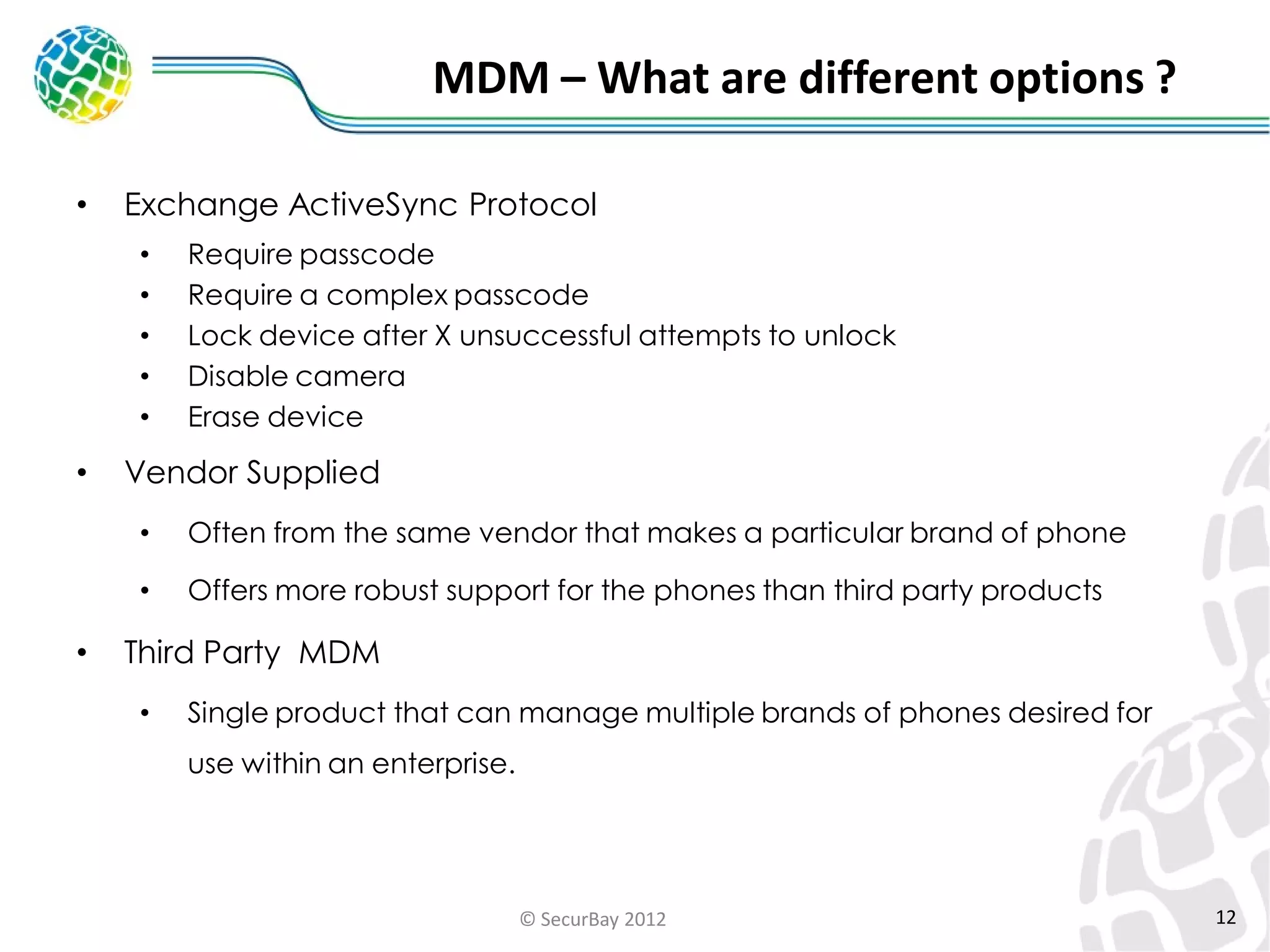
MDM – What are different options ?
•

Exchange ActiveSync Protocol
•
•
•
•
•

•

Require passcode
Require a complex passcode
Lock device after X unsuccessful attempts to unlock
Disable camera
Erase device

Vendor Supplied
•
•

•

Often from the same vendor that makes a particular brand of phone
Offers more robust support for the phones than third party products

Third Party MDM
•

Single product that can manage multiple brands of phones desired for
use within an enterprise.

© SecurBay 2012

12
Exchange ActiveSync
•

Exchange ActiveSync Protocol
•

Developed by Microsoft in 2002

•

Supported by Microsoft, Google, Lotus Notes

© SecurBay 2012

13
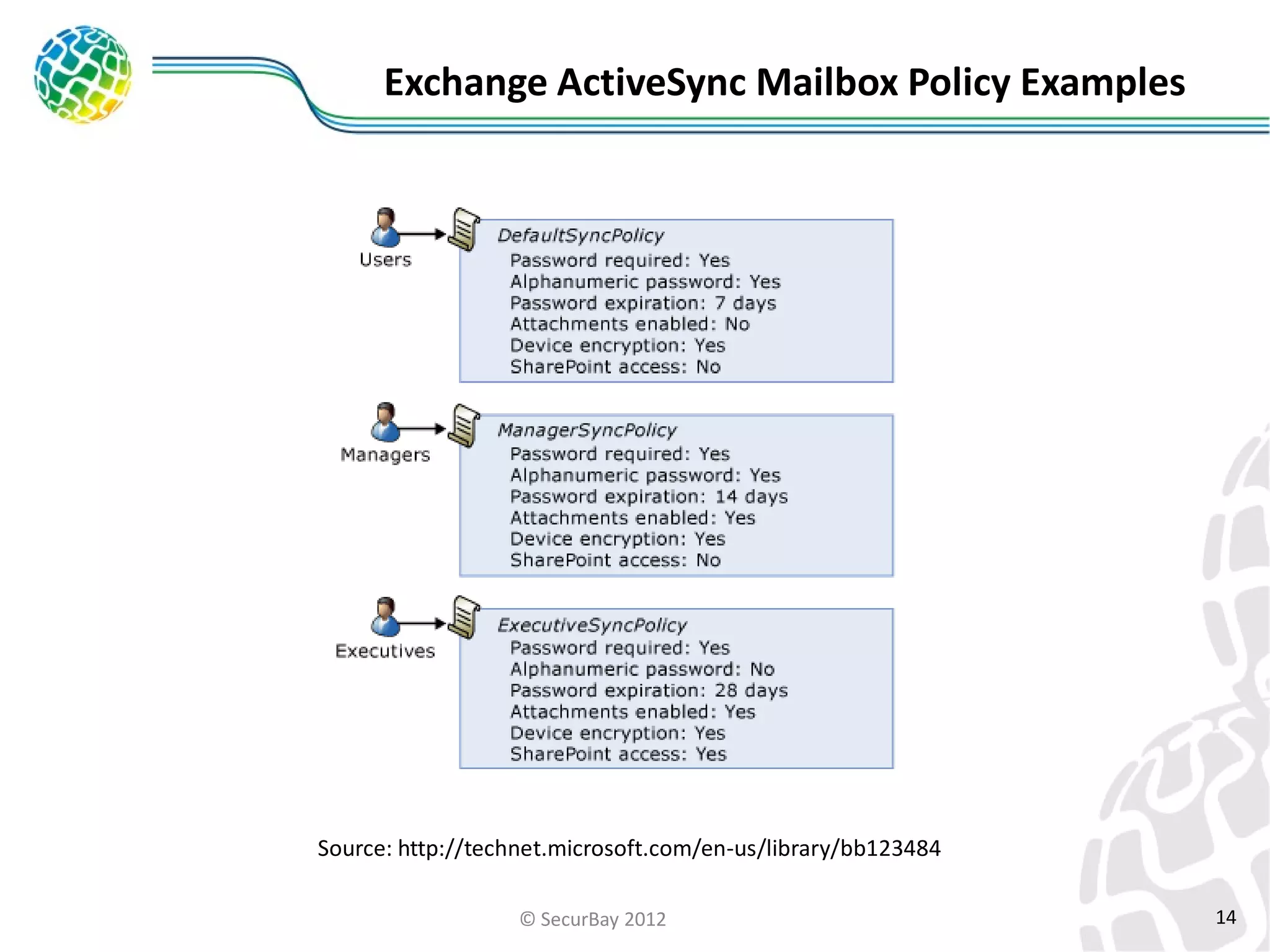
Exchange ActiveSync Mailbox Policy Examples

Source: http://technet.microsoft.com/en-us/library/bb123484
© SecurBay 2012

14
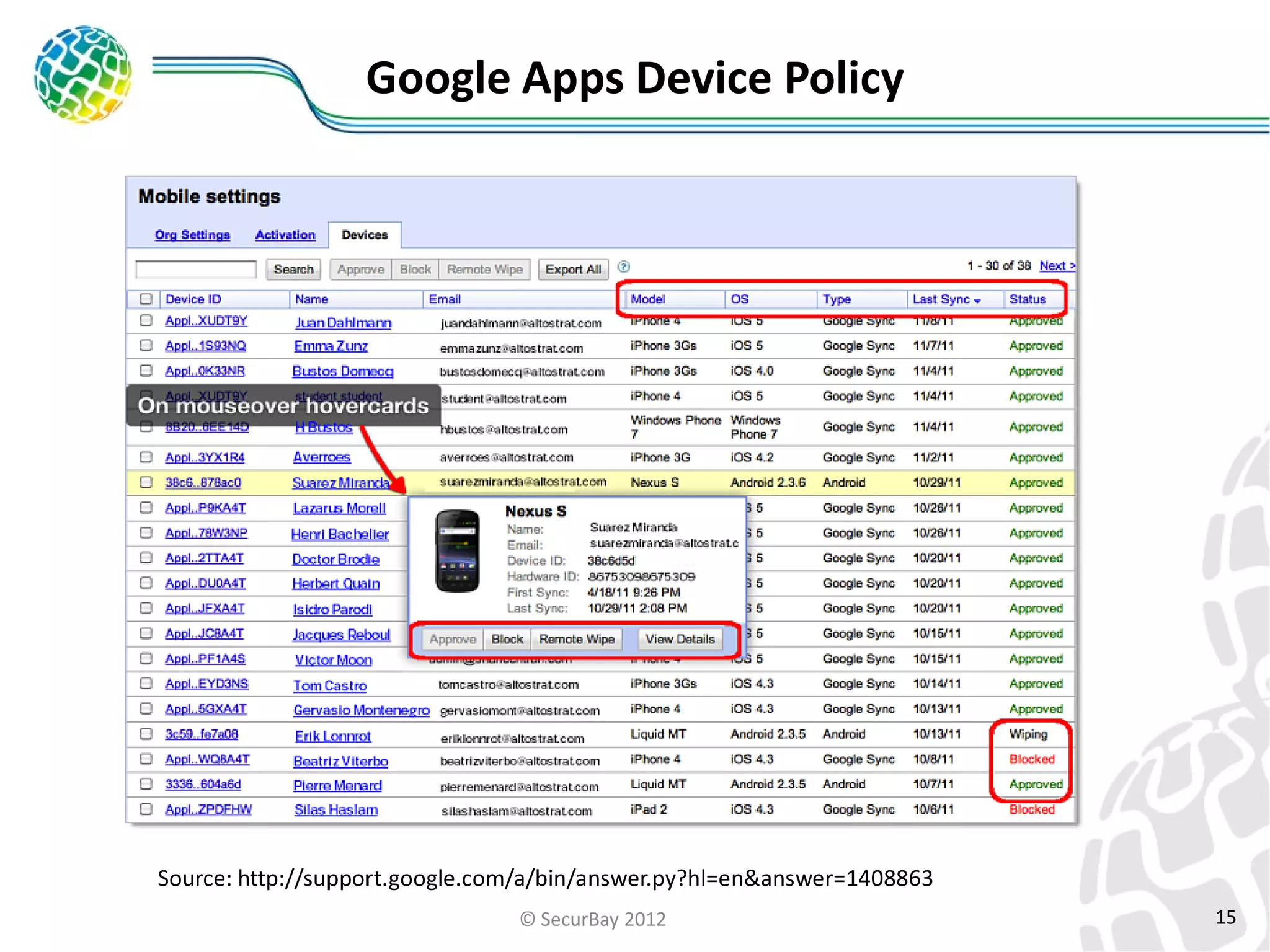
Google Apps Device Policy

Source: http://support.google.com/a/bin/answer.py?hl=en&answer=1408863
© SecurBay 2012

15
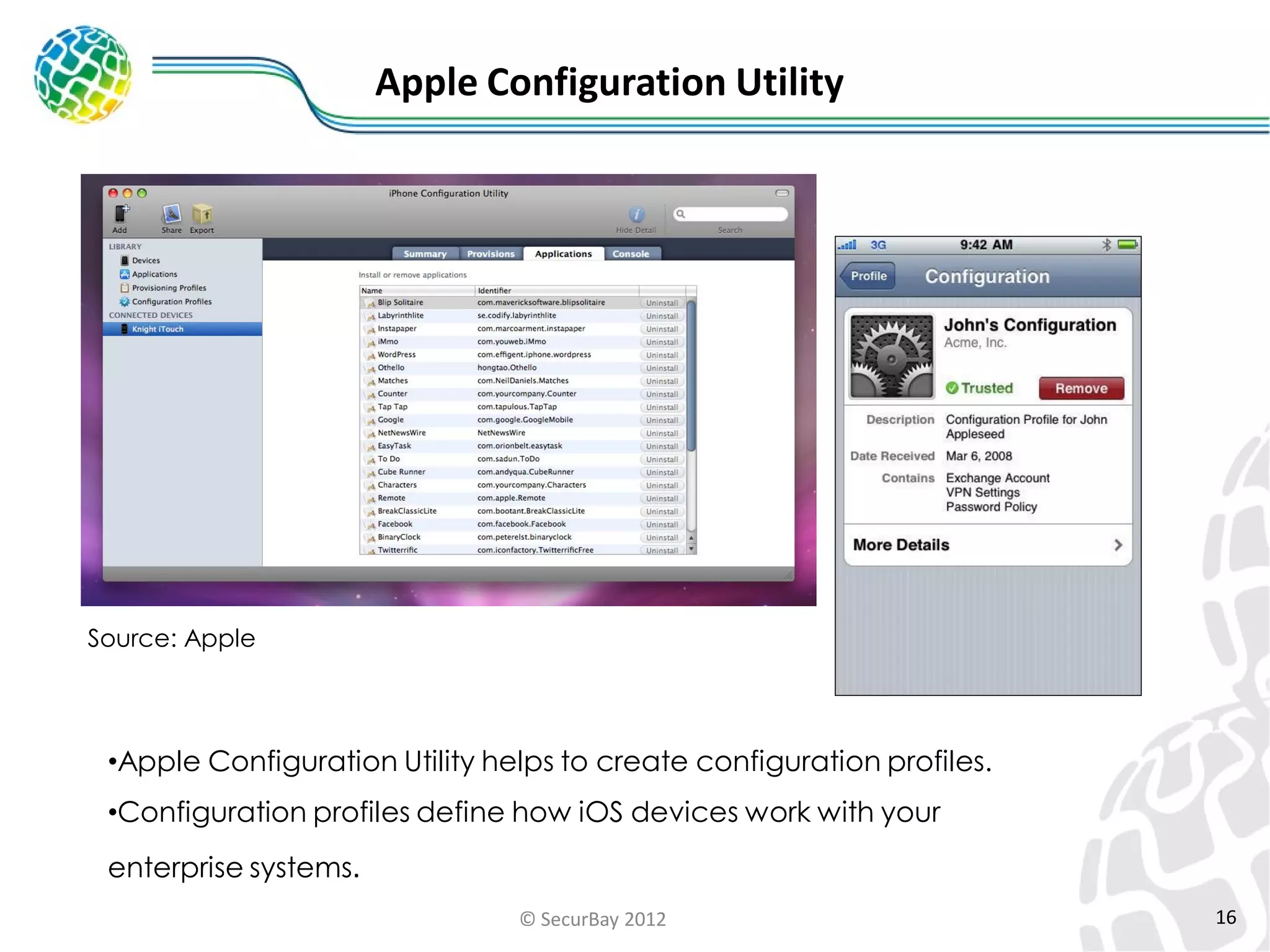
Apple Configuration Utility

Source: Apple

•Apple Configuration Utility helps to create configuration profiles.
•Configuration profiles define how iOS devices work with your

enterprise systems.
© SecurBay 2012

16
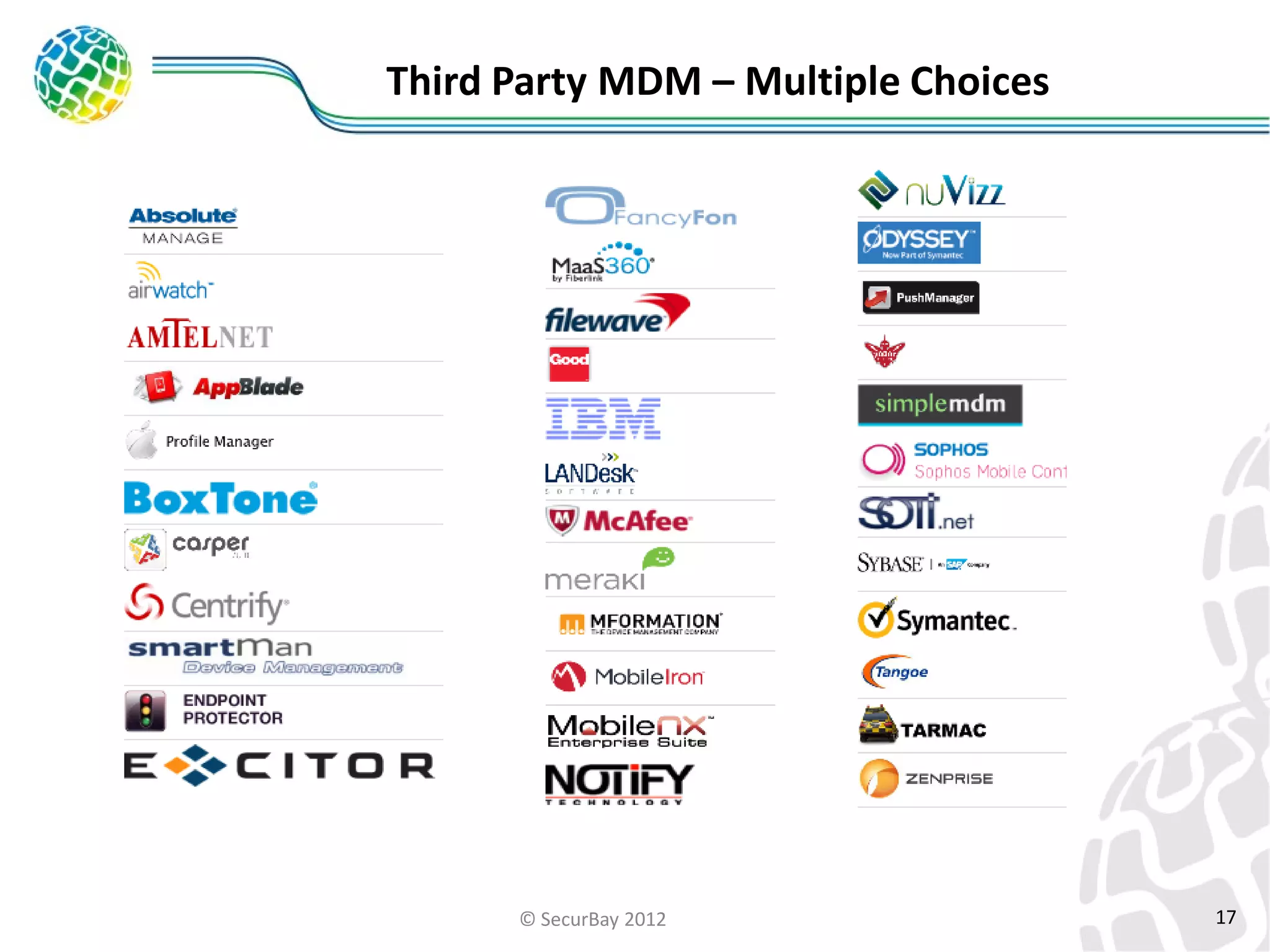
Third Party MDM – Multiple Choices

© SecurBay 2012

17
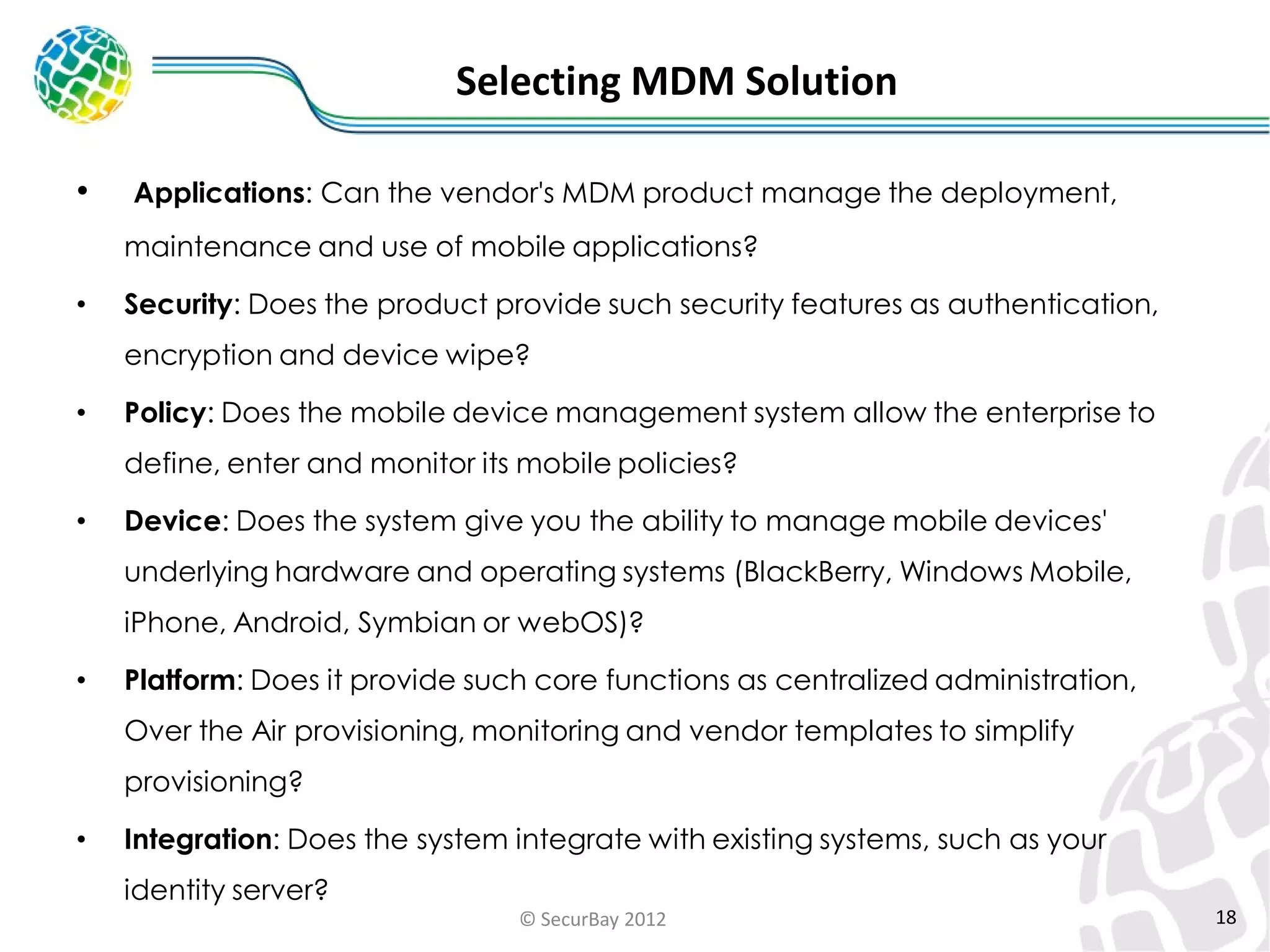
Selecting MDM Solution
•

Applications: Can the vendor's MDM product manage the deployment,
maintenance and use of mobile applications?

•

Security: Does the product provide such security features as authentication,
encryption and device wipe?

•

Policy: Does the mobile device management system allow the enterprise to

define, enter and monitor its mobile policies?
•

Device: Does the system give you the ability to manage mobile devices'

underlying hardware and operating systems (BlackBerry, Windows Mobile,
iPhone, Android, Symbian or webOS)?

•

Platform: Does it provide such core functions as centralized administration,
Over the Air provisioning, monitoring and vendor templates to simplify
provisioning?

•

Integration: Does the system integrate with existing systems, such as your
identity server?
© SecurBay 2012

18
ISACA Mobile Audit/Assurance Program

•

Mobile computing security addresses the following COBIT processes
•PO4 Define the IT processes, organization and relationships.

•PO6 Communicate management aims and directions.
•PO9 Assess and manage risks.
•DS5 Ensure systems security.
•DS11 Manage data.
•ME3 Ensure compliance with established regulations.

© SecurBay 2012

19
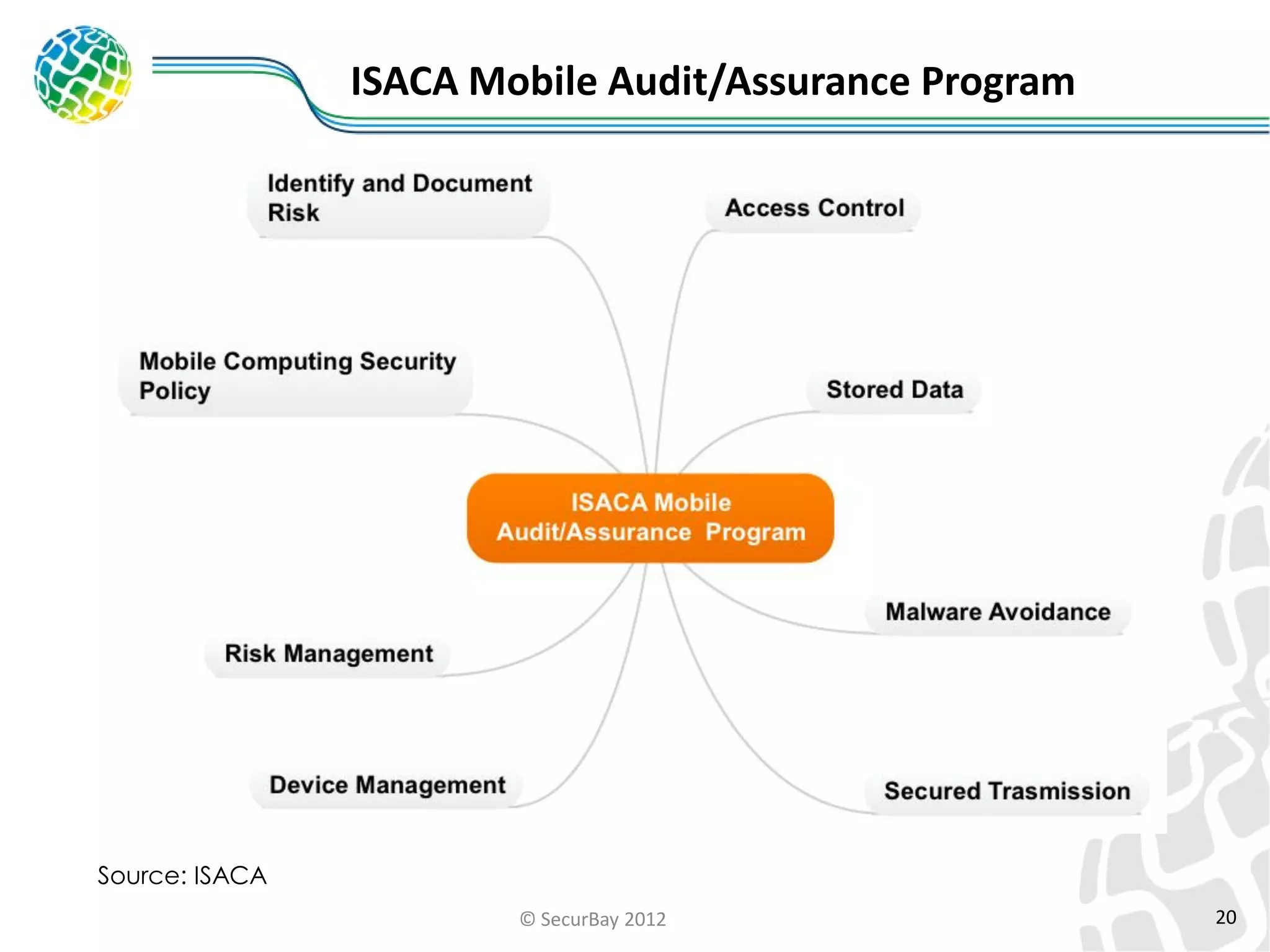
ISACA Mobile Audit/Assurance Program

Source: ISACA
© SecurBay 2012

20
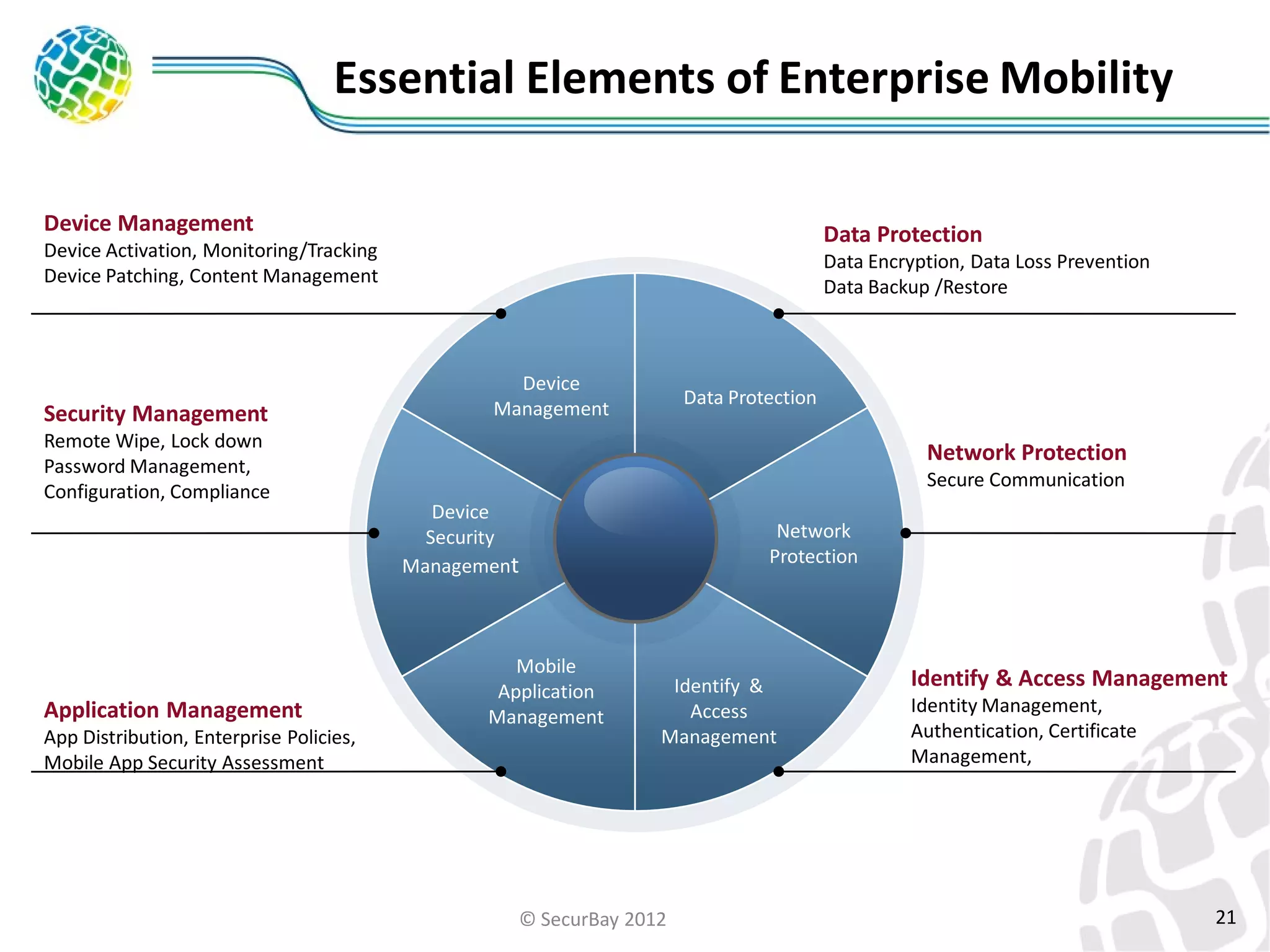
Essential Elements of Enterprise Mobility
Device Management

Data Protection

Device Activation, Monitoring/Tracking
Device Patching, Content Management

Security Management
Remote Wipe, Lock down
Password Management,
Configuration, Compliance

Application Management
App Distribution, Enterprise Policies,
Mobile App Security Assessment

Data Encryption, Data Loss Prevention
Data Backup /Restore

Device
Management

Data Protection

Network Protection
Secure Communication
Device
Security
Management

ePO

Mobile
Application
Management

Network
Protection

Identify &
Access
Management

© SecurBay 2012

Identify & Access Management
Identity Management,
Authentication, Certificate
Management,

21
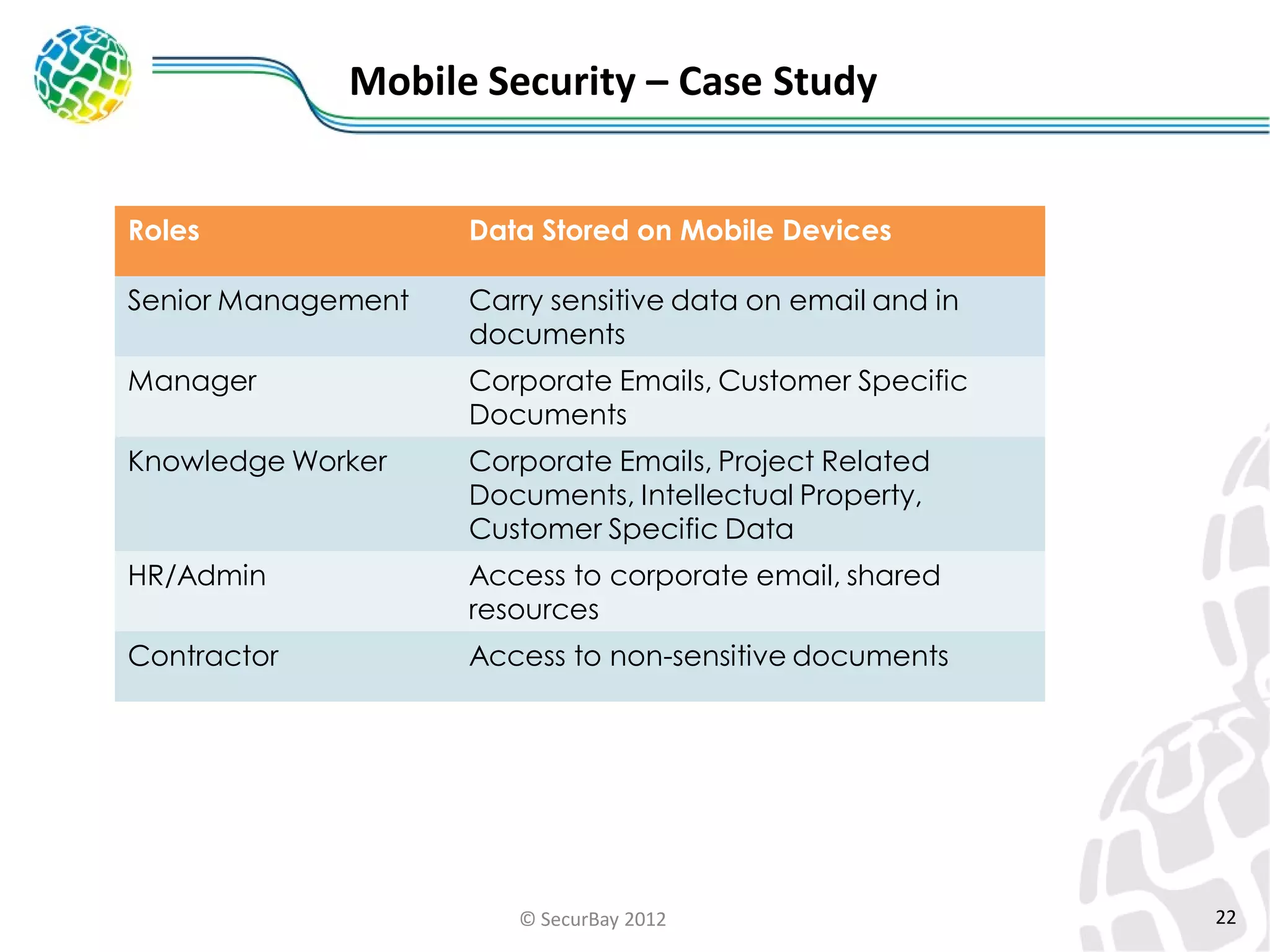
Mobile Security – Case Study
Roles

Data Stored on Mobile Devices

Senior Management

Carry sensitive data on email and in
documents

Manager

Corporate Emails, Customer Specific
Documents

Knowledge Worker

Corporate Emails, Project Related
Documents, Intellectual Property,
Customer Specific Data

HR/Admin

Access to corporate email, shared
resources

Contractor

Access to non-sensitive documents

© SecurBay 2012

22
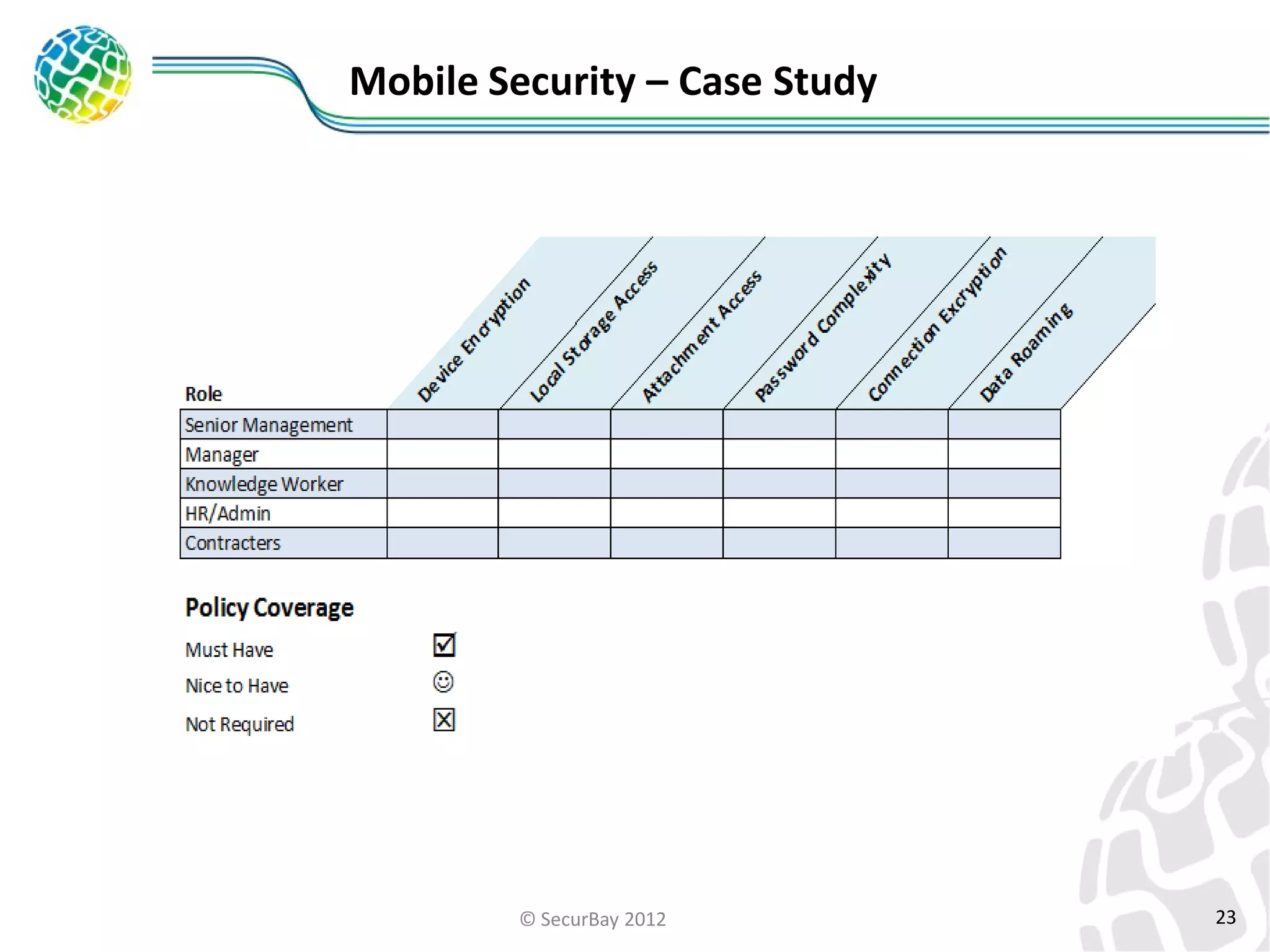
Mobile Security – Case Study

© SecurBay 2012

23
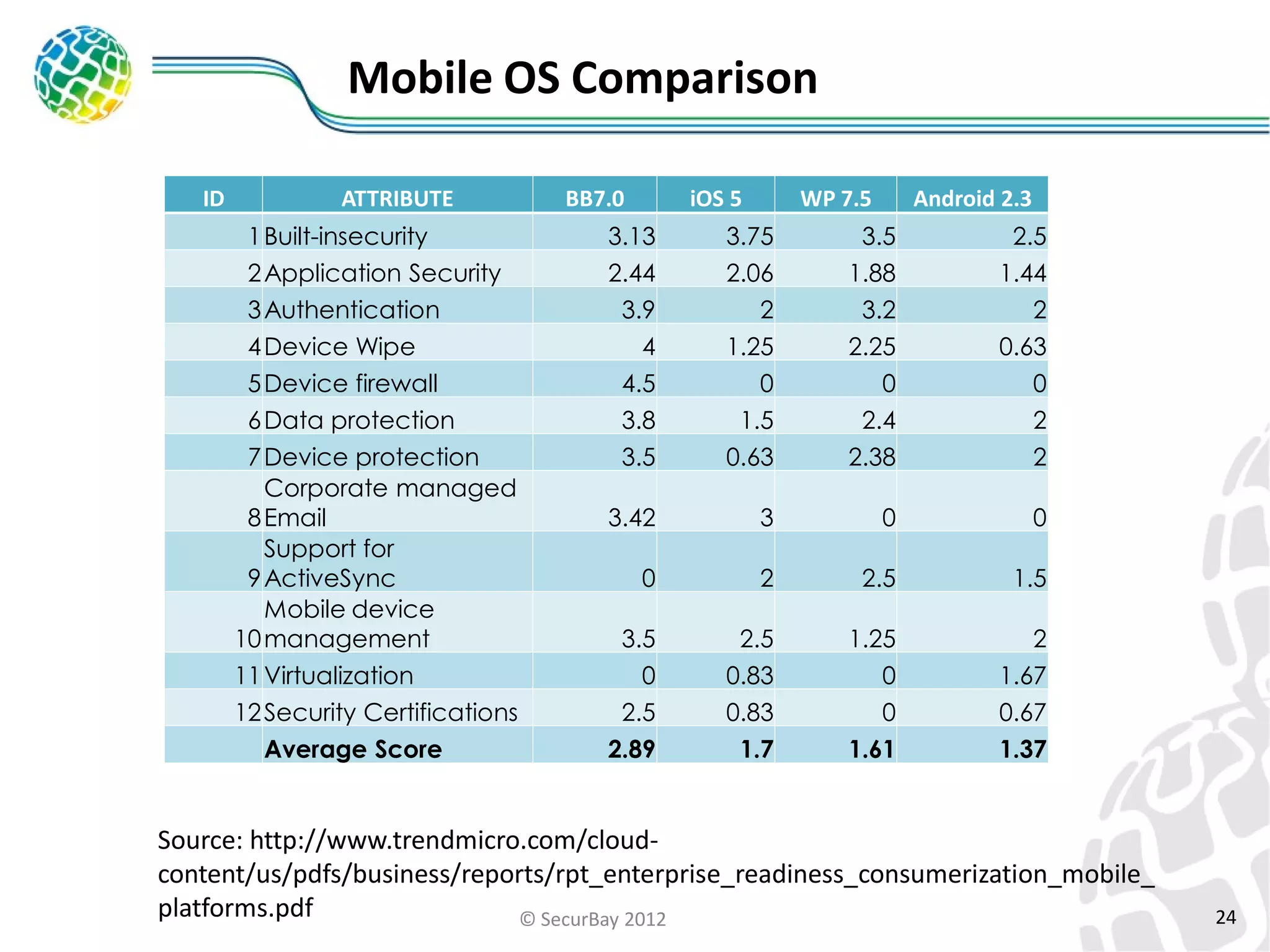
Mobile OS Comparison
ID

ATTRIBUTE
1 Built-insecurity
2 Application Security
3 Authentication
4 Device Wipe
5 Device firewall
6 Data protection
7 Device protection
Corporate managed
8 Email
Support for
9 ActiveSync
Mobile device
10 management
11 Virtualization
12 Security Certifications
Average Score

BB7.0

iOS 5

WP 7.5

Android 2.3

3.13
2.44
3.9
4
4.5
3.8
3.5

3.75
2.06
2
1.25
0
1.5
0.63

3.5
1.88
3.2
2.25
0
2.4
2.38

2.5
1.44
2
0.63
0
2
2

3.42

3

0

0

0

2

2.5

1.5

3.5
0
2.5
2.89

2.5
0.83
0.83
1.7

1.25
0
0
1.61

2
1.67
0.67
1.37

Source: http://www.trendmicro.com/cloudcontent/us/pdfs/business/reports/rpt_enterprise_readiness_consumerization_mobile_
platforms.pdf
© SecurBay 2012

24
Enterprise Mobility

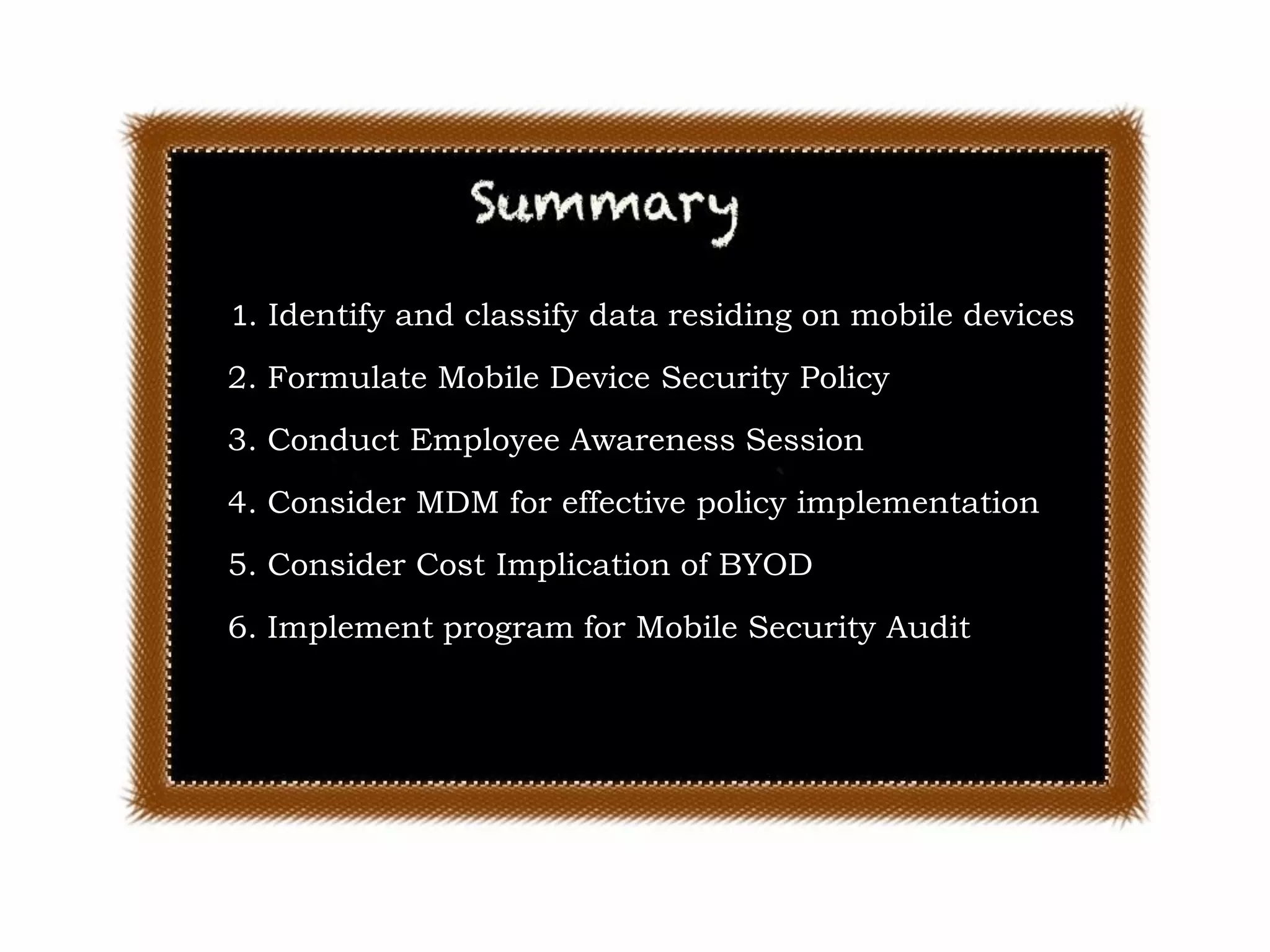
1. Identify and classify data residing on mobile devices
2. Formulate Mobile Device Security Policy

3. Conduct Employee Awareness Session
4. Consider MDM for effective policy implementation
5. Consider Cost Implication of BYOD
6. Implement program for Mobile Security Audit

© SecurBay 2012

25
References

•MDM Comparisons http://www.enterpriseios.com/wiki/Comparison_MDM_Providers
•“Technical Information Paper: Cyber Threats to Mobile Devices” (http://www.us-

cert.gov/reading_room/TIP10-105-01.pdf)
• “Protecting Portable Devices: Physical Security” (http://www.us-cert.gov/cas/tips/ST04-

017.html)
• “Protecting Portable Devices: Data Security” (http://www.us-cert.gov/cas/tips/ST04-

020.html)
• “Securing Wireless Networks” (http://www.us-cert.gov/cas/tips/ST05-003.html)
• “Cybersecurity for Electronic Devices” (http://www.us-cert.gov/cas/tips/ST05-017.html)
• “Defending Cell Phones and PDAs Against Attack” (http://www.uscert.gov/cas/tips/ST06-007.html)
•ISACA Audit/Assurance
http://www.isaca.org/KnowledgeCenter/Research/ResearchDeliverables/Pages/Mobile

-Computing-Security-Audit-Assurance-Program.aspx

© SecurBay 2012

26
Questions

© SecurBay 2012
End of Session 4

© SecurBay 2012
THANK YOU

© SecurBay 2012
Contact Us

info@securbay.com
satamsantosh

@

© SecurBay 2012
>

Innovative
Solutions &
Services

31

Session 4 Enterprise Mobile Security

  • 2.
  • 3.
    Session 4 –Enterprise Mobile Security  Lifecycle of Mobile Device Solutions  Mobile Policy using Use Cases  BYOD Scenarios  MDM Solutions  Mobile Audit & Assurance Program  Essential elements of Mobile Security  Case Study  Questions © SecurBay 2012 3
  • 4.
    BYOD is NotNew ! Source: a Greek marble relief that dates back to 100 BC @ Getty Museum in LA © SecurBay 2012 4
  • 5.
    Mobile Platform KeyIssues • Mobile is different than Desktops • Mobile platform security is immature • Mobile security features can be easily compromised © SecurBay 2012 5
  • 6.
    Life cycle ofenterprise mobile device solutions • Phase 1: Initiation • Phase 2: Development • Phase 3: Implementation • Phase 4: Operation and Maintenance • Phase 5: Disposal © SecurBay 2012 6
  • 7.
    Mobile Policy usingUse Case Definition • What types of devices will be allowed ? • What corporate data / application will be used ? • Who will be allowed to access data/application ? • What happens if the device is lost or stolen ? • How will be policy be communicated or enforced? • What about Asset Management ? • What about HR / Business Processes ? • Who will be responsible for BYOD Support ? • What about Asset Management ? • How do you control the communication cost ? • How do you Audit Mobile Security ? • How will you handle Employee Education ? © SecurBay 2012 7
  • 8.
  • 9.
    Challenges with unmanageddevices • Limited Security Controls • Often lack the rigor of those provided by a centralized mobile device management client application • Maintenance and Management • Patch Management issues • Desperate OS makes the control difficult © SecurBay 2012 9
  • 10.
    Mobile – EnterpriseStrategies High VDI/Remote VDI/Remo Desktop te Desktop Sandbox Sandbox Low Management Control Management Control Vs User Experience MDM Exchange ActiveSync Limited / No control Unfamiliar Familiar User Experience © SecurBay 2012 10
  • 11.
    Mobile Device Management • Remotelyset up email, VPN, calendar, identity certificates • Send free and pre-paid apps to devices • Send web bookmarks to devices • Inventory devices for apps, usage info, and identities • Configure features of email accounts not available in the UI: sandboxing, encryption • Additional restrictions on iCloud, encrypted backups, FaceTime, the App Store, videos, and more © SecurBay 2012 11
  • 12.
    MDM – Whatare different options ? • Exchange ActiveSync Protocol • • • • • • Require passcode Require a complex passcode Lock device after X unsuccessful attempts to unlock Disable camera Erase device Vendor Supplied • • • Often from the same vendor that makes a particular brand of phone Offers more robust support for the phones than third party products Third Party MDM • Single product that can manage multiple brands of phones desired for use within an enterprise. © SecurBay 2012 12
  • 13.
    Exchange ActiveSync • Exchange ActiveSyncProtocol • Developed by Microsoft in 2002 • Supported by Microsoft, Google, Lotus Notes © SecurBay 2012 13
  • 14.
    Exchange ActiveSync MailboxPolicy Examples Source: http://technet.microsoft.com/en-us/library/bb123484 © SecurBay 2012 14
  • 15.
    Google Apps DevicePolicy Source: http://support.google.com/a/bin/answer.py?hl=en&answer=1408863 © SecurBay 2012 15
  • 16.
    Apple Configuration Utility Source:Apple •Apple Configuration Utility helps to create configuration profiles. •Configuration profiles define how iOS devices work with your enterprise systems. © SecurBay 2012 16
  • 17.
    Third Party MDM– Multiple Choices © SecurBay 2012 17
  • 18.
    Selecting MDM Solution • Applications:Can the vendor's MDM product manage the deployment, maintenance and use of mobile applications? • Security: Does the product provide such security features as authentication, encryption and device wipe? • Policy: Does the mobile device management system allow the enterprise to define, enter and monitor its mobile policies? • Device: Does the system give you the ability to manage mobile devices' underlying hardware and operating systems (BlackBerry, Windows Mobile, iPhone, Android, Symbian or webOS)? • Platform: Does it provide such core functions as centralized administration, Over the Air provisioning, monitoring and vendor templates to simplify provisioning? • Integration: Does the system integrate with existing systems, such as your identity server? © SecurBay 2012 18
  • 19.
    ISACA Mobile Audit/AssuranceProgram • Mobile computing security addresses the following COBIT processes •PO4 Define the IT processes, organization and relationships. •PO6 Communicate management aims and directions. •PO9 Assess and manage risks. •DS5 Ensure systems security. •DS11 Manage data. •ME3 Ensure compliance with established regulations. © SecurBay 2012 19
  • 20.
    ISACA Mobile Audit/AssuranceProgram Source: ISACA © SecurBay 2012 20
  • 21.
    Essential Elements ofEnterprise Mobility Device Management Data Protection Device Activation, Monitoring/Tracking Device Patching, Content Management Security Management Remote Wipe, Lock down Password Management, Configuration, Compliance Application Management App Distribution, Enterprise Policies, Mobile App Security Assessment Data Encryption, Data Loss Prevention Data Backup /Restore Device Management Data Protection Network Protection Secure Communication Device Security Management ePO Mobile Application Management Network Protection Identify & Access Management © SecurBay 2012 Identify & Access Management Identity Management, Authentication, Certificate Management, 21
  • 22.
    Mobile Security –Case Study Roles Data Stored on Mobile Devices Senior Management Carry sensitive data on email and in documents Manager Corporate Emails, Customer Specific Documents Knowledge Worker Corporate Emails, Project Related Documents, Intellectual Property, Customer Specific Data HR/Admin Access to corporate email, shared resources Contractor Access to non-sensitive documents © SecurBay 2012 22
  • 23.
    Mobile Security –Case Study © SecurBay 2012 23
  • 24.
    Mobile OS Comparison ID ATTRIBUTE 1Built-insecurity 2 Application Security 3 Authentication 4 Device Wipe 5 Device firewall 6 Data protection 7 Device protection Corporate managed 8 Email Support for 9 ActiveSync Mobile device 10 management 11 Virtualization 12 Security Certifications Average Score BB7.0 iOS 5 WP 7.5 Android 2.3 3.13 2.44 3.9 4 4.5 3.8 3.5 3.75 2.06 2 1.25 0 1.5 0.63 3.5 1.88 3.2 2.25 0 2.4 2.38 2.5 1.44 2 0.63 0 2 2 3.42 3 0 0 0 2 2.5 1.5 3.5 0 2.5 2.89 2.5 0.83 0.83 1.7 1.25 0 0 1.61 2 1.67 0.67 1.37 Source: http://www.trendmicro.com/cloudcontent/us/pdfs/business/reports/rpt_enterprise_readiness_consumerization_mobile_ platforms.pdf © SecurBay 2012 24
  • 25.
    Enterprise Mobility 1. Identifyand classify data residing on mobile devices 2. Formulate Mobile Device Security Policy 3. Conduct Employee Awareness Session 4. Consider MDM for effective policy implementation 5. Consider Cost Implication of BYOD 6. Implement program for Mobile Security Audit © SecurBay 2012 25
  • 26.
    References •MDM Comparisons http://www.enterpriseios.com/wiki/Comparison_MDM_Providers •“TechnicalInformation Paper: Cyber Threats to Mobile Devices” (http://www.us- cert.gov/reading_room/TIP10-105-01.pdf) • “Protecting Portable Devices: Physical Security” (http://www.us-cert.gov/cas/tips/ST04- 017.html) • “Protecting Portable Devices: Data Security” (http://www.us-cert.gov/cas/tips/ST04- 020.html) • “Securing Wireless Networks” (http://www.us-cert.gov/cas/tips/ST05-003.html) • “Cybersecurity for Electronic Devices” (http://www.us-cert.gov/cas/tips/ST05-017.html) • “Defending Cell Phones and PDAs Against Attack” (http://www.uscert.gov/cas/tips/ST06-007.html) •ISACA Audit/Assurance http://www.isaca.org/KnowledgeCenter/Research/ResearchDeliverables/Pages/Mobile -Computing-Security-Audit-Assurance-Program.aspx © SecurBay 2012 26
  • 27.
  • 28.
    End of Session4 © SecurBay 2012
  • 29.
  • 30.
  • 31.