
Prevent the Misuse of Stolen Credentials
James Romer – Chief Security Architect EMEA
Beyond Two-Factor: Secure
Access Control for O365
• All attendee audio lines are muted
• Submit questions via Q&A panel at any time
• Questions will be answered during Q&A at the end of the presentation
• Slides and recording will be sent later this week
• Contact us at webinars@secureauth.com
Webinar Housekeeping
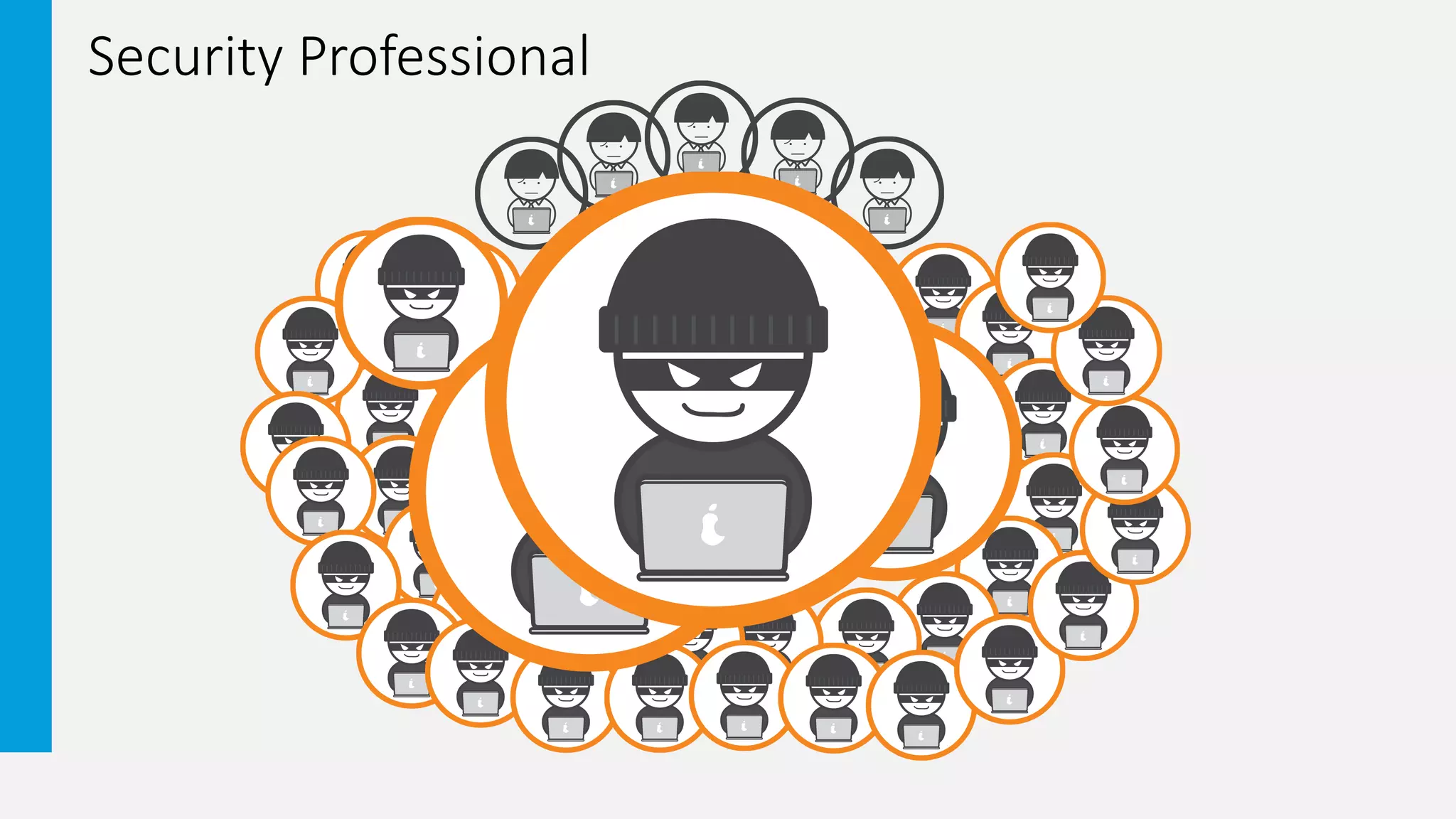
Security Professional
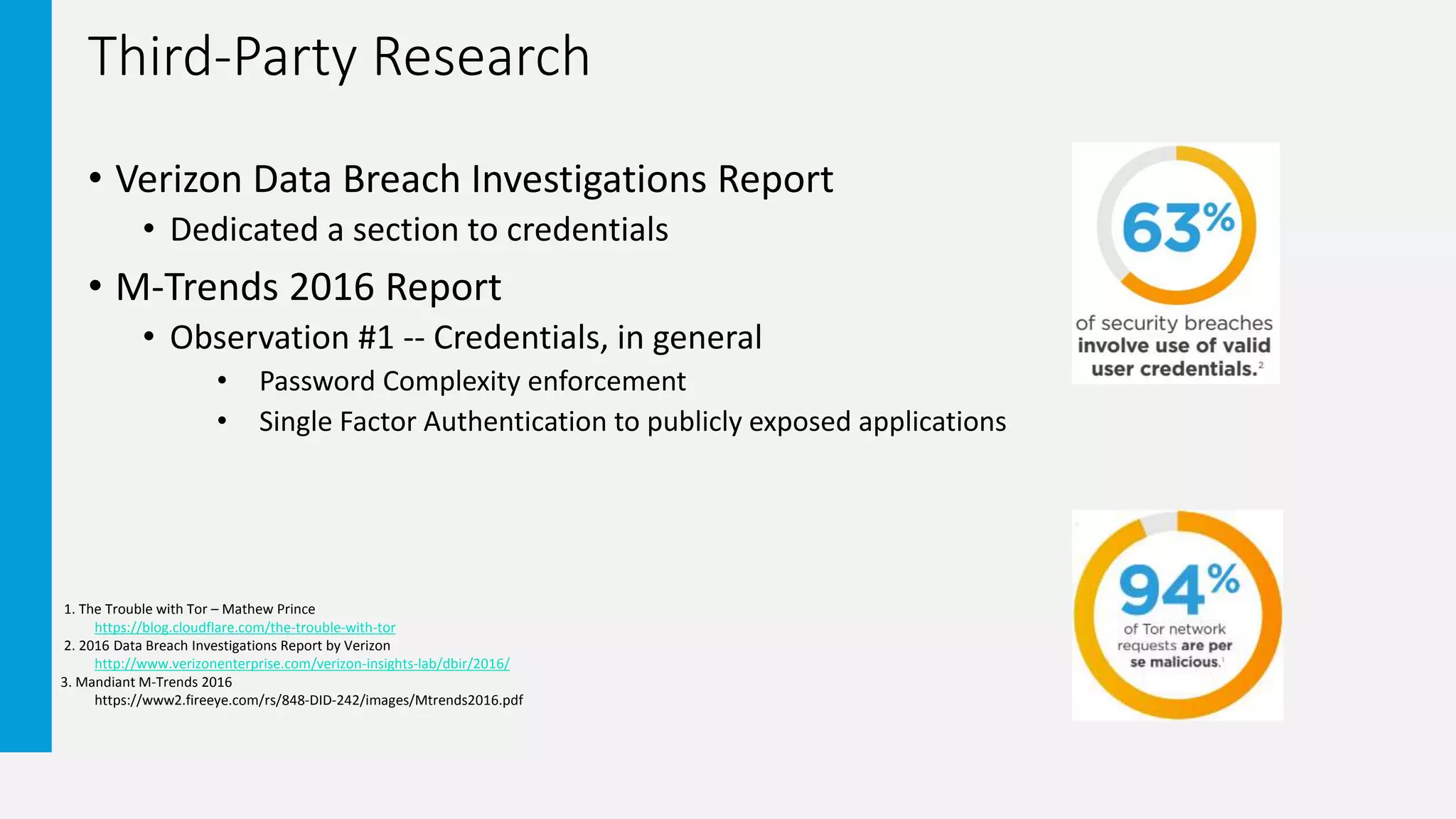
Third-Party Research
• Verizon Data Breach Investigations Report
• Dedicated a section to credentials
• M-Trends 2016 Report
• Observation #1 -- Credentials, in general
• Password Complexity enforcement
• Single Factor Authentication to publicly exposed applications
1. The Trouble with Tor – Mathew Prince
https://blog.cloudflare.com/the-trouble-with-tor
2. 2016 Data Breach Investigations Report by Verizon
http://www.verizonenterprise.com/verizon-insights-lab/dbir/2016/
3. Mandiant M-Trends 2016
https://www2.fireeye.com/rs/848-DID-242/images/Mtrends2016.pdf
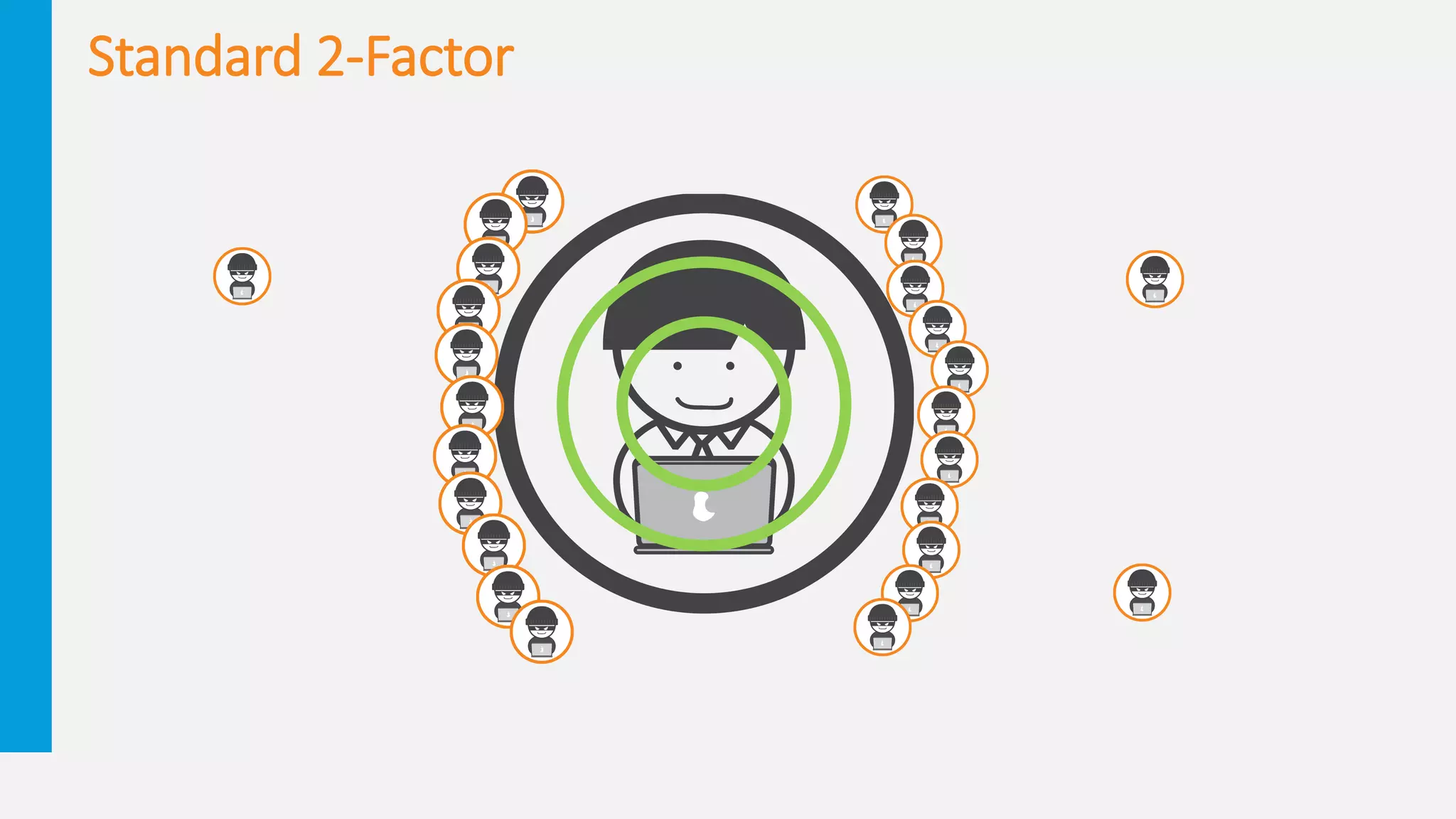
Standard 2-Factor
2 Factor #FAIL – Disclaimer
• The following 2 Factor Fail Slides are examples of where and how that
second factor has failed or been compromised. This does not mean to
illustrate the removal of the use of second factor authentication
methods. We recommend evaluating the security need of the identity
being protected by the second factor authentication method.
• We are in danger of running towards a broken methodology
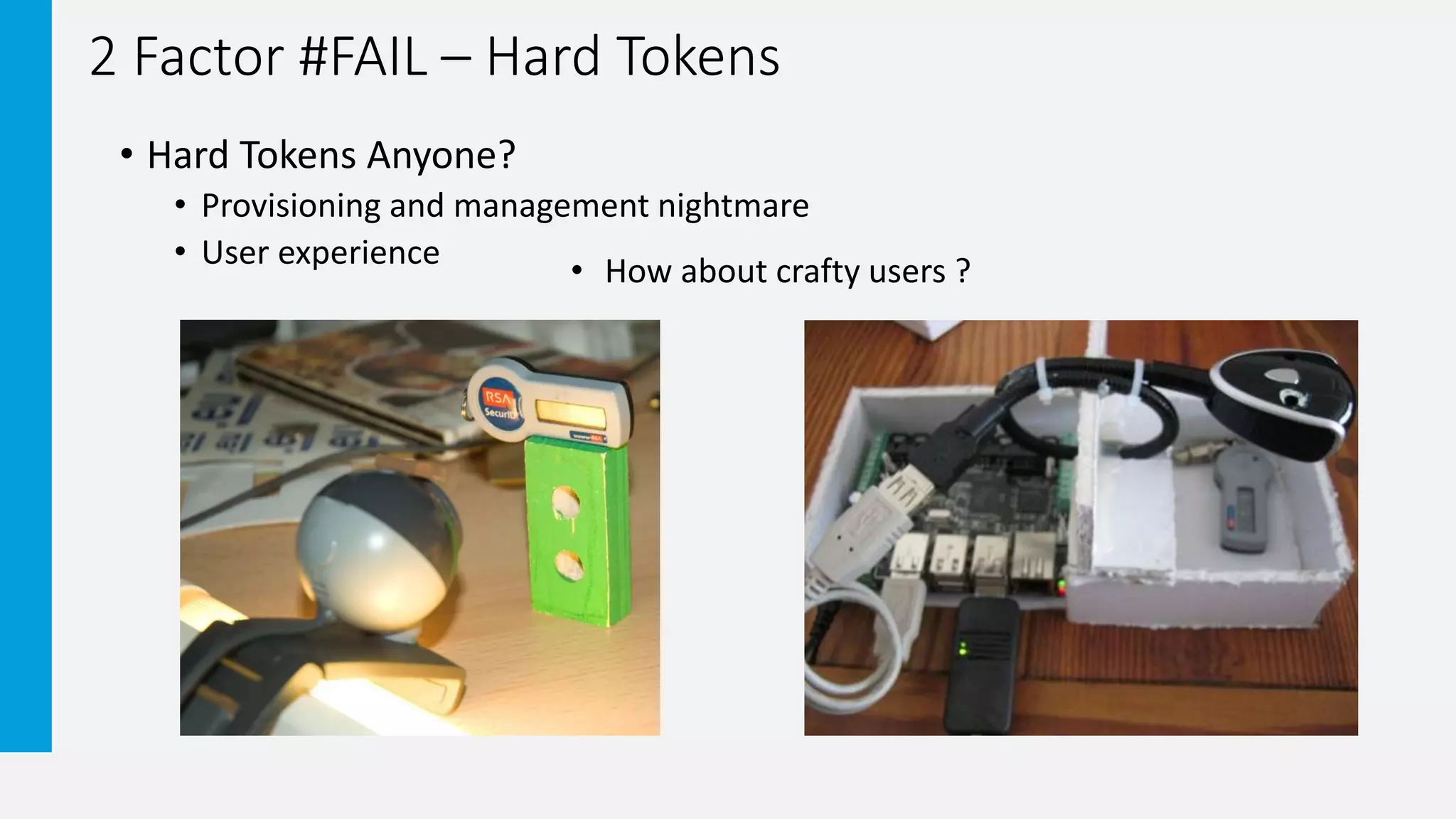
2 Factor #FAIL – Hard Tokens
• Hard Tokens Anyone?
• Provisioning and management nightmare
• User experience
• How about crafty users ?
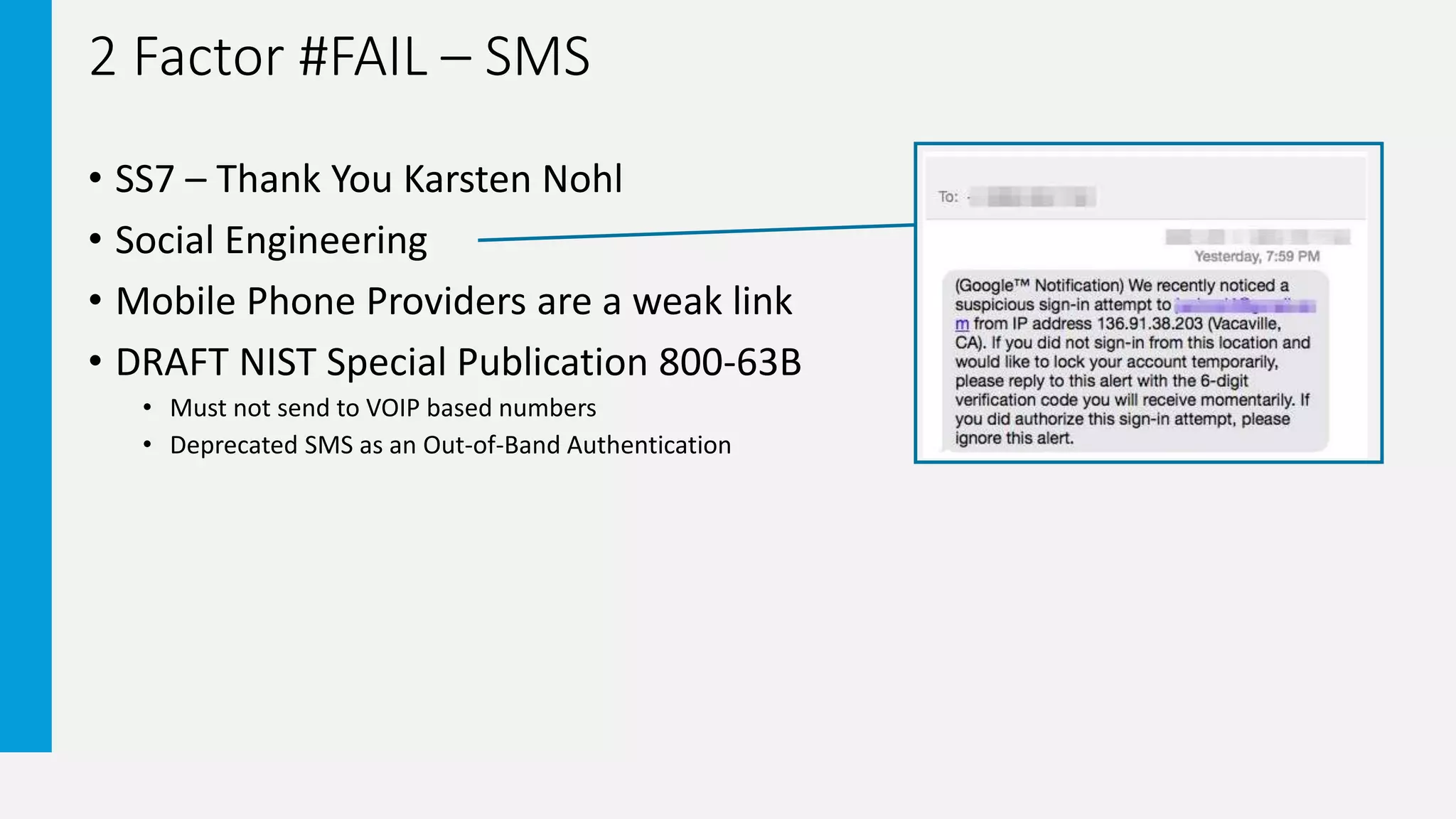
2 Factor #FAIL – SMS
• SS7 – Thank You Karsten Nohl
• Social Engineering
• Mobile Phone Providers are a weak link
• DRAFT NIST Special Publication 800-63B
• Must not send to VOIP based numbers
• Deprecated SMS as an Out-of-Band Authentication
2 Factor #FAIL – KBQ-KBA
• Social Engineering
• Some are based on Public Record
• Users tend to forget answers
• Security Practices guide users to leverage incorrect answers
2 Factor #FAIL – Simple Push-to-Accept
• Human Behavior --- Implementation
• Wrongly accept authentication requests
Dave Kennedy DEFCON 22 -- Destroying Education and Awareness
https://www.youtube.com/watch?v=vcA6dLl5Sa4&feature=youtu.be&t=30m38s
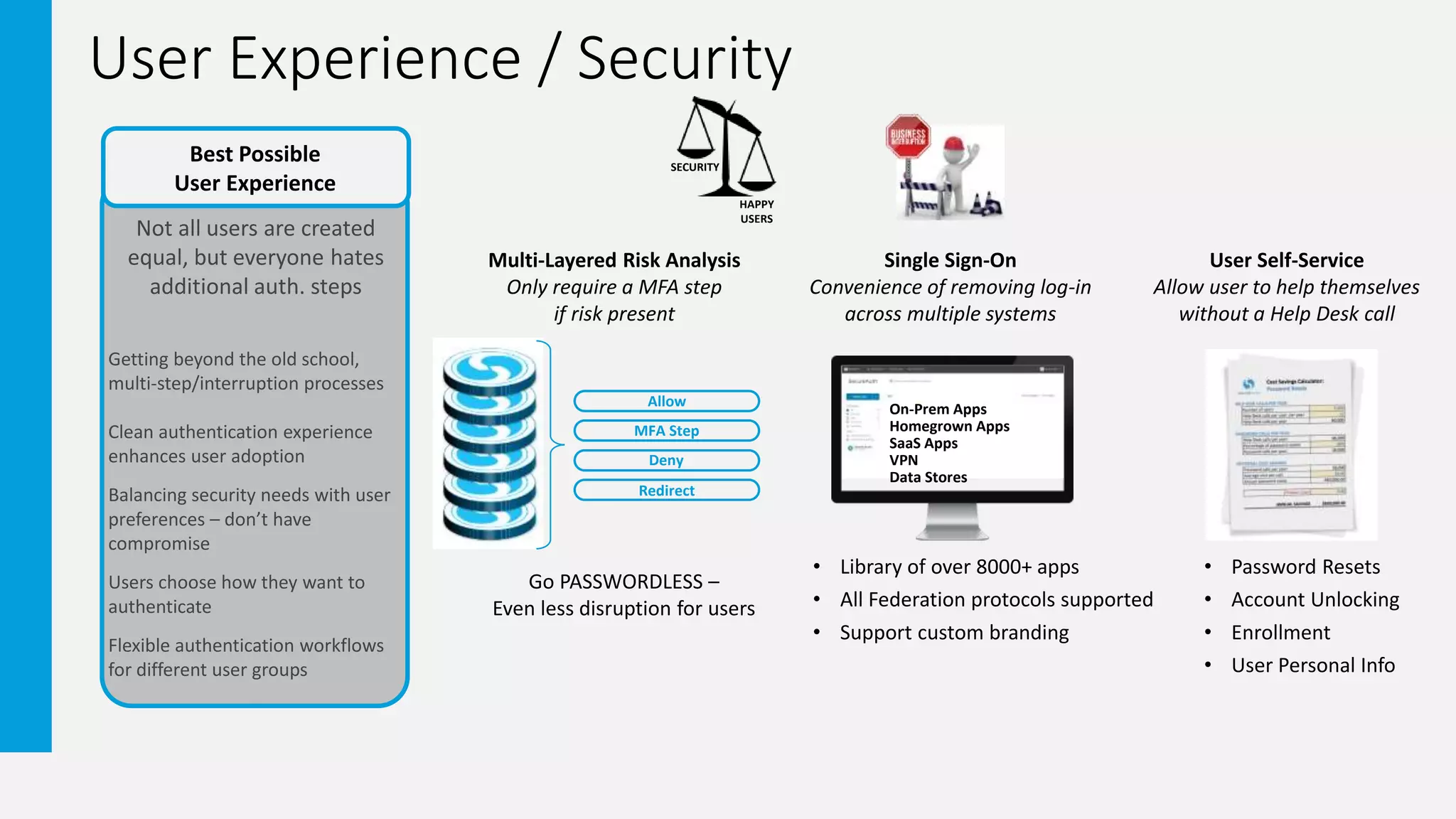
User Experience / Security
Not all users are created
equal, but everyone hates
additional auth. steps
Getting beyond the old school,
multi-step/interruption processes
Clean authentication experience
enhances user adoption
Balancing security needs with user
preferences – don’t have
compromise
Users choose how they want to
authenticate
Flexible authentication workflows
for different user groups
Best Possible
User Experience
SECURITY
HAPPY
USERS
MFA Step
Deny
Redirect
Allow
Go PASSWORDLESS –
Even less disruption for users
Multi-Layered Risk Analysis
Only require a MFA step
if risk present
Single Sign-On
Convenience of removing log-in
across multiple systems
User Self-Service
Allow user to help themselves
without a Help Desk call
On-Prem Apps
Homegrown Apps
SaaS Apps
VPN
Data Stores
• Password Resets
• Account Unlocking
• Enrollment
• User Personal Info
• Library of over 8000+ apps
• All Federation protocols supported
• Support custom branding
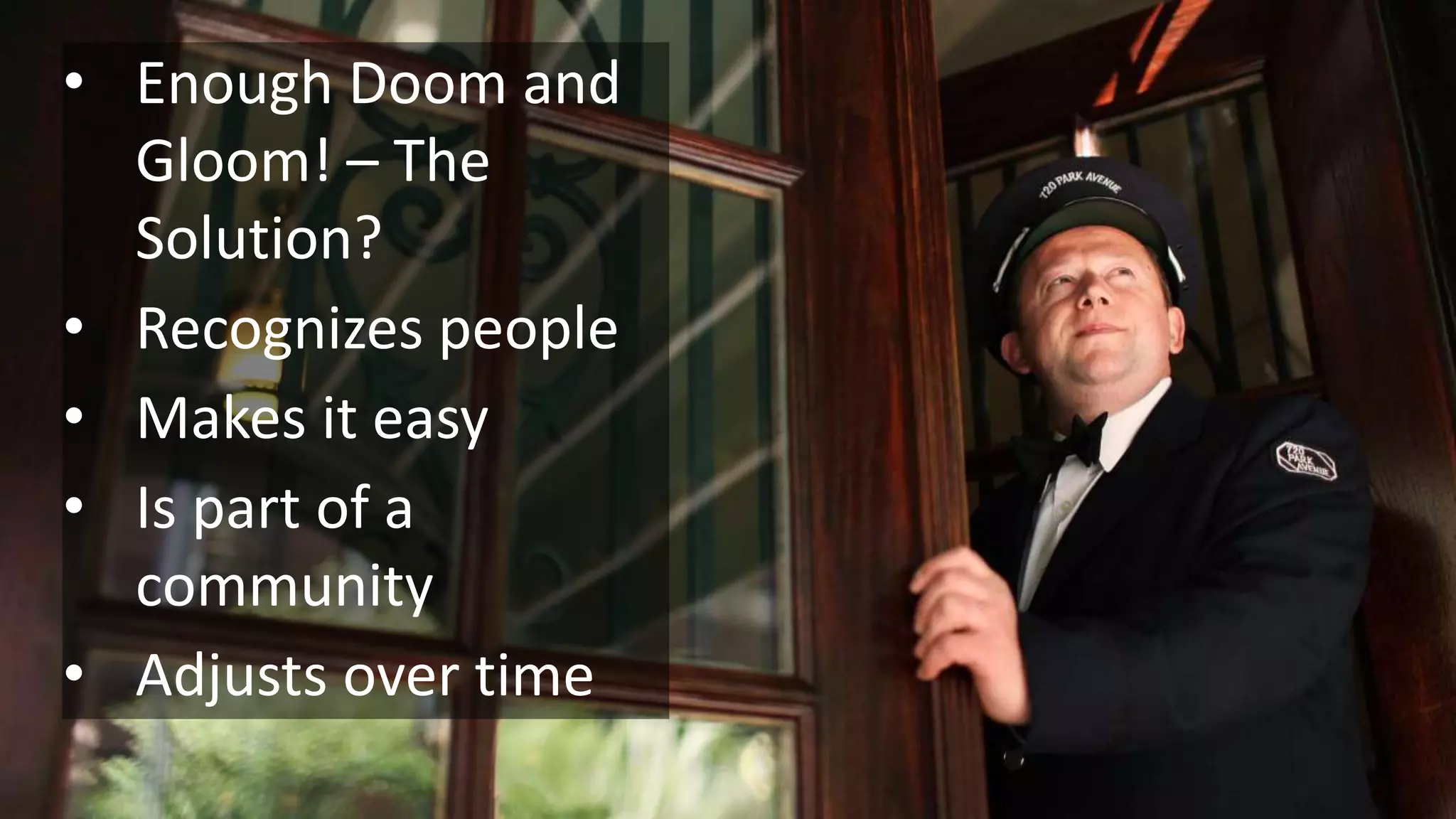
• Enough Doom and
Gloom! – The
Solution?
• Recognizes people
• Makes it easy
• Is part of a
community
• Adjusts over time
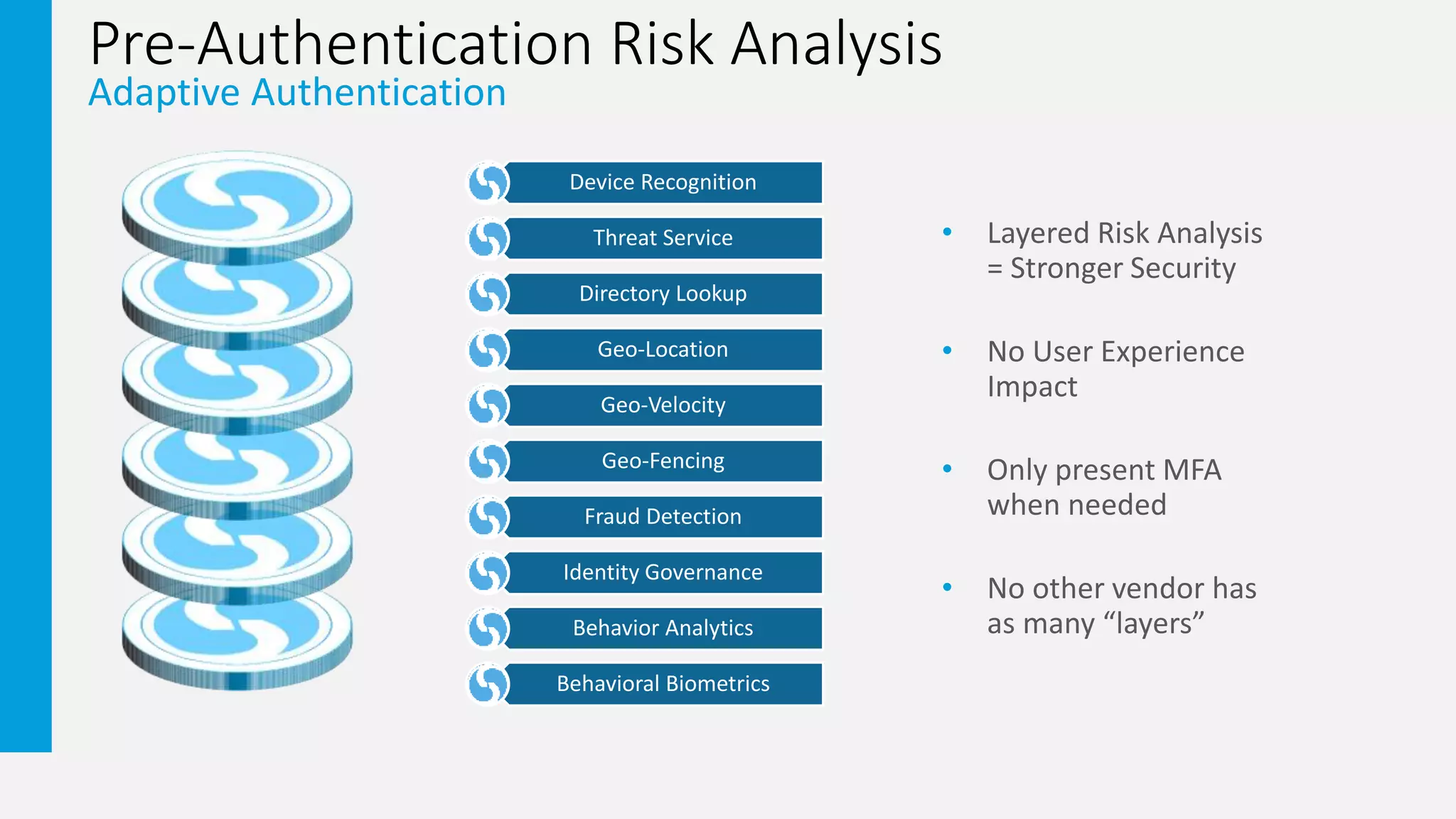
Pre-Authentication Risk Analysis
Adaptive Authentication
• Layered Risk Analysis
= Stronger Security
• No User Experience
Impact
• Only present MFA
when needed
• No other vendor has
as many “layers”
Device Recognition
Threat Service
Directory Lookup
Geo-Location
Geo-Velocity
Geo-Fencing
Fraud Detection
Identity Governance
Behavior Analytics
Behavioral Biometrics
Pre-Authentication Risk Analysis
Adaptive Authentication
Device Recognition
Threat Service
Directory Lookup
Geo-Location
Geo-Velocity
Geo-Fencing
Fraud Prevention
Identity Governance
Behavior Analytics
Behavioral Biometrics
Do we recognize this device?
Associated with a user we know?
Real-time Threat Intelligence
IP Address Interrogation
Group membership and
attribute checking
Request coming from a known location?
Do we have employees, partners or
customers here?
Has an improbable travel
event taken place?
Who should/does have access rights?
High Access Rights = greater risk/vulnerability
Track normal behavior
Looking for anomalies
Typing Sequences & Mouse Movements
Unique to each user on each device
Access request coming from within
or outside a geographic barrier
Reduce # of OTPs, Block device class,
Identify “porting” status, Block by carrier
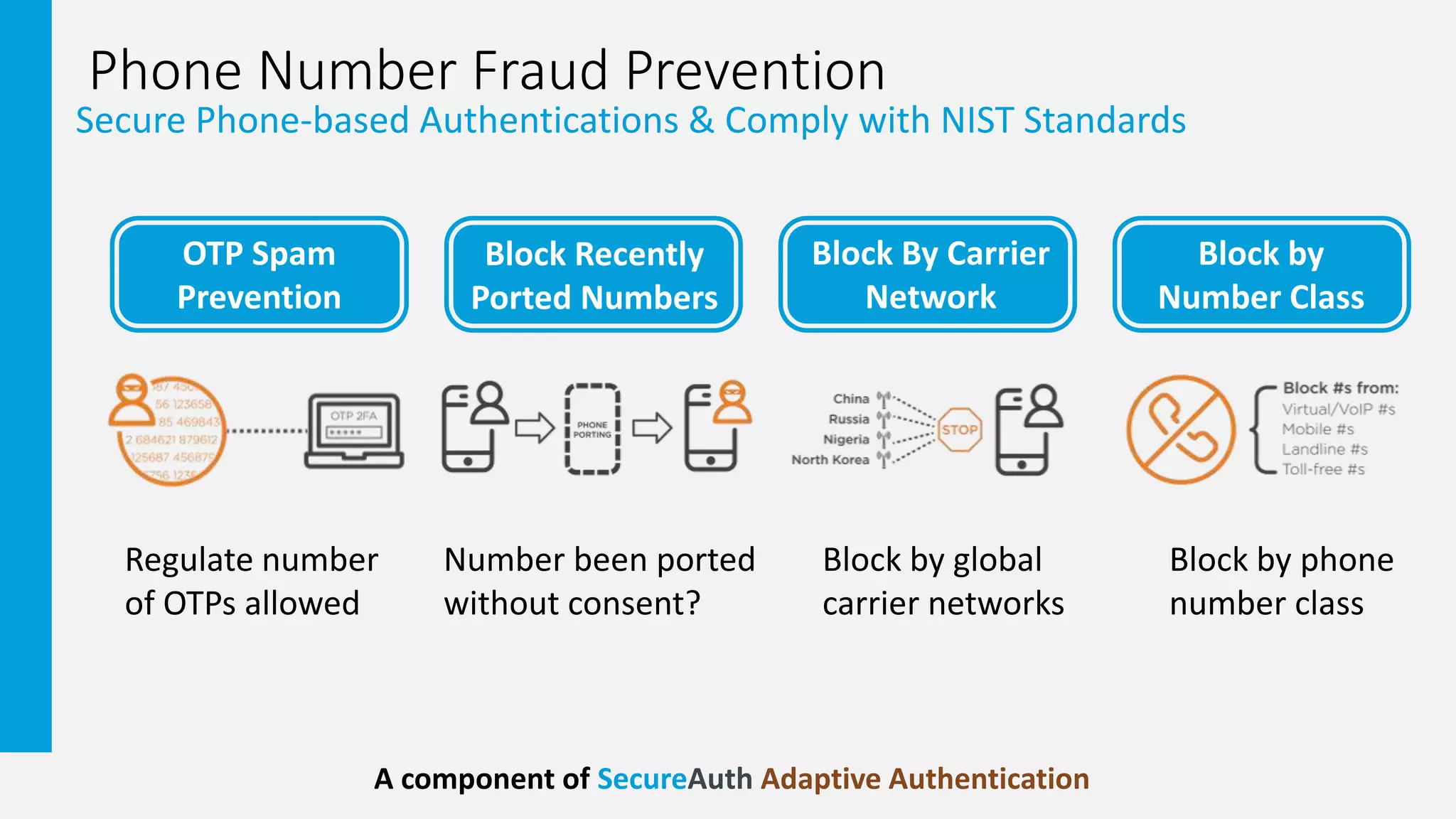
Phone Number Fraud Prevention
Secure Phone-based Authentications & Comply with NIST Standards
OTP Spam
Prevention
Regulate number
of OTPs allowed
Number been ported
without consent?
Block by global
carrier networks
Block by phone
number class
A component of SecureAuth Adaptive Authentication
Block Recently
Ported Numbers
Block by
Number Class
Block By Carrier
Network
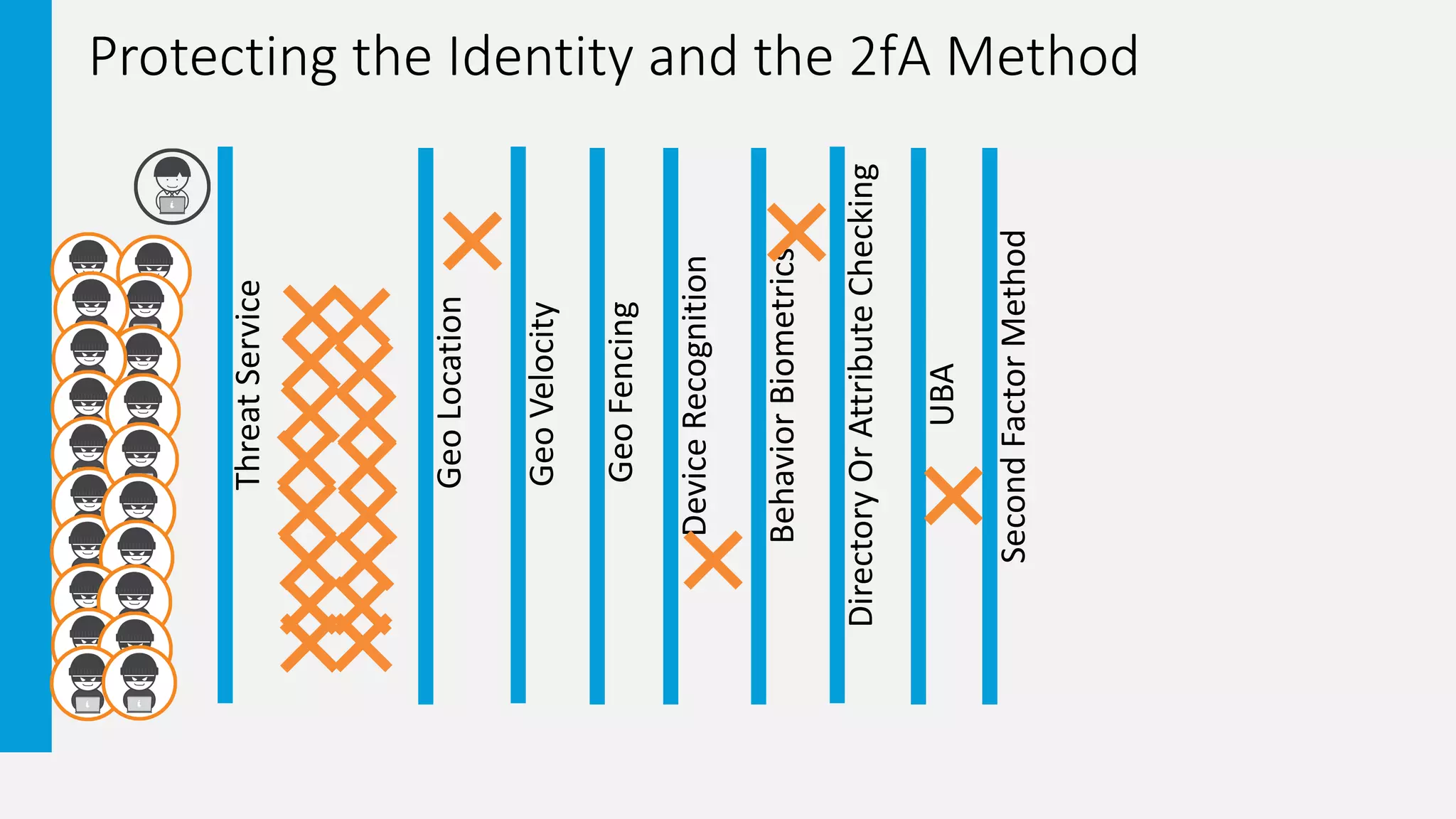
Protecting the Identity and the 2fA Method
ThreatService
GeoLocation
GeoVelocity
DeviceRecognition
BehaviorBiometrics
DirectoryOrAttributeChecking
UBA
GeoFencing
SecondFactorMethod
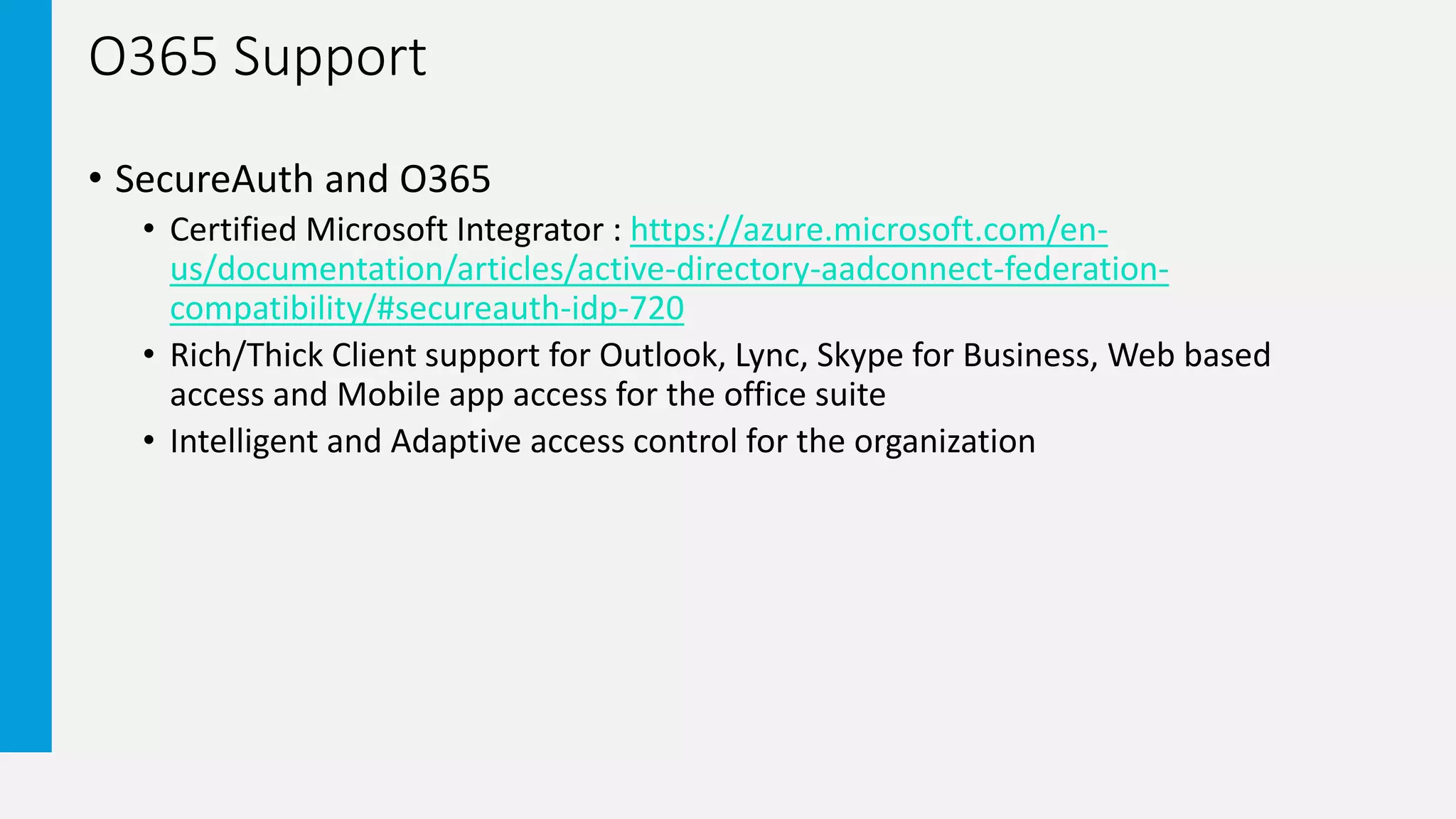
O365 Support
• SecureAuth and O365
• Certified Microsoft Integrator : https://azure.microsoft.com/en-
us/documentation/articles/active-directory-aadconnect-federation-
compatibility/#secureauth-idp-720
• Rich/Thick Client support for Outlook, Lync, Skype for Business, Web based
access and Mobile app access for the office suite
• Intelligent and Adaptive access control for the organization
Demo
• SecureAuth and O365
• Browser access from an untrusted device
• Browser access from a trusted device
• Browser access from an anonymous source
Become Proactive!
• Now that we have all this information on our Identities what else can we
do with it?
• Take automated actions
• Provide the most appropriate 2fA option
• Apply continuous authentication measures
• Lock the User account / Reset Password
• Report Automated Action to SIEM
• Send Notification to Administrators
• Send Notification to User
• Allow the valid Identity to self remediate with Service Service tools
In Summary – 2fA Is Not Enough
Profound difference between
being “compliant” & actually
being “secure”
Antiquated 2FA doesn’t provide
adequate access controls
• KBAs - socially engineered
• Tokens & devices can be
compromised
• OTPs via SMS/Text can be
intercepted
• Push-to-accept known to
routinely be falsely accepted
Old school approaches & methods
carry an increasing IT burden and
cost to manage
Compliance/2FA
NOT Enough
30+ MFA Methods
Choice and Flexibility
Multi-Layered Risk Analysis
Strengthen security with
minimal disruption to users
+
• Fingerprint Biometric
• Symbol-to-Accept
• SecureAuth App (w/
Fraud Detection)
• 25+ more methods…
+
Infinite Workflows
Different auth workflows for
groups, individuals, and/or apps
SIEM
Security Info & Event Mgmt
UBA
User Behavior Analytics
Dashboard
Visualize Access Control Data
Data Sharing
Correlate Access Control Data with Your Security Operations Center (SOC)
We use ADFS – Do we need to replace it?
• SecureAuth as a claims provider trust
• Take advantage of best of breed 20+ authentication techniques
• Utilise 10 layers of pre-authentication risk checking – bring authentication
intelligence into ADFS
• Compliment ADFS with all common SSO standards
• Deploy adaptive authentication without impacting the users
• SecureAuth authentication adapter
• Installs into ADFS to provide adaptive authentication
• Take advantage of best of breed authentication techniques
Question &
Answer
THANK YOU
Copyright SecureAuth Corporation 2017

Webinar: Beyond Two-Factor: Secure Access Control for Office 365

  • 1.
    Prevent the Misuseof Stolen Credentials James Romer – Chief Security Architect EMEA Beyond Two-Factor: Secure Access Control for O365
  • 2.
    • All attendeeaudio lines are muted • Submit questions via Q&A panel at any time • Questions will be answered during Q&A at the end of the presentation • Slides and recording will be sent later this week • Contact us at webinars@secureauth.com Webinar Housekeeping
  • 3.
  • 4.
    Third-Party Research • VerizonData Breach Investigations Report • Dedicated a section to credentials • M-Trends 2016 Report • Observation #1 -- Credentials, in general • Password Complexity enforcement • Single Factor Authentication to publicly exposed applications 1. The Trouble with Tor – Mathew Prince https://blog.cloudflare.com/the-trouble-with-tor 2. 2016 Data Breach Investigations Report by Verizon http://www.verizonenterprise.com/verizon-insights-lab/dbir/2016/ 3. Mandiant M-Trends 2016 https://www2.fireeye.com/rs/848-DID-242/images/Mtrends2016.pdf
  • 5.
  • 6.
    2 Factor #FAIL– Disclaimer • The following 2 Factor Fail Slides are examples of where and how that second factor has failed or been compromised. This does not mean to illustrate the removal of the use of second factor authentication methods. We recommend evaluating the security need of the identity being protected by the second factor authentication method. • We are in danger of running towards a broken methodology
  • 7.
    2 Factor #FAIL– Hard Tokens • Hard Tokens Anyone? • Provisioning and management nightmare • User experience • How about crafty users ?
  • 8.
    2 Factor #FAIL– SMS • SS7 – Thank You Karsten Nohl • Social Engineering • Mobile Phone Providers are a weak link • DRAFT NIST Special Publication 800-63B • Must not send to VOIP based numbers • Deprecated SMS as an Out-of-Band Authentication
  • 9.
    2 Factor #FAIL– KBQ-KBA • Social Engineering • Some are based on Public Record • Users tend to forget answers • Security Practices guide users to leverage incorrect answers
  • 10.
    2 Factor #FAIL– Simple Push-to-Accept • Human Behavior --- Implementation • Wrongly accept authentication requests Dave Kennedy DEFCON 22 -- Destroying Education and Awareness https://www.youtube.com/watch?v=vcA6dLl5Sa4&feature=youtu.be&t=30m38s
  • 11.
    User Experience /Security Not all users are created equal, but everyone hates additional auth. steps Getting beyond the old school, multi-step/interruption processes Clean authentication experience enhances user adoption Balancing security needs with user preferences – don’t have compromise Users choose how they want to authenticate Flexible authentication workflows for different user groups Best Possible User Experience SECURITY HAPPY USERS MFA Step Deny Redirect Allow Go PASSWORDLESS – Even less disruption for users Multi-Layered Risk Analysis Only require a MFA step if risk present Single Sign-On Convenience of removing log-in across multiple systems User Self-Service Allow user to help themselves without a Help Desk call On-Prem Apps Homegrown Apps SaaS Apps VPN Data Stores • Password Resets • Account Unlocking • Enrollment • User Personal Info • Library of over 8000+ apps • All Federation protocols supported • Support custom branding
  • 12.
    • Enough Doomand Gloom! – The Solution? • Recognizes people • Makes it easy • Is part of a community • Adjusts over time
  • 13.
    Pre-Authentication Risk Analysis AdaptiveAuthentication • Layered Risk Analysis = Stronger Security • No User Experience Impact • Only present MFA when needed • No other vendor has as many “layers” Device Recognition Threat Service Directory Lookup Geo-Location Geo-Velocity Geo-Fencing Fraud Detection Identity Governance Behavior Analytics Behavioral Biometrics
  • 14.
    Pre-Authentication Risk Analysis AdaptiveAuthentication Device Recognition Threat Service Directory Lookup Geo-Location Geo-Velocity Geo-Fencing Fraud Prevention Identity Governance Behavior Analytics Behavioral Biometrics Do we recognize this device? Associated with a user we know? Real-time Threat Intelligence IP Address Interrogation Group membership and attribute checking Request coming from a known location? Do we have employees, partners or customers here? Has an improbable travel event taken place? Who should/does have access rights? High Access Rights = greater risk/vulnerability Track normal behavior Looking for anomalies Typing Sequences & Mouse Movements Unique to each user on each device Access request coming from within or outside a geographic barrier Reduce # of OTPs, Block device class, Identify “porting” status, Block by carrier
  • 15.
    Phone Number FraudPrevention Secure Phone-based Authentications & Comply with NIST Standards OTP Spam Prevention Regulate number of OTPs allowed Number been ported without consent? Block by global carrier networks Block by phone number class A component of SecureAuth Adaptive Authentication Block Recently Ported Numbers Block by Number Class Block By Carrier Network
  • 16.
    Protecting the Identityand the 2fA Method ThreatService GeoLocation GeoVelocity DeviceRecognition BehaviorBiometrics DirectoryOrAttributeChecking UBA GeoFencing SecondFactorMethod
  • 17.
    O365 Support • SecureAuthand O365 • Certified Microsoft Integrator : https://azure.microsoft.com/en- us/documentation/articles/active-directory-aadconnect-federation- compatibility/#secureauth-idp-720 • Rich/Thick Client support for Outlook, Lync, Skype for Business, Web based access and Mobile app access for the office suite • Intelligent and Adaptive access control for the organization
  • 18.
    Demo • SecureAuth andO365 • Browser access from an untrusted device • Browser access from a trusted device • Browser access from an anonymous source
  • 19.
    Become Proactive! • Nowthat we have all this information on our Identities what else can we do with it? • Take automated actions • Provide the most appropriate 2fA option • Apply continuous authentication measures • Lock the User account / Reset Password • Report Automated Action to SIEM • Send Notification to Administrators • Send Notification to User • Allow the valid Identity to self remediate with Service Service tools
  • 20.
    In Summary –2fA Is Not Enough Profound difference between being “compliant” & actually being “secure” Antiquated 2FA doesn’t provide adequate access controls • KBAs - socially engineered • Tokens & devices can be compromised • OTPs via SMS/Text can be intercepted • Push-to-accept known to routinely be falsely accepted Old school approaches & methods carry an increasing IT burden and cost to manage Compliance/2FA NOT Enough 30+ MFA Methods Choice and Flexibility Multi-Layered Risk Analysis Strengthen security with minimal disruption to users + • Fingerprint Biometric • Symbol-to-Accept • SecureAuth App (w/ Fraud Detection) • 25+ more methods… + Infinite Workflows Different auth workflows for groups, individuals, and/or apps SIEM Security Info & Event Mgmt UBA User Behavior Analytics Dashboard Visualize Access Control Data Data Sharing Correlate Access Control Data with Your Security Operations Center (SOC)
  • 21.
    We use ADFS– Do we need to replace it? • SecureAuth as a claims provider trust • Take advantage of best of breed 20+ authentication techniques • Utilise 10 layers of pre-authentication risk checking – bring authentication intelligence into ADFS • Compliment ADFS with all common SSO standards • Deploy adaptive authentication without impacting the users • SecureAuth authentication adapter • Installs into ADFS to provide adaptive authentication • Take advantage of best of breed authentication techniques
  • 22.
  • 23.

Editor's Notes

  • #3 All attendee audio lines are muted – this is for everyone listening pleasure You can submit questions via the Q&A panel at any time throughout the session (it’s located on the right hand side of your console) Those submitted Questions will be answered during Q&A at the end of the presentation (and if we run out of time, we will follow-up with you directly)…we have roughly 45 minutes of content and will follow that content with a Q&A session These slides and a recording of this session will be sent to you later this week If you have questions related to this webinar or any others, you can always contact us at webinars@secureauth.com
  • #8 Vendor Oath Seed Value and Algorithm – 2011 hacked!
  • #16 OTP Spam Prevention Attackers will spam authentication software attempting to trial and error guess the real OTP &/or disrupt an authentication service by overwhelming it SecureAuth allows administrators to regulate the number of OTPs allowed in a given time frame We can Block use for specific time period before allowing another authentication attempt or we can Lock the account Block Recently Ported Numbers Attackers will port a legitimate phone number, from a legitimate user, to a new device. This is not uncommon, this is how we’re able to keep our same number when we get a new phone or switch carriers Attackers will then use newly ported phone number in an authentication process…other authentication software would not know the difference…would seem legit SecureAuth detects if a phone number has recently been ported and prevents authentication from that number until it’s been verified by a re-enrollment authentication process Block By Carrier Network All numbers are associated with a carrier network There are hundreds of carrier networks globally (Think Verizon, AT&T, Sprint in the US) SecureAuth detects what carrier a specific number is associated with and allows customers to block particular carrier networks from access requests…. this done by country and carrier. Obviously if organization has no employees, contractors, partners, or customers in a particular region, then they also have no need to allow authentications coming from cell phone carriers in those regions You might be asked the question…what happens when a user is traveling in a different country and potentially using a carrier that may be blocked. When you travel and use a carrier that is not your own it’s called a Roaming carrier vs Actual carrier. Your phone is still registered to your actual carrier and we can tell if its roaming. Authentication attempts will still work in this scenario. Block By Number Class All numbers are associated with a class of phone (e.g. Virtual/IP phone, Mobile, Landline, toll free, premium rate, pagers, unknown) SecureAuth detects what class a specific number is and allows customers to block particular phone class(s) from access requests VoIP is popular choice among attackers and SecureAuth can block authentication attempts from this class of phone