1
ACCESSIBILITY
2
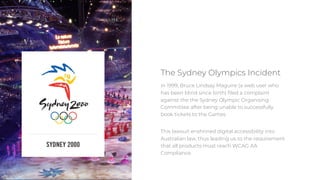
In 1999, Bruce Lindsay Maguire (a web user who
has been blind since birth) filed a complaint
against the the Sydney Olympic Organising
Committee after being unable to successfully
book tickets to the Games.
This lawsuit enshrined digital accessibility into
Australian law, thus leading us to the requirement
that all products must reach WCAG AA
Compliance.
The Sydney Olympics Incident
3
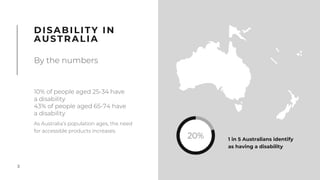
DISABILITY IN
AUSTRALIA
By the numbers
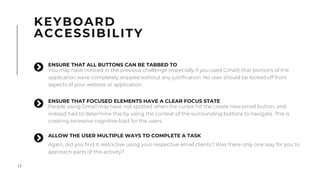
20% 1 in 5 Australians identify
as having a disability
10% of people aged 25-34 have
a disability
43% of people aged 65-74 have
a disability
As Australia’s population ages, the need
for accessible products increases.
4
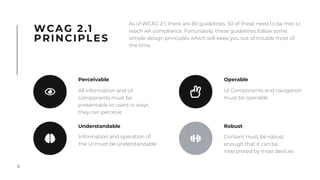
WCAG 2.1
PRINCIPLES
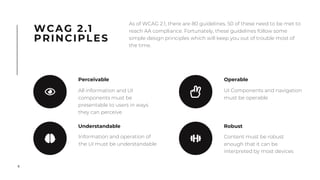
As of WCAG 2.1, there are 80 guidelines. 50 of these need to be met to
reach AA compliance. Fortunately, these guidelines follow some
simple design principles which will keep you out of trouble most of
the time.
Perceivable
All information and UI
components must be
presentable to users in ways
they can perceive
Understandable
Information and operation of
the UI must be understandable
Operable
UI Components and navigation
must be operable
Robust
Content must be robust
enough that it can be
interpreted by most devices
5
WCAG 2.1
PRINCIPLES
As of WCAG 2.1, there are 80 guidelines. 50 of these need to be met to
reach AA compliance. Fortunately, these guidelines follow some
simple design principles which will keep you out of trouble most of
the time.
Perceivable
All information and UI
components must be
presentable to users in ways
they can perceive
Understandable
Information and operation of
the UI must be understandable
Operable
UI Components and navigation
must be operable
Robust
Content must be robust
enough that it can be
interpreted by most devices
6
This section looks at how we can help users comprehend our
interfaces if they experience any kind of barrier which would
change how they perceive information.
This extends beyond assistive technologies (such as screen
readers) and includes cases where users might be using
different operating systems or digital wellbeing features
PERCEIVABLE
All information and UI
components must be
presentable to users in ways
they can perceive
7
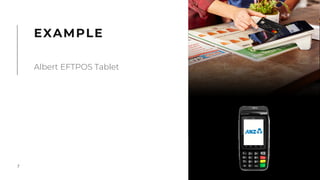
EXAMPLE
Albert EFTPOS Tablet
8
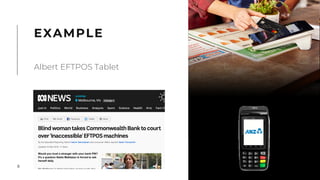
EXAMPLE
Albert EFTPOS Tablet
9
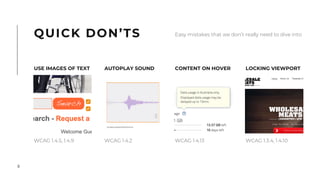
AUTOPLAY SOUND
WCAG 1.4.2
WCAG 1.4.5, 1.4.9
CONTENT ON HOVER
WCAG 1.4.13
LOCKING VIEWPORT
WCAG 1.3.4, 1.4.10
QUICK DON’TS Easy mistakes that we don’t really need to dive into
USE IMAGES OF TEXT
10
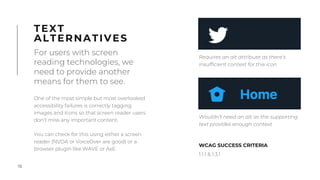
One of the most simple but most overlooked
accessibility failures is correctly tagging
images and icons so that screen reader users
don’t miss any important content.
You can check for this using either a screen
reader (NVDA or VoiceOver are good) or a
browser plugin like WAVE or AxE
For users with screen
reading technologies, we
need to provide another
means for them to see.
TEXT
ALTERNATIVES
WCAG SUCCESS CRITERIA
1.1.1 & 1.3.1
Wouldn’t need an alt as the supporting
text provides enough context
Requires an alt attribute as there’s
insufficient context for this icon
11
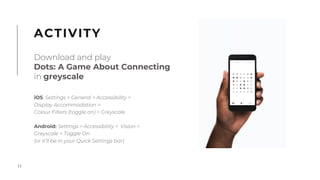
iOS: Settings > General > Accessibility >
Display Accommodation >
Colour Filters (toggle on) > Greyscale
Android: Settings > Accessibility > Vision >
Greyscale > Toggle On
(or it’ll be in your Quick Settings bar)
ACTIVITY
Download and play
Dots: A Game About Connecting
in greyscale
12
As designers, we have a tendency to consider
colour as one of the most important aspects
of our design.
This becomes an even greater problem when
you start designing for the context of an
application that shows status -
RELIANCE
ON COLOUR
1 in 12 men & 1 in 200 women
experience some form of
colour blindness
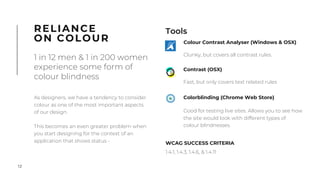
Tools
WCAG SUCCESS CRITERIA
1.4.1, 1.4.3, 1.4.6, & 1.4.11
!
Colour Contrast Analyser (Windows & OSX)
Clunky, but covers all contrast rules.
Contrast (OSX)
Fast, but only covers text related rules
Colorblinding (Chrome Web Store)
Good for testing live sites. Allows you to see how
the site would look with different types of
colour blindnesses.
13
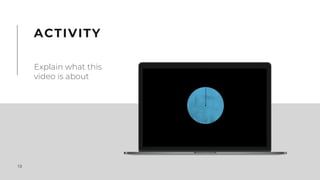
ACTIVITY
Explain what this
video is about
14
VIDEO
ENSURE THAT AN AUDIO DESCRIPTION TRACK IS AVALIABLE
WCAG 1.2.3, 1.2.5, 1.2.7, & 1.2.9
"
ALWAYS PROVIDE CONTROLS
WCAG 1.4,2
"
ENSURE ALL VIDEO CONTENT IS CAPTIONED
WCAG 1.2.2 & 1.2.4
"
15
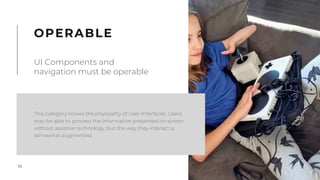
This category covers the physicality of User Interfaces. Users
may be able to process the information presented on screen
without assistive technology, but the way they interact is
somewhat augmented.
OPERABLE
UI Components and
navigation must be operable
16
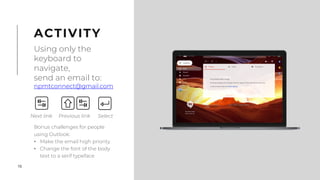
Bonus challenges for people
using Outlook:
• Make the email high priority
• Change the font of the body
text to a serif typeface
ACTIVITY
Using only the
keyboard to
navigate,
send an email to:
npmtconnect@gmail.com
Next link Previous link Select
17
KEYBOARD
ACCESSIBILITY
ENSURE THAT FOCUSED ELEMENTS HAVE A CLEAR FOCUS STATE
People using Gmail may have not spotted when the cursor hit the create new email button, and
instead had to determine this by using the context of the surrounding buttons to navigate. This is
creating excessive cognitive load for the users.
"
ALLOW THE USER MULTIPLE WAYS TO COMPLETE A TASK
Again, did you find it restrictive using your respective email clients? Was there only one way for you to
approach parts of this activity?
"
ENSURE THAT ALL BUTTONS CAN BE TABBED TO
You may have noticed in the previous challenge (especially if you used Gmail) that portions of the
application were completely skipped without any justification. No user should be locked off from
aspects of your website or application.
"
18
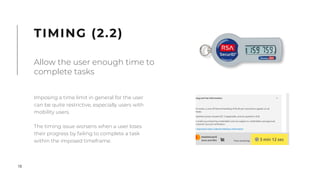
Imposing a time limit in general for the user
can be quite restrictive, especially users with
mobility users.
The timing issue worsens when a user loses
their progress by failing to complete a task
within the imposed timeframe.
TIMING (2.2)
Allow the user enough time to
complete tasks
19
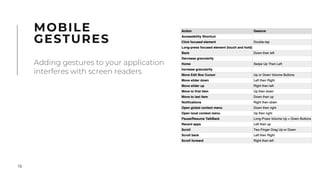
MOBILE
GESTURES
Adding gestures to your application
interferes with screen readers
20
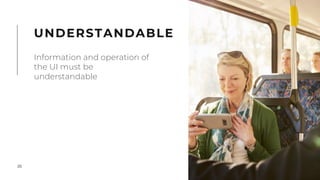
UNDERSTANDABLE
Information and operation of
the UI must be
understandable
21
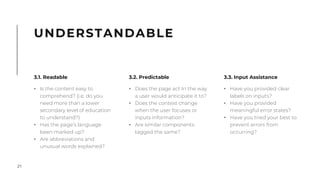
UNDERSTANDABLE
3.1. Readable
• Is the content easy to
comprehend? (i.e. do you
need more than a lower
secondary level of education
to understand?)
• Has the page’s language
been marked up?
• Are abbreviations and
unusual words explained?
3.3. Input Assistance
• Have you provided clear
labels on inputs?
• Have you provided
meaningful error states?
• Have you tried your best to
prevent errors from
occurring?
3.2. Predictable
• Does the page act In the way
a user would anticipate it to?
• Does the context change
when the user focuses or
inputs information?
• Are similar components
tagged the same?

Accessibility ppt (The Sydney Olymptics Incident).pdf

  • 1.
  • 2.
    2 In 1999, BruceLindsay Maguire (a web user who has been blind since birth) filed a complaint against the the Sydney Olympic Organising Committee after being unable to successfully book tickets to the Games. This lawsuit enshrined digital accessibility into Australian law, thus leading us to the requirement that all products must reach WCAG AA Compliance. The Sydney Olympics Incident
  • 3.
    3 DISABILITY IN AUSTRALIA By thenumbers 20% 1 in 5 Australians identify as having a disability 10% of people aged 25-34 have a disability 43% of people aged 65-74 have a disability As Australia’s population ages, the need for accessible products increases.
  • 4.
    4 WCAG 2.1 PRINCIPLES As ofWCAG 2.1, there are 80 guidelines. 50 of these need to be met to reach AA compliance. Fortunately, these guidelines follow some simple design principles which will keep you out of trouble most of the time. Perceivable All information and UI components must be presentable to users in ways they can perceive Understandable Information and operation of the UI must be understandable Operable UI Components and navigation must be operable Robust Content must be robust enough that it can be interpreted by most devices
  • 5.
    5 WCAG 2.1 PRINCIPLES As ofWCAG 2.1, there are 80 guidelines. 50 of these need to be met to reach AA compliance. Fortunately, these guidelines follow some simple design principles which will keep you out of trouble most of the time. Perceivable All information and UI components must be presentable to users in ways they can perceive Understandable Information and operation of the UI must be understandable Operable UI Components and navigation must be operable Robust Content must be robust enough that it can be interpreted by most devices
  • 6.
    6 This section looksat how we can help users comprehend our interfaces if they experience any kind of barrier which would change how they perceive information. This extends beyond assistive technologies (such as screen readers) and includes cases where users might be using different operating systems or digital wellbeing features PERCEIVABLE All information and UI components must be presentable to users in ways they can perceive
  • 7.
  • 8.
  • 9.
    9 AUTOPLAY SOUND WCAG 1.4.2 WCAG1.4.5, 1.4.9 CONTENT ON HOVER WCAG 1.4.13 LOCKING VIEWPORT WCAG 1.3.4, 1.4.10 QUICK DON’TS Easy mistakes that we don’t really need to dive into USE IMAGES OF TEXT
  • 10.
    10 One of themost simple but most overlooked accessibility failures is correctly tagging images and icons so that screen reader users don’t miss any important content. You can check for this using either a screen reader (NVDA or VoiceOver are good) or a browser plugin like WAVE or AxE For users with screen reading technologies, we need to provide another means for them to see. TEXT ALTERNATIVES WCAG SUCCESS CRITERIA 1.1.1 & 1.3.1 Wouldn’t need an alt as the supporting text provides enough context Requires an alt attribute as there’s insufficient context for this icon
  • 11.
    11 iOS: Settings >General > Accessibility > Display Accommodation > Colour Filters (toggle on) > Greyscale Android: Settings > Accessibility > Vision > Greyscale > Toggle On (or it’ll be in your Quick Settings bar) ACTIVITY Download and play Dots: A Game About Connecting in greyscale
  • 12.
    12 As designers, wehave a tendency to consider colour as one of the most important aspects of our design. This becomes an even greater problem when you start designing for the context of an application that shows status - RELIANCE ON COLOUR 1 in 12 men & 1 in 200 women experience some form of colour blindness Tools WCAG SUCCESS CRITERIA 1.4.1, 1.4.3, 1.4.6, & 1.4.11 ! Colour Contrast Analyser (Windows & OSX) Clunky, but covers all contrast rules. Contrast (OSX) Fast, but only covers text related rules Colorblinding (Chrome Web Store) Good for testing live sites. Allows you to see how the site would look with different types of colour blindnesses.
  • 13.
  • 14.
    14 VIDEO ENSURE THAT ANAUDIO DESCRIPTION TRACK IS AVALIABLE WCAG 1.2.3, 1.2.5, 1.2.7, & 1.2.9 " ALWAYS PROVIDE CONTROLS WCAG 1.4,2 " ENSURE ALL VIDEO CONTENT IS CAPTIONED WCAG 1.2.2 & 1.2.4 "
  • 15.
    15 This category coversthe physicality of User Interfaces. Users may be able to process the information presented on screen without assistive technology, but the way they interact is somewhat augmented. OPERABLE UI Components and navigation must be operable
  • 16.
    16 Bonus challenges forpeople using Outlook: • Make the email high priority • Change the font of the body text to a serif typeface ACTIVITY Using only the keyboard to navigate, send an email to: npmtconnect@gmail.com Next link Previous link Select
  • 17.
    17 KEYBOARD ACCESSIBILITY ENSURE THAT FOCUSEDELEMENTS HAVE A CLEAR FOCUS STATE People using Gmail may have not spotted when the cursor hit the create new email button, and instead had to determine this by using the context of the surrounding buttons to navigate. This is creating excessive cognitive load for the users. " ALLOW THE USER MULTIPLE WAYS TO COMPLETE A TASK Again, did you find it restrictive using your respective email clients? Was there only one way for you to approach parts of this activity? " ENSURE THAT ALL BUTTONS CAN BE TABBED TO You may have noticed in the previous challenge (especially if you used Gmail) that portions of the application were completely skipped without any justification. No user should be locked off from aspects of your website or application. "
  • 18.
    18 Imposing a timelimit in general for the user can be quite restrictive, especially users with mobility users. The timing issue worsens when a user loses their progress by failing to complete a task within the imposed timeframe. TIMING (2.2) Allow the user enough time to complete tasks
  • 19.
    19 MOBILE GESTURES Adding gestures toyour application interferes with screen readers
  • 20.
    20 UNDERSTANDABLE Information and operationof the UI must be understandable
  • 21.
    21 UNDERSTANDABLE 3.1. Readable • Isthe content easy to comprehend? (i.e. do you need more than a lower secondary level of education to understand?) • Has the page’s language been marked up? • Are abbreviations and unusual words explained? 3.3. Input Assistance • Have you provided clear labels on inputs? • Have you provided meaningful error states? • Have you tried your best to prevent errors from occurring? 3.2. Predictable • Does the page act In the way a user would anticipate it to? • Does the context change when the user focuses or inputs information? • Are similar components tagged the same?