

Beginning jQuery
     Mobile
    or Enough to Get You Started,
but not Enough to Make You Dangerous
Who Am I?

I am a Microsoft Certified Solution Developer
and I’ve been developing software since 1979.
Since 2009, I have been focused on developing
mobile applications, for  iPhone, Android,
Windows Phone 7, and the mobile web.
What We Won’t Cover
• The Server Side
• HTML5 in Depth
• Validation
• Device Apps
What We Will Cover
• jQuery Mobile Intro.
• How it Works
• Form Elements
• List Magic
• Multi-Page Apps
• Events
What We Will Cover
• The Kernel
• The ThemeRoller
• Debugging
• Performance Tips
• Summary
• Links
Quick Intro to jQuery
        Mobile
A unified, HTML5-based user interface system
for all popular mobile device platforms, built on
the rock-solid jQuery and jQuery UI
foundation. Its lightweight code is built with
progressive enhancement, and has a flexible,
easily theme-able design.
Demo #1
Page Structure
• Header
• Footer
• Content Area
Header
• Page Title
• Left Button
• Right Button
Footer
• Title
• Buttons
Content Area
This is where your stuff goes.
How It Works
• Dynamic DOM Manipulation
• HTML5 Pseudo-Attributes
• There is no free lunch
Dynamic DOM
       Manipulation
• Show the Original Markup
• Show the “Annotated” Markup
HTML5 Pseudo-
        Attributes
• JQM Uses Pseudo-Attributes (data-)
• Standard Browser Behavior - Ignore
  Unknown Attributes
• Allows for Some Functionality on low-end
  browsers
Form Elements
        (aka widgets)
• buttons
• sliders
• radio buttons
• checkboxes
• select menus
• etc.
Lists
• Basic Lists
• Nested Lists
• List Dividers
• Split Lists
• etc.
Multi-Page Apps
• basic setup
• transitions
• passing data between pages
Events
Touch
• tap
• taphold
• swipe
• swipeleft
• swiperight
Page
• Page Load
• Page Change
• Page Transitions
• Page Initialization
• Page Remove
• Layout
Page Load
• pagebeforeload
• pageload
• pageloadfailed
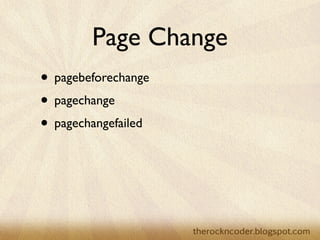
Page Change
• pagebeforechange
• pagechange
• pagechangefailed
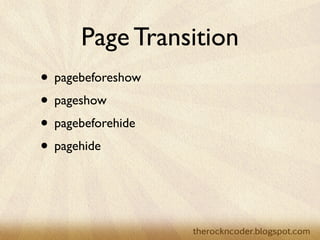
Page Transition
• pagebeforeshow
• pageshow
• pagebeforehide
• pagehide
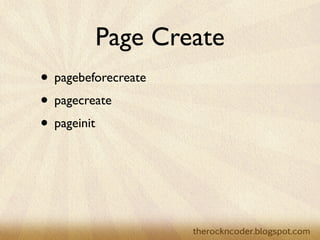
Page Create
• pagebeforecreate
• pagecreate
• pageinit
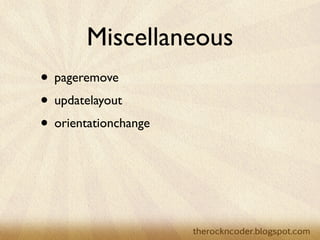
Miscellaneous
• pageremove
• updatelayout
• orientationchange
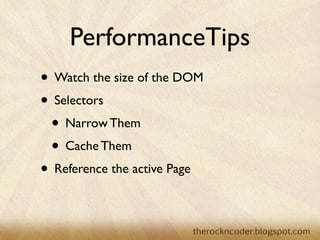
PerformanceTips
• Watch the size of the DOM
• Selectors
 • Narrow Them
 • Cache Them
• Reference the active Page
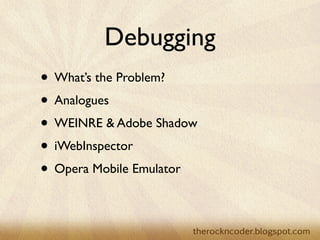
Debugging
• What’s the Problem?
• Analogues
• WEINRE & Adobe Shadow
• iWebInspector
• Opera Mobile Emulator
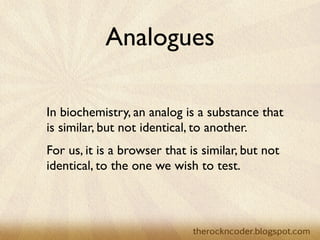
Analogues

In biochemistry, an analog is a substance that
is similar, but not identical, to another.
For us, it is a browser that is similar, but not
identical, to the one we wish to test.
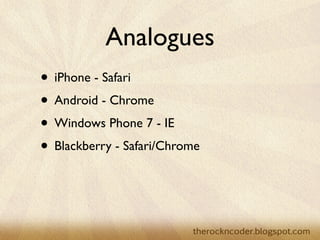
Analogues
• iPhone - Safari
• Android - Chrome
• Windows Phone 7 - IE
• Blackberry - Safari/Chrome
Analogues


Don’t assume that if it works on the analog,
it will work on the device. Always test on a
device.
WEINRE
• Created by Patrick Mueller in JavaScript
• WEb INspector REmote (pronounced like
  winery)
• WebKit Only! (It uses built in hooks)
• Allows for inspection of HTML/CSS
• Remote console.log
• NOT A DEBUGGER
Adobe Shadow
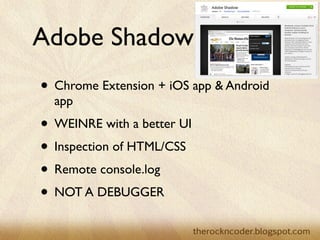
• Chrome Extension + iOS app & Android
  app
• WEINRE with a better UI
• Inspection of HTML/CSS
• Remote console.log
• NOT A DEBUGGER
iWebInspector

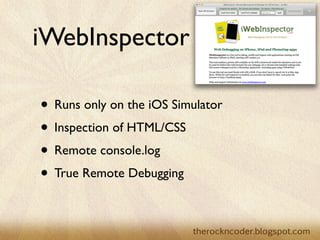
• Runs only on the iOS Simulator
• Inspection of HTML/CSS
• Remote console.log
• True Remote Debugging
Opera Mobile Emulator
• Runs using desktop Opera & Opera Mobile
  or Opera Mobile Emulator
• Inspection of HTML/CSS
• Remote console.log
• True Remote Debugger
Sencha Touch 2.0
Sencha Touch 2.0
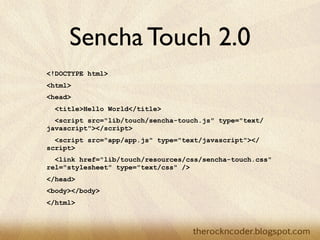
<!DOCTYPE html>
<html>
<head>
  <title>Hello World</title>
  <script src="lib/touch/sencha-touch.js" type="text/
javascript"></script>
  <script src="app/app.js" type="text/javascript"></
script>
  <link href="lib/touch/resources/css/sencha-touch.css"
rel="stylesheet" type="text/css" />
</head>
<body></body>
</html>
Sencha Touch 2.0
new Ext.Application({
  launch: function() {
      new Ext.Panel({
        fullscreen: true,
        dockedItems: [{xtype:'toolbar', title:'My First App'}],
        layout: 'fit',
        styleHtmlContent: true,
        html: '<h2>Hello World!</h2>I did it!'
      });
  }
});
jQuery Mobile...
• is free and open source
• uses regular web programing paradigms
• is easy
Useful URLs
• http://jquerymobile.com/
• http://www.JSLint.com
• http://www.JSHint.com
• http://people.apache.org/~pmuellr/weinre/
  docs/1.x/1.5.0/
Useful URLs
• http://labs.adobe.com/technologies/shadow/
• http://www.iwebinspector.com/
• http://www.opera.com/developer/tools/
  mobile/
Books
• jQuery Mobile
  Jon Reid
  Sebastopol, CA: O’Reilly Media Inc., 2011
• Master Mobile Web Apps with jQuery
  Mobile 2nd ed.
  Matt Doyle
  Brighton, UK: Elated Communications Ltd,
  2011

Beginning jQuery Mobile

Editor's Notes