@fernando_cejas
WEBVIEW: The Fifth Element
Who am I?
•  GDG Organizer
•  Android, Agile and
technology Geek
•  NFC Actions App
•  Mobile Developer
@fernando_cejas
http://www.fernandocejas.com/
Agenda
•  Native vs web
•  Web developers
•  Native developers
•  Benefits and drawbacks
•  The webview
•  Experiences
•  Advices	
  
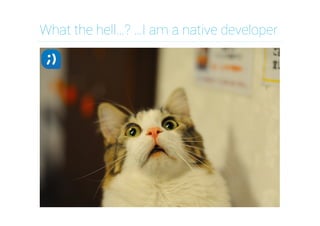
What the hell…? …I am a native developer
Why the title? What were you thinking
about?
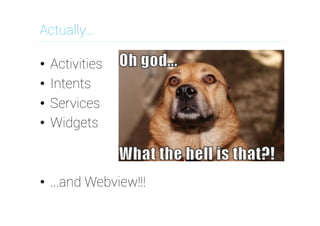
Actually…
•  Activities
•  Intents
•  Services
•  Widgets
•  ...and Webview!!!
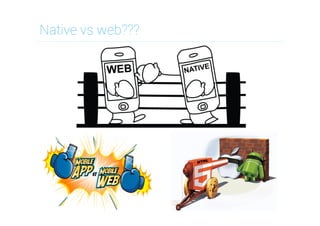
Native vs web???
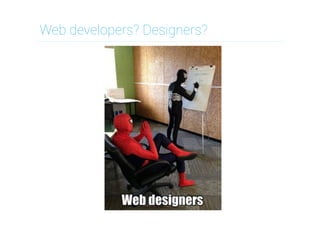
Web developers? Designers?
Native developers…????
Benefits of native development
•  Default OS look & feel (UI conventions)
•  Performance
•  Access to device hardware (GPS, etc)
•  App store/marketplace distribution
•  Benefit from latest OS enhancements
Drawbacks of native development
•  Tied to the particular OS you built for
•  Maintaining a multi OS team/skill-set
•  Dealing with the app store approval
process
•  Keeping app in sync with OS updates
Benefits of hybrid development
•  Common codebase for multiple OS's
•  Access to device hardware (GPS, etc)
•  App store/marketplace distribution
•  Skills you already have (HTML, CSS, JS)
•  Potential code reuse in web site/app
Drawbacks of hybrid development
•  Build for lowest common denominator
•  3rd party SDK's might lag behind OS
–  Want to use feature X? Wait for an
implementation in abstraction layer
•  An abstraction layer can have bugs of
its own. Have to determine if a bug is in
your code, the abstraction layer, or OS.
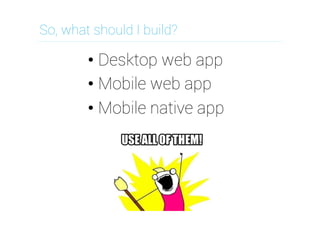
So, what should I build?
• Desktop web app
• Mobile web app
• Mobile native app
We can live together…
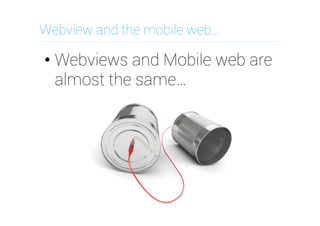
Webview and the mobile web…
• Webviews and Mobile web are
almost the same…
Webview and the mobile web…
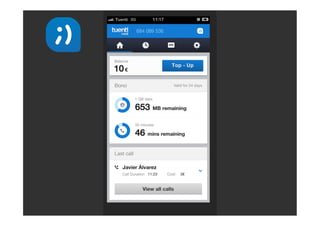
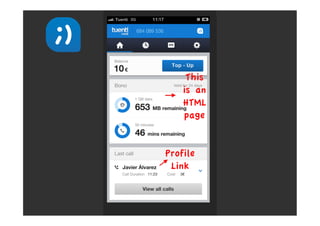
• 2 small differences:
– Mobile web authenticates with
web session
– Webview sets up protocols links
Webview and the mobile web…
• 1 big difference:
– Through webviews we can
access native capabilities
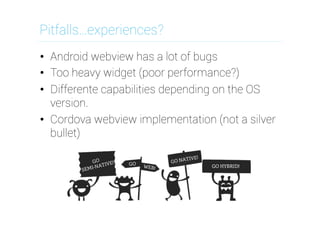
Pitfalls…experiences?
•  Android webview has a lot of bugs
•  Too heavy widget (poor performance?)
•  Differente capabilities depending on the OS
version.
•  Cordova webview implementation (not a silver
bullet)
Some advice…and conclusions…
•  Minimize number of connections
•  Do not assume JS has loaded
•  Minimize page weight
•  Testing in your desktop is not enough
•  Do not resize images on the client
•  Have a version of the web that works
everywhere
•  The most important: know your users
•  Test on real devices
Any questions?
Thanks!
When you look at the dark side, careful you
must be ... for the dark side looks back.
@fernando_cejas
www.fernandocejas.com

Webview: The fifth element

  • 1.
  • 2.
    Who am I? • GDG Organizer •  Android, Agile and technology Geek •  NFC Actions App •  Mobile Developer @fernando_cejas http://www.fernandocejas.com/
  • 3.
    Agenda •  Native vsweb •  Web developers •  Native developers •  Benefits and drawbacks •  The webview •  Experiences •  Advices  
  • 4.
    What the hell…?…I am a native developer
  • 5.
    Why the title?What were you thinking about?
  • 6.
    Actually… •  Activities •  Intents • Services •  Widgets •  ...and Webview!!!
  • 7.
  • 8.
  • 9.
  • 10.
    Benefits of nativedevelopment •  Default OS look & feel (UI conventions) •  Performance •  Access to device hardware (GPS, etc) •  App store/marketplace distribution •  Benefit from latest OS enhancements
  • 11.
    Drawbacks of nativedevelopment •  Tied to the particular OS you built for •  Maintaining a multi OS team/skill-set •  Dealing with the app store approval process •  Keeping app in sync with OS updates
  • 12.
    Benefits of hybriddevelopment •  Common codebase for multiple OS's •  Access to device hardware (GPS, etc) •  App store/marketplace distribution •  Skills you already have (HTML, CSS, JS) •  Potential code reuse in web site/app
  • 13.
    Drawbacks of hybriddevelopment •  Build for lowest common denominator •  3rd party SDK's might lag behind OS –  Want to use feature X? Wait for an implementation in abstraction layer •  An abstraction layer can have bugs of its own. Have to determine if a bug is in your code, the abstraction layer, or OS.
  • 14.
    So, what shouldI build? • Desktop web app • Mobile web app • Mobile native app
  • 15.
    We can livetogether…
  • 16.
    Webview and themobile web… • Webviews and Mobile web are almost the same…
  • 17.
    Webview and themobile web… • 2 small differences: – Mobile web authenticates with web session – Webview sets up protocols links
  • 20.
    Webview and themobile web… • 1 big difference: – Through webviews we can access native capabilities
  • 22.
    Pitfalls…experiences? •  Android webviewhas a lot of bugs •  Too heavy widget (poor performance?) •  Differente capabilities depending on the OS version. •  Cordova webview implementation (not a silver bullet)
  • 23.
    Some advice…and conclusions… • Minimize number of connections •  Do not assume JS has loaded •  Minimize page weight •  Testing in your desktop is not enough •  Do not resize images on the client •  Have a version of the web that works everywhere •  The most important: know your users •  Test on real devices
  • 24.
  • 25.
    Thanks! When you lookat the dark side, careful you must be ... for the dark side looks back. @fernando_cejas www.fernandocejas.com