



WEB DEVELOPMENT BASICS
KALLURI VINAY REDDY
SCHOOL OF COMPUTER SCIENCE AND ENGINEERING
12MSE1013
VIT UNIVERSITY CHENNAI CAMPUS
MOBILE NO: 9884228431
HTML AND CSS
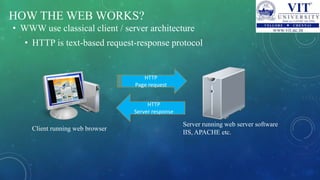
HOW THE WEB WORKS?
• WWW use classical client / server architecture
• HTTP is text-based request-response protocol
HTTP
Page request
HTTP
Server response
Client running web browser
Server running web server software
IIS, APACHE etc.
WHAT IS A WEB PAGE?
• Web pages are text files containing HTML
• HTML – Hyper Text Markup Language
• A notation for describing
• document structure (semantic markup)
• formatting (presentation markup)
• Looks (looked?) like:
• A Microsoft Word document
• The markup tags provide information about the page content
structure.
WHY LEARN HTML?
• Every webpage you look at is written in a language called HTML.
• You can think of HTML as the skeleton that gives every webpage
structure.
• In this course, we'll use HTML to add paragraphs, headings,
images and links to a webpage.
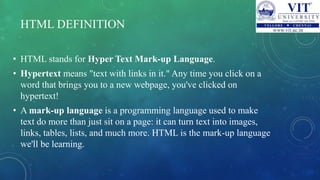
HTML DEFINITION
• HTML stands for Hyper Text Mark-up Language.
• Hypertext means "text with links in it." Any time you click on a
word that brings you to a new webpage, you've clicked on
hypertext!
• A mark-up language is a programming language used to make
text do more than just sit on a page: it can turn text into images,
links, tables, lists, and much more. HTML is the mark-up language
we'll be learning.
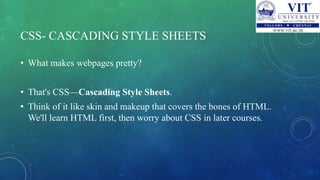
CSS- CASCADING STYLE SHEETS
• What makes webpages pretty?
• That's CSS—Cascading Style Sheets.
• Think of it like skin and makeup that covers the bones of HTML.
We'll learn HTML first, then worry about CSS in later courses.
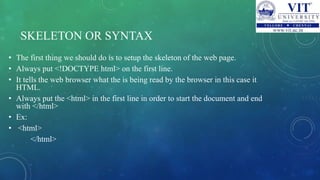
SKELETON OR SYNTAX
• The first thing we should do is to setup the skeleton of the web page.
• Always put <!DOCTYPE html> on the first line.
• It tells the web browser what the is being read by the browser in this case it
HTML.
• Always put the <html> in the first line in order to start the document and end
with </html>
• Ex:
• <html>
</html>
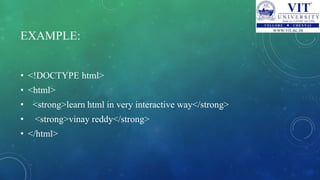
EXAMPLE:
• <!DOCTYPE html>
• <html>
• <strong>learn html in very interactive way</strong>
• <strong>vinay reddy</strong>
• </html>
BASIC TERMINOLOGY
• To learn more about HTML ,we should learn how to talk about HTML.
• Already you seen we use < > a lot.
• Things inside < > are called as tags.
• Tags nearly always come in pairs: an opening tag and a closing tag.
• Example of opening tag:<html>
• Example of closing tag: </html>
You can think of tags as being like parentheses: whenever you open one, you
should close it.
MAKE THE HEAD
• Everything in our html file will go between the opening <html> and closing
</html> tags.
• There are always two parts to an html file:the head and the body .
• let’s start with the head.
• The head contains information about your HTML file, like it’s title.
• The title is what we see in the browser’s title bar or page tab
EXAMPLE:
• <!DOCTYPE html>
• <html>
• <head>
• <title>Bad to the Bonze Webpage Inc.</title>
• I WILL DO IT</head>
• </html>
PARAGRAPHS IN THE BODY
• The body is where you put your content, such as text, images and
links.
• The content in the body is what will be visible on the actual page.
• The body goes inside the <html> tags ,right after the <head> tags
• <p> </p> will be the syntax for paragraphs to insert in html
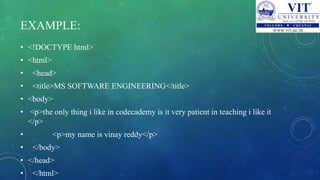
EXAMPLE:
• <!DOCTYPE html>
• <html>
• <head>
• <title>MS SOFTWARE ENGINEERING</title>
• <body>
• <p>the only thing i like in codecademy is it very patient in teaching i like it
</p>
• <p>my name is vinay reddy</p>
• </body>
• </head>
• </html>
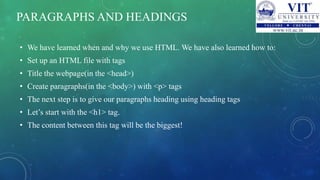
PARAGRAPHS AND HEADINGS
• We have learned when and why we use HTML. We have also learned how to:
• Set up an HTML file with tags
• Title the webpage(in the <head>)
• Create paragraphs(in the <body>) with <p> tags
• The next step is to give our paragraphs heading using heading tags
• Let’s start with the <h1> tag.
• The content between this tag will be the biggest!
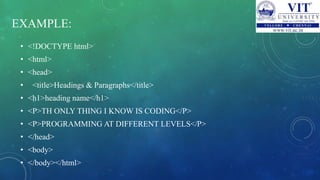
EXAMPLE:
• <!DOCTYPE html>
• <html>
• <head>
• <title>Headings & Paragraphs</title>
• <h1>heading name</h1>
• <P>TH ONLY THING I KNOW IS CODING</P>
• <P>PROGRAMMING AT DIFFERENT LEVELS</P>
• </head>
• <body>
• </body></html>
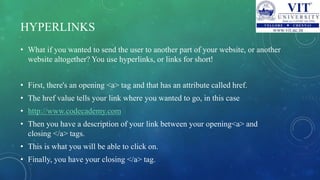
HYPERLINKS
• What if you wanted to send the user to another part of your website, or another
website altogether? You use hyperlinks, or links for short!
• First, there's an opening <a> tag and that has an attribute called href.
• The href value tells your link where you wanted to go, in this case
• http://www.codecademy.com
• Then you have a description of your link between your opening<a> and
closing </a> tags.
• This is what you will be able to click on.
• Finally, you have your closing </a> tag.
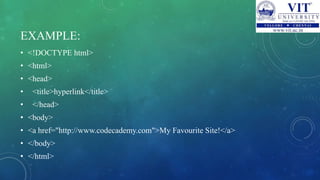
EXAMPLE:
• <!DOCTYPE html>
• <html>
• <head>
• <title>hyperlink</title>
• </head>
• <body>
• <a href="http://www.codecademy.com">My Favourite Site!</a>
• </body>
• </html>
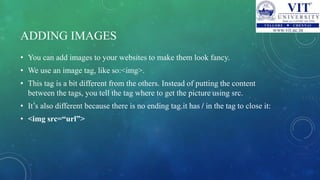
ADDING IMAGES
• You can add images to your websites to make them look fancy.
• We use an image tag, like so:<img>.
• This tag is a bit different from the others. Instead of putting the content
between the tags, you tell the tag where to get the picture using src.
• It’s also different because there is no ending tag.it has / in the tag to close it:
• <img src=“url”>
EXAMPLE:
• <!DOCTYPE html>
• <html>
• <head>
• <title>IMAGES</title>
• </head>
• <body>
• <img src=“ ” />
• <img src=“ ”/>
• </body>
• </html>
REFERENCES
• www.codecademy.com
Head first web design .
Learning web design-Jennifer Niederst Robbins
www.w3schools.com
Thank you
Any doubts
Email: kalluri.vinayreddy@gmail.com

Web development basics

  • 1.
    WEB DEVELOPMENT BASICS KALLURIVINAY REDDY SCHOOL OF COMPUTER SCIENCE AND ENGINEERING 12MSE1013 VIT UNIVERSITY CHENNAI CAMPUS MOBILE NO: 9884228431
  • 2.
  • 3.
    HOW THE WEBWORKS? • WWW use classical client / server architecture • HTTP is text-based request-response protocol HTTP Page request HTTP Server response Client running web browser Server running web server software IIS, APACHE etc.
  • 4.
    WHAT IS AWEB PAGE? • Web pages are text files containing HTML • HTML – Hyper Text Markup Language • A notation for describing • document structure (semantic markup) • formatting (presentation markup) • Looks (looked?) like: • A Microsoft Word document • The markup tags provide information about the page content structure.
  • 5.
    WHY LEARN HTML? •Every webpage you look at is written in a language called HTML. • You can think of HTML as the skeleton that gives every webpage structure. • In this course, we'll use HTML to add paragraphs, headings, images and links to a webpage.
  • 6.
    HTML DEFINITION • HTMLstands for Hyper Text Mark-up Language. • Hypertext means "text with links in it." Any time you click on a word that brings you to a new webpage, you've clicked on hypertext! • A mark-up language is a programming language used to make text do more than just sit on a page: it can turn text into images, links, tables, lists, and much more. HTML is the mark-up language we'll be learning.
  • 7.
    CSS- CASCADING STYLESHEETS • What makes webpages pretty? • That's CSS—Cascading Style Sheets. • Think of it like skin and makeup that covers the bones of HTML. We'll learn HTML first, then worry about CSS in later courses.
  • 8.
    SKELETON OR SYNTAX •The first thing we should do is to setup the skeleton of the web page. • Always put <!DOCTYPE html> on the first line. • It tells the web browser what the is being read by the browser in this case it HTML. • Always put the <html> in the first line in order to start the document and end with </html> • Ex: • <html> </html>
  • 9.
    EXAMPLE: • <!DOCTYPE html> •<html> • <strong>learn html in very interactive way</strong> • <strong>vinay reddy</strong> • </html>
  • 10.
    BASIC TERMINOLOGY • Tolearn more about HTML ,we should learn how to talk about HTML. • Already you seen we use < > a lot. • Things inside < > are called as tags. • Tags nearly always come in pairs: an opening tag and a closing tag. • Example of opening tag:<html> • Example of closing tag: </html> You can think of tags as being like parentheses: whenever you open one, you should close it.
  • 11.
    MAKE THE HEAD •Everything in our html file will go between the opening <html> and closing </html> tags. • There are always two parts to an html file:the head and the body . • let’s start with the head. • The head contains information about your HTML file, like it’s title. • The title is what we see in the browser’s title bar or page tab
  • 12.
    EXAMPLE: • <!DOCTYPE html> •<html> • <head> • <title>Bad to the Bonze Webpage Inc.</title> • I WILL DO IT</head> • </html>
  • 13.
    PARAGRAPHS IN THEBODY • The body is where you put your content, such as text, images and links. • The content in the body is what will be visible on the actual page. • The body goes inside the <html> tags ,right after the <head> tags • <p> </p> will be the syntax for paragraphs to insert in html
  • 14.
    EXAMPLE: • <!DOCTYPE html> •<html> • <head> • <title>MS SOFTWARE ENGINEERING</title> • <body> • <p>the only thing i like in codecademy is it very patient in teaching i like it </p> • <p>my name is vinay reddy</p> • </body> • </head> • </html>
  • 15.
    PARAGRAPHS AND HEADINGS •We have learned when and why we use HTML. We have also learned how to: • Set up an HTML file with tags • Title the webpage(in the <head>) • Create paragraphs(in the <body>) with <p> tags • The next step is to give our paragraphs heading using heading tags • Let’s start with the <h1> tag. • The content between this tag will be the biggest!
  • 16.
    EXAMPLE: • <!DOCTYPE html> •<html> • <head> • <title>Headings & Paragraphs</title> • <h1>heading name</h1> • <P>TH ONLY THING I KNOW IS CODING</P> • <P>PROGRAMMING AT DIFFERENT LEVELS</P> • </head> • <body> • </body></html>
  • 17.
    HYPERLINKS • What ifyou wanted to send the user to another part of your website, or another website altogether? You use hyperlinks, or links for short! • First, there's an opening <a> tag and that has an attribute called href. • The href value tells your link where you wanted to go, in this case • http://www.codecademy.com • Then you have a description of your link between your opening<a> and closing </a> tags. • This is what you will be able to click on. • Finally, you have your closing </a> tag.
  • 18.
    EXAMPLE: • <!DOCTYPE html> •<html> • <head> • <title>hyperlink</title> • </head> • <body> • <a href="http://www.codecademy.com">My Favourite Site!</a> • </body> • </html>
  • 19.
    ADDING IMAGES • Youcan add images to your websites to make them look fancy. • We use an image tag, like so:<img>. • This tag is a bit different from the others. Instead of putting the content between the tags, you tell the tag where to get the picture using src. • It’s also different because there is no ending tag.it has / in the tag to close it: • <img src=“url”>
  • 20.
    EXAMPLE: • <!DOCTYPE html> •<html> • <head> • <title>IMAGES</title> • </head> • <body> • <img src=“ ” /> • <img src=“ ”/> • </body> • </html>
  • 21.
    REFERENCES • www.codecademy.com Head firstweb design . Learning web design-Jennifer Niederst Robbins www.w3schools.com
  • 22.
    Thank you Any doubts Email:kalluri.vinayreddy@gmail.com