Dynamic E-Commerce
 Takeaway Website
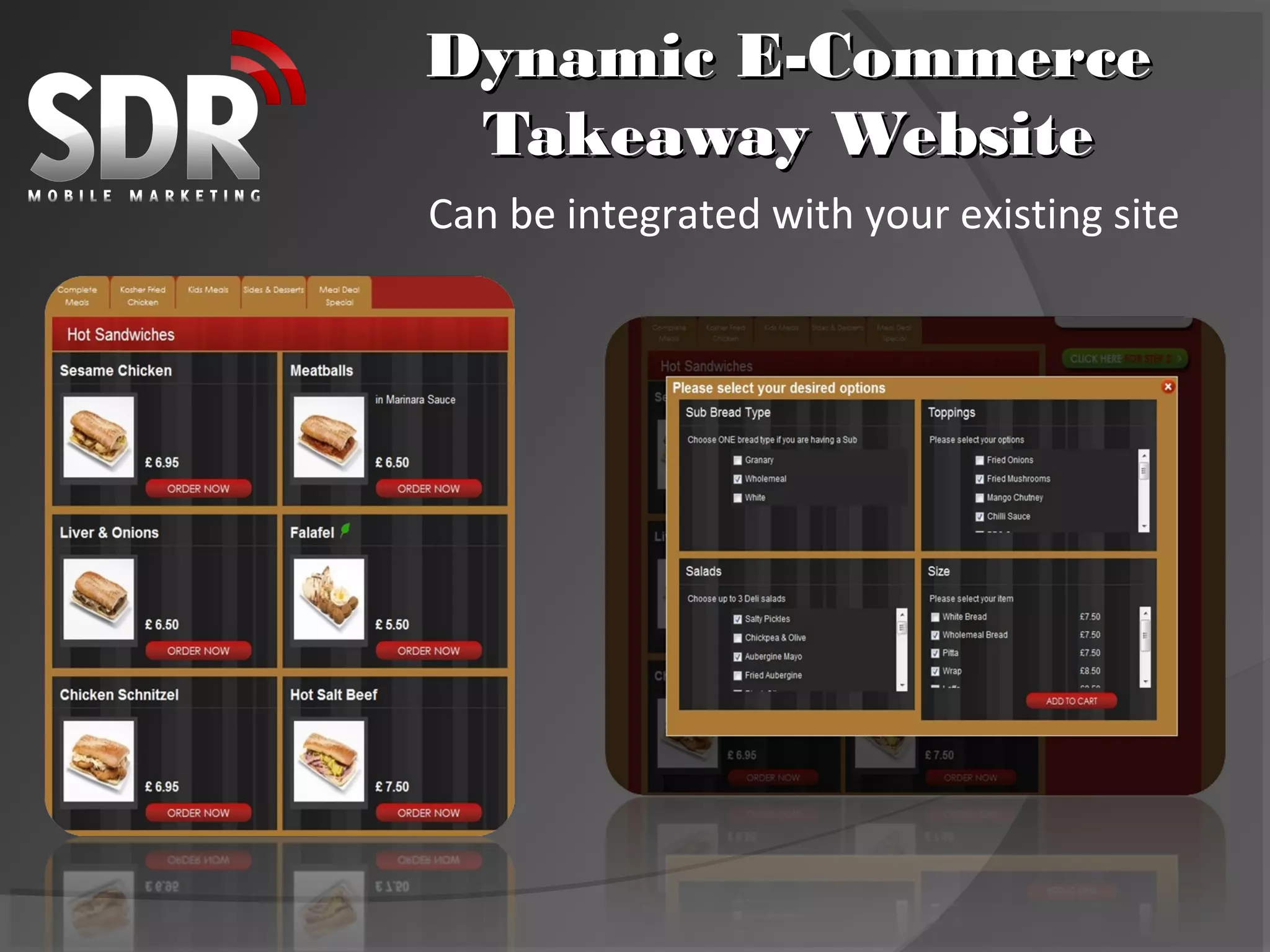
Can be integrated with your existing site
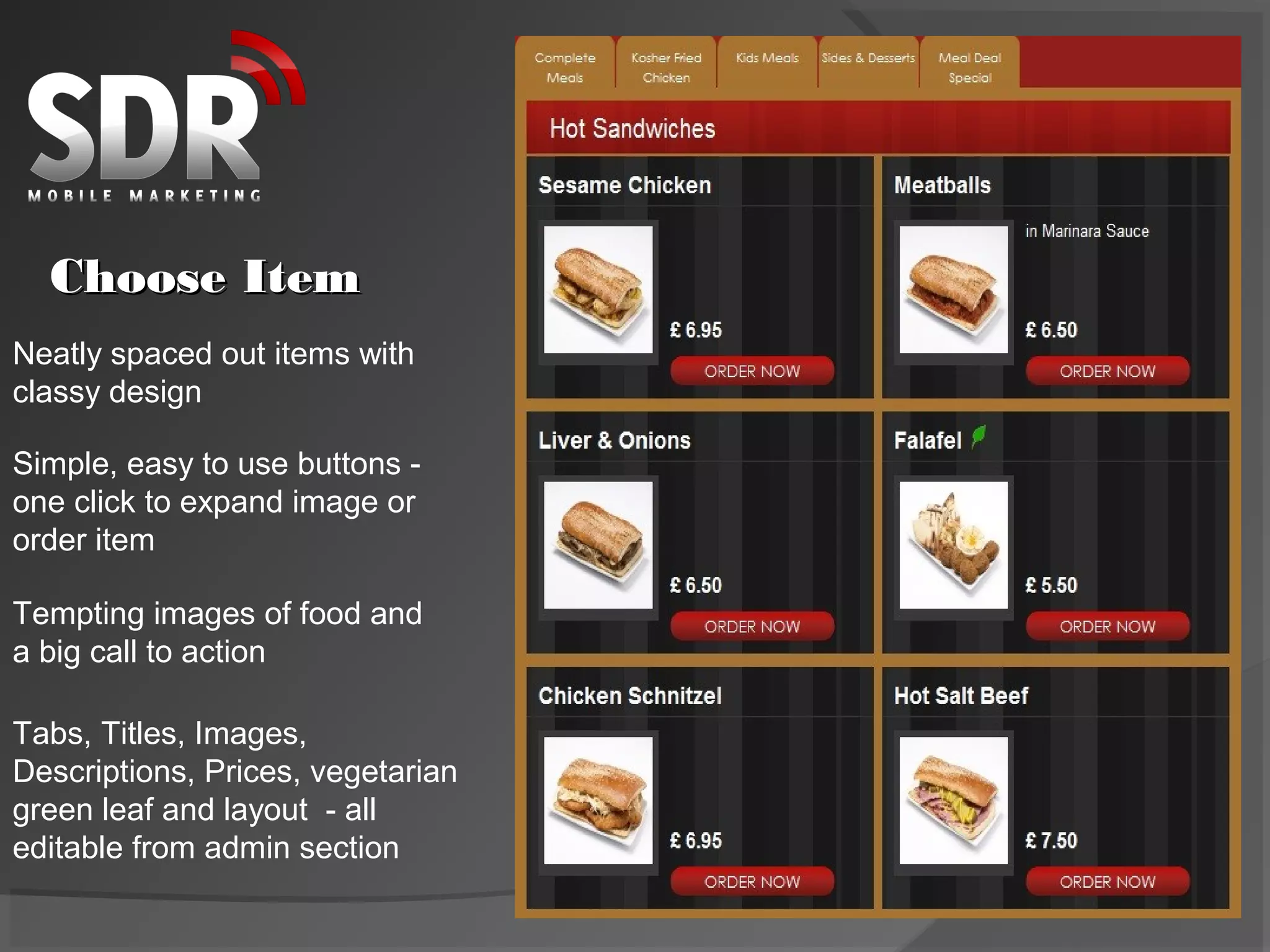
Choose Item
Neatly spaced out items with
classy design

Simple, easy to use buttons -
one click to expand image or
order item

Tempting images of food and
a big call to action

Tabs, Titles, Images,
Descriptions, Prices, vegetarian
green leaf and layout - all
editable from admin section
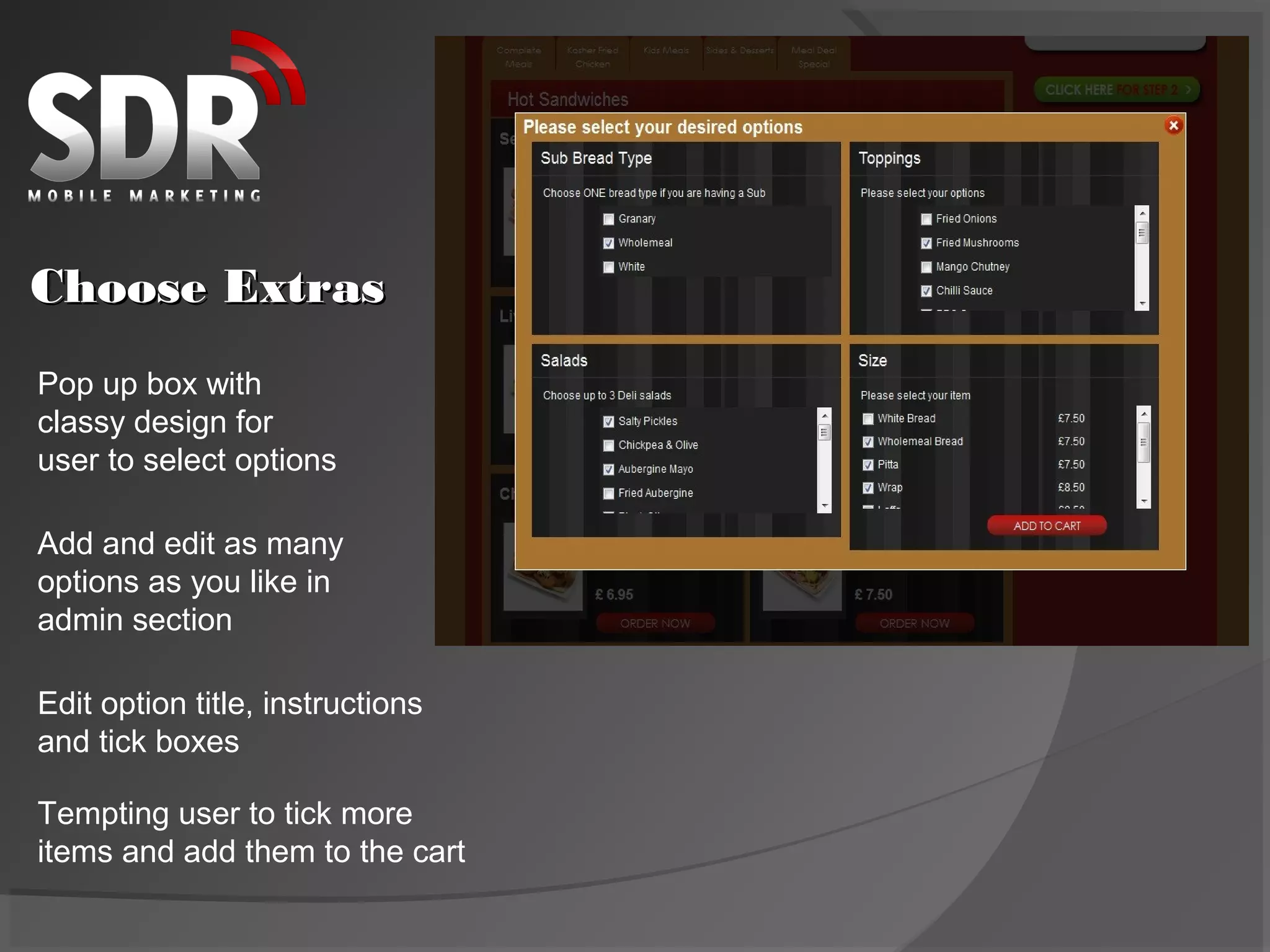
Choose Extras
Pop up box with
classy design for
user to select options

Add and edit as many
options as you like in
admin section

Edit option title, instructions
and tick boxes

Tempting user to tick more
items and add them to the cart
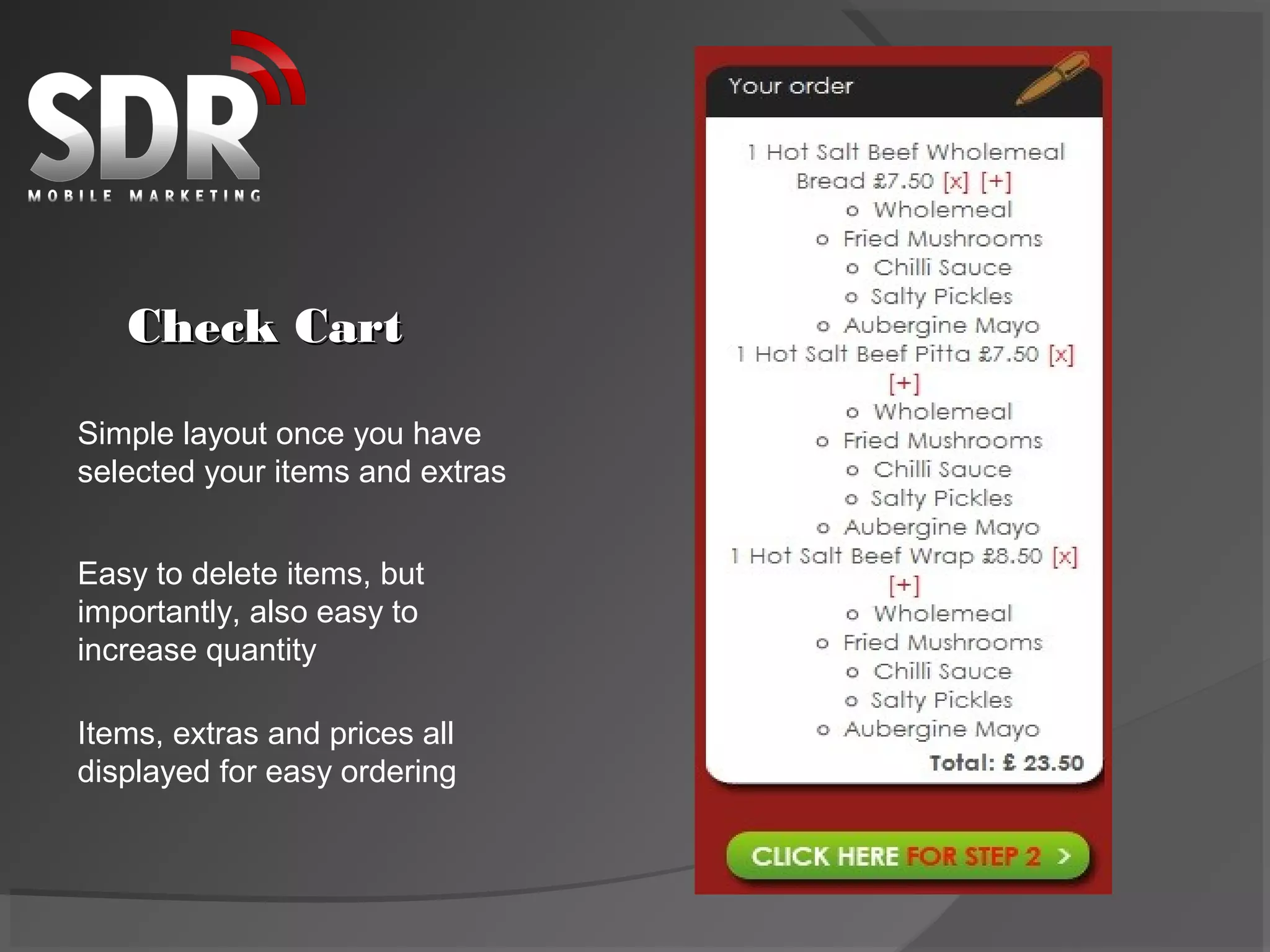
Check Cart

Simple layout once you have
selected your items and extras


Easy to delete items, but
importantly, also easy to
increase quantity

Items, extras and prices all
displayed for easy ordering
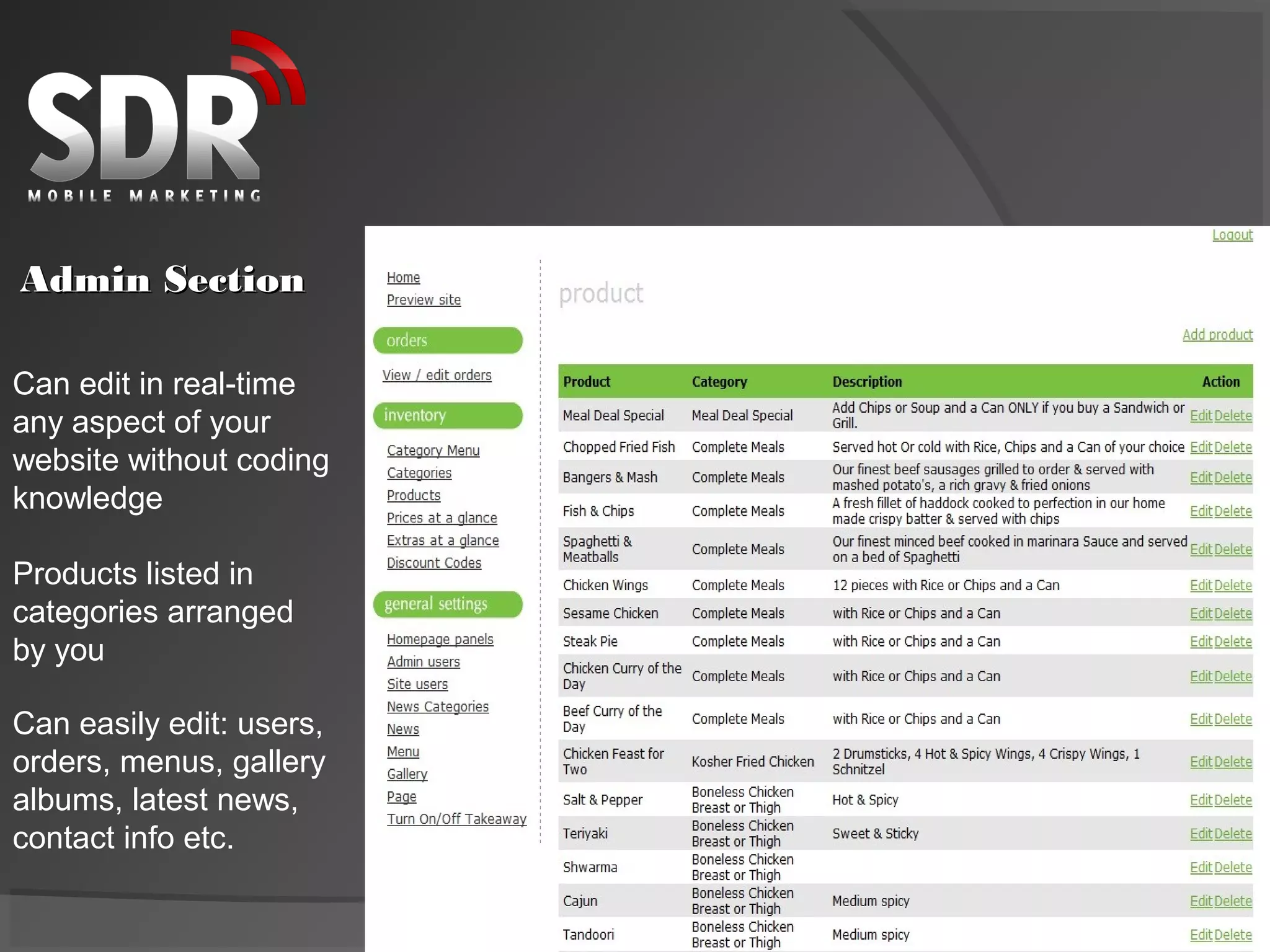
Admin Section

Can edit in real-time
any aspect of your
website without coding
knowledge

Products listed in
categories arranged
by you

Can easily edit: users,
orders, menus, gallery
albums, latest news,
contact info etc.
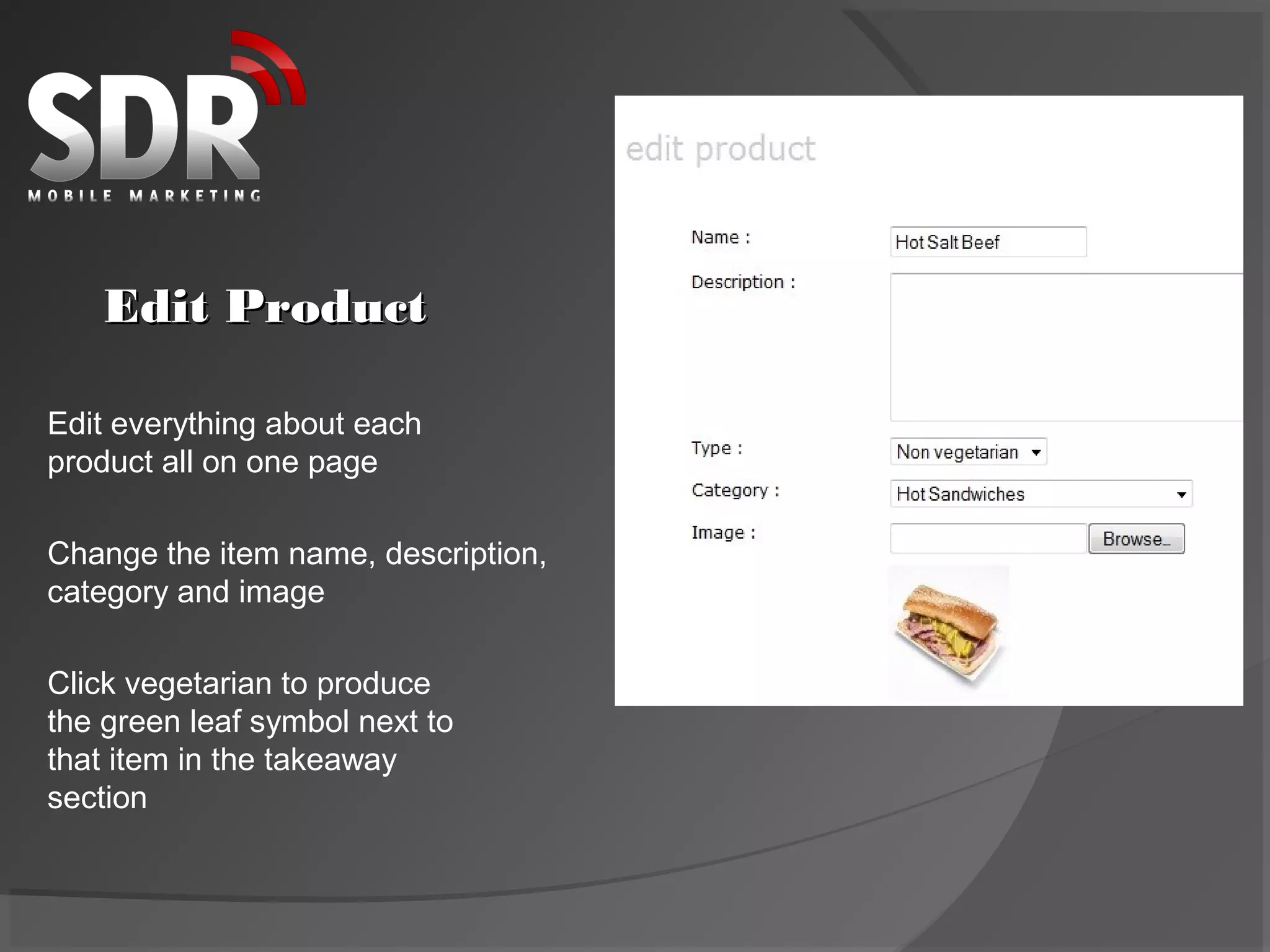
Edit Product

Edit everything about each
product all on one page

Change the item name, description,
category and image

Click vegetarian to produce
the green leaf symbol next to
that item in the takeaway
section
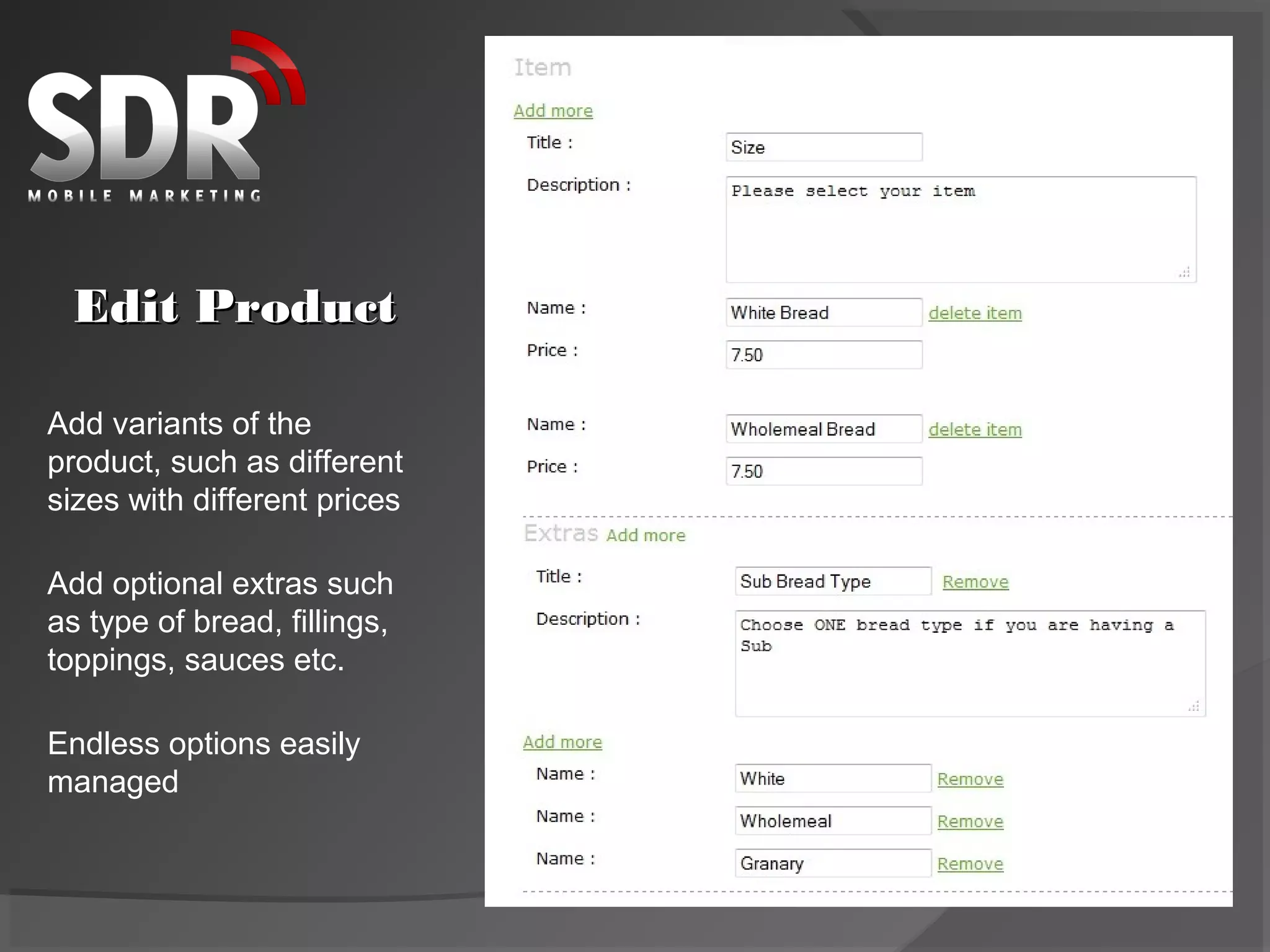
Edit Product

Add variants of the
product, such as different
sizes with different prices

Add optional extras such
as type of bread, fillings,
toppings, sauces etc.

Endless options easily
managed
Finishing the Order
                                           The final steps

1. Customer signs up or logs in

2. System fills in returning customer’s
details for them and remembers previous
orders should they want to re-order quickly

3. Choose collection or delivery, a time
slot and enter optional discount code

4. Pay securely via PayPal or card

5. Customer receives order details via email

6. You receive order email to print out for kitchen

SDR Takeaway Website Design

  • 1.
    Dynamic E-Commerce TakeawayWebsite Can be integrated with your existing site
  • 2.
    Choose Item Neatly spacedout items with classy design Simple, easy to use buttons - one click to expand image or order item Tempting images of food and a big call to action Tabs, Titles, Images, Descriptions, Prices, vegetarian green leaf and layout - all editable from admin section
  • 3.
    Choose Extras Pop upbox with classy design for user to select options Add and edit as many options as you like in admin section Edit option title, instructions and tick boxes Tempting user to tick more items and add them to the cart
  • 4.
    Check Cart Simple layoutonce you have selected your items and extras Easy to delete items, but importantly, also easy to increase quantity Items, extras and prices all displayed for easy ordering
  • 5.
    Admin Section Can editin real-time any aspect of your website without coding knowledge Products listed in categories arranged by you Can easily edit: users, orders, menus, gallery albums, latest news, contact info etc.
  • 6.
    Edit Product Edit everythingabout each product all on one page Change the item name, description, category and image Click vegetarian to produce the green leaf symbol next to that item in the takeaway section
  • 7.
    Edit Product Add variantsof the product, such as different sizes with different prices Add optional extras such as type of bread, fillings, toppings, sauces etc. Endless options easily managed
  • 8.
    Finishing the Order The final steps 1. Customer signs up or logs in 2. System fills in returning customer’s details for them and remembers previous orders should they want to re-order quickly 3. Choose collection or delivery, a time slot and enter optional discount code 4. Pay securely via PayPal or card 5. Customer receives order details via email 6. You receive order email to print out for kitchen