Webi Rich Client Eric Molner
Learning Points Creating and Editing  – Putting Together a Report Working with Reports   Merging data from Multiple Sources Ranking Track Changes Formulas and Variables Formatting and Displaying of Data Connected, Offline, and Standalone Mode  – Discussing the differences between the three modes Review BOBJ Reporting Client Tools  – Webi, Deski, Crystal Reports 2008, Webi Rich Client
Who Am I ? Eric Molner  is a Chicago-based Consultant with Analytics8.  He has extensive real-world expertise with the entire BusinessObjects product suite and all aspects of a BI project including:  Business analysis Report design & best practices Database design System testing Data quality management Contact: emolner@analytics8.com
What we do Business and Technology requirements analysis & strategic definitions Data Warehouse project management/implementation ETL and data transformation and migration  Business Intelligence implementation  Dashboard & Scorecard implementation Training and Knowledge transfer System Profiler Assist our customers in the definition and development of a best fit data and BI solution through… “ It is reassuring to know that I can pick up the phone and talk to someone I can trust, who understands our business based on a long association, and whose advise is 100% objective” David Walker,  Director of Global IT - Swiss Re. Chicago  •  Sydney  •  Melbourne
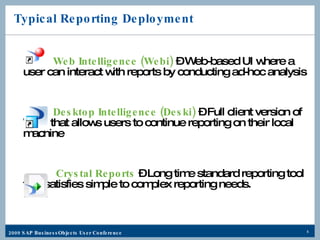
Typical Reporting Deployment Web Intelligence (Webi)  – Web-based UI where a user can interact with reports by conducting ad-hoc analysis Desktop Intelligence (Deski)  –   Full client version of Webi that allows users to continue reporting on their local machine Crystal Reports  – Long time standard reporting tool that satisfies simple to complex reporting needs.
Throw In Web Intelligence  Rich Client
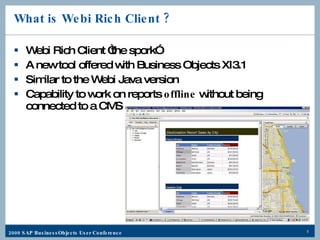
What is Webi Rich Client ? Webi Rich Client “the spork” A new tool offered with Business Objects XI3.1 Similar to the Webi Java version  Capability to work on reports  offline  without being connected to a CMS
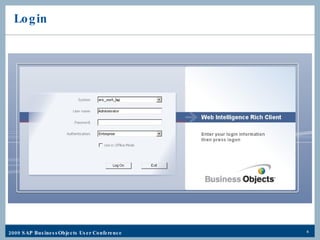
Login
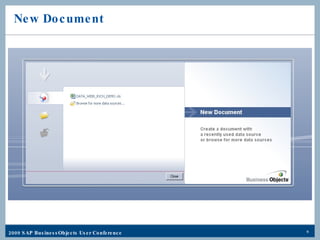
New Document
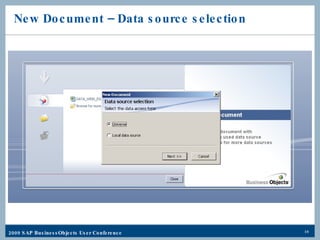
New Document – Data source selection
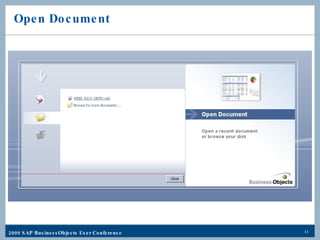
Open Document
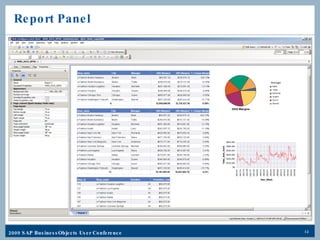
Report Panel
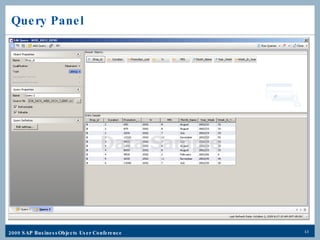
Query Panel
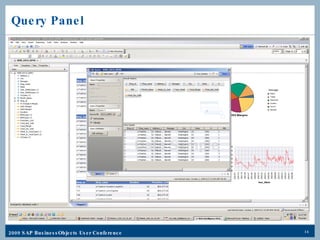
Query Panel
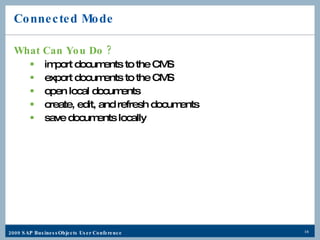
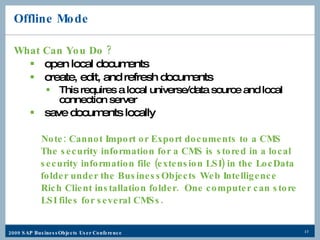
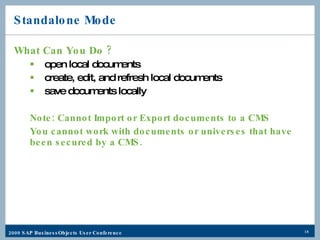
Rich Client Working Modes Connected Mode  – Connected to the CMS Offline Mode  – Working with local data sources NOT connected to a CMS, BUT applies CMS Security Standalone Mode  – NOT connected to a CMS and security is NOT applied
Connected Mode What Can You Do ? import documents to the CMS export documents to the CMS open local documents create, edit, and refresh documents save documents locally
Offline Mode What Can You Do ? open local documents create, edit, and refresh documents This requires a local universe/data source and local connection server save documents locally Note: Cannot Import or Export documents to a CMS   The security information for a CMS is stored in a local    security information file (extension LSI) in the LocData   folder under the BusinessObjects Web Intelligence  Rich Client installation folder.  One computer can store  LSI files for several CMSs.
Standalone Mode What Can You Do ? open local documents create, edit, and refresh local documents save documents locally Note: Cannot Import or Export documents to a CMS You cannot work with documents or universes that have been secured by a CMS.
Demo Time What we will Cover Query Panel Report Panel Common Report Functionality Merging data from multiple Sources Ranking Track Changes Formulas and Variables Formatting and Displaying  of Data
How are they similar ? Compatible with numerous data sources: Semantic layer – Universe Raw SQL  Microsoft Excel CSV files Varying degrees of user interactivity Leveraging the same enterprise backbone for distribution
How do they differ ? Feature & Usability Comparison What does one offer that another does not? Technical Comparison How are they different “behind the scenes”? Business Use Comparison When is each the right tool for the job?
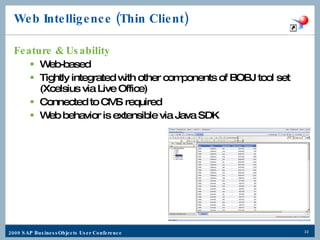
Web Intelligence (Thin Client) Feature & Usability Web-based Tightly integrated with other components of BOBJ tool set (Xcelsius via Live Office) Connected to CMS required Web behavior is extensible via Java SDK
Web Intelligence (Thin Client) Technical Interface impact can be tailored to environment (zero-footprint vs full-featured Java client) .wid file extension Services specific to Web Intelligence in BOE: Web Intelligence Job Service – receives Webi document request and forwards it to the Webi server for processing Web Intelligence Processing Service – processes Webi document requests
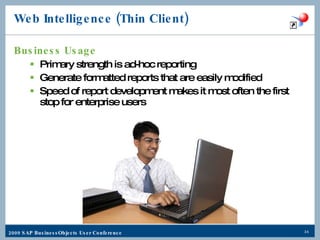
Web Intelligence (Thin Client) Business Usage Primary strength is ad-hoc reporting Generate formatted reports that are easily modified Speed of report development makes it most often the first stop for enterprise users
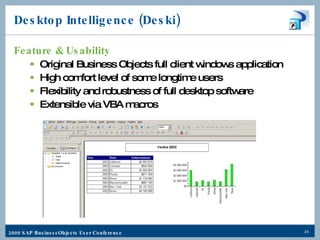
Desktop Intelligence (Deski) Feature & Usability Original Business Objects full client windows application High comfort level of some longtime users Flexibility and robustness of full desktop software Extensible via VBA macros
Desktop Intelligence (Deski) Technical Requires a desktop install and client middleware .rep file extension Services specific to Deski in BOE: Desktop Intelligence Cache Service – handles viewing requests and manages viewable pages Desktop Intelligence Job Service – processes scheduling requests & generates instances of the document Desktop Intelligence Processing Service – handles viewing requests and generates the documents
Desktop Intelligence (Deski) Business Usage Initially the single point for both enterprise reporting and ad-hoc querying Still has a faithful set of users because it was the first reporting tool that came with BOBJ. Frequently are still found in the enterprise where: Heavy VBA customization Legacy BOBJ deployments
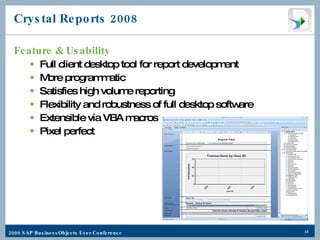
Crystal Reports 2008 Feature & Usability Full client desktop tool for report development More programmatic Satisfies high volume reporting Flexibility and robustness of full desktop software Extensible via VBA macros Pixel perfect
Crystal Reports 2008 Technical Requires a desktop install .rpt file extension Standalone Viewer available Services specific to Crystal Reports in BOE: Crystal Reports Cache Service – determines if user request can be satisfied with cached report page Crystal Reports Job Service – schedules & processes report objects, generates instances of the document Crystal Reports Processing Service – generates report pages for viewing, retrieves data for the report, and converts the data to one or more EPF files
Crystal Reports 2008 Business Usage Is a mainstay of boardroom-quality enterprise reporting, and has been for years Often burst to a set of users with custom data, or refreshed with prompts by the end user as-needed Front line reporting often leverages previously created Crystal reports for ease of use High Volume Printing (e.g. Invoices or Financial Statement)
Webi Rich Client Feature & Usability Enables offline creation and editing of Web Intelligence documents Is essentially a hybrid of Webi and Deski (spork) Use of local datasources No CMS connection required
Webi Rich Client Technical Runs in a self-contained Java executable  Creates .wid files, leverages the same Webi services Is Java only but no Java application server is necessary Three connectivity options: Standalone (no CMS or security) Online (connected to CMS, can import and export) Offline (disconnected from CMS, security is still applied) Supports multiple data sources like Excel and CSV
Webi Rich Client Business Usage Used for offline Web Intelligence report access and modification Incorporate local data Enables creation and formatting of reports in multiple modes Ease of transitioning from Deski
Key Learnings Creating and Editing  – Putting Together a Report Working with Reports   Merging data from Multiple Sources Ranking Track Changes Formulas and Variables Formatting and Displaying of Data Review BOBJ Reporting Client Tools  – Webi, Deski, Crystal Reports 2008, Webi Rich Client Connected, Offline, and Standalone Mode  – Discussing the differences between the three modes
Questions
Thank you for participating Please remember to complete and return your evaluation form following this session. SESSION CODE:  1102

SAP BusinessObject's Webi Rich Client

  • 1.
    Webi Rich ClientEric Molner
  • 2.
    Learning Points Creatingand Editing – Putting Together a Report Working with Reports Merging data from Multiple Sources Ranking Track Changes Formulas and Variables Formatting and Displaying of Data Connected, Offline, and Standalone Mode – Discussing the differences between the three modes Review BOBJ Reporting Client Tools – Webi, Deski, Crystal Reports 2008, Webi Rich Client
  • 3.
    Who Am I? Eric Molner is a Chicago-based Consultant with Analytics8. He has extensive real-world expertise with the entire BusinessObjects product suite and all aspects of a BI project including: Business analysis Report design & best practices Database design System testing Data quality management Contact: emolner@analytics8.com
  • 4.
    What we doBusiness and Technology requirements analysis & strategic definitions Data Warehouse project management/implementation ETL and data transformation and migration Business Intelligence implementation Dashboard & Scorecard implementation Training and Knowledge transfer System Profiler Assist our customers in the definition and development of a best fit data and BI solution through… “ It is reassuring to know that I can pick up the phone and talk to someone I can trust, who understands our business based on a long association, and whose advise is 100% objective” David Walker, Director of Global IT - Swiss Re. Chicago • Sydney • Melbourne
  • 5.
    Typical Reporting DeploymentWeb Intelligence (Webi) – Web-based UI where a user can interact with reports by conducting ad-hoc analysis Desktop Intelligence (Deski) – Full client version of Webi that allows users to continue reporting on their local machine Crystal Reports – Long time standard reporting tool that satisfies simple to complex reporting needs.
  • 6.
    Throw In WebIntelligence Rich Client
  • 7.
    What is WebiRich Client ? Webi Rich Client “the spork” A new tool offered with Business Objects XI3.1 Similar to the Webi Java version Capability to work on reports offline without being connected to a CMS
  • 8.
  • 9.
  • 10.
    New Document –Data source selection
  • 11.
  • 12.
  • 13.
  • 14.
  • 15.
    Rich Client WorkingModes Connected Mode – Connected to the CMS Offline Mode – Working with local data sources NOT connected to a CMS, BUT applies CMS Security Standalone Mode – NOT connected to a CMS and security is NOT applied
  • 16.
    Connected Mode WhatCan You Do ? import documents to the CMS export documents to the CMS open local documents create, edit, and refresh documents save documents locally
  • 17.
    Offline Mode WhatCan You Do ? open local documents create, edit, and refresh documents This requires a local universe/data source and local connection server save documents locally Note: Cannot Import or Export documents to a CMS The security information for a CMS is stored in a local security information file (extension LSI) in the LocData folder under the BusinessObjects Web Intelligence Rich Client installation folder. One computer can store LSI files for several CMSs.
  • 18.
    Standalone Mode WhatCan You Do ? open local documents create, edit, and refresh local documents save documents locally Note: Cannot Import or Export documents to a CMS You cannot work with documents or universes that have been secured by a CMS.
  • 19.
    Demo Time Whatwe will Cover Query Panel Report Panel Common Report Functionality Merging data from multiple Sources Ranking Track Changes Formulas and Variables Formatting and Displaying of Data
  • 20.
    How are theysimilar ? Compatible with numerous data sources: Semantic layer – Universe Raw SQL Microsoft Excel CSV files Varying degrees of user interactivity Leveraging the same enterprise backbone for distribution
  • 21.
    How do theydiffer ? Feature & Usability Comparison What does one offer that another does not? Technical Comparison How are they different “behind the scenes”? Business Use Comparison When is each the right tool for the job?
  • 22.
    Web Intelligence (ThinClient) Feature & Usability Web-based Tightly integrated with other components of BOBJ tool set (Xcelsius via Live Office) Connected to CMS required Web behavior is extensible via Java SDK
  • 23.
    Web Intelligence (ThinClient) Technical Interface impact can be tailored to environment (zero-footprint vs full-featured Java client) .wid file extension Services specific to Web Intelligence in BOE: Web Intelligence Job Service – receives Webi document request and forwards it to the Webi server for processing Web Intelligence Processing Service – processes Webi document requests
  • 24.
    Web Intelligence (ThinClient) Business Usage Primary strength is ad-hoc reporting Generate formatted reports that are easily modified Speed of report development makes it most often the first stop for enterprise users
  • 25.
    Desktop Intelligence (Deski)Feature & Usability Original Business Objects full client windows application High comfort level of some longtime users Flexibility and robustness of full desktop software Extensible via VBA macros
  • 26.
    Desktop Intelligence (Deski)Technical Requires a desktop install and client middleware .rep file extension Services specific to Deski in BOE: Desktop Intelligence Cache Service – handles viewing requests and manages viewable pages Desktop Intelligence Job Service – processes scheduling requests & generates instances of the document Desktop Intelligence Processing Service – handles viewing requests and generates the documents
  • 27.
    Desktop Intelligence (Deski)Business Usage Initially the single point for both enterprise reporting and ad-hoc querying Still has a faithful set of users because it was the first reporting tool that came with BOBJ. Frequently are still found in the enterprise where: Heavy VBA customization Legacy BOBJ deployments
  • 28.
    Crystal Reports 2008Feature & Usability Full client desktop tool for report development More programmatic Satisfies high volume reporting Flexibility and robustness of full desktop software Extensible via VBA macros Pixel perfect
  • 29.
    Crystal Reports 2008Technical Requires a desktop install .rpt file extension Standalone Viewer available Services specific to Crystal Reports in BOE: Crystal Reports Cache Service – determines if user request can be satisfied with cached report page Crystal Reports Job Service – schedules & processes report objects, generates instances of the document Crystal Reports Processing Service – generates report pages for viewing, retrieves data for the report, and converts the data to one or more EPF files
  • 30.
    Crystal Reports 2008Business Usage Is a mainstay of boardroom-quality enterprise reporting, and has been for years Often burst to a set of users with custom data, or refreshed with prompts by the end user as-needed Front line reporting often leverages previously created Crystal reports for ease of use High Volume Printing (e.g. Invoices or Financial Statement)
  • 31.
    Webi Rich ClientFeature & Usability Enables offline creation and editing of Web Intelligence documents Is essentially a hybrid of Webi and Deski (spork) Use of local datasources No CMS connection required
  • 32.
    Webi Rich ClientTechnical Runs in a self-contained Java executable Creates .wid files, leverages the same Webi services Is Java only but no Java application server is necessary Three connectivity options: Standalone (no CMS or security) Online (connected to CMS, can import and export) Offline (disconnected from CMS, security is still applied) Supports multiple data sources like Excel and CSV
  • 33.
    Webi Rich ClientBusiness Usage Used for offline Web Intelligence report access and modification Incorporate local data Enables creation and formatting of reports in multiple modes Ease of transitioning from Deski
  • 34.
    Key Learnings Creatingand Editing – Putting Together a Report Working with Reports Merging data from Multiple Sources Ranking Track Changes Formulas and Variables Formatting and Displaying of Data Review BOBJ Reporting Client Tools – Webi, Deski, Crystal Reports 2008, Webi Rich Client Connected, Offline, and Standalone Mode – Discussing the differences between the three modes
  • 35.
  • 36.
    Thank you forparticipating Please remember to complete and return your evaluation form following this session. SESSION CODE: 1102