Power Business Intelligence
Submitted By:
Aastha A. Badoniya
Introduction
• Power BI is a collection of software services, apps, and connectors that work together to turn
your unrelated sources of data into coherent, visually immersive, and interactive insights.
Whether your data is a simple Excel spreadsheet, or a collection of cloud-based and on-
premises hybrid data warehouses, Power BI lets you easily connect to your data sources,
visualize (or discover) what’s important, and share that with anyone or everyone you want.
Power BI is made of 6 main components, these components released in the market separately, and
they can be used even individually. Components of Power BI are:
• Power Query: Data mash up and transformation tool.
• Power Pivot: In-memory tabular data modeling tool
• Power View: Data visualization tool
• Power Map: 3D Geo-spatial data visualization tool
• Power Q&A: Natural language question and answering engine.
• Power BI Desktop: A powerful companion development tool for Power BI
Power Query
Power Query is data transformation and mash up engine. With Power Query you can extract data
from many different data sources. Power Query gives you a graphical user interface to transform
data as you need, adding columns, changing types, transformations for date and time, text, and
many other operations are available
Power Pivot
Power Pivot is data modeling engine which works on xVelocity In-Memory based tabular
engine. The In-Memory engine gives Power Pivot super fast response time and the modeling
engine would provide you a great place to build your star schema, calculated measures and
columns, build relationships through entities and so on..
Power View
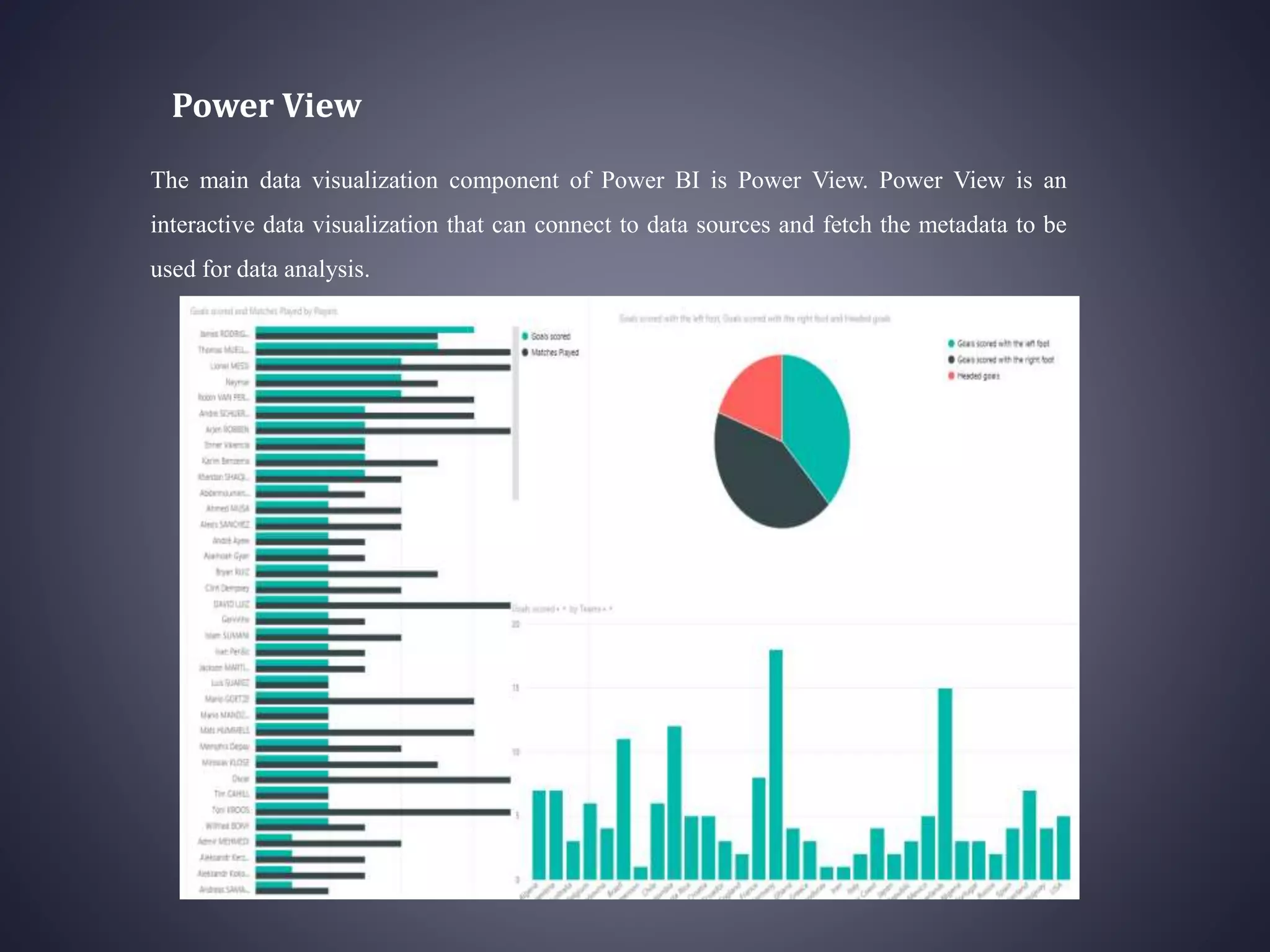
The main data visualization component of Power BI is Power View. Power View is an
interactive data visualization that can connect to data sources and fetch the metadata to be
used for data analysis.
Power Map
Power Map is for visualizing Geo-spatial information in 3D mode. When visualization
renders in 3D mode it will gives you another dimension in the visualization. You can
visualize a measure as height of a column in 3D, and another measure as heat map view.
Power Q&A
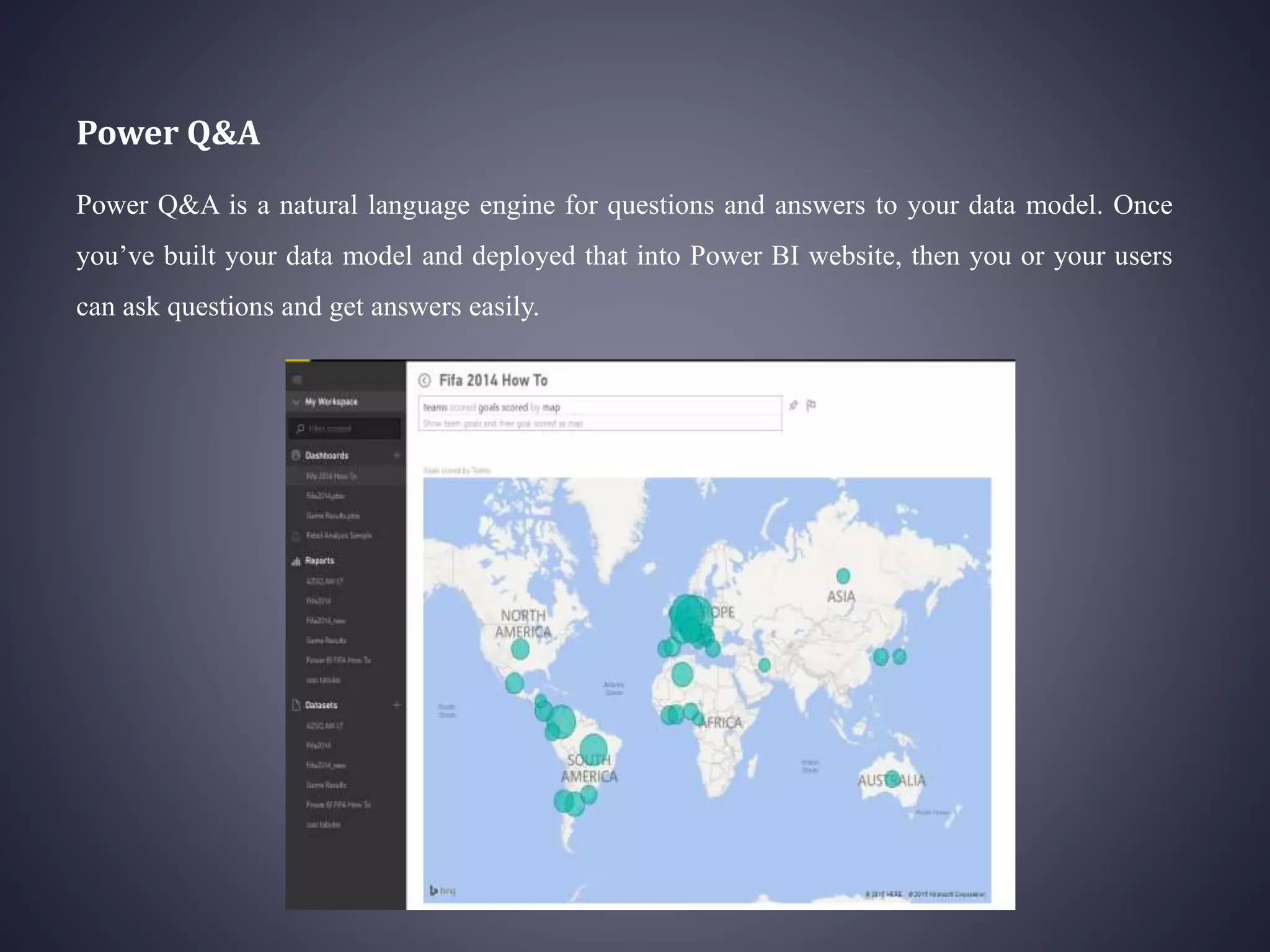
Power Q&A is a natural language engine for questions and answers to your data model. Once
you’ve built your data model and deployed that into Power BI website, then you or your users
can ask questions and get answers easily.
Power BI Desktop
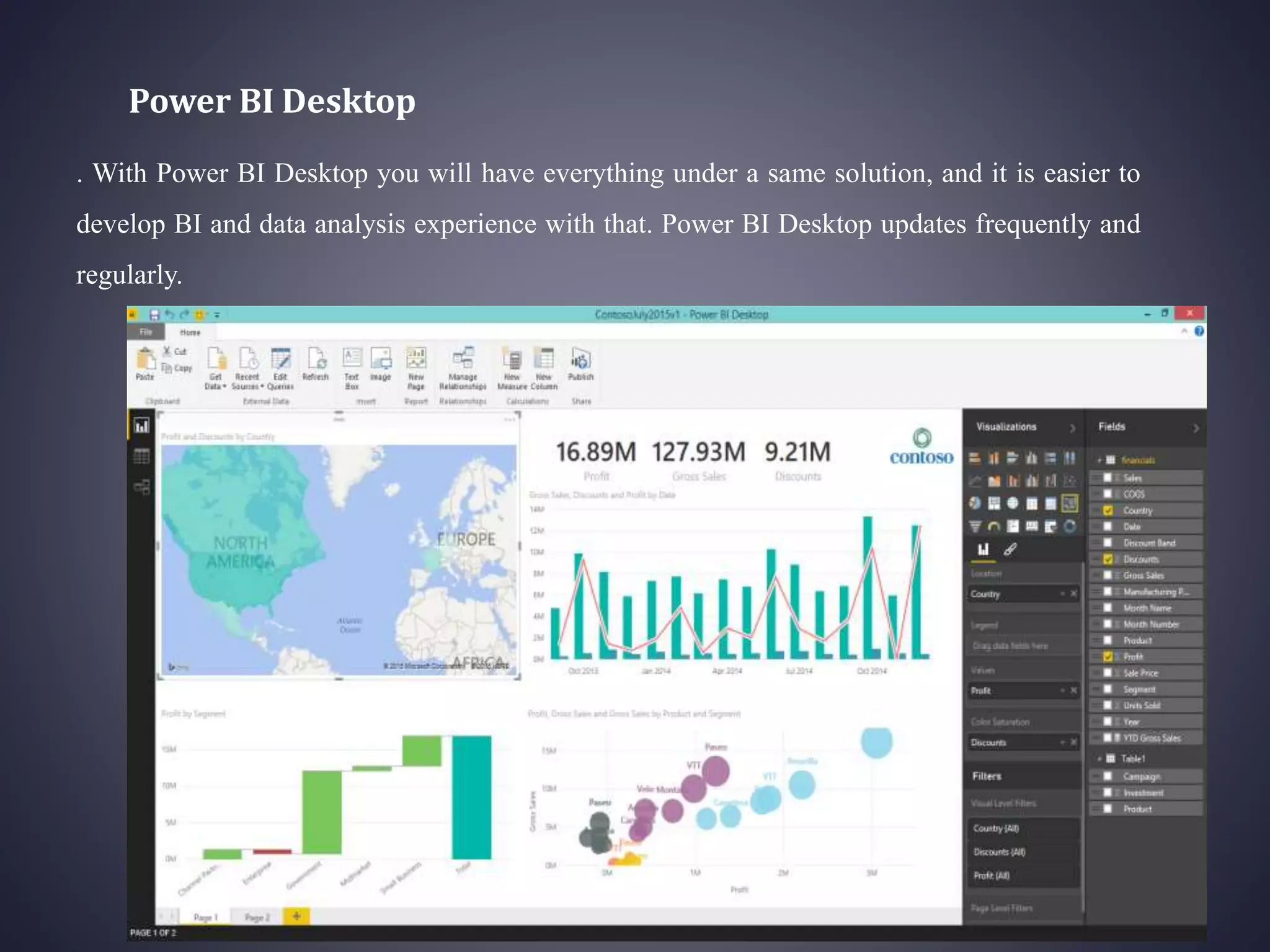
. With Power BI Desktop you will have everything under a same solution, and it is easier to
develop BI and data analysis experience with that. Power BI Desktop updates frequently and
regularly.
Power BI Website
Power BI solution can be published to PowerBI website. In Power BI website the data source
can be scheduled to refresh Dashboards can be created for the report, and it can be shared with
others. Power BI website even gives you the ability to slice and dice the data online without
requiring any other tools, just a simple web browser.
Power BI Apps
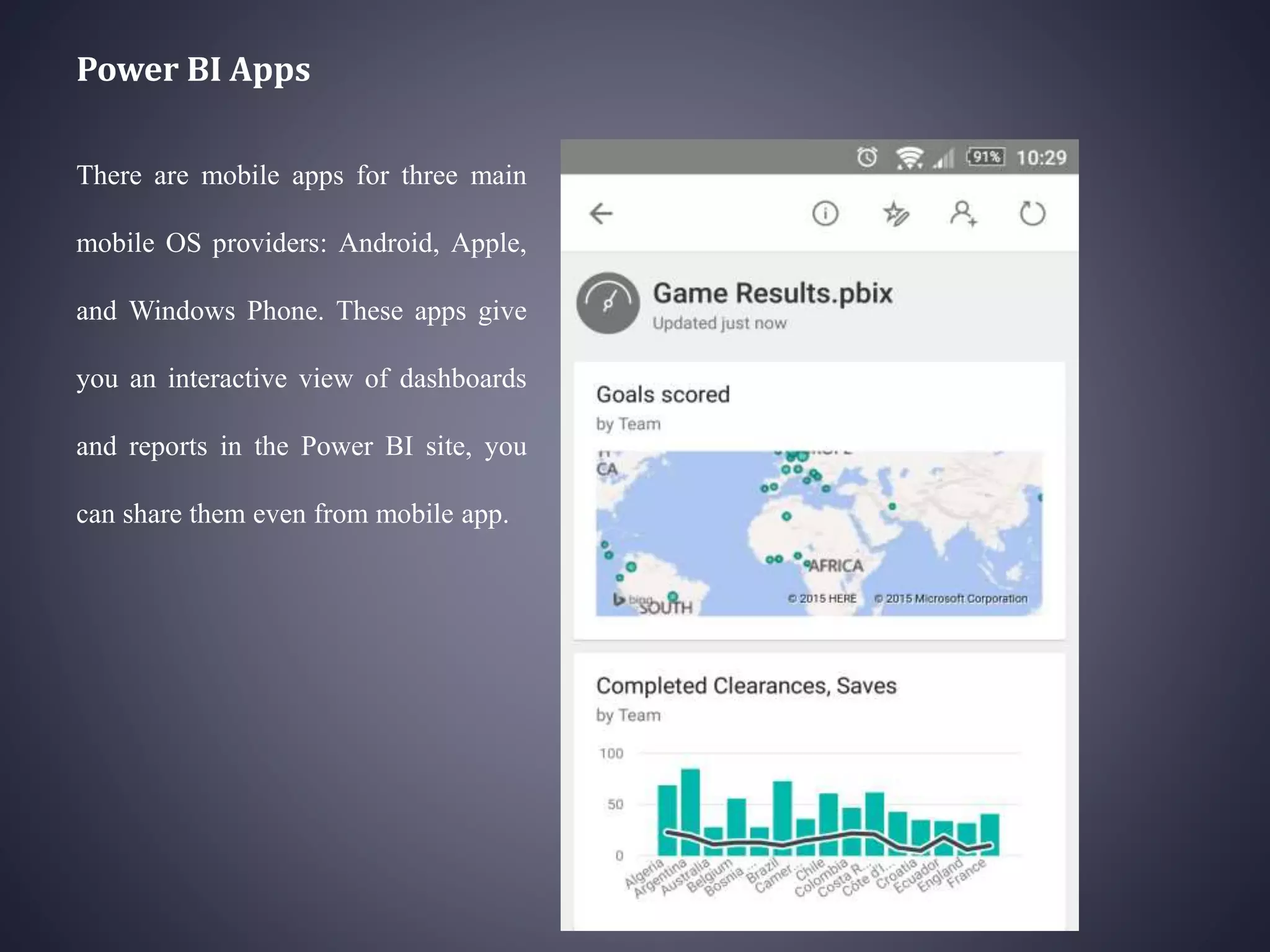
There are mobile apps for three main
mobile OS providers: Android, Apple,
and Windows Phone. These apps give
you an interactive view of dashboards
and reports in the Power BI site, you
can share them even from mobile app.
What Types of Data Can
Be Utilized
•SQL Server Database
•Access Database
•SQL Server Analysis Services
Database
•Oracle Database
•IBM DB2 Database
•IBM Informix Database (Beta)
•MySQL Database
•PostgreSQL Database
•Sybase Database
•Teradata Database
•SAP HANA Database
Power Bi architecture
Each Power BI deployment consists of two clusters – a Web Front End (WFE) cluster, and
a Back End cluster. using AAD to authenticate clients and provide tokens for subsequent client
connections to the Power BI service. The Back End cluster manages visualizations, user
dashboards, datasets, reports, data storage, data connections, data refresh, and other aspects of
interacting with the Power BI service.
Advantages
• Integrates seamlessly with existing applications.
• Rich personalized dashboards.
• Publish reports securely.
• No memory and speed constraints.
• No specialized technical support required.
• Extracting business intelligence rapidly and accurately.
• Balanced simplicity and performance.
• Supports Advanced Data services .
Disadvantages
• It’s best for Microsoft Excel power users
• It doesn’t handle large data sources well
• It’s pretty complex
• It doesn’t have a solution for data quality
Limitation
• Lack of custom visuals
• Lack of customizing options for charts/graphs
• Power BI reports and dashboards cannot accept or pass user, account or other entity
parameters. This makes it impossible to create entity specific dashboards such as a dashboard
for an account or project
• Dashboards and reports can only be shared with users who have the same email domains. It's
a nightmare to share dashboards to individuals outside the same domains.
• While a dataset can include multiple data types, Power BI reports and dashboards can only
source data from a single dataset. Similarly, Power BI cannot mix imported data with data
accessed from real-time connections. It's one or the other.
• Power BI will not accept files larger than 250 MB
Future Scope
• Increase the dataset limit above 1GB.
• Updating more custom visuals.
• Accepting Files more than 250MB.
• Making More customizing options for graphs and charts.
• Making it more interactive.
Conclusion
Many companies are taking the steps to evaluate how it could work for them. This is probably the
right approach for Microsoft: to focus on getting Power BI tools into the hands of business
users and increasing adoption. Once those users begin to see the value, the demand for deeper
analytics and cloud services will likely increase as a result.
References
IEEE Papers:
Nayem Rehman, Fahad Aldhaban,Shameem Akhter,”Emerging Technologies in Business
Intelligence” in Proceedings of PICMET '13: Technology Management in the IT-Driven
Services (PICMET), 2013
Links
• https://docs.microsoft.com/en-us/power-bi/guided-learning/gettingstarted?tutorial-
step=2http://radacad.com/introduction-to-power-bi-what-is-power-bi
• http://wwww.computerworld.com/article/3088958/free-data-visualization-with-microsoft-
power-bi-step-by-step-guide.html?page=3
• https://docs.microsoft.com/en-us/power-bi/service-whats-new

Power business intelligence

  • 1.
  • 2.
    Introduction • Power BIis a collection of software services, apps, and connectors that work together to turn your unrelated sources of data into coherent, visually immersive, and interactive insights. Whether your data is a simple Excel spreadsheet, or a collection of cloud-based and on- premises hybrid data warehouses, Power BI lets you easily connect to your data sources, visualize (or discover) what’s important, and share that with anyone or everyone you want. Power BI is made of 6 main components, these components released in the market separately, and they can be used even individually. Components of Power BI are: • Power Query: Data mash up and transformation tool. • Power Pivot: In-memory tabular data modeling tool • Power View: Data visualization tool • Power Map: 3D Geo-spatial data visualization tool • Power Q&A: Natural language question and answering engine. • Power BI Desktop: A powerful companion development tool for Power BI
  • 3.
    Power Query Power Queryis data transformation and mash up engine. With Power Query you can extract data from many different data sources. Power Query gives you a graphical user interface to transform data as you need, adding columns, changing types, transformations for date and time, text, and many other operations are available
  • 4.
    Power Pivot Power Pivotis data modeling engine which works on xVelocity In-Memory based tabular engine. The In-Memory engine gives Power Pivot super fast response time and the modeling engine would provide you a great place to build your star schema, calculated measures and columns, build relationships through entities and so on..
  • 5.
    Power View The maindata visualization component of Power BI is Power View. Power View is an interactive data visualization that can connect to data sources and fetch the metadata to be used for data analysis.
  • 6.
    Power Map Power Mapis for visualizing Geo-spatial information in 3D mode. When visualization renders in 3D mode it will gives you another dimension in the visualization. You can visualize a measure as height of a column in 3D, and another measure as heat map view.
  • 7.
    Power Q&A Power Q&Ais a natural language engine for questions and answers to your data model. Once you’ve built your data model and deployed that into Power BI website, then you or your users can ask questions and get answers easily.
  • 8.
    Power BI Desktop .With Power BI Desktop you will have everything under a same solution, and it is easier to develop BI and data analysis experience with that. Power BI Desktop updates frequently and regularly.
  • 9.
    Power BI Website PowerBI solution can be published to PowerBI website. In Power BI website the data source can be scheduled to refresh Dashboards can be created for the report, and it can be shared with others. Power BI website even gives you the ability to slice and dice the data online without requiring any other tools, just a simple web browser.
  • 10.
    Power BI Apps Thereare mobile apps for three main mobile OS providers: Android, Apple, and Windows Phone. These apps give you an interactive view of dashboards and reports in the Power BI site, you can share them even from mobile app.
  • 11.
    What Types ofData Can Be Utilized •SQL Server Database •Access Database •SQL Server Analysis Services Database •Oracle Database •IBM DB2 Database •IBM Informix Database (Beta) •MySQL Database •PostgreSQL Database •Sybase Database •Teradata Database •SAP HANA Database
  • 12.
    Power Bi architecture EachPower BI deployment consists of two clusters – a Web Front End (WFE) cluster, and a Back End cluster. using AAD to authenticate clients and provide tokens for subsequent client connections to the Power BI service. The Back End cluster manages visualizations, user dashboards, datasets, reports, data storage, data connections, data refresh, and other aspects of interacting with the Power BI service.
  • 13.
    Advantages • Integrates seamlesslywith existing applications. • Rich personalized dashboards. • Publish reports securely. • No memory and speed constraints. • No specialized technical support required. • Extracting business intelligence rapidly and accurately. • Balanced simplicity and performance. • Supports Advanced Data services .
  • 14.
    Disadvantages • It’s bestfor Microsoft Excel power users • It doesn’t handle large data sources well • It’s pretty complex • It doesn’t have a solution for data quality
  • 15.
    Limitation • Lack ofcustom visuals • Lack of customizing options for charts/graphs • Power BI reports and dashboards cannot accept or pass user, account or other entity parameters. This makes it impossible to create entity specific dashboards such as a dashboard for an account or project • Dashboards and reports can only be shared with users who have the same email domains. It's a nightmare to share dashboards to individuals outside the same domains. • While a dataset can include multiple data types, Power BI reports and dashboards can only source data from a single dataset. Similarly, Power BI cannot mix imported data with data accessed from real-time connections. It's one or the other. • Power BI will not accept files larger than 250 MB
  • 16.
    Future Scope • Increasethe dataset limit above 1GB. • Updating more custom visuals. • Accepting Files more than 250MB. • Making More customizing options for graphs and charts. • Making it more interactive.
  • 17.
    Conclusion Many companies aretaking the steps to evaluate how it could work for them. This is probably the right approach for Microsoft: to focus on getting Power BI tools into the hands of business users and increasing adoption. Once those users begin to see the value, the demand for deeper analytics and cloud services will likely increase as a result.
  • 18.
    References IEEE Papers: Nayem Rehman,Fahad Aldhaban,Shameem Akhter,”Emerging Technologies in Business Intelligence” in Proceedings of PICMET '13: Technology Management in the IT-Driven Services (PICMET), 2013 Links • https://docs.microsoft.com/en-us/power-bi/guided-learning/gettingstarted?tutorial- step=2http://radacad.com/introduction-to-power-bi-what-is-power-bi • http://wwww.computerworld.com/article/3088958/free-data-visualization-with-microsoft- power-bi-step-by-step-guide.html?page=3 • https://docs.microsoft.com/en-us/power-bi/service-whats-new