SAP Basis Course Content
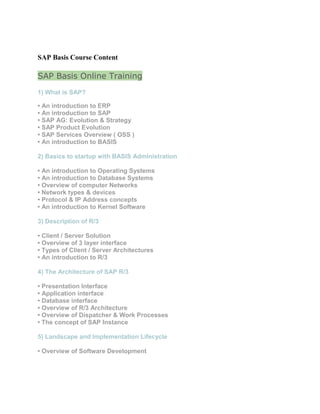
SAP Basis Online Training
1) What is SAP?
• An introduction to ERP
• An introduction to SAP
• SAP AG: Evolution & Strategy
• SAP Product Evolution
• SAP Services Overview ( OSS )
• An introduction to BASIS
2) Basics to startup with BASIS Administration
• An introduction to Operating Systems
• An introduction to Database Systems
• Overview of computer Networks
• Network types & devices
• Protocol & IP Address concepts
• An introduction to Kernel Software
3) Description of R/3
• Client / Server Solution
• Overview of 3 layer interface
• Types of Client / Server Architectures
• An introduction to R/3
4) The Architecture of SAP R/3
• Presentation Interface
• Application interface
• Database interface
• Overview of R/3 Architecture
• Overview of Dispatcher & Work Processes
• The concept of SAP Instance
5) Landscape and Implementation Lifecycle
• Overview of Software Development
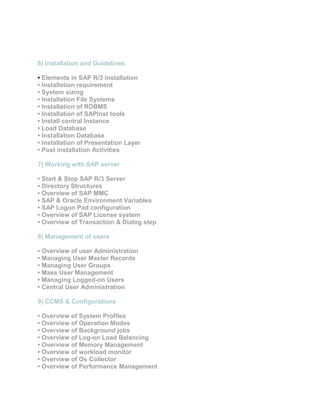
6) Installation and Guidelines
• Elements in SAP R/3 installation
• Installation requirement
• System sizing
• Installation File Systems
• Installation of RDBMS
• Installation of SAPInst tools
• Install central Instance
• Load Database
• Installation Database
• Installation of Presentation Layer
• Post installation Activities
7) Working with SAP server
• Start & Stop SAP R/3 Server
• Directory Structures
• Overview of SAP MMC
• SAP & Oracle Environment Variables
• SAP Logon Pad configuration
• Overview of SAP License system
• Overview of Transaction & Dialog step
8) Management of users
• Overview of user Administration
• Managing User Master Records
• Managing User Groups
• Mass User Management
• Managing Logged-on Users
• Central User Administration
9) CCMS & Configurations
• Overview of System Profiles
• Overview of Operation Modes
• Overview of Background jobs
• Overview of Log-on Load Balancing
• Overview of Memory Management
• Overview of workload monitor
• Overview of Os Collector
• Overview of Performance Management
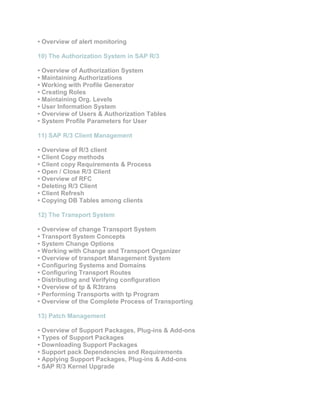
• Overview of alert monitoring
10) The Authorization System in SAP R/3
• Overview of Authorization System
• Maintaining Authorizations
• Working with Profile Generator
• Creating Roles
• Maintaining Org. Levels
• User Information System
• Overview of Users & Authorization Tables
• System Profile Parameters for User
11) SAP R/3 Client Management
• Overview of R/3 client
• Client Copy methods
• Client copy Requirements & Process
• Open / Close R/3 Client
• Overview of RFC
• Deleting R/3 Client
• Client Refresh
• Copying DB Tables among clients
12) The Transport System
• Overview of change Transport System
• Transport System Concepts
• System Change Options
• Working with Change and Transport Organizer
• Overview of transport Management System
• Configuring Systems and Domains
• Configuring Transport Routes
• Distributing and Verifying configuration
• Overview of tp & R3trans
• Performing Transports with tp Program
• Overview of the Complete Process of Transporting
13) Patch Management
• Overview of Support Packages, Plug-ins & Add-ons
• Types of Support Packages
• Downloading Support Packages
• Support pack Dependencies and Requirements
• Applying Support Packages, Plug-ins & Add-ons
• SAP R/3 Kernel Upgrade
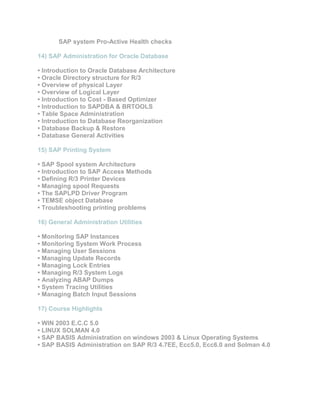
SAP system Pro-Active Health checks
14) SAP Administration for Oracle Database
• Introduction to Oracle Database Architecture
• Oracle Directory structure for R/3
• Overview of physical Layer
• Overview of Logical Layer
• Introduction to Cost - Based Optimizer
• Introduction to SAPDBA & BRTOOLS
• Table Space Administration
• Introduction to Database Reorganization
• Database Backup & Restore
• Database General Activities
15) SAP Printing System
• SAP Spool system Architecture
• Introduction to SAP Access Methods
• Defining R/3 Printer Devices
• Managing spool Requests
• The SAPLPD Driver Program
• TEMSE object Database
• Troubleshooting printing problems
16) General Administration Utilities
• Monitoring SAP Instances
• Monitoring System Work Process
• Managing User Sessions
• Managing Update Records
• Managing Lock Entries
• Managing R/3 System Logs
• Analyzing ABAP Dumps
• System Tracing Utilities
• Managing Batch Input Sessions
17) Course Highlights
• WIN 2003 E.C.C 5.0
• LINUX SOLMAN 4.0
• SAP BASIS Administration on windows 2003 & Linux Operating Systems
• SAP BASIS Administration on SAP R/3 4.7EE, Ecc5.0, Ecc6.0 and Solman 4.0

Sap basis course content

  • 1.
    SAP Basis CourseContent SAP Basis Online Training 1) What is SAP? • An introduction to ERP • An introduction to SAP • SAP AG: Evolution & Strategy • SAP Product Evolution • SAP Services Overview ( OSS ) • An introduction to BASIS 2) Basics to startup with BASIS Administration • An introduction to Operating Systems • An introduction to Database Systems • Overview of computer Networks • Network types & devices • Protocol & IP Address concepts • An introduction to Kernel Software 3) Description of R/3 • Client / Server Solution • Overview of 3 layer interface • Types of Client / Server Architectures • An introduction to R/3 4) The Architecture of SAP R/3 • Presentation Interface • Application interface • Database interface • Overview of R/3 Architecture • Overview of Dispatcher & Work Processes • The concept of SAP Instance 5) Landscape and Implementation Lifecycle • Overview of Software Development
  • 2.
    6) Installation andGuidelines • Elements in SAP R/3 installation • Installation requirement • System sizing • Installation File Systems • Installation of RDBMS • Installation of SAPInst tools • Install central Instance • Load Database • Installation Database • Installation of Presentation Layer • Post installation Activities 7) Working with SAP server • Start & Stop SAP R/3 Server • Directory Structures • Overview of SAP MMC • SAP & Oracle Environment Variables • SAP Logon Pad configuration • Overview of SAP License system • Overview of Transaction & Dialog step 8) Management of users • Overview of user Administration • Managing User Master Records • Managing User Groups • Mass User Management • Managing Logged-on Users • Central User Administration 9) CCMS & Configurations • Overview of System Profiles • Overview of Operation Modes • Overview of Background jobs • Overview of Log-on Load Balancing • Overview of Memory Management • Overview of workload monitor • Overview of Os Collector • Overview of Performance Management
  • 3.
    • Overview ofalert monitoring 10) The Authorization System in SAP R/3 • Overview of Authorization System • Maintaining Authorizations • Working with Profile Generator • Creating Roles • Maintaining Org. Levels • User Information System • Overview of Users & Authorization Tables • System Profile Parameters for User 11) SAP R/3 Client Management • Overview of R/3 client • Client Copy methods • Client copy Requirements & Process • Open / Close R/3 Client • Overview of RFC • Deleting R/3 Client • Client Refresh • Copying DB Tables among clients 12) The Transport System • Overview of change Transport System • Transport System Concepts • System Change Options • Working with Change and Transport Organizer • Overview of transport Management System • Configuring Systems and Domains • Configuring Transport Routes • Distributing and Verifying configuration • Overview of tp & R3trans • Performing Transports with tp Program • Overview of the Complete Process of Transporting 13) Patch Management • Overview of Support Packages, Plug-ins & Add-ons • Types of Support Packages • Downloading Support Packages • Support pack Dependencies and Requirements • Applying Support Packages, Plug-ins & Add-ons • SAP R/3 Kernel Upgrade
  • 4.
    SAP system Pro-ActiveHealth checks 14) SAP Administration for Oracle Database • Introduction to Oracle Database Architecture • Oracle Directory structure for R/3 • Overview of physical Layer • Overview of Logical Layer • Introduction to Cost - Based Optimizer • Introduction to SAPDBA & BRTOOLS • Table Space Administration • Introduction to Database Reorganization • Database Backup & Restore • Database General Activities 15) SAP Printing System • SAP Spool system Architecture • Introduction to SAP Access Methods • Defining R/3 Printer Devices • Managing spool Requests • The SAPLPD Driver Program • TEMSE object Database • Troubleshooting printing problems 16) General Administration Utilities • Monitoring SAP Instances • Monitoring System Work Process • Managing User Sessions • Managing Update Records • Managing Lock Entries • Managing R/3 System Logs • Analyzing ABAP Dumps • System Tracing Utilities • Managing Batch Input Sessions 17) Course Highlights • WIN 2003 E.C.C 5.0 • LINUX SOLMAN 4.0 • SAP BASIS Administration on windows 2003 & Linux Operating Systems • SAP BASIS Administration on SAP R/3 4.7EE, Ecc5.0, Ecc6.0 and Solman 4.0