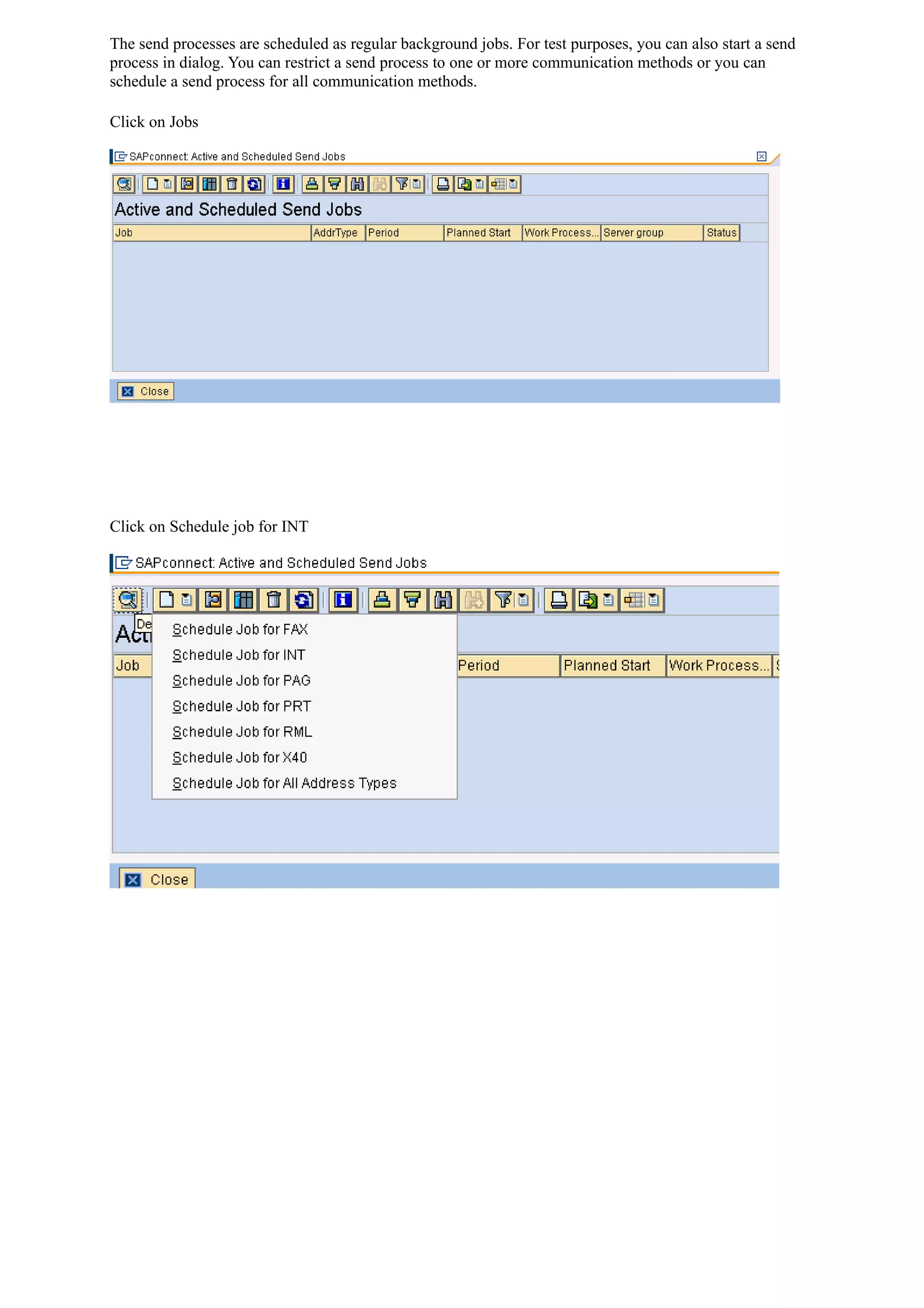
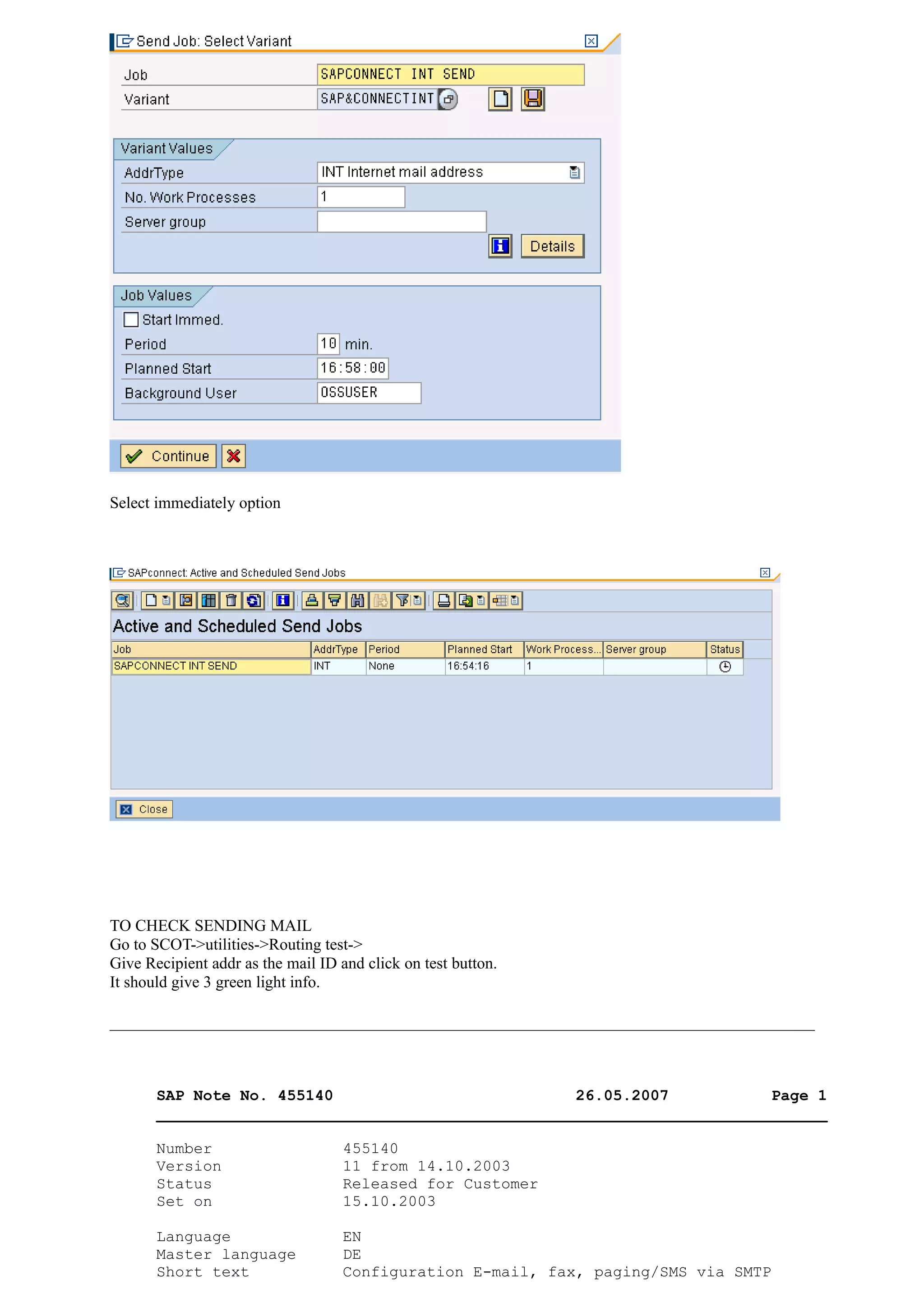
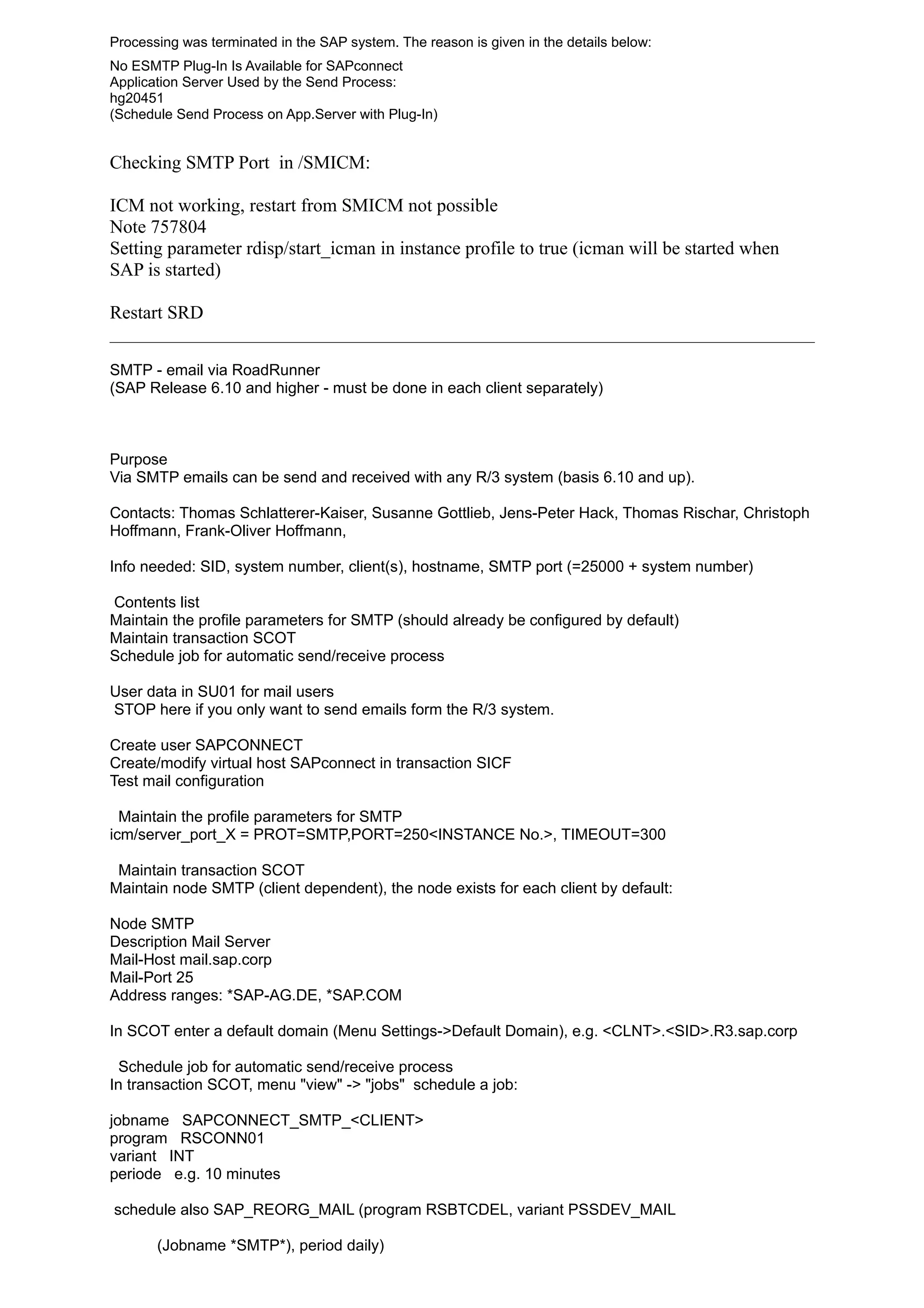
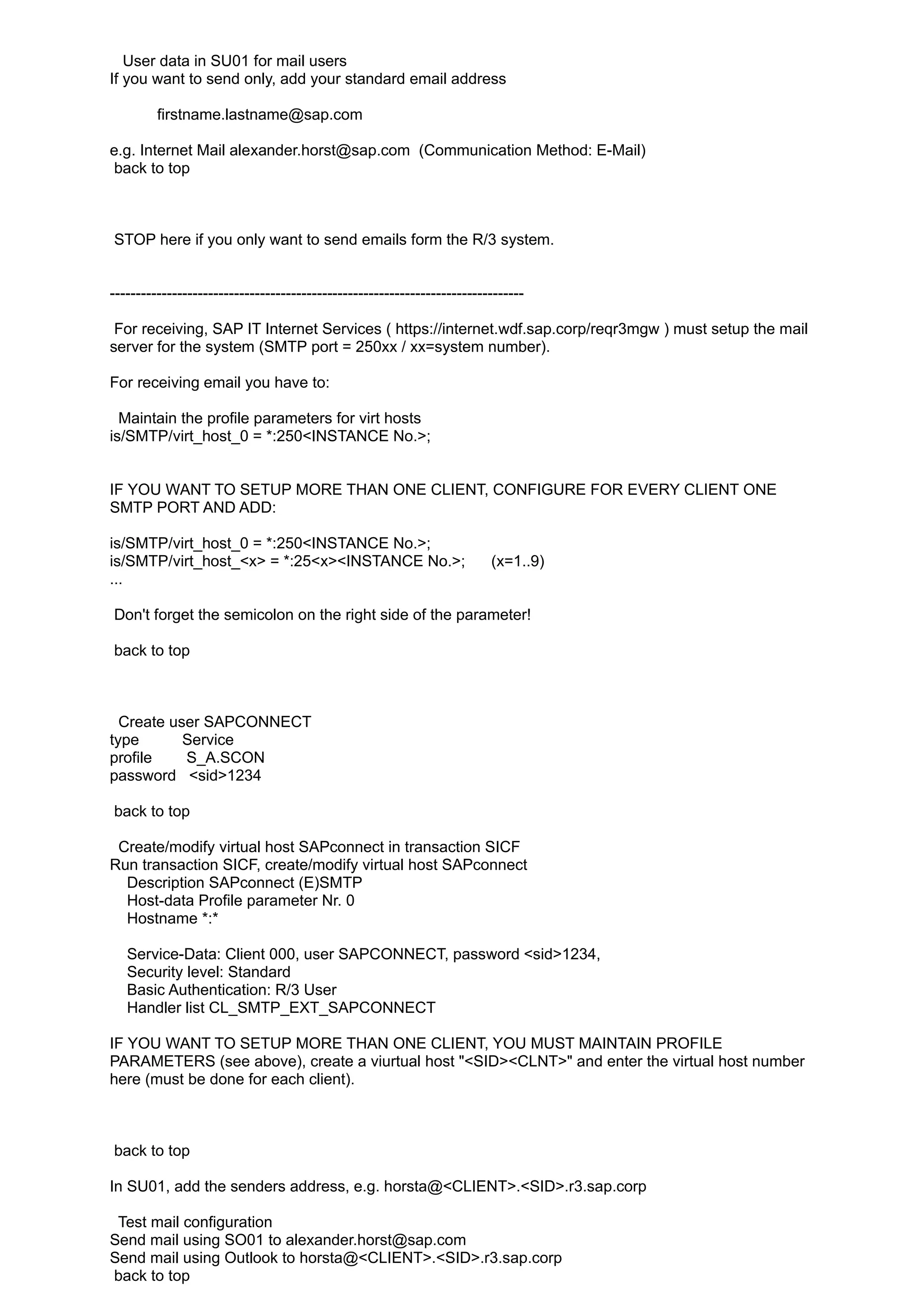
The document provides instructions for configuring the SCOT (SAP Connectivity) module to send emails using SMTP. Key steps include:
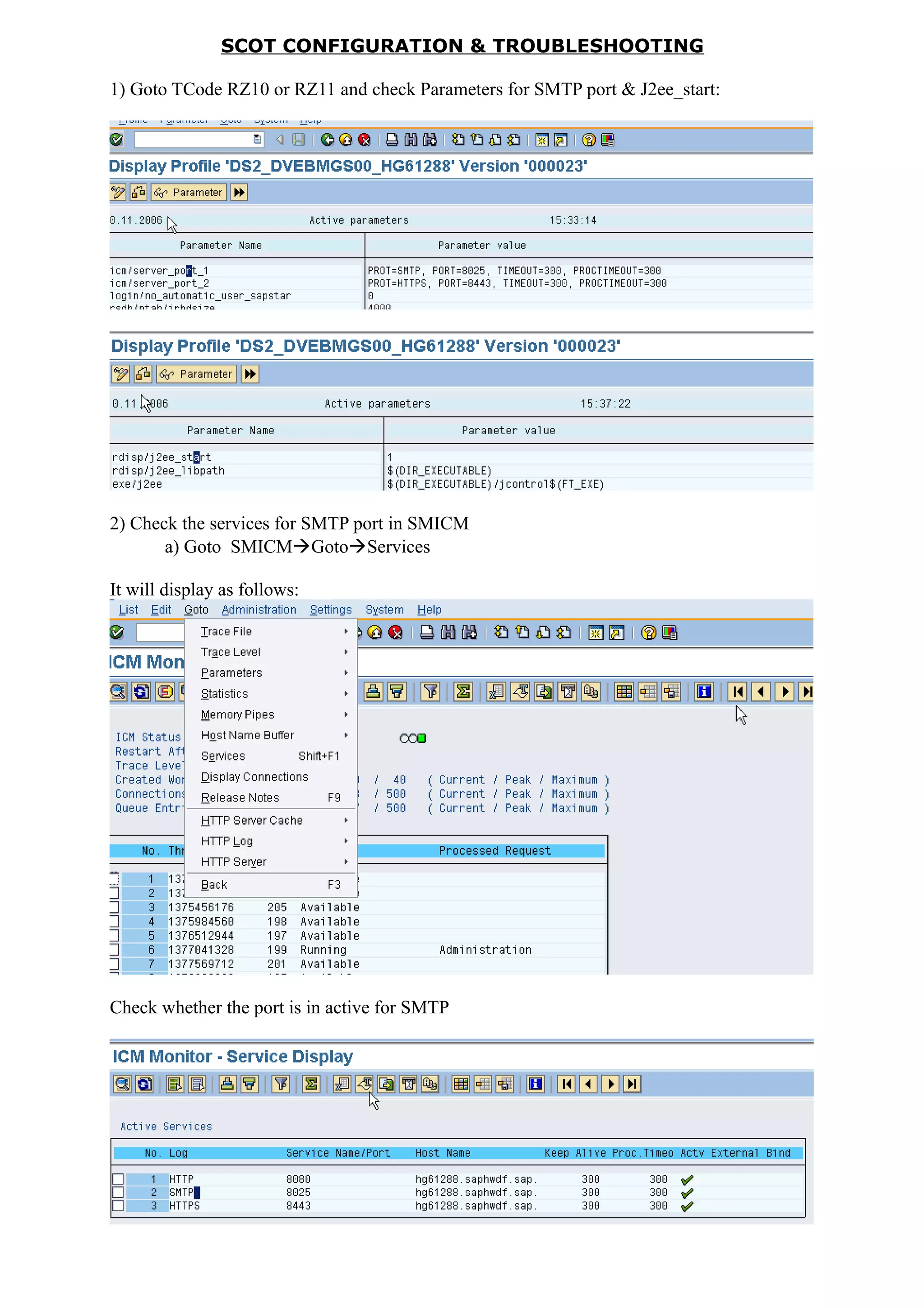
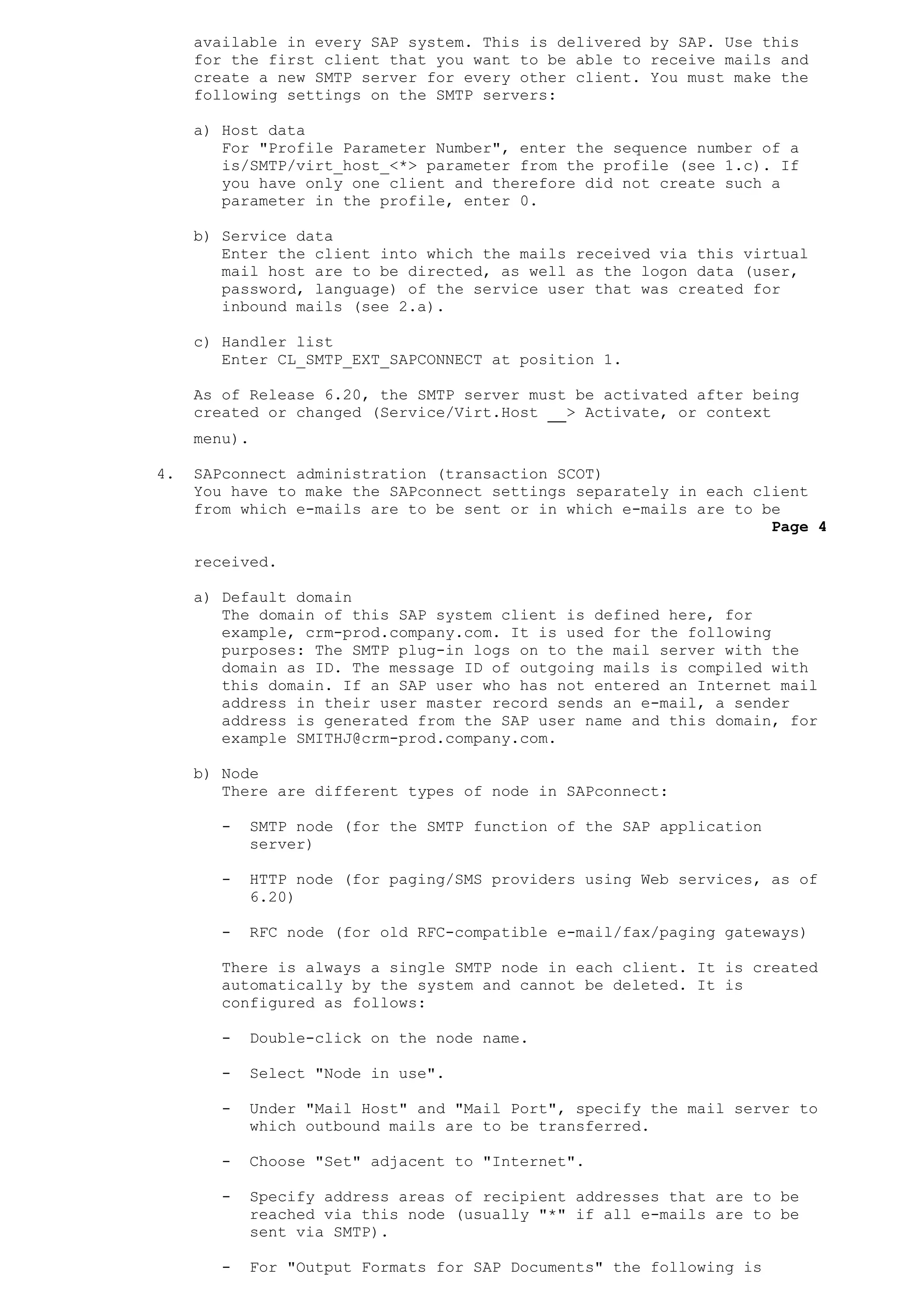
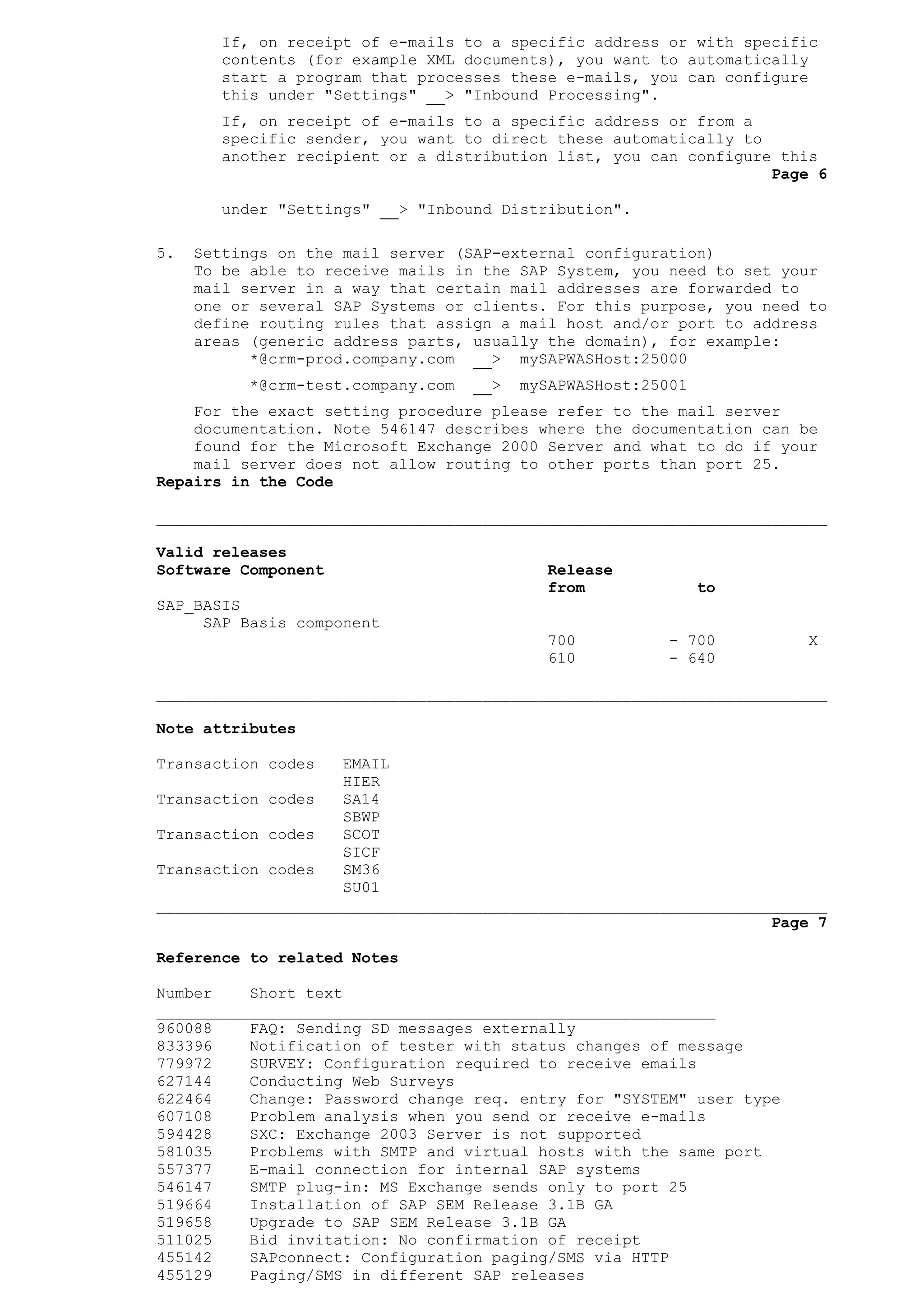
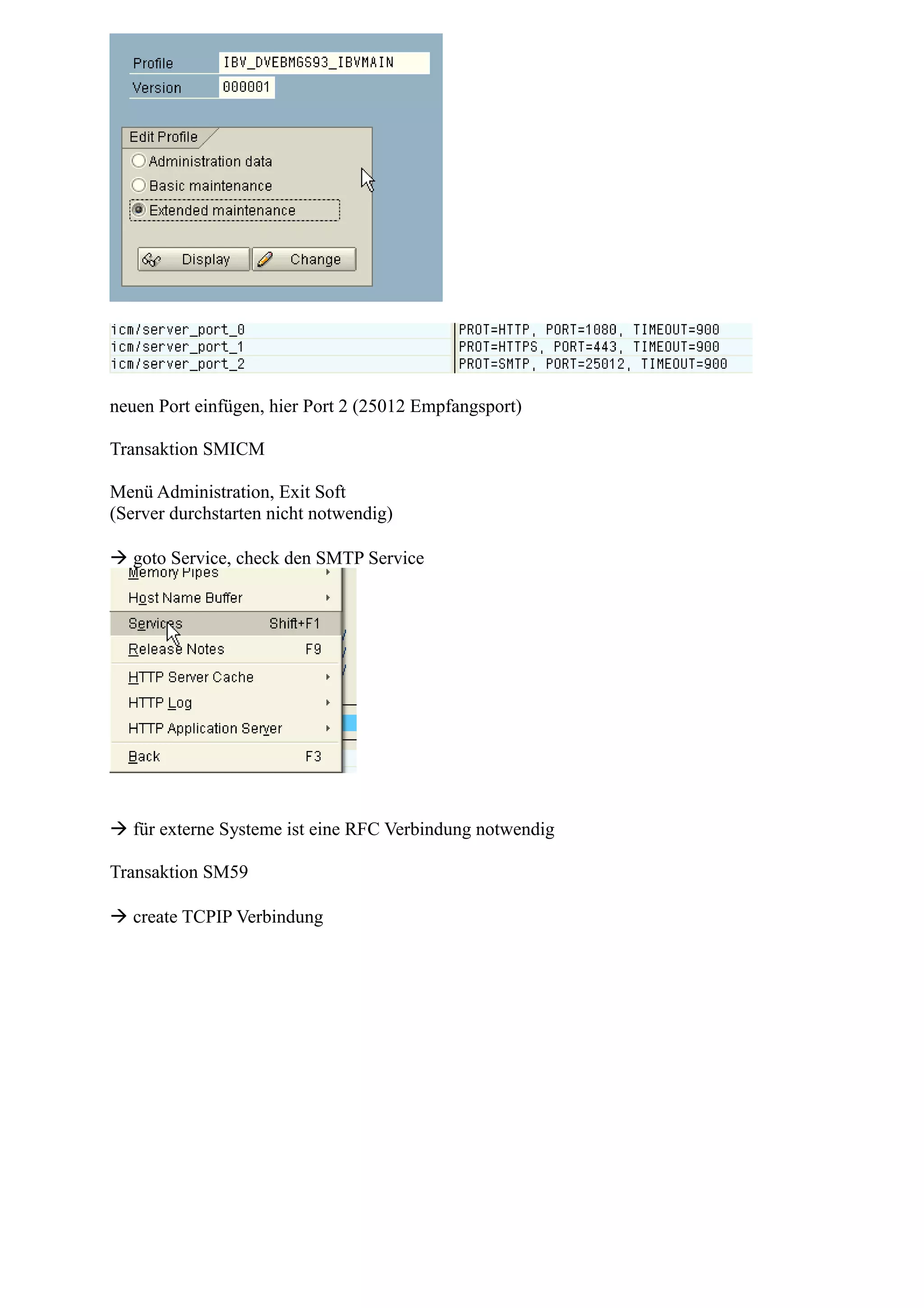
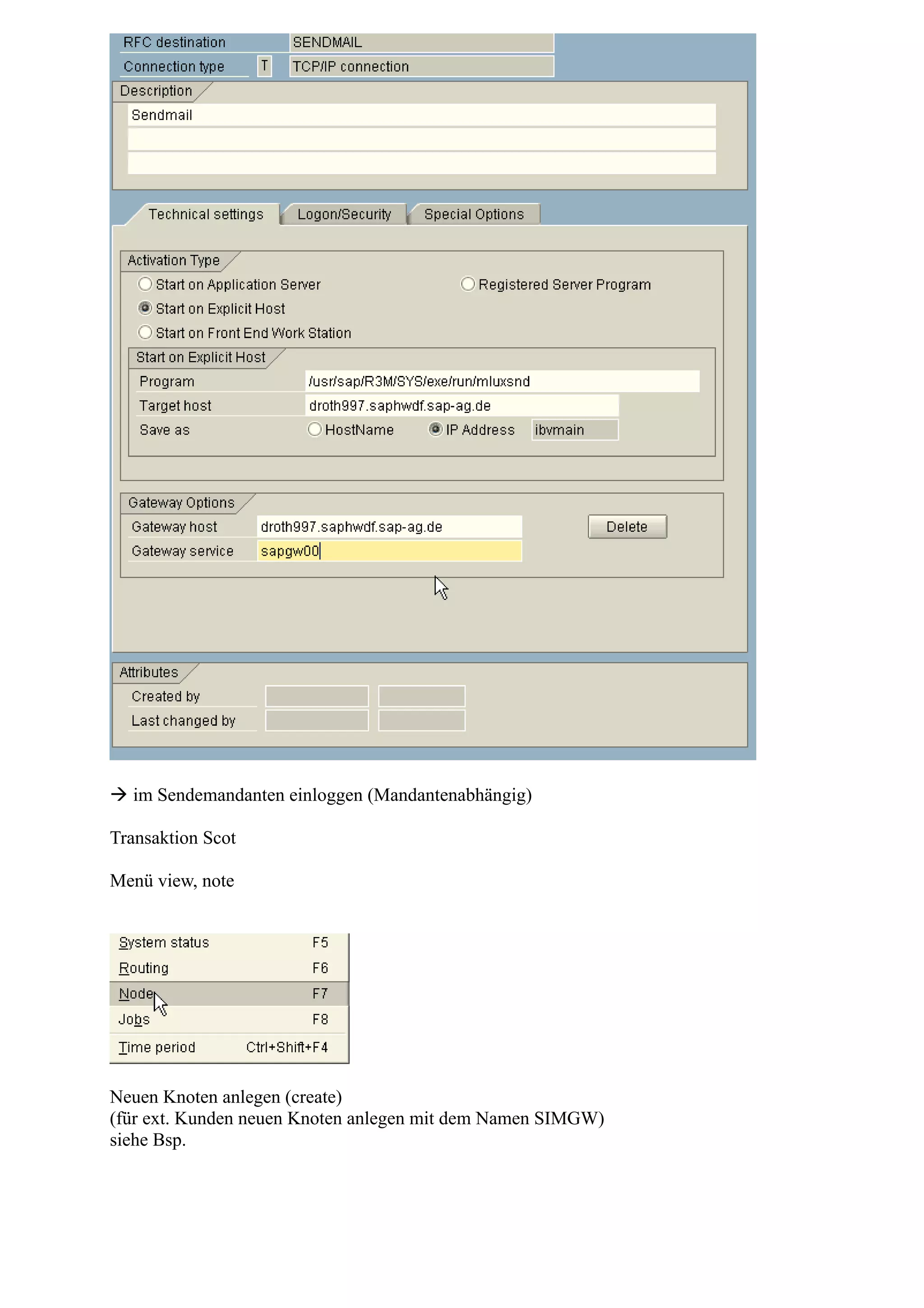
1) Checking SMTP port and J2ee_start parameters and SMTP service in SMICM.
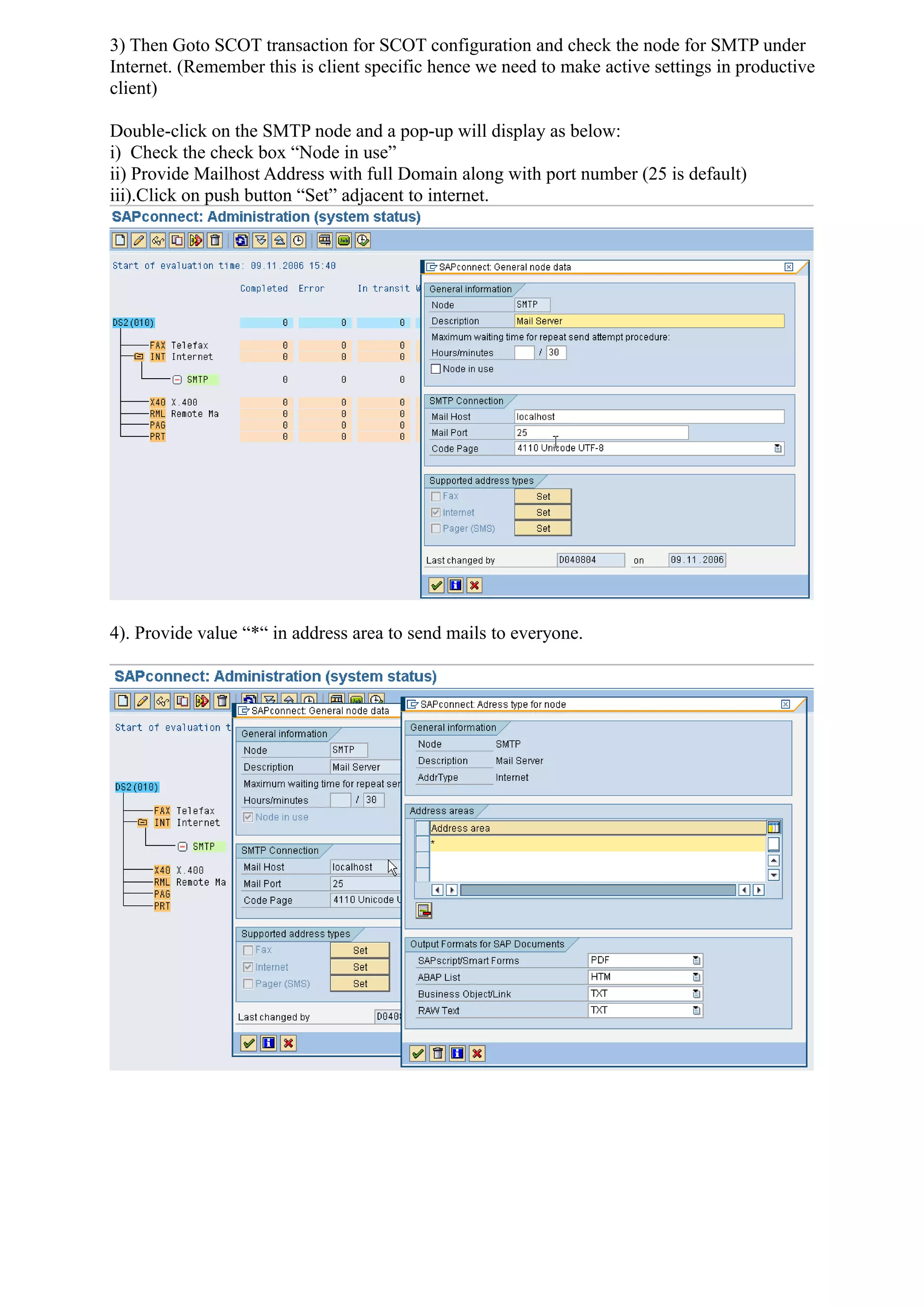
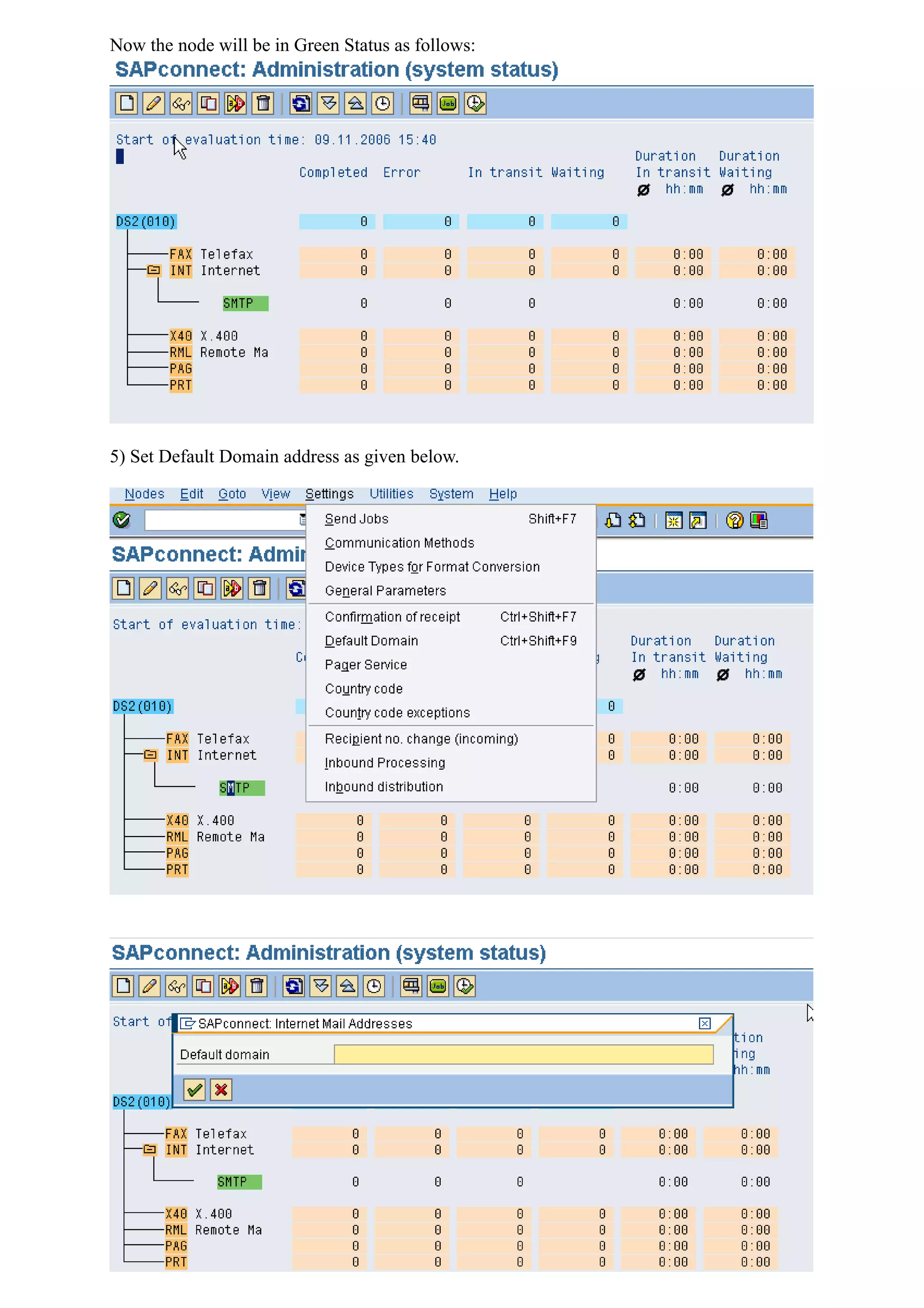
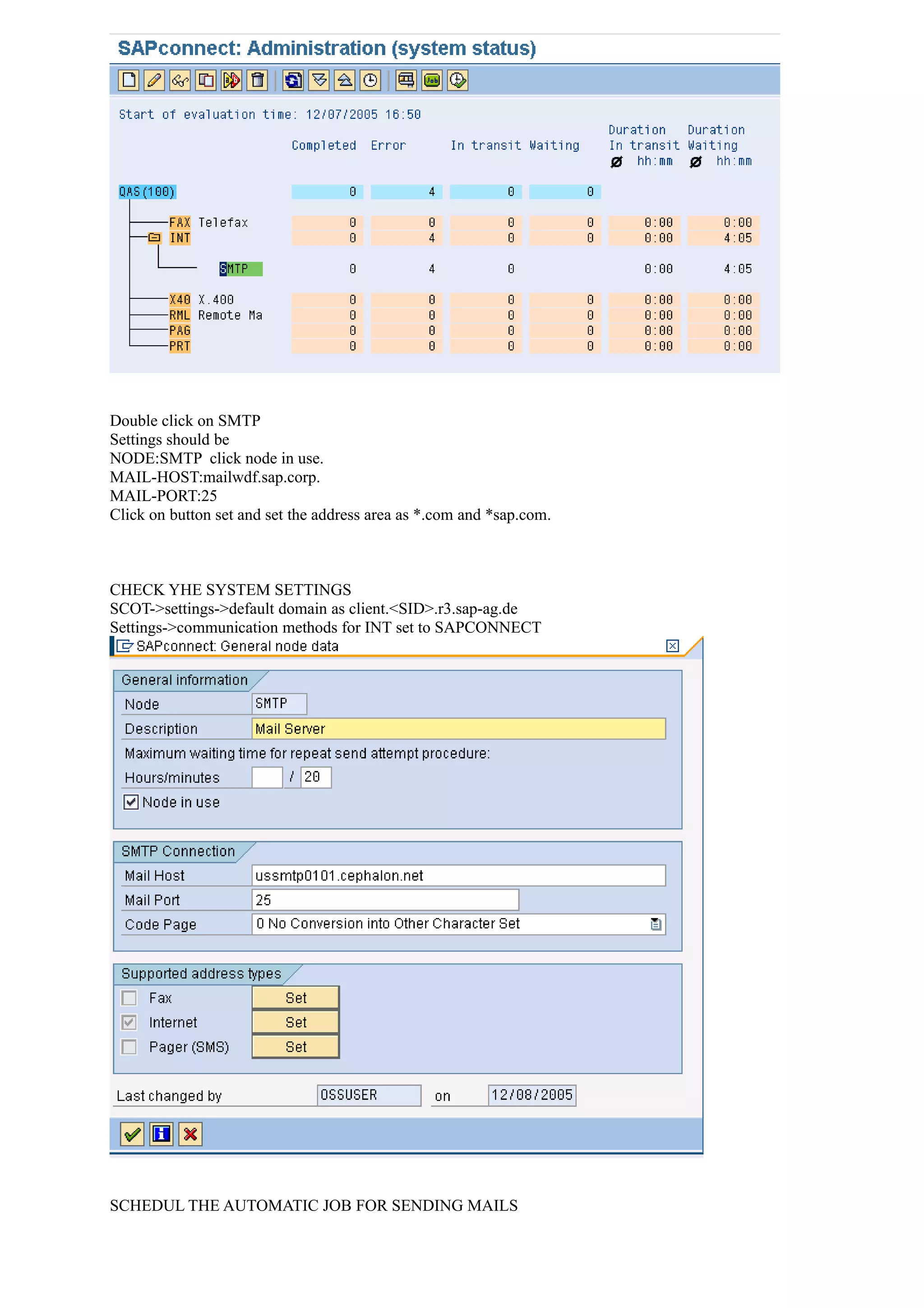
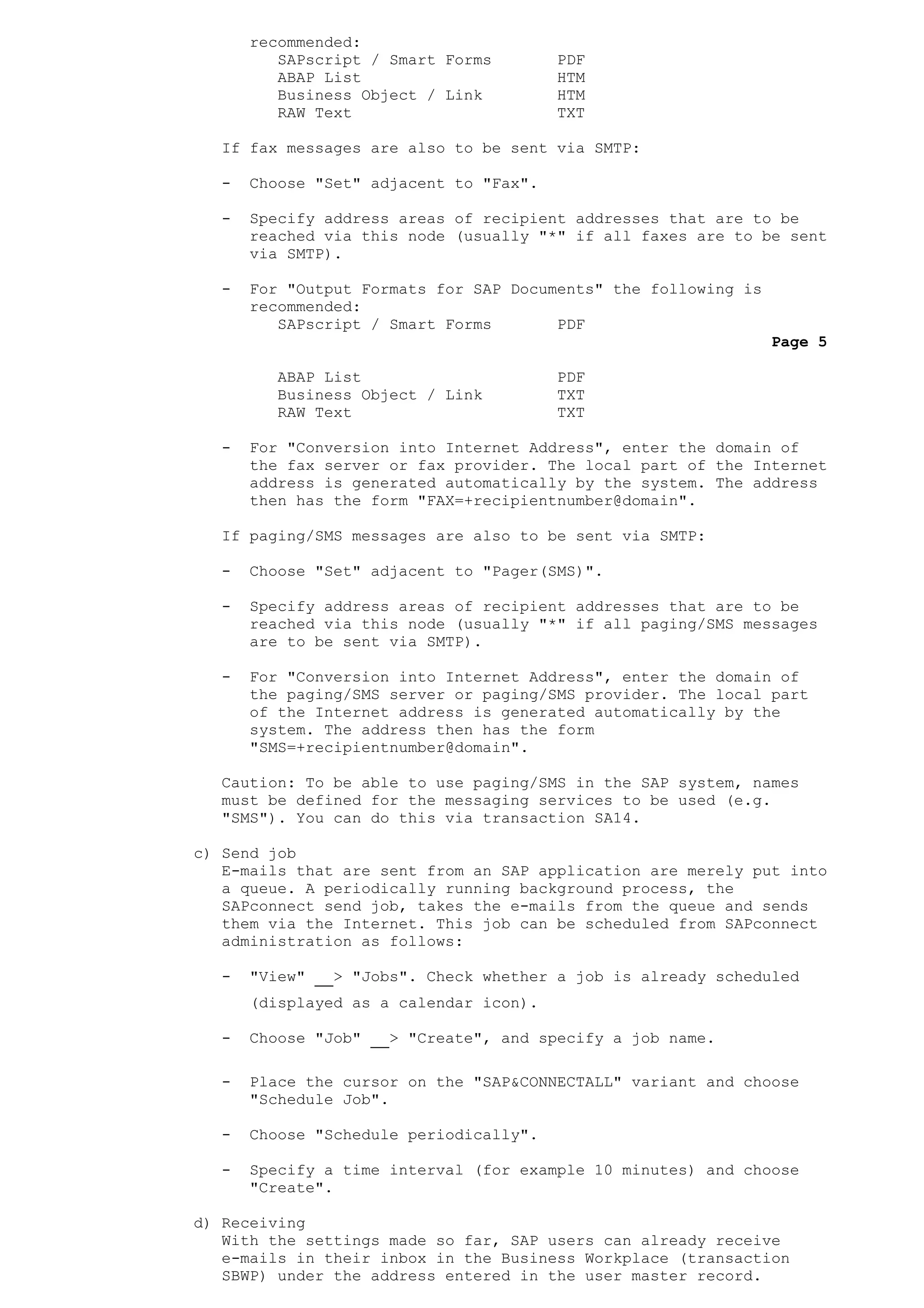
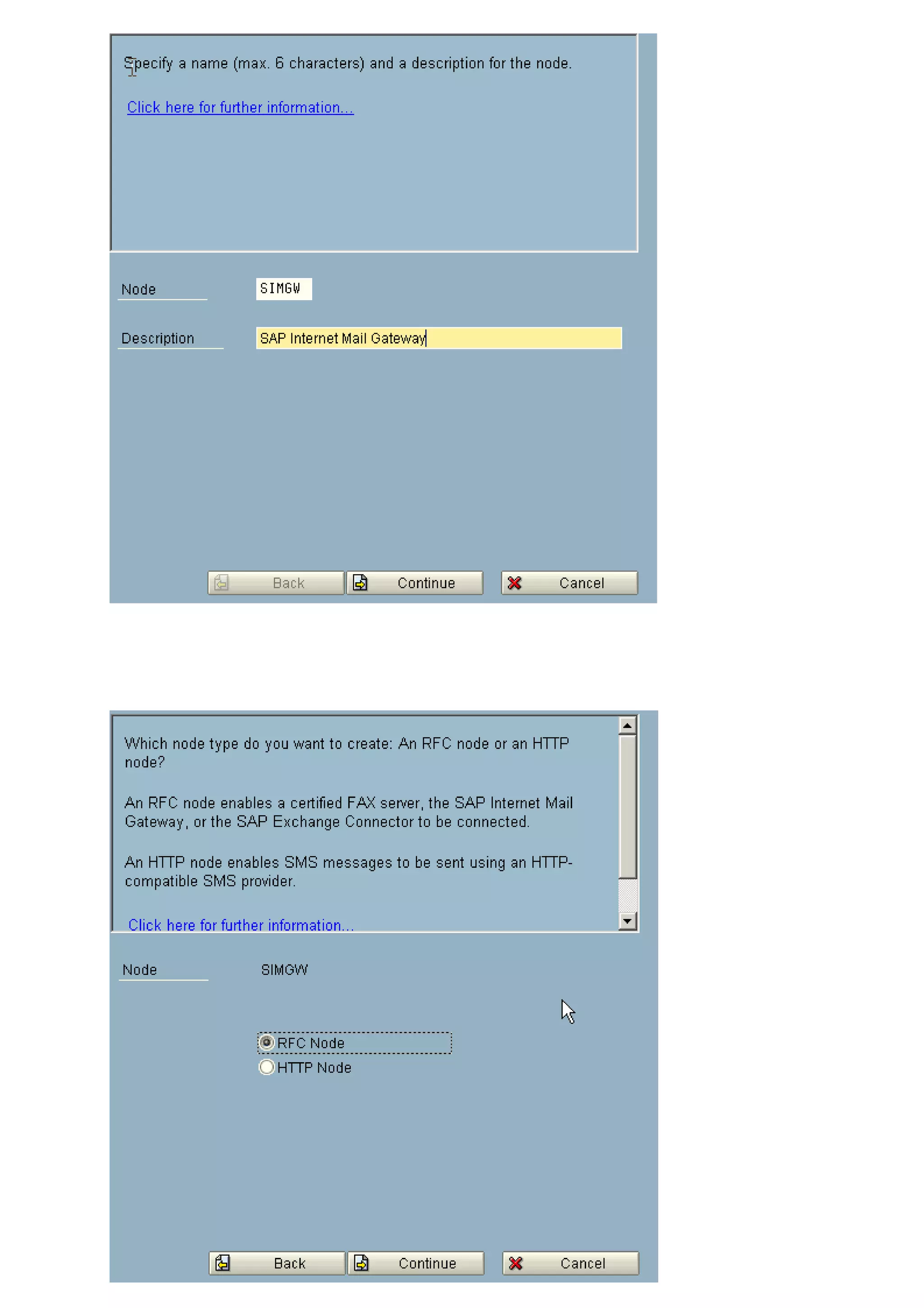
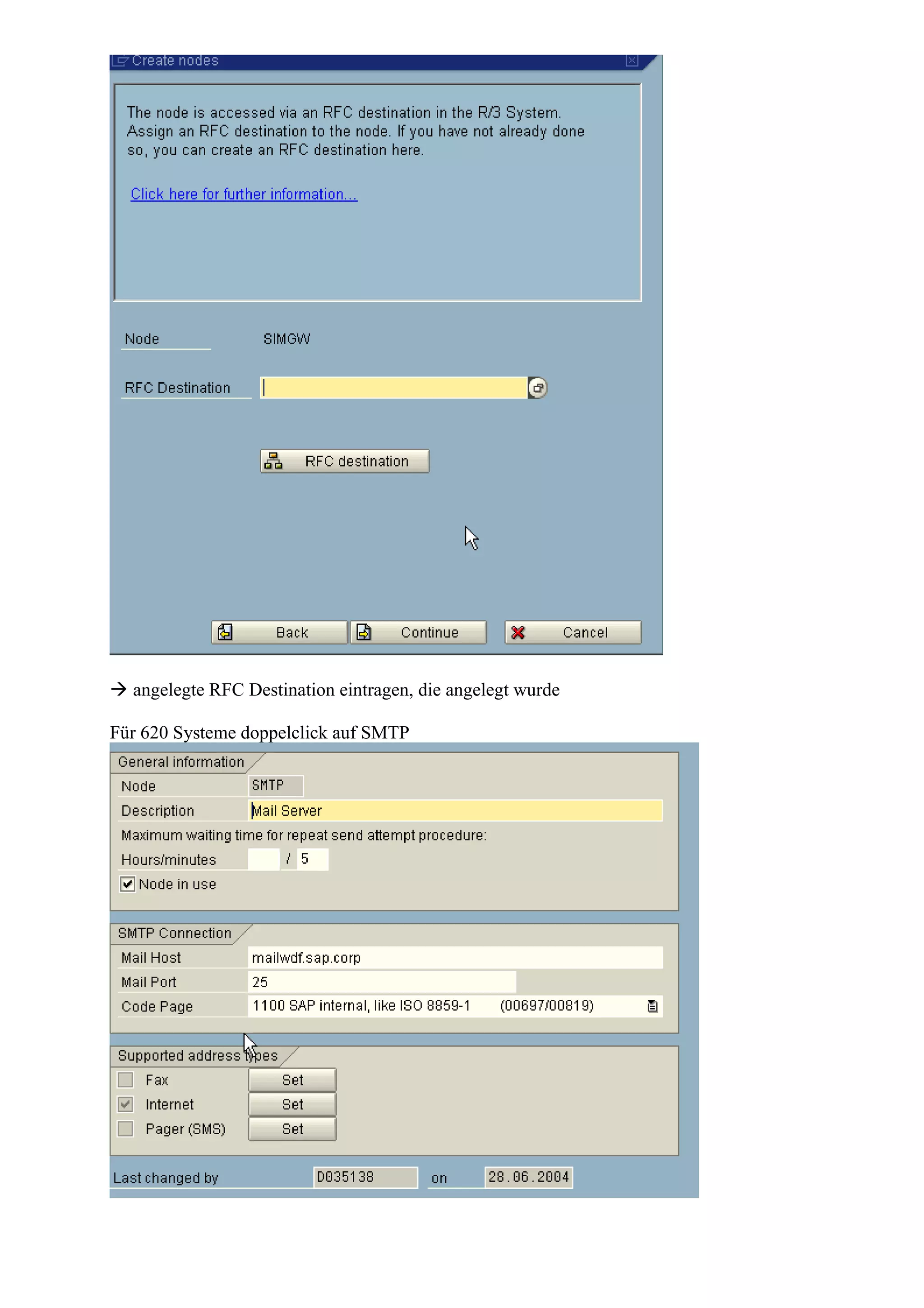
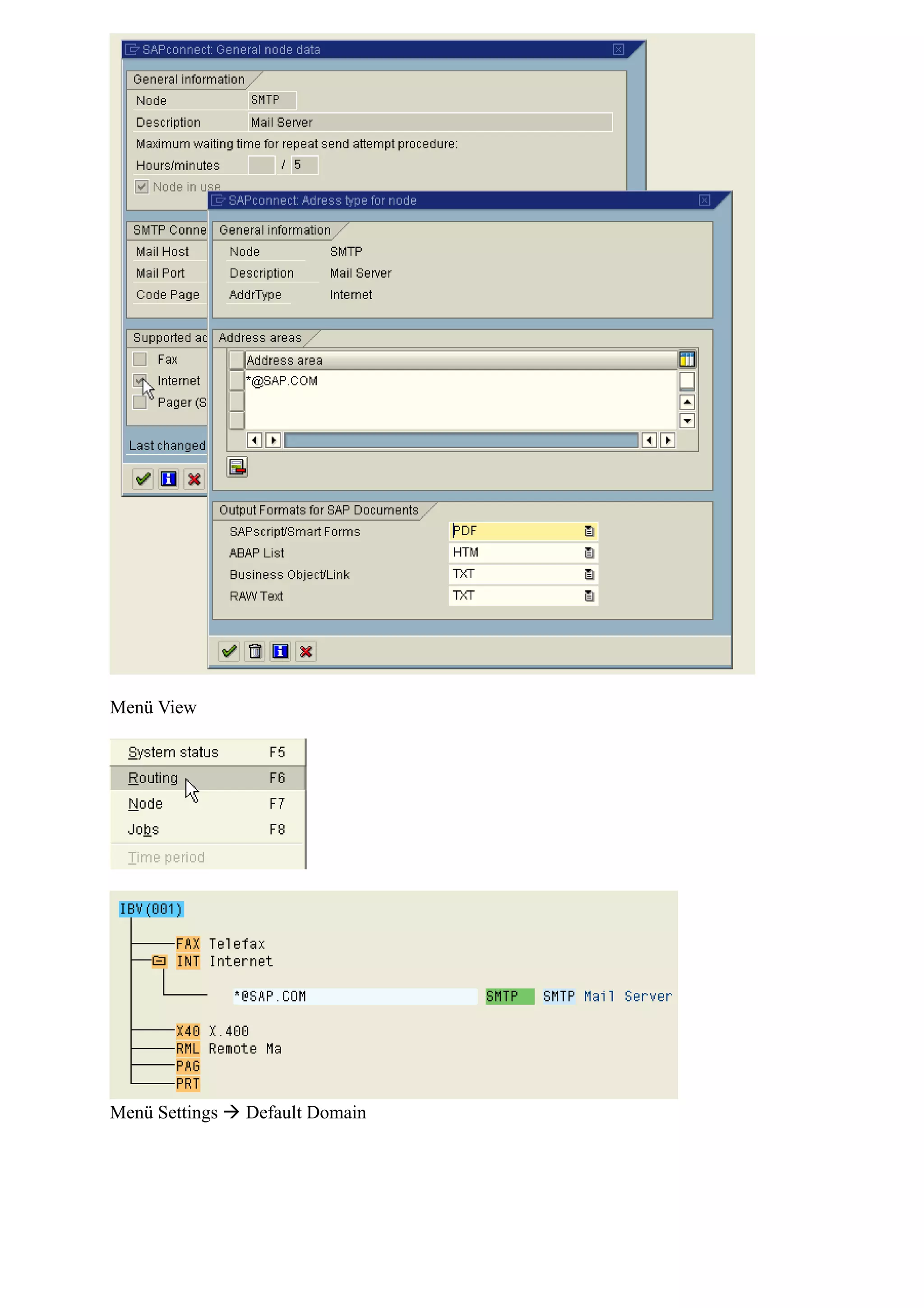
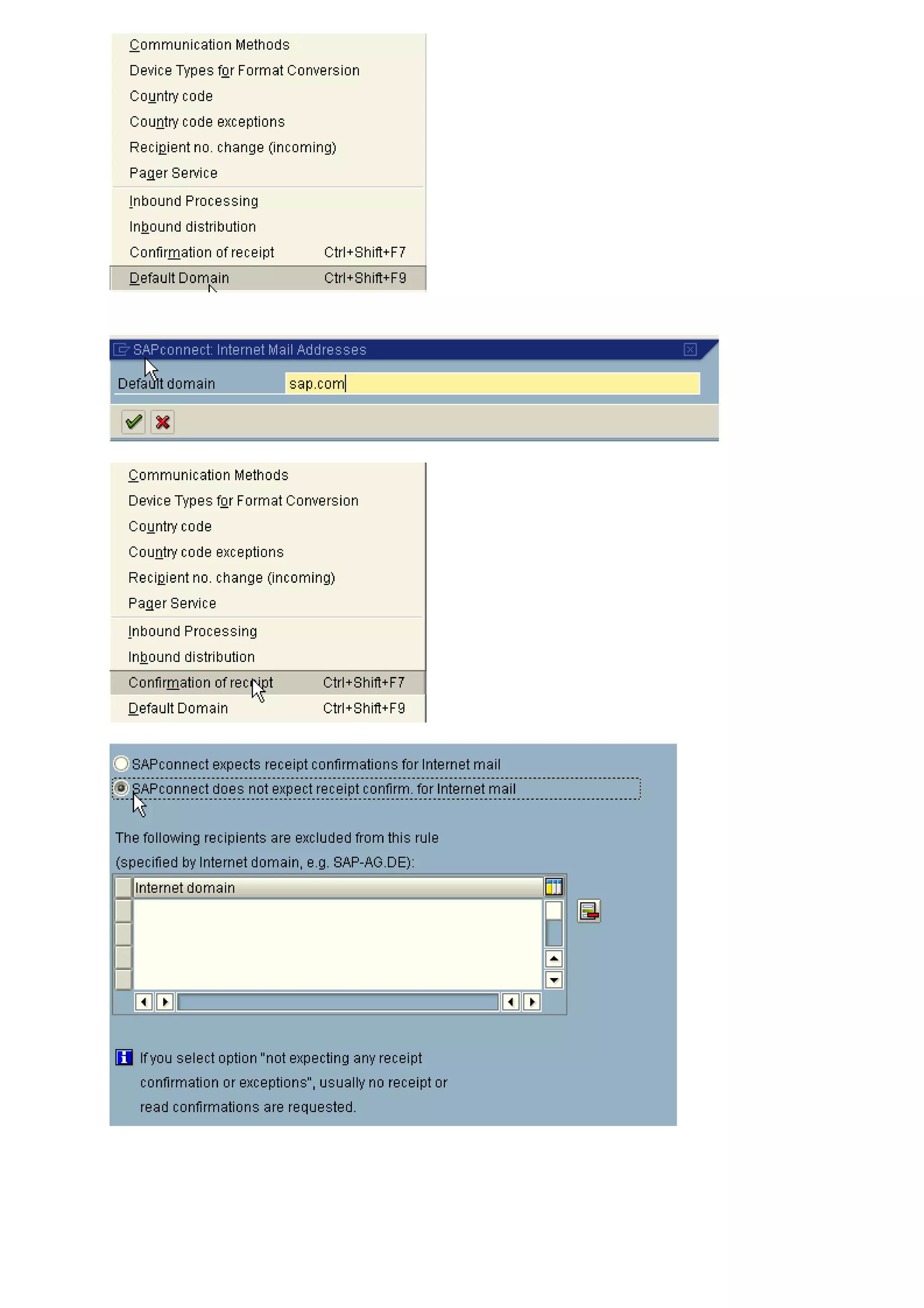
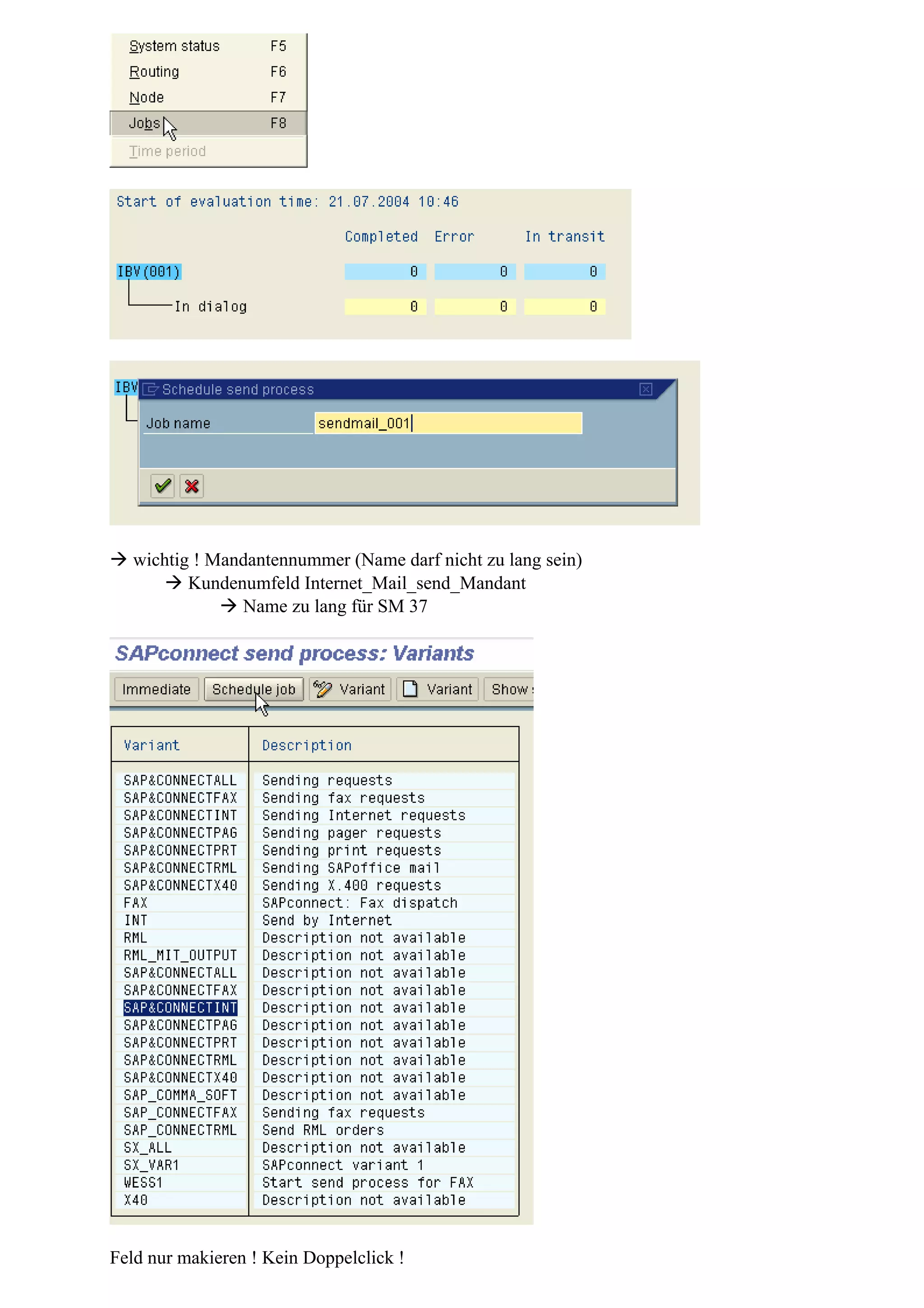
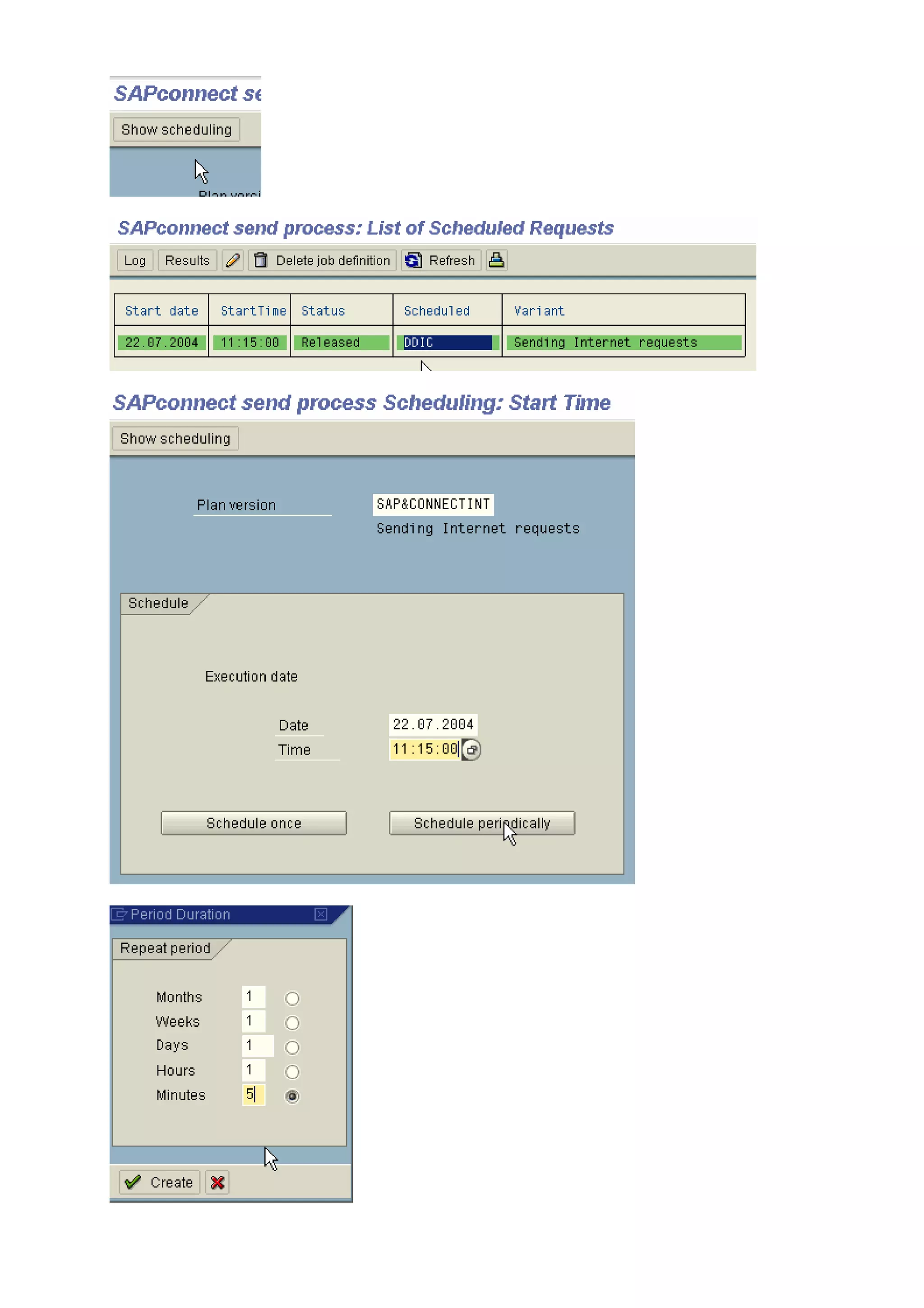
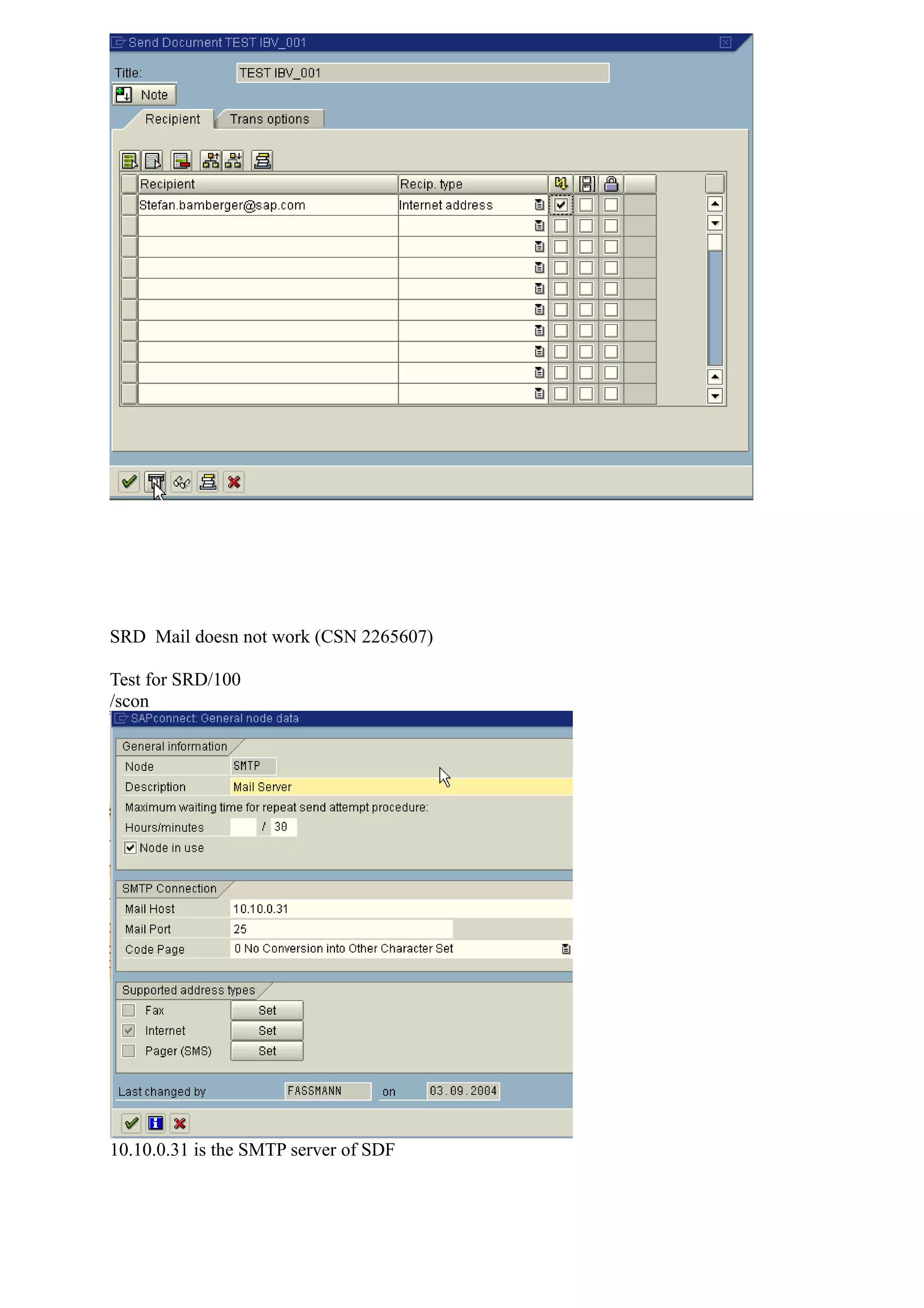
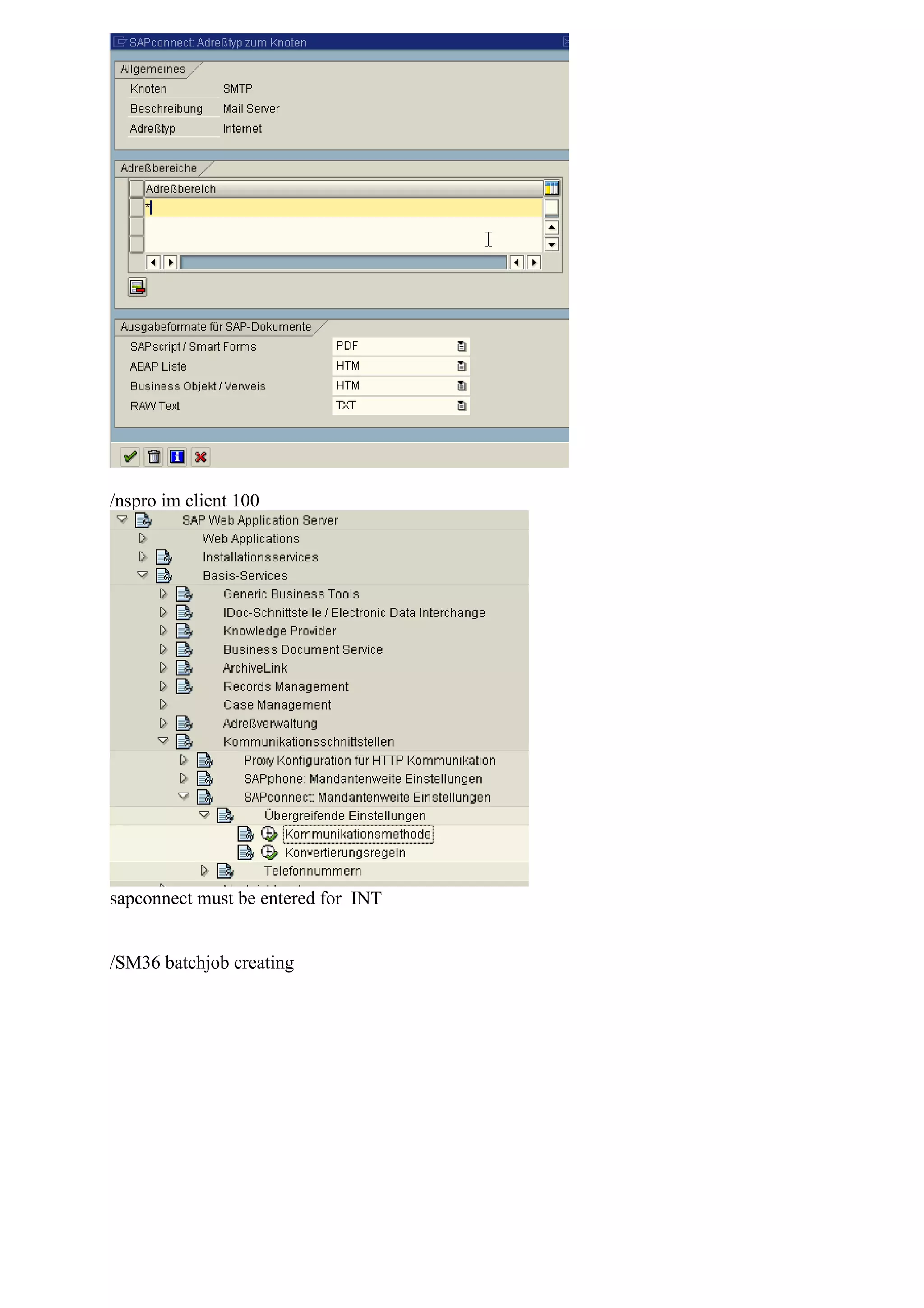
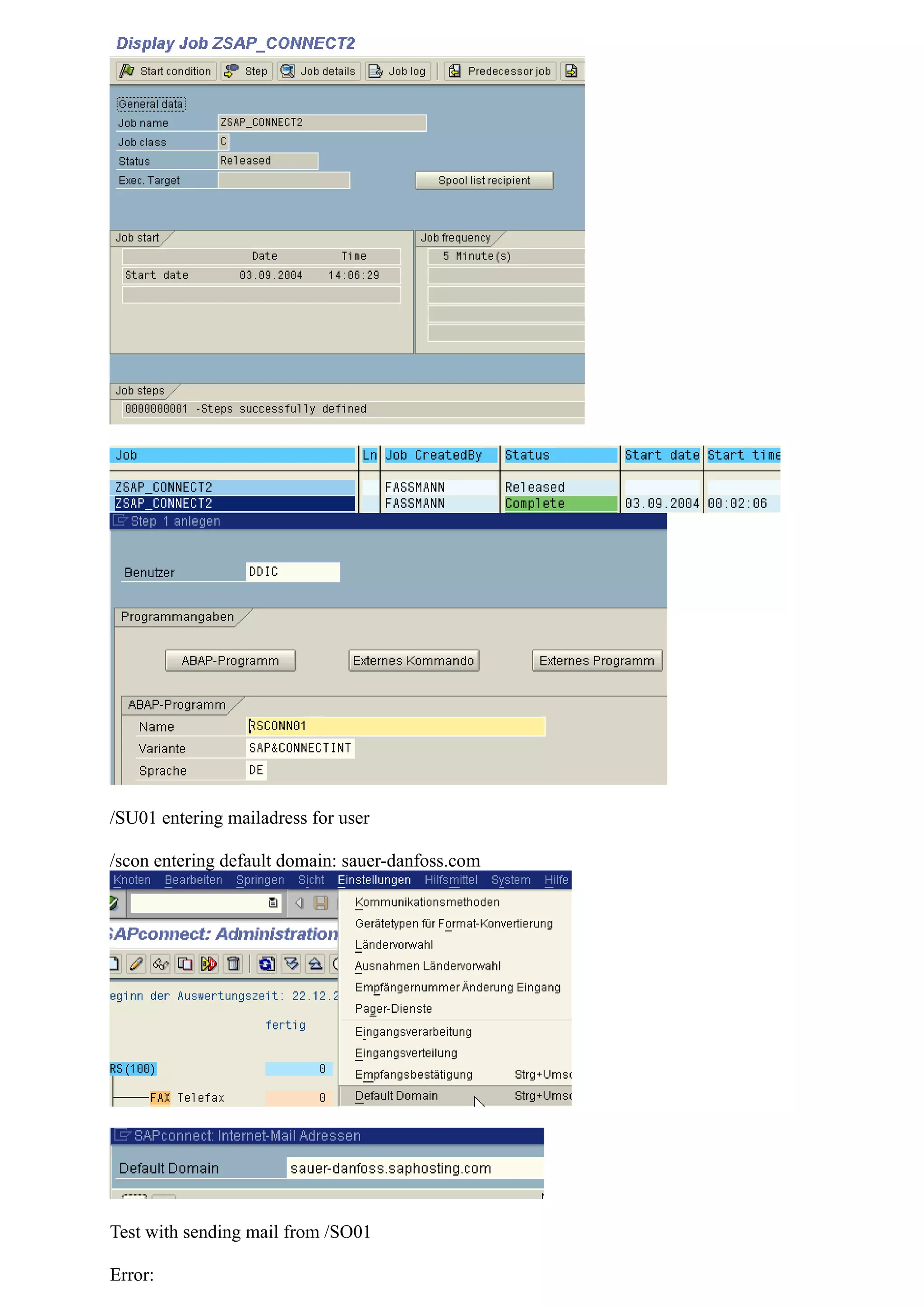
2) Configuring the SMTP node in SCOT, including setting the node to active, providing the mail host and port, and clicking "Set".
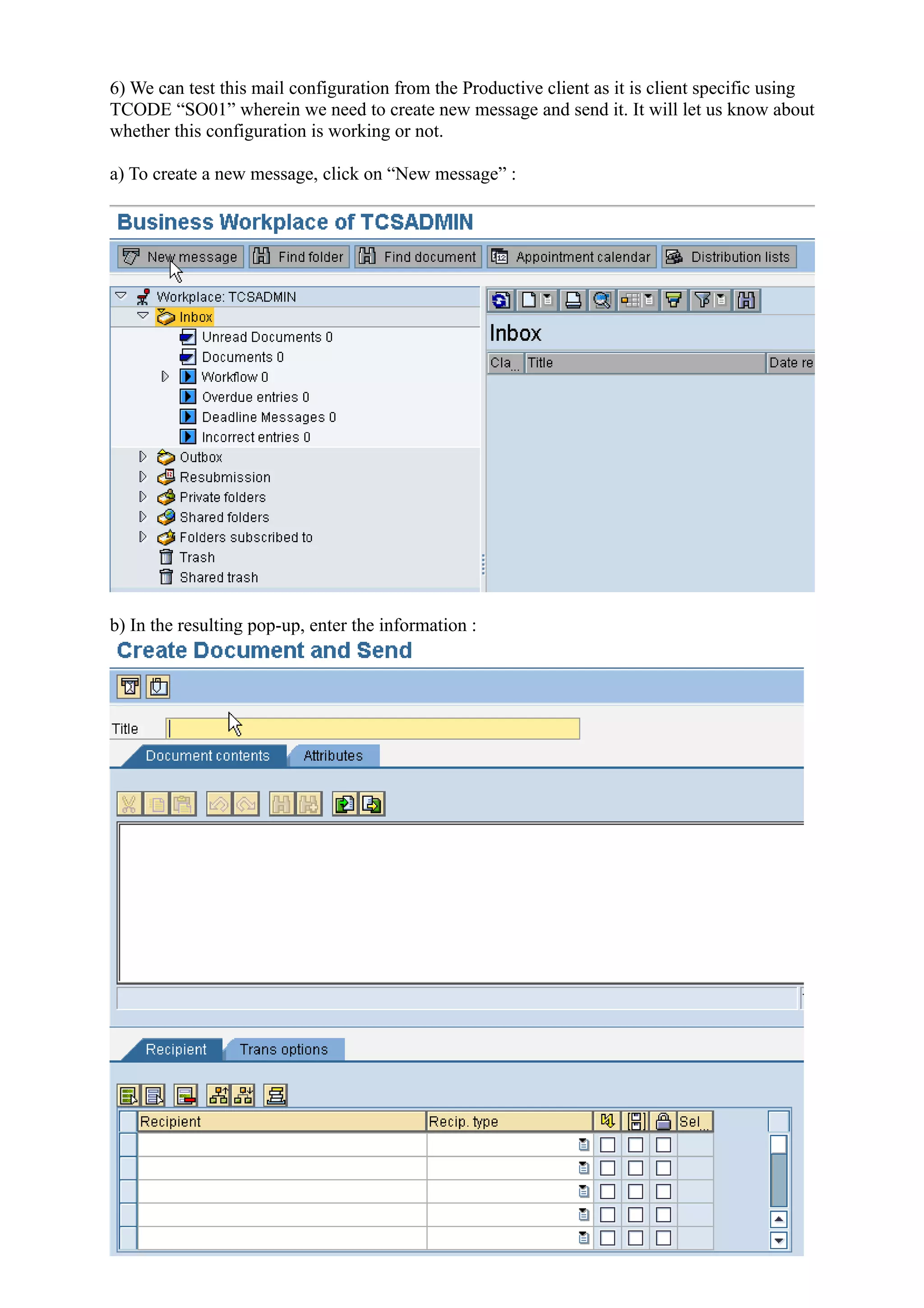
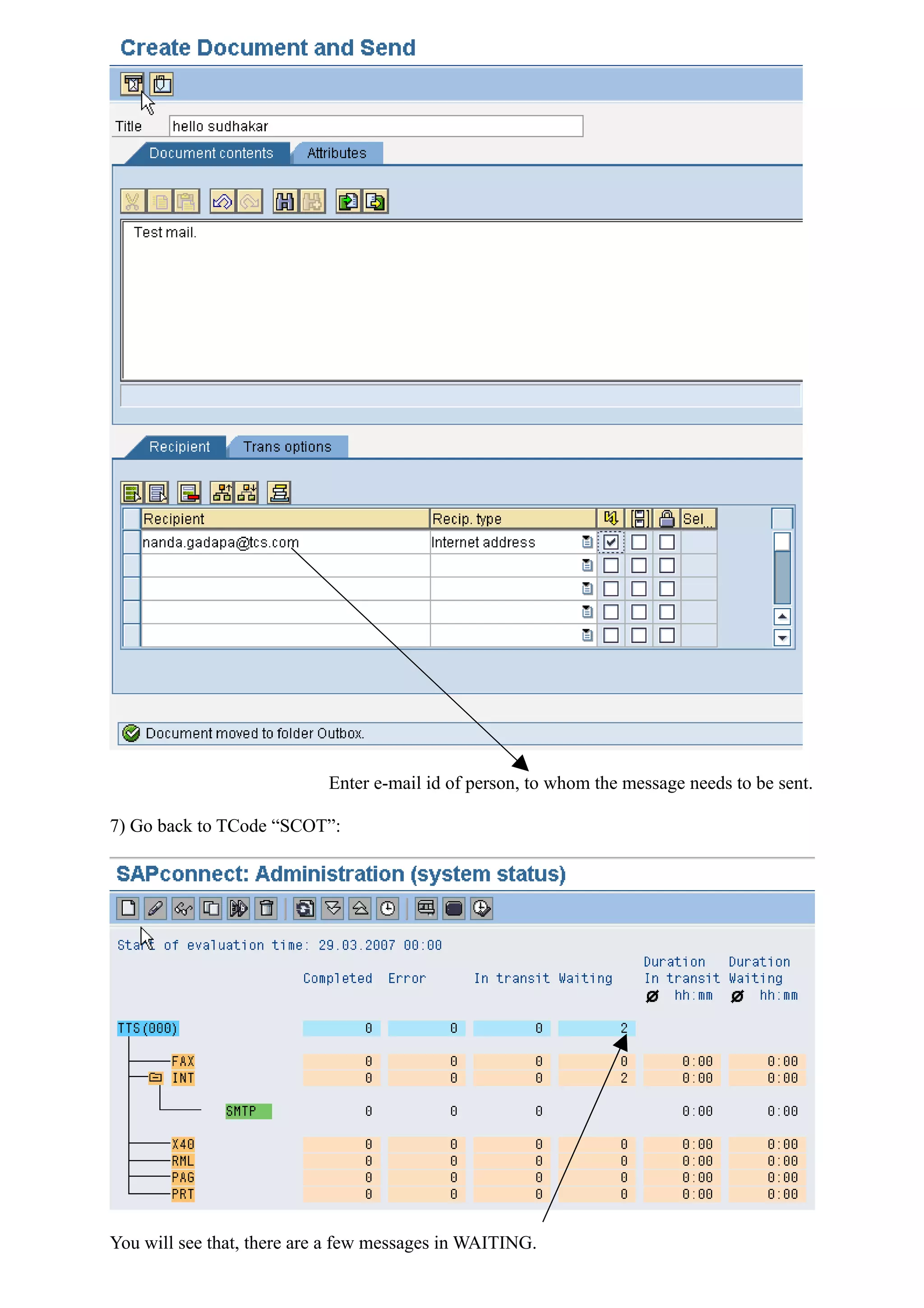
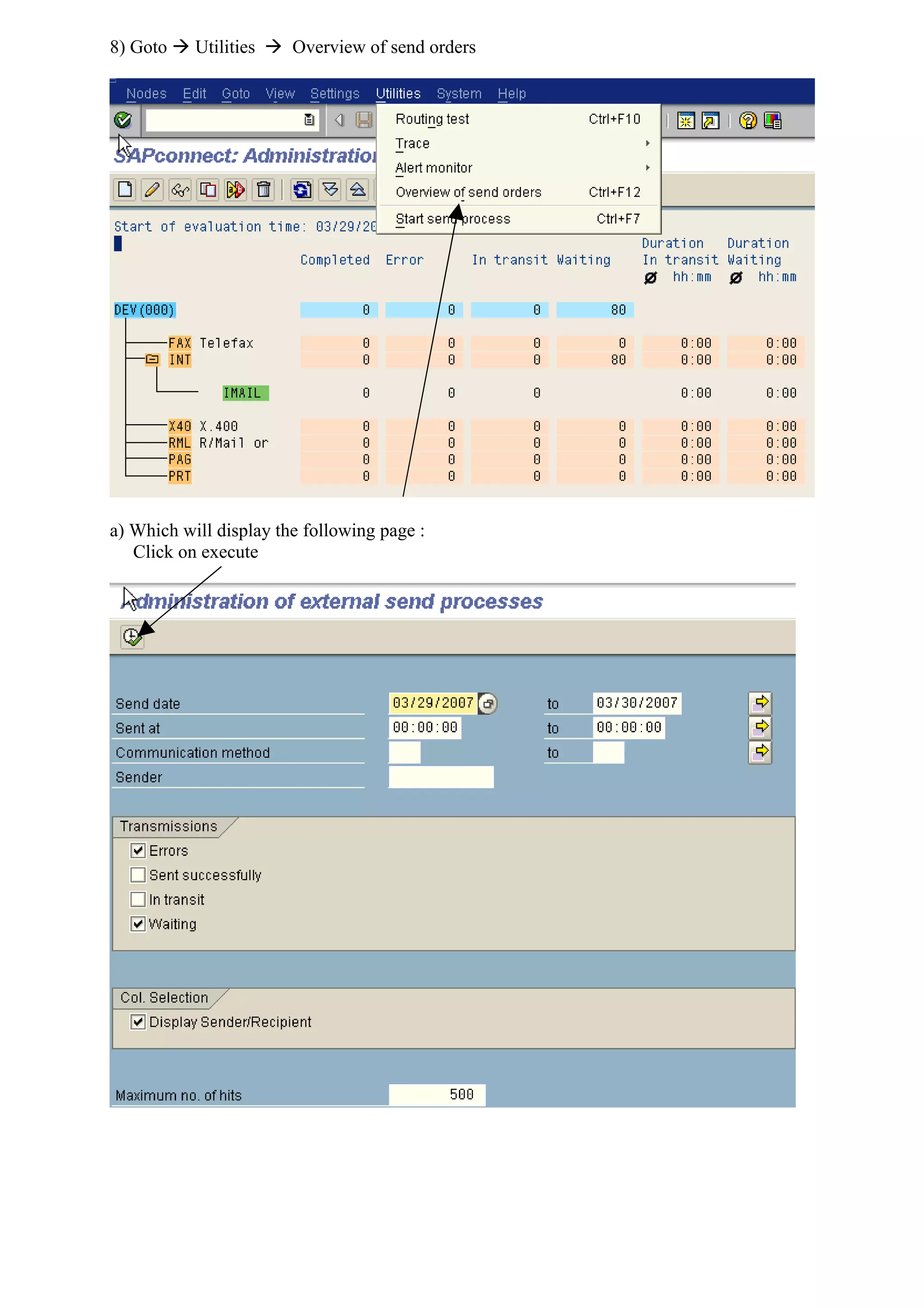
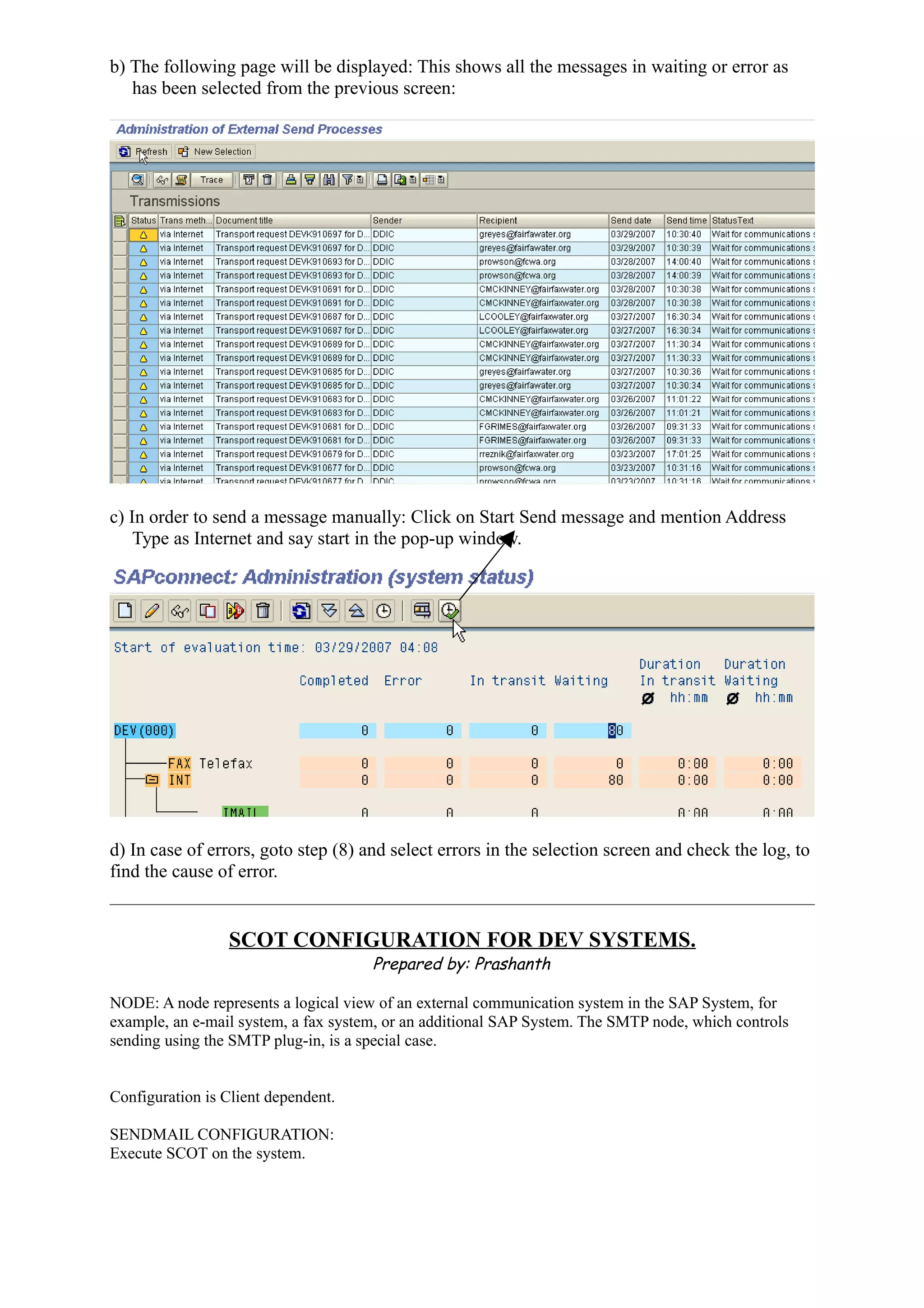
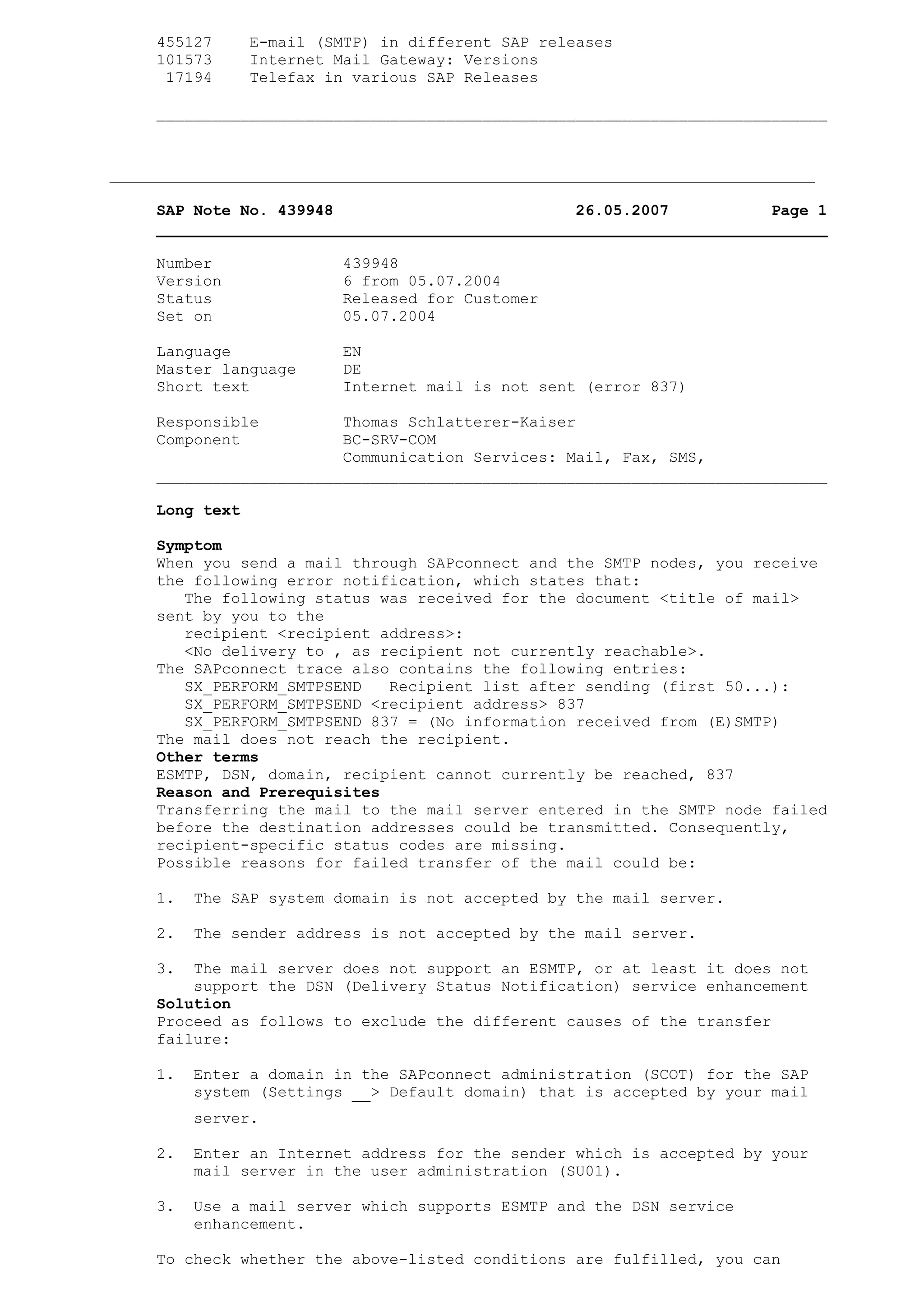
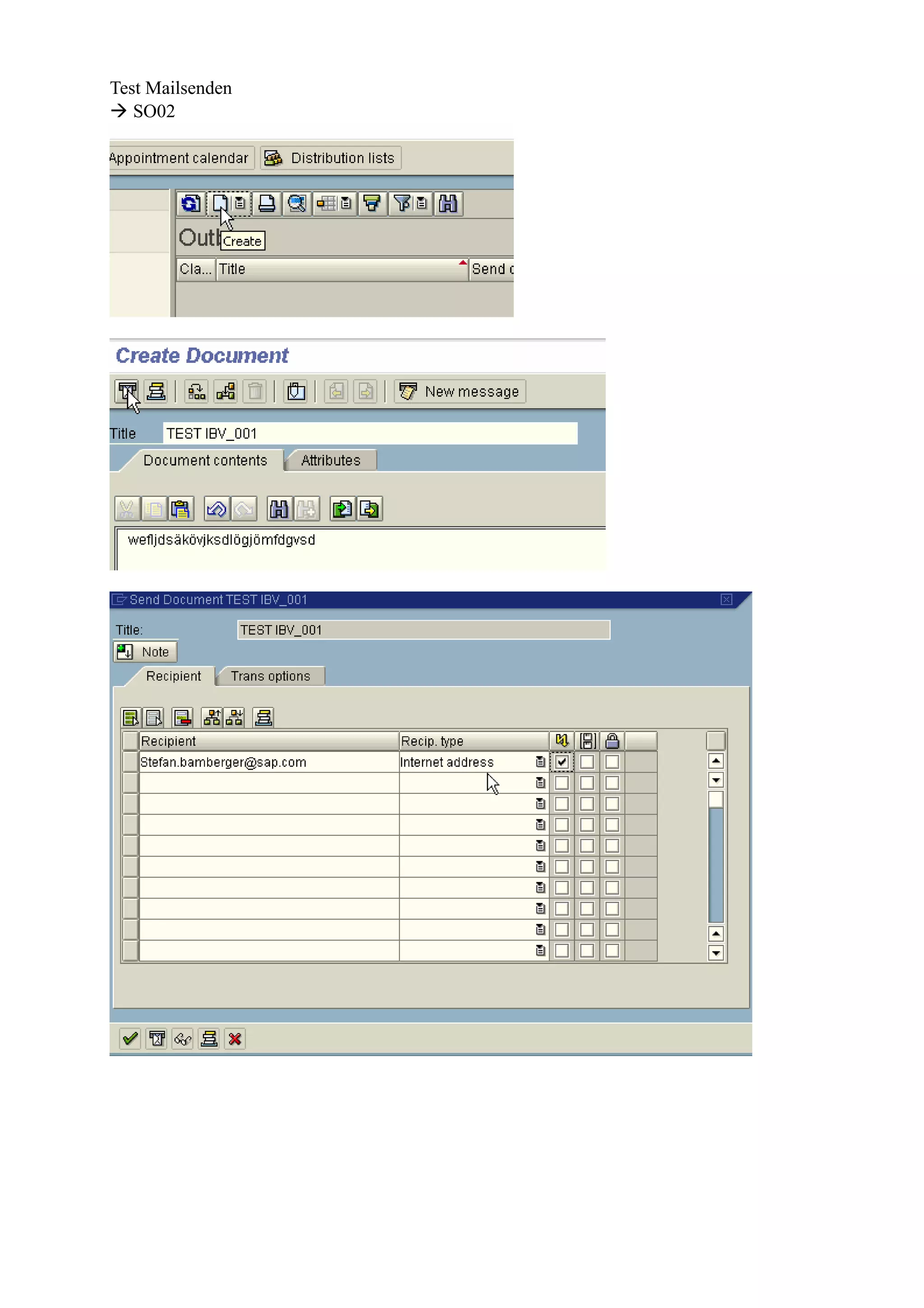
3) Testing the configuration by sending a test email from transaction SO01 and verifying it is sent successfully.