SAMR Scenarios
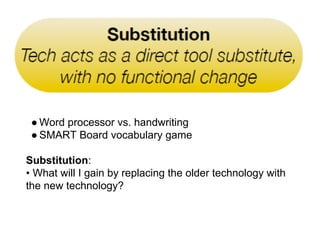
● Word processor vs. handwriting 
● SMART Board vocabulary game 
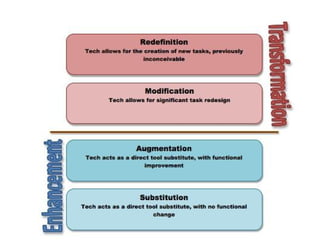
Substitution: 
• What will I gain by replacing the older technology with 
the new technology?
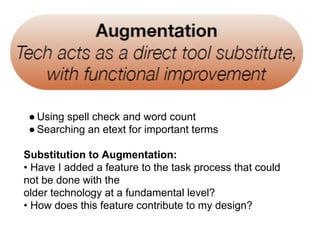
● Using spell check and word count 
● Searching an etext for important terms 
Substitution to Augmentation: 
• Have I added a feature to the task process that could 
not be done with the 
older technology at a fundamental level? 
• How does this feature contribute to my design?
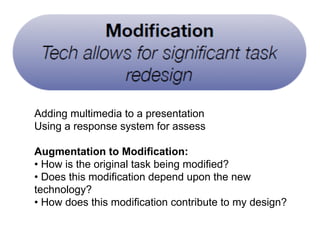
● Adding multimedia to a presentation 
● Using a response system for assess 
●● 
Augmentation to Modification: 
● • How is the original task being modified? 
● • Does this modification depend upon the new 
technology? 
● • How does this modification contribute to my design? 
● ment
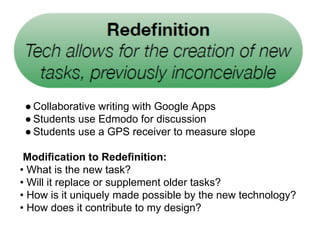
● Collaborative writing with Google Apps 
● Students use Edmodo for discussion 
● Students use a GPS receiver to measure slope 
Modification to Redefinition: 
• What is the new task? 
• Will it replace or supplement older tasks? 
• How is it uniquely made possible by the new technology? 
• How does it contribute to my design?
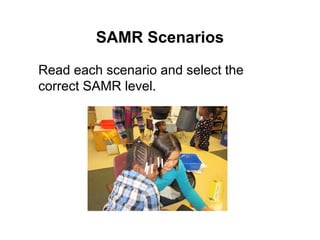
SAMR Scenarios 
Read each scenario and select the 
correct SAMR level.
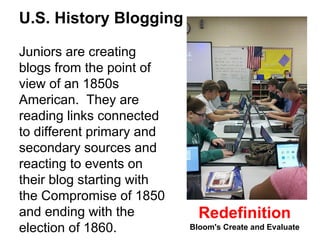
U.S. History Blogging 
Juniors are creating 
blogs from the point of 
view of an 1850s 
American. They are 
reading links connected 
to different primary and 
secondary sources and 
reacting to events on 
their blog starting with 
the Compromise of 1850 
and ending with the 
election of 1860. 
Redefinition 
Bloom's Create and Evaluate
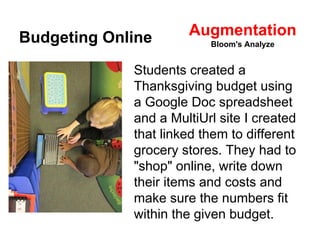
Budgeting Online 
Augmentation 
Bloom's Analyze 
Students created a 
Thanksgiving budget using 
a Google Doc spreadsheet 
and a MultiUrl site I created 
that linked them to different 
grocery stores. They had to 
"shop" online, write down 
their items and costs and 
make sure the numbers fit 
within the given budget.
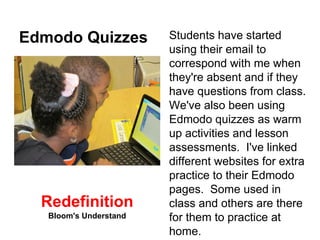
Edmodo Quizzes Students have started 
using their email to 
correspond with me when 
they're absent and if they 
have questions from class. 
We've also been using 
Edmodo quizzes as warm 
up activities and lesson 
assessments. I've linked 
different websites for extra 
practice to their Edmodo 
pages. Some used in 
class and others are there 
for them to practice at 
home. 
Redefinition 
Bloom's Understand
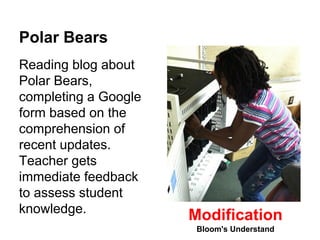
Polar Bears 
Reading blog about 
Polar Bears, 
completing a Google 
form based on the 
comprehension of 
recent updates. 
Teacher gets 
immediate feedback 
to assess student 
knowledge. Modification 
Bloom's Understand
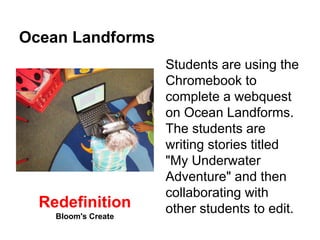
Ocean Landforms 
Students are using the 
Chromebook to 
complete a webquest 
on Ocean Landforms. 
The students are 
writing stories titled 
"My Underwater 
Adventure" and then 
collaborating with 
Redefinition other students to edit. 
Bloom's Create
Redefinition 
Bloom's Create and Evaluate Oregon Trail 
Using Oregon Trail simulation (game) software, students will collect virtual 
experiences to use in a "you are there" reflection about the pioneers, and 
use the experience to spark ideas about space exploration, the "Final 
Frontier". 
1. Students will make the same decisions pioneers did on the Oregon 
Trail using Oregon Trail 2 or 5 software, and their decisions will impact 
their survival and success. 
2. Students will create a journal relating the decisions they made, and 
use digital photos to insert themselves into a pioneering photo or 
painting. 
3. Students will compare their preparations for their trek West to the 
supplies and equipment astronauts need for trips to the International 
Space Station, returning to the Moon, and the mission to Mars in the 
2030's. 
4. Students will work in pairs to make decisions on the Oregon Trail, and 
work in fours to connect the Oregon Trail simulation to a future Moon 
or Mars mission.
Redefinition 
The Hero's Journey 
Bloom's Create 
Description: 
Students learn about heroic journeys through a geocaching activity and 
Google Earth project. 
1. Students will use a Google form to indicate their favorite genre of 
literature. This information will be used to group students by interest. 
2. After discussing the Odyssey, students will learn how to use GPS 
receivers to go on a scavenger hunt around campus. They will work in 
teams to find clues to help them determine the stages of a heroic 
journey. 
3. Students will unscramble the scrabble pieces to form words. Each 
group will write their word on the SMART Board and convert to text so 
that the stages of a heroic journey can be placed in the correct order. 
4. Students will be asked to work in pairs and choose a piece of literature 
or a movie that has the stages of a heroic journey. 
5. After learning how to create placemarks in Google Earth, students will 
work in pairs on a Google Earth lit trip about their hero's journey.
Socratic Seminar with Backchannel 
https://sites.google.com/site/rd2ipac/main-course/high/socratic-seminar-with-backchannel 
Description: 
This plan is for an updated version of a Socratic Seminar that uses a 
Backchannel 
Students prepare for 6-10 topics; I pick 2-4 for them to discuss. Since I teach 
English these are discussion-type questions based on literature although we've 
also done seminars on research topics, notes, etc. A Socratic Seminar can 
really be applied to any discipline. 
After having time to write on the given topics, usually half a block or so, the 
class is then divided into two equal groups, which will form two circles, an inner 
and an outer one. While the inner one discusses the topics, with the teacher 
only moderating, the outer circle will use a backchannel to make germaine 
comments. The teacher usually decides when to move on to the next topic. 
Modification 
Bloom's Analyze and Evaluate
Human Body Systems Jigsaw 
Description: 
Students learn about the organs and functions of the human body systems. 
After a pre-assessment I decided to jigsaw the systems so that collaborative 
groups of students could gather information based on standards and present the 
system to their peers. Before we began, the class gathered and created the 
grading rubric together. After each presentation we gathered as a class and 
discussed the positives and negatives of each group's work. 
Directions: 
To make this project truly collaborative, ask students to help create the rubric 
(My students made this more difficult than I would have). Allow students time to 
work together and report back at intervals that are appropriate. My students 
used Google Docs to show their progress. As the "Guide on the Side" I 
stipulated that all information in the students' notes was required to be included 
in each presentation so that all required content would be presented to students. 
They did not take notes, I shared the required information with them in a Google 
Doc and they were required to make it flow and work in their presentation. Modification - Redefinition 
Bloom's Evauate and Create
Passport to America 
Description: Students will participate in various simulation activities that are 
similar to immigration in the late 1800s and early 1900s. 
https://sites.google.com/site/rd2ipac/main-course/elementary/united-states- 
bound 
Students research a country's history and determine why they would want to 
leave their country to immigrate to the U.S. (Students located information on 
the following topics-population, industry, government, religion, culture/traditions, 
vegetation, and language.) Students recorded their information in their blog. 
Angel/Ellis Island: Depending on the country the students immigrated from, 
students researched the immigration station they would have traveled through 
before entering the United States. Each group compared and contrasted the 
information using a Venn Diagram on the SMART Board. 
Augmentation - Modification 
Bloom's - ALL
Redefinition 
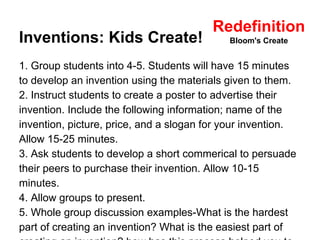
Inventions: Kids Create! 
Bloom's Create 
1. Group students into 4-5. Students will have 15 minutes 
to develop an invention using the materials given to them. 
2. Instruct students to create a poster to advertise their 
invention. Include the following information; name of the 
invention, picture, price, and a slogan for your invention. 
Allow 15-25 minutes. 
3. Ask students to develop a short commerical to persuade 
their peers to purchase their invention. Allow 10-15 
minutes. 
4. Allow groups to present. 
5. Whole group discussion examples-What is the hardest 
part of creating an invention? What is the easiest part of 
creating an invention? how has this process helped you to
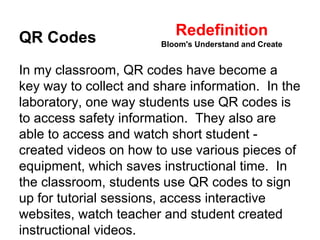
Redefinition 
QR Codes 
Bloom's Understand and Create 
In my classroom, QR codes have become a 
key way to collect and share information. In the 
laboratory, one way students use QR codes is 
to access safety information. They also are 
able to access and watch short student - 
created videos on how to use various pieces of 
equipment, which saves instructional time. In 
the classroom, students use QR codes to sign 
up for tutorial sessions, access interactive 
websites, watch teacher and student created 
instructional videos.
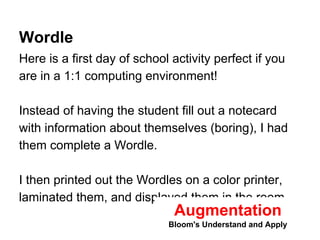
Wordle 
Here is a first day of school activity perfect if you 
are in a 1:1 computing environment! 
Instead of having the student fill out a notecard 
with information about themselves (boring), I had 
them complete a Wordle. 
I then printed out the Wordles on a color printer, 
laminated them, and displayed them in the room. 
Augmentation 
Bloom's Understand and Apply
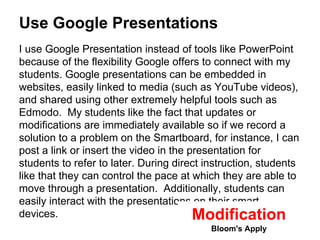
Use Google Presentations 
I use Google Presentation instead of tools like PowerPoint 
because of the flexibility Google offers to connect with my 
students. Google presentations can be embedded in 
websites, easily linked to media (such as YouTube videos), 
and shared using other extremely helpful tools such as 
Edmodo. My students like the fact that updates or 
modifications are immediately available so if we record a 
solution to a problem on the Smartboard, for instance, I can 
post a link or insert the video in the presentation for 
students to refer to later. During direct instruction, students 
like that they can control the pace at which they are able to 
move through a presentation. Additionally, students can 
easily interact with the presentations on their smart 
devices. Modification 
Bloom's Apply

SAMR Scenarios

  • 1.
  • 3.
    ● Word processorvs. handwriting ● SMART Board vocabulary game Substitution: • What will I gain by replacing the older technology with the new technology?
  • 4.
    ● Using spellcheck and word count ● Searching an etext for important terms Substitution to Augmentation: • Have I added a feature to the task process that could not be done with the older technology at a fundamental level? • How does this feature contribute to my design?
  • 5.
    ● Adding multimediato a presentation ● Using a response system for assess ●● Augmentation to Modification: ● • How is the original task being modified? ● • Does this modification depend upon the new technology? ● • How does this modification contribute to my design? ● ment
  • 6.
    ● Collaborative writingwith Google Apps ● Students use Edmodo for discussion ● Students use a GPS receiver to measure slope Modification to Redefinition: • What is the new task? • Will it replace or supplement older tasks? • How is it uniquely made possible by the new technology? • How does it contribute to my design?
  • 7.
    SAMR Scenarios Readeach scenario and select the correct SAMR level.
  • 8.
    U.S. History Blogging Juniors are creating blogs from the point of view of an 1850s American. They are reading links connected to different primary and secondary sources and reacting to events on their blog starting with the Compromise of 1850 and ending with the election of 1860. Redefinition Bloom's Create and Evaluate
  • 9.
    Budgeting Online Augmentation Bloom's Analyze Students created a Thanksgiving budget using a Google Doc spreadsheet and a MultiUrl site I created that linked them to different grocery stores. They had to "shop" online, write down their items and costs and make sure the numbers fit within the given budget.
  • 10.
    Edmodo Quizzes Studentshave started using their email to correspond with me when they're absent and if they have questions from class. We've also been using Edmodo quizzes as warm up activities and lesson assessments. I've linked different websites for extra practice to their Edmodo pages. Some used in class and others are there for them to practice at home. Redefinition Bloom's Understand
  • 11.
    Polar Bears Readingblog about Polar Bears, completing a Google form based on the comprehension of recent updates. Teacher gets immediate feedback to assess student knowledge. Modification Bloom's Understand
  • 12.
    Ocean Landforms Studentsare using the Chromebook to complete a webquest on Ocean Landforms. The students are writing stories titled "My Underwater Adventure" and then collaborating with Redefinition other students to edit. Bloom's Create
  • 13.
    Redefinition Bloom's Createand Evaluate Oregon Trail Using Oregon Trail simulation (game) software, students will collect virtual experiences to use in a "you are there" reflection about the pioneers, and use the experience to spark ideas about space exploration, the "Final Frontier". 1. Students will make the same decisions pioneers did on the Oregon Trail using Oregon Trail 2 or 5 software, and their decisions will impact their survival and success. 2. Students will create a journal relating the decisions they made, and use digital photos to insert themselves into a pioneering photo or painting. 3. Students will compare their preparations for their trek West to the supplies and equipment astronauts need for trips to the International Space Station, returning to the Moon, and the mission to Mars in the 2030's. 4. Students will work in pairs to make decisions on the Oregon Trail, and work in fours to connect the Oregon Trail simulation to a future Moon or Mars mission.
  • 14.
    Redefinition The Hero'sJourney Bloom's Create Description: Students learn about heroic journeys through a geocaching activity and Google Earth project. 1. Students will use a Google form to indicate their favorite genre of literature. This information will be used to group students by interest. 2. After discussing the Odyssey, students will learn how to use GPS receivers to go on a scavenger hunt around campus. They will work in teams to find clues to help them determine the stages of a heroic journey. 3. Students will unscramble the scrabble pieces to form words. Each group will write their word on the SMART Board and convert to text so that the stages of a heroic journey can be placed in the correct order. 4. Students will be asked to work in pairs and choose a piece of literature or a movie that has the stages of a heroic journey. 5. After learning how to create placemarks in Google Earth, students will work in pairs on a Google Earth lit trip about their hero's journey.
  • 15.
    Socratic Seminar withBackchannel https://sites.google.com/site/rd2ipac/main-course/high/socratic-seminar-with-backchannel Description: This plan is for an updated version of a Socratic Seminar that uses a Backchannel Students prepare for 6-10 topics; I pick 2-4 for them to discuss. Since I teach English these are discussion-type questions based on literature although we've also done seminars on research topics, notes, etc. A Socratic Seminar can really be applied to any discipline. After having time to write on the given topics, usually half a block or so, the class is then divided into two equal groups, which will form two circles, an inner and an outer one. While the inner one discusses the topics, with the teacher only moderating, the outer circle will use a backchannel to make germaine comments. The teacher usually decides when to move on to the next topic. Modification Bloom's Analyze and Evaluate
  • 16.
    Human Body SystemsJigsaw Description: Students learn about the organs and functions of the human body systems. After a pre-assessment I decided to jigsaw the systems so that collaborative groups of students could gather information based on standards and present the system to their peers. Before we began, the class gathered and created the grading rubric together. After each presentation we gathered as a class and discussed the positives and negatives of each group's work. Directions: To make this project truly collaborative, ask students to help create the rubric (My students made this more difficult than I would have). Allow students time to work together and report back at intervals that are appropriate. My students used Google Docs to show their progress. As the "Guide on the Side" I stipulated that all information in the students' notes was required to be included in each presentation so that all required content would be presented to students. They did not take notes, I shared the required information with them in a Google Doc and they were required to make it flow and work in their presentation. Modification - Redefinition Bloom's Evauate and Create
  • 17.
    Passport to America Description: Students will participate in various simulation activities that are similar to immigration in the late 1800s and early 1900s. https://sites.google.com/site/rd2ipac/main-course/elementary/united-states- bound Students research a country's history and determine why they would want to leave their country to immigrate to the U.S. (Students located information on the following topics-population, industry, government, religion, culture/traditions, vegetation, and language.) Students recorded their information in their blog. Angel/Ellis Island: Depending on the country the students immigrated from, students researched the immigration station they would have traveled through before entering the United States. Each group compared and contrasted the information using a Venn Diagram on the SMART Board. Augmentation - Modification Bloom's - ALL
  • 18.
    Redefinition Inventions: KidsCreate! Bloom's Create 1. Group students into 4-5. Students will have 15 minutes to develop an invention using the materials given to them. 2. Instruct students to create a poster to advertise their invention. Include the following information; name of the invention, picture, price, and a slogan for your invention. Allow 15-25 minutes. 3. Ask students to develop a short commerical to persuade their peers to purchase their invention. Allow 10-15 minutes. 4. Allow groups to present. 5. Whole group discussion examples-What is the hardest part of creating an invention? What is the easiest part of creating an invention? how has this process helped you to
  • 19.
    Redefinition QR Codes Bloom's Understand and Create In my classroom, QR codes have become a key way to collect and share information. In the laboratory, one way students use QR codes is to access safety information. They also are able to access and watch short student - created videos on how to use various pieces of equipment, which saves instructional time. In the classroom, students use QR codes to sign up for tutorial sessions, access interactive websites, watch teacher and student created instructional videos.
  • 20.
    Wordle Here isa first day of school activity perfect if you are in a 1:1 computing environment! Instead of having the student fill out a notecard with information about themselves (boring), I had them complete a Wordle. I then printed out the Wordles on a color printer, laminated them, and displayed them in the room. Augmentation Bloom's Understand and Apply
  • 21.
    Use Google Presentations I use Google Presentation instead of tools like PowerPoint because of the flexibility Google offers to connect with my students. Google presentations can be embedded in websites, easily linked to media (such as YouTube videos), and shared using other extremely helpful tools such as Edmodo. My students like the fact that updates or modifications are immediately available so if we record a solution to a problem on the Smartboard, for instance, I can post a link or insert the video in the presentation for students to refer to later. During direct instruction, students like that they can control the pace at which they are able to move through a presentation. Additionally, students can easily interact with the presentations on their smart devices. Modification Bloom's Apply