Phase 3 :Systems design – User interface Input Design and Output Design Designing Forms and Reports บทที่ 9
2.
USER INTERFACE DESIGNการออกแบบส่วนที่ติดต่อกับผู้ใช้ UI เป็นเหมือนหน้าตา ( the “packaging”) ของระบบงานเนื่องจากเป็นส่วนที่ผู้ใช้ได้สัมผัสและมองเห็น การออกแบบ UI เป็นการศึกษาและทำความเข้าใจกับพฤติกรรมของมนุษย์เท่าๆกับที่ต้องศึกษา technology issues Know who your users will be! not all users are the same! different levels of expertise in problem domain different levels of knowledge of the system different frequency of using the system different need to use the system
3.
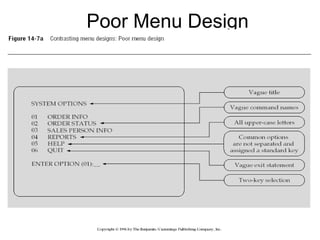
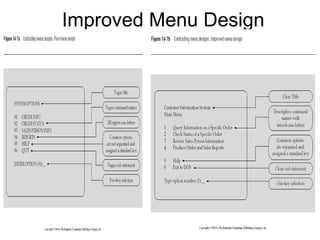
หลักการอกแบบส่วนติดต่อกับผู้ใช้ User InterfaceDesign (1) เน้นวัตถุประสงค์การใช้งานเป็นหลัก ออกแบบให้ง่ายต่อการเรียนรู้และจดจำ ออกแบบให้ผู้ใช้ทำงานได้อย่างมีประสิทธิภาพ ออกแบบคำสั่ง ปุ่ม ข้อความโต้ตอบให้มีความสอดคล้องเป็นมาตรฐานเดียวกันทั้งระบบ
4.
หลักการออกแบบส่วนติดต่อกับผู้ใช้ User InterfaceDesign (2) ลดปัญหาในการนำเข้าข้อมูล พยายามลดการนำเข้าข้อมูลโดยให้ผู้ใช้ key in เข้าไปให้น้อยที่สุด ส่วนใดที่กำหนดโดยโปรแกรมได้ให้กำหนดเป็นค่า default ส่วนใดที่สามารถทำเป็นรายการเลือกได้ ต้องทำเป็นรายการเลือก ออกแบบให้รูปแบบเป็น logical layout – ซ้ายไปขวา บนลงล่าง
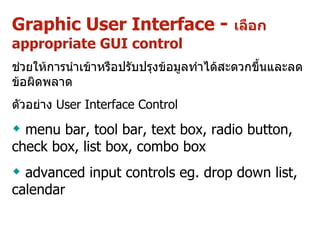
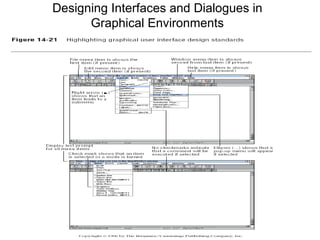
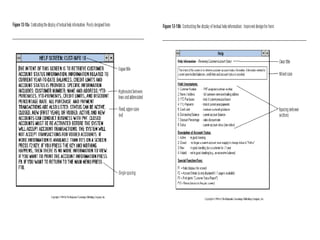
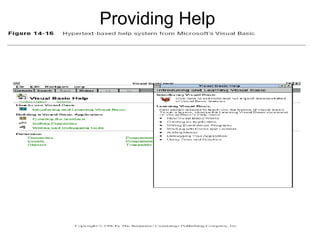
Graphic User Interface - เลือก appropriate GUI control ช่วยให้การนำเข้าหรือปรับปรุงข้อมูลทำได้สะดวกขึ้นและลดข้อผิดพลาด ตัวอย่าง User Interface Control menu bar, tool bar, text box, r adio button, check box, list box, combo box advanced input controls eg. d rop down list, calendar
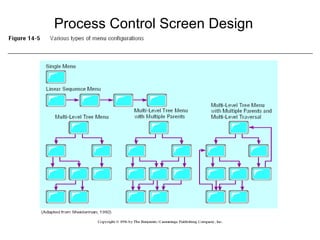
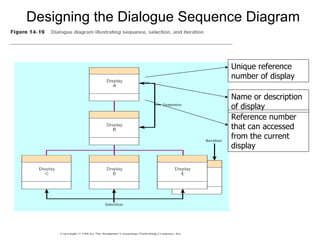
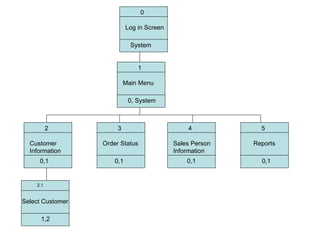
Designing the DialogueSequence Diagram Define the sequence Have a clear understanding of the user, task, technological and environmental characteristics Dialogue Diagram A formal method for designing and representing human-computer dialogues using box and line diagrams Consists of a box with three sections Top: Unique display reference number used by other displays for referencing dialogue Middle: Contains the name or description of the display Bottom: Contains display reference numbers that can be accessed from the current display 14.
15.
Designing the DialogueSequence Diagram Unique reference number of display Name or description of display Reference number that can accessed from the current display
16.
0 Log inScreen System 2 Customer Information 0,1 2.1 Select Customer 1,2 5 Reports 0,1 1 Main Menu 0, System 3 Order Status 0,1 4 Sales Person Information 0,1
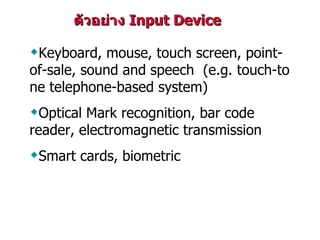
ตัวอย่าง InputDevice K eyboard, mouse, touch screen, point-of-sale, sound and speech (e.g. touch-tone telephone-based system) Optical Mark recognition, bar code reader , electromagnetic transmission S mart cards, biometric
19.
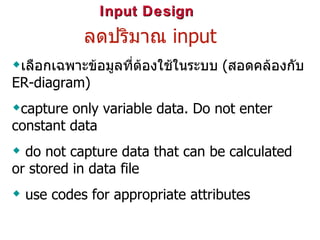
Input Design ลดปริมาณ input เลือกเฉพาะข้อมูลที่ต้องใช้ในระบบ ( สอดคล้องกับ ER-diagram) capture only variable data. Do not enter constant data do not capture data that can be calculated or stored in data file use codes for appropriate attributes
20.
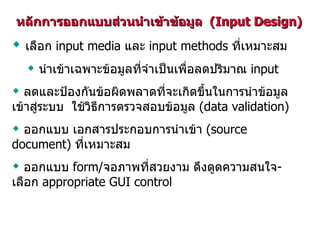
Input Design ลดและป้องกันข้อผิดพลาดที่จะเกิดขึ้นในการนำข้อมูลเข้าสู่ระบบใช้วิธีการตรวจสอบข้อมูล (data validation ) Sequence checks ตรวจสอบการนำเข้าข้อมูลโดยพิจารณาลำดับก่อนหลังของข้อมูล Existence checks ตรวจสอบว่าข้อมูลต้องมีอยู่จริงเช่นเป็นสมาชิกที่มีอยู่จริงจึงจะทำรายการยืมได้ เป็นต้น Data type checks ตรวจสอบชนิดของข้อมูลที่นำเข้าต้องถูกต้องตามที่กำหนดไว้เช่น field ที่กำหนดเป็นตัวเลขจะไม่รับข้อมูลชนิดอื่น
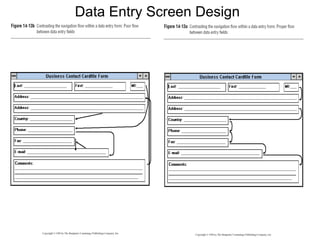
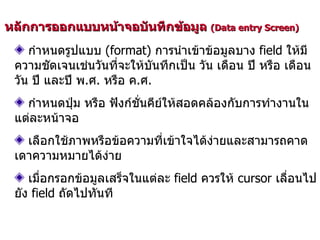
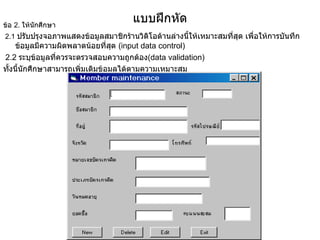
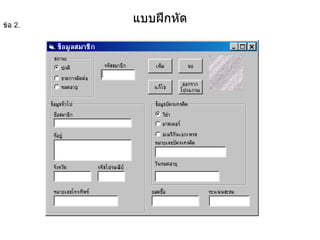
หลักการออกแบบหน้าจอบันทึกข้อมูล (Dataentry Screen) จำกัดตำแหน่งของ cursor ให้เคลื่อนอยู่ใน field ที่ต้องบันทึกข้อมูลเท่านั้นและควรรออยู่ที่ field แรกที่ต้องบันทึกข้อมูล field ใดที่กำหนดโดยโปรแกรมต้องแสดงผลในรูปแบบที่ไม่สามารถแก้ไขได้ แสดงค่า default เพื่อลดการพิมพ์ข้อมูลและถ้าไม่ตรงตามความต้องการต้องสามารถแก้ไขเปลี่ยนแปลงได้ Field ที่สามารถกำหนดค่าที่เป็นไปได้ทั้งหมดให้แสดงค่าทั้งหมดในรูปของ radio button หรือ dropdown list หรือ user interface ที่เหมาะสมเพื่อลดการบันทึกข้อมูลผิด
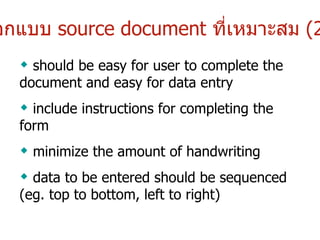
ออกแบบ sourcedocument ที่เหมาะสม (2) should be easy for user to complete the document and easy for data entry include instructions for completing the form minimize the amount of handwriting data to be entered should be sequenced (eg. top to bottom, left to right)
27.
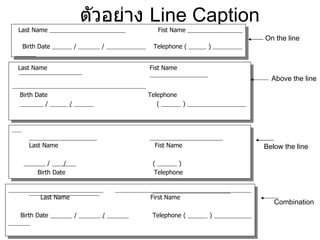
ตัวอย่าง LineCaption Last Name Fist Name Birth Date / / Telephone ( ) Last Name Fist Name Birth Date Telephone / / ( ) Last Name Fist Name / / ( ) Birth Date Telephone Last Name First Name Birth Date / / Telephone ( ) On the line Above the line Below the line Combination
28.
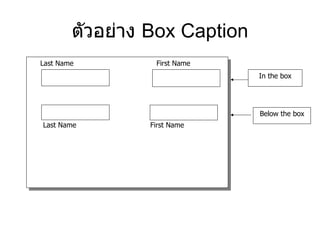
ตัวอย่าง Box Caption Last Name First Name Last Name First Name In the box Below the box
29.
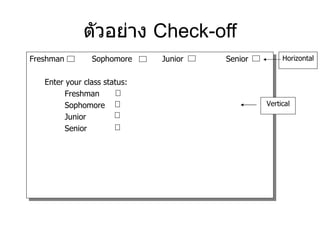
ตัวอย่าง Check-offFreshman Sophomore Junior Senior Enter your class status: Freshman Sophomore Junior Senior Horizontal Vertical
30.
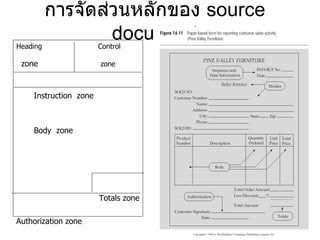
การจัดส่วนหลักของ sourcedocument Heading Control zone zone Instruction zone Body zone Totals zone Authorization zone
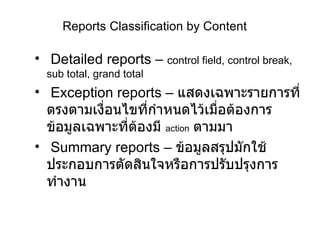
Reports Classification byContent Detailed reports – control field, control break, sub total, grand total Exception reports – แสดงเฉพาะรายการที่ตรงตามเงื่อนไขที่กำหนดไว้เมื่อต้องการข้อมูลเฉพาะที่ต้องมี action ตามมา Summary reports – ข้อมูลสรุปมักใช้ประกอบการตัดสินใจหรือการปรับปรุงการทำงาน
35.
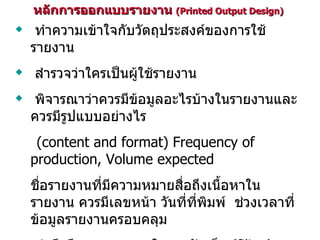
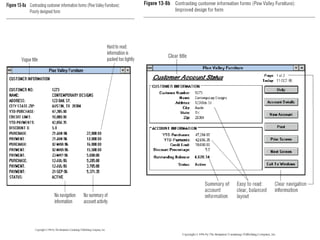
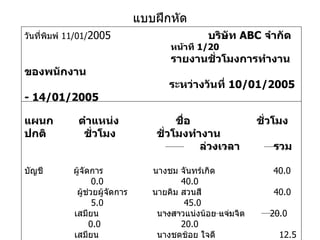
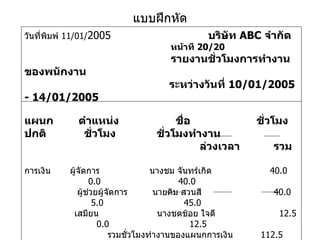
หลักการออกแบบรายงาน (Printed Output Design) ทำความเข้าใจกับวัตถุประสงค์ของการใช้รายงาน สำรวจว่าใครเป็นผู้ใช้รายงาน พิจารณาว่าควรมีข้อมูลอะไรบ้างในรายงานและควรมีรูปแบบอย่างไร (content and format) Frequency of production, Volume expected ชื่อรายงานที่มีความหมายสื่อถึงเนื้อหาในรายงาน ควรมีเลขหน้า วันที่ที่พิมพ์ ช่วงเวลาที่ข้อมูลรายงานครอบคลุม คำนึงถึงความสะดวกในการจัดเก็บ (filing) ความถี่ในการใช้งาน ปริมาณที่ต้องพิมพ์ ทำ prototype และนำไปให้ผู้ใช้ให้ข้อคิดเห็น
36.
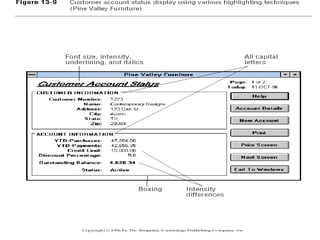
Highlighting ประหยัดการใช้คำพูดเพื่อให้ผู้ใช้ไม่พลาดการรับทราบข้อมูลหรือสาระที่ต้องการเน้นให้ผู้ใช้ทราบ การกระพริบ(Blinking) และการใช้เสียง ( audible tones) ควรใช้ในกรณีที่จำเป็น ( ขั้นวิกฤติ ) ที่ต้องการให้ผู้ใช้ให้ความสนใจในทันทีเท่านั้น วิธีการต่างๆที่เลือกมาใช้ต้องใช้อย่างสม่ำเสมอคงเส้นคงวา (consistency) used based upon level of importance of emphasized information หลักการออกแบบ output ทั่วไป Highlighting ได้แก่ Color difference, Intensity difference, Size difference, Font difference, Reverse video, Boxing, Underlining
37.
Color versus No-ColorBenefits from Using Color Strikes the eye Accents an uninteresting display Facilitates subtle discriminations in complex displays Emphasizes the logical organization of information Draws attention to warnings Evokes more emotional reactions Problems from Using Color Color pairings may wash out or cause problems for some users Resolution may degrade with different displays Color fidelity may degrade on different displays Printing or conversion to other media may not easily translate
38.
Displaying Text ใช้อักษรตัวใหญ่(upper case) และตัวเล็ก (lower case) ผสมกันและใช้เครื่องหมายวรรคตอนให้ถูกต้อง ใช้ double spacing if space permits หรือใช้การเว้นบรรทัดระหว่าง paragraphs Left-justify text อย่าใช้ hyphenate words between lines ใช้คำย่อ ( abbreviations and acronyms ) เฉพาะคำที่เป็นที่เข้าใจกันอย่างกว้างขวางเท่านั้นและใช้ในกรณีที่ significantly shorter than the full text
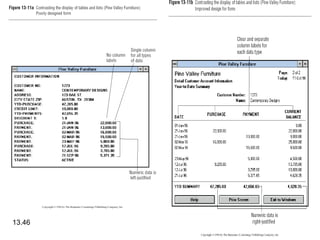
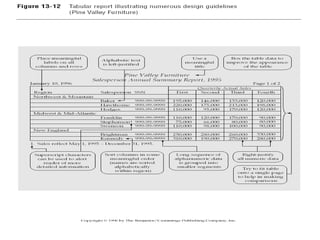
Designing tables andlists (continued) Formatting columns, rows and text จัดเรียงข้อมูลในลำดับที่สื่อความหมาย ( meaningful order ) เว้นบรรทัดทุกๆห้าแถวในคอลัมน์ที่มีข้อมูลมากๆ เว้นระยะห่างระหว่างคอลัมน์อย่างน้อย 2 spaces Allow white space on printed reports for user to write notes ใช้ single typeface เว้นแต่ต้องการเน้นส่วนใดเป็นกรณีพิเศษ Avoid overly fancy fonts
41.
Designing tables andlists (continued) Formatting numeric, textual and alphanumeric data ข้อมูลที่เป็นตัวเลขให้แสดงชิดขวา and align columns by decimal points or other delimiter ข้อมูลที่เป็น text ให้แสดงชิดซ้าย . Use short line length, usually 30 to 40 characters per line Break long sequences of alphanumeric data into small groups of three to four characters each
42.
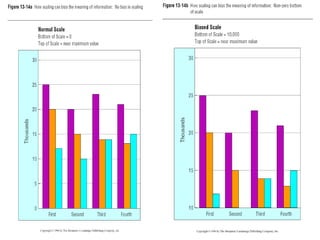
Use Tables for: Reading individual data values Use graphs for : Providing a quick summary of data Comparing points and patterns of different variables Forecasting activities Reporting vast amounts of information
Assessing Usability Overallevaluation of how a system performs in supporting a particular user for a particular task Three characteristics Speed Accuracy Satisfaction 13.