RSS for Educators Jennifer Carrier Dorman  http://jdorman.wikispaces.com/RSS
 
What is RSS? Depending on who you talk to, RSS stands for  Rich Site Summary  or  Real Simple Syndication
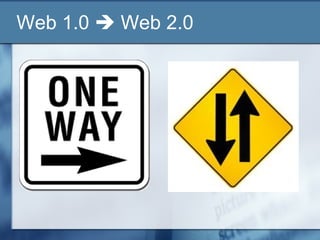
Web 1.0    Web 2.0
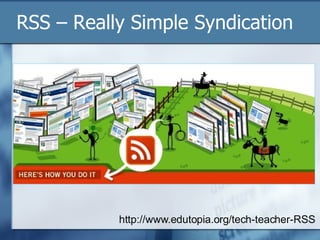
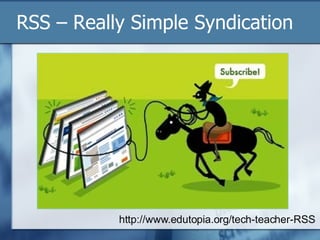
RSS – Really Simple Syndication http://www.edutopia.org/tech-teacher-RSS
Ask an Expert . . . Excerpts from Will Richardson’s publication,  RSS: A Quick Start Guide for Educators http://snipurl.com/1w86t   Will’s Blog http://weblogg-ed.com/   Will’s Book http://snipurl.com/1w87c
What is RSS? Blogs, podcasts, news sites, and an ever-growing number of other media site generate a behind-the-scenes code in a language similar to HTML called XML. This code, usually referred to as a "feed," makes it possible for readers to "subscribe" to the content that is created on a particular website so they no longer have to visit the site itself to get it.
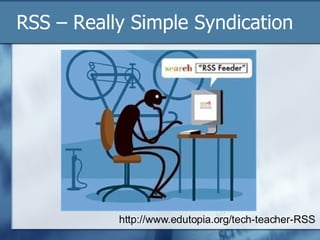
RSS – Really Simple Syndication http://www.edutopia.org/tech-teacher-RSS
RSS Syndication As is true with traditional syndication, the content comes to you instead of you going to get it, hence “Real Simple Syndication.”
Applications for RSS Feeds An RSS aggregator checks the feeds you subscribe to and it collects all the new content from those sites you are subscribed to.  Then, when you’re ready, you open up your aggregator to read the individual stories, file them for later use, click through to the site itself, or delete them if they’re not relevant.  In other words, you check one site instead of dozens of individual websites
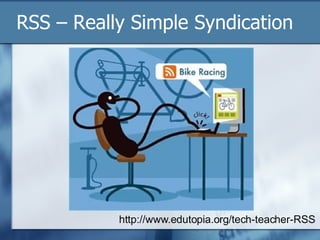
RSS – Really Simple Syndication http://www.edutopia.org/tech-teacher-RSS
RSS in Plain English http://snipurl.com/1w8wi
Subscribing to RSS Feeds
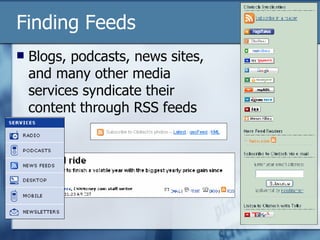
Finding Feeds Blogs, podcasts, news sites, and many other media services syndicate their content through RSS feeds
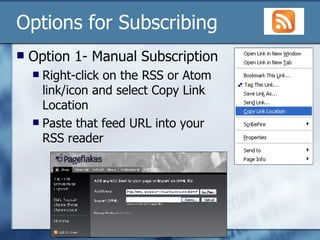
Options for Subscribing Option 1- Manual Subscription Right-click on the RSS or Atom link/icon and select Copy Link Location Paste that feed URL into your RSS reader
Options for Subscribing Option 2 – Automatic Browser Subscription Firefox Internet Explorer 7
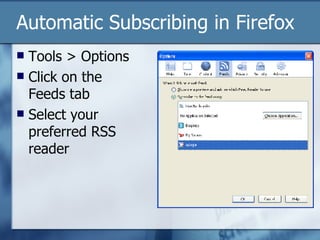
Automatic Subscribing in Firefox Tools > Options Click on the Feeds tab Select your preferred RSS reader
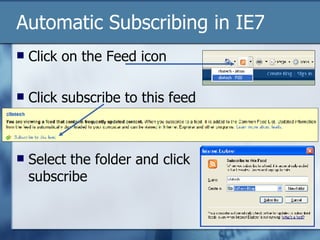
Automatic Subscribing in IE7 Click on the Feed icon Click subscribe to this feed Select the folder and click subscribe
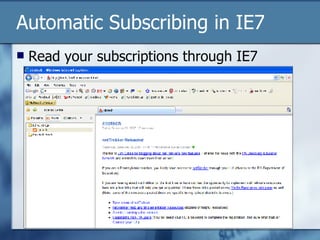
Automatic Subscribing in IE7 Read your subscriptions through IE7
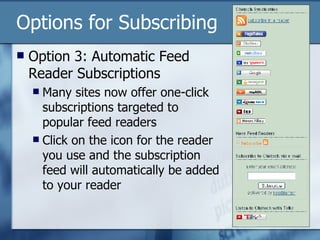
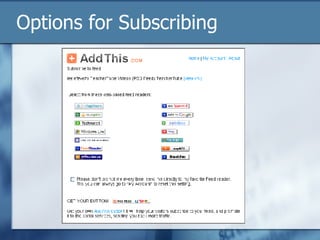
Options for Subscribing Option 3: Automatic Feed Reader Subscriptions Many sites now offer one-click subscriptions targeted to popular feed readers Click on the icon for the reader you use and the subscription feed will automatically be added to your reader
Options for Subscribing
RSS Aggregators Feed Readers
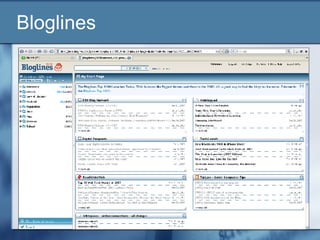
Bloglines
Bloglines Save Time, Read it Your Way   View all your subscriptions by clicking on the  My Feeds tab   Modify display preferences in feed  Options   View articles by selecting from the links in your  Feeds folder   Modify individual subscription options using the Edit feature  Choose a Notifier  for Bloglines alerts  View Bloglines on your  mobile device   Read Bloglines in your  favorite language   http://www.bloglines.com/
Bloglines What interests you?   Blogs ,  News ,  Podcasts  and  more   Weather forecasts   Package tracking   View the 200  Most Popular Feeds   Track future web articles by creating a  search subscription
Bloglines Subscribe to it   Subscribe with one click from your  browser toolbar   Subscribe from  search results   Look for RSS enabled sites with  'Subscribe with Bloglines'  or XML/RSS buttons  If you don't see an RSS button, use the 'Add' link and  enter the URL  and Bloglines will find all available feeds for you.  Manage mailing list clutter by creating unique  email addresses
Bloglines Publish, Share & Save   Publish  your own blog   Post a 'Subscribe with Bloglines' button  on your blog  Share your blogroll   Email articles to any address using the  'Email This'  feature  Save articles  with the 'Keep New' or 'Clip/Blog This' features
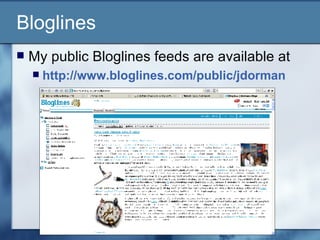
Bloglines My public Bloglines feeds are available at  http://www.bloglines.com/public/jdorman
Google Reader
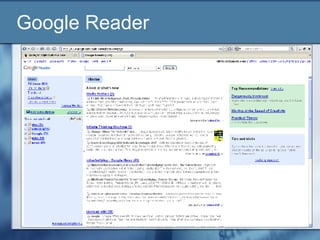
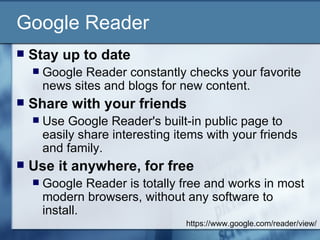
Google Reader Stay up to date  Google Reader constantly checks your favorite news sites and blogs for new content.  Share with your friends  Use Google Reader's built-in public page to easily share interesting items with your friends and family.  Use it anywhere, for free  Google Reader is totally free and works in most modern browsers, without any software to install.  https://www.google.com/reader/view/
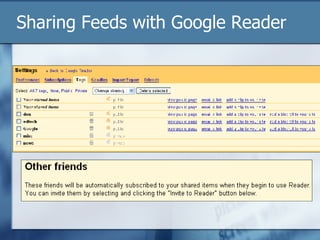
Sharing Feeds with Google Reader
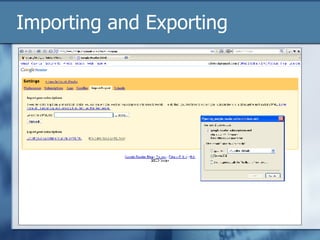
Importing and Exporting
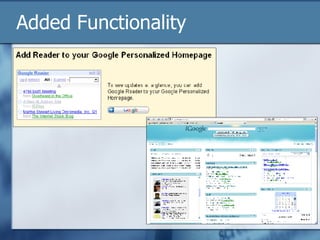
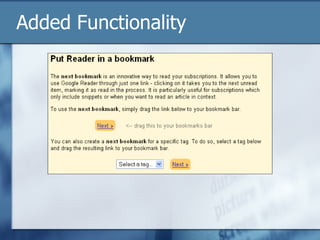
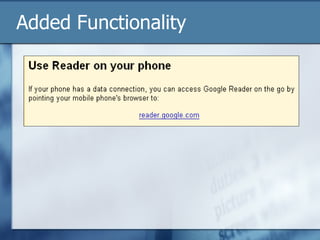
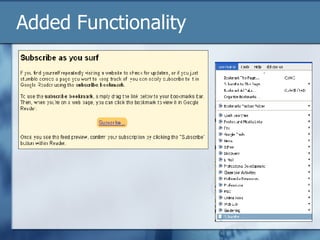
Added Functionality
Added Functionality
Added Functionality
Added Functionality
Google Reader Take a tour of Google Reader at  http://snipurl.com/1w843   Create a personalized homepage with iGoogle  http://www.google.com/ig   Integrates with Google Reader Learn more about Google Resources for Educators at  http://jdorman.wikispaces.com/Google
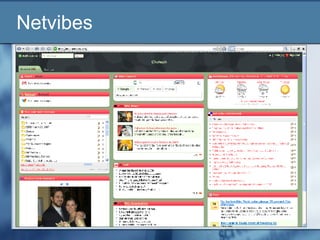
Netvibes
Netvibes Netvibes is a personalized page – you can now modify everything: move modules, add new RSS/ATOM feeds, change the parameters for each module, etc.  Your modifications are saved in real-time and you'll find your page when you get back on Netvibes.com.  If you want to be able to access your page from any computer, you can sign in with your email and a password. http://www.netvibes.com/
Netvibes NetVibes can pull content from: RSS or web feeds Podcasts Calendars Widget and applications modules http://www.netvibes.com/
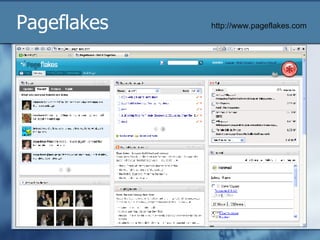
Pageflakes http://www.pageflakes.com
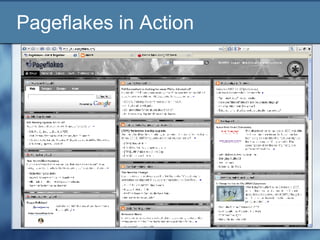
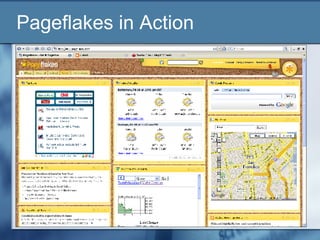
Pageflakes Pageflakes is your personalized start page on the Internet.  Your address book, local weather information, to-do-list, news, blogs and much more – all on one page that you can access from anywhere.  You can also use Pageflakes to keep up with your favorite blogs and news feeds.  "Flake" is our word for those little modules which you can see on the screen.  http://www.pageflakes.com
Pageflakes in Action
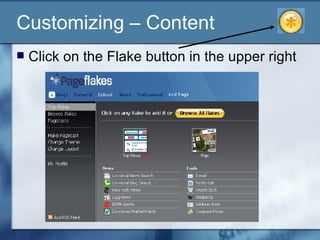
Customizing – Content  Click on the Flake button in the upper right
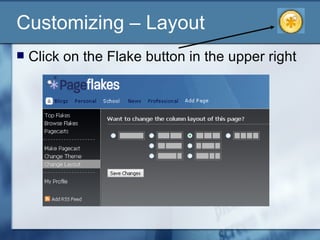
Customizing – Layout  Click on the Flake button in the upper right
Customizing – Themes  Click on the Flake button in the upper right
Pagecasting with Pageflakes “ Pagecasting” means publishing your Pageflakes page for others to see.  You can share your Pagecast with the world or with a private group.  You can even let others edit and contribute to your Pagecast!  http://www.pageflakes.com
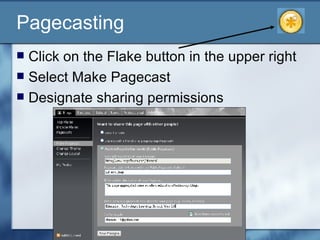
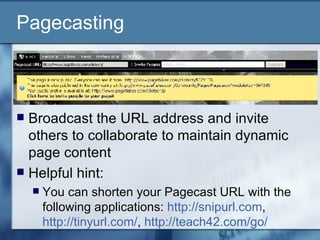
Pagecasting  Click on the Flake button in the upper right Select Make Pagecast Designate sharing permissions
Pagecasting Broadcast the URL address and invite others to collaborate to maintain dynamic page content Helpful hint: You can shorten your Pagecast URL with the following applications:  http://snipurl.com ,  http://tinyurl.com/ ,  http://teach42.com/go/
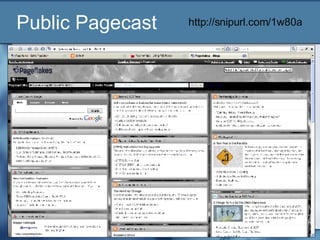
Public Pagecast  http://snipurl.com/1w80a
Sharing Pagecasts Users can:  Follow the Pagecast by clicking “Watch this Pagecast” Copy the Pagecast into their account and modify the content for their purposes E-mail the Pagecast to others
Interesting Read Visit  http://snipurl.com/1w80r  to read a July 2007 interview with Dan Cohen, the CEO of Pageflakes  Our focus is on trying to do this for everybody and that’s evidence in the fact that we don’t even call them widgets, we don’t talk about RSS, we talk about flakes. Flakes, that go on your page. A page of flakes. They are really lightweight applications that go on a page.
Grazr Grazr is a free and easy way to gather and organize information from all over the Web.  Use our drag and drop editor to collect feeds and links to Web pages, and then share them with others on this site, or place them on your own pages with our free widget.  http://www.grazr.com/
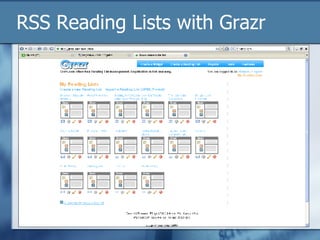
RSS Reading Lists with Grazr
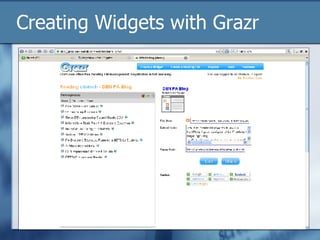
Creating Widgets with Grazr
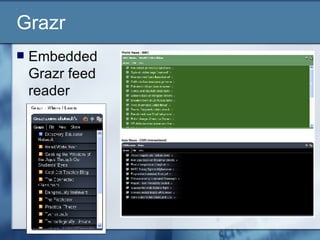
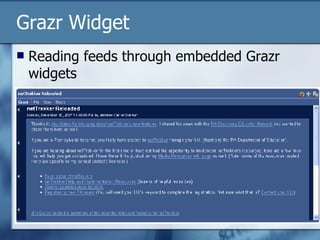
Grazr Embedded Grazr feed reader
Grazr Widget Reading feeds through embedded Grazr widgets
Using RSS in Education Pedagogy and Research
Why use RSS in education? RSS has transformed the way that content is distributed, accessed, and processed 21 st  century students are no longer faced with the challenge of “finding” enough information – rather, they are faced with an avalanche of information RSS is one way for students to locate information more efficiently  Of course, they still need to be taught how to process, analyze, and evaluate
Why use RSS in education? It is also a way to leverage the talent of millions of individuals to identify truly useful information in the tidal wave of data the internet has become.  Mary Harrsch, “RSS: The Next Killer App for Education”  http://technologysource.org/article/rss/
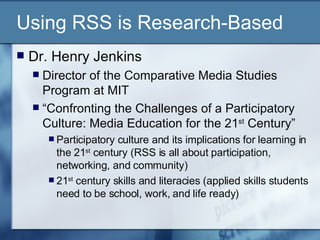
Using RSS is Research-Based Dr. Henry Jenkins Director of the Comparative Media Studies Program at MIT “ Confronting the Challenges of a Participatory Culture: Media Education for the 21 st  Century” Participatory culture and its implications for learning in the 21 st  century (RSS is all about participation, networking, and community) 21 st  century skills and literacies (applied skills students need to be school, work, and life ready)
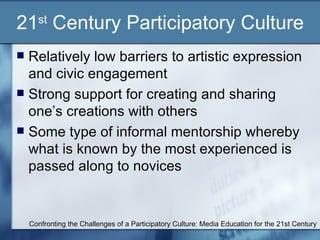
21 st  Century Participatory Culture Relatively low barriers to artistic expression and civic engagement Strong support for creating and sharing one’s creations with others Some type of informal mentorship whereby what is known by the most experienced is passed along to novices Confronting the Challenges of a Participatory Culture: Media Education for the 21st Century
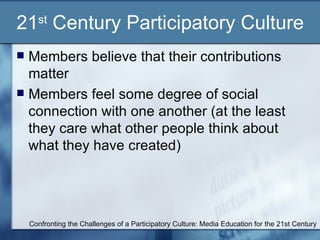
21 st  Century Participatory Culture Members believe that their contributions matter Members feel some degree of social connection with one another (at the least they care what other people think about what they have created) Confronting the Challenges of a Participatory Culture: Media Education for the 21st Century
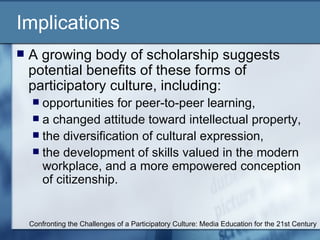
Implications A growing body of scholarship suggests potential benefits of these forms of participatory culture, including: opportunities for peer-to-peer learning,  a changed attitude toward intellectual property,  the diversification of cultural expression,  the development of skills valued in the modern workplace, and a more empowered conception of citizenship.  Confronting the Challenges of a Participatory Culture: Media Education for the 21st Century
Implications Participatory culture shifts the focus of literacy from one of individual expression to community involvement. The new literacies almost all involve social skills developed through collaboration and networking. These skills build on the foundation of traditional literacy, research skills, technical skills, and critical analysis skills taught in the classroom. Confronting the Challenges of a Participatory Culture: Media Education for the 21st Century
The New Literacies Play  — the capacity to experiment with one’s surroundings as a form of problem-solving Performance  — the ability to adopt alternative identities for the purpose of improvisation and discovery Simulation  — the ability to interpret and construct dynamic models of real-world processes Appropriation  — the ability to meaningfully sample and remix media content Confronting the Challenges of a Participatory Culture: Media Education for the 21st Century
The New Literacies Multitasking  — the ability to scan one’s environment and shift focus as needed to salient details. Distributed Cognition  — the ability to interact meaningfully with tools that expand mental capacities Collective Intelligence  — the ability to pool knowledge and compare notes with others toward a common goal Judgment  — the ability to evaluate the reliability and credibility of different information sources Confronting the Challenges of a Participatory Culture: Media Education for the 21st Century
The New Literacies Transmedia Navigation  — the ability to follow the flow of stories and information across multiple modalities Networking  — the ability to search for, synthesize, and disseminate information Negotiation  — the ability to travel across diverse communities, discerning and respecting multiple perspectives, and grasping and following alternative norms. Confronting the Challenges of a Participatory Culture: Media Education for the 21st Century
21 st  Century Skills National Educational Technology Standards for Students  Communication and Collaboration  Students use digital media and environments to communicate and work collaboratively, including at a distance, to support individual learning and contribute to the learning of others. Students:  interact, collaborate, and publish with peers, experts or others employing a variety of digital environments and media.  http://snipurl.com/1w89f
21 st  Century Skills National Educational Technology Standards for Students  Research and Information Fluency  Students apply digital tools to gather, evaluate, and use information. Students:  plan strategies to guide inquiry.  locate, organize, analyze, evaluate, synthesize, and ethically use information from a variety of sources and media.  evaluate and select information sources and digital tools based on the appropriateness to specific tasks.  process data and report results.  http://snipurl.com/1w89f
RSS for Teaching and Learning Practical Applications
Professional Learning Communities Educators are professionals who, by nature, are always learning Through RSS feed readers and personalized home pages educators can create their own learning network and learn from other educators
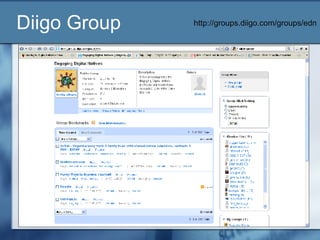
Join My Learning Network Subscribe to my Cliotech Blog http://cliotech.blogspot.com/   Join my Wiki http://jdorman.wikispaces.com/   My Diigo Group – Engaging Digital Natives http://groups.diigo.com/groups/edn   My Del.icio.us Bookmarks http://del.icio.us/cliotech   My EdTech Blog Pagecast  http://snipurl.com/1w80a   My Google Reader Blogroll http://snipr.com/1wnu9
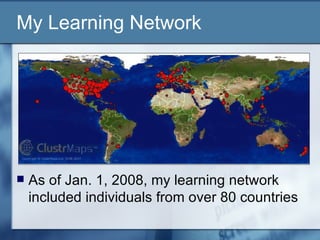
As of Jan. 1, 2008, my learning network included individuals from over 80 countries My Learning Network
Classroom Applications for RSS Have students subscribe to each other’s blogs and/or the teacher’s blog Have students and parents subscribe to your blog, podcast, or wiki feed to keep abreast of what is going on in class
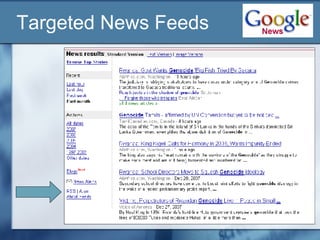
Classroom Applications for RSS RSS Feeds for News, Blog, and Website Searches Create a feed for what’s in the daily news about a particular topic, you can make a syndicated feed of search results of Google News Aggregate targeted news feeds with a shared (published) feed reader (Pageflakes, Grazr, etc.) This basically creates a constantly updating targeted “current events” text for students
Targeted News Feeds
Classroom Applications for RSS RSS Feeds for Bookmarks Teachers can create a social bookmarking account and publish the list for their students (instant hotlists) Teachers can create a class account and all students can add to the content Students can create accounts to collaborate with group members and share resources more effectively All the feeds can be aggregated with the same feed readers used for blogs, podcasts, news, and other media sites
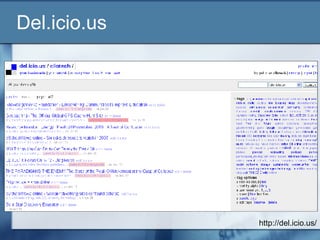
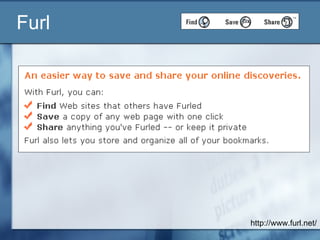
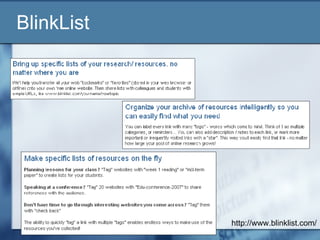
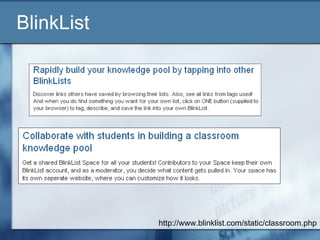
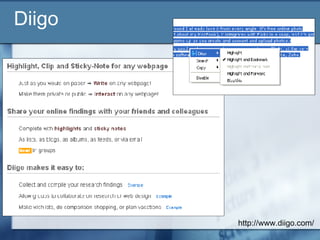
Classroom Applications for RSS RSS Feeds for Bookmarks The following social bookmarking applications allow for publishing Internet bookmarks through RSS feeds: http://www.diigo.com/ http://del.icio.us/ http://www.furl.net/ http://www.blinklist.com/
Social Bookmarking in Plain English http://snipurl.com/1w8wg
Del.icio.us http://del.icio.us/
Furl http://www.furl.net/
BlinkList  http://www.blinklist.com/
BlinkList http://www.blinklist.com/static/classroom.php
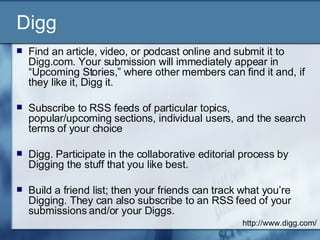
Digg Find an article, video, or podcast online and submit it to Digg.com. Your submission will immediately appear in “Upcoming Stories,” where other members can find it and, if they like it, Digg it. Subscribe to RSS feeds of particular topics, popular/upcoming sections, individual users, and the search terms of your choice  Digg. Participate in the collaborative editorial process by Digging the stuff that you like best.  Build a friend list; then your friends can track what you’re Digging. They can also subscribe to an RSS feed of your submissions and/or your Diggs.  http://www.digg.com/
Diigo http://www.diigo.com/
Diigo Group http://groups.diigo.com/groups/edn
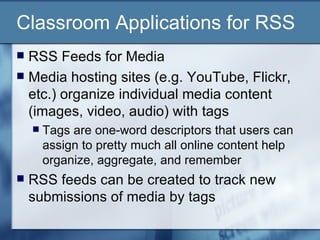
Classroom Applications for RSS RSS Feeds for Media Media hosting sites (e.g. YouTube, Flickr, etc.) organize individual media content (images, video, audio) with tags Tags are one-word descriptors that users can assign to pretty much all online content help organize, aggregate, and remember  RSS feeds can be created to track new submissions of media by tags
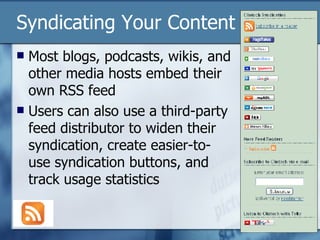
Syndicating Your Content Most blogs, podcasts, wikis, and other media hosts embed their own RSS feed Users can also use a third-party feed distributor to widen their syndication, create easier-to-use syndication buttons, and track usage statistics
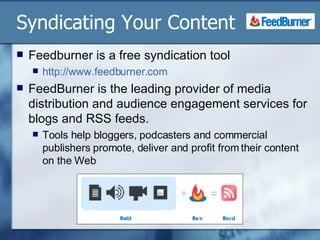
Syndicating Your Content Feedburner is a free syndication tool  http://www.feedburner.com   FeedBurner is the leading provider of media distribution and audience engagement services for blogs and RSS feeds.  Tools help bloggers, podcasters and commercial publishers promote, deliver and profit from their content on the Web
For More Information and Research RSS in Education Resources  http://jdorman.wikispaces.com/RSS

RSS For Educators

  • 1.
    RSS for EducatorsJennifer Carrier Dorman http://jdorman.wikispaces.com/RSS
  • 2.
  • 3.
    What is RSS?Depending on who you talk to, RSS stands for Rich Site Summary or Real Simple Syndication
  • 4.
    Web 1.0  Web 2.0
  • 5.
    RSS – ReallySimple Syndication http://www.edutopia.org/tech-teacher-RSS
  • 6.
    Ask an Expert. . . Excerpts from Will Richardson’s publication, RSS: A Quick Start Guide for Educators http://snipurl.com/1w86t Will’s Blog http://weblogg-ed.com/ Will’s Book http://snipurl.com/1w87c
  • 7.
    What is RSS?Blogs, podcasts, news sites, and an ever-growing number of other media site generate a behind-the-scenes code in a language similar to HTML called XML. This code, usually referred to as a "feed," makes it possible for readers to "subscribe" to the content that is created on a particular website so they no longer have to visit the site itself to get it.
  • 8.
    RSS – ReallySimple Syndication http://www.edutopia.org/tech-teacher-RSS
  • 9.
    RSS – ReallySimple Syndication http://www.edutopia.org/tech-teacher-RSS
  • 10.
    RSS Syndication Asis true with traditional syndication, the content comes to you instead of you going to get it, hence “Real Simple Syndication.”
  • 11.
    Applications for RSSFeeds An RSS aggregator checks the feeds you subscribe to and it collects all the new content from those sites you are subscribed to. Then, when you’re ready, you open up your aggregator to read the individual stories, file them for later use, click through to the site itself, or delete them if they’re not relevant. In other words, you check one site instead of dozens of individual websites
  • 12.
    RSS – ReallySimple Syndication http://www.edutopia.org/tech-teacher-RSS
  • 13.
    RSS in PlainEnglish http://snipurl.com/1w8wi
  • 14.
  • 15.
    Finding Feeds Blogs,podcasts, news sites, and many other media services syndicate their content through RSS feeds
  • 16.
    Options for SubscribingOption 1- Manual Subscription Right-click on the RSS or Atom link/icon and select Copy Link Location Paste that feed URL into your RSS reader
  • 17.
    Options for SubscribingOption 2 – Automatic Browser Subscription Firefox Internet Explorer 7
  • 18.
    Automatic Subscribing inFirefox Tools > Options Click on the Feeds tab Select your preferred RSS reader
  • 19.
    Automatic Subscribing inIE7 Click on the Feed icon Click subscribe to this feed Select the folder and click subscribe
  • 20.
    Automatic Subscribing inIE7 Read your subscriptions through IE7
  • 21.
    Options for SubscribingOption 3: Automatic Feed Reader Subscriptions Many sites now offer one-click subscriptions targeted to popular feed readers Click on the icon for the reader you use and the subscription feed will automatically be added to your reader
  • 22.
  • 23.
  • 24.
  • 25.
    Bloglines Save Time,Read it Your Way View all your subscriptions by clicking on the My Feeds tab Modify display preferences in feed Options View articles by selecting from the links in your Feeds folder Modify individual subscription options using the Edit feature Choose a Notifier for Bloglines alerts View Bloglines on your mobile device Read Bloglines in your favorite language http://www.bloglines.com/
  • 26.
    Bloglines What interestsyou? Blogs , News , Podcasts and more Weather forecasts Package tracking View the 200 Most Popular Feeds Track future web articles by creating a search subscription
  • 27.
    Bloglines Subscribe toit Subscribe with one click from your browser toolbar Subscribe from search results Look for RSS enabled sites with 'Subscribe with Bloglines' or XML/RSS buttons If you don't see an RSS button, use the 'Add' link and enter the URL and Bloglines will find all available feeds for you. Manage mailing list clutter by creating unique email addresses
  • 28.
    Bloglines Publish, Share& Save Publish your own blog Post a 'Subscribe with Bloglines' button on your blog Share your blogroll Email articles to any address using the 'Email This' feature Save articles with the 'Keep New' or 'Clip/Blog This' features
  • 29.
    Bloglines My publicBloglines feeds are available at http://www.bloglines.com/public/jdorman
  • 30.
  • 31.
    Google Reader Stayup to date Google Reader constantly checks your favorite news sites and blogs for new content. Share with your friends Use Google Reader's built-in public page to easily share interesting items with your friends and family. Use it anywhere, for free Google Reader is totally free and works in most modern browsers, without any software to install. https://www.google.com/reader/view/
  • 32.
    Sharing Feeds withGoogle Reader
  • 33.
  • 34.
  • 35.
  • 36.
  • 37.
  • 38.
    Google Reader Takea tour of Google Reader at http://snipurl.com/1w843 Create a personalized homepage with iGoogle http://www.google.com/ig Integrates with Google Reader Learn more about Google Resources for Educators at http://jdorman.wikispaces.com/Google
  • 39.
  • 40.
    Netvibes Netvibes isa personalized page – you can now modify everything: move modules, add new RSS/ATOM feeds, change the parameters for each module, etc. Your modifications are saved in real-time and you'll find your page when you get back on Netvibes.com. If you want to be able to access your page from any computer, you can sign in with your email and a password. http://www.netvibes.com/
  • 41.
    Netvibes NetVibes canpull content from: RSS or web feeds Podcasts Calendars Widget and applications modules http://www.netvibes.com/
  • 42.
  • 43.
    Pageflakes Pageflakes isyour personalized start page on the Internet. Your address book, local weather information, to-do-list, news, blogs and much more – all on one page that you can access from anywhere. You can also use Pageflakes to keep up with your favorite blogs and news feeds. "Flake" is our word for those little modules which you can see on the screen. http://www.pageflakes.com
  • 44.
  • 45.
  • 46.
    Customizing – Content Click on the Flake button in the upper right
  • 47.
    Customizing – Layout Click on the Flake button in the upper right
  • 48.
    Customizing – Themes Click on the Flake button in the upper right
  • 49.
    Pagecasting with Pageflakes“ Pagecasting” means publishing your Pageflakes page for others to see. You can share your Pagecast with the world or with a private group. You can even let others edit and contribute to your Pagecast! http://www.pageflakes.com
  • 50.
    Pagecasting Clickon the Flake button in the upper right Select Make Pagecast Designate sharing permissions
  • 51.
    Pagecasting Broadcast theURL address and invite others to collaborate to maintain dynamic page content Helpful hint: You can shorten your Pagecast URL with the following applications: http://snipurl.com , http://tinyurl.com/ , http://teach42.com/go/
  • 52.
    Public Pagecast http://snipurl.com/1w80a
  • 53.
    Sharing Pagecasts Userscan: Follow the Pagecast by clicking “Watch this Pagecast” Copy the Pagecast into their account and modify the content for their purposes E-mail the Pagecast to others
  • 54.
    Interesting Read Visit http://snipurl.com/1w80r to read a July 2007 interview with Dan Cohen, the CEO of Pageflakes Our focus is on trying to do this for everybody and that’s evidence in the fact that we don’t even call them widgets, we don’t talk about RSS, we talk about flakes. Flakes, that go on your page. A page of flakes. They are really lightweight applications that go on a page.
  • 55.
    Grazr Grazr isa free and easy way to gather and organize information from all over the Web. Use our drag and drop editor to collect feeds and links to Web pages, and then share them with others on this site, or place them on your own pages with our free widget. http://www.grazr.com/
  • 56.
  • 57.
  • 58.
  • 59.
    Grazr Widget Readingfeeds through embedded Grazr widgets
  • 60.
    Using RSS inEducation Pedagogy and Research
  • 61.
    Why use RSSin education? RSS has transformed the way that content is distributed, accessed, and processed 21 st century students are no longer faced with the challenge of “finding” enough information – rather, they are faced with an avalanche of information RSS is one way for students to locate information more efficiently Of course, they still need to be taught how to process, analyze, and evaluate
  • 62.
    Why use RSSin education? It is also a way to leverage the talent of millions of individuals to identify truly useful information in the tidal wave of data the internet has become. Mary Harrsch, “RSS: The Next Killer App for Education” http://technologysource.org/article/rss/
  • 63.
    Using RSS isResearch-Based Dr. Henry Jenkins Director of the Comparative Media Studies Program at MIT “ Confronting the Challenges of a Participatory Culture: Media Education for the 21 st Century” Participatory culture and its implications for learning in the 21 st century (RSS is all about participation, networking, and community) 21 st century skills and literacies (applied skills students need to be school, work, and life ready)
  • 64.
    21 st Century Participatory Culture Relatively low barriers to artistic expression and civic engagement Strong support for creating and sharing one’s creations with others Some type of informal mentorship whereby what is known by the most experienced is passed along to novices Confronting the Challenges of a Participatory Culture: Media Education for the 21st Century
  • 65.
    21 st Century Participatory Culture Members believe that their contributions matter Members feel some degree of social connection with one another (at the least they care what other people think about what they have created) Confronting the Challenges of a Participatory Culture: Media Education for the 21st Century
  • 66.
    Implications A growingbody of scholarship suggests potential benefits of these forms of participatory culture, including: opportunities for peer-to-peer learning, a changed attitude toward intellectual property, the diversification of cultural expression, the development of skills valued in the modern workplace, and a more empowered conception of citizenship. Confronting the Challenges of a Participatory Culture: Media Education for the 21st Century
  • 67.
    Implications Participatory cultureshifts the focus of literacy from one of individual expression to community involvement. The new literacies almost all involve social skills developed through collaboration and networking. These skills build on the foundation of traditional literacy, research skills, technical skills, and critical analysis skills taught in the classroom. Confronting the Challenges of a Participatory Culture: Media Education for the 21st Century
  • 68.
    The New LiteraciesPlay — the capacity to experiment with one’s surroundings as a form of problem-solving Performance — the ability to adopt alternative identities for the purpose of improvisation and discovery Simulation — the ability to interpret and construct dynamic models of real-world processes Appropriation — the ability to meaningfully sample and remix media content Confronting the Challenges of a Participatory Culture: Media Education for the 21st Century
  • 69.
    The New LiteraciesMultitasking — the ability to scan one’s environment and shift focus as needed to salient details. Distributed Cognition — the ability to interact meaningfully with tools that expand mental capacities Collective Intelligence — the ability to pool knowledge and compare notes with others toward a common goal Judgment — the ability to evaluate the reliability and credibility of different information sources Confronting the Challenges of a Participatory Culture: Media Education for the 21st Century
  • 70.
    The New LiteraciesTransmedia Navigation — the ability to follow the flow of stories and information across multiple modalities Networking — the ability to search for, synthesize, and disseminate information Negotiation — the ability to travel across diverse communities, discerning and respecting multiple perspectives, and grasping and following alternative norms. Confronting the Challenges of a Participatory Culture: Media Education for the 21st Century
  • 71.
    21 st Century Skills National Educational Technology Standards for Students Communication and Collaboration Students use digital media and environments to communicate and work collaboratively, including at a distance, to support individual learning and contribute to the learning of others. Students: interact, collaborate, and publish with peers, experts or others employing a variety of digital environments and media. http://snipurl.com/1w89f
  • 72.
    21 st Century Skills National Educational Technology Standards for Students Research and Information Fluency Students apply digital tools to gather, evaluate, and use information. Students: plan strategies to guide inquiry. locate, organize, analyze, evaluate, synthesize, and ethically use information from a variety of sources and media. evaluate and select information sources and digital tools based on the appropriateness to specific tasks. process data and report results. http://snipurl.com/1w89f
  • 73.
    RSS for Teachingand Learning Practical Applications
  • 74.
    Professional Learning CommunitiesEducators are professionals who, by nature, are always learning Through RSS feed readers and personalized home pages educators can create their own learning network and learn from other educators
  • 75.
    Join My LearningNetwork Subscribe to my Cliotech Blog http://cliotech.blogspot.com/ Join my Wiki http://jdorman.wikispaces.com/ My Diigo Group – Engaging Digital Natives http://groups.diigo.com/groups/edn My Del.icio.us Bookmarks http://del.icio.us/cliotech My EdTech Blog Pagecast http://snipurl.com/1w80a My Google Reader Blogroll http://snipr.com/1wnu9
  • 76.
    As of Jan.1, 2008, my learning network included individuals from over 80 countries My Learning Network
  • 77.
    Classroom Applications forRSS Have students subscribe to each other’s blogs and/or the teacher’s blog Have students and parents subscribe to your blog, podcast, or wiki feed to keep abreast of what is going on in class
  • 78.
    Classroom Applications forRSS RSS Feeds for News, Blog, and Website Searches Create a feed for what’s in the daily news about a particular topic, you can make a syndicated feed of search results of Google News Aggregate targeted news feeds with a shared (published) feed reader (Pageflakes, Grazr, etc.) This basically creates a constantly updating targeted “current events” text for students
  • 79.
  • 80.
    Classroom Applications forRSS RSS Feeds for Bookmarks Teachers can create a social bookmarking account and publish the list for their students (instant hotlists) Teachers can create a class account and all students can add to the content Students can create accounts to collaborate with group members and share resources more effectively All the feeds can be aggregated with the same feed readers used for blogs, podcasts, news, and other media sites
  • 81.
    Classroom Applications forRSS RSS Feeds for Bookmarks The following social bookmarking applications allow for publishing Internet bookmarks through RSS feeds: http://www.diigo.com/ http://del.icio.us/ http://www.furl.net/ http://www.blinklist.com/
  • 82.
    Social Bookmarking inPlain English http://snipurl.com/1w8wg
  • 83.
  • 84.
  • 85.
  • 86.
  • 87.
    Digg Find anarticle, video, or podcast online and submit it to Digg.com. Your submission will immediately appear in “Upcoming Stories,” where other members can find it and, if they like it, Digg it. Subscribe to RSS feeds of particular topics, popular/upcoming sections, individual users, and the search terms of your choice Digg. Participate in the collaborative editorial process by Digging the stuff that you like best. Build a friend list; then your friends can track what you’re Digging. They can also subscribe to an RSS feed of your submissions and/or your Diggs. http://www.digg.com/
  • 88.
  • 89.
  • 90.
    Classroom Applications forRSS RSS Feeds for Media Media hosting sites (e.g. YouTube, Flickr, etc.) organize individual media content (images, video, audio) with tags Tags are one-word descriptors that users can assign to pretty much all online content help organize, aggregate, and remember RSS feeds can be created to track new submissions of media by tags
  • 91.
    Syndicating Your ContentMost blogs, podcasts, wikis, and other media hosts embed their own RSS feed Users can also use a third-party feed distributor to widen their syndication, create easier-to-use syndication buttons, and track usage statistics
  • 92.
    Syndicating Your ContentFeedburner is a free syndication tool http://www.feedburner.com FeedBurner is the leading provider of media distribution and audience engagement services for blogs and RSS feeds. Tools help bloggers, podcasters and commercial publishers promote, deliver and profit from their content on the Web
  • 93.
    For More Informationand Research RSS in Education Resources http://jdorman.wikispaces.com/RSS