Robots.txt
Introduction
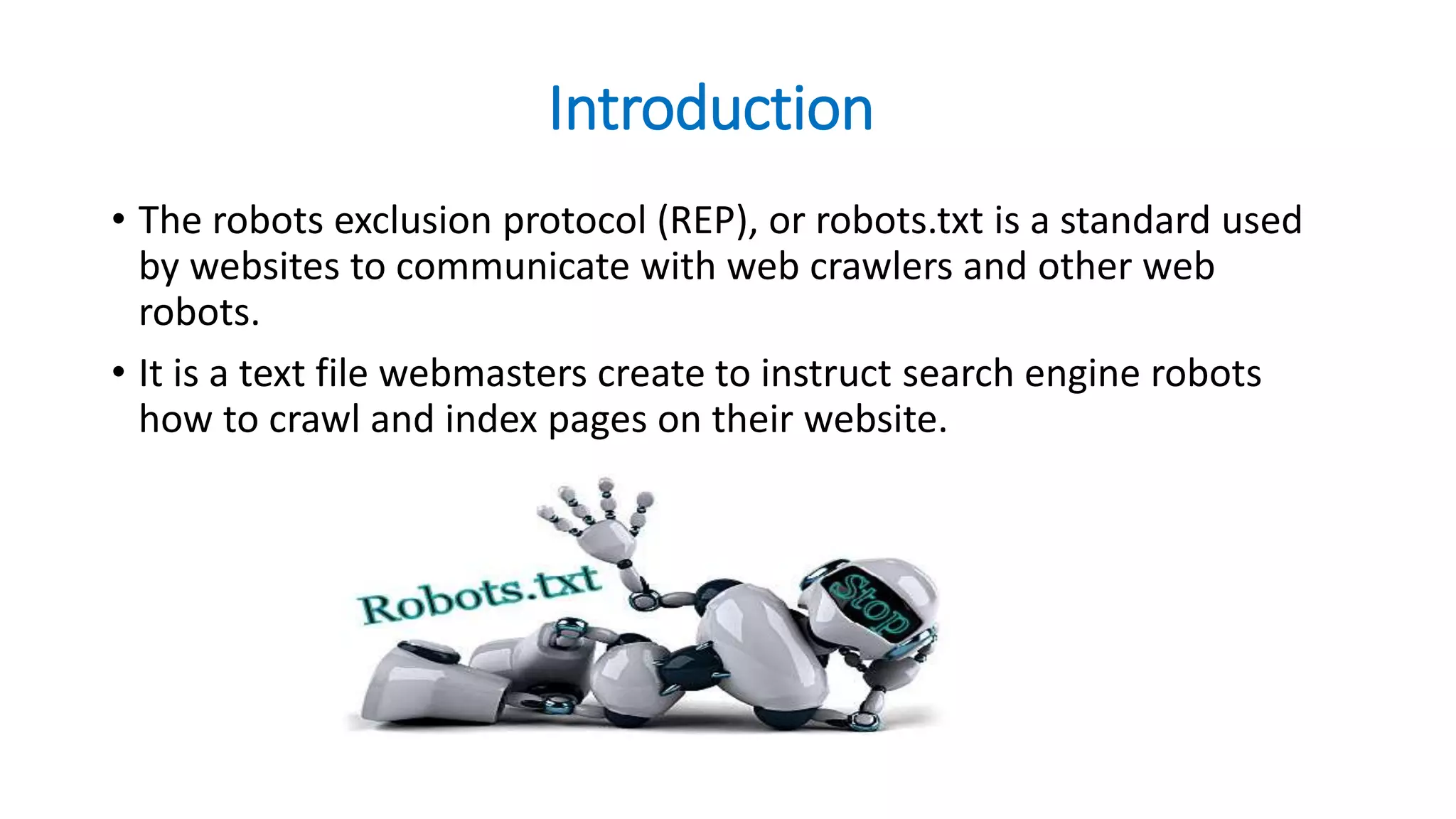
• The robots exclusion protocol (REP), or robots.txt is a standard used
by websites to communicate with web crawlers and other web
robots.
• It is a text file webmasters create to instruct search engine robots
how to crawl and index pages on their website.
History
• The standard was proposed by Martijn Koster, when working for Nexor in February,
1994 on the www-talk mailing list, the main communication channel for WWW-related
activities at the time.
• Charles Stross claims to have provoked Koster to suggest robots.txt, after he wrote a
badly-behaved web crawler that caused an inadvertent denial of service attack on
Koster's server.
• The /robots.txt is a de-facto standard, and is not owned by any
standards body. There are two historical descriptions:
• the original 1994 A Standard for Robot Exclusion document.
• a 1997 Internet Draft specification A Method for Web Robots Control
Examples
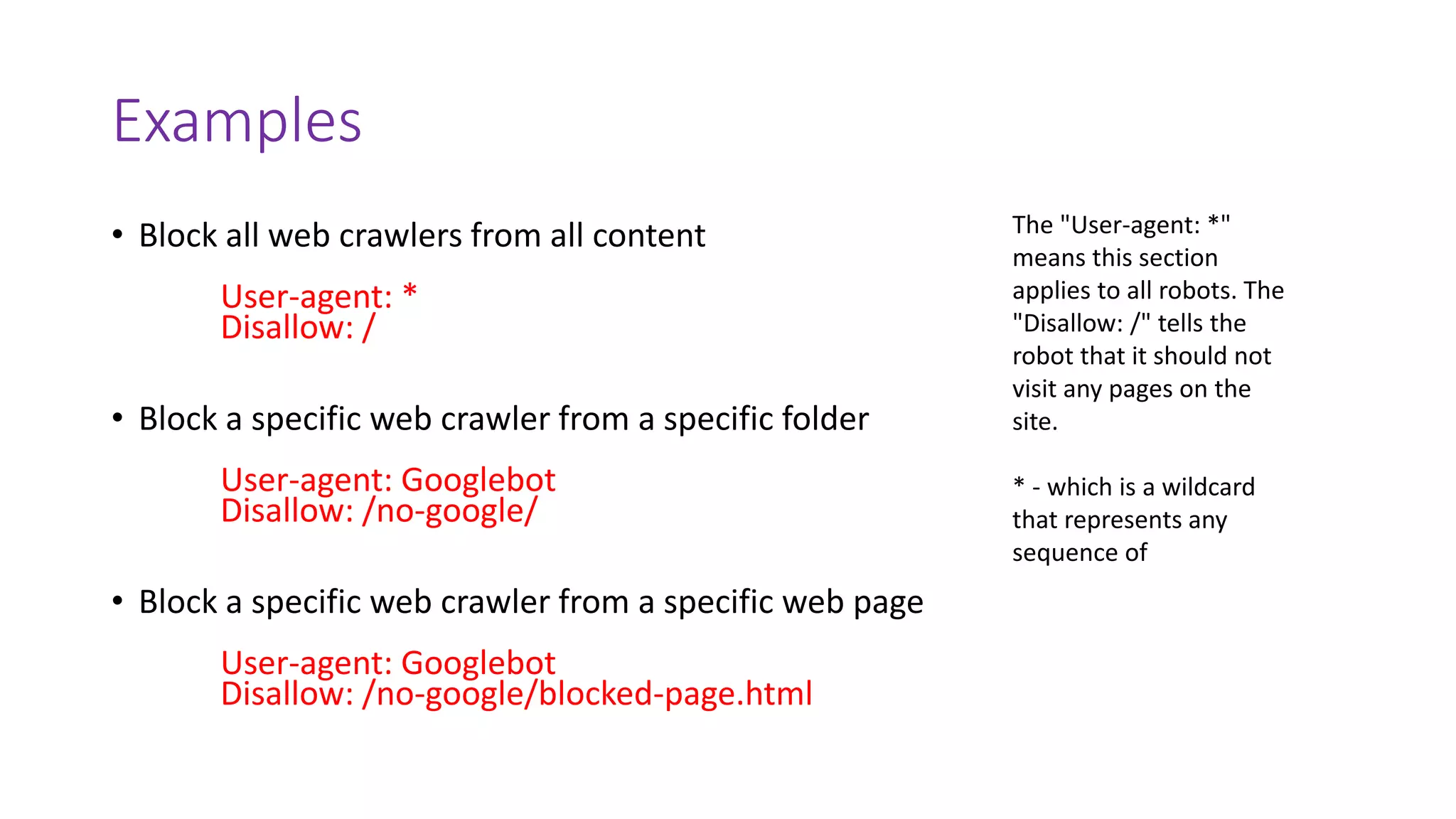
• Block all web crawlers from all content
User-agent: *
Disallow: /
• Block a specific web crawler from a specific folder
User-agent: Googlebot
Disallow: /no-google/
• Block a specific web crawler from a specific web page
User-agent: Googlebot
Disallow: /no-google/blocked-page.html
The "User-agent: *"
means this section
applies to all robots. The
"Disallow: /" tells the
robot that it should not
visit any pages on the
site.
* - which is a wildcard
that represents any
sequence of
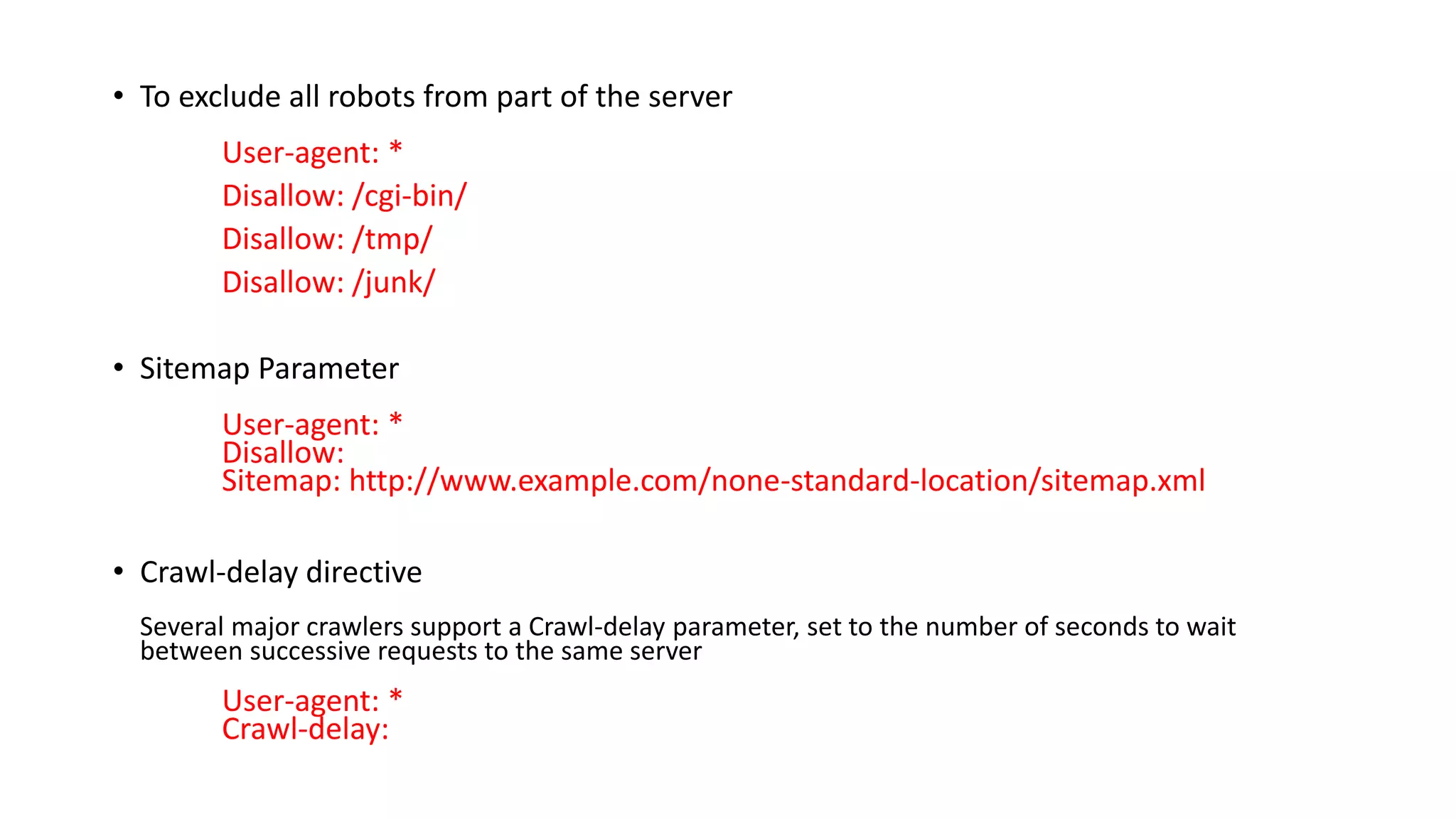
• To exclude all robots from part of the server
User-agent: *
Disallow: /cgi-bin/
Disallow: /tmp/
Disallow: /junk/
• Sitemap Parameter
User-agent: *
Disallow:
Sitemap: http://www.example.com/none-standard-location/sitemap.xml
• Crawl-delay directive
Several major crawlers support a Crawl-delay parameter, set to the number of seconds to wait
between successive requests to the same server
User-agent: *
Crawl-delay:
• Allow directive
If one wants to allow single files inside an otherwise disallowed directory, it is necessary to place
the Allow directive(s) first, followed by the Disallow.
Allow: /directory1/myfile.html
Disallow: /directory1/
• Host
Some crawlers (Yandex, Google) support a Host directive, allowing websites with multiple mirrors
to specify their preferred domain.[26]
Host: www.example.com
Important Rules
• In most cases, meta robots with parameters "noindex, follow" should be employed as a
way to restrict crawling or indexation.
• It is important to note that malicious crawlers are likely to completely ignore robots.txt
and as such, this protocol does not make a good security mechanism.
• Only one "Disallow:" line is allowed for each URL.
• Each subdomain on a root domain uses separate robots.txt files.
• The filename of robots.txt is case sensitive. Use "robots.txt", not "Robots.TXT.“
• Spacing is not an accepted way to separate query parameters. For example,
"/category/ /product page" would not be honored by robots.txt.
Thank You

Robots.txt

  • 1.
  • 2.
    Introduction • The robotsexclusion protocol (REP), or robots.txt is a standard used by websites to communicate with web crawlers and other web robots. • It is a text file webmasters create to instruct search engine robots how to crawl and index pages on their website.
  • 3.
    History • The standardwas proposed by Martijn Koster, when working for Nexor in February, 1994 on the www-talk mailing list, the main communication channel for WWW-related activities at the time. • Charles Stross claims to have provoked Koster to suggest robots.txt, after he wrote a badly-behaved web crawler that caused an inadvertent denial of service attack on Koster's server. • The /robots.txt is a de-facto standard, and is not owned by any standards body. There are two historical descriptions: • the original 1994 A Standard for Robot Exclusion document. • a 1997 Internet Draft specification A Method for Web Robots Control
  • 4.
    Examples • Block allweb crawlers from all content User-agent: * Disallow: / • Block a specific web crawler from a specific folder User-agent: Googlebot Disallow: /no-google/ • Block a specific web crawler from a specific web page User-agent: Googlebot Disallow: /no-google/blocked-page.html The "User-agent: *" means this section applies to all robots. The "Disallow: /" tells the robot that it should not visit any pages on the site. * - which is a wildcard that represents any sequence of
  • 5.
    • To excludeall robots from part of the server User-agent: * Disallow: /cgi-bin/ Disallow: /tmp/ Disallow: /junk/ • Sitemap Parameter User-agent: * Disallow: Sitemap: http://www.example.com/none-standard-location/sitemap.xml • Crawl-delay directive Several major crawlers support a Crawl-delay parameter, set to the number of seconds to wait between successive requests to the same server User-agent: * Crawl-delay:
  • 6.
    • Allow directive Ifone wants to allow single files inside an otherwise disallowed directory, it is necessary to place the Allow directive(s) first, followed by the Disallow. Allow: /directory1/myfile.html Disallow: /directory1/ • Host Some crawlers (Yandex, Google) support a Host directive, allowing websites with multiple mirrors to specify their preferred domain.[26] Host: www.example.com
  • 7.
    Important Rules • Inmost cases, meta robots with parameters "noindex, follow" should be employed as a way to restrict crawling or indexation. • It is important to note that malicious crawlers are likely to completely ignore robots.txt and as such, this protocol does not make a good security mechanism. • Only one "Disallow:" line is allowed for each URL. • Each subdomain on a root domain uses separate robots.txt files. • The filename of robots.txt is case sensitive. Use "robots.txt", not "Robots.TXT.“ • Spacing is not an accepted way to separate query parameters. For example, "/category/ /product page" would not be honored by robots.txt.
  • 8.