DAR Social NetworkingAugust 18, 2009Noon-1 p.m.
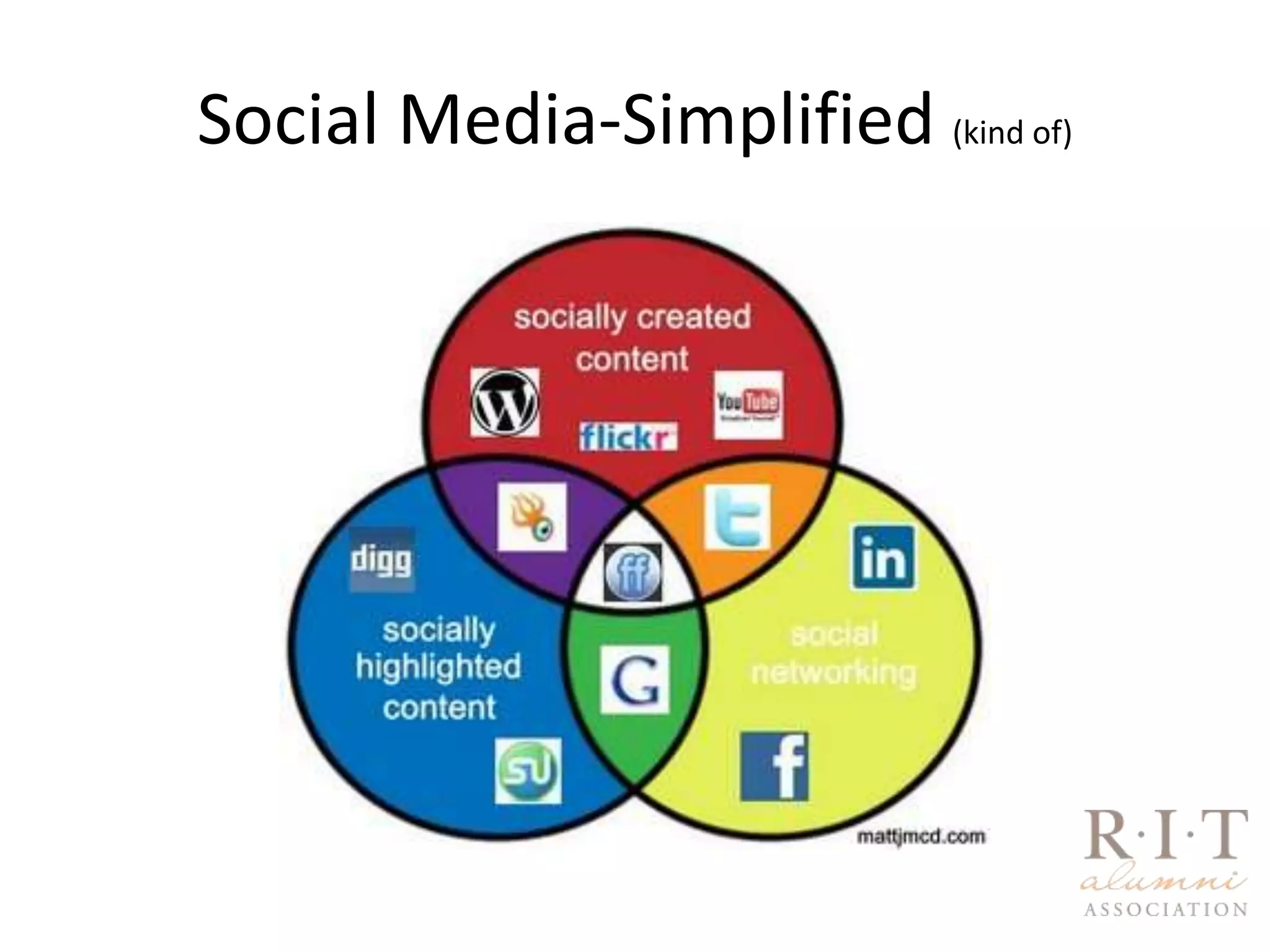
Social Media-Simplified (kind of)
DAR Social Media OverviewWhat is Social Media/Social Networking?FacebookLinkedInTwitterHow/why is the DAR using social media to connect and engage alumni and donors?What can you do to be a part of the effort – dos and don’tsQuestions and feedback
Social Media
Facebook Fan Pages1000’s of alumni fans, groups, and network memberswww.facebook.com/RIT.Alumni
Facebook – How We Use ItNews feedPhotosVideosEvent postings/RSVPsNews and link postingsApplicationsTargeted updatesSharing informationCommenting
Facebook Do’sSet up your own profile with a nice photo – consider multiple accounts (professional vs. personal)Include RIT as a network on your profileConnect with the RIT Alumni fan page, related pages, alumni you know, colleagues and friends of RIT. Grow your network using the search feature.Create lists of different groups (i.e. RIT, high school, etc…)Share and pass along RIT-related information to these constituentsCreate your own fan page or group and encourage friends to joinExplore available Facebook applications and add them your page/profileCreate events and invite friends to RSVPShare content you think would be helpful to those connected with you. Keep content fresh and unique.Be transparent about your role at RIT-Keep it real!
FacebookDon’t’sAvoid sharing personal information that you don’t want colleagues or alumni to seeUn-tag inappropriate photosBe respectful and don’t post anything you would be uncomfortable saying in a public setting – or in front of your boss. Do not post confidential information about students, alumni, staff, etc...Don’t click on suspicious links or friend suspicious people – know your network!
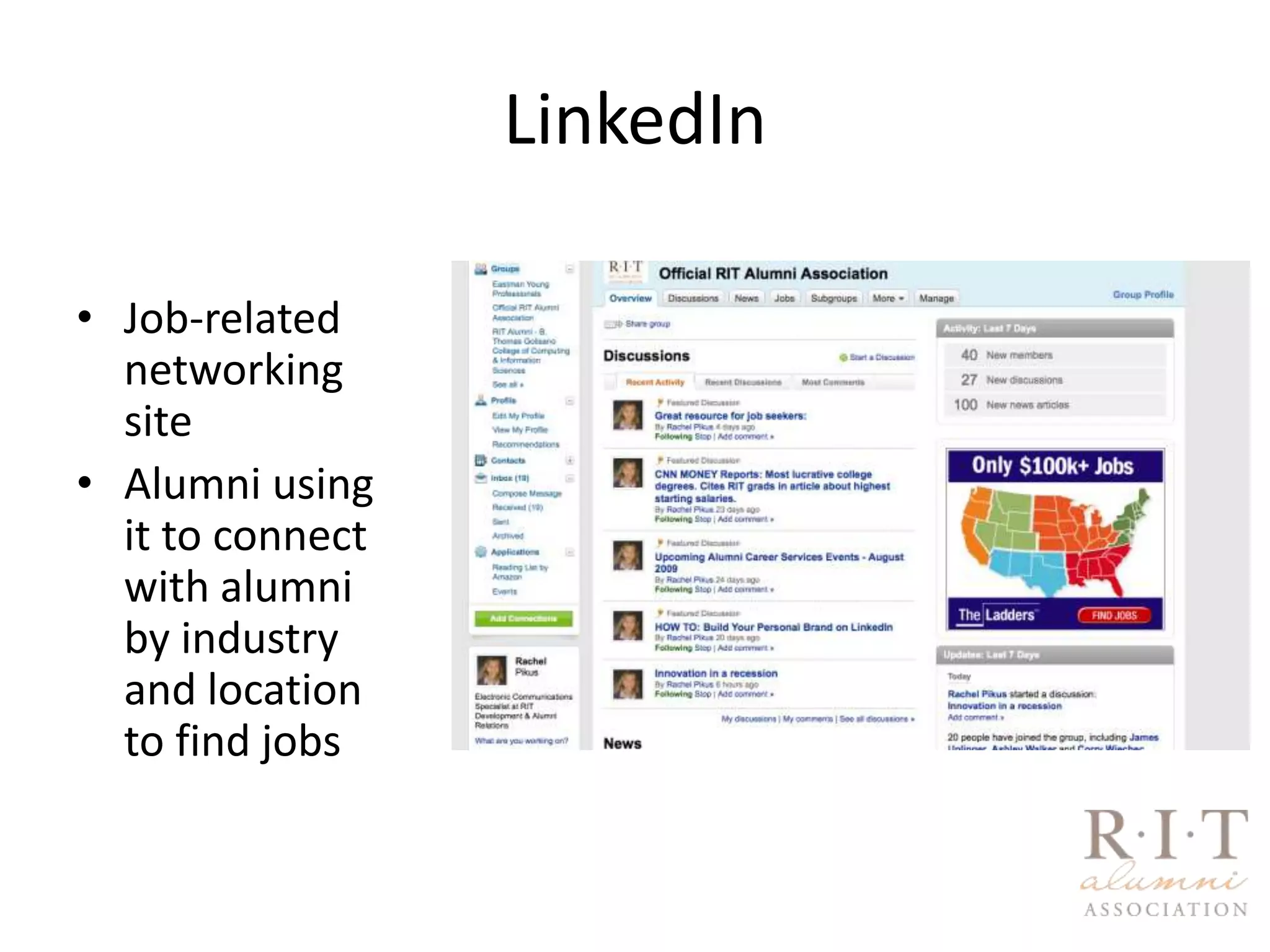
LinkedInJob-related networking siteAlumni using it to connect with alumni by industry and location to find jobs
LinkedIn Do’sSet up a complete, professional profile with a photo and custom URL Be sure to keep information updatedLink to RIT as part of your employment informationUse the find friends and colleagues functions to build up your network. Search your friends’ networks for connections.Join the RIT alumni groups, industry groups, and create your ownFeed news, information, resources, and job posting into your groups.Post helpful content and start discussions such as related articles, questions, discussion topics – give people a reason to keep coming back!Recommend colleagues past and present – help student workers!
LinkedIn Don’t’sDon’t be an invite spammer – remember, it is a more professional platform for connecting with peopleQuality of connections more important than quantityPost professional links and discussions
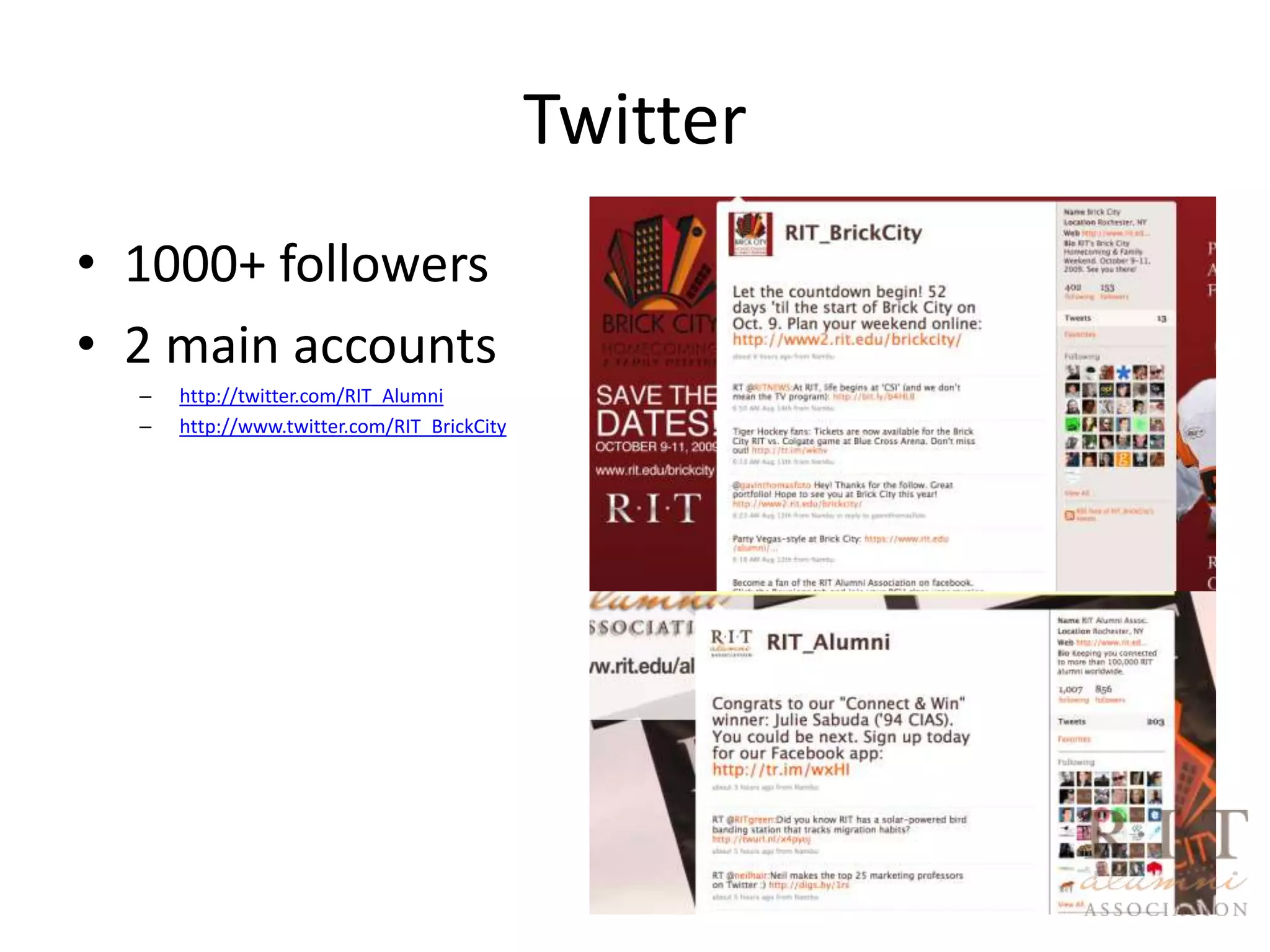
Twitter1000+ followers2 main accountshttp://twitter.com/RIT_Alumnihttp://www.twitter.com/RIT_BrickCity
Twitter-What is it?
Twitter-Do’sCreate a user-friendly Twitter ID (@yourname) Example: RIT_Alumni or RIT_BrickCityAdd a nice photo and customize your background graphicSearch for people to follow – big and smallFollow those who follow youLearn the lingo – the art of capturing someone’s attention in 140 characters or less“Re-tweet” RIT links and information distributed by other RIT-related accountsMonitor people talking about you – set up search terms ex: “RIT”Know your followersRespond – keep the conversation goingTweet consistent, interesting content
Twitter-Don’t’sDon’t post the same content over and overDon’t ignore direct messages or repliesDon’t tweet several times in a row – gets annoying to your followersDon’t get caught up in the number of followers; get caught up in the contentDon’t tweet inconsistently – keep it up
Best PracticesUse your current social “real world” network to build your “online” networkDon’t be afraid to post contentUse Google Updates to send you content on a specific topicsDon’t be intimidatedLink back to RIT related content oftenRespond quickly to friends, followers, and group membersAdd your social networking links to your email signatureFind the time - Set aside 15 minutes each day to monitor and update your social networksAlways be on the look-out for spammersDon’t be afraid to ask me or anyone else questions
Great ResourcesMashable’s Twitter Guide Book:                http://mashable.com/guidebook/twitter/Mashable’s How to Use Facebook for Professional Networking:http://mashable.com/2009/08/14/facebook-networking/The Definitive LinkedIn Guide:http://www.centernetworks.com/linkedinLinkedIn App Guide:http://learn.linkedin.com/apps/
Connect with Me!Facebook Fan Page:http://www.facebook.com/RIT.AlumniPersonal Page:http://www.facebook.com/rachel.pikusTwitter:http://www.twitter.com/RIT_Alumnihttp://www.twitter.com/RIT_BrickCityhttp://www.twitter.edu/littlemisspikusLinkedIn:http://www.linkedin.com/in/rachelpikus

Rit Alumni Social Media

  • 1.
    DAR Social NetworkingAugust18, 2009Noon-1 p.m.
  • 2.
  • 3.
    DAR Social MediaOverviewWhat is Social Media/Social Networking?FacebookLinkedInTwitterHow/why is the DAR using social media to connect and engage alumni and donors?What can you do to be a part of the effort – dos and don’tsQuestions and feedback
  • 4.
  • 5.
    Facebook Fan Pages1000’sof alumni fans, groups, and network memberswww.facebook.com/RIT.Alumni
  • 6.
    Facebook – HowWe Use ItNews feedPhotosVideosEvent postings/RSVPsNews and link postingsApplicationsTargeted updatesSharing informationCommenting
  • 7.
    Facebook Do’sSet upyour own profile with a nice photo – consider multiple accounts (professional vs. personal)Include RIT as a network on your profileConnect with the RIT Alumni fan page, related pages, alumni you know, colleagues and friends of RIT. Grow your network using the search feature.Create lists of different groups (i.e. RIT, high school, etc…)Share and pass along RIT-related information to these constituentsCreate your own fan page or group and encourage friends to joinExplore available Facebook applications and add them your page/profileCreate events and invite friends to RSVPShare content you think would be helpful to those connected with you. Keep content fresh and unique.Be transparent about your role at RIT-Keep it real!
  • 8.
    FacebookDon’t’sAvoid sharing personalinformation that you don’t want colleagues or alumni to seeUn-tag inappropriate photosBe respectful and don’t post anything you would be uncomfortable saying in a public setting – or in front of your boss. Do not post confidential information about students, alumni, staff, etc...Don’t click on suspicious links or friend suspicious people – know your network!
  • 9.
    LinkedInJob-related networking siteAlumniusing it to connect with alumni by industry and location to find jobs
  • 10.
    LinkedIn Do’sSet upa complete, professional profile with a photo and custom URL Be sure to keep information updatedLink to RIT as part of your employment informationUse the find friends and colleagues functions to build up your network. Search your friends’ networks for connections.Join the RIT alumni groups, industry groups, and create your ownFeed news, information, resources, and job posting into your groups.Post helpful content and start discussions such as related articles, questions, discussion topics – give people a reason to keep coming back!Recommend colleagues past and present – help student workers!
  • 11.
    LinkedIn Don’t’sDon’t bean invite spammer – remember, it is a more professional platform for connecting with peopleQuality of connections more important than quantityPost professional links and discussions
  • 12.
    Twitter1000+ followers2 mainaccountshttp://twitter.com/RIT_Alumnihttp://www.twitter.com/RIT_BrickCity
  • 13.
  • 14.
    Twitter-Do’sCreate a user-friendlyTwitter ID (@yourname) Example: RIT_Alumni or RIT_BrickCityAdd a nice photo and customize your background graphicSearch for people to follow – big and smallFollow those who follow youLearn the lingo – the art of capturing someone’s attention in 140 characters or less“Re-tweet” RIT links and information distributed by other RIT-related accountsMonitor people talking about you – set up search terms ex: “RIT”Know your followersRespond – keep the conversation goingTweet consistent, interesting content
  • 15.
    Twitter-Don’t’sDon’t post thesame content over and overDon’t ignore direct messages or repliesDon’t tweet several times in a row – gets annoying to your followersDon’t get caught up in the number of followers; get caught up in the contentDon’t tweet inconsistently – keep it up
  • 16.
    Best PracticesUse yourcurrent social “real world” network to build your “online” networkDon’t be afraid to post contentUse Google Updates to send you content on a specific topicsDon’t be intimidatedLink back to RIT related content oftenRespond quickly to friends, followers, and group membersAdd your social networking links to your email signatureFind the time - Set aside 15 minutes each day to monitor and update your social networksAlways be on the look-out for spammersDon’t be afraid to ask me or anyone else questions
  • 17.
    Great ResourcesMashable’s TwitterGuide Book: http://mashable.com/guidebook/twitter/Mashable’s How to Use Facebook for Professional Networking:http://mashable.com/2009/08/14/facebook-networking/The Definitive LinkedIn Guide:http://www.centernetworks.com/linkedinLinkedIn App Guide:http://learn.linkedin.com/apps/
  • 18.
    Connect with Me!FacebookFan Page:http://www.facebook.com/RIT.AlumniPersonal Page:http://www.facebook.com/rachel.pikusTwitter:http://www.twitter.com/RIT_Alumnihttp://www.twitter.com/RIT_BrickCityhttp://www.twitter.edu/littlemisspikusLinkedIn:http://www.linkedin.com/in/rachelpikus