Teaching and Learning with Technology A new beginning for  Redmond Schools
Welcome! Today’s Agenda: The vision What’s in the bag? What’s the catch? What’s next?
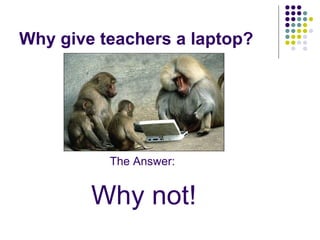
Why give teachers a laptop? The Answer: Why not!
Unless of course this why you became a teacher…. http://www.youtube.com/watch?v=590PNSh6g_4
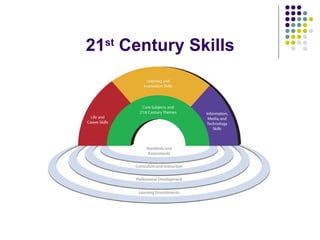
21 st  Century Skills
Is today’s world different than yesterday’s world?
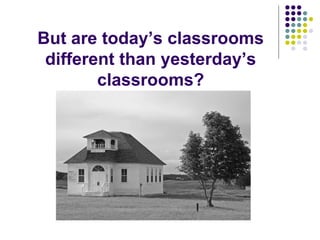
But are today’s classrooms different than yesterday’s classrooms?
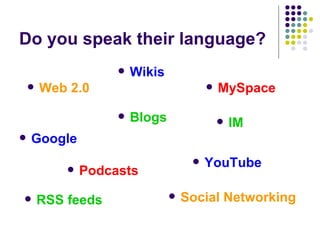
Do you speak their language? Blogs Wikis Podcasts IM MySpace Social Networking YouTube Google Web 2.0 RSS feeds
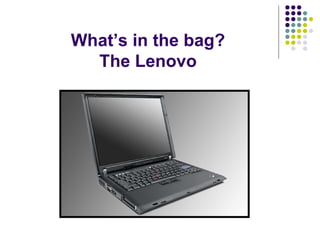
What’s in the bag? The Lenovo
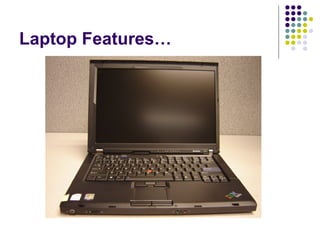
Laptop Features…
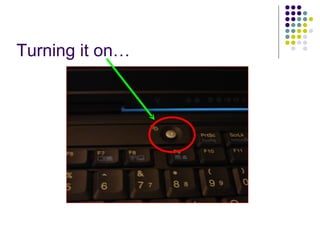
Turning it on…
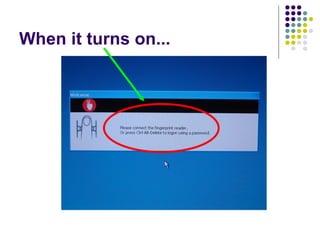
When it turns on...
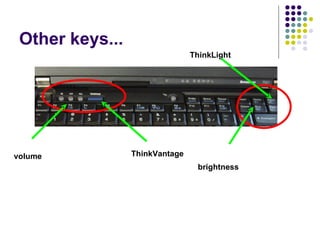
Other keys... volume ThinkVantage brightness ThinkLight
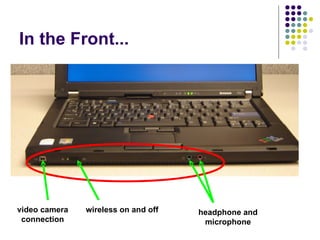
In the Front... video camera connection wireless on and off headphone and microphone
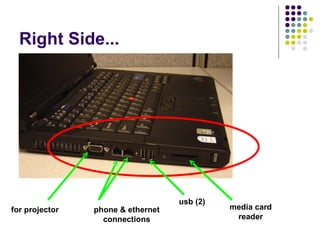
Right Side... for projector phone & ethernet connections usb (2) media card reader
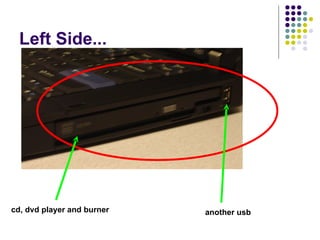
Left Side... cd, dvd player and burner another usb
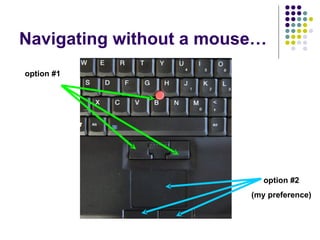
Navigating without a mouse… option #1 option #2 (my preference)
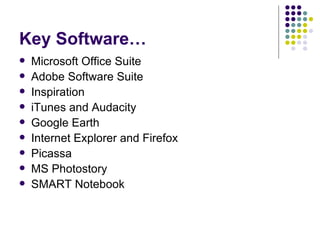
Key Software… Microsoft Office Suite Adobe Software Suite Inspiration iTunes and Audacity Google Earth Internet Explorer and Firefox Picassa MS Photostory SMART Notebook
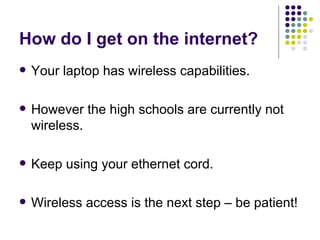
How do I get on the internet? Your laptop has wireless capabilities. However the high schools are currently not wireless. Keep using your ethernet cord. Wireless access is the next step – be patient!
Some quick tips… Route any cables so nobody trips on them Before moving the computer either turn it off or put it to sleep Don’t store your computer in its bag when it is in sleep mode Dropping – don’t do it Liquids and your computer do not get along Use on a flat hard surface
So what’s the catch? Use your laptop – you no longer have a desktop computer Explore – you are not going to break it! Share and collaborate Make goals – personal and instructional Become familiar with tech standards and 21 st  Century skills Attend trainings and ask questions Make this part of your teaching toolkit
But remember… Take it away but protect it! Liability is limited. Your insurance is primary if loss or damage is off campus.  Use as a professional. Stick with standard software. No unapproved upgrades This is not yours. It is OURS. Expect no privacy.
What does the future hold… Wireless in the high schools Document cameras and projectors Laptops for all teachers k-12 COWs – Computer On Wheels Don’t expect things to be the same.
Finally… Have Fun!

RHS Laptops Rollout Presentation

  • 1.
    Teaching and Learningwith Technology A new beginning for Redmond Schools
  • 2.
    Welcome! Today’s Agenda:The vision What’s in the bag? What’s the catch? What’s next?
  • 3.
    Why give teachersa laptop? The Answer: Why not!
  • 4.
    Unless of coursethis why you became a teacher…. http://www.youtube.com/watch?v=590PNSh6g_4
  • 5.
    21 st Century Skills
  • 6.
    Is today’s worlddifferent than yesterday’s world?
  • 7.
    But are today’sclassrooms different than yesterday’s classrooms?
  • 8.
    Do you speaktheir language? Blogs Wikis Podcasts IM MySpace Social Networking YouTube Google Web 2.0 RSS feeds
  • 9.
    What’s in thebag? The Lenovo
  • 10.
  • 11.
  • 12.
  • 13.
    Other keys... volumeThinkVantage brightness ThinkLight
  • 14.
    In the Front...video camera connection wireless on and off headphone and microphone
  • 15.
    Right Side... forprojector phone & ethernet connections usb (2) media card reader
  • 16.
    Left Side... cd,dvd player and burner another usb
  • 17.
    Navigating without amouse… option #1 option #2 (my preference)
  • 18.
    Key Software… MicrosoftOffice Suite Adobe Software Suite Inspiration iTunes and Audacity Google Earth Internet Explorer and Firefox Picassa MS Photostory SMART Notebook
  • 19.
    How do Iget on the internet? Your laptop has wireless capabilities. However the high schools are currently not wireless. Keep using your ethernet cord. Wireless access is the next step – be patient!
  • 20.
    Some quick tips…Route any cables so nobody trips on them Before moving the computer either turn it off or put it to sleep Don’t store your computer in its bag when it is in sleep mode Dropping – don’t do it Liquids and your computer do not get along Use on a flat hard surface
  • 21.
    So what’s thecatch? Use your laptop – you no longer have a desktop computer Explore – you are not going to break it! Share and collaborate Make goals – personal and instructional Become familiar with tech standards and 21 st Century skills Attend trainings and ask questions Make this part of your teaching toolkit
  • 22.
    But remember… Takeit away but protect it! Liability is limited. Your insurance is primary if loss or damage is off campus. Use as a professional. Stick with standard software. No unapproved upgrades This is not yours. It is OURS. Expect no privacy.
  • 23.
    What does thefuture hold… Wireless in the high schools Document cameras and projectors Laptops for all teachers k-12 COWs – Computer On Wheels Don’t expect things to be the same.
  • 24.