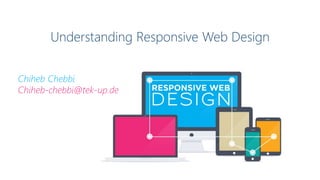
Understanding Responsive Web Design
Chiheb Chebbi
Chiheb-chebbi@tek-up.de
What is responsive design?
Responsive web design (RWD) is an approach to web design with a
strong emphasis on image viewing experience to make reading easier
and minimize:
Resizing , panning, and scrolling for “simpler” navigation.
This common set of best user experience practices can be
applied to a wide range of devices, including mobile phones
and desktop computers
Why responsive design?
Next Year Phones and Tablets will overtake Desktop Computer as the primary way people get Online
Fonts
Ems Percentages Rems
The best way to implement a responsive font size is to
use:
Is relative to parent's font
size, eg. 2em = 28px if
parent element's font-size
is 14px.
percentages are resizeable
units for font size, and their
CSS declarations can be
inherited
is relative to the html
element's font-size.
Typography is one of the most important aspects of
responsive web design
img { max-width: 100%;
height: auto; }
Fluid Images
One way around this is to size images in relative units, rather than absolute
pixel dimensions.
The most common relative solution is to set the max-width at the image at 100%
and the data-fullsrc attribute
Fluid Grids
“A fluid is a substance that continually deforms (flows)
under an applied shear stress” – Wikipedia
Regardless of what the device or screen size is, components
in fluid designs are going to flow and adapt to the user
environment.
Media Queries
<link rel="stylesheet" media="screen and
(max-width: 640px)" href="smallscreen.css"
type="text/css" />
Target specific screen sizes with Different styles
You can change styles depending on :
Height and width of the browser
Screen resolution
Orientation of the device
In a fluid website layout,
also referred to as a liquid
layout, the majority of the
components inside have
percentage widths, and
thus adjust to the user’s
screen resolution
Fixed-width layouts Liquid layouts
A fixed website layout has
a wrapper that is a fixed
width, and the
components inside it have
either percentage widths
or fixed widths.
Elastic layouts Hybrid layouts
There are hybrid layouts,
which combine the
characteristics of two or
more of the layouts
discussed
It works by sizing all
elements with em‘s.
The advantages of grid layouts are numerous :
• Gives order, originality, and harmony to the presentation of content;
• Allows users to predict where to find the information they need
• Makes it easier to add new content without having it looking disjointed or marginalized.
Custom Grid Layouts
<div id="wrapper">
<div id="header">Header</div>
<div id="content">Content</div>
<div id="sidebar">Sidebar</div>
<div id="footer">Footer</div>
</div>
Code Example:
Sencha.io Src?
Sencha.io Src helps
you dynamically
resize images for the
ever increasing
number of mobile
screen sizes.
Here are three JavaScript solutions that can help us serve
responsive websites to older browsers lacking CSS3 support:
JavaScript Solutions
Respond.js Modernizr Adaptive.960.js
Thank you 

Responsive Web Design

  • 1.
    Understanding Responsive WebDesign Chiheb Chebbi Chiheb-chebbi@tek-up.de
  • 2.
    What is responsivedesign? Responsive web design (RWD) is an approach to web design with a strong emphasis on image viewing experience to make reading easier and minimize: Resizing , panning, and scrolling for “simpler” navigation. This common set of best user experience practices can be applied to a wide range of devices, including mobile phones and desktop computers
  • 3.
    Why responsive design? NextYear Phones and Tablets will overtake Desktop Computer as the primary way people get Online
  • 4.
    Fonts Ems Percentages Rems Thebest way to implement a responsive font size is to use: Is relative to parent's font size, eg. 2em = 28px if parent element's font-size is 14px. percentages are resizeable units for font size, and their CSS declarations can be inherited is relative to the html element's font-size. Typography is one of the most important aspects of responsive web design
  • 5.
    img { max-width:100%; height: auto; } Fluid Images One way around this is to size images in relative units, rather than absolute pixel dimensions. The most common relative solution is to set the max-width at the image at 100% and the data-fullsrc attribute
  • 6.
    Fluid Grids “A fluidis a substance that continually deforms (flows) under an applied shear stress” – Wikipedia Regardless of what the device or screen size is, components in fluid designs are going to flow and adapt to the user environment.
  • 7.
    Media Queries <link rel="stylesheet"media="screen and (max-width: 640px)" href="smallscreen.css" type="text/css" /> Target specific screen sizes with Different styles You can change styles depending on : Height and width of the browser Screen resolution Orientation of the device
  • 8.
    In a fluidwebsite layout, also referred to as a liquid layout, the majority of the components inside have percentage widths, and thus adjust to the user’s screen resolution Fixed-width layouts Liquid layouts A fixed website layout has a wrapper that is a fixed width, and the components inside it have either percentage widths or fixed widths.
  • 9.
    Elastic layouts Hybridlayouts There are hybrid layouts, which combine the characteristics of two or more of the layouts discussed It works by sizing all elements with em‘s.
  • 10.
    The advantages ofgrid layouts are numerous : • Gives order, originality, and harmony to the presentation of content; • Allows users to predict where to find the information they need • Makes it easier to add new content without having it looking disjointed or marginalized. Custom Grid Layouts
  • 11.
    <div id="wrapper"> <div id="header">Header</div> <divid="content">Content</div> <div id="sidebar">Sidebar</div> <div id="footer">Footer</div> </div> Code Example:
  • 12.
    Sencha.io Src? Sencha.io Srchelps you dynamically resize images for the ever increasing number of mobile screen sizes.
  • 13.
    Here are threeJavaScript solutions that can help us serve responsive websites to older browsers lacking CSS3 support: JavaScript Solutions Respond.js Modernizr Adaptive.960.js
  • 14.