reqview@eccam.com
ReqView
Towards Requirements Management
Issues in Excel
Manual IDs & Ambiguous Requirements
• Excel is capable to store just a short plain text
description. User has to maintain ID manually.
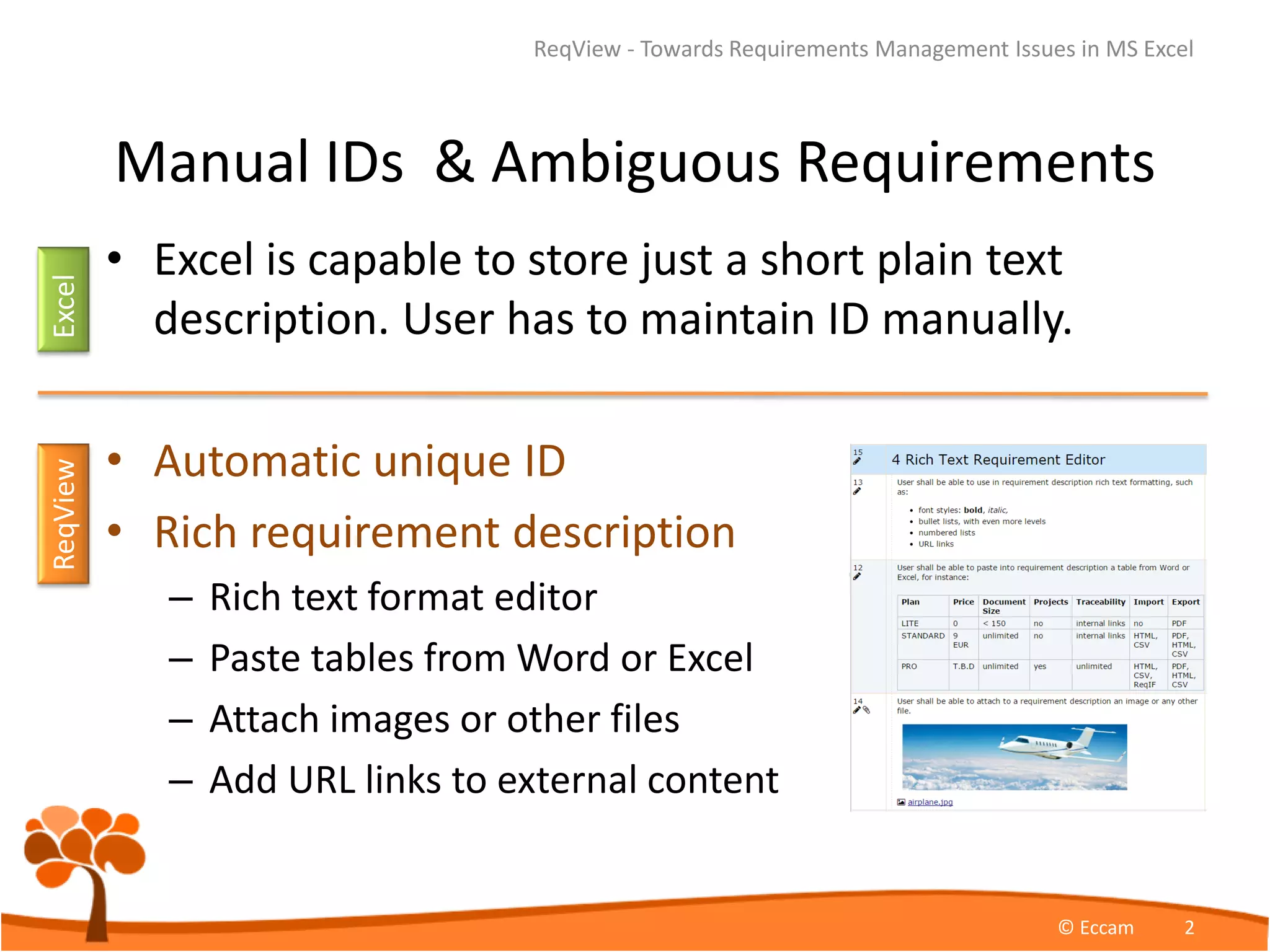
• Automatic unique ID
• Rich requirement description
– Rich text format editor
– Paste tables from Word or Excel
– Attach images or other files
– Add URL links to external content
ReqView - Towards Requirements Management Issues in MS Excel
© Eccam 2
ExcelReqView
Incomplete or Duplicate Requirements
• Excel organizes items in a list thus gathering of
structured requirements is difficult.
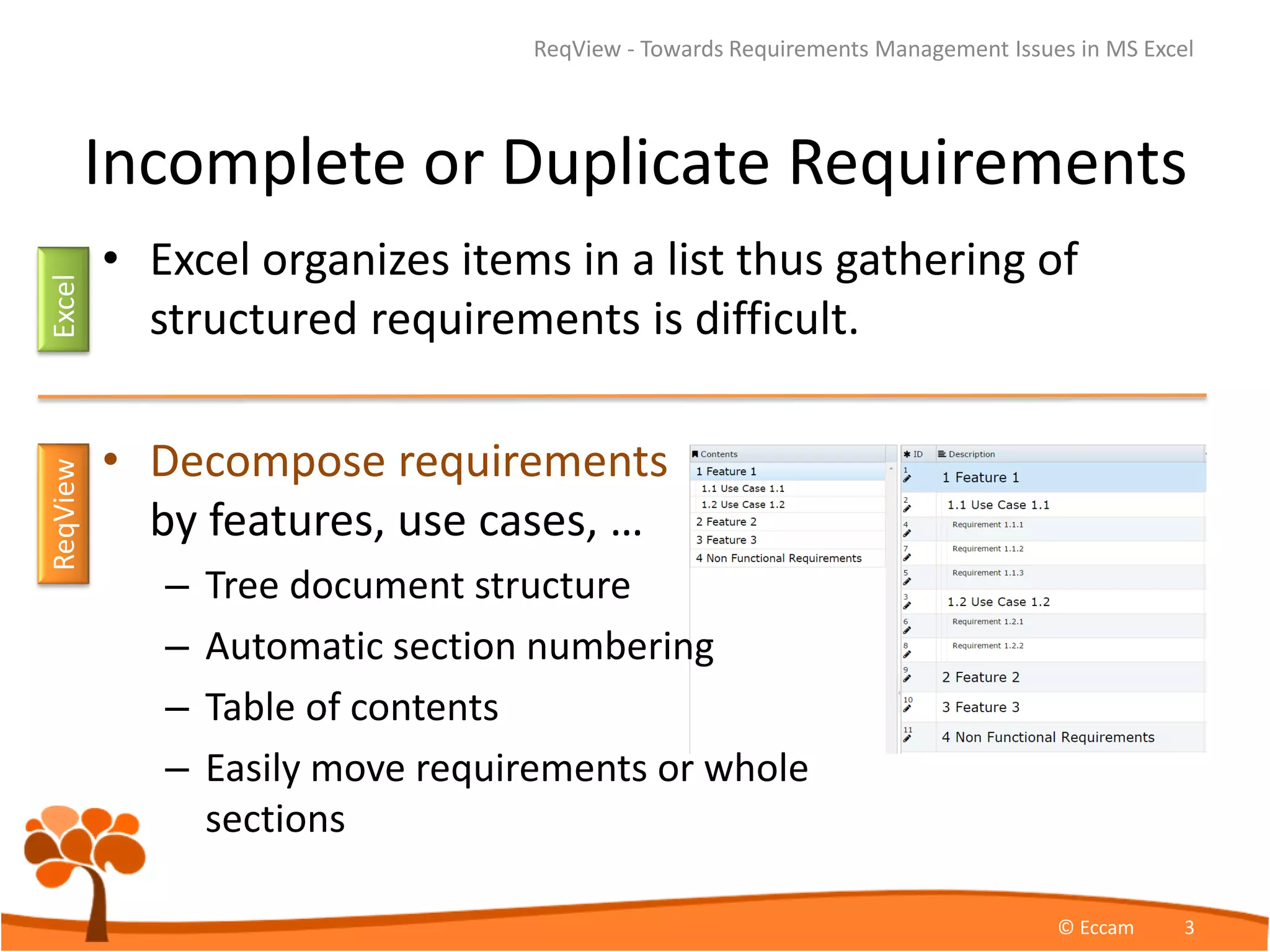
• Decompose requirements
by features, use cases, …
– Tree document structure
– Automatic section numbering
– Table of contents
– Easily move requirements or whole
sections
ReqView - Towards Requirements Management Issues in MS Excel
© Eccam 3
ExcelReqView
Inconsistent Requirement Relations
• Maintenance of traceability matrices in Excel is error
prone which complicates change impact analysis.
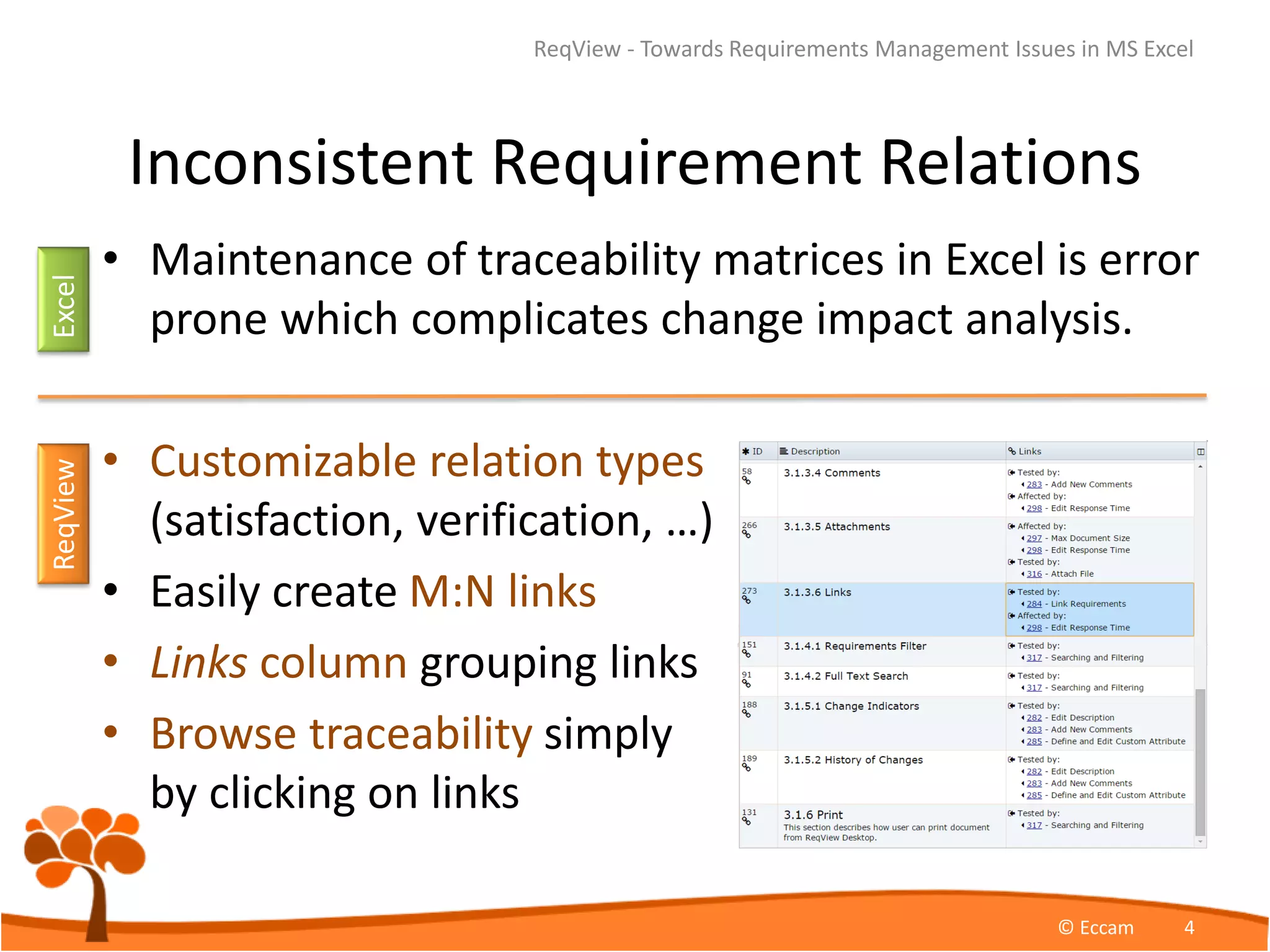
• Customizable relation types
(satisfaction, verification, …)
• Easily create M:N links
• Links column grouping links
• Browse traceability simply
by clicking on links
ReqView - Towards Requirements Management Issues in MS Excel
© Eccam 4
ExcelReqView
Can not Track Requirement Changes
• Excel does not have history of requirement
changes.
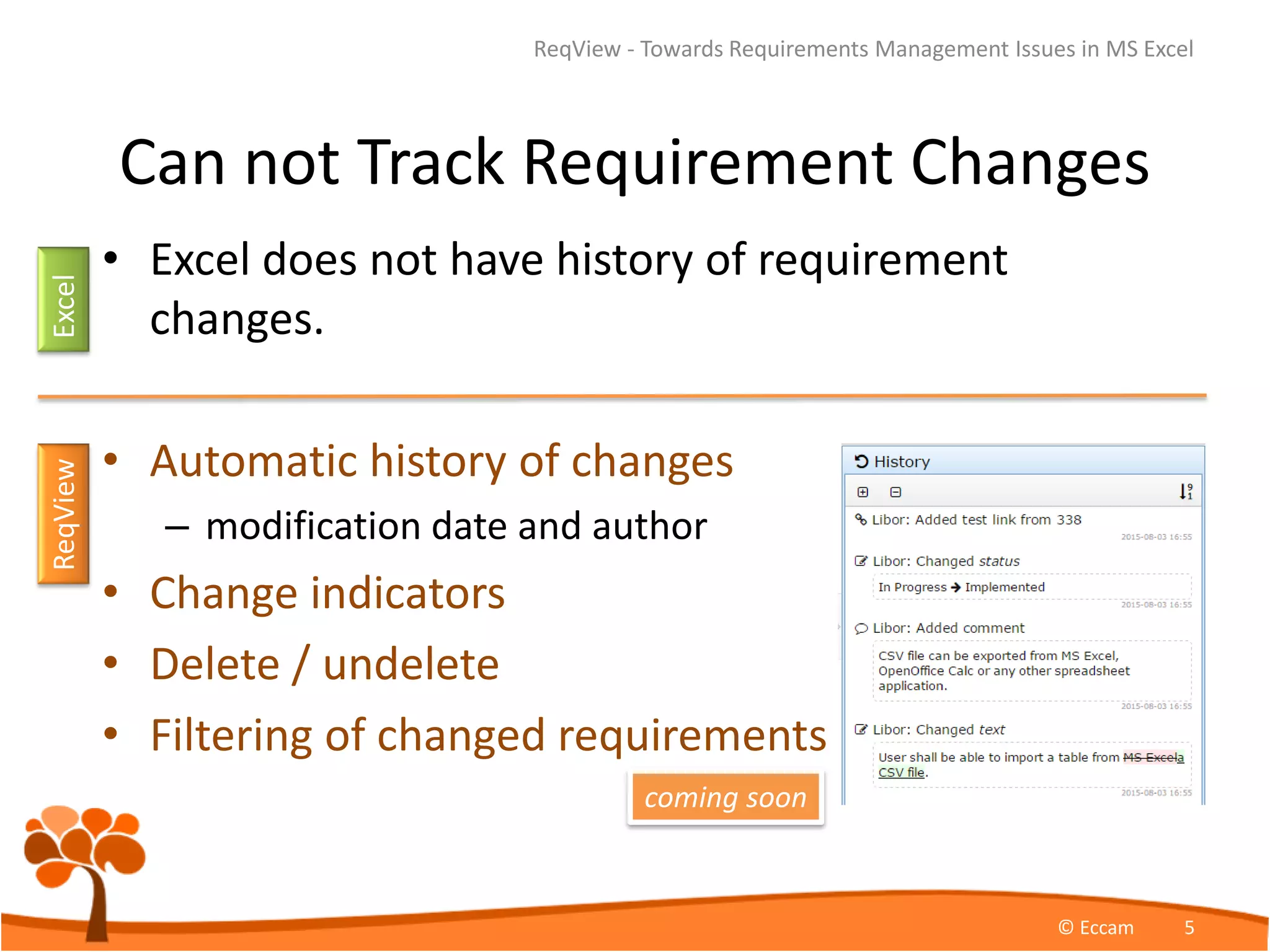
• Automatic history of changes
– modification date and author
• Change indicators
• Delete / undelete
• Filtering of changed requirements
ReqView - Towards Requirements Management Issues in MS Excel
© Eccam 5
ExcelReqView
coming soon
Migrate Requirements from Excel to ReqView
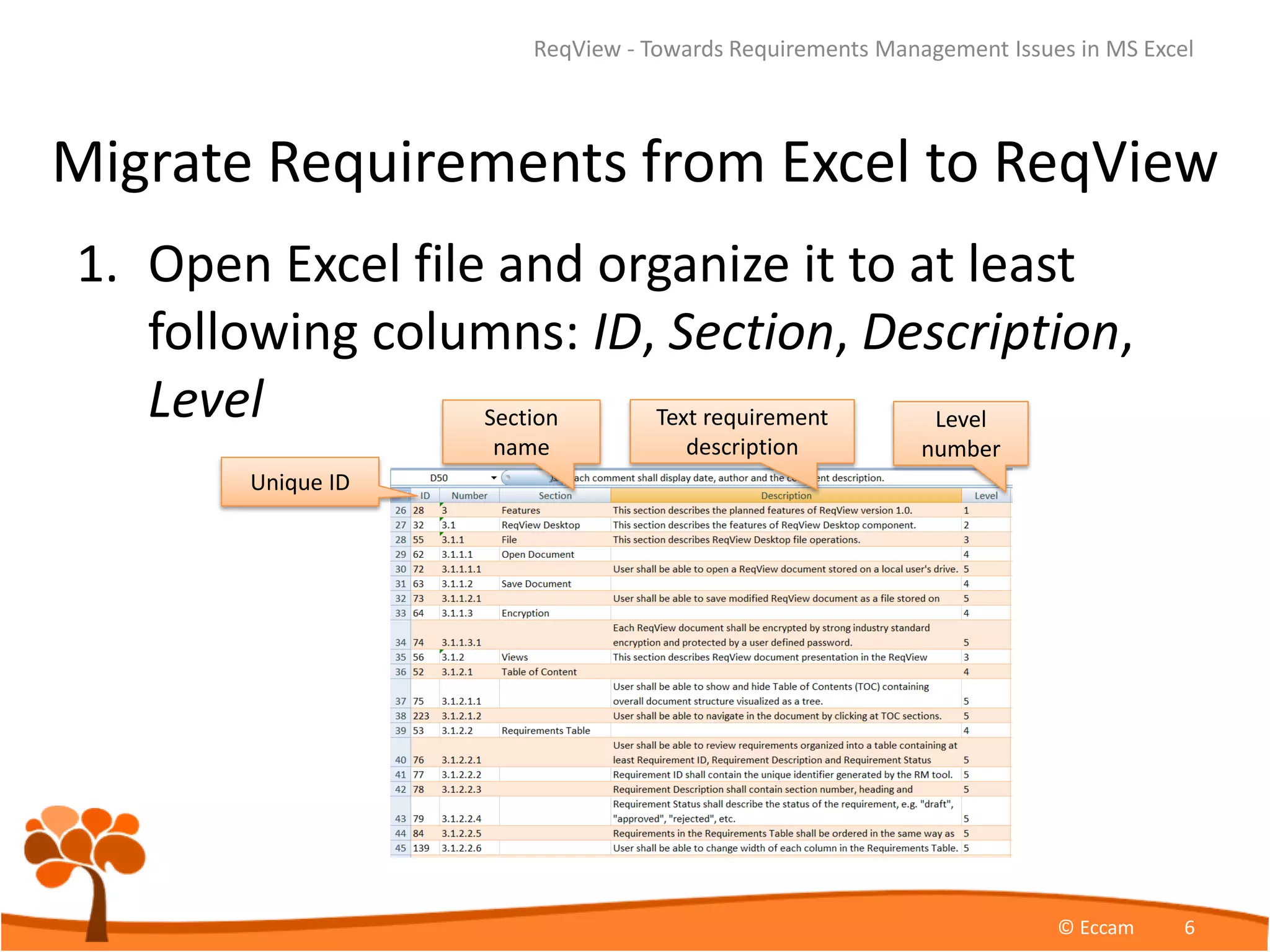
1. Open Excel file and organize it to at least
following columns: ID, Section, Description,
Level
ReqView - Towards Requirements Management Issues in MS Excel
© Eccam 6
Unique ID
Section
name
Text requirement
description
Level
number
Migrate Requirements from Excel to ReqView
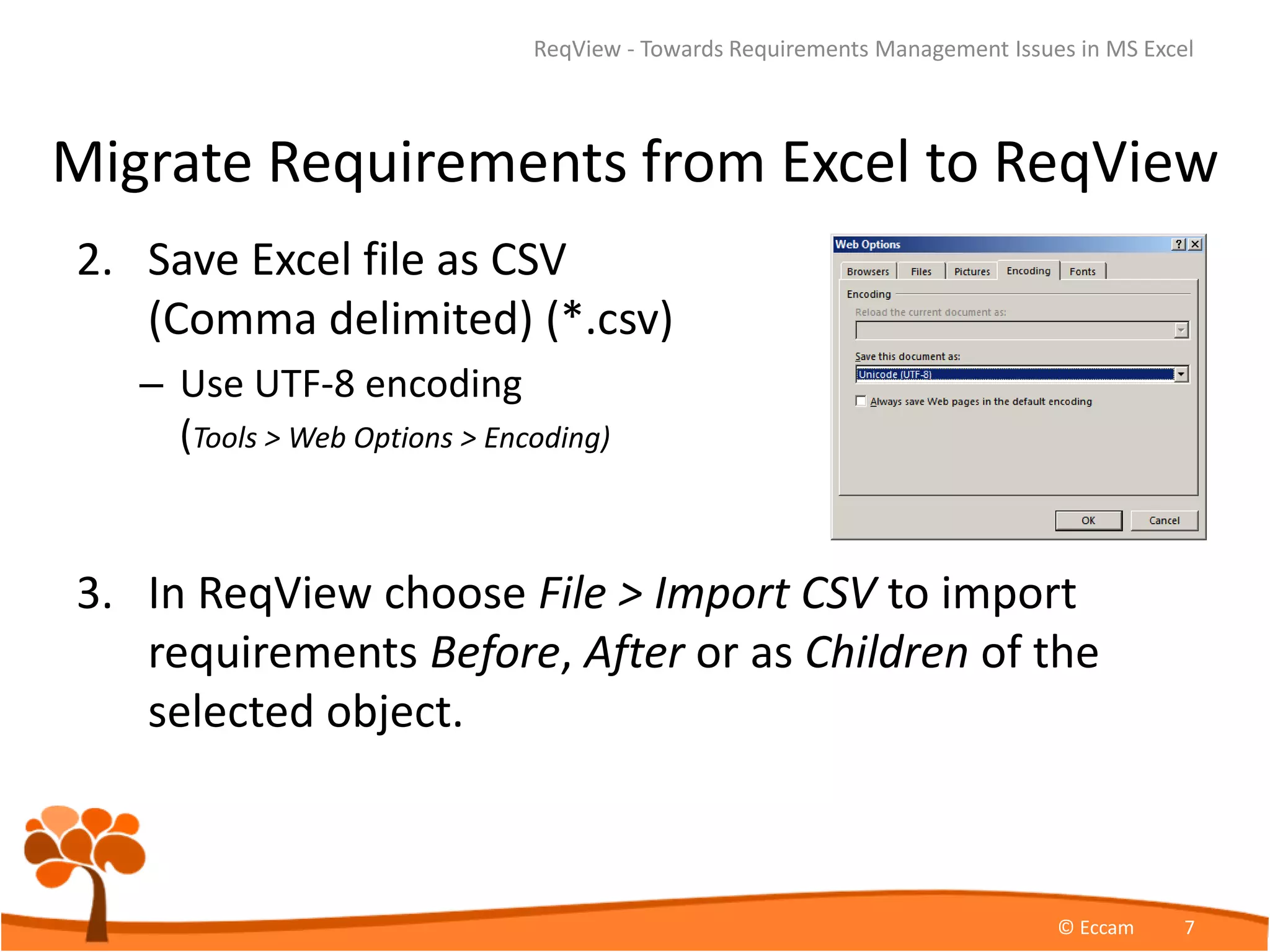
2. Save Excel file as CSV
(Comma delimited) (*.csv)
– Use UTF-8 encoding
(Tools > Web Options > Encoding)
3. In ReqView choose File > Import CSV to import
requirements Before, After or as Children of the
selected object.
ReqView - Towards Requirements Management Issues in MS Excel
© Eccam 7
Edit Requirements in ReqView
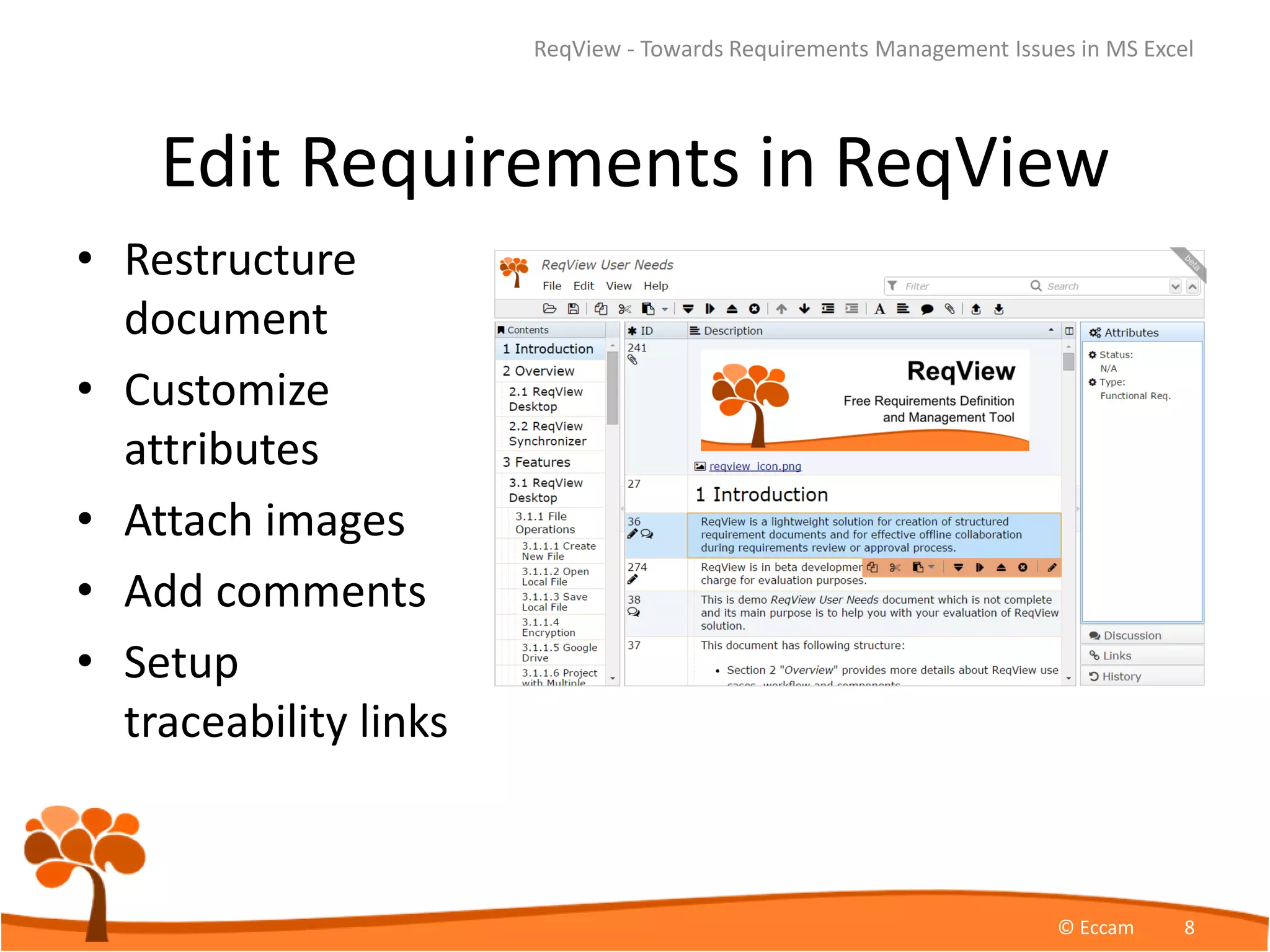
• Restructure
document
• Customize
attributes
• Attach images
• Add comments
• Setup
traceability links
ReqView - Towards Requirements Management Issues in MS Excel
© Eccam 8
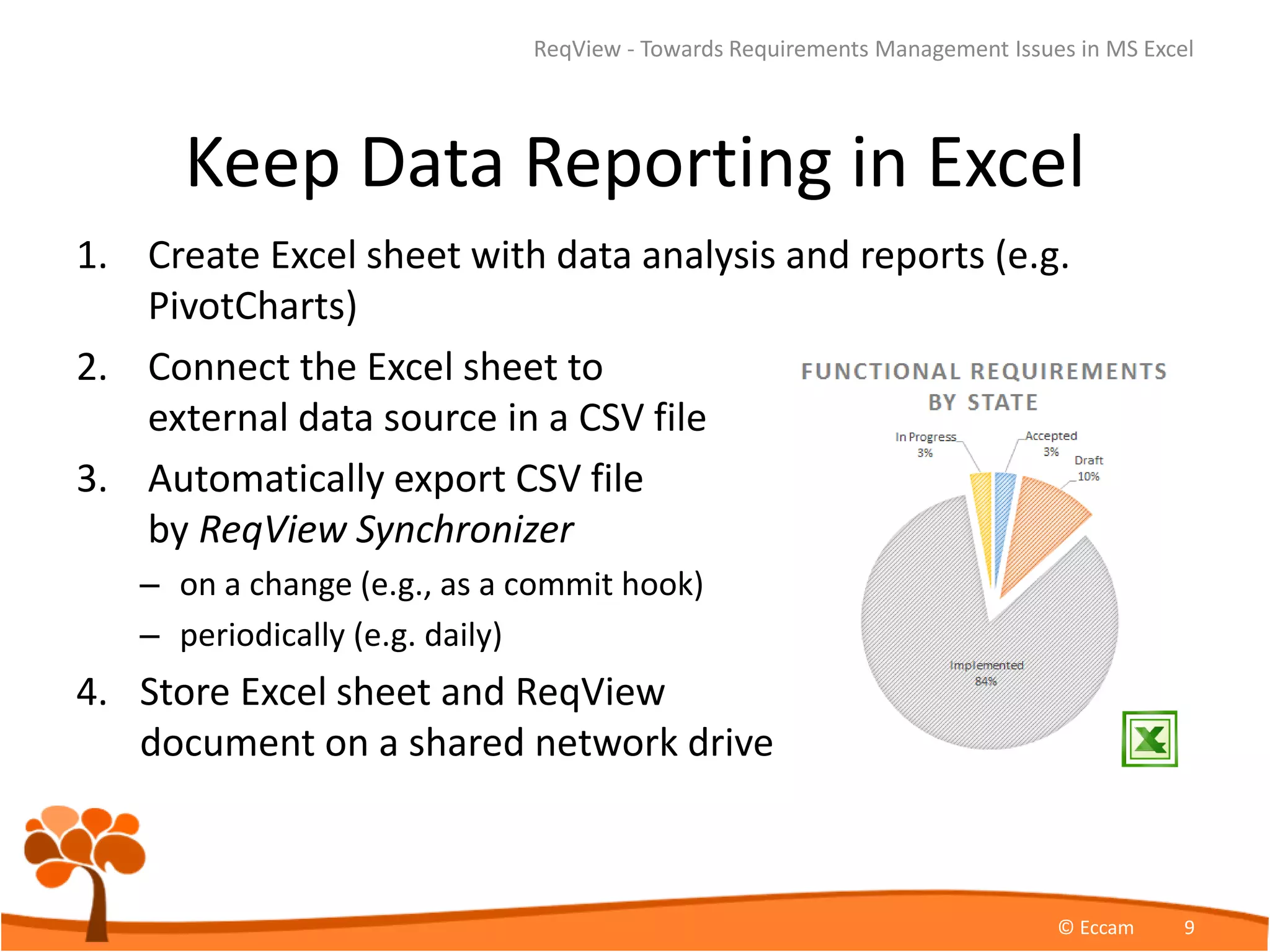
Keep Data Reporting in Excel
1. Create Excel sheet with data analysis and reports (e.g.
PivotCharts)
2. Connect the Excel sheet to
external data source in a CSV file
3. Automatically export CSV file
by ReqView Synchronizer
– on a change (e.g., as a commit hook)
– periodically (e.g. daily)
4. Store Excel sheet and ReqView
document on a shared network drive
ReqView - Towards Requirements Management Issues in MS Excel
© Eccam 9
ReqView References
• ReqView Homepage
https://www.reqview.com
• ReqView Desktop Online
https://www.reqview.com/apps/desktop/ReqViewDesktop.html
• ReqView Desktop at Chrome Store
https://chrome.google.com/webstore/detail/reqview-
desktop/cmbnhmeabefpflildnahpbghcejkblin
• Support Site - knowledge base and
discussion forum
http://support.reqview.com/solution/categories
ReqView - Towards Requirements Management Issues in MS Excel
© Eccam 10

Towards Requirements Management Issues in Excel

  • 1.
  • 2.
    Manual IDs &Ambiguous Requirements • Excel is capable to store just a short plain text description. User has to maintain ID manually. • Automatic unique ID • Rich requirement description – Rich text format editor – Paste tables from Word or Excel – Attach images or other files – Add URL links to external content ReqView - Towards Requirements Management Issues in MS Excel © Eccam 2 ExcelReqView
  • 3.
    Incomplete or DuplicateRequirements • Excel organizes items in a list thus gathering of structured requirements is difficult. • Decompose requirements by features, use cases, … – Tree document structure – Automatic section numbering – Table of contents – Easily move requirements or whole sections ReqView - Towards Requirements Management Issues in MS Excel © Eccam 3 ExcelReqView
  • 4.
    Inconsistent Requirement Relations •Maintenance of traceability matrices in Excel is error prone which complicates change impact analysis. • Customizable relation types (satisfaction, verification, …) • Easily create M:N links • Links column grouping links • Browse traceability simply by clicking on links ReqView - Towards Requirements Management Issues in MS Excel © Eccam 4 ExcelReqView
  • 5.
    Can not TrackRequirement Changes • Excel does not have history of requirement changes. • Automatic history of changes – modification date and author • Change indicators • Delete / undelete • Filtering of changed requirements ReqView - Towards Requirements Management Issues in MS Excel © Eccam 5 ExcelReqView coming soon
  • 6.
    Migrate Requirements fromExcel to ReqView 1. Open Excel file and organize it to at least following columns: ID, Section, Description, Level ReqView - Towards Requirements Management Issues in MS Excel © Eccam 6 Unique ID Section name Text requirement description Level number
  • 7.
    Migrate Requirements fromExcel to ReqView 2. Save Excel file as CSV (Comma delimited) (*.csv) – Use UTF-8 encoding (Tools > Web Options > Encoding) 3. In ReqView choose File > Import CSV to import requirements Before, After or as Children of the selected object. ReqView - Towards Requirements Management Issues in MS Excel © Eccam 7
  • 8.
    Edit Requirements inReqView • Restructure document • Customize attributes • Attach images • Add comments • Setup traceability links ReqView - Towards Requirements Management Issues in MS Excel © Eccam 8
  • 9.
    Keep Data Reportingin Excel 1. Create Excel sheet with data analysis and reports (e.g. PivotCharts) 2. Connect the Excel sheet to external data source in a CSV file 3. Automatically export CSV file by ReqView Synchronizer – on a change (e.g., as a commit hook) – periodically (e.g. daily) 4. Store Excel sheet and ReqView document on a shared network drive ReqView - Towards Requirements Management Issues in MS Excel © Eccam 9
  • 10.
    ReqView References • ReqViewHomepage https://www.reqview.com • ReqView Desktop Online https://www.reqview.com/apps/desktop/ReqViewDesktop.html • ReqView Desktop at Chrome Store https://chrome.google.com/webstore/detail/reqview- desktop/cmbnhmeabefpflildnahpbghcejkblin • Support Site - knowledge base and discussion forum http://support.reqview.com/solution/categories ReqView - Towards Requirements Management Issues in MS Excel © Eccam 10