Reproducible R coding
CMEC R-Group
Martin Jung
12.02.2015
Goals of reproducible programming?
Make your code readible by you and others
Group your code and functionalize
Embrace collaboration, version control and automation
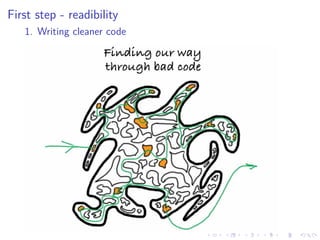
First step - readibility
1. Writing cleaner code
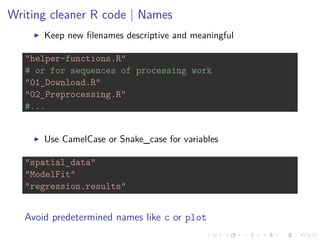
Writing cleaner R code | Names
Keep new filenames descriptive and meaningful
"helper-functions.R"
# or for sequences of processing work
"01_Download.R"
"02_Preprocessing.R"
#...
Use CamelCase or Snake_case for variables
"spatial_data"
"ModelFit"
"regression.results"
Avoid predetermined names like c or plot
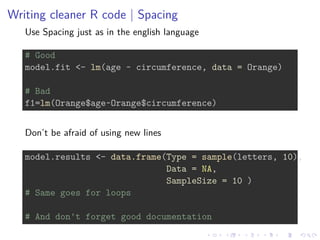
Writing cleaner R code | Spacing
Use Spacing just as in the english language
# Good
model.fit <- lm(age ~ circumference, data = Orange)
# Bad
f1=lm(Orange$age~Orange$circumference)
Don’t be afraid of using new lines
model.results <- data.frame(Type = sample(letters, 10),
Data = NA,
SampleSize = 10 )
# Same goes for loops
# And don't forget good documentation
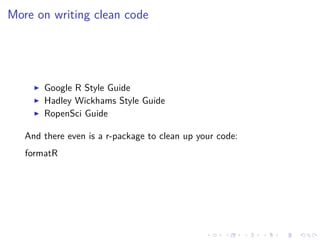
More on writing clean code
Google R Style Guide
Hadley Wickhams Style Guide
RopenSci Guide
And there even is a r-package to clean up your code:
formatR
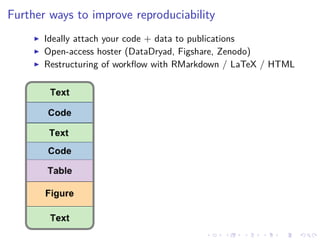
Further ways to improve reproduciability
Ideally attach your code + data to publications
Open-access hoster (DataDryad, Figshare, Zenodo)
Restructuring of workflow with RMarkdown / LaTeX / HTML
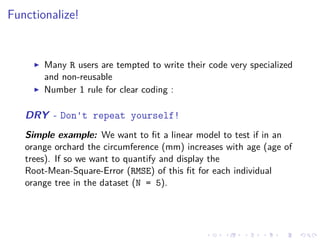
Functionalize!
Many R users are tempted to write their code very specialized
and non-reusable
Number 1 rule for clear coding :
DRY - Don't repeat yourself!
Simple example: We want to fit a linear model to test if in an
orange orchard the circumference (mm) increases with age (age of
trees). If so we want to quantify and display the
Root-Mean-Square-Error (RMSE) of this fit for each individual
orange tree in the dataset (N = 5).
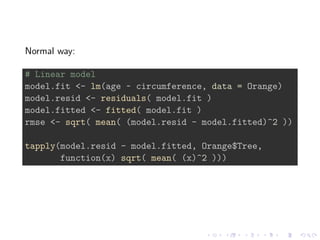
Normal way:
# Linear model
model.fit <- lm(age ~ circumference, data = Orange)
model.resid <- residuals( model.fit )
model.fitted <- fitted( model.fit )
rmse <- sqrt( mean( (model.resid - model.fitted)^2 ))
tapply(model.resid - model.fitted, Orange$Tree,
function(x) sqrt( mean( (x)^2 )))
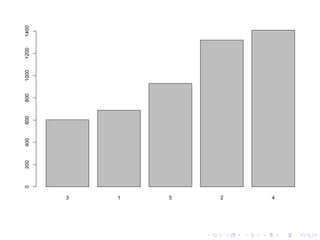
3 1 5 2 4
0200400600800100012001400
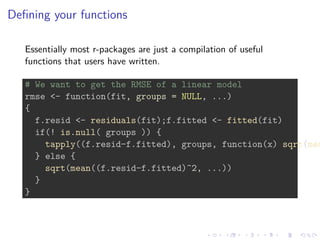
Defining your functions
Essentially most r-packages are just a compilation of useful
functions that users have written.
# We want to get the RMSE of a linear model
rmse <- function(fit, groups = NULL, ...)
{
f.resid <- residuals(fit);f.fitted <- fitted(fit)
if(! is.null( groups )) {
tapply((f.resid-f.fitted), groups, function(x) sqrt(mea
} else {
sqrt(mean((f.resid-f.fitted)^2, ...))
}
}
model.fit <- lm(age ~ circumference, data = Orange)
# This function is more flexible, can be further customized
# applied in other situations
rmse(model.fit)
## [1] 1041.809
rmse(model.fit, Orange$Tree)
## 3 1 5 2 4
## 602.4244 688.8896 929.9055 1319.1573 1408.7033
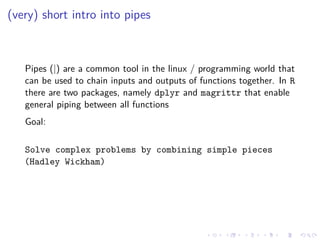
(very) short intro into pipes
Pipes (|) are a common tool in the linux / programming world that
can be used to chain inputs and outputs of functions together. In R
there are two packages, namely dplyr and magrittr that enable
general piping between all functions
Goal:
Solve complex problems by combining simple pieces
(Hadley Wickham)
library(dplyr)
model.rmse <- Orange %>%
lm(age ~ circumference, data=.) %>%
rmse(., Orange$Tree) %>%
barplot
OR like this (Correlation within Iris dataset)
iris %>% group_by(Species) %>%
summarize(count = n(), pear_r = cor(Sepal.Length, Petal.L
arrange(desc(pear_r))
## Source: local data frame [3 x 3]
##
## Species count pear_r
## 1 virginica 50 0.8642247
## 2 versicolor 50 0.7540490
## 3 setosa 50 0.2671758
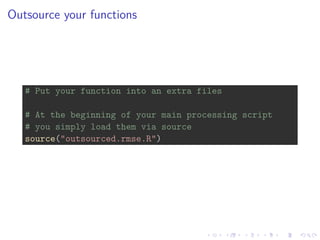
Outsource your functions
# Put your function into an extra files
# At the beginning of your main processing script
# you simply load them via source
source("outsourced.rmse.R")
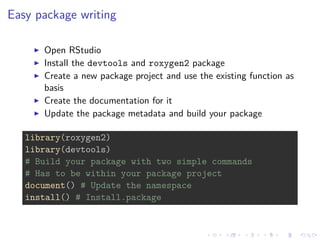
Easy package writing
Open RStudio
Install the devtools and roxygen2 package
Create a new package project and use the existing function as
basis
Create the documentation for it
Update the package metadata and build your package
library(roxygen2)
library(devtools)
# Build your package with two simple commands
# Has to be within your package project
document() # Update the namespace
install() # Install.package
However package development has multiple facets and options.
More detailed info on Package development with RStudio.
Higher acceptance for method papers and analysis code. Make
it citable with a DOI
Software management and collaboration with Github
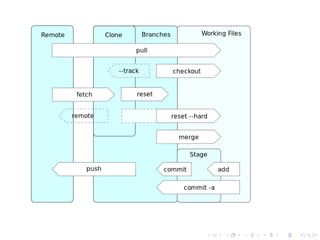
Git is one of the most commonly used revision control systems
Originally developed for the Linux kernel by Linus Torvalds
Github is web-based software repository service offering
distributed revision control
Californian Startup, now the largest code hoster in the
world
Offers public repositories for free, private for money and a
nice snippet exchange service called gists
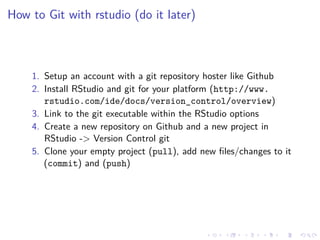
How to Git with rstudio (do it later)
1. Setup an account with a git repository hoster like Github
2. Install RStudio and git for your platform (http://www.
rstudio.com/ide/docs/version_control/overview)
3. Link to the git executable within the RStudio options
4. Create a new repository on Github and a new project in
RStudio -> Version Control git
5. Clone your empty project (pull), add new files/changes to it
(commit) and (push)
Idea for CMEC R Users:
Create a Github organization (like a repository basecamp)
Further developments
There are now packages to push gists and normal git updates
directly from within R. In order to use them you need a github api
key (instructions on the websites below) rgithub
To detailed to show here, but have a look at the gistr package:
gistr

Reproducibility with R

  • 1.
    Reproducible R coding CMECR-Group Martin Jung 12.02.2015
  • 2.
    Goals of reproducibleprogramming? Make your code readible by you and others Group your code and functionalize Embrace collaboration, version control and automation
  • 3.
    First step -readibility 1. Writing cleaner code
  • 4.
    Writing cleaner Rcode | Names Keep new filenames descriptive and meaningful "helper-functions.R" # or for sequences of processing work "01_Download.R" "02_Preprocessing.R" #... Use CamelCase or Snake_case for variables "spatial_data" "ModelFit" "regression.results" Avoid predetermined names like c or plot
  • 5.
    Writing cleaner Rcode | Spacing Use Spacing just as in the english language # Good model.fit <- lm(age ~ circumference, data = Orange) # Bad f1=lm(Orange$age~Orange$circumference) Don’t be afraid of using new lines model.results <- data.frame(Type = sample(letters, 10), Data = NA, SampleSize = 10 ) # Same goes for loops # And don't forget good documentation
  • 6.
    More on writingclean code Google R Style Guide Hadley Wickhams Style Guide RopenSci Guide And there even is a r-package to clean up your code: formatR
  • 7.
    Further ways toimprove reproduciability Ideally attach your code + data to publications Open-access hoster (DataDryad, Figshare, Zenodo) Restructuring of workflow with RMarkdown / LaTeX / HTML
  • 8.
    Functionalize! Many R usersare tempted to write their code very specialized and non-reusable Number 1 rule for clear coding : DRY - Don't repeat yourself! Simple example: We want to fit a linear model to test if in an orange orchard the circumference (mm) increases with age (age of trees). If so we want to quantify and display the Root-Mean-Square-Error (RMSE) of this fit for each individual orange tree in the dataset (N = 5).
  • 9.
    Normal way: # Linearmodel model.fit <- lm(age ~ circumference, data = Orange) model.resid <- residuals( model.fit ) model.fitted <- fitted( model.fit ) rmse <- sqrt( mean( (model.resid - model.fitted)^2 )) tapply(model.resid - model.fitted, Orange$Tree, function(x) sqrt( mean( (x)^2 )))
  • 10.
    3 1 52 4 0200400600800100012001400
  • 11.
    Defining your functions Essentiallymost r-packages are just a compilation of useful functions that users have written. # We want to get the RMSE of a linear model rmse <- function(fit, groups = NULL, ...) { f.resid <- residuals(fit);f.fitted <- fitted(fit) if(! is.null( groups )) { tapply((f.resid-f.fitted), groups, function(x) sqrt(mea } else { sqrt(mean((f.resid-f.fitted)^2, ...)) } }
  • 12.
    model.fit <- lm(age~ circumference, data = Orange) # This function is more flexible, can be further customized # applied in other situations rmse(model.fit) ## [1] 1041.809 rmse(model.fit, Orange$Tree) ## 3 1 5 2 4 ## 602.4244 688.8896 929.9055 1319.1573 1408.7033
  • 13.
    (very) short introinto pipes Pipes (|) are a common tool in the linux / programming world that can be used to chain inputs and outputs of functions together. In R there are two packages, namely dplyr and magrittr that enable general piping between all functions Goal: Solve complex problems by combining simple pieces (Hadley Wickham)
  • 14.
    library(dplyr) model.rmse <- Orange%>% lm(age ~ circumference, data=.) %>% rmse(., Orange$Tree) %>% barplot OR like this (Correlation within Iris dataset) iris %>% group_by(Species) %>% summarize(count = n(), pear_r = cor(Sepal.Length, Petal.L arrange(desc(pear_r)) ## Source: local data frame [3 x 3] ## ## Species count pear_r ## 1 virginica 50 0.8642247 ## 2 versicolor 50 0.7540490 ## 3 setosa 50 0.2671758
  • 15.
    Outsource your functions #Put your function into an extra files # At the beginning of your main processing script # you simply load them via source source("outsourced.rmse.R")
  • 16.
    Easy package writing OpenRStudio Install the devtools and roxygen2 package Create a new package project and use the existing function as basis Create the documentation for it Update the package metadata and build your package library(roxygen2) library(devtools) # Build your package with two simple commands # Has to be within your package project document() # Update the namespace install() # Install.package
  • 17.
    However package developmenthas multiple facets and options. More detailed info on Package development with RStudio. Higher acceptance for method papers and analysis code. Make it citable with a DOI
  • 18.
    Software management andcollaboration with Github Git is one of the most commonly used revision control systems Originally developed for the Linux kernel by Linus Torvalds
  • 20.
    Github is web-basedsoftware repository service offering distributed revision control Californian Startup, now the largest code hoster in the world Offers public repositories for free, private for money and a nice snippet exchange service called gists
  • 21.
    How to Gitwith rstudio (do it later) 1. Setup an account with a git repository hoster like Github 2. Install RStudio and git for your platform (http://www. rstudio.com/ide/docs/version_control/overview) 3. Link to the git executable within the RStudio options 4. Create a new repository on Github and a new project in RStudio -> Version Control git 5. Clone your empty project (pull), add new files/changes to it (commit) and (push)
  • 22.
    Idea for CMECR Users: Create a Github organization (like a repository basecamp)
  • 23.
    Further developments There arenow packages to push gists and normal git updates directly from within R. In order to use them you need a github api key (instructions on the websites below) rgithub To detailed to show here, but have a look at the gistr package: gistr