REPORT WRITING
STANDARDS

Course Instructor: Sneha Sharma
Structure of Report
Name of Chapter
Title Page
Declaration of Originality
Abstract

Table of Contents
Acknowledgements
Introduction & Objectives
Main Body
- Project Management
- Critical Appraisal
Conclusions & Further Work

Student Reflections
Bibliography & References
Appendices

Mandatory Optional
Typing and Presentation
Standards
•

•

•

•

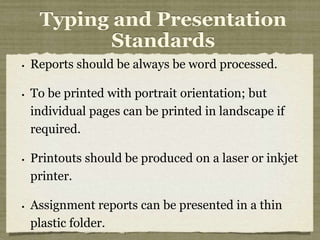
Reports should be always be word processed.
To be printed with portrait orientation; but
individual pages can be printed in landscape if
required.
Printouts should be produced on a laser or inkjet
printer.
Assignment reports can be presented in a thin
plastic folder.
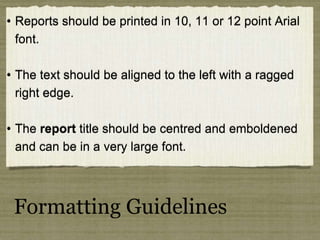
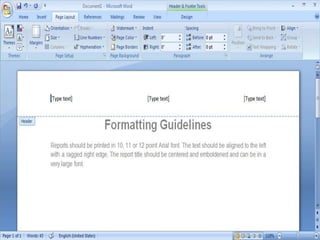
• Reports should be printed in 10, 11 or 12 point Arial
font.
• The text should be aligned to the left with a ragged
right edge.
• The report title should be centred and emboldened
and can be in a very large font.

Formatting Guidelines
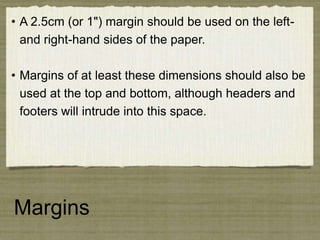
• A 2.5cm (or 1") margin should be used on the leftand right-hand sides of the paper.
• Margins of at least these dimensions should also be
used at the top and bottom, although headers and
footers will intrude into this space.

Margins
• Single line spacing must be used within paragraphs.
• One blank line should be left between paragraphs.

• Widows and orphans should not occur - that is that a page
must not contain only a single line of any paragraph.
• Headings must occur on the same page as the start of
their first paragraph.

Paragraph, line and sentence
spacing
• Each full stop, question or exclamation mark should be
followed by 2 spaces.
• Each comma, and other punctuation within a sentence,
should be followed by 1 space.
• Never put space characters before punctuation marks.
• Tab stops should be set to 1cm unless a wider spacing is
essential.

Paragraph, line and sentence
spacing
• A decimal system should be used to identify sections in
the main report.

• Numbering should not extend to the appendices or
abstract.
• Main sections 1, 2, 3, .... in bold, capitals, 14 point font.
• Sub-headings 1.1, 1.2, 1.3, .... in ordinary 12 point font.
• Paragraph headings 1.1.1, 1.1.2, 1.1.3, ....

Section numbering
• It is not essential for every section to have a heading.
• It is not essential for every paragraph to be numbered.
• Only number paragraphs concerning a new sub-topic.
• These section numbers should be used in cross
references such as "... This is expanded upon later see
para 3.1.1. "

Section numbering
Technical note:
Many word processors provide facilities
to automatically generate such
numbering schemes and automatically
keep the numbering correct after
amendments.

Section numbering
• Each level of heading shall be inset by 1cm from
the previous level.
• However it may be necessary to indent by 1.5cm
(or more) where the paragraph numbers become
rather long.
• Paragraphs must not be inset from their paragraph
heading. Also the first line of a paragraph should not
be indented.

Insetting
• Items in a list should not be indented.
• Items should be indicated with bullet markers.
However where there is some ordering to the items,
or a specific number of them, they should be
numbered.
• Technical note: Most word processors support lists
using at least one level of bullet markers or
numbering.

Lists
• Illustrations should, wherever possible, be included in
the text below the paragraph that refers to them.
• For instance in a document describing computer
software a carefully composed screen dump can be
invaluable.
• However illustrations, charts, tables or other graphics
images should never, ever be used solely for
decorative purposes.

Illustrations
Technical note:
• In Windows, screens can be captured using the
'Printscreen' key. This places the image on the Clipboard.

• Illustrations may be drawn in pencil or black ink but
whenever possible they should be produced by computer.
•Colour, if available, should only be used if it helps
communication and should not be used merely for
decoration.
• Illustrations should normally be numbered so that figure
6.3 is the third illustration in Chapter 6 or simply numbered
through the report as, for instance, figure 13.
• A new page should be started for each new main
section unless it is possible to combine two very
short complete sections onto a single page.

• Pages must be numbered at the bottom
right, within the footer.
• The footer may also contain the organisation
name, if required. The header should contain the
author's name and report title.

New Pages
• The following should be typed in capital letters:
• Main headings
• First letter of first word of sub-headings

• First letter of first word of sentences
• First letter of proper names
• First letter of each item in a list Abbreviations
(usually) eg UK, ISO, HCI

Capital letters
• Spaces must be included outside the brackets
or quotation marks - not inside.
• For example
•... takes place in the central processing
unit (C.P.U.)

• According to Gower (1998) this means
that "the situation is at danger levels".

Brackets and quotes
• Underlining may be used to
• give emphasis to words or phrases in the text
• but, since underlining disrupts the flow of the

word-shape, emboldening is usually better.

Underlining
• Bold text should be used for
• major headings and,
• in moderation, for emphasizing individual words
in the text.

Bold text
• Italics can be used to
• indicate foreign words or
• some different form of text, maybe a quotation.
• It gives a less bold impression than even
normal text.

Italics text
• A report should not have any spelling or grammar
mistakes, a low rate of errors (say about 1 per page)

will usually be overlooked by the reader.
•References must be given to all information sources
used and listed at the end of the report, adhering
rigidly to the format.

Writing standards
Guidelines for writing
References
APA Style
Reference of Journal (Articles)
Reference of Magazine and
Newspaper
Reference of Books
Reference of Online Articles
THAT’S ALL FOR
TODAY


Report writing standards

  • 1.
  • 2.
  • 3.
    Name of Chapter TitlePage Declaration of Originality Abstract Table of Contents Acknowledgements Introduction & Objectives Main Body - Project Management - Critical Appraisal Conclusions & Further Work Student Reflections Bibliography & References Appendices Mandatory Optional
  • 5.
    Typing and Presentation Standards • • • • Reportsshould be always be word processed. To be printed with portrait orientation; but individual pages can be printed in landscape if required. Printouts should be produced on a laser or inkjet printer. Assignment reports can be presented in a thin plastic folder.
  • 6.
    • Reports shouldbe printed in 10, 11 or 12 point Arial font. • The text should be aligned to the left with a ragged right edge. • The report title should be centred and emboldened and can be in a very large font. Formatting Guidelines
  • 8.
    • A 2.5cm(or 1") margin should be used on the leftand right-hand sides of the paper. • Margins of at least these dimensions should also be used at the top and bottom, although headers and footers will intrude into this space. Margins
  • 10.
    • Single linespacing must be used within paragraphs. • One blank line should be left between paragraphs. • Widows and orphans should not occur - that is that a page must not contain only a single line of any paragraph. • Headings must occur on the same page as the start of their first paragraph. Paragraph, line and sentence spacing
  • 13.
    • Each fullstop, question or exclamation mark should be followed by 2 spaces. • Each comma, and other punctuation within a sentence, should be followed by 1 space. • Never put space characters before punctuation marks. • Tab stops should be set to 1cm unless a wider spacing is essential. Paragraph, line and sentence spacing
  • 15.
    • A decimalsystem should be used to identify sections in the main report. • Numbering should not extend to the appendices or abstract. • Main sections 1, 2, 3, .... in bold, capitals, 14 point font. • Sub-headings 1.1, 1.2, 1.3, .... in ordinary 12 point font. • Paragraph headings 1.1.1, 1.1.2, 1.1.3, .... Section numbering
  • 17.
    • It isnot essential for every section to have a heading. • It is not essential for every paragraph to be numbered. • Only number paragraphs concerning a new sub-topic. • These section numbers should be used in cross references such as "... This is expanded upon later see para 3.1.1. " Section numbering
  • 18.
    Technical note: Many wordprocessors provide facilities to automatically generate such numbering schemes and automatically keep the numbering correct after amendments. Section numbering
  • 20.
    • Each levelof heading shall be inset by 1cm from the previous level. • However it may be necessary to indent by 1.5cm (or more) where the paragraph numbers become rather long. • Paragraphs must not be inset from their paragraph heading. Also the first line of a paragraph should not be indented. Insetting
  • 22.
    • Items ina list should not be indented. • Items should be indicated with bullet markers. However where there is some ordering to the items, or a specific number of them, they should be numbered. • Technical note: Most word processors support lists using at least one level of bullet markers or numbering. Lists
  • 24.
    • Illustrations should,wherever possible, be included in the text below the paragraph that refers to them. • For instance in a document describing computer software a carefully composed screen dump can be invaluable. • However illustrations, charts, tables or other graphics images should never, ever be used solely for decorative purposes. Illustrations
  • 26.
    Technical note: • InWindows, screens can be captured using the 'Printscreen' key. This places the image on the Clipboard. • Illustrations may be drawn in pencil or black ink but whenever possible they should be produced by computer. •Colour, if available, should only be used if it helps communication and should not be used merely for decoration. • Illustrations should normally be numbered so that figure 6.3 is the third illustration in Chapter 6 or simply numbered through the report as, for instance, figure 13.
  • 27.
    • A newpage should be started for each new main section unless it is possible to combine two very short complete sections onto a single page. • Pages must be numbered at the bottom right, within the footer. • The footer may also contain the organisation name, if required. The header should contain the author's name and report title. New Pages
  • 30.
    • The followingshould be typed in capital letters: • Main headings • First letter of first word of sub-headings • First letter of first word of sentences • First letter of proper names • First letter of each item in a list Abbreviations (usually) eg UK, ISO, HCI Capital letters
  • 31.
    • Spaces mustbe included outside the brackets or quotation marks - not inside. • For example •... takes place in the central processing unit (C.P.U.) • According to Gower (1998) this means that "the situation is at danger levels". Brackets and quotes
  • 32.
    • Underlining maybe used to • give emphasis to words or phrases in the text • but, since underlining disrupts the flow of the word-shape, emboldening is usually better. Underlining
  • 33.
    • Bold textshould be used for • major headings and, • in moderation, for emphasizing individual words in the text. Bold text
  • 34.
    • Italics canbe used to • indicate foreign words or • some different form of text, maybe a quotation. • It gives a less bold impression than even normal text. Italics text
  • 35.
    • A reportshould not have any spelling or grammar mistakes, a low rate of errors (say about 1 per page) will usually be overlooked by the reader. •References must be given to all information sources used and listed at the end of the report, adhering rigidly to the format. Writing standards
  • 36.
  • 37.
  • 38.
  • 39.
    Reference of Magazineand Newspaper
  • 40.
  • 41.
  • 42.