Unix Regular Expressions
          Stephen Corbesero
       corbesero@cs.moravian.edu


           Computer Science
           Moravian College


                                   Unix Regular Expressions – p.1/30
Overview

  I. Introduction
 II. Filenames
III. Regular Expression Syntax and Examples
IV. Using Regular Expressions in C
 V. SED
VI. AWK
VII. References


                                       Unix Regular Expressions – p.2/30
Introduction

 Regular Expressions (REGEXPs) have been
 an integral part of Unix since the beginning.
 They are called “regular” because they
 describe a language with very “regular”
 properties.


                                           Unix Regular Expressions – p.3/30
Filename Patterns

  ? for any single character
  * for zero or more characters
  [...] and [ˆ...] classes

                  Examples
*           all files
*.*         files with a .
*.c         files that end with .c
*.?         .c, .h, .o, ... files
.[A-Z]*     .Xdefaults, ...
*.[ch]      files ending in .c or .h
                                  Unix Regular Expressions – p.4/30
Unix Commands

 grep is the “find” string command in Unix.
   It’s used to find a string which can be
   specified by a REGEXP.
   It’s name comes from the ed command
   g/RE/p
   There are actually several greps: grep,
   fgrep, and egrep
 The editors: ed, ex, vi, sed, ...
 Text processing languages: awk, perl, ...
 Sadly, different tools use slightly different
 regexp syntaxes.                           Unix Regular Expressions – p.5/30
Full Regular Expressions

  Character
    ordinary characters
    the backslash
    special characters: . * []
  Character Sequences
    concatenation
    * to allow zero or more occurrences of the
    previous RE
    {n}, {n,}, {n,m}
    (...) for grouping
    n for memory                        Unix Regular Expressions – p.6/30
Small RE Examples

cat           cat
c.t           cat, cbt, cct, c#t, c t
c.t          c.t
c[aeiou]t     cat,cet,cit,cot,cut
c[ˆa-z]t      cAt,c+t,c4t
ca*t          ct, cat, caat, caaaaaat
ca{5}t      caaaaat
ca{5,10}t   caaaaat,...,caaaaaaaaaat
ca{5,}t     caaaaat, caaaaaaaaaaaat
a.*z          az, a:t;i89r24n93pr4389z


                                Unix Regular Expressions – p.7/30
Word and Line REs

  Words
   < and >
  Lines
     ˆ matches the bol
     $ matches the eol
  Extensions recognized by some commands
    No ’s for braces and parentheses
    | for or
    ? for {0,1}
    + for {1,}
                                    Unix Regular Expressions – p.8/30
Word Examples

 To match the, but not then or therefore
 <the>
 Words that start with the
 <the[a-z]*>


                                           Unix Regular Expressions – p.9/30
Line Examples

  Match the at the beginning of a line
  ˆthe
  or end
  the$
  the line must only contain the
  ˆthe$


                                         Unix Regular Expressions – p.10/30
REs for Program Source

  Match decimal integers, with an optional
  leading sign
       [+-]{0,1}[1-9][0-9]*
  Match real numbers, using extended syntax
  [+-]?[0-9]+.[0-9]+([Ee][+-][0-9]+)?
  Match a legal variable name in C
  [a-zA-Z_][a-zA-Z_0-9]*


                                        Unix Regular Expressions – p.11/30
RE Memory

 Match lines that have a word at the beginning
 and ending, but not necessarily the same
 word in both places
 ˆ[a-z][a-z]*.*[a-z][a-z]*$
 Match only lines that have the same word at
 the begining and the end using.
 ˆ([a-z][a-z]*).*1$


                                       Unix Regular Expressions – p.12/30
Using REs in C

  The regcomp() function “compiles” a regular
  expression
  The regexec() function lets you execute the
  regular expressions by applying it to strings.


                                         Unix Regular Expressions – p.13/30
C RE Function Prototypes

#include <sys/types.h>
#include <regex.h>

int regcomp(regex_t *preg,
    const char * patt, int cflags);
int regexec(const regex_t *preg,
    const char *str, size_t nmatch,
    regmatch_t pmatch[], int eflags);
size_t regerror(int errcode,
    const regex_t *preg,
    char   *buf, size_t errbuf_size);
void regfree(regex_t *preg);
                               Unix Regular Expressions – p.14/30
sed, The Stream Editor

  “batch” editor for processing a stream of
  characters
  sed [options] [ file ... ]
    The -f option specifies a file of sed
    commands
    The -e option can specify a single
    command.
    Both -e and -f can be repeated.
    -e not needed if just one command
  simple command structure
            [addr [, addr]] cmd [args]    Unix Regular Expressions – p.15/30
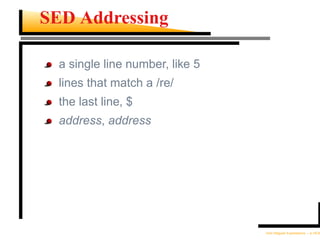
SED Addressing

  a single line number, like 5
  lines that match a /re/
  the last line, $
  address, address


                                 Unix Regular Expressions – p.16/30
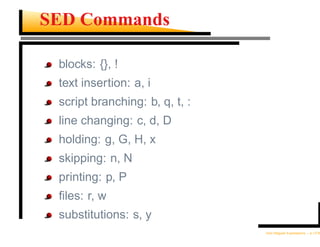
SED Commands

 blocks: {}, !
 text insertion: a, i
 script branching: b, q, t, :
 line changing: c, d, D
 holding: g, G, H, x
 skipping: n, N
 printing: p, P
 files: r, w
 substitutions: s, y
                                Unix Regular Expressions – p.17/30
sed Examples

sed   -n 1,10p file
sed   s/cat/dog/
sed   s/cat/&amaran/
sed   s/<([a-z][a-z]*)> *1/1/g
sed   s-/usr/local/-/usr/-g


                                 Unix Regular Expressions – p.18/30
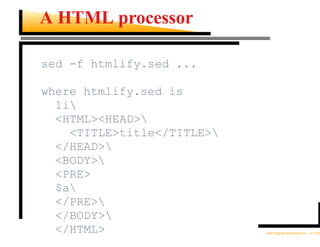
A HTML processor

sed -f htmlify.sed ...

where htmlify.sed is
  1i
  <HTML><HEAD>
    <TITLE>title</TITLE>
  </HEAD>
  <BODY>
  <PRE>
  $a
  </PRE>
  </BODY>
  </HTML>                   Unix Regular Expressions – p.19/30
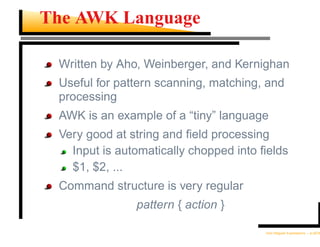
The AWK Language

 Written by Aho, Weinberger, and Kernighan
 Useful for pattern scanning, matching, and
 processing
 AWK is an example of a “tiny” language
 Very good at string and field processing
   Input is automatically chopped into fields
   $1, $2, ...
 Command structure is very regular
               pattern { action }

                                       Unix Regular Expressions – p.20/30
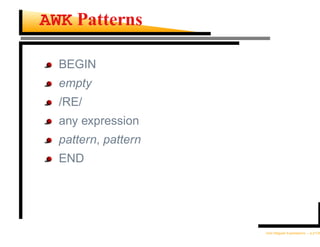
AWK Patterns

  BEGIN
  empty
  /RE/
  any expression
  pattern, pattern
  END


                     Unix Regular Expressions – p.21/30
AWK Actions

if ( expr ) stat [ else stat ]
while ( expr ) stat
do stat while ( expr )
for ( expr ; expr ; expr ) stat
for ( var in array ) stat
break
continue
{ [ stat ] ... }
expr      # commonly var = expr
print [ expr-list ] [ >expr ]
printf format [ ,expr-list ] [ >expr ]
next
exit [expr]                    Unix Regular Expressions – p.22/30
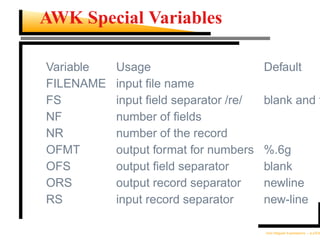
AWK Special Variables

Variable   Usage                       Default
FILENAME   input file name
FS         input field separator /re/   blank and t
NF         number of fields
NR         number of the record
OFMT       output format for numbers   %.6g
OFS        output field separator       blank
ORS        output record separator     newline
RS         input record separator      new-line

                                       Unix Regular Expressions – p.23/30
AWK Data Types

  floats and strings, interchangeably
  one dimensional arrays, but more dimensions
  can be simulated
    building[2]
    map[row;col]
  associative arrays
    state["PA"]="Pennsylvania";
    pop["PA"]=12000000;


                                       Unix Regular Expressions – p.24/30
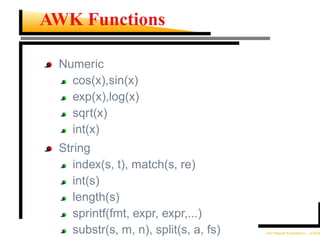
AWK Functions

 Numeric
   cos(x),sin(x)
   exp(x),log(x)
   sqrt(x)
   int(x)
 String
    index(s, t), match(s, re)
    int(s)
    length(s)
    sprintf(fmt, expr, expr,...)
    substr(s, m, n), split(s, a, fs)   Unix Regular Expressions – p.25/30
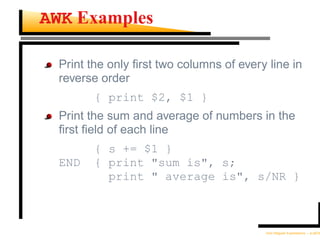
AWK Examples

  Print the only first two columns of every line in
  reverse order
         { print $2, $1 }
  Print the sum and average of numbers in the
  first field of each line
         { s += $1 }
  END    { print "sum is", s;
           print " average is", s/NR }


                                          Unix Regular Expressions – p.26/30
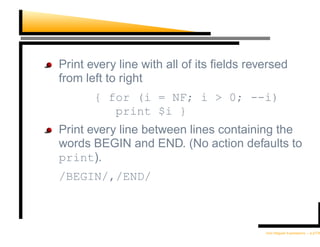
Print every line with all of its fields reversed
from left to right
       { for (i = NF; i > 0; --i)
          print $i }
Print every line between lines containing the
words BEGIN and END. (No action defaults to
print).
/BEGIN/,/END/


                                          Unix Regular Expressions – p.27/30
Word Counter

  Count & print the number of times a word
  occurs in a file
  The tr commands convert the file to all
  lowercase and remove everything except
  letters, spaces, dashes, and newlines.

tr A-Z a-z <file | tr -c -d ’a-z n-’ |
awk ’ { for(i=1; i<=NF; i++)
           count[$i]++; }
 END { for(word in count)
           printf "%-10s %5dn",
             word, count[word];}’
                                       Unix Regular Expressions – p.28/30
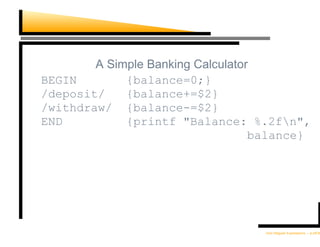
A Simple Banking Calculator
BEGIN        {balance=0;}
/deposit/    {balance+=$2}
/withdraw/ {balance-=$2}
END          {printf "Balance: %.2fn",
                                   balance}


                                   Unix Regular Expressions – p.29/30
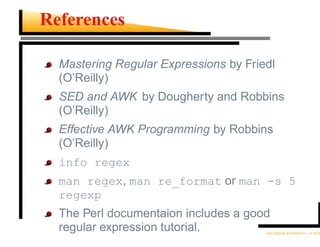
References

  Mastering Regular Expressions by Friedl
  (O’Reilly)
  SED and AWK by Dougherty and Robbins
  (O’Reilly)
  Effective AWK Programming by Robbins
  (O’Reilly)
  info regex
  man regex, man re_format or man -s 5
  regexp
  The Perl documentaion includes a good
  regular expression tutorial.         Unix Regular Expressions – p.30/30

Regexp

  • 1.
    Unix Regular Expressions Stephen Corbesero corbesero@cs.moravian.edu Computer Science Moravian College Unix Regular Expressions – p.1/30
  • 2.
    Overview I.Introduction II. Filenames III. Regular Expression Syntax and Examples IV. Using Regular Expressions in C V. SED VI. AWK VII. References Unix Regular Expressions – p.2/30
  • 3.
    Introduction Regular Expressions(REGEXPs) have been an integral part of Unix since the beginning. They are called “regular” because they describe a language with very “regular” properties. Unix Regular Expressions – p.3/30
  • 4.
    Filename Patterns ? for any single character * for zero or more characters [...] and [ˆ...] classes Examples * all files *.* files with a . *.c files that end with .c *.? .c, .h, .o, ... files .[A-Z]* .Xdefaults, ... *.[ch] files ending in .c or .h Unix Regular Expressions – p.4/30
  • 5.
    Unix Commands grepis the “find” string command in Unix. It’s used to find a string which can be specified by a REGEXP. It’s name comes from the ed command g/RE/p There are actually several greps: grep, fgrep, and egrep The editors: ed, ex, vi, sed, ... Text processing languages: awk, perl, ... Sadly, different tools use slightly different regexp syntaxes. Unix Regular Expressions – p.5/30
  • 6.
    Full Regular Expressions Character ordinary characters the backslash special characters: . * [] Character Sequences concatenation * to allow zero or more occurrences of the previous RE {n}, {n,}, {n,m} (...) for grouping n for memory Unix Regular Expressions – p.6/30
  • 7.
    Small RE Examples cat cat c.t cat, cbt, cct, c#t, c t c.t c.t c[aeiou]t cat,cet,cit,cot,cut c[ˆa-z]t cAt,c+t,c4t ca*t ct, cat, caat, caaaaaat ca{5}t caaaaat ca{5,10}t caaaaat,...,caaaaaaaaaat ca{5,}t caaaaat, caaaaaaaaaaaat a.*z az, a:t;i89r24n93pr4389z Unix Regular Expressions – p.7/30
  • 8.
    Word and LineREs Words < and > Lines ˆ matches the bol $ matches the eol Extensions recognized by some commands No ’s for braces and parentheses | for or ? for {0,1} + for {1,} Unix Regular Expressions – p.8/30
  • 9.
    Word Examples Tomatch the, but not then or therefore <the> Words that start with the <the[a-z]*> Unix Regular Expressions – p.9/30
  • 10.
    Line Examples Match the at the beginning of a line ˆthe or end the$ the line must only contain the ˆthe$ Unix Regular Expressions – p.10/30
  • 11.
    REs for ProgramSource Match decimal integers, with an optional leading sign [+-]{0,1}[1-9][0-9]* Match real numbers, using extended syntax [+-]?[0-9]+.[0-9]+([Ee][+-][0-9]+)? Match a legal variable name in C [a-zA-Z_][a-zA-Z_0-9]* Unix Regular Expressions – p.11/30
  • 12.
    RE Memory Matchlines that have a word at the beginning and ending, but not necessarily the same word in both places ˆ[a-z][a-z]*.*[a-z][a-z]*$ Match only lines that have the same word at the begining and the end using. ˆ([a-z][a-z]*).*1$ Unix Regular Expressions – p.12/30
  • 13.
    Using REs inC The regcomp() function “compiles” a regular expression The regexec() function lets you execute the regular expressions by applying it to strings. Unix Regular Expressions – p.13/30
  • 14.
    C RE FunctionPrototypes #include <sys/types.h> #include <regex.h> int regcomp(regex_t *preg, const char * patt, int cflags); int regexec(const regex_t *preg, const char *str, size_t nmatch, regmatch_t pmatch[], int eflags); size_t regerror(int errcode, const regex_t *preg, char *buf, size_t errbuf_size); void regfree(regex_t *preg); Unix Regular Expressions – p.14/30
  • 15.
    sed, The StreamEditor “batch” editor for processing a stream of characters sed [options] [ file ... ] The -f option specifies a file of sed commands The -e option can specify a single command. Both -e and -f can be repeated. -e not needed if just one command simple command structure [addr [, addr]] cmd [args] Unix Regular Expressions – p.15/30
  • 16.
    SED Addressing a single line number, like 5 lines that match a /re/ the last line, $ address, address Unix Regular Expressions – p.16/30
  • 17.
    SED Commands blocks:{}, ! text insertion: a, i script branching: b, q, t, : line changing: c, d, D holding: g, G, H, x skipping: n, N printing: p, P files: r, w substitutions: s, y Unix Regular Expressions – p.17/30
  • 18.
    sed Examples sed -n 1,10p file sed s/cat/dog/ sed s/cat/&amaran/ sed s/<([a-z][a-z]*)> *1/1/g sed s-/usr/local/-/usr/-g Unix Regular Expressions – p.18/30
  • 19.
    A HTML processor sed-f htmlify.sed ... where htmlify.sed is 1i <HTML><HEAD> <TITLE>title</TITLE> </HEAD> <BODY> <PRE> $a </PRE> </BODY> </HTML> Unix Regular Expressions – p.19/30
  • 20.
    The AWK Language Written by Aho, Weinberger, and Kernighan Useful for pattern scanning, matching, and processing AWK is an example of a “tiny” language Very good at string and field processing Input is automatically chopped into fields $1, $2, ... Command structure is very regular pattern { action } Unix Regular Expressions – p.20/30
  • 21.
    AWK Patterns BEGIN empty /RE/ any expression pattern, pattern END Unix Regular Expressions – p.21/30
  • 22.
    AWK Actions if (expr ) stat [ else stat ] while ( expr ) stat do stat while ( expr ) for ( expr ; expr ; expr ) stat for ( var in array ) stat break continue { [ stat ] ... } expr # commonly var = expr print [ expr-list ] [ >expr ] printf format [ ,expr-list ] [ >expr ] next exit [expr] Unix Regular Expressions – p.22/30
  • 23.
    AWK Special Variables Variable Usage Default FILENAME input file name FS input field separator /re/ blank and t NF number of fields NR number of the record OFMT output format for numbers %.6g OFS output field separator blank ORS output record separator newline RS input record separator new-line Unix Regular Expressions – p.23/30
  • 24.
    AWK Data Types floats and strings, interchangeably one dimensional arrays, but more dimensions can be simulated building[2] map[row;col] associative arrays state["PA"]="Pennsylvania"; pop["PA"]=12000000; Unix Regular Expressions – p.24/30
  • 25.
    AWK Functions Numeric cos(x),sin(x) exp(x),log(x) sqrt(x) int(x) String index(s, t), match(s, re) int(s) length(s) sprintf(fmt, expr, expr,...) substr(s, m, n), split(s, a, fs) Unix Regular Expressions – p.25/30
  • 26.
    AWK Examples Print the only first two columns of every line in reverse order { print $2, $1 } Print the sum and average of numbers in the first field of each line { s += $1 } END { print "sum is", s; print " average is", s/NR } Unix Regular Expressions – p.26/30
  • 27.
    Print every linewith all of its fields reversed from left to right { for (i = NF; i > 0; --i) print $i } Print every line between lines containing the words BEGIN and END. (No action defaults to print). /BEGIN/,/END/ Unix Regular Expressions – p.27/30
  • 28.
    Word Counter Count & print the number of times a word occurs in a file The tr commands convert the file to all lowercase and remove everything except letters, spaces, dashes, and newlines. tr A-Z a-z <file | tr -c -d ’a-z n-’ | awk ’ { for(i=1; i<=NF; i++) count[$i]++; } END { for(word in count) printf "%-10s %5dn", word, count[word];}’ Unix Regular Expressions – p.28/30
  • 29.
    A Simple BankingCalculator BEGIN {balance=0;} /deposit/ {balance+=$2} /withdraw/ {balance-=$2} END {printf "Balance: %.2fn", balance} Unix Regular Expressions – p.29/30
  • 30.
    References MasteringRegular Expressions by Friedl (O’Reilly) SED and AWK by Dougherty and Robbins (O’Reilly) Effective AWK Programming by Robbins (O’Reilly) info regex man regex, man re_format or man -s 5 regexp The Perl documentaion includes a good regular expression tutorial. Unix Regular Expressions – p.30/30