Data extraction, transformation
and presentation tips and tricks
Reducing Time to Insight
Thomas Bosilevac
Chief Insight Officer
@bosilytics
v2
- KPI Definition (organize your data)
- Insight Automation (keep listening)
- GA / WebTrends / Analytics Training
FORMER
EMPLOYERS
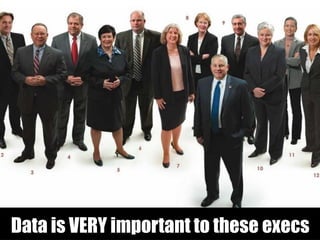
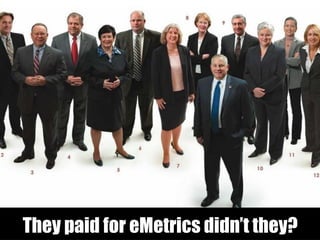
Data is VERY important to these execs
They paid for eMetrics didn’t they?
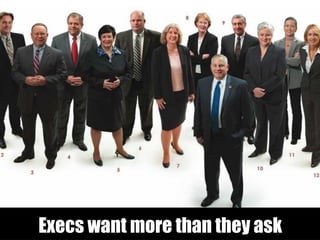
Execs want more than they ask
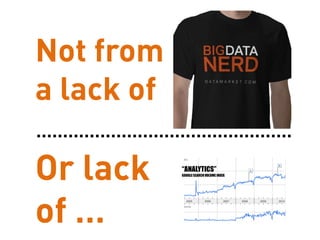
Not from
a lack of
(though still an issue)
“ANALYTICS”
GOOGLESEARCH VOLUME INDEX
Or lack
of …
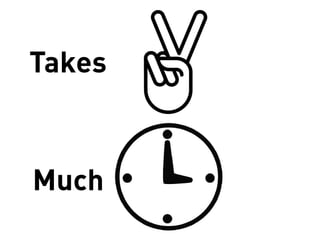
But this
Takes
Much
UNTIL NOW
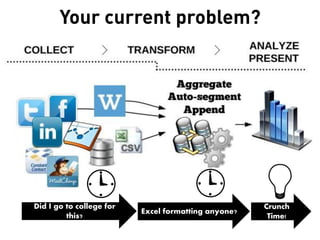
Did I go to college for
this?
Excel formatting anyone?
Crunch
Time!
Your current problem?
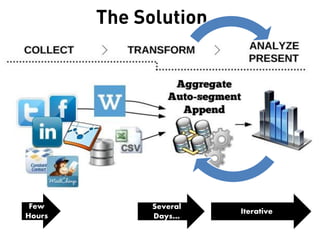
The Solution…
Few
Hours
Several
Days…
Iterative
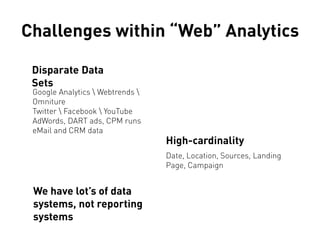
Challenges within “Web” Analytics
Disparate Data
Sets
Google Analytics  Webtrends 
Omniture
Twitter  Facebook  YouTube
AdWords, DART ads, CPM runs
eMail and CRM data
High-cardinality
Date, Location, Sources, Landing
Page, Campaign
We have lot’s of data
systems, not reporting
systems
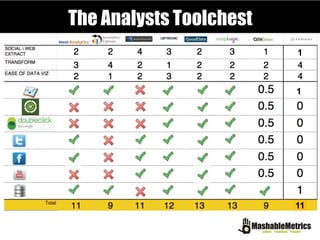
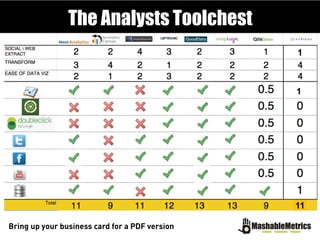
The Analysts Toolchest
1
1
11
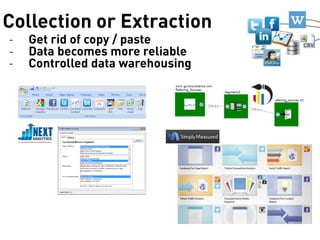
Collection or Extraction
- Get rid of copy / paste
- Data becomes more reliable
- Controlled data warehousing
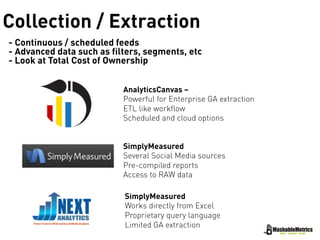
Collection / Extraction
- Continuous / scheduled feeds
- Advanced data such as filters, segments, etc
- Look at Total Cost of Ownership
AnalyticsCanvas –
Powerful for Enterprise GA extraction
ETL like workflow
Scheduled and cloud options
SimplyMeasured
Several Social Media sources
Pre-compiled reports
Access to RAW data
SimplyMeasured
Works directly from Excel
Proprietary query language
Limited GA extraction
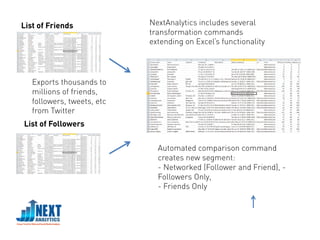
Automated comparison command
creates new segment:
- Networked (Follower and Friend), -
Followers Only,
- Friends Only
List of Friends
List of Followers
Exports thousands to
millions of friends,
followers, tweets, etc
from Twitter
NextAnalytics includes several
transformation commands
extending on Excel’s functionality
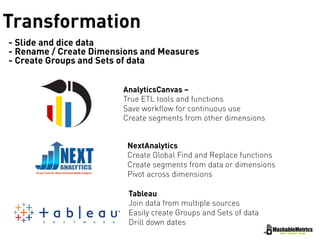
Transformation
- Slide and dice data
- Rename / Create Dimensions and Measures
- Create Groups and Sets of data
AnalyticsCanvas –
True ETL tools and functions
Save workflow for continuous use
Create segments from other dimensions
NextAnalytics
Create Global Find and Replace functions
Create segments from data or dimensions
Pivot across dimensions
Tableau
Join data from multiple sources
Easily create Groups and Sets of data
Drill down dates
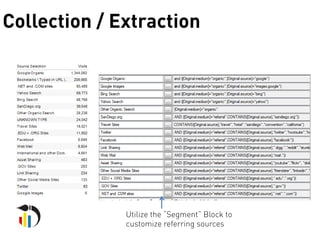
Collection / Extraction
Utilize the “Segment” Block to
customize referring sources
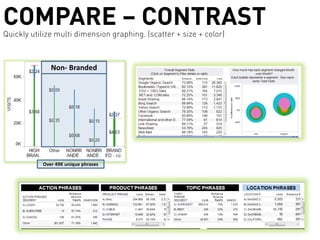
COMPARE – CONTRASTQuickly utilize multi dimension graphing. (scatter + size + color)
Non- Branded
Over 49K unique phrases
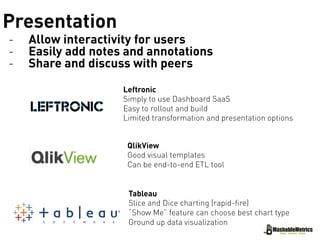
Presentation
- Allow interactivity for users
- Easily add notes and annotations
- Share and discuss with peers
Leftronic
Simply to use Dashboard SaaS
Easy to rollout and build
Limited transformation and presentation options
QlikView
Good visual templates
Can be end-to-end ETL tool
Tableau
Slice and Dice charting (rapid-fire)
“Show Me” feature can choose best chart type
Ground up data visualization
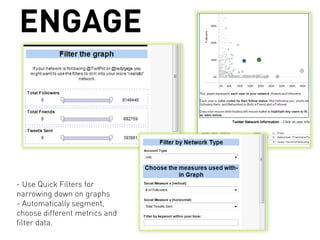
ENGAGE
- Use Quick Filters for
narrowing down on graphs
- Automatically segment,
choose different metrics and
filter data.
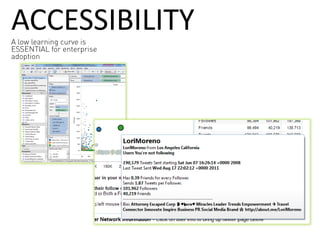
ACCESSIBILITYA low learning curve is
ESSENTIAL for enterprise
adoption
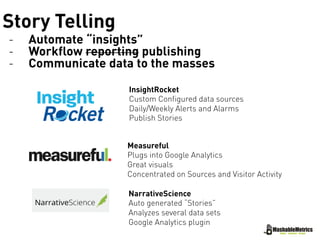
Story Telling
- Automate “insights”
- Workflow reporting publishing
- Communicate data to the masses
InsightRocket
Custom Configured data sources
Daily/Weekly Alerts and Alarms
Publish Stories
Measureful
Plugs into Google Analytics
Great visuals
Concentrated on Sources and Visitor Activity
NarrativeScience
Auto generated “Stories”
Analyzes several data sets
Google Analytics plugin
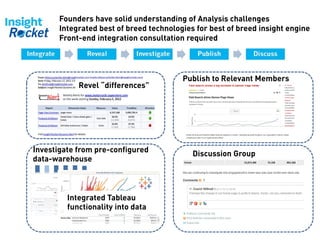
Founders have solid understanding of Analysis challenges
Integrated best of breed technologies for best of breed insight engine
Front-end integration consultation required
Revel “differences”
Investigate from pre-configured
data-warehouse
Integrated Tableau
functionality into data
Publish to Relevant Members
Discussion Group
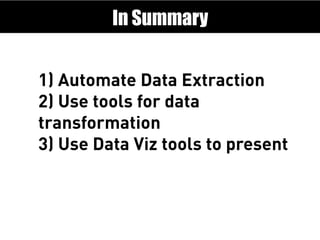
1) Automate Data Extraction
2) Use tools for data
transformation
3) Use Data Viz tools to present
In Summary
The Analysts Toolchest
1
1
11
Bring up your business card for a PDF version

Reducing time to insight

  • 1.
    Data extraction, transformation andpresentation tips and tricks Reducing Time to Insight Thomas Bosilevac Chief Insight Officer @bosilytics
  • 2.
    v2 - KPI Definition(organize your data) - Insight Automation (keep listening) - GA / WebTrends / Analytics Training FORMER EMPLOYERS
  • 3.
    Data is VERYimportant to these execs
  • 4.
    They paid foreMetrics didn’t they?
  • 5.
    Execs want morethan they ask
  • 7.
    Not from a lackof (though still an issue) “ANALYTICS” GOOGLESEARCH VOLUME INDEX Or lack of …
  • 8.
  • 9.
  • 10.
  • 11.
    Did I goto college for this? Excel formatting anyone? Crunch Time! Your current problem?
  • 12.
  • 13.
    Challenges within “Web”Analytics Disparate Data Sets Google Analytics Webtrends Omniture Twitter Facebook YouTube AdWords, DART ads, CPM runs eMail and CRM data High-cardinality Date, Location, Sources, Landing Page, Campaign We have lot’s of data systems, not reporting systems
  • 14.
  • 15.
    Collection or Extraction -Get rid of copy / paste - Data becomes more reliable - Controlled data warehousing
  • 16.
    Collection / Extraction -Continuous / scheduled feeds - Advanced data such as filters, segments, etc - Look at Total Cost of Ownership AnalyticsCanvas – Powerful for Enterprise GA extraction ETL like workflow Scheduled and cloud options SimplyMeasured Several Social Media sources Pre-compiled reports Access to RAW data SimplyMeasured Works directly from Excel Proprietary query language Limited GA extraction
  • 17.
    Automated comparison command createsnew segment: - Networked (Follower and Friend), - Followers Only, - Friends Only List of Friends List of Followers Exports thousands to millions of friends, followers, tweets, etc from Twitter NextAnalytics includes several transformation commands extending on Excel’s functionality
  • 18.
    Transformation - Slide anddice data - Rename / Create Dimensions and Measures - Create Groups and Sets of data AnalyticsCanvas – True ETL tools and functions Save workflow for continuous use Create segments from other dimensions NextAnalytics Create Global Find and Replace functions Create segments from data or dimensions Pivot across dimensions Tableau Join data from multiple sources Easily create Groups and Sets of data Drill down dates
  • 19.
    Collection / Extraction Utilizethe “Segment” Block to customize referring sources
  • 20.
    COMPARE – CONTRASTQuicklyutilize multi dimension graphing. (scatter + size + color) Non- Branded Over 49K unique phrases
  • 21.
    Presentation - Allow interactivityfor users - Easily add notes and annotations - Share and discuss with peers Leftronic Simply to use Dashboard SaaS Easy to rollout and build Limited transformation and presentation options QlikView Good visual templates Can be end-to-end ETL tool Tableau Slice and Dice charting (rapid-fire) “Show Me” feature can choose best chart type Ground up data visualization
  • 22.
    ENGAGE - Use QuickFilters for narrowing down on graphs - Automatically segment, choose different metrics and filter data.
  • 23.
    ACCESSIBILITYA low learningcurve is ESSENTIAL for enterprise adoption
  • 24.
    Story Telling - Automate“insights” - Workflow reporting publishing - Communicate data to the masses InsightRocket Custom Configured data sources Daily/Weekly Alerts and Alarms Publish Stories Measureful Plugs into Google Analytics Great visuals Concentrated on Sources and Visitor Activity NarrativeScience Auto generated “Stories” Analyzes several data sets Google Analytics plugin
  • 25.
    Founders have solidunderstanding of Analysis challenges Integrated best of breed technologies for best of breed insight engine Front-end integration consultation required Revel “differences” Investigate from pre-configured data-warehouse Integrated Tableau functionality into data Publish to Relevant Members Discussion Group
  • 26.
    1) Automate DataExtraction 2) Use tools for data transformation 3) Use Data Viz tools to present In Summary
  • 27.
    The Analysts Toolchest 1 1 11 Bringup your business card for a PDF version