1© 2003, Cisco Systems, Inc. All rights reserved.
CCNA 2 v3.0 Module 2
Introduction to Routers
222© 2003, Cisco Systems, Inc. All rights reserved.
Objectives
• Operating Cisco IOS Software
• Starting a router
333© 2003, Cisco Systems, Inc. All rights reserved.
Purpose of Cisco IOS Software
• Basic routing and switching functions
• Reliable and secure access to networked
resources
• Network scalability
444© 2003, Cisco Systems, Inc. All rights reserved.
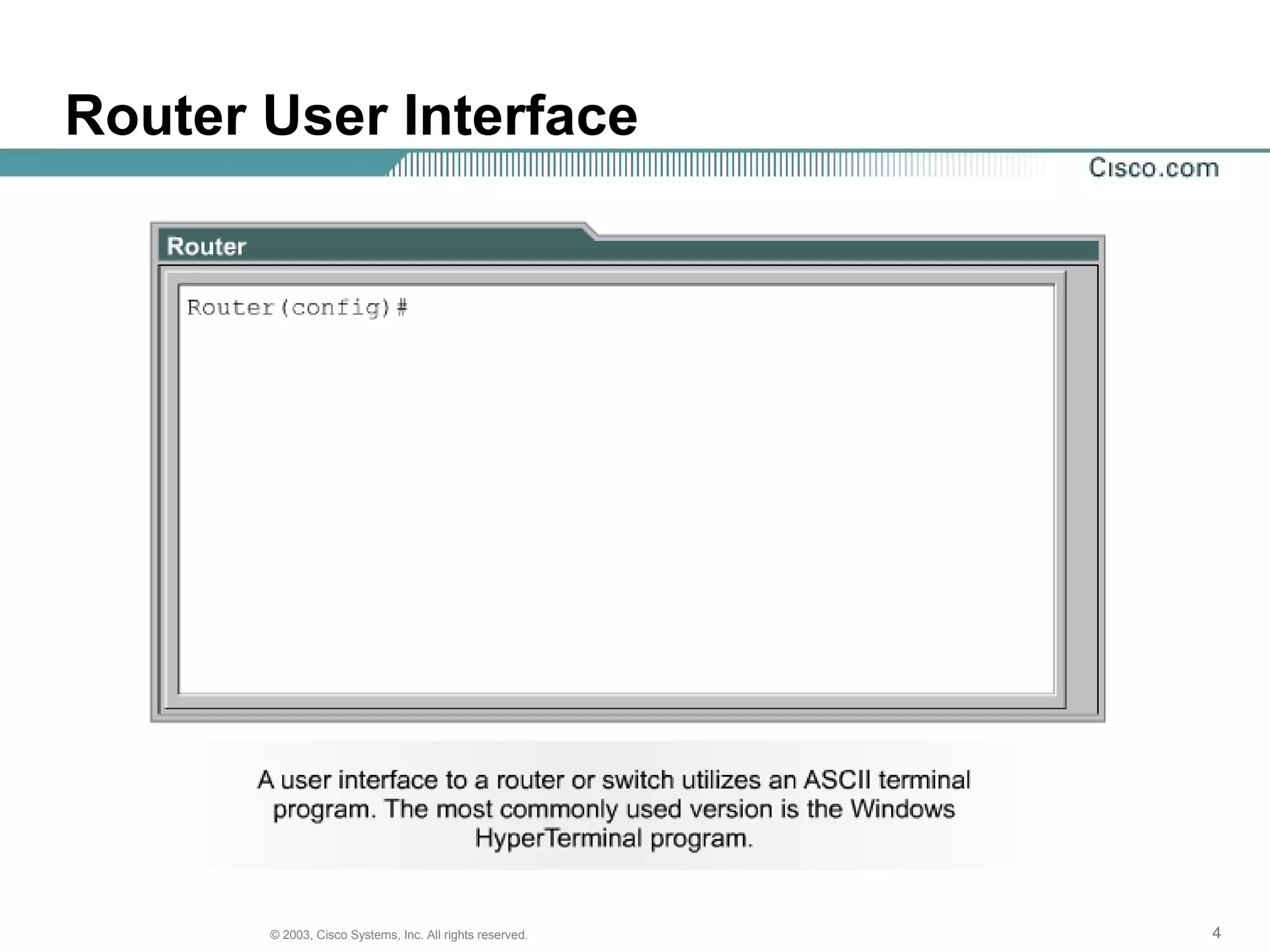
Router User Interface
555© 2003, Cisco Systems, Inc. All rights reserved.
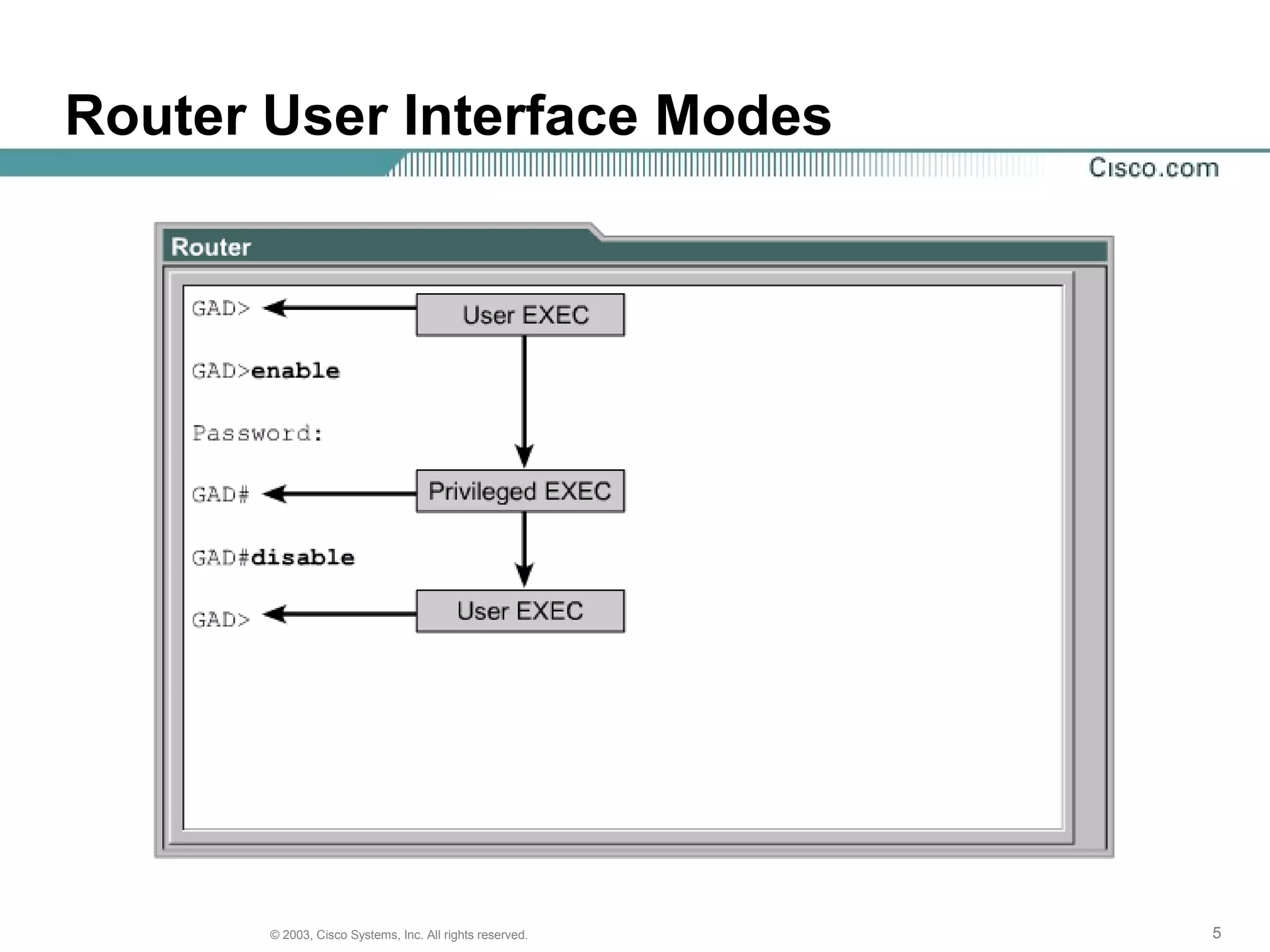
Router User Interface Modes
666© 2003, Cisco Systems, Inc. All rights reserved.
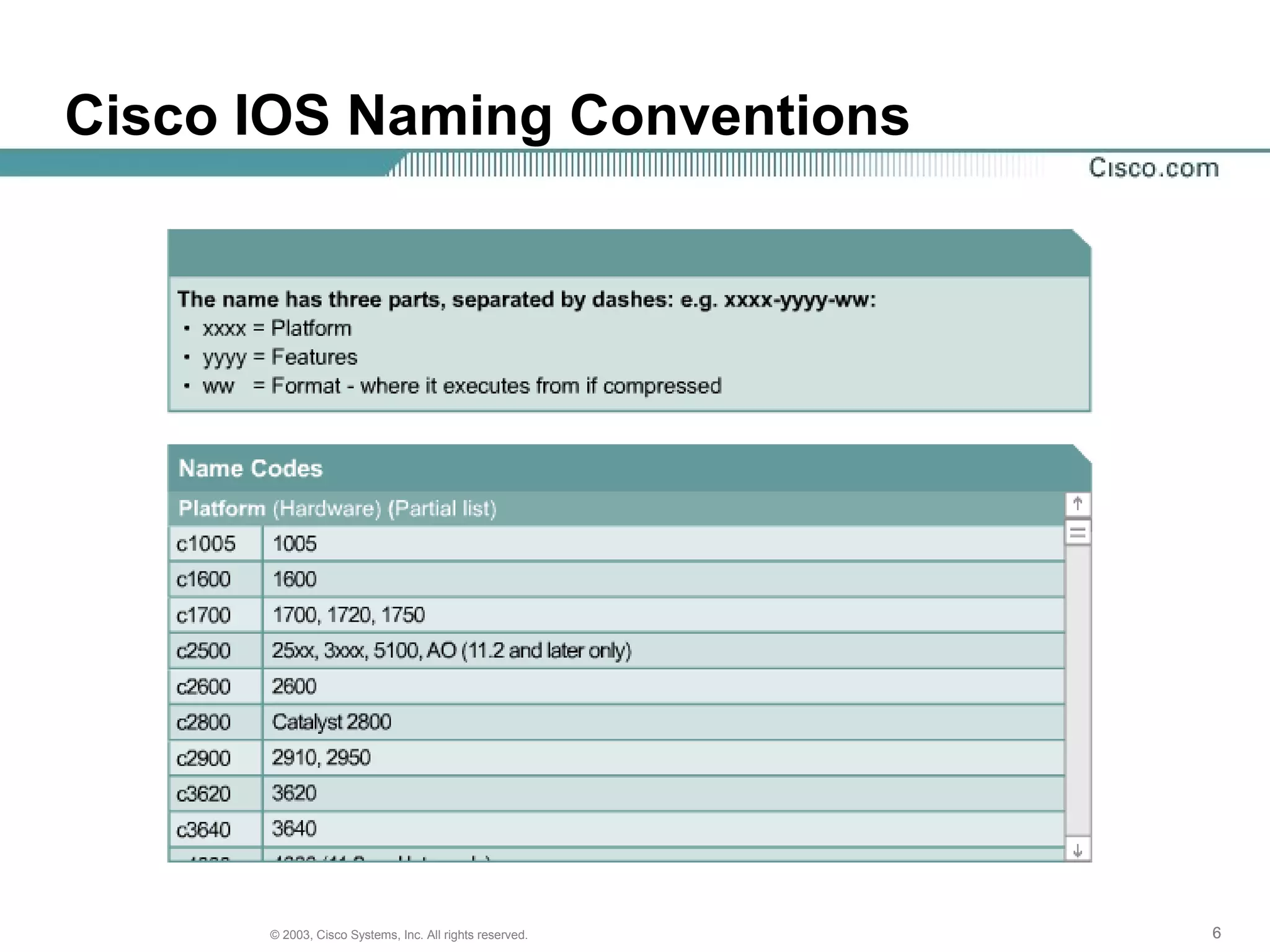
Cisco IOS Naming Conventions
777© 2003, Cisco Systems, Inc. All rights reserved.
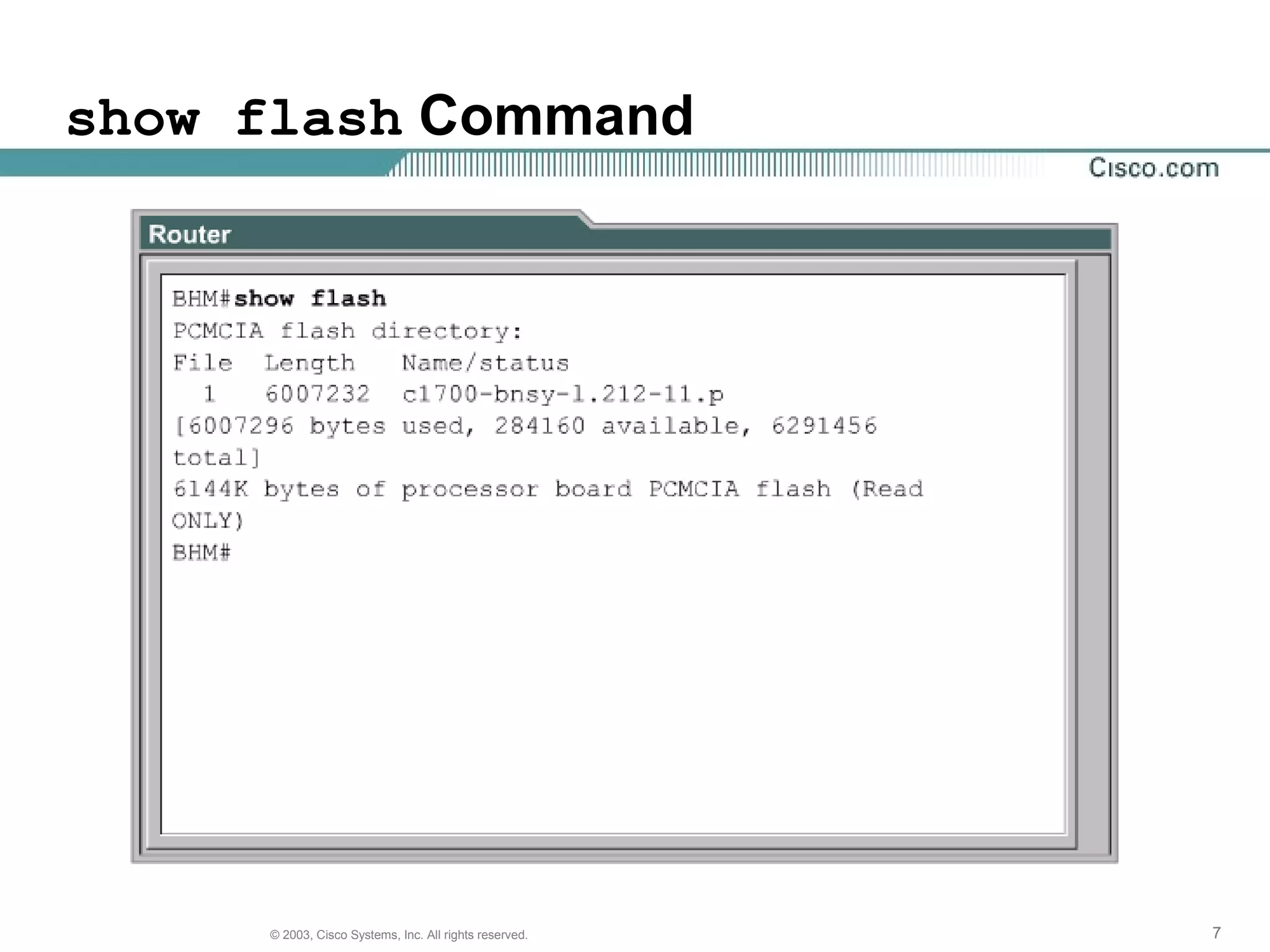
show flash Command
888© 2003, Cisco Systems, Inc. All rights reserved.
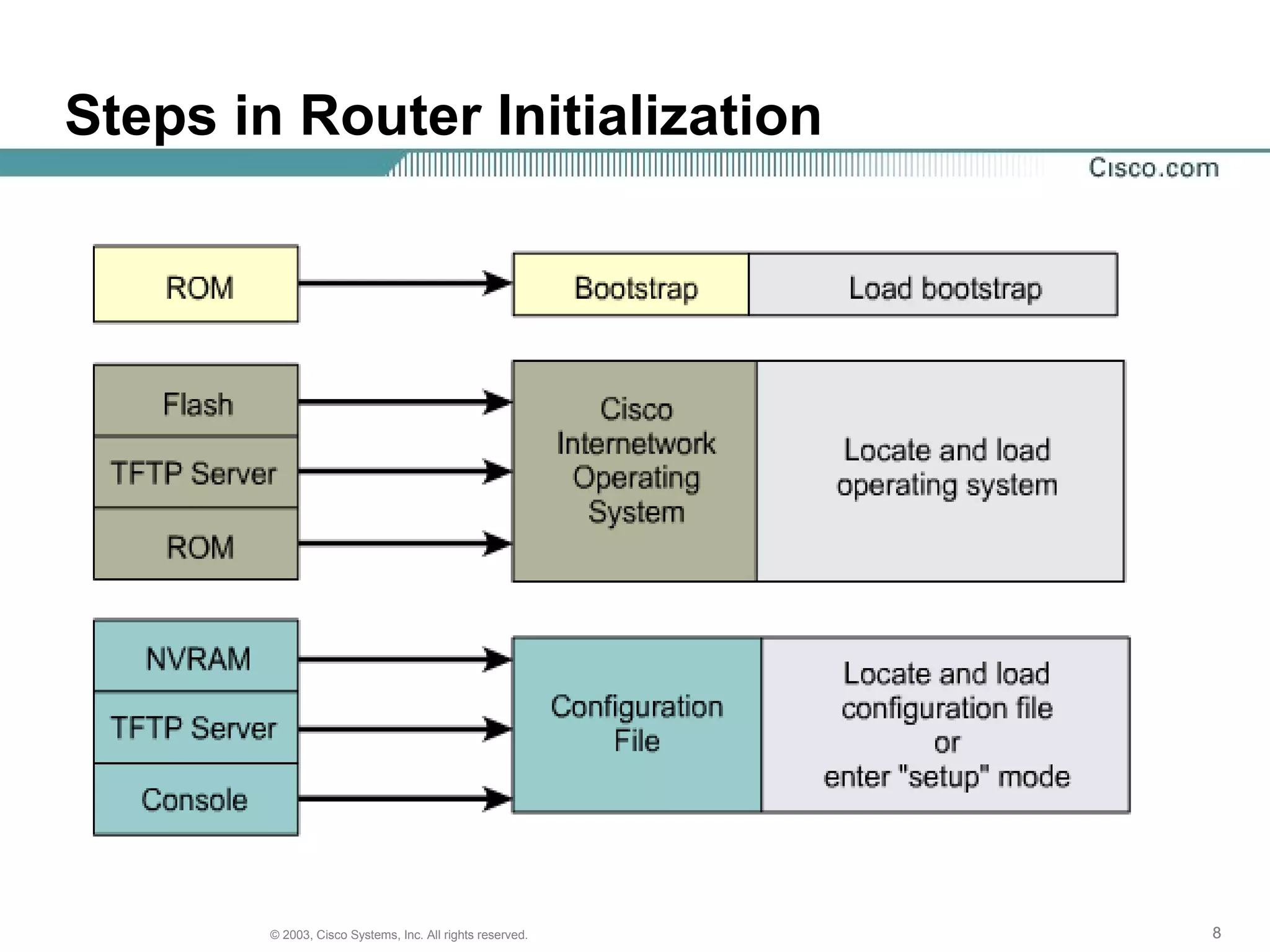
Steps in Router Initialization
999© 2003, Cisco Systems, Inc. All rights reserved.
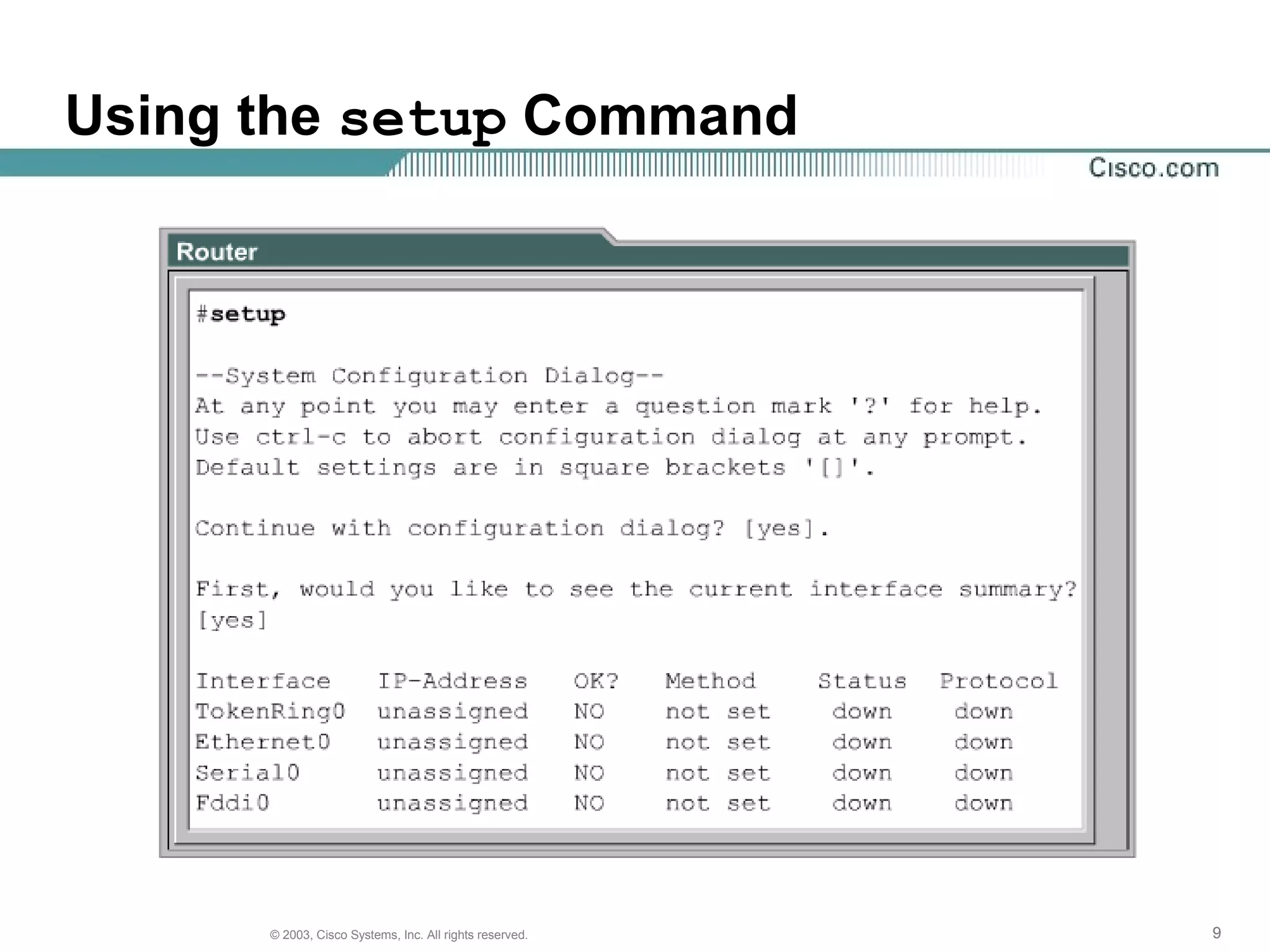
Using the setup Command
101010© 2003, Cisco Systems, Inc. All rights reserved.
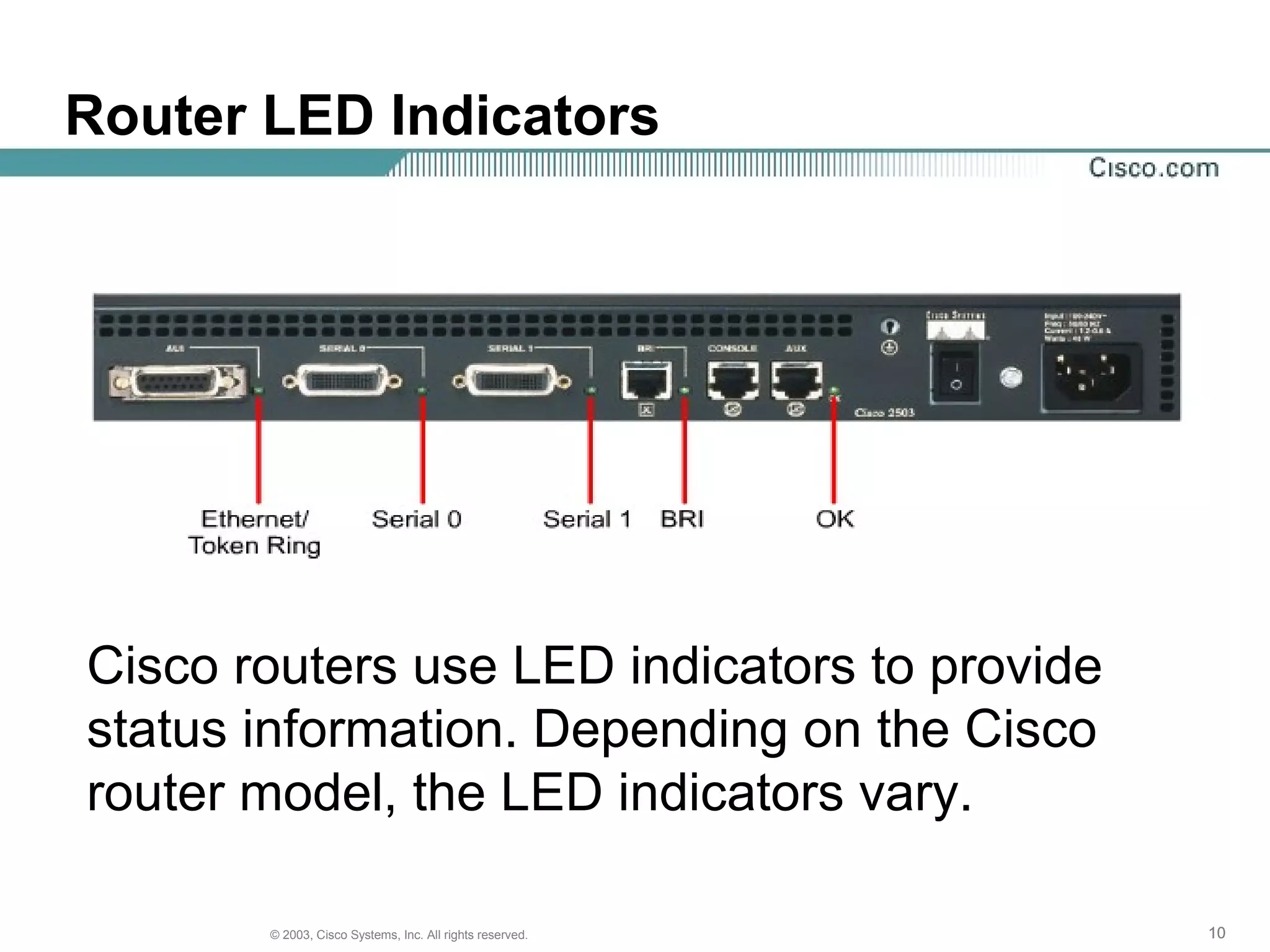
Router LED Indicators
Cisco routers use LED indicators to provide
status information. Depending on the Cisco
router model, the LED indicators vary.
111111© 2003, Cisco Systems, Inc. All rights reserved.
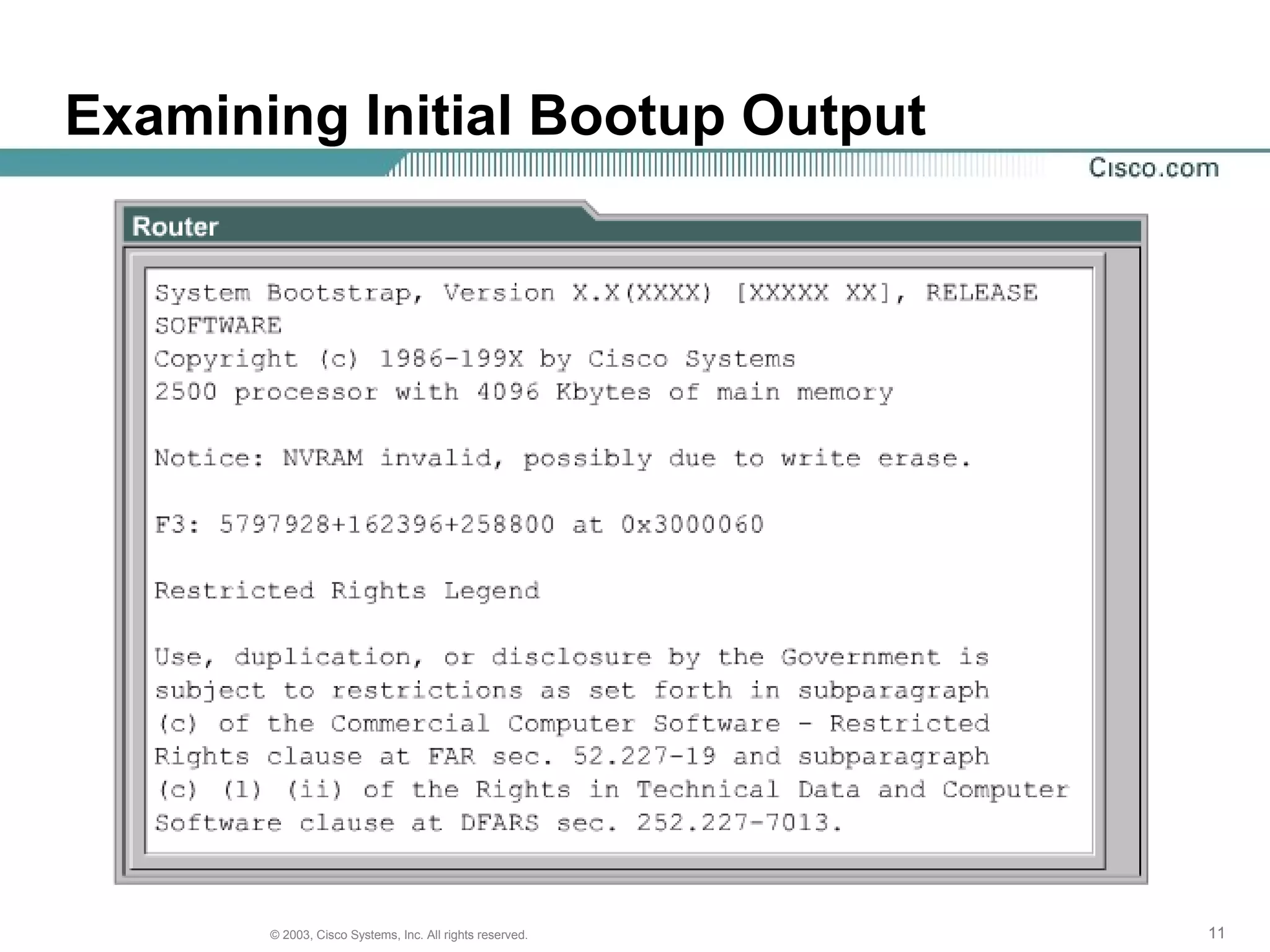
Examining Initial Bootup Output
121212© 2003, Cisco Systems, Inc. All rights reserved.
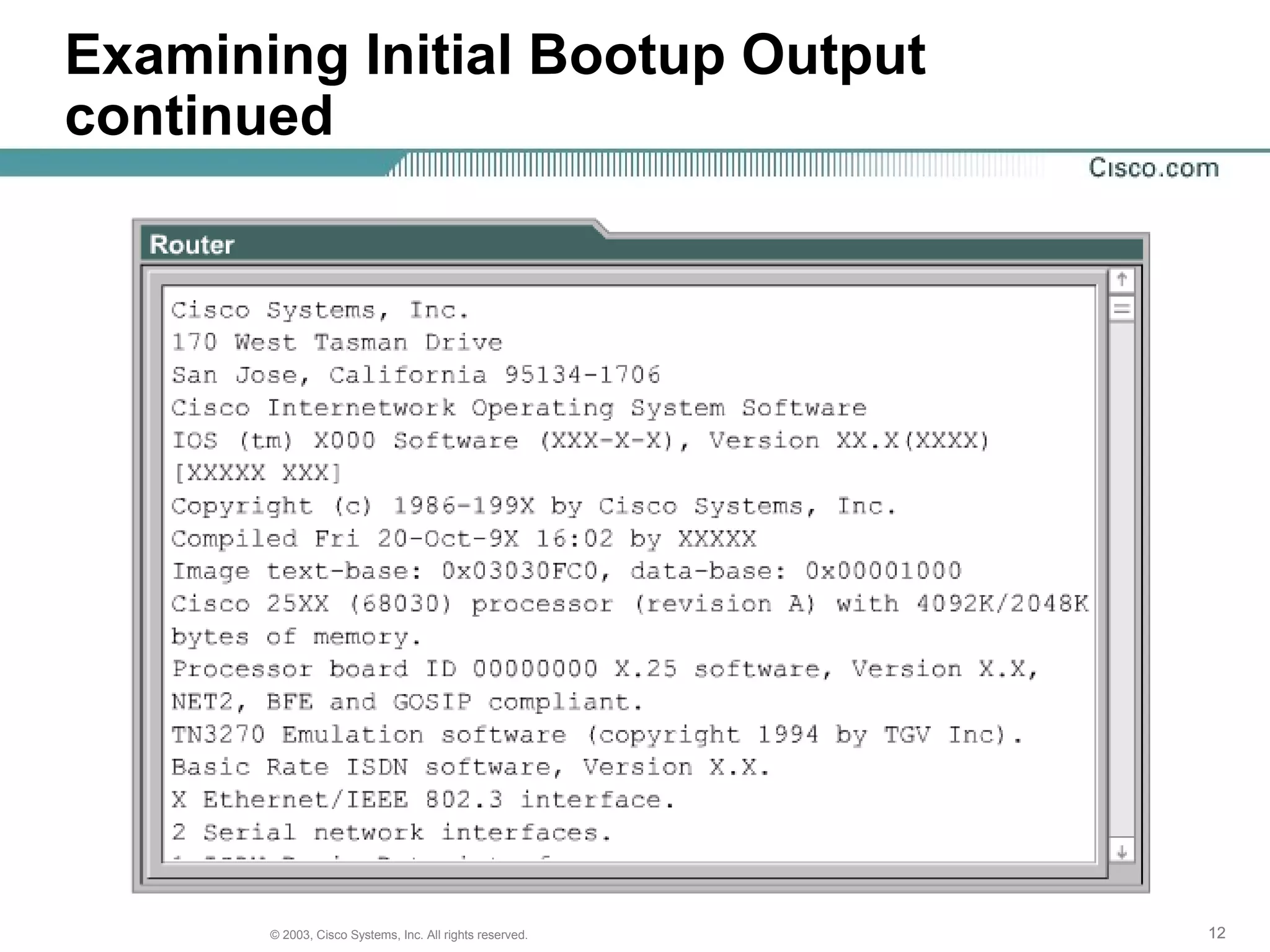
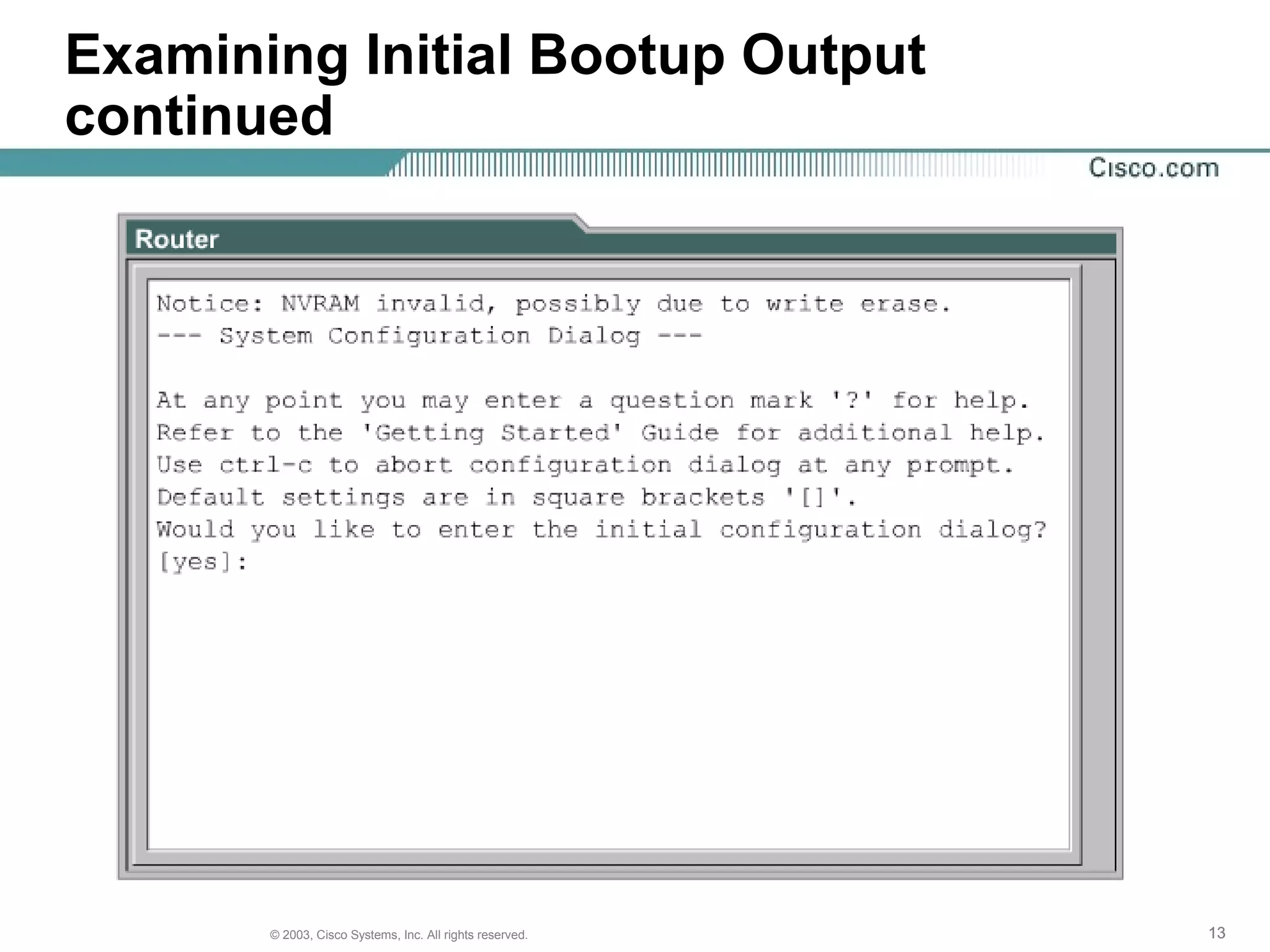
Examining Initial Bootup Output
continued
131313© 2003, Cisco Systems, Inc. All rights reserved.
Examining Initial Bootup Output
continued
141414© 2003, Cisco Systems, Inc. All rights reserved.
Establishing a Hyperterminal Session
• All Cisco routers
include an EIA/TIA-232
asynchronous serial
console port (RJ-45).
• Cables and adapters
are needed to connect
a console terminal (an
ASCII terminal or PC
running terminal
emulation software) to
the console port.
151515© 2003, Cisco Systems, Inc. All rights reserved.
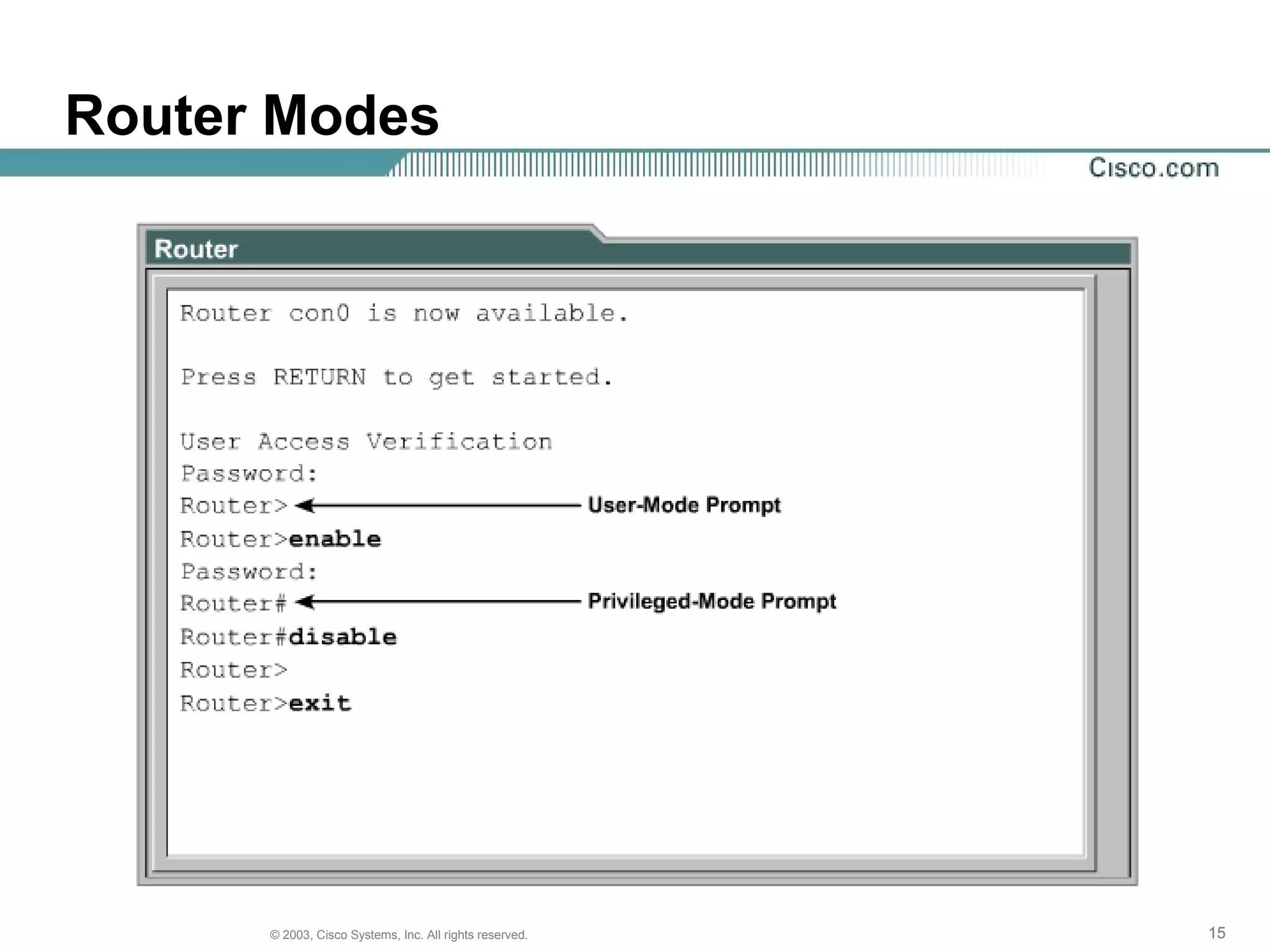
Router Modes
161616© 2003, Cisco Systems, Inc. All rights reserved.
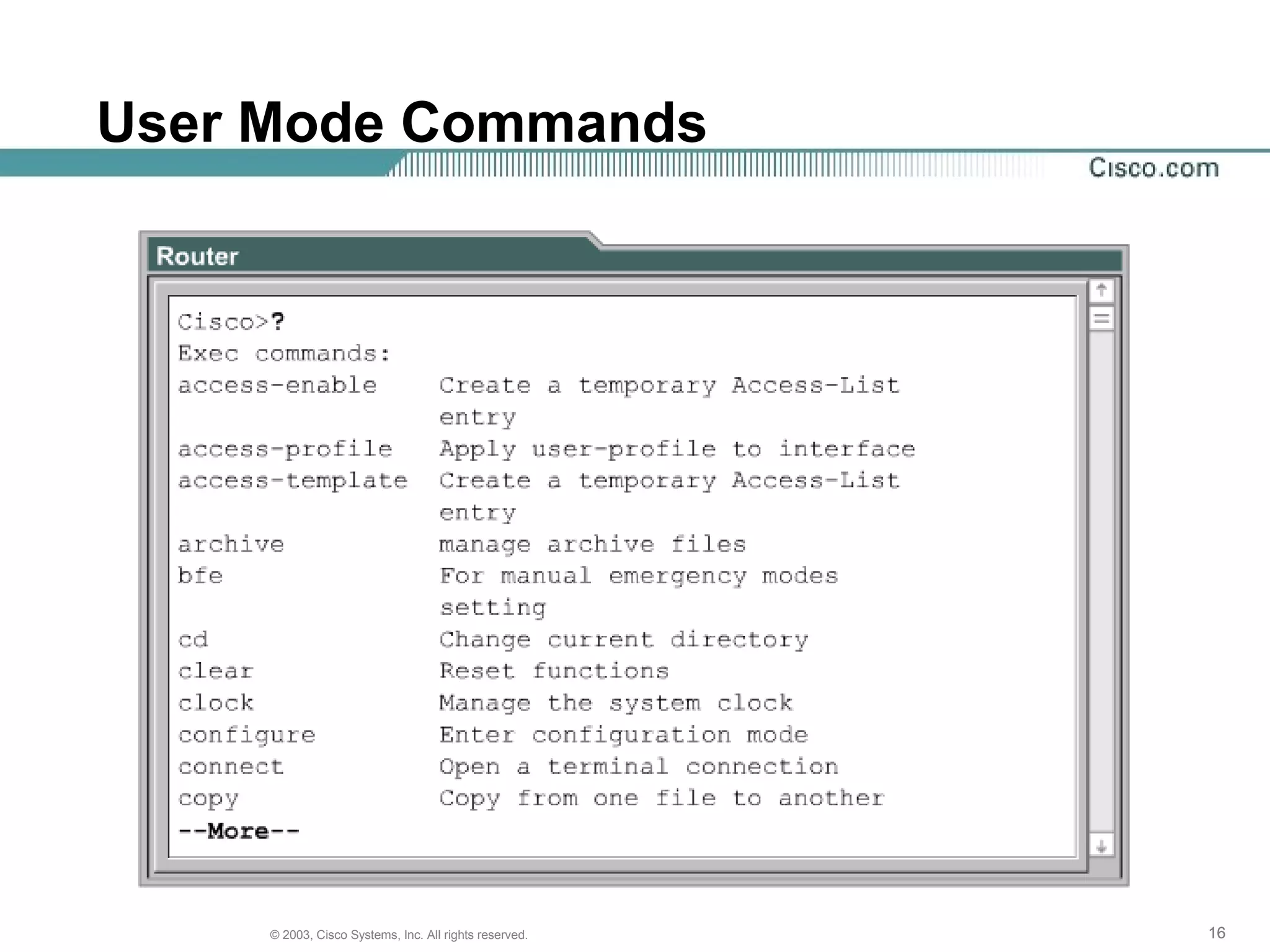
User Mode Commands
171717© 2003, Cisco Systems, Inc. All rights reserved.
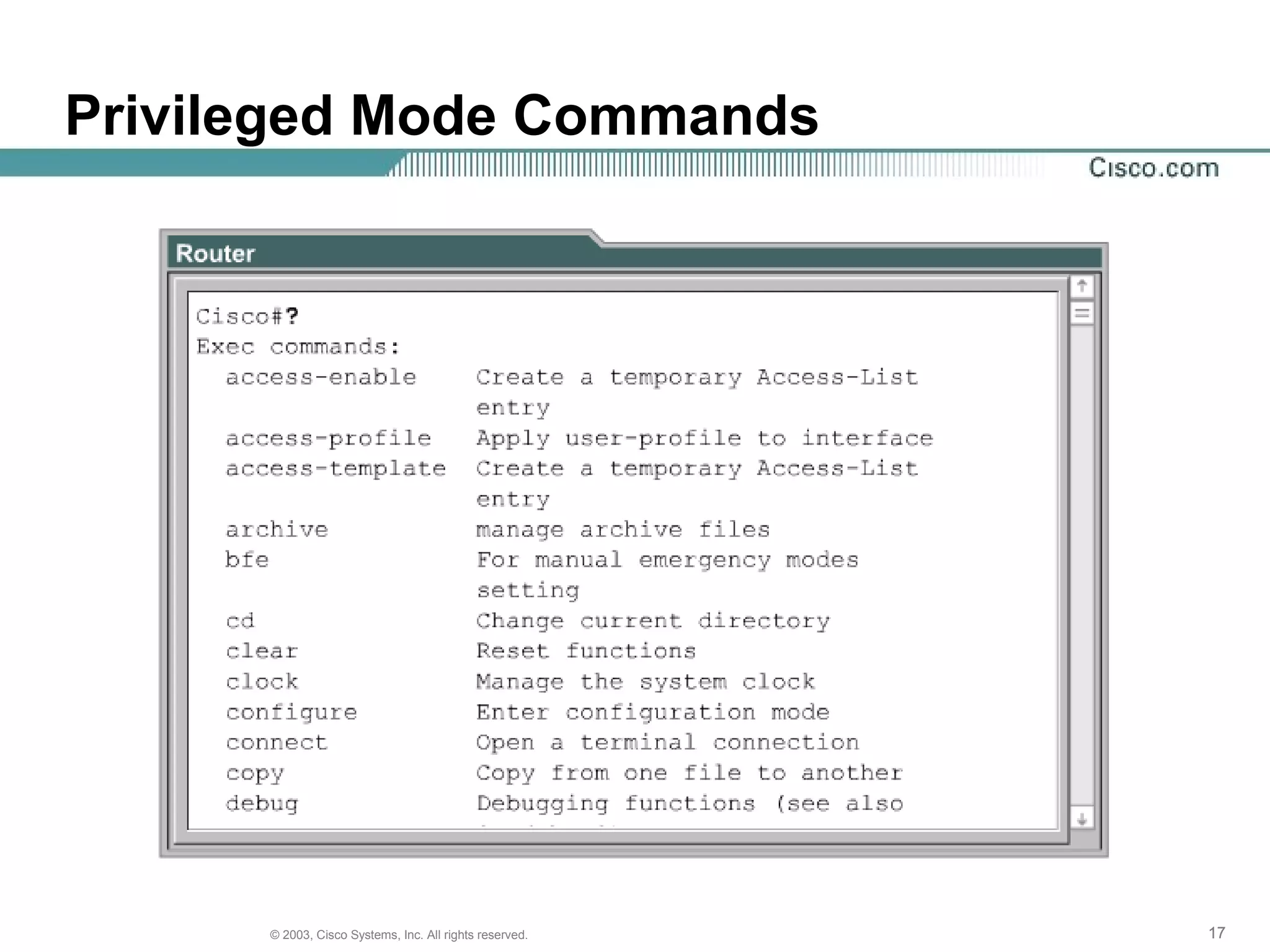
Privileged Mode Commands
181818© 2003, Cisco Systems, Inc. All rights reserved.
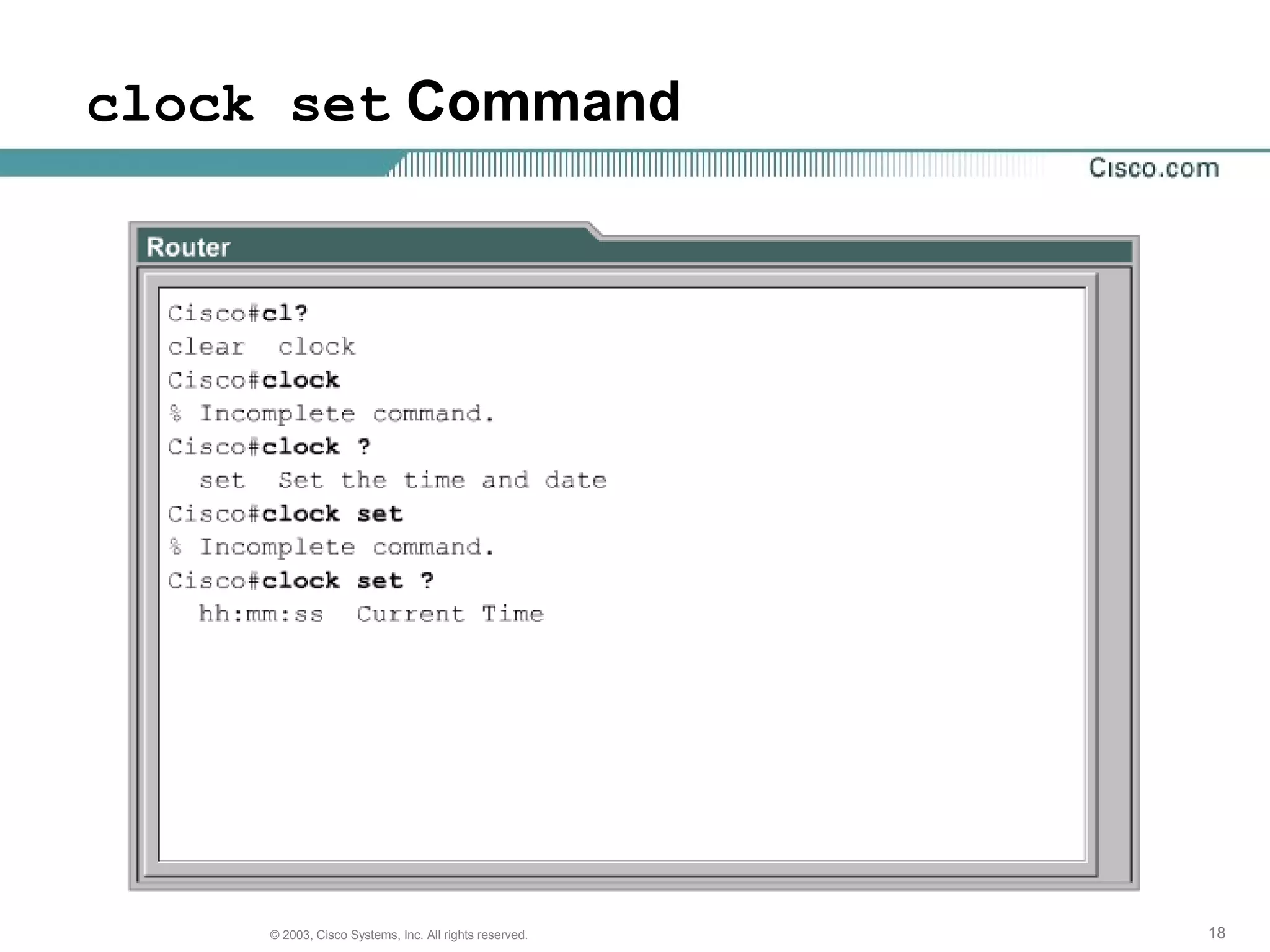
clock set Command
191919© 2003, Cisco Systems, Inc. All rights reserved.
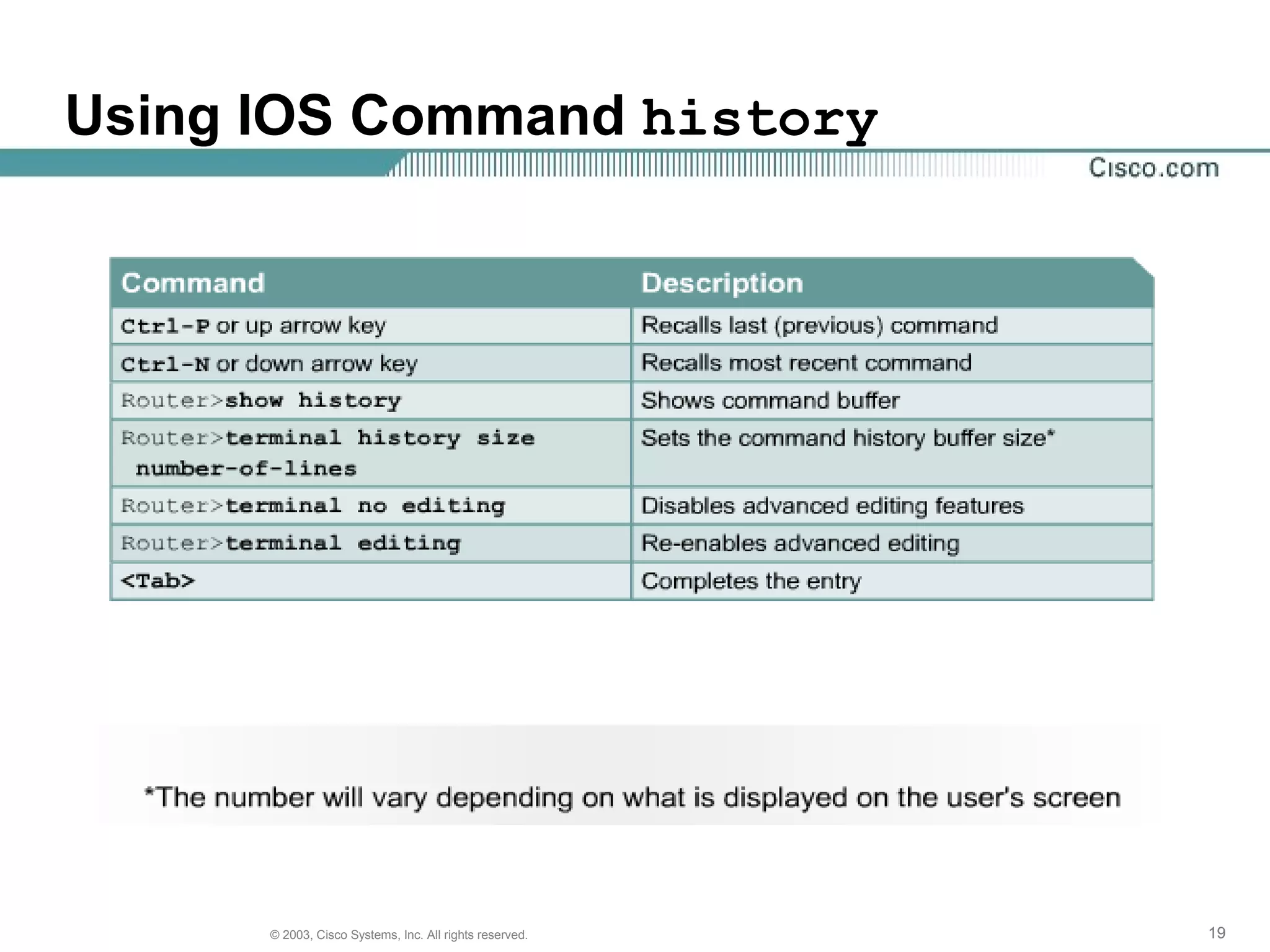
Using IOS Command history
202020© 2003, Cisco Systems, Inc. All rights reserved.
The User Interface Error Indicator
212121© 2003, Cisco Systems, Inc. All rights reserved.
The show version Command

Redes

  • 1.
    1© 2003, CiscoSystems, Inc. All rights reserved. CCNA 2 v3.0 Module 2 Introduction to Routers
  • 2.
    222© 2003, CiscoSystems, Inc. All rights reserved. Objectives • Operating Cisco IOS Software • Starting a router
  • 3.
    333© 2003, CiscoSystems, Inc. All rights reserved. Purpose of Cisco IOS Software • Basic routing and switching functions • Reliable and secure access to networked resources • Network scalability
  • 4.
    444© 2003, CiscoSystems, Inc. All rights reserved. Router User Interface
  • 5.
    555© 2003, CiscoSystems, Inc. All rights reserved. Router User Interface Modes
  • 6.
    666© 2003, CiscoSystems, Inc. All rights reserved. Cisco IOS Naming Conventions
  • 7.
    777© 2003, CiscoSystems, Inc. All rights reserved. show flash Command
  • 8.
    888© 2003, CiscoSystems, Inc. All rights reserved. Steps in Router Initialization
  • 9.
    999© 2003, CiscoSystems, Inc. All rights reserved. Using the setup Command
  • 10.
    101010© 2003, CiscoSystems, Inc. All rights reserved. Router LED Indicators Cisco routers use LED indicators to provide status information. Depending on the Cisco router model, the LED indicators vary.
  • 11.
    111111© 2003, CiscoSystems, Inc. All rights reserved. Examining Initial Bootup Output
  • 12.
    121212© 2003, CiscoSystems, Inc. All rights reserved. Examining Initial Bootup Output continued
  • 13.
    131313© 2003, CiscoSystems, Inc. All rights reserved. Examining Initial Bootup Output continued
  • 14.
    141414© 2003, CiscoSystems, Inc. All rights reserved. Establishing a Hyperterminal Session • All Cisco routers include an EIA/TIA-232 asynchronous serial console port (RJ-45). • Cables and adapters are needed to connect a console terminal (an ASCII terminal or PC running terminal emulation software) to the console port.
  • 15.
    151515© 2003, CiscoSystems, Inc. All rights reserved. Router Modes
  • 16.
    161616© 2003, CiscoSystems, Inc. All rights reserved. User Mode Commands
  • 17.
    171717© 2003, CiscoSystems, Inc. All rights reserved. Privileged Mode Commands
  • 18.
    181818© 2003, CiscoSystems, Inc. All rights reserved. clock set Command
  • 19.
    191919© 2003, CiscoSystems, Inc. All rights reserved. Using IOS Command history
  • 20.
    202020© 2003, CiscoSystems, Inc. All rights reserved. The User Interface Error Indicator
  • 21.
    212121© 2003, CiscoSystems, Inc. All rights reserved. The show version Command

Editor's Notes

  • #9 Step 1 -- The generic bootstrap loader, in ROM, executes on the CPU card. A bootstrap is a simple, preset operation to load instructions that in turn cause other instructions to be loaded into memory, or cause entry into other configuration modes. Step 2 -- The operating system (Cisco IOS) can be found in one of several places. The location is disclosed in the boot field of the configuration register. If the boot field indicates a Flash, or network load, boot system commands in the configuration file indicate the exact location of the image. Step 3 -- The operating system image is loaded. Then, when it is loaded and operational, the operating system locates the hardware and software components and lists the results on the console terminal. Step 4 -- The configuration file saved in NVRAM is loaded into main memory and executed one line at a time. These configuration commands start routing processes, supply addresses for interfaces, set media characteristics, and so on. Step 5 -- If no valid configuration file exists in NVRAM, the operating system executes a question-driven initial configuration routine referred to as the system configuration dialog , also called the setup dialog .