RDF APIs for .NET Framework

              Rata Gheorghita Mugurel MOC2, Ivanciu Adriana MLC2
                              gheorghita.rata@infoiasi.ro, adriana.ivanciu@infoiasi.ro


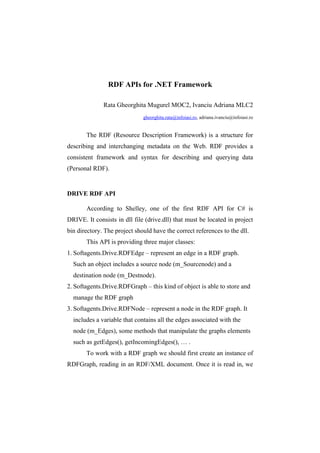
       The RDF (Resource Description Framework) is a structure for
describing and interchanging metadata on the Web. RDF provides a
consistent framework and syntax for describing and querying data
(Personal RDF).


DRIVE RDF API

       According to Shelley, one of the first RDF API for C# is
DRIVE. It consists in dll file (drive.dll) that must be located in project
bin directory. The project should have the correct references to the dll.
       This API is providing three major classes:
1. Softagents.Drive.RDFEdge – represent an edge in a RDF graph.
  Such an object includes a source node (m_Sourcenode) and a
  destination node (m_Destnode).
2. Softagents.Drive.RDFGraph – this kind of object is able to store and
  manage the RDF graph
3. Softagents.Drive.RDFNode – represent a node in the RDF graph. It
  includes a variable that contains all the edges associated with the
  node (m_Edges), some methods that manipulate the graphs elements
  such as getEdges(), getIncomingEdges(), … .
       To work with a RDF graph we should first create an instance of
RDFGraph, reading in an RDF/XML document. Once it is read in, we
2   Rata Gheorghita Mugurel MOC2, Ivanciu Adriana MLC2


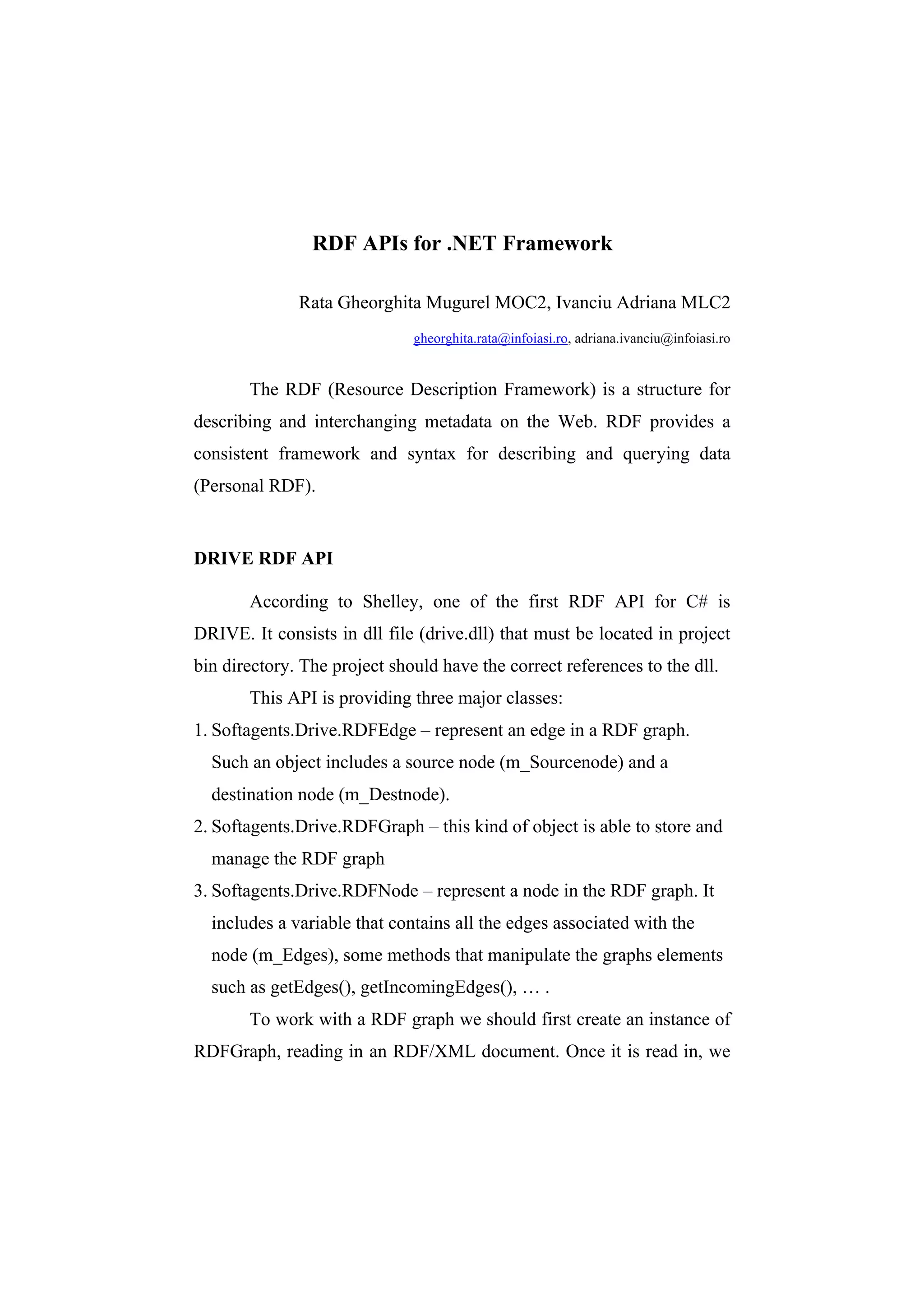
can query information from the graph, such as accessing a node with a
URI and then querying for the edges related to that node. I’ll show in
the next paragraph the example given by Shelley in its book. It’s
printing out the edges for a given node.

    using System;

    using Softagents.Drive;

    using System.Collections;

    namespace PracticalRDF

    {

               Public class PracticalRDF

    {

               Static void Main (string[] args)

               {

                   String[] arrNodes;

                   if(args.Length <1)

                   {

                       Console.WriteLine(“Not correct input
    file”);

                       Return;

    }

    //read in RDF/XML document

    RDFGraph rg = new RDFGraph();
RDF APIs for .NET Framework   3


  Rg.BuildRDFGraph(args[0]);

  //find specific node

  RDFNode rNode = rg.GetNode(“here will be an
  URI”);

  System.Collections.ArrayList arrEdges =
  rNode.GetEdges();

  //access edges and print

  Foreach(RDFEdge rEdge in arrEdges){

  Console.WriteLine(rEdge.m_lpszNameSpace +
  rEdge.m_lpszEdgeLocalName);

  }

  //dump all N-Triples

  Rg.PrintNTruples();

  }

  }

  }
       Unfortunately, because the drive.dll cannot be found in the
specified sources, I cannot test it myself.
       The only source for information about Drive was Shelley’s
document. So, the support for developers is practical zero. Also Drive
doesn’t offer support for processing data using a query language.


Drive RDF library should be found at http://www.driverdf.org/.
4    Rata Gheorghita Mugurel MOC2, Ivanciu Adriana MLC2


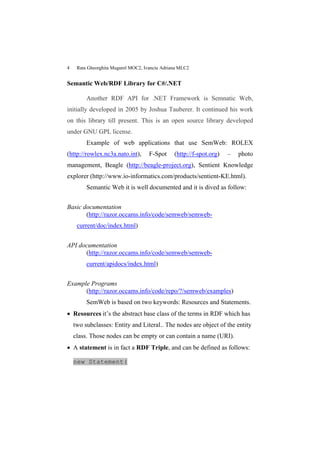
Semantic Web/RDF Library for C#/.NET

         Another RDF API for .NET Framework is Semnatic Web,
initially developed in 2005 by Joshua Tauberer. It continued his work
on this library till present. This is an open source library developed
under GNU GPL license.
         Example of web applications that use SemWeb: ROLEX
(http://rowlex.nc3a.nato.int),       F-Spot     (http://f-spot.org)   –   photo
management, Beagle (http://beagle-project.org), Sentient Knowledge
explorer (http://www.io-informatics.com/products/sentient-KE.html).
         Semantic Web it is well documented and it is dived as follow:


Basic documentation
       (http://razor.occams.info/code/semweb/semweb-
     current/doc/index.html)


API documentation
      (http://razor.occams.info/code/semweb/semweb-
         current/apidocs/index.html)


Example Programs
      (http://razor.occams.info/code/repo/?/semweb/examples)
         SemWeb is based on two keywords: Resources and Statements.
 Resources it’s the abstract base class of the terms in RDF which has
    two subclasses: Entity and Literal.. The nodes are object of the entity
    class. Those nodes can be empty or can contain a name (URI).
 A statement is in fact a RDF Triple, and can be defined as follows:

    new Statement(
RDF APIs for .NET Framework    5


          new
  Entity(“http://www.example.org/SemWeb”),

          new
  Entity(“http://www.example.org/hasName”),

          new Literal(“My semantic Web
  LIbrary”));
        If we want to instantiate a blank node we have to replace the
Literal instance with “new Bnode()” (which represents an instance
of an empty Literal).
        I’ll show an example for how to get the statements from an
object stored in computer memory.

      MemoryStore ms = new MemoryStore();

  for(int i=0; i<ms.StatementsCount; i ++) //( I
  replaced ms++ from the initial document with
  i++; the original line doesn’t make sense)

  Statement stmr = ms[i];

  Console.WriteLine(stmt);

  }
        It also offers support for query languages. It must be included
the SemWeb.Query Namespace. The SPARQL specifications are
implemented in SemWeb.Query.Sparql. It has implemented an
algorithm for graph matching in SemWeb.Query.GraphMatch.
6   Rata Gheorghita Mugurel MOC2, Ivanciu Adriana MLC2


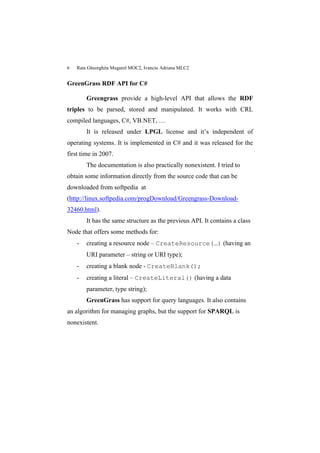
GreenGrass RDF API for C#

        Greengrass provide a high-level API that allows the RDF
triples to be parsed, stored and manipulated. It works with CRL
compiled languages, C#, VB.NET, …
        It is released under LPGL license and it’s independent of
operating systems. It is implemented in C# and it was released for the
first time in 2007.
        The documentation is also practically nonexistent. I tried to
obtain some information directly from the source code that can be
downloaded from softpedia at
(http://linux.softpedia.com/progDownload/Greengrass-Download-
32460.html).
        It has the same structure as the previous API. It contains a class
Node that offers some methods for:
    -   creating a resource node – CreateResource(…) (having an
        URI parameter – string or URI type);
    -   creating a blank node - CreateBlank();
    -   creating a literal – CreateLiteral() (having a data
        parameter, type string);
        GreenGrass has support for query languages. It also contains
an algorithm for managing graphs, but the support for SPARQL is
nonexistent.
RDF APIs for .NET Framework   7


Conclusions

          The best RDF API for .NET is the second one - SemanticWeb
because it offers support both for SPARQL and Graphs. SemanticWeb
has a good structured documentation and the authors still offer
technical support, fix bugs and updates the library to the last web
trends.
8    Rata Gheorghita Mugurel MOC2, Ivanciu Adriana MLC2


Bibliografy:
1. Practical RDF, Shelley Powers, O’Reilly,
    http://books.google.com/books?id=88yzElvD9sgC&printsec=frontco
    ver&dq=Practical+RDF#v=onepage&q=&f=false
2. Semantic Web/RDF Library for C#/.NET, Joshua Tauberer
3. http://razor.occams.info/code/semweb
4. http://freshmeat.net/projects/greengrass
5. http://linux.softpedia.com/progDownload/Greengrass-Download-
    32460.html

RDF APIs for .NET Framework

  • 1.
    RDF APIs for.NET Framework Rata Gheorghita Mugurel MOC2, Ivanciu Adriana MLC2 gheorghita.rata@infoiasi.ro, adriana.ivanciu@infoiasi.ro The RDF (Resource Description Framework) is a structure for describing and interchanging metadata on the Web. RDF provides a consistent framework and syntax for describing and querying data (Personal RDF). DRIVE RDF API According to Shelley, one of the first RDF API for C# is DRIVE. It consists in dll file (drive.dll) that must be located in project bin directory. The project should have the correct references to the dll. This API is providing three major classes: 1. Softagents.Drive.RDFEdge – represent an edge in a RDF graph. Such an object includes a source node (m_Sourcenode) and a destination node (m_Destnode). 2. Softagents.Drive.RDFGraph – this kind of object is able to store and manage the RDF graph 3. Softagents.Drive.RDFNode – represent a node in the RDF graph. It includes a variable that contains all the edges associated with the node (m_Edges), some methods that manipulate the graphs elements such as getEdges(), getIncomingEdges(), … . To work with a RDF graph we should first create an instance of RDFGraph, reading in an RDF/XML document. Once it is read in, we
  • 2.
    2 Rata Gheorghita Mugurel MOC2, Ivanciu Adriana MLC2 can query information from the graph, such as accessing a node with a URI and then querying for the edges related to that node. I’ll show in the next paragraph the example given by Shelley in its book. It’s printing out the edges for a given node. using System; using Softagents.Drive; using System.Collections; namespace PracticalRDF { Public class PracticalRDF { Static void Main (string[] args) { String[] arrNodes; if(args.Length <1) { Console.WriteLine(“Not correct input file”); Return; } //read in RDF/XML document RDFGraph rg = new RDFGraph();
  • 3.
    RDF APIs for.NET Framework 3 Rg.BuildRDFGraph(args[0]); //find specific node RDFNode rNode = rg.GetNode(“here will be an URI”); System.Collections.ArrayList arrEdges = rNode.GetEdges(); //access edges and print Foreach(RDFEdge rEdge in arrEdges){ Console.WriteLine(rEdge.m_lpszNameSpace + rEdge.m_lpszEdgeLocalName); } //dump all N-Triples Rg.PrintNTruples(); } } } Unfortunately, because the drive.dll cannot be found in the specified sources, I cannot test it myself. The only source for information about Drive was Shelley’s document. So, the support for developers is practical zero. Also Drive doesn’t offer support for processing data using a query language. Drive RDF library should be found at http://www.driverdf.org/.
  • 4.
    4 Rata Gheorghita Mugurel MOC2, Ivanciu Adriana MLC2 Semantic Web/RDF Library for C#/.NET Another RDF API for .NET Framework is Semnatic Web, initially developed in 2005 by Joshua Tauberer. It continued his work on this library till present. This is an open source library developed under GNU GPL license. Example of web applications that use SemWeb: ROLEX (http://rowlex.nc3a.nato.int), F-Spot (http://f-spot.org) – photo management, Beagle (http://beagle-project.org), Sentient Knowledge explorer (http://www.io-informatics.com/products/sentient-KE.html). Semantic Web it is well documented and it is dived as follow: Basic documentation (http://razor.occams.info/code/semweb/semweb- current/doc/index.html) API documentation (http://razor.occams.info/code/semweb/semweb- current/apidocs/index.html) Example Programs (http://razor.occams.info/code/repo/?/semweb/examples) SemWeb is based on two keywords: Resources and Statements.  Resources it’s the abstract base class of the terms in RDF which has two subclasses: Entity and Literal.. The nodes are object of the entity class. Those nodes can be empty or can contain a name (URI).  A statement is in fact a RDF Triple, and can be defined as follows: new Statement(
  • 5.
    RDF APIs for.NET Framework 5 new Entity(“http://www.example.org/SemWeb”), new Entity(“http://www.example.org/hasName”), new Literal(“My semantic Web LIbrary”)); If we want to instantiate a blank node we have to replace the Literal instance with “new Bnode()” (which represents an instance of an empty Literal). I’ll show an example for how to get the statements from an object stored in computer memory. MemoryStore ms = new MemoryStore(); for(int i=0; i<ms.StatementsCount; i ++) //( I replaced ms++ from the initial document with i++; the original line doesn’t make sense) Statement stmr = ms[i]; Console.WriteLine(stmt); } It also offers support for query languages. It must be included the SemWeb.Query Namespace. The SPARQL specifications are implemented in SemWeb.Query.Sparql. It has implemented an algorithm for graph matching in SemWeb.Query.GraphMatch.
  • 6.
    6 Rata Gheorghita Mugurel MOC2, Ivanciu Adriana MLC2 GreenGrass RDF API for C# Greengrass provide a high-level API that allows the RDF triples to be parsed, stored and manipulated. It works with CRL compiled languages, C#, VB.NET, … It is released under LPGL license and it’s independent of operating systems. It is implemented in C# and it was released for the first time in 2007. The documentation is also practically nonexistent. I tried to obtain some information directly from the source code that can be downloaded from softpedia at (http://linux.softpedia.com/progDownload/Greengrass-Download- 32460.html). It has the same structure as the previous API. It contains a class Node that offers some methods for: - creating a resource node – CreateResource(…) (having an URI parameter – string or URI type); - creating a blank node - CreateBlank(); - creating a literal – CreateLiteral() (having a data parameter, type string); GreenGrass has support for query languages. It also contains an algorithm for managing graphs, but the support for SPARQL is nonexistent.
  • 7.
    RDF APIs for.NET Framework 7 Conclusions The best RDF API for .NET is the second one - SemanticWeb because it offers support both for SPARQL and Graphs. SemanticWeb has a good structured documentation and the authors still offer technical support, fix bugs and updates the library to the last web trends.
  • 8.
    8 Rata Gheorghita Mugurel MOC2, Ivanciu Adriana MLC2 Bibliografy: 1. Practical RDF, Shelley Powers, O’Reilly, http://books.google.com/books?id=88yzElvD9sgC&printsec=frontco ver&dq=Practical+RDF#v=onepage&q=&f=false 2. Semantic Web/RDF Library for C#/.NET, Joshua Tauberer 3. http://razor.occams.info/code/semweb 4. http://freshmeat.net/projects/greengrass 5. http://linux.softpedia.com/progDownload/Greengrass-Download- 32460.html