
RADCAB
Or, how do I know whether to
believe what I'm reading?
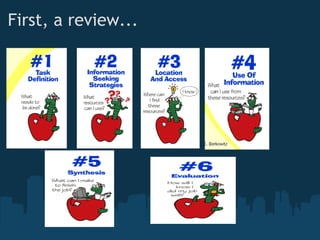
First, a review...
  
Things to Consider
Is everything on the Internet true?
 
How about on .org sites? Aren't they telling the truth?
 
Let's check:
http://www.allaboutexplorers.com/
 
http://www.dhmo.org/


R = Relevancy
Is the information relevant to the question at hand?
Am I on the right track?
• We want good value for the time we spend on the Internet
• Start with asking key questions that focus on the research
topic
• Relate to Big6 Step 1- Task Definition
• What exactly do I want to know about the topic? 
• Effective searching- type keywords into search bar
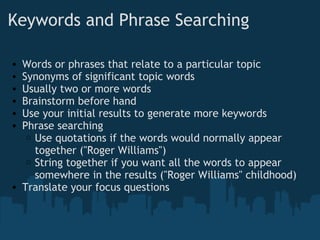
Keywords and Phrase Searching
• Words or phrases that relate to a particular topic
• Synonyms of significant topic words
• Usually two or more words
• Brainstorm before hand
• Use your initial results to generate more keywords
• Phrase searching
o Use quotations if the words would normally appear
together ("Roger Williams")
o String together if you want all the words to appear
somewhere in the results ("Roger Williams" childhood)
• Translate your focus questions
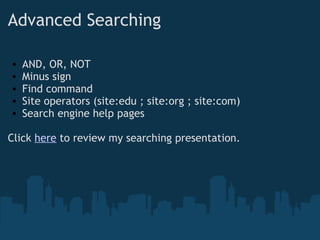
Advanced Searching
• AND, OR, NOT
• Minus sign
• Find command
• Site operators (site:edu ; site:org ; site:com)
• Search engine help pages
Click here to review my searching presentation.
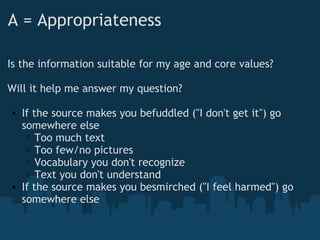
A = Appropriateness
Is the information suitable for my age and core values?
Will it help me answer my question?
• If the source makes you befuddled ("I don't get it") go
somewhere else
o Too much text
o Too few/no pictures
o Vocabulary you don't recognize
o Text you don't understand
• If the source makes you besmirched ("I feel harmed") go
somewhere else
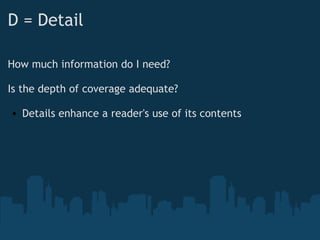
D = Detail
How much information do I need?
Is the depth of coverage adequate?
• Details enhance a reader's use of its contents
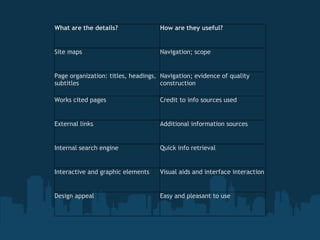
What are the details? How are they useful?
Site maps Navigation; scope
Page organization: titles, headings,
subtitles
Navigation; evidence of quality
construction
Works cited pages Credit to info sources used
External links Additional information sources
Internal search engine Quick info retrieval
Interactive and graphic elements Visual aids and interface interaction
Design appeal Easy and pleasant to use
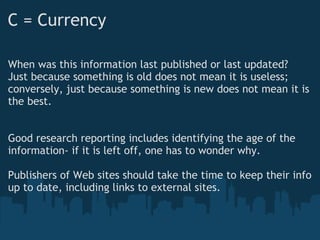
C = Currency
When was this information last published or last updated?
Just because something is old does not mean it is useless;
conversely, just because something is new does not mean it is
the best.
 
 
Good research reporting includes identifying the age of the
information- if it is left off, one has to wonder why.
 
Publishers of Web sites should take the time to keep their info
up to date, including links to external sites.
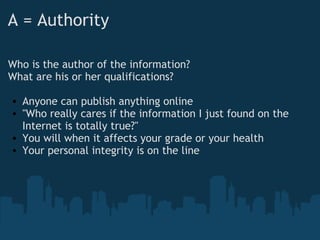
A = Authority
Who is the author of the information?
What are his or her qualifications?
 
• Anyone can publish anything online
• "Who really cares if the information I just found on the
Internet is totally true?"
• You will when it affects your grade or your health
• Your personal integrity is on the line
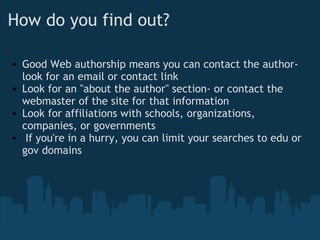
How do you find out?
• Good Web authorship means you can contact the author-
look for an email or contact link
• Look for an "about the author" section- or contact the
webmaster of the site for that information
• Look for affiliations with schools, organizations,
companies, or governments
•  If you're in a hurry, you can limit your searches to edu or
gov domains
What does authoritative mean? What
does it look like?
• Information is accurate and credible
• Author has education, training, or experience to write with
authority on the topic
• Visuals thoughtfully selected and placed
• Use of primary sources
• Glossary of relevant terms
• Site is uncluttered
• Opinion is clearly distinguished from fact
• Sources are acknowledged and cited
• Information can be verified elsewhere
B = Bias
Why was this information written?
Was it written to inform me, persuade me, or sell me
something?
 
Bias isn't necessarily bad- you just have to be aware that it is
there so you are not misled into believing something is fact
when it is not.
Clue 1: The Web site mission
statement
• What is bias?
o prejudice, unacknowledged favoritism, predilection
toward one particular point of view, subjective vs.
objective/neutral viewpoint
• Check for an "about this site" link
• Will describe mission and goals
• Helps user understand point of view of author and purpose
of Web site
Clue 2: The domain suffix
.org    non-profit organization
.com    commercial
.net    network or net provider
.edu    education
.gov    government
.mil    military
 
There are also country-specific domain suffixes
Clue 3: The authorship
Not always easy to find
 
Dig through the site to find the authority information
 
Knowing author's background will help determine if there is
any bias
Clue 4: The advertising
• Some Web sites are developed solely for the purpose of
selling something
• Some Web sites mix information with selling or advertising
• Be cautious that the advertising is not coloring the
information
• Many sites with ads do have credible, accurate
information- just be aware
Clue 5: The organization name behind
the information 
Name of the organization or company backing the Web site
offers specific clues about the origin and purpose of the
information
 
Name can usually be found in the domain name of the
Internet address; if it is not there, you need to dig to find out
that information
Clue 6: The language
• Emotionalism- exaggerated display of strong feelings:
politically charged labels, name-calling, swearing,
sarcasm, aggressive tone
• Rumor and conspiracy theories- hyped-up vocabulary,
intriguing content
• Humorous writing style- enjoyable, but is biased when at
someone else's expense
• Soap box sites- devoted to advocating belief systems and
points of view; full of emotional vocabulary
• Objective vs. subjective language- facts only vs. phrases
laced with opinion/values
Sources
Christensson, Karen. RADCAB : Your Vehicle for Information   
         Evaluation. Fort Atkinson, Wisc. : Upstart Books, 2006.
Print.
Eisenberg, Michael B., and Robert E. Berkowitz. Big 6 Steps.
Digital image. The Big 6. The Big 6. Web. 15 Oct. 2010.
<http://www.big6.com/kids/3-6.htm>.
Let's Analyze a Few Websites...    
• PAL: Perspectives in American Literature - A Research and
Reference Guide;
http://www.csustan.edu/english/reuben/pal/table.html
• Responses to American Literature;
http://colinamlit.blogspot.com/2008/01/puritans-and-age-of-reas
• The power of the individual: The American Enlightenment
and Romanticism
http://anthologyoi.com/history/american/the-power-of-the-indivi

Radcab

  • 1.
    RADCAB Or, how doI know whether to believe what I'm reading?
  • 2.
  • 3.
    Things to Consider Iseverything on the Internet true?   How about on .org sites? Aren't they telling the truth?   Let's check: http://www.allaboutexplorers.com/   http://www.dhmo.org/      
  • 4.
    R = Relevancy Isthe information relevant to the question at hand? Am I on the right track? • We want good value for the time we spend on the Internet • Start with asking key questions that focus on the research topic • Relate to Big6 Step 1- Task Definition • What exactly do I want to know about the topic?  • Effective searching- type keywords into search bar
  • 5.
    Keywords and PhraseSearching • Words or phrases that relate to a particular topic • Synonyms of significant topic words • Usually two or more words • Brainstorm before hand • Use your initial results to generate more keywords • Phrase searching o Use quotations if the words would normally appear together ("Roger Williams") o String together if you want all the words to appear somewhere in the results ("Roger Williams" childhood) • Translate your focus questions
  • 6.
    Advanced Searching • AND,OR, NOT • Minus sign • Find command • Site operators (site:edu ; site:org ; site:com) • Search engine help pages Click here to review my searching presentation.
  • 7.
    A = Appropriateness Isthe information suitable for my age and core values? Will it help me answer my question? • If the source makes you befuddled ("I don't get it") go somewhere else o Too much text o Too few/no pictures o Vocabulary you don't recognize o Text you don't understand • If the source makes you besmirched ("I feel harmed") go somewhere else
  • 8.
    D = Detail Howmuch information do I need? Is the depth of coverage adequate? • Details enhance a reader's use of its contents
  • 9.
    What are thedetails? How are they useful? Site maps Navigation; scope Page organization: titles, headings, subtitles Navigation; evidence of quality construction Works cited pages Credit to info sources used External links Additional information sources Internal search engine Quick info retrieval Interactive and graphic elements Visual aids and interface interaction Design appeal Easy and pleasant to use
  • 10.
    C = Currency Whenwas this information last published or last updated? Just because something is old does not mean it is useless; conversely, just because something is new does not mean it is the best.     Good research reporting includes identifying the age of the information- if it is left off, one has to wonder why.   Publishers of Web sites should take the time to keep their info up to date, including links to external sites.
  • 11.
    A = Authority Whois the author of the information? What are his or her qualifications?   • Anyone can publish anything online • "Who really cares if the information I just found on the Internet is totally true?" • You will when it affects your grade or your health • Your personal integrity is on the line
  • 12.
    How do youfind out? • Good Web authorship means you can contact the author- look for an email or contact link • Look for an "about the author" section- or contact the webmaster of the site for that information • Look for affiliations with schools, organizations, companies, or governments •  If you're in a hurry, you can limit your searches to edu or gov domains
  • 13.
    What does authoritativemean? What does it look like? • Information is accurate and credible • Author has education, training, or experience to write with authority on the topic • Visuals thoughtfully selected and placed • Use of primary sources • Glossary of relevant terms • Site is uncluttered • Opinion is clearly distinguished from fact • Sources are acknowledged and cited • Information can be verified elsewhere
  • 14.
    B = Bias Whywas this information written? Was it written to inform me, persuade me, or sell me something?   Bias isn't necessarily bad- you just have to be aware that it is there so you are not misled into believing something is fact when it is not.
  • 15.
    Clue 1: TheWeb site mission statement • What is bias? o prejudice, unacknowledged favoritism, predilection toward one particular point of view, subjective vs. objective/neutral viewpoint • Check for an "about this site" link • Will describe mission and goals • Helps user understand point of view of author and purpose of Web site
  • 16.
    Clue 2: Thedomain suffix .org    non-profit organization .com    commercial .net    network or net provider .edu    education .gov    government .mil    military   There are also country-specific domain suffixes
  • 17.
    Clue 3: Theauthorship Not always easy to find   Dig through the site to find the authority information   Knowing author's background will help determine if there is any bias
  • 18.
    Clue 4: Theadvertising • Some Web sites are developed solely for the purpose of selling something • Some Web sites mix information with selling or advertising • Be cautious that the advertising is not coloring the information • Many sites with ads do have credible, accurate information- just be aware
  • 19.
    Clue 5: Theorganization name behind the information  Name of the organization or company backing the Web site offers specific clues about the origin and purpose of the information   Name can usually be found in the domain name of the Internet address; if it is not there, you need to dig to find out that information
  • 20.
    Clue 6: Thelanguage • Emotionalism- exaggerated display of strong feelings: politically charged labels, name-calling, swearing, sarcasm, aggressive tone • Rumor and conspiracy theories- hyped-up vocabulary, intriguing content • Humorous writing style- enjoyable, but is biased when at someone else's expense • Soap box sites- devoted to advocating belief systems and points of view; full of emotional vocabulary • Objective vs. subjective language- facts only vs. phrases laced with opinion/values
  • 21.
    Sources Christensson, Karen. RADCAB :Your Vehicle for Information             Evaluation. Fort Atkinson, Wisc. : Upstart Books, 2006. Print. Eisenberg, Michael B., and Robert E. Berkowitz. Big 6 Steps. Digital image. The Big 6. The Big 6. Web. 15 Oct. 2010. <http://www.big6.com/kids/3-6.htm>.
  • 22.
    Let's Analyze aFew Websites...     • PAL: Perspectives in American Literature - A Research and Reference Guide; http://www.csustan.edu/english/reuben/pal/table.html • Responses to American Literature; http://colinamlit.blogspot.com/2008/01/puritans-and-age-of-reas • The power of the individual: The American Enlightenment and Romanticism http://anthologyoi.com/history/american/the-power-of-the-indivi

Editor's Notes

  • #10 Home page- like table of contents for the site; menu bars help with internal links- Site map- one-stop visual/textual outline of entire site; used to orient users to content and alert user to scope of site Page titles and subtitles- keep info organized and readable Works cited- validate info and expand research External links- additional and support information Internal search- like using Google but just in that web site Interactives- buttons, sliders, animation, pop-up menus, panning and zooming, rollovers- does not make it trustworthy, just more fun and easy to use Design- color scheme, typography, font size, layout; user friendliness